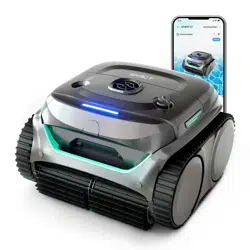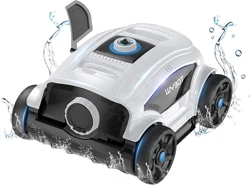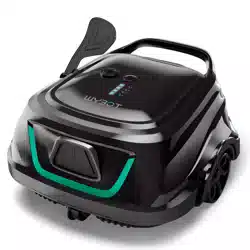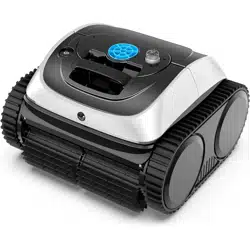
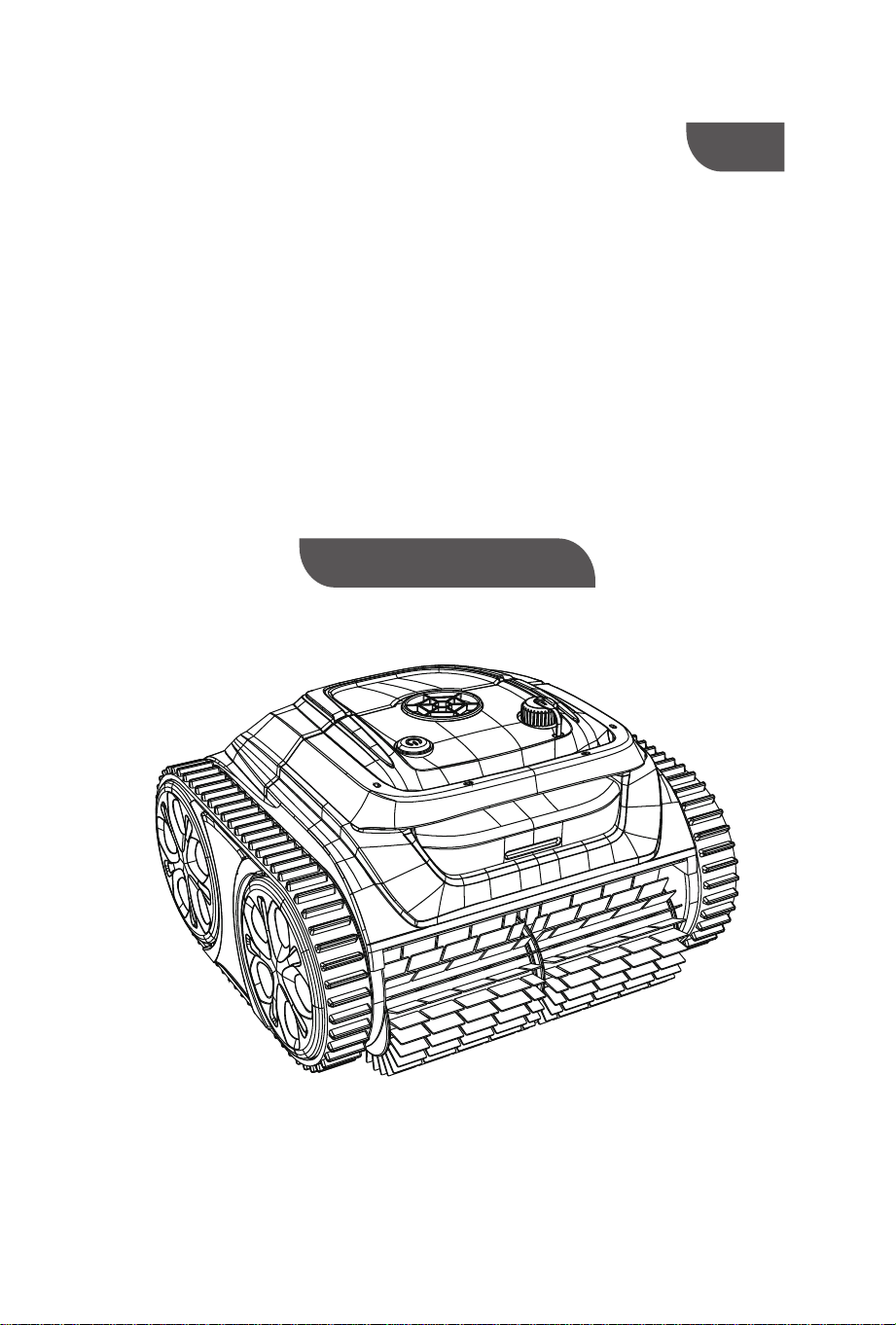
ROBOTIC POOL CLEANER
USER MANUAL
WY200
EN


Safety Instructions..............................................................................
I. lntroduction .............................................................................
II. lmportant Precautions..............................................................
III. Specifications..........................................................................
IV. Instructions............................................................................
4.1 LED lndicator..........................................................................
4.2 Charge the robot....................................................................
4.2.2 Charger indicator.................................................................
4.3 Clean the filter cartridge..........................................................
V. WYBOT APP Connection............................................................
VI. Installation of floating blocks (optional)...................................
VII. Packing list.............................................................................
WARRANTY...................................................................................
3
6
6
7
8
8
9
9
9
11
12
13
14
Contents

03
Safety Instructions
1.It is strictly forbidden to use this machine beyond its use conditions.
Please read this user manual carefully before use. Please use the product
according to the instructions in the user manual. Our company is not
responsible for any loss and injury caused by improper use.
2.Only accessories recommended or sold by the manufacturer can be used
for the machine.
3.The product shall not be used by children under 8 years old or people
with mental disabilities. If necessary, the product shall be used under the
supervision and guidance of guardian. Please don't let children ride on the
product or play with the product as a toy.
4.To prevent accidents, the machine must be taken out from the swimming
pool before charging, and the charger and the machine must be placed
indoors or in a splash-resistant facility for charging. Before charging,
ensure that the charging port is dry.
5.Please use the original charger to charge the machine.
6.Please confirm that the charging port is dry after the machine is taken
out from swimming pool, then connect it with the charger, and confirm
that the machine has been turned off (the indicator lights of the machine
go off completely), otherwise it cannot be charged normally.
7.The charger must be plugged into a socket with leakage protection.
Please ensure that the ground wire on the socket is grounded in a standard
and reliable way.
8.It is strictly forbidden to use other chargers to charge the machine.
Please do not charge this charger to other equipment, avoid damage to the
charger or the machine.
9.No one is allowed to enter the swimming pool when the cleaner is
working, so as to avoid danger and injury.
10.When the cleaner is placed on the shore, please do not turn it on,
otherwise it will affect the normal use of the cleaner.

04
11.Clean the filter basket in time after each use, so as not to affect the
work of the cleaner due to excessive dirt in the filter basket.
12.When the cleaner is not in use, please store the cleaner in a cool and
ventilated place indoors to avoid direct sunlight.
13.It is forbidden for non-professional personnel to disassemble the
sealing box of the main machine and the sealing box assembly of the
sensor, so as to avoid danger or avoid damage to the cleaner.
14.Charge the machine before the battery is completely exhausted. When
the yellow light of the machine is on, please charge the machine in time.
15.Do not charge the machine when the battery is full. Overcharging will
reduce the life of the battery.
16.Engine oil seal contains grease. If grease leaks, it may cause slight
pollution to water body.
17.The machine should be charged under 5°C-35°C environment. When
the battery is overheated, it shall be cooled before charging.
18.When the machine is stored for a long time, it shall be charged every
three months. Please use the original charger to charge the machine, so as
to ensure that the power of the machine is kept at 40%-60%. If the
machine is not charged for a long time, the battery voltage will be lower
than the overdischarge protection voltage due to the self-discharge of the
battery, and when the time is too long, fatal damage will be caused to the
battery, so please pay attention to this.
19.It is forbidden to pierce the shell of the machine with nails or other
sharp objects, and it is forbidden to hammer, hit or throw the machine.
20.Do not charge the machine under fire or extremely hot conditions! Do
not use or store the machine near heat sources.
21.During the operation of the machine underwater, slight "lifting" of the
machine may occasionally occur, it is a normal operation procedure of the
machine, not a failure.
Caution
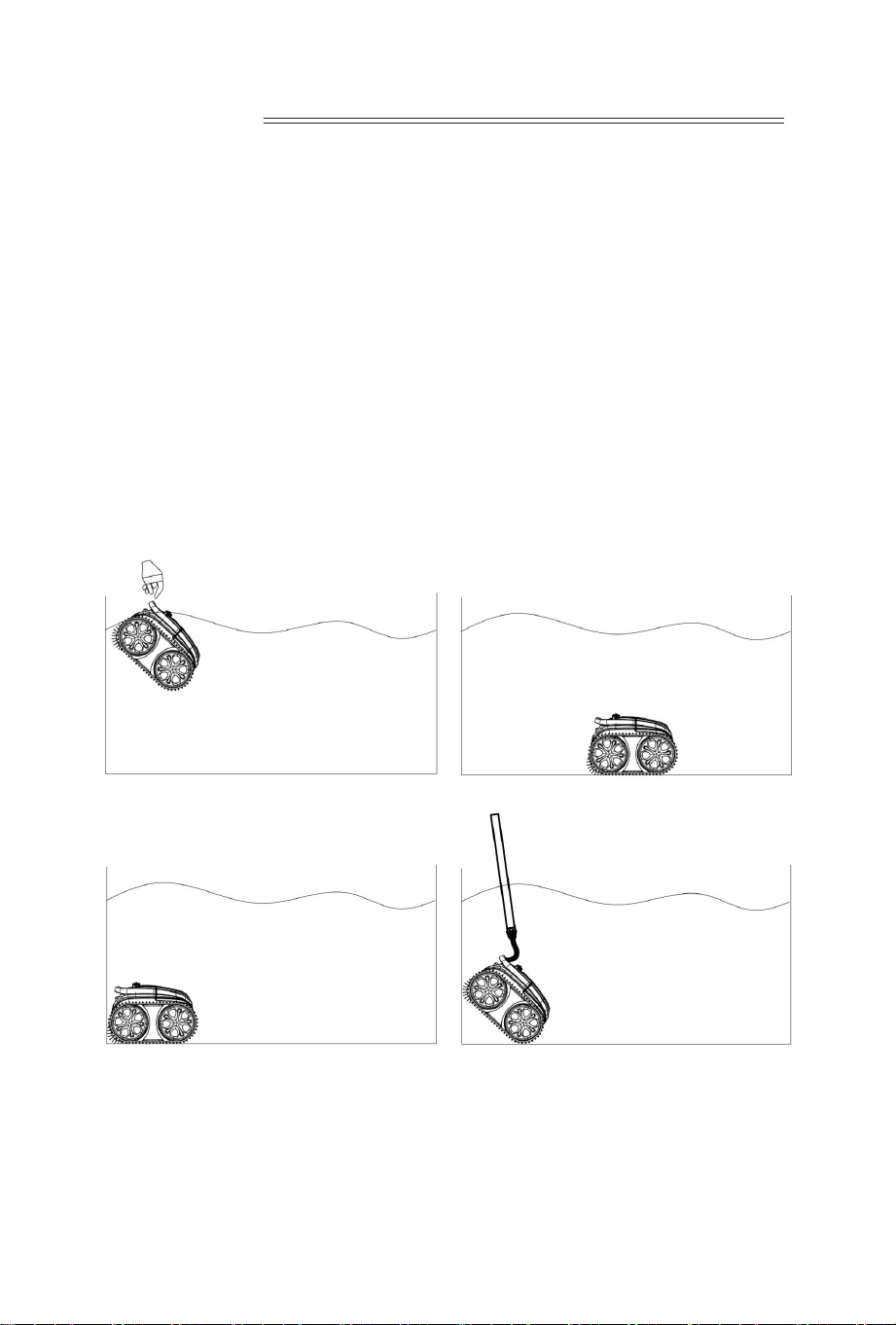
1.When putting the cleaner into the swimming pool, the bottom of the
cleaner shall face the pool wall, hold the handle and press the cleaner into
the water. At the same time, turn on the switch, and the cleaner will slowly
discharge the gas, and after 30s, it starts to work (The gas in the cleaner
must be completely discharged, otherwise gas will affect the normal work
of the machine). Make the machine naturally sinks to the bottom of the
pool.
2. When the cleaner completes the cleaning, it will automatically lean
against the pool wall. Take out the machine with hook.
05

WY200 robotic pool cleaner is a new and efficient robotic pool cleaning
equipment. It can automatically clean the swimming pool without
discharge of the pool water. At the same time, through the filtration
system, it collects the suspended solids and sediments in the water.
The main machine body is powered by 25.2V/6.4AH lithium ion battery
pack, so it has high safety.
1.Requirements for machine position during charging: See Article 4 of
"Safety Instructions" on page 1.
2.Please do not use other chargers to charge this machine, please do not
use this charger to charge other equipment!
3.Make sure that the switch is placed in the OFF position before charging
the machine.
4.Do not turn on the machine for cleaning when charging!
5.The cleaning machine shall carry out cleaning under 10°C-35°C
environment!
6.Charge the machine before the battery is completely exhausted. When
the yellow light of the machine is on, please charge the machine in time.
7.Do not charge the machine when the battery is full. Overcharging will
reduce the life of the battery.
8.The machine should be charged under 5°C-35°C environment. When the
battery is overheated, it shall be cooled before charging.
9.If the battery will not be used for a long time (more than 3 months), it
shall be charged.
10.Make sure the charging port is dry before charging.
Before using this product, please read the user manual carefully so
that you can use this machine correctly.
06
I. lntroduc�on
II. lmportant Precau�ons
07
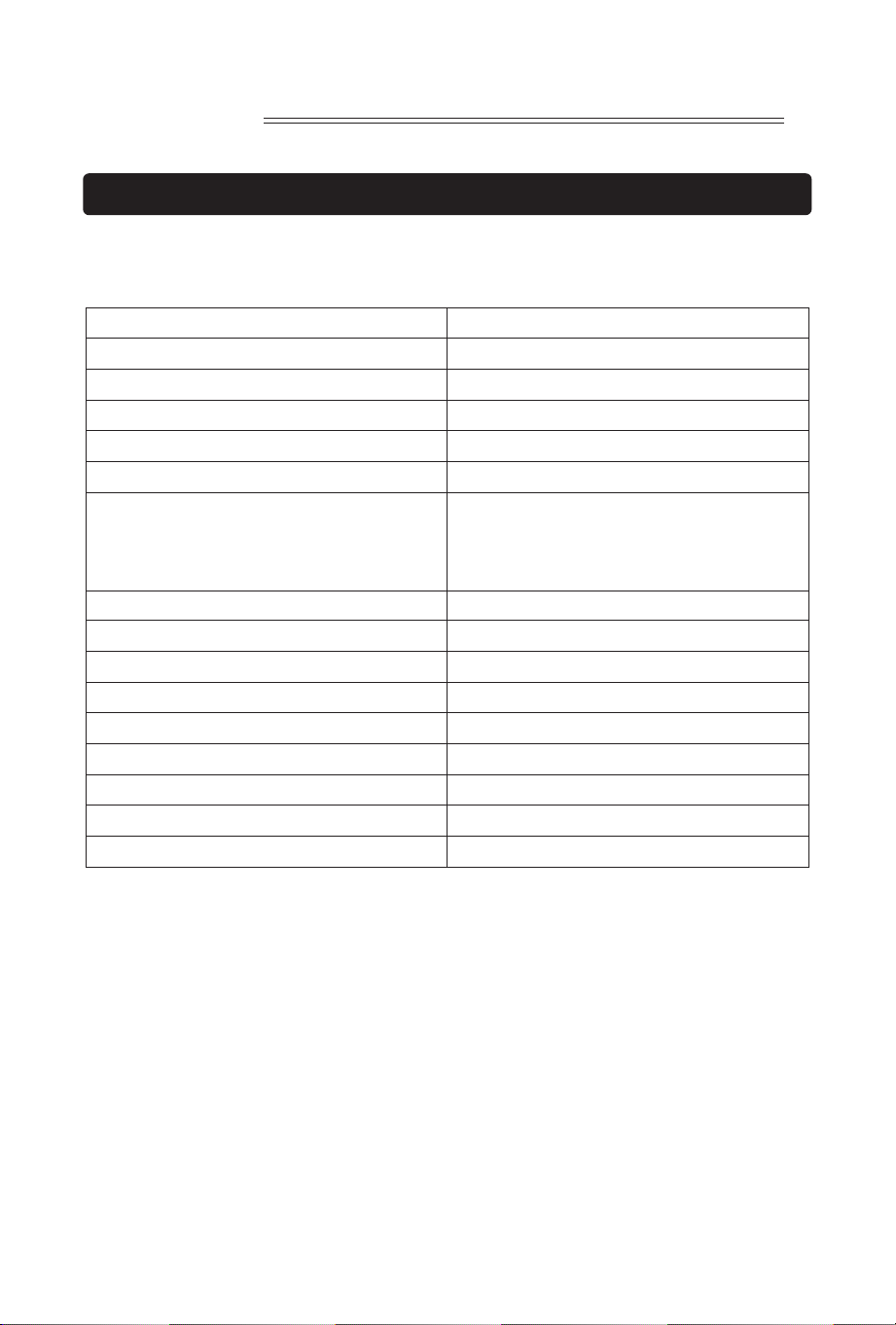
III. Specifica�ons
Charger Input
100-240V
Charger Input Frequency
47-63Hz.
Nominal voltage/nominal capacity 25.2 V/6.4AH
Power of the whole machine
80W
charger output
3A
Rated output voltage of charger
29.4V
Working Cycle Modes:
A. Pool bo�om and wall combina�on:
160-180min;
B. Pool bo�om: 180-200min
Filtra�on volume
max 13m³/h
Filtra�on capacity
180μm
Moving speed 11m/min.
Waterproof ra�ng
IPX8
Pool water temperature
��℉-��℉ ��℃-��℃
Weight
8.3kg
Product Size(mm) 385 (L) * 355 (W) * 250 (H)
Storage temperature
�� ℉ -�� ℉ (�℃ -��℃ )
Charging �me
about 2.5H
4.1 LED lndicator
08
IV. Instruc�ons
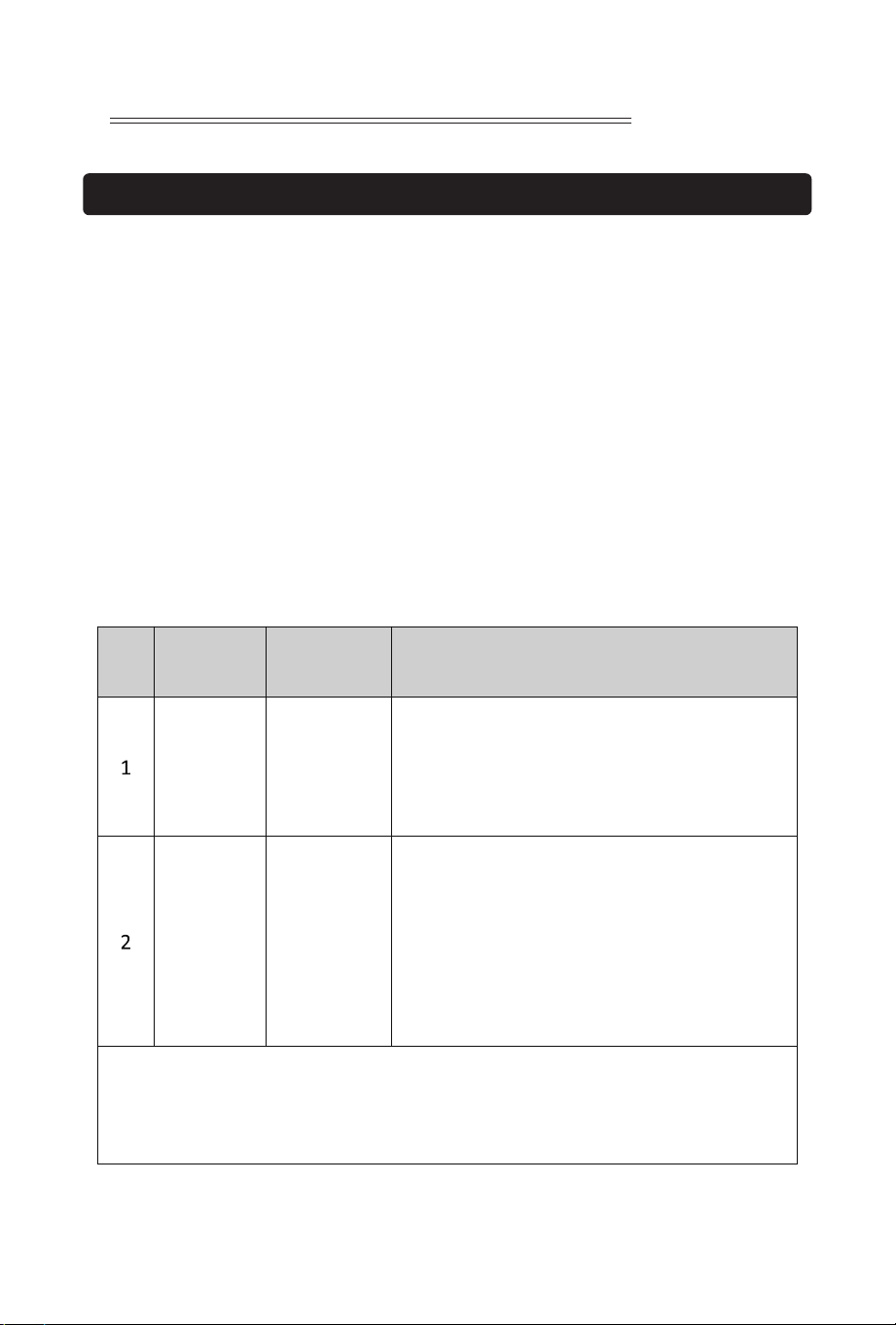
Status indicator lights
Switch button
No. Symbol Descrip�on Descrip�on of func�ons
ON/OFF
Status Indicator
Press the ON/OFF : the blue light goes on, it
indicates startup, press the bu�on again, the red
light goes on, it indicates shutdown, and a�er
shutdown, the red light goes off.
1. Blue light is always on: startup
2. Blue light flashes: normal opera�on
3. Yellow light flashes: the machine has low power,
it leans against the wall
4. Yellow light is always on: the machine has low
power, it leans against the wall and stops running
5. Red light flashes and always lights up: the
machine has failure
Troubleshoo�ng:
1:When the red light of the machine flashes and is always on, shut down and restart
the machine. If it cannot return to normal running, please contact the a�er-sales service
personnel.
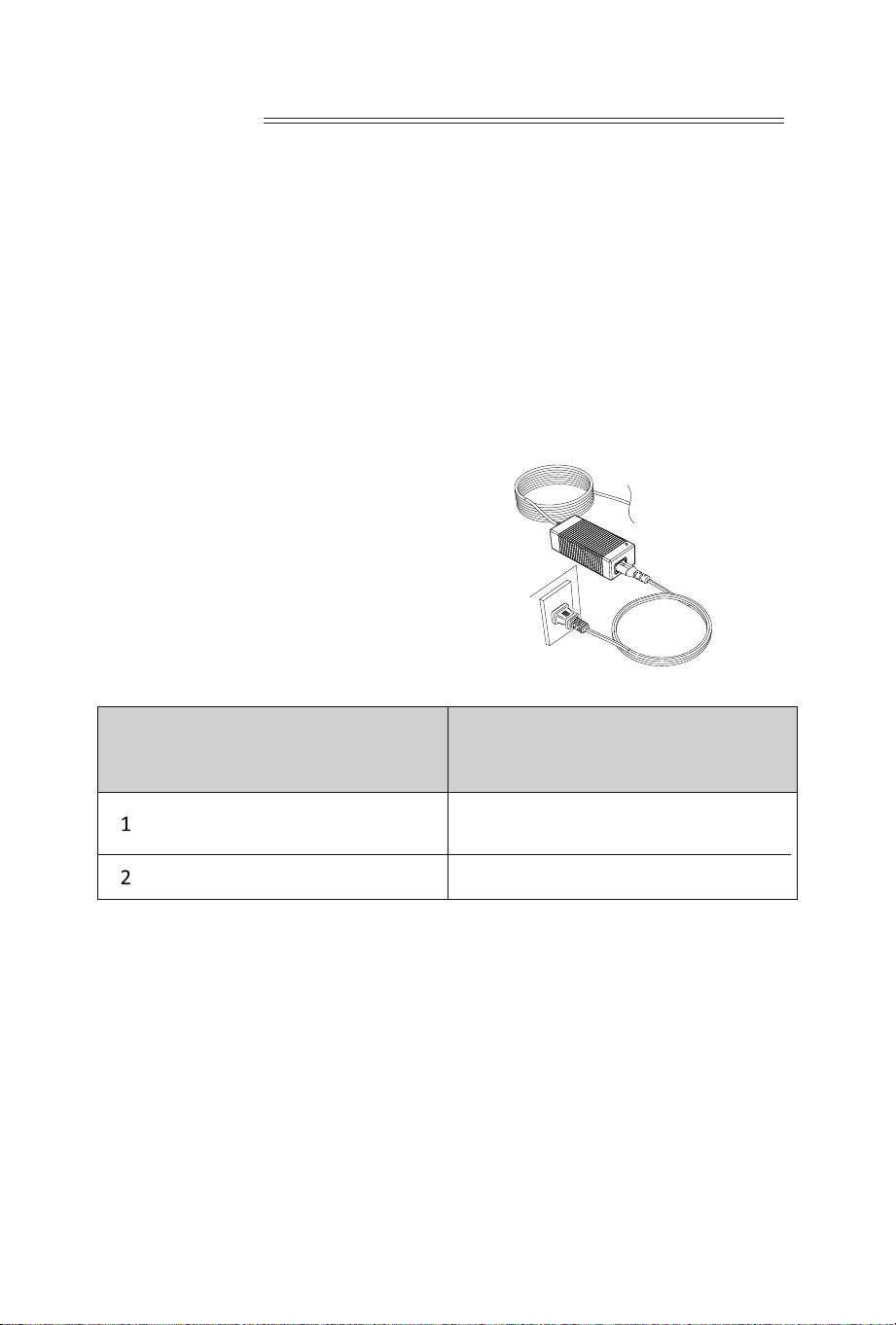
Make sure that the machine is turned off (the indicator lights are
completely off). When charging, please take the machine out of the
swimming pool, and place the machine indoors or in a splash-resistant
facility for charging. Unscrew the waterproof cap on the machine (ensure
that the charging port is dry) and connect the charging port with the
charging connector. When the battery charger light is red, indicating that it
is charging, when it turns green, it means that charging is completed.
4.3.1 Take out the filter basket: Place the cleaner on the shore, open the
cover plate by hand according to the position indicated in the figure (Figure
4-1), and the filter basket is shown in the figure (Figure 4-2).
4.2 Charge the robot
4.3 Clean the filter cartridge
4.2.2 Charger indicator
4.2.1 Charging Operation
LED Indicator Charging state
Green light is always on
Red light is always on Normal charging
Wai�ng for charging, or the ba�ery is not
plugged or the charging is complete
09
Figure 4-1 Figure 4-2
4.3.2 Take out the filter basket from the machine (Figure 4-3).
Figure 4-3
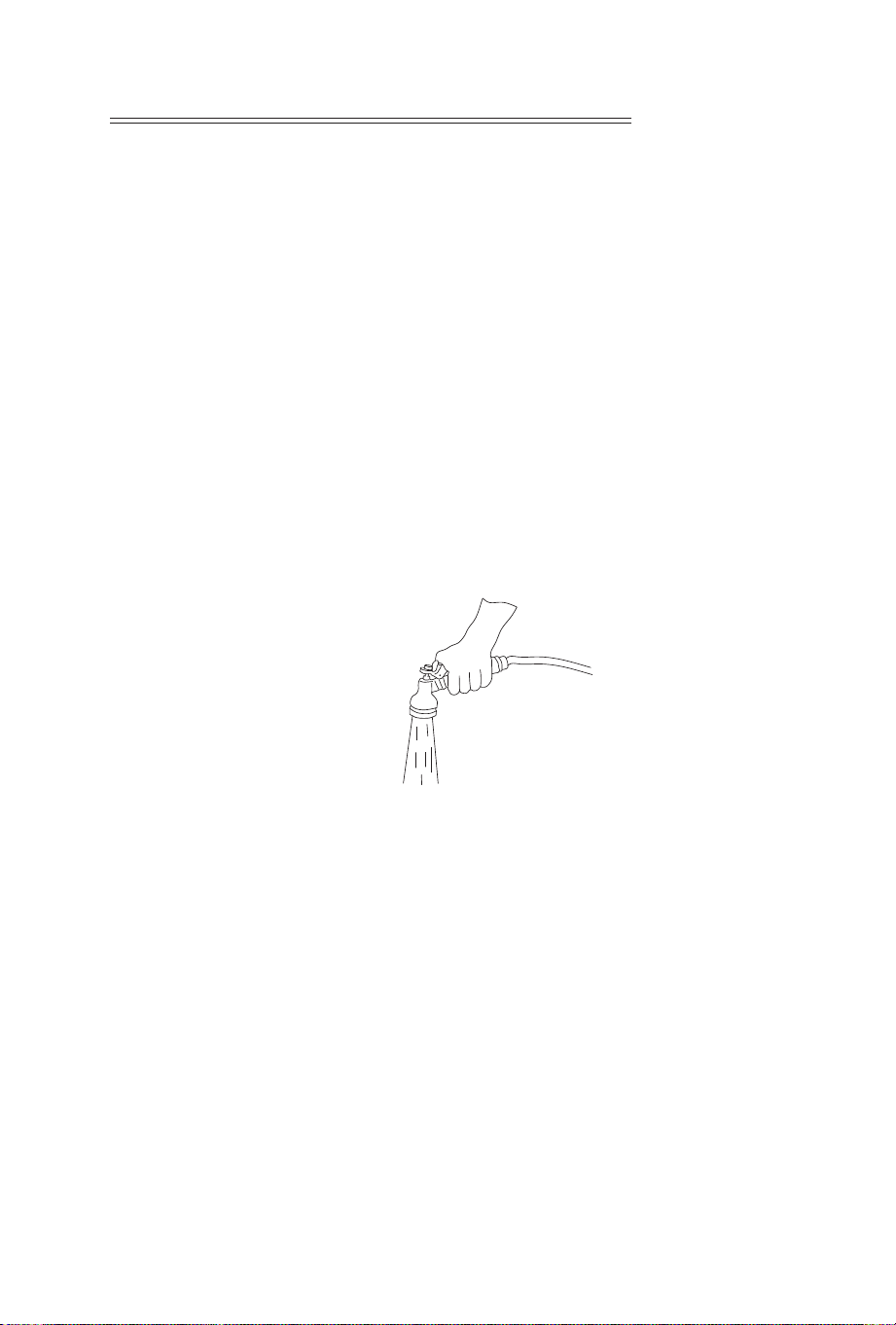
4.3.3 Cleaning of the filter basket
Rinse the dirt of the filter screen with clear water (Figure 4-4).
4.3.4 Installation of the filter basket
Reinstall the filter basket to the machine. The filter basket is aligned with
the water inlet and put into the cleaning machine. Put the cover plate on,
make the filter basket fit with the cover plate perfectly.
Figure 4-4
10
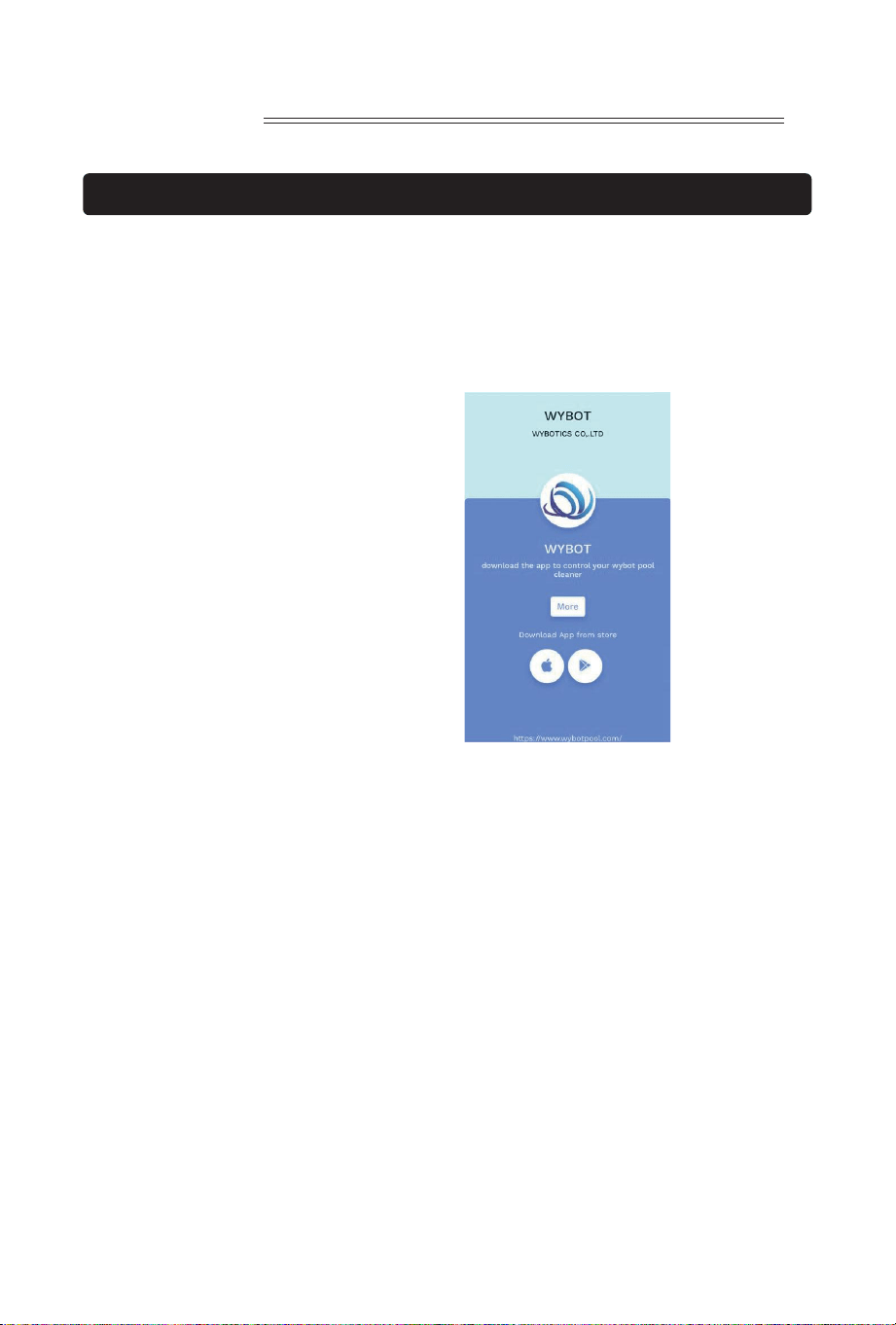
1. Download the App:
Method 1: Scan the QR code below (Figure 5-1). After scanning, you can
click on the corresponding store (Apple Store, Android Store) to download
the APP (Figure 5-2).
Method 2: Search and download the APP in the App Store
1) In case of Android phones, search google play for WYBOT, and download
it
2) In case of iPhone, searches the app store for WYBOT, download it
2. Turn on the machine, the machine light is blue and always on
3. Connect the APP with the machine after the machine starting.
4. After the connection is successful, the APP will give a "Success" prompt.
At the same time, the machine indicator light turns purple and always on.
5. After entering the APP interface, the parameters of the current machine
will be displayed, and users can set the parameters according to their own
demands in cleaning
6. Select the parameters you want
V. WYBOT APP Connec�on.
(The machine shall be outside the water when connec�ng the APP):
11
Figure 5-2
Figure 5-1
7. After restarting, the machine will execute the corresponding cleaning
program according to the preset parameters
Note:
1. When using App, it needs to obtain Bluetooth use permission and
location permission of the mobile phone
2. App is suitable for ios14 and above, and Android 8.0 and above.
3. To obtain weather information in APP, you need to turn on Location
service.
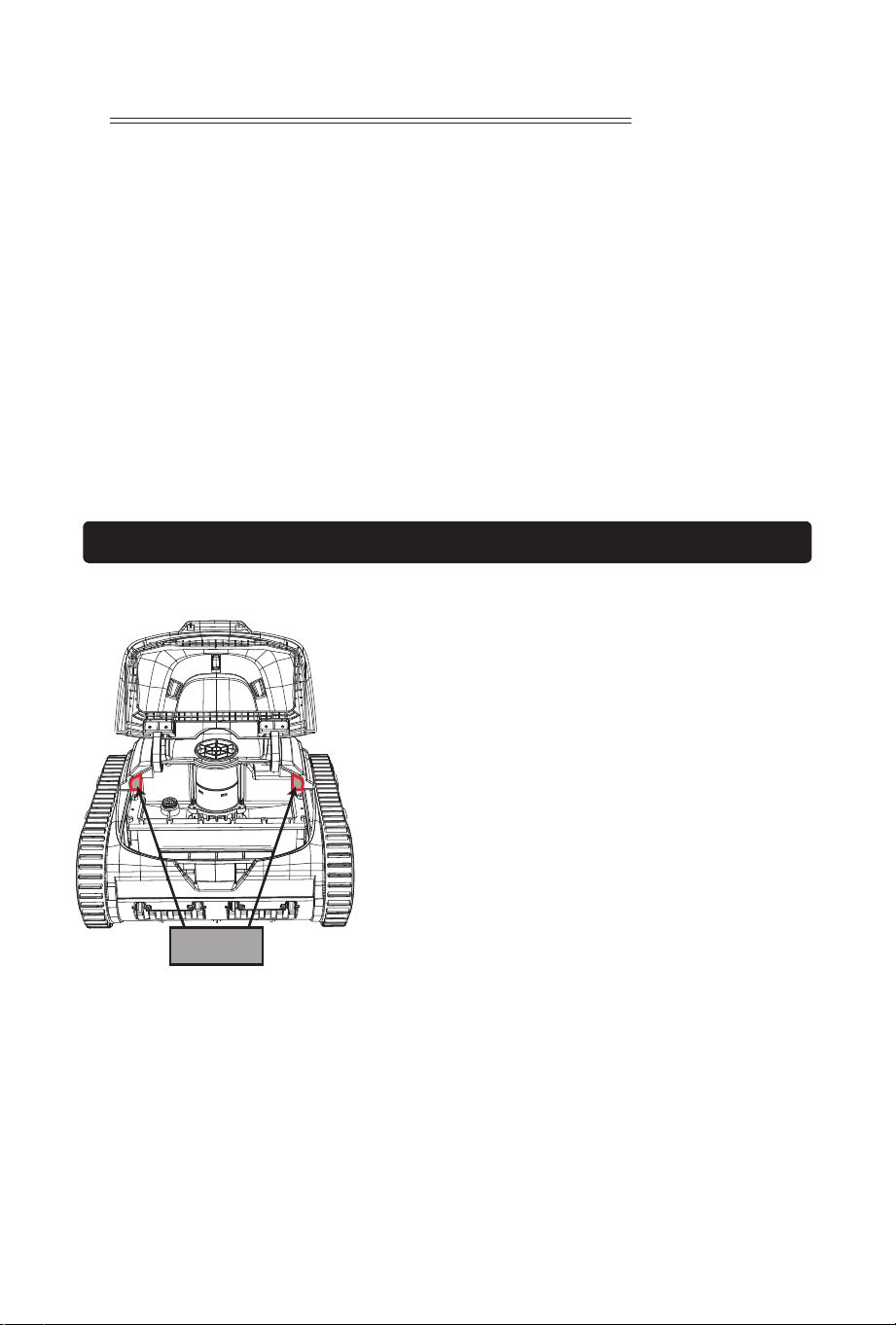
When it is difficult for the machine climb
the wall, it cannot clean the waterline,
and it tilts seriously when climbing the
wall, solve the problems according to the
figure. If the machine climbs the wall
normally, the following operations are
not required. After removing the
adhesive, two top floating blocks are
attached to the machine. Carry out
installation according to (Figure 6-1).
Attention:
1. Before installation, ensure that there is no water in the bonding
position.
2. There is adhesive on the back of the top floating block. When installing
the top floating block to the big cover, the edges of top floating block must
be glued properly. After 24 hours, the machine can be put into the pool for
work.
12
VI. Installa�on of floa�ng blocks (op�onal)
Floating blocks
Figure 6-1
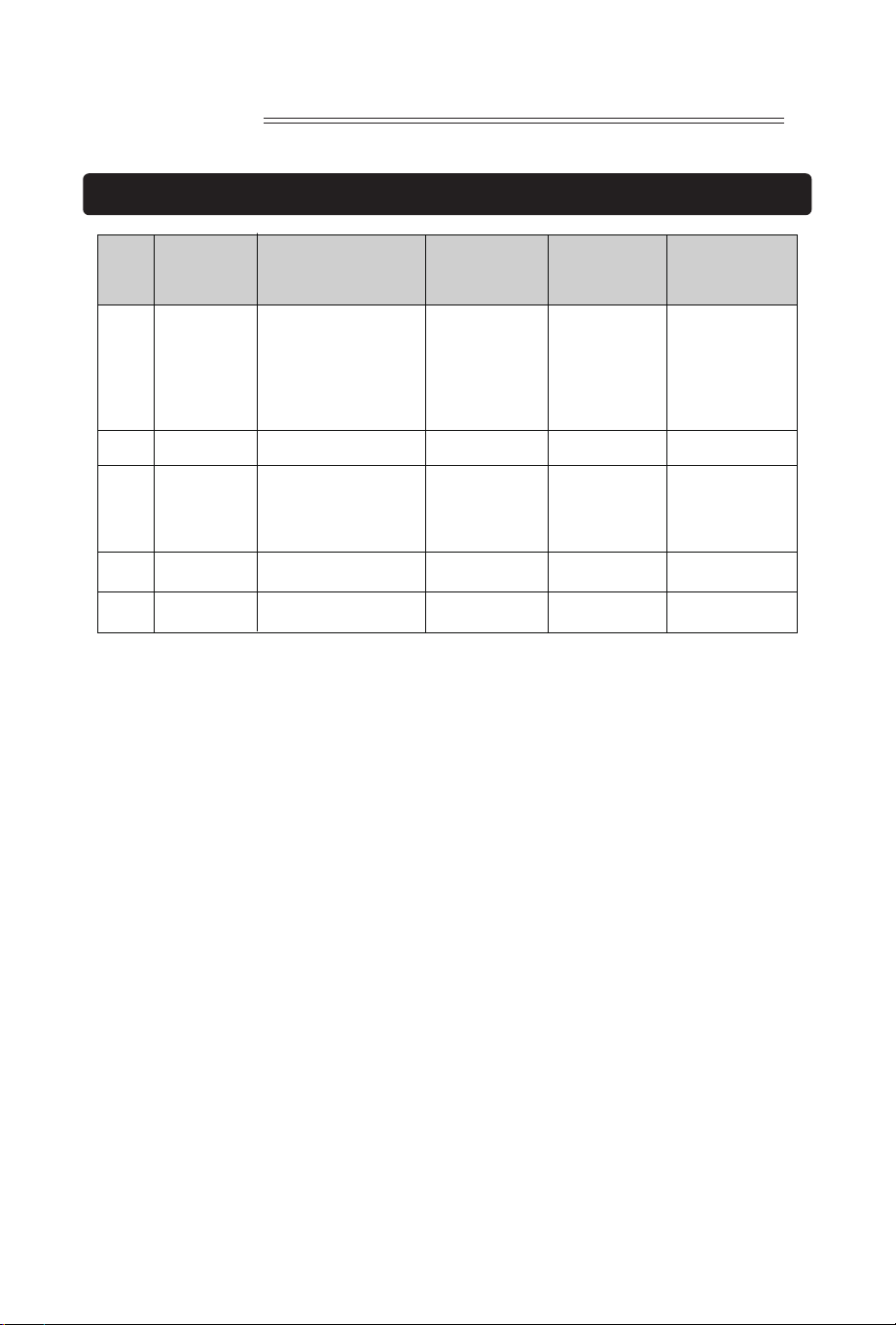
VII. Packing list
13
S/N Name Specifica�ons Purpose Remarks
Quan�ty
(pieces)
WY200 1
1
1
1
2
Robo�c
Pool Cleaner
Hook
User manual
Charger
Floa�ng block
1
2
3
4
5

14
WARRANTY
WYBOT , owned by WYBOTICS CO., LTD, makes products at the best quality
we can offer. All WYBOT products have been inspected against defects in
materials and workmanship prior to leaving factory. WYBOT is happy to
offer warranty for the repair or replacement of pool products for two (2)
years on motor and PCB, and one (1) year on battery pack from the date of
purchase. The provisions of this Limited Warranty only apply to the original
purchaser. Please keep your original sales receipt, as this proof of purchase
will be required and must accompany warranty claims to WYBOT or its
designated agents. This Limited Warranty does not apply without proof of
purchase; or should the purchaser modify or repair the product
themselves or by unauthorized people; use non-WYBOT parts or
accessories with the product; use the product in contravention of the
manufacturer’s instructions; use improper voltage; abuse the product in
any way; or through accident or negligence. This Limited Warranty will not
cover consequential damages, including claims for normal wear-and-tea or
any Act of God outside the control of WYBOT. Non-manufacturing defects,
such as grasses that may grow through the ground cloth and/or pool liner
are examples of which WYBOT cannot hold responsible for.
IN NO EVENT SHALL WYBOT, ITS AUTHORIZED AGENTS, RELATED ENTITIES,
OR EMPLOYEES BE LIABLE TO THE BUYER OR ANY OTHER PARTY FOR
DIRECT OR CONSEQUENTIAL DAMAGES. Some states or countries, or other
jurisdictions, do not allow the exclusion or limitation of incidental or
consequential damages, so the above limitation or exclusion may not apply
to you.
This Limited Warranty is not extended to close-outs, factory seconds, or
resold products (i.e., garage sales, online auctions, or online retailers not
purchased directly from WYBOT). Any issue with items purchased from
these types of vendors/sellers will need to be addressed through these
stores.
13
6. Warranty
1. This product is covered by Wybot
TM
warranty for 24 months (only
for driving kit and control box kit) from the date of purchase.
Consumable parts are beyond warranty which include Filter Tray/
Brush/ Wheels/Nozzles.
2. This warranty is voided if the product has been altered, misused, or
has been repaired by unauthorized personnels.
3. The warranty extends only to manufacturing defects and does not
cover any damage resul�ng from mishandling of the product by
the owner.
4. The order number or record must be presented for any claim or
repair during the warranty period.

FCC Caution:
This device complies with part 15 of the FCC Rules. Operation is subject to the following
two conditions: (1) this device may not cause harmful interference, and (2) this device
must accept any interference received, including interference that may cause undesired
operation.
Any changes or modifications not expressly approved by the party responsible for
compliance could void the user's authority to operate the equipment.
NOTE: This equipment has been tested and found to comply with the limits for a Class B
digital device, pursuant to Part 15 of the FCC Rules. These limits are designed to provide
reasonable protection against harmful interference in a residential installation. This
equipment generates, uses and can radiate radio frequency energy and, if not installed
and used in accordance with the instructions, may cause harmful interference to radio
communications. However, there is no guarantee that interference will not occur in a
particular installation.
If this equipment does cause harmful interference to radio or television reception,which
can be determined by turning the equipment off and on, the user is encouraged to try to
correct the interference by one or more of the following measures:
-- Reorient or relocate the receiving antenna.
-- Increase the separation between the equipment and receiver.
-- Connect the equipment into an outlet on a circuit different
from that to which the receiver is connected.
-- Consult the dealer or an experienced radio/TV technician for help.
To maintain compliance with FCC’s RF Exposure guidelines, This equipment should be
installed and operated with minimum distance between 20cm the radiator your body: Use
only the supplied antenna.


www.wybotpool.com