Model No. DH64
Thank you for purchasing a Dellonda product. Manufactured to a high standard, this product will, if used according to these instructions, and properly
maintained, give you years of trouble free performance.
www.dellonda.co.uk
DH64 Issue 5 05/03/2024
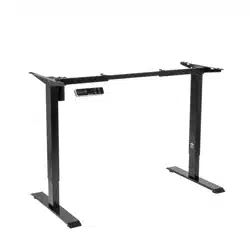
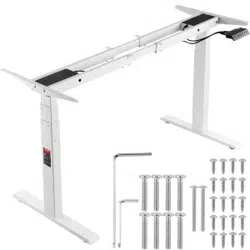
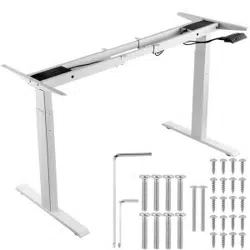
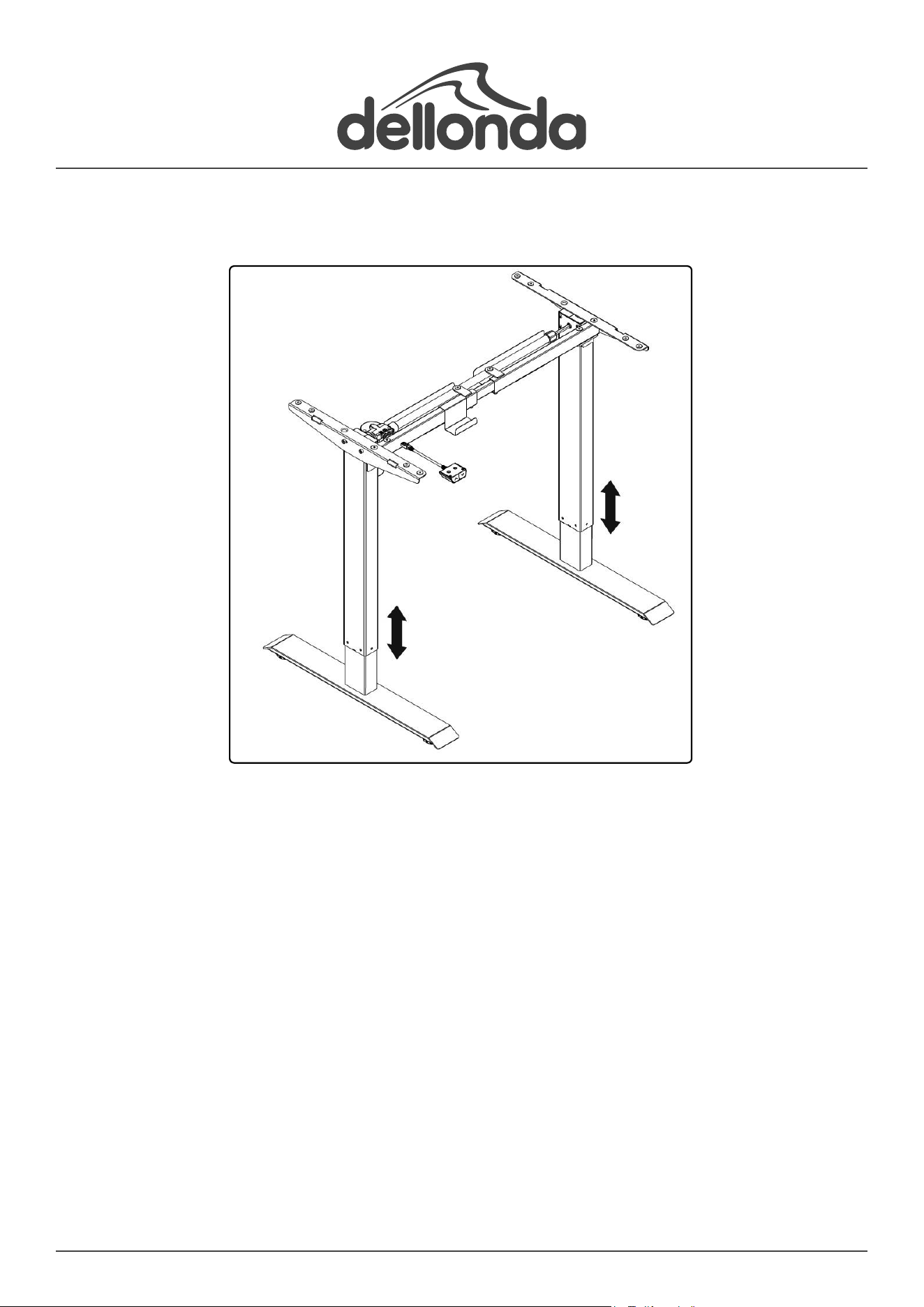
Dellonda Single Motor Height Adjustable Sit & Stand White
Workstation Desk Frame
2
Important Information
Please read these instructions carefully and note any safe operational requirements, warnings & cautions. Use the product correctly and with
care for the purpose for which it is intended. Failure to do so may cause damage and/or personal injury and will invalidate the warranty. Keep
these instructions safe for future use.
Contents
Specication
• Height range: 710-1210mm
• Horizontal adjustment: 850-1290mm
• Speed: 25mm/s
• Max. load capacity: 70kg
• Sound level: 50dB
• Supply: 230V
• Minimum Desktop Dimensions (W x D): 900 x 500mm
• Maximum Desktop Dimensions (W x D): 1400 x 700mm
3
About the Product
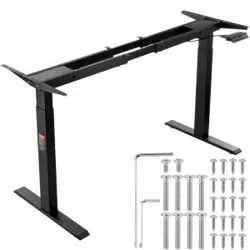
Height-adjustable desk frame creates the possibility of a sitting or standing working environment. Single motor system ensures a fast and stable
adjustment. Features ultra-quiet operation with sound level less than 50dB. Range of four desktop designs available; Model No’s. DH19, DH20,
DH21, DH22.
Safety Instructions
• ELECTRICAL SAFETY
• WARNING! It is the user’s responsibility to check the following:
• Check all electrical equipment and appliances to ensure that they are safe before using. Inspect power supply leads, plugs and all electrical
connections for wear and damage. Dellonda recommend that an RCD (Residual Current Device) is used with all electrical products. You may
obtain an RCD by contacting SEALEY.
• connections to ensure that they are secure.
• Important: Ensure that the voltage rating on the appliance suits the power supply to be used and that the plug is tted with the correct fuse - see
fuse rating in these instructions.
• DO NOT pull or carry the appliance by the power cable.
• DO NOT pull the plug from the socket by the cable.
• DO NOT use worn or damaged cables, plugs or connectors.
• Ensure that any faulty item is repaired or replaced immediately by a qualied electrician.
• This product is tted with a BS1363/A 13 Amp 3 pin plug.
• If the cable or plug is damaged during use, switch off the electricity supply and remove from use.
• Replace a damaged plug with a BS1363/A 13 Amp 3 pin plug. If in doubt contact a qualied electrician.
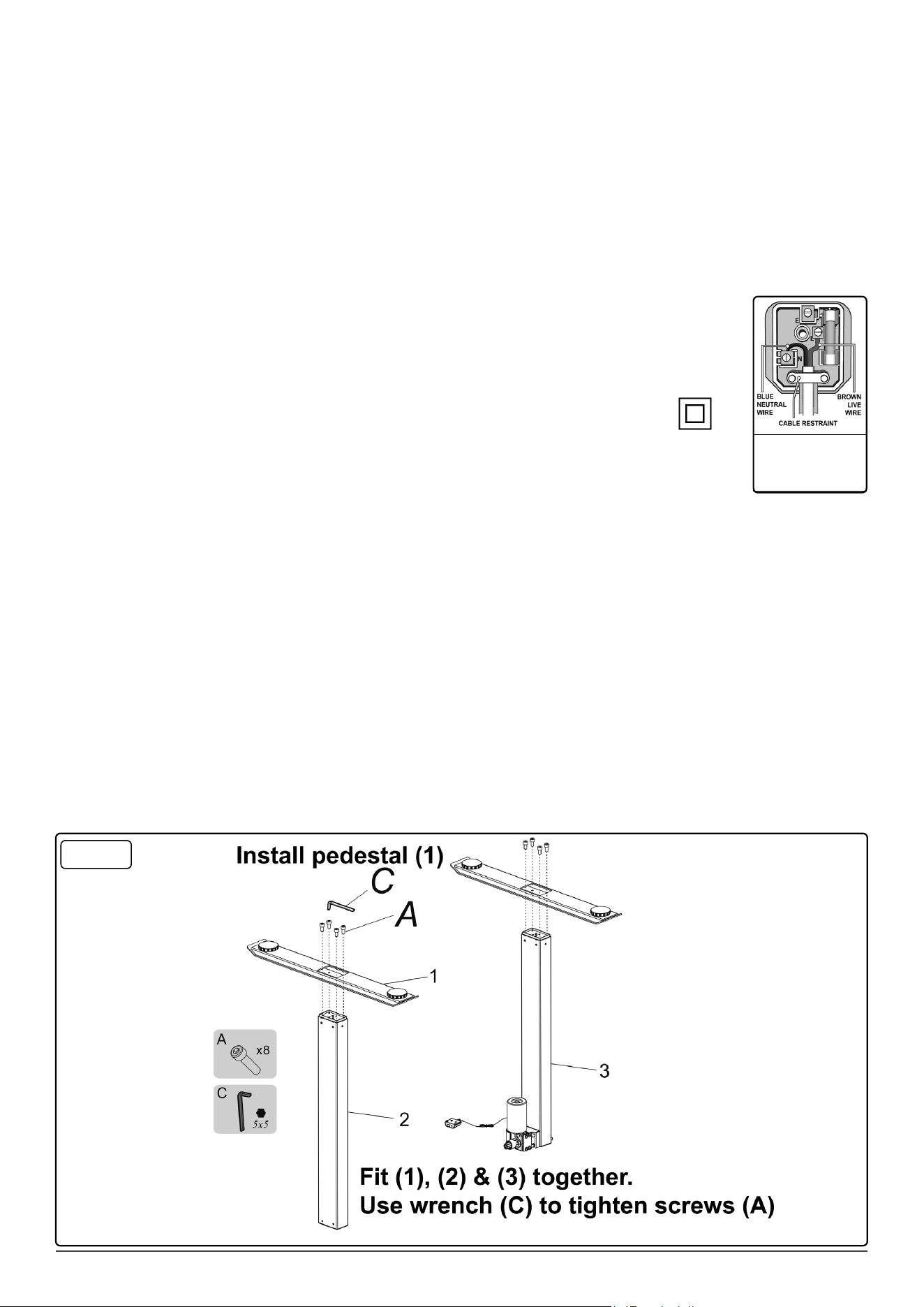
• Class II products are wired with live (brown) and neutral (blue) only, and are marked with the Class II symbol.
A) Connect the BROWN live wire to the live terminal ‘L’.
B) Connect the BLUE neutral wire to the neutral terminal ‘N’.
C) Check that there are no bare wires and ensure that all wires are correctly connected.
• Ensure that the cable outer sheath extends inside the cable restraint and that the restraint is tight.
• DO NOT connect either wire to the earth terminal.
• Dellonda recommend that repairs are carried out by a qualied electrician.
• ALWAYS make sure there are no hazards in the operating environment. e.g., nothing that will get hooked up on the desk, or stop the desk from
raising or lowering fully.
• Unplug the power source before cleaning. Wipe the dust on surface with slight damp cloth when cleaning, DO NOT get water in the electrical
housing, and be careful not to loosen any cables.
• The electrical housing contains electronic components, metals, plastics, wires etc., dispose of in accordance with environmental legislation, not
the general household waste.
• Check carefully to ensure correct and complete assembly before use.
• Familiarise yourself with all functions and program settings of the product before rst use.
• DO NOT let Children play on the product
• Slight noise caused by the V-ribbed belt or brake system due to structure will not have any effect on the use of the equipment.
• DO NOT clean the unit with corrosive or abrasive materials.
• This appliance can be used by children aged from 8 years and above and persons with reduced physical, sensory or mental capabilities or lack of
experience and knowledge if they have been given supervision or instruction concerning use of the appliance in a safe way and understand the
hazards involved. Children shall not play with the appliance.
• If the supply cord is damaged, it must be replaced by the manufacturer, it’s service agent or a similarly qualied person in order to avoid a hazard
and prolong the life of the equipment.
• Keep the original instructions, for future reference.
• ALWAYS inspect the unit prior to use for fatigue and damage. Professional repair only.
Assembly
Recommended
fuse rating:
13A
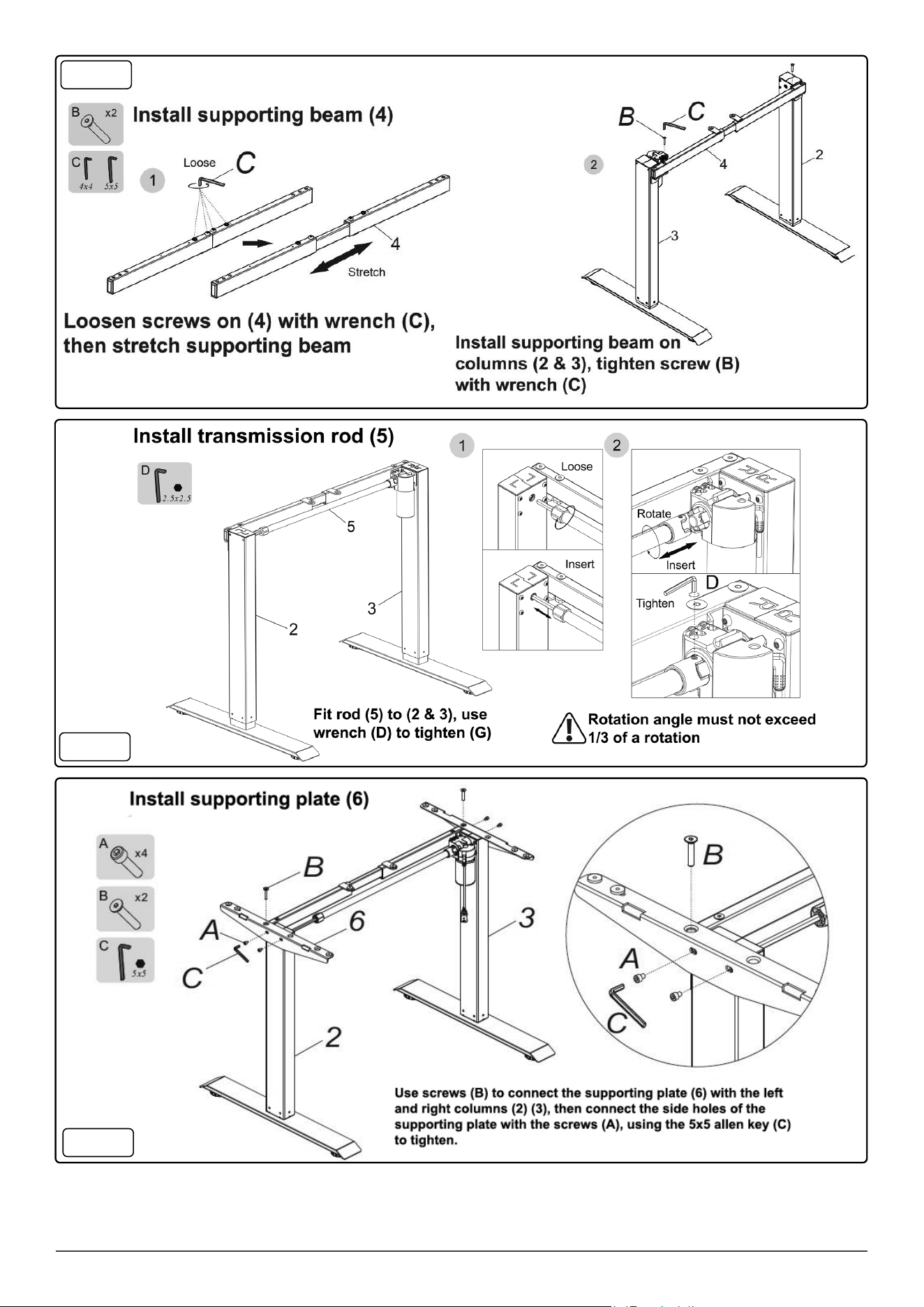
Step 1
4
Step 4
Step 2
Step 3
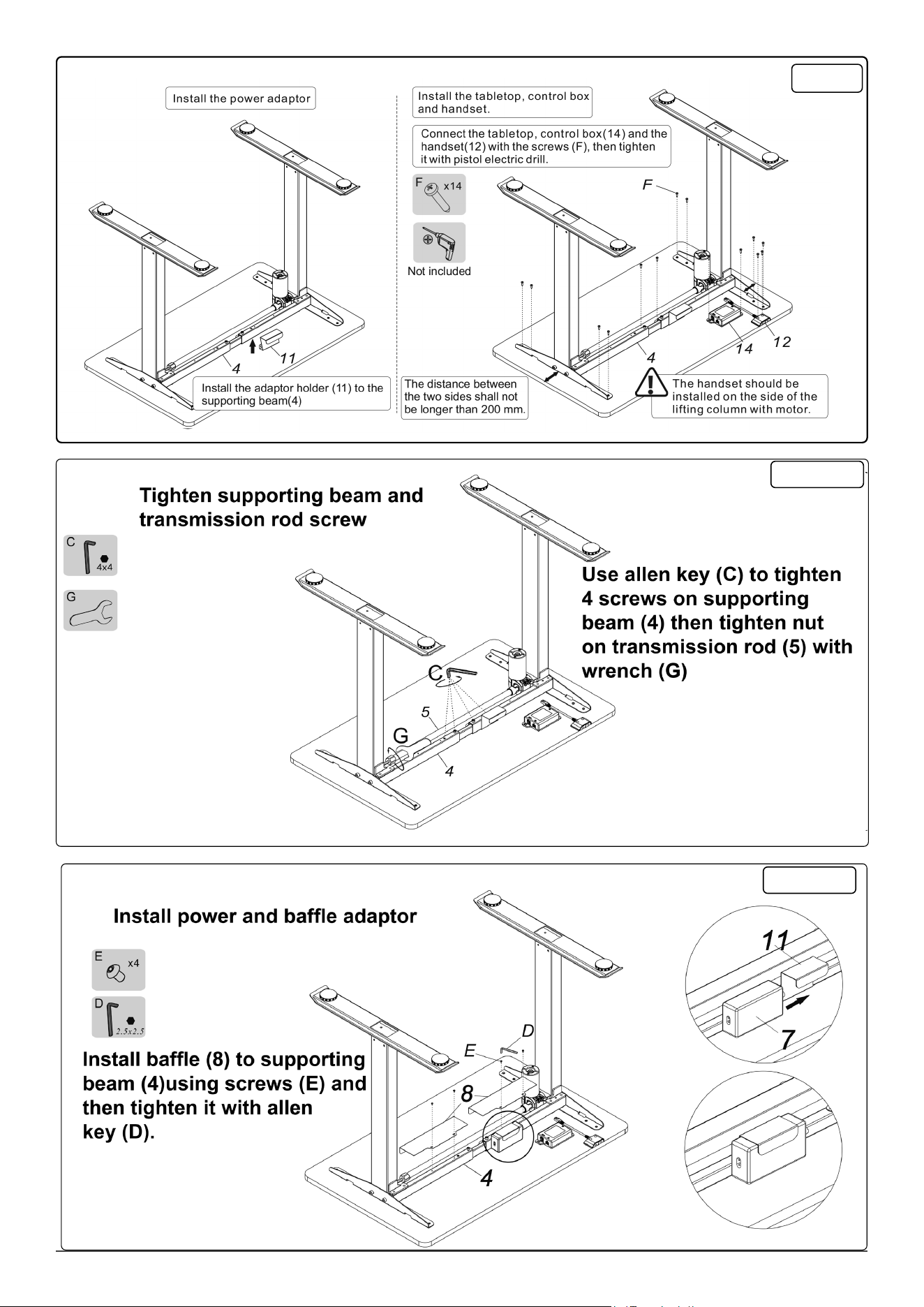
5
Step 5
Step 6-1
Step 6-2
6
Environment Protection, Waste Electrical and Waste Electronic Equipment Regulations
(WEEE)
Recycle unwanted packaging materials. When this product is no longer required, or has reached the end of its useful life, please dispose
of in an environmentally friendly way. Drain any uids (if applicable) into approved containers, in accordance with local waste regulations.
It is our policy to continually improve products and we reserve the right to alter data, specications and parts without prior notice. No
liability is accepted for incorrect use of this product. Guarantee is 12 months from purchase date, proof of which is required for any claim.
Dellonda Limited
Kempson Way, Suffolk Business Park, Bury St Edmunds, Suffolk. IP32 7AR
01284 757575 [email protected] www.dellonda.co.uk
Operation
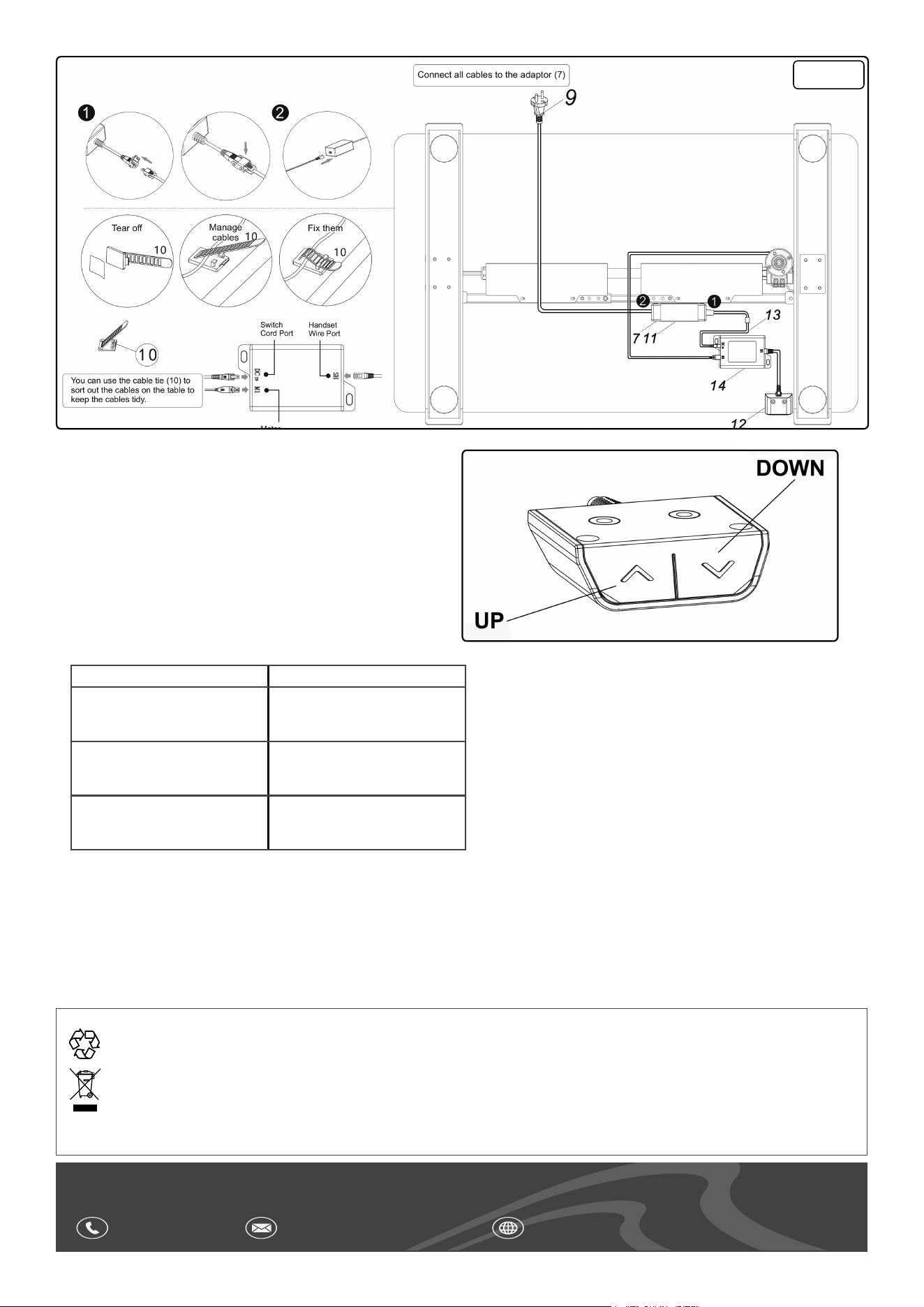
• Press UP or DOWN button to raise or lower height of the desk.
• RESET
• To reset the desk height to its default postion whilst at its
lowest position, press and hold the down button for 5 seconds.
The unit will rebound to its default position.
• LIFTING / LOWERING
• To adjust the height of the desk use the up and down arrows.
Troubleshooting
Fault Solution
No response whilst pressing
the up/down button after mains
supply is connected
1. Check if mains supply is
connected
2. Contact Dellonda
Desktop will not respond 1. Check if it is overloaded (70kg
max.)
2. Contact Dellonda
Overworked
(Duty cycle: max. 2 min. on 30
mins off)
1. Leave to rest for 30 mins.
2. Contact Dellonda
Step 7