




AXISCameraStationPro
Helpfullinksforanadministrator
Helpfullinksforanadministrator
Herearesometopicsthatmightinterestyou.
•Logintotheserveronpage11
•Conguredevicesonpage39
•Congurestorageonpage63
•Congurerecordingandeventsonpage67
•Congureconnectedservicesonpage99
•Congureserveronpage101
•
•Conguresecurityonpage1 10
Moremanuals
•WebclientforAXISCameraStation
•AXISCameraStationProIntegratorGuide
•What'snewinAXISCameraStationPro
•AXISCameraStationProInstallationandMigrationGuide
•AXISCameraStationMobileApp
•AXISCameraStationProFeatureGuide
•AXISCameraStationProtutorialvideos
•AXISCameraStationProTroubleshootingGuide
•AXISCameraStationProSystemHardeningGuide
5

AXISCameraStationPro
Helpfullinksforanoperator
Helpfullinksforanoperator
Herearesometopicsthatmightinterestyou.
•Logintotheserveronpage11
•Congureclientonpage96
•Liveviewonpage15
•Playbackrecordingsonpage24
•Exportrecordingsonpage26
•AXISCameraStationgettingstartedguideforoperators
•AXISCameraStationcheatsheet-reviewandexport
6

AXISCameraStationPro
Quickstart
Quickstart
Thistutorialwalksyouthroughthestepstogetyoursystemupandrunning.
Beforeyoustart:
•Congurethenetworkdependingonyourinstallation.SeeNetworkconguration.
•Congureyourserverportsifneeded.SeeServerportconguration.
•Considersecurityissues.SeeSecurityconsiderations.
Foradministrators:
1.Startthevideomanagementsystem
2.Adddevices
3.Congurerecordingmethodonpage7
Foroperators:
1.Viewlivevideoonpage8
2.Viewrecordingsonpage8
3.Exportrecordingsonpage8
4.PlayandverifyrecordingsinAXISFilePlayeronpage8
Startthevideomanagementsystem
Double-clicktheclienticontostarttheclient.Whenyoustarttheclientforthersttime,itattemptstologintotheserver
installedonthesamecomputerastheclient.
Oncetheclientopensitasksyoutolicenseyoursystem.ClickLicensenowtogototheManagelicencespage,whereyoucan
registertheserverwithanorganizationtostartthelicensingprocess.SeeManageconnectedservicesonpage99andManage
licensesonpage108formoreinformation.Youmustregisterandconnectthesystemtoanorganizationtoaccessconnected
services,suchastheVMSwebclient,systemhealthmonitoring,andonlinelicensing.
Youcanconnecttomultipleserversindifferentways.SeeLogintotheserver.
Adddevices
TheAdddevicespageopensthersttimeyoustart.searchesthenetworkforconnecteddevicesandshowsalistofdevices
found.SeeAdddevices.
1.Selectthecamerasyouwanttoaddfromthelist.Ifyoucan’tndyourcamera,clickManualsearch.
2.ClickAdd.
3.SelectQuickcongurationorSiteDesignerconguration.ClickNext.SeeImportSiteDesignerprojectsonpage42.
4.UsethedefaultsettingsandensuretherecordingmethodisNone.ClickInstall.
Congurerecordingmethod
1.GotoConguration>Recordingandevents>Recordingmethod.
2.Selectacamera.
7

AXISCameraStationPro
Quickstart
3.TurnonMotiondetection,orContinuous,orboth.
4.ClickApply.
Viewlivevideo
1.OpenaLiveviewtab.
2.Selectacameratoviewitslivevideo.
SeeLiveviewonpage15formoreinformation.
Viewrecordings
1.OpenaRecordingstab.
2.Selectthecamerayouwanttoviewrecordingsfrom.
SeeRecordingsonpage24formoreinformation.
Exportrecordings
1.OpenaRecordingstab.
2.Selectthecamerayouwanttoexportrecordingsfrom.
3.Click
todisplaytheselectionmarkers.
4.Dragthemarkerstoincludetherecordingsthatyouwanttoexport.
5.Click
toopentheExporttab.
6.ClickExport....
SeeExportrecordingsonpage26formoreinformation.
PlayandverifyrecordingsinAXISFilePlayer
1.Gotothefolderwiththeexportedrecordings.
2.Double-clickAXISFilePlayer.
3.Click
toshowtherecording’snotes.
4.Toverifythedigitalsignature:
4.1GotoTools>Verifydigitalsignature.
4.2SelectValidatewithpasswordandenteryourpassword.
4.3ClickVerify.Thevericationresultpageappears.
Note
DigitalsignatureisdifferentfromSignedvideo.Signedvideoallowsyoutotracevideobacktothecameraitcamefrom,
makingitpossibletoverifythattherecordingwasn'ttamperedwith.SeeSignedvideoandthecamera’susermanualfor
moreinformation.
8

AXISCameraStationPro
Quickstart
Networkconguration
Congureproxyorrewallsettingsbeforeusingiftheclient,server,andtheconnectednetworkdevicesareondifferentnetworks.
Clientproxysettings
Whenaproxyserverseparatestheclientandtheserver,conguretheclientproxysettings.
1.Opentheclient.
2.ClickChangeclientproxysettings.
3.Changetheclientproxysettings.SeeClientproxysettingsinUserManual.
4.ClickOK.
Serverproxysettings
Whenaproxyserverseparatesthenetworkdevicesandtheserver,conguretheserverproxysettings.
1.OpenServiceControl.
2.SelectModifysettings.
3.IntheProxysettingssection,usethedefaultSystemaccountinternetoptionorselectUsemanualproxysettings.
SeeGeneral.
4.ClickSave.
NATandFirewall
WhenaNAT,rewall,orsimilarseparatestheclientandtheserver,conguretheNATorrewalltoensurethattheHTTPport,TCP
port,andstreamingportspeciedinServiceControlcanpassthroughtherewallorNAT.Contactthenetworkadministratorfor
instructionsonconguringtheNATorrewall.
Serverportconguration
AXISCameraStationProserverusesports,29202(TCP),29204(mobilecommunication),and29205(mobilestreaming)for
communicationbetweentheserverandtheclient.YoucanchangetheportsinAXISCameraStationProServiceControlifrequired.
Formoreinformation,seeGeneral.
Securityconsiderations
Topreventunauthorizedaccesstocamerasandrecordings,keepthefollowinginmind:
•Usestrongpasswordsforallnetworkdevices(cameras,videoencoders,andauxiliarydevices).
•Installserver,cameras,videoencoders,andauxiliarydevicesonasecurenetworkseparatefromtheofcenetwork.You
caninstalltheclientonacomputeronanothernetwork,forexample,anetworkwithinternetaccess.
•Makesureallusershavestrongpasswords.WindowsActiveDirectoryprovidesahighlevelofsecurity.
9

AXISCameraStationPro
About
About
isacompletemonitoringandrecordingsystemforsmallandmidsizeinstallations.
server-handlesallcommunicationwithcameras,videoencoders,andauxiliarydevicesinthesystem.Thetotalbandwidthavailable
limitsthenumberofcamerasandencoderseachservercancommunicatewith.
client-providesaccesstorecordings,livevideo,logs,andconguration.Youcaninstalltheclientonanycomputer,enablingremote
viewingandcontrolfromanywhereontheinternetorcorporatenetwork.
WebclientforAXISCameraStation-providesaccesstoAXISCameraStationProrecordingsandlivevideoinyourwebbrowser.
ChoosetoaccessthesystemonaprivatenetworkusingtheAXISCameraStationProwebclientoraccessyoursystemfromanywhere
withtheAXISCameraStationCloudwebclient.Formoreinformation,seeWebclientforAXISCameraStationusermanual.
AXISmobileviewingapp-providesaccesstorecordingsandlivevideoonmultiplesystems.YoucaninstalltheapponAndroidand
iOSdevicesandenableremoteviewingfromotherlocations.ItusesHTTPStocommunicatewiththeserver.Congurethemobile
communicationandstreamingportsasdescribedintheServersettingssectioninGeneral.Formoreinformationabouthowtouse
theapp,seeAXISCameraStationMobileAppusermanual.
Multipleclientscanconnecttothesameserver,andeachclientcanconnecttomultipleservers.
10

AXISCameraStationPro
Logintotheserver
Logintotheserver
Usingtheclient,youcanconnecttomultipleserversorasingleserverinstalledonthelocalcomputerorsomewhereelseon
thenetwork.Youcanconnecttoserversindifferentways:
Lastusedservers-Connecttotheserversusedintheprevioussession.
Thiscomputer-Connecttotheserverinstalledonthesamecomputerastheclient.
Remoteserver-SeeLoginonaremoteserveronpage11.
AXISSecureRemoteAccess-SeeSignintoAXISSecureRemoteAccessonpage11.
Note
Whentryingtoconnecttoaserverforthersttime,theclientcheckstheservercerticateID.Toensurethatyou’re
connectingtothecorrectserver,manuallyverifythecerticateIDwiththeonedisplayedinServiceControl.SeeGeneral
onpage171.
WerecommendthatyouuseKerberostoauthenticateAXISCameraStationProclientusers,see
AuthenticateusingKerberosintheAXISCameraStationProSystemhardeningguideformoreinformation.
Serverlist
Toconnecttoserversfromaserverlist,selectaonefromthe
Serverlistdrop-downmenu.Click
tocreateoreditthe
serverlists.SeeServerlists.
ImportserverlistToimportaserverlistleexportedfrom,clickImportserver
listandbrowsetoan.mslle.SeeServerlists.
DeletesavedpasswordsTodeletesavedusernamesandpasswordsallconnectedservers,
clickDeletesavedpasswords.
Changeclientproxysettings
Youmightneedtochangetheclientproxysettingstoconnect
toaserver,clickChangeclientproxysettings.SeeClientproxy
settings.
Loginonaremoteserver
1.SelectRemoteserver.
2.SelectaserverfromtheRemoteserverdrop-downlistorentertheIPorDNSaddress.Iftheserverisn’tlisted,click
to
reloadalltheavailableremoteservers.Iftheserverisconguredtoacceptclientsonadifferentportthanthedefaultport
number29202,entertheIPaddressfollowedbytheportnumber,forexample,192.168.0.5:46001.
3.Youcan:
-SelectLoginascurrentusertologinasthecurrentWindowsuser.
-ClearLoginascurrentuserandclickLogin.SelectOtheruserandprovideanotherusernameandpassword
tologinwithadifferentusernameandpassword.
SignintoAXISSecureRemoteAccess
Note
WhentryingtoconnecttoaserverusingAxisSecureRemoteAccess,theservercan’tupgradetheclientautomatically.
1.ClicktheSignintoAXISSecureRemoteAccesslink.
11

AXISCameraStationPro
Logintotheserver
2.EnteryourMyAxisaccountcredentials.SeeAxisSecureRemoteAccess.
3.ClickSignin.
4.ClickGrant.
Clientproxysettings
Thesesettingsapplytoaproxyserverthatliesbetweentheclientandtheserver.
Note
UseServiceControltocongureproxysettingsforaproxyserverthatliesbetweenanserverandthenetworkcameras.
Seeservicecontrol.
Selecttheappropriateoptionforyoursetup.
•Directconnection:Selectthisoptionifthere’snoproxyserverbetweentheclientandtheserver.
•UseInternetOptionssettings(default):SelectthisoptiontousetheWindowssettings.
•Usemanualproxysettings:Selectthisoptiontoconguretheproxysettingsmanually.Providetherequiredinformation
intheManualsettingssection.
-Address:Entertheaddressorhostnameoftheproxyserver.
-Port:Entertheportnumberoftheproxyserver.
-Donotuseproxyserverforaddressesbeginningwith:Entertheserversthatyouwanttoexcludefromaccess
bytheproxy.Usesemicolonstoseparatetheentries.Youcanusewildcardsintheaddressesorhostnames,for
example:"192.168.*"or"*.mydomain.com".
-Alwaysbypassproxyserverforlocaladdresses:Selectthisoptiontobypasstheproxywhenconnecting
toaserveronthelocalcomputer.Localaddressesdon'thaveadomainnameextension,forexample,
http://webserver/,http://localhost,http://loopback,orhttp://127.0.0.1.
12
AXISCameraStationPro
client
client
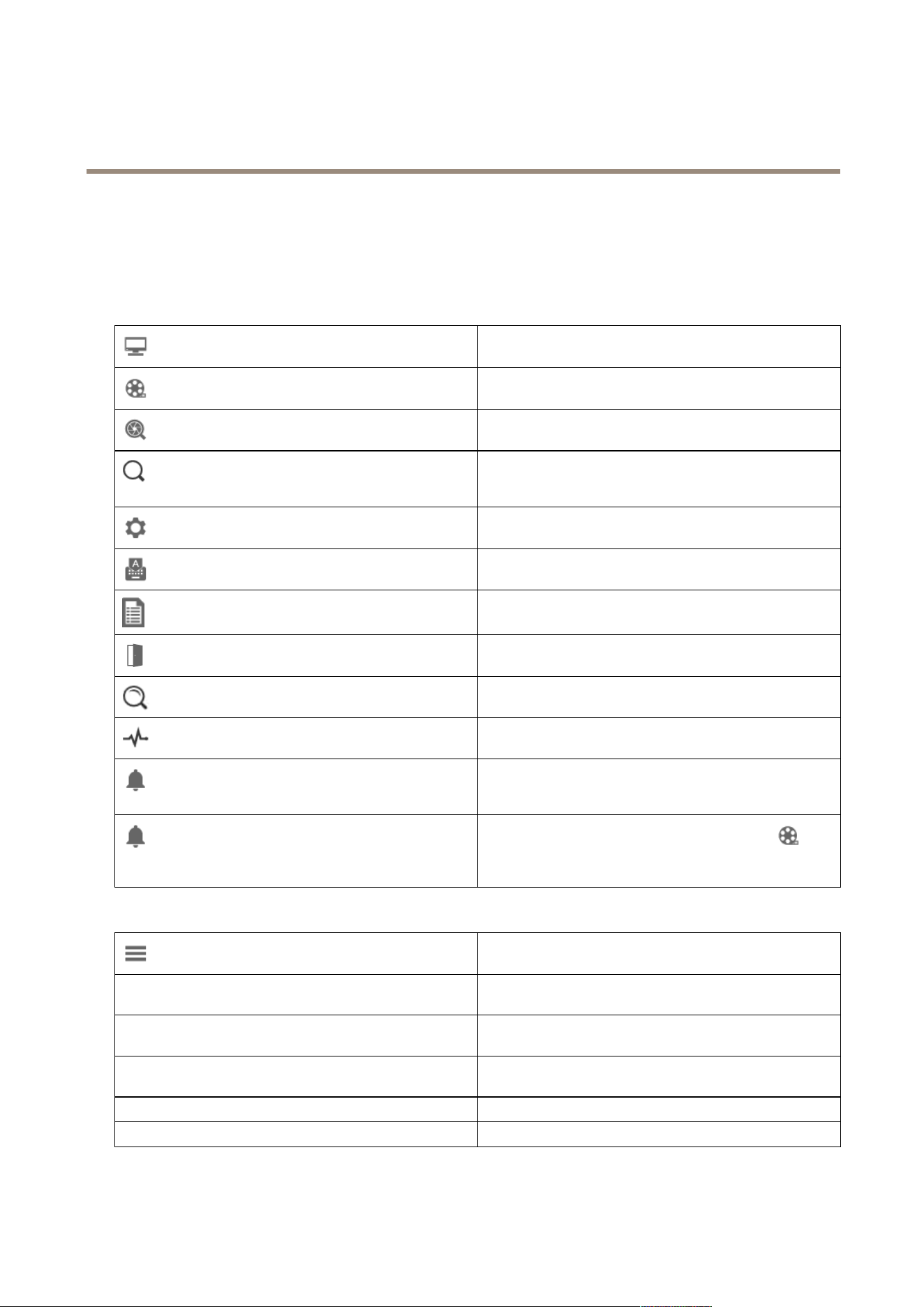
TheAdddevicespageontheCongurationtabopenswhenyou’reusingforthersttime.SeeAdddevices.
Tabs
Liveview
Viewlivevideofromconnectedcameras.SeeLiveview.
Recordings
Search,playandexportrecordings.SeeRecordings.
Smartsearch1
Locateimportanteventsinrecordedvideousingmotionsearch.
SeeSmartsearch1.
Datasearch
Searchfordatafromanexternalsourceorsystemandtrack
whathappenedatthetimeofeachevent.SeeDatasearchon
page37.
Conguration
Administrationandmaintenanceofconnecteddevices,aswell
assettingsfortheclientandservers.SeeConguration.
Hotkeys
Alistofhotkeysforactions.SeeHotkeys.
Logs
Alarm,event,andauditlogs.SeeLogs.
Accessmanagement
Congureandmanagethesystem’scardholders,groups,doors,
zonesandaccessrules.SeeAccessmanagementonpage142.
Smartsearch2
Useadvancedlterstondvehiclesandpersonsbasedon
characteristics.SeeSmartsearch2onpage34.
Systemhealthmonitoring
Monitorthehealthdatafromasingleormultiplesystems.See
SystemHealthMonitoring
BETA
onpage156.
Liveviewalerts
AutomaticallynavigatetotheLiveviewalertstabofthecamera
orviewwhentheLiveviewactionistriggered.SeeCreatelive
viewactions.
RecordingalertsIntheAlarmsorLogstab,selectonealarmandclickGo
torecordingstoopentheRecordingalertstab.SeeAlarms
andLogs.
Mainmenu
Openthemainmenu.
ServersConnecttoanewserverandviewtheserverlistsandthe
connectionstatusforallservers.SeeCongureserver.
Actions
StartorstoparecordingmanuallyandchangethestatusofI/O
ports.SeeRecordmanuallyandMonitorI/Oports.
Help
Openhelp-relatedoptions.GotoHelp>Abouttoseewhich
clientversionyou’reusing.
LogoutDisconnectfromtheserverandlogofffromtheclient.
ExitExitandclosetheclient.
13

AXISCameraStationPro
client
Titlebar
orF1
Openthehelp.
Enterthefullscreenmode.
orESC
Exitthefullscreenmode.
Statusbar
Thestatusbarcanincludethefollowing:
•Awarningiconappearswhenthereisatimemismatchbetweenclientandserver.Alwaysmakesurethatthetimeon
theclientissynchronizedwiththetimeontheservertoavoidtimelineissues.
•Theserverconnectionstatusshowsthenumberofconnectedservers.SeeConnectionstatus.
•Thelicensestatusshowsthenumberofunlicenseddevices.See.
•Thesecureremoteaccessusageshowshowmuchdataisleftorhowmuchoveragehasbeenusedthismonthforthe
includedamountinyourservicelevel.SeeAxisSecureRemoteAccess.
•updateavailableappearswhenthereisanewversionifyou’reloggedinasadministrator.SeeUpdateonpage103.
AlarmsandTasks
TheAlarmsandTaskstabsshowtriggeredeventsandsystemalarms.SeeAlarmsandTasks.
14
AXISCameraStationPro
Liveview
Liveview
Theliveviewshowstheviewsandcamerasandlivevideosfromtheconnectedcameras,anditdisplaysalltheviewsandcamerasof
connectedserversgroupedbytheservernamewhenconnectingtomultipleservers.
Viewsprovideaccesstoallthecamerasanddevicesaddedto.Aviewcanconsistofoneorseveralcameras,asequenceofitems,a
map,orawebpage.Theliveviewupdatestheviewsautomaticallywhenyouaddorremovedevicesfromthesystem.
Alluserscanaccessviews.Forinformationaboutuseraccessrights,seeCongureuserpermissionsonpage110.
Forhelponhowtoconguretheliveview,seeClientsettings.
Multiplemonitors
Toopenaviewonanotherscreen:
1.OpenaLiveviewtab.
2.Selectoneormorecameras,views,orsequences.
3.Draganddropthemontotheotherscreen.
ToopenaviewonamonitorconnectedtoanAxisvideodecoder:
1.OpenaLiveviewtab.
2.Selectoneormorecameras,views,orsequences.
3.Right-clickyourcameras,views,orsequencesandselectShowonAXIST8705orShowonAXISD1 1 10,dependingon
whichvideodecoderyou’reusing.
Note
•AXIST8705supportsAxiscamerasonly.
•AXISD1110supportsupto8streamsinonesplitview.
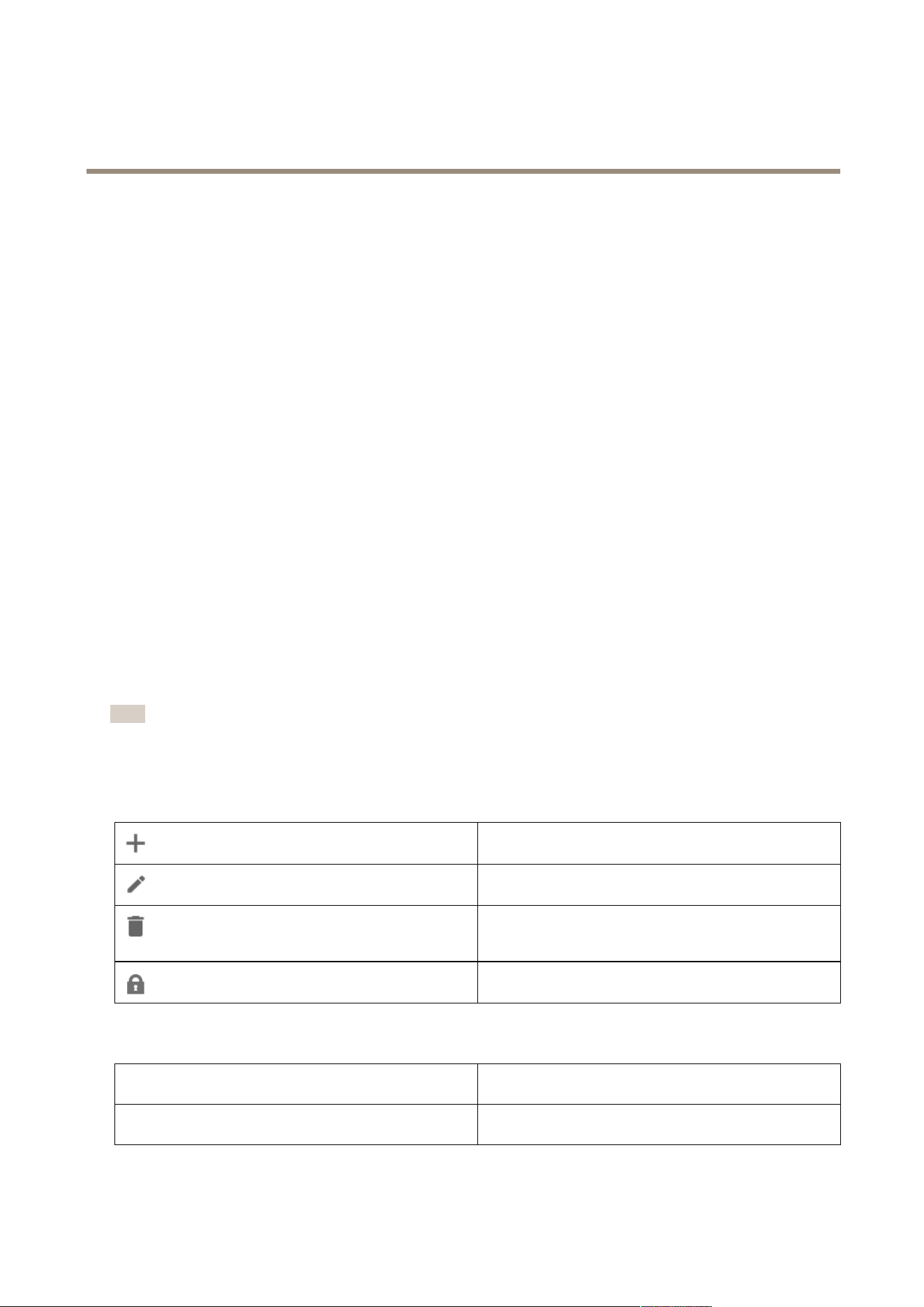
Manageviewsinliveview
Addanewsplitview,sequence,cameraview,map,webpage,or
folder.
Editavieworacameraname.Forinformationonhowtoedit
thecamerasettings,seeEditcamerasettings
Removeaview.Youneedpermissionstoedittheviewand
allsecondaryviewstoremoveit.Forinformationonhowto
removecamerasfrom,seeCamerasonpage44.
Asanadministrator,youcanlocktheviewandprevent
operatorsorviewsfrommovingoreditingtheview.
Imagemanagementinliveview
NavigateTogotothecameraview,right-clickanimageinasplitview
andselectNavigate.
Showon
Toopenaviewonanotherscreen,right-clicktheimageand
selectShowon.
15

AXISCameraStationPro
Liveview
TakesnapshotTotakeasnapshot,right-clickanimageandselectTake
snapshot.Thesystemsavesthesnapshottothesnapshotfolder
speciedinConguration>Client>Settings.
AddsnapshottoexportToaddasnapshottotheexportlistintheExporttab,right-click
animageandselectAddsnapshottoexport.
StreamproleTosetthestreamprole,right-clickanimageandselectStream
prole.SeeStreamproles.
ZoomUsethemousewheeltozoominandout.Alternatively,press
CTRL+(+)tozoominandCTRL+(-)tozoomout.
UseMechanicalPTZMechanicalPTZisavailableforPTZcamerasandforcameras
wheredigitalPTZisenabledinthecamera'swebinterface.
TousemechanicalPTZ,right-clicktheimageandselectUse
MechanicalPTZ.Usethemousetozoom,panandtilt.
AreazoomTomagnifyanareaintheimage,drawarectangleinthearea
youwanttomagnify.Tozoomout,usethemousewheel.To
magnifyanareanearthecenteroftheimage,usetheright
mousebuttonanddragtodrawarectangle.
Panandtilt
Clickthetheimagewhereyouwanttopointthecamera.Topan
andtiltcontinuouslyintheliveviewimage,movethecursor
tothecenteroftheimagetoshowthenavigationarrow.Then
clickandholdtopaninthedirectionofthenavigationarrow.
Topanandtilttheimageatahigherpace,clickandholdto
makethenavigationarrowlonger.
PresetsTogotoapresetposition,right-clicktheimage,selectPresets,
andselectapreset.Tocreatepresets,seePTZpresets.
AddpresetToaddapreset,dragtheimageviewtothedesiredposition,
right-clickandselectPresets>Addpreset.
SetfocusToadjustcamerafocus,right-clicktheimageandselectSet
focus.ClickAFtofocusthecameraautomatically.Toadjust
focusmanually,selectthebarsontheNearandFarsides.Use
Neartofocusonobjectsclosetothecamera.UseFartofocus
onobjectsfaraway.
FocusrecallzoneToaddorremovefocusrecallzone,right-clicktheimage,select
Focusrecallzone.
Autotrackingon/off
ToturnonorturnoffautotrackingforanAxisPTZcamerawith
AXISPTZAutotrackingcongured,right-clicktheimage,select
Autotrackingon/off.
Towatchthisvideo,gotothewebversionofthisdocument.
help.axis.com/?&piaId=94521§ion=image-management-in-live-view
Adddigitalpresets
16
AXISCameraStationPro
Liveview
Towatchthisvideo,gotothewebversionofthisdocument.
help.axis.com/?&piaId=94521§ion=image-management-in-live-view
PTZcontrol
Note
AsanadministratorsyoucanturnoffmechanicalPTZforusers.SeeCongureuserpermissions.
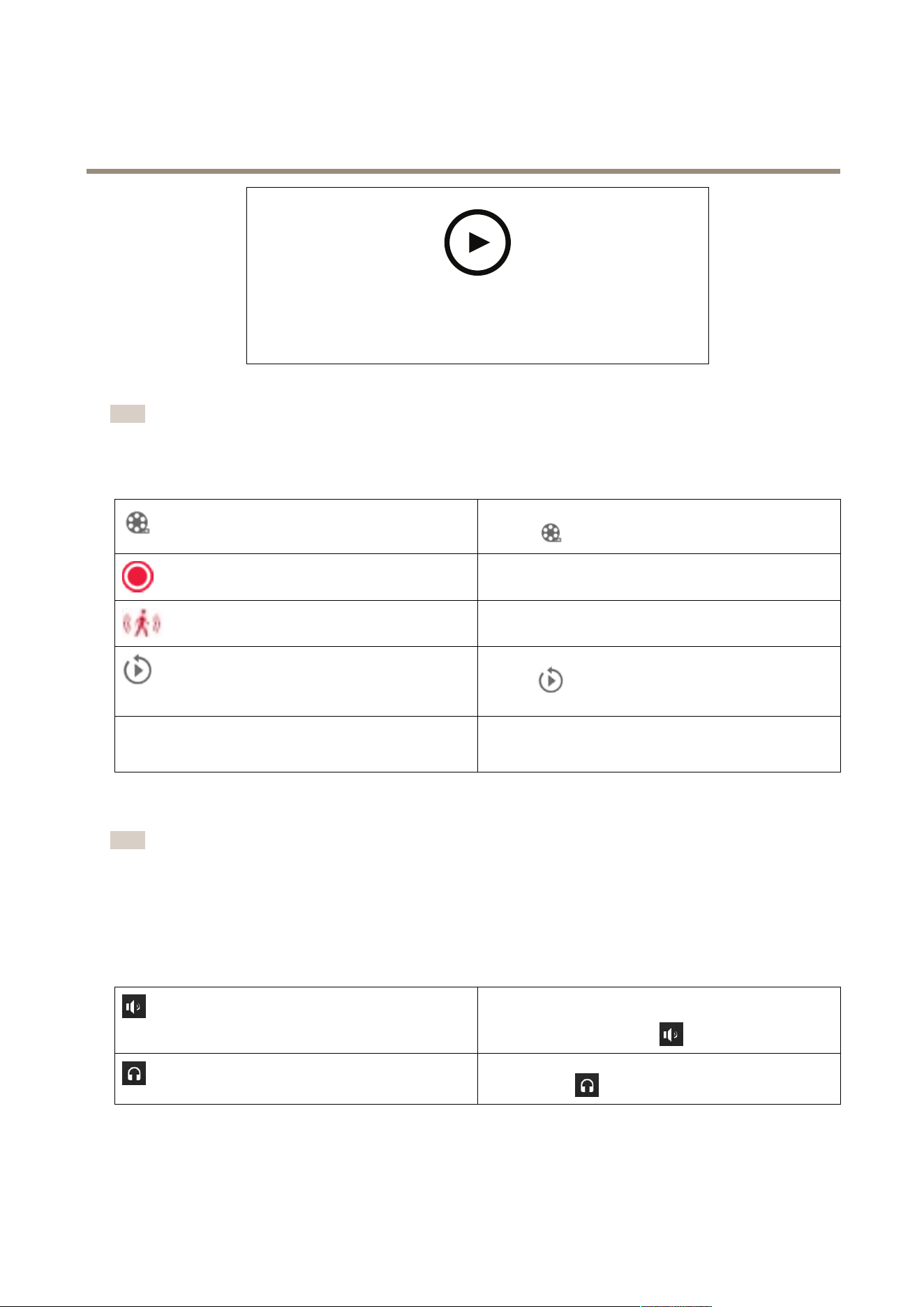
Recordingandinstantreplayinliveview
TogototheRecordingstab,selectacameraorasplitview,
andclick
.
Indicatesanongoingrecordingintheliveview.
Indicatesthatmotionisdetected.
Toplayanongoingrecording,hoverthecursorovertheimage
andclick
Instantreplay.TheRecordingstabopensand
playsthelast5secondsoftherecording.
REC
Torecordmanuallyfromtheliveview,hoverthecursoroverthe
imageandclickREC.Thebuttonturnsbluetoindicatethatthe
recordingisongoing.Tostoprecording,clickRECagain.
Toconguremanualrecordingsettingssuchasresolution,compressionandframerate,SeeRecordingmethod.Formoreinformation
aboutrecordingandplayback,seePlaybackrecordings.
Note
Administratorscanturnoffmanualrecordingfeatureforusers.SeeCongureuserpermissions.
Audioinliveview
Audioisavailableifthecamerahasaudiocapabilitiesandyouhaveturnedonaudiointheproleusedfortheliveview.
GotoConguration>Devices>Streamprolesandcongureaudioforthecamera.SeeStreamprolesonpage45.
Volume
Tochangethevolumeinaview,hovertheimage,thenhoverthe
speakerbuttonandthenusetheslidertochangethevolume.
Tomuteorunmuteaudio,click
.
Listentothisviewonly
Tomuteotherviewsandlistentothisviewonly,hoverthe
imageandclick
.
17
AXISCameraStationPro
Liveview
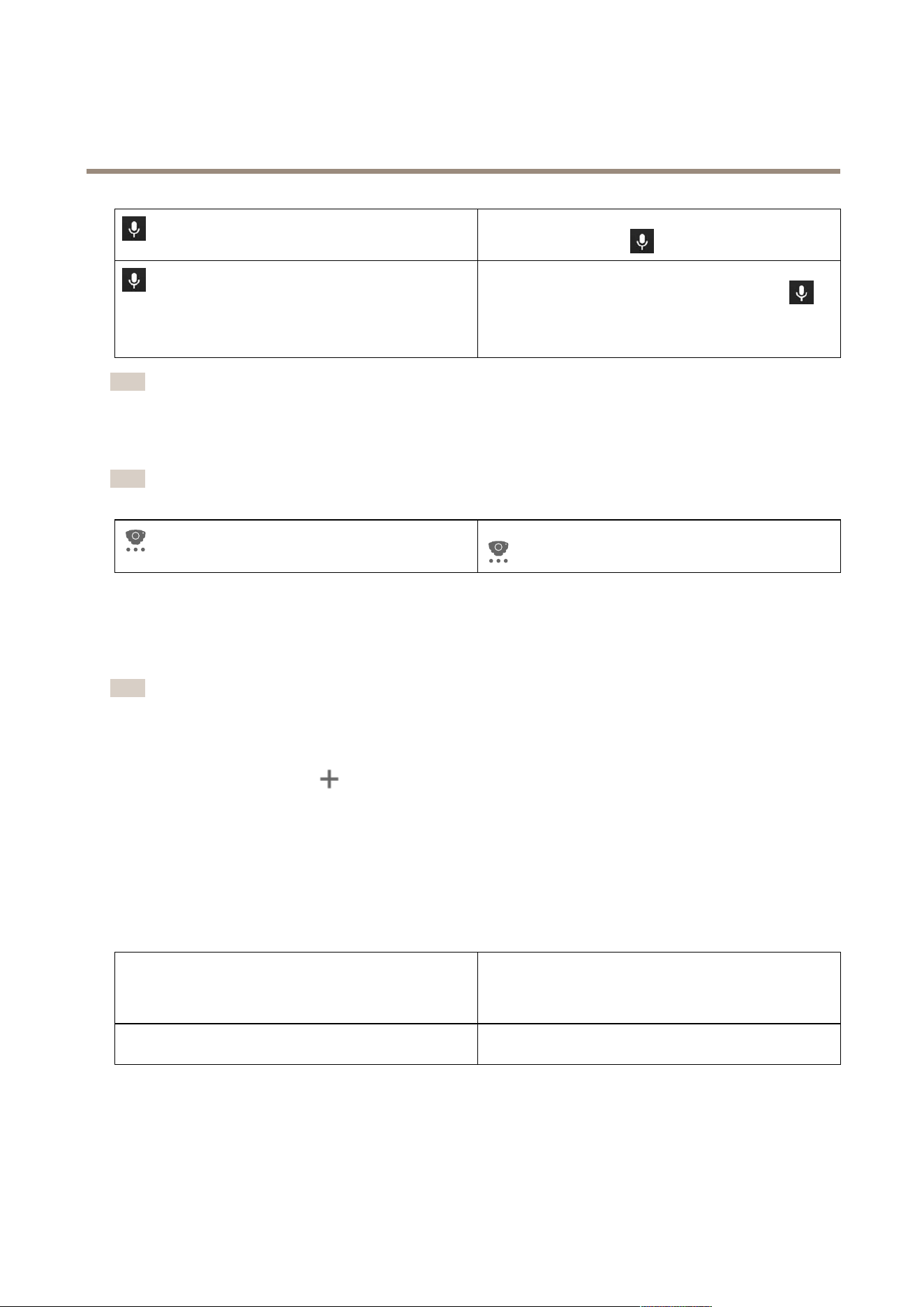
Speakthroughthespeaker
Tospeakthroughtheconguredspeakerinfull-duplexmode,
hovertheimageandclick.
Push-to-talk
Tospeakthroughtheconguredspeakerinsimplexand
half-duplexmodes,hovertheimageandclickandhold
.
ToshowthePush-to-talkbuttonforallduplexmodes,turnon
Usepush-to-talkforallduplexmodesunderConguration>
Client>Streaming>Audio.SeeStreamingonpage98.
Note
Asanadministratoryoucanturnoffaudioforusers.SeeCongureuserpermissions.
Onscreencontrolinliveview
Note
Onscreencontrolrequiresrmware7.40orlater.
Toaccesstheavailablecamerafeaturesintheliveview,click
.
Splitview
Asplitviewshowsmultipleviewsinthesamewindow.Youcanusecameraviews,sequences,webpages,mapsandothersplit
viewsinthesplitview.
Note
Whenconnectingtomultipleservers,youcanaddanyview,cameraordevicefromotherserverstoyoursplitview.
Toaddasplitview:
1.IntheLiveviewtab,click.
2.SelectNewSplitView.
3.Enteranameforthesplitview.
4.SelectatemplateyouwanttousefromtheTemplatedrop-downmenu.
5.Draganddroponeormultipleviewsorcamerastothegrid.
6.ClickSaveviewtosavethesplitviewonthecurrentserver.
SethotspotTodeneahotspotframe,right-clickitandselectSethotspot.
Whenyouclickanotherframeitopensinthehotspot.Hotspots
arehandyforasymmetricsplitviewswithonelargeandseveral
smallframes.Thelargestframeistypicallythehotspot.
Streamprole
Tosetthestreamproleforthecamera,right-clickacamerain
thegridviewandselectStreamprole,SeeStreamproles.
18
AXISCameraStationPro
Liveview
Towatchthisvideo,gotothewebversionofthisdocument.
help.axis.com/?&piaId=94521§ion=split-view
Addasplitview
Doordashboardinsplitview
Ifyouhaveconguredadoor,youcanassistcardholdersandmonitorthedoorstatusandrecenttransactionsinasplitview.
1.Addadoor.SeeAddadooronpage1 19.
2.Addthedoordashboardtoasplitview,seeSplitviewonpage18.
DashboardToviewdoordetails,doorstatusandlockstatus,openthe
Dashboardtab.
Thedashboarddisplaysthefollowinginformation:
•Accesscontroleventswithcardholderdetails,
includingphoto,forexample,whenacardholder
swipesacard.
•Alarmswithalarmtriggerinformation,forexample,
whenadoorisopentoolong.
•Thelatesttransaction.
TobookmarkaneventandmakeitavailableontheTransactions
tab,click
.
AccessTomanuallygrantaccess,clickAccess.Thisunlocksthedoorin
thesamewayitwouldifsomeonepresentedtheircredentials,
whichnormallymeansitautomaticallylocksafterasettime.
LockTomanuallylockthedoor,clickLock.
UnlockTomanuallyunlockthedoor,clickUnlock.Thedoorstays
unlockeduntilyoumanuallylockitagain.
LockdownTopreventaccesstothedoor,clickLockdown.
TransactionsToviewrecenttransactionsandsavedtransactions,openthe
Transactionstab.
19

AXISCameraStationPro
Liveview
Towatchthisvideo,gotothewebversionofthisdocument.
help.axis.com/?&piaId=94521§ion=door-dashboard-in-split-view
Monitorandassistindoordashboard
Axisdatainsightsdashboardinasplitview
AnAxisdatainsightsdashboardvisualizesanalyticsdatafromyourdevices.Toaddadashboardtoasplitview:
1.Congureadashboard.SeeAxisdatainsightsdashboardonpage140.
2.OntheLiveviewtab,click
.
3.SelectNewSplitView.
4.ExpandtheDashboardsfolder.
5.Draganddropadashboardtothegrid.
6.ClickSaveview.
Sequence
Asequenceswitchesbetweenviews.
Note
Whenconnectingtomultipleservers,youcanaddanyview,cameraordevicefromotherserverstoyoursequence.
Toaddasequence:
1.IntheLiveviewtab,click.
2.SelectNewsequence.
3.Enteranameforthesequence.
4.Draganddroponeormultipleviewsorcamerastothesequenceview.
5.Arrangetheviewsintheorderyouwantthesequence.
6.Optionally,setindividualdwelltimesforeachview.
7.ForcameraswithPTZcapabilities,selectaPTZpresetfromthePTZpresetdrop-downlist.SeePTZpresets.
8.ClickSaveviewtosavethesequenceonthecurrentserver.
DwelltimeDwelltimeisthenumberofsecondstoshowaview,before
switchingtothenext.Youcansetthisindividuallyforeach
view.
20

AXISCameraStationPro
Liveview
Towatchthisvideo,gotothewebversionofthisdocument.
help.axis.com/?&piaId=94521§ion=sequence
Addasequence
Cameraview
Acameraviewdisplayslivevideofromonecamera.Youcanusecameraviewsinsplitviews,sequences,andmaps.
Note
Whenconnectingtomultipleservers,thelistshowsallcamerasfromallconnectedservers.
Toaddacameraview:
1.IntheLivevieworRecordingstab,click
.
2.SelectNewCameraView.
3.Selectthecamerafromthedrop-downmenu,andclickOK.
Map
Amapisanimportedimagewhereyoucanplacecameraviews,splitviews,sequences,webpages,othermaps,anddoors.Themap
givesavisualoverviewandawaytolocateandaccessindividualdevices.Youcancreateseveralmapsandarrangethemonan
overviewmapforlargeinstallations.
Anyactionbuttonsarealsoavailableinthemapview.SeeCreateactionbuttontriggers.
Note
Whenconnectingtomultipleservers,youcanaddanyview,cameraordevicefromotherserverstoyourmapview.
Toaddamap:
1.IntheLiveviewtab,click.
2.SelectNewmap.
3.Enteranameforthemap.
4.ClickChooseimageandndyourmaple.Themaximumsizeoftheleis20MB,andBMP,JPG,PNG,GIFaresupported.
5.Dragtheviews,cameras,otherdevices,anddoorsontothemap.
6.Clickanicononthemaptoeditthesettings.
7.ClickAddlabel,enteralabelname,andsetthesize,rotation,style,andcolorofthelabel.
Note
Youcaneditsomesettingsformultipleiconsandlabelsatthesametime.
8.ClickSaveviewtosavethemaponthecurrentserver.
21
AXISCameraStationPro
Liveview
Thephysicalstateofthedoorwhenthedoorisconguredwith
adoormonitor.
Thephysicalstateofthelockwhenthedooriscongured
withoutadoormonitor.
Icon
Selecttheiconyouwanttouse.Thisoptionisonlyavailable
forcamerasandotherdevices.
Size
Adjusttheslidertochangethesizeoftheicon.
Color
Clicktochangethecoloroftheicon.
Name
Turnonthisoptiontodisplaytheiconname.SelectBottomor
Toptochangethepositionoftheiconname.
Coveragearea
Thisoptionisonlyavailableforcamerasandotherdevices.
Turnonthisoptiontoshowthecoverageareaofthedeviceon
themap.YoucanedittheRange,Width,Direction,andcolor
ofthecoveragearea.TurnonFlashifyouwantthecoverage
areatoashwhenthecameraisrecordingtriggeredbymotion
detectionorotheractionrules.Ontheclientsettingspage,you
canturnoffashingcoverageareasgloballyforalldevices,
seeClientsettingsonpage96.
Remove
Click
toremovetheiconfromthemap.
Towatchthisvideo,gotothewebversionofthisdocument.
help.axis.com/?&piaId=94521§ion=map
Addamap
Towatchthisvideo,gotothewebversionofthisdocument.
help.axis.com/?&piaId=94521§ion=map
Triggeraudiofromamap
22

AXISCameraStationPro
Liveview
Webpage
AwebpageviewshowsapagefromtheInternet.Youcanaddawebpageto,forexample,asplitvieworasequence.
Toaddawebpage:
1.IntheLiveviewtab,click
.
2.SelectNewwebpage.
3.Enteranameforthewebpage.
4.Enterthewebpage’sfullURL.
5.ClickOK.
Towatchthisvideo,gotothewebversionofthisdocument.
help.axis.com/?&piaId=94521§ion=webpage
Folders
Usefolderstocategorizeitemsinatreeviewnavigation.Folderscancontainsplitviews,sequences,cameraviews,maps,webpages,
andotherfolders.
Toaddafolder:
1.IntheLivevieworRecordingstab,click
.
2.SelectNewFolder.
3.Enteranameforthefolder,andclickOK.
23
AXISCameraStationPro
Recordings
Recordings
FromtheRecordingstabyoucanhandlerecordingsearches,playback,andexport.Thetabconsistsofaviewoftherecordingand
twopanelswhereyoucanndviews,images,playbacktools,andcamerasoftheconnectedserversgroupedbytheservername,
seeLiveview.
Fromthemainviewoftherecording,youcanmanagetheimageinthesamewayasyoucanintheliveview.Formoreinformation,
gotoImagemanagementinliveviewonpage15.
Tochangerecordingmethodandrecordingsettingssuchasresolution,compressionandframerate,seeRecordingmethod.
Note
Youcan’tmanuallydeleterecordingsfrom.YoumustchangetheretentiontimeunderConguration>Storage>
Selectiontodeletetheoldrecordings.
Playbackrecordings
Recordingsfrommultiplecamerascanplayatthesametimewhenyouputtheplaybackmarkerovermultiplerecordingsinthe
timeline.
Youcandisplayliveandrecordedvideoatthesametimewhenyouusemultiplemonitors.
Playbacktimeline
Usethetimelinetonavigateintheplaybackandndwhenarecordingoccurred.Aredlineinthetimelinesymbolizesamotion
detectionrecording.Abluelineinthetimelinesymbolizesarecordingtriggeredbyanactionrule.Hoveroverarecordinginthe
timelinetoshowtherecordingtypeandtime.Togetabetterviewandndrecordings,youcanzoomin,zoomout,anddragthe
timeline.Theplaybackpausestemporarilywhenyoudragthetimelineandresumeswhenyourelease.Inarecording,movethe
timeline(scrubbing)togetanoverviewofthecontentandndspecicoccurrences.
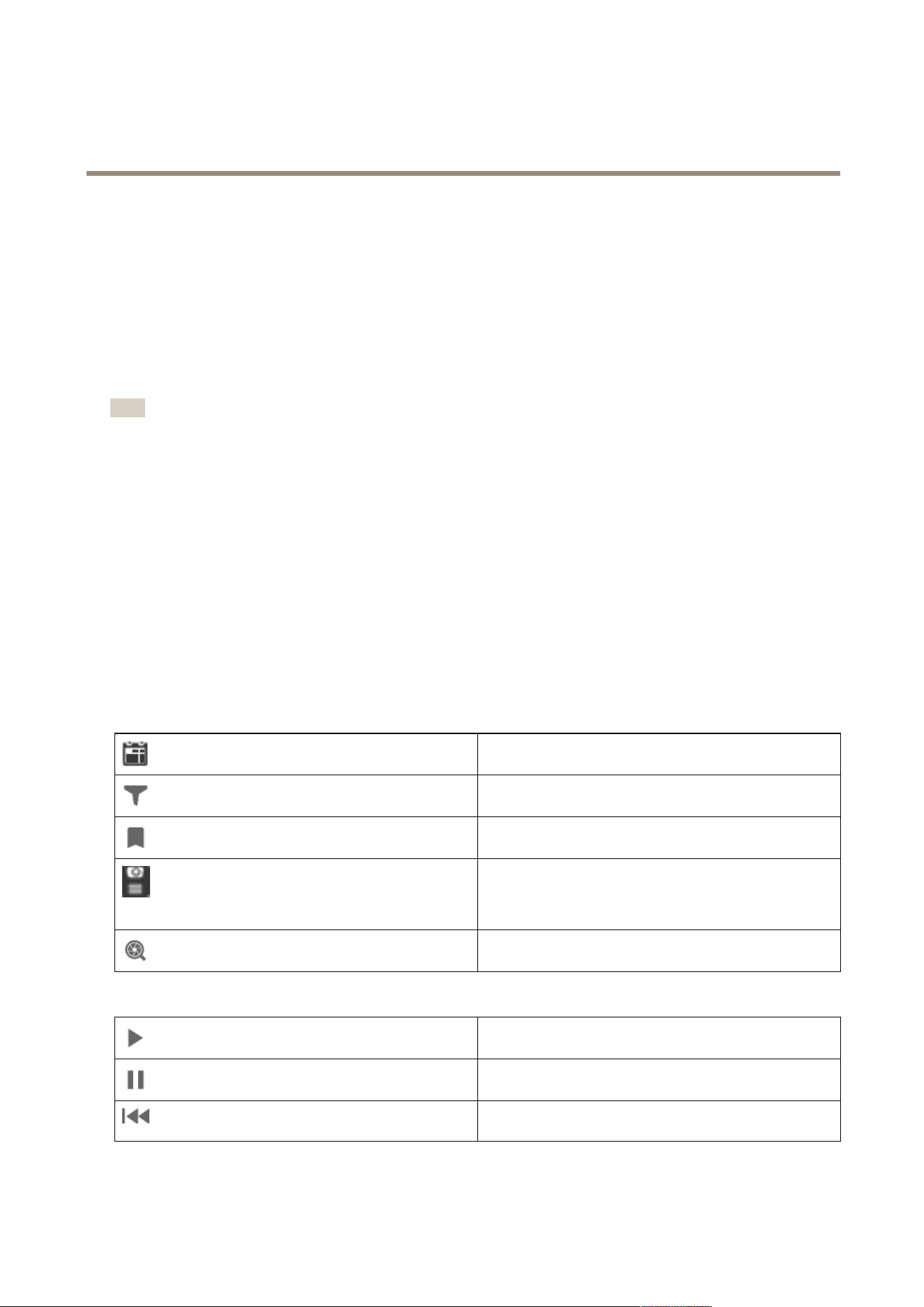
Findrecordings
Clicktoselectadateandtimeinthetimeline.
Usetheltertocongurewhattypeofrecordingstoshowin
thetimeline.
Usetondsavedbookmarks,seeBookmarks.
Clicktoopenalistofrecordingsandbookmarkscreatedwith
theAxisbodyworncamera.Hereyoucansearchfordateand
time,recordingactivationmethod,andanycategoriesand
notesthatthecamerauseraddedinAXISBodyWornAssistant.
Smartsearch1
UseSmartsearchtosearchforrecordings,seeSmartsearch1.
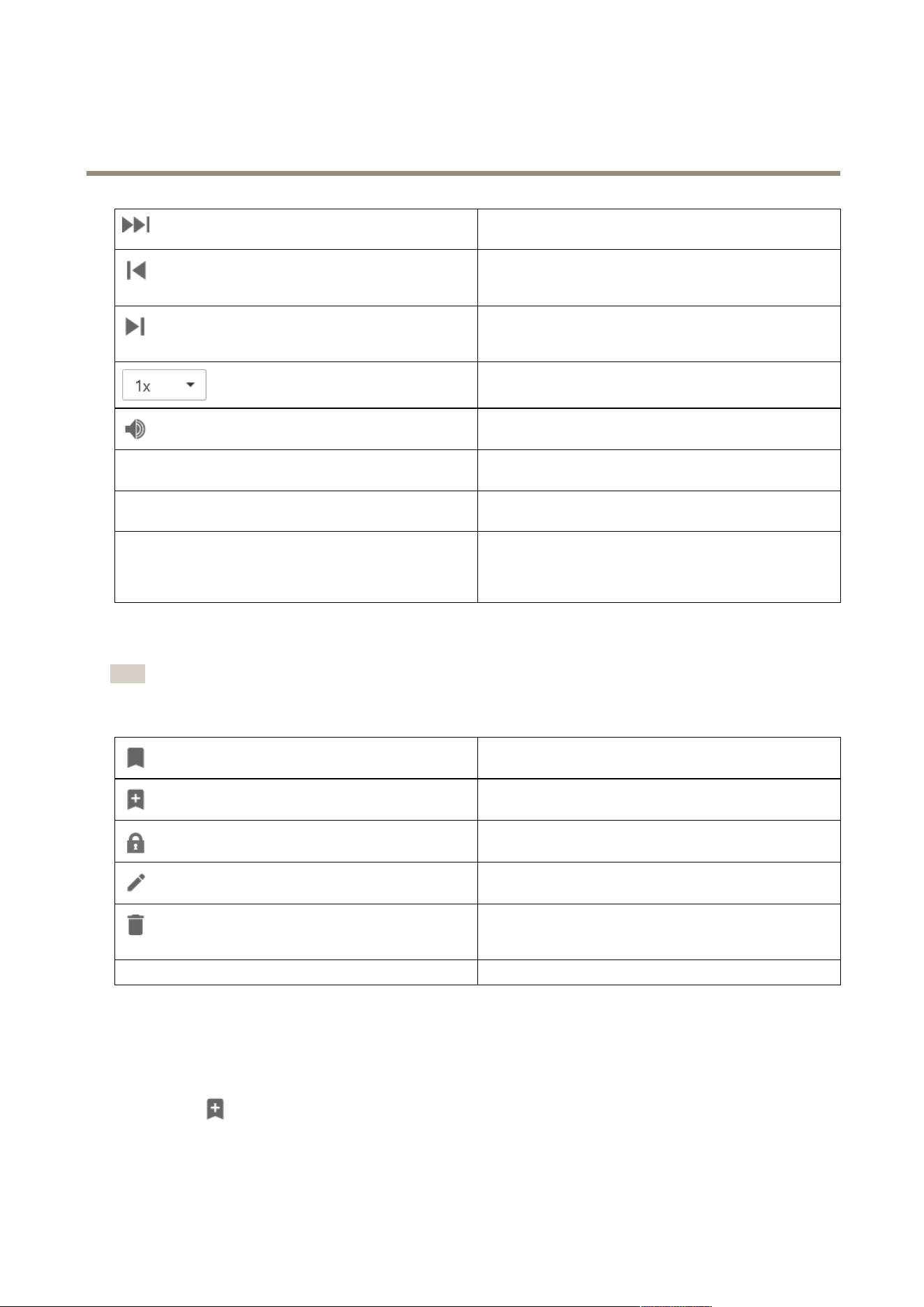
Playbackrecordings
Playtherecording.
Pausetherecording.
Jumptothestartoftheongoingorpreviousrecordingorevent.
Right-clicktogotorecordings,events,orboth.
24
AXISCameraStationPro
Recordings
Jumptothestartofthenextrecordingorevent.Right-clickto
gotorecordings,events,orboth.
Gotothepreviousframeinarecording.Pausetherecording
tousethisfeature.Right-clicktosethowmanyframestoskip
(upto20frames).
Gotothenextframeinarecording.Pausetherecordingto
usethisfeature.Right-clicktosethowmanyframestoskip
(upto20frames).
Changetheplaybackspeedusingthemultipliersinthe
drop-downmenu.
Muteaudio.Onlyrecordingswithaudiohavethisfeature.
Audioslider
Slidetochangetheaudiovolume.Onlyrecordingswithaudio
havethisfeature.
ShowallbodywornmetadataShowthemetadataforabodywornsystemanddisplaynotes
andcategoriesfromAXISBodyWornAssistant.
Pan,tiltandzoom
Clicktheimageandscrollupordowntozoominandoutofthe
imageandmovetheviewtoseeotherpartsoftheimage.To
zoominonanarea,placethecursorinthedesiredareaand
scrolltozoom.
Bookmarks
Note
•Youcan’tdeletealockedrecordingunlessyoumanuallyunlockit.
•Thesystemdeleteslockedrecordingswhenyouremovethecamerafrom.
Clicktoshowallthebookmarks.Tolterthebookmarks,click
theicon.
Addanewbookmark.
Meansthatit’salockedrecording.Therecordingincludesvideo
2.5minutesbeforeandafterthebookmark.
Editthebookmarkname,description,andunlockorlockthe
recording.
Removeabookmark.Toremovemultiplebookmarks,select
multiplebookmarksandholddownCTRLorSHIFTtoremove
multiplebookmarks.
Preventrecordingdeletion
Selectorcleartolockorunlocktherecording.
Addbookmarks
1.Gototherecording.
2.Inthetimelineofthecamera,zoominandoutandmovethetimelinetoputthemarkeratyourdesiredposition.
3.Click
.
4.Enterthebookmarknameanddescription.Usekeywordsinthedescriptiontomakethebookmarkeasytondand
recognize.
25

AXISCameraStationPro
Recordings
5.SelectPreventrecordingdeletiontolocktherecording.
Note
It’snotpossibletodeletealockedrecording.Tounlocktherecording,cleartheoptionordeletethebookmark.
6.ClickOKtosavethebookmark.
Exportrecordings
FromtheExporttab,youcanexportrecordingstoalocalstorageornetworklocation.Here,youcanalsondinformationanda
previewoftherecording.It’spossibletoexportmultiplelesatthesametime,andyoucanselecttoexportitto.asf,.mp4,and
.mkv.Toplayyourrecordings,useWindowsMediaPlayer(.asf)orAXISFilePlayer(.asf,.mp4,.mkv).AXISFilePlayerisafreevideo
andaudioplaybacksoftwarethatdoesn’trequireinstallation.
Note
InAXISFilePlayer,youcanchangetheplaybackspeedofrecordingsinthe.mp4and.mkvformats,butnotinthe.asfformat.
Beforeyoustart,makesureyouhavepermissiontoexport.SeeUserpermissionforexportingonpage28.
Exportrecordings
1.IntheRecordingstab,selectacameraoraview.
2.Addtherecordingstotheexportlist.Recordingsinthetimelinethataren’tincludedintheexportgetastripedcolor.
2.1Click
toshowtheselectionmarkers.
2.2Movethemarkerstoincludetherecordingsthatyouwanttoexport.
2.3Click
toopentheExporttab.
3.ClickExport....
4.Selectafoldertoexporttherecordingsto.
5.ClickOK.TheexportrecordingstaskappearsintheTaskstab.
Theexportfolderincludes:
•Therecordingsintheselectedformat.
•A.txtlewithnotesifyouselectIncludenotes.
•AXISFilePlayerifyouselectIncludeAXISFilePlayer.
•An.asxlewithaplaylistifyouselectCreateplaylist(.asx).
26
AXISCameraStationPro
Recordings
Towatchthisvideo,gotothewebversionofthisdocument.
help.axis.com/?&piaId=94521§ion=export-recordings
Exportrecordings
Recordingstab
Toselectmultiplerecordings,clickandmovetheselection
markerstothedesiredstartandstop.
Toexportrecordingswithinthesectionmarkers,click.
AddrecordingsToexportasinglerecording,right-clickarecordingand
selectExport>Addrecordings.
AddeventrecordingsToaddallrecordingsthatoccurredwithinthetimeofan
event,right-clickarecordingandselectExport>Addevent
recordings.
RemoverecordingsToremovearecordingfromtheexportlist,right-clicka
recordingandselectExport>Removerecordings.
RemoverecordingsToremovemultiplerecordingswithintheselectionmarkers
fromtheexportlist,right-clickoutsideofarecordingandselect
Export>Removerecordings.
Exporttab
AudioToexcludeaudiointheexportedrecording,deselectthe
checkboxintheAudiocolumn.Toalwaysincludeaudioin
exportedrecordings,gotoConguration>Server>Settings
>ExportandselectIncludeaudiowhenaddingrecordings
toexport.
Toedittherecording,selectarecordingandclick.See
Editrecordings(redaction)beforeexportingonpage28.
Toeditthenotesfortherecording,selectarecordingandclick
.
Toremovetherecordingfromtheexportlist,selectarecording
andclick
.
Switchtoexport
TochangetotheExporttabiftheIncidentreporttabisopen,
clickSwitchtoexport.
PreferredstreamproleSelectthestreamproleinthePreferredstreamproleeld.
PreviewTopreviewarecording,clicktherecordingintheexportedlist
toplayit.Youcanonlypreviewmultiplerecordingsiftheyare
fromonecamera.
SaveIfyouwanttosavetheexportlisttoale,clickSave.
27

AXISCameraStationPro
Recordings
Exporttab
LoadIfyouwanttoincludeapreviouslysavedexportlist,clickLoad.
IncludenotesToincludenotesoftherecordings,selectIncludenotes.The
notesareavailablebothasa.txtleintheexportedfolderand
asabookmarkintherecordinginAXISFilePlayer.
AdjuststartandendtimeToadjusttherecordingstartandendtime,gotothetimelinein
thepreviewandadjustthestartandendtimes.Thetimeline
showsuptothirtyminutesofrecordingbeforeandafterthe
selectedrecording.
AddsnapshotToaddsnapshots,dragthetimelineinthepreviewtoaspecic
location.Right-clickthepreviewandselectAddsnapshot.
Advancedsettings
IncludeAXISFilePlayerToincludeAXISFilePlayerwiththeexportedrecordings,
selectIncludeAXISFilePlayer.
Createplaylist(.asx)
Tocreateaplaylistin.asxformatusedbyWindowsMedia
Player,selectCreateplaylist(.asx).Therecordingswillplayin
theorderinwhichtheywererecorded.
AdddigitalsignatureTopreventimagetampering,selectAdddigitalsignature.
Thisoptionisonlyavailableforrecordingsinthe.asfformat.
SeePlayandverifyexportedrecordingsonpage29.
ExporttoZipleToexporttoaZiple,selectExporttoZipleandchooseto
enterapasswordfortheexportedZiple.
ExportformatFromtheExportformatdrop-downmenu,selectaformatto
exporttherecordingsto.Exportedrecordingsdoesn’tinclude
audioinG.711orG.726formatifyouselectMP4.
EditedvideoencodingForeditedvideos,youcansetthevideoencodingformat
toAutomatic,H.264,orM-JPEGunderEditedvideo
encoding.ChooseAutomatictouseM-JPEGforM-JPEG
formatandH.264forotherformats.
Userpermissionforexporting
Toexportrecordingsorgenerateincidentreportsyouneedtohavepermission.Youcanhavepermissionforoneorboth.Whenyou
click
intheRecordingstab,theconnectedexporttabopens.
Tocongurethepermissions,gotoCongureuserpermissionsonpage1 10.
Editrecordings(redaction)beforeexporting
1.IntheExporttaborIncidentreporttab,selectarecordingandclick
.
2.Movethetimelinetotherstoccurrenceofthemovingobjectyouwanttocover.
3.ClickBoundingboxes>Addtoaddanewboundingbox.
4.GotoBoundingboxoptions>Sizetoadjustthesize.
5.Movetheboundingboxandputitovertheobject.
6.GotoBoundingboxoptions>FillsetittoPixelatedorBlack.
7.Whentherecordingplays,right-clicktheobjectandselectAddkeyframe.
28
AXISCameraStationPro
Recordings
8.Toaddcontinuouskeyframes,movetheboundingboxtocovertheobjectwhiletherecordingplays.
9.Movethetimelineandmakesurethattheboundingboxcoverstheobjectthroughouttherecording.
10.Tosetanend,right-clickthediamondshapeinthelastkeyframe,andselectSetend.Thisremovesthekeyframes
aftertheendpoint.
Note
Youcanaddmultipleboundingboxesinthevideo.Iftheboundingboxesoverlap,theoverlappedpartllsintheorderof
Black,Pixelated,andClear.
RemoveallToremoveallboundingboxes,clickBoundingboxes>Remove
all.
Removekeyframe
Toremoveakeyframe,right-clickthekeyframeandselect
Removekeyframe.
1.Createaboundingbox,seeBluramovingobjectonpage28.
2.GotoBoundingboxoptions>FillandsetittoClear.
3.GotoVideobackgroundandsetittoPixelatedorBlack.
Pixelateallbutthis
Selectmultipleboundingboxesinthelist,right-clickandselect
Pixelateallbutthis.TheselectedboundingboxesturnsClear
andthenotselectedturnsPixelated.
Togenerateboundingboxesfromtheanalyticdata,turnonthecamera’sanalyticdata.SeeStreamprolesonpage45.
1.IntheExporttaborIncidentreporttab,click
.
2.ClickGenerateboundingboxes.
3.Makesurethattheboundingboxescoverthemovingobject,adjustifnecessary.
4.Selectallfortheboundingboxesorvideobackground.
Toimprovevideoediting,installtheapplicationAXISVideoContentStream1.0oncameraswithrmware5.50to9.60.startsthe
installationautomaticallywhenyouaddacameratothesystem.SeeInstallcameraapplication.
Towatchthisvideo,gotothewebversionofthisdocument.
help.axis.com/?&piaId=94521§ion=improve-video-editing-with-axis-video-content-stream
Editrecordingsbeforeexport
Playandverifyexportedrecordings
Topreventimagetampering,youcanaddadigitalsignaturetotheexportedrecordingswithorwithoutpassword.UseAXISFile
Playertoverifythedigitalsignatureandtocheckforchangesoftherecording.
29
AXISCameraStationPro
Recordings
1.Gotothefolderwiththeexportedrecordings.IftheexportedZipleispasswordprotected,inputyourpassword
toopenthefolder.
2.OpenAXISFilePlayer,theexportedrecordingsautomaticallyplays.
3.InAXISFilePlayer,click
toshowthenotesintherecordings.
4.InAXISFilePlayer,verifythedigitalsignatureforrecordingswithAdddigitalsignature.
4.1GotoTools>Verifydigitalsignature.
4.2SelectValidatewithpasswordandenteryourpasswordifit’spasswordprotected.
4.3Toseethevericationresults,clickVerify.
Exportincidentreports
FromtheIncidentreporttab,youcanexportincidentreportstoalocalstorageornetworklocation.Here,youcanincluderecordings,
snapshots,andnotesinyourincidentreports.
Beforeyoustart,makesureyouhavepermissiontoexport.SeeUserpermissionforexportingonpage28.
Towatchthisvideo,gotothewebversionofthisdocument.
help.axis.com/?&piaId=94521§ion=export-incident-reports
Incidentreporting
Generateincidentreports
1.IntheRecordingstab,selectacameraoraview.
2.Addtherecordingstotheexportlist.SeeExportrecordingsonpage26.
3.ClickSwitchtoincidentreporttogototheincidentreporttab.
4.ClickCreatereport.
5.Selectafoldertosavetheincidentreportto.
6.ClickOK.TheexportincidentreporttaskappearsintheTaskstab.
Theexportfolderincludes:
•AXISFilePlayer.
•Therecordingsintheselectedformat.
•A.txtleifyouselectIncludenotes.
•Theincidentreport.
•Theplaylistifyouexportmultiplerecordings.
30
AXISCameraStationPro
Recordings
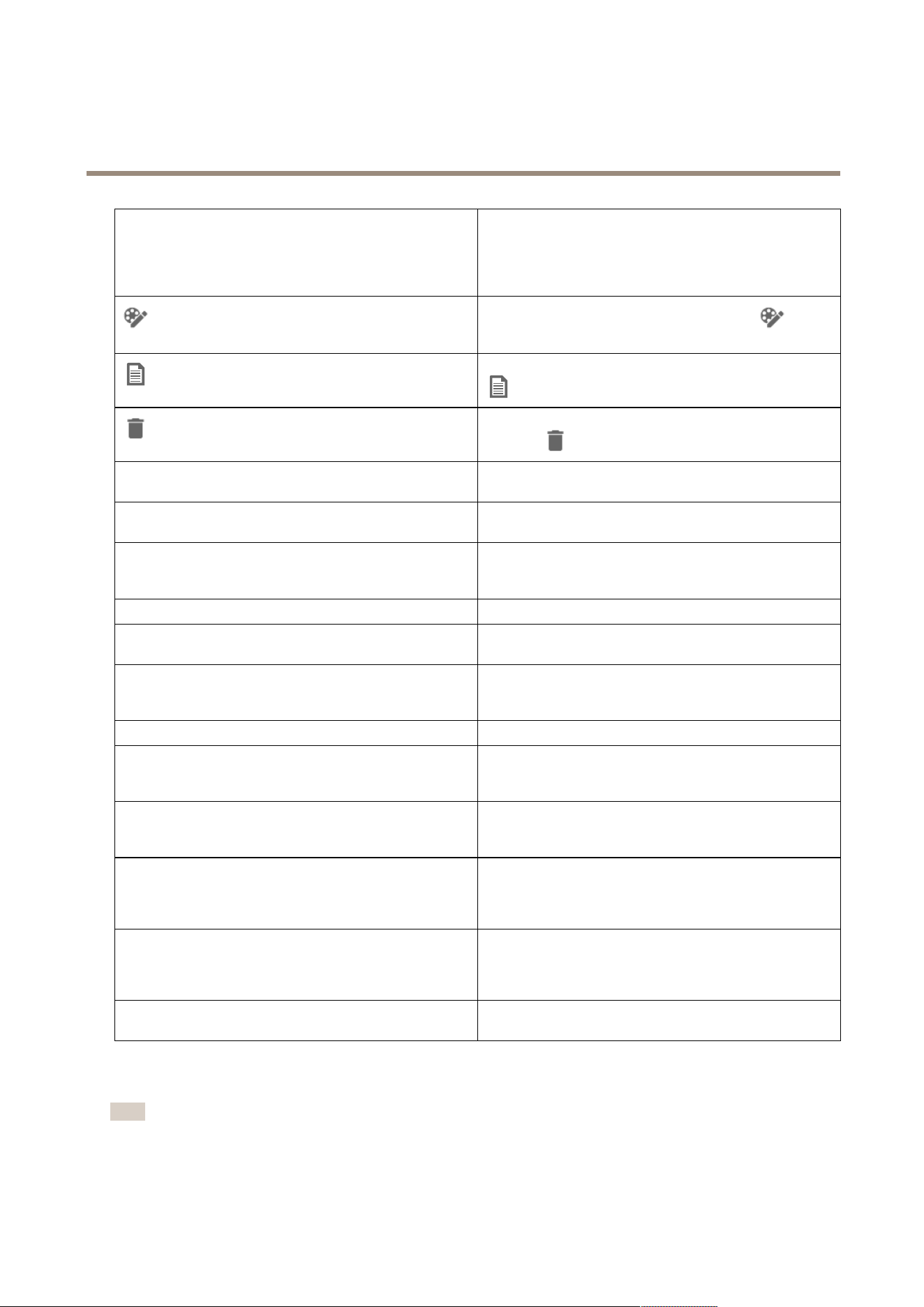
AudioToexcludeaudiointheexportedrecording,deselectthe
checkboxintheAudiocolumn.Toalwaysincludeaudioin
exportedrecordings,gotoConguration>Server>Settings
>ExportandselectIncludeaudiowhenaddingrecordings
toexport.
Toedittherecording,selectarecordingandclick.See
Editrecordings(redaction)beforeexportingonpage28.
Toeditthenotesfortherecording,selectarecordingandclick
.
Toremovetherecordingfromtheexportlist,selectarecording
andclick
.
Switchtoincidentreport
TochangetotheIncidentreporttabiftheExporttabisopen,
clickSwitchtoincidentreport.
PreferredstreamproleSelectthestreamproleinthePreferredstream
proledop-down.
PreviewTopreviewarecording,clicktherecordingintheexportedlist
anditstartstoplay.Youcanonlypreviewmultiplerecordings
iftheyarefromonecamera.
SaveIfyouwanttosavetheincidentreporttoale,clickSave.
LoadIfyouwanttoincludeapreviouslysavedincidentreport,
clickLoad.
DescriptionTheDescriptioneldautomaticallyllswithpredeneddata
fromtheDescriptiontemplate.Youcanalsoaddadditional
informationyouwanttoincludeintheincidentreport.
CategorySelectacategorythatthereportbelongsto.
ReferenceIDAReferenceIDisautomaticallygenerated,andyoucan
manuallychangeitifnecessary.Thereferenceidisuniqueand
identiestheincidentreport.
IncludenotesToincludenotesoftherecordingsandsnapshots,selectInclude
notes.Thenotesareavailablebothasa.txtleintheexported
folderandasabookmarkintherecordinginAXISFilePlayer.
EditedvideoencodingForeditedvideos,youcansetthevideoencodingformat
toAutomatic,H.264,orM-JPEGunderEditedvideo
encoding.ChooseAutomatictouseM-JPEGforM-JPEG
formatandH.264forotherformats.
AdjuststartandendtimeToadjusttherecordingstartandendtime,gotothetimelinein
thepreviewandadjustthestartandendtimes.Thetimeline
showsuptothirtyminutesofrecordingbeforeandafterthe
selectedrecording.
AddsnapshotToaddsnapshots,movethetimelineinthepreviewtoaspecic
location.Right-clickthepreviewandselectAddsnapshot.
Recordmanually
Note
Whenyouconnecttomultipleservers,youcanmanuallystartandstoparecordingonanyconnectedserver.Todothis,
selecttheserverfromtheSelectedserverdrop-downlist.
31

AXISCameraStationPro
Recordings
Tomanuallystartandstoparecordingfromthemainmenu:
1.Goto
>Actions>Recordmanually.
2.Selectoneormorecameras.
3.ClickStarttostarttherecording.
4.ClickStoptostoptherecording.
TostartandstopamanualrecordingfromtheLiveviewtab:
1.GotoLiveview.
2.Movethemousepointertothecamera'sliveviewframe.
3.ClickRECtostarttherecording.Aredindicatorappearsintheviewframewhilerecording.
4.ClickRECtostoptherecording.
32
AXISCameraStationPro
Smartsearch1
Smartsearch1
Usesmartsearch1tondthepartsofarecordingthathavemovementinadenedimagearea.
Toincreasesearchspeed,selectIncludeanalyticsdatainstreamproles.SeeStreamproles.
Tousesmartsearch1:
1.Click
andopenaSmartsearch1tab.
2.Selectthecamerayouwanttosearch.
3.Adjusttheareaofinterest.Youcanaddupto20pointstotheshape.Toremoveapoint,right-clickit.
4.UsetheShort-livedobjectslterandSmallobjectsltertolteroutanyunwantedresults.
5.Selectthestartandendtime,anddateforthesearch.UsetheSHIFTkeytoselectarangeofdates.
6.ClickSearch.
ThesearchresultsappearontheResultstab.Hereyoucanright-clickoneormanyresultstoexporttherecordings.
Short-livedobjectslter
Theminimumtimethatanobjectmustbeintheareaofinterest
tobeincludedinthesearchresults.
Smallobjectslter
Theminimumsizethatanobjectmusthavetobeincludedin
thesearchresults.
Towatchthisvideo,gotothewebversionofthisdocument.
help.axis.com/?&piaId=94521§ion=smart-search
Smartsearch1
33

AXISCameraStationPro
Smartsearch2
Smartsearch2
UseSmartsearch2tondmovingpersonsandvehiclesintherecordings.
WhenyouturnonSmartsearch2foranAxiscamera,startsrecordingmetadatafromthatcamera.SmartSearch2usesthemetadata
toclassifyobjectsinthesceneandletsyouuselterstondthingsofinterest.
Note
Smartsearch2requiresthefollowing:
•StreaminganalyticsmetadataoverRTSP.
•AXISVideoContentStreamoncameraswithAXISOSearlierthan9.60.SeeInstallcameraapplicationonpage58.
•Timesynchronizationbetweentheserverandcameras.
Note
Generalrecommendations:
•Werecommendusingcontinuousrecording.Usingmotiondetectioncanresultindetectionswithoutvideo.
•WerecommendusingtheH.264formatifyouwanttopreviewrecordingsinthesearchresult.
•Makesurethatthelightingconditionsarewithinthecameraspecicationforoptimalcolorclassication.Useadditional
lightingifneeded.
Workow
1.Conguresmartsearch2onpage137
2.Conguretimesynchronizationbetweentheserverandcameras.SeeTimesynchronizationonpage62.
3.Createalterorloadanexistinglter.SeeSearchonpage34.
4.Managesearchresults.SeeSmartsearchresultsonpage36.
Search
Tocreatealter:
1.GotoConguration>Smartsearch2>SettingsandselectthecamerasyouwanttouseinSmartsearch2.
2.Click
andopentheSmartsearch2tab.
3.Deneyoursearchcriteria.
4.ClickSearch.
Forcameraswithbackgroundserverclassication,appears
intheimage,indicatingtheclassicationstatusinthelasthour,
whenSmartsearch2hasclassiedlessthan95%detections.
Forcameraswithbackgroundserverclassication,appears
intheimage,indicatingtheclassicationstatusinthelasthour,
whenSmartsearch2hasclassiedlessthan50%detections.
CamerasTolimitthesearchbycamera,clickCamerasandselectthe
camerasyouwanttoincludeinthesearch.
34
AXISCameraStationPro
Smartsearch2
SearchintervalTolimitthesearchbytime,clickSearchintervalandselecta
timerange,orcreateacustominterval.
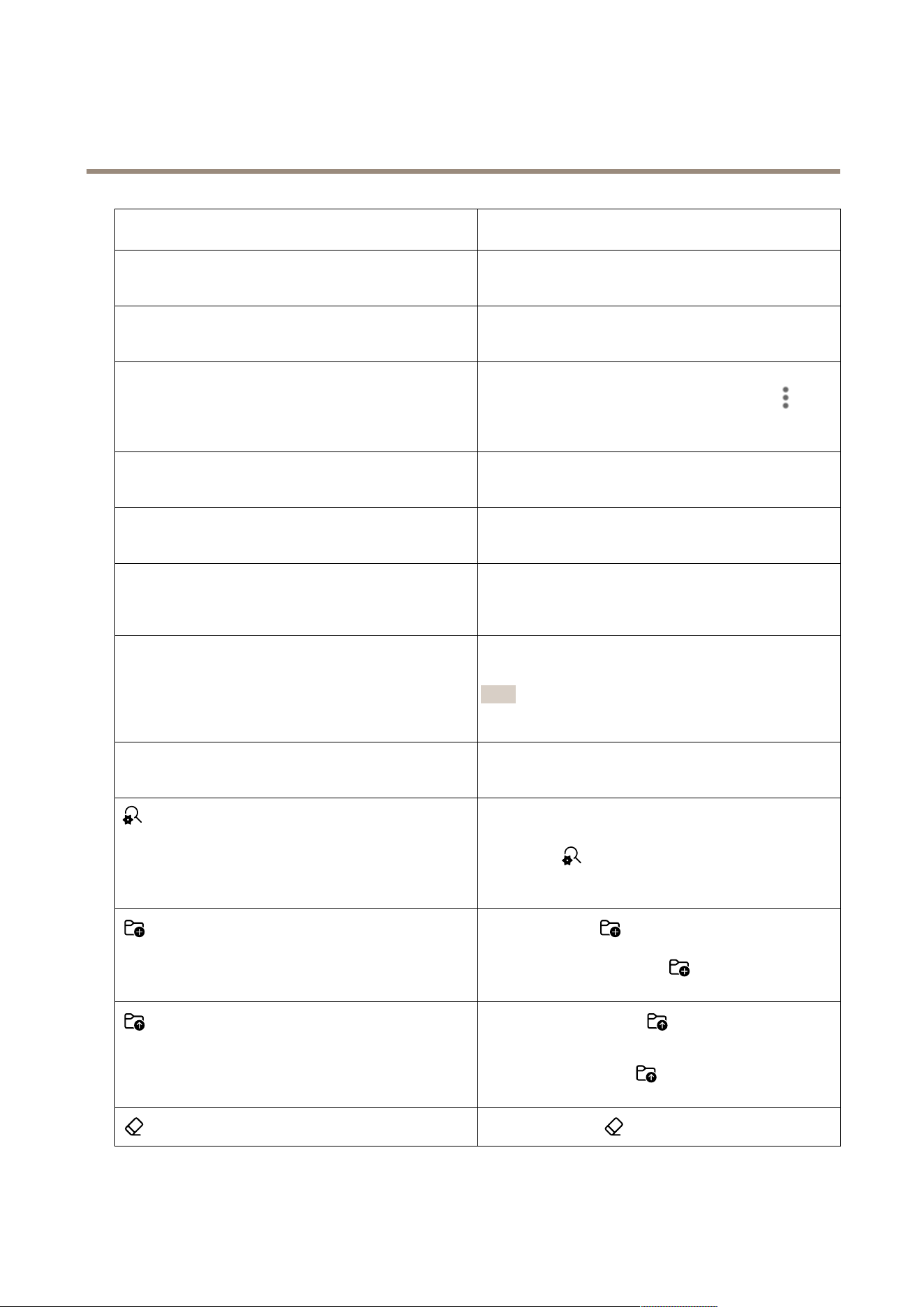
Person
Todetectpersons,clickObjectcharacteristics>Pre-classied,
selectPersonandtheclothingcolors.Youcanselectmultiple
colors.
Vehicle
Todetectvehicles,clickObjectcharacteristics>Pre-classied
andselectthevehicletypesandcolors.Youcanselectmultiple
vehicletypesandvehiclecolors.
VisualsimilarityYoucanuseasearchresultwithapersonintheimagetosearch
forvisuallysimilarpersons.Openthecontextmenu
ina
searchresultitemandselectUseasvisualsimilarityreference.
ThenclickSearch.
AreaTolterbyarea,clickArea,selectacamera,andturnonFilter
byareaonthiscamera.Adjusttheareaofinterestintheimage
andaddorremovepointsofyouneedto.
LinecrossingTolterbylinecrossing,clickLinecrossing,selectacamera
andturnonFilterbylinecrossingonthiscamera.Adjustthe
lineintheimageandaddorremovepointsofyouneedto.
SizeanddurationTolterbysizeandduration,clickSizeandduration,selectthe
cameraandturnonFilterbysizeanddurationonthiscamera.
Adjusttheminimumwidthandheightasapercentageofthe
totalimage.Adjusttheminimumdurationinseconds.
SpeedTolterbyspeed,clickSpeed,selectthecameraandturnon
Filterbyspeedonthiscamera.Specifythespeedrangethat
youwanttoincludeinthelter.
Note
Thespeedlterisavailableforproductslikeradarsand
fusioncamerasthatcandetectspeed.
Unknownobjectdetections
ToincludethedetectionsthatSmartsearch2classiesas
unknown,selectObjectcharacteristicsandthenUnknown
objectdetections.
Fordeviceswithdeeplearningcapability,youcansettheserver
classicationstrategytodecidehowtousetheclassicationon
deviceandclassicationonserver.Toselectserverclassication
strategy,click
.Serverclassicationgivesyoumoredetailed
searchresults,includingdetectionsthedevicedidn’tclassify.
Notusingserverclassicationgivesyoufastersearchresults.
Tosavealter,click,typealternameandclickSave.
Toreplaceanexistinglter,click,selectanexistinglter
andclickReplace.
Toloadarecentsearch,click>Recentsearchesandselect
asearch.
Toloadasavedlter,click
>Savedltersettingsand
selectasetting.
Toresetalter,clickandclickReset.
35
AXISCameraStationPro
Smartsearch2
Smartsearchresults
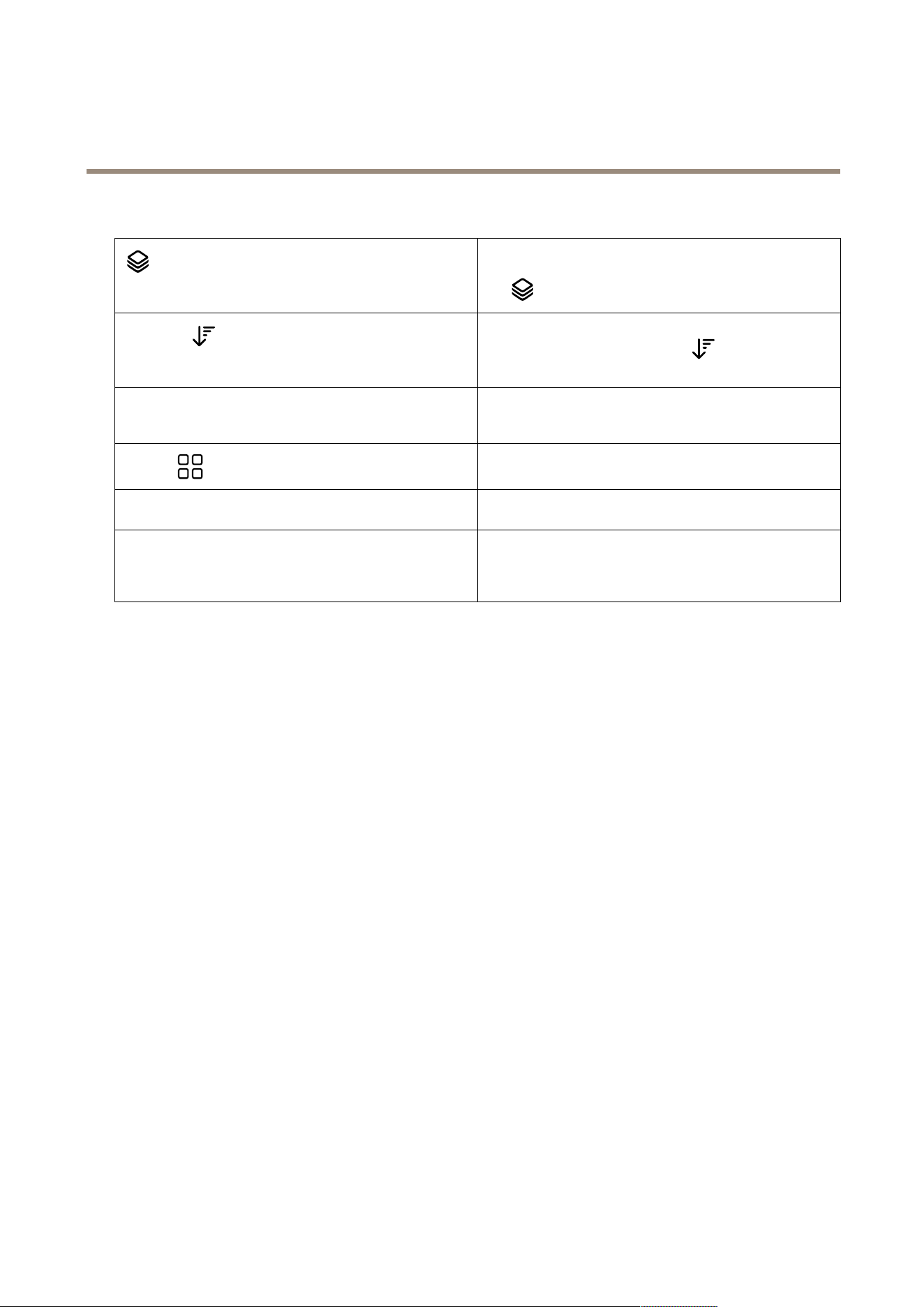
Togroupdetectionsthatarelikelytobelongtothesameevent,
youcangroupthemintimeintervals.Selectanintervalfrom
the
drop-downmenu.
Latestrst
Smartsearch2showsthesearchresultsindescendingorder
withthelatestdetectionsrst.Click
Oldestrsttoshow
theoldestdetectionsrst.
CondencelevelTofurtherlterthesearchresults,clickCondenceleveland
setthecondencelevel.Highcondenceignoresuncertain
classications.
Columns
Toadjustthesizeofthethumbnailsinthesearchresult,click
Columnsandchangethenumberofcolumns.
DetectionviewToshowacroppedviewofthedetectedobjectasthumbnail,
selectDetectionview.
DetectionreportTogenerateadetectionreport,expandtheclassicationdetails
andscrolldowntothebottom.ClickDetectionreportand
choosealocationtosavethereport.Thedetectionreport
includestherecording,snapshots,andtrackingdetails.
Limitations
•Highorveryvariablenetworklatencycancausetimesynchronizationissuesandaffecttheclassicationofdetections
basedonanalyticsmetadata.
•Classicationofobjecttypesanddetectionaccuracyarenegativelyaffectedbylowimagequalityduetohighcompression
levels,weatherconditionssuchasheavyrainorsnow,andcameraswithlowresolution,heavydistortion,largeeld
ofview,orexcessivevibrations.
•Smartsearch2maynotdetectsmallanddistantobjects.
•Colorclassicationdoesn’tworkindarknessorwithIRillumination.
•Bodyworncamerasarenotsupported.
•Radarcanonlydetectpersonandothervehicle.It’snotpossibletoenablebackgroundserverclassicationforradar.
•Objectclassicationhasunknownbehaviorforthermalcameras.
•Smartsearch2doesn'tdetectmovingobjectswhenaPTZpresetpositionchangesandforashortrecalibrationperiod
afterthepositionchange.
•Linecrossingandarealtersdon’tfollowPTZpositionchanges.
36

AXISCameraStationPro
Datasearch
Datasearch
Datasearchletsyounddatafromanexternalsource.Asourceisasystemordevicethatgeneratesdatathatyoucanusetond
outmoreaboutwhathappenedinanevent.SeeExternaldatasourcesonpage62formoreinformation.Hereareafewexamples:
•Aneventgeneratedbyanaccesscontrolsystem.
•AlicenseplatecapturedbyAXISLicensePlateVerier.
•AspeedcapturedbyAXISSpeedMonitor.
Tochangethetimekeepsexternaldata,gotoConguration>Server>Settings>Externaldata.
Tosearchdata:
1.Click
andselectDatasearch.
2.Selectasearchinterval.
3.Selectadatasourcetypefromthedrop-downlist.
4.ClickSearchoptionsandapplyanyadditionallters.Thelterscanvarydependingonthedatasourcetype.
5.Enteranykeywordsinthesearcheld.SeeOptimizeyoursearchonpage38.
6.ClickSearch.
Datasearchbookmarksthedatageneratedfromthesourceifyou’vecongureditwithaview.Clickthedatainthelisttogotothe
recordingassociatedwiththeevent.
Timeinterval
LiveTosearchreal-timedata,selectLiveasthetimeinterval.Data
searchcandisplayamaximumof3000livedataevents.Live
modedoesn’tsupportsearchoperators.
Youcanlterthesearchresultondifferenttypesofsources:
Datasourcetype
AlldataThisoptionincludesdatafrombothcomponentandexternal
sources.
AccesscontrolAccesscontrolisanexampleofacomponentthatproduces
data.Usethisoptionifyouwanttoincludedataonlyfrom
thisspeciccomponent.
ThirdpartyUsethisoptionifyouwanttoincludedatafromthirdparty
sourcesotherthantheconguredcomponents.
Dependingonthedatasourceyoucangetdifferentitemsinyoursearchresult.Hereareafewexamples:
Searchresults
ServerTheserverthattheeventdataaresentto.Onlyavailablewhenconnectingto
multipleservers.
LocationThenameofthedoorandthenameofthedoorcontrollerwithIPaddress.
37

AXISCameraStationPro
Datasearch
Enterspeed
Thespeed(kilometersperhourormilesperhour)whentheobjectenterstheRadar
MotionDetection(RMD)zone.
Classication
Theobjectclassication.Forexample:Vehicle.
ToexportthesearchresultstoaPDFortextle,clickDownloadsearchresult.Thisfeatureonlyexportseventinformation,not
recordingsorimages.
Optimizeyoursearch
Youcanusethefollowingsearchoperatorsformorepreciseresults:
Usequotationmarks""forexactmatcheswithkeywords•Asearchfor"door1"returnsresultscontaining
“door1”.
•Asearchfordoor1returnsresultscontaining
both“door”and“1”.
UseANDtondmatchescontainingallkeywords.•AsearchfordoorAND1returnsresults
containingboth“door”and“1”.
•Asearchfor"door1"AND"doorforced
open"returnsresultscontainingboth“door1”
and"doorforcedopen”.
UseORor|tondmatchescontaininganykeyword.•Asearchfor"door1"OR"door2"returns
resultscontaining“door1”or"door2”.
•Asearchfordoor1ORdoor2returnsresults
containing“door”or“1”or“2”.
Useparentheses()togetherwithANDorOR.•Asearchfor(door1ORdoor2)AND
"Doorforcedopen"returnsresults
containingoneofthefollowing:
-“door1”and"Doorforcedopen”
-“door2”and"Doorforcedopen”
•Asearchfordoor1AND(door(forced
openORopentoolong))returnsresults
containingoneofthefollowing:
-“door1”and“doorforcedopen”
-”door1”and“dooropentoolong”
Use>,>=,<,or<=tolternumbersinaspeciccolumn.•Asearchfor[Maxspeed]>28returns
resultscontaininganumbergreaterthan28inthe
Maxspeedcolumn.
•Asearchfor[Averagespeed]<=28
returnsresultscontaininganumberlessthanor
equalto28intheAveragespeedcolumn.
UseCONTAINStosearchfortextinspeciccolumn.•Asearchfor[Cardholder]CONTAINS
Oscarreturnsdatawhere‘Oscar’isinthe
Cardholdercolumn.
•Asearchfor[Door]CONTAINS"door1"
returnsdatawhere‘door1’isintheDoorcolumn.
38

AXISCameraStationPro
Configuration
Configuration
OntheCongurationtab,youcanmanageandmaintainconnecteddevices,aswellassettingsfortheclientandservers.Click
andselectCongurationtoopentheCongurationtab.
Conguredevices
In,adevicereferstoanetworkproductwithanIPaddress.Acamerareferstoavideosource,suchasanetworkcameraoravideoport
(withaconnectedanalogcamera)onamulti-portvideoencoder.Forexample,a4-portvideoencoderisonedevicewithfourcameras.
Note
•onlysupportsdeviceswithIPv4addresses.
•SomevideoencodershaveoneIPaddressforeachvideoport.Inthiscase,treatseachvideoportasonedevicewith
onecamera.
In,adevicecanbe:
•anetworkcamera
•avideoencoderwithoneormorevideoports
•anauxiliarynon-cameradevice,forexampleanI/Oaudiodevice,anetworkspeakeroradoorcontroller
•anintercom
Youcanperformthefollowingactionsfordevices:
•Addcamerasanddeviceswithoutvideocapabilities.SeeAdddevices.
•Editpreferencesofconnectedcameras.SeeCameras.
•Editpreferencesofnon-cameradevices.SeeOtherdevices.
•Editstreamprolesinregardtoresolution,formatandmore.SeeStreamproles.
•Adjustimagesettingsinrealtime.SeeImageconguration.
•AddorremovePTZpresets.SeePTZpresets.
•Manageandmaintainconnecteddevices.SeeDevicemanagement.
•Manageexternaldatasources.SeeExternaldatasourcesonpage62.
Adddevices
Note
•Thesystemconsidersviewareasasindividualcameras.Youmustcreateviewareasinthecamerabeforeusingthem.
SeeUseviewareas.
•Whenyouaddadevice,thedevicesynchronizesitstimewithserver.
•Werecommendthatyoudon’tusespecialcharacterssuchasÅ,Ä,andÖinadevice’shostname.
1.Findyourdevices,videostreamsorprerecordedvideos.
-Findyourdevicesonpage40
-Findyourvideostreamsonpage41
-Findprerecordedvideosonpage41
39

AXISCameraStationPro
Configuration
2.Adddevices,videostreamsorprerecordedvideosonpage42
Youmustresolveanyissuesshowninthedevicestatuscolumnbeforeyoucanaddadevice.
(empty)
Ifthere’snostatusyoucanaddthedeviceto.
Communicating
serveristryingtoaccessthedevice.
HTTPScerticatenottrustedcan'tverifythattheHTTPScerticateonthedeviceissigned
byatrustedissuer.
Communicationerror
can'tcontactthedevice.
Enterpassworddoesn’tknowwhichcredentialstousetoaccessthedevice.
Clickthelinktoenterausernameandpasswordforan
administratoraccountonthedevice.Bydefault,willusethis
usernameandpasswordforalldevicesonwhichtheuserexists.
Setpassword
Therootaccountandpasswordisnotsetuporthedevicestill
usesthedefaultpassword.Clickthelinktosettherootuser
password.
•EnteryourpasswordorclickGeneratetogeta
password.Werecommendthatyoushowthe
generatedpasswordandmakeacopyofit.
•Selecttousethispasswordforalldeviceswiththe
Setpasswordstatus.
Modelnotsupporteddoesn’tsupportthedevicemodel.
Obsoletermware
Thedevice’srmwareisoldandyoumustupdateitbeforeyou
canaddthedevice.
FaultydeviceThedeviceparametersretrievedbyarecorrupt.
SettiltorientationClickthelinktoselecttiltorientationCeiling,Wall,orDesk,
dependingonhowthecameraismounted.Tiltorientationisa
requiredsettingforsomecameramodels.
Unsupportedthird-partydevicedoesn’tsupportthisthird-partydevice.
CanonlybeusedwithAXISCompanionThedeviceisdesignedforAXISCompaniononly.
Findyourdevices
Tonddevicesthataren’tlisted:
1.GotoConguration>Devices>Adddevices.
2.ClickCanceltostoptheongoingnetworksearch.
3.ClickManualsearch.
4.TondmultipledevicesinoneormoreIPranges:
4.1SelectSearchoneormoreIPranges.
4.2TypetheIPrange.Forexample:192.168.10.*,192.168.20-22.*,192.168.30.0-50
-Useawildcardforalladdressesinagroup.
-Useadashforarangeofaddresses.
-Useacommatoseparatemultipleranges.
4.4Tochangethedefaultport80,typetheportrange.Forexample:80,1080-1090
40

AXISCameraStationPro
Configuration
-Useadashforarangeofports.
-Useacommatoseparatemultipleranges.
4.3ClickSearch.
5.Tondoneormorespecicdevices:
5.1SelectEnteroneormorehostnamesorIPaddresses.
5.2EnterthehostnamesorIPaddressesseparatedbycomma.
5.3ClickSearch.
6.ClickOK.
Findyourvideostreams
Youcanaddthevideostreamsthatsupportthefollowing:
•Protocol:RTSP,HTTP,HTTPS
•Videoencoding:M-JPEGforHTTPandHTTPS,H.264forRTSP
•Audioencoding:AACandG.711forRTSP
SupportedvideostreamURLschemes:
•rtsp://<address>:<port>/<path>
Forexample:rtsp://<address>:554/axis-media/media.amp
•http://<address>:80/<path>
Forexample:http://<address>:80/axis-cgi/mjpg/video.cgi?date=1&clock=1
&resolution=1920x1080
•https://<address>:443/<path>
Forexample:https://<address>:443/axis-cgi/mjpg/video.cgi?date=1&clock=1
&resolution=1920x1080
1.GotoConguration>Devices>Adddevices.
2.ClickEnterstreamURLsandenteroneormorestreamURLsseparatedbycomma.
3.ClickAdd.
Findprerecordedvideos
Youcanaddprerecordedvideosinthe.mkvformatto.
.mkvlerequirements:
•Videoencoding:M-JPEG,H.264,H.265
•Audioencoding:AAC
1.CreateafolderPrerecordedVideosunderC:\ProgramData\AxisCommunications\AXISCamera
StationServer.
2.Adda.mkvletothefolder.
3.Todewarptheprerecordedvideo,adda.dewarplewiththesamenameasthe.mkvletothefolder.SeeImage
congurationonpage48formoreinformation.
41

AXISCameraStationPro
Configuration
4.GotoConguration>Devices>AdddevicesandturnonIncludeprerecordedvideo.
Youcanndyourprerecordedvideoandseveralprerecordedvideosprovidedbythesystem.
Adddevices,videostreamsorprerecordedvideos
1.Inamulti-serversystem,selectaserverfromtheSelectedserverdrop-downlist.
2.GotoConguration>Devices>Adddevices.
3.Ifyouwanttochangethedevice’sname,clickthenameinthelistandenteranewname.
4.Selectthedevices,videostreams,orprerecordedvideos.ClickAdd.
5.ChoosewhethertousehostnamesinsteadofIPwhenpossibleforthedevices.
6.ChooseQuickcongurationifyoujustwanttocongurethebasicsettings.
Ifyou’reimportingaSiteDesignerproject,seeImportSiteDesignerprojects.
7.ClickInstall.automaticallyenablesHTTPSonthedevicesthatsupportit.
ImportSiteDesignerprojects
AXISSiteDesignerisanonlinedesigntoolthathelpsyoubuildasitewithAxisproductsandaccessories.
Ifyou'vecreatedasiteinAXISSiteDesigner,youcanimporttheprojectsettingsto.Youcanaccesstheprojectusinganaccess
codeoradownloadedSiteDesignersetuple.
Toimportasitedesignerprojectto:
1.Generateanaccesscodetothesitedesignerprojectordownloadaprojectle.
1.1Signintohttp://sitedesigner.axis.comwithyourMyAxisaccount.
1.2Selectaprojectandgototheprojectpage.
1.3ClickShare.
1.4ClickGeneratecodeifyourserverhasaninternetconnection.OrclickDownloadsettingsleifyourserver
doesn’thaveaninternetconnection.
2.Intheclient,gotoConguration>Devices>Adddevices.
3.Selectthecameras,andclickAdd.
4.SelectSiteDesignercongurationandclickNext.
5.SelectAccesscodeandentertheaccesscode.OrselectChooseleandndthedownloadedSiteDesignersetuple.
6.ClickImport.Atimport,triestomatchtheSiteDesignerprojectwiththeselectedcamerasbyIPaddressorproductname.
Youcanselectthecorrectcamerafromthedrop-downmenuifthematchfails.
7.ClickInstall.
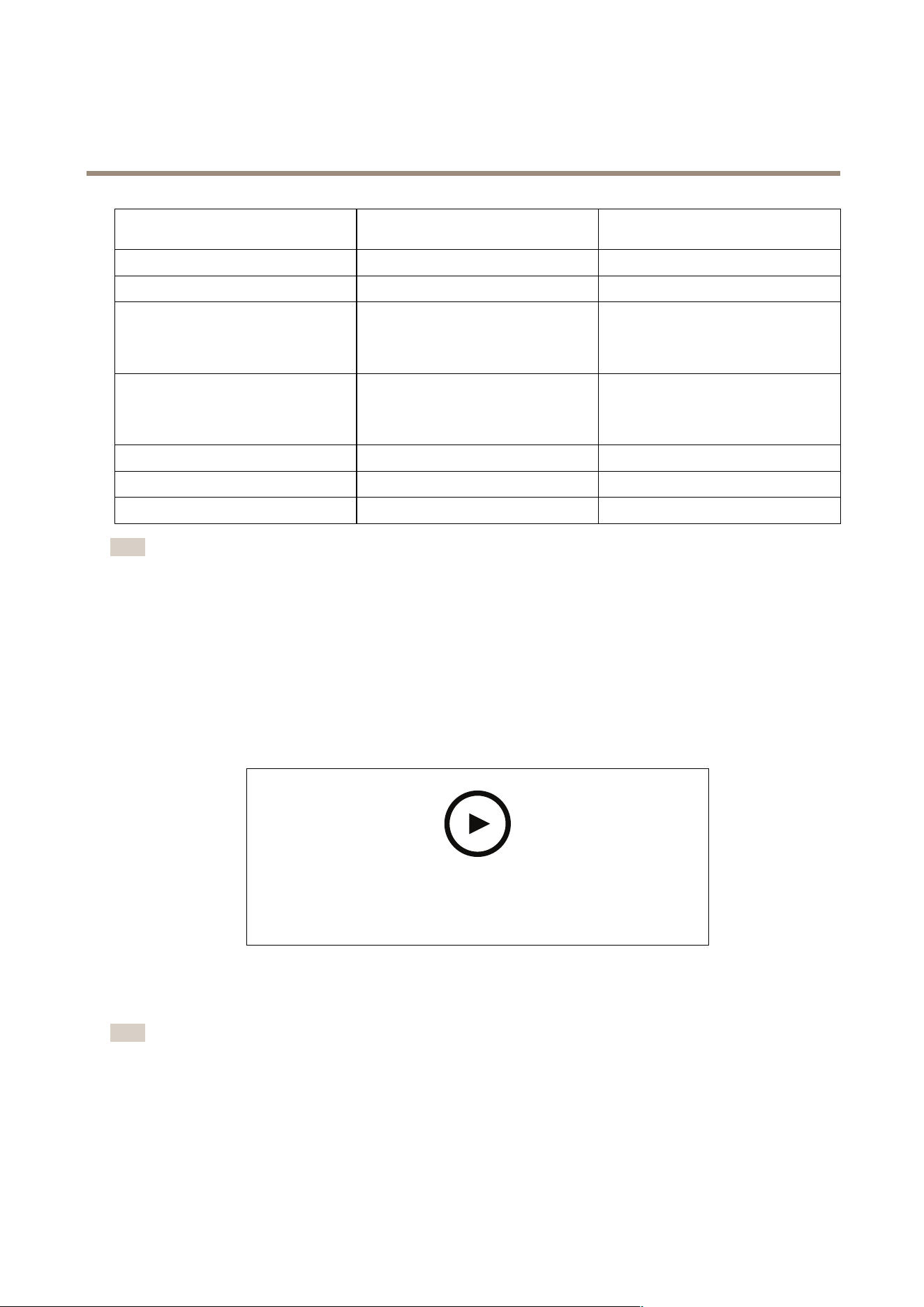
importsthefollowingsettingsfromtheSiteDesignerproject:
Encoders,videodecoders,doorcontrollers,
radardetectors,andspeakers
Cameras,intercoms,andF/FAseries
Scheduleswithnameandtimeslots
✔✔
Mapswithname,iconcolor,iconlocation,
anditemname
✔✔
42
AXISCameraStationPro
Configuration
Encoders,videodecoders,doorcontrollers,
radardetectors,andspeakers
Cameras,intercoms,andF/FAseries
Name
✔✔
Description
✔✔
Motiontriggeredrecording:schedule
andrecordingproleincludingframe
rate,resolution,videoencoding,and
compression
✔
Continuousrecording:scheduleand
recordingproleincludingframe
rate,resolution,videoencoding,and
compression
✔
Zipstreamstrength
✔
Audiosettingsforliveviewandrecordings
✔
Retentiontimeforrecordings
✔
Note
•Ifyou'vedenedjustoneoftherecordingprolesoriftherearetwoidenticalrecordingprolesintheSiteDesigner
project,setstheproletomedium.
•Ifyou'vedenedbothrecordingprolesintheSiteDesignerproject,setsthecontinuousrecordingproletomedium
andthemotion-triggeredrecordingtohigh.
•optimizestheaspectratio,meaningtheresolutioncandifferbetweentheimportandtheSiteDesignerproject.
•cansettheaudiosettingsifthedevicehasabuilt-inmicrophoneorspeaker.Touseanexternalaudiodevice,youmust
manuallyenableitafterinstallingit.
•doesn'tapplyaudiosettingstointercomsevenifthesettingsinSiteDesignerdiffer.Onintercoms,audioisalways
oninLiveviewonly.
Towatchthisvideo,gotothewebversionofthisdocument.
help.axis.com/?&piaId=94521§ion=import-site-designer-projects
Addthird-partydevices
Youcanaddthird-partydevicestointhesamewayyouaddAxisproducts.SeeAdddevices.
Note
Youcanalsoaddthird-partydevicesasvideostreamsin.SeeFindyourvideostreamsonpage41.
Forinformationaboutsupportforthird-partydevices,seethelatesttechnicalpaper.
supportsthefollowingfunctionsforthird-partydevicesaccordingtoIEC62676-2-31andIEC62676-2-32:
•Cameradiscovery
43

AXISCameraStationPro
Configuration
•Videoencoding:M-JPEG,H.264
•Audioencodings:G.711(one-way,fromthedeviceto)
•Onevideoprolepercamera
•Liveview
•ContinuousandManualrecordings
•Playback
•Recordingsexports
•Deviceeventtriggers
•PTZ
Useviewareas
Somecameramodelssupportviewareas.listsviewareasasindividualcamerasontheAdddevicespage.SeeAdddevices.
Note
•Allviewareasinanetworkcameracountsasonecamerainthetotalnumberofcamerasallowedbythelicense.
•Thenumberofcamerasyoucanadddependsonthelicense.
•Eachlicenseallowsacertainnumberofcameras.
Touseviewareasin,youmustrstenabletheminthecamera:
1.GotoConguration>Devices>Cameras.
2.SelectthecameraandclickthelinkintheAddresscolumn.
3.Inthecamera'scongurationpage,entertheusernameandpasswordtologin.
4.ClickHelpforinstructionsonwheretondthesetting,whichdiffersdependingonthecameramodelandrmware.
Replaceadevice
Youcanreplaceadeviceandkeeptheexistingcongurationandtherecordings.Toreplaceadevice:
1.OpenaCongurationtabandgotoDevices>Management.
2.Selectthedeviceyouwanttoreplaceandclick
.
3.IntheReplacedevicedialog,selectthedeviceyouwanttoreplacetheoldonewith.
4.ClickFinish.
5.TheReplaceddevicedialogappearstoconrmthatthedevicewassuccessfullyreplaced.ClickOK.
6.Checkthecongurationofthenewdevicetomakesurethesettingsarecorrect,andthedevicefunctionsnormally.
Cameras
GotoConguration>Devices>Camerastoviewthelistofallcamerasaddedinthesystem.
Onthispageyoucan:
•Clickacamera’saddresstoopentheitswebinterface.Thisrequiresthatthere’snoNATorrewallbetweentheclient
andthedevice.
44

AXISCameraStationPro
Configuration
•Editthecamerasettings.SeeEditcamerasettings.
•Removecameras.Doingthis,deletesallrecordings,includinglockedones,associatedwiththedeletedcameras.
Editcamerasettings
Toeditcamerasettings:
1.GotoConguration>Devices>Cameras.
2.SelectacameraandclickEdit.
EnabledTopreventrecordingandviewingofthevideostream,deselect
Enabled.Youcanstillcongurerecordingandliveview.
ChannelWhenChannelisavailableformultiportvideoencoders,select
theportnumber.
WhenChannelisavailableforviewareas,selectthenumber
correspondingtotheviewarea.
UsernameUsernameforanadministratoraccountonthecamera.
PasswordPasswordforanadministratoraccountonthecamera.usesthe
passwordtocommunicatewiththecamera.
Otherdevices
GotoConguration>Devices>Otherdevices,toviewalistofdeviceswithoutvideocapabilities.Thelistincludesdoorcontrollers,
audiodevices,andI/Omodules.
Forinformationaboutsupportedproducts,gotowww.axis.comSeeUseaudiofromotherdevices.
Onthispage,youcan:
•Clickadevice’saddresstoopenitswebinterface.Thisrequiresthatthere’snoNATorrewallbetweentheclientandthe
device.
•Editthedevicesettings,suchasdevicename,address,andpassword.
•Removedevices.
Editotherdevicesettings
Toeditthesettingsfornon-cameradevices:
1.GotoConguration>Devices>Otherdevices.
2.SelectadeviceandclickEdit.
UsernameUsernameforanadministratoraccountonthedevice.
PasswordPasswordforanadministratoraccountonthedevice.usesthe
passwordtocommunicatewiththedevice.
Streamproles
Astreamproleisagroupofsettingsthataffectthevideostream,suchasresolution,videoformat,framerate,andcompression.Go
toConguration>Devices>StreamprolestoopentheStreamprolespage.Thepagedisplaysalistofallcameras.
ThefollowingprolesareavailableinLiveviewandrecordingssettings:
45

AXISCameraStationPro
Configuration
High-Optimizedforthehighestqualityandresolution.
Medium-Optimizedtobalancehighqualitywithperformance.
Low-Optimizedforperformance.
Note
ThestreamproleissettoAutomaticinLiveviewandrecordingsbydefault,meaningthestreamprolechanges
automaticallytoHigh,Medium,orLowdependingontheavailablesizeforthevideostream.
Editstreamproles
1.GotoConguration>Devices>Streamproles,andselectthecamerasyouwanttocongure.
2.UnderVideoproles,congureresolution,videoformat,framerate,andcompression.
3.UnderAudio,congurethemicrophoneandspeaker.
4.UnderAdvanced,congureanalyticsdata,FFmpegstreaming,PTZautotrackingobjectindicators,andcustomizedstream
settings.Thesesettingsaren’tavailableforallproducts.
5.ClickApply.
Videoproles
Encoder•Availableoptionsdependonthevideoencoder
congurationsonthedevice.Thisoptionisonly
availableforthird-partydevices.
•Youcanonlyuseavideoencodercongurationfor
onevideoprole.
•Ifthedevicehasonlyoneencoderconguration,
onlytheMediumproleisavailable.
ResolutionAvailableoptionsdependoncameramodel.Ahigherresolution
givesanimagewithmoredetailsbutrequiresmorebandwidth
andstoragespace.
FormatAvailableoptionsdependoncameramodel.Mostcamera
modelssupportH.264,whichrequireslessbandwidthand
storagespacecomparedto,forexample,M-JPEG.Camerascan
onlyhaveonevideoprolewithMPEG-4atatime.
FramerateTheactualframeratedependsoncameramodel,network
conditionsandcomputerconguration.
Compression
Lowercompressionimprovesimagequality,butrequiresmore
bandwidthandstoragespace.
Zipstream
46

AXISCameraStationPro
Configuration
Default
UsetheZipstreamsettingconguredthroughthe
device’swebinterfacepage.
Off
None
LowNovisibleeffectinmostscenes
MediumVisibleeffectinsomescenes:lessnoiseand
slightlylowerlevelofdetailinregionsoflower
interest
HighVisibleeffectinmanyscenes:lessnoiseandlower
levelofdetailinregionsoflowerinterest
HigherVisibleeffectinevenmorescenes:lessnoiseand
lowerlevelofdetailinregionsoflowerinterest
Strength
Zipstreamstrength
determinesthelevel
ofbitratereductioninan
H.264orH.265stream
inrealtime.Thisoption
isonlyavailableforAxis
devicesthatsupport
Zipstream.
ExtremeVisibleeffectinmostscenes:lessnoiseandlower
levelofdetailinregionsoflowerinterest
Optimizefor
storage
Zipstreamoptimizesthe
videostreamforstorage
usingtheOptimizefor
storageprole.Optimize
forstorageusesmore
advancedcompression
toolstosaveadditional
storagecomparedtothe
defaultZipstreamsetting.
Thisprolecanfurther
reducethebitrateeven
forsceneswithalotof
motion.
•Theasf
formatdoesn’t
support
B-frames
usedbythis
feature.
•Thisfeature
doesn’taffect
videorecorded
toAXIS
S30series
recorders.
•Thisfeature
requiresAXIS
OS11.7.59or
later.
Audio
Microphone:Toassociateamicrophonetothecamera,selectBuilt-in
microphoneorlineinorotherdevice’smicrophone.SeeUse
audiofromotherdevices.
Speaker:
Toassociateaspeakertothecamera,selectBuilt-inspeakeror
lineoutorotherdevice’sspeaker.Useamicrophoneconnected
tothecomputertomakespokenannouncements.SeeUseaudio
fromotherdevices.
Usemicrophonefor:
Enablemicrophoneaudioforoneortwostreams.Youcan
enableaudioforLiveviewandrecordings,Liveviewonly,or
Recordingsonly.
47

AXISCameraStationPro
Configuration
Advanced
IncludeanalyticsdataToallowdatagatheringforsmartsearchduringvideostreaming,
selectIncludeanalyticsdata.Thisoptionisavailableonlyfor
Axisdevicesthatsupportanalyticsdata.Datagatheringfor
Smartsearch1canaddlatencyinlivevideostreaming.
UseFFmpegToimprovecompatibilitywiththird-partydevices,selectUse
FFmpegtoenableFFmpegstreaming.Thisoptionisavailable
onlyforthird-partydevices.
ShowPTZautotrackingobjectindicators
ToshowtheobjectindicatorsthataredetectedbyaPTZcamera
inliveview,selectShowPTZautotrackingobjectindicators
andsetthevideostreambuffertimeupto2000milliseconds.
ThisoptionisavailableonlyforanAxisPTZcamerawithAXIS
PTZAutotracking.ForacompleteworkowtosetupAXISPTZ
Autotrackingin,seeSetupAXISPTZAutotracking.
Streamcustomization
Tocustomizethestreamsettingsforaspecicprole,enter
thesettingsseparatedby&fortheprole.Forexample,enter
overlays=off&color=0tohidetheoverlaysonthat
camera.
Thecustomsettingsoverrideanyexistingsettings.Donot
includesensitiveinformationinthecustomsettings.
Tocustomizeprolesettingsforresolution,framerate,compression,videoformatandaudio,selectthecameratocongure.For
camerasofthesamemodelthathavethesamecongurationcapabilities,multiplecamerascanbeconguredatthesametime.
SeeCongurationsettings.
Tocustomizeprolesettingsforrecordings,seeRecordingmethod.
YoucanlimittheresolutionandframerateforLiveviewtoreducebandwidthconsumption,forexample,iftheconnection
betweentheclientandserverisslow.SeeBandwidthusageinStreaming.
Useaudiofromotherdevices
Youcanuseaudiofromother,non-cameraorauxiliary,deviceswithvideofromanetworkcameraorvideoencoderforliveviewing
orrecording.
1.Addthenon-cameradeviceto.SeeAdddevices.
2.Congurethecameratouseaudiofromthedevice.SeeStreamproles.
3.EnableaudioforLivevieworRecording.SeeStreamproles.
YoucanndthefollowingexamplesinAXISCameraStationProvideotutorials:
•Setupaudiodevicesandmakeliveannouncements
•Createanactionbuttontomanuallyplayaudiowhenmotionisdetected
•Automaticallyplayaudiowhenmotionisdetected
•Addanaudiocliptospeakerand
Imageconguration
Youcanconguretheimagesettingsforthecamerasconnectedto.
Note
Thechangesonimagecongurationareappliedinstantly.
48

AXISCameraStationPro
Configuration
Toconguretheimagesettings:
1.GotoConguration>Devices>Imageconguration,alistofallcamerasaddedtoisdisplayed.
2.Selectthecameraandthevideofeedisshownbelowthelistinrealtime.UsetheTypetosearcheldtondaspecic
camerainthelist.
3.Conguretheimagesettings.
Imagesettings
Brightness:Adjusttheimagebrightness.Ahighervaluegivesabrighterimage.
Colorlevel:Adjustthecolorsaturation.Selectalowervaluetoreducecolorsaturation.Colorlevel0givesablackandwhite
image.Themaximumvaluegivesmaximumcolorsaturation.
Sharpness:Adjusttheamountofsharpeningappliedtotheimage.Increasingsharpnessmightincreaseimagenoise,especiallyinlow
lightsituations.Highsharpnessmightalsointroduceimageartifactsaroundareaswithhighcontrast,forexamplesharpedges.
Lowersharpnessreducesimagenoise,butmakestheimagelesssharp.
Contrast:Adjusttheimagecontrast.
Whitebalance:Selectthewhitebalanceoptioninthedrop-downlist.Whitebalanceisusedtomakecolorsintheimagelook
thesameregardlessofthecolortemperatureofthelightsource.WhenselectingAutomaticorAuto,thecameraidentiesthe
lightsourceandcompensatesforitscolorautomatically.Iftheresultisnotsatisfactory,selectanoptioncorrespondingtothetype
oflightsource.Availableoptionsdependoncameramodels.
Rotateimage:Setimagerotationdegrees.
Automaticimagerotation:Turnontoadjusttheimagerotationautomatically.
Mirrorimage:Turnontomirrortheimage.
Backlightcompensation:Turnonifabrightspotoflight,forexamplealightbulb,causesotherareasintheimagetoappeartoodark.
Dynamiccontrast(widedynamicrange):Turnontousewidedynamicrangetoimprovetheexposurewhenthereisaconsiderable
contrastbetweenlightanddarkareasintheimage.Usetheslidertoadjustdynamiccontrast.Enabledynamiccontrastinintense
backlightconditions.Disabledynamiccontrastinlowlightconditions.
Customdewarpsettings:Youcanimporta.dewarplethatcontainsthelensparameters,opticalcenters,andtiltorientationofthe
camera.ClickResettoresettheparameterstotheiroriginalvalues.
1.Createa.dewarpleincludingthefollowingparameters:
-Required:RadialDistortionX,RadialDistortionY,RadialDistortionZ,and
TiltOrientation.ThepossiblevaluesforTiltOrientationiswall,desk,andceiling.
-Optional:OpticalCenterXandOpticalCenterY.Ifyouwanttosettheopticalcenters,youmust
includebothofthetwoparameters.
2.ClickImportandnavigatetothe.dewarple.
Thefollowingisanexampleofa.dewarple:
RadialDistortionX=-43.970703RadialDistortionY=29.148499RadialDistortionZ=715.732193
TiltOrientation=DeskOpticalCenterX=1296OpticalCenterY=972
PTZpresets
Pan,tilt,zoom(PTZ)istheabilitytopan(moveleftandright),tilt(moveupanddown)andzoominandout.
GotoConguration>Devices>PTZpresets,alistofcamerasthatcanbeusedwithPTZisdisplayed.Clickacameratoviewall
presetsavailableforthecamera.ClickRefreshtoupdatethepresetlist.
YoucanusePTZwith:
49

AXISCameraStationPro
Configuration
•PTZcameras,thatis,cameraswithbuilt-inmechanicalPTZ
•FixedcameraswheredigitalPTZhasbeenenabled
DigitalPTZisenabledfromthecamera'sbuilt-incongurationpage.Formoreinformation,seethecamera'sUserManual.Toopen
thecongurationpage,gotothedevicemanagementpage,selectthecameraandclickthelinkintheAddresscolumn.
PTZpresetscanbeconguredinandthecamera'scongurationpage.WerecommendthatyoucongurePTZpresetsin.
•WhenaPTZpresetisconguredinthecamera’scongurationpage,youcanonlyviewthestreamwithinthepreset.The
PTZmovementsinliveviewcanbeseenandarerecorded.
•WhenaPTZpresetisconguredin,youcanviewthecompletestreamofthecamera.ThePTZmovementsinliveview
can’tbeseenandarenotrecorded.
Note
PTZcan'tbeusedifthecamera'scontrolqueueisenabled.Forinformationaboutthecontrolqueueandhowtoenable
anddisableit,seethecamera'sUserManual.
Toaddapreset:
1.GotoConguration>Devices>PTZpresetsandselectacamerainthelist.
2.ForcameraswithmechanicalPTZ,usethePTZcontrolstomovethecameraviewtothedesiredposition.Forcameraswith
digitalPTZ,usethemousewheeltozoominanddragthecameraviewtothedesiredposition.
3.ClickAddandenteranameforthenewpreset.
4.ClickOK.
Toremoveapreset,selectthepresetandclickRemove.Thiswillremovethepresetfromandfromthecamera.
Devicemanagement
Devicemanagementprovidestoolsforadministrationandmaintenanceofdevicesconnectedto.
GotoConguration>Devices>ManagementtoopentheManagedevicespage.
IfyouhavesetupautomaticcheckfornewrmwareversionsinFirmwareupgradesettingsonpage100,alinkdisplayswhenthere
arenewrmwareversionsavailablefordevices.Clickthelinktoupgradethermwareversions.SeeUpgradermware.
IfyouhavesetupautomaticcheckfornewsoftwareversionsinUpdateonpage103,alinkdisplayswhenthereisanewversion
available.Clickthelinktoinstallanewversionof.
Alistofdevicesaddedtoisdisplayed.UsetheTypetosearcheldtonddevicesinthelist.Tohideorshowcolumns,right-clickthe
headerrowandselectwhichcolumnstoshow.Draganddroptheheaderstodisplaythecolumnsindifferentorder.
Thedevicelistincludesthefollowinginformation:
•Name:Thenameofthedeviceoralistofallassociatedcameranameswhenthedeviceisavideoencoderwithmultiple
connectedcameras,oranetworkcamerawithmultipleviewareas.
•MACaddress:TheMACaddressofthedevice.
•Status:Thestatusofthedevice.
-OK:Thestandardstateforanestablisheddeviceconnection.
-Maintenance:Thedeviceisundermaintenanceandtemporarilyisnotaccessible.
-Notaccessible:Noconnectioncanbeestablishedwiththedevice.
-Notaccessibleoversethostname:Noconnectioncanbeestablishedwiththedeviceviaitshostname.
50

AXISCameraStationPro
Configuration
-Servernotaccessible:Noconnectioncanbeestablishedwiththeserverthatthedeviceisconnectedto.
-Enterpassword:Noconnectionwiththedeviceuntilvalidcredentialsareentered.Clickthelinktoprovidevalid
usercredentials.Ifthedevicesupportsencryptedconnections,thepasswordissentencryptedbydefault.
-Setpassword:Therootaccountandpasswordisnotsetuporthedevicestillusesthedefaultpassword.Click
thelinktosettherootuserpassword.
-TypeyourpasswordorclickGeneratetoautomaticallygenerateapassworduptothelengthallowedbythe
device.Werecommendthatyoushowtheautomaticallygeneratedpasswordandmakeacopyofit.
-SelecttousethispasswordforalldeviceswiththeSetpasswordstatus.
-SelectEnableHTTPStoenableHTTPSifthedevicesupportsit.
-Passwordtype:unencrypted:Noconnectionisestablishedwiththedeviceasthedevicehaspreviously
connectedusinganencryptedpassword.Forsecurityreasons,doesnotallowuseofunencryptedpasswords
fordevicesthathavepreviouslyusedencryptedpasswords.Fordevicessupportingencryption,theconnection
typeisconguredonthedevice’scongurationpage.
-Certicateerror:Thereissomeerrorwiththecerticateonthedevice.
-Certicateabouttoexpire:Thecerticateonthedeviceisabouttoexpire.
-Certicatehasexpired:Thecerticateonthedevicehasexpired.
-HTTPScerticatenottrusted:TheHTTPScerticateonthedeviceisnottrustedby.
-HTTPfailed:NoHTTPconnectioncanbeestablishedwiththedevice.
-HTTPSfailed:NoHTTPSconnectioncanbeestablishedwiththedevice.
-HTTPandHTTPSfailed(pingorUDPOK):NoHTTPandHTTPSconnectioncanbeestablishedwiththedevice.
ThedevicerespondstopingandUserDatagramProtocol(UDP)communication.
•Address:Theaddressofthedevice.Clickthelinktogotothedevice'scongurationpage.ItshowstheIPaddressor
hostnamedependingonwhichoneisusedwhenaddingthedevice.SeeDevicecongurationtabonpage61.
•Hostname:Thehostnameofthedeviceifavailable.Clickthelinktogotothedevice'scongurationpage.Thehostname
displayedisthefullyqualieddomainname.SeeDevicecongurationtabonpage61.
•Manufacturer:Themanufacturerofthedevice.
•Model:Themodelofthedevice.
•Firmware:Theversionofrmwarethedeviceiscurrentlyusing.
•DHCP:IfthedeviceisconnectedtotheserverusingDHCP.
•HTTPS:TheHTTPSstatusofthedevice.SeeHTTPSstatusinSecurityonpage59.
•IEEE802.1X:TheIEEE802.1Xstatusofthedevice.SeeIEEE802.1XstatusinSecurityonpage59.
•Server:Theserverthedeviceisconnectedto.
•Tags:(Hiddenbydefault)Thetagsaddedtothedevice.
•UPnPFriendlyName:(Hiddenbydefault)TheUPnPname.Thisisadescriptivenameusedtomakeiteasiertoidentifythe
device.
Youcanperformthefollowingactionsondevices:
•AssignIPaddresstodevices.SeeAssignIPaddress.
•Setpasswordfordevices.SeeUsermanagement.
51

AXISCameraStationPro
Configuration
•Upgradermwarefordevices.SeeUpgradermware.
•Setdateandtimeondevices.SeeSetdateandtime.
•Restartdevices.
•Restoredevicestoresetmostsettings,includingthepassword,totheirfactorydefaultvalues.Thefollowingsettingsare
notreset:uploadedcameraapplications,bootprotocol(DHCPorstatic),staticIPaddress,defaultrouter,subnetmask,
systemtime.
Note
Topreventunauthorizedaccess,westronglyrecommendsettingthepasswordafterrestoringadevice.
•Installcameraapplicationondevices.SeeInstallcameraapplication.
•Reloaddeviceswhensettingshavebeenchangedfromthedevices'congurationpage.
•Conguredevices.SeeConguredevices.
•Usermanagement.SeeUsermanagement.
•Managecerticates.SeeSecurityonpage59.
•Collectdevicedata.SeeCollectdevicedata.
•SelecttouseIPaddressorhostname.SeeConnectiononpage61.
•Tagdevices.SeeTags.
•Enterdevicecredentials.Right-clickadeviceandselectAdvanced>Enterdevicecredentialstoenterpasswordforthe
device.
•Gotothedevice’scongurationtabandcongureyourdevice.SeeDevicecongurationtabonpage61.
AssignIPaddress
canAssignIPaddresstomultipledevices.NewIPaddressescanbeobtainedautomaticallyfromaDHCPserverorassignedfrom
anIPaddressrange.
AssigningIPaddresses
1.GotoConguration>Devices>Managementandselectthedevicestocongure.
2.Click
,orright-clickandselectAssignIPaddress.
3.Ifsomeofthedevicescan'tbecongured,forexampleifthedevicesareinaccessible,theInvaliddevicesdialogwillappear.
ClickContinuetoskipthedevicesthatcan'tbecongured.
4.IfyouselectonedevicetoassignIPaddress,clickAdvancedtoopentheAssignIPaddresspage.
5.SelectObtainIPaddressesautomatically(DHCP)toobtaintheIPaddressesautomaticallyfromaDHCPserver.
6.SelectAssignthefollowingIPaddressrangeandspecifytheIPrange,subnetmask,anddefaultrouter.
TospecifytheIPrange:
-Usewildcards.Forexample:192.168.0.*or10.*.1.*
-WritetherstandlastIPaddressesseparatedbyadash.Forexample:192.168.0.10-192.168.0.20(thisaddress
rangecanbeshortenedto192.168.0.10-20)or10.10-30.1.101
-Combinewildcardsandrange.Forexample:10.10-30.1.*
52

AXISCameraStationPro
Configuration
-Useacommatoseparatemultipleranges.Forexample:192.168.0.*,192.168.1.10-192.168.1.20
Note
ToassignanIPaddressrange,thedevicesmustbeconnectedtothesameserver.
7.ClickNext.
8.ReviewthecurrentIPaddressesandthenewIPaddresses.TochangetheIPaddressforadevice,selectthedeviceand
clickEditIP.
-ThecurrentIPaddress,subnetmaskanddefaultrouteraredisplayedintheCurrentIPaddresssection.
-EdittheoptionsintheNewIPaddresssection,andclickOK.
9.ClickFinishwhensatisedwiththenewIPaddresses.
Conguredevices
Youcanconguresomesettingsonmultipledevicesatthesametimebycopyingdevicesettingsfromonedevice,orbyapplying
acongurationle.
Note
Tocongureallsettingsonasingledevice,gotothedevice’scongurationpage.SeeDevicecongurationtabonpage61.
•Forinformationabouthowtoconguredevices,seeCongurationmethods.
•Forinformationabouthowtocreateacongurationle,seeCreatecongurationle.
•Forinformationaboutwhichsettingscanbecopied,seeCongurationsettings.
Congurationmethods
Therearedifferentmethodstoconguredevices.AXISDevicemanagementwillattempttocongurealldevicesaccordingtothe
settingsinthemethod.SeeConguredevices.
Usecongurationoftheselecteddevice
Note
Thismethodisonlyavailableforcongurationofasingledevicebyreusingsomeorallexistingsettings.
1.GotoConguration>Devices>Management.
2.Right-clickonedevice,selectCongureDevices>Congure.
3.Selectthesettingstobeapplied.SeeCongurationsettingsonpage54.
4.ClickNexttoverifythesettingstobeapplied.
5.ClickFinishtoapplythesettingstothedevice.
Copycongurationfromanotherdevice
1.GotoConguration>Devices>Management.
2.Right-clickthedevices,selectCongureDevices>Congure.Devicesofdifferentmodelsandrmwarecanbeselected.
3.ClickDevicetoshowdeviceswithreusablecongurations.
4.SelectadevicetocopysettingsfromandclickOK.
5.Selectthesettingstobeapplied.SeeCongurationsettingsonpage54.
53

AXISCameraStationPro
Configuration
6.ClickNexttoverifythesettingstobeapplied.
7.ClickFinishtoapplythesettingstothedevices.
Usecongurationle
Acongurationlecontainssettingsfromonedevice.Itcanbeusedtoconguremultipledevicesatthesametimeandrecongure
adevice,forexampleifthedeviceisresettoitsfactorydefaultsettings.Acongurationlecreatedfromadevicecanbeappliedto
deviceswithdifferentmodelorrmwareevenifsomesettingsdonotexistonalldevices.
Ifsomesettingsdonotexistorcan'tbeapplied,thetaskstatuswillshowasErrorintheTaskstabatthebottomoftheclient.
Right-clickthetaskandselectShowtodisplayinformationaboutthesettingsthatcouldnotbeapplied.
Note
Thismethodshouldonlybeusedbyexperiencedusers.
1.GotoConguration>Devices>Management.
2.Right-clickthedevices,selectCongureDevices>Congure.
3.ClickCongurationFiletogotothecongurationle.Forhowtocreateacongurationle,seeCreatecongurationle
onpage54.
4.Browsetothe.cfgleandclickOpen.
5.ClickNexttoverifythesettingstobeapplied.
6.ClickFinishtoapplythesettingstothedevices.
Createcongurationle
Acongurationlecontainssettingsfromonedevice.Thesesettingscanthenbeappliedtootherdevices.Forinformationon
howtousethecongurationle,seeCongurationmethods.
ThedisplayedsettingsarethedevicesettingsthatcanbeaccessedusingAXISDevicemanagement.Tondaparticularsetting,
usetheTypetosearcheld.
Tocreateacongurationle:
1.GotoConguration>Devices>Management.
2.Selectthedevicetocreatethecongurationlefrom.
3.Right-clickandselectCongureDevices>CreateCongurationFile.
4.Selectthesettingstoincludeandchangetheirvaluesasrequired.SeeCongurationsettings.
5.ClickNexttoverifythesettings.
6.ClickFinishtocreatethecongurationle.
7.ClickSavetosavethesettingstoa.cfgle.
Congurationsettings
Whenyouconguredevices,youcanconguretheparameters,actionrules,andadditionalsettingsofthedevices.
Parameters
Parametersareinternaldeviceparametersthatareusedtocontroldevicebehavior.Forgeneralinformationaboutparameters,see
theproduct'sUserManualavailableatwww.axis.com
54

AXISCameraStationPro
Configuration
Note
•Parametersshouldonlybemodiedbyexperiencedusers.
•AlldeviceparametersarenotaccessiblefromAXISDevicemanagement.
Youcaninsertvariablesinsometextelds.Thevariableswillbereplacedbytextbeforetheyareappliedtoadevice.Toinsert
avariable,right-clickthetexteldandselect:
•Insertdeviceserialnumbervariable:Thisvariablewillbereplacedwiththeserialnumberofthedevicethatthe
congurationleisappliedto.
•Insertdevicenamevariable:Thisvariablewillbereplacedwiththenameofthedeviceusedwhenapplyingthe
congurationle.ThedevicenamecanbefoundintheNamecolumnintheDevicemanagementpage.Torenamea
device,gototheCamerasorOtherdevicespage.
•Insertservernamevariable:Thisvariablewillbereplacedwiththenameoftheserverusedwhenapplyingthe
congurationle.TheservernamecanbefoundintheServercolumnintheDevicemanagementpage.Torenamea
server,gotoServiceControl.
•Insertservertimezonevariable:ThisvariablewillbereplacedwiththePOSIXtimezoneoftheserverusedwhenapplying
thecongurationle.ThiscanbeusedwiththePOSIXtimezoneparametertosetthecorrecttimezoneofalldevicesina
networkwithserversindifferenttimezones.
Actionrules
Actionrulescanbecopiedbetweendevices.Actionrulesshouldonlybemodiedbyexperiencedusers.Forgeneralinformation
aboutactionrules,seeActionrules.
Additionalsettings
•StreamProles:Astreamproleisapre-programmedLiveviewcongurationproleforvideoencoding,imageandaudio
settings.Streamprolescanbecopiedbetweendevices.
•MotionDetectionWindows:Motiondetectionwindowsareusedtodenespecicareasinthecamera'seldofview.
Typically,alarmsaregeneratedwhenevermovementoccurs(orstops)withinthespeciedareas.Motiondetectionwindows
canbecopiedbetweendevices.
Usermanagement
GotoConguration>Devices>Management,theManagedevicespageisdisplayedforyoutomanageusersofthedevices.
Whenyousetpasswordorremoveusersformultipledevices,usersthatarenotpresentonalldevicesareindicatedwith
.Each
userappearsonlyoncewhentheuserispresentondifferentdeviceswithdifferentroles.
Note
Theaccountsaredevicespecicandnotrelatedtotheuseraccountsof.
Setpassword
Note
•Deviceswithrmware5.20andlatersupport64-characterpasswords.Deviceswithearlierrmwareversionssupport
8-characterpasswords.Werecommendthatyousetpasswordsondeviceswitholderrmwareseparately.
•Whensettingapasswordonmultipledevicesthatsupportdifferentpasswordlengths,thepasswordmusttwithinthe
shortestsupportedlength.
•Topreventunauthorizedaccessandincreasesecurity,westronglyrecommendthatalldevicesaddedtoarepassword
protected.
Thefollowingcharacterscanbeusedinpasswords:
•lettersA-Z,a-z
55

AXISCameraStationPro
Configuration
•numbers0-9
•space,comma(,),period(.),colon(:),semicolon(;)
•!,",#,$,%,&,',(,+,*,-,),/,<,>,=,?,[,\,^,-,`,{,|,~,@,],}
Tosetpasswordforusersondevices:
1.GotoConguration>Devices>Management>Managedevices.
2.Selectthedevicesandclick
.Youcanalsoright-clickthedevicesandselectUserManagement>Setpassword.
3.Selectauser.
4.TypeyourpasswordorclickGeneratetogenerateastrongpassword.
5.ClickOK.
Adduser
ToaddlocalorActiveDirectoryusersto:
1.GotoConguration>Devices>Management>Managedevices.
2.Right-clickthedevicesandselectUserManagement>Adduser.
3.Enterausernameandpassword,andconrmthepassword.Foralistofvalidcharacters,seetheSetpasswordsection
above.
4.Selecttheuseraccessrightsfromthedrop-downlistoftheRoleeld:
-Administrator:unrestrictedaccesstothedevice.
-Operator:accesstothevideostream,eventsandallsettingsexceptSystemOptions.
-Viewer:accesstothevideostream.
5.SelectEnablePTZcontroltoallowtheusertopan,tilt,andzoominLiveview.
6.ClickOK.
Removeuser
Toremoveusersfromthedevices:
1.GotoConguration>Devices>Management>Managedevices.
2.Right-clickthedevicesandselectUserManagement>Removeuser.
3.Selecttheusertoberemovedfromthedrop-downlistoftheUsereld.
4.ClickOK.
Listusers
Tolistallusersonthedevicesandtheiraccessrights:
1.GotoConguration>Devices>Management>Managedevices.
2.Right-clickthedevicesandselectUserManagement>Listusers.
3.UsetheTypetosearcheldtondthespecicusersinthelist.
56

AXISCameraStationPro
Configuration
Upgradermware
Towatchthisvideo,gotothewebversionofthisdocument.
help.axis.com/?&piaId=94521§ion=upgrade-rmware
FirmwareissoftwarethatdeterminesthefunctionalityoftheAxisproduct.Usingthelatestrmwareensuresthatyourdevicewill
havethelatestfunctionalityandimprovements.
Newrmwarecanbedownloadedusingorimportedfromaleonaharddriveormemorycard.Firmwareversionsthatareavailable
fordownloadareshownwiththetext(Download)aftertheirversionnumbers.Firmwareversionsthatareavailableonthelocal
clientareshownwiththetext(File)aftertheirversionnumbers.
Whenyouupgradermware,youcanselecttheupgradetype:
•Standard:Upgradetotheselectedrmwareversionandkeeptheexistingsettingvalues.
•Factorydefault:Upgradetotheselectedrmwareversionandresetallsettingstothefactorydefaultvalues.
Toupgradermware:
1.GotoConguration>Devices>Managementandselectthedevicestocongure.
2.Click
,orright-clickandselectUpgradermware.
3.Ifsomeofthedevicescan'tbecongured,forexampleifthedevicesareinaccessible,theInvaliddevicesdialogwillappear.
ClickContinuetoskipthedevicesthatcan'tbecongured.
4.Thedeviceisnotaccessibleduringtheprocessofupgradingrmware,clickYestocontinue.Ifyouhaveacknowledgedthis
anddonotwantthistoshowagain,selectDonotshowthisdialogagainandclickYes.
5.TheUpgradermwaredialogueliststhedevicemodel,numberofdevicesofeachmodel,theexistingrmwareversion,
availablermwareversionstoupgradeandtheupgradetype.Bydefault,thedevicesinthelistarepre-selectedwhennew
rmwareversionsareavailablefordownload,andthelatestrmwareversionispre-selectedforeachdevice.
5.1Toupdatethelistofrmwareversionsavailablefordownload,clickCheckforupdates.Tobrowseforoneor
morermwarelesstoredonthelocalclient,clickBrowse.
5.2Selectthedevices,thermwareversionsthatyouwanttoupgradeandtheupgradetype.
5.3ClickOKtostartupgradingthedevicesinthelist.
Note
Bydefault,rmwareupdatesaredoneforalltheselecteddevicesatthesametime.Theupdateordercanbechanged.See
Firmwareupgradesettings.
Setdateandtime
ThedateandtimesettingsforyourAxisdevicescanbesynchronizedwiththeservercomputertime,withanNTPserver,or
setmanually.
57

AXISCameraStationPro
Configuration
Tosetdateandtimeondevices:
1.GotoConguration>Devices>Management.
2.Selectthedeviceandclickorright-clickitandselectSetdateandtime.
3.DevicetimeliststhecurrentdateandtimeforyourAxisdevice.Whenselectingmultipledevices,Devicetimeisnot
available.
4.Selectthetimezone.
-SelectthetimezoneyouwanttousewithyourAxisproductfromtheTimezonedrop-downlist.
-SelectAutomaticallyadjustfordaylightsavingtimechangesifyourproductislocatedinanareathat
usesdaylightsavingtime.
Note
TimezonecanbesetwhenselectingtheSynchronizewithNTPserverorSetmanuallytimemode.
5.IntheTimemodesection:
-SelectSynchronizewithservercomputertimetosynchronizethedateandtimeofyourproductwiththeclock
ontheservercomputer,thatis,thecomputerwheretheserverisinstalled.
-SelectSynchronizewithNTPservertosynchronizethedateandtimeofyourproductwithanNTPserver.Enter
theIPaddress,DNSorhostnameoftheNTPserverintheprovidedeld.
-SelectSetmanuallytomanuallysetthedateandtime.
6.ClickOK.
Towatchthisvideo,gotothewebversionofthisdocument.
help.axis.com/?&piaId=94521§ion=set-date-and-time
Setdateandtime
Installcameraapplication
AcameraapplicationissoftwarethatcanbeuploadedtoandinstalledonAxisnetworkvideoproducts.Applicationsaddfunctionality
tothedevice,forexampledetection,recognition,trackingorcountingcapabilities.
Someapplicationscanbeinstalleddirectlyfrom.Otherapplicationsmustrstbedownloadedfrom
www.axis.com/global/en/products/analytics-and-other-applicationsorfromtheapplicationvendor'swebsite.
ApplicationscanbeinstalledondeviceswithsupportforAXISCameraApplicationPlatform.Someapplicationsalsorequireaspecic
rmwareversionorcameramodel.
Iftheapplicationrequiresalicense,thelicensekeylecanbeinstalledatthesametimeastheapplicationoritcanbeinstalledlater
usingthedevices'congurationpage.
Toobtainthelicensekeyle,thelicensecodeincludedwiththeapplicationmustberegisteredat
www.axis.com/se/sv/products/camera-applications/license-key-registration#/registration
58

AXISCameraStationPro
Configuration
Ifanapplicationcan'tbeinstalled,gotowww.axis.comandcheckifthedevicemodelandrmwareversionsupportAXISCamera
ApplicationPlatform.
Availablecameraapplications:
AXISVideoMotionDetection4-Anapplicationthatdetectsmovingobjectswithinanareaofinterest.Theapplicationdoesnot
requireanylicenseandcanbeinstalledoncameraswithrmware6.50andlater.Youcanalsocheckthermwarereleasenotesfor
yourproducttoverifyifitsupportsvideomotiondetection4.
AXISVideoMotionDetection2-Anapplicationthatdetectsmovingobjectswithinanareaofinterest.Theapplicationdoesnot
requireanylicenseandcanbeinstalledoncameraswithrmware5.60andlater.
AXISVideoContentStream-AnapplicationthatenablesAxiscamerastosendmotionobjecttrackingdatato.Itcanbe
installedoncameraswithrmwarebetween5.50and9.59.TheuseofAXISVideoContentStreamisonlypermittedwhenused
incombinationwith.
Otherapplications-Anyapplicationthatyouwanttoinstall.Downloadtheapplicationtoyourlocalcomputerbeforeyoustart
theinstallation.
Toinstallcameraapplications:
1.GotoConguration>Devices>Management.
2.Selectthecamerasthatyouwanttoinstalltheapplications.Click
orright-clickandselectInstallcameraapplication.
3.Selectthecameraapplicationthatyouwanttoinstallonthecameras.Ifyouwanttoinstallotherapplications,click
Browseandnavigatetothelocalapplicationle.ClickNext.
4.Ifyouhavetheapplicationinstalled,youcanselectAllowapplicationoverwritetoreinstalltheapplication,orselect
Allowapplicationdowngradetoinstallapreviousversionoftheapplication.
Note
Downgradeoroverwritetheapplicationresetstheapplicationsettingsonthedevices.
5.Ifalicenseisrequiredfortheapplication,theInstalllicensesdialogappears.
5.1ClickYestostartinstallingalicense,andthenclickNext.
5.2ClickBrowseandnavigatetothelicensele,andthenclickNext.
Note
InstallingAXISVideoMotionDetection2,AXISVideoMotionDetection4,orAXISVideoContentStreamdoesnotrequirea
license.
6.ReviewtheinformationandclickFinish.ThestatusofthecamerachangesfromOKtoMaintenanceandbackto
OKwhentheinstallationisdone.
Security
Thecerticateauthority(CA)automaticallysignsanddistributesclientandservercerticatestodeviceswhenyouenableHTTPSorIEE
802.1X.TheCAignorespreinstalledcerticates.Formoreinformationonhowtocongurecerticates,seeCerticatesonpage1 13.
ManageHTTPSorIEEE802.1Xcerticates
Note
BeforeenablingIEEE802.1X,makesurethetimeontheAxisdevicesissynchronizedin.
1.GotoConguration>Devices>Management.
2.Right-clickthedevices:
59

AXISCameraStationPro
Configuration
-SelectSecurity>HTTPS>Enable/UpdatetoenableHTTPSorupdatetheHTTPSsettingsforthedevices.
-SelectSecurity>IEEE802.1X>Enable/UpdatetoenableIEEE802.1XorupdatetheIEEE802.1Xsettingsfor
thedevices.
-SelectSecurity>HTTPS>DisabletodisableHTTPSforthedevices.
-SelectSecurity>IEEE802.1X>DisabletodisableIEEE802.1Xforthedevices.
-SelectCerticates...togetanoverview,deletecerticates,orgetdetailedinformationaboutaspecic
certicate.
Note
Whenthesamecerticateisinstalledonseveraldevices,itisonlydisplayedasoneitem.Deletingthecerticatewill
removeitfromallofthedevicesonwhichitisinstalled.
StatusofHTTPSandIEEE802.1X
OntheDevicemanagementpage,thestatusofHTTPSandIEEE802.1Xislisted.
Status
Description
OnusesHTTPStoconnecttothedevice.
Off
usesHTTPtoconnecttothedevice.
UnknownThedeviceisunreachable.
Unsupportedrmware
HTTPSisnotsupportedbecausethedevicermwareistooold.
HTTPS
Unsupporteddevice
HTTPSisnotsupportedonthisdevicemodel.
EnabledIEEE802.1Xisactiveonthedevice.
DisabledIEEE802.1Xisnotactivebutreadytobeactivatedonthedevice.
UnsupportedrmwareIEEE802.1Xisnotsupportedbecausethedevicermwareistooold.
IEEE802.1X
UnsupporteddeviceIEEE802.1Xisnotsupportedonthisdevicemodel.
Collectdevicedata
Thisoptionistypicallyusedfortroubleshootingpurposes.Usethisoptiontogeneratea.ziplewithadatacollectionreportfor
aspeciclocationonyourdevices.
Tocollectdevicedata:
1.GotoConguration>Devices>Management.
2.Right-clickthedevices,andselectCollectdevicedata.
3.IntheDatasourceonselecteddevicessection:
-ClickPresetandselectonefromthedrop-downlistofcommonlyusedcommands.
Note
Somepresetsdonotworkonalldevices.Forexample,PTZstatusdoesnotworkonaudiodevices.
-ClickCustomandspecifytheURLpathtoyourdatacollectionsourceontheselectedservers.
4.IntheSaveassection,specifythelenameandfolderlocationforyourdatacollection.ziple.
5.SelectAutomaticallyopenfolderwhenreadytoopenthespeciedfolderwhenthedatacollectionisdone.
6.ClickOK.
60

AXISCameraStationPro
Configuration
Connection
TocommunicatewithdevicesbyusingtheIPaddressorhostname:
1.GotoConguration>Devices>Management.
2.Selectthedevices,right-clickandselectConnection.
-ToconnecttothedevicesbyusingtheIPaddress,selectUseIP.
-Toconnecttothedevicesbyusingthehostname,selectUsehostname.
Tags
TagsareusedtoorganizedevicesintheDevicemanagementpage.Adevicecanhavemultipletags.
Devicescanforexamplebetaggedaccordingtomodelorlocation.Forexample,whendevicesaretaggedaccordingtocameramodel,
youcanquicklyndandupgradeallcamerasofthatmodel.
Totagadevice:
1.GotoConguration>Devices>Management.
2.Right-clickadeviceandselectTagdevices.
3.SelectUseexistingtagandselectatag,orselectCreateanewtagandenteranameforthetag.
4.ClickOK.
Toremoveatagfromadevice:
1.GotoConguration>Devices>Managementandclick
atthetopright.
2.IntheTagsfolder,selectatag.Alldevicesassociatedwiththetagarenowdisplayed.
3.Selectthedevices.Right-clickandselectUntagdevices.
4.ClickOK.
Tomanageatag:
1.GotoConguration>Devices>Managementandclick
atthetopright.
2.IntheDevicetagspage:
-Right-clickTagsandselectNewtagtocreateatag.
-Right-clickatag,selectRenametagandenteranewnametorenameatag.
-Right-clickatag,selectDeletetodeleteatag.
-Click
topintheDevicetagspage.
-Clickatagtodisplayalldevicesassociatedwiththetag,andclickAlldevicestodisplayalldevicesconnectedto.
-ClickWarnings/Errorstodisplaydevicesthatneedattention,forexampledevicesthatareinaccessible.
Devicecongurationtab
Tocongureallsettingsonasingledevice:
1.GotoConguration>Devices>Management.
61

AXISCameraStationPro
Configuration
2.Clickthedevice’saddressorhostnametogotothedevice’scongurationtab.
3.Changethesettings.Forinformationabouthowtocongureyourdevice,seethedevice’sUserManual.
4.Closethetabandthedeviceisreloadedtoensurethechangesareimplementedin.
Limitations
•Autoauthenticationforthird-partydevicesisnotsupported.
•Generalsupportforthird-partydevicescannotbeguaranteed.
•Thedevicecongurationtabwithactivevideostreamsincreasestheloadandmightimpacttheperformanceonthe
servermachine.
Externaldatasources
Anexternaldatasourceisasystemorsourcethatgeneratesdatathatcanbeusedtotrackwhathappenedatthetimeofeach
event.SeeDatasearchonpage37.
GotoConguration>Devices>Externaldatasourcesandalistofallexternaldatasourcesisdisplayed.Clickacolumnheadingto
sortbythecontentofthecolumn.
ItemDescription
NameThenameoftheexternaldatasource.
Sourcekey
Theuniqueidentieroftheexternaldatasource.
ViewTheviewthattheexternaldatasourceislinkedto.
ServerTheserverthatthedatasourceisconnectedto.Onlyavailable
whenconnectingtomultipleservers.
Anexternaldatasourceisaddedautomaticallywhen
•AdooriscreatedunderConguration>Accesscontrol>Doorsandzones.
ForacompleteworkowtosetupAXISA1601NetworkDoorControllerin,seeSetupAXISA1601NetworkDoorController.
•ThersteventisreceivedbythedevicethatisconguredwithAXISLicensePlateVerier.
ForacompleteworkowtosetupAXISLicensePlateVerierin,seeSetupAXISLicensePlateVerier.
Ifanexternaldatasourceisconguredwithaview,thedatageneratedfromthedatasourceisautomaticallybookmarkedinthe
timelineoftheviewintheDatasearchtab.Toconnectadatasourcetoaview:
1.GotoConguration>Devices>Externaldatasources.
2.SelectanexternaldatasourceandclickEdit.
3.SelectaviewfromtheViewdrop-downlist.
4.ClickOK.
Timesynchronization
GotoConguration>Devices>TimesynchronizationtoopentheTimesynchronizationpage.
Alistofdevicesaddedtoisdisplayed.Right-clicktheheaderrowandselectwhichcolumnstoshow.Draganddroptheheadersto
displaythecolumnsindifferentorder.
Thedevicelistincludesthefollowinginformation:
62

AXISCameraStationPro
Configuration
•Name:Thenameofthedeviceoralistofallassociatedcameranameswhenthedeviceisavideoencoderwithmultiple
connectedcameras,oranetworkcamerawithmultipleviewareas.
•Address:Theaddressofthedevice.Clickthelinktogotothedevice'scongurationpage.ItshowstheIPaddressor
hostnamedependingonwhichoneisusedwhenaddingthedevice.SeeDevicecongurationtabonpage61.
•MACaddress:TheMACaddressofthedevice.
•Model:Themodelofthedevice.
•Enabled:Showsifthetimesynchronizationisenabled.
•NTPsource:TheNTPsourceconguredforthedevice.
-Static:TheNTPserversonthedevicearespeciedmanuallyunderPrimaryNTPserverandSecondaryNTP
server.
-DHCP:ThedevicereceivestheNTPserverdynamicallyfromthenetwork.PrimaryNTPserverandSecondary
NTPserverarenotavailablewhenDHCPisselected.
•PrimaryNTPserver:TheprimaryNTPserverconguredforthedevice.OnlyavailablewhenStaticisselected.
•SecondaryNTPserver:ThesecondaryNTPserverconguredforthedevice.OnlyavailableforAxisdevicesthatsupport
secondaryNTPandwhenStaticisselected.
•Servertimeoffset:Thetimedifferencebetweenthedeviceandtheserver.
•UTCtime:Thecoordinateduniversaltimeonthedevice.
•Synced:Showsifthetimesynchronizationsettingsareactuallyapplied.Thisisonlyavailablefordevicewithrmware
9.1orlater.
•Timetonextsync:Theremainingtimetonextsynchronization.
TheWindowsTimeservice(W32Time)usestheNetworkTimeProtocol(NTP)tosynchronizethedateandtimeforserver.The
followinginformationisdisplayed:
•Server:TheserveronwhichtheWindowsTimeserviceisrunning.
•Status:ThestatusoftheWindowsTimeservice.EitherRunningorStopped.
•NTPserver:TheNTPserverconguredfortheWindowsTimeservice.
Conguretimesynchronization
1.GotoConguration>Devices>Timesynchronization.
2.SelectyourdevicesandselectEnabletimesynchronization.
3.SelecttheNTPsourceStaticorDHCP.
4.IfyouhaveselectedStatic,conguretheprimaryandsecondaryNTPserver.
5.Toreceivealarmfortimedifferencelargerthan2seconds,selectSendalarmwhenthetimedifferencebetweenserver
anddeviceislargerthan2seconds.
6.ClickApply.
Congurestorage
GotoConguration>Storage>ManagementtoopentheManagestoragepage.IntheManagestoragepage,yougetan
overviewofthelocalstorageandnetworkstoragethatexistsin.
63

AXISCameraStationPro
Configuration
List
LocationThepathandnameofthestorage.
AllocatedThemaximumamountofstorageallocatedtorecordings.
UsedTheamountofstoragespacecurrentlyusedforrecordings.
Status
Thestoragestatus.Possiblevaluesare:
•OK
•Storagefull:Thestorageisfull.Thesystemoverridestheoldest,unlocked
recordings.
•Unavailable:Thestorageinformationiscurrentlyunavailable.Forexample,ifa
networkstoragewasremovedordisconnected.
•Intrudingdata:Datafromotherapplicationsusestoragespaceallocatedfor.
Or,therearerecordingswithnodatabaseconnection,so-callednon-indexed
recordings,inthestoragespaceallocatedfor.
•Nopermissions:Theuserhasnoreadorwritepermissiontothestorage.
•Lowspace:Thedrivehaslessthan15GBoffreespace,whichconsiderstoo
low.Topreventerrorsorcorruption,performsaforcedcleanup,regardlessofthe
placementofthestorageslider,toprotectthedrive.Duringtheforcedcleanup,
preventsrecordinguntilmorethan15GBofstorageisavailable.
•Insufcientcapacity:Thetotaldisksizeislessthan32GB,whichisn’tenough
for.
AXISOSRecorderssupportingRAIDcanalsohavethefollowingstatuses:
•Online:TheRAIDsystemworksasitshould.Thereisaredundancyincaseone
ofthephysicaldisksintheRAIDsystembreaksdown.
•Degraded:OneofthephysicaldisksintheRAIDsystemisbroken.It'sstill
possibletorecordandplayrecordingsfromthestorage,butthereisno
redundancy.Ifanotherphysicaldiskbreaks,theRAIDstatuschangestoFailure.
Werecommendreplacingthebrokenphysicaldiskassoonaspossible.Afteryou
replaceabrokendisk,theRAIDstatuschangesfromDegradedtoSyncing.
•Syncing:TheRAIDdiskssynchronize.It'spossibletorecordandplayrecordings
fromthestorage,butthereisnoredundancyifaphysicaldiskbreaksdown.
Oncethephysicaldiskshavesynchronized,there'sredundancyintheRAID
system,andtheRAIDstatuschangestoOnline.
Important
NeverremoveaRAIDdiskwhilesynchronizing.Thiscanleadtodiskfailure.
•Failure:SeveralphysicaldisksintheRAIDsystemhavefailed.Whenthis
happens,allrecordingsinthestoragearelost,andrecordingisonlypossible
onceyoureplacethebrokenphysicaldisks.
Server
Theserverwherethelocalstorageornetworkstorageis.
Overview
UsedAmountofstoragespacecurrentlyusedbyindexedrecordings.Ifaleisintherecording
directorybutnotindexedinthedatabase,thelebelongstotheOtherdatacategory.See
Collectnon-indexedlesinManagestorageonpage65.
Free
Amountofstoragespaceleftonthestoragelocation.Thisisthesameamountas“Space
free”showninWindowspropertiesforthestoragelocation.
Otherdata
Amountofstoragespacetakenupbythelesotherthanindexedrecordingsandtherefore
unknownto.
Otherdata=Totalcapacity-usedspace-freespace
64

AXISCameraStationPro
Configuration
Overview
TotalcapacityThetotalamountofstoragespace.Thisisthesameamountas“Totalsize”shownin
Windowspropertiesforthestoragelocation.
AllocatedTheamountofstoragespacethatcanuseforrecordings.Youcanadjustthesliderand
clickApplytoadjusttheallocatedspace.
Networkstorage
PathThepathofthenetworkstoragepath.
UsernameTheusernameusedtoconnecttothenetworkstorage.
PasswordThepasswordfortheusernameusedtoconnecttothenetworkstorage.
Managestorage
GotoConguration>Storage>ManagementtoopentheManagestoragepage.Onthispage,youcanspecifythefoldertostore
recordings.Topreventthestoragefrombecomingfull,setamaximumpercentageoftotalcapacitythatcanuse.Youcanadd
additionallocalstorageandnetworkdrivesforsecurityandmorespace.
Note
•Whenconnectedtomultipleservers,selecttheserverfromtheSelectedserverdrop-downmenutomanagethestorage.
•WhentheServiceusestheSystemaccounttologin,youcan'taddnetworkdrivesthatlinkstosharedfoldersonother
computers.SeeNetworkstorageisn'taccessible.
•Youcan’tremovethelocalstorageornetworkstorageifcamerasaresettorecordtoitoritcontainsrecordings.
Addalocalstorageorsharednetworkdrive
1.GotoConguration>Storage>Management.
2.ClickAdd.
3.Toaddalocalstorage,selectLocalstorageandselectastoragefromthedrop-downmenu.
4.Toaddasharednetworkdrive,selectSharednetworkdriveandenterthepathtoasharednetworkdrive.Forexample:
\\ip_address\share.
5.ClickOKandentertheusernameandpasswordforthesharednetworkdrive.
6.ClickOK.
Removealocalstorageorsharednetworkdrive
Toremovealocalstorageorsharednetworkdrive,selectalocalstorageorsharednetworkdrivefromthestoragelistandclick
Remove.
Addafolderfornewrecordings
1.GotoConguration>Storage>Management.
2.Selectalocalstorageorsharednetworkdrivefromthestoragelist.
3.UnderOverview,enterafoldernameinFolderfornewrecordingstochangethestoragelocationforrecordings.
4.ClickApply.
Adjuststoragecapacity
1.GotoConguration>Storage>Management.
2.Selectalocalstorageorsharednetworkdrivefromthestoragelist.
65

AXISCameraStationPro
Configuration
3.UnderOverview,movetheslidertosetthemaximumspacethatcanuse.
4.ClickApply.
Note
•Werecommendleavingatleast5%ofthediskspacefreeforoptimalperformance.
•Therequirementfortheminimumspaceofastorageaddedtois32GBwithatleast15GBoffreespaceavailable.
•Ifthereislessthan15GBoffreespaceavailable,automaticallydeletesoldrecordingstofreeupspace.
Collectnon-indexedles
Non-indexedlescanmakeupasubstantialpartofOtherdataonthestorage.Anon-indexedleisanydataintherecording
folderthatisn’tpartofthecurrentdatabase.Thelecancontainrecordingsfrompreviousinstallationsordatalostwhena
restorepointwasused.
Thesystemdoesn’tdeletecollectedles,butcollectandplacethemintheNon-indexedlesfolderontherecordingstorage.The
storagecanbelocatedonthesamecomputerastheclient,oronaremoteserverdependingonyourconguration.Toaccessthe
Non-indexedlesfolder,youneedaccesstotheserver.placesthedatainthefoldersaftertheorderinwhichtheywerefound,
rstbyserverthendevicesconnectedtothatparticularserver.
Youcanchoosetoeitherlookforaparticularrecordingorlogyouhavelost,orsimplydeletethecontentstofreeupspace.
Tocollectnon-indexedlesforrevieworremoval:
1.GotoConguration>Storage>Management.
2.Selectalocalstorageorsharednetworkdrivefromthestoragelist.
3.UnderCollectnon-indexedles,clickCollecttoinitiateatask.
4.Whenthetasknished,gotoAlarmsandTasks>Tasksanddouble-clickthetasktoviewtheresult.
Selectstoragedevicestoconnect
GotoConguration>Storage>SelectiontoopentheSelectstoragepage.Thispagefeaturesalistofallcamerasinandyou
canspecifythenumberofdaystokeeprecordingsforspeciccameras.Whenselected,thestorageinformationcanbeseenunder
RecordingStorage.Youcanconguremultiplecamerasatthesametime.
NameThenameofthedeviceoralistofallassociatedcameranameswhenthedeviceisavideo
encoderwithmultipleconnectedcameras,oranetworkcamerawithmultipleviewareas.
Address
Theaddressofthedevice.Clickthelinktogotothedevice'scongurationpage.Itshows
theIPaddressorhostnamedependingonwhichonewasusedwhenyouaddedthedevice.
SeeDevicecongurationtabonpage61.
MACaddressTheMACaddressofthedevice.
Manufacturer
Themanufacturerofthedevice.
ModelThemodelofthedevice.
UsedstorageTheamountofstoragespacecurrentlyusedforrecordings.
LocationThepathandnameofthestorage.
RetentiontimeTheretentiontimeconguredforthecamera.
Oldestrecording
Thetimeoftheoldestrecordingfromthecamerakeptinthestorage.
Failoverrecording
Showsifthecamerausesfailoverrecording.
Fallbackrecording
Showsifthecamerausesfallbackrecording.
Server
Theserverwherethelocalstorageornetworkstorageis.
66

AXISCameraStationPro
Configuration
Thestoragesolutionforeverycamerawasconguredwhencameraswereaddedto.Toeditstoragesettingsforacamera:
1.GotoConguration>Storage>Selection.
2.Selectthecameratoeditthestoragesettings.
3.UnderRecordingstorage,setstoragelocationandretentiontime.
4.ClickApply.
Recordingstorage
StoretoSelectthestoragetosaverecordingstofromthedrop-down
menu.Availableoptionsarethelocalstorageandnetwork
storagethatwerecreated.
Failoverrecording
Selecttostoretherecordingstothecamera'sSDcardwhenand
thecameralooseconnection.Oncetheconnectionisback,the
failoverrecordingstransferto.
Note
Thisfeatureisonlyavailableforcamerasthathavean
SDcardandrmware5.20orlater.
Unlimited
Selectretentiontimetokeeprecordingsuntilthestorage
becomesfull.
Limited
Selecttosetthemaximumnumberofdaystokeeprecordings.
Note
Iftheamountofstoragespacereservedforbecomes
full,thesystemdeletesrecordingsbeforethedesignated
numberofdays.
Maximumdaystokeeprecordings
Specifythenumberofdaystokeepyourrecordings.
Congurerecordingandevents
Whenyouaddcamerasto,itautomaticallyconguresmotionrecordingorcontinuousrecording.Youcanlaterchangetherecording
methodtosuityourneeds,gotoRecordingmethodonpage70.
Motionrecording
It’spossibletousemotiondetectionwithallAxisnetworkcamerasandvideoencoders.Toonlyrecordwhenacameradetectsmotion
considerablysavesstoragespacecomparedtocontinuousrecording.InRecordingmethod,youcanturnonandcongureMotion
detection.Youcan,forexample,congurethesettingsifthecameradetectstoomanyorfewmovingobjectsorifthesizeof
therecordedlesistoolargefortheavailablestoragespace.
Toconguremotionrecording:
1.GotoConguration>Recordingandevents>Recordingmethod.
2.Selectacamera.
3.TurnonMotiondetectiontousemotionrecording.
4.EditVideosettings.
5.SelectascheduleorclickNewtocreateanewschedule.Tolowertheimpactonyourstoragespace,onlyrecordduring
specictimeperiods.
6.SetatimeintervalbetweentwosuccessivetriggersinTriggerperiodtoreducethenumberofsuccessiverecordings.
67
AXISCameraStationPro
Configuration
Ifanadditionaltriggeroccurswithinthisinterval,therecordingcontinuesandthetriggerperiodrestarts.
7.ClickMotionsettingstocongurethemotiondetectionsettings,suchasnumberofdetectableobjects.Availablesettings
aredifferentfordifferentcameras,seeEditbuilt-inmotiondetectionandEditAXISVideoMotionDetection2and4.
8.ClickApply.
Note
Youcanuseactionrulestoconguremotionrecording.MakesuretoturnoffMotiondetectioninRecordingmethod
beforeyouuseactionrules.
ProleSelectaProleinthedrop-downmenu,Highproleisdefault.
Usealowerresolutiontodecreasetherecordingsize.Toedit
prolesettings,seeStreamproles.
PrebufferSetthenumberofsecondsbeforethedetectedmotionto
includeinarecording.
PostbufferSetthenumberofsecondsafterthedetectedmotiontoinclude
inarecording.
Raisealarm
SelectRaisealarmtoraiseanalarmwhenthecameradetects
motion.
Towatchthisvideo,gotothewebversionofthisdocument.
help.axis.com/?&piaId=94521§ion=motion-recording
Conguremotiondetection
Continuousandscheduledrecording
Continuousrecordingsavesimagescontinuouslyandrequiresthereforemorestoragespacethanotherrecordingoptions.Toreduce
thelesize,considermotiondetectedrecording.
Tocongurecontinuousrecording:
1.GotoConguration>Recordingandevents>Recordingmethod.
2.Selectacamera.
3.TurnonContinuoustousecontinuousrecording.
4.SelectaProleinthedrop-downmenu,Mediumproleisdefault.Usealowerresolutiontoreducetherecordingsize.
Toeditprolesettings,seeStreamproles.
5.SelectascheduleorclickNewtocreateanewschedule.Tolowertheimpactonyourstoragespace,onlyrecordduring
specictimeperiods.
6.TurnonAveragebitrateandsetMaxstorage.Thesystemshowstheestimatedaveragebitratebasedonthespeciedmax
storageandretentiontime.Themaximumaveragebitrateis50000Kbit/s.SeeCongureaveragebitrateonpage71.
7.ClickApply.
68

AXISCameraStationPro
Configuration
Manualrecording
Formoreinformationonhowtorecordmanually,seeRecordmanually.
Toconguremanualrecordingsettings:
1.GotoConguration>Recordingandevents>Recordingmethod.
2.UnderManual,editVideosettings.
3.ClickApply.
ProleSelectaProleinthedrop-downmenu,Highproleisdefault.
Usealowerresolutiontoreducetherecordingsize.Toedit
prolesettings,seeStreamproles.
PrebufferSetthenumberofsecondsbeforethedetectedmotionto
includeinarecording.
PostbufferSetthenumberofsecondsafterthedetectedmotiontoinclude
inarecording.
Ruletriggeredrecording
AruletriggeredrecordingstartsandstopsaccordingtoarulecreatedinActionrules.Youcanuserules,forexample,togenerate
recordingstriggeredbysignalsfromI/Oportsordeviceevents.Arulecanhaveseveraltriggers.
Tocreateruletriggeredrecording,seeActionrules.
Note
Ifyouusearuletoconguremotionrecording,makesuretoturnoffmotionrecordingtoavoidduplicaterecordings.
Failoverrecording
Usefailoverrecordingtomakesureyoucansaverecordingswhenyouloseconnectionto.ThecamerasavesrecordingstotheSD
cardiftheconnectionisdownformorethan10seconds.ThecameramusthaveanSDcardandrmware5.20orlater.Failover
recordingonlyaffectsH.264recordings.
Toturnonfailoverrecording:
1.GotoConguration>Storage>Selection.
2.Selectacamerathatsupportsfailoverrecording.
3.SelectFailoverrecording.
4.ClickApply.
Note
Restartoftheserverdoesn’ttriggerfailoverrecordings.Forexample,whenyourunDatabasemaintainer,restartService
Control,orrestartthecomputerwheretheserverisinstalled.
Whenthereisaconnectionagain,importsthefailoverrecordingandmarksitwithadarkgreycolorinthetimeline.Thecamerastores
thelast10secondsofastreaminitsinternalmemorytotrytocompensateforthe10secondsdelaybeforethefailoverrecording
triggers.Shortgapsofabout1–4secondscanstillappear.Failoverrecordingworksdifferentlydependingontherecordingmethod.
69
AXISCameraStationPro
Configuration
Recordingmethods
Motiondetectionwithprebuffer
Incaseofdisconnectionformorethan10seconds,failover
recordingturnson.ThecameracontinuouslyrecordstotheSD
carduntiltheconnectionisbackortheSDcardbecomesfull.
Motiondetectionwithoutprebuffer
•Incaseofdisconnectionformorethan10seconds
whenmotionrecordingisnotongoing,failover
recordingdoesn’tturnonevenifmotionisdetected.
•Incaseofdisconnectionformorethan10seconds
whenmotionrecordingisongoing,failover
recordingturnson.Thecameracontinuously
recordstotheSDcarduntiltheconnectionisback
ortheSDcardbecomesfull.
Continuousrecording
Incaseofdisconnectionformorethan10seconds,failover
recordingturnson.ThecameracontinuouslyrecordstotheSD
carduntiltheconnectionisbackortheSDcardbecomesfull.
Towatchthisvideo,gotothewebversionofthisdocument.
help.axis.com/?&piaId=94521§ion=failover-recording
UseSDcardforfailoverrecording
Fallbackrecording
YoucanturnonfallbackrecordingonadevicethatusesAXISS3008Recorderasrecordingstorage.Onceyouturnonfallback
recording,thedeviceautomaticallystartsacontinuousrecordingwhenyoulosetheconnectionbetweenandtherecorder.Thedevice
usesmediumstreamproleforfallbackrecording.
Note
•ItrequiresAXISCameraStation5.36orlater,AXISS3008Recorderrmware10.4orlater,Axisdevicermware5.50orlater.
•Ifthereisanongoingcontinuousrecordingwhenfallbackrecordingstarts,anewcontinuousrecordingstarts.Thesystem
createsduplicatesofthestreamontherecorder.
Toturnonfallbackrecording:
1.MakesurethatyouhaveaddedAXISS3008Recorderandthedevicesandselectedtherecorderasrecordingstoragefor
thedevice.SeeSetupAXISS3008Recorder.
2.GotoConguration>Storage>Selection.
3.SelectthedeviceandselectFallbackrecording.
4.ClickApply.
Recordingmethod
automaticallyconguresmotionrecordingorcontinuousrecordingwhenyouadddevices.
70

AXISCameraStationPro
Configuration
Acheckmarkinthelistshowswhatrecordingmethodadeviceuses.Tocustomizeprolesettingsforvideoandaudio,seeStream
proles.
Tochangetherecordingmethod:
1.GotoConguration>Recordingandevents>Recordingmethod.
2.Selectoneormultipledevices.
Fordevicesofthesamemodel,youcanconguremultipledevicesatthesametime.
3.IntheRecordingmethodscreen,turnonoroffarecordingmethod.
Note
Viewareasdon’tsupportmotiondetection.
Congureaveragebitrate
Withaveragebitrate,thebitrateautomaticallyadjustsoveralongertime.Thisissothatyoucanmeetthetargetbitrateandprovide
goodvideoqualitybasedonthespeciedstorage.
Note
•Thisoptionisonlyavailableforcontinuousrecordingandthecamerasmustsupportaveragebitrateandhavermware
9.40orlater.
•Theaveragebitratesettingsaffectthequalityoftheselectedstreamprole.
1.GotoConguration>Storage>Selectionandmakesureyouhavesetalimitedretentiontimeforthecamera.
2.GotoConguration>Devices>StreamprolesandmakesureyouuseH.264orH.265formatfortheproleused
forcontinuousrecording.
3.GotoConguration>Recordingandevents>Recordingmethod.
4.SelectthecameraandturnonContinuous.
5.UnderVideosettings,selectthevideoprolethatyoucongured.
6.TurnonAveragebitrateandsetMaxstorage.Thesystemshowstheestimatedaveragebitratebasedonthespecied
maxstorageandretentiontime.Themaximumaveragebitrateis50000Kbit/s.
Note
Maxstoragemeansthemaximumspacefortherecordingsovertheretentiontime.Itonlyguaranteesthattherecordings
don’texceedthespeciedspace,itdoesn’tguaranteethatthereisenoughspacefortherecordings.
7.ClickApply.
Editmotionsettings
IfyourdeviceusesAXISObjectAnalytics,youcaneditthesettingsformotionrecordingthere.
1.OpenaCongurationtab.
2.GotoRecordingandevents>Recordingmethod.
3.Selectthecamerayouwanttocongure.
4.TurnonMotiondetection.
5.ClickMotionsettings....
ReadtheAXISObjectAnalyticsusermanualforinformationonconguringAXISObjectAnalyticsonyourdevice.
71

AXISCameraStationPro
Configuration
EditAXISVideoMotionDetection2and4
AXISVideoMotionDetection2and4arecameraapplicationsyoucaninstallonproductswithsupportforAXISCameraApplication
Platform.WhenyouinstallAXISVideoMotionDetection2or4onthecamera,motiondetectiondetectsmovingobjectswithinan
areaofinterest.Motiondetection2requiresrmware5.60orlater,andAXISVideoMotionDetection4requiresrmware6.50or
later.Youcanalsocheckthermwarereleasenotesforyourproducttoverifyifitsupportsvideomotiondetection4.
Ifyouselectmotionrecordingwhenyouaddcamerasto,AXISVideoMotionDetection2and4installsoncameraswiththerequired
rmware.Cameraswithouttherequiredrmwareusethebuilt-inmotiondetection.Youcaninstalltheapplicationmanuallyfrom
thedevicemanagementpage.SeeInstallcameraapplication.
WithAXISVideoMotionDetection2and4,youcancreate:
•Areaofinterest:Anareainarecordingwherethecameradetectsmovingobjects.Thefeatureignoresobjectsoutside
theareaofinterest.Theareadisplaysontopofthevideoimageintheformofapolygon.Theareacanhave3to
20points(corners).
•Areatoexclude:Anareawithintheareaofinterestthatignoresmovingobjects.
•Ignorelters:Createlterstoignorethemovingobjectsdetectedbytheapplication.Useasfewltersaspossibleand
congurethelterswithcaretomakesurenottoignoreimportantobjects.Useandcongureonelteratatime.
-Short-livedobjects:Thislterignoresobjectsthatonlyappearashorttimeintheimage.Forexample,light
beamsfromapassingcarandshadowsthatmovesquickly.Settheminimumtimethatobjectsmustappearin
theimagetotriggeranalarm.Thetimestartsfromthemomentthattheapplicationdetectstheobject.The
lterdelaysalarmsanddon’ttriggerthemiftheobjectdisappearsfromtheimagewithinthespeciedtime.
-Smallobjects:Thislterignoresobjectsthataresmall,forexamplesmallanimals.Setthewidthandheightasa
percentageofthetotalimage.Thelterignoresobjectsthataresmallerthanthespeciedwidthandheightand
don’ttriggeralarms.Theobjectmustbesmallerthanboththewidthandheightvaluesfortheltertoignoreit.
-Swayingobjects:Thislterignoresobjectsthatonlymoveashortdistance,forexampleswayingfoliage,and
agsandtheirshadows.Setdistanceasapercentageofthetotalimage.Thelterignoresobjectsthatmove
ashorterdistancethanthedistancefromthecenteroftheellipsetooneofthearrowheads.Theellipseisa
measureofmovementandappliestoallmovementintheimage.
Toconguremotionsettings:
Note
Settingsmadeherechangesthesettingsinthecamera.
1.GotoConguration>Recordingandevents>Recordingmethod.
2.SelectacamerawithAXISVideoMotionDetection2or4,andclickMotionSettings.
3.Edittheareaofinterest.
4.Edittheexcludearea.
5.Createignorelters.
6.ClickApply.
AddanewpointToaddanewpointtoyourareaofinterest,clicktheline
betweentwopoints.
RemovePointToremoveapointfromyourareaofinterest,clickthepoint
andclickRemovePoint.
AddExcludeAreaTocreateanexcludearea,clickAddExcludeAreaandclick
thelinebetweentwopoints.
RemoveExcludeAreaToremoveanexcludearea,clickRemoveExcludeArea.
72

AXISCameraStationPro
Configuration
ShortlivedobjectslterTouseaforshort-livedobjectslter,selectShortlivedobjects
lterandusetheTimeslidertoadjusttheminimumtimethat
objectsmustappearintheimagetotriggeranalarm.
SmallobjectslterTouseasmallobjectslter,selectSmallobjectslteranduse
theWidthandHeightsliderstoadjustthesizeoftheignored
objects.
SwayingobjectslterTouseaswayingobjectslter,selectSwayingobjectslterand
usetheDistanceslidertoadjustthesizeoftheellipse.
Editbuilt-inmotiondetection
Withbuilt-inmotiondetection,thecameradetectsmotionwithinoneormoreincludeareaandignoresallothermotion.Aninclude
areaisanareathatdetectsmotion.Youcanplaceanexcludeareawithinanincludeareatoignoremotion.It’spossibletouse
multipleincludeandexcludeareas.
Toaddandeditanincludearea:
Note
Settingsmadeherechangessettingsinthecamera.
1.GotoConguration>Recordingandevents>Recordingmethod.
2.Selectacamerawithbuilt-inmotiondetection,andclickMotionSettings.
3.ClickAddintheWindowsection.
4.SelectInclude.
5.Toonlyseetheareayouedit,selectShowselectedwindow.
6.Moveandresizetheshapeinthevideoimage.Thisistheincludearea.
7.AdjustObjectsize,History,andSensitivitymanually.
8.Tousethepredenedsettings.SelectLow,Moderate,High,orVeryHigh.Lowdetectslargerobjectswithashorterhistory.
VeryHighdetectssmallerobjectswithalongerhistory.
9.IntheActivitysection,reviewthedetectedmotionintheincludearea.Redpeaksindicatemotion.UsetheActivityeld
whenyouadjustObjectsize,History,andSensitivity.
10.ClickOK.
ObjectsizeObjectsizerelativetotheregionsize.Thecameradetectsonly
verylargeobjectsatahighlevel.Atalowlevelitdetectseven
verysmallobjects.
History
Objectmemorylengthdeneshowlonganobjectneedstobe
inanareabeforeit’sconsideredtobenon-moving.Atahigh
levelanobjecttriggersmotiondetectionforalongperiodof
time.Atalowlevelanobjecttriggersmotiondetectionfora
shortperiodoftime.Ifnoobjectsshouldappearinthearea,
selectaveryhighhistorylevel.Thistriggersmotiondetectionif
theobjectispresentinthearea.
Sensitivity
Differenceinluminancebetweenthebackgroundandthe
object.Withhighsensitivity,thecameradetectsordinary
coloredobjectonordinarybackgrounds.Withlowsensitivity,it
detectsonlyverybrightobjectsonadarkbackground.Todetect
onlyashinglight,selectalowsensitivity.Inothercases,we
recommendahighsensitivitylevel.
73

AXISCameraStationPro
Configuration
Toaddandeditanexcludearea:
1.IntheEditMotionDetectionscreen,clickAddintheWindowsection.
2.SelectExclude.
3.Moveandresizetheshadedshapeinthevideoimage.
4.ClickOK.
Toremoveanincludeorexcludearea:
1.IntheEditMotionDetectionscreen,selectanareatoremove.
2.ClickRemove.
3.ClickOK.
I/Oports
ManycamerasandvideoencodershaveI/Oportsforconnectionofexternaldevices.SomeauxiliarydevicesalsohaveI/Oports.
TherearetwotypesofI/Oports:
Inputport-Usetoconnecttodevicesthatcantogglebetweenanopenandclosedcircuit.Forexample,doorandwindowcontacts,
smokedetectors,glassbreakdetectors,andPIRs(PassiveInfraredDetector).
Outputport-Usetoconnecttodevicessuchasrelays,doors,locks,andalarms.cancontroldevicesconnectedtooutputports.
Note
•Whenconnectedtomultipleservers,youcanselectanyconnectedserverfromtheSelectedserverdrop-downmenuto
addandmanageI/Oports.
•AdministratorscanturnoffI/Oportsforusers.SeeCongureuserpermissions.
ActionrulesuseI/Oportsastriggersoractions.Triggersuseinputsignals,forexample,whenreceivesasignalfromadevice
connectedtoaninputport,itperformsthespeciedactions.Actionsuseoutputports,forexamplewhenaruleactivates,can
activateordeactivateadeviceconnectedtoanoutputport.SeeActionrules.
ForinformationabouthowtoconnectdevicesandhowtocongureI/Oports,seetheAxisproduct'sUsermanualorInstallation
Guide.Someproductshaveportsthatcanactasinputoroutput.
Youcancontroloutputportsmanually.SeeMonitorI/Oports.
AddI/Oports
ToaddI/Oports:
1.GotoConguration>Recordingandevents>I/Oports.
2.ClickAddtoviewalistofI/Oportsyoucanadd.
3.SelecttheportandclickOK.
4.ReviewtheinformationinTypeandDevice.Changetheinformationifnecessary.
5.EnteranameinPort,ActiveState,andInactiveState.ThenamesalsoshowinActionrules,Logs,andI/OMonitoring.
6.Foroutputports,youcansettheinitialstateforwhenconnectswiththedevice.SelectOnstartupsettoandselectthe
initialstateintheStatedrop-downmenu.
74

AXISCameraStationPro
Configuration
EditToeditaport,selecttheportandclickEdit.Inthepop-up
dialog,updatetheportinformationandclickOK.
RemoveToremoveaport,selecttheportandclickRemove.
ReloadI/OPortsIfyouconguretheI/Oportsfromthedeviceconguration
page,clickReloadI/OPortstoupdatethelist.
MonitorI/Oports
Note
Whenconnectedtomultipleservers,youcanselectanyconnectedserverinSelectedserverdrop-downmenutomonitor
I/Oports.
Tocontroloutputportsmanually:
1.Goto
>Actions>I/OMonitoring.
2.Selectanoutputport.
3.ClickChangestate.
Actionrules
usesrulestocongureactions.Aruleisasetofconditionsthatdenehowandwhenactionsshouldbeperformed.Withactionrules
youcanreducethenumberofrecordings,interactwithdevicesconnectedtoI/Oports,andalertoperatorsaboutimportantevents.
Note
•Whenconnectedtomultipleservers,youcanselectanyconnectedserverinSelectedServerdrop-downmenutocreate
andmanageactionrules.
•Forthird-partydevices,theavailableactionscandifferbetweendevices.Manyoftheseactionscanrequireadditional
congurationofthedevice.
Createanewrule
1.GotoConguration>Recordingandevents>Actionrules.
2.ClickNew.
3.Createtriggerstodenewhentoactivatearule.SeeAddtriggers.
4.ClickNext.
5.Createactionstodenewhathappenswhentheruleactivates.SeeAddactions.
6.ClickNext.
7.Createascheduleforwhentousetheactionrule.Thisreducestheamountofeventsandrecordings.SeeSchedules.
8.ClickNext.
9.ReviewtheinformationintheDetailsscreen.
10.Enteranamefortherule,andclickFinishtousetherule.
EditToeditanexistingrule,selecttheruleandclickEdit.
CopyTocopyanexistingrule,selecttheruleandclickCopy.
RemoveToremoveanexistingrule,selecttheruleandclickRemove.
75

AXISCameraStationPro
Configuration
Always
SelectAlwaystoalwayshavetheruleactive.
CustomscheduleSelectCustomscheduleandselectaschedulefromthe
drop-downmenu.Youcancreateanewscheduleoreditan
existingschedule.
Addtriggers
Triggersactivaterulesandarulecanhavemultipletriggers.Aslongasoneofthetriggersstaysactive,therulestaysactive.Ifall
triggersmustbeactivefortheruletobeactive,selectAlltriggersmustbeactivesimultaneouslytotriggertheactions.Increase
thetriggerperiodifyouusethissettingonpulsetriggers.Pulsetriggersaretriggersthatareactivemomentarily.
Thefollowingtriggersareavailable:
Motiondetection-Registeredmotionwithinadenedareaactivatesthemotiondetectiontrigger.SeeCreatemotiondetection
triggersonpage76.
Alwaysactive-Thistriggerisalwayson.Forexample,youcancombinethistriggerwithaschedulethat’salwaysonandarecording
actionwithalowproletoachieveasecondcontinuousrecordingsuitablefordeviceswithlimitedperformance.
Liveview-Theliveviewtriggeroccurswhenauseropensaspeciccamera'svideostream.Youcanusethis,forexample,tolet
peoplenearacameraknowthatsomeone'swatchingthemusingthecamera’sLEDs.
Systemeventanderror-Asystemeventanderrortriggeractivateswhenrecordingerrorsoccur,astoragebecomesfull,contact
withanetworkstoragefails,oroneormoredeviceslosesconnection.SeeCreatesystemeventanderrortriggersonpage77.
Input/Output-TheInput/Output(I/O)triggeractivateswhenadevice'sI/Oportreceivesasignalfrom,forexample,aconnected
door,smokedetector,orswitch.SeeCreateinput/outputtriggersonpage77.
Deviceevent-Thistriggeruseseventsdirectlyfromthecameraorauxiliarydevice.Usethisifnosuitabletriggerisavailablein
.SeeCreatedeviceeventtriggersonpage78.
Actionbutton-Usetheactionbuttonstostartandstopactionsfromliveview.Youcanuseonebuttonindifferentrules.SeeCreate
actionbuttontriggersonpage82.
AXISEntryManagerevent-ThistriggeractivateswhenreceivessignalsfromdoorsconguredinAXISEntryManager.Forexample,
doorsforcedtoopen,opentoolong,ordeniedaccess.SeeCreateAXISEntryManagereventtriggersonpage83.
ExternalHTTPS-TheexternalHTTPStriggermakesitpossibleforexternalapplicationstotriggereventsinthroughHTTPS
communication.SeeCreateexternalHTTPStriggersonpage84.
Createmotiondetectiontriggers
Themotiondetectiontriggeractivateswhenthecameradetectsmotionwithinadenedarea.Sincethecameraprocessesthe
detectionitdoesn’taddanyprocessingloadto.
Note
Don’tusemotiondetectiontriggerstostartrecordingstogetherwithmotionrecordinginthecamera.Turnoffmotion
recordingbeforeyouusemotiondetectiontriggers.Toturnoffmotionrecording,gotoConguration>Recordingand
events>Recordingmethod.
Tocreateanmotiondetectiontrigger:
1.GotoConguration>Recordingandevents>Actionrules.
2.ClickNew.
3.ClickAddandselectMotiondetection.
4.ClickOK.
5.Inthepop-upscreen:
76

AXISCameraStationPro
Configuration
5.1Selectthecamerathatshoulddetectmotion.
5.2Setatimeintervalbetweentwosuccessivetoreducethenumberofsuccessiverecordings.Ifanadditional
triggeroccurswithinthisinterval,therecordingcontinuesandthetriggerperiodrestarts.
5.3ClickMotionsettingstoconguremotiondetectionsettings.Availablesettingsaredifferentfordifferent
cameras.SeeEditbuilt-inmotiondetectionandEditAXISVideoMotionDetection2and4.
6.ClickOK.
Createsystemeventanderrortriggers
Selectoneormoresystemeventsanderrorstouseastriggers.Examplesofsystemeventsarerecordingerrors,afullstorage,contact
withanetworkstoragefails,andoneormoredeviceslosesconnection.
Tocreateasystemeventanderrortrigger:
1.GotoConguration>Recordingandevents>Actionrules.
2.ClickNew.
3.ClickAddandselectSystemeventanderror.
4.ClickOK.
5.Selectasystemeventorerrortocreatethetrigger.
6.ClickOK.
OnrecordingerrorSelectOnrecordingerrortoactivatethetriggerwhenerrors
occurduringrecording,forexampleifacamerastopsstreaming.
OnfullstorageSelectOnfullstoragetoactivatethetriggerwhenastorage
forrecordingsisfull.
OnnocontactwithnetworkstorageSelectOnnocontactwithnetworkstoragetoactivatethe
triggerwhenthereisproblemtoaccessanetworkstorage.
OnlostconnectiontocameraSelectOnlostconnectiontocameratoactivatethetrigger
whenthereisproblemtocontactthecameras.
•SelectAlltoincludeallthecamerasaddedto.
•ChooseSelectedandclickCamerastoshowalist
ofallcamerasaddedto.UseSelectalltoselectall
camerasorDeselectalltodeselectallcameras.
Createinput/outputtriggers
Theinput/output(I/O)triggeractivateswhenadevice'sI/Oportreceivesasignalfrom,forexample,aconnecteddoor,smoke
detector,orswitch.
Note
AddtheI/OporttobeforeyouuseanI/Otrigger.SeeI/Oports.
Tocreateaninput/outputtrigger:
1.GotoConguration>Recordingandevents>Actionrules.
2.ClickNew.
3.ClickAddandselectInput/Output.
4.ClickOK.
77

AXISCameraStationPro
Configuration
5.UnderTriggerportandstate,conguretheI/Oportandtriggersettings.
6.ClickOK.
Triggerportandstate
I/OportInI/Oport,selecttheinputoroutputport.
Triggerstate
InTriggerstate,selecttheI/Oportstatethatshouldactivate
thetrigger.Availablestatesdependontheport’sconguration.
Triggerperiod
SetanintervaltimebetweentwosuccessivetriggersinTrigger
periodtoreducethenumberofsuccessiverecordings.
Ifanadditionaltriggeroccurswithinthisinterval,therecording
continuesandthetriggerperiodrestarts.
Createdeviceeventtriggers
Thistriggeruseseventsdirectlyfromthecameraorauxiliarydevice.Usethisifthereisnosuitabletriggeravailablein.The
eventsdifferbetweenthecamerasandhaveoneormoreltersthatmustbeset.Filtersareconditionsthatmustbefullledfor
thedeviceeventtriggertoactivate.ForinformationabouteventsandltersforAxisproducts,seetheVAPIX®documentationon
axis.com/partnersandaxis.com/vapix
Tocreateadeviceeventtrigger:
1.GotoConguration>Recordingandevents>Actionrules.
2.ClickNew.
3.ClickAddandselectDeviceevent.
4.ClickOK.
5.UnderConguredeviceeventtrigger,conguretheeventtrigger.
Note
Availableeventsdependontheselecteddevice.Forthird-partydevices,manyoftheseeventsrequireadditionalconguration
inthedevice.
6.UnderFilters,selectthelters.
7.UnderActivity,reviewthecurrentstateofthedeviceeventtriggerasafunctionoftime.Aneventcanbestatefulor
stateless.Astepfunctionrepresentstheactivityofastatefulevent.Astraightlinewithpulsesfromwhentheevent
wastriggeredrepresentstheactivityofastatelessevent.
8.ClickOK.
Conguredeviceeventtrigger
DeviceInDevice,selectthecameraorauxiliarydevice.
EventInEvent,selecttheeventtouseastrigger.
Triggerperiod
SetatimeintervalbetweentwosuccessivetriggersinTrigger
periodtoreducethenumberofsuccessiverecordings.
Ifanadditionaltriggeroccurswithinthisinterval,therecording
continuesandthetriggerperiodrestarts.
78

AXISCameraStationPro
Configuration
Examplesofdeviceevents
Category
Deviceevent
AmplierAmplieroverload
AudioControl
Digitalsignalstatus
AudioSource
Audiodetection
Accessrequestgranted Authorization
Accessrequestdenied
State
Statechange
Networkquality
SIPaccountstatus
Call
Incomingvideo
CasingCasingopen
DeviceRingpowerovercurrentprotection
Systemready
Devicesensors
PIRsensor
Devicestatus
Systemready
Doorforced
Doorinstallationtamperingdetected
Doorlocked
Dooropentoolong
Doorposition
Door
Doorunlocked
EventbufferBegin
Droppedalarms
Droppedevents
Eventlogger
Alarm
Fan
Status
GlobalSceneChange
Imageservice
Storagefailure
HardwareFailure
Fanfailure
Heater
Status
Virtualinput
Digitalinputport
Manualtrigger
Supervisedinputport
Digitaloutputport
Inputports
Externalinput
79

AXISCameraStationPro
Configuration
Light
Status
LightStatusChangedStatus
Prolechanged Media
Congurationchanged
MonitorHeatbeat
MotionRegionDetectorMotion
Networklost
Onlyapplicableforeventsusedbythedevice,notapplicableforeventsused
by.
Addressadded
Network
Addressremoved
PTZmovingPTZmovementonchannel<channelname>
PTZpresetsPTZpresetreachedonchannel<channelname>
Autotracking
PTZcontrolqueue
PTZerror
PTZController
PTZready
Createrecording
Deleterecording
Trackconguration
Recordingconguration
RecordingCong
Recordingjobconguration
Vapixstatus Remotecamera
PTZposition
Pulse
Interval
Schedule
Scheduledevent
State
Active
Storagedisruption Storage
Recordingongoing
Systemmessage
Actionfailed
Tiltdetected Tampering
Shockdetected
Aboveoperatingtemperature
Belowoperatingtemperature
Withinoperatingtemperature
Temperaturesensors
Aboveorbelowoperatingtemperature
Relaysandoutputs Trigger
Digitalinput
80

AXISCameraStationPro
Configuration
VMD4:prole<prolename> VideoMotionDetection
VMD4:anyprole
VideoMotionDetection3VMD3
Motionalarm
Livestreamaccessed
Daynightvision
Cameratampering
Averagebitratedegradation
Videosource
Videosourceconnected
AXISA1601NetworkDoorControllerdeviceevents
DeviceeventTriggertheactionrule
Authorization
AccessrequestgrantedThesystemgrantedaccesstoacardholderwhentheyidentiedusingtheir
credentials.
Duress
SomeoneusedtheirduressPIN.Youcanusethisto,forexample,triggerasilent
alarm.
AccessrequestdeniedThesystemdeniedacardholderaccesswhentheyidentiedusingtheircredentials.
Double-swipeAcardholderswipedtheircardtwice.Thedouble-swipeallowsacardholderto
overridethecurrentstateofadoor.Forexample,theycanuseittounlockadoor
outsidetheregularschedule.
Anti-passbackdetection
Someoneusedacredentialbelongingtoacardholderwhoenteredazonebefore
them.
Authorizationwithtwo-personrule
AccessrequestpendingTherstoutoftwocardholdersidentiedthemselvesusingtheircredentials.
AccessrequestgrantedThesystemgrantedaccesstothelastcardholderwhentheyidentiedusing
theircredentials.
Casing
CasingopenSomeonehasopenedorremovedthecasingofthenetworkdoorcontroller.Use,
forexample,tosendanoticationtotheadministratorifthecasingisopenfor
maintenancepurposesorifsomeonetamperedwiththecasing.
Devicestatus
Systemready
Thesystemisinstateready.Forexample,theAxisproductdetectsthesystem
stateandsendsanoticationtotheadministratorwhenthesystemhasstarted.
SelectYestotriggertheactionrulewhentheproductisinstateready.Notethat
therulecanonlytriggerwhenallnecessaryservices,suchaseventsystem,has
started.
Door
DoorforcedThedoorisforcedopen.
81

AXISCameraStationPro
Configuration
DoorinstallationtamperingdetectedWhenthesystemdetectsthefollowing:
•Devicecasingisopenorclosed
•Devicemotion
•Removaloftheconnectedreaderfromwall
•Tamperingwithconnecteddoormonitor,reader,orREXdevice.Touse
thistrigger,makesuretoturnonSupervisedinputandinspectthe
installationoftheendoflineresistorsontherelevantdoorconnector
inputports.
DoorlockedThedoorlockislocked.
DooropentoolongThedoorisopentoolong.
DoorpositionThedoormonitorindicatesthatthedoorisopenorclosed.
DoorunlockedThedoorlockstaysunlocked.Forexample,youcanusethisstatewhenthere
arevisitorsallowedtoopenthedoorwithouttherequirementtopresenttheir
credentials.
Inputports
Virtualinput
Oneofthevirtualinputschangesstates.Aclient,suchasamanagement,canuse
ittoinitiatevariousactions.Selecttheinputportthatshouldtriggertheaction
rulewhenitbecomesactive.
DigitalinputportAdigitalinputportchangesstate.Usethistriggertoinitiatevariousactions,
forexample,sendnoticationorashthestatusLED.Selecttheinputportthat
shouldtriggertheactionrulewhenitbecomesactiveorselectAnytotriggerthe
actionrulewhenoneoftheinputportbecomesactive.
ManualtriggerActivatesthemanualtrigger.Usethistriggertomanuallystartorstoptheaction
rulethroughtheVAPIXAPI.
ExternalinputTheemergencyinputisactiveorinactive.
Network
NetworklostThenetworklosesconnection.
Onlyapplicableforeventsusedbythedevice,notapplicableforeventsusedby.
AddressAddedAnewIPaddressisadded.
AddressRemovedTheIPaddressisremoved.
Schedule
Scheduledevent
Apredenedschedulechangesstate.Useittorecordvideoinspecictime
periods,forexample,duringofcehours,atweekendsetc.Selectaschedulein
theScheduledrop-downmenu.
Systemmessage
ActionfailedAnactionrulefailsandtriggerstheactionfailedsystemmessage.
Trigger
DigitalInputAphysicaldigitalinputportisactiveorinactive.
Createactionbuttontriggers
UseactionbuttonstostartandstopactionsinLiveview.Youcanndtheactionbuttonsonthebottomofthelivevieworina
map.Youcanuseonebuttonformultiplecamerasandmaps,andtherecanbemultipleactionbuttonsforonecameraoramap.
Youcanarrangethebuttonsforacamerawhenyouaddoredittheactionbutton.
Therearetwotypesofactionbuttons:
82

AXISCameraStationPro
Configuration
Commandbuttons-Usedtomanuallystartanaction.Usecommandbuttonsforactionsthatdon’trequireastopbutton.A
commandbuttonhasabuttonlabelandatooltip.Thebuttonlabelisthetextshownonthebutton.Hoveroverthebuttonwiththe
mousetoshowthetooltip.
Example:Createabuttontoactivateanoutputforapredenedtime,raiseanalarm,andsendemail.
Togglebuttons-Usetomanuallystartandstopanaction.Thebuttonhastwostates:toggleanduntoggle.Clickthebuttonto
switchbetweenthetwostates.Bydefault,togglebuttonsstarttheactionwheninthetogglestate,butit’salsopossibleto
starttheactionintheuntogglestate.
Atogglebuttonhasatogglelabel,anuntogglelabel,andatooltip.Thetextsshownonthebuttonsinthetoggleanduntogglestates
arethetoggleanduntogglelabels.Hoveroverthebuttonwiththemousetoshowthetooltip.
Example:Createabuttontoopenandclosedoors,useoutputactionwithpulsesetto"aslongasanytriggerisactive".
Tocreateanactionbuttontrigger:
1.GotoConguration>Recordingandevents>Actionrules.
2.ClickNew.
3.ClickAddandselectActionButton.
4.ClickOK.
5.SelectCreatenewbuttonorUseexistingbutton.ClickNext.
6.IfyouselectCreatenewbutton:
6.1SelectCommandbuttonorTogglebutton.Ifyouwanttousethetogglebuttontostarttheactioninthe
untogglestate,selectTriggeronuntoggle.
6.2ClickNext.
6.3Addlabelsandtooltipforthebutton.
Note
Theletterornumberaftertherstunderscoreinanactionbuttonlabelbecomestheaccesskeytotheactionbutton.Press
ALTandtheaccesskeytoactivatetheactionbutton.Forexample,whenyounameanactionbuttonasA_BC,theaction
buttonnamechangestoABCinliveview.PressALT+Bandtheactionbuttonactivates.
7.IfyouselectUseexistingbutton:
7.1Searchforthebuttonorclickthebuttonthatyouwanttouse.
7.2Ifyouselecttouseanexistingtogglebutton,youmustselectTriggerontoggleorTriggeronuntoggle.
7.3ClickNext.
7.4Editthelabelsandtooltipofthebutton.
8.Selectthecameraormapfromthedrop-downmenu.
9.Toaddthebuttontomultiplecamerasormaps,clickAddtomultiplecamerasorAddtomultiplemaps.
10.Ifacamerahasmultipleactionbuttons,clickArrangetoedittheorderofthebuttons.ClickOK.
11.ClickNext.
CreateAXISEntryManagereventtriggers
activatesthetriggerwhenitreceivessignalsfromdoorsconguredinAXISEntryManager.Forexample,doorsforcedtoopen,
doorsopentoolong,ordeniedaccess.
Note
AXISEntryManagereventtriggerisonlyavailablewhenyouaddAXISA1001NetworkDoorControllerto.
83

AXISCameraStationPro
Configuration
1.GotoConguration>Recordingandevents>Actionrules.
2.ClickNew.
3.ClickAddandselectAXISEntryManagerevent.
4.ClickOK.
5.Selectaneventanddoortoactivatethetrigger.
6.ClickOK.
CreateexternalHTTPStriggers
TheexternalHTTPStriggermakesitpossibleforexternalapplicationstotriggereventsinthroughHTTPScommunication.Thistrigger
onlysupportsHTTPScommunicationandrequiresthatyouprovidethevalidusernameincludingdomainnameandpasswordin
theHTTPSrequests.
ThefollowingrequestsaresupportedwithHTTPmethodGET*.YoucanalsousePOSTwithJSONdatastatedinthebodyoftherequest.
Note
•TheexternalHTTPStriggerrequestscanonlybetestedinGoogleChrome.
•TheexternalHTTPStriggerusesthesameportsasthemobileviewingapp,seeMobilecommunicationportandMobile
streamingportdescribedinGeneral.
•ActivatethetriggerwithID"trigger1":https://[address]:55756/Acs/Api/TriggerFacade/Activa-
teTrigger?{"triggerName":"trigger1"}
•DeactivatethetriggerwithID"trigger1":https://[address]:55756/Acs/Api/TriggerFacade/Deacti-
vateTrigger?{"triggerName":"trigger1"}
•ActivatethetriggerwithID"trigger1"andthenautomaticallydeactivatethetriggerafter30seconds:
https://[address]:55756/Acs/Api/TriggerFacade/ActivateDeactivateTrigger?{"trig-
gerName":"trigger1","deactivateAfterSeconds":"30"}
Note
Thetimerforautomaticdeactivationiscanceledifanyothercommandisissuedtothesametrigger.
•PulsethetriggerwithID"trigger1"(triggeractivationfollowedbyimmediatedeactivation):
https://[address]:55756/Acs/Api/TriggerFacade/PulseTrigger?{"triggerName
":"trigger1"}
TocreateanexternalHTTPStrigger:
1.GotoConguration>Recordingandevents>Actionrules.
2.clickNew.
3.ClickAddandselectExternalHTTPS.
4.ClickOK.
5.EnterthetriggernameinTriggername.
6.ReviewthesampleURLthatusesthesameserveraddressastheclientusedwhenloggingon.TheURLsonlywork
aftertheactionruleiscomplete.
7.ClickOK.
SuitableactionsforexternalHTTPStriggers
•Requeststoactivateanddeactivatethetriggeraresuitableforactionsthatstartandstoprecordings.
84

AXISCameraStationPro
Configuration
•RequeststopulsethetriggeraresuitableforactionssuchasRaiseAlarmorSendEmail.
Addactions
Onerulecanhavemultipleactions.Theactionsstartwhentherulebecomesactivate.
Thefollowingactionsareavailable:
Record-Thisactionstartsarecordingfromthecamera.SeeCreaterecordactions.
Raisealarm-Thisactionsendsanalarmtoallconnectedclients.SeeCreateraisealarmactions.
Setoutput-Thisactionsetsthestateofanoutputport.Usethistocontrolthedeviceconnectedtotheoutputport,forexample
toturnonalightorlockadoor.SeeCreateoutputactions.
Sendemail-Thisactionsendsanemailtooneormultiplerecipients.SeeCreatesendemailactions.
Liveview-Thisactionopenstheliveviewofaspeciccamera,view,orpresetpositioninallconnectedclients.Youcanalsouse
theliveviewactiontorestoreopenclientsfromthetaskbarorbringtheclientstothefrontofotheropenapplications.See
Createliveviewactions.
SendHTTPnotication-ThisactionsendsanHTTPrequesttoacamera,adoorcontroller,oranexternalwebserver.SeeCreate
HTTPnoticationactions.
AXISEntryManager-Thisactioncangrantaccess,unlock,orlockadoorconnectedtoadoorcontrollerconguredbyAXISEntry
Manager.SeeCreateAXISEntryManageractionsonpage90.
Sendmobileappnotication-TheactionsendsacustommessagetotheAXISCameraStationMobileapp.SeeCreatesendmobile
appnoticationactionsonpage91.
Turnrulesonoroff-Usethisactiontoturnotheractionrulesonoroff.See.
Accesscontrol-ThisactionincludesdooractionsandzoneactionsinAXISCameraStationSecureEntry.SeeCreateaccess
controlactionsonpage92.
Createrecordactions
Therecordactionstartstorecordfromthecamera.AccessandplaytherecordingfromtheRecordingstab.
Tocreatearecordaction:
1.Specifyalocationtosavetherecordingto,gotoConguration>Storage>Selection.
2.GotoConguration>Recordingandevents>Actionrules.
3.ClickNew.
4.ClickAddandcreateatrigger.ClickNext.SeeAddtriggers.
5.ClickAddandselectRecord.
6.ClickOK.
7.InCamera,selectthecameratorecordfrom.
8.UnderVideosetting,congureprole,prebuffer,andpostbuffer.
9.ClickOK.
85

AXISCameraStationPro
Configuration
Videosetting
ProleSelectaprolefromtheProledrop-downmenu.Toedit
prolesettings,seeStreamproles.
PrebufferSetthenumberofsecondsbeforethedetectedmotionto
includeinarecording.
PostbufferSelectthenumberofsecondstoincludeintherecordingwhen
theactionisnolongerongoing.
Createraisealarmactions
Theraisealarmactionsendsanalarmtoallconnectedclients.ThealarmappearsintheAlarmstabandasataskbarnotication.
It’spossibletoincludeinstructionsinformofalewithalarmprocedureswiththealarm.Thealarmprocedureisavailablefrom
theAlarmsandLogstabs.
Tocreatearaisealarmaction:
1.GotoConguration>Recordingandevents>Actionrules.
2.ClickNew.
3.ClickAddandcreateatrigger.ClickNext.SeeAddtriggers.
4.ClickAddandselectRaisealarm.
5.ClickOK.
6.UnderAlarmmessage,conguretitle,description,andduration.
7.UnderAlarmprocedure.
7.1SelectOnalarmshowalarmprocedure.
7.2ClickUploadandndthedesiredle.
7.3ClickPreviewtoopentheuploadedleinapreviewwindow.
7.4ClickOK.
Alarmmessage
TitleEnteratitleforthealarm.ThetitleappearsinAlarmsinthe
Alarmstabandinthetaskbarnotication.
DescriptionEnteradescriptionofthealarm.Thedescriptionappearsin
Alarms>DescriptionintheAlarmstabandinthetaskbar
notication.
Duration(s)
Setthedurationtimebetween1and600secondsforthe
pop-upalarms.
Createoutputactions
Theoutputactionsetsthestateofanoutputport.Usethistocontrolthedeviceconnectedtotheoutputport,forexample
toswitchonalightorlockadoor.
Note
Addtheoutputporttobeforeyouuseanoutputaction.SeeI/Oports.
Tocreateanoutputaction:
86

AXISCameraStationPro
Configuration
1.GotoConguration>Recordingandevents>Actionrules.
2.ClickNew.
3.ClickAddandcreateatrigger.ClickNext.SeeAddtriggers.
4.ClickAddandselectSetoutput.
5.ClickOK.
6.InOutputport,selecttheoutputport.
7.InStateonaction,selectthestatetosettheportto.Availableoptionsdependonhowtheportconguration.
8.SelectPulsetodenehowlongtheoutputportshouldremaininthenewstate.
Note
Tokeeptheportinthenewstateaftertheaction,clearPulse.
9.ClickOK.
ForaslongasanytriggerisactiveTokeeptheportinthenewstateaslongasalltriggersinthe
ruleareactive,selectForaslongasanytriggerisactive.
KeepthestateforaxedtimeTokeeptheportinthenewstateforaxedtime,selectthe
secondoptionandspecifythenumberofseconds.
Createsendemailactions
Theemailactionsendsanemailtooneormultiplerecipients.It’spossibletoattachsnapshotsfromcameraswiththeemail.
Note
Tosendemails,youmustrstcongureanSMTPserver.SeeServersettings.
Tocreateasendemailaction:
1.GotoConguration>Recordingandevents>Actionrules.
2.ClickNew.
3.ClickAddandcreateatrigger.ClickNext.SeeAddtriggers.
4.ClickAddandselectSendemail.
5.ClickOK.
6.AddrecipientsunderRecipients:
6.1EntertheemailaddressinNewRecipientandselectTo,Cc,orBcc.
6.2ClickAddtoaddtheemailaddresstoRecipients.
7.UnderContents,entertheemailsubjectandmessage.
8.UnderAdvanced,congureattachments,numberofemails,andintervals.
9.ClickOK.
87

AXISCameraStationPro
Configuration
Advanced
AttachsnapshotsToattach.jpgsnapshotsfromthecamerasintheemail
noticationasattachments,selectAttachsnapshotsandclick
Cameras.Alistofallcamerasaddedtoappears.YoucanSelect
alltoselectallcamerasorDeselectalltodeselectallcameras.
Sendoneemailforeachevent
Topreventsendingmultipleemailsforthesameevent,select
Sendoneemailforeachevent.
Don'tsendanotheremailforTopreventsendingemailstoocloseintime.SelectDon'tsend
anotheremailforandsettheminimumtimebetweenemails
fromthedrop-downmenu.
Createliveviewactions
TheliveviewactionopenstheLiveviewtabwithaspeciccamera,view,orpresetposition.TheLiveviewtabopensinallconnected
clients.IftheLiveviewtabshowsasplitviewwithahotspot,thecameraselectedintheliveviewactionloadsinthehotspot.For
moreinformationabouthotspots,seeSplitview.
Youcanalsousetheliveviewactiontorestoreopenclientsfromthetaskbarorbringtheclientstothefrontofotheropen
applications.
Tocreatealiveviewaction:
1.GotoConguration>Recordingandevents>Actionrules.
2.ClickNew.
3.ClickAddandcreateatrigger.ClickNext.SeeAddtriggers.
4.ClickAddandselectLiveview.
5.ClickOK.
6.UnderLiveviewactions,congurewhatshouldshowwhentheactionisactive.
7.UnderShownin,congurehowtoshowtheselectedview.
8.UnderBringtofront,selectOntriggerbringapplicationtofronttorestoreopenclientsfromthetaskbarorbringthe
clientstothefrontofotheropenapplicationswhentheliveviewactionstarts.
9.ClickOK.
Liveviewactions
ViewToopenaview,selectViewandselecttheviewfromthe
drop-downmenu.
CameraToopenacameraview,selectCameraandselectthecamera
fromthedrop-downmenu.IfacamerahasPTZpreset,select
Gotopresetandselectanareafromthedrop-downmenuto
openapresetposition.
Noaction
SelectNoactiontonotopenanyview.
Shownin
Livealerttab
SelectLivealerttabtoopentheselectedvieworcameraview
intheLivealerttab.
Hotspotinview
SelectHotspotinviewandselectaviewwithhotspotfromthe
drop-downmenu.Ifthehotspotisvisibleinliveviewwhenthe
actiontriggers,thecameraviewshowsinthehotspot.
88

AXISCameraStationPro
Configuration
Example:
ToopenaLiveviewtab,gotothehotspotviewandshowacameraviewinthehotspot,conguretwoliveviewactionsinthe
sameactionrule:
10.CreatealiveviewactionthatshowsthehotspotviewintheLivealerttab.
10.1UnderLiveviewactions,selectView.
10.2SelectHotspotview.
10.3UnderShowin,selectLivealerttab.
10.4SelectOntriggerbringapplicationtofront.
11.Createanotherliveviewactionthatgoestothehotspotviewandshowthecameraviewinthehotspot.
11.1UnderLiveviewactions,selectCameraandselectacameraview.
11.2UnderShowin,selectHotspotinview.
11.3SelectHotspotview.
CreateHTTPnoticationactions
TheHTTPnoticationactionsendsanHTTPrequesttoarecipient.Therecipientcanbeacamera,doorcontroller,externalwebserver,
oranyserverthatcanreceiveHTTPrequests.HTTPnoticationscanforexamplebeusedtoturnonoroffafeatureinthecamera,or
toopen,close,lock,orunlockadoorconnectedtoadoorcontroller.
GET,POST,andPUTmethodsaresupported.
Note
TosendHTTPnoticationstorecipientsoutsidethelocalnetwork,itcanbenecessarytoadjusttheserverproxysettings.
SeeGeneral.
TocreateanHTTPnoticationaction:
1.GotoConguration>Recordingandevents>Actionrules.
2.ClickNew.
3.ClickAddandcreateatrigger.ClickNext.SeeAddtriggers.
4.ClickAddandselectSendHTTPNotication.
5.ClickOK.
6.InURL,entertheaddresstotherecipientandthescriptthathandlestherequest.Forexample:
https://192.168.254.10/cgi-bin/notify.cgi.
7.SelectAuthenticationrequirediftherecipientrequiresauthentication.Entertheusernameandpassword.
8.ClickAdvancedtodisplaytheadvancedsettings.
9.ClickOK.
Advanced
Method
SelectHTTPmethodfromtheMethoddrop-downmenu.
ContenttypeForPOSTandPUTmethods,selectthecontenttypefromthe
Contenttypedrop-downmenu.
89

AXISCameraStationPro
Configuration
Advanced
Body
ForPOSTandPUTmethods,entertherequestbodyinBody.
TriggerdataYoucanalsoinsertpredenedtriggerdatafromthedrop-down
menu.Seebelowformoreinformation.
Triggerdata
TypeThetriggerthatactivatedthisactionrule.
SourceID
ThesourceIDistheIDofthesourcethattriggeredtheaction
rule,anditoftenrepresentsacameraorothertypeofdevice.
NotallsourceshaveasourceID.
SourceName
Thesourcenameisthenameofthesourcethattriggeredthe
actionrule,anditoftenrepresentsacameraorothertypeof
device.Notallsourceshaveasourcename.
Time(UTC)
TheUTCdateandtimewhentheactionrulewastriggered.
Time(local)
Thedateandtimeoftheserverwhentheactionrulewas
triggered.
Createsirenandlightactions
ThesirenandlightactionactivatesasirenandlightpatternonAXISD4100-ENetworkStrobeSirenaccordingtoaconguredprole.
Note
Tousethisaction,aprolemustbeconguredfromthedevice'scongurationpage.
1.GotoConguration>Recordingandevents>Actionrules.
2.ClickNew.
3.ClickAddandcreateatrigger.ClickNext.SeeAddtriggers.
4.ClickAddandselectSirenandlight.
5.ClickOK.
6.SelectadevicefromtheDevicedrop-downmenu.
7.SelectaprolefromtheProledrop-downmenu.
8.ClickOK.
CreateAXISEntryManageractions
TheAXISEntryManageractioncangrantaccess,unlock,orlockadoorconnectedtoadoorcontrollerconguredbyAXISEntry
Manager.
Note
TheAXISEntryManageractionisonlyavailablewhenAXISA1001NetworkDoorControllerisavailablein.
1.GotoConguration>Recordingandevents>Actionrules.
2.ClickNew.
3.ClickAddandcreateatrigger.ClickNext.SeeAddtriggers.
4.ClickAddandselectAXISEntryManager.
90

AXISCameraStationPro
Configuration
5.ClickOK.
6.Selectanactionanddoortoperformtheaction.
7.ClickOK.
Createsendmobileappnoticationactions
ThesendmobileappnoticationactionsendsacustommessagetotheAXISCameraStationMobileapp.Youcanclickthereceived
noticationtogotoaspeciccameraview.SeeAXISCameraStationMobileappusermanual.
Tocreateasendmobileappnoticationaction:
1.GotoConguration>Recordingandevents>Actionrules.
2.ClickNew.
3.ClickAddandcreateatrigger.ClickNext.SeeAddtriggers.
4.ClickAddandselectSendmobileappnotication.
5.ClickOK.
6.InMessage,enteryourmessagethatshouldshowonthemobileapp.
7.UnderClicknoticationandgoto,congurewhatshouldshowwhenyouclickthenotication.
8.ClickOK.
Clicknoticationandgoto
CameraSelectacameraviewfromtheCameradrop-downmenuthat
shouldshowwhenyouclickthenoticationinthemobileapp.
DefaultSelectDefaulttogotothemobileappstartpagewhenyou
clickthenoticationinthemobileapp.
Createanactionthatturnsotheractionrulesonoroff
Usetheturnrulesonoroffaction,forexample,ifyouwanttoturnoffmotiondetectioninanofcewhenanemployeeswipes
theiraccesscard.
Tocreateaturnoffrulesonoroffaction:
1.GotoConguration>Recordingandevents>Actionrules.
2.ClickNew.
3.ClickAddandcreateatrigger.ClickNext.SeeAddtriggers.
4.ClickAddandselectTurnrulesonoroff.
5.ClickOK.
6.Selectoneormultipleactionrules.
7.Chooseifyouwanttoturntheselectedactionrulesonoroff.
8.Enteradelayifyouwanttimebetweenthetriggerandthechangeofstate.
9.SelectReturntothepreviousstatewhenthetriggerisnolongeractiveifyoudon’twanttheselectedactionruleto
staychangedwhenthetriggerisn’tactive.Intheexampleabove,thatmeansmotiondetectionturnsbackonwhen
theemployeeremovestheaccesscardfromthereader
91

AXISCameraStationPro
Configuration
10.ClickOK.
Createaccesscontrolactions
TheaccesscontrolactioncanperformthefollowingactionsonAXISCameraStationSecureEntrysystem:
•Dooractions:grantaccess,lock,unlock,orlockdowntheselecteddoors.
•Zoneactions:lock,unlock,orlockdowntheselecteddoorsintheselectedzones.
Note
TheaccesscontrolactionisonlyavailableforAXISCameraStationSecureEntrysystem.
Tocreateaaccesscontrolaction:
1.GotoConguration>Recordingandevents>Actionrules.
2.ClickNew.
3.ClickAddandcreateatrigger.ClickNext.SeeAddtriggers.
4.ClickAddandselectAccesscontrol.
5.ClickOK.
6.Toperformdooractions:
6.1UnderAccesscontrol,selectDooractions.
6.2UnderCongureaction,selectthedoorsandaction.
7.Toperformzoneactions:
7.1UnderAccesscontrol,selectZoneactions.
7.2UnderCongureaction,selectthezones,doortypes,andaction.
8.ClickOK.
Schedules
Createschedulesinactionrulestosetupwhentheactionruleshouldbeactive.Youcanuseascheduleasmanytimesasnecessary,
andoverrideitonspecieddays,forexamplepublicholidays.
Note
Whenconnectedtomultipleservers,youcanaddandmanageschedulesonanyconnectedserver.Selecttheserverfrom
theSelectedserverdrop-downmenutomanagetheschedules.
Toaddaschedule:
1.GotoConguration>Recordingandevents>Schedules.
2.ClickNew.
3.Enteranamefortheschedule.
4.Inthetimeline,createthetimeslotsfortheschedule.
5.Tocopythescheduletoanotherday,right-clickthedayyouwanttocopyandselectCopyschedule.Right-clickanother
dayandselectPasteschedule.
6.Toaddexceptionstotheschedule:
92

AXISCameraStationPro
Configuration
6.1UnderScheduleexceptions,clickAdd....
6.2Selectastartandenddatefortheexception.
6.3Markthetimeintervalinthetimeline.
6.4ClickOK.
Note
Toremoveanexception,clickRemove...,selectatimeintervalthatincludestheexception,andclickOK.
7.ClickApply.
UsedTheUsedcolumnshowsifthescheduleisinuse.
RemoveToremoveaschedule,selectthescheduleandclickRemove.
Usedschedulescan'tberemoved.
Details
Selectascheduletoshowthedetailsoftheschedule.
AddtimeslotMarkorclickintheweekscheduletoaddatimeslottothe
schedule.
RemovetimeslotMarkorclickonacoloredlinetoremovethetimeslotfrom
theschedule.
Add5-minuteintervals
PressCTRLandclickinthetimelinetoselect5-minuteintervals.
Examplesofactionrules
Example:
Anexampleofhowtosetupanactionruleinthattriggersarecordingandanalarmsomeoneforcestheentrancedooropen.
Beforeyoustart,youneedto:
•InstallAXISA1601NetworkDoorController.SeeAdddevicesonpage39.
•Congurethedoorcontroller.SeeCongureaccesscontrolonpage117.
Createtheactionrule:
10.GotoConguration>Recordingandevents>Actionrules.
11.ClickNew.
12.AddtheDoorforcedeventtrigger.
12.1ClickAddandselectDeviceevent.
12.2ClickOK.
12.3UnderConguredeviceeventtrigger,congurethetriggersettings.
12.4UnderFilters,conguretheltersettings.
12.5UnderActivity,makesurethatthetriggershowsactivityonthesignalline.
12.6ClickOK.
13.ClickNext.
14.Addarecordaction.
14.1ClickAddandselectRecord.
93

AXISCameraStationPro
Configuration
14.2ClickOK.
14.3SelectacamerafromtheCameradrop-downmenu.
14.4UnderVideosetting,congureprole,prebuffer,andpostbuffer.
14.5ClickOK.
15.Addaraisealarmaction.
15.1ClickAddandselectRaisealarm.
15.2ClickOK.
15.3UnderAlarmmessage,enteratitleanddescriptionforthealarm.Forexample,Themainentranceisforcedopen.
15.4ClickOK.
16.ClickNextandselectAlwaysastheschedule.
17.ClickFinish.
Conguredeviceeventtrigger
Device
SelecttheAXISA1601NetworkDoorControllerfromtheDevice
drop-downmenu.
Event
SelectDoor>DoorforcedfromtheEventdrop-downmenu.
Triggerperiod
Set10secondsasTriggerperiod.
Filters
Doorname
SelectthedoorfromtheDoornamedrop-downmenu.
Doorstatus
SelectForcedfromtheDoorstatusdrop-downmenu.
Videosetting
ProleSelectHighfromtheProledrop-downmenu.
PrebufferSet3secondsasPrebuffer.
PostbufferSet5secondsasPostbuffer.
Example:
Anexampleofhowtocreateanactionruleinthatplaysawelcomemessageandcallstheelevatorwhenanimportantpersonenters.
Beforeyoustart,youhaveto:
•InstallandcongureAXISA1601NetworkDoorControllerandaddcardholders.SeeCongureaccesscontrolonpage
117andAccessmanagementonpage142.
•InstallanAxisnetworkaudiodeviceandassociatetheaudiodevicewithacamera.SeeStreamprolesonpage45.
•InstallAXISA9188NetworkI/ORelayModule,connecttheI/Ototheelevator,andaddtheI/OportsofthenetworkI/O
relaymoduleto.SeeI/Oportsonpage74.
Createtheactionrule:
21.GotoConguration>Recordingandevents>Actionrules.
22.ClickNew.
23.Addthedeviceeventtrigger.
94

AXISCameraStationPro
Configuration
23.1ClickAddandselectDeviceevent.
23.2ClickOK.
23.3UnderConguredeviceeventtrigger,conguretheeventsettings
23.4UnderFilters,conguretheltersettings.
23.5UnderActivity,makesurethatthetriggershowsactivityonthesignalline.
23.6ClickOK.
24.ClickNext.
25.AddaSendHTTPnoticationactiontoplayawelcomemessage.
25.1ClickAddandselectSendHTTPnotication.
25.2ClickOK.
25.3InURL,entertheURLofthewelcomemessageaudioclip.
25.4SelectAuthenticationrequiredandentertheusernameandpasswordoftheaudiodevice.
25.5ClickOK.
26.AddaSetoutputaction.
26.1ClickAddandselectSetoutput.
26.2ClickOK.
26.3FromtheOutputportdrop-downmenu,selecttheoutputportoftheI/Omoduleconnectedtotheelevator
26.4FromtheStateonactiondrop-downmenu,selectthestateoftheI/Omoduletocalltheelevator.
26.5SelectPulseandset60secondstokeeptheportinthestate.
26.6ClickOK.
27.ClickNextandselectAlwaysastheschedule.
28.ClickFinish.
Conguredeviceeventtrigger
Device
SelecttheAXISA1601NetworkDoorControllerfromtheDevice
drop-downmenu.
Event
SelectAuthorization>AccessrequestgrantedfromtheEvent
drop-downmenu.
Triggerperiod
Set10secondsasTriggerperiod.
Filters
Doorname
SelectthedoorfromtheDoornamedrop-downmenu.
Doorside
SelectthedoorsidefromtheDoorsidedrop-downmenu.
CardnumberSelectCardnumberandenterthecardnumberoftheimportant
person.
95
AXISCameraStationPro
Configuration
Congureclient
GotoConguration>Clientto:
•Editclientspecicsettings,likethemeandlanguage.SeeClientsettingsonpage96.
•Edituserspecicsettings,likenoticationsandstartupoptions.SeeUsersettingsonpage96.
•Editclientspecicstreamingperformancesettingslikevideoscalingandhardwaredecoding.SeeStreamingonpage98.
Clientsettings
Thesesettingsapplytoallusersonthecomputer.GotoConguration>Client>Clientsettingstoconguretheclientsettings.
Theme
System,Light,DarkSelectthethemefortheclient,Systemisthedefaulttheme
fornewinstallations.Youmustrestarttheapplicationforthe
changestoshow.
IfyouselectSystem,thesystemusesWindowssystemcolor
setting.
General
RunapplicationwhenWindowsstartsTurnonifyouwanttorunautomaticallyeverytimeWindows
starts.
Liveview
ShowcameranamesinliveviewsShowthenameofthecamerainliveview.
Toindicateanytypeofrecording,turnonShowrecording
indicatorsinliveviewsandmaps.
Toindicatemotiondetectionrecordingorrecordingsstartedby
anactionrule,turnonShoweventindicatorsinliveviews
andmaps.
Maps
Allowashingcoverageareasforallmaps
Usetogloballypreventorallowashingofallcoverageareas
usingFlash.Thisglobalsettingdoesn'taffectthelocalsetting
onthemaplevel.SeeMaponpage21.
Language
Changethelanguageofclient.Thechangeiseffectiveafteryourestarttheclient.
Feedback
ShareanonymousclientusagedatawithAxisCommunications
tohelpimprovetheapplicationanduserexperience
ShareanonymousdatawithAxistoimprovetheuserexperience.
Tochangetheoptionfortheserver,seeServersettingsonpage
101.
Usersettings
Thesesettingsapplytothesignedinuser.GotoConguration>Client>Usersettingstoconguretheclientusersettings.
96

AXISCameraStationPro
Configuration
Navigationsystem
TreeviewnavigationsystemTurnsonbydefaulttoenabletreeviewnavigationpanewith
theviewsandcameras.
ShowinnavigationSelecttoshowviewsorcamerasorbothinthedrop-down
menu.
Shownavigationpathwhennavigatinginview
Turnontoshowthenavigationpathontopoftheviewwhen
navigatinginasplitview.
Notications
Showtaskbarnoticationonalarms
TurnontoshowanoticationinWindowstaskbarwhenan
alarmstarts.
Showtaskbarnoticationfortasks
TurnontoshowanoticationinWindowstaskbarwhen
someoneaddsataskoritnish.
ShownoticationsinDevicemanagement
Turnontoshownoticationswhennewrmwareisavailable
fordownload.
Showintercomnoticationwindow
Turnontoshowanoticationwindowwhensomeonepushes
thecallbuttononaconnectedintercomsystem.
Snapshot
WhenasnapshotistakenshowamessageTurnontoshowamessagewhensomeonetakesasnapshot.
Whenasnapshotistakenopenthesnapshotfolder
Turnontoopenthesnapshotfolderwhensomeonetakesa
snapshot.
Browse
ClickBrowsetoselectthefoldertosavesnapshotsin.
Startup
Startinfullscreen
Turnontostartinfullscreenmode.
RememberlastusedtabsTurnontostartwiththesameopentabs,views,andcamera
viewsfromwhenclosedlasttime.
RememberlastusedmonitorsTurnontostartonthesamemonitorusedwhenclosedlasttime.
Note
•Thesystemsavesviewsandcameraviewspertab.Thesystemremembersonlywhentheclientreconnectstothesameserver.
•Remembertabsinordertoremembermonitors,viewsandcameraviews.
•Thesystemneverrememberdynamicviewsthatyoudraganddropintheliveview.
•Whenconnectedtomultipleserverswithdifferentusers,thesystemdoesn’tsupportRememberlastusedtabs.
Soundonalarm
Nosound
Selectifyoudon’twantanysoundwithanalarm.
Beep
Selectifyouwantatypicalbeepsoundwithanalarm.
SoundleSelectandclickBrowsetondasoundleifyouwanta
customizedsoundwithanalarm.Useanyleformatthat
WindowsMediaPlayersupports.
Play
Clicktotestthesound.
97

AXISCameraStationPro
Configuration
Soundonincomingcall
Nosound
Selectifyoudon’twantanysoundwithanincomingcall.
Beep
Selectifyouwantatypicalbeepsoundwithanincomingcall.
SoundleSelectandclickBrowsetondasoundleifyouwanta
customizedsoundwithanincomingcall.Useanyleformat
thatWindowsMediaPlayersupports.
Play
Clicktotestthesound.
Features
Showsmartsearch1BydefaultSmartsearch1shows.Turnofftohidethisfeature.
Streaming
GotoConguration>Client>Streamingtoconguretheclientstreamingoptions.
Videoscaling
ScaletobesttSelecttoshowvideointhewholeavailablespace,andnotlose
theaspectratioorcroptheimage.
Fillvideoarea(maycroppartsofthevideo)
Selecttotthevideototheavailablespaceandpreservethe
aspectratio.Iftheavailablespacehasadifferentaspectratio
thanthevideo,thesystemcropsthevideo.
Hardwaredecoding
Mode
•AutomaticUsesthegraphicscard(ifsupported)
todecodestreamswitharesolutionabove
3840x2160p@25fps(alsoknownas4KorUHD).
•OnUsesthegraphicscard(ifsupported)
todecodestreamswitharesolutionabove
1920x1080p@25fps(alsoknownas1080porHD).
•OffHardwaredecodingisoffandusestheCPUto
decodevideo.
GraphicscardSelectagraphicscardfromthedrop-downmenu.
Note
•Hardwaredecodingmakesuseofyourgraphicscardtodecodevideo.Ifyouhaveahighperformancegraphics
card,hardwaredecodingisagoodwaytoimproveperformanceandreduceCPUusage,especiallywhenyoustream
high-resolutionvideo.HardwaredecodingsupportsM-JPEGandH.264.
•Cameraswitharesolutionbelow1080pcan’tusehardwaredecoding,evenifhardwaredecodingisOn.
•Ifyourgraphicscarddoesn’tsupport4Kdecoding,hardwaredecodingonlyfunctionson1080pstreams,evenifhardware
decodingisOn.
Bandwidthusage
AlwaysusethestreamproleLowonthisclientTurnontousethelowstreamproleforLiveview.SeeStream
proles.
ThissettingaffectsH.264andM-JPEGvideoandlowersthe
bandwidthconsumption.
Suspendvideostreamsforinactivetabs
Turnontosuspendvideostreamsintheinactivetabs.This
lowersthebandwidthconsumption.
98

AXISCameraStationPro
Configuration
PTZ(Pan,Tilt,Zoom)
SelectviewwithrstclickinsteadofstartingPTZ
Turnontoactivateviewselectionwhenyouclickthersttime
intheview.AllthefollowingclicksintheviewcontrolPTZ.
Audio
Push-to-talkreleasedelay(ms)
Adjusthowmanymillisecondsyouwanttokeepaudio
transmittedfromthemicrophoneafteryoureleasethe
Push-to-talkbutton.
Usepush-to-talkforallduplexmodes
Turnontousepush-to-talkforsimplex,half-duplex,and
full-duplexmodes.
Alwaysallowaudioforintercoms
Turnontobeabletolistenandspeaktointercomsevenifthere
arenoongoingcallsfromthem.
Instantreplay
Playbackduration(s)
Settheplaybackdurationtimebetween1and600secondsto
jumpbackinthetimelineandreplaytherecording.
Congureconnectedservices
Manageconnectedservices
Theconnectedservicesgiveyouaccesstothefollowing:
•WebclientforAXISCameraStation
•Devicemanagement
•Automaticlicensemanagement
•Systemhealthmonitoring
Youmustregisteryoursystemandconnectittoanorganizationtoaccesstheconnectedservices.SeeRegisteryoursystemwithan
organizationonpage99formoreinformation.
Status
Thestatuscardshowsyouthestatusoftheconnectionbetween
yourserverandtheconnectedservicesandthenameofthe
organizationyou’reregisteredwithorconnectedto.
DisconnectWhenyoudisconnectaconnectedserver,it’sstillregistered
withtheorganization.
LicensemanagementTurnonLicensemanagementtoautomaticallysynchronize
yourlicenses.Thismeansthatthesystempusheschangesthat
affectthenumberoflicensestoAXISLicenseManager,and
retrievesanewlicensestatus.TurnoffLicensemanagementto
handlethelicensesmanually,forexample,ifyoursystemhas
nointernetconnection.SeeManagelicensesonpage108for
moreinformation.
SynchronizesystemTurnonSynchronizesystemtoautomaticallysynchronizeyour
devicesandviewswiththeWebclientforAXISCameraStation
andAXISDeviceManager.
Registeryoursystemwithanorganization
Toregisterthesystem:
99
AXISCameraStationPro
Configuration
1.GotoConguration>Connectedservices>Management.
2.ClickRegisterandfollowtheonscreeninstructions.
Firmwareupgradesettings
Note
Whenconnectedtomultipleservers,youcanselectanyserverfromtheSelectedserverdrop-downmenutocongure
rmwareupgradesettings.
1.GotoConguration>Connectedservices>Firmwareupgradesettings.
2.UnderAutomaticcheckforupdates,congurehowoftenandhowtocheckforrmwareupdates.
3.UnderUpgradeorder,conguretheordertoupdatethedevices.
Automaticcheckforupdates
CheckforupdatesSelectEverystart-upfromthedrop-downmenutocheckfor
availablermwareversionsontheserveroneachstartup.By
default,issetNever.
ChecknowClicktochecktheserverforavailablermwareversions.
Upgradeorder
Parallel
Selecttoupgradealldevicesatthesametime.Thisoptionis
quickerthanSequentialbutalldevicesareofineatthesame
time.
SequentialSelecttoupgradedevicesoneaftertheother.Thisoptiontakes
longerbutthedevicesaren’tofineatthesametime.Select
Cancelremainingupgradesifonedevicefailstostopthe
sequentialupgrade.
Towatchthisvideo,gotothewebversionofthisdocument.
help.axis.com/?&piaId=94521§ion=rmware-upgrade-settings
Turnonautomaticrmwarecheck
AxisSecureRemoteAccess
AxisSecureRemoteAccessallowsyoutoconnecttoyourserverthroughasecureandencryptedinternetconnection.AxisSecure
RemoteAccessdoesn’trelyonportforwardinginyourrouterforcameraaccess.
Note
•AxisSecureRemoteAccessisonlyavailableforAXISCameraStation5.12orlater.
•Whenconnectedtomultipleservers,selectanyserverfromtheSelectedserverdrop-downmenutocongureAxisSecure
RemoteAccess.
100

AXISCameraStationPro
Configuration
EnableAxisSecureRemoteAccess
AxisSecureRemoteAccessisavailableifyousignintoyourMyAxisaccount.AxisSecureRemoteAccessmustbeturnedon
manually.Thisfeaturemakesitpossibletosignintoyourserverremotely,seeLogintotheserver.
1.GotoConguration>Connectedservices>AxisSecureRemoteAccess.
2.UnderMyAxisaccount,enteryourMyAxisaccountcredentials.
3.ClickApply.
4.IntheAxisSecureRemoteAccesssection,clickEnabletoturnonremoteaccess.
AxisSecureRemoteAccessonmobiledevices
Formobiledevices(iOSandAndroid),downloadtheAXISCameraStationMobileapp,go
toaxis.com/products/axis-camera-station/overview.Inthemobileapp,signinwiththesameMyAxisaccountastheoneusedto
activateremoteaccess.InthemobileappyoucanseethetotalamountofrelayeddatausedbytheMyAxisaccountduringthemonth.
AxisSecureRemoteAccessusage
TheAxisSecureRemoteAccessusageappearsinthestatusbaratthebottomoftheclient.Clickthelinktogetanoverviewofhow
tousethesecureremoteconnection.
ServicelevelShowstheservicelevelofyourAxisSecureRemoteAccess
subscription.
Datausedthismonth
Showshowmuchdatayouusedthecurrentmonth.Thecounter
resetsonthersteverymonthbymidnight.
OverageShowshowmuchdatayouusedthecurrentmonththat
surpassestheincludedamountinyourservicelevel.Thisisonly
availableifyouhaveOverageinyoursubscription.
ConnectionsShowstheserversconnectedthroughSecureRemoteAccess.
Congureserver
Serversettings
GotoConguration>Server>Settingstoconguretheserversettings.
Note
Whenconnectedtomultipleservers,selectanyserverfromtheSelectedserverdrop-downmenutoconguretheserver
settings.
Export
Includeaudiowhenaddingrecordingstoexport
Selecttoincludeaudiowhenaddingrecordingtotheexportlist.
Logs
Specifythenumberofdaystokeepalarms,events,andaudits.Setavaluebetween1and1000days.
Externaldata
Specifythenumberofdaystokeeptheexternaldata.Setavaluebetween1and1000days.
SMTPservers
AddSMTPserverstosendemailsonsystemalarmsorwhenaneventcongurationruleactivates.
101

AXISCameraStationPro
Configuration
ToaddanSMTPserver:
1.UnderSMTPservers,clickAdd.
2.UnderServer,conguretheserveraddress,port,authentication,andTLSprotocol.
3.UnderSender,entertheemailaddressandnamethatyouwanttoshowinthesenderemail.
Server
Address
EntertheaddressoftheSMTPserver.
Port
Entertheport.587isthedefaultportforSMTPTLSconnections.
UseTLSSelectiftheSMTPserverusesTLS.TLSisthedefaultprotocol.
Useauthentication
Selectifausernameandpasswordarerequiredforthisserver.
Entertheusernameandpasswordtoaccesstheserver.
Edit
ToeditanSMTPserver,selecttheserverandclickEdit.
Remove
ToremoveanSMTPserver,selecttheserverandclickRemove.
Inthepop-updialog,clickYestoremovetheserver.
Testall...
TotestanSMTPserver,selecttheserverandclickTestall....
Inthepop-updialog,enteranemailaddressinRecipientand
clickOKtosendatestemail.TheSMTPservertestsforalistof
resultsandpossibleactionstotake.
Arrows
Selectaserverandusethearrowstochangetheorderofthe
serversinthelist.Thesystemusestheserversinthesameorder
they’relisted.
Servertestresults
OKConnectionwiththeSMTPserverwassuccessful.Makesure
thattherecipientsreceivedthetestemail.
UnknownerrorAnunexpectederroroccurredwhenattemptingtosendthe
email.CheckthattheSMTPserverisoperatingcorrectly.
Nocontact
can'taccesstheSMTPserver.MakesuretheSMTPserverworks
correctlyandthatallroutersandproxyserversbetweenand
theSMTPserverallowtrafc.
CongurationerrorTLSwasrequestedbutserverdoesn’tsupportStartTLS,server
doesn’tsupportauthentication,ornocompatibleauthentication
mechanism.
TLS/SSLhandshakeerrorErrorduringTLS/SSLnegotiations,suchasinvalidserver
certicate.
Authenticationrequired
Serverrequiresauthenticationtosendemail.
Authenticationerror
Credentialsarewrong.
ConnectiondroppedConnectionwasestablished,butthenlost.
Systemalarm
Asystemalarmoccursifacameralosesconnection,accesstoarecordingstorageisdenied,anunexpectedservershutdownoccurs,
orifrecordingerrorsoccur.It’spossibletosendemailnoticationsonsystemalarms.
Note
Tosendemails,youmustrstaddanSMTPserver.
102

AXISCameraStationPro
Configuration
Tosendemailonsystemalarms:
1.SelectSendemailonsystemalarmtothefollowingrecipientstoactivatesystemalarmemail.
2.UnderRecipients:
2.1SelectiftheaddressshouldbeintheTo,CcorBcceldoftheemail.
2.2Entertheemailaddress.
2.3ClickAddtoaddtheemailaddresstotheRecipientsbox.
Deviceconnection
Keepusingthehostnameseveniftheybecomeunreachable
Usethehostnametoconnect.Toautomaticallyswitchtouse
theIPaddresstoconnect,clearthecheckbox.Youcanmanually
selecttousethehostnameorIPaddresstoconnecttodevices.
SeeConnectiononpage61.
Language
ChangethelanguageoftheserverChangesthenameoftheServiceControlandAXISCamera
StationSecureEntry.Forexample:systemalarms,auditlog
messages,andexternaldataintheDatasearchtab.Thechange
iseffectiveafteryourestart.
Feedback
ShareanonymousserverusagedatawithAxis
Communications
Selectthistohelpusimprovetheapplicationanduser
experience.Tochangetheoptionsfortheclient,seeClient
settingsonpage96.
Advancedsettings
YoushouldchangethesettingsonlywheninstructedbyAxissupport.
1.Tochangeasetting,enterthesettinganditsvalue.
2.ClickAdd.
3.Toactivatedebugloggingfortroubleshootingpurpose,selectEnableserversidedebuglogging.
Thissettingtakesupmorespaceonyourdiskandthelog4net.configleintheProgramDatadirectoryoverridesit.
Components
Componentsaresoftwaremodulesthataddmorecapabilitiestoyoursystem.Thecomponentpageletsyoumanagecomponents
andviewtheirstatus.
Toviewthelistofinstalledcomponents:
1.GotoConguration>Server>Components.
2.TurnonShowcomponents.
Note
Weconsidercomponentsadvancedsettings.Showandmanagecomponentsonlyafteryou’vebeenincontactwithAxis
support.
Update
Togetthelatestversionof:
103

AXISCameraStationPro
Configuration
1.GotoConguration>Server>Update.
2.ClickDownloadandinstall....
Note
•Onceanupdatestarts,whethermanualorscheduled,thereisnowaytocancelit.
•Scheduledupdatesstartautomatically.
•Thesystemdoesn’tupdateclientsconnectedthroughsecureremoteaccess.
•Inamulti-serversystem,alwaysupdatethelocalserverlast.
•ThisfeatureusestheWindowsinstaller(msi)regardlessofthetypeyoucurrentlyuse.
Incidentreport
Ifyouturnonincidentreportpermission,youcangeneratetheincidentreportsincludingrecordings,snapshots,andnotesaboutthe
incidents.SeeExportincidentreportsonpage30.
Tocongurethesettingsforincidentreports:
1.GotoConguration>Server>Incidentreport.
2.UnderLocation,selectwheretostoretheincidentreports.
3.FromtheExportformatdrop-downmenu,selectaformatyouwanttoexportyourrecordingsto.
4.UnderCategories,addorremovethecategoriestogrouptheincidentreports.Thecategoriescanbethefoldernameinthe
exportlocationifyoucongurethecategoryasavariableintheserverdirectorypath.
4.1Enterthecategorynameinthebox,forexample,AccidentorTheft.
4.2ClickAdd.
4.3Toremoveacategory,selectitandclickRemove.
5.UnderDescriptiontemplate,entertheinformationtoshowinDescriptionwhengeneratingyourincidentreports.For
example:Reportedby:<Insertyourname,mail,andphonenumber>.
6.ClickApply.
Location
ServerdirectorypathSelectandenterthedirectorypathtosavethe
incidentreportstoafolderonthecomputer.Youcan
usetheservername,category,ortheusernameas
variables.Forexample:C:\Reports\$(Server
Name)\$(Category)\$(UserName)\.
Networkdirectorypath
Selecttosavetheincidentreportstoafolderonanetwork
storage.Enterthedirectorypathorusecredentialsforthe
networkstorage.Thesharemustbereachablefromthe
server.SeeManagestorageforhowtoaddstoragetousefor
recordings.
Exportformat
ASF
Ifselected,youcanselectAdddigitalsignaturetouseadigital
signaturetomakeimagetamperingimpossible.SeetheDigital
signaturesectioninExportrecordings.YoucanalsoselectUse
passwordtouseapasswordforthedigitalsignature.
MP4
Exportedrecordingsdon’tincludeaudioinG.711orG.726
format.
104

AXISCameraStationPro
Configuration
Scheduledexport
GotoConguration>Server>Scheduledexporttocreateschedulesforexportrecordings.
Attheselectedtime,anexportofallrecordingssincethepreviousexportstarts.Ifthepreviousexportisolderthanoneweekor
ifthereisnopreviousexport,theexportonlycontainsrecordingslessthanoneweekold.Toexportolderrecordings,gotothe
Recordingstabandexportthemmanually.SeeExportrecordings.
Note
Whenconnectedtomultipleservers,selectanyserverfromtheSelectedserverdrop-downmenutoturnonandmanage
scheduledexports.
Exportscheduledrecordings
1.UnderScheduledexport,selectEnablescheduledexporttousescheduledexport.
2.UnderCameras,selectthecamerastoexportrecordingsfrom.Thesystemselectsalllistedcamerasasdefault.ClearUse
allcamerasandselectthespeciccamerasinthelist.
3.UnderExport,congurewheretosavetherecordings,format,andcreationofplaylist.
4.UnderWeeklyschedule,selectthetimeandthedaysforwhentoexportrecordings.
5.ClickApply.
Export
ServerdirectorypathSelectandenterthedirectorypathtosaverecordingstoa
folderonthecomputer.
Networkdirectorypath
Selecttosavetherecordingstoafolderonanetworkstorage.
Enterthedirectorypathorusethecredentialsforthenetwork
storage.Thesharemustbereachablefromtheserver.See
Managestorageforhowtoaddstoragetouseforrecordings.
Createplaylist(.asx)
Selecttocreateaplaylistinthe.asxformatusedbyWindows
MediaPlayer.Therecordingsplayintheorderinwhichthey
wererecorded.
ExportformatSelectaformatyouwanttoexportyourrecordingsto.
ASF–SelectAdddigitalsignaturetouseadigitalsignature
tomakeimagetamperingimpossible.SeetheDigitalsignature
sectioninExportrecordings.YoucanalsoselectUsepassword
touseapasswordforthedigitalsignature.
MP4–Exportedrecordingsdon’tincludeaudioinG.711or
G.726format.
MicrosoftWindows2008Server
TobeabletoexportrecordingsfromaserverrunningMicrosoftWindows2008Server,youmustinstallDesktopExperience:
1.ClickStart>AdministrativeTools>ServerManagertoopenServerManager.
2.UnderFeaturesSummary,clickAddfeatures.
3.SelectDesktopExperience,clickNext.
4.ClickInstall.
MicrosoftWindows2012Server
TobeabletoexportrecordingsfromaserverrunningMicrosoftWindows2012Server,youmustinstallDesktopExperience:
105

AXISCameraStationPro
Configuration
1.ClickStart>AdministrativeTools>ServerManagertoopenServerManager.
2.SelectManage>AddRulesandFeaturestostarttheAddRolesandFeaturesWizard.
3.UnderFeaturesSummary,selectUserInterfacesandInfrastructure.
4.SelectDesktopExperience,clickNext.
5.ClickInstall.
WebRTCsettings
TheWebclientforAXISCameraStationusesWebRTCtocommunicatewiththeserver.
EnableTURN
ThisoptionenablesalocalTURNserverontheAXISCamera
StationProserver.SelectEnableTURNifyouwantWebRTC
communicationtobeabletouseasingleport,whichcan
simplifyrewallconguration.
PrioritizeTURN
SelectthisoptionifyouwantWebRTCtoconsiderrelay
candidatesonly.
Newconnection
Goto
>Servers>Newconnectiontoconnecttoaserver.SeeLogintotheserver.
Connectionstatus
Goto
>Servers>Connectionstatus,toshowalistoftheservers’connectionstatus.
Usethesliderinfrontoftheservernametoconnectordisconnecttotheserver.
Statuscodes
DescriptionPossiblesolutions
Connecting
Theclienttriestoconnecttothisserver.
ConnectedTheclientusesTCPwhileconnectedto
thisserver.
Connected(usingSecureRemoteAccess)
TheclientusesSecureRemoteAccess
whileconnectedtothisserver.
Connected(usingHTTP)
TheclientusesHTTPwhileconnectedto
thisserver.ThisislessefcientthanTCP
andslowerwhenconnectedtomultiple
servers.
DisconnectingTheclientdisconnectsfromthisserver.
DisconnectedThereisnoconnectionbetweentheclient
andthisserver.
ReconnectingTheclienthaslostconnectiontothis
serverandtriestoreconnect.
ReconnectionfailedTheclientfailstoreconnecttothisserver.
Itndstheserverbuttheuserpermissions
orpasswordcanhavechanged.
•Addtheuserintheuser
permissiondialog.
•Verifytheusernameand
password.
LogincanceledTheusercanceledthelogin.
106
AXISCameraStationPro
Configuration
Incorrectusernameorpassword
ClickthelinkintheActioncolumnand
enterthecorrectcredentials.
UsernotauthorizedontheserverTheserverdoesn’tauthorizetheuserto
login.
Addtheuserintheuserpermission
dialog.
SecurityvericationfailedAWCFrelatedsecuritycheckfails.Make
suretosynchronizetheclientandserver
computerUTCtimes.
NocontactwithservercomputerTherewasnoresponsebytheserver
computerontheusedaddress.
•Checkthatthenetworkworks
properly.
•Checkthattheserverruns.
NoserverrunningThecomputerrunningtheserveris
accessible,buttheserverdoesn’trun.
Starttheserver.
CommunicationfailureConnectiontotheserverfailed.Make
suretheservercomputerisaccessible.
•Checkthatthenetworkworks
properly.
•Checkthattheserverruns.
Invalidhostname
TheDNScan’ttranslatethehostname
intoanIPaddress.
•Checkthatthespellingofthe
hostnameiscorrect.
•CheckthattheDNShasthe
informationitneeds.
AlreadyconnectedtothesameserverTheclientisalreadyconnectedtothis
server.
Removetheduplicateserverentry.
NottheexpectedserverAdifferentserverthantheexpectedone
respondsonthisaddress.
Updatetheserverlisttoconnecttothis
server.
Clientversion(x)isnotcompatiblewith
serverversion(y)
Theclientistoooldortoonewcompared
totheserver.
Makesuretohavethesameversionof
installedonboththeclientandtheserver
computer.
Servertoobusy
Theservercouldn’trespondbecauseof
performanceissues.
Makesurethattheservercomputerand
thenetworkdon’toverload.
Towatchthisvideo,gotothewebversionofthisdocument.
help.axis.com/?&piaId=94521§ion=connection-status
Multipleservers
Serverlists
Youcanorganizeyourserversinserverlists.Aservercanbelongtomultipleserverlists.It’spossibletoimport,export,anduse
serverlistsinotherclients.
Goto>Servers>ServerliststoopentheServerlistsdialog.
ThedefaultRecentconnectionslistshowsandcontainstheserversusedintheprevioussession.Youcan’tremoveRecent
connections.
107
AXISCameraStationPro
Configuration
Selecttheserverlistandclick.
+Newserverlist
Clicktoaddanewserverlistandenteranameforthelist.
AddToaddaservertoaserverlist,selectaserverlistandclickAdd.
Entertherequiredinformation.
Exportlists
Clicktoexportallserverlistsina.mslle.Youcanimportthe
serverlisttologintotheservers.SeeLogintotheserver.
EditToeditaserverinaserverlist,selectaserverandclickEdit.
Youcanonlyeditoneserveratatime.
RemoveToremoveserversinaserverlist,selecttheserversandclick
Remove.
RenameaserverDouble-clickthelistandenteranewnameforthelist.
Towatchthisvideo,gotothewebversionofthisdocument.
help.axis.com/?&piaId=94521§ion=server-lists
Organizeserversinserverlists
Congureswitch
IfyouhaveanAXISCameraStationS22Applianceseriesdevice,youhavetheoptiontocongurethedevicefrom.Goto
Conguration>Switch>ManagementandenteryourcredentialstoopentheSwitchmanagementpageintheclient.Forhowto
conguretheswitch,seeyourAXISCameraStationS22ApplianceseriesUsermanualonaxis.com.
Note
canonlyconnecttohttps://192.168.0.1/whichisthedefaultIPaddressoftheswitch.
Managelicenses
TheManagelicensespageshowsyourcurrentlicensestatus.
TrialWhenyouinstallyougeta90-daytrialperiod.Duringthis
period,thesystemisfullyfunctional,allowingyoutocongure
itandtryoutallthefeaturesbeforebuyinganylicenses.
Checkyourlicenses
Ifthesystem’slicenseperiodexpireswithoutautomatic
renewal,AXISLicenseManagergivesyouanother30-daygrace
period.
LicensedThesystemisfullylicensedandoperationaluntiltheearliest
expirationdate.
108

AXISCameraStationPro
Configuration
Changesmadeinthesystemrequirealicensesynchronization
Whenyouadddevicestoalicensedsystem,attemptsto
synchronizethechangeswithAXISLicenseManagerto
reevaluatethesystemlicensestatus.Ifyou’reusingautomatic
licensing,youmightnotnoticethishappening.Butifyouuse
manuallicensingandfailtoresynchronizethesystemchanges
withAXISLicenseManagerwithin30days,thesystembecomes
unlicensed.
UnlicensedThesystemisoperationalbutwithlimitedfunctionality.
Recordingandactionrulesareactive.Norecordingsare
lostwhilebeingunlicensed.Thefollowingfeaturesbecome
restricted:
•Livestreams
•Recordingsplayback
•Instantplayback
•Snapshots
•Recordingsexport
Youcanchoosetolicenseyoursystemintwoways:
Automaticlicensing(onlinesystems)-Usingthisoption,yoursystemautomaticallypusheschangesthataffectthenumberof
licensestoAXISLicenseManager,andretrievesanewlicensestatus.Thisoptionrequiresaninternetconnection.SeeLicensea
systemonlineonpage109formoreinformation.
Manuallicensing(ofinesystems)-Usingthisoption,youmustmanuallyexportyoursystemle,uploadittoAXISLicence
Manager,andnallyimportthenewlicenseinyoursystem.Everytimeyoumakechangestothesystemthataffectthenumberof
licenses,youmustrepeatthemanuallicensing.Choosethisoptionifyouprefertohandlethelicensesmanually,orifyoursystemhas
nointernetconnection.SeeLicenseasystemthat'sofineonpage109formoreinformation.
Licenseasystemonline
Touseautomaticlicensing,youmustregisteryoursystemandconnectittoanorganization.
1.GotoConguration>Licenses>Management.
2.MakesureAutomaticlicensingison.
3.ClickRegister....
4.SigninusingyourMyAxisaccountandfollowtheonscreeninstructions.
5.ClickGotoAXISLicenseManagertomanageyourlicensesthere.ReadtheMySystemsusermanualonhelp.axis.comfor
moreinformation.
Licenseasystemthat'sofine
Tolicenseyoursystemmanually:
1.GotoConguration>Licenses>Management.
2.TurnoffAutomaticlicensing.
3.ClickExportsystemle...andsavetheletoyourcomputer.
Note
YoumusthaveaninternetconnectiontoaccessAXISLicenseManager.Ifyourclientcomputerdoesn’thaveinternet,
copythesystemletoacomputerthatdoes.
4.OpenAXISLicenseManager.
5.InAXISLicenseManager:
109

AXISCameraStationPro
Configuration
5.1Selectthecorrectorganization,orcreateoneifyouhaven’talready.Readthe
MySystemsusermanualonhelp.axis.comformoreinformation.
5.2GotoSystemsetup.
5.3ClickUploadsystemle.
5.4ClickUploadsystemleandselectyoursystemle.
5.5ClickUploadsystemle.
5.6ClickDownloadlicensele.
6.Gobacktotheclient.
7.ClickImportlicensele...andselectyourlicensele.
8.ClickGotoAXISLicenseManagertomanageyourlicensesthere.
Conguresecurity
Congureuserpermissions
GotoConguration>Security>Userpermissionstoviewtheusersandgroupsthatexistsin.
Note
Administratorsofthecomputerthatrunsserverareautomaticallygivenadministratorprivilegesto.Youcan’tchangeor
removetheAdministratorsgroup'sprivileges.
Beforeyoucanaddauserorgroup,registertheuserorgrouponthelocalcomputerormakesuretheyhaveanWindowsActive
Directoryuseraccount.Toaddusersorgroups,seeAddusersorgroups.
Whenauserispartofagroup,theusergetsthehighestrolepermissionassignedtotheindividualorthegroup.Theuseralsogetsthe
accessgrantedasanindividualandreceivestherightsaspartofagroup.Forexample,auserhasaccesstocameraXasanindividual.
TheuserisalsoamemberofagroupthathasaccesstocamerasYandZ.TheuserthereforehasaccesstocamerasX,Y,andZ.
Indicatestheentryisasingleuser.
Indicatestheentryisagroup.
NameUsernameasitappearsinthelocalcomputerorActiveDirectory.
DomainThedomainthattheuserorgroupbelongsto.
RoleTheaccessrolegiventotheuserorgroup.
Possiblevalues:Administrator,Operator,andViewer.
DetailsDetaileduserinformationasitappearsinthelocalcomputerorActiveDirectory.
Server
Theserverthattheuserorgroupbelongsto.
Addusersorgroups
MicrosoftWindowsandActiveDirectoryusersandgroupscanaccess.Toaddauserto,youmustaddusersoragrouptoWindows.
ToaddauserinWindowsvarydependingonwhichversionofWindowsyouuse.FollowtheinstructionsonMicrosoft'ssite.Ifyou
useanActiveDirectorydomainnetwork,consultyournetworkadministrator
Addusersorgroups
110

AXISCameraStationPro
Configuration
1.GotoConguration>Security>Userpermissions.
2.ClickAdd.
Youcanseetheavailableusersandgroupsinthelist.
3.UnderScope,selectwheretosearchforusersandgroups.
4.UnderShow,selecttoshowusersorgroups.
Thesearchresultdoesn’tdisplayiftherearetoomanyusersorgroups.Usethelterfunction.
5.SelecttheusersorgroupsandclickAdd.
Scope
ServerSelecttosearchforusersorgroupsonthelocalcomputer.
Domain
SelecttosearchforActiveDirectoryusersorgroups.
Selectedserver
Whenconnectedtomultipleservers,selectaserverfrom
theSelectedserverdrop-downmenu.
Congureauserorgroup
1.Selectauserorgroupinthelist.
2.UnderRole,selectAdministrator,Operator,orViewer.
3.IfyouselectedOperatororViewer,youcanconguretheuserorgroupprivileges.SeeUserorgroupprivileges.
4.ClickSave.
Removeauserorgroup
1.Selecttheuserorgroup.
2.ClickRemove.
3.Inthepop-updialog,clickOKtoremovetheuserorgroup.
Userorgroupprivileges
Therearethreerolesyoucangivetoauserorgroup.Forhowtodenetheroleforauserorgroup,seeAddusersorgroups.
Administrator-Fullaccesstotheentiresystem,includingaccesstoliveandrecordedvideoofallcameras,allI/Oports,and
views.Thisroleisrequiredtocongureanythinginthesystem.
Operator-Selectcameras,views,andI/Oportstogetaccesstoliveandrecorded.Anoperatorhasfullaccesstoallfunctionalityof
exceptsystemconguration.
Viewer-Accesstolivevideoofselectedcameras,I/Oports,andviews.Aviewerdoesn’thaveaccesstorecordedvideoorsystem
conguration.
Cameras
ThefollowingaccessprivilegesareavailableforusersorgroupswiththeOperatororViewerrole.
AccessAllowaccesstothecameraandallcamerafeatures.
VideoAllowaccesstolivevideofromthecamera.
AudiolistenAllowaccesstolistenfromthecamera.
111

AXISCameraStationPro
Configuration
AudiospeakAllowaccesstospeaktothecamera.
ManualRecordingAllowtostartandstoprecordingsmanually.
MechanicalPTZ
AllowaccesstomechanicalPTZcontrols.Onlyavailablefor
cameraswithmechanicalPTZ.
PTZpriority
SetthePTZpriority.Alowernumbermeansahigherpriority.
Noassignedpriorityissetto0.Anadministratorhasthe
highestpriority.WhenarolewithhigherpriorityoperatesaPTZ
camera,otherscan’toperatethesamecamerafor10seconds
bydefault.OnlyavailableforcameraswithmechanicalPTZand
haveMechanicalPTZselected.
Views
ThefollowingaccessprivilegesareavailableforusersorgroupswiththeOperatororViewerrole.Youcanselectmultipleviews
andsettheaccessprivileges.
AccessAllowaccesstotheviewsin.
EditAllowtoedittheviewsin.
I/O
ThefollowingaccessprivilegesareavailableforusersorgroupswiththeOperatororViewerrole.
Access
AllowfullaccesstotheI/Oport.
Read
AllowtoviewthestateoftheI/Oport.Theusercan’tchange
theportstate.
Write
AllowtochangethestateoftheI/Oport.
System
Youcan’tconguregreyedoutaccessprivilegesinthelist.Privilegeswithcheckmarkmeanstheuserorgrouphavethisprivilegeby
default.
ThefollowingaccessprivilegesareavailableforusersorgroupswiththeOperatorrole.Takesnapshotsisalsoavailableforthe
Viewerrole.
TakesnapshotsAllowtotakesnapshotsintheliveviewandrecordingsmodes.
ExportrecordingsAllowtoexportrecordings.
Generateincidentreport
Allowtogenerateincidentreports.
PreventaccesstorecordingsolderthanPreventaccesstorecordingsolderthanthespeciednumberof
minutes.Whenusingsearch,theuserdoesn’tndrecordings
olderthanthespeciedtime.
Accessalarms,tasks,andlogs
GetalarmnoticationsandallowaccesstotheAlarmsand
tasksbarandLogstab.
Accesscontrol
ThefollowingaccessprivilegesareavailableforusersorgroupswiththeOperatorrole.AccessManagementisalsoavailable
fortheViewerrole.
112

AXISCameraStationPro
Configuration
Accesscontrolconguration
Allowcongurationofdoorsandzones,identication
proles,cardformatsandPIN,encryptedcommunication,and
multi-server.
AccessmanagementAllowaccessmanagementandaccesstotheactivedirectory
settings.
Systemhealthmonitoring
ThefollowingaccessprivilegesareavailableforusersorgroupswiththeOperatorrole.Accesstosystemhealthmonitoring
isalsoavailablefortheViewerrole.
Congurationofsystemhealthmonitoring
Allowcongurationofthesystemhealthmonitoringsystem.
AccesstosystemhealthmonitoringAllowaccesstothesystemhealthmonitoringsystem.
Certicates
Tomanagesettingsforcerticatesbetweentheserverandthedevices,gotoConguration>Security>Certicates.
Forinformationonhowtoturnon,delete,andviewHTTPSandIEEE802.1Xcerticates,seeSecurityonpage59formoreinformation.
canbeusedas:
•Rootcerticateauthority(CA):IfyouuseasarootCAitmeansusesitsownrootcerticatetoissueservercerticates
andthereisnootherrootCAinvolvedintheprocess.
•Intermediatecerticateauthority:InthisscenarioyouneedtoimportaCAcerticateanditsprivatekeyintosignand
issueservercerticatesfortheAxisdevices.ThisCAcerticatecanbearootcerticateoranintermediateCAcerticate.
Note
Whenyouuninstall,itremovesitsCAcerticatesfromWindowsTrustedRootCerticationAuthorities.Itdoesn’tremovethe
importedCAcerticates;thesemustberemovedmanually.
Certicateauthority(CA)
ACAallowsyoutoturnonHTTPSandIEEE802.1Xondeviceswithoutanyclient/servercerticatesinplace.TheCAcerticatecan
automaticallycreate,sign,andinstallclient/servercerticatesondeviceswhenyouuseHTTPSorIEEE802.1X.Youcanuseastheroot
CA,oryoucanimportaCAcerticateandletactasanintermediateCA.ThesystemgeneratesarootCAwhenyouinstalltheserver.
Import
ClicktoimportanexistingCAcerticateanditsprivatekey.
storesitspassword.
GenerateClicktogenerateanewpublicandprivatekeyandaself-signed
CAcerticatethatisvalidfor10years.Whenyougeneratea
newcerticateauthority,itreplacesallcomponentcerticates
andrestartsallthecomponents.
View
ClicktoviewthedetailsoftheCAcerticate.
Export
ClicktoexporttheCAcerticatein.ceror.crtformats.Thele
doesn’tcontaintheprivatekeyandisthereforenotencrypted.
Youcaninstallthecerticateinothersystemsthattrust
certicatessignedby.However,youcan’tinstallthecerticate
inagain.
Numberofdatesthesignedclient/servercerticateswillbe
validfor
Setthenumberofdaysthattheautomaticallycreated
client/servercerticatesarevalidfor.Themaximumamount
is1095days(threeyears).NotethattheCAdoesn’tsign
certicatesthatarevalidbeyonditsownexpirationdate.
113

AXISCameraStationPro
Configuration
GeneratearootCA
Whenstarts,itlooksforaCA.Ifmissing,itgeneratesarootCAautomatically.Itincludesaself-signedrootcerticateandprivatekey
protectedbyapassword.storesthepasswordbutdoesn’tmakeitvisible.ACAcerticategeneratedbyisvalidfor10years.
TomanuallygenerateanewCAtoreplacetheoldone,seeReplaceaCAonpage114.
Ifyouupgradefromversion5.45orearlierthatusesamanuallyinstalledcerticateonadevice,automaticallyusestheexisting
rootCAtoinstallanewcerticatewhenthemanuallyinstalledcerticateexpires.
Note
WhenyougenerateaCAcerticate,it'saddedtoWindowsTrustedRootCerticates.
ImportaCA
WhenyouinstallaCAcerticatefromanotherCAyoucanuseasanintermediateCA.ImportanexistingCAconsistingofa
certicateandaprivatekeytoallowtosigncerticatesonthebehalfofthatCA.ThelemustbeaPKCS#12le,thecerticate
musthaveabasicconstraint(2.5.29.19)indicatingthatit'saCAcerticate,andbeusedwithintheitsvalidityperiod.Toimporta
CAtoreplacetheexistingone,seeReplaceaCAonpage114.
Note
•IftheimportedCAdoesn’trequireapassword,adialogappearseachtimesomethingrequiresapassword.Forexample,
whenyouuseHTTPSorIEEEonadevice,oraddadevice.YouneedtoclickOKtocontinue.
•WhenyouimportaCAcerticate,it'saddedtoWindowsTrustedRootCerticates.
•Afteruninstalling,youmustmanuallyremoveimportedCAcerticatesfromWindowsTrustedRootCerticationAuthorities.
ReplaceaCA
ToreplacetheCAthatissuessignedcerticatesusedondeviceswithHTTPSconnection:
1.GotoConguration>Security>Certicates>HTTPS.
2.TurnonTemporarilyignorecerticatevalidation.
3.UnderCerticateauthority,clickGenerateorImport.
4.EnteryourpasswordandclickOK.
5.Selectthenumberofvaliddaysofthesignedclient/servercerticates.
6.GotoConguration>Devices>Management.
7.Right-clickthedevicesandselectSecurity>HTTPS>Enable/Update.
8.GotoConguration>Security>Certicates>HTTPSandturnoffTemporarilyignorecerticatevalidation.
Issuecustomcerticate
YoucancreateacustomcerticatesignedbytheAXISCameraStationProcerticateauthority.Forexample,youcanusethese
certicatesforexternalHTTPSendpoints.Youmustmanuallyrenewthesecerticateswhentheyexpire.Toissueacustomcerticate:
•GotoConguration>Security>Certicates.
•UnderIssuecustomcerticate,clickIssuecerticate....
•EnterthecerticatedetailsandclickOK.
114

AXISCameraStationPro
Configuration
Issuecerticate
Commonname(CN)
Identiesthecerticateholder.TheCNisusuallythefully
qualieddomainname(FQDN)orIPaddresswhereyouinstall
thecerticate.
PrivatekeypasswordPasswordthatprotectstheprivatekey.
Duration(days)
Thenumberofdaysthecerticateisvalid.
ServerauthenticationSelectthisoptionifyouintendtousethecerticateona
serverasproofoftheserver'sidentity.Typically,devicesor
otherendpointsthatAXISCameraStationProconnectswith
usingHTTPSareconsideredserverdevices,andtheircerticates
shoulduseserverauthentication.
ClientauthenticationSelectthisoptionifyouintendtousethecerticateonaclient
asproofoftheclient'sidentitybeforebeingallowedtoconnect
toaserver.Forexample,devicesthatwantaccesstoanIEEE
802.1Xaccess-controllednetworkmustusethiscerticate
beforeentering.
Organization(O)
Thecerticateholder'sorganization.
Countrycode(C)
Thecerticateholder'scountrycode.
DNSSAN
Dynamicnameserversubjectalternativenames.Alternative
FQDNsforcontactingthecerticateholder.Whenissuinga
certicate,thesystemautomaticallyaddstheCNasaDNS
SAN.Youcanentermultipleaddressesseparatedbycommas,
forexample,address-1.com,address-2.com.
IPSAN
IPaddresssubjectalternativenames.AlternativeIPaddresses
forcontactingthecerticateholder.Thesystemautomatically
addstheCNasanIPSANiftheCNisanIPaddress.Youcan
entermultipleaddressesseparatedbycommas,forexample,
192.168.1.1,192.168.1.2.
HTTPS
Bydefault,validatesthesignatureoftheactiveHTTPSservercerticateoneachconnecteddeviceanddoesn’tconnecttoadevice
withoutavalidatedcerticate.TheservercerticatemustbesignedbytheactiveCAinorvalidatedthroughWindowsCerticate
Store.alsovalidatesiftheaddressinthedeviceHTTPScerticatematchestheaddressusedtocommunicatewiththedeviceif
Validatedeviceaddressison.
Cameraswithrmware7.20orlatercomeswithaself-signedcerticate.Thesecerticatesarenottrusted.Instead,generateor
importaCAtoletissuenewcerticatestothedeviceswhenyouuseHTTPS.
Validatecerticate
Turnontoallowconnectionfordeviceswithavalidcerticate
only.Withoutcerticatevalidation,youallowaccesstodevices
withaninvalidcerticate.
Validatedeviceaddress
TurnoffforastablebehavioronDHCPnetworkswithoutusing
hostnames.
Turnontorequiretheaddressestomatchforadditionalsecurity.
Werecommendthatyouonlyturnonthissettingonnetworks
wheredevicesprimarilyusehostnametocommunicate,or
deviceshaveastaticIPaddress.
115

AXISCameraStationPro
Configuration
Note
•Whenasecureconnection(HTTPS)isunavailable,useaHTTPconnectiontocongurenon-securedevices.
•TouseHTTPS,rmware5.70orlater,itrequiresforvideodevices,andrmware1.25orlaterforaccesscontrolandaudio
devices.
Limitations
•Non-defaultports(otherthan443)aren’tsupported.
•Allcerticatesinaninstallbatchmusthavesamepassword.
•Certicateoperationsoverunencryptedchannels,suchas"Basic"aren’tsupported.Setdevicesto"Encrypted&
unencrypted"or"Encryptedonly"toallow"Digest"communication.
•Youcan’tturnonHTTPSonAXIST85PoE+Networkswitchseries.
IEEE802.1X
ForIEEE802.1Xauthentication,thesupplicantisanAxisnetworkdevicethatwishestoattachtotheLAN.Theauthenticatorisa
networkdevice,suchasanEthernetswitchorwirelessaccesspoint.Theauthenticationserveristypicallyahostrunningsoftware
thatsupportstheRADIUSandEAPprotocols.
YoumustimportanIEEE802.1XauthenticationCAcerticatetoturnonIEEE802.1X.TheIEEE802.1XauthenticationCAcerticate
andIEEE802.1XclientcerticateinstallwhenyouturnonorupdateIEEE802.1X.Acerticatefortheauthenticationcaneither
besourcedexternally,forexamplefromtheIEEE802.1Xauthenticationserver,ordirectlyfrom.Thiscerticateinstallsoneach
Axisdeviceandveriestheauthenticationserver.
Note
TouseIEEE802.1Xcerticates,itrequiresrmware5.50orlaterforvideodevices,andrmware1.25orlaterforaccess
controlandaudiodevices.
TocongureIEEE802.1X:
1.GotoConguration>Security>Certicates.
2.IntheEAPOLVersiondrop-downmenu,selectwhatversionofExtensibleAuthenticationProtocol(EAP)youwanttouse.
3.IntheEAPidentitydrop-downmenu,selecttouseeitherthedevice'sMACaddress,thedevicehostname,orcustomtext.
4.IfyouselectedCustom,enteranytextthatfunctionsastheEAPidentityinCustom.
5.ClickImportandselecttheIEEE802.1XauthenticationCAcerticatele.
6.IntheCommonnamedrop-downmenu,selecttouseDeviceIPaddressorDeviceEAPidentityasthecommonnamein
theindividualcerticatescreatedforeachdevicewhenactsasacerticateauthority.
7.GotoConguration>Devices>Management.
8.Right-clickthedevicesandselectSecurity>IEEE802.1X>Enable/Update.
Limitations
•Fordeviceswithseveralnetworkadapters(suchaswirelesscameras),youcanonlyturnonIEEE802.1Xfortherst
adapter,typicallythewiredconnection.
•DevicesthatmissparameterNetwork.Interface.I0.dot1x.Enabledaren’tsupported.Forexample:AXIS
P39Series,AXIST85Series,andAXIST87VideoDecoder
•Certicateoperationsoverunencryptedchannels,suchas"Basic"aren’tsupported.Setdevicesto"Encrypted&
unencrypted"or"Encryptedonly"toallow"Digest"communication.
116

AXISCameraStationPro
Configuration
Certicateexpirationwarning
Awarningappearswhenaclientorservercerticatehasexpiredorisabouttoexpire.Thewarningalsotriggersasystemalarm
forcertaincerticates.Itappliestoallclientandservercerticates,deviceCAcerticatesinstalledby,theCAcerticate,and
IEEE802.1Xcerticate.ThewarningappearsasamessageunderStatusontheDevicemanagementpageandasaniconin
theInstalledcerticateslist.
UnderCerticateexpirationwarning,specifyhowmanydaysbeforetheexpirationdateyouwanttonotifyyou.
Certicaterenewal
Renewcerticatebetweentheserveranddevices
Thedeviceclientorservercerticatesgeneratedbyautomaticallyrenew7daysbeforetheexpirationwarningappears.Forthistobe
possible,youmusthaveturnedonHTTPSorIEEE802.1Xonthedevice.Ifyouwanttoreneworupdateacerticatemanually,see
Securityonpage59.
Renewcerticatebetweentheserverandtheclient
1.GotoConguration>Security>Certicates.
2.UnderCerticaterenewal,clickRenew.
3.Restarttheservertoapplytherenewedcerticate.
Resetthepassword
Tochangethepassword:
1.GotoConguration>Security>Certicates.
2.TurnonTemporarilyignorecerticatevalidationtomakesurethedevicesthatuseCAcerticatesareaccessible.
3.UnderCerticateauthority,clickGenerateandenteryourpassword.
4.UnderCerticateauthority,clickExporttosavetheCAcerticatelocally.
5.GotoConguration>Devices>ManagementandturnonHTTPSontheselecteddevices.
6.TurnoffTemporarilyignorecerticatevalidation.
Congureaccesscontrol
IfyouaddAXISA1601NetworkDoorControllertoyoursystem,youcanconguretheaccesscontrolhardwareinAXISCamera
Stationversion5.35orlater.
ForacompleteworkowtosetupAXISA1601NetworkDoorControllerin,seeSetupAXISA1601NetworkDoorController.
Note
Beforeyoustart,dothefollowing:
•UpgradethecontrollerrmwareunderConguration>Devices>Management.SeeUpgradermwareonpage57.
•SetdateandtimeforthecontrollerunderConguration>Devices>Management.SeeSetdateandtimeonpage57.
•TurnonHTTPSonthecontrollerunderConguration>Devices>Management.SeeSecurityonpage59.
Workowtocongureaccesscontrol
1.Toeditthepredenedidenticationprolesorcreateanewidenticationprole,seeIdenticationprolesonpage130.
2.TouseacustomsetupforcardformatsandPINlength,seeCardformatsandPINonpage132.
117
AXISCameraStationPro
Configuration
3.Addadoorandapplyanidenticationproletothedoor.SeeAddadooronpage119.
4.Congurethedoor.
-Addadoormonitoronpage124
-Addemergencyinputonpage125
-Addareaderonpage125
-AddaREXdeviceonpage127
5.Addazoneandadddoorstothezone.SeeAddazoneonpage128.
Doorsandzones
GotoConguration>Accesscontrol>Doorsandzonestogetanoverviewandconguredoorsandzones.
Pinchart
Viewthecontrollerpinchartassociatedwithadoor.Ifyou
wanttoprintthepinchart,clickPrint.
Identicationprole
Changeidenticationproleondoors.
SecureChannel
TurnonoroffOSDPSecureChannelforaspecicreader.
Doors
NameThenameofthedoor.
DoorcontrollerThedoorcontrollerconnectedtothedoor.
SideA
ThezonethatsideAofthedoorisin.
SideB
ThezonethatsideBofthedoorisin.
IdenticationproleTheidenticationproleappliedtothedoor.
CardformatsandPINShowsthetypeofcardformatsorPINlength.
Status
Thestatusofthedoor.
•Online:Thedoorisonlineandworkscorrectly.
•Readerofine:Thereaderinthedoorcongurationisofine.
•Readererror:Thereaderinthedoorcongurationdoesn’tsupportsecurechannelor
securechannelisturnedoffforthereader.
Zones
NameThenameofthezone.
NumberofdoorsThenumberofdoorsincludedinthezone.
118
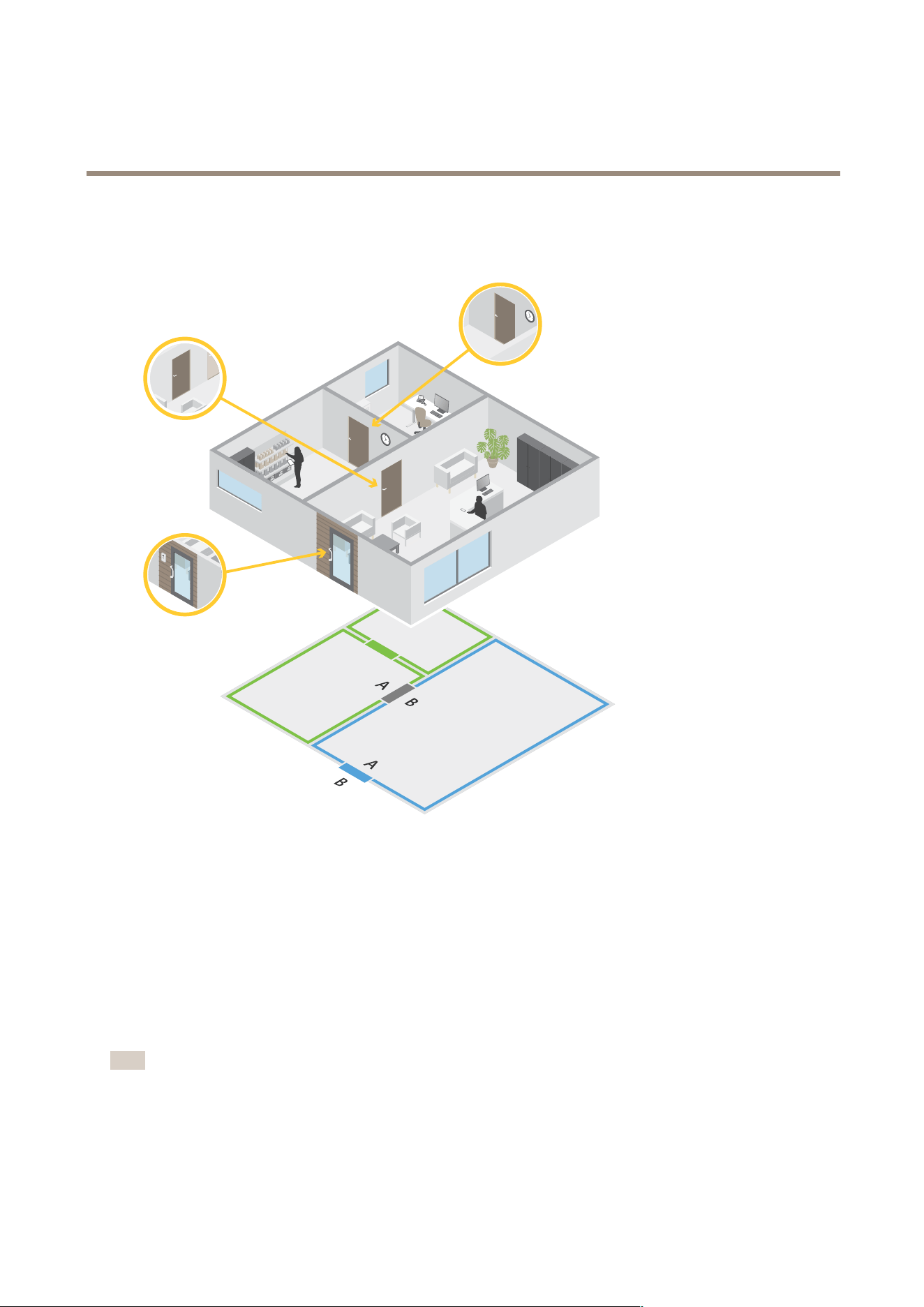
AXISCameraStationPro
Configuration
Exampleofdoorsandzones
•Therearetwozones:greenzoneandbluezone.
•Therearethreedoors:greendoor,bluedoor,andbrowndoor.
•Thegreendoorisaninternaldoorinthegreenzone.
•Thebluedoorisaperimeterdoorforthebluezoneonly.
•Thebrowndoorisaperimeterdoorforboththegreenzoneandbluezone.
Addadoor
Note
•Youcancongureadoorcontrollerwithonedoorthathastwolocks,ortwodoorsthathaveonelockeach.
•Ifadoorcontrollerhasnodoorsandyou'reusinganewversionofwitholderrmwareonthedoorcontroller,thesystem
willpreventyoufromaddingadoor.However,thesystemdoesallownewdoorsonsystemcontrollerswitholderrmwareif
there'salreadyanexistingdoor.
119

AXISCameraStationPro
Configuration
Createanewdoorcongurationtoaddadoor:
1.GotoConguration>Accesscontrol>Doorsandzones.
2.Click
Adddoor.
3.Enteradoorname.
4.IntheControllerdrop-downmenu,selectadoorcontroller.Thecontrollergraysoutwhenyoucan’taddanotherdoor,
whenit’sofine,orHTTPSisn’tactive.
5.IntheDoortypedrop-downmenu,selectthetypeofdooryouwanttocreate.
6.ClickNexttogotothedoorcongurationpage.
7.InthePrimarylockdrop-downmenu,selectarelayport.
8.Toconguretwolocksonthedoor,selectarelayportfromtheSecondarylockdrop-downmenu.
9.Selectanidenticationprole.SeeIdenticationprolesonpage130.
10.Congurethedoorsettings.SeeDoorsettingsonpage121.
11.Congurethesecuritylevel.SeeDoorsecuritylevelonpage122.
12.Addadoormonitoronpage124
13.Addemergencyinputonpage125
14.Addareaderonpage125
15.AddaREXdeviceonpage127
16.ClickSave.
Copyanexistingdoorcongurationtoaddadoor:
1.GotoConguration>Accesscontrol>Doorsandzones.
2.Click
Adddoor.
3.Enteradoorname.
4.IntheControllerdrop-downmenu,selectadoorcontroller.
5.ClickNext.
6.IntheCopycongurationdrop-downmenu,selectanexistingdoorconguration.Itshowstheconnecteddoors,andthe
controllergraysoutifitwasconguredwithtwodoorsoronedoorwithtwolocks.
7.Changethesettingsifyouwant.
8.ClickSave.
Toeditadoor:
1.GotoConguration>Accesscontrol>Doorsandzones>Doors.
2.Selectadoorinthelist.
3.Click
Edit.
4.ChangethesettingsandclickSave.
120
AXISCameraStationPro
Configuration
Toremoveadoor:
1.GotoConguration>Accesscontrol>Doorsandzones>Doors.
2.Selectadoorinthelist.
3.Click
Remove.
4.ClickYes.
Towatchthisvideo,gotothewebversionofthisdocument.
help.axis.com/?&piaId=94521§ion=add-a-door
Addandconguredoorsandzones
Doorsettings
1.GotoConguration>Accesscontrol>DoorandZones.
2.Selectthedooryouwanttoedit.
3.Click
Edit.
Accesstime(sec)
Setthenumberofsecondsthedoorremainsunlockedafter
accesswasgranted.Thedoorremainsunlockeduntilthedoor
opensoruntilthesettimeends.Thedoorlockswhenitcloses
evenifthereisaccesstimeleft.
Open-too-longtime(sec)
Onlyvalidifyouhaveconguredadoormonitor.Setthe
numberofsecondsthedoorstaysopen.Ifthedoorisopen
whenthesettimeends,ittriggersthedooropentoolong
alarm.Setupanactionruletocongurewhichactiontheopen
toolongeventtriggers.
Longaccesstime(sec)
Setthenumberofsecondsthedoorremainsunlockedafter
accesswasgranted.Longaccesstimeoverridestheaccesstime
forcardholdersthathasthissettingturnedon.
Longopen-too-longtime(sec)
Onlyvalidifyouhaveconguredadoormonitor.Setthe
numberofsecondsthedoorstaysopen.Ifthedoorisopen
whenthesettimeends,ittriggersthedooropen-too-long
event.Longopen-too-longtimeoverridesthealreadyset
open-too-longtimeforcardholdersifyouturnontheLong
accesstimesetting.
Relockdelaytime(ms)
Setthetime,inmilliseconds,thatthedoorstaysunlockedafter
theit’sopenedorclosed.
Relock
•Afteropening:Onlyvalidifyouaddedadoor
monitor.
•Afterclosing:Onlyvalidifyouaddedadoor
monitor.
121
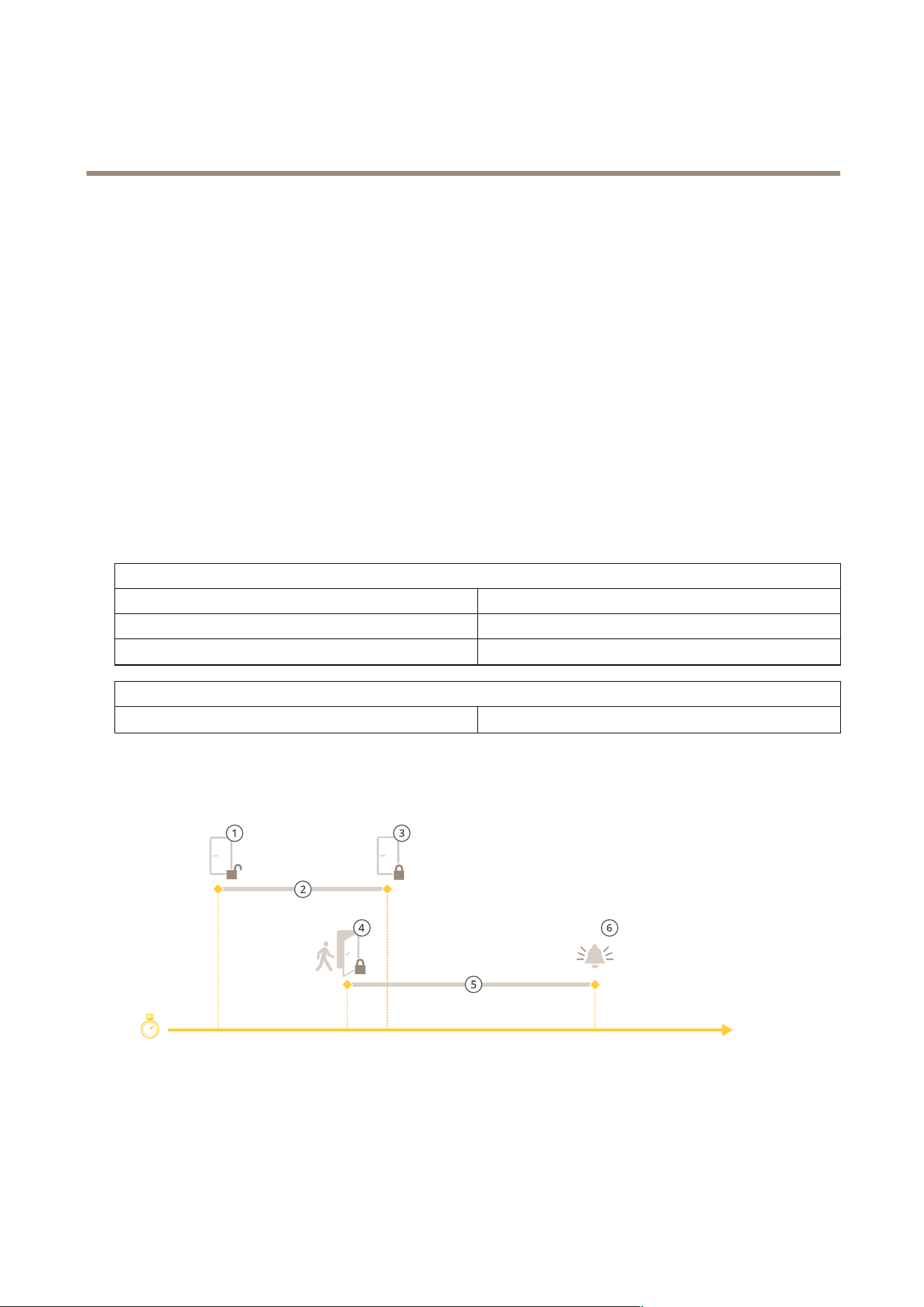
AXISCameraStationPro
Configuration
Doorsecuritylevel
Youcanaddthefollowingsecurityfeaturestothedoor:
Two-personrule-Thetwo-personrulerequirestwopeopletoswipetheircardstogainaccess.
Double-swipe-Thedouble-swipeallowsacardholderoverridethecurrentstateofadoor.Forexample,theycanuseittounlocka
dooroutsidetheregularschedule,whichismoreconvenientthangoingintothesystemtounlockthedoor.
Youcancongurethesecuritylevelwhileyou’readdinganewdoor,oryoucandoitonanexistingdoor.Toaddasecuritylevel
toanexistingdoor:
1.GotoConguration>Accesscontrol>Doorsandzones.
2.Selectthedooryouwanttocongureasecuritylevelfor.
3.ClickEdit.
4.ClickSecuritylevel.
5.Turnonthesecurityfeaturesyouwanttoaddtothedoor.
6.ClickApply.
Two-personrule
SideAandSideBSelectwhichsidesofthedoortousetheruleon.
SchedulesSelectwhentheruleisactive.
Timeout(seconds)
Timeoutisthemaximumallowedtimebetweencardswipes.
Double-swipe
Timeout(seconds)
Timeoutisthemaximumallowedtimebetweencardswipes.
Timeoptions
1
Accessgranted-lockunlocks
2
Accesstime
3
Noactiontaken-locklocks
4
Actiontaken(dooropened)-locklocksorstaysunlockeduntildoorcloses
5
Open-too-longtime
122
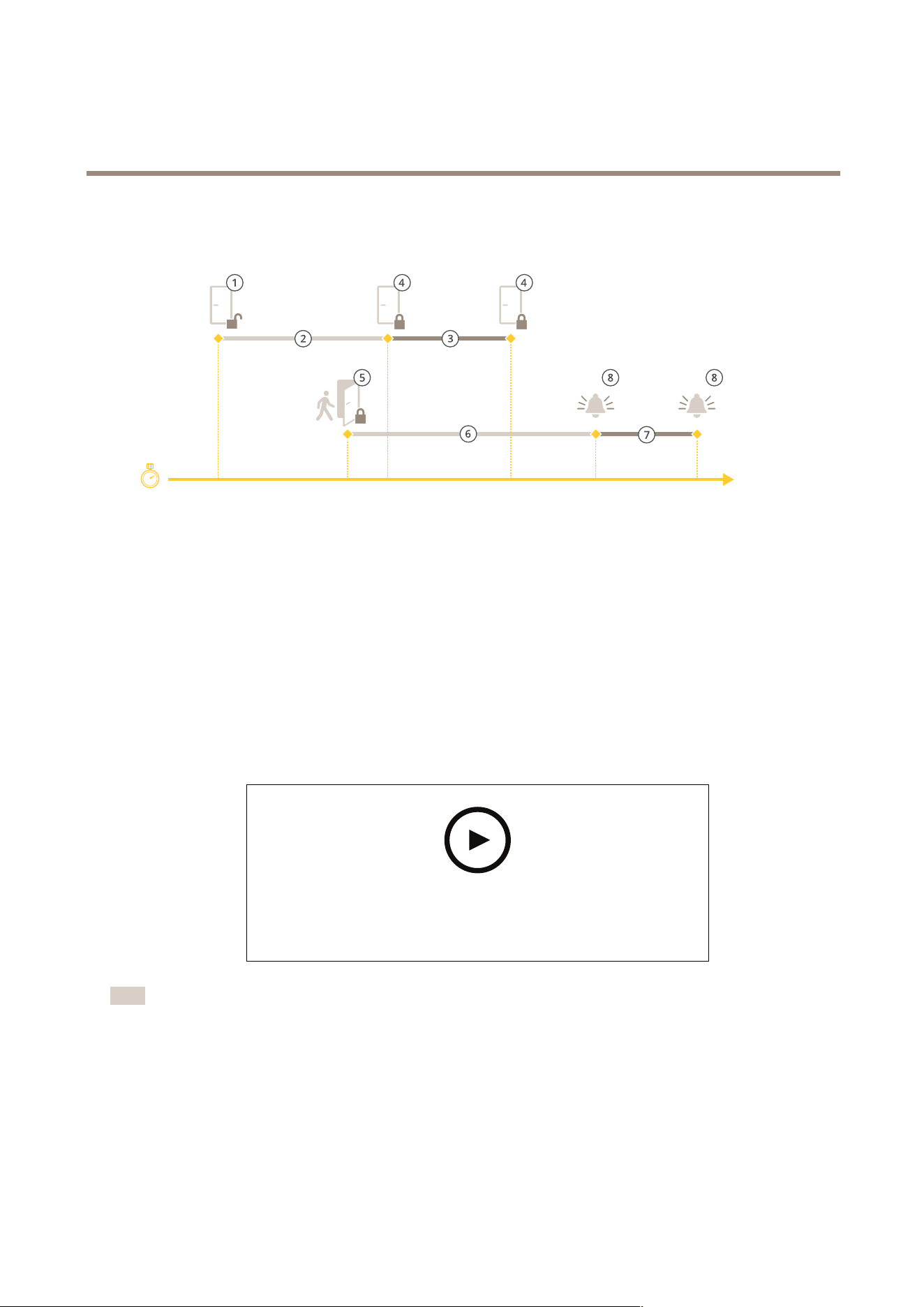
AXISCameraStationPro
Configuration
6
Open-too-longalarmgoesoff
1
Accessgranted-lockunlocks
2
Accesstime
3
2+3:Longaccesstime
4
Noactiontaken-locklocks
5
Actiontaken(dooropened)-locklocksorstaysunlockeduntildoorcloses
6
Open-too-longtime
7
6+7:Longopen-too-longtime
8
Open-too-longalarmgoesoff
Addawirelesslock
supportstheASSAABLOYAperio®wirelesslocksandcommunicationhubs.ThewirelesslockconnectstothesystemviaanAperio
communicationhubconnectedtothedoorcontroller’sRS485connector.Youcanconnect16wirelesslockstoonedoorcontroller.
Towatchthisvideo,gotothewebversionofthisdocument.
help.axis.com/?&piaId=94521§ion=add-a-wireless-lock
Note
•ThesetuprequiresAxisdoorcontrollertohaveAXISOSversion11.6.16.1orlater.
•ThesetuprequiresavalidlicenseforAXISDoorControllerExtension.
•ThetimeonAxisdoorcontrollerandservermustbesynchronized.
•Beforeyoustart,usetheAperioapplicationthatASSAABLOYsupportstopairtheAperiolockswiththeAperiohub.
1.Accessthedoorcontroller.
1.1GotoConguration>Devices>Otherdevices.
123

AXISCameraStationPro
Configuration
1.2OpenthewebinterfaceofthedoorcontrollerconnectedtotheAperiocommunicationhub.
2.TurnonAXISDoorControllerExtension.
2.1Inthedoorcontrollerwebinterface,gotoApps.
2.2OpenAXISDoorControllerExtensioncontextmenu
.
2.3ClickActivatelicensewithakeyandselectyourlicense.
2.4TurnonAXISDoorControllerExtension.
3.Connectthewirelesslocktothedoorcontrollerthroughthecommunicationhub.
3.1Inthedoorcontrollerwebinterface,gotoAccesscontrol>Wirelesslocks.
3.2ClickConnectcommunicationhub.
3.3EnteranameforthehubandclickConnect.
3.4ClickConnectwirelesslock.
3.5SelectthelockaddressandcapabilitiesforthelockyouwanttoaddandclickSave.
4.Addandcongurethedoorwiththewirelesslock.
4.1In,gotoConguration>Accesscontrol>Doorsandzones.
4.2Click
Adddoor.
4.3SelectthedoorcontrollerconnectedtotheAperiocommunicationhub,selectWirelessdoorasDoortype.
4.4ClickNext.
4.5SelectyourWirelesslock.
4.6DenethedoorsidesAandB,andaddsensors.Formoreinformation,seeDoorsandzonesonpage1 18.
4.7ClickSave.
Onceyou’veconnectedthewirelesslockyoucanseeitsbatterylevelandstatusintheoverviewofdoors.
BatterylevelAction
Good
None
LowThelockworksasintendedbutyoushouldreplacethebattery
beforethebatterylevelbecomescritical.
Critical
Replacethebattery.Thelockmightnotworkasintended.
LockstatusAction
Online
None
LockjamResolveanymechanicalissueswiththelock.
Addadoormonitor
Adoormonitorisadoorpositionswitchthatmonitorsthephysicalstateofadoor.Youcanaddadoormonitortoyourdoor
andcongurehowtoconnectthedoormonitor.
1.Gotothedoorcongurationpage.SeeAddadooronpage1 19.
124

AXISCameraStationPro
Configuration
2.UnderSensors,clickAdd.
3.SelectDoormonitorsensor.
4.SelecttheI/Oportyouwanttoconnectthedoormonitorto.
5.UnderDooropenif,selecthowthedoormonitorcircuitsareconnected.
6.Toignorethestatechangesofthedigitalinputbeforeitentersanewstablestate,setaDebouncetime.
7.Totriggeraneventwhenaninterruptionintheconnectionbetweenthedoorcontrollerandthedoormonitoroccurs,turn
onSupervisedinput.SeeSupervisedinputsonpage129.
Dooropenif
Circuitisopen
Thedoormonitorcircuitisnormallyclosed.Thedoormonitor
sendsthedooranopensignalwhenthecircuitisopen.The
doormonitorsendsthedooraclosedsignalwhenthecircuitis
closed.
Circuitisclosed
Thedoormonitorcircuitisnormallyopen.Thedoormonitor
sendsthedooranopensignalwhenthecircuitisclosed.The
doormonitorsendsthedooraclosedsignalwhenthecircuit
isopen.
Addemergencyinput
Youcanaddandcongureanemergencyinputtoinitiateanactionthatlocksorunlocksthedoor.Youcanalsocongurehowto
connectthecircuit.
1.Gotothedoorcongurationpage.SeeAddadooronpage1 19.
2.UnderSensors,clickAdd.
3.SelectEmergencyinput.
4.UnderEmergencystate,selectthecircuitconnection.
5.Toignorethestatechangesofthedigitalinputbeforeitentersanewstablestate,setaDebouncetime(ms).
6.SelectwhatEmergencyactiontotriggerwhenthedoorreceivestheemergencystatesignal.
Emergencystate
Circuitisopen
Theemergencyinputcircuitisnormallyclosed.Theemergency
inputsendsanemergencystatesignalwhenthecircuitisopen.
Circuitisclosed
Theemergencyinputcircuitisnormallyopen.Theemergency
inputsendsanemergencystateasignalwhenthecircuitis
closed.
Emergencyaction
UnlockdoorThedoorunlockswhenitreceivestheemergencystatesignal.
LockdoorThedoorlockswhenitreceivestheemergencystatesignal.
Addareader
Youcancongureadoorcontrollertousetworeaders.Selecttoaddareaderononesideorbothsidesofadoor.
IfyouapplyacustomsetupofcardformatsorPINlengthtoareader,youcanseeitinCardformatsunderConguration>Access
control>Doorsandzones.SeeDoorsandzonesonpage1 18.
125

AXISCameraStationPro
Configuration
Note
IfyouuseanAxisnetworkintercomasIPreader,thesystemusesthePINcongurationsetonthedevicewebpage.
1.Gotothedoorcongurationpage.SeeAddadooronpage1 19.
2.Underonesideofthedoor,clickAdd.
3.SelectCardreader.
4.SelecttheReadertype.
5.TouseacustomPINlengthsetupforthisreader.
5.1ClickAdvanced.
5.2TurnonCustomPINlength.
5.3SettheMinPINlength,MaxPINlength,andEndofPINcharacter.
6.Touseacustomcardformatforthisreader.
6.1ClickAdvanced.
6.2TurnonCustomcardformats.
6.3Selectthecardformatsyouwanttouseforthereader.Ifacardformatwiththesamebitlengthisalreadyin
use,youmustdeactivateitrst.Awarningicondisplaysintheclientwhenthecardformatsetupisdifferent
fromtheconguredsystemsetup.
7.ClickAdd.
8.Toaddareadertotheothersideofthedoor,dothisprocedureagain.
ForinformationonhowtosetupanAXISBarcodeReader,seeSetupAXISBarcodeReader.
Readertype
OSDPRS485halfduplexForRS485readers,selectOSDPRS485halfduplexanda
readerport.
WiegandForreadersthatuseWiegandprotocols,selectWiegandand
areaderport.
IPreaderForIPreaders,selectIPreaderandselectadevicefromthe
drop-downmenu.Forrequirementsandsupporteddevices,see
IPreaderonpage127.
Wiegand
LEDcontrol
SelectSinglewireorDualwire(R/G).ReaderswithdualLED
controlusedifferentwiresfortheredandgreenLEDs.
Tamperalert
Selectwhenthereadertamperinputisactive.
•Opencircuit:Thereadersendsthedoorthetamper
signalwhenthecircuitisopen.
•Closedcircuit:Thereadersendsthedoorthe
tampersignalwhenthecircuitisclosed.
126

AXISCameraStationPro
Configuration
TamperdebouncetimeToignorethestatechangesofthereadertamperinputbeforeit
entersanewstablestate,setaTamperdebouncetime.
Supervisedinput
Turnontotriggeraneventwhenthereisinterruptioninthe
connectionbetweenthedoorcontrollerandthereader.See
Supervisedinputsonpage129.
IPreader
It’spossibletouseAxisnetworkintercomsasIPreaderinAXISCameraStationSecureEntry.
Note
•ItrequiresAXISCameraStation5.38orlater,AXISA1601NetworkDoorControllerwithrmware10.6.0.2orlater.
•Itdoesn’trequirespecialcongurationtousetheintercomasanIPreader.
Supporteddevices:
•AXISA8207-VENetworkVideoDoorStationwithrmware10.5.1orlater
•AXISA8207-VEMkIINetworkVideoDoorStationwithrmware10.5.1orlater
•AXISI8116-ENetworkVideoIntercom
AddaREXdevice
Youcanselecttoaddarequesttoexit(REX)deviceononesideorbothsidesofthedoor.AREXdevicecanbeaPIRsensor,REX
button,orpushbar.
1.Gotothedoorcongurationpage.SeeAddadooronpage1 19.
2.Underonesideofthedoor,clickAdd.
3.SelectREXdevice.
4.SelecttheI/OportthatyouwanttoconnecttheREXdeviceto.Ifthereisonlyoneportavailable,itwillbeselected
automatically.
5.SelectwhatActiontotriggerwhenthedoorreceivestheREXsignal.
6.UnderREXactive,selectthedoormonitorcircuitconnection.
7.Toignorethestatechangesofthedigitalinputbeforeitentersanewstablestate,setaDebouncetime(ms).
8.TotriggeraneventwhenaninterruptionintheconnectionbetweenthedoorcontrollerandtheREXdeviceoccurs,turnon
Supervisedinput.SeeSupervisedinputsonpage129.
Action
Unlockdoor
SelecttounlockthedoorwhenitreceivestheREXsignal.
None
Selectifyoudon’twanttotriggeranyactionwhenthedoor
receivestheREXsignal.
REXactive
CircuitisopenSelectiftheREXcircuitisnormallyclosed.TheREXdevice
sendsthesignalwhenthecircuitisopen.
CircuitisclosedSelectiftheREXcircuitisnormallyopen.TheREXdevicesends
thesignalwhenthecircuitisclosed.
127

AXISCameraStationPro
Configuration
Addazone
Azoneisaspecicphysicalareawithagroupofdoors.Youcancreatezonesandadddoorstothezones.Therearetwotypesofdoors:
•Perimeterdoor:Cardholdersenterorleavethezonethroughthisdoor.
•Internaldoor:Aninternaldoorwithinthezone.
Note
Aperimeterdoorcanbelongtotwozones.Aninternaldoorcanonlybelongtoonezone.
1.GotoConguration>Accesscontrol>Doorsandzones>Zones.
2.ClickAddzone.
3.Enterazonename.
4.ClickAdddoor.
5.Selectthedoorsyouwanttoaddtothezone,andclickAdd.
6.Thedoorissetasaperimeterdoorbydefault.Tochangeit,selectInternaldoorfromthedrop-downmenu.
7.AperimeterdoorusesdoorsideAasentrancetothezonebydefault.Tochangeit,selectLeavefromthedrop-downmenu.
8.Toremoveadoorfromthezone,selectitandclickRemove.
9.ClickSave.
Toeditazone:
1.GotoConguration>Accesscontrol>Doorsandzones>Zones.
2.Selectazoneinthelist.
3.Click
Edit.
4.ChangethesettingsandclickSave.
Toremoveazone:
1.GotoConguration>Accesscontrol>Doorsandzones>Zones.
2.Selectazoneinthelist.
3.Click
Remove.
4.ClickYes.
Zonesecuritylevel
Youcanaddthefollowingsecurityfeaturetoazone:
Anti-passback-Preventspeoplefromusingthesamecredentialsassomeonewhoenteredanareabeforethem.Itenforcesthata
personmustrstexittheareabeforetheycanusetheircredentialsagain.
Note
Withanti-passback,werecommendusingdoorpositionsensorsonalldoorsinthezonetoensurethatauseropened
thedoorafterswipingtheircard.
128

AXISCameraStationPro
Configuration
Youcancongurethesecuritylevelwhileyouaddanewzone,oryoucandoitonanexistingzone.Toaddasecurityleveltoan
existingzone:
1.GotoConguration>Accesscontrol>Doorsandzones.
2.Selectthezoneyouwanttocongureasecuritylevelfor.
3.ClickEdit.
4.ClickSecuritylevel.
5.Turnonthesecurityfeaturesyouwanttoaddtothedoor.
6.ClickApply.
Anti-passback
Logviolationonly(Soft)
Usethisifyouwanttoallowasecondpersontoenterthedoor
usingthesamecredentialsastherstperson.Thisoptiononly
resultsinasystemalarm.
Denyaccess(Hard)
Usethisifyouwanttopreventtheseconduserfromentering
thedoorifthey’reusingthesamecredentialsastherstperson.
Thisoptionalsoresultsinasystemalarm.
Timeout(seconds)
Theamountoftimeuntilthesystemallowsausertore-enter.
Enter0ifyoudon’twanttimeout,meaningthatthezone
hasanti-passbackuntiltheuserleavesthezone.Onlyuse0
timeoutwithDenyaccess(Hard)ifalldoorsinthezonehave
readersonbothsides.
Supervisedinputs
Supervisedinputscantriggeraneventwhenthereisinterruptionintheconnectiontoadoorcontroller.
•Connectionbetweenthedoorcontrollerandthedoormonitor.SeeAddadoormonitoronpage124.
•ConnectionbetweenthedoorcontrollerandthereaderthatusesWiegandprotocols.SeeAddareaderonpage125.
•ConnectionbetweenthedoorcontrollerandtheREXdevice.SeeAddaREXdeviceonpage127.
Tousesupervisedinputs:
1.Installendoflineresistorsasclosetotheperipheraldeviceaspossibleaccordingtotheconnectiondiagram.
2.Gotothecongurationpageofareader,doormonitor,orREXdevice,turnonSupervisedinput.
3.Ifyoufollowedtheparallelrstconnectiondiagram,selectParallelrstconnectionwitha22KΩparallelresistorand
a4.7KΩserialresistor.
4.Ifyoufollowedtheserialrstconnectiondiagram,selectSerialrstconnection,andselectaresistorvaluefromthe
Resistorvaluesdrop-downmenu.
Connectiondiagrams
Parallelrstconnection
Theresistorvaluesmustbe4.7kΩand22kΩ.
129
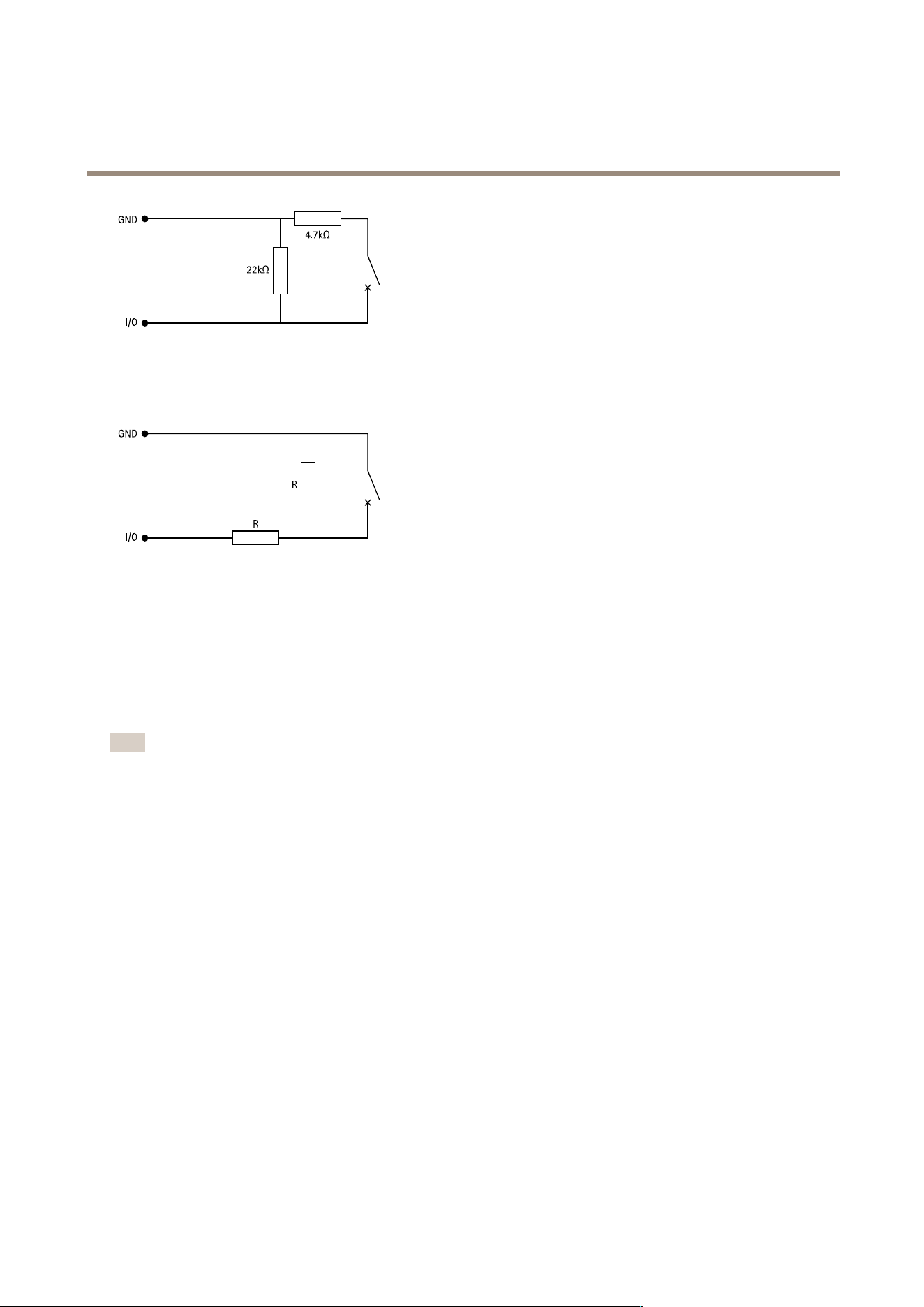
AXISCameraStationPro
Configuration
Serialrstconnection
Theresistorvaluesmustbethesameandwithinrange1-10kΩ.
Identicationproles
Anidenticationproleisacombinationofidenticationtypesandschedules.Youcanapplyanidenticationproletoone,or
more,doorstosethowandwhenacardholdercanaccessadoor.
Identicationtypesarecarriersofthecredentialinformationnecessarytoaccessadoor.Commonidenticationtypesaretokens,
personalidenticationnumbers(PINs),ngerprints,facialmaps,andREXdevices.Anidenticationtypecancarryoneormore
typesofinformation.
Supportedidenticationtypes:Card,PIN,REX,staticQR,anddynamicQR.
Note
YoumustusedynamicQRandPINtogether.
GotoConguration>Accesscontrol>Identicationprolestocreate,edit,orremoveidenticationproles.
Therearevedefaultidenticationprolesavailableforyoutouseastheyareoreditasrequired.
Card-Cardholdersmustswipethecardtoaccessthedoor.
CardandPIN-CardholdersmustswipethecardandenterthePINtoaccessthedoor.
PIN-CardholdersmustenterthePINtoaccessthedoor.
CardorPIN-CardholdersmustswipethecardorenterthePINtoaccessthedoor.
QR-CardholdersmustshowtheQRCode®tocameratoaccessthedoor.YoucanusetheQRidenticationproleforboth
staticanddynamicQR.
QRCodeisaregisteredtrademarkofDensoWaveIncorporatedinJapanandothercountries.
Tocreateanidenticationprole:
1.GotoConguration>Accesscontrol>Identicationproles.
2.ClickCreateidenticationprole.
3.Enteranidenticationprolename.
130
AXISCameraStationPro
Configuration
4.SelectIncludefacilitycodeforcardvalidationtousefacilitycodeasoneofthecredentialvalidationelds.Thiseldis
onlyavailableifyouturnonFacilitycodeunderAccessmanagement>Settings.
5.Conguretheidenticationproleforonesideofthedoor.
6.Ontheothersideofthedoor,dothepreviousstepsagain.
7.ClickOK.
Toeditanidenticationprole:
1.GotoConguration>Accesscontrol>Identicationproles.
2.Selectanidenticationproleandclick
.
3.Tochangetheidenticationprolename,enteranewname.
4.Doyoureditstothesideofthedoor.
5.Toedittheidenticationproleontheothersideofthedoor,dothepreviousstepsagain.
6.ClickOK.
Toremoveanidenticationprole:
1.GotoConguration>Accesscontrol>Identicationproles.
2.Selectanidenticationproleandclick
.
3.Iftheidenticationproleisusedonadoor,selectanotheridenticationproleforthedoor.
4.ClickOK.
Editidenticationprole
Toremoveanidenticationtypeandtherelatedschedule.
Identicationtype
Tochangeanidenticationtype,selectone,ormore,typesfrom
theIdenticationtypedrop-downmenu.
Schedule
Tochangeaschedule,selectone,ormore,schedulesfromthe
Scheduledrop-downmenu.
Add
Addanidenticationtypeandtherelatedschedule,clickAdd
andsettheidenticationtypesandschedules.
Towatchthisvideo,gotothewebversionofthisdocument.
help.axis.com/?&piaId=94521§ion=identication-proles
Setupidenticationproles
131

AXISCameraStationPro
Configuration
CardformatsandPIN
Acardformatdeneshowacardstoresdata.It’satranslationtablebetweentheincomingdataandthevalidateddatainthesystem.
Eachcardformathasadifferentsetofrulesforhowtoorganizethestoredinformation.Bydeningacardformat,youtellthe
systemhowtointerprettheinformationthatthecontrollergetsfromthecardreader.
Therearepredenedcommonlyusedcardformatsavailableforyoutouseastheyareoreditasrequired.Youcanalsocreate
customcardformats.
GotoConguration>AccessControl>CardformatsandPINtocreate,edit,oractivatecardformats.YoucanalsocongurePIN.
Thecustomcardformatscancontainthefollowingdataeldsusedforcredentialvalidation.
Cardnumber-Asubsetofthecredentialbinarydataencodedasdecimalorhexadecimalnumbers.Usethecardnumberto
identifyaspeciccardorcardholder.
Facilitycode-Asubsetofthecredentialbinarydataencodedasdecimalorhexadecimalnumbers.Usethefacilitycodetoidentifya
specicendcustomerorsite.
Tocreateacardformat:
1.GotoConguration>AccessControl>CardformatsandPIN.
2.ClickAddcardformat.
3.Enteracardformatname.
4.IntheBitlengtheld,typeabitlengthbetween1and256.
5.SelectInvertbitorderifyouwanttoinvertthebitorderofthedatareceivedfromthecardreader.
6.SelectInvertbyteorderifyouwanttoinvertthebyteorderofthedatareceivedfromthecardreader.Thisoptionisonly
availablewhenyouspecifyabitlengththatyoucandividebyeight.
7.Selectandcongurethedataeldstobeactiveinthecardformat.EitherCardnumberorFacilitycodemustbeactive
inthecardformat.
8.ClickOK.
9.Toactivatethecardformat,selectthecheckboxinfrontofthecardformatname.
Note
•Twocardformatswiththesamebitlengthcan’tbeactiveatthesametime.Forexample,ifyouhavedenedtwo32-bit
cardformats,onlyoneofthesecanbeactive.Deactivatethecardformattoactivetheother.
•Youcanonlyactivateanddeactivatecardformatsifthedoorcontrollerhasbeenconguredwithatleastonereader.
Clicktoseeanexampleoftheoutputafterinvertingbit
order.
Range
Setthebitrangeofthedataforthedataeld.Therangemust
bewithinwhatyouhavespeciedforBitlength.
132

AXISCameraStationPro
Configuration
OutputformatSelecttheoutputformatofthedataforthedataeld.
Decimal:Alsoknownasbase-10positionalnumeralsystem,
consistsofthenumbers0–9.
Hexadecimal:alsoknownasbase-16positionalnumeral
system,consistsof16uniquesymbols:thenumbers0–9and
thelettersa–f.
BitorderofsubrangeSelectthebitorder.
Littleendian:Therstbitisthesmallest(leastsignicant).
Bigendian:Therstbitisthebiggest(mostsignicant).
Toeditacardformat:
1.GotoConguration>AccessControl>CardformatsandPIN.
2.Selectacardformatandclick
.
3.Ifyoueditapredenedcardformat,youcanonlyeditInvertbitorderandInvertbyteorder.
4.ClickOK.
Youcanonlyremovethecustomcardformats.Toremoveacustomcardformat:
1.GotoConguration>AccessControl>CardformatsandPIN.
2.Selectacustomcardformat,click
andYes.
Toresetapredenedcardformat:
1.GotoConguration>AccessControl>CardformatsandPIN.
2.Click
toresetacardformattothedefaulteldmap.
TocongurePINlength:
1.GotoConguration>AccessControl>CardformatsandPIN.
2.UnderPINconguration,click
.
3.SpecifyMinPINlength,MaxPINlength,andEndofPINcharacter.
4.ClickOK.
Towatchthisvideo,gotothewebversionofthisdocument.
help.axis.com/?&piaId=94521§ion=card-formats-and-pin
Setupcardformats
133
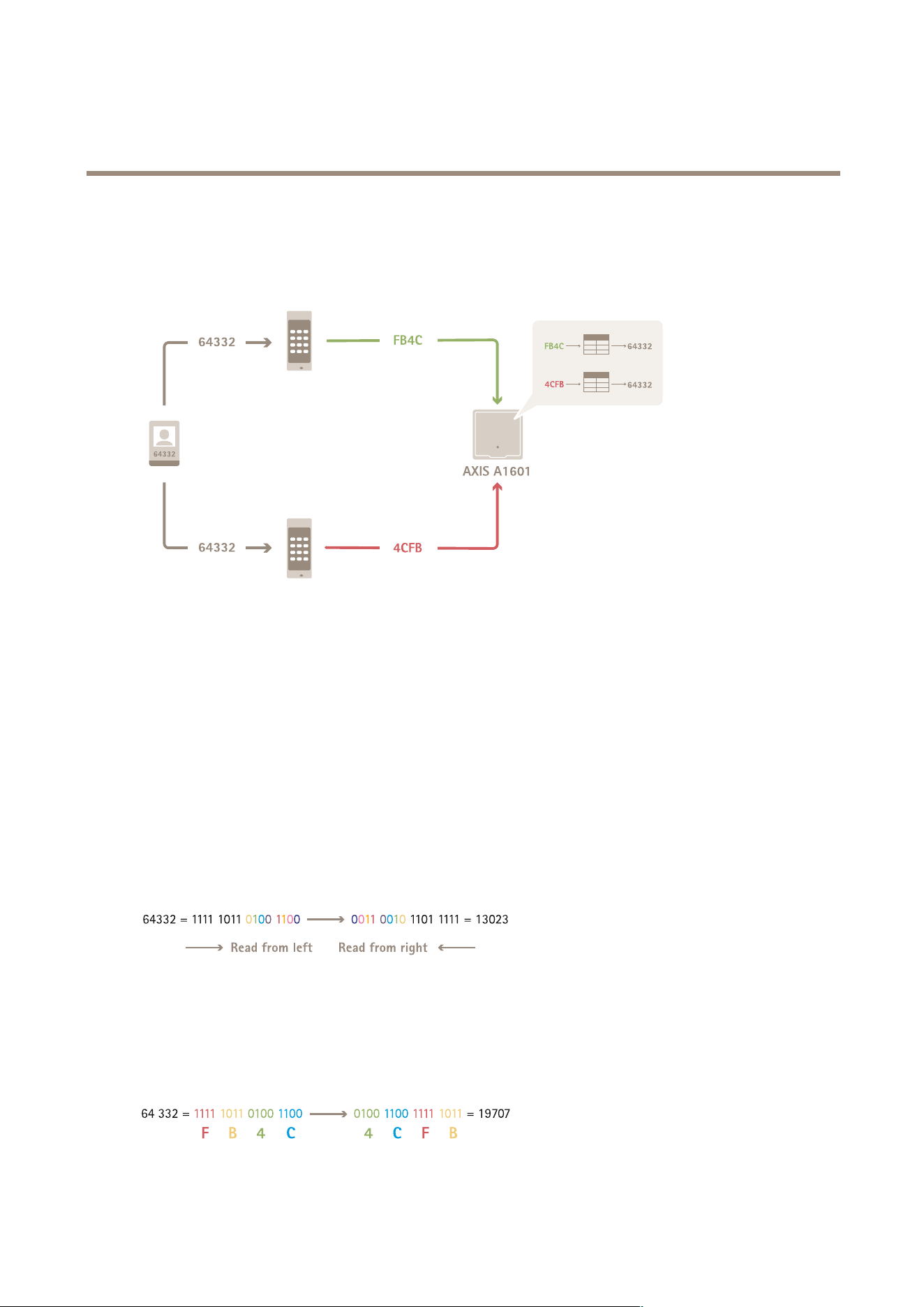
AXISCameraStationPro
Configuration
Cardformatsettings
Overview
•Thecardnumberindecimalis64332.
•OnereadertransfersthecardnumbertohexadecimalnumberFB4C.Theotherreadertransfersittohexadecimalnumber
4CFB.
•AXISA1601NetworkDoorControllerreceivesFB4Candtransfersittodecimalnumber64332accordingtothecard
formatsettingsonthereader.
•AXISA1601NetworkDoorControllerreceives4CFB,changesittoFB4Cbyinvertingbyteorder,andtransfersitto
decimalnumber64332accordingtothecardformatsettingsonthereader.
Invertbitorder
Afterinvertingbitorder,thecarddatareceivedfromthereaderisreadfromrighttoleftbitbybit.
Invertbyteorder
Agroupofeightbitsisabyte.Afterinvertingbyteorder,thecarddatareceivedfromthereaderisreadfromrighttoleftbytebybyte.
134

AXISCameraStationPro
Configuration
26-bitstandardWiegandcardformat
1
Leadingparity
2
Facilitycode
3
Cardnumber
4
Trailingparity
Encryptedcommunication
OSDPSecureChannel
AXISCameraStationSecureEntrysupportsOSDP(OpenSupervisedDeviceProtocol)SecureChanneltoactivelineencryption
betweencontrollerandAxisreaders.
ToturnonOSDPSecureChannelforanentiresystem:
1.GotoConguration>Accesscontrol>Encryptedcommunication.
2.EnteryourmainencryptionkeyandclickOK.
3.TurnonOSDPSecureChannel.Thisoptionisonlyavailableafteryouenterthemainencryptionkey.
4.Bydefault,themainencryptionkeygeneratesaOSDPSecureChannelkey.TomanuallysettheOSDPSecureChannelkey:
4.1UnderOSDPSecureChannel,click
.
4.2ClearUsemainencryptionkeytogenerateOSDPSecureChannelkey.
4.3EntertheOSDPSecureChannelkeyandclickOK.
ToturnonorturnoffOSDPSecureChannelforaspecicreader,seeDoorsandzones.
AXISBarcodeReader
AXISBarcodeReaderisanapplicationthatcanbeinstalledonAxiscameras.Axisdoorcontrollerusestheauthenticationkey
tograntaccessandauthenticateAXISBarcodeReader.ForacompleteworkowonhowtosetupAXISBarcodeReader,see
SetupAXISBarcodeReader.
TocreateaconnectionbetweenadoorcontrollerandAXISBarcodeReader:
1.In:
1.1GotoConguration>Accesscontrol>Encryptedcommunication.
1.2UnderExternalPeripheralAuthenticationKey,clickShowauthenticationkeyandCopykey.
2.InthedevicewebinterfacewhereAXISBarcodeReaderruns:
2.1OpenAXISBarcodeReaderapplication.
2.2Iftheservercerticatewasn’tconguredin,turnonIgnoreservercerticatevalidation.SeeCerticatesfor
moreinformation.
2.3TurnonAXISCameraStationSecureEntry.
135

AXISCameraStationPro
Configuration
2.4ClickAddandentertheIPaddressofthedoorcontrollerandpastetheauthenticationkey.
2.5Selectthereaderthatreadsbarcodesfromthedoordrop-downmenu.
Multiserver
BETA
Theconnectedsubserverscan,withmulti-server,usetheglobalcardholdersandcardholdergroupsfromthemainserver.
Note
•Onesystemcansupportupto64subservers.
•ItrequiresAXISCameraStation5.47orlater.
•Itrequiresthatthemainserverandsubserversareonthesamenetwork.
•Onmainserverandsubservers,makesuretocongureWindowsFirewalltoallowincomingTCPconnectionsontheSecure
Entryport.Thedefaultportis55767.Forcustomizedportconguration,seeGeneralonpage171.
Workow
1.Congureaserverasasubserverandgeneratethecongurationle.SeeGeneratethecongurationlefromthesub
serveronpage136.
2.Congureaserverasamainserverandimportthecongurationleofthesubservers.SeeImporttheconguration
letothemainserveronpage136.
3.Congureglobalcardholdersandcardholdergroupsonthemainserver.SeeAddacardholderonpage143andAdda
grouponpage148.
4.Viewandmonitorglobalcardholdersandcardholdergroupsfromthesubserver.SeeAccessmanagementonpage142.
Generatethecongurationlefromthesubserver
1.Fromthesubserver,gotoConguration>Accesscontrol>Multiserver.
2.ClickSubserver.
3.ClickGenerate.Itgeneratesacongurationlein.jsonformat.
4.ClickDownloadandchoosealocationtosavethele.
Importthecongurationletothemainserver
1.Fromthemainserver,gotoConguration>Accesscontrol>Multiserver.
2.ClickMainserver.
3.Click
Addandgotothecongurationlegeneratedfromthesubserver.
4.Entertheservername,IPaddress,andportnumberofthesubserver.
5.ClickImporttoaddthesubserver.
6.ThestatusofthesubservershowsConnected.
Revokeasubserver
Youcanonlyrevokeasubserverbeforeyouimportitscongurationletoamainserver.
1.Fromthemainserver,gotoConguration>Accesscontrol>Multiserver.
2.ClickSubserverandclickRevokeserver.
136

AXISCameraStationPro
Configuration
Nowyoucancongurethisserverasamainserverorsubserver.
Removeasubserver
Afteryouimportthecongurationleofasubserver,itconnectsthesubservertothemainserver.
Toremoveasubserver:
1.Fromthemainserver:
1.1GotoAccessmanagement>Dashboard.
1.2Changetheglobalcardholdersandgroupstolocalcardholdersandgroups.
1.3GotoConguration>Accesscontrol>Multiserver.
1.4ClickMainservertoshowthesubserverlist.
1.5SelectthesubserverandclickDelete.
2.Fromthesubserver:
-GotoConguration>Accesscontrol>Multiserver.
-ClickSubserverandRevokeserver.
Activedirectorysettings
BETA
Note
UseraccountsinMicrosoftWindowsandActiveDirectoryusersandgroupscanaccess.Toaddauserto,alsoaddtheusers
orgrouptoWindows.HowtoaddauserinWindowscanvarydependingonyourversion.Formoreinformation,go
tosupport.microsoft.com.ConsultyournetworkadministratorifyouuseanActiveDirectorydomainnetwork.
ThersttimeyouopentheActiveDirectorysettingspageyoucanimportMicrosoftActiveDirectoryuserstocardholdersin.
SeeImportactivedirectoryusersonpage137.
Aftertheinitialconguration,moreoptionsshowontheActivedirectorysettingspage.
•CreateandmanagecardholdergroupsbasedongroupsinActiveDirectory.
•SetupscheduledsynchronizationbetweenActiveDirectoryandtheaccessmanagementsystem.
•ManuallysynchronizetoupdateallcardholdersimportedfromActiveDirectory.
•ManagedatamappingbetweenuserdatafromActiveDirectoryandcardholderproperties.
Importactivedirectoryusers
ToimportActiveDirectoryuserstocardholdersin:
1.GotoConguration>Accesscontrol>Activedirectorysettings
BETA
.
2.ClickSetupimport.
3.Followtheon-screeninstructionstocompletethesethreemainsteps:
3.1SelectauserfromActiveDirectorytouseasatemplatefordatamapping.
3.2MapuserdatafromtheActiveDirectorydatabasetocardholderproperties.
3.3CreateanewcardholdergroupintheaccessmanagementsystemandselectwhichActiveDirectorygroupsto
import.
137
AXISCameraStationPro
Configuration
Conguresmartsearch2
Withsmartsearch2,youcansetseverallterstoeasilyndpersonsandvehiclesofinterestfromtherecordingsgeneratedfrom
Axiscameras.
Towatchthisvideo,gotothewebversionofthisdocument.
help.axis.com/?&piaId=94521§ion=smart-search-2-settings
Forrequirements,limitations,andhowtousesmartsearch2,seeSmartsearch2onpage34.
1.GotoConguration>Smartsearch2>Settings.
2.UnderCameras:
2.1Selectthecamerasthatshouldsendmetadatatosmartsearch2.
2.2Toallowserverclassicationinthebackgroundforacamera,selectAllowunderBackgroundserver
classication.
Thisincreasestheserverloadbutimprovestheuserexperience.
2.3Tolimittheamountofdetectionssavedontheserver,underFilter,click
andcreateltersforSizeand
duration,andArea.
Youcanusethis,forexample,toexcludesmallobjectsorobjectsthatonlyappearforaveryshorttime.
Thesmartsearchltersuseanyexistingmotionsettingltersasastartingpoint.
3.UnderStorage:
-SelectthedriveandfoldertostorethedetectionsandclickApply.
-SetthestoragesizelimitandclickApply.Whenthestoragereachesitslimit,itremovestheoldestdetections.
4.SelectIncludeperiodswithmissingmetadatatodisplayresultsthatindicatesthatnometadatawasrecordedduringa
certainperiod.
Backgroundserverclassication
Serverclassicationstatusfromthelasthourwhentheserver
classicationisslow.Appearswhenlessthan95%detections
areclassied.
Serverclassicationstatusfromthelasthourwhentheserver
classicationisslow.Appearswhenlessthan50%detections
areclassied.
138

AXISCameraStationPro
Configuration
CongureSystemHealthMonitoring
BETA
Note
•Whenconnectedtomultipleservers,youcancongureSystemHealthMonitoringonanyconnectedserver.Todothis,
selecttheserverfromtheSelectedserverdrop-downmenu.
•Ifyoumanagesystemsondifferentnetworks,ServermonitoringinMySystemsprovidesthesamefunctionalitybut
throughthecloud.
Notications
Tosendemailnotications:
1.CongureanSMTPserverandanemailaddresstosendthenotications.SeeServersettingsonpage101
2.Conguretheemailaddressestoreceivethenotications.SeeCongureemailrecipientsonpage139.
3.Congurethenoticationrules.SeeCongurenoticationrulesonpage139.
Congureemailrecipients
1.GotoConguration>SystemHealthMonitoring>Notications.
2.UnderEmailrecipients,enteranemailaddressandclickSave.Repeattoaddmultipleemailrecipients.
3.TotesttheSMTPserver,clickSendtestemail.Amessageshowsthatthetestemailwassent.
Congurenoticationrules
Therearetwonoticationrulesactivatedbydefault.
Systemdown-Sendanoticationwhenthesysteminasinglesystemsetuporanysysteminamultisystemsetupisdown
for5minutes.
Devicedown-SendanoticationwhenadevicelistedinSystemHealthMonitoringisdownfor5minutes.
1.GotoConguration>SystemHealthMonitoring>Notications.
2.UnderNoticationrules,turnonoroffthenoticationrules.
3.UnderAppliedrules,youcanseealistofsystemsanddevicesincludingtheappliednoticationrule.
Multisystem
Towatchthisvideo,gotothewebversionofthisdocument.
help.axis.com/?&piaId=94521§ion=multisystem
WithSystemHealthMonitoring,youcanmonitorthehealthdataofseveralsecondarysystemsfromonemainsystem.
139

AXISCameraStationPro
Configuration
1.Inasecondarysystem,generatethesystemconguration.SeeGeneratesystemcongurationonpage140.
2.Inthemainsystem,uploadthesystemconguration.SeeRetrievedatafromothersystemsonpage140.
3.Repeatthepreviousstepsinothersecondarysystems.
4.Monitorthehealthdatafrommultiplesystemsfromthemainsystem.SeeSystemHealthMonitoring
BETA
onpage156.
Generatesystemconguration
1.GotoConguration>SystemHealthMonitoring>Multisystem.
2.ClickGenerate.
3.ClickCopytobeabletouploadittothemainsystem.
4.Toviewthesystemcongurationdetails,clickShowdetails.
5.Toregeneratethesystemconguration,clickDeletetodeletetheexistingonerst.
Aftertheuploadofthesystemcongurationtothemainsystem,themainsysteminformationappearsunderSystemswithaccess.
Retrievedatafromothersystems
Afteryouhavegeneratedandcopiedthesystemcongurationofasecondarysystem,youcanuploadittothemainsystem.
1.Inthemainsystem,gotoConguration>SystemHealthMonitoring>Multisystem.
2.ClickPastetollwiththeinformationyoucopiedfromthesecondarysystem.
3.CheckthehostIPaddressandclickAdd.
ThesecondarysystemappearsunderAvailablesystems.
Congureanalytics
Axisdatainsightsdashboard
TheAxisdatainsightsdashboardvisualizesanalyticsdatafromyourdevices.Thispageshowsallcrosslinecountingandoccupancyin
areascenariosconguredinAXISObjectAnalyticsonthedevicesinyoursystem.Onthepageyoucandothefollowing:
•Choosewhichscenariostoincludeinthedashboard.
•Tagscenariostoenablelteringofdatainthedashboard,forexample,togroupcamerasinthesamelocation.
•Viewthestatusofscenarios.
Createtag
Enteranameandpressentertocreateatag.Youcanusetags
tolterdatainthedashboard.
IncludeTurnontheswitchintheIncludecolumntoshowdatafroma
scenarioinadashboard.
Tags
Selecttagsfromthedrop-downmenuintheTagscolumnto
addthemtoascenario.
140

AXISCameraStationPro
Configuration
Note
•DataInsightsDashboardoverridesanyexistingMQTTsettingsonacameraif:
-Thecameradoesn’thaveaconguredMQTTclient.
-Youmanuallyenableascenarioforacameraconnectedtoanotherserver.
•WhileconnectedtotheDataInsightsDashboard,theMQTTclientonthecameraisdedicatedtotheDataInsights
Dashboardonly.
•Thecamerasandtheservermustbeonthesamenetwork.
•Foroptimalperformance,werecommendaserverwithaminimumof16GBofRAMforrunningtheAxisdatainsights
dashboardin.
•Youcanstoreamaximumof100MBofdata,resultinginalimitedstoragetime.Forexample:
-Withfourcamerasthateachgenerate500countsperday,thedatabasecanstoreeachcountfor333days.
-Witheightcamerasthateachgenerate1000countsperday,thedatabasecanstoreeachcountfor83days.
Forinformationaboutaddingadashboardtoasplitview,seeAxisdatainsightsdashboardinasplitviewonpage20.
Towatchthisvideo,gotothewebversionofthisdocument.
help.axis.com/?&piaId=94521§ion=data-insights-dashboard
HowtoenabletheDataInsightsDashboard
141
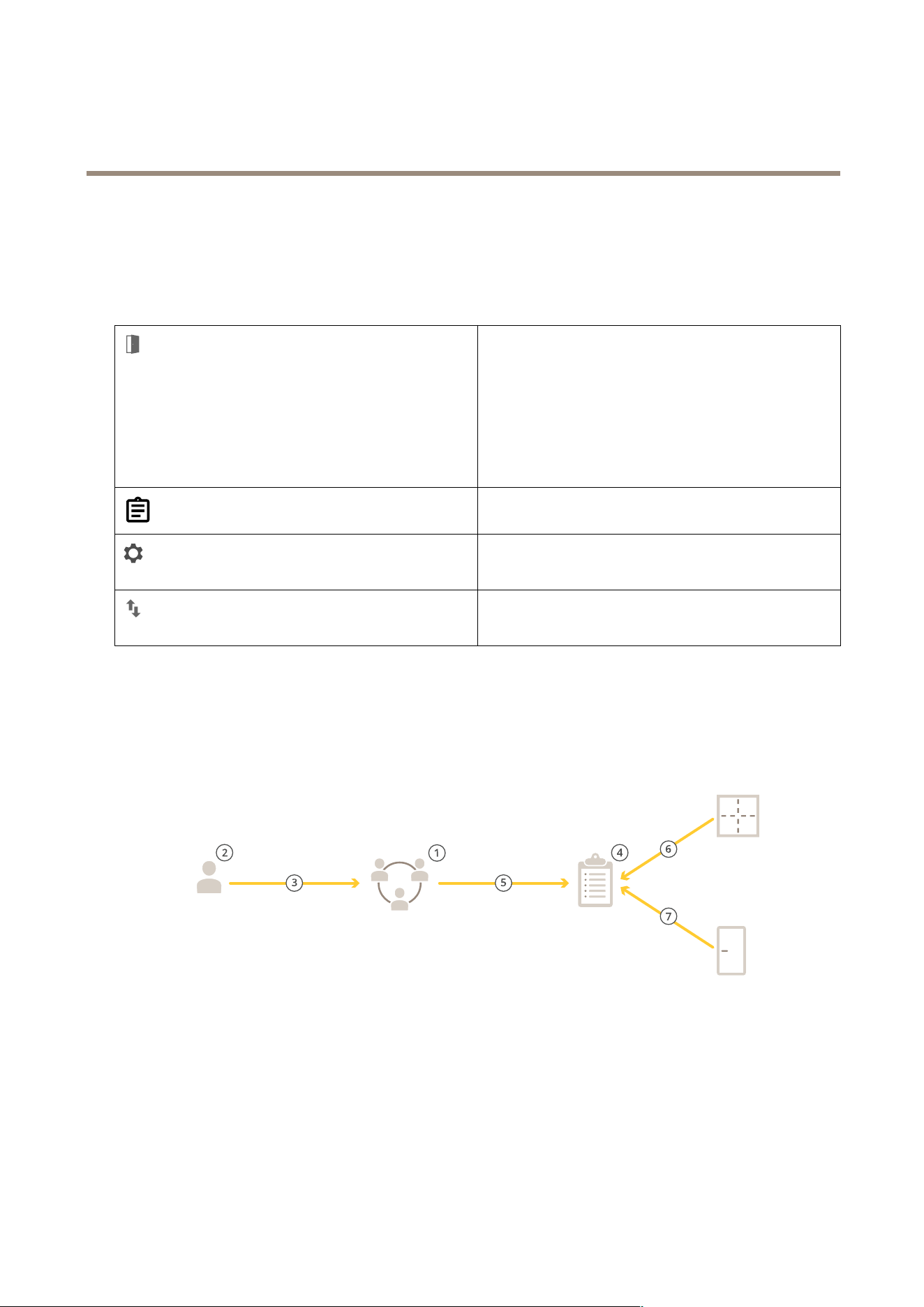
AXISCameraStationPro
Accessmanagement
Accessmanagement
TheAccessmanagementtaballowsyoutocongureandmanagethesystem’scardholders,groups,doors,zones,andaccessrules.
ForacompleteworkowtosetupAXISA1601NetworkDoorControllerin,seeSetupAXISA1601NetworkDoorController.
Showsthedashboardwhereyoucanaddcardholders,
credentials,groups,accessrules,andperformactionsondoors
andzones.
•Anincompleteruleishighlightedinyellow.For
example,anaccessruleismissingacardholderor
door.
•Afaultycardholdercongurationishighlightedin
pink.Forexample,whenacardholderisexpiredor
suspended.
Exportreportsthatcontaindifferenttypesofinformationabout
thesystem.SeeExportreportsonpage152.
Addcustomeldstothecardholdertemplateandenablefacility
codeinthesystem.SeeAccessmanagementsettingsonpage
153.
Importandexportcardholderdata.Youcanalsoresetthe
systemtothestatebeforethelastimport.SeeImportand
exportonpage153.
Workowofaccessmanagement
Theaccessmanagementstructureisexible,whichallowsyoutodevelopaworkowthatsuitsyourneeds.Thefollowingis
aworkowexample:
1.Addgroups.SeeAddagrouponpage148.
2.Addcardholders.SeeAddacardholderonpage143.
3.Addcardholderstogroups.
4.Addaccessrules.SeeAddanaccessruleonpage149.
5.Applygroupstoaccessrules.
142

AXISCameraStationPro
Accessmanagement
6.Applyzonestoaccessrules.
7.Applydoorstoaccessrules.
Addacardholder
AcardholderisapersonwithauniqueIDregisteredinthesystem.Congureacardholderwithcredentialsthatidentiesthe
personandwhenandhowtograntthepersonaccesstodoors.
YoucanalsochoosetomapusersinanActiveDirectorydatabaseascardholders,seeActivedirectorysettings
BETA
onpage137.
1.IntheAccessManagementtab,click.
2.UnderCardholders,click
and.
3.Entertherstname,lastname,cardholderID,andemailaddress.ThecardholderIDisauniquenumberusedtoidentify
acardholder.
4.IfyouhaveconguredcustomeldsunderAccessmanagement>Settings,enterinformationforthecustomeldstoo.
5.Addacardholderimage.Click
andselectUploadimageorTakeapicture.
6.Addgroupsthatthecardholderbelongsto.
6.1ExpandGroupsandclick
.
6.2ClickAddonthegroupyouwantthecardholdertobelongto.
6.3Repeattoaddmultiplegroups.
6.4Click
toexit.
7.ExpandMoreanselectoneormoreoftheoptions.
8.Addcredentialsonpage144.
9.ClickAdd.
More
SuspendcardholderSelecttosuspendthecardholder.
Longaccesstime
Selecttoletthecardholdertohavelongaccesstimeandlong
open-too-longtimewhenthereisaninstalleddoormonitor.
ExemptfromlockdownSelecttoletthecardholdertohaveaccessduringlockdown.
Exemptfromanti-passbackSelecttogiveacardholderanexemptionfromtheanti-passback
rule.Anti-passbackpreventspeoplefromusingthesame
credentialsassomeonewhoenteredanareabeforethem.The
rstpersonmustrstexittheareabeforetheircredentialscan
beusedagain.
GlobalcardholderSelecttomakeitpossibletoviewandmonitorthecardholder
onthesubservers.Thisoptionisonlyavailableforcardholders
createdonthemainserver.SeeMultiserver
BETA
onpage136.
Toeditacardholder:
Whenyoueditthecardholder,youcanseerecenttransactionsofthecardholder.
143

AXISCameraStationPro
Accessmanagement
1.IntheAccessManagementtab,click.
2.SelectCardholders.
3.Selectacardholder,clickandEdit.
4.ChangethesettingsandclickApply.
Tosuspendacardholder:
1.IntheAccessManagementtab,click
.
2.SelectCardholders.
3.Selectacardholder,click
andSuspend.Thishighlightsthecardholderinpink.
4.Tounsuspendacardholder,selectasuspendedcardholder,click
andUnsuspend.
TosendQRcodetoacardholder:
SetupAXISBarcodeReaderbeforeyoudothis,seeSetupAXISBarcodeReader.
1.IntheAccessManagementtab,click
.
2.SelectCardholders.
3.Selectacardholder,click
andSendQRcode.
4.ClickOK.
Todeleteacardholder:
1.IntheAccessManagementtab,click
.
2.SelectCardholders.
3.Selectacardholder,click
.
4.ClickDeleteandConrm.
Towatchthisvideo,gotothewebversionofthisdocument.
help.axis.com/?&piaId=94521§ion=add-a-cardholder
Addcardholdersandgroups
Addcredentials
YoucanselecttoaddaPINandacardcredentialtoacardholder,seeAddacardholderonpage143
APINcredentialisalwaysvalid.YoucanalsocongureaduressPINthatopensthedoorandtriggersasilentalarminthesystem.
144

AXISCameraStationPro
Accessmanagement
Toaddalicenseplatecredential:
1.UnderCredentials,click
and.
2.Enteranamethatdescribesthevehicle.
3.Enterthelicenseplatenumberforthevehicle.
4.UnderExpirationdate,setthevalidationdate.
5.ClickAdd.
Expirationdate
ValidfromSetadateandtimeforwhenthecredentialshouldbevalid.
Validto
Selectanoptionfromthedrop-downmenu.
Validto
NoenddateThecredentialneverexpires.
Date
Setadateandtimewhenthecredentialexpires.
FromrstuseSelecthowlongaftertherstusethecredentialexpires.Select
days,months,years,ornumberoftimesaftertherstuse.
Fromlastuse
Selecthowlongafterthelastusethecredentialexpire.Select
days,months,oryearsafterthelastuse.
ToaddaPINcredential:
1.UnderCredentials,click
and.
2.EnteraPIN.
3.TouseaduressPINtotriggerasilentalarm,turnonDuressPINandenteraduressPIN.
4.ClickAdd.
Toaddacardcredential:
1.UnderCredentials,click
and.
2.Tomanuallyenterthecarddata:enteracardname,cardnumber,andbitlength.
Note
Bitlengthisonlycongurablewhenyoucreateacardformatwithaspecicbitlengththatisnotinthesystem.
3.Toautomaticallygetthecarddataofthelastswipedcard:
3.1SelectadoorfromtheSelectreaderdrop-downmenu.
3.2Swipethecardonthereaderconnectedtothatdoor.
3.3ClickGetlastswipedcarddatafromthedoor’sreader(s).
Note
Youcanuse2NdesktopUSBcardreadertogetthecarddata.Formoreinformation,seeSetup2NdesktopUSBcardreader.
4.Enterafacilitycode.ThiseldisonlyavailableIfyouhaveenabledFacilitycodeunderAccessmanagement>Settings.
145

AXISCameraStationPro
Accessmanagement
5.UnderExpirationdate,setthevalidationdate.
6.ClickAdd.
Expirationdate
ValidfromSetadateandtimeforwhenthecredentialshouldbevalid.
Validto
Selectanoptionfromthedrop-downmenu.
Validto
NoenddateThecredentialneverexpires.
Date
Setadateandtimewhenthecredentialexpires.
FromrstuseSelecthowlongaftertherstusethecredentialexpires.Select
days,months,years,ornumberoftimesaftertherstuse.
Fromlastuse
Selecthowlongafterthelastusethecredentialexpire.Select
days,months,oryearsafterthelastuse.
ToaddaQRcredential:
Note
TouseQRcodesascredentialsrequiresthatthetimeonthesystemcontrollerandthecamerawithAXISBarcodeReaderis
synchronized.Werecommendusingthesametimesourceforbothdevicesforperfecttimesynchronization.
1.UnderCredentials,click
and.
2.Enteraname.
3.DynamicQRturnsonbydefault.YoumustusedynamicQRwithPINcredential.
4.UnderExpirationdate,setthevalidationdate.
5.ToemailQRcodeautomaticallyafteryousavethecardholder,selectSendQRcodetocardholderwhencredentialissaved.
6.ClickAdd.
Expirationdate
ValidfromSetadateandtimeforwhenthecredentialshouldbevalid.
Validto
Selectanoptionfromthedrop-downmenu.
Validto
NoenddateThecredentialneverexpires.
Date
Setadateandtimewhenthecredentialexpires.
FromrstuseSelecthowlongaftertherstusethecredentialexpires.Select
days,months,years,ornumberoftimesaftertherstuse.
Fromlastuse
Selecthowlongafterthelastusethecredentialexpire.Select
days,months,oryearsafterthelastuse.
Toeditacredential:
1.IntheAccessManagementtab,click
.
2.SelectCardholders.
146

AXISCameraStationPro
Accessmanagement
3.Selectacardholder,clickandEdit.
4.UnderCredentials,selectacredential.ClickandEdit.
5.ChangethesettingsandclickUpdateandApply.
Tosuspendacredential:
1.IntheAccessManagementtab,click
.
2.SelectCardholders.
3.Selectacardholder,click
andEdit.
4.UnderCredentials,selectacredential.ClickandSuspend.
5.Tounsuspendacredential,selectasuspendedcredential,click
andUnsuspend.
6.ClickApply.
Todeleteacredential:
1.IntheAccessManagementtab,click
.
2.SelectCardholders.
3.Selectacardholder,click
andEdit.
4.UnderCredentials,selectacredential.ClickandDelete.
5.ClickApply.
Uselicenseplatenumberascredentials
Thisexampleshowsyouhowtouseadoorcontroller,acamerawithAXISLicensePlateVerier,andavehicle’slicenseplate
numberascredentialstograntaccess.
1.Addthedoorcontrollerandthecamerato.SeeAdddevicesonpage7
2.SetdateandtimeforthenewdeviceswithSynchronizewithservercomputertime.SeeSetdateandtimeonpage57.
3.Upgradethermwareonthenewdevicestothelatestavailableversion.SeeUpgradermwareonpage57.
4.Addanewdoorconnectedtoyourdoorcontroller.SeeAddadooronpage119.
4.1AddareaderonSideA.SeeAddareaderonpage125.
4.2UnderDoorsettings,selectAXISLicensePlateVerierasReadertypeandenteranameforthereader.
4.3Optionally,addareaderorREXdeviceonSideB.
4.4ClickOk.
5.InstallandactivateAXISLicensePlateVerieronyourcamera.SeetheAXISLicensePlateVerierusermanual.
6.StartAXISLicensePlateVerier.
7.CongureAXISLicensePlateVerier.
7.1GotoConguration>Accesscontrol>Encryptedcommunication.
7.2UnderExternalPeripheralAuthenticationKey,clickShowauthenticationkeyandCopykey.
147

AXISCameraStationPro
Accessmanagement
7.3OpenAXISLicensePlateVerierfromthecamera’swebinterface.
7.4Don’tdothesetup.
7.5GotoSettings.
7.6UnderAccesscontrol,selectSecureEntryasType.
7.7InIPaddress,entertheIPaddressforthedoorcontroller.
7.8InAuthenticationkey,pastetheAuthenticationkeythatyoucopiedearlier.
7.9ClickConnect.
7.10UnderDoorcontrollername,selectyourdoorcontroller.
7.11UnderReadername,selectthereaderyouaddedearlier.
7.12Turnonintegration.
8.Addthecardholderthatyouwanttogiveaccessto.SeeAddacardholderonpage143
9.Addlicenseplatecredentialstothenewcardholder.SeeAddcredentialsonpage144
10.Addanaccessrule.SeeAddanaccessruleonpage149.
10.1Addaschedule.
10.2Addthecardholderthatyouwanttogivelicenseplateaccessto.
10.3AddthedoorwiththeAXISLicensePlateVerierreader.
Addagroup
Groupsallowyoutomanagecardholdersandtheiraccessrulescollectivelyandefciently.
1.IntheAccessManagementtab,click
.
2.UnderGroups,click
and.
3.Enteranameforthegroup.
4.SelectGlobalgrouptomakeitpossibletoviewandmonitorthecardholderonthesubservers.Thisoptionisonlyavailable
forcardholderscreatedonthemainserver.SeeMultiserver
BETA
onpage136.
5.Toaddcardholderstothegroup:
5.1UnderCardholders,click
.
5.2SelectacardholderandclickAdd.
5.3Repeattoaddmultiplecardholders.
5.4Click
toexit.
6.ClickAdd.
Toeditagroup:
1.IntheAccessManagementtab,click
.
148

AXISCameraStationPro
Accessmanagement
2.UnderGroups,selectagroupandclick.
3.ChangethesettingsandclickApply.
Todeleteagroup:
1.IntheAccessManagementtab,click
.
2.UnderGroups,selectagroupandclick
.
3.ClickDeleteandOK.
Addanaccessrule
Anaccessruledenestheconditionsthatmustbemettograntaccess.YoucanviewallaccessrulesunderAccessrules.Itshowsthe
numberofcardholders,groups,doors,andzonesintheaccessrule.
Anaccessruleconsistsof:
•Cardholdersandcardholdergroups:whotograntaccess.
•Schedules:whentograntaccess.
•Doorsandzones:wheretheaccessapplies.
Toaddanaccessrule:
1.IntheAccessManagementtab,click
.
2.UnderAccessrules,click
.
3.Enteranamefortheaccessrule.
4.Conguretheschedules:
4.1UnderSchedules,click
.
4.2SelectascheduleandclickAdd.
4.3Repeattoaddmultipleschedules.
4.4Toremoveaschedule,selectitandclick
.
4.5Click
toexit.
5.Congurethecardholdersandgroups:
5.1UnderCardholdersorGroups,click
.
5.2SelectthecardholderorgroupandclickAdd.
5.3Repeattoaddmultiplecardholdersandgroups.
5.4Clickacardholderorgroupinthelisttoviewthedetails.
5.5Toremoveacardholderoragroup,selectitandclick
.
5.6Click
toexit.
149
AXISCameraStationPro
Accessmanagement
6.Congurethedoorsandzones:
6.1UnderDoorsorZones,click
.
6.2SelectthedoororzoneandclickAdd.
6.3Repeattoaddmultipledoorsandzones.
6.4Toremoveadoororzone,selectitandclick
.
6.5Click
toexit.
7.ClickAdd.
Toeditanaccessrule:
1.IntheAccessManagementtab,click
.
2.UnderAccessrules,selectanaccessruleandclick
.
3.ChangethesettingsandclickApply.
Todeleteanaccessrule:
1.IntheAccessManagementtab,click
.
2.UnderAccessrules,selectanaccessruleandclick
andDelete.
3.ClickOK.
Towatchthisvideo,gotothewebversionofthisdocument.
help.axis.com/?&piaId=94521§ion=add-an-access-rule
Addandcongureaccessrules
Doors
IntheAccessManagementtab,click
toviewalistofdoorsthatareinthesystemincludingthedoorstatus,lockstatus,and
zonesthatthedoorisin.Youcanperformmanualactionsandcongureunlockschedulesondoors.
Actions
Grantaccesstothedoor.Thisactionisonlyavailablewhen
thereisaconnecteddoormonitor.
Unlockthedoor.
150
AXISCameraStationPro
Accessmanagement
Actions
Lockthedoor.
Thedoorentersorexitsalockdownstatus.
Toeditadoor:
1.Clickadoorinthelistandclick
.
2.Toaddunlockschedules:
2.1UnderUnlockschedules,click
.
2.2SelectascheduleandclickAdd.
2.3Repeattoaddmultipleunlockschedules.Click
toexit.
2.4Toremoveanunlockschedule,selectitandclick
.
3.YoucanturnonFirstpersoninsothatthedoordoesn’tunlockunlesssomeonewithaccesstothedoorgetsaccess
duringtheunlockingschedule.
4.ClickApply.
Towatchthisvideo,gotothewebversionofthisdocument.
help.axis.com/?&piaId=94521§ion=doors
Turnonrst-person-inrule
Toperformanactionondoors:
1.Selectthedoorsinthelistandclick
.
2.Selectanactiontoperformtheactionontheselecteddoors.
151
AXISCameraStationPro
Accessmanagement
Towatchthisvideo,gotothewebversionofthisdocument.
help.axis.com/?&piaId=94521§ion=doors
Setdoorstate
Zones
IntheAccessManagementtab,click
toviewalistofzonesthatareinthesystemandthezonestatus.Youcanperformmanual
actionsandcongureunlockschedulesonzones.
Actions
Unlockthedoor.
Lockthedoor.
Thedoorentersorexitsalockdownstatus.
Toeditazone:
1.Clickazoneinthelistandclick
.
2.Toaddunlockschedules:
2.1UnderUnlockschedules,click
.
2.2SelectascheduleandclickAdd.
2.3Repeattoaddmultipleschedules.
2.4Click
toexit.
2.5SelectPerimeterdoorsorInternaldoorstosetwhatdoorstheunlockscheduleappliesto.
3.ClickApply.
Toperformanactiononazone:
1.Selectazoneinthelistandclick
.
2.Selectanaction.
3.Choosetoapplytheactiontoalldoors,perimeterdoors,orinternaldoors.
Exportreports
Youcanexportreportsthatcontaindifferenttypesofinformationaboutthesystem.Thereportisexportedasacomma-separated
value(CSV)leandsavedinthedefaultdownloadfolder.
1.IntheAccessManagementtab,click
.
152

AXISCameraStationPro
Accessmanagement
2.Clickanoption,selectwheretosavethereportandclickSave.
Cardholdersdetailsreport
Includesinformationaboutthecardholders,credentials,card
validation,andlasttransaction.
Cardholdersaccessreport
Includesthecardholderinformationandinformationaboutthe
cardholdergroups,accessrules,doors,andzonesrelatedtothe
cardholder.
Cardholdersgroupaccessreport
Includesthecardholdergroupnameandinformationabout
thecardholders,accessrules,doors,andzonesrelatedtothe
cardholdergroup.
AccessrulereportIncludestheaccessrulenameandinformationaboutthe
cardholders,cardholdergroups,doors,andzonesrelatedtothe
accessrule.
DooraccessreportIncludesthedoornameandinformationaboutthecardholders,
cardholdergroups,accessrules,andzonesrelatedtothedoor.
ZoneaccessreportIncludesthezonenameandinformationaboutthecardholders,
cardholdergroups,accessrules,anddoorsrelatedtothezone.
Accessmanagementsettings
Tocustomizethecardholdereldsusedintheaccessmanagementdashboard:
1.IntheAccessManagementtab,click
.
2.ClickAddcustomeldandtypeaname.Youcanaddupto6customelds.
3.ClickApply.
Tousefacilitycodetoverifyyouraccesscontrolsystem:
1.IntheAccessManagementtab,click
.
2.TurnonFacilitycode.
3.ClickApply.
Note
YoumustalsoselectIncludefacilitycodeforcardvalidationwhenyoucongureidenticationproles.SeeIdentication
prolesonpage130.
Toedittheemailtemplate:
1.IntheAccessManagementtab,click
.
2.UnderEmailtemplate,changethesubjectandbodytext.
3.Includevisitingtimeintheemailissetbydefault.
4.ClickApply.
153

AXISCameraStationPro
Accessmanagement
Importandexport
Import
Thisoptionimportscardholders,cardholdergroups,credentials,andcardholderphotosfromaCSVle.Toimportcardholder
photos,makesurethattheserverhasaccesstothephotos.
Whenyouimportcardholderstheaccessmanagementsystemautomaticallysavesthesystemconguration,includingallhardware
conguration,anddeletesanypreviouslysavedone.
YoucanalsochoosetomapusersinanActiveDirectorydatabaseascardholders,seeActivedirectorysettings
BETA
onpage137.
Importoptions
NewThisoptionremovesexistingcardholdersandaddsnew
cardholders.
UpdateThisoptionupdatestheexistingcardholdersandaddsnew
cardholders.
AddThisoptionkeepsexistingcardholdersandaddsnew
cardholders.CardnumbersandcardholderIDsareuniqueand
canonlybeusedonce.
1.IntheAccessManagementtab,click.
2.IntheSelectactiondrop-downmenu,selectImport.
3.SelectNew,Update,orAdd.
4.Conguretheimportsettings.
5.ClickBrowseandgototheCSVle.ClickLoad.
6.UnderColumnmapping,click
andassignaheadingtoeachcolumnifFirstrowisheaderisn’tselected.
7.IftherearecustomeldsintheCSVle,theheadingofthecustomeldsisshownasUndened.Click
andassigna
heading.
8.ClickImport.
Importsettings
Firstrowisheader
SelectiftheCSVlecontainsacolumnheader.
ColumndelimiterEnteracolumndelimiterformatfortheCSVle.
UniqueidentierThesystemusesCardholderIDtoidentifyacardholderby
default.Youcanalsouserstandlastname,ortheemail
address.TheUniqueidentierpreventstheimportofduplicate
personnelrecords.
Cardnumberformat
Allowbothhexadecimalandnumberisselectedbydefault.
Export
ThisoptionexportsthecardholderdatainthesystemtoaCSVle.
1.IntheAccessManagementtab,click
.
2.FromtheActiondrop-downmenu,selectExport.
154

AXISCameraStationPro
Accessmanagement
3.ClickExport.
updatescardholderphotosinC:\ProgramData\AxisCommunications\AXISCameraStation\Components
\AXISSecureEntry\Cardholderphotoswheneverthecongurationchanges.
Reset
Thesystemautomaticallysavesitscongurationwhenyouimportcardholders.TheResetoptionresetsthecardholderdataandall
hardwarecongurationtothestatebeforethelastcardholderimport.
1.IntheAccessManagementtab,click
.
2.FromtheActiondrop-downmenu,selectReset.
3.ClickReset.
155
AXISCameraStationPro
SystemHealthMonitoring
BETA
SystemHealthMonitoring
BETA
TheSystemHealthMonitoringtaballowsyoutomonitorthehealthdatafromasingleormultiplesystemsonthesamenetwork.
Ifyoumanagesystemsondifferentnetworks,ServermonitoringinMySystemsprovidesthesamefunctionalitybutthroughthecloud.
Showsasummaryofthedevicesandsystemsthatyouhave
accessto.SeeInventoryonpage156.
Showsastoragesummaryandrecordingdetailsofeachcamera
fromthemonitoredsystems.SeeStorageonpage157.
ShowstheSystemHealthMonitoringlogsfromthemonitored
systems.SeeNoticationsonpage157.
Limitations
•Youcan’tmonitorstoragespaceforrecordingsonAXISS3008Recorder.
•NoticationsettingsonlyaffectthelocalSystemHealthMonitoringserver.
•ThesystemagsrecordingsexceptforcontinuousandmotiontriggeredrecordingswithNoneasrecordingtype.
Workow
1.CongureSystemHealthMonitoring
BETA
onpage139
1.1Setupnotications.SeeNoticationsonpage139.
1.2Setupmultisytem.SeeMultisystemonpage139.
2.Monitorthehealthdatafromsystems.
2.1Inventoryonpage156
2.2Storageonpage157
2.3Noticationsonpage157
Inventory
Theinventorypageshowsasummaryofthedevicesandsystemsthatyouhaveaccessto.
1.IntheSystemHealthMonitoring
BETA
tab,click
.
2.Toviewasummaryofasystem,clickAXISCameraStation.
Therightpanelshowsinformationincludingsystemandserverdetails.
3.Toviewasummaryofadeviceinasystem,clickthedeviceinthelist.
Therightpanelshowsinformationincludingdevicedetailsandstorageinformationifitcontainsavideosource.
4.Todownloadthesystemreport,selectAXISCameraStationsystemreportfromtheCreatereportdrop-downmenu.See
Systemreportonpage167.
5.TodownloadSystemHealthMonitoringreport:
5.1FromtheCreatereportdrop-downmenu,selectSystemHealthMonitoringreport.
156

AXISCameraStationPro
SystemHealthMonitoring
BETA
5.2Toincludethedatabaseinthereport,selectIncludealldatabasesandclickDownload.
5.3Whenthereportisready,clicktosaveit.
Storage
Thestoragepageshowsthestoragesummaryandrecordingdetailsofeachcamerafromthemonitoredsystems.Clickacolumn
headingtosortbythecontentofthecolumn.
1.IntheSystemHealthMonitoring
BETA
tab,click
.
2.Whenyoumonitormultisystemhealthdata,selectasystemfromthedrop-downmenu.
Summary
StatusThestoragestatus.SeeCongurestorageonpage63.
LocationThepathandnameofthestorage.
TotalThetotalamountofstoragespace.Thisisthesameamountas“Totalsize”shownin
Windowspropertiesforthestoragelocation.
AllocatedThemaximumamountofstorageassignedtorecordings.
UsedTheamountofstoragespacebeingcurrentlyusedforrecordings.
LastupdateThetimewhentheinformationwaslastupdated.
Camera
Status
(empty):Normalstatus.
Warningicon:Retentionisn’tfullled.
Infoicon:Retentionisn’tfullledbecausethecamerarecordingsaretooshort
NameThecameraname.
RecordingtypeTherecordingtypesappliedtothecamera.
SetretentionTheretentiontimeconguredforthecameraunderConguration>Storage>Selection.
Currentretention
Thenumberofdaysthatcamerarecordingsfromthecamerahavebeeninthestorage.
Oldestrecording
Thetimeoftheoldestrecordingfromthecamerakeptinthestorage.
LatestrecordingThetimeofthelatestrecordingfromthecamerakeptinthestorage.
LocationThestoragelocationusedbythecamera.
UsedstorageTheamountofstorageusedbythiscameraforrecordings.
LastupdateThetimewhentheinformationwaslastupdated.
Notications
ThenoticationspageshowstheSystemHealthMonitoringlogsfromthemonitoredsystems.Clickacolumnheadingtosortby
thecontentofthecolumn.
IntheSystemHealthMonitoring
BETA
tab,click
.
157

AXISCameraStationPro
SystemHealthMonitoring
BETA
History
NoticationsentThetimewhenthenoticationwassent.
Item
Showsthedevicenamefornoticationstriggeredbydevicedownorsystemfor
noticationstriggeredbysystemdown.
System
Thenameofthesystemonwhichtheeventoccurs.
RuleTherulethattriggeredthenotication.SystemdownorDevicedown
DetectedThetimewhentheissuewasdetected.
ResolvedThetimewhentheissuewasresolved.
158

AXISCameraStationPro
Hotkeys
Hotkeys
TheHotkeystabshowsavailablehotkeys.ThetypeofhotkeydependsonwhatyouusetocontrolACS.
•Akeyboardcombination
•Akeypadcombination
•Ajoystickbutton
•Ajogdialbutton
Whenyouremoveacameraorviewfromaconnectedserver,theassociatedhotkeysarealsoremoved.
Thesystemgroupsthehotkeysintothefollowingcategories:
•Camera
•Devicemanagement
•Navigatetocamera
•Navigatetoview
•Navigation
•PTZpresets
•Recordings
•Sequences
•Splitview
•Tab
•Other
YouhavetomanuallyassigntotheactionsintheNavigatetocamerasandNavigatetoviewscategories.
Note
•Whenyouaddoreditahotkey,andthehotkeyisalreadyinuseforanotheraction,awarningiconappears.Hoveryour
mouseonthewarningicontoseetheconictaction.PressESCtocancel.PressENTERtousethehotkeyandautomatically
removetheconictinghotkey.
•Whenconnectedtomultipleservers,theNavigatetocamerasandNavigatetoviewscategoriesalsolistthecamerasand
viewsontheconnectedservers.
AssignahotkeyIfthekeyboardvalueofanactionisempty,clicktheempty
valuetoaddthehotkeyforthisaction.
•Toaddahotkeywiththekeyboard,pressCTRLand
atleastoneanotherkeyorafunctionkeyF2-F12.
•Toaddahotkeywithakeypad,pressanumeric
keycombinationorpressoneofthefunctionkeys
F1-F5.
•Toaddahotkeywithajoystickorjogdial,pressthe
joystickorjogdialbuttontoassignittotheaction.
Editahotkey
Clickthekeyboardvalueofanaction,andeditthevalue.
Removeahotkey
Clickthekeyboardvalueofanaction,andremovethevalue.
159
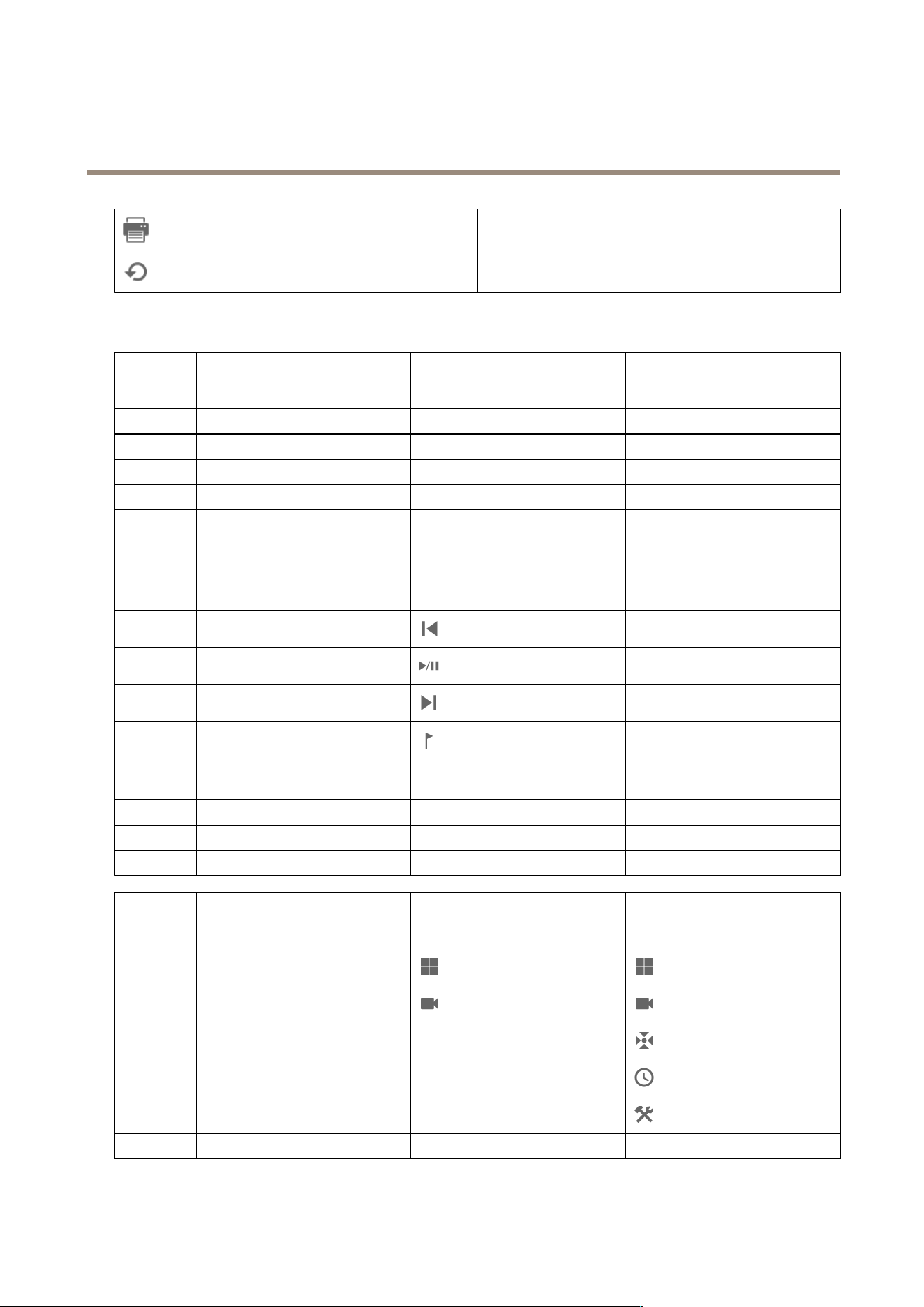
AXISCameraStationPro
Hotkeys
Clicktoprintthehotkeytable.
Clicktoresetallhotkeystotheoriginalsettings.
Videosurveillancecontrolboardkeys
Hotkey
mapping-
Joystick
Defaultaction
AXISTU9002AXIST8311
Button1
Gotopreset1
J1J1
Button2
Gotopreset2
J2J2
Button3
Gotopreset3
J3J3
Button4
Gotopreset4
J4J4
Button5
Simulateleftmousebutton
J5L
Button6
Simulateleftrightbutton
J6R
Button7
Selectpreviouscellinsplitview
Topleft
-
Button8
Selectnextcellinsplitview
Topright
-
Button9Jumptopreviousrecording
-
Button10
Play/paus
-
Button11Jumptopreviousrecording
-
Button12Addbookmark
-
Button13Togglezoomringfunctionbetween
digitalzoomandplaybackspeed
M1
-
Button14
Switchbetweenlive/recordings
M2
-
Button15FramestepbackwardToplefttoggled
-
Button16FramestepforwardToprighttoggled
-
Hotkey
mapping-
Keypad
Defaultaction
AXISTU9003AXIST8312
A
Openviews
BNavigatetonextcameraorview
C
--
D
--
E
--
PLUS
Focusfarther
+
-
160
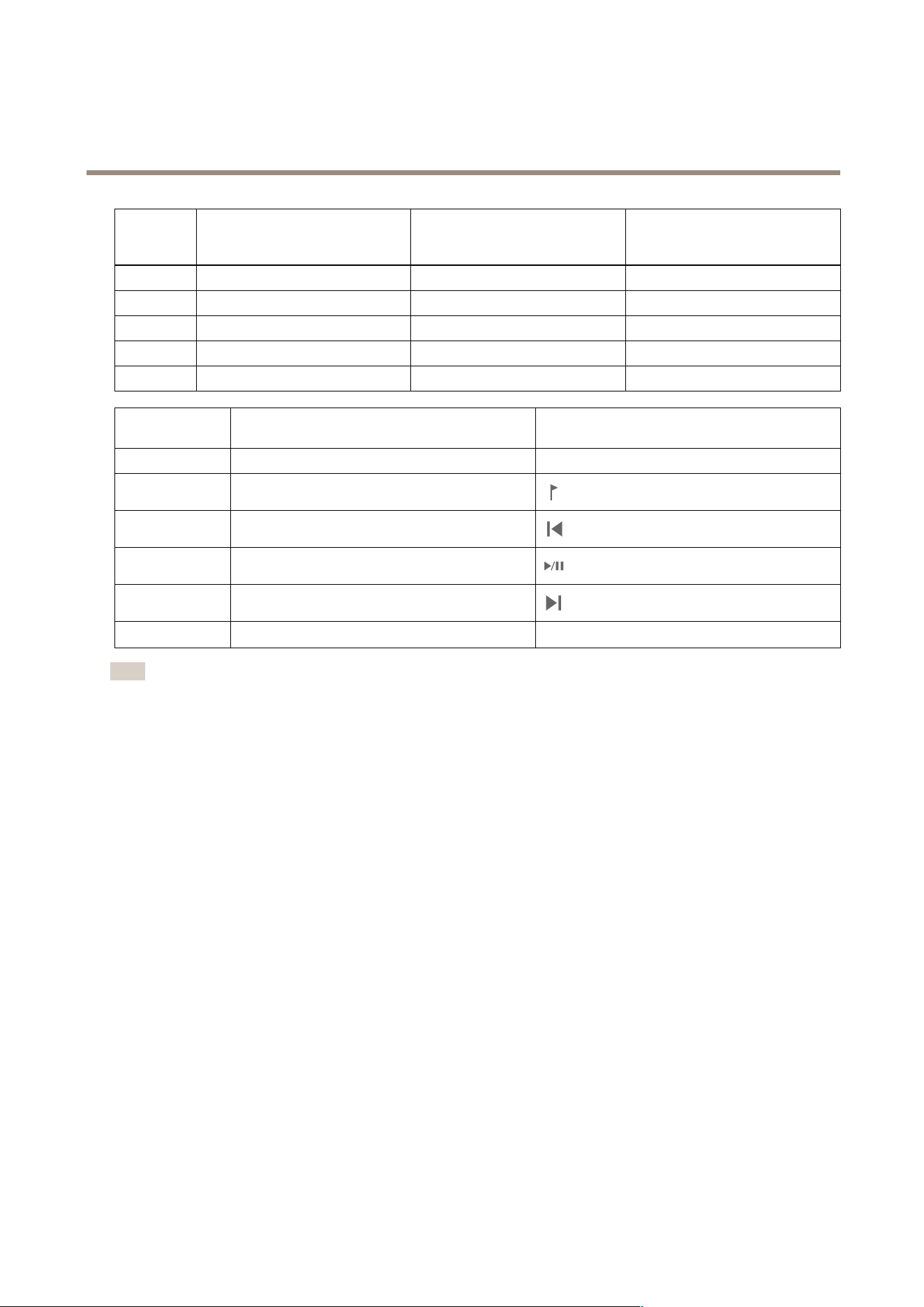
AXISCameraStationPro
Hotkeys
Hotkey
mapping-
Keypad
Defaultaction
AXISTU9003AXIST8312
MINUS
Focusnearer
--
F2
Openhotkeys
F2F2
F4
Openlogs
F4F4
F5
Openconguration
F5F5
F10AutofocusF10
-
Hotkeymapping-
Jog
Defaultaction
AXIST8313
Jog1
Showorhideexportmarker
L
Jog2Addbookmark
Jog3Jumptopreviousrecording
Jog4
Play/Pause
Jog5Jumptonextrecording
Jog6
Switchbetweenlive/recordings
R
Note
AXIST8311VideoSurveillanceJoystickdoesn’tsupportjoystickbuttons7–10.
161
AXISCameraStationPro
Logs
Logs
Bydefault,theLogstabshowsthelivelogsincludinglivealarms,events,andauditlogs.Youcansearchforpreviouslogsaswell.You
cancongurethenumberofdaystokeeplogsunderConguration>Server>settings.
TimeDateandtimeoftheaction.
TypeThetypeoftheaction:Alarm,Event,orAudit.
Category
Thecategoryoftheaction.
MessageAshortdescriptionoftheaction.
Useruserthatperformstheaction.
Computer
Thecomputer(Windowsdomainname)onwhichisinstalled.
WindowuserTheWindowsuserthatadministers.
ServerOnlyavailablewhenconnectingtomultipleservers.
Theserveronwhichtheactionoccurs.
Component
Thecomponentthatthelogisgeneratedfrom.
Searchlogs
1.IntheLogstab,clickSearchunderLogsearch.
2.Inthelterbox,typethekeywords.searchestheloglistexceptforinTimeandshowsthesearchresultsthatcontainall
thekeywords.Forsupportedsearchoperators,seeOptimizeyoursearchonpage38.
3.SelectAlarms,Audits,orEventsunderFilter.
4.Selectadateorarangeofdatesfromthecalendar.
5.SelectStarttimeandEndtimefromthedrop-downmenus.
6.ClickSearch.
Alarmslog
TheAlarmslogdisplayssystemalarmsandalarmsgeneratedbyrulesandmotiondetectioninalist.Thelistincludesthedateand
timeofthealarm,alarmcategory,andanalarmmessage.SeeAlarms.
ClickanalarmandtoopentheRecordingstabandstart
playbackwhenthealarmcontainsarecording.
Clickanalarmandtoopenthealarmprocedurewhenthe
alarmcontainsanalarmprocedure.
Clickanalarmandtonotifyotherclientsthatthealarms
waretakencareof.
Clickanalarmandtoexportthelogtoatextle.
Eventslog
162

AXISCameraStationPro
Logs
TheEventslogdisplayscameraandserverevents,forexamplerecordings,triggers,alarms,errors,andsystemmessages,ina
list.Thelistincludesthedateandtimeoftheevent,eventcategory,andaneventmessage.Selecttheeventsandclick
in
thetoolbartoexporttheeventsasatextle.
Auditlog
IntheAuditlogyoucanviewalluseractions,forexamplemanualrecordings,videostreamingstartedorstopped,actionrules,door
created,andcardholdercreated.Selecttheauditsandclick
inthetoolbartoexporttheauditsasatextle.
163
AXISCameraStationPro
Alarms
Alarms
TheAlarmstabisavailableatthebottomofclientanddisplaystriggeredeventsandsystemalarms.Forinformationabouthowto
createalarms,seeActionrules.Forinformationaboutthealarm"Databasemaintenanceisrequired",seeDatabasemaintenance
onpage181.
TimeThetimethealarmoccurred.
Category
Thecategoryofthetriggeredalarm.
DescriptionAbriefdescriptionofthealarm.
Server
Availablewhenconnectedtomultipleservers.serverthatsends
thealarm.
Component
Thecomponentthattriggersthealarm.
Showanalarmprocedure,onlyavailablewhenthealarm
containsanalarmprocedure.
Gotorecordings,onlyavailablewhenthealarmcontainsa
recording.
Acknowledgetheselectedalarm
Removethealarm.Thealarmisonlytemporarilyremovedifyou
don’tacknowledgethealarmbeforeyouremoveit.
Todealwithaspecicalarm:
1.Click
AlarmsandTasksatthebottomofclient,andopentheAlarmstab.
2.Foralarmswitharecording,selectthealarmandclick
togototherecordingintheRecordingalertstab.
3.Foralarmswithoutarecording,openatabwithliveviewanddouble-clickthealarmtoshowtherecordingforthe
timeofthealarmintheRecordingalertstab.
4.Foralarmswithanalarmprocedure,selectthealarmandclick
toopenthealarmprocedure.
5.Tonotifyotherclientsthatthealarmsweretakencareof,selectthealarmsandclick
.
6.Toremovethealarmsfromthelist,selectthealarmsandclick.
164

AXISCameraStationPro
Tasks
Tasks
TheTaskstabisavailableatthebottomofclient.
Thefollowingtasksarepersonalandareonlyvisiblefortheadministratorsandtheuserswhostartedit.
•Systemreport
•Createincidentreport
•Exportrecordings
Ifyouareanadministrator,youcanviewandoperatealltasksstartedbyanyuserincludingthepersonaltasks.
Ifyouareanoperatororviewer,youcan:
•Viewalltasksstartedbyyouandthetasksstartedbyotherusersthataren’tpersonal.
•Cancelorretrythetasksstartedbyyou.Youcanonlyretrytheincidentreportandexportrecordingstasks.
•Viewtheresultofalltasksinthelist.
•Removeanynishedtasksinthelist.Thisonlyaffectsthelocalclient.
NameThenameofthetask.
Start
Thetimewhenthetaskstarted.
Message
Showsthestatusorinformationaboutthetask.
Thepossiblestatuses:
•Canceling:Cleaningupbeforecancelingthetask.
•Canceled:Cleaningiscompleteandthetaskiscanceled.
•Error:Taskcompletedwitherrors,thatis,thetaskfailedononeormoredevices.
•Finished:Taskcompleted.
•Finishedduringlostconnection:Displayedifthetaskcompletedwhiletheserver
connectionwasdown.Taskstatuscan’tbedetermined.
•Lostconnection:Displayediftheclientlostconnectionwiththeserverwhilethe
taskran.Taskstatuscan’tbedetermined.
•Running:Performingthetask.
•Pending:Waitingforanothertasktocomplete.
Owner
Theuserwhoinitiatedthetask.
Progress
Showstheprogressofthetask.
ServerAvailablewhenconnectedtomultipleservers.Showsserverthatperformsthetask.
Todealwithoneormoretasks:
1.ClickAlarmsandTasksatthebottomofclient,andclicktheTaskstab.
2.Selectthetasksandclickononeoftheactions
ClicktodisplaytheTaskresultdialog.
Clicktocancelthetask.
165

AXISCameraStationPro
Tasks
Clicktodeletethetasksfromthelist.
Ifthetaskfailswhenyouexportrecordingsorcreateincident
reports,clicktoretrythefailedtask.
Taskresult
Ifataskwasperformedonmultipledevices,thedialogshowstheresultsforeachdevice.Allfailedoperationsshouldbereviewedand
conguredmanually.
Formosttasks,thefollowingdetailsarelisted.Fortaskssuchasexportrecordingsandsystemreport,double-clickthetaskto
openthefolderwiththesavedles.
MACaddressTheMACaddressoftheupdateddevice.
AddressTheIPaddressoftheupdateddevice.
MessageInformationabouthowthetaskwasexecuted:
•Finished:Thetaskwassuccessfullycompleted.
•Error:Thetaskwasunabletocompleteonthedevice.
•Canceled:Thetaskwascanceledbeforecompletion.
DescriptionInformationaboutthetask.
Dependingonthetypeofperformedtask,thefollowingdetailsarelisted:
NewaddressThenewlyassignedIPaddressofthedevice.
ActionrulesThermwareversionandtheproductnameofthedevice.
DetailsTheserialnumberandIPaddressofareplaceddeviceandtheserialnumberandIPaddressof
thenewdevice.
ReferenceID
ThereferenceIDoftheincidentreport.
166
AXISCameraStationPro
Generatereports
Generatereports
Clientcongurationsheet
Goto
>Help>ClientcongurationsheettocreateareportinHTMLformatwithanoverviewoftheclientsystem
conguration.Thisisusefulfortroubleshootingandwhenyoucontactsupport.
Servercongurationsheet
Goto>Help>ServercongurationsheetandselectaservertocreateareportinHTMLformatwithanoverviewofthe
serversystemconguration.Thereportincludesinformationaboutgeneralconguration,camerassettingsincludingactionrules,
schedules,recordingstorage,auxiliarydevices,andlicenses.Thisisusefulfortroubleshootingandwhenyoucontactsupport.
Systemreport
Thesystemreportisa.ziplethatcontainsparametersandloglesthathelpAxisCustomerSupporttoanalyzeyoursystem.
AlwaysincludeasystemreportwhenyoucontactCustomerSupport.
1.Goto
>Help>Systemreporttogeneratethesystemreport.
2.Editthelenameifyouwanttochangetheautomaticallygeneratedlename.
3.ClickBrowsetoselectwheretosavethesystemreport.
4.SelectAutomaticallyopenfolderwhenreportisreadytoautomaticallyopenthefolderwhenthesystemreportisready.
5.SelectIncludealldatabasestoincludethedatabaseinthesystemreport.Thevideomanagementsystemdatabase
containsinformationaboutrecordingsanddatanecessaryforthesystemtoworkproperly.
6.SelectIncludescreenshotsofallmonitorstoincludescreenshotsinthesystemreport.Screenshotsofallthemonitorscan
makeiteasiertoanalyzethesystemreport.
7.ClickOK.
Towatchthisvideo,gotothewebversionofthisdocument.
help.axis.com/?&piaId=94521§ion=system-report
Generateasystemreport
AXISInstallationVerier
AXISInstallationVerierstartsaperformancetestafterinstallationtoverifythatallthedevicesinasystemarefullyoperational.The
testtakesabout20minutestorun.
167

AXISCameraStationPro
Generatereports
Tests
NormalconditionsTestofdatastreaminganddatastorageusingthecurrent
systemsettingsin.Output:Passedorfailed.
LowlightconditionsTestofdatastreaminganddatastorageusingsettings
optimizedfortypicallowlightconditions,forexamplegain
settings.Output:Passedorfailed.
Stresstest
Testthatincreasesdatastreaminganddatastoragestepby
step,untilthesystemreachesitsmaximumlimit.Output:
Informationaboutmaximumsystemperformance.
Note
•YoucanonlytestdevicesthatsupportAXISCameraApplicationPlatform2(ACAP2)andlater.
•Duringthetest,goesintomaintenancemode,andallsurveillanceactivitiesaretemporarilyunavailable.
Tostartthetest:
1.Goto
>Help>InstallationVerier.
2.ClickStart.
3.Whenthetestnishes,clickViewreporttoviewthereportorclickSavereporttosaveit.
Feedback
Youcanchoosetoshareanonymousclientusagedataautomaticallywhenyouconguretheclientandmanuallysendyourfeedback
tohelpusimproveandyouruserexperience.SeeCongureclientonpage96.
Note
Don’tusethefeedbackformtosubmitsupportrequests.
1.Goto
>Help>Feedback.
2.Chooseareactionandenteryourfeedback.
3.ClickSend.
Assetlist
Youcanexportalistofassetsforyourvideomanagementsystem.Theassetlistincludesthename,type,model,status,and
serialnumberofthefollowing:
•Allconnectedservers
•Allconnecteddevices
•Theclientterminalfromwhichyouexporttheassetlistwhenconnectedtomultipleterminals
Toexportanassetlist:
1.Goto
>Other>Assetlist.
2.ClickExport.
3.SelectthelelocationandclickSave.
168
AXISCameraStationPro
Generatereports
4.UnderLatestexport,alinktotheleappearsorupdates.
5.Clickthelinktogotothelelocation.
Bodywornsettings
Toconnectwithabodywornsystem,youmustcreateaconnectionle.SeeSetupanAxisbodywornsystem.
Note
Beforeyoucreatetheconnectionle,renewtheservercerticateiftheserverIPaddresshaschanged,orAXISCamera
Stationwasupgradedfromaversionearlierthan5.33.Forhowtorenewthecerticate,seeCerticatesonpage113.
Tocreateaconnectionle:
1.Goto
>Other>Bodywornsettings.
2.Tochangethedefaultsitenameshowninyourbodywornsystem,enteranewname.
3.ClickExport.
4.UnderLatestexport,alinktotheleappearsorupdates.
5.Clickthelinktogotothelelocation.
Towatchthisvideo,gotothewebversionofthisdocument.
help.axis.com/?&piaId=94521§ion=body-worn-settings
SetupanAxisbodywornsystem
Towatchthisvideo,gotothewebversionofthisdocument.
help.axis.com/?&piaId=94521§ion=body-worn-settings
PlaybackandexportAxisbodyworncamerarecordings
StatusofAxisservices
1.Goto
>Help>StatusofAxisservices.
169

AXISCameraStationPro
Generatereports
2.ThestatusofAxisservicespageopensinawebbrowserwhereyoucanviewthestatusofAxisonlineservices.
170
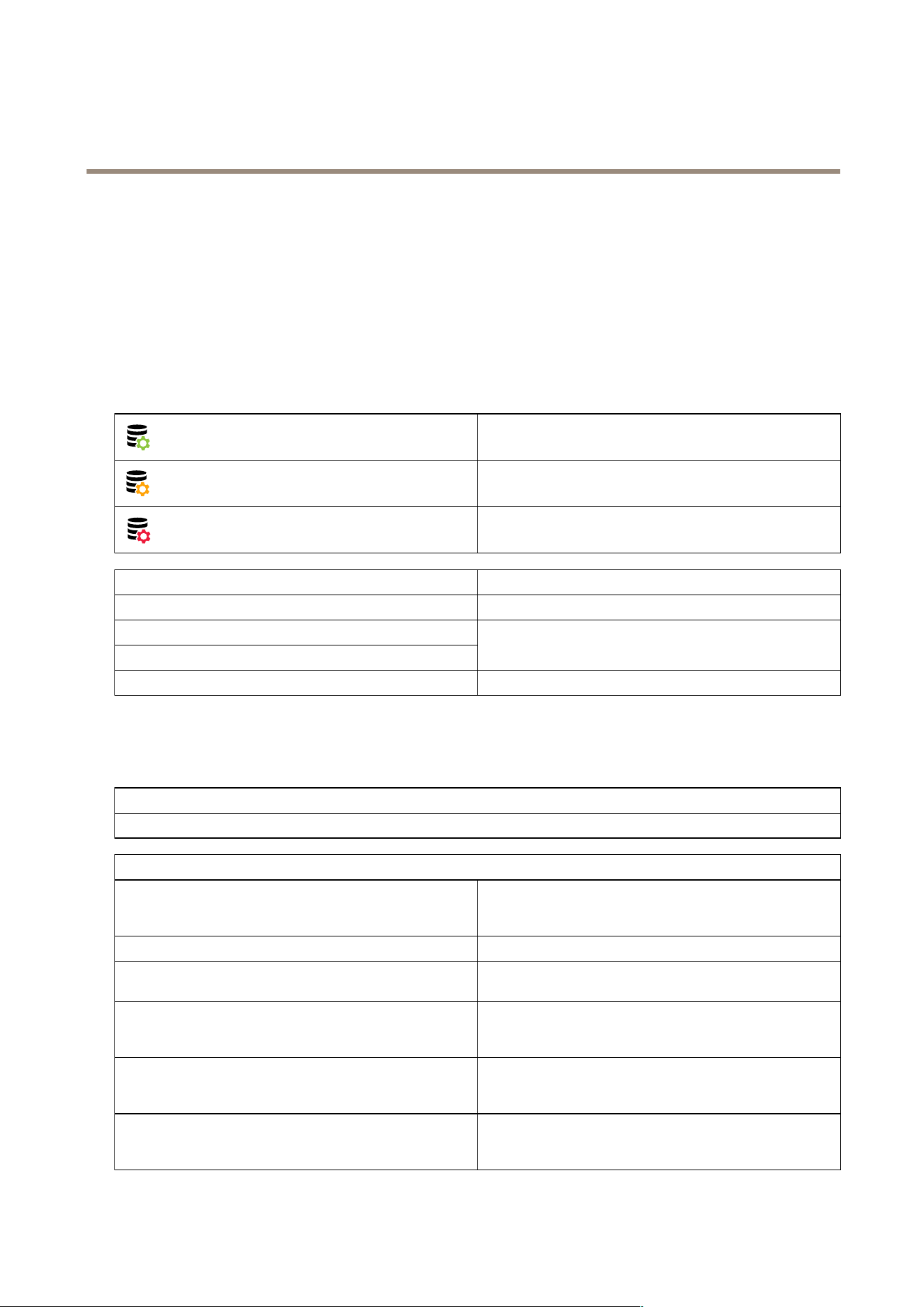
AXISCameraStationPro
servicecontrol
servicecontrol
Theserverusesservicecontroltostartandstopandtochangeitssettings.Itautomaticallystartsaftertheinstallationiscomplete.If
theservercomputerrestarts,servicecontrolautomaticallyrestartinabout2minutes.AniconinWindowsnoticationarea
showsthestatusoftheservice.
Right-clicktheicon,andselectOpenAXISCameraStationServiceControl,StartService,StopService,RestartService,orExit.
Toopenservicecontrolfromthestartmenu:
GototheStartmenuandselectAllPrograms>Tools>ServiceControl.
Running
Starting
Stopped
ModifySettingsSelecttobeabletochangetheserversettings.
RestoreDefaultSettingsClicktorestoreallsettingstotheoriginaldefaultsettings.
Start
Stop
Clicktochangetheserverstatus.
Restart
Clicktorestarttheserver.
General
Inservicecontrol,selectModifysettingsandclickGeneraltochangethegeneralserversettings.
ServercerticateID
TheservercerticateID,usedtomanuallyverifythattheclientconnecttothecorrectserver.
Serversettings
Servername
Thenameoftheserver.Theservernameshowsinthesoftware
client.Thedefaultservernameisthecomputername.The
namedoesn’tchangeifyouchangethecomputername.
Webclientport
TheWebclientforAXISCameraStationusesthisport.
Portsrange
Specifytherangeofports.Therestoftheportschanges
automatically.
ServerHTTPport
TheHTTPportnumberthattheserverusestocommunicate
withtheclient.Thedefaultportis29200.Thisportisturned
offbydefault.
ServerTCPportTheTCPportnumberthattheserverusestocommunicate
withtheclient.Thedefaultportis29202.Theportnumberis
calculatedbyadding2totheserverportnumber.
MobilecommunicationportThemobileportnumberthattheserverusestocommunicate
withtheclient.Thedefaultportis29204.Theportnumberis
calculatedbyadding4totheserverportnumber.
171

AXISCameraStationPro
servicecontrol
Serversettings
MobilestreamingportThemobileportnumberthattheserverusesforvideostreaming.
Thedefaultportis29205.Theportnumberiscalculatedby
adding5totheserverportnumber.
Componentcommunicationport
Theportnumberusedbythecomponenttocommunicatewith
networkdevicesthroughtheserver.Thedefaultportis29207.
Theportnumberiscalculatedbyadding7totheserverport
number.
PortsusedbycomponentsAfteryouspecifytheportrange,thelistshowstheportsusable
forthecomponents.Thedefaultportrangeforcomponents
is29214–29245.
AllowtoaddexceptionstotheWindowsFirewall
Selectthisoptionifyouwanttoallowtoautomaticallyadd
exceptionstotheWindowsFirewallwhenauserchangesthe
portrange.
Note
•IfthereisaNAT,rewall,orsimilarbetweentheserverandtheclient,conguretheNATorrewalltoallowtheseportsto
passthrough.
•Theportnumbersmustbewithintherange1024-65534.
Proxysettings
Directconnection
Selectthisoptionifthereisn’taproxyserverbetweenserver
andthecamerasinthesystem.
SystemaccountInternetoptions/automatic
Defaultproxysettings.Thisoptionusesthecurrentproxy
settingsinInternetOptionsforthesystemaccount.
Usemanualproxysettings
Selectthisoptionifaproxyserverseparatestheserverand
anycamerasinthesystem.Entertheaddressandportnumber
oftheproxyserver.Thisisusuallythesameaddressandport
numberunderInternetOptionsinWindowsControlPanel.
•Specifytonotusetheproxyserverwithaddresses
beginningwithcertaincharacters.
•SelectAlwaysbypassproxyserverforlocal
addressesandenterlocaladdressesorhostnamesof
localcameraswherecommunicationdoesn’tneed
topassthroughtheproxy.Youcanusewildcards
intheaddressorhostnames,forexample:"192."or
".mydomain.com".
Portlist
Thefollowingtablesidentifyportsandprotocolsusedby.Youmighthavetoallowtheseinyourrewallforoptimumperformance
andusability.Inthetables,wecalculateportnumbersbasedontheHTTPmainport29200(turnedoffbydefault).
serversendsdatatodevicesonthefollowingports:
PortNumberProtocol
In/Out
Description
MainHTTPandHTTPS
ports
80&443
TCPOutbound
Usedforvideostreams
anddevicedata.
172

AXISCameraStationPro
servicecontrol
Defaultbonjourport
5353
UDP
Multicast(Inbound+
Outbound)
Usedtodiscoverdevices
withmDNSDiscovery
(Bonjour).Multicast
224.0.0.251.
Ifunabletobindto
thedefaultportitcan
bebecauseanother
applicationusesitand
refusestoshareit.In
thatcasearandomport
isused.Bonjourdoesn’t
discoverdeviceswith
link-localaddresses
whenyouusearandom
port.
DefaultSSDPport
1900
UDP
Multicast(Inbound+
Outbound)
Usedtodiscoverdevices
withSSDP(UPNP).
Multicast
239.255.255.250.
DefaultWS-Discovery
port
3702
UDP
Multicast(Inbound+
Outbound)
WS-Discovery
webservicesdiscovery
usedtodiscoverOnvif
devices.
Multicast
239.255.255.250.
serverreceivesdatafromclientsonthefollowingports:
PortNumberProtocol
In/Out
Communication
between
Description
DefaultSSDPport
1900
UDP
Multicast(Inbound
+Outbound)
Serverandclient
Usedtodiscover
serverswithSSDP
(UPNP).
Multicast
239.255.255.250.
MainHTTPportand
HTTPstreaming
port
29200
TCP
Inbound
Serverandclient
Turnedoffby
default.
MainTCPport
29202
TCP
Inbound
Serverandclient
+2offsetfrom
mainHTTPport.
Usedfor
application
data(TLS1.2
encryption).For
5.15.007orlower,
TLS1.1encryption
isused.
APIwebserverport
29204
TCP
Inbound
Serverandmobile
app
+4offsetfrom
mainHTTPport.
Usedfor
applicationdata
andvideostream
MP4overHTTPS.
173

AXISCameraStationPro
servicecontrol
APImediaport
29205
TCP
Inbound
Serverandmobile
app
+5offsetfrom
mainHTTPport.
Usedforvideo
streamRTSPover
HTTP.
LocalproxyHTTP
port
29206
TCP
InboundInternal
communication
inserver
+6offsetfrom
mainHTTPport
(ServerPortParser).
+2offsetfromAPI
webserverport
(RemoteFacade-
Binder).
Onlyaccessible
internallyonserver
computer.
Workaroundport
forunknownissue.
Mobileappsmakes
callstotheSRA
module,which
receivesHTTPS,
convertsittoHTTP
andresendsitto
thelocalproxy
HTTPportandthe
APImediaport.
Webproxy
endpointport
29207
TCP
Inbound
Serverand
component
+7offsetfrom
mainHTTPport.
Usedforsecure
communication
between
componentand
devices.
Otherports
PortNumberProtocol
In/Out
Communication
between
Description
InternetHTTPS
80&443
TCPOutboundClientandserverto
internet
Usedforlicense
activation,
download
rmware,
connectedservices
etc.
ServerTCP
streamingport
29198
TCP
Inbound
Serveranddevice
-2offsetfrommain
HTTPport.
Upgradestatus
UDPport
15156
UDPInbound+
Outbound
Serverandservice
control
servicecontrol
listensonthe
port,andthe
serverbroadcasts
thestatusofan
ongoingupgrade.
Reservedportsforcomponents
174

AXISCameraStationPro
servicecontrol
Component
Listenson
interface
PortNumberProtocol
In/Out
Communica-
tionbetween
Description
SecureEntry
Localhost
(127.0.0.1)
Webserver
port
29214
HTTPS
Inbound
Client(Access
management
tab)and
component
+14offset
frommain
HTTPport.
Older
installations
usedport
8081.
SecureEntry
All
(0.0.0.0/IN-
ADDR_ANY)
Webserver
port
29215
HTTPS
InboundMainserver
andsub
servers
+15offset
frommain
HTTPport.
Usedfor
communi-
cationbe-
tweenmain
serverand
subserversin
multi-server
setup.
System
Health
Monitoring
All
(0.0.0.0/IN-
ADDR_ANY)
Webserver
port
29216
HTTPS
Inbound
Client
(System
Health
Monitoring
tab)and
component
+16offset
frommain
HTTPport.
Usedto
hostSystem
Health
Monitoring
webpages
andfor
sharing
datain
multisystem
setup.
System
Health
Monitoring
CloudService
localhostWebserver
port
29217
HTTPS
Inbound
(web
page)and
CloudService
backend
(plugin)
+17offset
frommain
HTTPport.
Usedfor
System
Health
Monitoring
CloudService
toenable
System
health
monitoring.
Smartsearch
2
localhostWebserver
port
29218
HTTPS
Inbound
Client(Smart
search
tab)and
component
+18offset
frommain
HTTPport.
Usedtohost
SmartSearch
APIandserve
clientweb
page.
175

AXISCameraStationPro
servicecontrol
Component
Listenson
interface
PortNumberProtocol
In/Out
Communica-
tionbetween
Description
VMSAPIcore
127.0.0.1,::1
GraphQLAPI
29219
GraphQL
Inbound
VMSAPI
andGraphQL
clients
+19offset
frommain
HTTPport.
Usedto
exposethe
ACSasa
GraphQLAPI
toaclient
VMSAPIauth
127.0.0.1
Auth
29220
gRPC
Inbound
VMSAPIcore
andAuth
+20offset
frommain
HTTPport.
UsedbyVMS
APIcoreto
authenticate
clients.
VMSAPIacs
resolver
127.0.0.1
ACSResolver
29221
gRPC
Inbound
VMSAPI
coreandACS
resolver
+21offset
frommain
HTTPport.
UsedbyVMS
APIcore
toretrieve
camera
information.
29222
Reservedfor
futureuse.
WebClient
localhostWebserver
port
29223
HTTPS
Inbound
WebClientto
VMSAPI/Em-
beddable
Client
+23offset
frommain
HTTPport.
Backendact
asproxy
infrontof
VMSAPI
Congurable.
Embeddable
Client
localhostWebserver
port
29224
HTTPS
Inbound
Embeddable
ClienttoVMS
API/WebRTC
Streamer-
/Signaling
Server
+24offset
frommain
HTTPport.
Backendact
asproxyin
frontofVMS
API.
WebClient
conguration
localhostWebserver
port
29225
HTTPS
Inbound
ACSclient
(webpage)
+25offset
frommain
HTTPport.
Usedtohost
WebClient
conguration
webpageand
backend.
176

AXISCameraStationPro
servicecontrol
Component
Listenson
interface
PortNumberProtocol
In/Out
Communica-
tionbetween
Description
Embeddable
Client
conguration
localhostWebserver
port
29226
HTTPS
Inbound
ACSclient
(webpage)
+26offset
frommain
HTTPport.
Usedtohost
Embeddable
Client
conguration
webpageand
backend.
29227
Reservedfor
futureuse.
LocalICE
cong
generator
localhostWebserver
port
29228
HTTPS
Inbound
Signaling
serverto
ICEcong
generator
+28offset
frommain
HTTPport.
Partof
WebRTC
component
onprem.
LocalWebRTC
conguration
localhostWebserver
port
29229
HTTPS
Inbound
ACSclient
(webpage)
+29offset
frommain
HTTPport.
Usedtohost
WebRTC
conguration
webpageand
backend.Part
ofWebRTC
component
onprem.
LocalTURN
server
localhost
coturnserver
port
29230
UDP
Inbound/Out-
bound
Embeddable
Client/We-
bClient�
TURNserver
+30offset
frommain
HTTPport.
Usedfor
"singleport
WebRTC"on
ACSonprem.
29231
Reservedfor
futureuse.
Local-IAM
(IDP)
0.0.0.0
IDP_OIDC
(Public)
29232
HTTPS
InboundReverseproxy
andlocal-iam
+32offset
frommain
HTTPport.
Publicport.
Local-IAM
(IDP)
0.0.0.0
MTLS(Admin)
29233
HTTPS
InboundThirdparty
services
+33offset
frommain
HTTPport.
Administrator
port.
Local-IAM
(IDP)
127.0.0.1
TOKENIZER
29234
HTTPS
InboundThirdparty
services
+34offset
frommain
HTTPport.
Tokenizer
port.
177

AXISCameraStationPro
servicecontrol
Component
Listenson
interface
PortNumberProtocol
In/Out
Communica-
tionbetween
Description
WebRTC
localhost
Onboarding
API
29235
HTTPS
Inbound
Cloud
component
+35offset
frommain
HTTPport.
Usedbythe
onboarding
tocongure
webrtccloud
connection.
Partof
WebRTC
component.
Openteleme-
try
127.0.0.1
gRPCport
29236
gRPC
InboundThirdparty
services
+36offset
frommain
HTTPport.
Openteleme-
try
127.0.0.1
HTTPport
29237
HTTPS
InboundThirdparty
services
+37offset
frommain
HTTPport.
29238
Reservedfor
futureuse.
29239
Reservedfor
futureuse.
29240
Reservedfor
futureuse.
29241
Reservedfor
futureuse.
29242
Reservedfor
futureuse.
29243
Reservedfor
futureuse.
NATSBroker
127.0.0.1
NATS
29244
NATS
InboundBetweenand
components,
andbetween
components
themselves
+44offset
frommain
HTTPport.
Openteleme-
try
127.0.0.1
HTTPport
29245
HTTPInbound
Monitoring
endpointto
fetchmetrics
fromtheopen
telemetry
collector
+45offset
frommain
HTTPport.
Database
Databaseles
Coredatabaseles
storesthecoredatabaselesunderC:\ProgramData\AXISCommunication\AXISCameraStationServer.
ForAXISCameraStationversionsearlierthan5.13,thereisonlyonedatabasele:ACS.FDB.
178

AXISCameraStationPro
servicecontrol
ForAXISCameraStationversion5.13orlater,therearethreedatabaseles:
•ACS.FDB:Thismaindatabaselecontainsthesystemcongurationsuchasdevices,views,permissions,events,and
streamproles.
•ACS_LOGS.FDB:Thislogsdatabaselecontainsreferencestothelogs.
•ACS_RECORDINGS.FDB:Thisrecordingsdatabaselecontainsthemetadataandreferencestotherecordingsstoredin
thelocationspeciedunderConguration>Storage.requiresthisletodisplaytherecordingsinthetimelineduring
playback.
Componentdatabaseles
SecureEntry.db-AXISSecureEntrydatabaselecontainsallaccesscontroldataexceptcardholderphotos.It’ssavedunder
C:\ProgramData\AxisCommunications\AXISCameraStation\Components\AXISSecureEntry.
smartSearch.sqlite3-Thesmartsearchdatabaselecontainscameracongurationandsavedsearchlters.It’ssavedunder
C:\ProgramData\AxisCommunications\AXISSmartSearch\data.
Databasesettings
Thedatabasecreatesabackupeverynightandbeforeeachsystemupgrade.Inservicecontrol,selectModifysettingsandclick
Databasetochangethebackupsettings.
BackupfolderClickBrowseandselectwheretosavethedatabasebackups.
Restartservertoapplythechange.
Ifthebackupfolderpathisincorrectordoesn’thave
accesstothenetworkshare,thebackupissaved
toC:\ProgramData\AxisCommunications\AXIS
CameraStationServer\backup.
Daystokeepbackups
Specifythenumberofdaystokeepbackups.Anynumber
between1and30canbeused.Defaultis14days.
Upgradeprogress
ClickViewdetailstoviewthedetailsaboutthelatestdatabase
upgrade.Itincludeseventsthathappenedsincelastrestart
ofservicecontrol.
Backupdatabase
Thedatabasecontainsinformationaboutrecordingsandothermetadatanecessaryforthesystemtoworkproperly.
Important
•Thedatabasedoesn’tstoretherecordings,insteadspecifyalocationunderConguration>Storagetostorethem.
Backuptherecordingsseparately.
•Serversettings,proxysettings,anddatabasesettingsinservicecontrolaren’tsaved.
Systembackup
ThesystemautomaticallydoabackupandsavethesystembackupinthefolderspeciedintheDatabasetab,seeDatabasesettings
onpage179.Asystembackupincludesboththecoredatabaselesandthecomponentdatabaseles,seeDatabaselesonpage178.
Backuples
System_YYYY-MM-DD-HH-mm-SSSS.zip
Anightlytriggeredbackup.
PreUpgrade_YYYY-MM-DD-HH-mm-SSSS.zip
Abackuptriggeredbeforeadatabaseupdate.
User_YYYY-MM-DD-HH-mm-SSSS.zip
Abackuptriggeredbeforetheremovalofastorage.
Inthe.ziple,youcanndthefollowingles:
179

AXISCameraStationPro
servicecontrol
ACS
ThisfolderincludesthecoredatabaselesACS.FDB,
ACS_LOGS.FDB,andACS_RECORDINGS.FDB.
Components
Thisfolderisonlyavailableifyouuseacomponent.For
example,AXISCameraStationSecureEntryorsmartsearch.
•webrtc:ThisfoldercontainsWebRTCconguration
les.
•ACMSM:ThisfolderincludesAXISCameraStation
SecureEntrydatabaseleSecureEntry.db
andcardholderphotos.
•smartsearch:Thisfolderincludessmartsearch
databaselesmartSearch-backup-
yyyyMMddHHmmssfff.sqlite3.
Backup_Summary.txt
Thislesincludesmoredetailedinformationaboutthebackup.
Maintenancebackup
SpecifythebackupfoldertostorethemaintenancebackupsintheDatabasetab,seeDatabasesettingson
page179.Amaintenancebackupincludesthecoredatabaseleswitheachdatabaseleinaseparatefolder
PreMaintenance_YYYY-MM-DD-HH-mm-SSSS.
Itcanbetriggeredindifferentways:
•Automaticallywhenyouupdate.
•Whenyoumanuallyrundatabasemaintainerfromservicecontrol.SeeDatabasemaintenanceonpage181.
•AutomaticallybythescheduleddatabasemaintenancetaskconguredinWindowsTaskScheduler.SeeToolsonpage181.
Manualbackup
Note
Amanualbackupcanonlybackupthecoredatabaseles.Itdoesn’tbackupthecomponentdatabaseles,forexample,
smartsearchdatabasele.
Therearetwowaysyoucandoamanualbackup:
•GotoC:\ProgramData\AXISCommunication\AXISCameraStationServerandmakeacopyof
thedatabaseles.
•Generateasystemreportwithalldatabasesincludedandcopythedatabasebackuples.MakesuretoselectIncludeall
databases.SeeSystemreportonpage167.
Restoredatabase
Ifyoulosethedatabaseduetohardwarefailureorotherproblems,youcanrestorethedatabasefromoneofthesavedbackups.By
default,thesystemkeepsthebackuplesfor14days.Formoreinformationaboutdatabasebackup,seeBackupdatabaseonpage179.
Note
Thedatabasedoesn’tstoretherecordings,insteadspecifyalocationunderConguration>Storagetostorethem.Backup
therecordingsseparately.
Torestorethedatabase:
1.GotoservicecontrolandclickStoptostoptheservice.
2.Gotothedatabasebackuples.SeeBackupdatabaseonpage179.
3.Extracttheles.
180

AXISCameraStationPro
servicecontrol
4.Intheextractedfolder,copythefollowingdatabaselesunderACStoC:\ProgramData\AXIS
Communication\AXISCameraStationServer\.
-ACS.FDB-Youmustcopythisletorestorethedatabase.
-ACS_LOGS.FDB-Copythisleifyouwanttorestorelogs.
-ACS_RECORDINGS.FDB-Copythisleifyouwanttorestorerecordings.
5.IfyouuseAXISCameraStationSecureEntry,copySecureEntry.dbfromComponents>ACMSMto
C:\ProgramData\AxisCommunications\AXISCameraStation\Components\AXISSecure
Entry.
6.Ifyouusesmartsearch,copysmartSearch-backup-yyyyMMddHHmmssfff.sqlite3fromsmartsearchto
C:\ProgramData\AxisCommunications\AXISCameraStation\Components\AXISSmart
Search\dataandrenameittosmartSearch.sqlite3.
7.IfyouusetheVMSwebclient,copyallthelesfromwebrtctoC:\ProgramData\Axis
Communications\AXISCameraStation\Components\WebRTC.
8.GobacktoservicecontrolandclickStarttostarttheservice.
Databasemaintenance
PerformdatabasemaintenanceifthealarmDatabasemaintenanceisrequiredappearsorifthesystemshutsdown
unexpectedly,forexampleafterapoweroutage.
Tostartdatabasemaintenance,seeToolsonpage181.
Databasebestpractice
Toavoidproblems,keepthefollowinginmind:
Checkfordiskerrors-Diskerrorscancausedatabasecorruption.Useatoolsuchaschkdsk(CheckdiskalsoknownasError
checking)tolookfordamagedsectorsontheharddriveusedforthedatabase.Runchkdskregularly.
Antivirussoftwareandexternalbackups-Don’trunvirusscansonthedatabasesincesomeantivirussoftwarecancorruptthe
database.Ifyouuseanexternalbackupsystem,don’tbackupthecurrentandactivedatabase.Createabackupfromthelesin
thebackupfolderinstead.
Powerfailure-Anunexpectedshutdown,forexampleduetopowerfailure,cancorruptthedatabase.UseaUPS(Uninterruptible
PowerSupply)forcriticalinstallations.
Outofspace-Thedatabasecanbecomecorruptediftheharddriverunsoutofspace.Toavoidthis,installserveronacomputer
withsufcientmemory.Forhardwarerequirements,seeaxis.com/products/axis-camera-station/hardware-guidelines.
CorruptedRAMmemory-RunWindowsMemoryDiagnosticregularlytolookforerrorsintheRAMmemory.
Tools
Inservicecontrol,selectModifysettingsandclickToolstostartdatabasemaintenanceandcreatepartialsystemreports.
Databasemaintainer
•Openservicecontrol.
•ClickTools.
•UnderDatabasemaintainer,clickRun.
•Theestimateddowntimedisplays.ClickYestocontinue.Oncestartedtheprocesscan’tbecanceled.
181

AXISCameraStationPro
servicecontrol
Note
•serverandallongoingrecordingsstopduringmaintenance.Aftermaintenance,theserverstartsautomatically.
•Donotturnoffthecomputerduringmaintenance.
•DatabasemaintenancerequiresadministratorrightsontheWindowscomputer.
•Ifdatabasemaintenancecan’trecoverthedatabase,contactAxistechnicalsupport.
Makesuretorundatabasemaintenanceifthealarm"Databasemaintenanceisrequired"appearsorifthesystemshutsdown
unexpectedly,forexampleafterapoweroutage.
Databasemaintenancecanalsobescheduledtorunautomaticallyifyouturnon"DatabaseMaintenanceTask"inWindowsTask
Scheduler.Youcaneditthetriggertocustomizewhenandhowoftentorunthedatabasemaintainer.
Systemreport
Thepartialsystemreportisa.ziplethatcontainsparametersandloglesthathelpAxiscustomersupporttoanalyzeyour
system.Alwaysincludeasystemreportwhenyoucontactcustomersupport.Togenerateacompletesystemreport,goto
>Help>Systemreportinclient.
Togenerateapartialsystemreport:
1.ClickRun.
2.Selectandentertherequestedinformationinthedialog.
3.ClickGeneratereport.
SystemReportTool
FilenameEnteralenameforthesystemreport.
Folder
Selectwheretosavethesystemreport.
AutomaticallyopenfolderwhenreportisreadySelecttoautomaticallyopenthefolderwhenthesystemreport
isready.
IncludedatabaseleinreportSelecttoincludethedatabaseinthesystemreport.database
containsinformationaboutrecordingsanddatanecessaryfor
thesystemtoworkproperly.
Networklogging
•Clickthelinktodownloadanetworkprotocolanalyzerapplication.
•Onceinstalled,clickStarttostarttheapplication.
182

AXISCameraStationPro
Troubleshooting
Troubleshooting
Aboutthisguide
Thisguideisacollectionofissuesrelatedtoandhowtotroubleshootthem.Wehaveputtheissuesintoarelatedtopictomakeit
easiertondwhatyouarelookingfor;atopiccanbeforexampleaudioorliveview.Foreveryissuethereisasolutiondescribed.
Learnmore
Visitaxis.com/supportfor
•FrequentlyAskedQuestions
•Hardwarerequirements
•Softwareupgrades
•Tutorials,trainingmaterialandotherusefulinformation
Theservice
Theservicerestartsoften
Theservercanbeoverloadedwhichcausesalongtaskqueueandcanalsocorruptthedatabases.
•Inresourcemanagementofyoursystem,verifyiforanyotherapplicationuseahighnumberofresources.
•Runthedatabasemaintainer,gotoDatabasemaintenanceinusermanual.
Ifnoneofabovehelps,contactAxisSupport.GotoEscalationprocessonpage196.
Devicesinthevideomanagementsystem
Commonissues
Can’tcontactthecamera
TheVMScan’tcontactthecamera.Thelistedcamerasweren’t
added.
1.Makesurethecamerahasanetworkconnection,
thatthereispower,andthatthecameraruns.
2.GotoConguration>Adddevicesandtrytoadd
thecameraagain.
Installationwascanceled
Theusercanceledtheinstallation.Thelistedcamerasweren’t
added.
Toaddthecameras,gotoConguration>Adddevices.
Failtosetpasswordoncamera
Passwordcan’tbesetforthelistedcameras.
1.Tosetthepasswordmanually,gotoConguration
>Devices>Management.
2.Right-clickthecameraandselectUser
Management>Setpassword.
Devicecan'tbeadded
Ifthedevicewasusedinadifferentsystembeforeyouaddeditto:
183

AXISCameraStationPro
Troubleshooting
•Doafactorydefaultofthedevice.
Ifthedevicestillcan’tbeaddedtothevideomanagementsystem,trytoaddthedevicetoAXISDeviceManager.
Youcanaddanotherdevicemodelthantheoneyouwanttoadd:
•Ifthedeviceisanewproductorhasanewlyreleasedrmware,itcanbeacompatibilityissue.Makesuretousethe
latestsoftwareversion.
Ifit’snotpossibletoaddanotherdevicemodel:
•Troubleshootthecamera,gotoaxis.com/support/troubleshooting.
Can'tupdatedevicermwarethrough
It’snotpossibletoupgradethecamerafromitswebinterface:
•Troubleshootthecamera,gotoaxis.com/support/troubleshooting.
Firmwarecan’tbeupgradedforalldevices:
•Makesurethereisanetworkconnection.
•Ifit’snotanetworkrelatedissue,contactAxissupport.GotoEscalationprocessonpage196.
Firmwarecan’tbeupgradedforspecicmodels:
•Itcanbeacompatibilityissue,contactAxissupport.GotoEscalationprocessonpage196.
Nodevicesfound
Thevideomanagementsystemautomaticallysearchesthenetworkforconnectedcamerasandvideoencodersbutcan’tnd
anycameras.
•Makesurethecamerahasanetworkconnectionandthatthereispower.
•Iftheclient,server,orcamerasarelocatedondifferentnetworks,conguretheproxyandrewallsettings.
-Changetheclientproxysettingsifaproxyserverseparatestheclientandtheserver.GotoClientproxysettingsin
usermanual.
-ChangetheNATorsecuritysystemifaNATorsecuritysystemseparatestheclientandtheserver.Makesureto
allowtheHTTPport,TCP(TransmissionControlProtocol)port,andstreamingportspeciedinAXISCamera
StationservicecontroltopassthroughthesecuritysystemorNAT.Toviewthefullportlist,seePortlistin
usermanual.
-Changetheserverproxysettingsifaproxyserverseparatestheserverandthedevices.GototheProxysettings
sectioninServicecontrolgeneralinusermanual.
•Addcamerasmanually,gotoAdddevicesinusermanual.
Repeatedmessage"Reconnectingtocamerain15seconds"
Possibleissues:
•Anoverloadednetwork.
•Thecameraisn’taccessible.Makesurethatthecamerahasanetworkconnectionandthatthereispower.
•Thereareproblemswiththegraphicscard.
Possiblesolutionsforgraphicscardproblems:
•Installthelatestgraphicscarddriver.
184

AXISCameraStationPro
Troubleshooting
•Upgradetoagraphicscardwithmorevideomemoryandhigherperformance.
•UsetheCPUforvideorendering.
•Changethevideoandaudiosettings,forexampleoptimizetheprolesettingsforlowbandwidth.
Recordings
SeeLiveviewonpage187formoreinformationaboutpossibleperformanceissuesinuencingrecordingsandplayback.
Commonissues
Continuousrecordingisn’tenabled
Thelistedcamerasdon’thavecontinuousrecordingturnedon.1.Toturnoncontinuousrecording,goto
Conguration>Recordingandevents>
Recordingmethod.
2.SelectthecameraandturnonContinuous.
Can’trecordonthespecieddrive
Thesystemcan’tconguretherecordingstorage.
1.Touseadifferentstorage,gotoConguration>
Storage>management.
2.Addthestorageandcongurethestoragesettings
forthecameras.
FailtoinstalltheAXISVideoContentStreamapplication
Thiserrormessageappearsiftheapplicationcan’tbeinstalled
onacamerathatsupportsAXISVideoContentStream.
1.Toinstalltheapplicationmanually,goto
Conguration>Devices>Management.
2.Selectacameraandclick
.
Recordingdoesn'tstart
Ifrecordingsdon’tstartorstopafterafewseconds,itindicatesthatthediskisfullorthatthereistoomuchintrudingdata.
•Intheservercongurationsheet,underRecordingStoragecontrolthatthereisfreespaceandnointrudingdata.
•Increasethestoragelimitforthevideomanagementsystem.
•Assignmorestoragetothestoragepool.GotoCongurestorageinusermanual.
Recordinggapsduringcontinuousrecording
Alongwithgaps,alarmslabeledRecordingerrors.Thegapscanoccurforseveralreasons,suchas:
•Serveroverload
•Networkissue
•Cameraoverload
•Diskoverload
Controliftherecordinggapsoccuronallthecameras.Ifitdoesn’toccuronallthecameras,itcanbecameraoverload.Askyourself
thesequestionstondthereason:
•Howoftendoesthegapoccur,everyhour,oreveryday?
185

AXISCameraStationPro
Troubleshooting
•Howlongisthegap,seconds,orhours?
•Atwhattimedoesthegapoccur?
Possiblesolutions:
•Intheservertaskmanager,conrmifthesystemusesoneofthehardwareresourcesmorethannormal.Ifthediskshows
signsofoveruse,addmoredisksandmoveseveralcamerastorecordtothenewdisks.
•Reducetheamountofdatawrittenonthedisk(Videosettings,ZIPstream,FPS,resolution).Keepinmindthethroughput
estimatedbyAXISSiteDesigner,seeaxis.com/support/tools/axis-site-designer.
Formoreinformation,seeLiveviewandplaybackperformanceonpage187.
Can'tplayexportedrecordings
IfWindowsMediaPlayerdoesn’tplayyourexportedrecordings,checktheleformat.Toplayyourexportedrecordings,use
WindowsMediaPlayer(.asf)orAXISFilePlayer(.asf,.mp4,.mkv).
Formoreinformation,seePlayandverifyexportedrecordingsinusermanual.
Note
AXISFilePlayerautomaticallyopensallrecordingsthatareinthesamefolderastheplayer.
Recordingsdisappear
Thesystemonlysavesrecordingsforaspeciednumberofdays.Tochangethenumberofdays,gotoConguration>Storage
>Selection.
Ifthestoragebecomesfull,thesystemdeletesrecordingsbeforethedesignatednumberofdays.
Toavoidafullstorage,trythefollowing:
•Addmorestorage.GotoConguration>Storage>Management.
•Changetheamountofstoragespaceassignedto.GotoConguration>Storage>Management.
•Reducethesizeofrecordedlesbychanging,forexample,resolutionorframerate.GotoConguration>Devices
>Streamproles.
-UseH.264videoformatforrecording,M-JPEGformatrequiresmuchmorestoragespace.
-UseZipstreamtoadditionallydecreasethesizeoftherecordings.
Failoverrecordingissues
Thefailoverrecordingdoesn’trecordtotheserveraftertheconnectionwasrestored.
CauseSolution
Thebandwidthbetweenthecameraandtheserverisinsufcient
totransfertherecording.
Improvethebandwidth
Thecameradidn’trecordtotheSDcardduringthe
disconnection.
•Doacheckofthecamera'sserverreport.See
axis.com/support/troubleshooting.
•MakesurethattheSDcardworksandthereare
recordingsonit.
Thecameratimechangedorshiftedsincethedisconnection.•MakesuretosynchronizetheNTPforfuture
recordings.
•Synchronizethecamera’stimewiththeserveror
setupthesameNTPserveronthecameraason
theserver.
186

AXISCameraStationPro
Troubleshooting
Failoverrecordingindoesn’tworkinthefollowingscenarios:
•Controlledservershutdowns.
•Shortinterruptionslessthan10secondsintheconnection.
Liveview
Liveviewandplaybackperformance
Thissectiondescribespossiblesolutionsifyouexperienceeitherframelossorgraphicalissueswithinyourclient.
Clienthardware
Verifythatthegraphiccard’sornetwork
adapter’sdriverisuptodate
1.OpentheDirectXDiagnosticTool(searchfordxdiagonthecomputer).
2.Gotothemanufacturer’swebsitetomakesurethedriveristhelatestfor
thisOS.
3.Checkthattheclientandserverrunonthesamemachine.
4.Trytoruntheclientonadedicatedcomputer.
VerifythenumberofmonitorsIfyouuseaninternalgraphiccard,wedon’trecommendmorethantwomonitorsper
graphiccard.
1.OpentheDirectXDiagnosticTool(searchfordxdiagonthecomputer)
2.Makesuresupportsthededicatedgraphiccard.
Note
Youcan’truntheclientonavirtualmachine.
Connecteddevices
Manyclientsconnectedatthesame
time
Basedonyourtypicalusecase,makesurethesystemmeetstherequirementsand
followthehardwareguidelines.
Thecameraisconnectedtoanother
videomanagementsystemthan
Disconnectthecamerafromtheotherclientanddefaultthecamerabeforeyouconnect
itto.
Onecamerausesmanydifferent
streams,especiallyhighresolution
CouldbeaproblemespeciallyforsomeM-Linecameras.
•Changethestreamtothesamestreamingproleorlowerresolution.See
Streamingprolesinusermanual.
•Changethestreamtothesamestreamingproleorlowerresolution.See
Streamingprolesinusermanual.
Serveroverload
UnusualCPU/RAMusagecorresponding
tothesametimeastheissue
MakesurenootherCPU/RAMconsumingapplicationrunsatthesametime.
Networkissue
Unusualbandwidthusage
correspondingtothesametime
astheissue
Makesurenootherbandwidthconsumingapplicationrunsatthesametime.
Enoughbandwidth/Remoteorlocal
network
•Lookoveryournetworktopology.
•Doahealthcheckonanynetworkdevice,suchasswitch,router,network
adapter,andcable,inusebetweencameras,serverandclient.
187

AXISCameraStationPro
Troubleshooting
Novideoinliveview
Liveviewdoesn’tdisplayvideofromaknowncamera.
•Turnoffhardwaredecoding.Hardwaredecodingturnsonbydefault,seeHardwaredecodinginStreaminginusermanual.
Otherpossiblesolutions:
•Ifyoucan’tseetheliveviewthroughthewebinterface,orifthewebinterfacedoesn’twork,troubleshootthecamera.Go
toaxis.com/support/troubleshooting.
•Createacameraserverreport,gotoaxis.com/support/troubleshooting.
•Ifthereisanantivirussoftwareinstalled,itmightblocklivestreams.
•Allowfoldersandprocesses,seeFAQ.
•Makesuretherewalldoesn’tblockconnectionsoncertainports,seeServicecontrolgeneralinusermanual.
•MakesurethedesktopexperiencewasinstalledforsupportedWindowsserverOSversions.SeeScheduledexportin
usermanual.
•Makesurethelowerresolutionstreamworks.
Ifnoneoftheabovehelps,contractAxissupport,gotoEscalationprocessonpage196.
Storage
Networkstorageisn'taccessible
Ifyouusethelocalsystemaccounttologintoservicecontrol,youcan’taddnetworkstoragethatlinkstosharedfolderson
othercomputers.
Tochangetheservicelogonaccount:
1.OpenWindowsControlPanel.
2.Searchfor“Services”.
3.ClickViewlocalservices.
4.Right-clickandselectProperties.
5.GototheLogontab.
6.ChangefromLocalSystemaccounttoThisaccount.
7.SelectauserwithaccesstoWindowsActiveDirectory.
Networkstorageisunavailable
Makesurethecomputerandserverthatrunthevideomanagementsoftwarearepartofthesamedomainasthenetworkstorage.
Can'treconnecttoanetworkstoragewithnewusernameandpassword
Ifyournetworkstoragerequiresauthentication,it’simportanttodisconnectthenetworkstoragefromallongoingconnections
beforeyouchangeyourusernameandpassword.
Tochangetheusernameandpasswordforanetworkstorageandreconnect:
1.Disconnectyournetworkstoragefromallongoingconnections.
2.Changetheusernameandpassword.
188

AXISCameraStationPro
Troubleshooting
3.GotoConguration>Storage>Managementandreconnectyournetworkstoragewithyournewusernameand
password.
Motiondetection
Commonissues
FailtoinstalltheAXISVideoMotionDetectionapplication
Can’tinstallAXISVideoMotionDetection2or4.Thecamera
usesthebuilt-inmotiondetectionformotionrecording.
Toinstalltheapplicationmanually,goto
Installcameraapplicationinusermanual.
FailtoretrievecurrentMotionDetection
Thevideomanagementsystemcan’tretrievemotiondetection
parametersfromthecamera.Thecamerausesthebuilt-in
motiondetectionformotionrecording.
Toinstalltheapplicationmanually,goto
Installcameraapplicationinusermanual.
Motiondetectionnotcongured
Can’tconguremotiondetectioninthelistedcameras.
1.Toconguremotiondetectionmanually,go
toConguration>Recordingandevents>
Recordingmethod.
2.SelectthecameraandclickMotionsettingsto
conguremotiondetection.
Motiondetectionisnotenabled
Thelistedcamerasdon’thavemotionrecordingturnedon.
1.GotoConguration>Recordingandevents>
Recordingmethod.
2.SelectthecameraandturnonMotiondetectionto
turnonmotiondetectionrecording.
Themotiondetectiondetectstoomanyortoofewmovingobjects
ThissectiondescribespossiblesolutionsifyouhavemoreorfewerdetectionsinyourVideoMotionDetectionrelatedrecordings.
Adjustmotionsettings
Youcanselectmotionsettingstoadjusttheareathatdetectsmovingobjects.
1.GotoConguration>Recordingandevents>Recordingmethod.
2.SelectthecameraandclickMotionSettings.
3.Choosesettingsaccordingtothecamerarmware.
AXISVideoMotionDetection2and4Youcanconguretheareaofinterest.See
EditAXISVideoMotionDetection2and4inuser
manual.
Built-inmotiondetection
Youcanconguretheincludedandexcludedwindows.See
Editbuilt-inmotiondetectioninusermanual.
189

AXISCameraStationPro
Troubleshooting
Adjusttriggerperiod
Thetriggerperiodisanintervaltimebetweentwosuccessivetriggers,usethissettingtoreducethenumberofsuccessiverecordings.
Therecordingcontinuesifanadditionaltriggeroccurswithinthisinterval.Ifanadditionaltriggeroccurs,thetriggerperiod
startsoverfromthatpointintime.
Tochangethetriggerperiod:
1.GotoConguration>Recordingandevents>Recordingmethod.
2.Selectthecamera.
3.UnderAdvancedadjustTriggerperiodinseconds.
Audio
Noaudioinliveview
Ifthereisnoaudioinliveview,dothefollowing
•Makesurethatthecamerahasaudiocapabilities.
•Makesurethatthecomputerhasanaudiocardandthatthecardisinuse.
•Makesurethattheproleinusewasconguredforaudio.
•Makesuretheuserhasaccessrightstoaudio.
Congureprolesforaudio
1.GotoConguration>Devices>Streamproles.
2.Selectthecamera.
3.SelectMPEG-4orH.264underFormatinthevideoprolesettings.
4.UnderAudio,selectamicrophoneintheMicrophonedrop-downmenu.
5.SelectwhentouseaudiointheUsemicrophonefordrop-downmenu.
6.Ifapplicable,selectaspeakerintheSpeakerdrop-downmenu.
7.ClickOK.
Checkandchangeuseraccessrights
Note
Tofollowthesesteps,youmusthaveadministratorrightsto.
1.GotoConguration>Security>Userpermissions.
2.Selecttheuserorgroup.
3.SelectAudiolistenorAudiospeakforaspecicdevice.
4.ClickApply.
Noaudioinsequences
Youcanturnonoroffaudioinstreamproles.Formoreinformation,seeStreamprolesinusermanual.
190

AXISCameraStationPro
Troubleshooting
Noaudioinplayback
Audioisavailableinplaybackifyouenableaudiointheproleusedfortherecording.
Note
Youcan’tuseaudiowithM-JPEGvideo.Selectanothervideoformat.
Touseaudioinrecordings:
1.GotoConguration>Devices>Streamprolestosetthevideoformatforthevideoproleyouwanttouse.
2.GotoConguration>Recordingandevents>Recordingmethod.
3.Selectthecamera.
4.SelecttheproleyouconguredfromtheProledrop-downmenu.
5.ClickApply.
Rule-triggeredrecordings
Toenableaudioinanexistingrule:
1.GotoConguration>Recordingandevents>Actionrules.
2.SelecttheruleandclickEdit.
3.ClickNexttogotoActions.
4.SelecttheRecordactionandclickEdit.
5.Selectaprolethatusesaudio.
6.ClickFinishtosave.
Login
Unabletologinorconnecttoserver
Thissectiondescribesloginandconnectionproblemsthatoccurwhenconnectedtoasingleserver.Whenloggedintomultiple
serverstheclientstarts,andyoucanseetheconnectionstatusinthestatusbar.Formoreinformationabouttheconnection
status,seeConnectionstatusinusermanual.
Theusernameorpassword
isincorrect
Theusernameandpassword
combinationisn’tvalidtologinto
thespeciedserver.
•Reviewthespellingoruseadifferentaccount.
•Makesurethattheuserhasaccessrightsto
server.
•Theclocksinserverandclientmustbe
synchronized.Fordomainusers,thedomain
serverclockmustbesynchronizedwiththeserver
andclient.
•Auserthatwasn’taddedtotheserver,butisa
memberofthelocaladministratorsgrouponthe
server,mustruntheclientasadministrator.
•Forinformationaboutuseraccessrights,see
Congureuserpermissionsinusermanual.
Userisn’tauthorizedtolog
intotheserver
Theusercan’tuseonthespecied
server.
Addtheuserintheuserpermissiondialog.
191

AXISCameraStationPro
Troubleshooting
Unabletoverifymessage
security
Anerroroccurredwhensettingup
thesecureconnectiontotheserver,
mostlikelycausedbytheclientor
servertimebeingoutofsync.
TheserverandclientUTCtimesmustbereasonably
synchronized.Adjusttheclientandservertimetobewithin3
hoursfromeachother.
NocontactwiththeserverTheclientisunabletoestablishany
kindofconnectiontotheserver.
•Makesurethattheservercomputercanconnect
tothenetwork.
•Makesuretheservercomputerisrunning.
•Makesuretherewallwasproperlycongured.
•Checkthespellingoftheserveraddress.
•Checktheclientproxysettings.
NoresponsefromtheserverTheclientcancontacttheserver
computerbutnoserverisrunning.
Makesurethatyouconnecttotherightcomputerandthat
serverisrunning.
Clientcan’tconnecttothe
server
Theclientcan’tconnecttothe
serverandanerrormessageis
appears.
Makesurethatyournetworkwasproperlycongured:
•VerifythattheOSissupported.Forafulllistof
thesupportedOS,gotoreleasenote
•Fromservicecontrol,verifythatserverisrunning
orstarttheserverifnecessary.
•Verifythattheclientandtheserverareconnected
tothesamenetwork.
-Ifnot,theclientshouldusetheserver’s
externalIPaddress.
•Investigateifthereisaproxyserverbetweenthe
serverandtheclient.
-Conguretheserverproxyinservice
control.
-Conguretheclientproxysettingat
theloginpage,selectChangeproxy
settings.
-Conguretheclientproxysettingsin
WindowsInternetOptionsandselectto
usethedefaultoptioninChangeProxy
settings.
Unabletoconnecttothe
server
Anunknownerrorwasencountered
whenconnectingtotheserver.
•Makesurethattheaddressandportofserverare
correct.
•MakesurethatnoNAT,rewall,orantivirus
softwareblocktheconnectiontotheserver.
•Useservicecontroltomakesurethattheserver
isrunning.
-Openservicecontrol,see
AXISCameraStationservicecontrolin
usermanual.
-ViewtheserverstatusintheGeneral
tab.IfthestatusisStopped,clickStart
tostarttheserver.
UnabletondtheserverTheclientcan’tresolvetheaddress
enteredtoanIPaddress.
•Makesurethattheservercomputercanconnect
tothenetwork.
•Makesurethattheaddressandportofserverare
correct.
•MakesurethatnoNAT,rewall,orantivirus
softwareblocktheconnectiontotheserver.
Theclientrunsanewerversionof
thantheserver.
Upgradetheservertorunthesameversionastheclient. Theserverandclientversion
differs
Theserverrunsanewerversionof
thantheclient.
Upgradetheclienttorunthesameversionastheserver.
192

AXISCameraStationPro
Troubleshooting
Unabletoconnecttoserver.
Serveristoobusy.
Theservercan’trespondbecause
ofperformanceissues.
Makesurethattheservercomputerandthenetworkisn’t
overloaded.
Thelocalserverdoesn’trunYouuseThiscomputertoconnect,
buttheinstalledserverdoesn’trun.
Useservicecontroltostartorselectaremoteservertolog
into.
Thiscomputerdoesn’thave
serverinstalled
YouuseThiscomputertoconnect,
butthereisnoserverinstalledon
thiscomputer.
Installserverorchooseadifferentserver.
Theselectedserverlistis
empty
Theselectedserverlistforlogin
wasempty.
Toaddserverstotheserverlist,clickEditnexttotheserver
listselection.
Licenses
Licenseregistrationissues
Ifautomaticregistrationfails,trythefollowing:
•Controlthatthelicensekeywasenteredcorrectly.
•Changetheclientproxysettingstoallowaccesstheinternet.
•Registeryourlicenseofine,seeLicenseasystemofineinusermanual..
•MakeanoteoftheServerIDandactivatelicensefromaxis.com/licenses/systems.
•Makesurethattheserver’stimeisuptodate.
Formoreinformation,seeaxis.com/products/axis-camera-station/license.
Users
Can'tnddomainusers
Ifthedomainusersearchfails,changetheServicelogonaccount:
1.OpenWindowsControlPanel.
2.Searchfor“Services”.
3.ClickViewlocalservices.
4.Right-clickandselectProperties.
5.ClicktheLogontab.
6.ChangefromLocalSystemaccounttoThisaccount.
7.SelectauserwithaccesstoWindowsActiveDirectory.
Certicateerrors
can'tcommunicatewiththedeviceuntilyousolvethecerticateerror.
193

AXISCameraStationPro
Troubleshooting
Possibleerrors
CerticateNotFound
Ifthedevicecerticatewasremoved.Ifyouknowthereason,clickRepair.
Ifyoususpectunauthorizedaccess,
investigatetheissuebeforeyourestore
thecerticate.ClickAdvancedtoview
thecerticatedetails.Possiblereasons
forremovingthecerticate:
•Thedevicewasresetto
factorydefault.
•SecureHTTPScommunication
wasdisabled.
•Anunauthorizedperson
accessedandmodiedthe
device.
UntrustedCerticate
Thedevicecerticatewasmodied
outsideof.Thiscanindicatethat
anunauthorizedpersonaccessedand
modiedthedevice.
Ifyouknowthereason,clickTrustThis
Device.Ifnot,investigatetheissuebefore
youtrustthecerticate.ClickAdvanced
toviewthecerticatedetails.
Missingpasswordforcerticateauthority
Ifyouhaveacerticateauthorityinwithoutastoredpassword,thealarmbelowappears.
YouneedtoprovideapassphrasefortheCerticateAuthoritycerticate.Readtheusermanualformoreinformation.
Youcanresolvethisissueinthreedifferentways:
•TurnonHTTPSonadevice
•Importanexistingcerticateauthority
•Generateanewcerticateauthority
ToturnonHTTPSonadevice:
1.GotoConguration>Devices>Management.
2.Inthelist,right-clickanddeviceandselectSecurity>HTTPS>Enable/Update.
3.ClickYestoconrm.
4.Enterthecerticateauthoritypassword.
5.ClickOK.
Toimportanexistingcerticateauthority:
1.GotoConguration>Security>Certicates>HTTPS.
2.TurnonTemporarilyignorecerticatevalidation.
3.UnderCerticateauthority,clickImport.
4.EnteryourpasswordandclickOK.
5.Selectthenumberofvaliddaysofthesignedclient/servercerticates.
6.GotoConguration>Devices>Management.
7.Right-clickthedevicesandselectSecurity>HTTPS>Enable/Update.
194

AXISCameraStationPro
Troubleshooting
8.GotoConguration>Security>Certicates>HTTPSandturnoffTemporarilyignorecerticatevalidation.
Note
losesitsconnectiontothedevices,andsomesystemcomponentsrestart.
Toletgenerateanewcerticateauthority:
1.GotoConguration>Security>Certicates>HTTPS.
2.TurnonTemporarilyignorecerticatevalidation.
3.UnderCerticateauthority,clickGenerate.
4.EnteryourpasswordandclickOK.
5.Selectthenumberofvaliddaysofthesignedclient/servercerticates.
6.GotoConguration>Devices>Management.
7.Right-clickthedevicesandselectSecurity>HTTPS>Enable/Update.
8.GotoConguration>Security>Certicates>HTTPSandturnoffTemporarilyignorecerticatevalidation.
Note
losesitsconnectiontothedevices,andsomesystemcomponentsrestart.
Timesynchronization
Windowstimeserviceisn’trunning
TheWindowsTimeserviceandtheNTPserverareoutofsync.ThiscanbebecauseWindowsTimeservicecan’treachtheNTPserver.
•MakesurethattheNTPserverisonline.
•Makesurethattherewallsettingsarecorrect.
•MakesurethatthedeviceisonanetworkthatcanreachtheNTPserver.
Forassistance,contactyoursystemadministrator.
Detectedatimedifferenceof{time}on{device}
Thedeviceisoutofsyncwiththeservertime.Therecordingistimestampedwiththetimewhentheserverreceiveditinsteadofthe
timeofwhenthedevicerecordedit.
1.GotoConguration>Devices>Timesynchronizationandreviewtheservertimeoffset.
2.Iftheservertimeoffsetismorethan2seconds:
2.1SelectEnabletimesynchronization.
2.2MakesurethatthedevicecanreachthespeciedNTPserver.
2.3ReloadthedeviceunderConguration>Devices>Management.
3.Iftheservertimeoffsetissmallerthan2seconds,thedevicemightnotsendsufcientdatafortimesynchronization.
3.1ClearSendalarmwhenthetimedifferencebetweenserveranddeviceislargerthan2secondstodisable
alarms.
Forassistance,contactAxissupport.
195

AXISCameraStationPro
Troubleshooting
Technicalsupport
Technicalsupportisavailableforcustomerswithalicensedversionof.Tocontacttechnicalsupport,goto
>Help>Online
Supportoraxis.com/support
Werecommendthatyouattachthesystemreportandscreenshotstothesupportcase.
Goto
>Help>Systemreporttocreateasystemreport.
Escalationprocess
Whenyouhaveissuesthatcan’tbesolvedusingthisguide,escalatetheissuetoAxisonlinehelpdesk,seeAxisonlinehelpdesk.For
oursupportteamtounderstandyourissueandbeabletosolveit,youmustincludethefollowinginformation:
•Acleardescriptiononhowtoreproducetheissueorunderwhatcircumstancestheissuehappen.
•Thetimeandtheconcernedcamera’snameorIPaddresswheretheissuehappens.
•systemreportgenerateddirectlyaftertheissuehappens.Thesystemreportmustbegeneratedfromtheclientorserver
wheretheissuewasreproduced.
•Optionalscreenshotsorrecordingsfromallmonitorsthatshowtheissue.Turnonthedebugoverlayfunctionwhen
youtakescreenshotsormaketherecording.
•Ifnecessary,includethedatabaseles.Excludethesetomaketheuploadgofaster.
Someissuesrequireadditionalinformationthatthesupportteamrequestsifnecessary.
Note
Iftheleislargerthan100MB,forexample,networktraceordatabasele,useasecurelesharingservicethatyou
trusttosendthele.
Additionalinformation
Debuglevellogs
Sometimesweusedebuglevelloggingtocollectmore
information.ThisisonlydonebyrequestfromanAxissupport
engineer.YoucanndInstructionsonAxisonlinehelpdesk.
Liveviewdebugoverlay
Sometimesit’sbenecialtoprovidescreenshotsoftheoverlay
informationoravideothatshowsthechangeofvaluesin
thetimethatisofinterest.Toaddoverlayinformationdoas
follows:
•PressCTRL+Ionetimetodisplayoverlay
informationintheliveview.
•PressCTRL+Itwotimestoadddebuginformation.
•PressCTRL+Ithreetimestohidetheoverlay.
196

AXISCameraStationPro
Troubleshooting
Additionalinformation
NetworktraceIfrequestedbythesupportengineer,generatenetworktraces
whenyoucreatethesystemreport.Takethenetworktraces
duringthetimewhentheissuehappensifit’sreproducible.
Thisincludes:
•A60secNetworktracetakenonthecamera(only
applicableforrmware5.20andlater)
UsethefollowingVAPIXcommandtochange
thelogin,IPaddress,andduration(inseconds)if
necessary:
http://root:[email protected]/a-
xis-cgi/debug/debug.tgz?cmd=pcap-
dump&duration=60
•A10-30secNetworktracetakenontheserverthat
showscommunicationbetweentheserverandthe
camera.
Databaseles
Incaseswherewehavetoexamineormanuallyrepairthe
database.SelectIncludedatabaseinthereportbeforeyou
generatethesystemreport.
Screenshots
Usescreenshotswhenit’saliveviewissue,relatedtoUI.For
example,whenyouwanttoshowatimelineforrecordingsor
whenit’sdifculttodescribe.
Screenrecordings
Usescreenrecordingswhenit’sdifculttodescribetheproblem
inwords,forexamplewhentherearemanyUIinteractions
involvedtoreproducetheissue.
197

UsermanualVer.M3.6
AXISCameraStationPro
Date:January2024
©AxisCommunicationsAB,2023-2024
Partno.T10196821