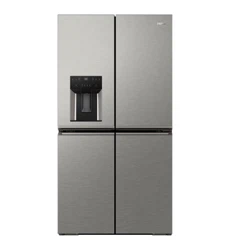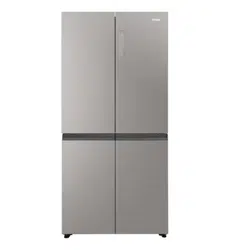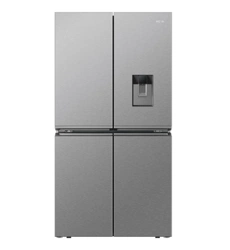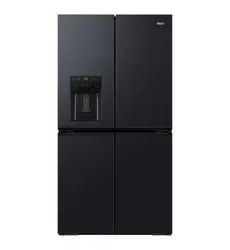
HRF680YZC
HRF680YZS
AA
AA
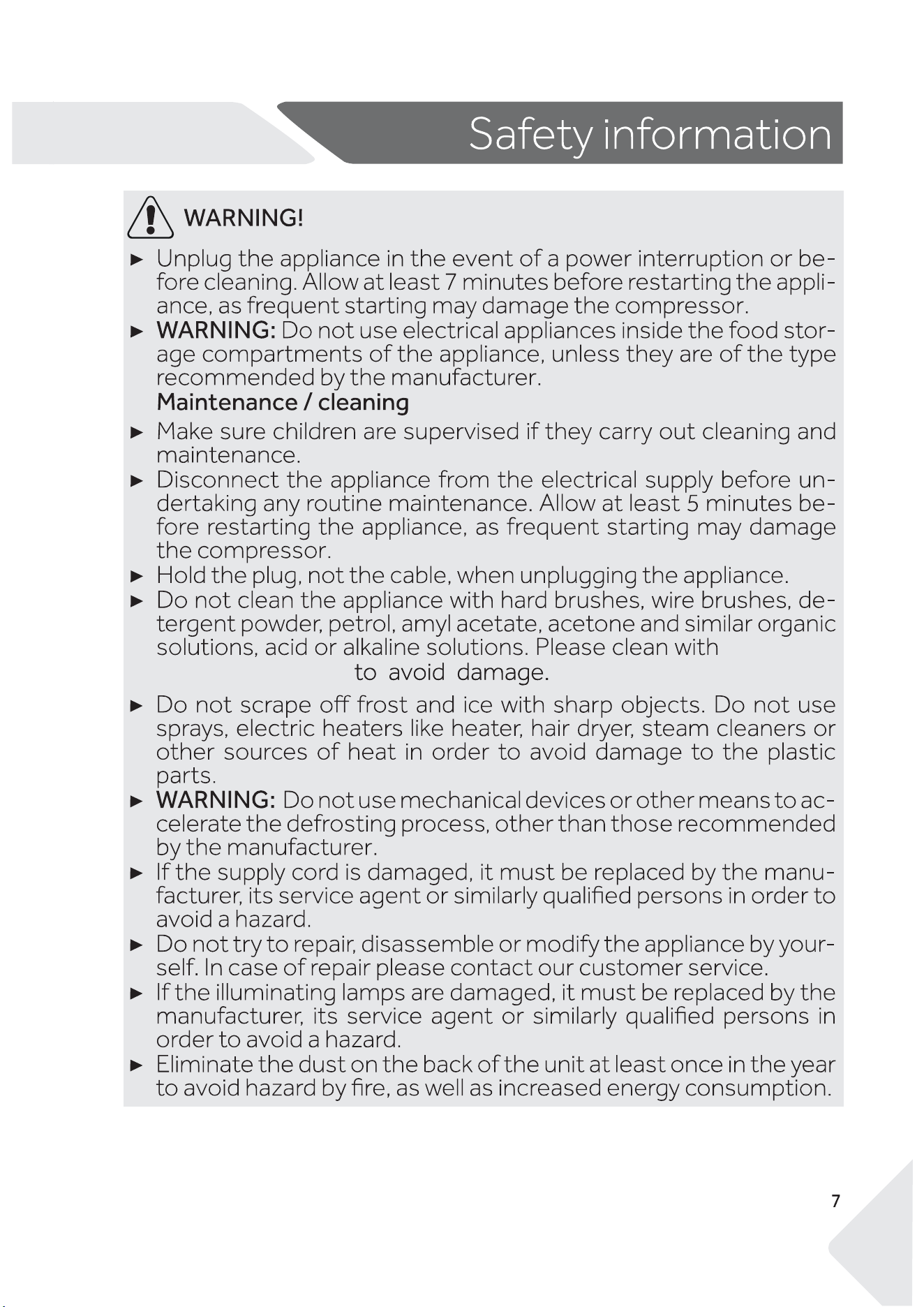
Risk of injury or su�ocation!
Refrigerants and gases must be disposed of professionally. Ensure that the tubing of
the refrigerant circuit is not damaged before being properly disposed of. Disconnect
the appliance from the mains supply. Cut o� the mains cable and dispose of it.
Remove the trays and drawers as well as the door catch and seals, to prevent children
and pets to get closed in the appliance.
Water pipe
AA
AA
people
information :
AA
43
16
AA
AA
a small bit
of dish detergent
AA
customer
WARNING:It is hazardous for anyone other than an Authorised
Service Person to service this appliance. In Queensland - the au-
thorised Service Person MUST hold a Gas Work Authorisation for
hydrocarbon refrigerants, to carry out Servicing or repairs which
involve the removal of covers.
customer
AA
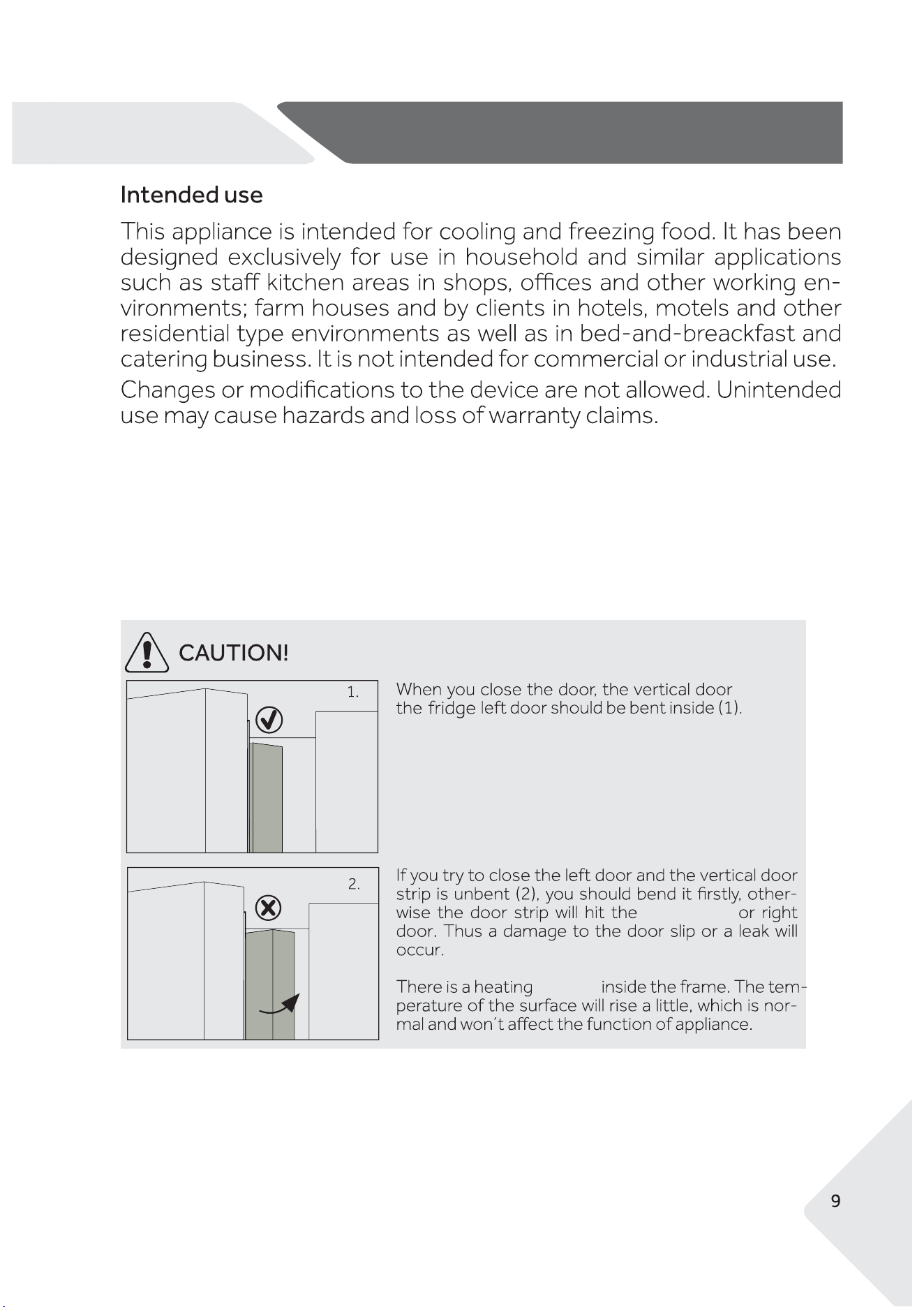
beam on
Beam Track
Intended use
element
AA
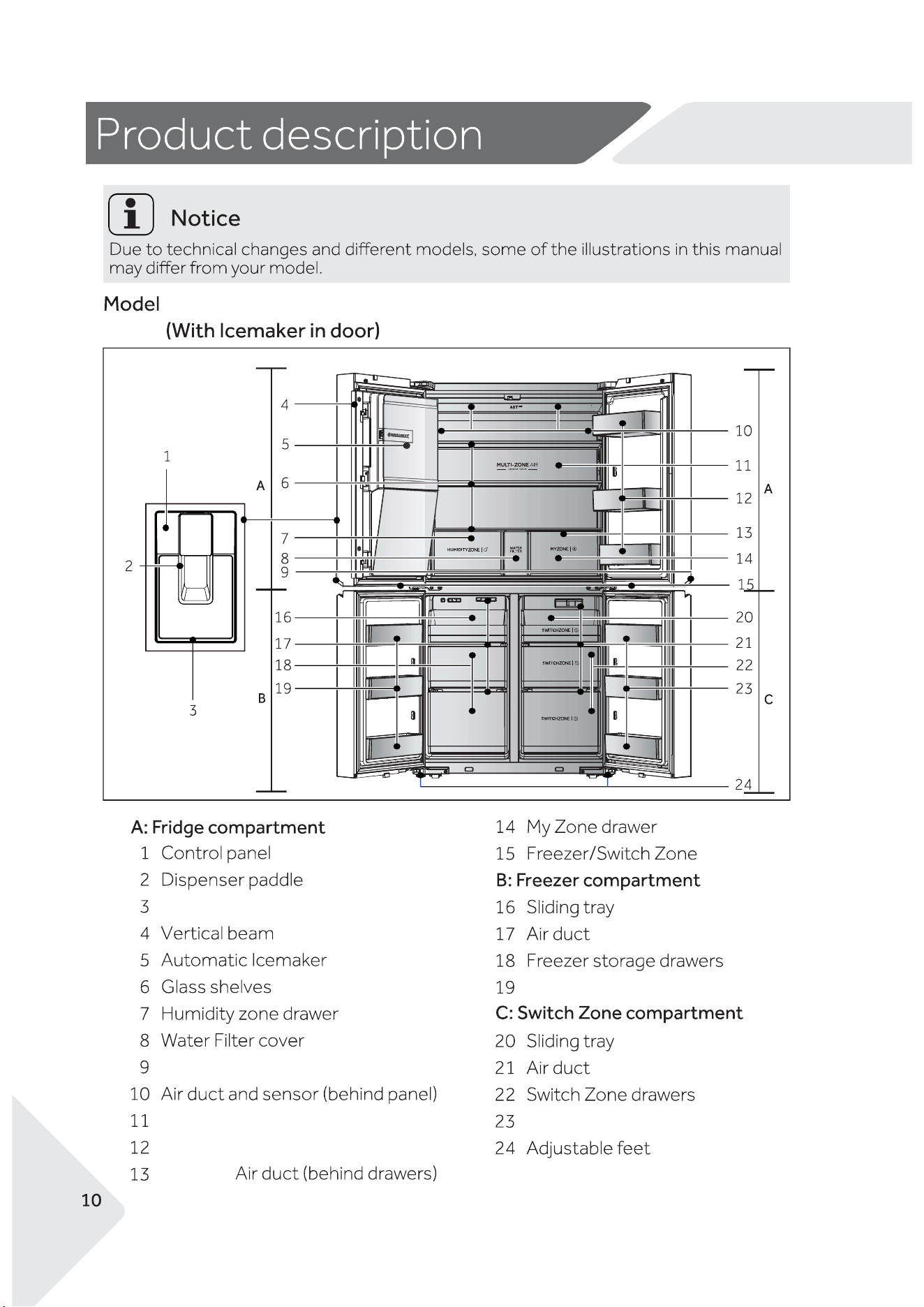
HRF680YZC/HRF680YZS
Drip Trap
Door handle
Door Shelf
My Zone
Door Shelf
Door Shelf
light
Fridge compartment light
AA
p
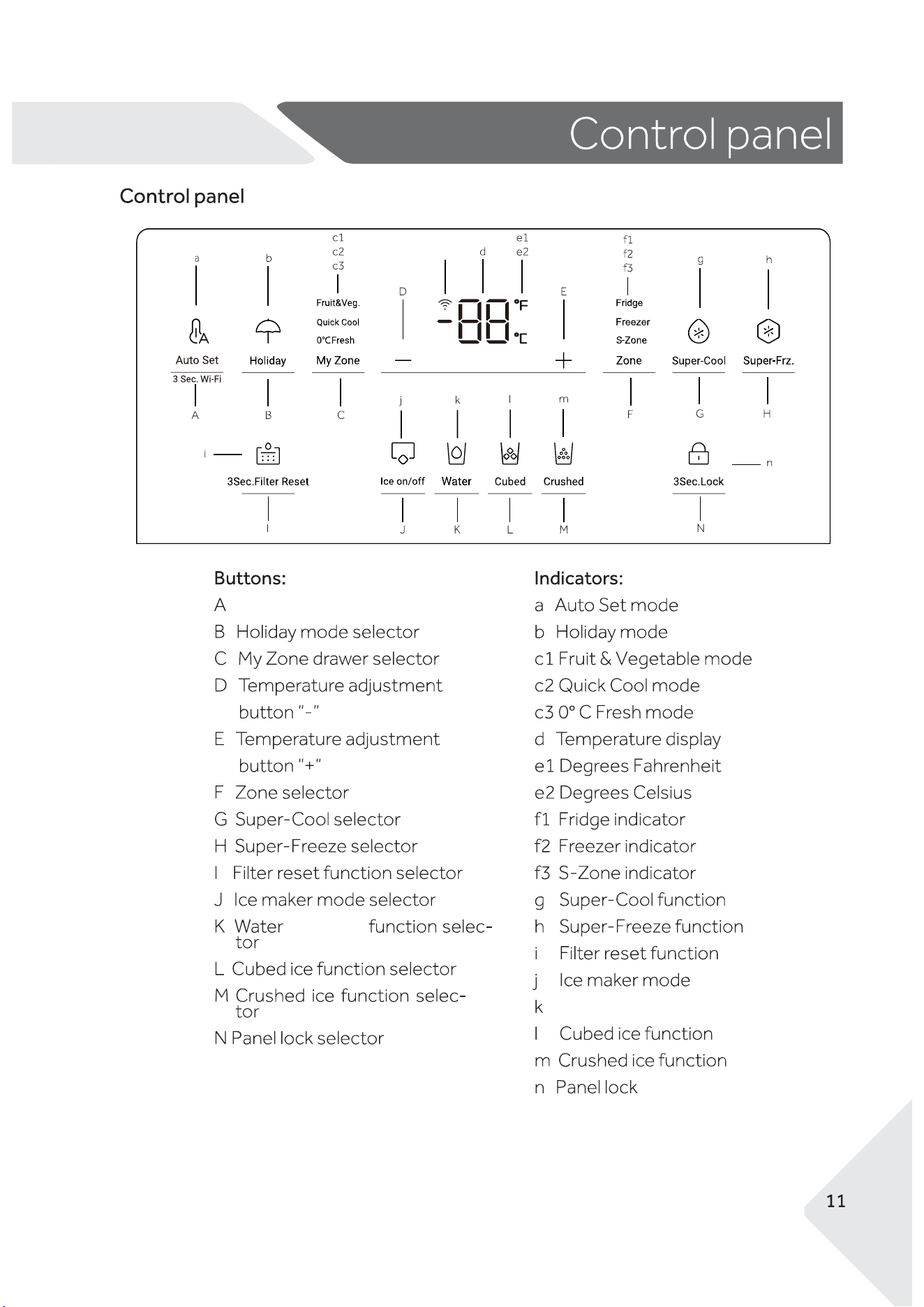
Auto Set/Wi-Fi function selector
p Wi-Fi function
Dispense
Water Dispense function
AA
Switch on/o� of the appliance
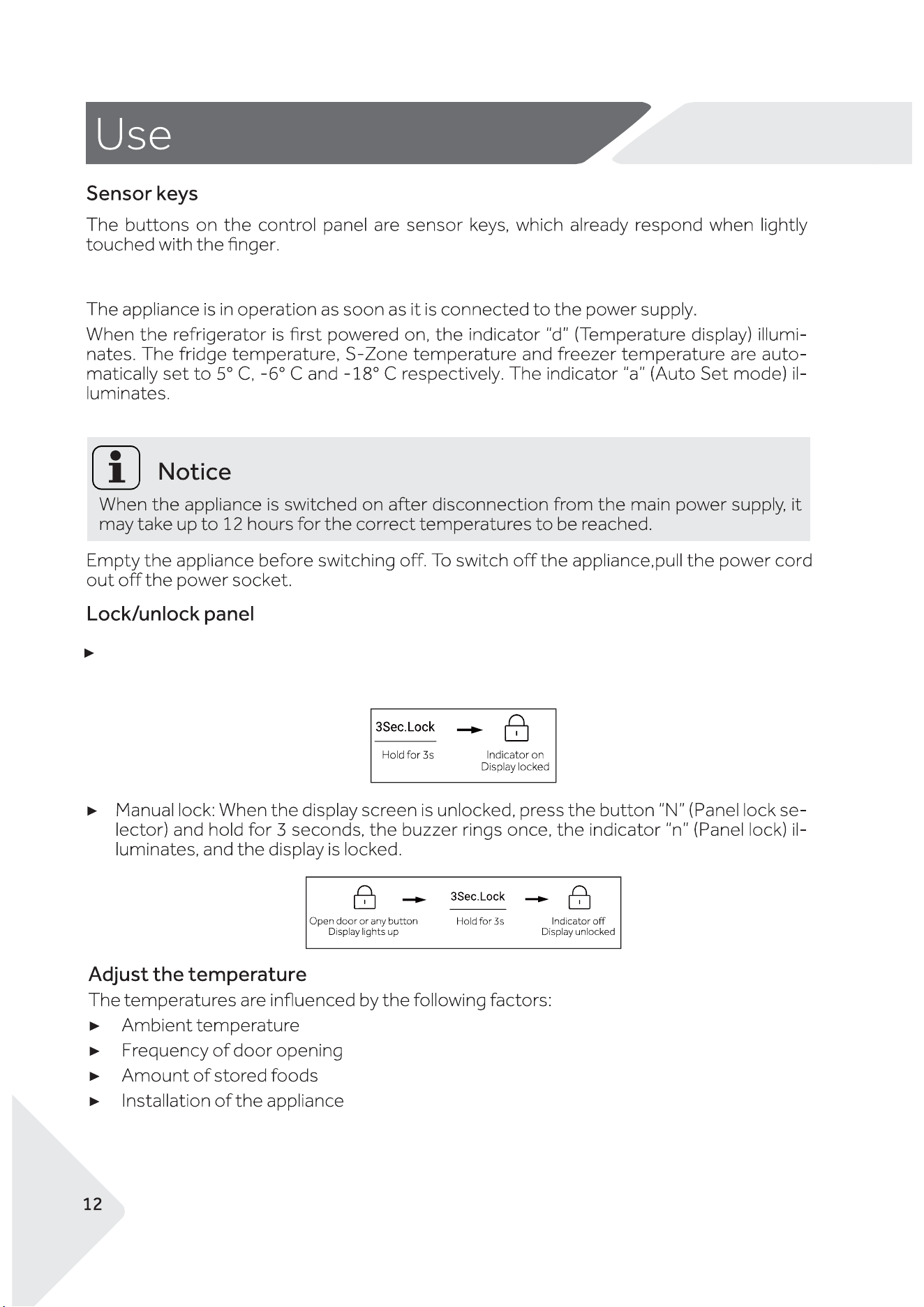
The panel lock is active.
Automatic lock: When the fridge door, freezer door and S-Zone door are closed and there
is no key operation within 30 seconds the display screen will automatically turn o� and lock.
AA
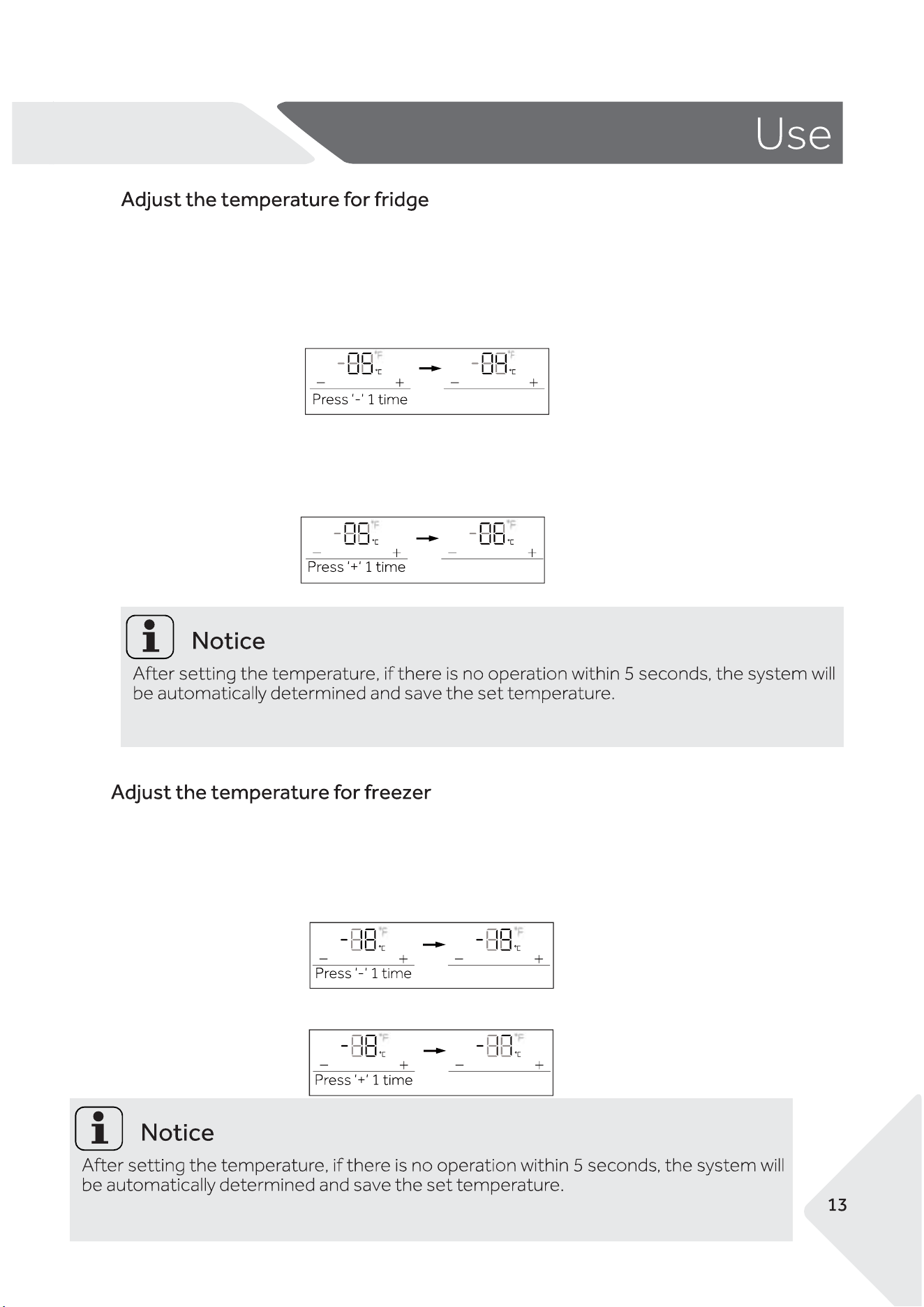
The selectable temperature ranges is 1℃ to 9℃.
The default temperature is 5℃.
1. When the display screen is unlocked, press the button "F' (Zone selector) until the "f2"
(Freezer indicator) �ashes.
2. Use the button "D" to decrease the temperature by 1℃.
.
3. Use the button "E" to increase the temperature by 1℃
1. When the display screen is unlocked, press the button "F' (Zone selector) until the "f1"
(Fridge indicator) �ashes.
2. Use the button "D" to decrease the temperature by 1 ℃.
3. Use the button "E" to increase the temperature by 1℃.
The selectable temperature ranges is -14℃ to -24℃.
The default temperature is -18℃.
AA
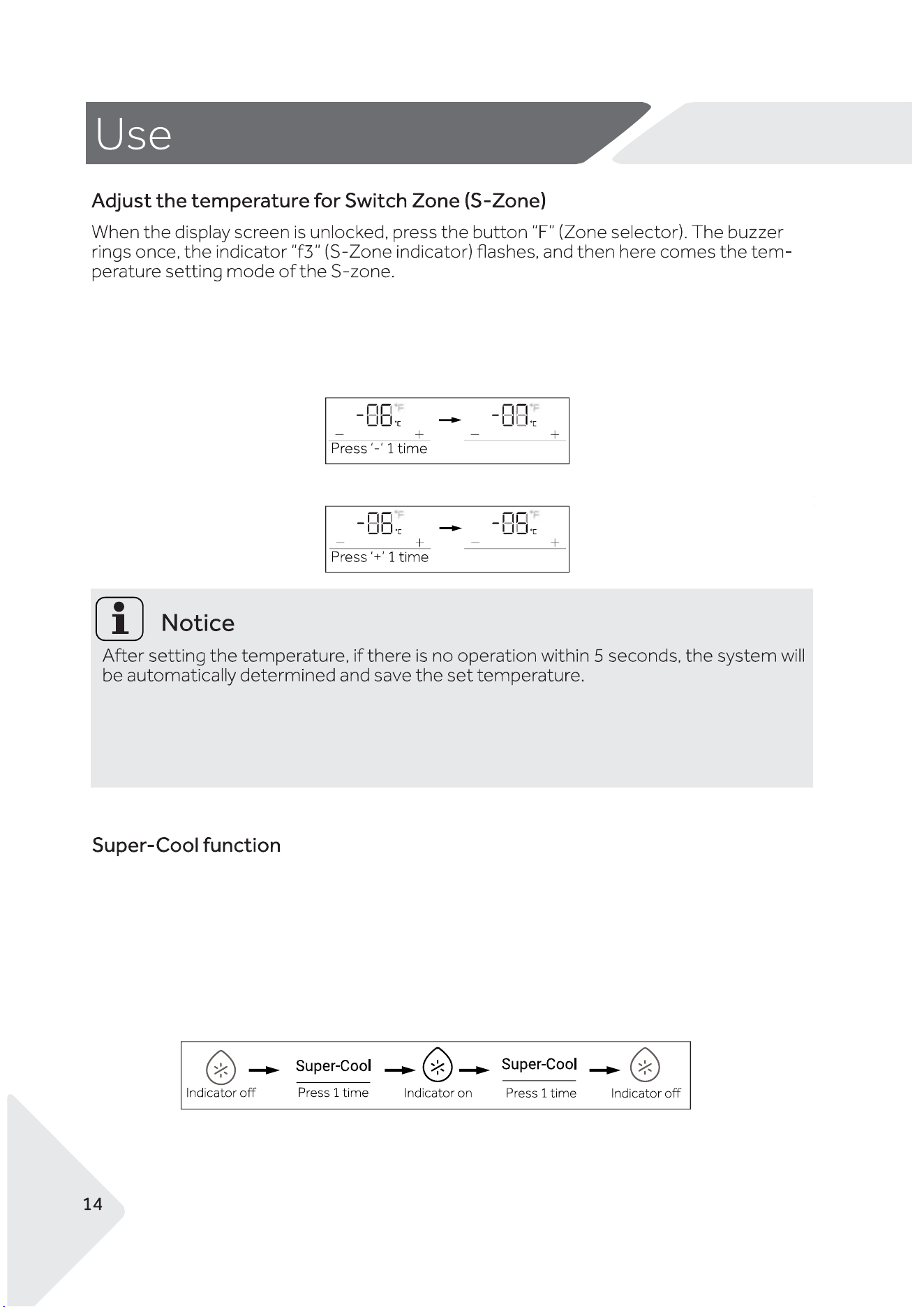
1. When the display screen is unlocked, press the button "F' (Zone selector) until the "f3"
(Switchzone indicator) �ashes.
2. Use the button "D" to decrease the temperature by 1℃.
3. Use the button "E" to increase the temperature by 1℃.
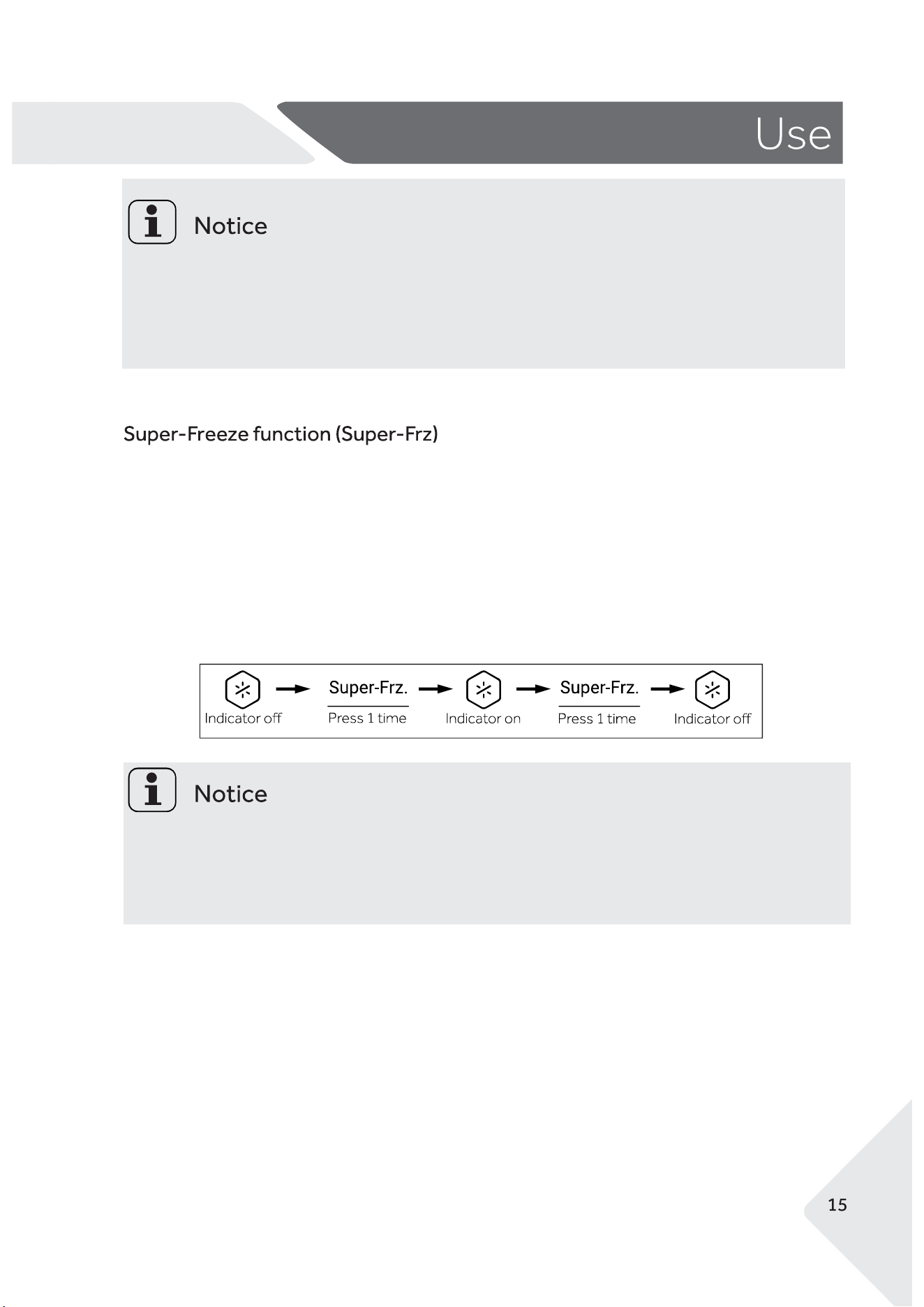
In Super Cool mode the fridge compartment will be set to it's lowest temperature until it cools
down to that temperature. Use it to help cool food faster.
1. When the display screen is unlocked, press the button "G" (Super Cool selector) to turn on the
Super Cool function. The indicator 'g' (Super Cool function) will be illuminated.
2. Press the button "G" (Super Cool selector) to turn o�.
3. The refrigerator will automatically turns o� the function once the product reaches the lowest
temperature.
The selectable temperature ranges is -18℃ to 5℃.
The default temperature is -6℃.
The Switch Zone is cooled by the Freezer compartment. If the Switch Zone is set to a lower
temperature than the Freezer, the Freezer will cool to match the Switch Zone temperature.
AA
While the Super Cool Function is selected, the temperature of the fridge compartment can
not be adjusted.
While the Super Cool Function is selected, if you activate the Auto Set mode or the Holiday
mode, the Super Cool Function will be turned o�.
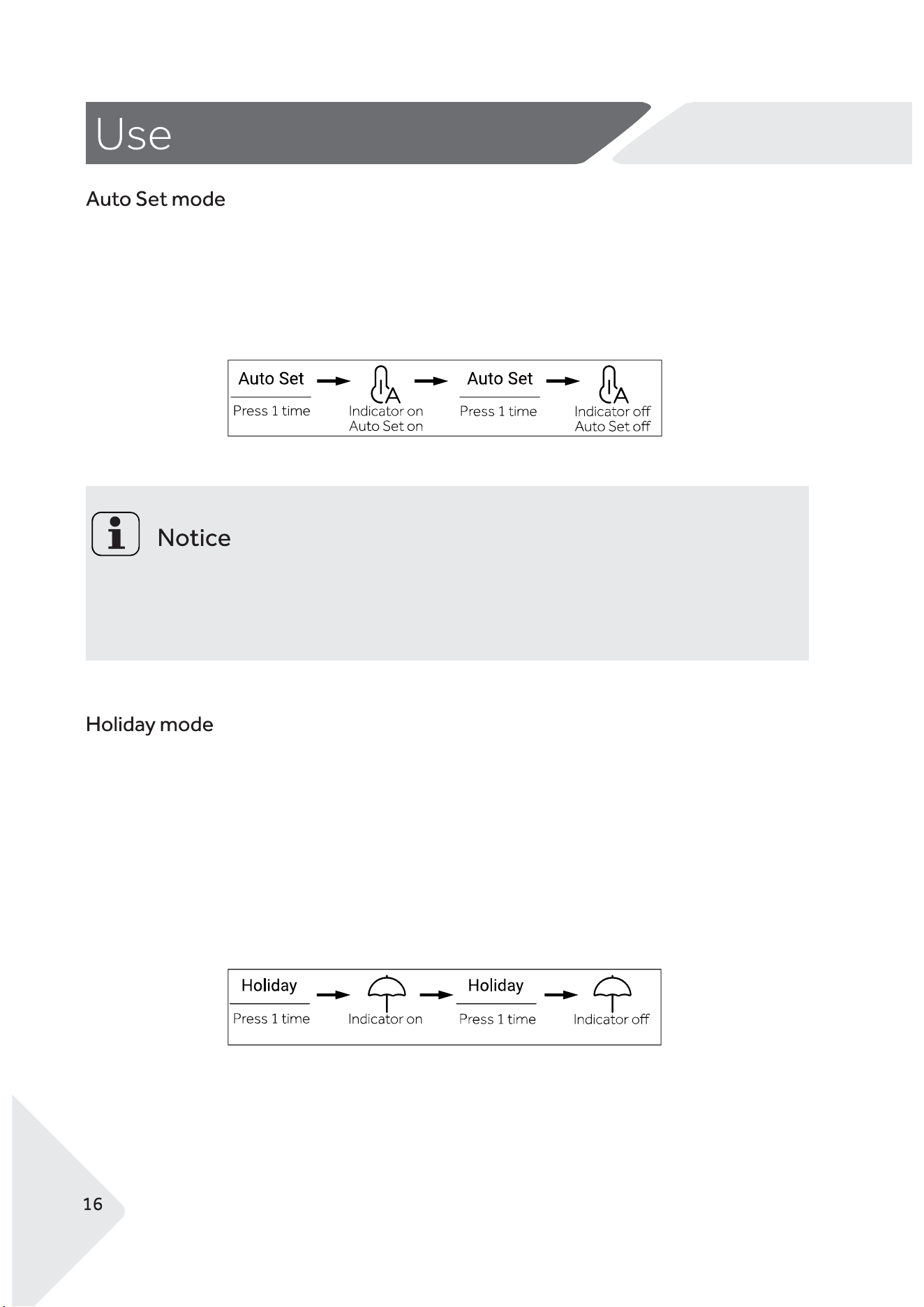
In Super Freeze mode the freezer compartment will be set to it's lowest temperature until it
cools down to that temperature. Use it to help freeze food faster.
1. When the display screen is unlocked, press the button "H" (Super Freeze selector) to turn
on the Super Freeze function. The indicator h' (Super Freeze function) will be illuminated.
2. Press the button "H" (Super Freeze selector) to turn o�.
3. The refrigerator will automatically turns o� the function once the product reaches the
lowest temperature.
While the Super Freeze Function is selected, the temperature of the fridge compartment can
not `1be adjusted.
While the Super Freeze Function is selected, if you activate the Auto Set mode or the Holiday
mode, the Super Freeze Function will be turned o�.
AA
Holiday mode on Holiday mode o�
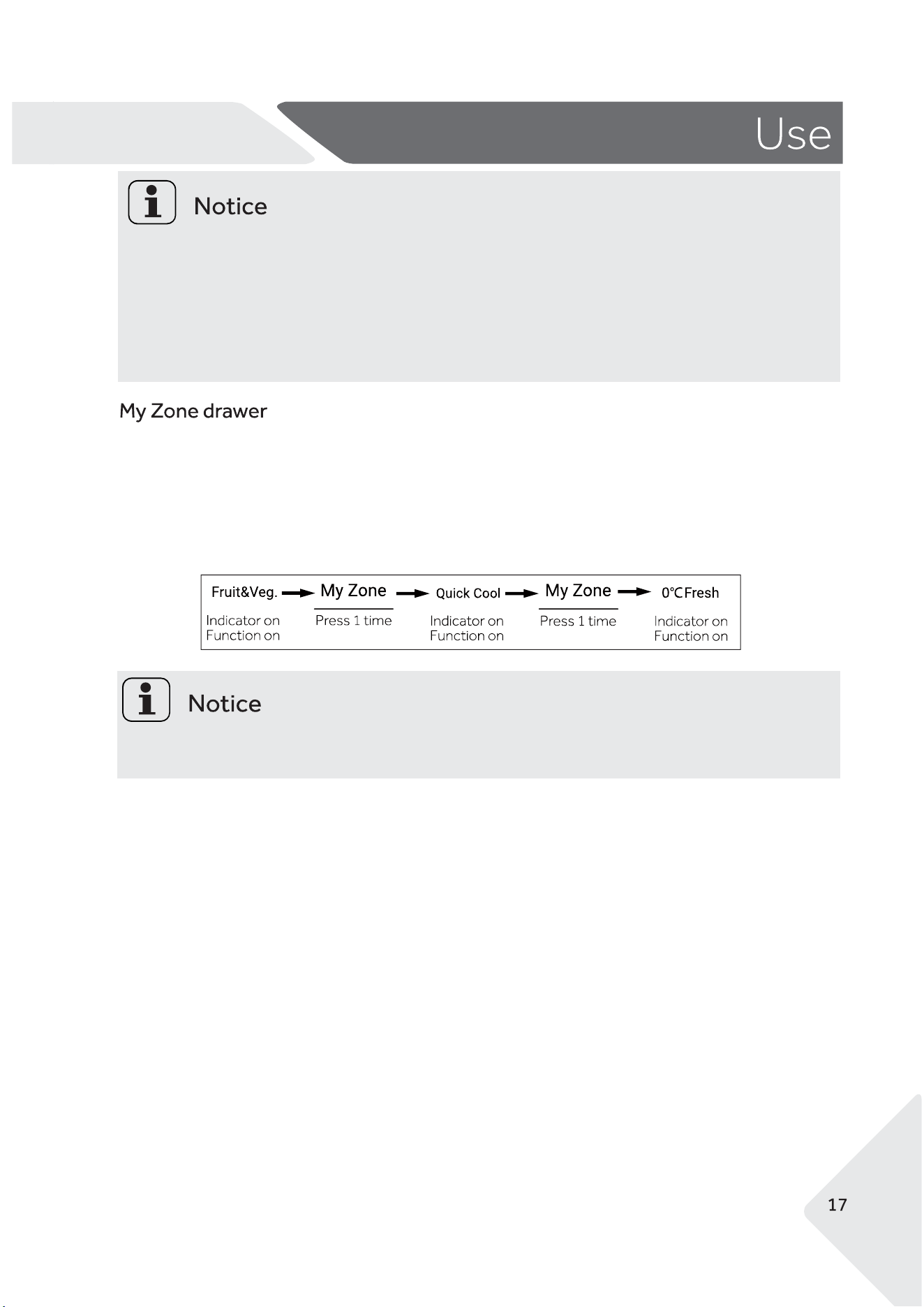
In Auto Set mode the fridge temperature is set to 5℃ and the freezer temperature is set to -18℃.
The Switch Zone remains as the temperature it is set to.
1. When the display screen is unlocked, press the button "A" (Auto Set mode selector) to turn on
the Auto Set function. The indicator a' (Auto Set mode function) will be illuminated.
2. Press the button "A" (Auto Set mode selector) to turn it o�.
While in Auto Set mode, the temperature of the fridge and freezer compartments cannot be
adjusted.
While in Auto Set mode, if you activate the Holiday mode, Super Cool or Super Freeze, it will
turn o� the Auto Set Mode.
Holiday mode is designed to save power and prevent odors while not using your fridge for a long time.
In Holiday mode the fridge will be set to 17℃. The freezer and switch zone will remain at their chosen
temperatures.
1. When the display screen is unlocked, press the button "B" (Holiday mode selector) to turn on the
Holiday mode function. The indicator a' (Holiday mode ) will be illuminated.
2. Press the button "B" (Holiday mode selector) to turn it o�.
AA
While in Holiday mode, the temperature of the fridge compartment cannot be adjusted.
While in Holiday mode, if you activate the Auto Set mode, Super Cool ,Super Freeze or Ice
Maker On,it will turn o� the Holiday Mode.
IMPORTANT! Before using the Holiday function, please empty the fridge and ice maker to
prevent spoilage of food stu�s.
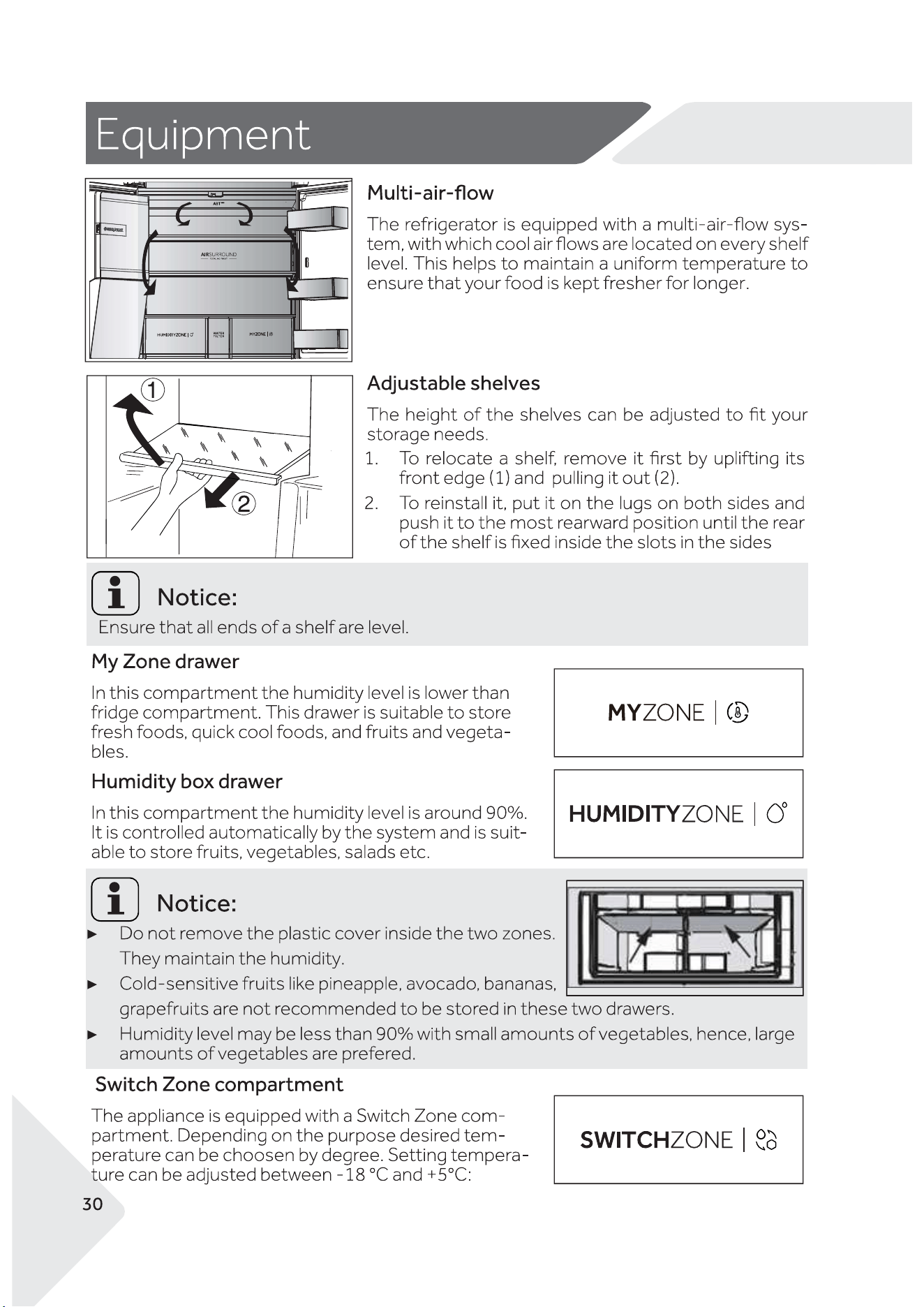
The My Zone drawer has three modes.
Fruit & Vegetable mode is suitable for Fruit and Vegetables
Quick Cool mode is suitable for cooling beverages quickly
0℃ Fresh mode is suitable for keeping Fish and Meat fresh.
When the display screen is unlocked, press the button "C" (My Zone Drawer selector) until the
light indicates the mode you want.
The default setting for the My Zone is the Fruit and Vegetable mode.
Wi-Fi function
Your appliance can be connected to your home wireless network and operated
remotely using the app.
Getting started
●Ensure your home Wi-Fi network is turned on.
●You will be given step by step guidance on your mobile device.
● It may take up to 10 minutes to connect your appliance.
On your mobile device:
① Download the app from www.�sherpaykel.com/connect
② Register and create an account.
③ Add your appliance and set up the Wi-Fi connection.
AA
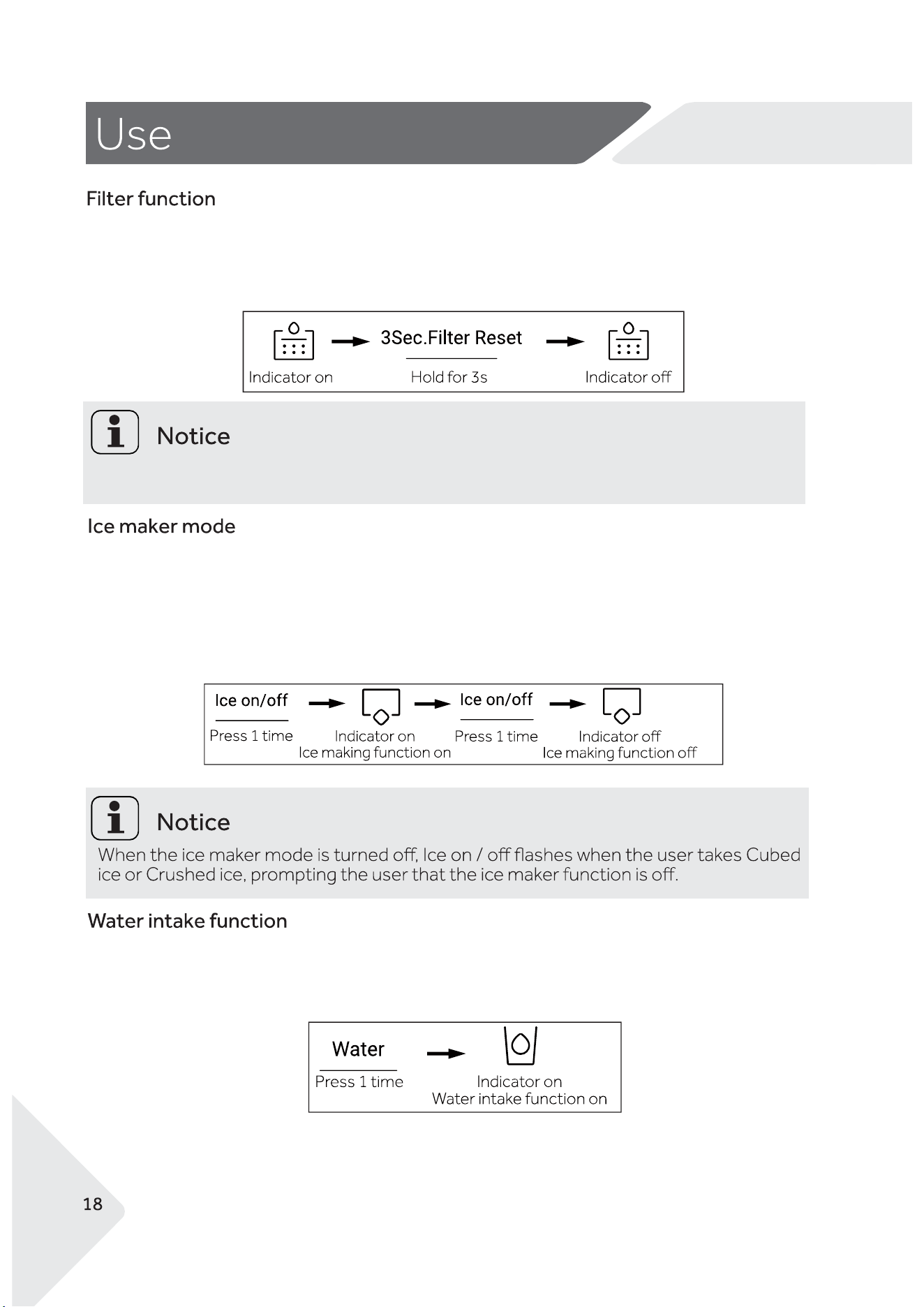
After six months of operation, the reminder indicator "i" (Filter Reset indication) will illuminate.
After you replace the Water Filter hold the button "I" (Filter Reset selector) for 3 seconds to cancel
the reminder.
It is recommended to replace the water �lter every six months.
1. When the display screen is unlocked, press the button "J" (Ice Maker mode selector) to turn on
the Ice Make function. The indicator 'j' (Ice Maker mode) will be illuminated.
2. Press the button "j" (Ice Maker mode selector) to turn o� the Ice Make function.
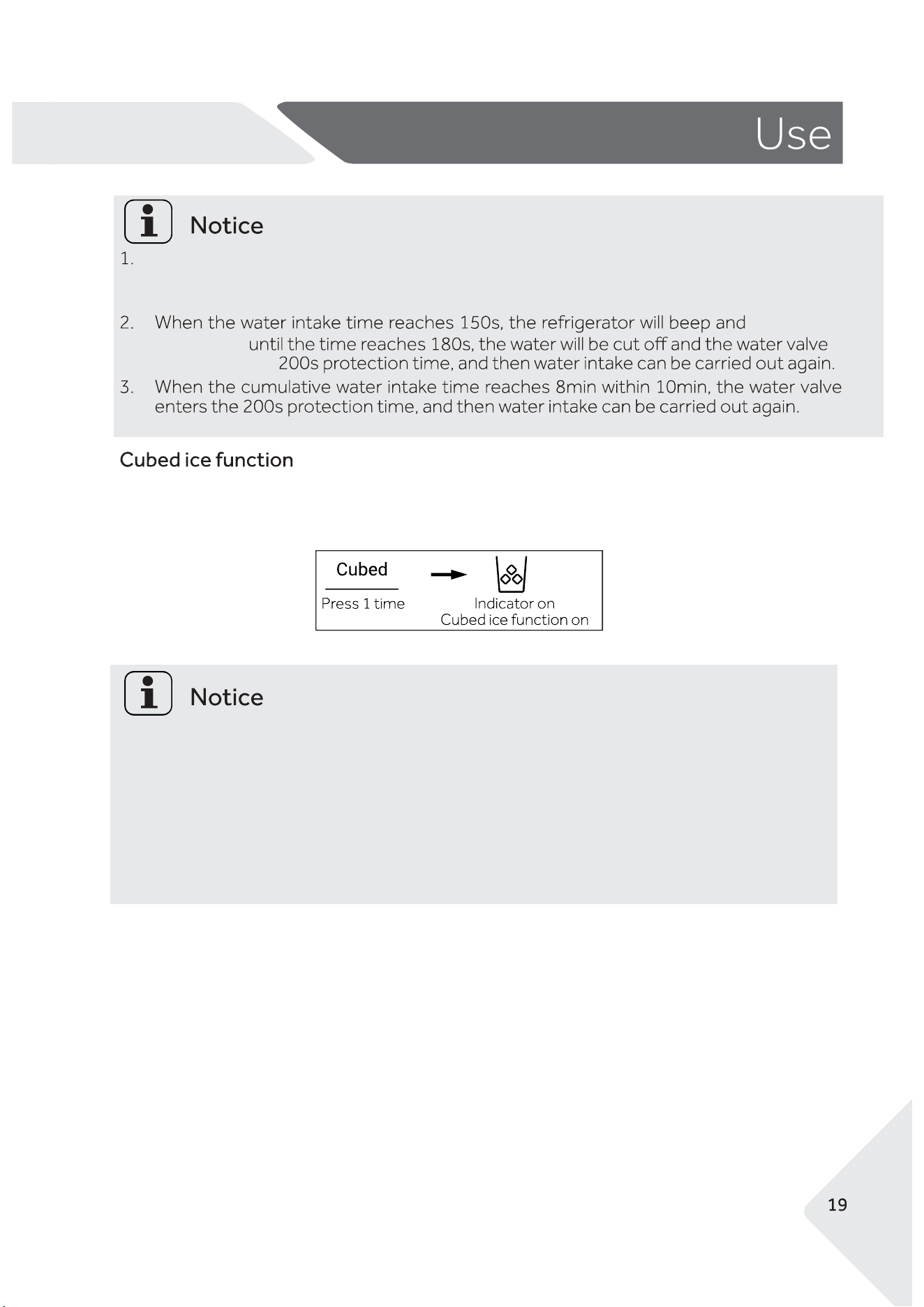
Press the button "K" (Water Dispense function selector) to change the dispense mode to Water.
The indicator "k" (Water Dispense function) will illuminate
AA
When the indicator 'k' (Water Dispense function) is illuminated, Press the Dispenser
Paddle to dispense Water.
continue to disp-
ense water
will enter the
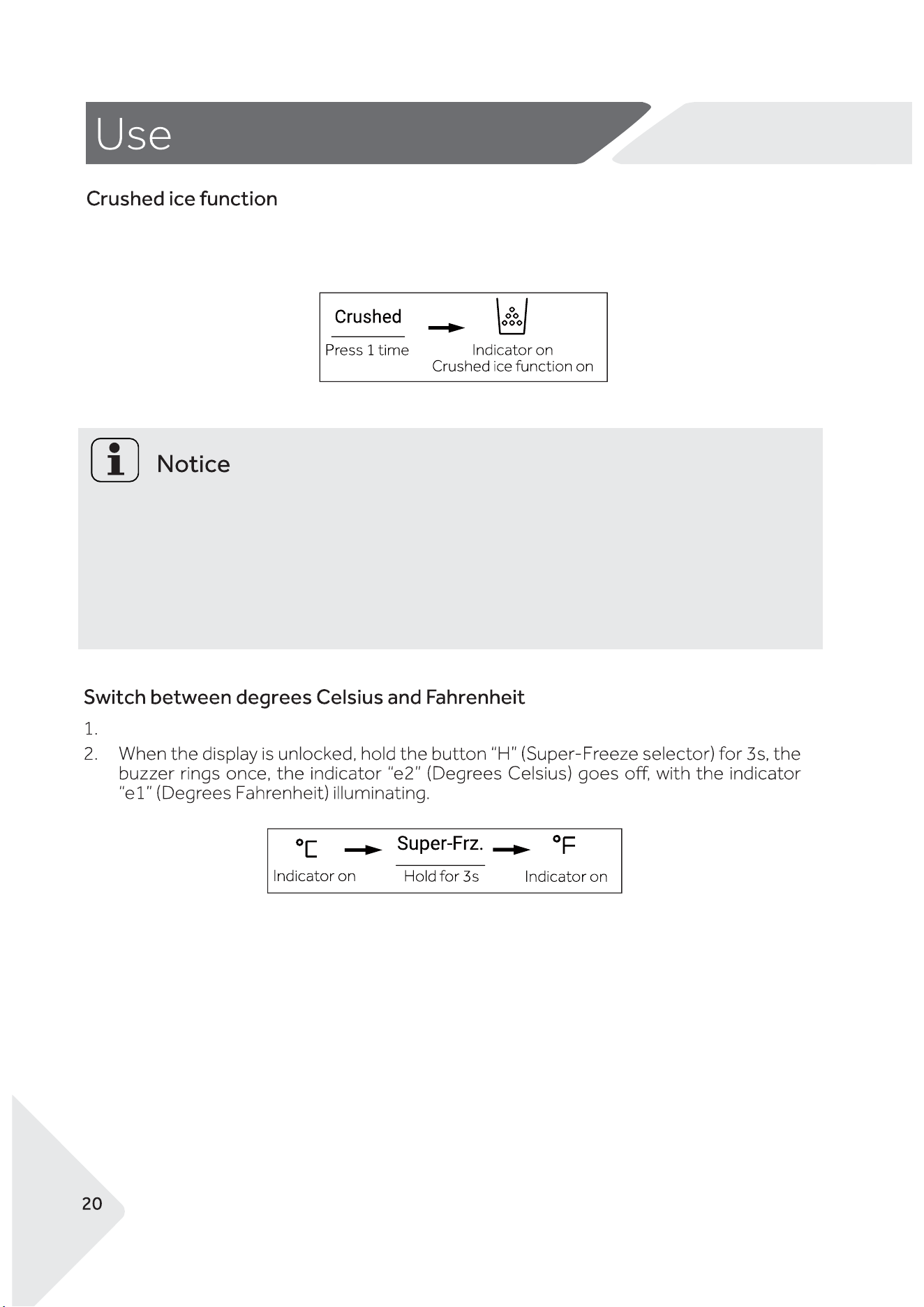
Press the button "L" (Cubed ice function selector) to change the dispense mode to Cubed Ice.
The indicator "l" (Cubed ice function) will illuminate.
1. When the indicator 'l' (Cubed Ice function) is illuminated, press the Dispenser Paddle to
dispense Cubed Ice.
2. Cubed Ice will be o� when you �rst turn on the refrigerator.
3. When you stop pressing the Dispenser Paddle the Ice will stop.
4. After 50 seconds of Dispensing Cubed Ice an alarm will sound. After 1 minute of Dispensing
Cubed Ice it will automatically stop dispensing.
5. The Cubed Ice function will not work when the left refrigerator door is open.
AA
Press the button "M" (Crushed ice function selector) to change the dispense mode to Crushed Ice.
The indicator "m" (Crushed ice function) will illuminate.
1. When the indicator 'm' (Crushed Ice function) is illuminated, Press the Dispenser Paddle to
dispense Crushed Ice.
2. Crushed Ice will be o� when you �rst turn on the refrigerator.
3. When you stop pressing the Dispenser Paddle the Ice will stop.
4. After 50 seconds of Dispensing Crushed Ice an alarm will sound. After 1 minute of Dispensing
Crushed Ice it will automatically stop dispensing.
5. The Crushed Ice function will not work when the left refrigerator door is open.
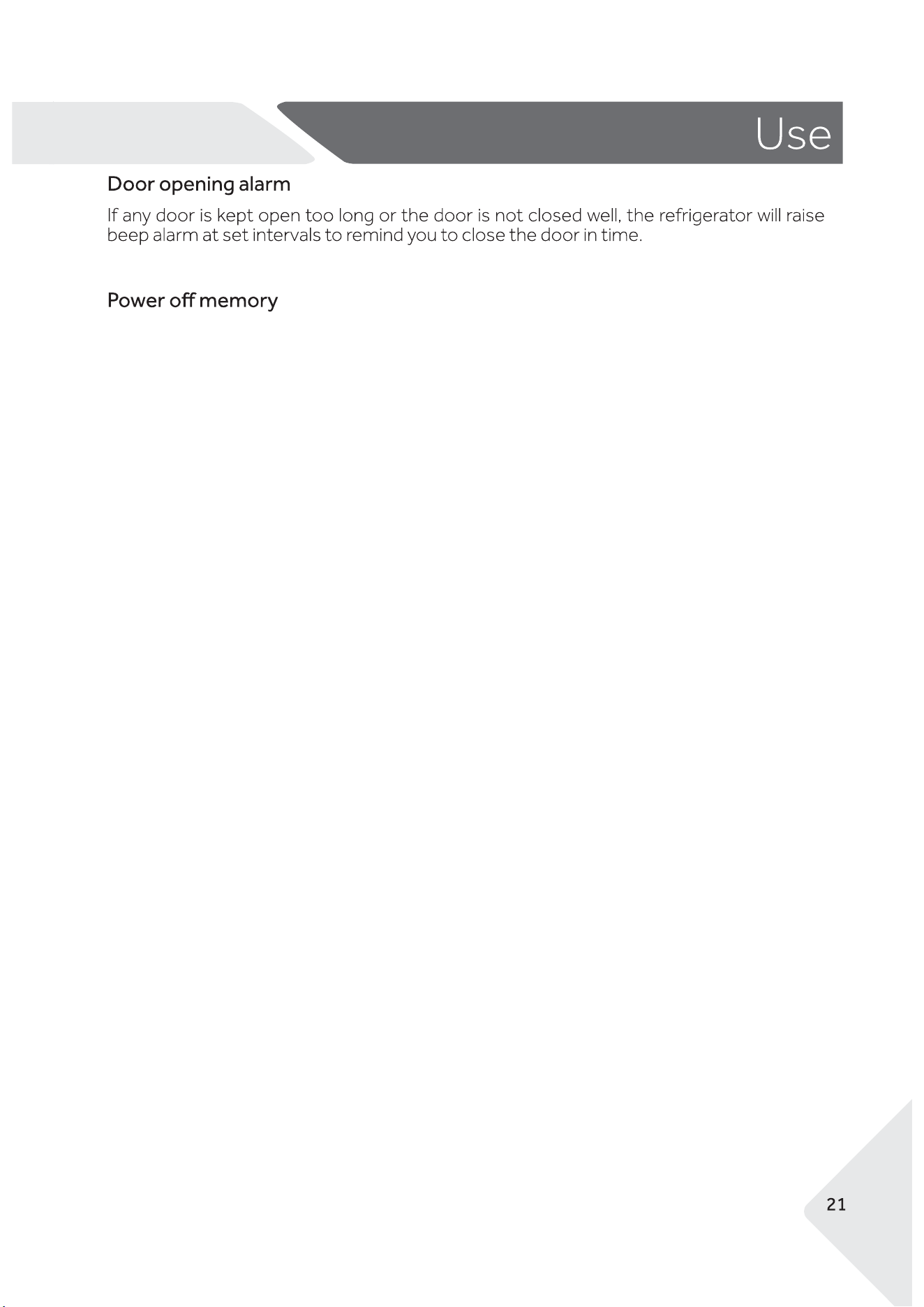
The refrigerator is set to Celsius by default.
AA
When the refrigerator is turned o� it will store your current settings and resume them when the
refrigerator is turned on again.
AA
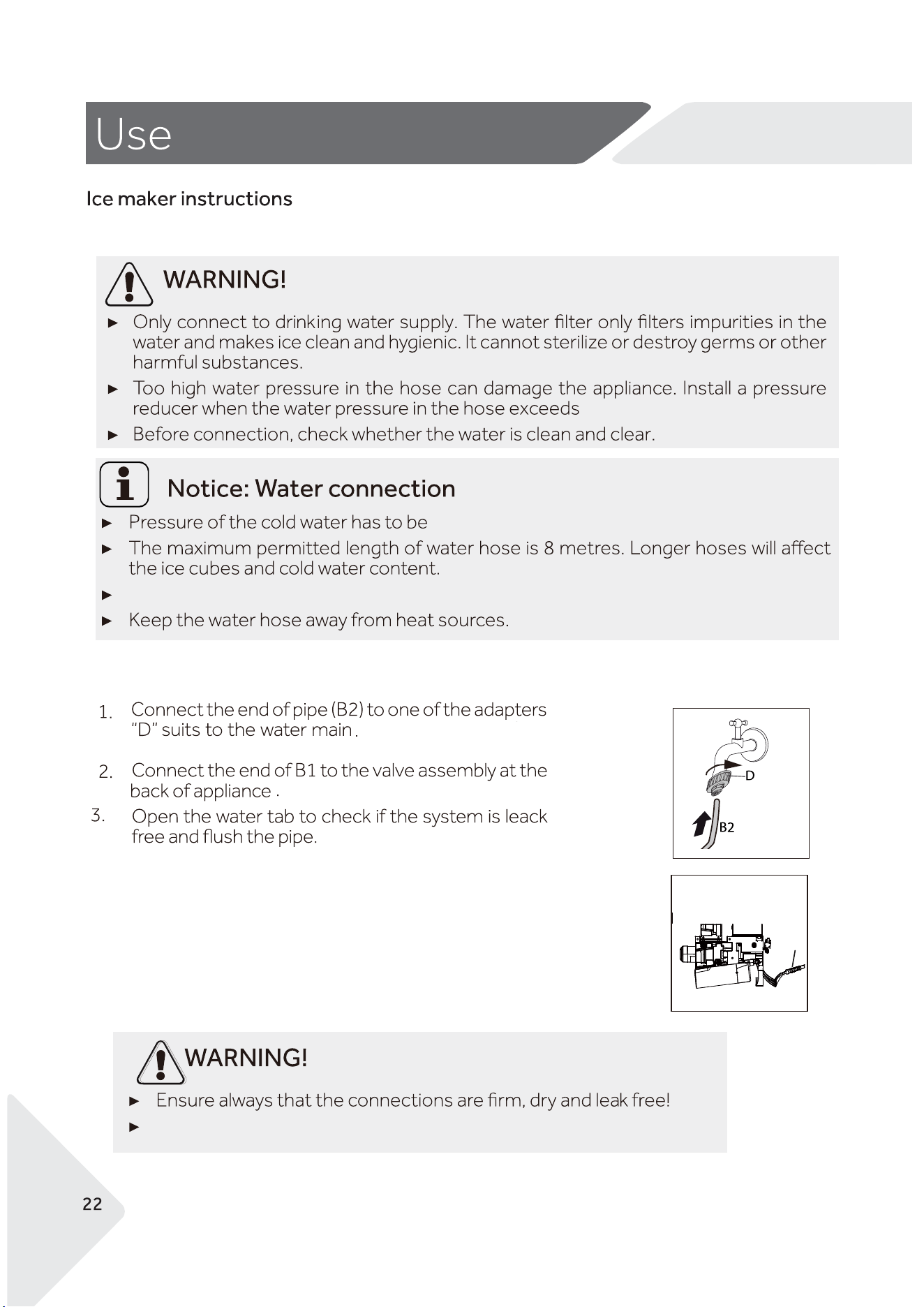
B1B1
1/2"
827 kPa.
Ambient temperature must be greater than 0℃.
Ensure the hose is not crushed, kinked or twisted.
172-827 kPa
AA
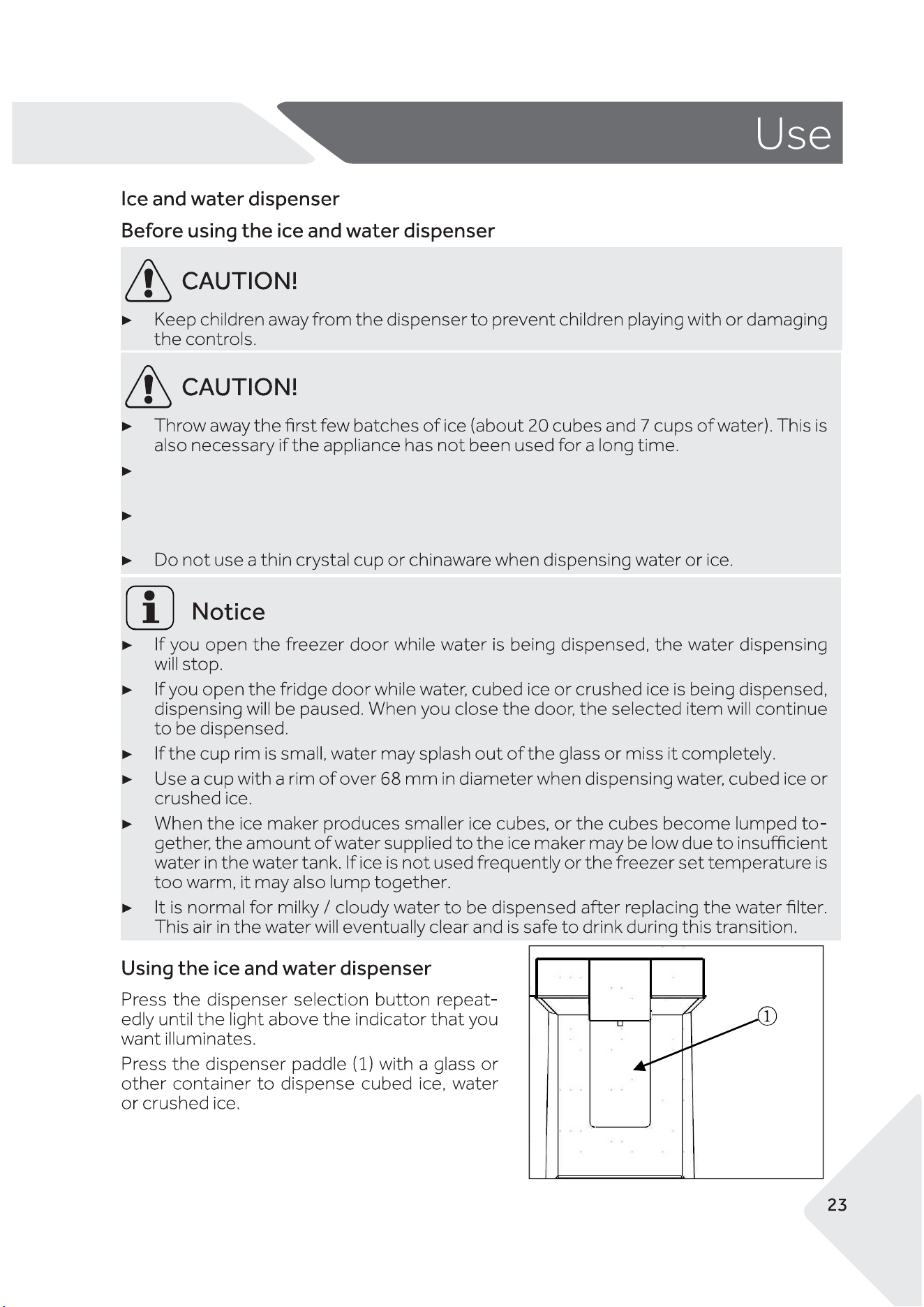
We recommend cleaning the dispenser tray with a damp cloth if the water dispenser not
been used for 48 hours.
If the water has not been drawn for 5 days, we recommend �ushing the water through the
dispenser about 5 minutes and throw away the �rst few batches of ice.
AA
AA
AA
AA
https://www.haier.co.nz/accessories/water-�lter-868686-868686.html
https://www.haier.com.au/water-�lter-868686-868686.html
868686 FWC5 Fisher & Paykel Water Filter.
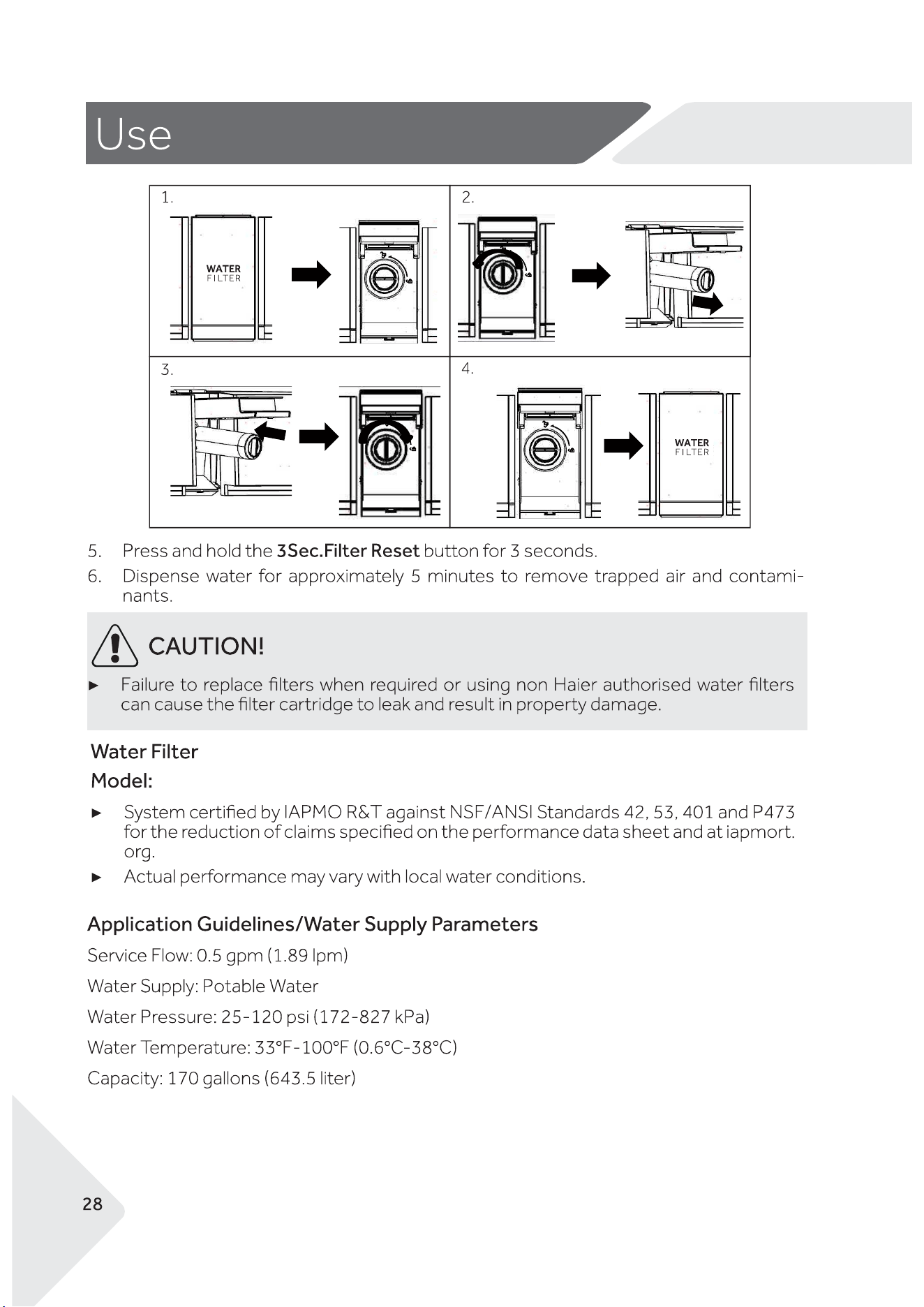
AA
F&P Filter
AA
AA
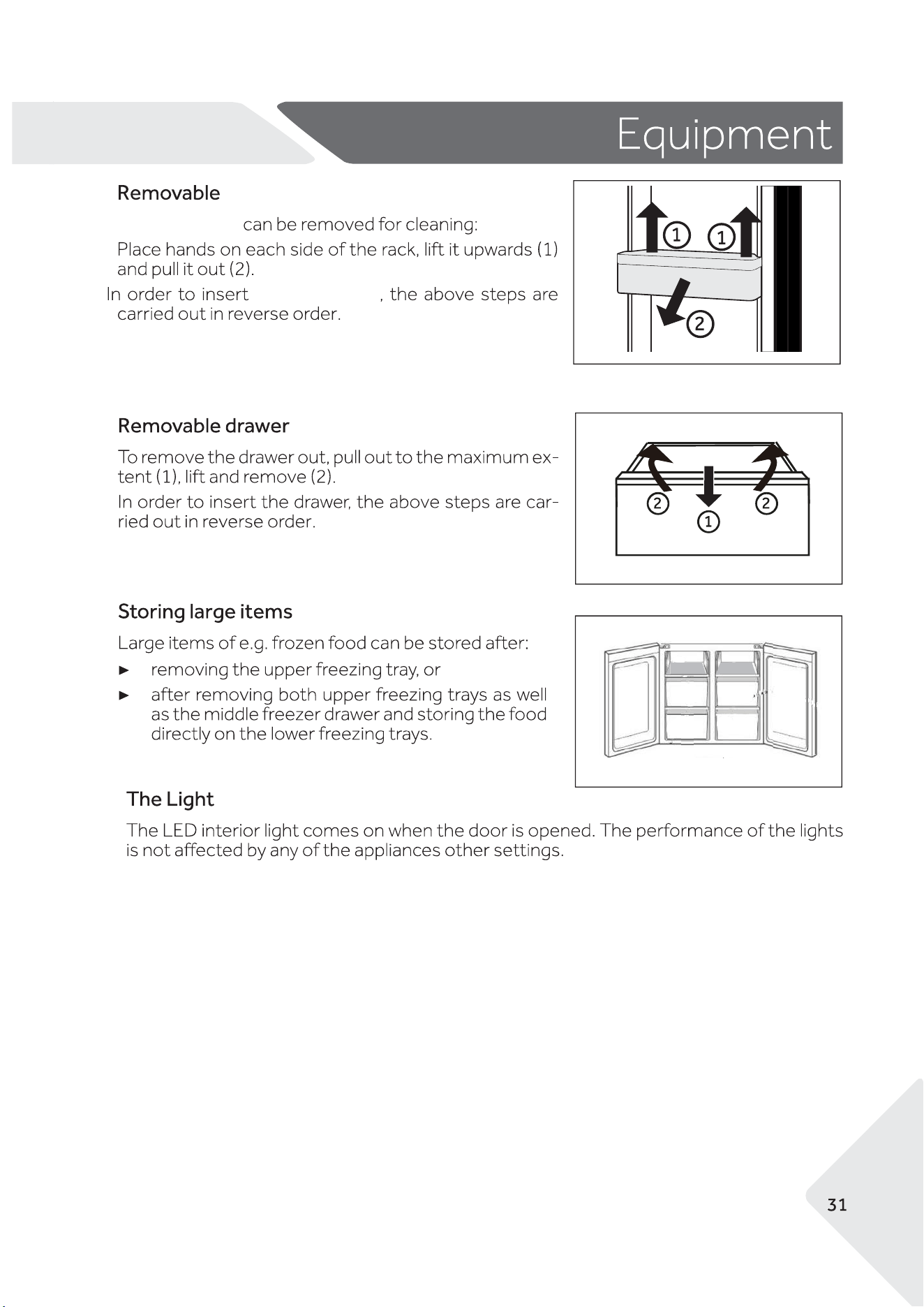
AA
Door Shelves
The door shelves
the door shelves
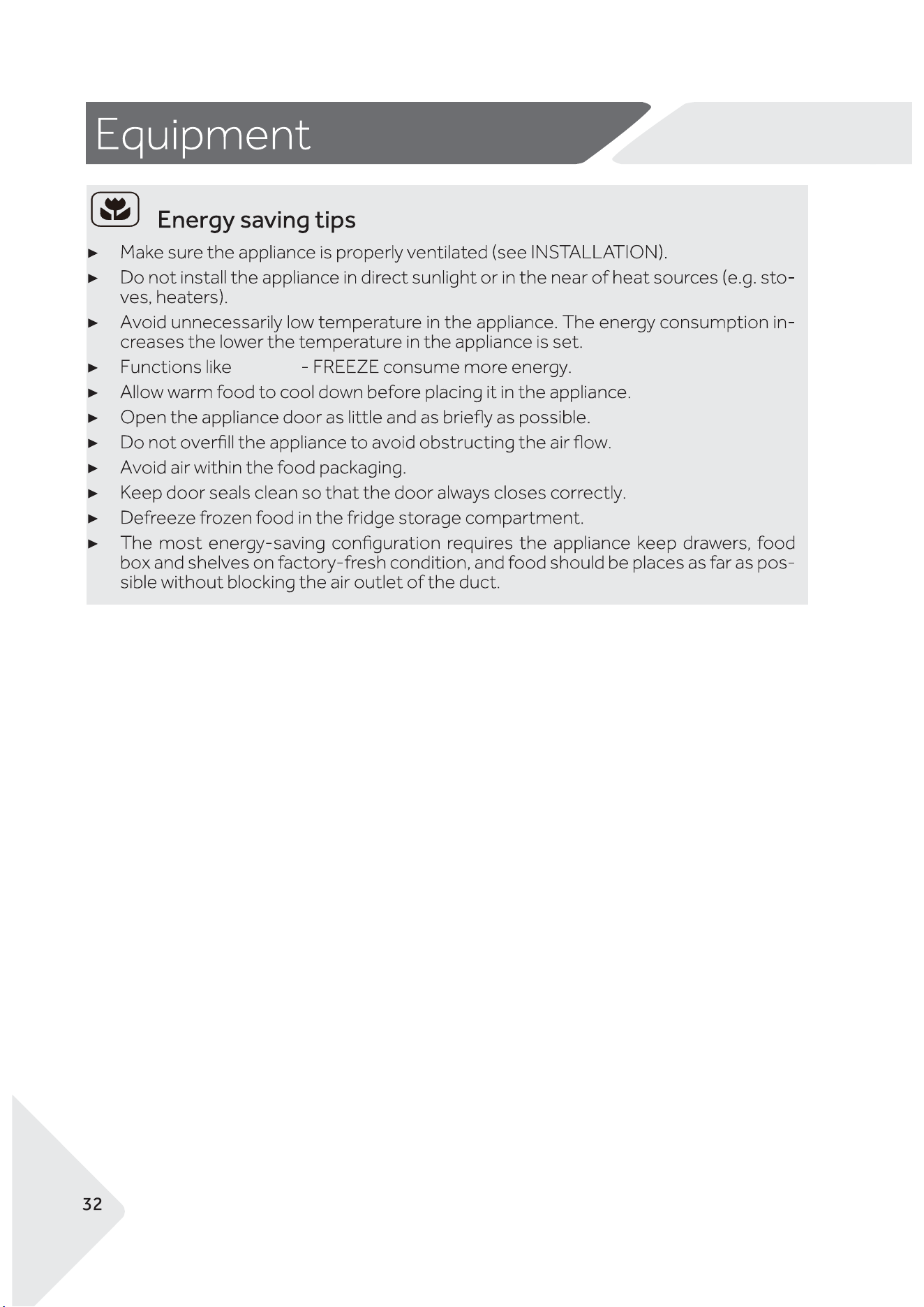
AA
SUPER
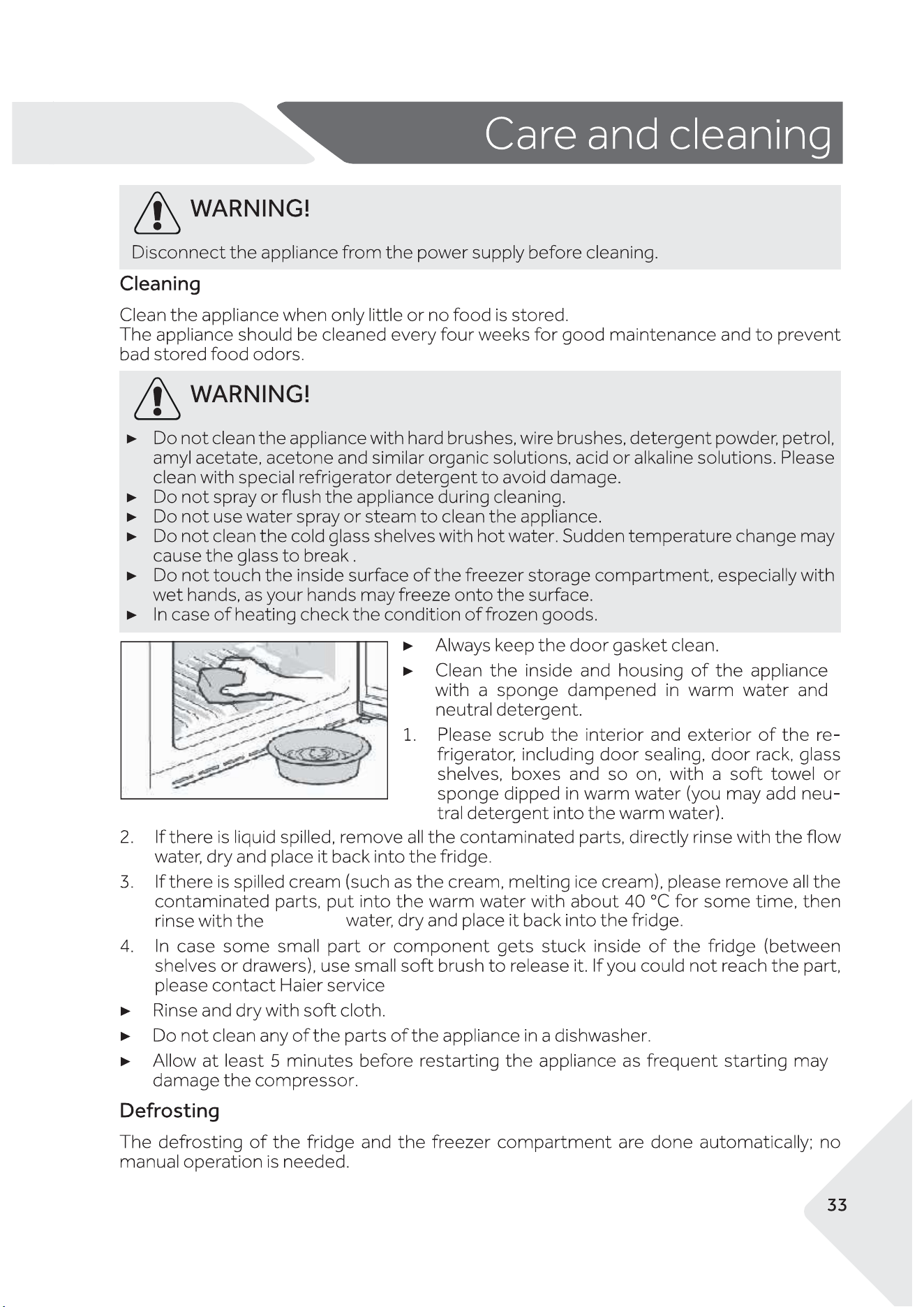
AA
running
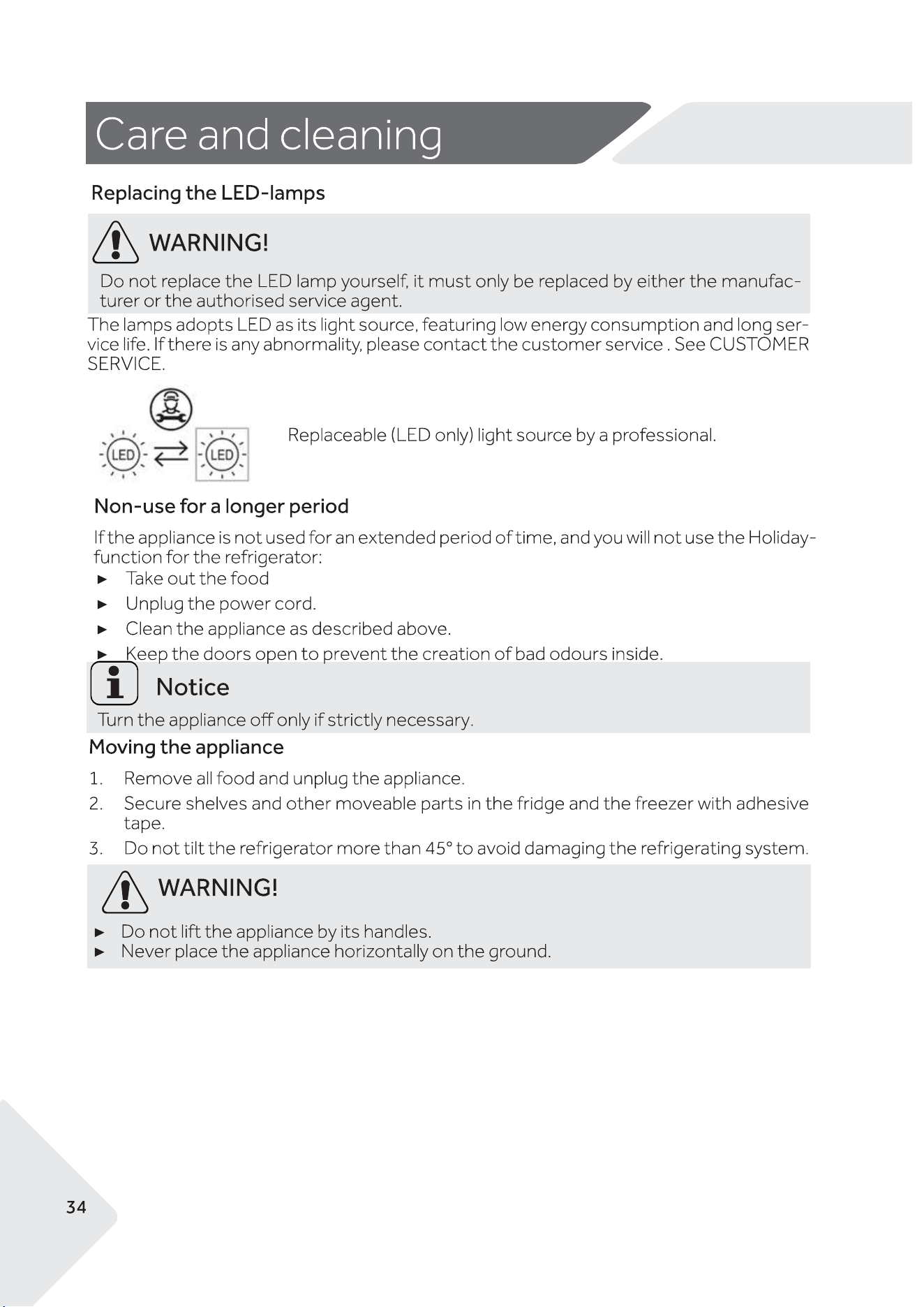
AA
,empty Ice Bin.
AA
AA
AA
AA
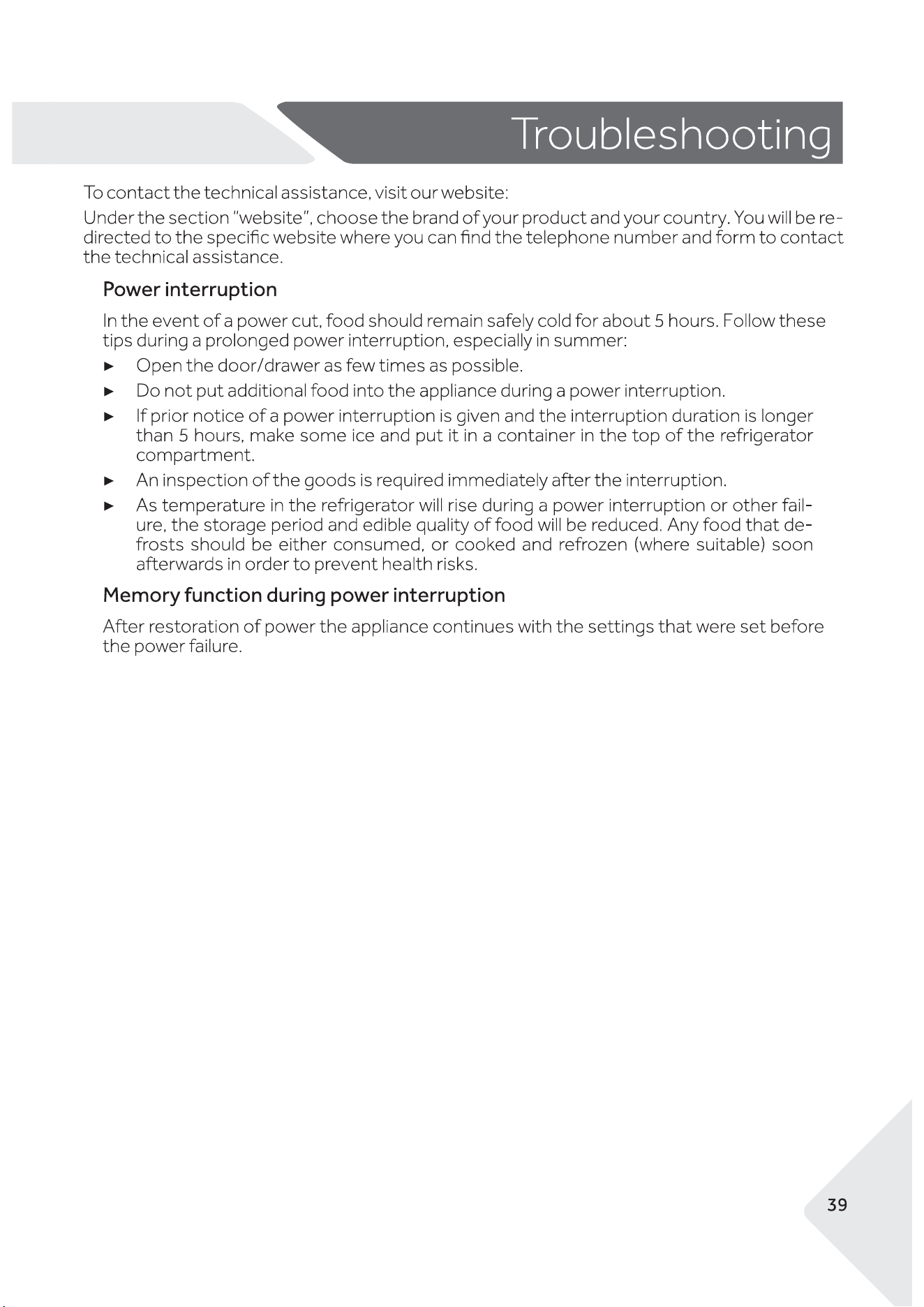
AA
https://www.haier.co.nz/
https://www.haier.com.au/
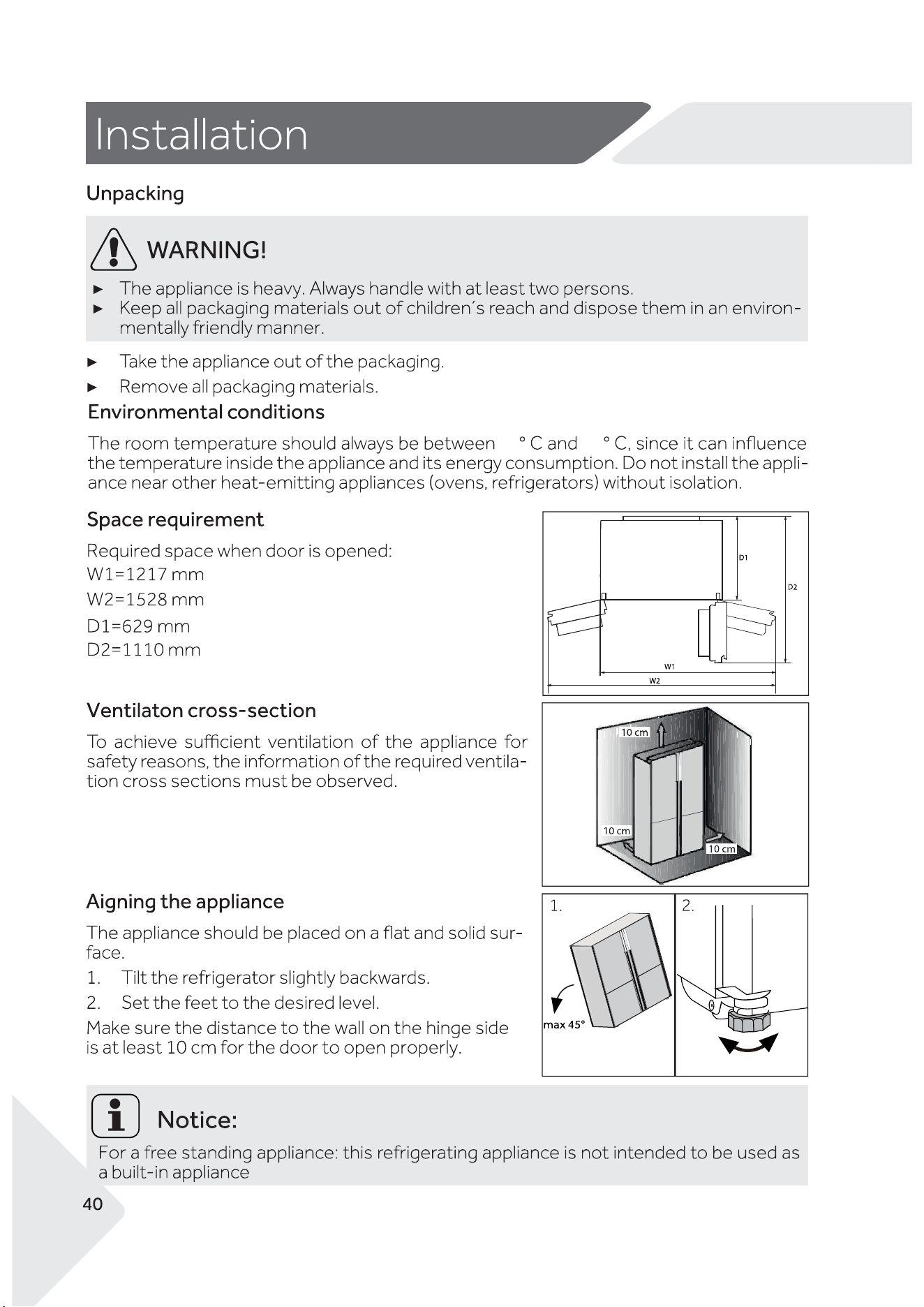
AA
16
43
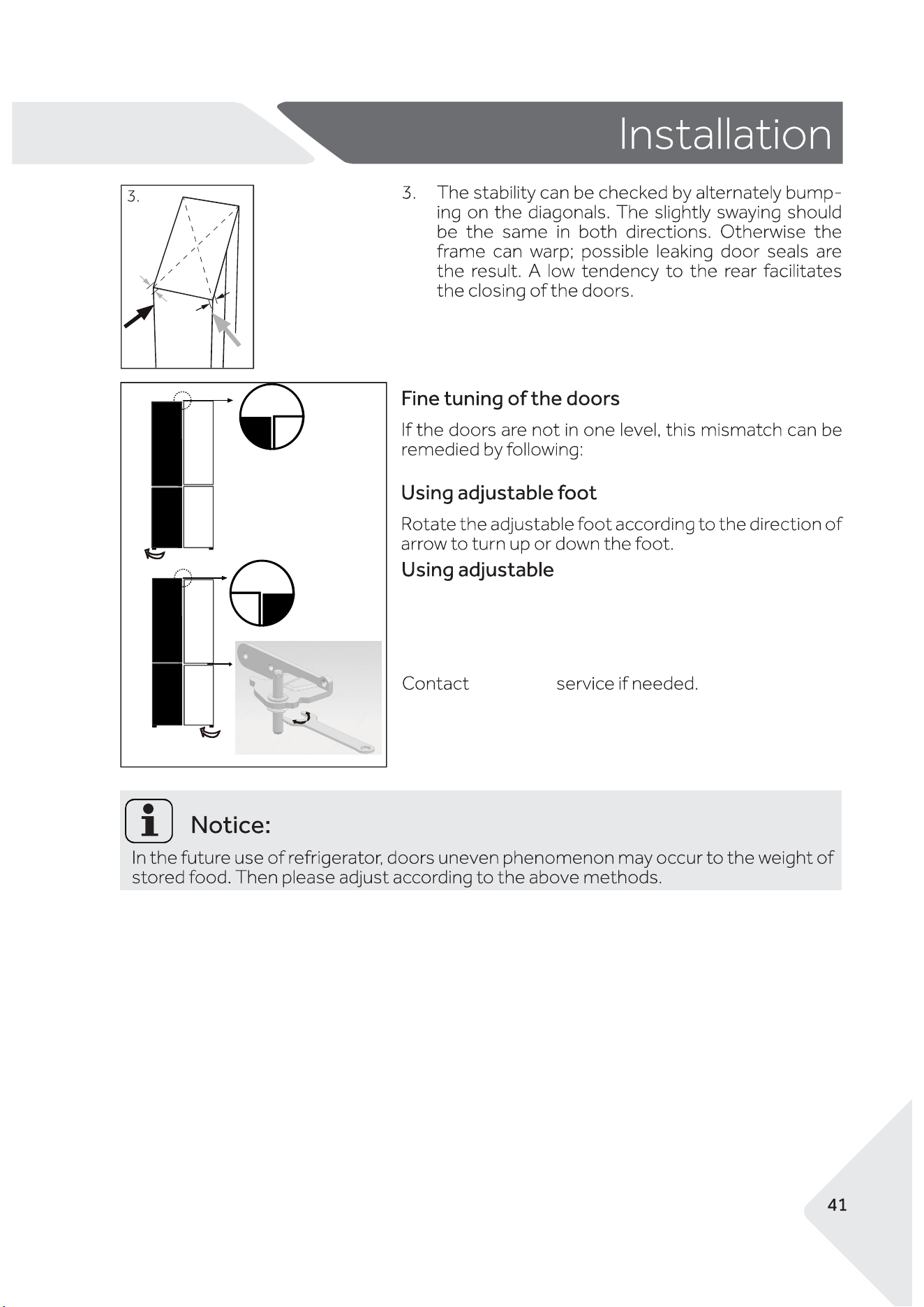
AA
customer
Raise
Lower
hinge
You can adjust the height of the door by using a thin wrench with
a 17mm opening via adjusting the nut at the bottom of the adju-
stable hinge. Turn the nut clockwise to lower the PC door height
and turn the nut counterclockwise to raise the PC door height.
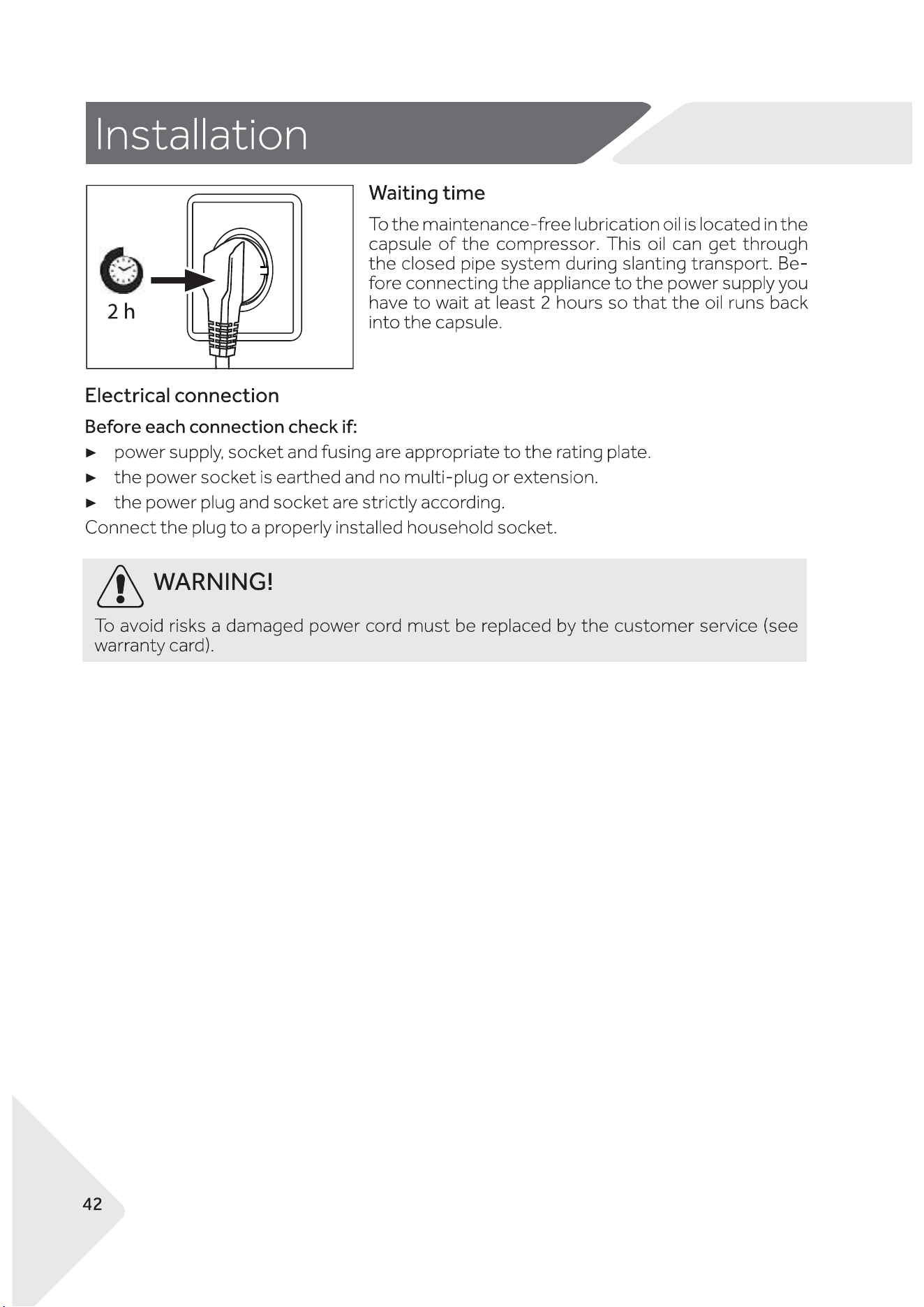
AA
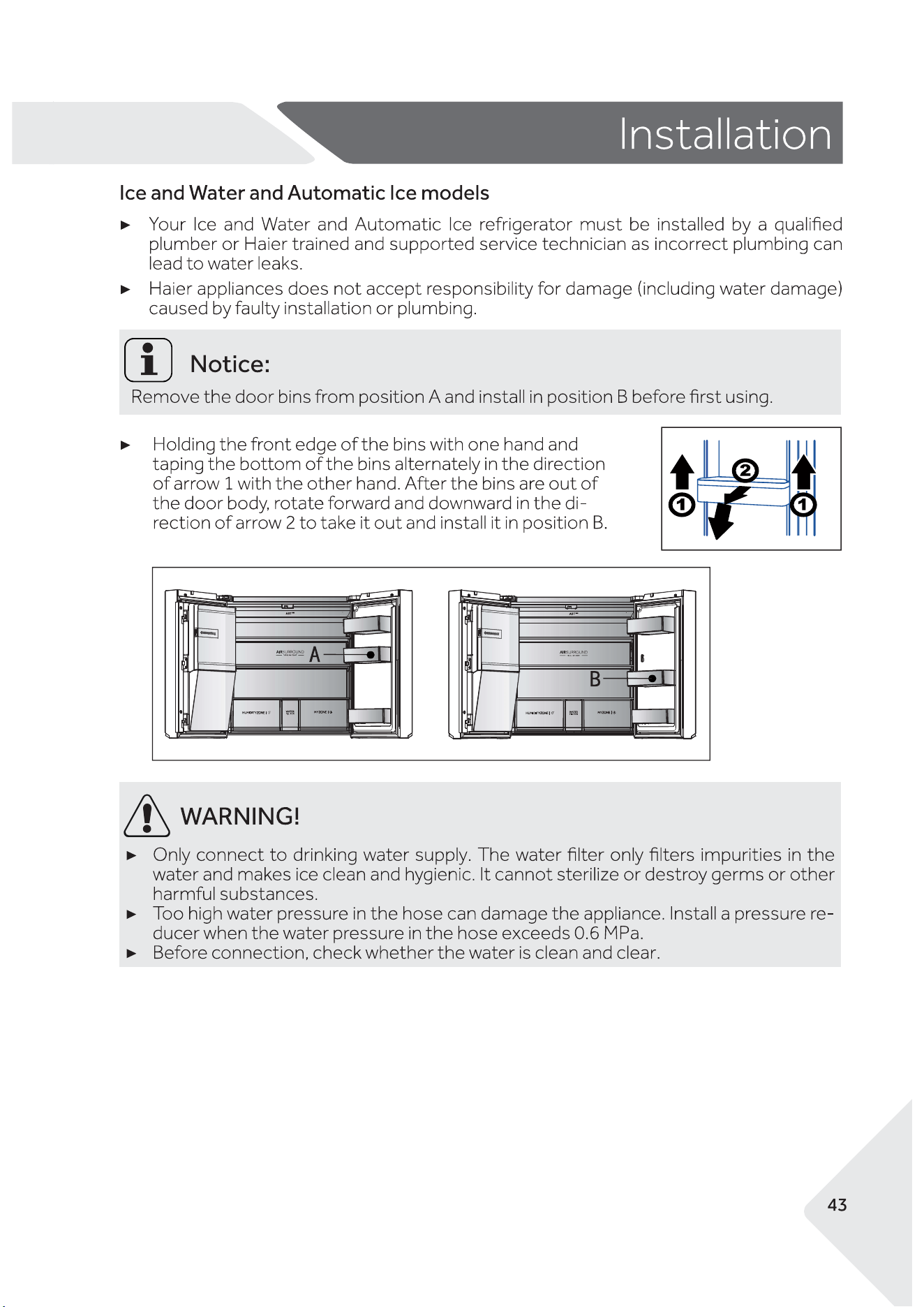
AA
AA
Trade mark
Haier
Category of the model
Cooled Appliance
Frostfree system
Yes
Climate class
Model No.
HRF680YZC/ HRF680YZS
Energy Star
Voltage / Frequency
220V-240V~/50Hz
Product group
5T
Total product volume
601L
Fresh food compartment volume
323L
131L
135L
Insulation blowing gas
CYCLOPENTANE
Dimension (DxWxH)
750x908x1775mm
Rrefrigerant
R600a 75g
T
Protection class
I
4 Stars
Freezer compartment volume
Convertible compartment volume
12L
Zero-star compartment Volume