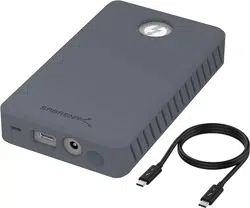
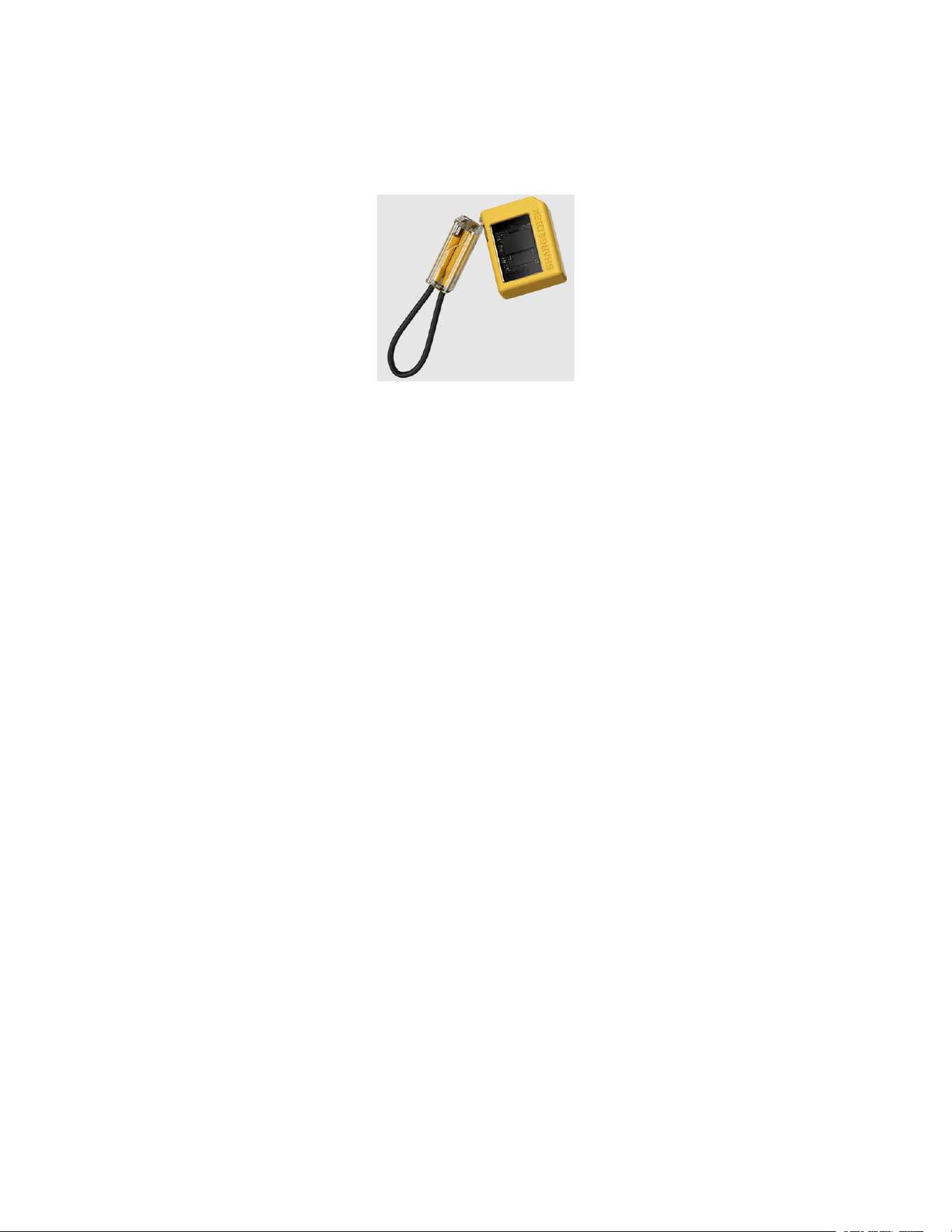
SHARGE Disk YPH-SG-TZB-SSD-HUA - M.2 NVMe Enclosure
Installation Instruction
Specifications
Size and Weight
43 × 29 × 13mm, 24g
Supported SSD Type
NVME M.2
Supported SSD
2230
Supported SSD Capacity
Up to 2TB
Interface Type
USB 3.2 Gen2 (10Gbps)
Compatible Devices
iPhone 15 series, Android smartphones, Steam Deck, PlayStation 5, Windows PC &
laptops, MacBook Air/Pro, tablets, Chromebook
Protection
6.56ft drop-proof & IP54
Write Protection
Yes with hardware switch
Heat Dissipation
Active cooling fan for active heat dissipation & Aluminum body for passive heat
dissipation.
Installations
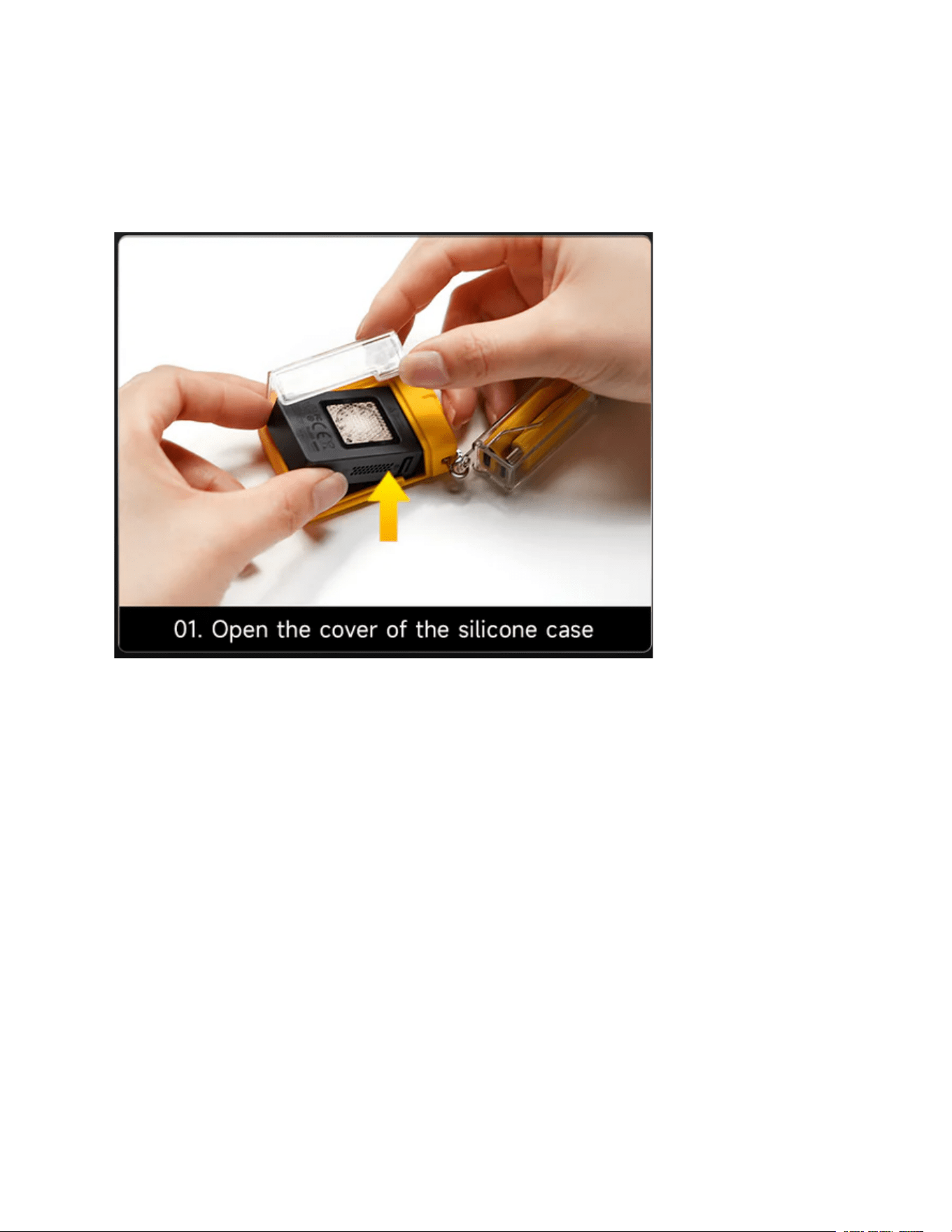
1. Open the cover of the silicone case
2. Slide to remove the cover of the enclosure
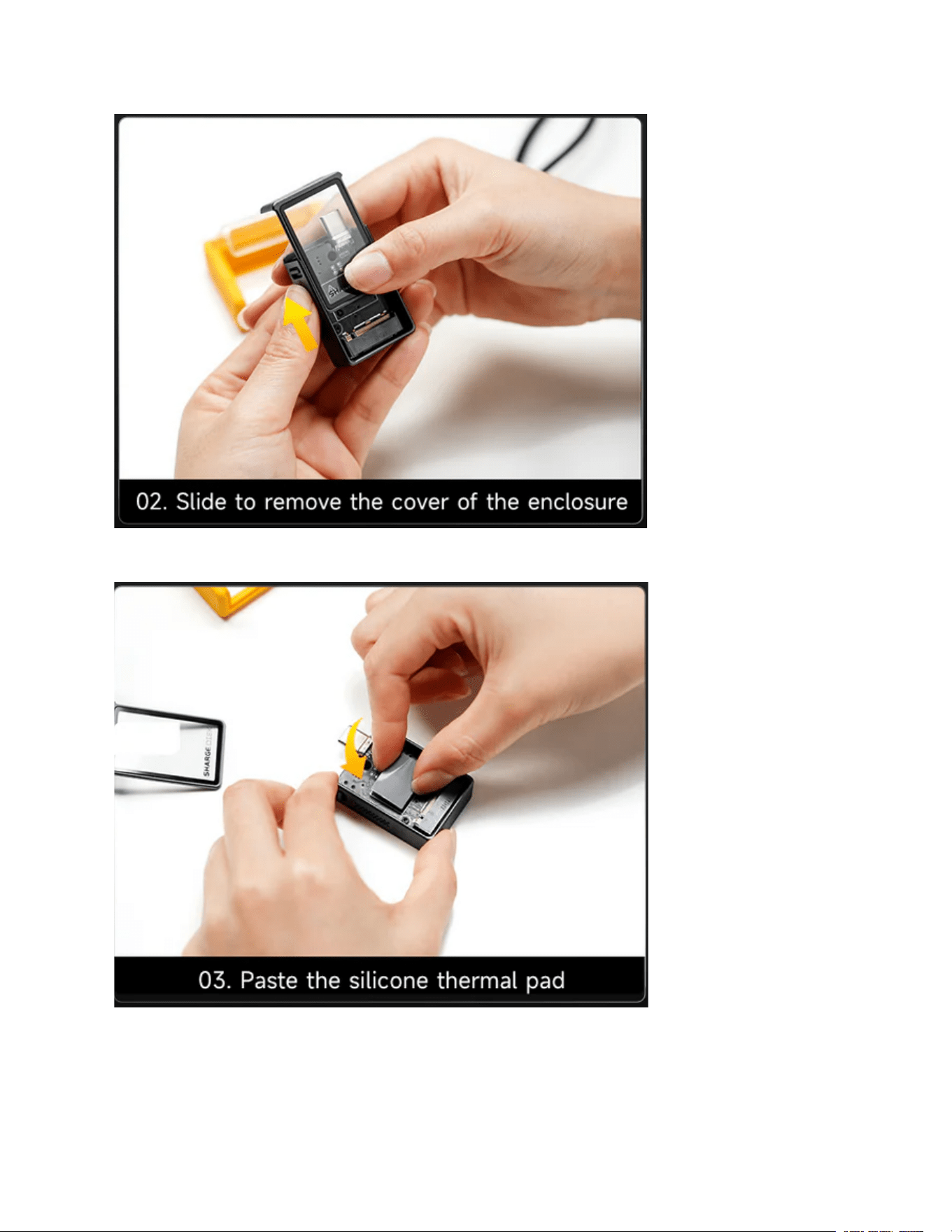
3. Paste the silicone thermal pad
4. INstall the SSD
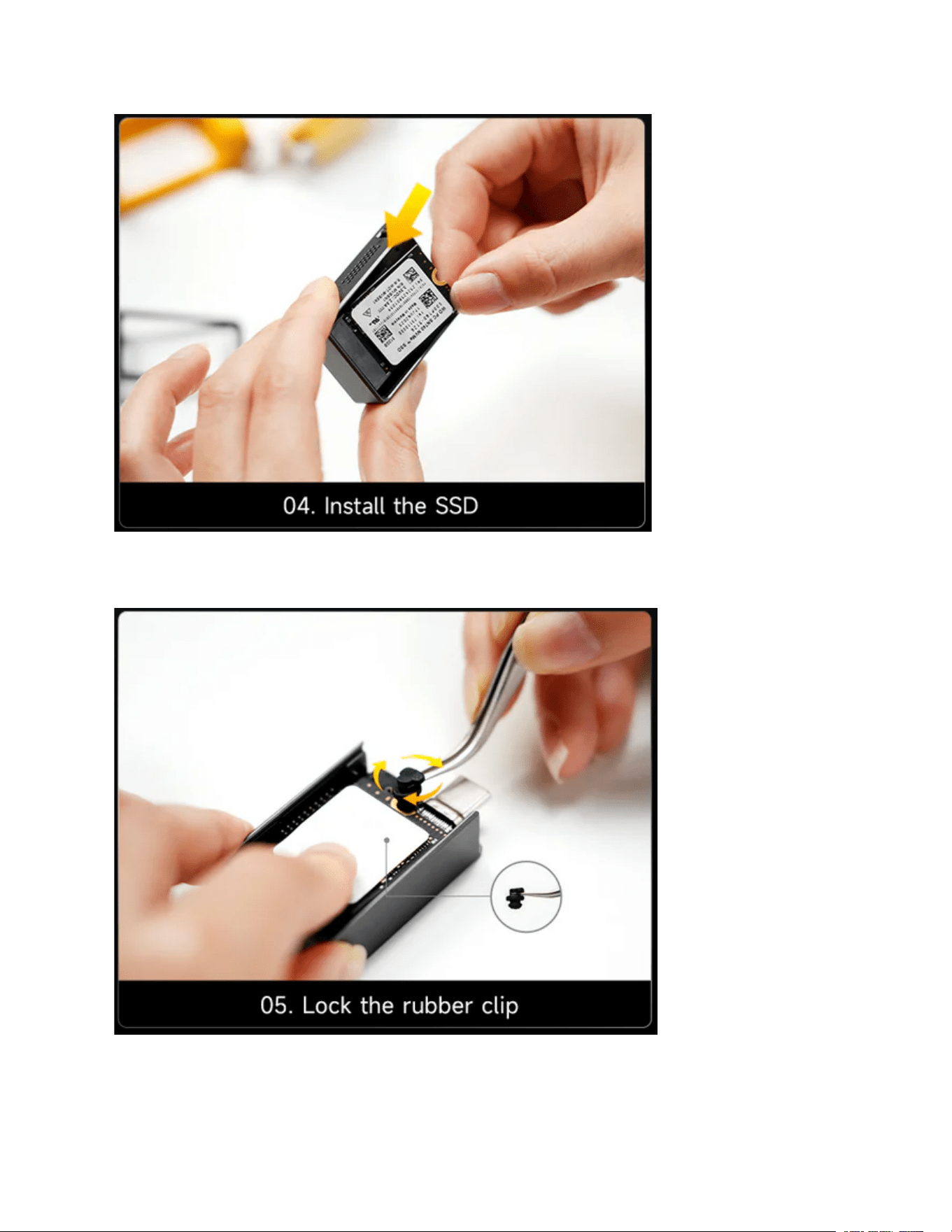
5. Lock The rubber clip
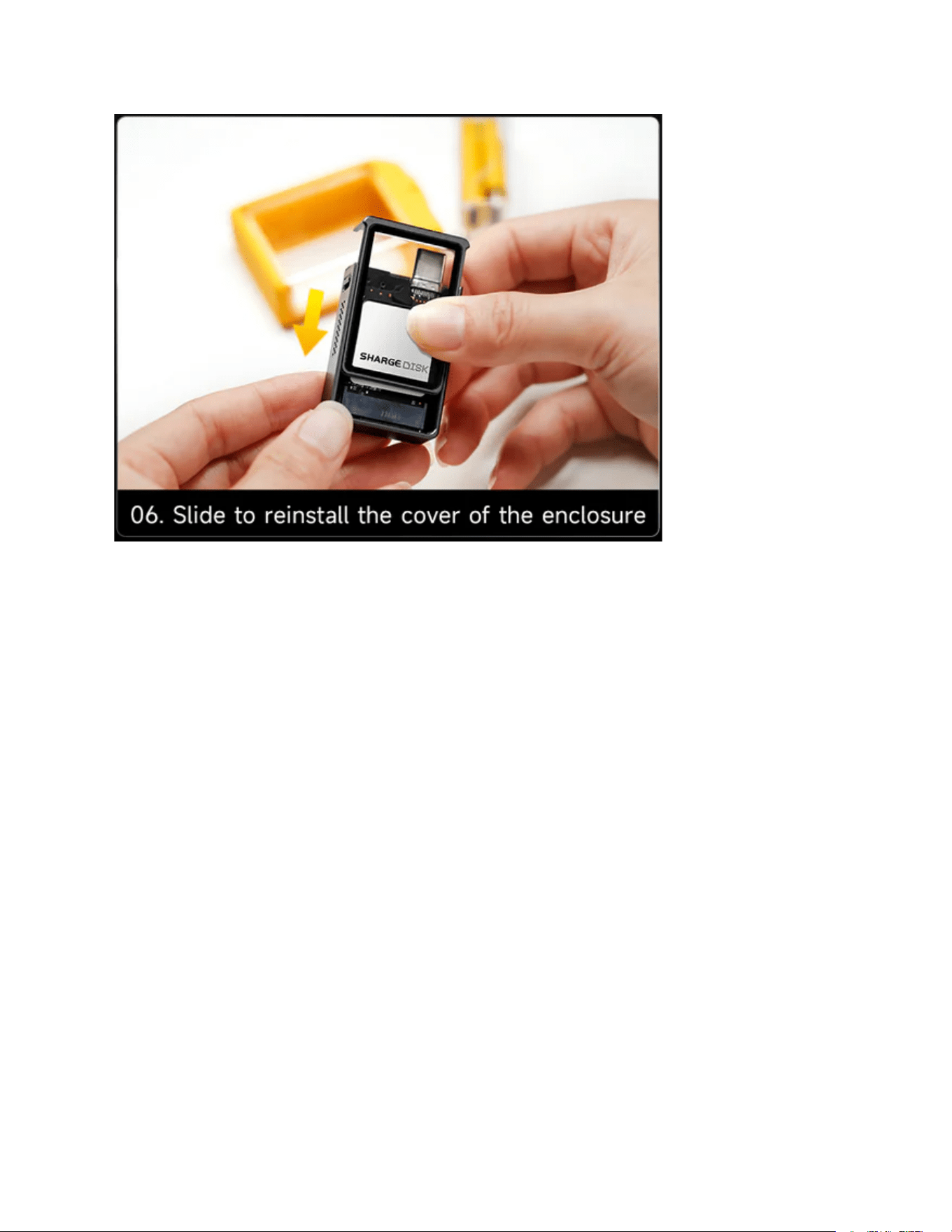
6. Slide to reinstall the cover of the enclosure
FAQ
Which SSD models are compatible with SHARGE Disk?
SHARGE Disk is compatible with NVMe 2230 SSDs from Samsung, Western Digital, WD,
Sabrent, and other brands.
What are the read/write speeds of the data cable?
Max 10Gbps.
Does the USB-C port have a protective cover?
Yes, the silicone case for the SHARGE Disk fully covers and protects the port.
What SSD capacities are supported by SHARGE Disk?
There is theoretically no limit to the SSD capacity supported, as long as the SSDs are NVMe
2230 models. If a capacity upgrade prevents support, we will update the firmware to
accommodate larger SSDs. At the moment it's 2TB max.
Can SHARGE Disk fit into my MacBook without a cable?
Yes, SHARGE Disk can fit directly into your MacBook without a cable. For thinner laptops like
the MacBook Air, SHARGE Disk may be thicker, so using the included cable is recommended if
placing the laptop flat. For placing the laptop on a stand, no adjustment required.

How does the fan work? Is it noisy?
Don't worry, the fan stops automatically after 3 minutes of no data transfer. Fan noise is a
whisper-quiet 28dB. In most environments, the fan is barely audible.
Can I update the firmware later?
Yes, the SSD firmware on SHARGE Disk can be updated for optimal performance.
Contact Service
Website: sharge.com