1
Owner’s Manual
B127-1A1-WHD4CH
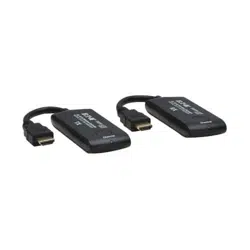
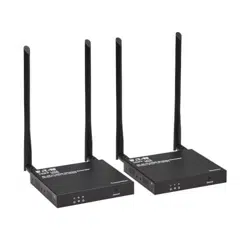
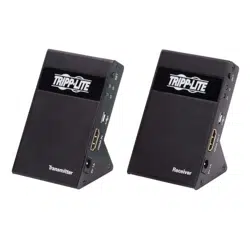
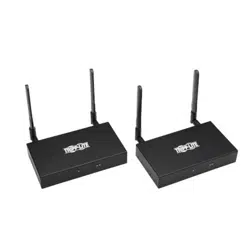
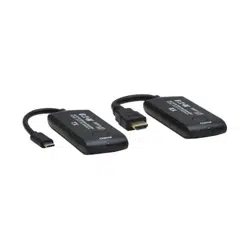
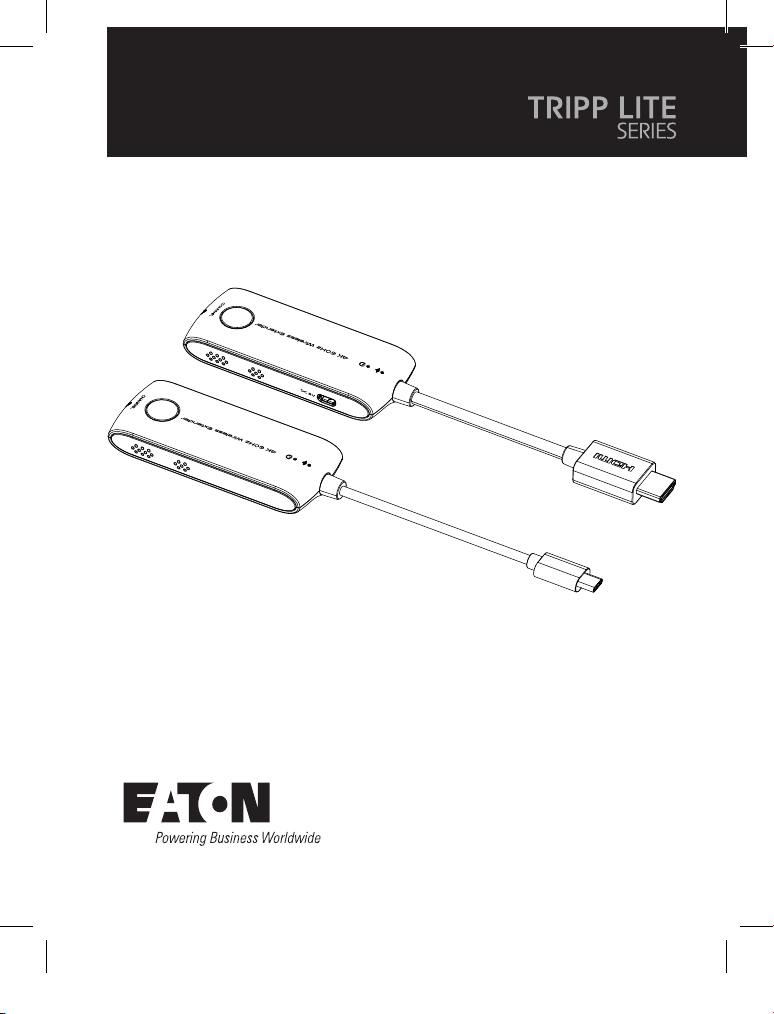
4K 60 Hz HDMI over
Wireless Extender Kit
(USB-C Mini Transmitter + HDMI Mini Receiver)
Purchased product
may differ from image.
Este manual está disponible en español en la
página de Eaton: Tripplite.Eaton.com/support
Ce manuel est disponible en français sur le site
Web de Eaton : Tripplite.Eaton.com/support
Dieses Handbuch ist in deutscher Sprache auf der
Eaton-Website verfügbar: Tripplite.Eaton.com/support
Questo manuale è disponibile in italiano sul sito
web di Eaton: Tripplite.Eaton.com/support
23-10-177-93-4994_revA.indd 123-10-177-93-4994_revA.indd 1 12/12/2023 2:26:24 PM12/12/2023 2:26:24 PM
2
Important Safety Instructions
Features
• Do not expose this device to rain or place it near water. Any liquid that goes
into the device may cause a failure, fire, or electric shock.
• Never insert anything metallic into the open parts of this device.
This may cause an electric shock.
• The device should be repaired only by a qualified technician.
• Do not place this device near or over a radiator or heat register,
or where it is exposed to direct sunlight.
• Supports up to 3840 x 2160 @ 60 Hz resolution, backward compatible.
• Supports wireless transmission up to 65 ft. / 20 m (line of sight).
• Supports SSID pairing and channel switching to avoid interference.
• Supports 5G wireless frequency bands, for strong anti-interference.
• Supports firmware upgrade via Micro USB port.
• Portable design, plug and play.
23-10-177-93-4994_revA.indd 223-10-177-93-4994_revA.indd 2 12/12/2023 2:26:24 PM12/12/2023 2:26:24 PM
3
Package Contents
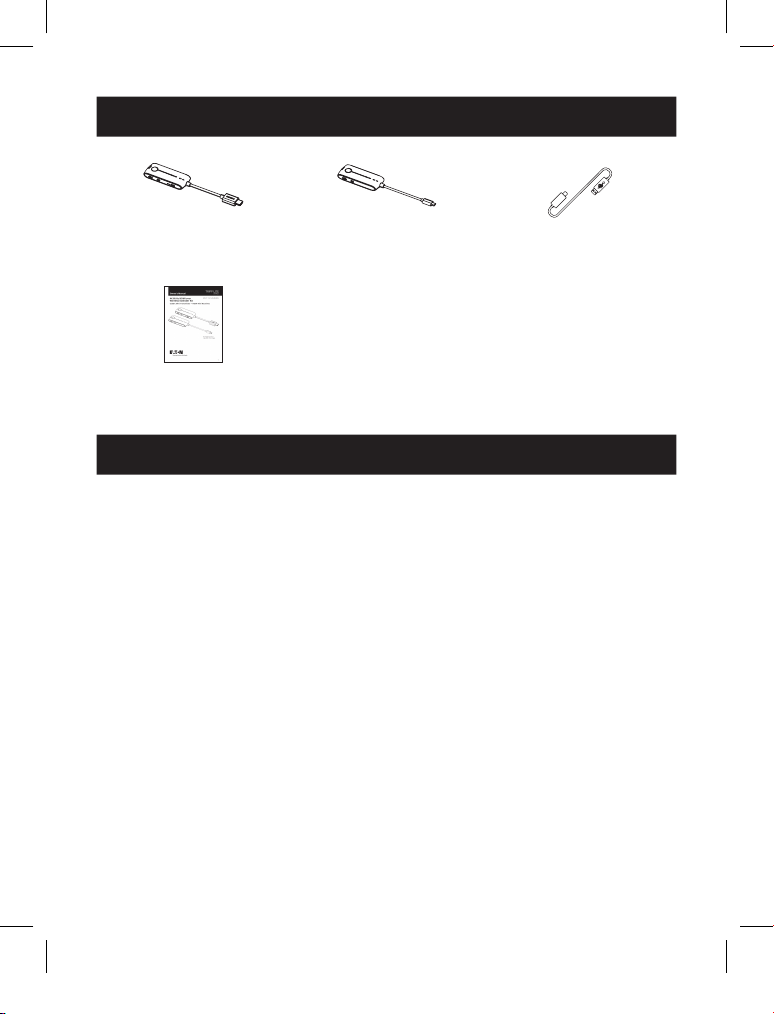
Transmitter x1
Receiver x1
Micro USB cable x2
User Documentation x1
Installation Requirements
• USB-C source device (DVD, game console, PC, etc.)
• HDMI display device (TV, projector, LED screen, etc.)
23-10-177-93-4994_revA.indd 323-10-177-93-4994_revA.indd 3 12/12/2023 2:26:24 PM12/12/2023 2:26:24 PM
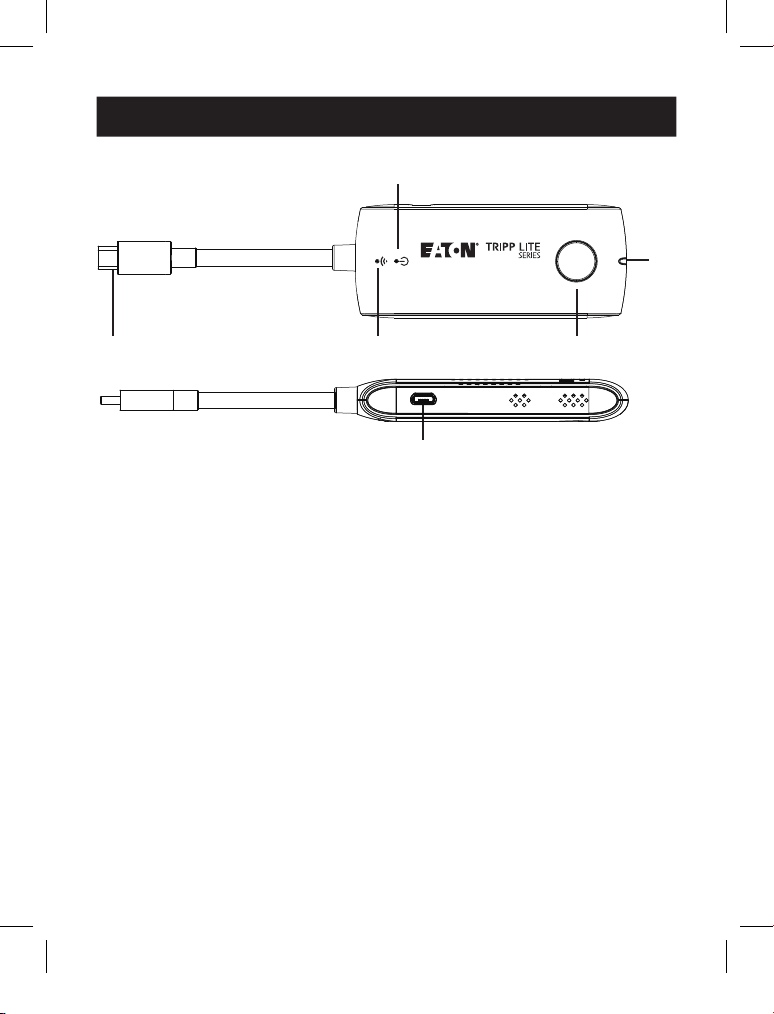
4
4K, 60 Hz Wireless Extender
MODEL: B127-1A1-WHD4CH
TX
Channel
DC 5V
Product Description
Transmitter (TX)
1
1
2
2
3
3
4
4
1
USB-C input Connects to a USB-C source device
2
WiFi indicator Slow flash: waiting for connection
Steady on: connection succeeded
Quick flash: SSID Pairing mode
3
Power indicator The indicator will turn red when the power is
turned on
4
Channel switch button Press to switch channels
Press and hold 5s for SSID pairing
Press and hold 10s for restore factory settings
5
Signal indicator Light off: no HDMI signal
Steady on: HDMI signal is transmitting
Quick flash: restore factory settings
6
Micro USB port Firmware upgrade
5
5
6
6
4K, 60 Hz Wireless Extender
MODEL: B127-1A1-WHD4CH
TX
Channel
DC 5V
23-10-177-93-4994_revA.indd 423-10-177-93-4994_revA.indd 4 12/12/2023 2:26:25 PM12/12/2023 2:26:25 PM
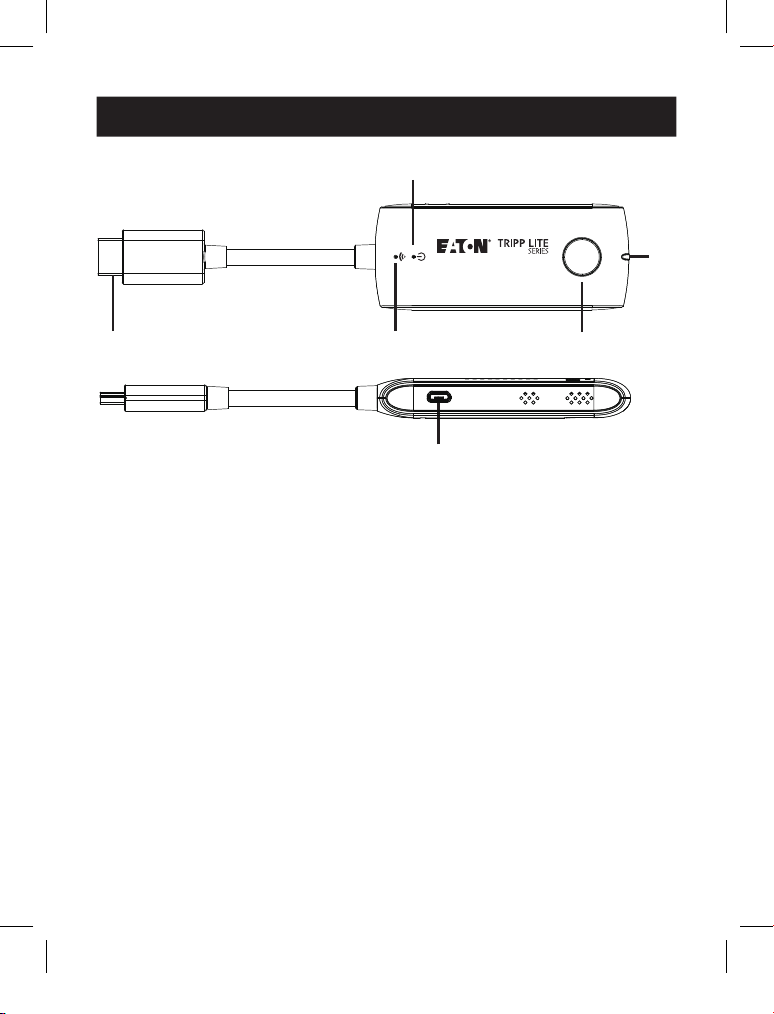
5
4K, 60 Hz Wireless Extender
MODEL: B127-1A1-WHD4CH
RX
Channel
DC 5V
Product Description
Receiver (RX)
1
HDMI output Connects to an HDMI display device
2
WiFi indicator Slow flash: waiting for connection
Steady on: connection succeeded
Quick flash: SSID Pairing mode
3
Power indicator The indicator will turn red when the power is
turned on
4
Channel switch button After connecting with TX, press to switch channels
Press and hold 5s for SSID pairing
Press and hold 10s for restore factory settings
5
Signal indicator Light off: no HDMI signal
Steady on: HDMI signal is transmitting
Quick flash: restore factory settings
6
Micro USB port For power input and firmware upgrade
1
1
2
2
3
3
4
4
6
6
5
5
4K, 60 Hz Wireless Extender
MODEL: B127-1A1-WHD4CH
RX
Channel
DC 5V
23-10-177-93-4994_revA.indd 523-10-177-93-4994_revA.indd 5 12/12/2023 2:26:25 PM12/12/2023 2:26:25 PM
6
Installation
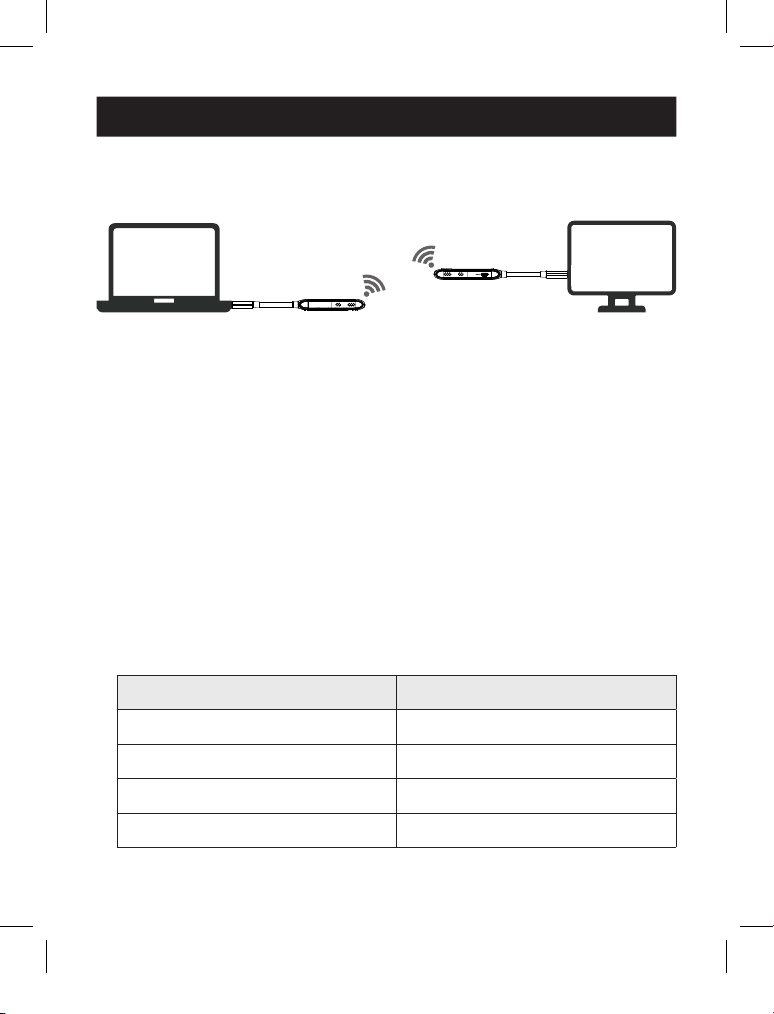
1. Connection Diagram
One to one connection
USB-C Source Device HDMI Display
Receiver
Transmitter
2. Connection Instructions
1. Connect the transmitter to the USB-C output port of the signal source device.
2. Connect the receiver to the HDMI input port of the display device.
3. Plug the power supply into the devices to get started.
Note: Please connect the Micro USB cable to the 5V 1A wall charger when transmitting 4K video,
for long-distance use, or when the picture is not smooth.
3. SSID Pairing
1. Enter the SSID pairing mode by holding the transmitter and receiver's
channel switch buttons for five seconds. Both WiFi connection indicators will
flash quickly in blue.
2. When the SSID pairing is successful, the WiFi indicators on the transmitter
and receiver will change from quick flashing to slow flashing or steady on.
NO. Frequency
Channel 1 5.180 GHz
Channel 2 5.200 GHz
Channel 3 5.220 GHz
Channel 4 5.240 GHz
23-10-177-93-4994_revA.indd 623-10-177-93-4994_revA.indd 6 12/12/2023 2:26:25 PM12/12/2023 2:26:25 PM

7
FAQ
Q: Why the receiver and transmitter cannot be connected, showing
"Search ipcolor Tx..." on the screen?
A: 1) Move transmitter and receiver closer.
2) Re-power the transmitter or receiver.
3) Re-pair the transmitter and receiver.
Q: Why is the Wi-Fi indicator steady on. but showing
"Please check the TX input signal"?
A: 1) Make sure the TX has a USB Type-C input and that the resolution is within
the specified range.
2) Try to connect the signal source directly to the display device, or change the
signal source and test again.
Q: Why is the display stuttering or unstable?
A: 1) Place the transmitter or receiver within the signal coverage and minimize
obstructions between the transmitter and receiver.
2) Switch to a different channel to avoid interference from other
wireless signals.
3) Re-power the receiver or transmitter.
23-10-177-93-4994_revA.indd 723-10-177-93-4994_revA.indd 7 12/12/2023 2:26:25 PM12/12/2023 2:26:25 PM
8
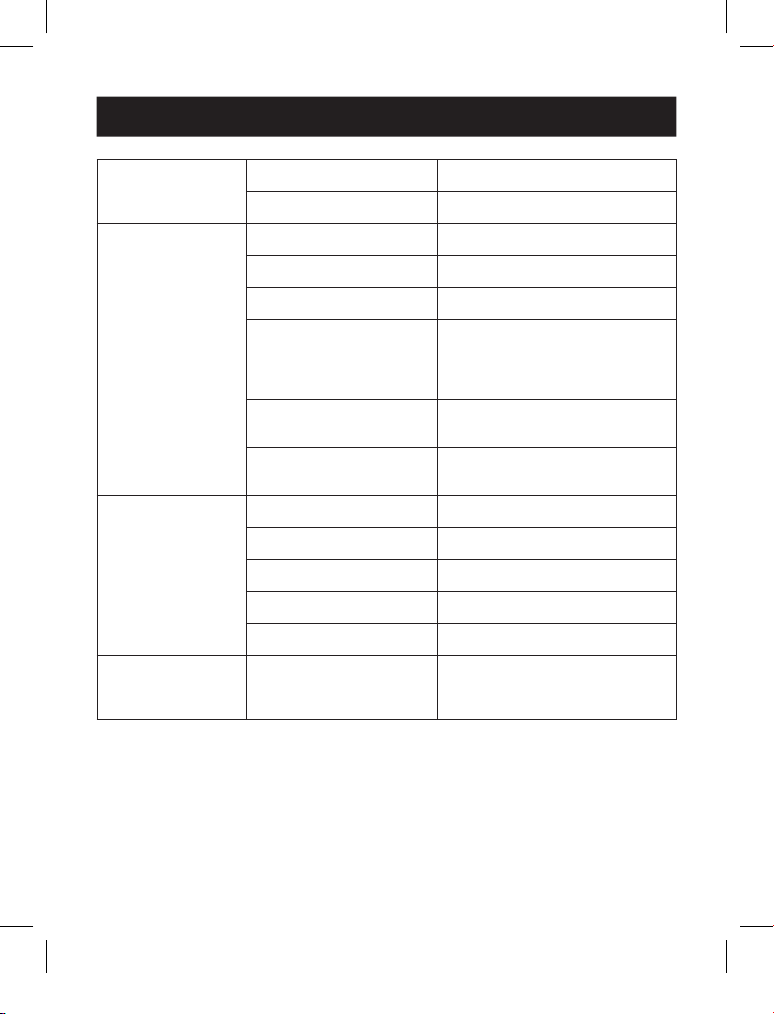
Specifications
Power Supply Voltage/Current Micro USB power supply (5V/1A)
Power consumption TX < 5W, RX < 3.5W
HDMI Performance
and Interface
HDMI version HDMI 2.0
HDCP version HDCP 1.4/HDCP 2.2
Maximum transfer rate 18 Gbps
Resolution supported 3840x2160@24/30/50/60 Hz
(YUV 4:4:4, YUV 4:2:2 and RGB),
1080p@50/60 Hz, 720p@50/60 Hz,
1920x1200@60 Hz
Input and output
TMDS signal
0.7~1.2Vp-p (TMDS)
Input and output
DDC signal
5Vp-p (TTL)
Transmission Wi-Fi Frequency bands 5.18-5.24 GHz
Transmission distance ≤ 20m
Latency 100~250ms
Connection types One to one
SSID pairing Supported
Protection Level ESD protection 1a Contact discharge level 3
1b Air discharge level 3
Standard: IEC61000-4-2
23-10-177-93-4994_revA.indd 823-10-177-93-4994_revA.indd 8 12/12/2023 2:26:25 PM12/12/2023 2:26:25 PM
9
Operating
Environment
Operating temperature -4~122°F (-20~50°C)
Storage temperature -22~158°F (-30~70°C)
Humidity (non-condensing) 0~90% RH
Physical Properties Dimensions [W x L x H] TX / RX: 1.6 x 9 x 0.6 in.
(40 x 230 x 15 mm)
Color Black
Material ABS
Net weight TX: 0.1 lb. (47 g); RX: 0.11 lb. (54 g)
Specification
23-10-177-93-4994_revA.indd 923-10-177-93-4994_revA.indd 9 12/12/2023 2:26:25 PM12/12/2023 2:26:25 PM

10
1-Year Limited Warranty
We warrant our products to be free from defects in materials and workmanship
for a period of one (1) year from the date of initial purchase. Our obligation under
this warranty is limited to repairing or replacing (at its sole option) any such
defective products. Visit Tripplite.Eaton.com/support/product-returns before
sending any equipment back for repair. This warranty does not apply to
equipment which has been damaged by accident, negligence or misapplication
or has been altered or modified in any way.
EXCEPT AS PROVIDED HEREIN, WE MAKE NO WARRANTIES, EXPRESS OR IMPLIED,
INCLUDING WARRANTIES OF MERCHANTABILITY AND FITNESS FOR A PARTICULAR
PURPOSE. Some states do not permit limitation or exclusion of implied warranties;
therefore, the aforesaid limitation(s) or exclusion(s) may not apply to the purchaser.
EXCEPT AS PROVIDED ABOVE, IN NO EVENT WILL WE BE LIABLE FOR DIRECT,
INDIRECT, SPECIAL, INCIDENTAL OR CONSEQUENTIAL DAMAGES ARISING OUT OF
THE USE OF THIS PRODUCT, EVEN IF ADVISED OF THE POSSIBILITY OF SUCH
DAMAGE. Specifically, we are not liable for any costs, such as lost profits or
revenue, loss of equipment, loss of use of equipment, loss of software, loss of
data, costs of substitutes, claims by third parties, or otherwise.
Product Registration
Visit Tripplite.Eaton.com/warranty today to register your new product. You’ll be
automatically entered into a drawing for a chance to win a FREE Eaton Tripp Lite
series product!*
* No purchase necessary. Void where prohibited. Some restrictions apply.
See website for details.
Regulatory Compliance Identification Numbers
For the purpose of regulatory compliance certifications and identification, your
product has been assigned a unique series number. The series number can be
found on the product nameplate label, along with all required approval markings
and information. When requesting compliance information for this product, always
refer to the series number. The series number should not be confused with the
marking name or model number of the product.
Warranty and Product Registration
23-10-177-93-4994_revA.indd 1023-10-177-93-4994_revA.indd 10 12/12/2023 2:26:25 PM12/12/2023 2:26:25 PM
11
Warranty and Product Registration
WEEE Compliance Information for Customers and Recyclers (European Union)
Under the Waste Electrical and Electronic Equipment (WEEE) Directive and
implementing regulations, when customers buy new electrical and electronic
equipment from Eaton, they are entitled to:
• Send old equipment for recycling on a one-for-one, like-for-like basis
(this varies depending on the country)
• Send the new equipment back for recycling when this ultimately
becomes waste
Eaton has a policy of continuous improvement. Specifications are subject to
change without notice.
23-10-177-93-4994_revA.indd 1123-10-177-93-4994_revA.indd 11 12/12/2023 2:26:25 PM12/12/2023 2:26:25 PM

12
Eaton
1000 Eaton Boulevard
Cleveland, OH 44122
United States
Eaton.com
© 2023 Eaton
All Rights Reserved
Publication No. 23-10-177 /
93-4994_revA
December 2023
Eaton is a registered
trademark.
All trademarks are property
of their respective owners.
23-10-177-93-4994_revA.indd 1223-10-177-93-4994_revA.indd 12 12/12/2023 2:26:25 PM12/12/2023 2:26:25 PM