USER MANUAL
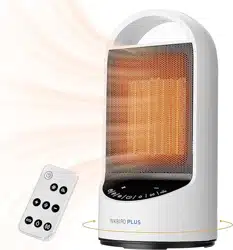
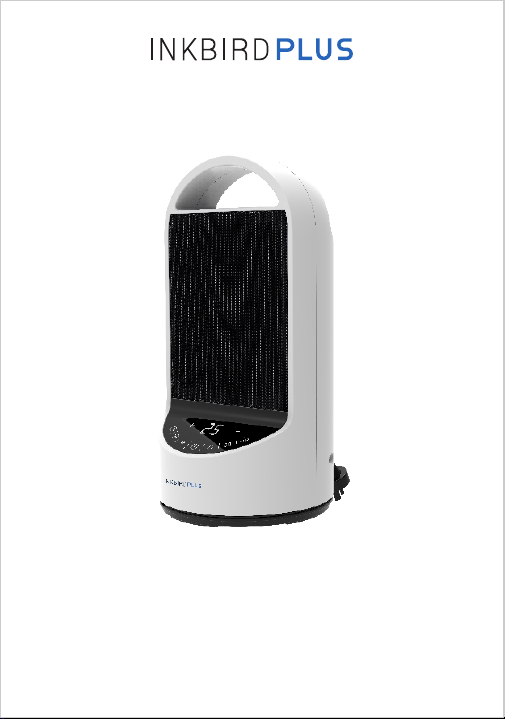
SPACE HEATER
WIFI
· Model No: HT2004-15D-W
· Item No: IHT-01W
· Heat Settings: 1000W (low) / 1500W (high)
· Rating: US 120V, 60Hz (EU 220-240V, 50/60Hz)
· Timer Setting Range: 0~24 Hours
· Wi-Fi: IEEE802.11/b/g/n 2.4GHz
· Product Warranty: 1 Year
· Positioning of the Heater
The heater should only be operated at a minimum
distance of 1 metre from any wall or other object.
Position the air ow in order to optimize the heating
of the room.
Specications
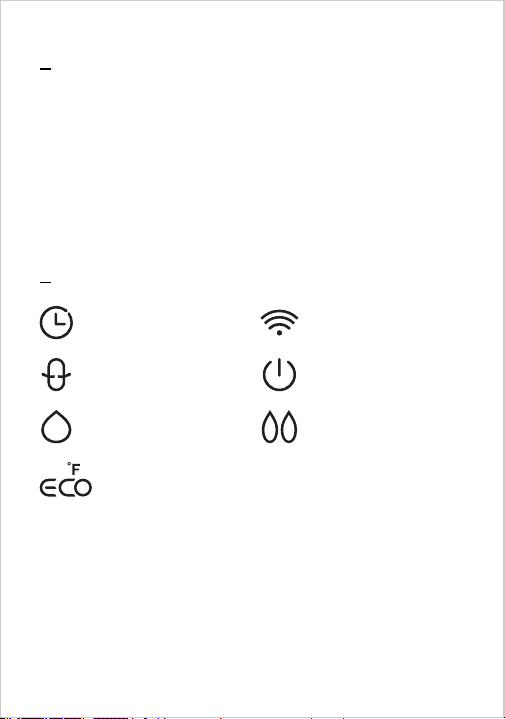
: Timer Setting
: Oscillation Mode
: Wi-Fi Button
: Power ON/OFF
: Low Heat
: High Heat
: ECO Mode
Operation Instructions

· Turn ON/OFF the Heater
① Place the heater on a level surface in a stable upright
position.
② Connect the heater to the power source, then press
the button to turn on the heater. The indicator light
will automatically light up.
Note: Ensure the voltage on the specication plate is
the same as in your home and the power cord is lying
safely on the ground.
· ECO Mode
① After activating the appliance, it enters ECO mode
by default.
② In the working state, press the ECO button to enter
the setting of ECO mode, then press the “-” or “+”
button to set a target temperature within the range of
41°F to 97°F (5°C to 36°C). After that, press the ECO
button again to save and quit the setting.
③ ECO mode will automatically control the heating on
or off according to the set temperature.
· Manual Mode
During operation, press the or button to enter
manual mode and simultaneously activate the
associated low/high heat power to blow.
= Low Heat (1000W); = High Heat (1500W)

· Timer Function
① The timer function can be set at any time and can
work in both ECO mode and manual mode.
② In the working state, press the button to enter
the timer setting, and then press the “ + ” or “ - ”
button to set the timer within the range from 0 to
24 hours.
· Oscillation Function
In the working state, press the button to let the
heater start/stop oscillating.
· Wi-Fi Function
① When you turn on the heater, the Wi-Fi button will
automatically light up and ash, which means it is ready
to pair with the network.
② If you fail to connect the heater with your smartphone,
press the Wi-Fi button and hold it until it ashes to reset
the connection.
· Over-Heat Protection
① This heater has over-heat protection that switches it
off automatically if it overheats.
② Overheating can be caused by obstruction to the air
intake on the back of the heater or the grill on the front.
③ If overheating occurs, please disconnect the heater
from the power socket and allow it to cool for 30
minutes. Remove any obstruction before turning the
heater back on.
· Safety Cut-Out Switch
The heater features a safety cut-out switch that will
switch off the heater if it is knocked over.
· APP Connection
Search the keyword “INKBIRD” in App store or Google
Play, or scan the following QR code to download and
install the APP. (If you have previously installed the app,
please update it to the latest version.)
Notes:
① If the heater is knocked over and the cut-out switch
is activated, cut off the power and take extra care
when you stand the heater upright as it will still be hot.
② Inspect the heater for damage, especially to the
heating elements and supply cord.
③ If any damage is visible do not operate the heater.
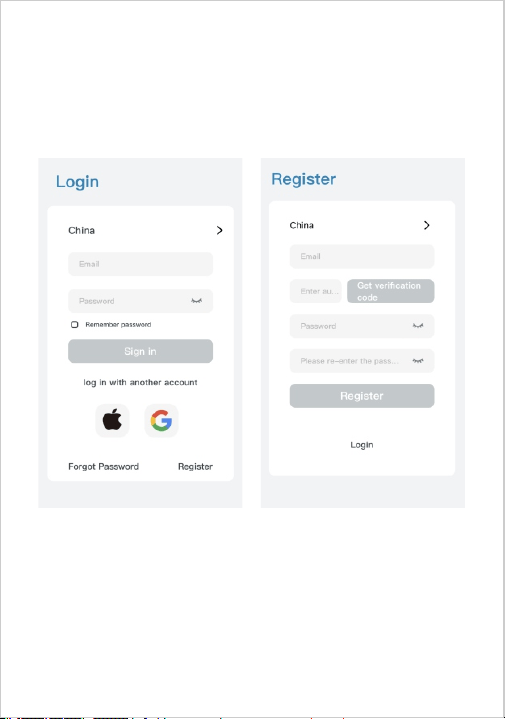
① Open the app and enter the login interface. You can
log in by your Apple ID or Google ID. You can also click
Register and use your email address as prompted to
register.
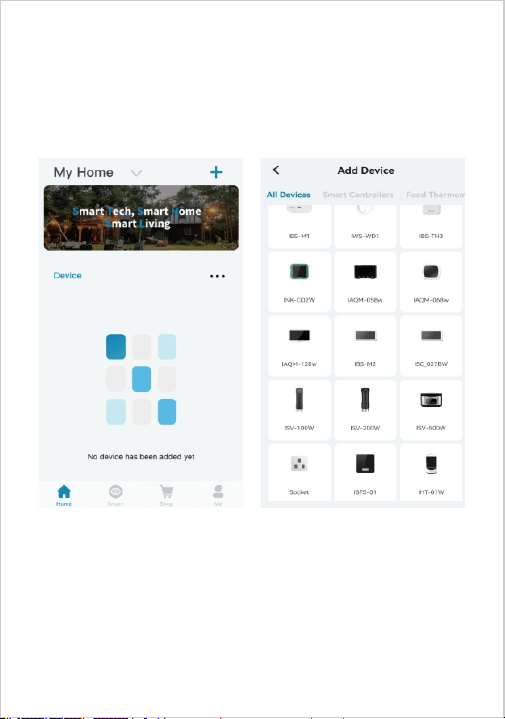
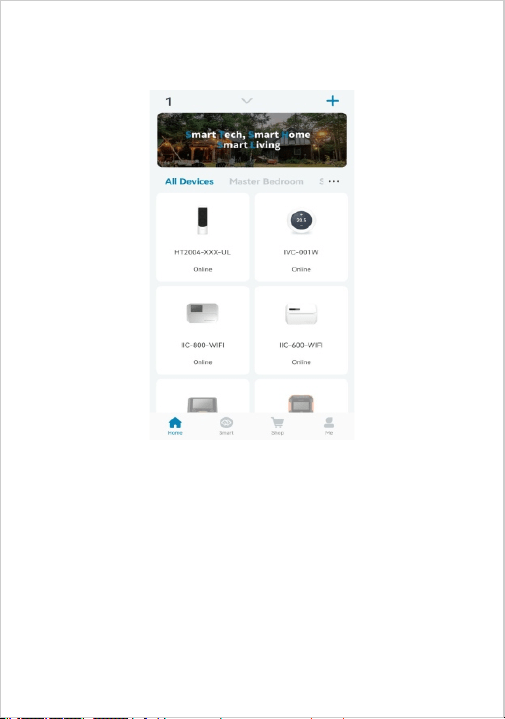
② Click the "+" in the upper right corner to add the
device. Then, click the device icon on the app to start
connecting.
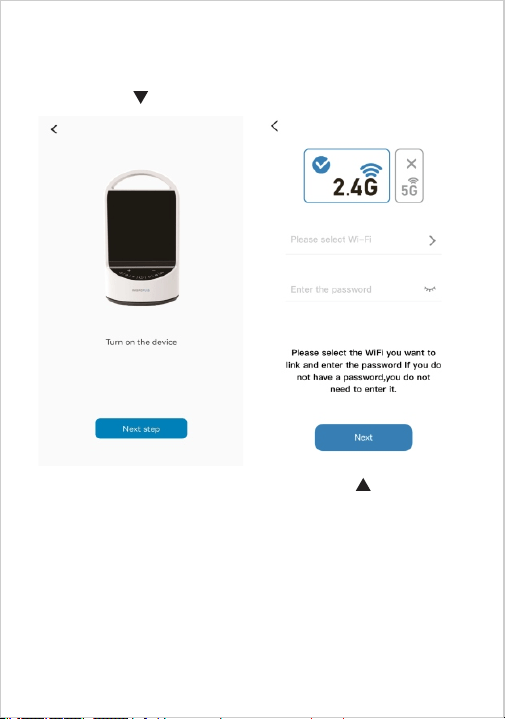
③ Turn on the device, then click “Next” to continue.
④ Choose a Wi-Fi network and enter the password.
Then, click “Next” to the next step.
Note: The device only supports 2.4GHz Wi-Fi
networks.
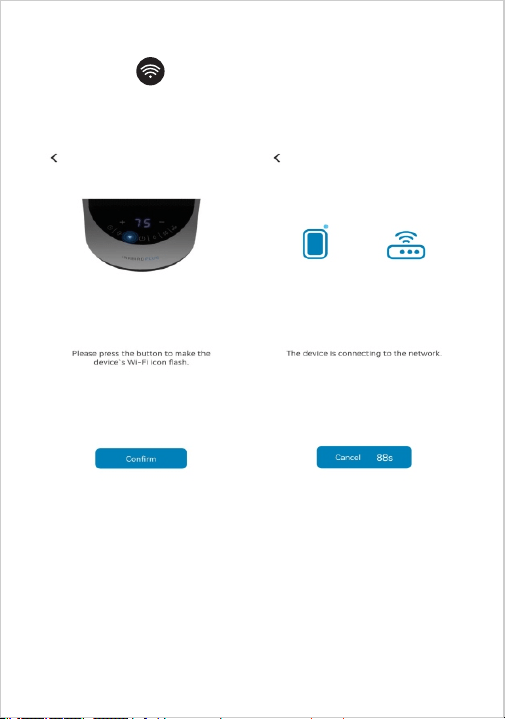
⑤ Press the button and hold until it ashes, then
click “Conrm” to continue.
⑥ Connection Succeeded.
Notes:
① During the connection process, it is necessary to
ensure that the distance between the device and the
mobile phone is within 30 meters, as Wi-Fi is a short
-distance connection.
② During the connection process, please ensure that
the device and the mobile phone are in the same Wi-Fi
environment and only support the 2.4GHz Wi-Fi signal
mode.
③ Please make sure the Bluetooth of your phone is
turned on before connecting.

· Precautions For Use
· Use only the voltage specied on the rating label of
the appliance.
· Do not cover or restrict airow to the inlet or outlet
grilles in any manner as the appliance may overheat
and become a re risk.
· Do not cover grilles, block entry, or exits of airow by
placing the appliance against any surface. Keep all
objects at least 1 meter from the front, side, and rear
of the appliance.
· Do not operate in areas where gasoline, paint, or
other ammable liquids are used or stored.
· This appliance heats up when in use. To avoid burns,
do not touch the front of the appliance or any of the
grilles or vents.
· Before moving the appliance, switch off the appliance
by unplugging it from the wall and allowing it to cool.
· Do not use the appliance to dry clothes.
· Do not immerse in liquid or use the appliance near
water as this could create an electrical shock hazard.
· Do not operate any appliance with a damaged cord
or plug or after the appliance malfunctions or has been
dropped or damaged in any manner. Return to a
qualied electrical person for service or repair.
· Do not connect the appliance to the mains voltage
until completely assembled and adjusted.
· This appliance is not intended for outdoor use.
· Unroll the cord before operating. Operating with a

coiled cord may cause overheating and re risk.
· The use of an extension cord with this appliance is not
recommended.
· Do not remove the plug from the power socket until
the appliance has been switched off.
· Always hold the plug when removing it from the wall,
do not pull the cord.
· Always unplug the appliance when it is not in use.
· Do not allow the cord to come into contact with the
appliance surface during operation.
· Do not run the cord under carpeting, mats or rugs,
etc. Arrange the cord away from trafc areas so that it
will not be tripped over.
· Do not twist, kink, or wrap the cord around the
appliance as this may cause the insulation to weaken
and split.
· This appliance is not intended for use by young
children or inrm persons without supervision.
· This appliance is intended for light domestic use and
not for heavy-duty commercial or industrial use.
· The appliance must not be located immediately
below or in front of a socket- outlet.
· Do not use this appliance with any type of external
timer.

· Cleaning And Care
IMPORTANT: Turn off the heater. Switch off the power
switch and disconnect the heater from the power socket.
Wait for the heater to be completely cool before
cleaning.
① Vacuum clean air vents and grilles to remove dust
from these areas.
②To remove dust on external surfaces, wipe the heater
with a damp (not wet) lint-free cloth rinsed in hot soapy
water only.
③Do not use any harsh detergent or abrasive cleaners.
④Do not spray with liquids or submerge the heater in
water or other liquids.
⑤Do not attempt to clean the interior of the heater.
⑥Do not attempt to open the heater casing at any time.
⑦Store the heater carefully in a dust-free area during
the off-season. It is best to store the heater in the
included carton. Neatly wind the cord of the heater to
prevent damage.
· Product Warranty
This item carries a 1-year warranty against defects in
either components or workmanship. During this period,
products that prove to be defective will, at the
discretion of INKBIRD, be either repaired or replaced
without charge.
TANMET INT'L BUSINESS LTD 9 Pantygraigwen Road,
Pontypridd, Mid Glamorgan,CF37 2RR, UK
E-mail: tanmetbiz@outlook.com
Like Sun GmbH
Planckstr. 59, 45147 Essen, Nordrhein-Westfalen, Germany
Email: ec-connection@web.de