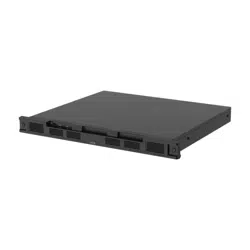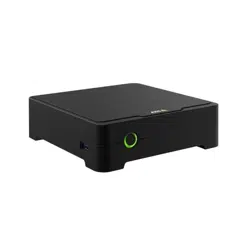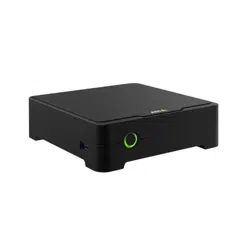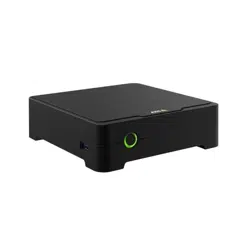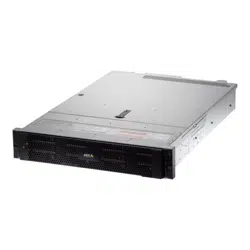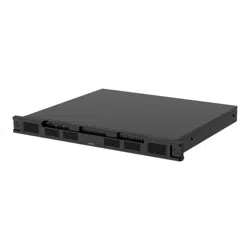


AXISS3016Recorder
Aboutyourdevice
Aboutyourdevice
AXISS3016RecorderisanetworkvideorecorderwithintegratedPoEswitchandsurveillance-classharddrives.ItalsoincludesaUSB
3.0portforeasyexportofvideofootage.Therecordercomesinthreemodels–8TB,16TBand32TB.
2

AXISS3016Recorder
Getstarted
Getstarted
Accessyourdevice
Findthedeviceonthenetwork
TondAxisdevicesonthenetworkandassignthemIPaddressesinWindows®,useAXISIPUtilityorAXISDeviceManagerExtend.
Bothapplicationsarefreeandcanbedownloadedfromaxis.com/support.
FormoreinformationabouthowtondandassignIPaddresses,gotoHowtoassignanIPaddressandaccessyourdevice.
Browsersupport
Youcanusethedevicewiththefollowingbrowsers:
Chrome
TM
Firefox
®
Edge
TM
Safari
®
Windows
®
recommended
recommended
macOS
®
recommendedrecommended
Linux
®
recommendedrecommended
Otheroperatingsystems*
*TouseAXISOSwebinterfacewithiOS15oriPadOS15,gotoSettings Settings
Settings
> >
>
Safari Safari
Safari
> >
>
Advanced Advanced
Advanced
> >
>
Experimental Experimental
Experimental
Features Features
Features
anddisable
NSURLSessionWebsocket.
Ifyouneedmoreinformationaboutrecommendedbrowsers,gotoAXISOSPortal.
Openthedevice'swebinterface
1.OpenabrowserandtypetheIPaddressorhostnameoftheAxisdevice.
IfyoudonotknowtheIPaddress,useAXISIPUtilityorAXISDeviceManagerExtendtondthedeviceonthenetwork.
2.Typetheusernameandpassword.Ifyouaccessthedeviceforthersttime,youmustcreateanadministratoraccount.See
Createanadministratoraccountonpage3.
Createanadministratoraccount
Thersttimeyoulogintoyourdevice,youmustcreateanadministratoraccount.
1.Enterausername.
2.Enterapassword.SeeSecurepasswordsonpage3.
3.Re-enterthepassword.
4.ClickAdduser.
Important
Thedevicehasnodefaultaccount.Ifyoulosethepasswordforyouradministratoraccount,youmustresetthedevice.See
Hardresetarecorderonpage10.
Securepasswords
Important
Axisdevicessendtheinitiallysetpasswordincleartextoverthenetwork.Toprotectyourdeviceaftertherstlogin,set
upasecureandencryptedHTTPSconnectionandthenchangethepassword.
3

AXISS3016Recorder
Getstarted
Thedevicepasswordistheprimaryprotectionforyourdataandservices.Axisdevicesdonotimposeapasswordpolicyasthey
maybeusedinvarioustypesofinstallations.
Toprotectyourdatawestronglyrecommendthatyou:
•Useapasswordwithatleast8characters,preferablycreatedbyapasswordgenerator.
•Don’texposethepassword.
•Changethepasswordatarecurringinterval,atleastonceayear.
Verifythatnoonehastamperedwiththermware
TomakesurethatthedevicehasitsoriginalAxisrmware,ortotakefullcontrolofthedeviceafterasecurityattack:
1.Resettofactorydefaultsettings.SeeHardresetarecorderonpage10.
Afterthereset,securebootguaranteesthestateofthedevice.
2.Congureandinstallthedevice.
Webinterfaceoverview
Thisvideogivesyouanoverviewofthedevice’swebinterface.
Towatchthisvideo,gotothewebversionofthisdocument.
help.axis.com/?&piaId=73282§ion=web-interface-overview
Axisdevicewebinterface
GetstartedwithAXISCompanion
Note
Internetaccessisrequiredduringthesystemsetup.
Installationoverview:
1.RegisteraMyAxisaccountonpage5
2.Installthehardwareonpage5
3.Installthedesktopapponpage5
4.Createasiteonpage6
5.Installthemobileapponpage6
Resultofsysteminstallation:
•ThermwareisupgradedonallAxisdevices.
•Apasswordissetforthedevices.
4

AXISS3016Recorder
Getstarted
•Therecordingsareenabledwithdefaultsettings.
•Theremoteaccessisenabled.
RegisteraMyAxisaccount
RegisteraMyAxisaccountataxis.com/my-axis/login.
YoucanmakeyourMyAxisaccountmoresecurebyactivatingmulti-factorauthentication(MFA).MFAisasecuritysystemthat
addsanotherlayerofvericationtoensuretheuser’sidentity.
ActivateMFA:
1.LoginwithyourMyAxiscredentials.
2.Goto
andselectAccountsettings.
3.ClickSecuritysettings
4.Turnon2–Stepverication.
Youareredirectedtoaloginpage.
5.LoginwithyourMyAxiscredentials.
MFAisnowactive.
LoginwhenMFAisactive:
1.LogintoyourMyAxisaccount.
Anemailissenttoyou.
2.OpentheemailandclickAuthenticate.
Ifyoudidn’treceiveanemail,checkifit’sinyourspamfolder.Ifit’snotthere,contactITsupport.
Installthehardware
1.Installyourcamerahardware.
2.ConnecttherecordertoyournetworkviatheLANport.
3.Connectthecamerastotherecorder’sintegratedPoEswitchoranexternalPoEswitch.
4.Connectthecomputertothesamenetworkastherecorder.
5.Connectthepowersupplytotherecorder.
Important
Youmustrstconnectthepowercordtotherecorder,andthenconnectthepowercordtothepoweroutlet.
6.Waitafewminutesfortherecorderandcamerastobootupbeforeproceeding.
CAUTION
Keeptherecorderinawellventilatedenvironmentandwithplentyofemptyspacearoundtherecordertoavoidoverheating.
Installthedesktopapp
1.Gotoaxis.com/products/axis-companionandclickDownloadtodownloadAXISCompanionversion4forWindows.
2.Openthesetupleandfollowthewizard.
5

AXISS3016Recorder
Getstarted
3.SigninwithyourMyAxisaccount.
Createasite
Asiteisasinglepointofentrytoasurveillancesolution,forexampleallcamerasinastore.Youcankeeptrackofseveralsites
throughasingleMyAxisaccount.
Note
IfyouhaveusedanearlierversionofAXISCompanion,thesitesyoucreatedwillnotappearinthe
listofsitesinAXISCompanionversion4.Youmightalsohavedevicesthatarenotsupported.See
MigratingfromAXISCompanionClassictoversion4formoreinformation.
1.StarttheAXISCompaniondesktopapp.
2.SigninwithyourMyAxisaccount.
3.ClickCreatenewsite.
4.Nameyoursiteandenteryourcompanyname.
5.ClickNext.
6.Selectthedevicesyouwanttoaddtoyoursite.
7.ClickNext.
8.Enterapassword.
UsethispasswordtoaccessthewebinterfaceofyourdevicesorofinemodeintheAXISCompanionmobileapp.
9.ClickNext.
10.OntheReadytoinstallpage,OfinemodeandUpgradermwareareturnedonbydefault.Youcanturnthemoffifyou
donotwanttoaccessofinemodeorupgradeyourdevicestothelatestrmwareversion.
11.ClickInstallandwaitwhileAXISCompanionconguresthedevices.
Thecongurationmaytakeseveralminutes.
Installthemobileapp
WithAXISCompanionmobileapp,youcanaccessyourdevicesandrecordingsfromanywhere.Youcanalsogetnoticationswhen
suspiciouseventsoccur,orwhensomeonecallsfromanintercom.
ForAndroid
ClickDownloadorscanthefollowingQRCode.
6

AXISS3016Recorder
Getstarted
ForiOS
ClickDownloadorscanthefollowingQRCode.
OpentheAXISCompanionappandloginwithyourAxiscredentials.
Ifyoudon’thaveaMyAxisaccount,youcangotoaxis.com/my-axistoregisteranewaccount.
GetstartedwithAXISCameraStation
Addyourrecorder
Note
AXISCameraStationremovesrecordingsfromanyprevioussystemwhenyouaddtherecordertoanewsystem.
1.GotoConguration>Devices>Adddevices.
2.SelectyourrecorderinthelistandclickAdd.Ifyourrecorderisnotlisted,useManualsearchtonditmanually.
3.UsethedefaultsettingsandclickNext.
4.Setyourpasswordforstorageencryption.ClickNext.Youneedthispasswordtoaccesstherecorderharddriveoutside
AXISCameraStationorwhentherecorderisresettofactorydefaultsettingsfromthedevice’swebinterface.
5.GotoConguration>Devices>Otherdevicesandchecktherecorderhasbeenadded.
6.GotoConguration>Storage>Managementandchecktherecorderhasbeenaddedtothestoragelist.
Adddevicesandselecttherecorderasrecordingstorage
1.GotoConguration>Devices>Adddevices.
2.SelectyourdevicesinthelistandclickAdd.Ifyourdevicesarenotlisted,useManualsearchtondthemmanually.
3.UsethedefaultsettingsandclickNext.
4.ManuallyselecttherecorderfromtheRecordingstoragedrop-downlistandclickInstall.
Note
TherecorderwillnotbeselectedasrecordingstorageifyouselectAutomatic.
5.GotoConguration>Storage>Selection.Clickyourdevicesandcheckthattherecordingstorageistherecorder.
7

AXISS3016Recorder
Getstarted
Congurerecordings
1.GotoConguration>Storage>Selectionandselectyourdevice.
2.CongureRetentiontime.
-SelectUnlimitedretentiontimetokeeprecordingsuntilthestoragebecomesfull.
-SelectLimitedandsetthemaximumnumberofdaystokeeprecordings.
3.ClickApply.
Note
FallbackrecordingisenabledbydefaulttostoretherecordingsonyourrecorderwhentheconnectionbetweenAXISCamera
Stationandtherecorderislost.SeeFallbackrecording.
8
AXISS3016Recorder
Configureyourdevice
Configureyourdevice
Allocatepower
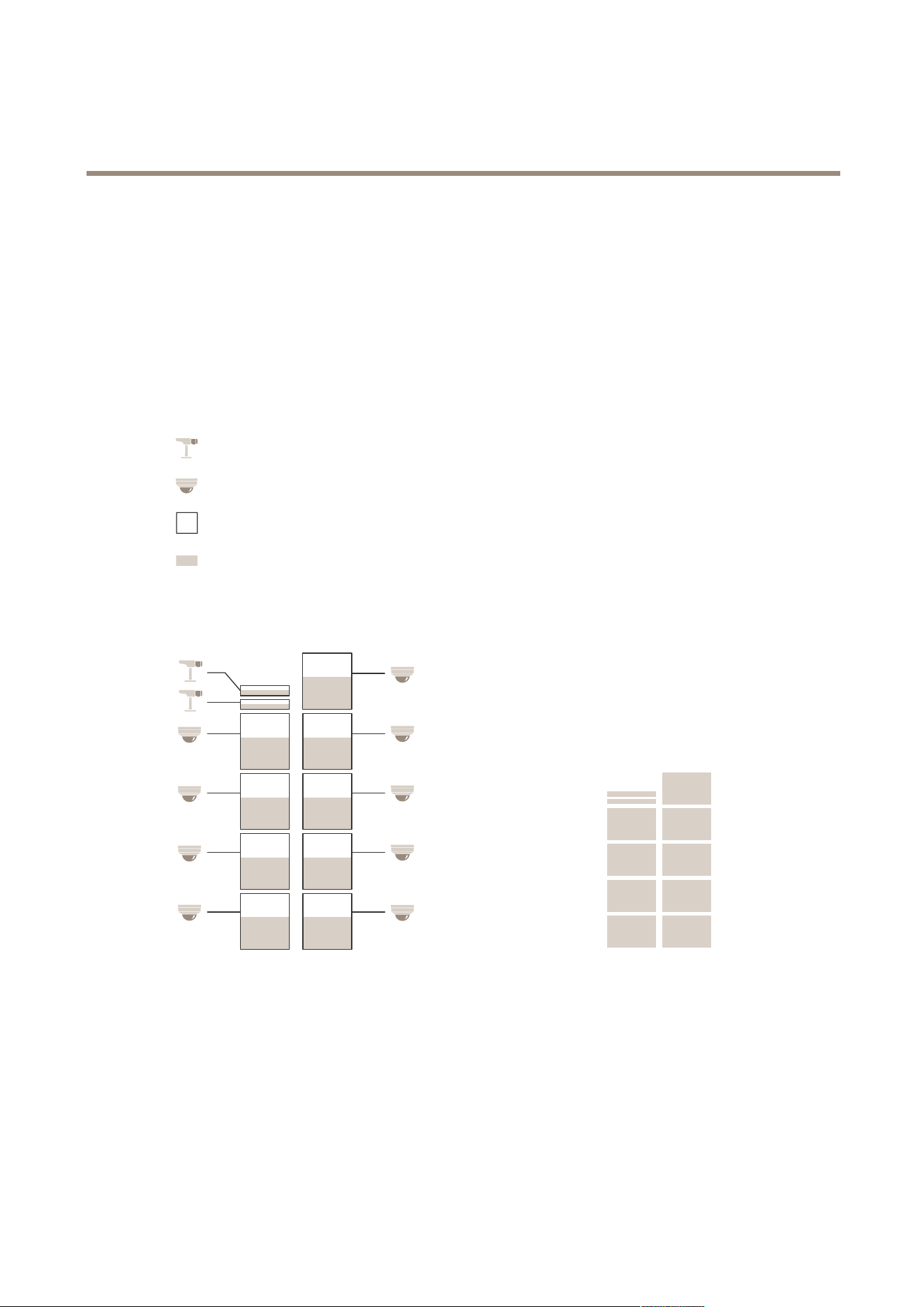
Therecorderreservesacertainamountofpowerforeachport.Thetotalreservedpowercan’texceedthetotalpowerbudget.A
portwillnotbepoweredupiftherecordertriestoreservemorepowerthanwhatisavailable.Thismakessurethatallofthe
connecteddeviceswillbepowered.
Example
Inthisexample:
•AXISS3016Recorderhasatotalpowerbudgetof305W.
•
PoEclass3device.Requests15.5Wpowerbutactuallyconsumes7.5Wpower.
•
PoEclass4device.Requests30Wpowerbutactuallyconsumes15Wpower.
•
Reservedpower.
•
Actualpowerconsumption.
ReservedpowerActualpowerconsumption
•Eachportreservestheamountofpoweraccordingtothedevice’sPoEclass.
•Therecordercanpower9PoEclass4devicesand2PoEclass3devices.
•Thetotalpowerreservedis(9x30)+(2x15.5)=301W.
•Theactualpowerconsumedis(9x15)+(2x7.5)=150W.
9

AXISS3016Recorder
Configureyourdevice
ChangetheRAIDlevel
CAUTION
ChangingtheRAIDlevelreformatsthelesystemanddeletesalldatafromyourdisks.
1.Inthedevicewebinterface,gotoSystem>Storage.
2.UnderTools,selectChangeRAIDlevelandclickUsetool.
3.SelectaRAIDlevelandclickNext.
4.SelectEncryptthediskandtypeyourpassword.ClickNext.
5.ClickYes.
6.Thestatusmessageappearsintheupper-rightcorner.WaituntiltheoperationisdoneandRAIDconfigured
isshownbeforeclosingthepage.
Replaceaharddrive
Note
Toavoidelectrostaticdischarge,werecommendthatyoualwaysuseastaticmatandstaticstrapwhileworkingon
componentsintheinteriorofthesystem.
1.Loosenthescrewsattheleftandrightofthebezelandremovethebezel.
2.LocatethebrokenharddriveindicatedbyaredLED.
AllLEDsareredincaseofaRAIDfailure.Toidentifythebrokenharddrive,gotothedevicewebinterfaceandgo
toSystem>Storage>Harddrivestatus.
3.Loosenthescrewfortheharddrivesled(T10).
4.Pulltheharddrivesledoutoftheharddrivebay.
5.Loosenthefourscrewsfortheharddrive(T8).
6.Taketheharddriveoutoftheharddrivesled.
7.Insertanewharddriveintotheharddrivesled.
8.Fastenthefourscrewsfortheharddrive.
9.Insertandpushtheharddrivesledallthewayintotheharddrivebay.
10.Fastenthescrewfortheharddrivesled.WaituntiltheLEDturnsgreen.
11.Attachthebezelandfastenthescrewsattheleftandrightofthebezel.
CreateanewRAID
CAUTION
YouonlycreateanewRAIDincaseofaRAIDfailure.CreatinganewRAIDdeletesalldatafromyourharddrives.
1.Replacethebrokenharddrives.SeeReplaceaharddriveonpage10.
2.ConguretheRAID.SeeChangetheRAIDlevelonpage9.
3.Congurerecordingsinyourvideomanagementsystem.SeeGetstartedwithAXISCompaniononpage4andGet
startedwithAXISCameraStationonpage7.
10

AXISS3016Recorder
Configureyourdevice
Hardresetarecorder
Important
Movetherecordercarefullywhileit’sswitchedon.Suddenmovesorshocksmaydamagetheharddrive.
Note
•Ahardresetwillresetallthesettings,includingtheIPaddress.
•Ahardresetwillnotremoveyourrecordings.
1.Switchofftherecorder:
Pressthepowerbuttononthefrontoftherecorderfor4-5secondsuntilyouhearabeep.
2.Waituntiltherecorderisswitchedoff,thenturnitovertoaccessthecontrolbutton.
3.Pressandholdthecontrolbutton.Pressandreleasethepowerbuttontostarttherecorder.Releasethecontrolbutton
after15-30secondswhentheLEDindicatorashesamber.
4.Carefullyputtherecorderbackinitsplace.
5.TheprocessiscompletewhenthestatusLEDindicatorturnsgreen.Theproducthasbeenresettothefactorydefault
settings.IfnoDHCPserverisavailableonthenetwork,thedefaultIPaddressis192.168.0.90
6.Ifyourharddriveisencrypted,itmustbemountedmanuallyaftertherecorderisreset:
6.1Gotothedevice’swebinterface.
6.2GotoSystem>StorageandclickMount.
6.3Entertheencryptionpasswordusedwhenencryptingtheharddrive.
11
AXISS3016Recorder
Thewebinterface
Thewebinterface
Toreachthedevice’swebinterface,typethedevice’sIPaddressinawebbrowser.
Note
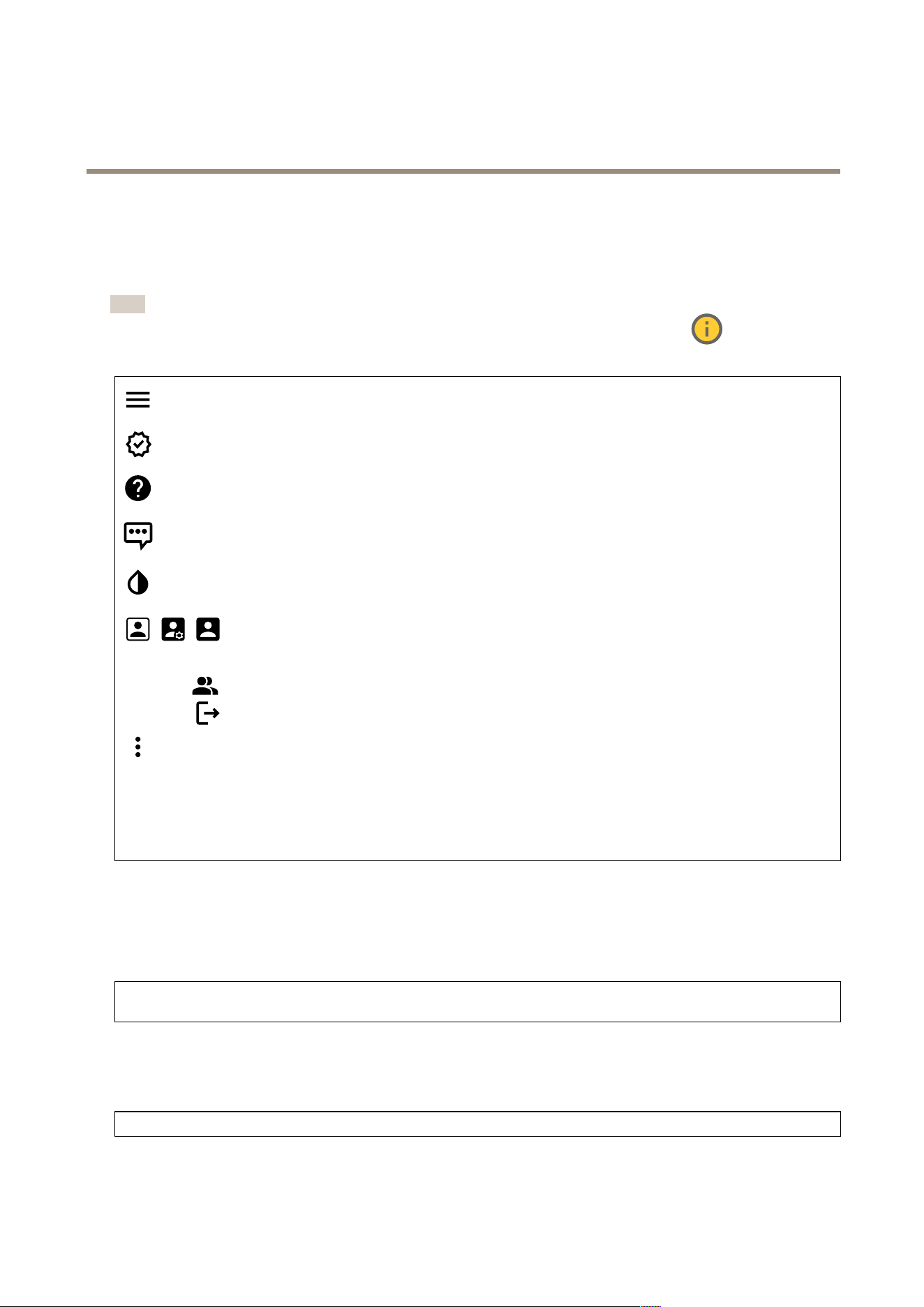
Supportforthefeaturesandsettingsdescribedinthissectionvariesbetweendevices.Thisicon
indicatesthat
thefeatureorsettingisonlyavailableinsomedevices.
Showorhidethemainmenu.
Accessthereleasenotes.
Accesstheproducthelp.
Changethelanguage.
Setlightthemeordarktheme.
Theusermenucontains:
•Informationabouttheuserwhoisloggedin.
•
Changeaccount:Logoutfromthecurrentaccountandlogintoanewaccount.
•
Logout:Logoutfromthecurrentaccount.
Thecontextmenucontains:
•Analyticsdata:Accepttosharenon-personalbrowserdata.
•Feedback:Shareanyfeedbacktohelpusimproveyouruserexperience.
•Legal:Viewinformationaboutcookiesandlicenses.
•About:Viewdeviceinformation,includingrmwareversionandserialnumber.
•Legacydeviceinterface:Changethedevice’swebinterfacetothelegacyversion.
Status
Deviceinfo
Showsthedeviceinformation,includingrmwareversionandserialnumber.
Upgradermware:Upgradethermwareonyourdevice.TakesyoutotheMaintenancepagewhereyoucandoarmware
upgrade.
Timesyncstatus
ShowsNTPsynchronizationinformation,includingifthedeviceisinsyncwithanNTPserverandthetimeremaininguntil
thenextsync.
NTPsettings:ViewandupdatetheNTPsettings.TakesyoutotheDateandtimepagewhereyoucanchangetheNTPsettings.
Security
12
AXISS3016Recorder
Thewebinterface
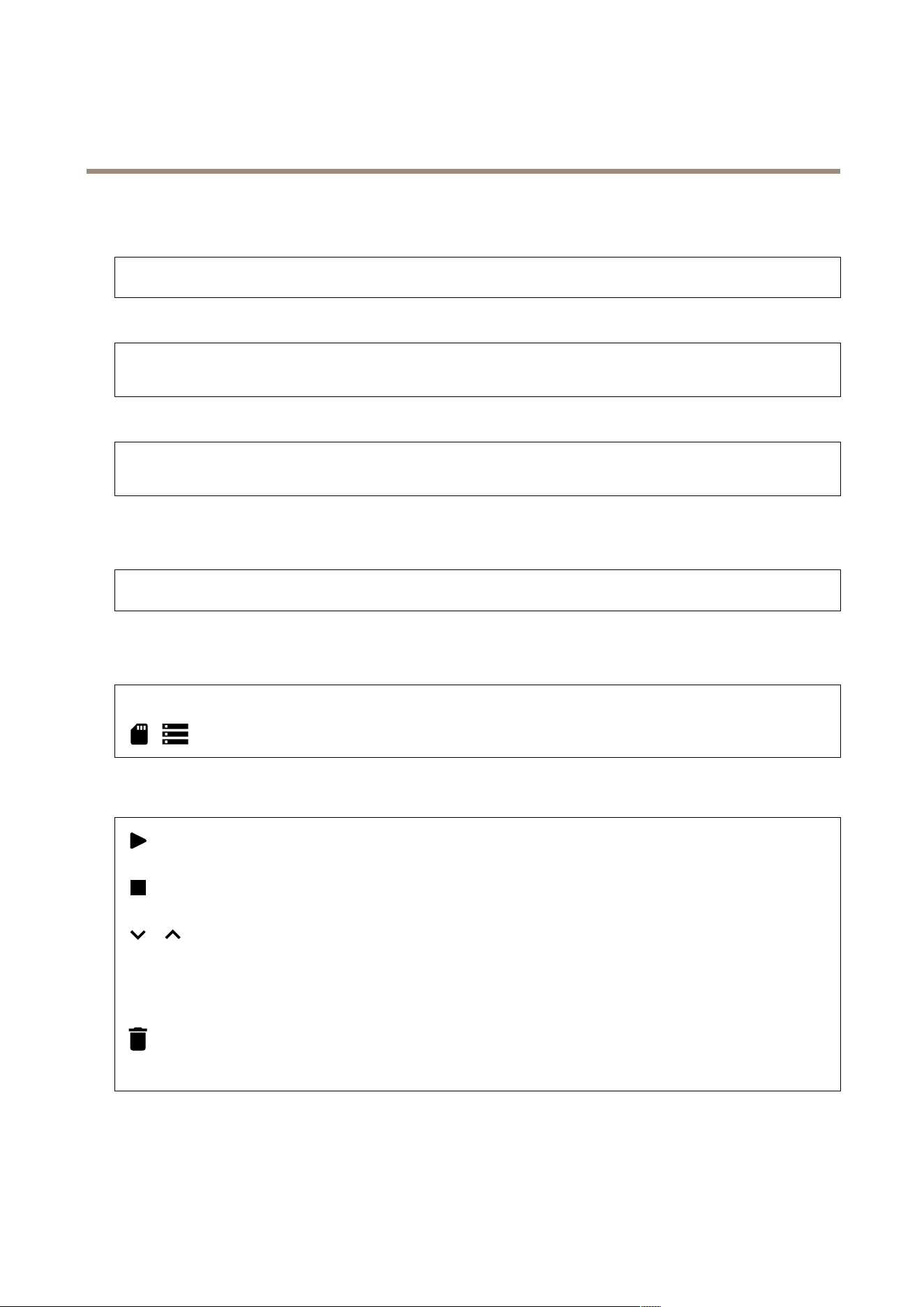
Showswhatkindofaccesstothedevicethatisactive,andwhatencryptionprotocolsareinuse.Recommendationstothesettings
arebasedontheAXISOSHardeningGuide.
Hardeningguide:LinktoAXISOSHardeningguidewhereyoucanlearnmoreaboutcybersecurityonAxisdevicesandbest
practices.
Networkports
ShowsthestatusofnetworkportsandpowerinformationincludingallocatedpowerandtotalPoEconsumption.
Networkportssettings:ClicktogototheNetworkportspagewhereyoucanchangethesettings.
Storage
Showsthestoragestatusandinformationincludingfreespaceanddisktemperature.
Storagesettings:ClicktogototheOnboardstoragepagewhereyoucanchangethesettings.
Connectedclients
Showsthenumberofconnectionsandconnectedclients.
Viewdetails:Viewandupdatethelistoftheconnectedclients.ThelistshowsIPaddress,protocol,port,andPID/Process
ofeachclient.
Ongoingrecordings
Showsongoingrecordingsandtheirdesignatedstoragespace.
Recordings:Viewongoingandlteredrecordingsandtheirsource.Formoreinformation,seeRecordingsonpage13
Showsthestoragespacewheretherecordingissaved.
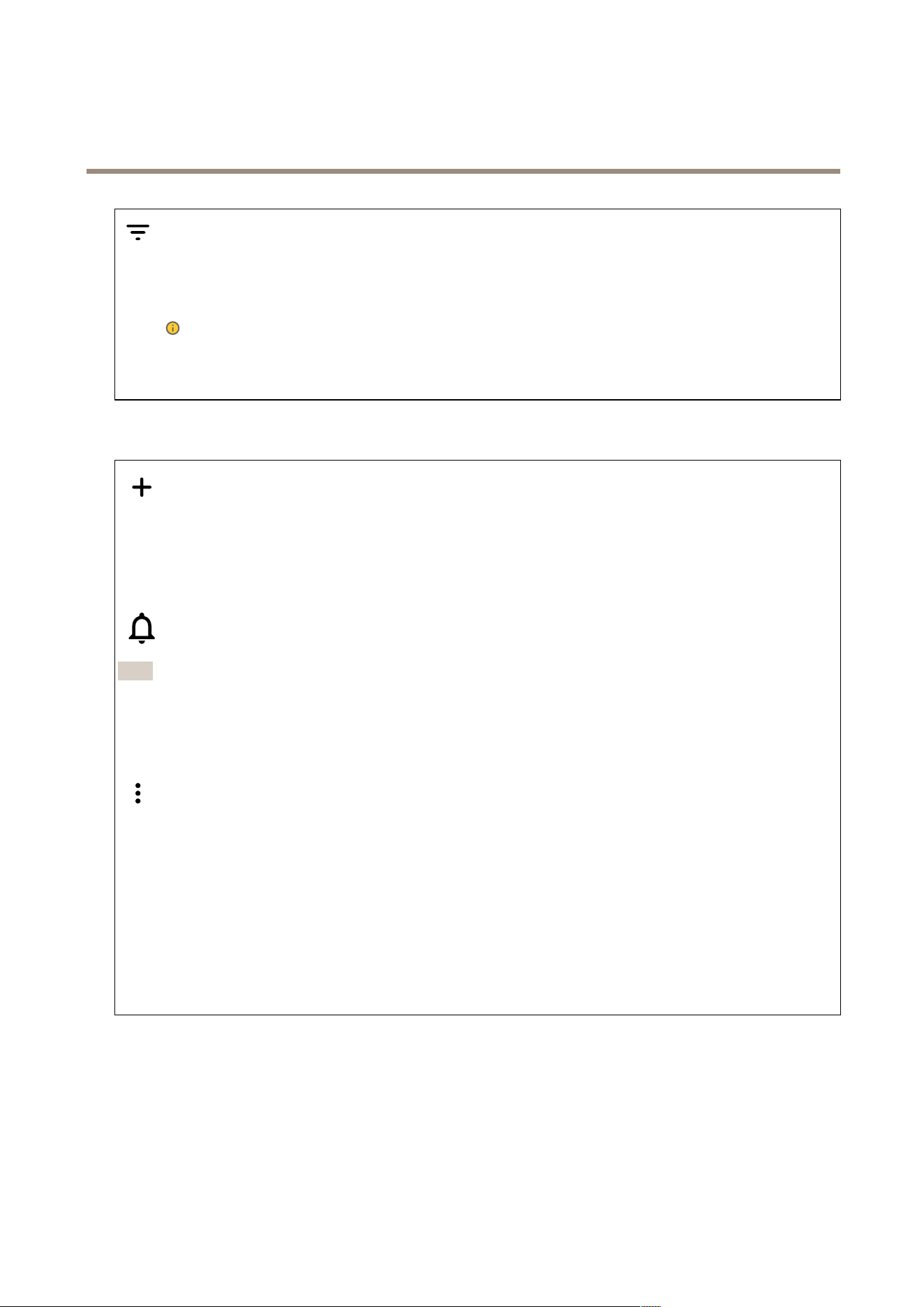
Recordings
Playtherecording.
Stopplayingtherecording.
Showorhideinformationandoptionsabouttherecording.
Setexportrange:Ifyouonlywanttoexportpartoftherecording,enteratimespan.
Encrypt:Selecttosetapasswordforexportedrecordings.Itwillnotbepossibletoopentheexportedlewithoutthepassword.
Clicktodeletearecording.
Export:Exportthewholeorapartoftherecording.
13
AXISS3016Recorder
Thewebinterface
Clicktoltertherecordings.
From:Showrecordingsdoneafteracertainpointintime.
To:Showrecordingsupuntilacertainpointintime.
Source
:Showrecordingsbasedonsource.Thesourcereferstothesensor.
Event:Showrecordingsbasedonevents.
Storage:Showrecordingsbasedonstoragetype.
Apps
Addapp:Installanewapp.
Findmoreapps:Findmoreappstoinstall.YouwillbetakentoanoverviewpageofAxisapps.
Allowunsignedapps:Turnontoallowinstallationofunsignedapps.
Allowroot-privilegedapps:Turnontoallowappswithrootprivilegesfullaccesstothedevice.
ViewthesecurityupdatesinAXISOSandACAPapps.
Note
Thedevice’sperformancemightbeaffectedifyourunseveralappsatthesametime.
Usetheswitchnexttotheappnametostartorstoptheapp.
Open:Accesstheapp’ssettings.Theavailablesettingsdependontheapplication.Someapplicationsdon’thaveanysettings.
Thecontextmenucancontainoneormoreofthefollowingoptions:
•Open-sourcelicense:Viewinformationaboutopen-sourcelicensesusedintheapp.
•Applog:Viewalogoftheappevents.Thelogishelpfulwhenyoucontactsupport.
•Activatelicensewithakey:Iftheapprequiresalicense,youneedtoactivateit.Usethisoptionifyourdevice
doesn’thaveinternetaccess.
Ifyoudon’thavealicensekey,gotoaxis.com/products/analytics.YouneedalicensecodeandtheAxisproductserial
numbertogeneratealicensekey.
•Activatelicenseautomatically:Iftheapprequiresalicense,youneedtoactivateit.Usethisoptionifyourdevicehas
internetaccess.Youneedalicensecodetoactivatethelicense.
•Deactivatethelicense:Deactivatethelicensetoreplaceitwithanotherlicense,forexample,whenyouchangefroma
triallicensetoafulllicense.Ifyoudeactivatethelicense,youalsoremoveitfromthedevice.
•Settings:Conguretheparameters.
•Delete:Deletetheapppermanentlyfromthedevice.Ifyoudon’tdeactivatethelicenserst,itremainsactive.
System
Timeandlocation
Dateandtime
Thetimeformatdependsonthewebbrowser’slanguagesettings.
14

AXISS3016Recorder
Thewebinterface
Note
Werecommendyousynchronizethedevice’sdateandtimewithanNTPserver.
Synchronization:Selectanoptionforthedevice’sdateandtimesynchronization.
•Automaticdateandtime(manualNTSKEservers):SynchronizewiththesecureNTPkeyestablishmentservers
connectedtotheDHCPserver.
-ManualNTSKEservers:EntertheIPaddressofoneortwoNTPservers.WhenyouusetwoNTPservers,
thedevicesynchronizesandadaptsitstimebasedoninputfromboth.
•Automaticdateandtime(NTPserversusingDHCP):SynchronizewiththeNTPserversconnectedtotheDHCPserver.
-FallbackNTPservers:EntertheIPaddressofoneortwofallbackservers.
•Automaticdateandtime(manualNTPservers):SynchronizewithNTPserversofyourchoice.
-ManualNTPservers:EntertheIPaddressofoneortwoNTPservers.WhenyouusetwoNTPservers,the
devicesynchronizesandadaptsitstimebasedoninputfromboth.
•Customdateandtime:Manuallysetthedateandtime.ClickGetfromsystemtofetchthedateandtimesettings
oncefromyourcomputerormobiledevice.
Timezone:Selectwhichtimezonetouse.Timewillautomaticallyadjusttodaylightsavingtimeandstandardtime.
Note
Thesystemusesthedateandtimesettingsinallrecordings,logs,andsystemsettings.
Network
IPv4
AssignIPv4automatically:SelecttoletthenetworkrouterassignanIPaddresstothedeviceautomatically.Werecommend
automaticIP(DHCP)formostnetworks.
IPaddress:EnterauniqueIPaddressforthedevice.StaticIPaddressescanbeassignedatrandomwithinisolatednetworks,
providedthateachaddressisunique.Toavoidconicts,werecommendyoucontactyournetworkadministratorbeforeyou
assignastaticIPaddress.
Subnetmask:Enterthesubnetmasktodenewhataddressesareinsidethelocalareanetwork.Anyaddressoutsidethelocal
areanetworkgoesthroughtherouter.
Router:EntertheIPaddressofthedefaultrouter(gateway)usedtoconnectdevicesthatareattachedtodifferentnetworksand
networksegments.
FallbacktostaticIPaddressifDHCPisn’tavailable:SelectifyouwanttoaddastaticIPaddresstouseasfallbackifDHCP
isunavailableandcan’tassignanIPaddressautomatically.
Note
IfDHCPisn’tavailableandthedeviceusesastaticaddressfallback,thestaticaddressisconguredwithalimitedscope.
IPv6
AssignIPv6automatically:SelecttoturnonIPv6andtoletthenetworkrouterassignanIPaddresstothedeviceautomatically.
Hostname
Assignhostnameautomatically:Selecttoletthenetworkrouterassignahostnametothedeviceautomatically.
Hostname:Enterthehostnamemanuallytouseasanalternativewayofaccessingthedevice.Theserverreportandsystemlog
usethehostname.AllowedcharactersareA–Z,a–z,0–9and-.
DNSservers
15

AXISS3016Recorder
Thewebinterface
AssignDNSautomatically:SelecttolettheDHCPserverassignsearchdomainsandDNSserveraddressestothedevice
automatically.WerecommendautomaticDNS(DHCP)formostnetworks.
Searchdomains:Whenyouuseahostnamethatisnotfullyqualied,clickAddsearchdomainandenteradomaininwhichto
searchforthehostnamethedeviceuses.
DNSservers:ClickAddDNSserverandentertheIPaddressoftheDNSserver.ThisprovidesthetranslationofhostnamestoIP
addressesonyournetwork.
Networkdiscoveryprotocols
Bonjour
®
:Turnontoallowautomaticdiscoveryonthenetwork.
Bonjourname:Enterafriendlynametobevisibleonthenetwork.ThedefaultnameisthedevicenameandMACaddress.
UPnP
®
:Turnontoallowautomaticdiscoveryonthenetwork.
UPnPname:Enterafriendlynametobevisibleonthenetwork.ThedefaultnameisthedevicenameandMACaddress.
WS-Discovery:Turnontoallowautomaticdiscoveryonthenetwork.
One-clickcloudconnection
One-clickcloudconnection(O3C)togetherwithanO3Cserviceprovideseasyandsecureinternetaccesstoliveandrecordedvideo
fromanylocation.Formoreinformation,seeaxis.com/end-to-end-solutions/hosted-services.
AllowO3C:
•One-click:Thisisthedefaultsetting.PressandholdthecontrolbuttononthedevicetoconnecttoanO3Cservice
overtheinternet.YouneedtoregisterthedevicewiththeO3Cservicewithin24hoursafteryoupressthecontrol
button.Otherwise,thedevicedisconnectsfromtheO3Cservice.Onceyouregisterthedevice,Alwaysisenabledand
thedevicestaysconnectedtotheO3Cservice.
•Always:ThedeviceconstantlyattemptstoconnecttoanO3Cserviceovertheinternet.Onceyouregisterthedevice,
itstaysconnectedtotheO3Cservice.Usethisoptionifthecontrolbuttononthedeviceisoutofreach.
•No:DisablestheO3Cservice.
Proxysettings:Ifneeded,entertheproxysettingstoconnecttotheproxyserver.
Host:Entertheproxyserver’saddress.
Port:Entertheportnumberusedforaccess.
LoginandPassword:Ifneeded,enterusernameandpasswordfortheproxyserver.
Authenticationmethod:
•Basic:ThismethodisthemostcompatibleauthenticationschemeforHTTP.It’slesssecurethantheDigestmethod
becauseitsendstheusernameandpasswordunencryptedtotheserver.
•Digest:Thismethodismoresecurebecauseitalwaystransfersthepasswordencryptedacrossthenetwork.
•Auto:Thisoptionletsthedeviceselecttheauthenticationmethoddependingonthesupportedmethods.Itprioritizes
theDigestmethodovertheBasicmethod.
Ownerauthenticationkey(OAK):ClickGetkeytofetchtheownerauthenticationkey.Thisisonlypossibleifthedeviceis
connectedtotheinternetwithoutarewallorproxy.
16

AXISS3016Recorder
Thewebinterface
Networkports
PoweroverEthernet
•Allocatedpower:Numberofwatts(W)thatarecurrentlyallocated.
•TotalPoEconsumption:Numberofwatts(W)thatareconsumed.
•KeepPoEactiveduringrecorderrestart:Turnontosupplypowertoconnecteddevicesduringarestartoftherecorder.
Clicktoshoworhidetheportsimage.
•Clickaportintheimagetoseetheportdetailsintheportlist.
Portlist
•Port:Theportnumber.
•PoE:TurnonoroffPoEfortheport.
•Network:Turnonoroffnetworkfortheport.
•Status:Showsifthereisdeviceconnectedtothisport.
•Friendlyname:ThefriendlynameissetinNetworksettings.Thedefaultnameisacombinationofthemodeland
themediaaccesscontroladdress(MACaddress)oftheconnecteddevice.
•Powerconsumption:Numberofwatts(W)thatarecurrentlyconsumedandallocatedbytheconnecteddevice.
Security
Certicates
Certicatesareusedtoauthenticatedevicesonanetwork.Thedevicesupportstwotypesofcerticates:
•Client/servercerticates
Aclient/servercerticatevalidatesthedevice’sidentity,andcanbeself-signedorissuedbyaCerticateAuthority(CA).
Aself-signedcerticateofferslimitedprotectionandcanbeusedbeforeaCA-issuedcerticatehasbeenobtained.
•CAcerticates
YoucanuseaCAcerticatetoauthenticateapeercerticate,forexampletovalidatetheidentityofanauthentication
serverwhenthedeviceconnectstoanetworkprotectedbyIEEE802.1X.Thedevicehasseveralpre-installedCA
certicates.
Theseformatsaresupported:
•Certicateformats:.PEM,.CER,and.PFX
•Privatekeyformats:PKCS#1andPKCS#12
Important
Ifyouresetthedevicetofactorydefault,allcerticatesaredeleted.Anypre-installedCAcerticatesarereinstalled.
Filterthecerticatesinthelist.
Addcerticate:Clicktoaddacerticate.
•More:Showmoreeldstollinorselect.
•Securekeystore:SelecttouseSecureelementorTrustedPlatformModule2.0tosecurelystoretheprivatekey.For
moreinformationonwhichsecurekeystoretoselect,gotohelp.axis.com/en-us/axis-os#cryptographic-support.
•Keytype:Selectthedefaultoradifferentencryptionalgorithmfromthedrop-downlisttoprotectthecerticate.
Thecontextmenucontains:
•Certicateinformation:Viewaninstalledcerticate’sproperties.
•Deletecerticate:Deletethecerticate.
•Createcerticatesigningrequest:Createacerticatesigningrequesttosendtoaregistrationauthoritytoapply
foradigitalidentitycerticate.
Securekeystore
:
17

AXISS3016Recorder
Thewebinterface
•Secureelement(CCEAL6+):Selecttousesecureelementforsecurekeystore.
•TrustedPlatformModule2.0(CCEAL4+,FIPS140-2Level2):SelecttouseTPM2.0forsecurekeystore.
IEEE802.1x
IEEE802.1xisanIEEEstandardforport-basednetworkadmissioncontrolprovidingsecureauthenticationofwiredandwireless
networkdevices.IEEE802.1xisbasedonEAP(ExtensibleAuthenticationProtocol).
ToaccessanetworkprotectedbyIEEE802.1x,networkdevicesmustauthenticatethemselves.Theauthenticationisperformedby
anauthenticationserver,typicallyaRADIUSserver(forexample,FreeRADIUSandMicrosoftInternetAuthenticationServer).
Certicates
WhenconguredwithoutaCAcerticate,servercerticatevalidationisdisabledandthedevicetriestoauthenticateitself
regardlessofwhatnetworkitisconnectedto.
Whenusingacerticate,inAxis'implementation,thedeviceandtheauthenticationserverauthenticatethemselveswithdigital
certicatesusingEAP-TLS(ExtensibleAuthenticationProtocol-TransportLayerSecurity).
Toallowthedevicetoaccessanetworkprotectedthroughcerticates,youmustinstallasignedclientcerticateonthedevice.
Clientcerticate:SelectaclientcerticatetouseIEEE802.1x.Theauthenticationserverusesthecerticatetovalidatethe
client’sidentity.
CAcerticate:SelectCAcerticatestovalidatetheauthenticationserver’sidentity.Whennocerticateisselected,thedevice
triestoauthenticateitselfregardlessofwhatnetworkitisconnectedto.
EAPidentity:Entertheuseridentityassociatedwiththeclientcerticate.
EAPOLversion:SelecttheEAPOLversionthatisusedinthenetworkswitch.
UseIEEE802.1x:SelecttousetheIEEE802.1xprotocol.
Custom-signedrmwarecerticate
ToinstalltestrmwareorothercustomrmwarefromAxisonthedevice,youneedacustom-signedrmwarecerticate.The
certicateveriesthatthermwareisapprovedbyboththedeviceownerandAxis.Thermwarecanonlyrunonaspecic
devicewhichisidentiedbyitsuniqueserialnumberandchipID.OnlyAxiscancreatecustom-signedrmwarecerticates,
sinceAxisholdsthekeytosignthem.
Install:Clicktoinstallthecerticate.Youneedtoinstallthecerticatebeforeyouinstallthermware.
Accounts
Accounts
Addaccount:Clicktoaddanewaccount.Youcanaddupto100accounts.
Account:Enterauniqueaccountname.
Newpassword:Enterapasswordfortheaccount.Passwordsmustbe1to64characterslong.OnlyASCIIprintablecharacters
(code32to126)areallowedinthepassword,forexample,letters,numbers,punctuation,andsomesymbols.
Repeatpassword:Enterthesamepasswordagain.
Privileges:
•Administrator:Hasfullaccesstoallsettings.Administratorscanalsoadd,update,andremoveotheraccounts.
•Operator:Hasaccesstoallsettingsexcept:
-AllSystemsettings.
18

AXISS3016Recorder
Thewebinterface
-Addingapps.
•Viewer:Hasaccessto:
-Watchandtakesnapshotsofavideostream.
-Watchandexportrecordings.
-Pan,tilt,andzoom;withPTZuseraccess.
Thecontextmenucontains:
Updateaccount:Edittheaccountproperties.
Deleteaccount:Deletetheaccount.Youcan’tdeletetherootaccount.
SSHaccounts
AddSSHaccount:ClicktoaddanewSSHaccount.
•Restrictrootaccess:Turnontorestrictfunctionalitythatrequiresrootaccess.
•EnableSSH:TurnontouseSSHservice.
Account:Enterauniqueaccountname.
Newpassword:Enterapasswordfortheaccount.Passwordsmustbe1to64characterslong.OnlyASCIIprintablecharacters
(code32to126)areallowedinthepassword,forexample,letters,numbers,punctuation,andsomesymbols.
Repeatpassword:Enterthesamepasswordagain.
Comment:Enteracomment(optional).
Thecontextmenucontains:
UpdateSSHaccount:Edittheaccountproperties.
DeleteSSHaccount:Deletetheaccount.Youcan’tdeletetherootaccount.
Storage
Onboardstorage
RAID
•Free:Theamountoffreediskspace.
•Status:Ifthediskismountedornot.
•Filesystem:Thelesystemthatisusedbythedisk.
•Encrypted:Ifthediskisencryptedornot.
•Temperature:Thecurrenttemperatureofthehardware.
•Overallheathtest:Theresultaftercheckingthehealthofthedisk.
•RAIDlevel:TheRAIDlevelusedforthestorage.SupportedRAIDlevelsare0,1,5,10.
•RAIDstatus:TheRAIDstatusofthestorage.PossiblevaluesareOnline,Degraded,Syncing,andFailed.
Tools
Note
Whenyourunthefollowingtools,makesuretowaituntiltheoperationisdonebeforeclosingthepage.
•Check:Checkthestoragedeviceforerrorsandtriestorepairitautomatically.
•Repair:Repairthestoragedevice.Activerecordingswillpauseduringtherepair.Repairingastoragedevicemay
resultinlostdata.
•Format:Eraseallrecordingsandformatthestoragedevice.Choosealesystem.
•Encrypt:Encryptdatathatisstored.Alllesonthestoragedevicewillbeerased.
•Decrypt:Decryptdatathatisstored.Alllesonthestoragedevicewillbeerased.
19

AXISS3016Recorder
Thewebinterface
•Changepassword:Changethepasswordforthediskencryption.Changingthepassworddoesn'tdisruptongoing
recordings.
•ChangeRAIDlevel:ChangetheRAIDlevelforthestorage.
•Usetool:Clicktoruntheselectedtool.
Harddrivestatus:Clicktoviewtheharddrivestatus,capacity,andserialnumber.
Writeprotect:Turnonwriteprotectiontoprotectthestoragedevicefrombeingoverwritten.
Logs
Reportsandlogs
Reports
•Viewthedeviceserverreport:Viewinformationabouttheproductstatusinapop-upwindow.TheAccessLogis
automaticallyincludedintheServerReport.
•Downloadthedeviceserverreport:Itcreatesa.ziplethatcontainsacompleteserverreporttextleinUTF–8
format,aswellasasnapshotofthecurrentliveviewimage.Alwaysincludetheserverreport.ziplewhenyou
contactsupport.
•Downloadthecrashreport:Downloadanarchivewithdetailedinformationabouttheserver'sstatus.Thecrashreport
containsinformationthatisintheserverreportaswellasdetaileddebuginformation.Thisreportmightcontain
sensitiveinformationsuchasnetworktraces.Itcantakeseveralminutestogeneratethereport.
Logs
•Viewthesystemlog:Clicktoshowinformationaboutsystemeventssuchasdevicestartup,warnings,andcritical
messages.
•Viewtheaccesslog:Clicktoshowallfailedattemptstoaccessthedevice,forexample,whenawronglogin
passwordisused.
Networktrace
Important
Anetworktracelemightcontainsensitiveinformation,forexamplecerticatesorpasswords.
Anetworktracelecanhelpyoutroubleshootproblemsbyrecordingactivityonthenetwork.
Tracetime:Selectthedurationofthetraceinsecondsorminutes,andclickDownload.
Remotesystemlog
Syslogisastandardformessagelogging.Itallowsseparationofthesoftwarethatgeneratesmessages,thesystemthatstoresthem,
andthesoftwarethatreportsandanalyzesthem.Eachmessageislabeledwithafacilitycode,whichindicatesthesoftware
typegeneratingthemessage,andassignedaseveritylevel.
Server:Clicktoaddanewserver.
Host:EnterthehostnameorIPaddressoftheserver.
Format:Selectwhichsyslogmessageformattouse.
•Axis
•RFC3164
•RFC5424
Protocol:Selecttheprotocolandporttouse:
•UDP(Defaultportis514)
•TCP(Defaultportis601)
•TLS(Defaultportis6514)
20

AXISS3016Recorder
Thewebinterface
Severity:Selectwhichmessagestosendwhentriggered.
CAcerticateset:Seethecurrentsettingsoraddacerticate.
Maintenance
Restart:Restartthedevice.Thisdoesnotaffectanyofthecurrentsettings.Runningapplicationsrestartautomatically.
Restore:Returnmostsettingstothefactorydefaultvalues.Afterwardsyoumustrecongurethedeviceandapps,reinstallany
appsthatdidn’tcomepreinstalled,andrecreateanyeventsandPTZpresets.
Important
Theonlysettingssavedafterrestoreare:
•Bootprotocol(DHCPorstatic)
•StaticIPaddress
•Defaultrouter
•Subnetmask
•802.1Xsettings
•O3Csettings
Factorydefault:Returnallsettingstothefactorydefaultvalues.AfterwardsyoumustresettheIPaddresstomakethedevice
accessible.
Note
AllAxisdevicermwareisdigitallysignedtoensurethatyouonlyinstallveriedrmwareonyourdevice.Thisfurther
increasestheoverallminimumcybersecuritylevelofAxisdevices.Formoreinformation,seethewhitepaper“Signed
rmware,secureboot,andsecurityofprivatekeys”ataxis.com.
Firmwareupgrade:Upgradetoanewrmwareversion.Newrmwarereleasescancontainimprovedfunctionality,bug
xes,andcompletelynewfeatures.Werecommendyoutoalwaysusethelatestrelease.Todownloadthelatestrelease,go
toaxis.com/support.
Whenyouupgrade,youcanchoosebetweenthreeoptions:
•Standardupgrade:Upgradetothenewrmwareversion.
•Factorydefault:Upgradeandreturnallsettingstothefactorydefaultvalues.Whenyouchoosethisoption,youcan’t
reverttothepreviousrmwareversionaftertheupgrade.
•Autorollback:Upgradeandconrmtheupgradewithinthesettime.Ifyoudon’tconrm,thedevicerevertstothe
previousrmwareversion.
Firmwarerollback:Reverttothepreviouslyinstalledrmwareversion.
21

AXISS3016Recorder
Learnmore
Learnmore
Cybersecurity
Signedrmware
Signedrmwareisimplementedbythesoftwarevendorsigningthermwareimagewithaprivatekey.Whenarmwarehasthis
signatureattachedtoit,adevicewillvalidatethermwarebeforeacceptingtoinstallit.Ifthedevicedetectsthatthermware
integrityiscompromised,thermwareupgradewillberejected.
Secureboot
Securebootisabootprocessthatconsistsofanunbrokenchainofcryptographicallyvalidatedsoftware,startinginimmutable
memory(bootROM).Beingbasedontheuseofsignedrmware,securebootensuresthatadevicecanbootonlywithauthorized
rmware.
AxisEdgeVault
AxisEdgeVaultprovidesahardware-basedcybersecurityplatformthatsafeguardstheAxisdevice.Itoffersfeaturestoguaranteethe
device’sidentityandintegrityandtoprotectyoursensitiveinformationfromunauthorizedaccess.Itbuildsonastrongfoundationof
cryptographiccomputingmodules(secureelementandTPM)andSoCsecurity(TEEandsecureboot),combinedwithexpertisein
edgedevicesecurity.
TPMmodule
TheTPM(TrustedPlatformModule)isacomponentthatprovidescryptographicfeaturestoprotectinformationfromunauthorized
access.Itisalwaysactivatedandtherearenosettingsyoucanchange.
AxisdeviceID
Beingabletoverifytheoriginofthedeviceiskeytoestablishingtrustinthedeviceidentity.Duringproduction,deviceswith
AxisEdgeVaultareassignedaunique,factory-provisioned,andIEEE802.1AR-compliantAxisdeviceIDcerticate.Thisworks
likeapassporttoprovetheoriginofthedevice.ThedeviceIDissecurelyandpermanentlystoredinthesecurekeystoreasa
certicatesignedbyAxisrootcerticate.ThedeviceIDcanbeleveragedbythecustomer’sITinfrastructureforautomatedsecure
deviceonboardingandsecuredeviceidentication
TolearnmoreaboutAxisEdgeVaultandcybersecurityfeaturesinAxisdevices,gotoaxis.com/learning/white-papersandsearchfor
cybersecurity.
22
AXISS3016Recorder
Specifications
Specifications
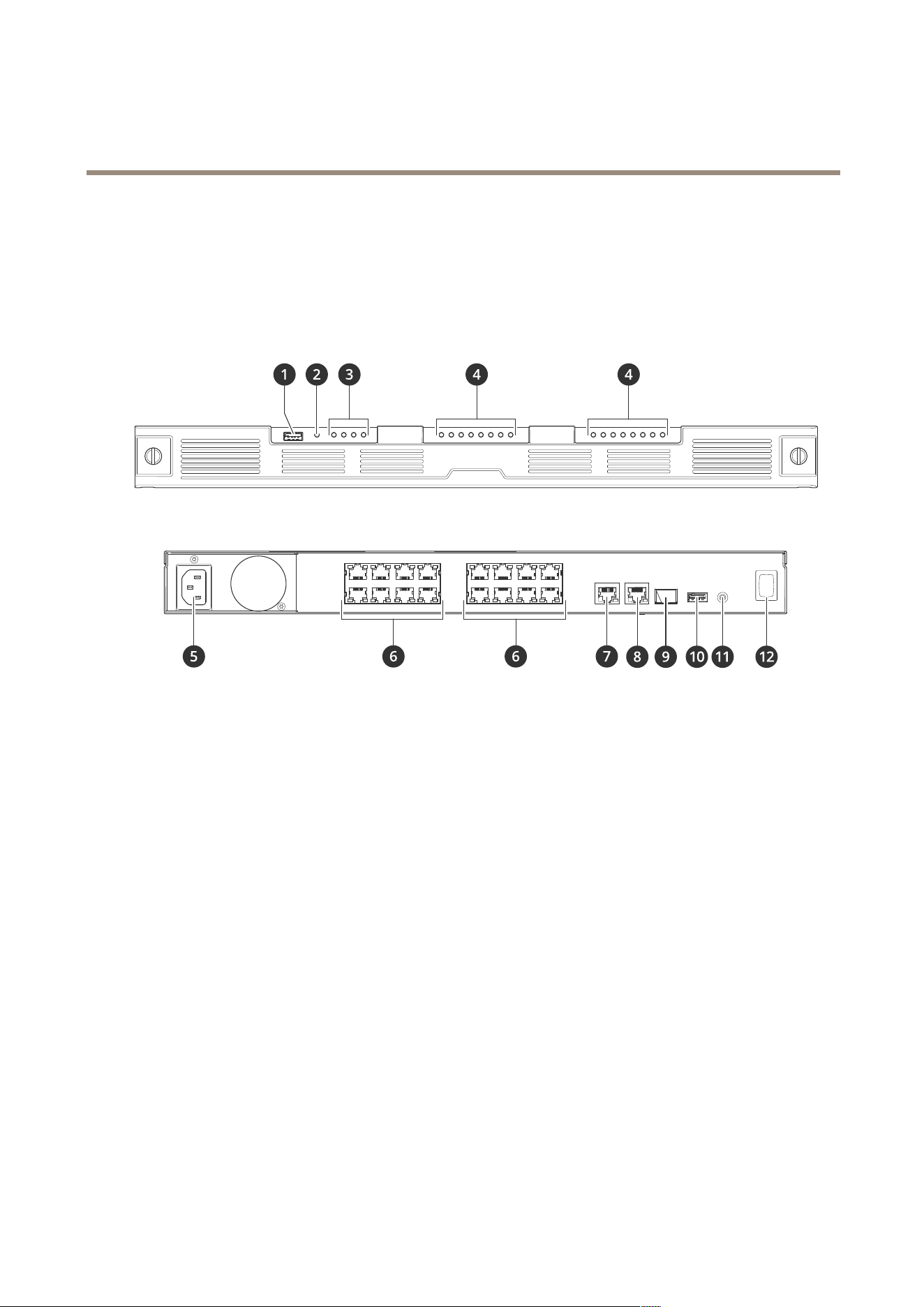
Productoverview
1
USB3.0port
2
ProductstatusLED
3
HarddrivesstatusLEDs
4
PoE/NetworkstatusLEDs
5
Powerconnector
6
PoEports
7
AUXRJ45port
8
LANRJ45port
9
LANSFPport
10
USB2.0port
11
Controlbutton
12
Powerbutton
Specications
FrontLEDs
23

AXISS3016Recorder
Specifications
LED
Color
Indication
Green
Therecorderisonandthestatusisok.
AmberTherecorderisstartingup,orthe
rmwareisupgrading.WaituntiltheLED
turnsgreen.
Productstatus
RedThiscanmeanthatthePoEbudgetis
exceeded.Ifyoujustconnectedadevice
totherecorder,trytoremoveit.
Green
Thedriveisonline.
AmberThisdriveisonline,butanotherdriveis
broken.
TheRAIDismissingredundancy.
RedThedriveisbroken.
Allarered
TheRAIDhasfailed.Systemisnot
recording.
Toidentifythebrokenharddriveincase
ofaRAIDfailure,gotothedeviceweb
interfaceandgotoSystem>Storage>
Harddrivestatus.
Harddrivestatus
Off
Noharddrive.
Green
Adeviceisconnected.
AmberPoEisinusebutnonetworklink.
RedTheconnecteddevicecan’tstart.
ThePoEbudgetisexceeded.
PoEfailure.
PoEstatus
Off
Theportisnotinuseorisdisabled.
RearLEDs
LED
Color
Indication
Blinksgreen
2.5Gbit/s
Blinksamber
1Gbit/s
Networkport
Off
Nonetwork
Green
PoEisinuse.
RedPoEfailure.
ThePoEbudgetisexceeded.
PoEport
LeftLED
Off
Theportisnotinuseorisdisabled.
Blinksgreen
1Gbit/s
Blinksamber
100Mbit/s
PoEport
RightLED
Off
Nonetwork
Powerbutton
•Toshutdowntherecorder,longpressthepowerbuttonuntilthebuzzermakesabriefsound.
•Tosilencethebuzzer,shortpressthepowerbutton.
24


AXISS3016Recorder
Troubleshooting
Troubleshooting
Technicalissues,cluesandsolutions
Issue
Solution
Myrecordingsarenot
available.
GotoFixcommonissuesonpage26.
Icannotconnecttomy
cameras.
GotoFixcommonissuesonpage26.
Ireceiveerrornotication:
“Nocontact”.
GotoFixcommonissuesonpage26.
Mysitesdonotappearinmy
mobileapp.
Makesureyouhaveversion4oftheAXISCompanionmobileapp.
Fixcommonissues
Beforeyourestart,congureorresetyourdevices.
1.Checkthatyourcamerasandrecorderhavepower.
2.Checkthatyouareconnectedtotheinternet.
3.Checkthatthenetworkisworking.
4.Checkthatthecamerasareconnectedtothesamenetworkasthecomputer,unlessyouareremote.
Stillnotworking?
5.Makesurethatyourcameras,recorderandAXISCompaniondesktopapphavethelatestrmwareandsoftwareupdates.
SeeUpgradermwareonpage26.
6.RestarttheAXISCompaniondesktopapp.
7.Restartyoucamerasandrecorder.
Stillnotworking?
8.Makeahardresetonthecamerasandtherecorder,tocompletelyputthembacktofactorydefaultsettings.
SeeHardresetarecorderonpage10.
9.Addtheresetcamerastoyoursiteagain.
Stillnotworking?
10.Updateyourgraphicscardwiththelatestdrivers.
Stillnotworking?
11.SaveasystemreportandcontactAxistechnicalsupport.
SeeSaveasystemreportonpage27.
Upgradermware
Newrmwareupdatesbringyoutothelatestandimprovedsetoffeatures,functions,andsecurityenhancements.
26

AXISS3016Recorder
Troubleshooting
1.Gototheleaderdevice’swebinterface.
2.GotoMaintenance>FirmwareupgradeandclickUpgrade.
3.Followtheinstructionsonthescreen.
Ican'tlogintotheproduct'swebinterface
Ifyousetapasswordfortheproductduringconguration,andlateraddthatproducttoasite,youcannolongerlogintothe
product'swebinterfacewiththepasswordyou'veset.ThisisbecauseAXISCompanionsoftwarechangesthepasswordsof
alldevicesinthesite.
Tologintoadeviceinyoursite,typetheusernamerootandyoursitepassword.
Howtoeraseallrecordings
1.Inthedevice’swebinterface,gotoSystem>Storage.
2.SelectFormatandclickUsetool.
Note
Thisprocedureerasesallrecordingsfromtheharddrive,butthecongurationoftherecorderandthesitedoesn’tchange.
Saveasystemreport
1.InAXISCompanion,goto
>Savesystemreport.
2.InAXISCameraStation,goto
>Help>Systemreport.
3.WhenyouregisteranewcaseatAxisHelpdesk,attachthesystemreport.
27


UsermanualVer.M1.19
AXISS3016Recorder
Date:November2023
©AxisCommunicationsAB,2022-2023
Partno.T10186767