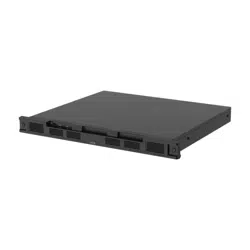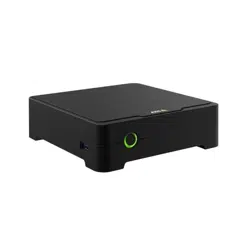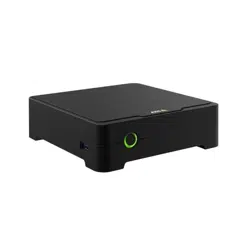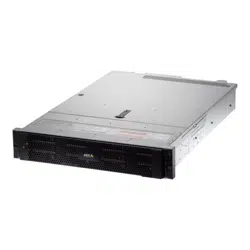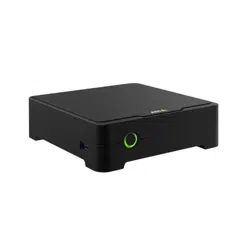


AXISS3008Recorder
Aboutyourdevice
Aboutyourdevice
AXISS3008Recorderisacompactnetworkvideorecorderwithabuilt-inPoEswitchforeasyinstallation.Thedevicefeaturesa
surveillance-gradeharddrive.ItalsoincludesaUSBportforeasyexportofvideofootage.Therecordercomesinthreemodels–
includinga2TB,4TBor8TBharddrive.
HowmanycamerascanIconnecttotherecorder?
UptoeightdevicescanbeconnectedtothePoEswitchoftherecorder.
Howmuchpowercantherecordersupplytothecameras?
ThesearethelimitationsforpoweroverEthernet(PoE):
•TherecordercansupplyuptoeightdeviceswithPoE.
•Thetotalamountofpoweravailable:
-2TBand4TB:65W
-8TB:60W
•Eachnetworkportsupportsupto15.4W(PoEClass3)atthePoEport(PSE)and12.95Wonthecameraside(PD).
•TheswitchallocatesPoEpowerbasedonthePoEclassoftheconnecteddevice.
Browsersupport
Windows
®
•Chrome
TM
(recommended)
•Firefox
®
•Edge
®
OSX
®
•Chrome
TM
(recommended)
•Safari
®
Other
•Chrome
TM
•Firefox
®
Tondoutmoreabouthowtousethedevice,seetheManualavailableatDocumentation|AxisCommunications.
Ifyouwantmoreinformationaboutrecommendedbrowsers,gotoAxisOSbrowsersupport|AxisCommunications.
2

AXISS3008Recorder
Getstarted
Getstarted
Towatchthisvideo,gotothewebversionofthisdocument.
www.axis.com/products/online-manual/63362#t10153931
TheAXISS3008Recorderisusedwithversion4oftheAXISCompanionvideomanagementsoftware.
GetstartedwithAXISCompanion
Note
Internetaccessisrequiredduringthesystemsetup.
Installationoverview:
1.RegisteraMyAxisaccountonpage3
2.Installthehardwareonpage4
3.Installthedesktopapponpage4
4.Createasiteonpage5
5.Installthemobileapponpage6
Resultofsysteminstallation:
•ThermwareisupgradedonallAxisdevices.
•Apasswordissetforthedevices.
•Therecordingsareenabledwithdefaultsettings.
•Theremoteaccessisenabled.
RegisteraMyAxisaccount
RegisteraMyAxisaccountataxis.com/my-axis/login.
YoucanmakeyourMyAxisaccountmoresecurebyactivatingmulti-factorauthentication(MFA).MFAisasecuritysystemthat
addsanotherlayerofvericationtoensuretheuser’sidentity.
ActivateMFA:
1.Gotohttps://auth.axis.com/user-center/account/security-settings.
2.Turnon2–Stepverication.
3

AXISS3008Recorder
Getstarted
Youareredirectedtoaloginpage.
3.LoginwithyourMyAxiscredentials.
MFAisnowactive.
LoginwhenMFAisactive:
1.LogintoyourMyAxisaccount.
Anemailissenttoyou.
2.OpentheemailandclickAuthenticate.
Ifyoudidn’treceiveanemail,thencheckifit’sinyourspamfolder.Ifit’snotthere,thencontactITsupport.
Installthehardware
1.Installyourcamerahardware.
2.ConnecttherecordertoyournetworkviatheLANport.
Note
Ifyouhavenorecorder,thenyouneedacamerawithanSDcardifyouwanttobeabletorecordvideo.
3.Connectthecamerastotherecorder’sintegratedPoEswitchoranexternalPoEswitch.
4.Connectthecomputertothesamenetworkastherecorder.
5.Connectthepowersupplytotherecorder.
Important
Youmustrstconnectthepowercordtotherecorder,andthenconnectthepowercordtothepoweroutlet.
6.Waitafewminutesfortherecorderandcamerastobootupbeforeproceeding.
CAUTION
Keeptherecorderinawellventilatedenvironmentandwithplentyofemptyspacearoundtherecordertoavoidoverheating.
Installthedesktopapp
1.Gotoaxis.com/products/axis-companionandclickDownloadtodownloadtheAXISCompaniondesktopappforWindows.
2.SigninusingyourMyAxisaccount.
3.Readthelicenseagreement,andselectoneofthealternativestoproceed.
4.Savetheletoalocationofyourchoice.
5.Openthele,andclickRuntostarttheinstallation.
6.Ifyouwanttoallowtheapptomakechangesonyourdevice,clickYes.
7.SelectlanguageandclickOK.
8.Followthesetupwizard.
4

AXISS3008Recorder
Getstarted
Createasite
Towatchthisvideo,gotothewebversionofthisdocument.
www.axis.com/products/online-manual/63362#t10112114
Withreservationsforchangesintheuserinterface.
Asiteisasinglepointofentrytoasurveillancesolution,forexampleallcamerasinastore.Youcankeeptrackofseveralsites
throughasingleMyAxisaccount.
Note
IfyouhaveusedanearlierversionofAXISCompanion,thenyoumighthavedevicesthatarenotsupportedin
AXISCompanionversion4.Unsupporteddevicesincludethird-partyNASdevicesandoldAxisdeviceswitharmwarethat
can’tbeupdatedto5.50orlater.Thewizardwillinformyouaboutanysuchissuesandhelpyoutoaddressthem.
Note
SitesthatwerecreatedinanearlierversionthanAXISCompanionversion4,willnotappearinthelistofsites.Youcanread
theMigrationGuide(availableonthesupportwebpage)formoreinformation.
1.StarttheAXISCompaniondesktopapp.
2.SigninwithyourMyAxisaccount.
3.ClickGetstarted.
4.Nameyoursiteandenteryourcompanyname.
5.ClickNext.
6.Selectthedevicesyouwanttoaddtoyoursite.
Ifanydevicesarepassword-protected,thenyoumustenterthepasswordforthembeforetheycanbeselected.
Note
Ifyouhavedevicesthatarenotsupported,thenyoucanclickReadmoretondourwhytheyarenotsupported.
7.ClickNext.
8.Enterapassword.
ThispasswordisusedforaccessingthedevicewebpagesorofinemodeintheAXISCompanionmobileapp.
9.ClickNext.
10.OntheReadytoinstallpage,theremightbealistofcamerasthatneedtoberestored.Ifso,clicktheRestoredevice
linktoxtheissueonthedevicewebpage.
11.ClickFinishandwaitwhileAXISCompanionconguresthecameras.
Note
Thecongurationmaytakeseveralminutes.
5

AXISS3008Recorder
Getstarted
Forgetting-startedvideotutorials,seeAXISCompaniontutorials.
Installthemobileapp
YoucanusetheAXISCompanionmobileapptosetupyoursystemandcontrolitfromanywhere.Real-timealertnoticationskeep
youawareofanysuspiciousactivity.Youcanalsoviewandexportvideorecordings.
1.GotoyourAppstoreorGoogleplay.
2.SearchforAXISCompanion4anddownloadtheapp.
3.SignintoAXISCompanionwithyourMyAxisaccount.
Tondoutmoreonhowtousetheapp,seeAXISCompaniontutorials.
6

AXISS3008Recorder
Thedeviceinterface
Thedeviceinterface
Showorhidethemainmenu.
Accesstheproducthelp.
Changethelanguage.
Setlightthemeordarktheme.
Seeinformationabouttheuserwhoisloggedin.
Thecontextmenucontains:
•Analyticsdata:Accepttosharenon-personalbrowserdata.
•Feedback:Shareanyfeedbacktohelpusimproveyouruserexperience.
•Legal:Viewinformationaboutcookiesandlicenses.
•About:Viewdeviceinformation,includingrmwareversionandserialnumber.
Recorderstatus
Status
AllocatedPoE:Numberofwatts(W)thatarecurrentlyallocated.
TotalPoEconsumption:Numberofwatts(W)thatareconsumed.
KeepPoEactiveduringrecorderrestart:Turnontosupplypowertoconnecteddevicesduringarestartoftherecorder.
Usedspace:Percentageofspaceused.
Freespace:Percentageofspaceavailableforrecordings.
Freespace:Availablediskspacedisplayedinmegabytes(MB),gigabytes(GB),orterabytes(TB).
Diskstatus:Currentstatusofthedisk.
Disktemperature:Currentrunningtemperature.
Ports
Eachporthasanindividualnumberandindividualsettings.
PoE:TurnonoroffPoEforeachport.Whenadeviceisconnected,you’llseethefollowinginformation:
•Allocatedpower:Numberofwatts(W)thatarecurrentlyallocated.
•Mac:Themediaaccesscontroladdress(MACaddress)oftheconnecteddevice.
7

AXISS3008Recorder
Thedeviceinterface
Apps
Addapp:Clicktoinstallanewapp.
Findmoreapps:ClicktogotoanoverviewpageofAxisapps.
Thecontextmenucontains:
•Applog:Clicktoviewalogoftheappevents.Thelogishelpfulwhenyoucontactsupport.
•Activatelicensewithakey:Iftheapprequiresalicense,youneedtoactivateit.Usethisoptionifyourdevice
doesn’thaveinternetaccess.
Ifyoudon’thavealicensekey,gotoaxis.com/applications.YouneedalicensecodeandtheAxisproductserial
numbertogeneratealicensekey.
•Activatelicenseautomatically:Iftheapprequiresalicense,youneedtoactivateit.Usethisoptionifyourdevicehas
internetaccess.Youneedalicensecodetoactivatethelicense.
•Deactivatethelicense:Deactivatethelicensetouseitinanotherdevice.Ifyoudeactivatethelicense,youalso
removeitfromthedevice.Todeactivatethelicenserequiresinternetaccess.
•Delete:Deletetheapppermanentlyfromthedevice.Ifyoudon’tdeactivatethelicenserst,itremainsactive.
Note
Thedevice’sperformancemightbeaffectedifyourunseveralappsatthesametime.
Start:Startorstoptheapp.
Open:Clicktoaccesstheapp’ssettings.Theavailablesettingsdependontheapplication.Someapplicationsdon’thaveany
settings.
System
Dateandtime
Thetimeformatdependsonthewebbrowser’slanguagesettings.
Note
Werecommendyoutosynchronizethedevice’sdateandtimewithanNTPserver.
Synchronization:Selectanoptionforsynchronizingthedevice’sdateandtime.
•Automaticdateandtime(NTPserverusingDHCP):SynchronizewiththeNTPserverconnectedtotheDHCPserver.
•Automaticdateandtime(manualNTPserver):SynchronizewithNTPserversofyourchoice.
-PrimaryNTPserverandSecondaryNTPserver:EntertheIPaddressofoneortwoNTPservers.Whenyouuse
twoNTPservers,thedevicesynchronizesandadaptsitstimebasedoninputfromboth.
•Customdateandtime:Manuallysetthedateandtime.ClickGetfromsystemtofetchthedateandtimesettings
oncefromyourcomputerormobiledevice.
Timezone:Selectwhichtimezonetouse.Timewillbeautomaticallyadjustedfordaylightsavingtimeandstandardtime.
Note
Thesystemusesthedateandtimesettingsinallrecordings,logsandsystemsettings.
Network
IPv4andIPv6
8

AXISS3008Recorder
Thedeviceinterface
IPv4
•AutomaticIP(DHCP)andDNS(DHCP):Therecommendedsettingformostnetworks.Thecurrentsettingsare
updatedautomatically.
•AutomaticIP(DHCP)andmanualDNS:Contactyournetworkadministratortocongurethemanualsettings.The
currentautomaticsettingsareupdatedautomatically.
•ManualIPandDNS:Contactyournetworkadministratortocongurethesettings.
IPaddress:EnterauniqueIPaddressforthedevice.StaticIPaddressescanbeassignedatrandomwithinisolatednetworks,
providedthateachaddressisunique.Toavoidconicts,werecommendyoutocontactyournetworkadministratorbeforeyou
assignastaticIPaddress.
Subnetmask:Enterthesubnetmask.
Router:EntertheIPaddressofthedefaultrouter(gateway)usedtoconnectdevicesthatareattachedtodifferentnetworksand
networksegments.
Hostname:Enterthehostname.
Searchdomains:Whenyouuseahostnamethatisnotfullyqualied,clickAddsearchdomainandenteradomaininwhichto
searchforthehostnameusedbythedevice.
DNSservers:ClickAddDNSserverandentertheIPaddressoftheprimaryDNSserver.Thisprovidesthetranslationofhostnames
toIPaddressesonyournetwork.
IPv6
AssignIPv6automatically:SelecttoletthenetworkrouterassignanIPaddresstothedeviceautomatically.
Friendlyname
Bonjour
®
:Turnontoallowautomaticdiscoveryonthenetwork.
Bonjourname:Enterafriendlynametobevisibleonthenetwork.ThedefaultnameisthedevicenameandMACaddress.
UseUPnP
®
:Turnontoallowautomaticdiscoveryonthenetwork.
UPnPname:Enterafriendlynametobevisibleonthenetwork.ThedefaultnameisthedevicenameandMACaddress.
One-clickcloudconnection
One-clickcloudconnection(O3C)togetherwithanO3Cserviceprovideseasyandsecureinternetaccesstoliveandrecordedvideo
fromanylocation.Formoreinformation,seeaxis.com/end-to-end-solutions/hosted-services.
AllowO3C:
•One-click:Thedefaultsetting.PressandholdthecontrolbuttononthedevicetoconnecttoanO3Cserviceoverthe
internet.YouneedtoregisterthedevicewiththeO3Cservicewithin24hoursafteryoupressthecontrolbutton.
Otherwise,thedevicedisconnectsfromtheO3Cservice.Onceyouhaveregisteredthedevice,Alwaysisenabledand
thedevicestaysconnectedtotheO3Cservice.
•Always:ThedeviceconstantlyattemptstoconnecttoanO3Cserviceovertheinternet.Onceyouhaveregisteredthe
device,itstaysconnectedtotheO3Cservice.Usethisoptionifthecontrolbuttononthedeviceisoutofreach.
•No:DisablestheO3Cservice.
Proxysettings:Ifneeded,entertheproxysettingstoconnecttotheHTTPserver.
Host:Entertheproxyserver’saddress.
Port:Entertheportnumberusedforaccess.
LoginandPassword:Ifneeded,enterusernameandpasswordfortheproxyserver.
Authenticationmethod:
9

AXISS3008Recorder
Thedeviceinterface
•Basic:ThismethodisthemostcompatibleauthenticationschemeforHTTP.It’slesssecurethantheDigestmethod
becauseitsendstheusernameandpasswordunencryptedtotheserver.
•Digest:Thismethodismoresecurebecauseitalwaystransfersthepasswordencryptedacrossthenetwork.
•Auto:Thisoptionletsthedeviceselecttheauthenticationmethoddependingonthesupportedmethods.Itprioritizes
theDigestmethodovertheBasicmethod.
Ownerauthenticationkey(OAK):ClickGetkeytofetchtheownerauthenticationkey.Thisisonlypossibleifthedeviceis
connectedtotheinternetwithoutarewallorproxy.
Connectedclients
Thelistshowsallclientsthatareconnectedtothedevice.
Update:Clicktorefreshthelist.
Security
Certicates
Certicatesareusedtoauthenticatedevicesonanetwork.Thedevicesupportstwotypesofcerticates:
•Client/servercerticates
Aclient/servercerticatevalidatesthedevice’sidentity,andcanbeself-signedorissuedbyaCerticateAuthority(CA).
Aself-signedcerticateofferslimitedprotectionandcanbeusedbeforeaCA-issuedcerticatehasbeenobtained.
•CAcerticates
YoucanuseaCAcerticatetoauthenticateapeercerticate,forexampletovalidatetheidentityofanauthentication
serverwhenthedeviceconnectstoanetworkprotectedbyIEEE802.1X.Thedevicehasseveralpre-installedCA
certicates.
Theseformatsaresupported:
•Certicateformats:.PEM,.CER,and.PFX
•Privatekeyformats:PKCS#1andPKCS#12
Important
Ifyouresetthedevicetofactorydefault,allcerticatesaredeleted.Anypre-installedCAcerticatesarereinstalled.
Filterthecerticatesinthelist.
Addcerticate:Clicktoaddacerticate.
Thecontextmenucontains:
•Certicateinformation:Viewaninstalledcerticate’sproperties.
•Deletecerticate:Deletethecerticate.
•Createcerticatesigningrequest:Createacerticatesigningrequesttosendtoaregistrationauthoritytoapply
foradigitalidentitycerticate.
IEEE802.1x
10

AXISS3008Recorder
Thedeviceinterface
IEEE802.1xisanIEEEstandardforport-basednetworkadmissioncontrolprovidingsecureauthenticationofwiredandwireless
networkdevices.IEEE802.1xisbasedonEAP(ExtensibleAuthenticationProtocol).
ToaccessanetworkprotectedbyIEEE802.1x,networkdevicesmustauthenticatethemselves.Theauthenticationisperformedby
anauthenticationserver,typicallyaRADIUSserver(forexampleFreeRADIUSandMicrosoftInternetAuthenticationServer).
Certicates
WhenconguredwithoutaCAcerticate,servercerticatevalidationisdisabledandthedevicetriestoauthenticateitself
regardlessofwhatnetworkitisconnectedto.
Whenusingacerticate,inAxis'implementation,thedeviceandtheauthenticationserverauthenticatethemselveswithdigital
certicatesusingEAP-TLS(ExtensibleAuthenticationProtocol-TransportLayerSecurity).
Toallowthedevicetoaccessanetworkprotectedthroughcerticates,asignedclientcerticatemustbeinstalledonthedevice.
Clientcerticate:SelectaclientcerticatetouseIEEE802.1x.Theauthenticationserverusesthecerticatetovalidatethe
client’sidentity.
CAcerticate:SelectaCAcerticatetovalidatetheauthenticationserver’sidentity.Whennocerticateisselected,thedevice
triestoauthenticateitselfregardlessofwhatnetworkitisconnectedto.
EAPidentity:Entertheuseridentityassociatedwiththeclientcerticate.
EAPOLversion:SelecttheEAPOLversionthatisusedinthenetworkswitch.
UseIEEE802.1x:SelecttousetheIEEE802.1xprotocol.
Custom-signedrmwarecerticate
ToinstalltestrmwareorothercustomrmwarefromAxisonthedevice,youneedacustom-signedrmwarecerticate.The
certicateveriesthatthermwareisapprovedbyboththedeviceownerandAxis.Thermwarecanonlyrunonaspecic
devicewhichisidentiedbyitsuniqueserialnumberandchipID.Custom-signedrmwarecerticatescanonlybecreated
byAxis,sinceAxisholdsthekeytosignthem.
ClickInstalltoinstallthecerticate.Youneedtoinstallthecerticatebeforeyouinstallthermware.
Users
Adduser:Clicktoaddanewuser.Youcanaddupto100users.
Username:Enterauniqueusername.
Newpassword:Enterapasswordfortheuser.Passwordsmustbe1to64characterslong.OnlyASCIIprintablecharacters(code
32to126)areallowedinthepassword,forexampleletters,numbers,punctuation,andsomesymbols.
Repeatpassword:Enterthesamepasswordagain.
Role:
•Administrator:Hasfullaccesstoallsettings.Administratorscanalsoadd,update,andremoveotherusers.
•Operator:Hasaccesstoallsettingsexcept:
-AllSystemsettings.
-Addingapps.
•Viewer:Hasaccessto:
-Watchandtakesnapshotsofavideostream.
-Watchandexportrecordings.
-WithPTZuseraccess:pan,tilt,andzoom.
Thecontextmenucontains:
11

AXISS3008Recorder
Thedeviceinterface
Updateuser:Edittheuser’sproperties.
Deleteuser:Deletetheuser.Youcan’tdeletetherootuser.
Anonymoususers
Allowanonymousviewers:Turnontoallowanyonetoaccessthedeviceasaviewerwithouthavingtologinwithauseraccount.
AllowanonymousPTZoperators:Turnontoallowanonymoususerstopan,tilt,andzoomtheimage.
Storage
Onboardstorage
Harddrive
•Free:Theamountoffreediskspace.
•Status:Ifthediskismountedornot.
•Filesystem:Thelesystemthatisusedbythedisk.
•Encrypted:Ifthediskisencryptedornot.
•Temperature:Thecurrenttemperatureofthehardware.
•Overallheathtest:Theresultaftercheckingthehealthofthedisk.
Tools
•Check:Checkthestoragedeviceforerrorsandtriestorepairitautomatically.
•Repair:Repairthestoragedevice.Activerecordingswillpauseduringtherepair.Repairingastoragedevicemay
resultinlostdata.
•Format:Eraseallrecordingsandformatthestoragedevice.Choosealesystem.
•Encrypt:Encryptdatathatisstored.
•Decrypt:Decryptdatathatisstored.Alllesonthestoragedevicewillbeerased.
•Changepassword:Changethepasswordforthediskencryption.Changingthepassworddoesn'tdisruptongoing
recordings.
•Usetool:Clicktoruntheselectedtool
Unmount:Clickbeforeyoudisconnectthedevicefromthesystem.Allongoingrecordingswillbestopped.
Writeprotect:Turnonwriteprotectiontoprotectthestoragedevicefrombeingoverwritten.
Autoformat:Thediskwillbeautomaticallyformattedusingtheext4lesystem.
Logs
Reportsandlogs
Reports
•Viewthedeviceserverreport:Clicktoshowinformationabouttheproductstatusinapop-upwindow.TheAccess
LogisautomaticallyincludedintheServerReport.
•Downloadthedeviceserverreport:Clicktodownloadtheserverreport.Itcreatesa.ziplethatcontainsacomplete
serverreporttextleinUTF–8format,aswellasasnapshotofthecurrentliveviewimage.Alwaysincludetheserver
report.ziplewhenyoucontactsupport.
•Downloadthecrashreport:Clicktodownloadanarchivewithdetailedinformationabouttheserver'sstatus.The
crashreportcontainsinformationthatisintheserverreportaswellasdetaileddebuginformation.Thisreportmight
containsensitiveinformationsuchasnetworktraces.Itcantakeseveralminutestogeneratethereport.
Logs
•Viewthesystemlog:Clicktoshowinformationaboutsystemeventssuchasdevicestartup,warningsandcritical
messages.
•Viewtheaccesslog:Clicktoshowallfailedattemptstoaccessthedevice,forexamplewhenawronglogin
passwordisused.
12

AXISS3008Recorder
Thedeviceinterface
Networktrace
Important
Anetworktracelemightcontainsensitiveinformation,forexamplecerticatesorpasswords.
Anetworktracelecanhelpyoutroubleshootproblemsbyrecordingactivityonthenetwork.Selectthedurationofthetracein
secondsorminutes,andclickDownload.
Remotesystemlog
Syslogisastandardformessagelogging.Itallowsseparationofthesoftwarethatgeneratesmessages,thesystemthatstores
them,andthesoftwarethatreportsandanalyzesthem.Eachmessageislabeledwithafacilitycode,whichindicatesthesoftware
typegeneratingthemessage,andassignedaseveritylevel.
Server:Clicktoaddanewserver.
Host:EnterthehostnameorIPaddressoftheserver.
Format:Selectwhichsyslogmessageformattouse.
•RFC3164
•RFC5424
Protocol:Selecttheprotocolandporttouse:
•UDP(Defaultportis514)
•TCP(Defaultportis601)
•TLS(Defaultportis6514)
Severity:Selectwhichmessagestosendwhentriggered.
CAcerticateset:Seethecurrentsettingsoraddacerticate.
SSHserver
SecureShell(SSH):Turnontoallowausertosecurelylogonandperformshellandnetworkservicesoverthenetwork.
Maintenance
Restart:Restartthedevice.Thisdoesnotaffectanyofthecurrentsettings.Runningapplicationsrestartautomatically.
Restore:Returnmostsettingstothefactorydefaultvalues.Afterwardsyoumustrecongurethedeviceandapps,reinstallany
appsthatdidn’tcomepreinstalled,andrecreateanyeventsandPTZpresets.
Important
Theonlysettingssavedafterrestoreare:
•Bootprotocol(DHCPorstatic)
•StaticIPaddress
•Defaultrouter
•Subnetmask
•802.1Xsettings
•O3Csettings
Factorydefault:Returnallsettingstothefactorydefaultvalues.AfterwardsyoumustresettheIPaddresstomakethedevice
accessible.
13

AXISS3008Recorder
Thedeviceinterface
Note
AllAxisdevicermwareisdigitallysignedtoensurethatyouonlyinstallveriedrmwareonyourdevice.Thisfurther
increasestheoverallminimumcybersecuritylevelofAxisdevices.Formoreinformation,seethewhitepaper“Signed
rmware,secureboot,andsecurityofprivatekeys”ataxis.com.
Firmwareupgrade:Upgradetoanewrmwareversion.Newrmwarereleasescancontainimprovedfunctionality,bug
xes,andcompletelynewfeatures.Werecommendyoutoalwaysusethelatestrelease.Todownloadthelatestrelease,go
toaxis.com/support.
Whenyouupgrade,youcanchoosebetweenthreeoptions:
•Standardupgrade:Upgradetothenewrmwareversion.
•Factorydefault:Upgradeandreturnallsettingstothefactorydefaultvalues.Whenyouchoosethisoption,youcan’t
reverttothepreviousrmwareversionaftertheupgrade.
•Autorollback:Upgradeandconrmtheupgradewithinthesettime.Ifyoudon’tconrm,thedevicerevertstothe
previousrmwareversion.
Firmwarerollback:Reverttothepreviouslyinstalledrmwareversion.
14

AXISS3008Recorder
Additionalsettings
Additionalsettings
Allocatepower
Therecorderreservesacertainamountofpowerforeachport.Thetotalreservedpowercannotexceedthetotalpowerbudget.
Aportwillnotbepoweredupiftherecordertriestoreservemorepowerthanwhatisavailable.Thismakessurethatallofthe
connecteddeviceswillbepowered.
PoEpowercanbeallocatedtotheconnecteddevicesinthefollowingways:
•PoEclass—EachportautomaticallydeterminestheamountofpowertoreserveaccordingtothePoEclassofthe
connecteddevice.
•LLDP—EachportdeterminestheamountofpowertoreservebyexchangingPoEinformationusingtheLLDPprotocol.
Note
PowerallocationwithLLDPonlyworksforsupporteddeviceswithrmware9.80orlater,andforAXISS3008Recorderwith
rmware10.2orlater.
LLDPisalwaysactiveinAXISS3008Recorderbutmustbeactivatedontheconnecteddevice.IfLLDPisturnedoffornotsupportedin
theconnecteddevice,thenPoEclassreservationwillbeusedinstead.
ToturnonLLDPonyourPoEdevice:
1.Openthedevicewebpage.
2.GotoSettings>System>Plaincong>Network.
3.UnderLLDPPOE,selecttheLLDPSendMaxPoEcheckbox.
Example
Inthisexample,theAXISS3008Recorderhasatotalpowerbudgetof65W.
15

AXISS3008Recorder
Additionalsettings
PoEclass2device.Requests7Wpowerbutactuallyconsumes5Wpower.
16

AXISS3008Recorder
Additionalsettings
PoEclass3device.Requests15.5Wpowerbutactuallyconsumes7.5Wpower.
17

AXISS3008Recorder
Additionalsettings
Reservedpower.
18

AXISS3008Recorder
Additionalsettings
Actualpowerconsumption.
AllocatepowerbyPoEclass
19

AXISS3008Recorder
Additionalsettings
ReservedpowerActualpowerconsumption
20

AXISS3008Recorder
Additionalsettings
•Eachportreservestheamountofpoweraccordingtothedevice’sPoEclass.
•Therecordercanpower2PoEclass3devicesand4PoEclass2devices.
•Thetotalpowerreservedis(2x15.5)+(4x7)=59W.
•Theactualpowerconsumedis(2x7.5)+(4x5)=35W.
AllocatepowerbyLLDP
Note
ThepowerallocationviaLLDPwillover-provisionforaworst-casepowerlossthatwillhappenoverthenetworkcable.
PoEClass
1
23
Maxpowercamera
3.846.4912.95
Worstcasepowerlosscable
0.140.411.92
Powerneededatrecorder
3.986.9014.87
Maxpowerforclass
4.007.0015.40
Powerreservedatrecorder4W7W15.5W
21

AXISS3008Recorder
Additionalsettings
ReservedpowerActualpowerconsumption
22

AXISS3008Recorder
Additionalsettings
•Maxpowerdeterminedbytheconnecteddevice.
•Eachportreservestheamountofpoweraccordingtothedevice’sMaxPoEpowerconsumption.
•Therecordercanpowerupto8devices,iftheirmaxpowerrequirementsremainwithinthelimits.
•Thetotalpowerreservedby8PoEclass3deviceswithLLDPis(8x7.5)=60W.
•Theactualpowerconsumedby8PoEclass3deviceswithLLDPis(8x7)=56W.
•Inthisway,atighterPoEbudgetallocationallowsformoreconnecteddevices.
23
AXISS3008Recorder
Productoverview
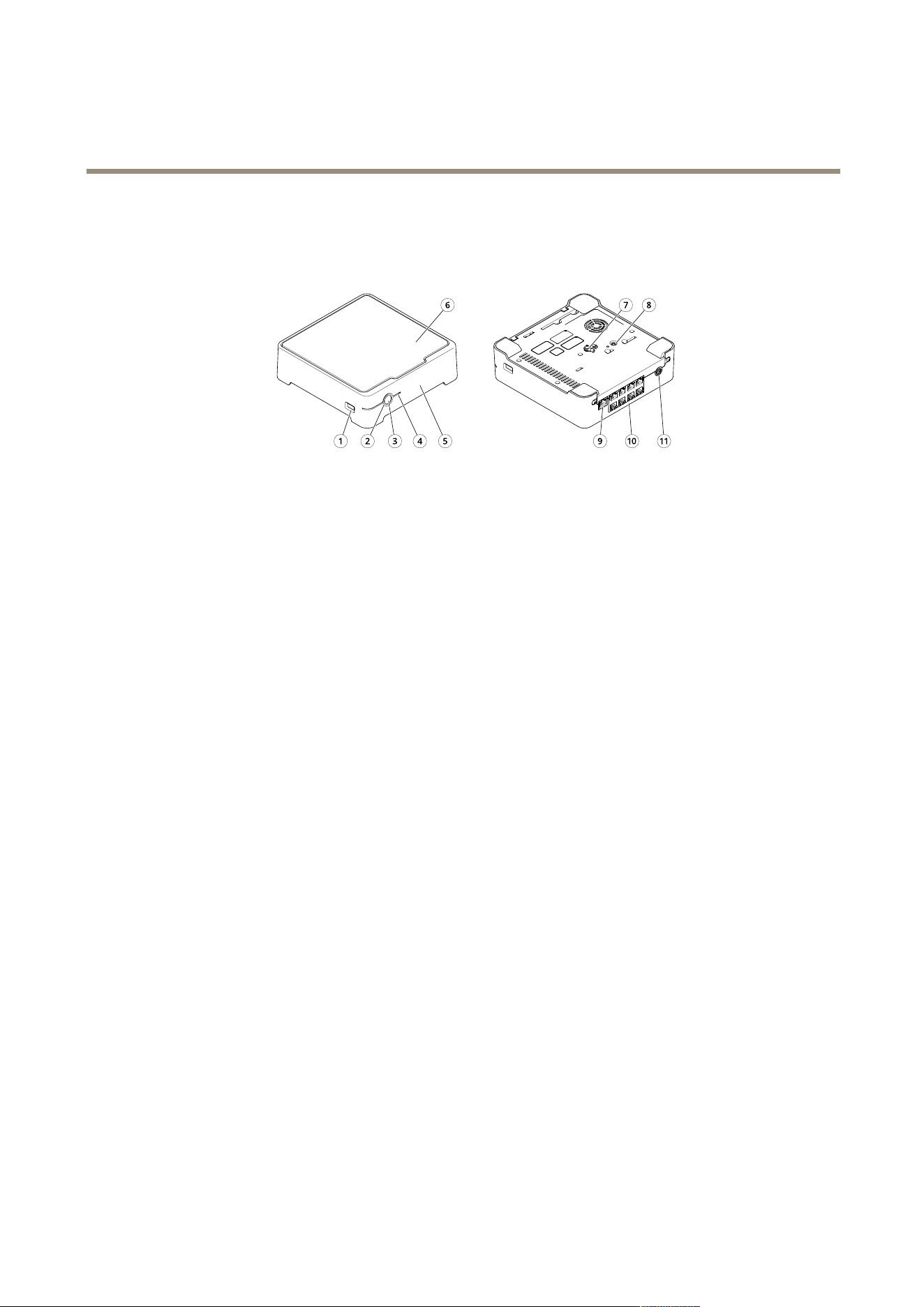
Productoverview
1
USBport
2
StatusLED
3
Powerbutton
4
HarddriveLED
5
Alarmbuzzer
6
Harddrive
7
Grounding
8
Controlbutton
9
LANport
10
PoEport(8x)
11
Powerinput
Powerbutton
•Toshutdowntherecorder,longpressthepowerbuttonuntilthebuzzermakesabriefsound.
•Tosilencethebuzzer,shortpressthepowerbutton.
Controlbutton
Thecontrolbuttonisusedfor:
•Resettingtheproducttofactorydefaultsettings.SeeHardresetarecorderonpage26.
•ConnectingtoanAXISVideoHostingSystemservice.Toconnect,pressandholdthebuttonforabout3secondsuntilthe
statusLEDashesgreen.
24

AXISS3008Recorder
Troubleshooting
Troubleshooting
ThestatusLEDgivesyouthefollowinginformation:
StatusLED
Indication
Green
Therecorderisonandthestatusisok.
Orange
Therecorderisstartingup,orthermwareisupgrading.WaituntiltheLED
turnsgreen.
RedThiscanmeanthatthePoEbudgetisexceeded.Ifyoujustconnectedadeviceto
therecorder,trytoremoveitagain.FormoreinformationaboutPoElimitations,
seeHowmuchpowercantherecordersupplytothecameras?onpage2.
TheharddriveLEDgivesyouthefollowinginformation:
HarddriveLEDIndication
Green
TheLEDisashinggreenwhendataiswrittentotheharddrive.
Red
Arecordingdisruptionhasoccurred.GotoSystem>Storageformore
information.
Thebuzzersoundsforthisreason:
•ThePoEbudgetisexceeded.Ifyoujustconnectedadevicetotherecorder,tryremovingitagain.Formoreinformation
aboutPoElimitations,seeHowmuchpowercantherecordersupplytothecameras?onpage2
Note
Youcanstopthebuzzerwithashortpressofthepowerbutton.
Therecordershutsdown:
•Therecorderisseverelyoverheated.
Technicalissues,cluesandsolutions
Issue
Solution
Myrecordingsarenot
available.
GotoFixcommonissuesonpage25.
Icannotconnecttomy
cameras.
GotoFixcommonissuesonpage25.
Ireceiveerrornotication:
“Nocontact”.
GotoFixcommonissuesonpage25.
Mysitesdonotappearinmy
mobileapp.
Makesureyouhaveversion4oftheAXISCompanionmobileapp.
Fixcommonissues
Beforeyourestart,congureorresetyourdevices,werecommendthatyoutosaveasystemreport.
SeeSaveasystemreportonpage27.
1.Checkthatyourcamerasandrecorderhavepower.
25

AXISS3008Recorder
Troubleshooting
2.Checkthatyouareconnectedtotheinternet.
3.Checkthatthenetworkisworking.
4.Checkthatthecamerasareconnectedtothesamenetworkasthecomputer,unlessyouareremote.
Stillnotworking?
5.Makesurethatyourcameras,recorderandAXISCompaniondesktopapphavethelatestrmwareandsoftwareupdates.
SeeUpgradermwareonpage26.
6.RestarttheAXISCompaniondesktopapp.
7.Restartyoucamerasandrecorder.
Stillnotworking?
8.Makeahardresetonthecamerasandtherecorder,tocompletelyputthembacktofactorydefaultsettings.
SeeHardresetarecorderonpage26.
9.Addtheresetcamerastoyoursiteagain.
Stillnotworking?
10.Updateyourgraphicscardwiththelatestdrivers.
Stillnotworking?
11.SaveasystemreportandcontactAxistechnicalsupport.
SeeSaveasystemreportonpage27.
Upgradermware
Newrmwareupdatesbringyoutothelatestandimprovedsetoffeatures,functions,andsecurityenhancements.
1.Gototheleaderdevicewebpage.
2.GotoSystem>MaintenanceandclickUpgradeunderFirmwareupgrade.
3.Followtheinstructionsonthescreen.
Hardresetarecorder
WARNING
Movetherecorderverygentlywhileitisswitchedon.Suddenmovesorshocksmaydamagetheharddrive.
WARNING
Ahardresetwillremovethesavedencryptionpasswordfortheharddrive.Failuretoremembertheencryptionpasswordfor
anencryptedharddrivewillresultinpermanentlossofallrecordings.
Note
Ahardresetwillresetallthesettings,includingtheIPaddress.
1.Switchofftherecorder:
Pressthepowerbuttononthefrontoftherecorderfor4-5secondsuntilyouhearabeep.
2.Waituntiltherecorderisswitchedoff,thenturnitovertoaccessthecontrolbutton.
26

AXISS3008Recorder
Troubleshooting
3.Pressandholdthecontrolbutton.Pressandreleasethepowerbuttontostarttherecorder.Releasethecontrolbutton
after15-30secondswhentheLEDindicatorashesamber.
4.Slowlyputtherecorderbackinitsplace.
5.TheprocessiscompletewhenthestatusLEDindicatorturnsgreen.Theproducthasbeenresettothefactorydefault
settings.IfnoDHCPserverisavailableonthenetwork,thedefaultIPaddressis192.168.0.90
6.Resetyourcamerasconnectedtotherecorder.
7.Ifyourharddriveisencrypted,thenitmustbemountedmanuallyaftertherecorderisreset:
7.1Gotothedevicewebpage.
7.2GotoSystem>StorageandclickMount.
7.3Entertheencryptionpasswordusedwhenencryptingtheharddrive.
Ican'tlogintotheproduct'swebpage
Ifyousetapasswordfortheproductduringconguration,andlateraddthatproducttoasite,youcannolongerlogintothe
product'swebpagewiththepasswordyou'veset.ThisisbecauseAXISCompanionsoftwarechangesthepasswordsofalldevicesin
thesite.
Tologintoadeviceinyoursite,typetheusernamerootandyoursitepassword.
Howtoeraseallrecordings
1.Gotothedevicewebpage>System>Storage.
2.SelectFormatandclickUsetool.
Note
Thisprocedureerasesallrecordingsfromtheharddrive,butthecongurationoftherecorderandthesitedoesn’tchange.
Saveasystemreport
1.InAXISCompanion,goto
>Savesystemreport.
2.WhenyouregisteranewcaseatAxisHelpdesk,attachthesystemreport.
27


UserManualVer.M14.2
AXISS3008RecorderDate:October2021
©AxisCommunicationsAB,2020-2021
PartNo.T10152902