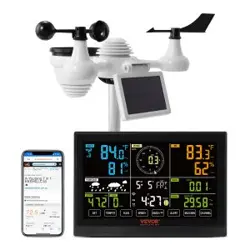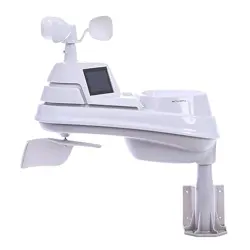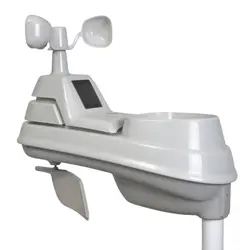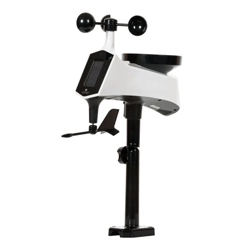
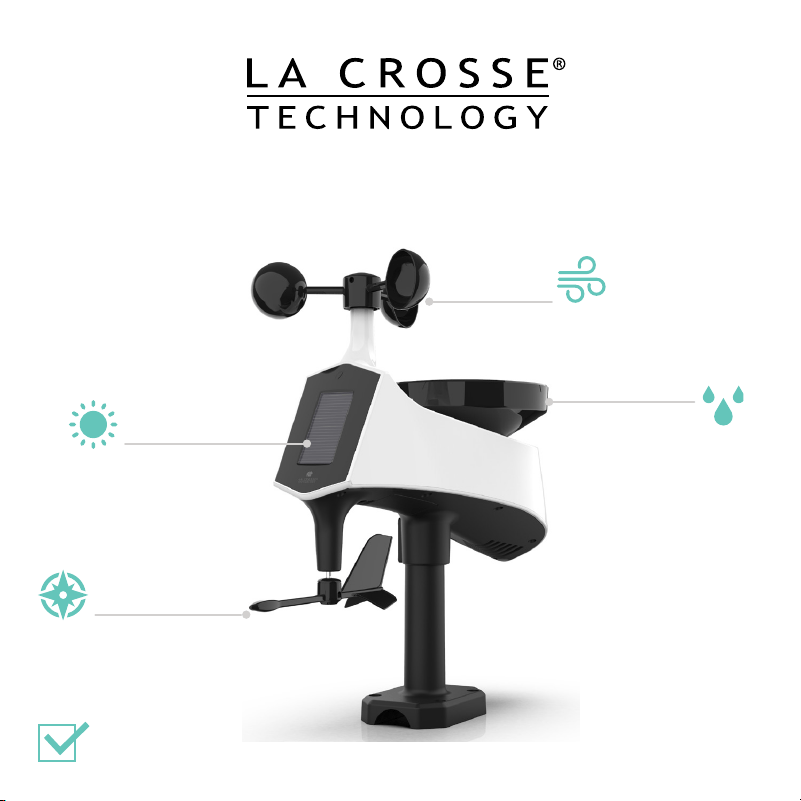
CYCLONE PRO SENSOR
Wind
Direction
Wind
Speed
Solar Panel
Assisted Power
Rain Readings
Now with dual tipper for
improved accuracy
Easy-to-Install
Mounting Bracket
LTV-WSDR1
02
Initial Setup
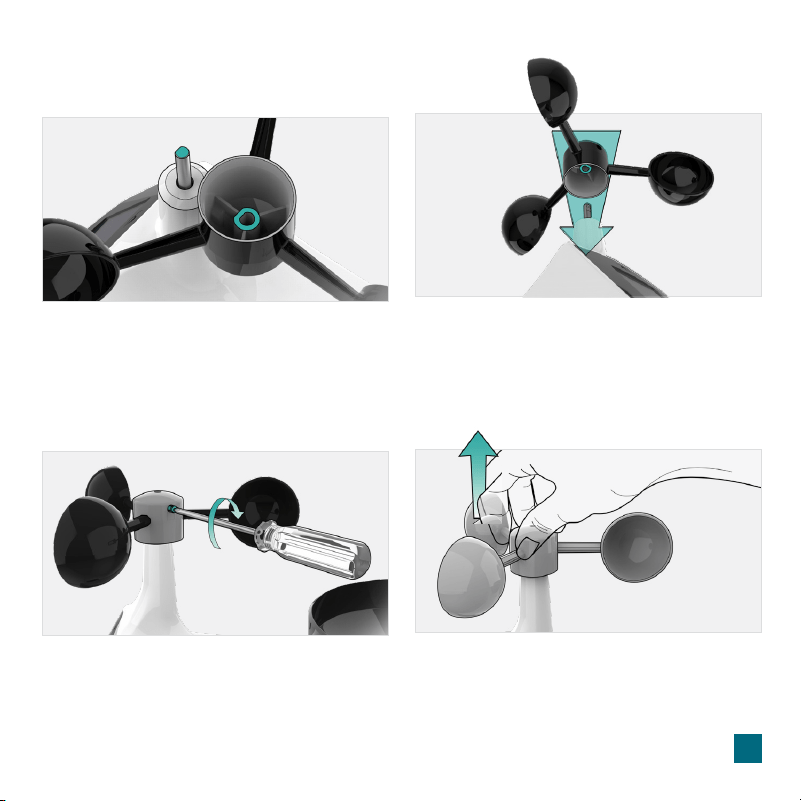
Installing the Wind Cups (if needed)
1. Remove the Cyclone Pro Sensor, Wind
Cups, and Mini Screwdriver from the
package. Take note of the flat edges
located on the head of the Sensor and
underside of the Wind Cups.
3. Carefully tighten the screw on the side
of the cups using the Mini Screwdriver. The
screw should tighten into the flat edge of
the post.
2. Align the flat edges and place the Wind
Cups on top of the Cyclone Pro Sensor.
4. When the screw is tight, gently pull up on
the cups to ensure they are secure.
If they pull o, start again with step two.
3
Powerup
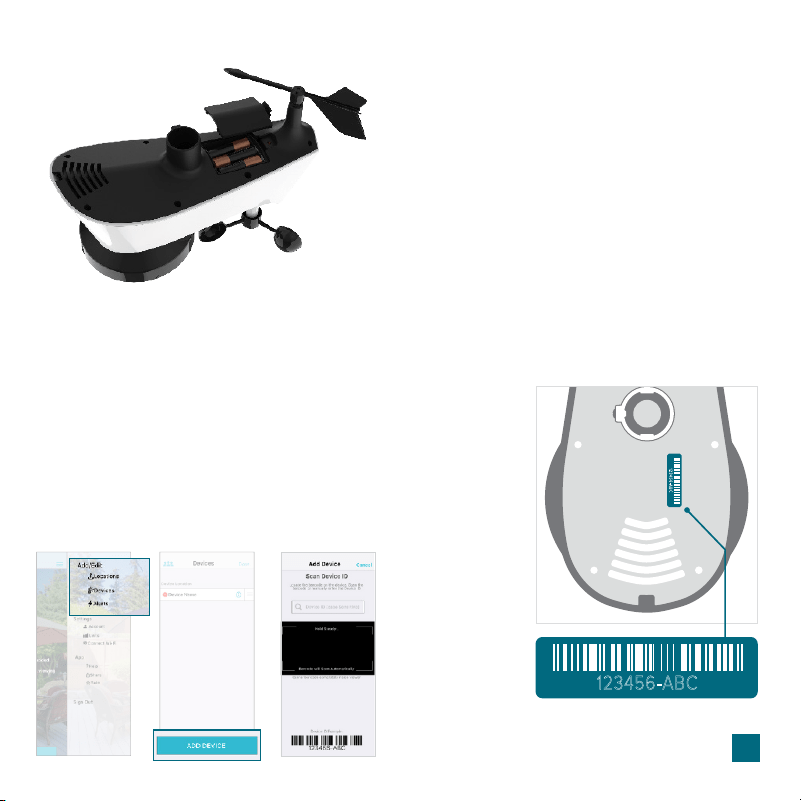
Insert 3-AA batteries into the
bottom of the Cyclone Pro
Sensor according to polarity.
Install 3-AA Batteries
Adding Your Sensor to the La Crosse View App
1. Open your La Crosse View app. On the Main Menu,
scroll to ADD/EDIT and select DEVICES.
2. On the Devices page, select the ADD DEVICE or PLUS (+)
button.
3. Scan the Barcode on your Sensor or type in the Device ID
manually.
4. Confirm the sensor image and Device ID and add a Device
Name and Location Name. Select DONE.
123456-ABC
123456-ABC
Bottom of Cyclone Sensor ⊲
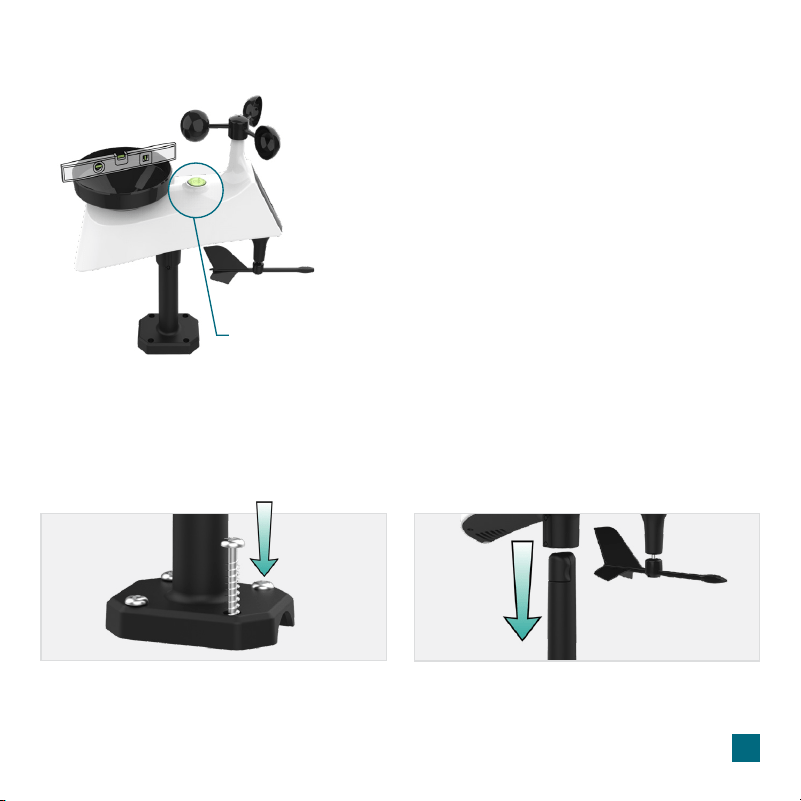
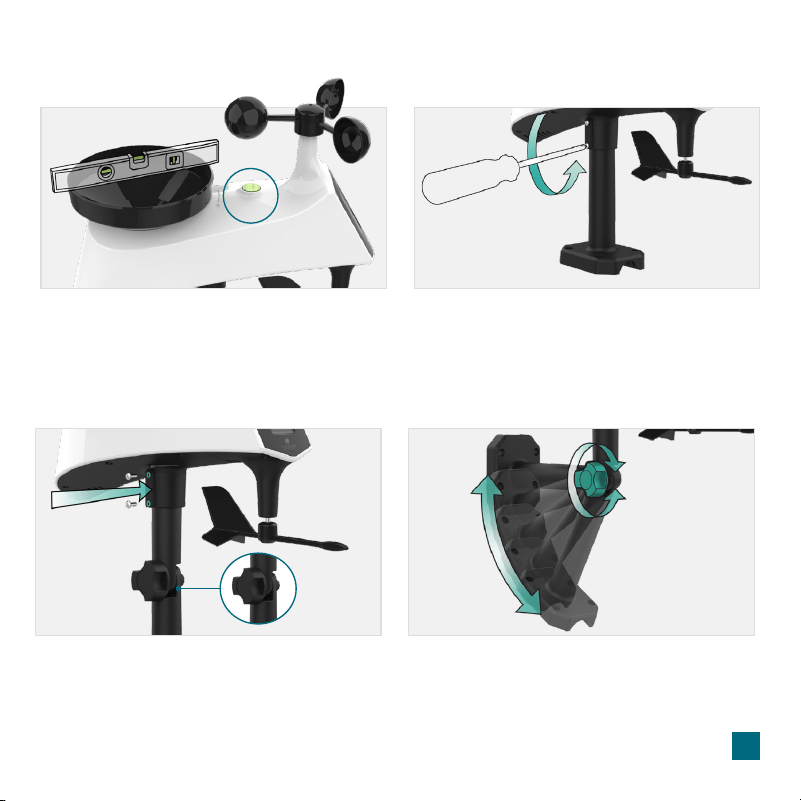
• Use the built-in Bubble Level to ensure the Cyclone Pro
Sensor (especially the rain gauge) is mounted level.
• Ensure the Solar Panel is facing to the South. This helps
optimize battery life and transmit correct wind direction data.
• Ideally, the Cyclone Pro Sensor should be mounted on the
tallest object in your area. Avoid positioning the sensor
parallel or below eaves, roof lines, trees, or other objects that
may obstruct wind and rain readings.
• Make sure all the screws on the Mounting Bracket, Wind
Cups, Wind Vane, and Battery Compartment are securely
fastened.
• The Cyclone Pro Sensor should be mounted with the Wind
Cups on the top.
Sensor Placement & Mounting
For Accurate Cyclone Sensor Measurements
Bubble Level
4
Fence posts, poles, decks, and mailboxes are common mounting options due to their convenience.
Many users prefer these types of locations as the data they provides is accurate from their ground
level. However, because the wind in these spots is often aected by obstructions, the readings may
dier when compared to local reporting stations.
Basic Installation
Mount the Mast to a flat surface with the four
provided screws.
1. 2.
Place the Cyclone Pro Sensor on top of the Mast.
Ensure the Solar Panel is facing south.
5
Sensor Placement & Mounting
Check the integrated Bubble Level or use your own
across the Rain Funnel to ensure the sensor is level.
Secure the Cyclone Sensor to the Mast by tightening
the screws on the side. After screws are tightened,
double check the sensor has remained level
through the installation process.
3. 4.
Flexible Installation
Install the Hand Screw to the bracket, then Secure
the Cyclone Sensor to the Mast by tightening the
screws on the side.
This configuration allows you to attach the sensor
to angled locations and easily make adjustments
to ensure the Mast and Sensor are level.
Hand Screw
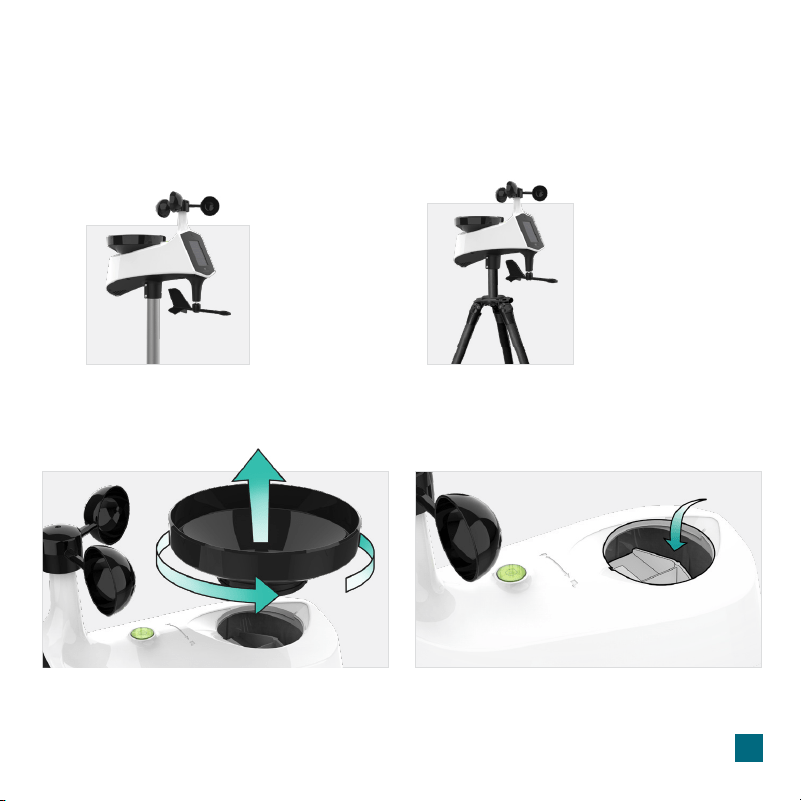
2. Clear any leaves, insects, or other debris
to allow the Rain Tipper to rock freely.
Check and clear the Drainage Holes
located on the underside of the sensor.
6
Cyclone Pro Sensor Mounting
Cleaning the Rain Sensor
1. Remove the Rain Funnel by firmly twisting
the funnel counter-clockwise and lifting up.
Some advanced installation options include tripods, wall mounts, chimney mounts, and many others.
Any of these can be combined with U-bolts for attachment onto a tall cylindrical conduit using our
Adjustable Base. These options will require additional equipment and possibly professional help for
best results.
Advanced Installation
Freestanding Pole Setup
1'' Maximum Outside
Pole Diameter
Tripod Setup Example
1'' Maximum Outside
Pole Diameter
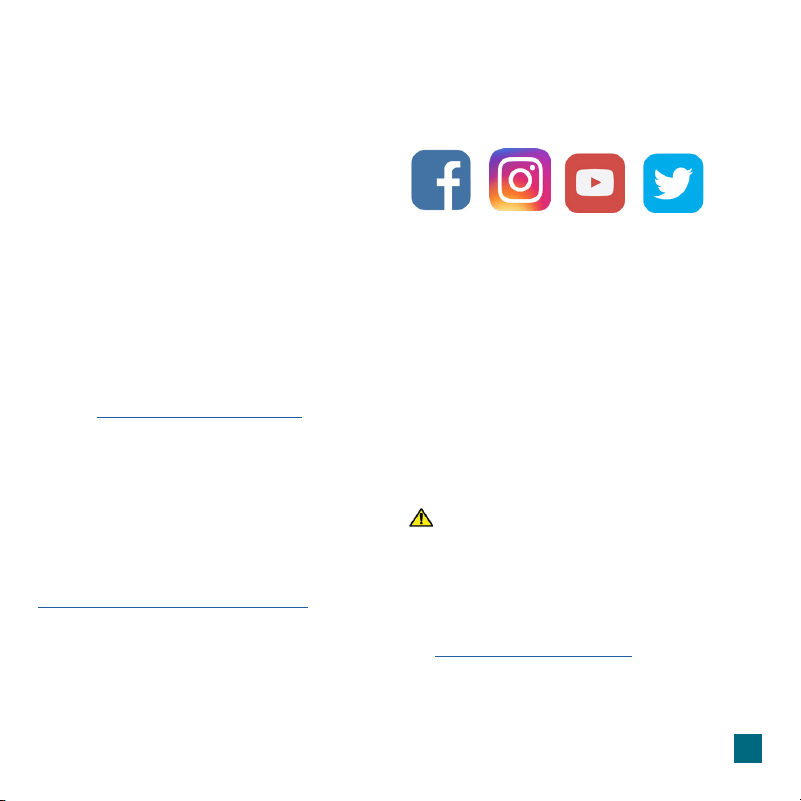
11.60”
29.44cm
13.80”
35.04cm
9.12”
23.16cm
12.47”
31.69cm
5.18”
13.15cm
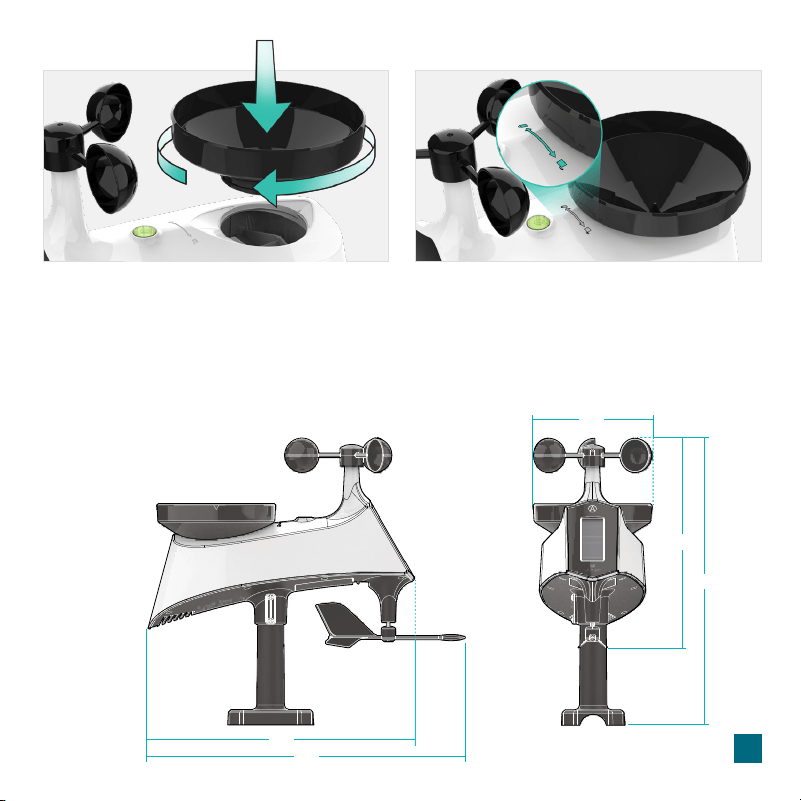
3. After cleaning, re-install the Rain Funnel by
placing it back into the sensor and twisting
clockwise until secure.
4. You should feel the funnel lock into place
when one of the arrows lines up with the
center of the Lock/Unlock Line.
Tip: Remove the Cyclone Pro Sensor’s batteries before cleaning to avoid accidental rain
readings.
7
Specifications
CYCLONE PRO SENSOR (LTV-WSDR1)
• Wind Speed Range: 0 to 111 mph
(0 to 178 kph)
• Rainfall Range: 0 to 393.6 Inches
(0 to 9999 mm)
• Transmission Range: 400 feet 915MHz
(121 meters) open air
• Power Requirements: 3 “AA” Batteries
(not included)
• Update Interval: Every 31 Seconds
California Residents
CA WARNING: This product can expose
you to chemicals including acrylonitrile,
butadiene, and styrene, which are known
to the State of California to cause cancer
and birth defects or other reproductive
harm. For more information, go to:
www.P65Warnings.ca.gov
8
Warranty
Use the links below to find additional resources or reach out toour sta directly.
Representatives are available Monday-Friday, 8am-6pm CST
Online: bit.ly/contact_techsupport
Phone: 1.844.200.8752
La Crosse Technology, Ltd. provides a 1-year limited time
warranty (from date of purchase) on this product, relating to
manufacturing defects in materials and workmanship.
For full warranty details, visit:
www.lacrossetechnology.com/pages/warranty
La Crosse Technology, Ltd.
2830 S. 26
th
Street, La Crosse, Wisconsin 54601
Follow La Crosse Technology on Facebook,
Instagram, YouTube, and Twitter.
Stay in Touch
Ask questions, watch setup videos, and provide
feedback on our social media outlets.
We’re here to help.

FCC Statement
This equipment has been tested and found to comply with the limits for a Class B digital device, pursuant to part 15 of the FCC
Rules. These limits are designed to provide reasonable protection against harmful interference in a residential installation.
This equipment generates, uses and can radiate radio frequency energy and, if not installed and used in accordance with the
instructions, may cause harmful interference to radio communications. However, there is no guarantee that interference will not
occur in a particular installation. If this equipment does cause harmful interference to radio or television reception, which can be
determined by turning the equipment o and on, the user is encouraged to try to correct the interference by one or more of the
following measures:
FCC Radiation Exposure Statement
This device complies with FCC radiation exposure limits set
forth for an uncontrolled environment and it also complies with
Part 15 of the FCC RF Rules. This equipment must be installed
and operated in accordance with provided instructions and the
antenna(s) used for this transmitter must be installed to provide
a separation distance of at least 20 cm from all persons and
must not be co-located or operating in conjunction with any
other antenna or transmitter. End-users and installers must be
provided with antenna installation instructions and consider
removing the no-collocation statement.
This device complies with Part 15 of the FCC Rules.
Operation is subject to the following two conditions:
(1) This device may not cause harmful interference, and
(2) This device must accept any interference received,
including interference that may cause undesired operation.
Caution: Any changes or modifications not expressly approved
by the party responsible for compliance could void the user's
authority to operate the equipment.
• Reorient or relocate the receiving antenna.
• Connect the equipment into an outlet on a circuit dierent
from that to which the receiver is connected.
• Increase the separation between the equipment and receiver.
• Consult the dealer or an experienced radio/TV technician
for help.
9
Battery Replacement Instructions
When batteries of dierent brand or type are used together, or new and old batteries are used together, some batteries may
be over-discharged due to a dierence of voltage or capacity. This can result in venting, leakage, and rupture and may cause
personal injury.
• Always purchase the correct size and grade of battery most suitable for the intended use.
• Always replace the whole set of batteries at one time, taking care not to mix old and new ones, or batteries of dierent
types.
• Clean the battery contacts and also those of the device prior to battery installation.
• Ensure the batteries are installed correctly with regard to polarity (+ and -).
• Remove batteries from product during periods of non-use. Battery leakage can cause corrosion and damage to this product.
• Remove used batteries promptly.
• For recycling and disposal of batteries, and to protect the environment, please check the internet or your local phone
directory for local recycling centers and/or follow local government regulations.
Battery Replacement