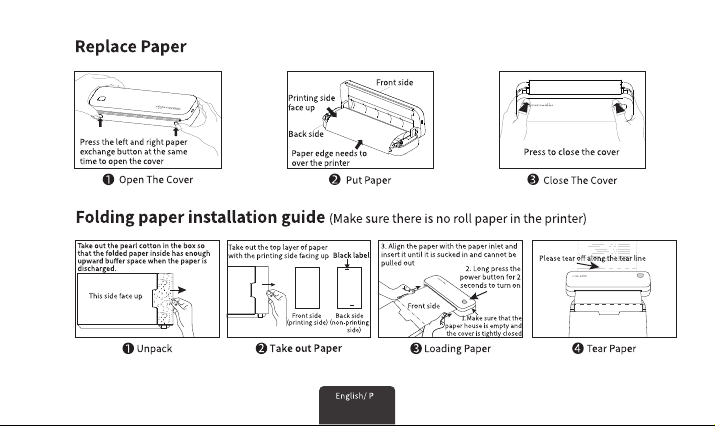
P5-P8
P9-P12
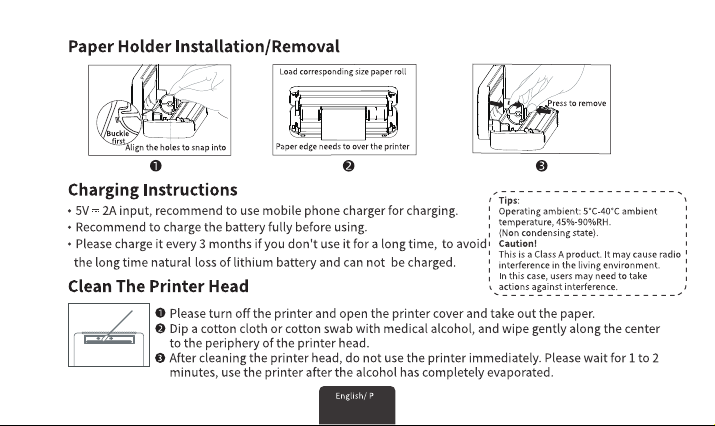
P13-P16
P17-P20
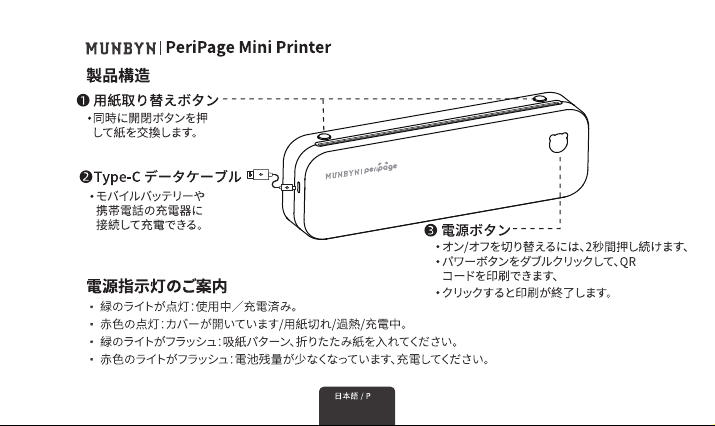
P21-P24
P25-P28
P1-P4
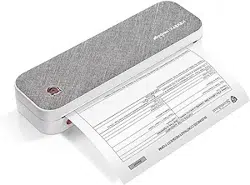
What's in the Box:Printer*1, Type-C Cable*1, A4 Roll paper*1, User Manual*1
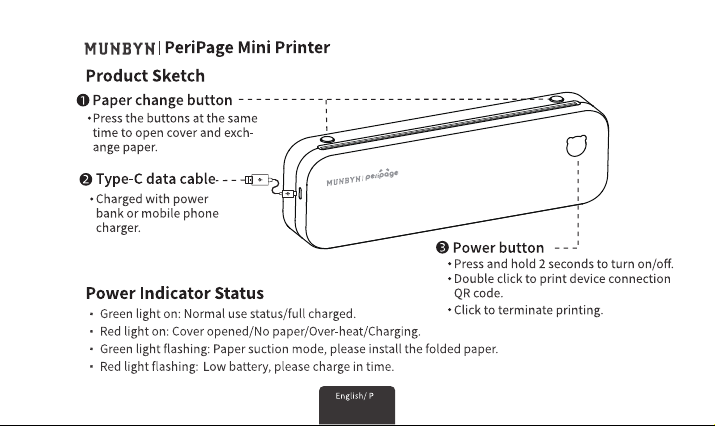
1
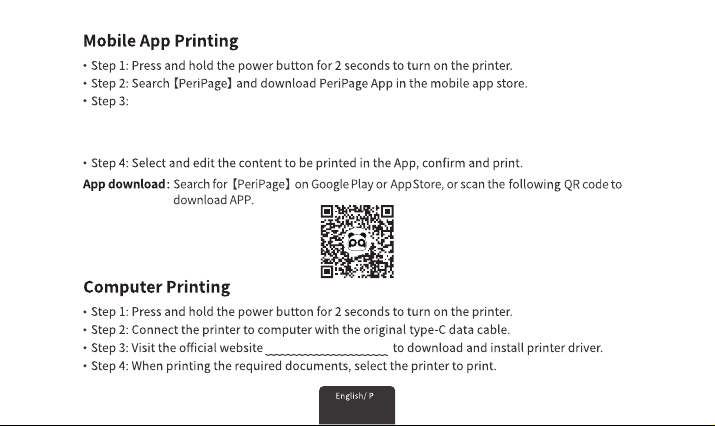
http://u.pc.cd/zEYotalK
2
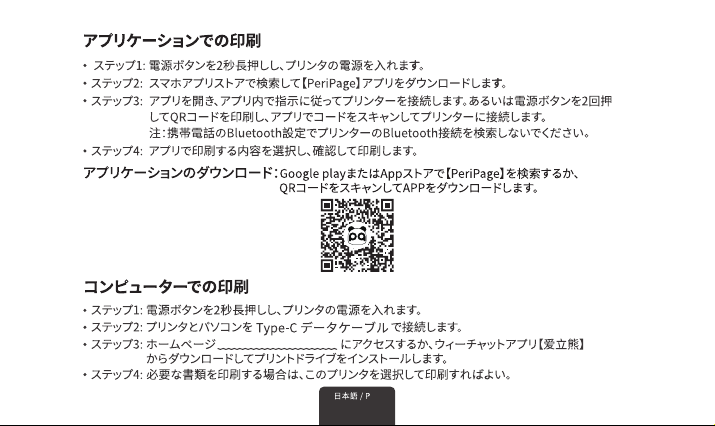
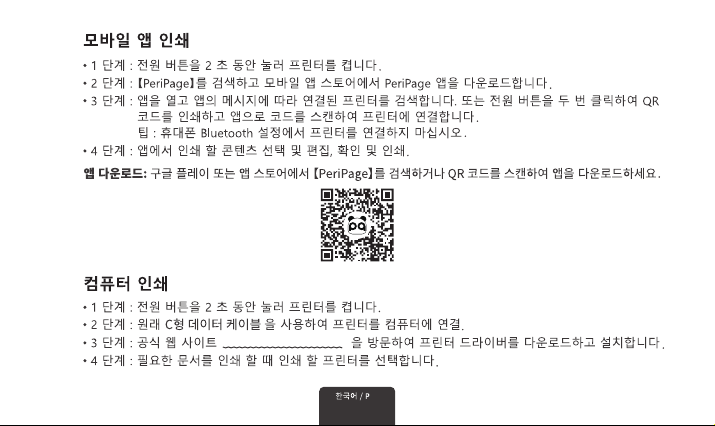
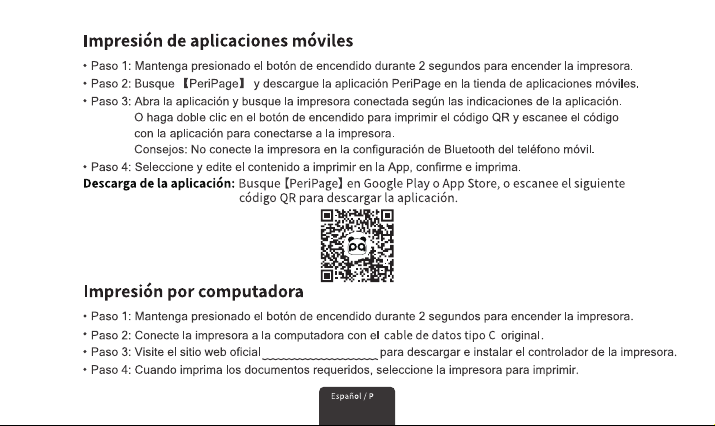
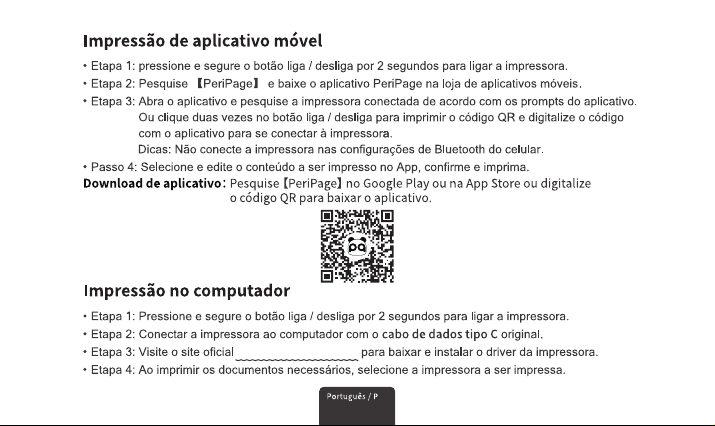
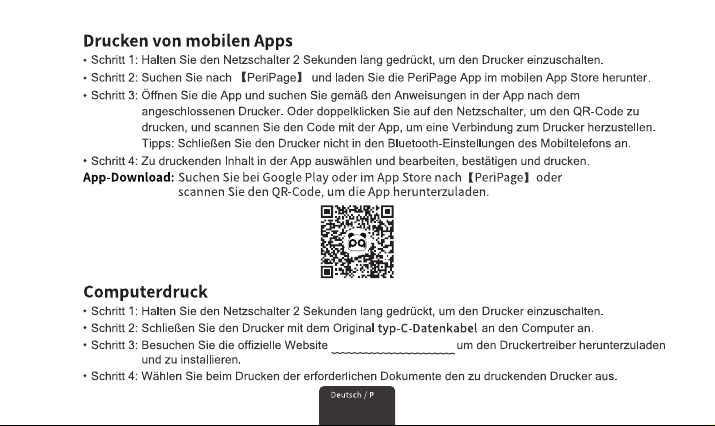
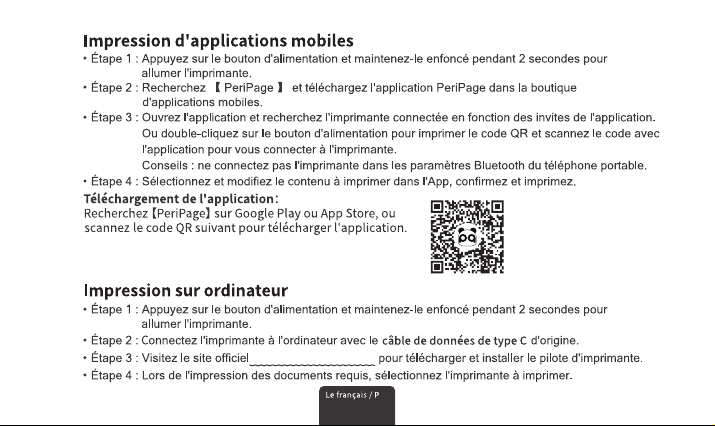
Open the APP and the Bluetooth on mobile, and search for the connected
printer according to the prompts in the App.Or double click the power button
to print the QR code, and scan the code with the App toconnect to the printer.
(Tips: Don't connect printer in the mobile phone Bluetooth settings.)
3
4
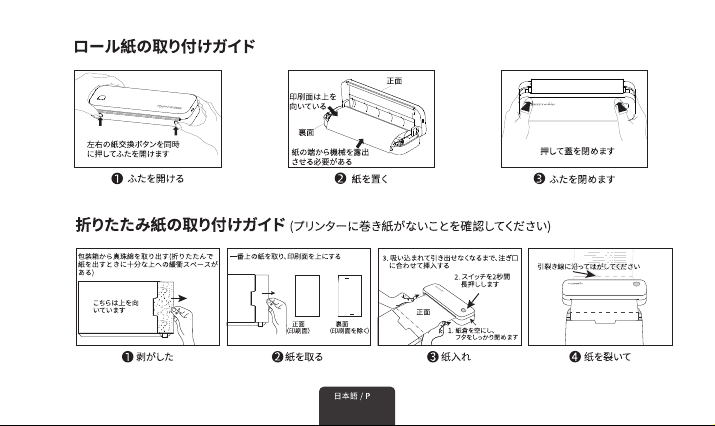
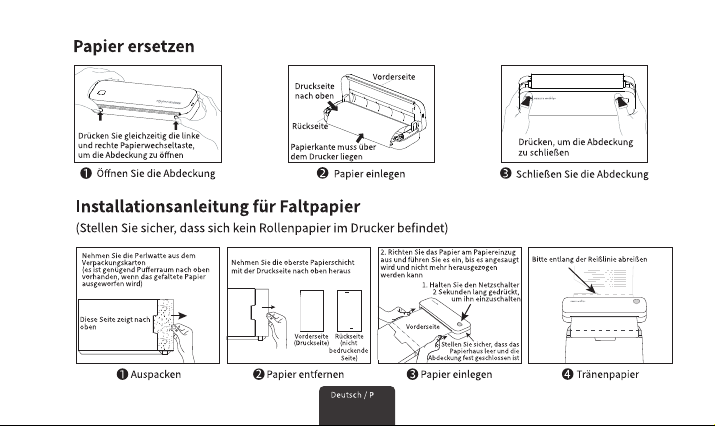
30MM
Roll paper diameter up to 30mm
5
6
http://u.pc.cd/zEYotalK
7
8
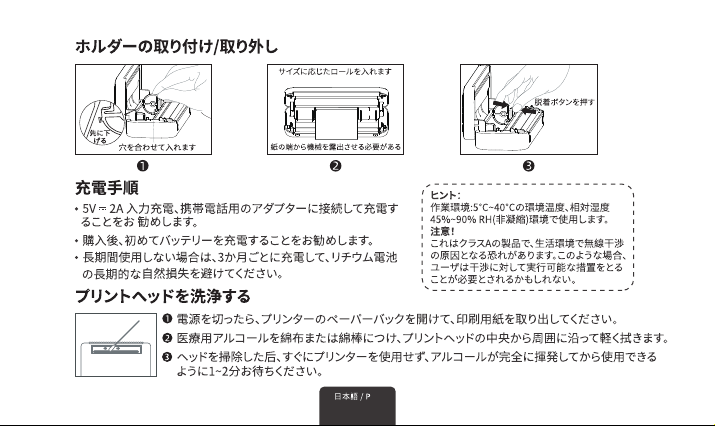
ロール紙径30mmまで
30MM
9
10
http://u.pc.cd/zEYotalK
11
12
롤 용지 직경 최대 30mm
30MM
13
14
http://u.pc.cd/zEYotalK
15
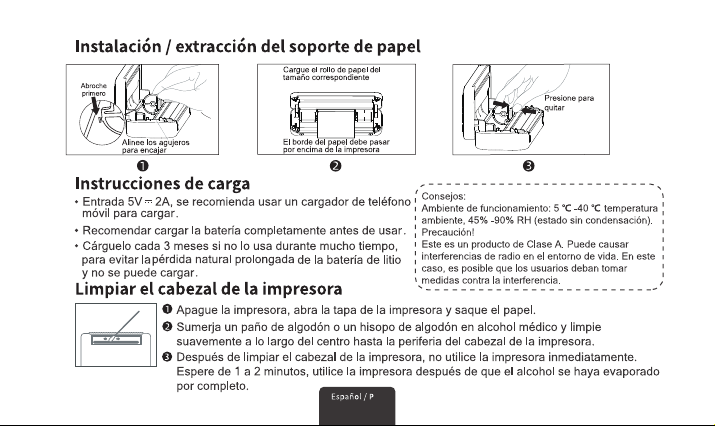
rollo de papel de hasta 30 mm de diámetro
16
30MM
17
18
http://u.pc.cd/zEYotalK
19
20
Diâmetro do papel em rolo de até 30 mm
30MM
21
22
http://u.pc.cd/zEYotalK
23
24
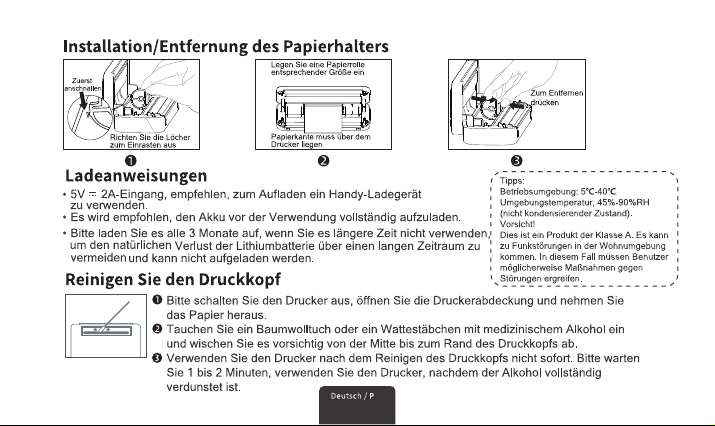
Rollenpapierdurchmesser bis zu 30 mm
30MM
25
26
http://u.pc.cd/zEYotalK
27
28
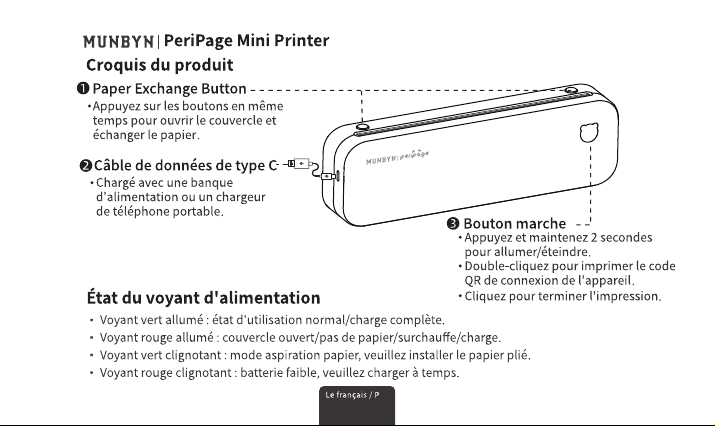
diamètre du papier rouleau jusqu'à 30mm
30MM

Model:
A40
Product Size:
267mm(L)*80mm(H)*45.5mm(W)
Product Weight:
662g
printing method: Thermal Printing
Printing width:
Eective Printing Width 208mm (8 inches)
Denition:
203dpi
Connection:
Bluetooth Wireless
Print Speed:
15mm/s
Paper Changing Method: Double-key Opening
Input:
5V/2A (DC)
Batte Capacity:
2600mAh
Charging Time:
Less Than 4 hours (Full Charge)
Full Charge usage Time:
10~14 Rolls (Text File Printing)
Paper Bin Size:
216mm (Width) * 32mm (Diameter)
Paper Roll Size:
Max: 214mm (Width) * 30mm (Diameter)
Working Environment Temperature:
5℃~40℃
Working Environment Humidity:
45%~90%RH
Suppoed Printing Paper:
Roll Paper (Recording Paper,
Recording Stickers, Sticky Stickers)
and Fanfold Paper (A4, A5, A6, A7)
Suppo mobile phone System:
ios & Android
Connect to Print via Bluetooth
Suppoed Computer System:
Mac & Windos(7,10,11)
Connect to Print via USB Cable
Product information
Whatsapp: +86 181 4489 8200
Email: suppo@munbyn.com
Phone: +63 917 305 2435
Scan the QR code for WhatsApp and Facebook online chat
