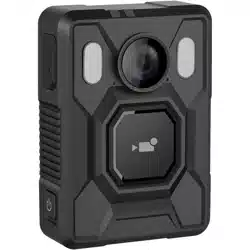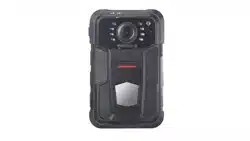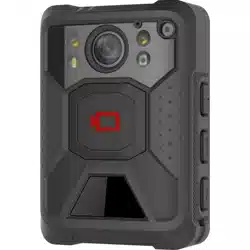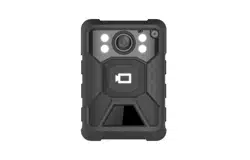

I
Body Camera
Quick Start Guide

Body Camera • Quick Start Guide
I
About this Document
● This Document includes instructions for using and managing the Product. Pictures, charts,
images and all other information hereinafter are for description and explanation only.
● The information contained in the Document is subject to change, without notice, due to
firmware updates or other reasons. Please find the latest version of the Document at the
Hikvision website (https://www.hikvision.com). Unless otherwise agreed, Hangzhou Hikvision
Digital Technology Co., Ltd. or its affiliates (hereinafter referred to as "Hikvision") makes no
warranties, express or implied.
● Please use the Document with the guidance and assistance of professionals trained in
supporting the Product.
About this Product
This product can only enjoy the after-sales service support in the country or region where the
purchase is made.
Acknowledgment of Intellectual Property Rights
● Hikvision owns the copyrights and/or patents related to the technology embodied in the
Products described in this Document, which may include licenses obtained from third parties.
● Any part of the Document, including text, pictures, graphics, etc., belongs to Hikvision. No part
of this Document may be excerpted, copied, translated, or modified in whole or in part by any
means without written permission.
● and other Hikvision’s trademarks and logos are the properties of Hikvision in
various jurisdictions.
● Other trademarks and logos mentioned are the properties of their respective owners.
LEGAL DISCLAIMER
● TO THE MAXIMUM EXTENT PERMITTED BY APPLICABLE LAW, THIS DOCUMENT AND THE
PRODUCT DESCRIBED, WITH ITS HARDWARE, SOFTWARE AND FIRMWARE, ARE PROVIDED "AS
IS" AND "WITH ALL FAULTS AND ERRORS". HIKVISION MAKES NO WARRANTIES, EXPRESS OR
IMPLIED, INCLUDING WITHOUT LIMITATION, MERCHANTABILITY, SATISFACTORY QUALITY, OR
FITNESS FOR A PARTICULAR PURPOSE. THE USE OF THE PRODUCT BY YOU IS AT YOUR OWN
RISK. IN NO EVENT WILL HIKVISION BE LIABLE TO YOU FOR ANY SPECIAL, CONSEQUENTIAL,
INCIDENTAL, OR INDIRECT DAMAGES, INCLUDING, AMONG OTHERS, DAMAGES FOR LOSS OF
BUSINESS PROFITS, BUSINESS INTERRUPTION, OR LOSS OF DATA, CORRUPTION OF SYSTEMS, OR
LOSS OF DOCUMENTATION, WHETHER BASED ON BREACH OF CONTRACT, TORT (INCLUDING
NEGLIGENCE), PRODUCT LIABILITY, OR OTHERWISE, IN CONNECTION WITH THE USE OF THE
PRODUCT, EVEN IF HIKVISION HAS BEEN ADVISED OF THE POSSIBILITY OF SUCH DAMAGES OR
LOSS.
● YOU ACKNOWLEDGE THAT THE NATURE OF THE INTERNET PROVIDES FOR INHERENT SECURITY

Body Camera • Quick Start Guide
II
RISKS, AND HIKVISION SHALL NOT TAKE ANY RESPONSIBILITIES FOR ABNORMAL OPERATION,
PRIVACY LEAKAGE OR OTHER DAMAGES RESULTING FROM CYBER-ATTACK, HACKER ATTACK,
VIRUS INFECTION, OR OTHER INTERNET SECURITY RISKS; HOWEVER, HIKVISION WILL PROVIDE
TIMELY TECHNICAL SUPPORT IF REQUIRED.
● YOU AGREE TO USE THIS PRODUCT IN COMPLIANCE WITH ALL APPLICABLE LAWS, AND YOU ARE
SOLELY RESPONSIBLE FOR ENSURING THAT YOUR USE CONFORMS TO THE APPLICABLE LAW.
ESPECIALLY, YOU ARE RESPONSIBLE, FOR USING THIS PRODUCT IN A MANNER THAT DOES NOT
INFRINGE ON THE RIGHTS OF THIRD PARTIES, INCLUDING WITHOUT LIMITATION, RIGHTS OF
PUBLICITY, INTELLECTUAL PROPERTY RIGHTS, OR DATA PROTECTION AND OTHER PRIVACY
RIGHTS. YOU SHALL NOT USE THIS PRODUCT FOR ANY PROHIBITED END-USES, INCLUDING THE
DEVELOPMENT OR PRODUCTION OF WEAPONS OF MASS DESTRUCTION, THE DEVELOPMENT
OR PRODUCTION OF CHEMICAL OR BIOLOGICAL WEAPONS, ANY ACTIVITIES IN THE CONTEXT
RELATED TO ANY NUCLEAR EXPLOSIVE OR UNSAFE NUCLEAR FUEL-CYCLE, OR IN SUPPORT OF
HUMAN RIGHTS ABUSES.
● IN THE EVENT OF ANY CONFLICTS BETWEEN THIS DOCUMENT AND THE APPLICABLE LAW, THE
LATTER PREVAILS.
© Hangzhou Hikvision Digital Technology Co., Ltd. All rights reserved.
Body Camera • Quick Start Guide
III
Symbol Conventions
The symbols that may be found in this document are defined as follows.
Symbol
Description
Provides additional information to emphasize or supplement
important points of the main text.
Indicates a potentially hazardous situation, which if not avoided,
could result in equipment damage, data loss, performance
degradation, or unexpected results.
Indicates a hazard with a high level of risk, which if not avoided, will
result in death or serious injury.

Body Camera • Quick Start Guide
IV
TABLE OF CONTENTS
Product Introduction .................................................................................................. 1
1.1 Introduction .......................................................................................................................................................... 1
1.2 Packing List............................................................................................................................................................ 1
1.3 Appearance ........................................................................................................................................................... 1
Installation ................................................................................................................. 5
2.1 Install Shoulder Clip .............................................................................................................................................. 5
2.2 Install SIM Card ..................................................................................................................................................... 6
2.3 Charge ................................................................................................................................................................... 7
2.4 Install Body Camera Assistant ............................................................................................................................... 7
Detailed Configuration ............................................................................................... 8
Body Camera • Quick Start Guide
1
Product Introduction
Body camera (hereinafter referred to as device) highly integrates with record, taping, capture,
positioning, etc. It is embedded with positioning module with high sensitivity to locate the
occurring position of events accurately. It can record the process and condition of events
completely via record, taping, and capture.
It is widely applicable to public security protection, traffic police enforcement, fire safety
inspection, city management, tobacco law enforcement, etc.
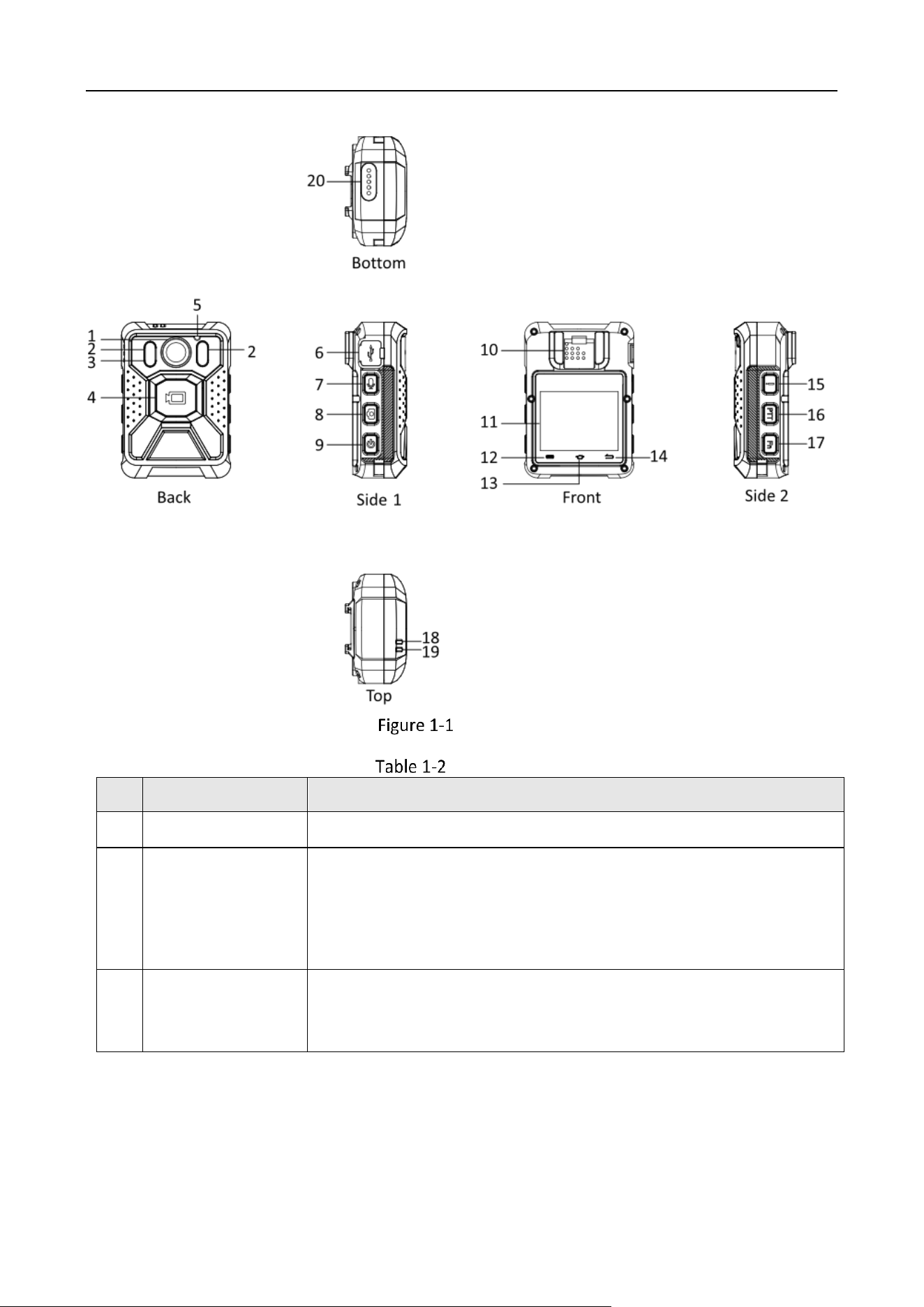
When you receive the product, check whether there is obvious damage on the product package
and its appearance first. Then open the package and check whether all the accessories are
included. If something loses, contact us or our supplier.
Packing List
No.
Name
Quantity
1
Body camera
1
2
Shoulder clip
1
3
USB data cable
1
4
Charger
1
5
Regulatory Compliance and Safety Information
1
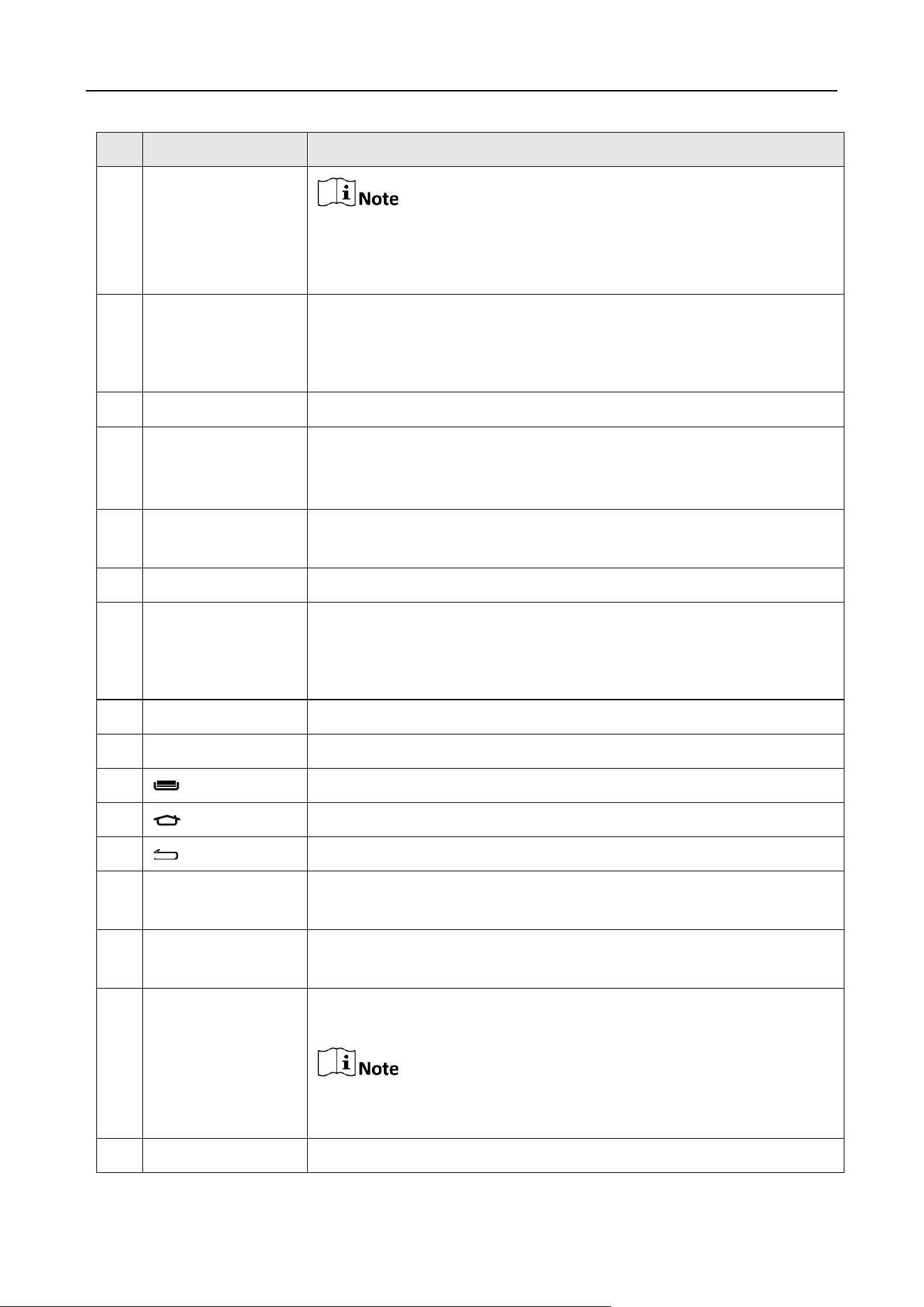
Refer to the figure and table below for the appearance of the device.
Body Camera • Quick Start Guide
2
Appearance
Appearance Description
No.
Name
Description
1
Lens
For recording and capture.
2
IR lights
● If you set IR as On, the IR lights will be enabled during recording
or remote live view.
● If you set IR as Auto, the IR lights will be enabled automatically
during recording or remote live view when the illumination is
insufficient.
3
LED light
After the device starts up, hold the taping button to turn on LED light
for light supplement or emergency illumination. Then hold it again to
turn off LED light.
Body Camera • Quick Start Guide
3
No.
Name
Description
If you turn on LED light while IR function is enabled already, the IR
function will be disabled forcedly. After you turn off LED light, the IR
function will restore to be enabled.
4
Record
● After the device starts up, hold it to start recording. Then hold it
again to stop recording.
● When the device is shut down, hold it to start it up and start
recording.
5
MIC
For sound collection.
6
Type-C USB
interface and SIM
card slot plug
Open the plug to connect to data cable or insert a SIM card.
7
Tape
After the device starts up, press it to start taping. Then press it again
to stop taping.
8
Capture
After the device starts up, press it once to capture a picture.
9
On/Off
● When the device is off, hold it to start it up.
● When the device is on, hold it to shut it down.
● After the device starts up, press it to inactivate/activate the
screen display.
10
Loudspeaker
For sound play.
11
LCD
For local menu display and operation.
12
In live view mode, tap it to enter the main menu.
13
Tap it to go to the live view page
.
14
Tap it to return to the upper menu.
15
Alarm
After the device starts up, press it to send the alarm signal to the
connected platform manually.
16
PTT
After the device starts up, hold it to set the device as a MIC or
loudspeaker to start two-way audio.
17
Fn
During recording, press it to set a tag for the current video. Then hold
it to cancel the tag.
Tagging only takes effect with the current record. When the record
ends, tagging stops.
18
LED 1
● Solid red: The device is being charged.

Body Camera • Quick Start Guide
4
No.
Name
Description
● Solid green: The device is fully charged.
● Flashing red (high frequency): The device is in low battery.
● Flashing red (low frequency): The device is recording.
19
LED 2
● Solid green: The device is running.
● Flashing yellow (low frequency): The device is taping.
20
Expansion interface
Reserved.
Body Camera • Quick Start Guide
5
Installation
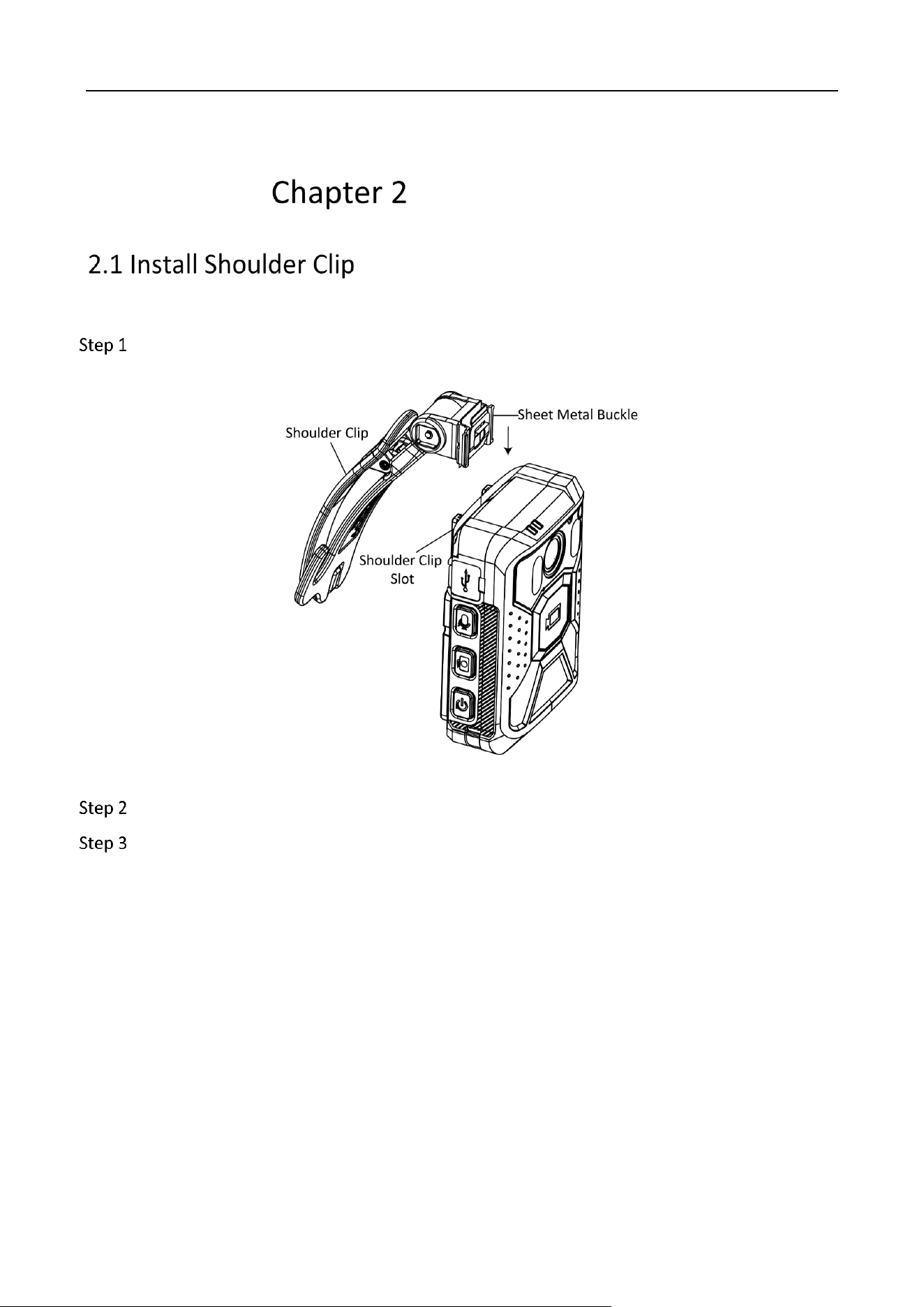
Install the shoulder clip if you want to wear the device on your shoulder.
Parallel the sheet metal buckle of the shoulder clip with the shoulder clip slot on the front
panel of the device, and insert the shoulder clip into the slot as the direction shown below.
Figure 2-1 Install Shoulder Clip
Push the shoulder clip downward until it is installed firmly.
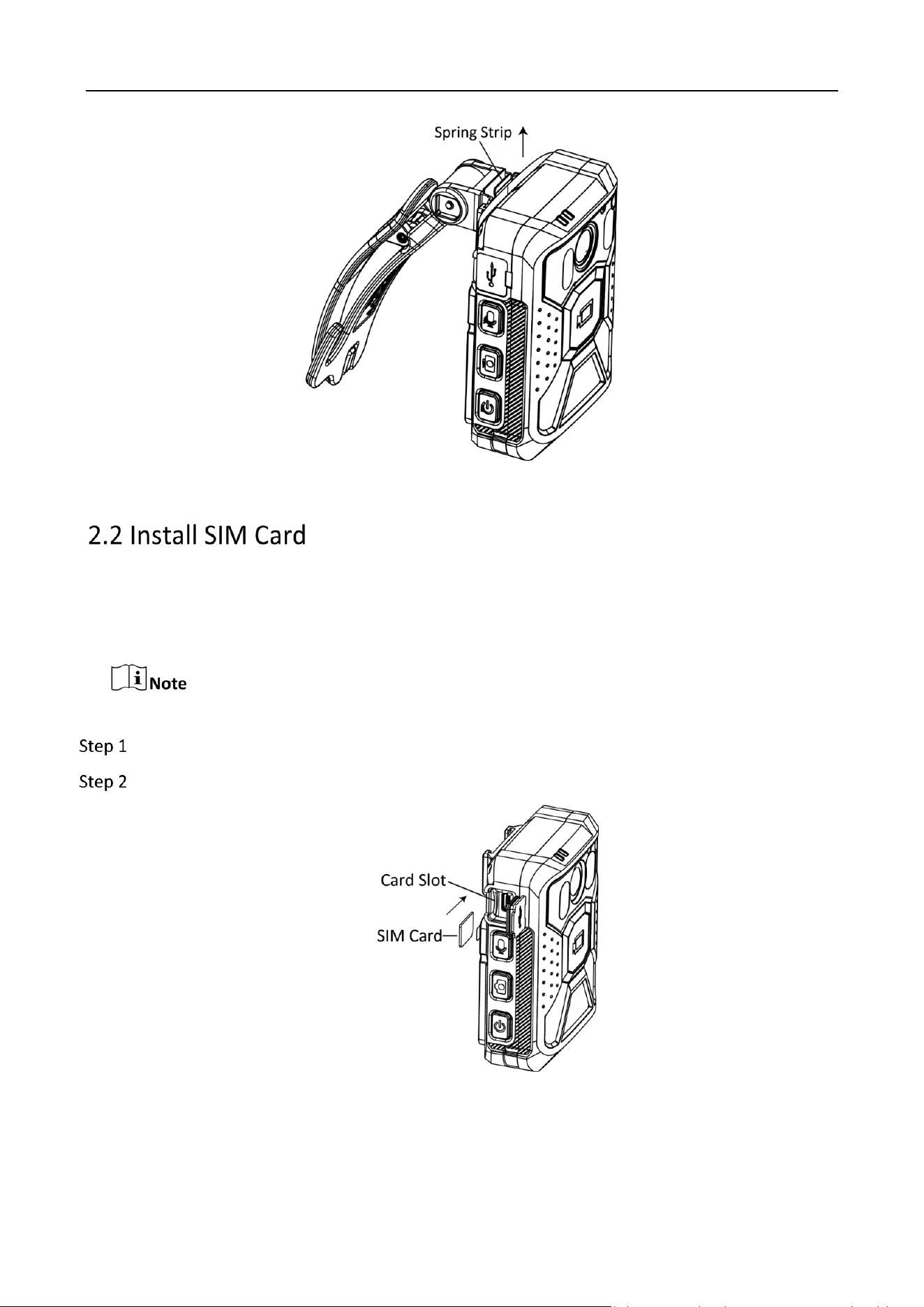
Optional: Hold the shoulder clip, and squeeze the spring strip outward. Slide the shoulder
clip upward to uninstall it.
Body Camera • Quick Start Guide
6
Figure 2-2 Uninstall Shoulder Clip
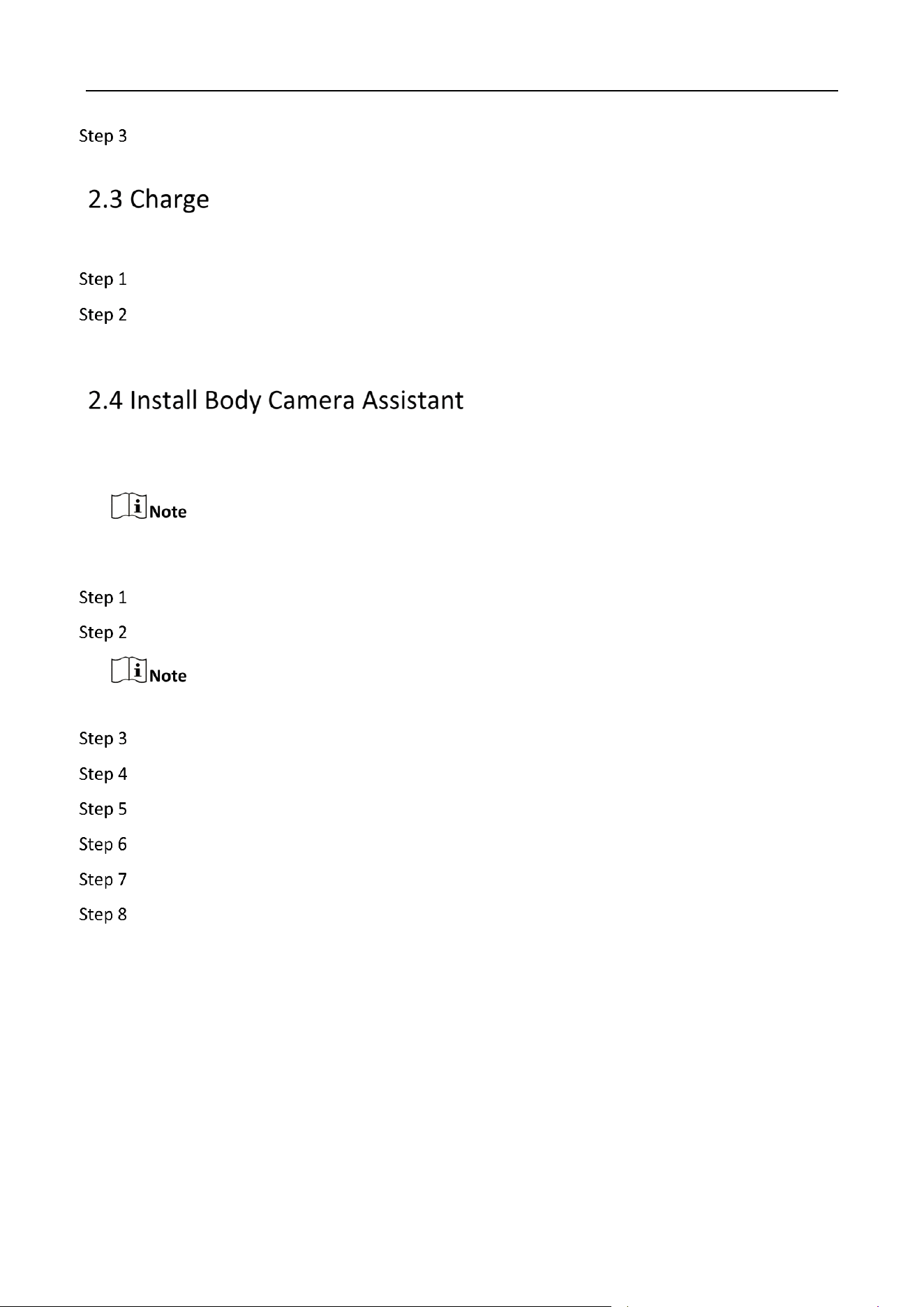
Install a SIM card if you want to connect to network via SIM card.
Before You Start:
Prepare the SIM card.
Be sure to use a standard Nano-SIM card. Otherwise, the SIM card or the device may be damaged.
Open the card slot plug on the side of the device.
Insert the SIM card into the card slot in the direction indicated until it is installed firmly.
Figure 2-3 Install SIM Card
Body Camera • Quick Start Guide
7
Close the card slot plug.
When the device is in low battery, charge it in time.
Open the USB interface plug on the side of the device.
Connect one end of the USB data cable to the device, and the other end to the charger to
charge the device.
Install Body Camera Assistant (hereinafter referred to as software) if you want to configure the
device parameters, download files, etc. via the computer.
Install "BodyCameraAssistant-win32.exe" if your computer is in 32-bit operating system. Install
"BodyCameraAssistant-win64.exe" if your computer is in 64-bit operating system.
Get the installation file, and double click it.
Select the software saving path, and click Next.
The software is installed in C disk by default. You can click Browse to change the saving path.
Click Next.
Check Create a desktop icon according to your needs, and click Next.
Click Install.
Click Next to install the software drive.
Click Finish.
Click Finish to run the software.
Body Camera • Quick Start Guide
8
Detailed Configuration
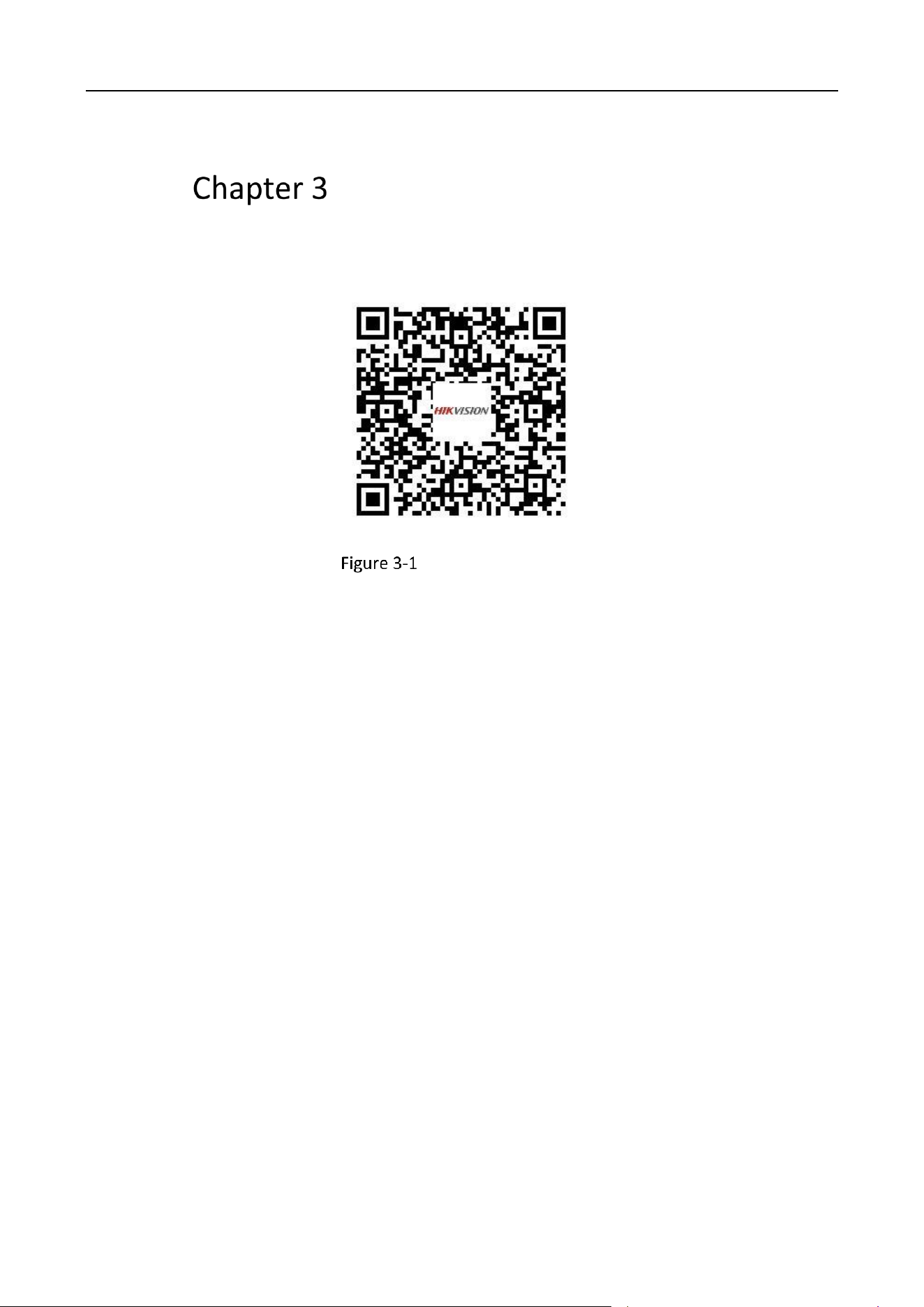
Scan the QR code below to get the user manual for detailed configuration.
User Manual QR Code

UD36803B