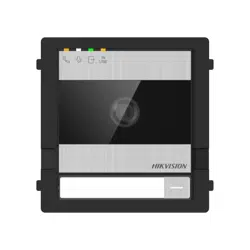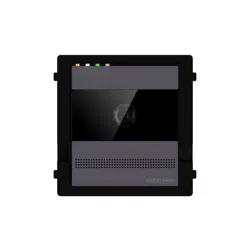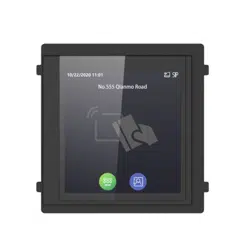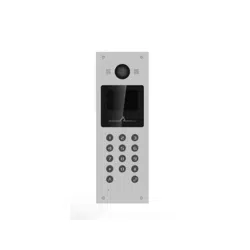
DS-KB2412T-IM Door Sta�on
Quick Start Guide
UD34976B
Appearance
Quick Start Flow Chart
1 Wiring
20 mm50.94 mm
135.94 mm
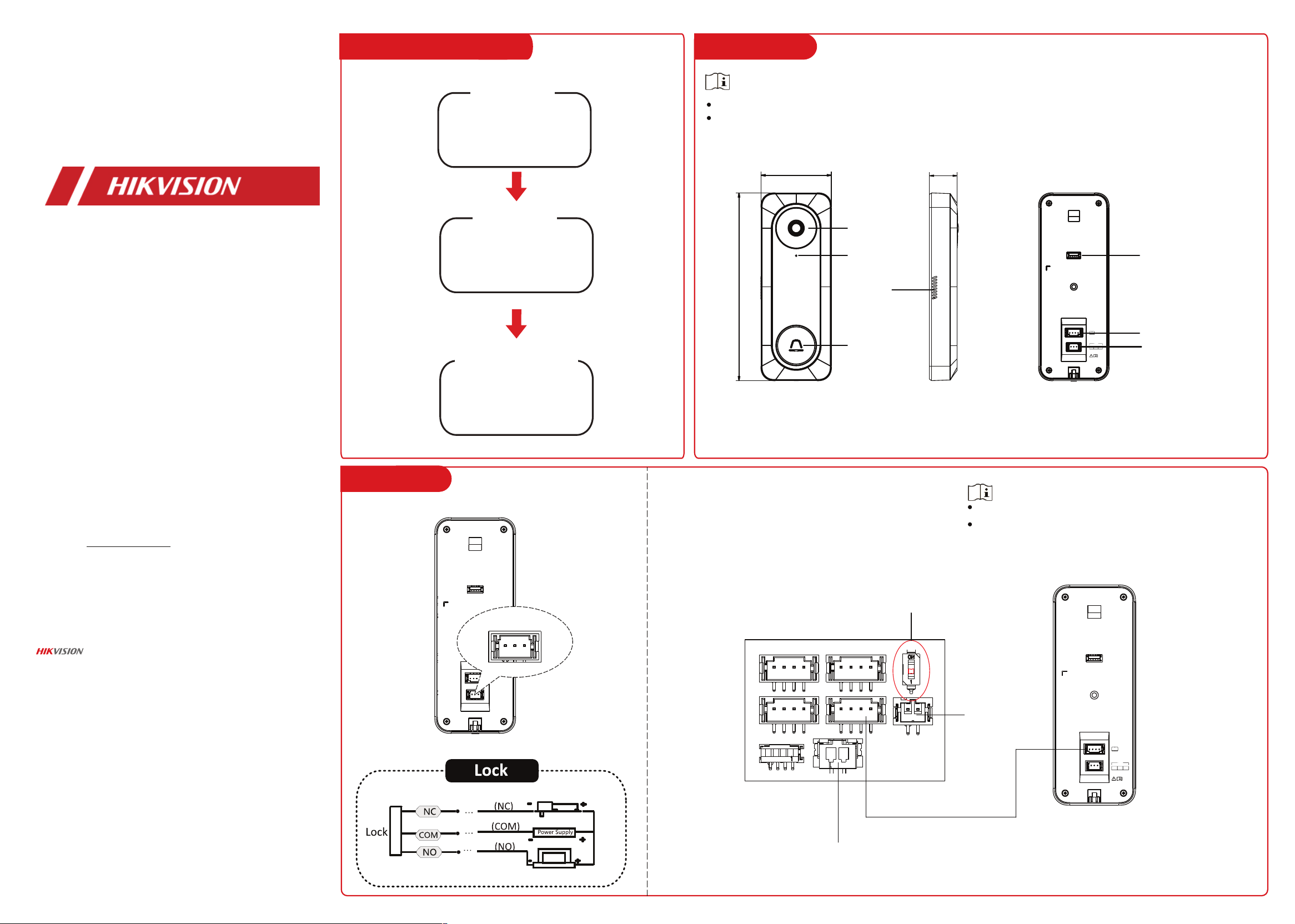
Camera
Microphone
Speaker
Call Button
Debugging Port (For
debugging use only)
Four-wire Interface
Lock Interface
The pictures here are for reference only.
The debugging port is for debugging use only.
Wiring with Indoor Station
Wiring of Lock
NO
COM
LOCK
NC
Electric Bolt
Electric Strike
You can check the wiring of
lock and wiring with the
indoor station.
1 Wiring
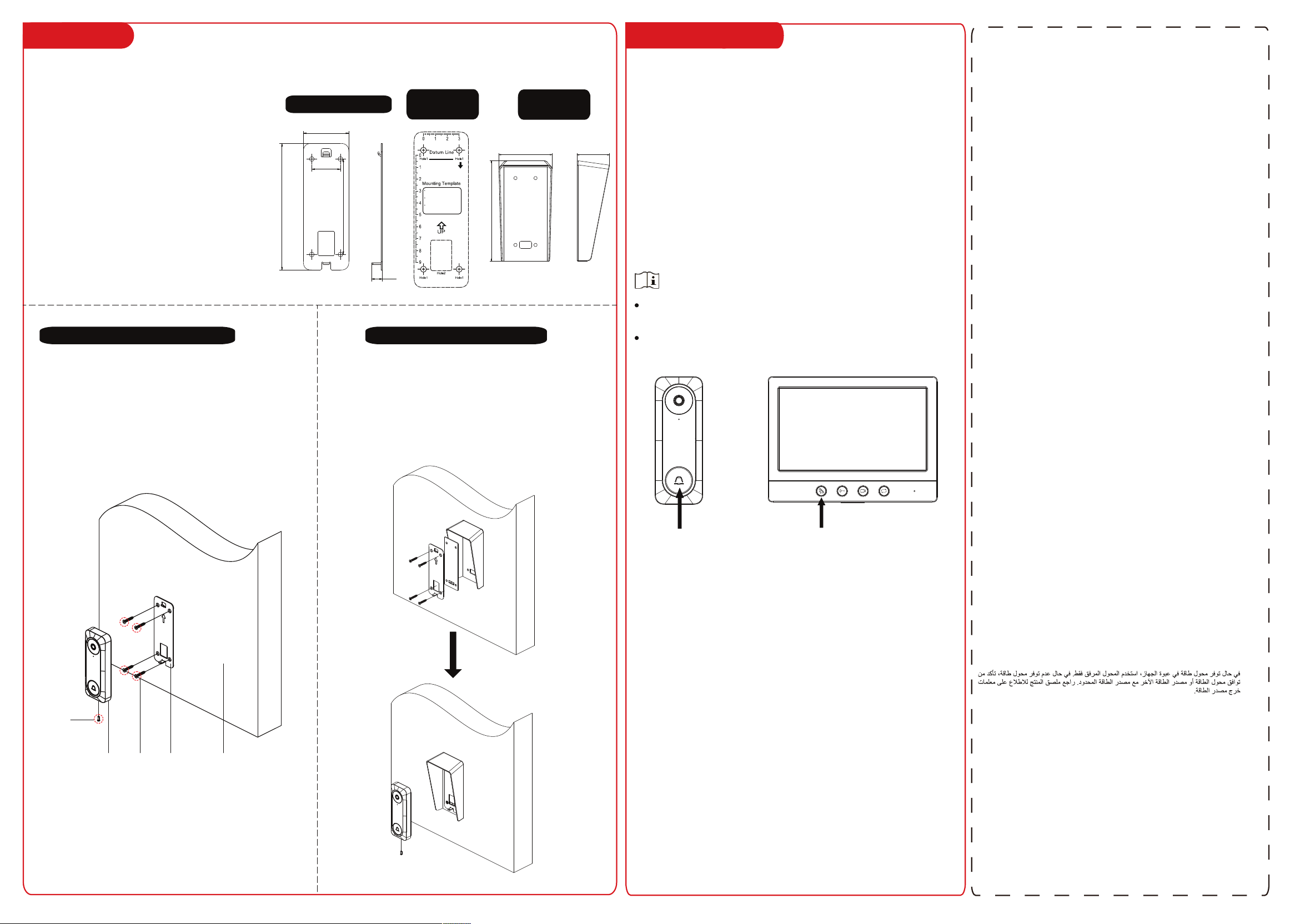
2.1 Mounting accessories.
2.2 Wall mounting.
2 Installation
You can check the local
operation of door station.
3 Local Operation
12 V Power In
Set DIP switch to 1
Door
Station
Indoor
Station
Analog
Camera
NO COM
LOCK
NC
NO COM
LOCK
NC
The analog camera supports PAL video standard.
Up to 2 door stations and 3 indoor stations can be used
in one video intercom system.
About this Document
● This Document includes instruc�ons for using and managing the Product. Pictures, charts,
images and all other informa�on hereina�er are for descrip�on and explana�on only.
● The informa�on contained in the Document is subject to change, without no�ce, due to
rmware updates or other reasons. Please nd the latest version of the Document at the
Hikvision website (h�ps://www.hikvision.com). Unless otherwise agreed, Hangzhou Hikvision
Digital Technology Co., Ltd. or its aliates (hereina�er referred to as "Hikvision") makes no
warran�es, express or implied.
● Please use the Document with the guidance and assistance of professionals trained in
suppor�ng the Product.
About this Product
This product can only enjoy the a�er-sales service support in the country or region where the
purchase is made.
Acknowledgment of Intellectual Property Rights
● Hikvision owns the copyrights and/or patents related to the technology embodied in the
Products described in this Document, which may include licenses obtained from third par�es.
● Any part of the Document, including text, pictures, graphics, etc., belongs to Hikvision. No
part of this Document may be excerpted, copied, translated, or modied in whole or in part by
any means without wri�en permission.
● and other Hikvision’s trademarks and logos are the proper�es of Hikvision
in various jurisdic�ons.
● Other trademarks and logos men�oned are the proper�es of their respec�ve owners.
LEGAL DISCLAIMER
● TO THE MAXIMUM EXTENT PERMITTED BY APPLICABLE LAW, THIS DOCUMENT AND THE
PRODUCT DESCRIBED, WITH ITS HARDWARE, SOFTWARE AND FIRMWARE, ARE PROVIDED "AS
IS" AND "WITH ALL FAULTS AND ERRORS". HIKVISION MAKES NO WARRANTIES, EXPRESS OR
IMPLIED, INCLUDING WITHOUT LIMITATION, MERCHANTABILITY, SATISFACTORY QUALITY, OR
FITNESS FOR A PARTICULAR PURPOSE. THE USE OF THE PRODUCT BY YOU IS AT YOUR OWN
RISK. IN NO EVENT WILL HIKVISION BE LIABLE TO YOU FOR ANY SPECIAL, CONSEQUENTIAL,
INCIDENTAL, OR INDIRECT DAMAGES, INCLUDING, AMONG OTHERS, DAMAGES FOR LOSS OF
BUSINESS PROFITS, BUSINESS INTERRUPTION, OR LOSS OF DATA, CORRUPTION OF SYSTEMS,
OR LOSS OF DOCUMENTATION, WHETHER BASED ON BREACH OF CONTRACT, TORT
(INCLUDING NEGLIGENCE), PRODUCT LIABILITY, OR OTHERWISE, IN CONNECTION WITH THE
USE OF THE PRODUCT, EVEN IF HIKVISION HAS BEEN ADVISED OF THE POSSIBILITY OF SUCH
DAMAGES OR LOSS.
● YOU ACKNOWLEDGE THAT THE NATURE OF THE INTERNET PROVIDES FOR INHERENT
SECURITY RISKS, AND HIKVISION SHALL NOT TAKE ANY RESPONSIBILITIES FOR ABNORMAL
OPERATION, PRIVACY LEAKAGE OR OTHER DAMAGES RESULTING FROM CYBER-ATTACK,
HACKER ATTACK, VIRUS INFECTION, OR OTHER INTERNET SECURITY RISKS; HOWEVER,
HIKVISION WILL PROVIDE TIMELY TECHNICAL SUPPORT IF REQUIRED.
● YOU AGREE TO USE THIS PRODUCT IN COMPLIANCE WITH ALL APPLICABLE LAWS, AND YOU
ARE SOLELY RESPONSIBLE FOR ENSURING THAT YOUR USE CONFORMS TO THE APPLICABLE
LAW. ESPECIALLY, YOU ARE RESPONSIBLE, FOR USING THIS PRODUCT IN A MANNER THAT DOES
NOT INFRINGE ON THE RIGHTS OF THIRD PARTIES, INCLUDING WITHOUT LIMITATION, RIGHTS
OF PUBLICITY, INTELLECTUAL PROPERTY RIGHTS, OR DATA PROTECTION AND OTHER PRIVACY
RIGHTS. YOU SHALL NOT USE THIS PRODUCT FOR ANY PROHIBITED END-USES, INCLUDING THE
DEVELOPMENT OR PRODUCTION OF WEAPONS OF MASS DESTRUCTION, THE DEVELOPMENT
OR PRODUCTION OF CHEMICAL OR BIOLOGICAL WEAPONS, ANY ACTIVITIES IN THE CONTEXT
RELATED TO ANY NUCLEAR EXPLOSIVE OR UNSAFE NUCLEAR FUEL-CYCLE, OR IN SUPPORT OF
HUMAN RIGHTS ABUSES.
● IN THE EVENT OF ANY CONFLICTS BETWEEN THIS DOCUMENT AND THE APPLICABLE LAW,
THE LATTER PREVAILS.
© Hangzhou Hikvision Digital Technology Co., Ltd. All rights reserved.
2 Installation
If a power adapter is provided in the device package, use the provided adapter only. If no
power adapter is provided, ensure the power adapter or other power supply complies with
Limited Power Source. Refer to the product label for the power supply output parameters.
Если адаптер питания входит в комплект поставки устройства, используйте только
прилагаемый адаптер. Если адаптер питания не входит в комплект поставки, убедитесь,
что используемый вами адаптер питания или источник питания соответствует
требованиям к ограничению мощности. Выходные параметры источника питания
указаны на его паспортной табличке.
Amennyiben a készülék csomagja tartalmaz hálózati adaptert, kizárólag a mellékelt adaptert
használja. Ha a csomag nem tartalmaz hálózati adaptert, bizonyosodjon meg, hogy a használt
hálózati adapter vagy más tápegységek megfelelnek a korlátozott áramforrásokra vonatkozó
előírásoknak. A tápegység teljesítményének paraméterei a termék címkéjén találhatók.
Wenn im Lieferumfang des Geräts ein Netzteil enthalten ist, verwenden Sie nur das
mitgelieferte Netzteil. Wenn kein Netzteil mitgeliefert wird, stellen Sie sicher, dass das Netzteil
oder eine andere Stromversorgung den Anforderungen an eine Stromquelle mit begrenzter
Leistung entspricht. Die Ausgangsparameter des Netzteils sind auf dem Produktaufkleber
angegeben.
Utilizzare solo l'alimentatore in dotazione, se incluso nella confezione del dispositivo. Se
l'alimentatore non è incluso, accertarsi di utilizzare un modello conforme allo standard sulle
fonti di alimentazione limitate. Consultare l'etichetta del prodotto per i parametri dell'uscita di
alimentazione.
Pokud je v balení zařízení dodán napájecí adaptér, používejte pouze dodaný adaptér. Pokud
není napájecí adaptér dodán, zajistěte, aby napájecí adaptér nebo jiný napájecí zdroj
vyhovovaly požadavkům na omezený zdroj napájení. Parametry výstupu napájení viz štítek
výrobku.
Ak bolo zariadenie dodané s napájacím adaptérom, použite iba dodaný adaptér. Ak napájací
adaptér nie je dodaný, uistite sa, že napájací adaptér alebo iný zdroj napájania vyhovuje
obmedzenému zdroju napájania. Parametre výstupu napájacieho zdroja nájdete na štítku
produktu.
Si un adaptateur secteur est fourni dans l’emballage de l’appareil, n’utilisez que l’adaptateur
fourni. Si aucun adaptateur secteur n’est fourni, assurez-vous que l’adaptateur secteur ou
toute autre source d’alimentation est conforme à la source d’alimentation limitée. Reportez-
vous à l’étiquette du produit pour connaître les paramètres de sortie de l’alimentation.
Jeżeli w pakiecie z urządzeniem dostarczany jest zasilacz, należy używać wyłącznie tego
zasilacza. Jeżeli zasilacz nie jest dostarczany w pakiecie z urządzeniem, należy używać zasilacza
zgodnego z wymaganiami dotyczącymi źródeł zasilania z własnym ograniczeniem (LPS, Limited
Power Source). Informacje dotyczące wymaganego zasilania podano na etykiecie produktu.
Als een voedingsadapter in de verpakking van het apparaat is geleverd, mag u alleen deze
adapter gebruiken. Als er geen voedingsadapter is meegeleverd, moet u ervoor zorgen dat de
voedingsadapter of een andere stroombron voldoet aan de Beperkte voedingsbron. Raadpleeg
het productlabel voor de parameters voor de stroomuitvoer.
Se a embalagem do dispositivo incluir um adaptador de alimentação, utilize apenas o
adaptador fornecido. Se não for fornecido um adaptador, certifique-se de que o adaptador de
alimentação ou qualquer outra fonte de alimentação está em conformidade com a Fonte de
Alimentação Limitada. Consulte a etiqueta do produto para obter os parâmetros nominais da
fonte de alimentação.
Si el paquete del dispositivo incluye un adaptador de corriente, utilice únicamente el
adaptador suministrado. Si no se suministra un adaptador de corriente, asegúrese de que el
adaptador de corriente u otra fuente de alimentación que utilice cumple con el límite de la
fuente de alimentación. Consulte la etiqueta del producto para conocer los parámetros de
salida de la fuente de alimentación.
Dacă dispozitivul se furnizează cu un adaptor de alimentare, utilizaţi-l numai pe acesta. Dacă
nu se furnizează niciun adaptor de alimentare, asiguraţi-vă că adaptorul sau o altă alimentare
electrică este compatibilă cu sursa de alimentare limitată. Pentru parametrii de ieşire ai
alimentării electrice, consultaţi eticheta produsului.
Hvis en strømadapter følger med i enhedens pakke, må du kun bruge den medfølgende
adapter. Hvis der ikke medfølger en strømadapter, skal du sikre, at strømadapteren eller en
anden strømforsyning overholder LPS (Limited Power Source). Find strømforsyningens
udgangsparametre i produktets mærkat.
Cihaz paketinde bir güç adaptörü varsa, sadece verilen adaptörü kullanın. Güç adaptörü
verilmediyse, güç adaptörünün veya diğer güç kaynağının Sınırlı Güç Kaynağı ile uyumlu
olduğundan emin olun. Güç kaynağı çıkış parametreleri için ürün etiketine bakın.
Якщо блок живлення входить у комплект поставки, використовуйте тільки наданий блок
живлення. Якщо блок живлення не входить у комплект поставки, переконайтеся, що блок
живлення або інше джерело живлення відповідає вимогам до джерел живлення
обмеженої потужності. Вимоги до вихідних параметрів джерела живлення див. на
етикетці виробу.
Jika adaptor daya disediakan dalam kemasan perangkat, hanya gunakan adaptor yang
disediakan. Jika adaptor daya tidak disediakan, pastikan adaptor daya atau catu daya lain
sesuai dengan Sumber Daya Terbatas. Lihat label produk untuk parameter output catu daya.
ကိရိယာ ထုပ္ပိုးမႈတြင္ ပါဝါ အဒက္ပတာ ထည့္သြင္းပါရွိပါက၊ ေပးထားေသာ အဒက္ပတာကိုသာ
အသံုးျပဳပါ။ ပါဝါ အဒက္ပတာ ပါရွိျခင္းမရွိပါက၊ ပါဝါရင္းျမစ္ ကန္႔သတ္မႈႏွင့္ ကိုက္ညီေသာ ပါဝါ
အဒက္ပတာ သို႔မဟုတ္ အျခား ပါဝါ ေပးသြင္းမႈမ်ားကို သံုးရန္ ဂရုျပဳပါ။ ပါဝါေပးသြင္းမႈ အထြက္
ကန္႔သတ္ခ်က္မ်ားအတြက္ ထုတ္ကုန္တြင္ ေရးသားထားခ်က္ကို ကိုးကားပါ။
3 Local Operation
Devices support wall mounting.
Installa�on Accessory Descrip�on
The dimension of the moun�ng plate and
protective shield are shown.
Make sure the device in the package is in
good condi�on and all the assembly parts are
included.
Make sure all related equipments are
powered-o during the installa�on.
Check the product specica�on for the
installa�on environment.
Before You Start
Door
Station
SC-KA4X25
Screw
WallMounting
Plate
SC-KM3X8-
T10-SUS-NL
Screw
1. S�ck the moun�ng template on the wall. Drill screw holes
according to the moun�ng template. Remove the template from
the wall.
2. Secure the moun�ng plate on the wall with 4 SC-KA4X25 screws
according to the screw holes.
3. Wire the device and fix the device to the moun�ng plate.
4. Fix the device on the moun�ng plate with 1 SC-KM3X8-T10-SUS-
NL set screw.
Wall Moun�ng without Protective Shield Wall Moun�ng with Protective Shield
Moun�ng Plate
Before You Start
Call Indoor Station from Door Station
Press the call button on the door station to call indoor station.
The indoor station can receive the call by pressing the call
button on the indoor station or hang up the call by long
pressing the call button.
The door station can cancel the call by pressing the call
button only after placing the call for 5 seconds.
After receiving the call, the indoor station can press the
call button to hang up the call.
Moun�ng
Template
Protective
Shied
The recommended distance
from the ground level is1.45m
and it is adjustable depends on
the height of body.
Paste the template on the required
place. Drill screw and cable holes
according to the template.
The actual product's width and length
may be 1mm longer than the
template's.
Hole1:Wall Mounting Screw Hole
Hole2:Cable Hole
Connect the indoor station and door station via the four-wire
interface, wire the indoor station with DC 12 V power adapter
via the power interface. Power on the indoor station, and the
door station will be powered on automatically.
Call Button
Call Button
79.57 mm 48.64 mm
149.8 mm
132.54 mm
100 mm
47.54 mm
30 mm
11.5 mm
1. S�ck the moun�ng template on the wall. Drill screw holes
according to the moun�ng template. Remove the template from
the wall.
2. Secure the moun�ng plate, the silicone and the protective
shield on the wall with 4 SC-KA4X25 screws according to the screw
holes.
3. Wire the device and fix the device to the moun�ng plate.
4. Fix the device on the moun�ng plate with 1 SC-KM3X8-T10-SUS-
NL set screw.