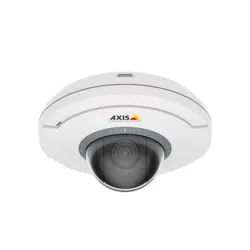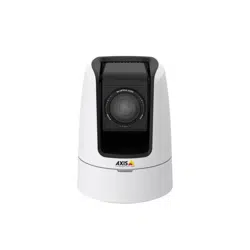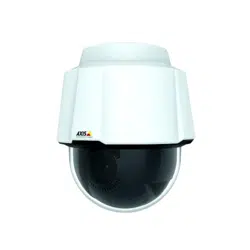


AXISP5654-EMkIIPTZCamera
TableofContents
Installation................................................3
Previewmode..................................................3
Getstarted................................................4
Findthedeviceonthenetwork....................................4
Openthedevice'swebinterface....................................4
Createanadministratoraccount...................................4
Securepasswords...............................................4
Verifythatnoonehastamperedwiththermware....................5
Webinterfaceoverview..........................................5
Congureyourdevice........................................6
Basicsettings..................................................6
Adjusttheimage................................................6
Adjustthecameraview(PTZ)......................................7
Viewandrecordvideo............................................8
Setuprulesforevents...........................................9
Thewebinterface...........................................12
Status........................................................12
Video.........................................................13
PTZ...........................................................23
Recordings.....................................................26
Apps..........................................................27
System........................................................
28
Maintenance...................................................
44
Learnmore................................................45
Capturemodes.................................................45
Privacymasks..................................................
45
Overlays.......................................................
46
Pan,tilt,andzoom(PTZ)..........................................46
Streamingandstorage...........................................46
Applications....................................................48
Specications..............................................49
Productoverview................................................
49
LEDindicators..................................................
49
SDcardslot....................................................
50
Buttons.......................................................
50
Connectors....................................................
50
Troubleshooting............................................51
Resettofactorydefaultsettings...................................51
Firmwareoptions...............................................51
Checkthecurrentrmwareversion.................................
51
Upgradethermware............................................51
Technicalissues,clues,andsolutions................................
52
Performanceconsiderations.......................................
54
Contactsupport.................................................54
2
AXISP5654-EMkIIPTZCamera
Installation
Installation
Towatchthisvideo,gotothewebversionofthisdocument.
help.axis.com/?&piaId=92621§ion=install
Installationvideofortheproduct.
Previewmode
Previewmodeisidealforinstallerswhennetuningthecameraviewduringtheinstallation.Nologinisrequiredtoaccessthe
cameraviewinpreviewmode.Itisavailableonlyinfactorydefaultedstateforalimitedtimefrompoweringupthedevice.
Towatchthisvideo,gotothewebversionofthisdocument.
help.axis.com/?&piaId=92621§ion=preview-mode
Thisvideodemonstratehowtousepreviewmode.
3

AXISP5654-EMkIIPTZCamera
Getstarted
Getstarted
Findthedeviceonthenetwork
TondAxisdevicesonthenetworkandassignthemIPaddressesinWindows®,useAXISIPUtilityorAXISDeviceManager.Both
applicationsarefreeandcanbedownloadedfromaxis.com/support.
FormoreinformationabouthowtondandassignIPaddresses,gotoHowtoassignanIPaddressandaccessyourdevice.
Browsersupport
Youcanusethedevicewiththefollowingbrowsers:
Chrome
TM
Firefox
®
Edge
TM
Safari
®
Windows
®
recommended
recommended
macOS
®
recommendedrecommended
Linux
®
recommendedrecommended
Otheroperatingsystems*
*TouseAXISOSwebinterfacewithiOS15oriPadOS15,gotoSettings Settings
Settings
> >
>
Safari Safari
Safari
> >
>
Advanced Advanced
Advanced
> >
>
Experimental Experimental
Experimental
Features Features
Features
anddisable
NSURLSessionWebsocket.
Ifyouneedmoreinformationaboutrecommendedbrowsers,gotoAXISOSPortal.
Openthedevice'swebinterface
1.OpenabrowserandtypetheIPaddressorhostnameoftheAxisdevice.
IfyoudonotknowtheIPaddress,useAXISIPUtilityorAXISDeviceManagertondthedeviceonthenetwork.
2.Typetheusernameandpassword.Ifyouaccessthedeviceforthersttime,youmustcreateanadministratoraccount.See
Createanadministratoraccountonpage4.
Createanadministratoraccount
Thersttimeyoulogintoyourdevice,youmustcreateanadministratoraccount.
1.Enterausername.
2.Enterapassword.SeeSecurepasswordsonpage4.
3.Re-enterthepassword.
4.ClickAdduser.
Important
Thedevicehasnodefaultaccount.Ifyoulosethepasswordforyouradministratoraccount,youmustresetthedevice.See
Resettofactorydefaultsettingsonpage51.
Securepasswords
Important
Axisdevicessendtheinitiallysetpasswordincleartextoverthenetwork.Toprotectyourdeviceaftertherstlogin,set
upasecureandencryptedHTTPSconnectionandthenchangethepassword.
4

AXISP5654-EMkIIPTZCamera
Getstarted
Thedevicepasswordistheprimaryprotectionforyourdataandservices.Axisdevicesdonotimposeapasswordpolicyasthey
maybeusedinvarioustypesofinstallations.
Toprotectyourdatawestronglyrecommendthatyou:
•Useapasswordwithatleast8characters,preferablycreatedbyapasswordgenerator.
•Don’texposethepassword.
•Changethepasswordatarecurringinterval,atleastonceayear.
Verifythatnoonehastamperedwiththermware
TomakesurethatthedevicehasitsoriginalAxisrmware,ortotakefullcontrolofthedeviceafterasecurityattack:
1.Resettofactorydefaultsettings.SeeResettofactorydefaultsettingsonpage51.
Afterthereset,securebootguaranteesthestateofthedevice.
2.Congureandinstallthedevice.
Webinterfaceoverview
Thisvideogivesyouanoverviewofthedevice’swebinterface.
Towatchthisvideo,gotothewebversionofthisdocument.
help.axis.com/?&piaId=92621§ion=web-interface-overview
Axisdevicewebinterface
5

AXISP5654-EMkIIPTZCamera
Configureyourdevice
Configureyourdevice
Basicsettings
Setthecapturemode
1.GotoVideo>Installation>Capturemode.
2.ClickChange.
3.SelectacapturemodeandclickSaveandrestart.
SeealsoCapturemodesonpage45.
Setthepowerlinefrequency
1.GotoVideo>Installation>Powerlinefrequency.
2.ClickChange.
3.SelectapowerlinefrequencyandclickSaveandrestart.
Adjusttheimage
Thissectionincludesinstructionsaboutconguringyourdevice.Ifyouwanttolearnmoreabouthowcertainfeatureswork,go
toLearnmoreonpage45.
Adjustthefocusfasterwithfocusrecallareas
Tosavethefocussettingsataspecicpan/tiltrange,addafocusrecallarea.Eachtimethecameramovesintothatareaitrecallsthe
previouslysavedfocus.It’senoughtocoverhalfofthefocusrecallareaintheliveview.
Werecommendthefocusrecallfeatureinthefollowingscenarios:
•Whenthereisalotofmanualoperationinliveview,forexamplewithajoystick.
•WherePTZpresetpositionswithmanualfocusarenotefcient,forexamplemovementswherethefocussettingchanges
continuously.
•Inlow-lightscenarios,wheretheautofocusischallengedbythelightingconditions.
Important
•Thefocusrecalloverridesthecamera’sautofocusatthespecicpan/tiltrange.
•Apresetpositionoverridesthefocussettingsavedinthefocusrecallarea.
•Themaximumnumberoffocusrecallareasis20.
Createafocusrecallarea
1.Pan,tilt,andzoomintotheareawhereyouwouldliketohavefocus.
Aslongasthefocusrecallbuttonshowsaplus
,youcanaddafocusrecallareainthatposition.
2.Adjustthefocus.
3.Clickthefocusrecallbutton.
Deleteafocusrecallarea
6

AXISP5654-EMkIIPTZCamera
Configureyourdevice
1.Pan,tilt,andzoomintothefocusrecallareayouwanttodelete.
Thefocusrecallbuttontogglestominuswhenthecameradetectsafocusrecallarea:
.
2.Clickthefocusrecallbutton.
Handlesceneswithstrongbacklight
Dynamicrangeisthedifferenceinlightlevelsinanimage.Insomecasesthedifferencebetweenthedarkestandthebrightest
areascanbesignicant.Theresultisoftenanimagewhereeitherthedarkorthebrightareasarevisible.Widedynamicrange
(WDR)makesbothdarkandbrightareasoftheimagevisible.
1.GotoVideo>Image>Widedynamicrange.
2.UsetheLocalcontrastslidertoadjusttheamountofWDR.
3.UsetheTonemappingslidertoadjusttheamountofWDR.
4.Ifyoustillhaveproblems,gotoExposureandadjusttheExposurezonetocovertheareaofinterest.
FindoutmoreaboutWDRandhowtouseitataxis.com/web-articles/wdr.
Hidepartsoftheimagewithprivacymasks
Youcancreateoneorseveralprivacymaskstohidepartsoftheimage.
1.GotoVideo>Privacymasks.
2.Click
.
3.Clickthenewmaskandtypeaname.
4.Adjustthesizeandplacementoftheprivacymaskaccordingtoyourneeds.
5.Tochangethecolorforallprivacymasks,clickPrivacymasksandselectacolor.
SeealsoPrivacymasksonpage45
Showthepanortiltpositionasatextoverlay
Youcanshowthepanortiltpositionasanoverlayintheimage.
1.GotoVideo>Overlaysandclick
.
2.Inthetexteld,type#xtoshowthepanposition.
Type#ytoshowthetiltposition.
3.Chooseappearance,textsize,andalignment.
4.Includethetextoverlay.
5.Thecurrentpanandtiltpositionsshowupintheliveviewimageandintherecording.
7

AXISP5654-EMkIIPTZCamera
Configureyourdevice
Adjustthecameraview(PTZ)
Limitthepan,tilt,andzoommovements
Iftherearepartsofthescenethatyoudon’twantthecameratoreach,youcanlimitthepan,tilt,andzoommovements.For
example,youwanttoprotecttheprivacyofresidentsinanapartmentbuilding,whichislocatedclosetoaparkinglotthatyou
intendtomonitor.
Tolimitthemovements:
1.GotoPTZ>Limits.
2.Setthelimitsasneeded.
Createaguardtourwithpresetpositions
Aguardtourdisplaysthevideostreamfromdifferentpresetpositionseitherinapredeterminedorrandomorder,andforcongurable
periodsoftime.
1.GotoPTZ>Guardtours.
2.Click
Guardtour.
3.SelectPresetpositionandclickCreate.
4.UnderGeneralsettings:
-Enteranamefortheguardtourandspecifythepauselengthbetweeneachtour.
-Ifyouwanttheguardtourtogotothepresetpositionsinarandomorder,turnonPlayguardtourinrandom
order.
5.UnderStepsettings:
-Setthedurationforthepreset.
-Setthemovespeed,whichcontrolshowfasttomovetothenextpreset.
6.GotoPresetpositions.
6.1Selectthepresetpositionsthatyouwantinyourguardtour.
6.2DragthemtotheVieworderarea,andclickDone.
7.Toscheduletheguardtour,gotoSystem>Events.
Viewandrecordvideo
Thissectionincludesinstructionsaboutconguringyourdevice.Tolearnmoreabouthowstreamingandstorageworks,goto
Streamingandstorageonpage46.
Reducebandwidthandstorage
Important
Reducingthebandwidthcanleadtolossofdetailintheimage.
1.GotoVideo>Stream.
2.Click
intheliveview.
8

AXISP5654-EMkIIPTZCamera
Configureyourdevice
3.SelectVideoformatH.264.
4.GotoVideo>Stream>GeneralandincreaseCompression.
5.GotoVideo>Stream>Zipstreamanddooneormoreofthefollowing:
Note
TheZipstreamsettingsareusedforbothH.264andH.265.
-SelecttheZipstreamStrengththatyouwanttouse.
-TurnonOptimizeforstorage.ThiscanonlybeusediftheVMSsupportsB-frames.
-TurnonDynamicFPS.
-TurnonDynamicGOPandsetahighUpperlimitGOPlengthvalue.
Note
Mostwebbrowsersdon’tsupportH.265decodingandbecauseofthisthedevicedoesn’tsupportitinitswebinterface.
InsteadyoucanuseavideomanagementsystemorapplicationthatsupportsH.265decoding.
Setuprulesforevents
Youcancreaterulestomakeyourdeviceperformanactionwhencertaineventsoccur.Aruleconsistsofconditionsandactions.
Theconditionscanbeusedtotriggertheactions.Forexample,thedevicecanstartarecordingorsendanemailwhenitdetects
motion,orshowanoverlaytextwhilethedeviceisrecording.
Tolearnmore,checkoutourguideGetstartedwithrulesforevents.
Directthecameratoapresetpositionwhenthecameradetectsmotion
Thisexampleexplainshowtosetupthecameratogotoapresetpositionwhenitdetectsmotionintheimage.
MakesurethatAXISObjectAnalyticsisrunning:
1.GotoApps>AXISObjectAnalytics.
2.Starttheapplicationifitisnotalreadyrunning.
3.Makesureyouhavesetuptheapplicationaccordingtoyourneeds.
Addapresetposition:
GotoPTZandsetwhereyouwantthecameratobedirectedbycreatingapresetposition.
Createarule:
1.GotoSystem>Eventsandaddarule.
2.Typeanamefortherule.
3.Inthelistofconditions,underApplication,selectObjectAnalytics.
4.Inthelistofactions,selectGotopresetposition.
5.Selectthepresetpositionyouwantthecameratogoto.
6.ClickSave.
9

AXISP5654-EMkIIPTZCamera
Configureyourdevice
Zoominonaspecicareaautomaticallywithgatekeeper
Thisexampleexplainshowtousethegatekeeperfunctionalitytomakethecamerazoominautomaticallyonthelicenseplateofa
carthatpassesthroughagate.Whenthecarhaspassed,thecamerazoomsouttothehomeposition.
Createthepresetpositions:
1.GotoPTZ>Presetpositions.
2.Createthehomepositionthatincludestheentranceofthegate.
3.Createthezoomed-inpresetpositionsothatitcoverstheareaintheimagewhereyouassumethatthelicenseplate
willappear.
Setupmotiondetection:
1.GotoAppsandstartandopenAXISObjectAnalytics.
2.Createanobjectinareascenarioforvehicles,withanincludeareathatcoverstheentranceofthegate.
Createarule:
1.GotoSystem>Eventsandaddarule.
2.Nametherule“Gatekeeper”.
3.Inthelistofconditions,underApplication,selecttheObjectAnalyticsscenario.
4.Inthelistofactions,underPresetpositions,selectGotopresetposition.
5.SelectaVideochannel.
6.SelectthePresetposition.
7.Tomakethecamerawaitawhilebeforeitreturnstothehomeposition,setatimeforHometimeout.
8.ClickSave.
Recordvideowhenthecameradetectsimpact
Shockdetectionallowsthecameratodetecttamperingcausedbyvibrationsorshock.Vibrationsduetotheenvironmentortoan
objectcantriggeranactiondependingontheshocksensitivityrange,whichcanbesetfrom0to100.Inthisscenario,someoneis
throwingrocksatthecameraafterhoursandyouwouldliketogetavideoclipoftheevent.
Turnonshockdetection:
1.GotoSystem>Detectors>Shockdetection.
2.Turnonshockdetection,andadjusttheshocksensitivity.
Createarule:
3.GotoSystem>Events>Rulesandaddarule.
4.Typeanamefortherule.
5.Inthelistofconditions,underDevicestatus,selectShockdetected.
6.Click+toaddasecondcondition.
7.Inthelistofconditions,underScheduledandrecurring,selectSchedule.
8.Inthelistofschedules,selectAfterhours.
9.Inthelistofactions,underRecordings,selectRecordvideowhiletheruleisactive.
10

AXISP5654-EMkIIPTZCamera
Configureyourdevice
10.Selectwheretosavetherecordings.
11.SelectaCamera.
12.Settheprebuffertimeto5seconds.
13.Setthepostbuffertimeto50seconds.
14.ClickSave.
11
AXISP5654-EMkIIPTZCamera
Thewebinterface
Thewebinterface
Toreachthedevice’swebinterface,typethedevice’sIPaddressinawebbrowser.
Note
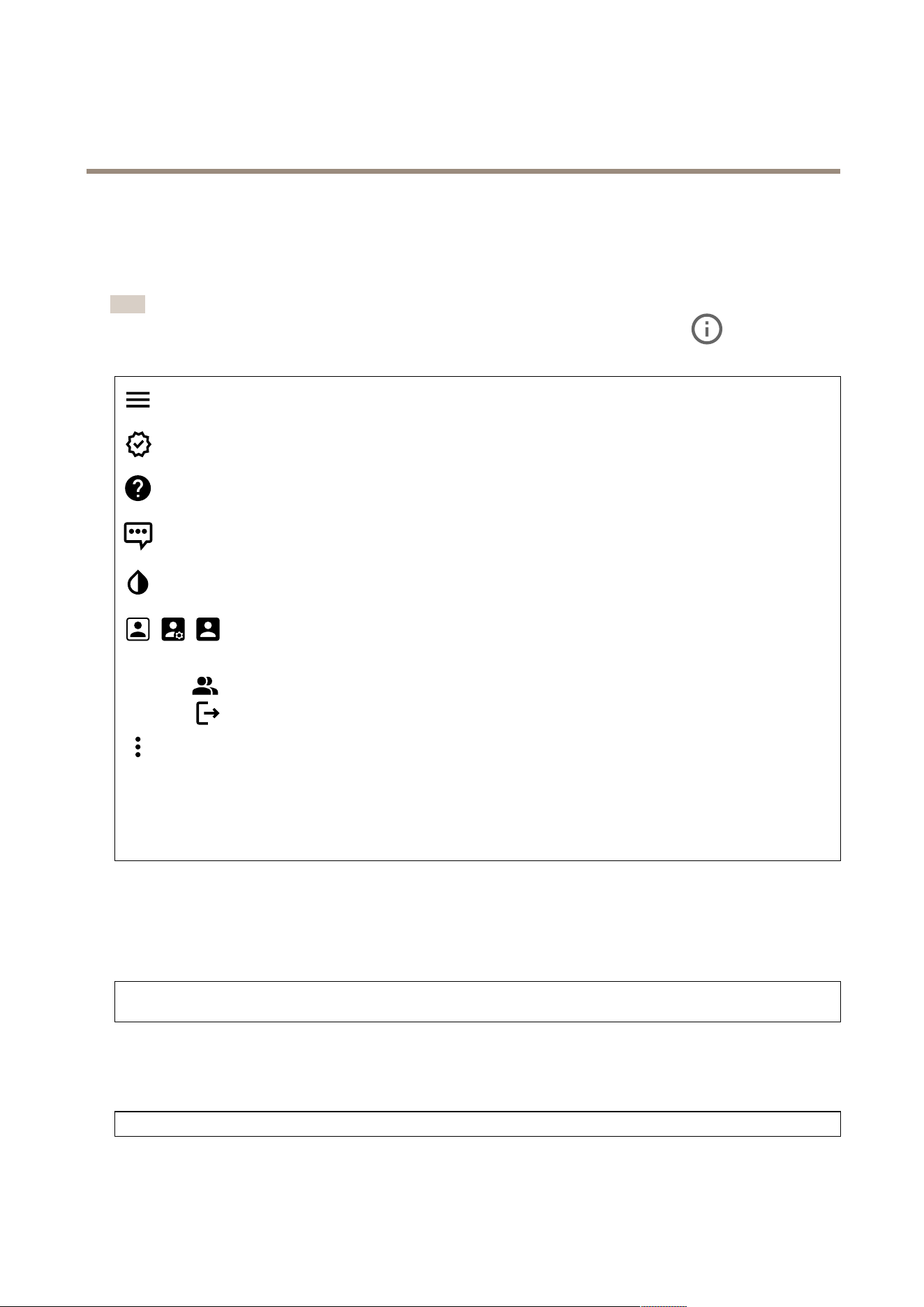
Supportforthefeaturesandsettingsdescribedinthissectionvariesbetweendevices.Thisicon
indicatesthat
thefeatureorsettingisonlyavailableinsomedevices.
Showorhidethemainmenu.
Accessthereleasenotes.
Accesstheproducthelp.
Changethelanguage.
Setlightthemeordarktheme.
Theusermenucontains:
•Informationabouttheuserwhoisloggedin.
•
Changeaccount:Logoutfromthecurrentaccountandlogintoanewaccount.
•
Logout:Logoutfromthecurrentaccount.
Thecontextmenucontains:
•Analyticsdata:Accepttosharenon-personalbrowserdata.
•Feedback:Shareanyfeedbacktohelpusimproveyouruserexperience.
•Legal:Viewinformationaboutcookiesandlicenses.
•About:Viewdeviceinformation,includingrmwareversionandserialnumber.
•Legacydeviceinterface:Changethedevice’swebinterfacetothelegacyversion.
Status
Deviceinfo
Showsthedeviceinformation,includingrmwareversionandserialnumber.
Upgradermware:Upgradethermwareonyourdevice.TakesyoutotheMaintenancepagewhereyoucandoarmware
upgrade.
Timesyncstatus
ShowsNTPsynchronizationinformation,includingifthedeviceisinsyncwithanNTPserverandthetimeremaininguntil
thenextsync.
NTPsettings:ViewandupdatetheNTPsettings.TakesyoutotheDateandtimepagewhereyoucanchangetheNTPsettings.
Security
12
AXISP5654-EMkIIPTZCamera
Thewebinterface
Showswhatkindofaccesstothedevicethatisactive,andwhatencryptionprotocolsareinuse.Recommendationstothesettings
arebasedontheAXISOSHardeningGuide.
Hardeningguide:LinktoAXISOSHardeningguidewhereyoucanlearnmoreaboutcybersecurityonAxisdevicesandbest
practices.
PTZ
ShowsthePTZstatusandthetimeofthelasttest.
Test:StartatestofthePTZmechanics.Duringthetest,therearenovideostreamsavailable.Whenthetestisnished,the
devicerestorestoitshomeposition.
Connectedclients
Showsthenumberofconnectionsandconnectedclients.
Viewdetails:Viewandupdatethelistoftheconnectedclients.ThelistshowsIPaddress,protocol,port,andPID/Process
ofeachclient.
Ongoingrecordings
Showsongoingrecordingsandtheirdesignatedstoragespace.
Recordings:Viewongoingandlteredrecordingsandtheirsource.Formoreinformation,seeRecordingsonpage26
Showsthestoragespacewheretherecordingissaved.
Video
Click-and-dragtopanandtiltintheliveview.
ZoomUsetheslidertozoominandout.
FocusUsethissettingtosetfocusintheshownarea.Dependingonthedevice,differentfocusmodesareavailable.
•Auto:Thecameraautomaticallyadjustsfocusbasedontheentireimage.
•Manual:Setthefocusmanuallyataxeddistance.
•Area:Thecameraautomaticallyadjustsfocusforaselectedareaoftheimage.
•Spot:Thecameraautomaticallyadjustsfocusforthecenteroftheimage.
BrightnessUsethissettingtoadjustthelightintensityintheimage,forexample,tomakeobjectseasiertosee.Brightnessis
appliedafterimagecapture,anddoesnotaffecttheinformationintheimage.Togetmoredetailsinadarkarea,itissometimes
bettertotrytoincreasegainorincreaseexposuretime.
13
AXISP5654-EMkIIPTZCamera
Thewebinterface
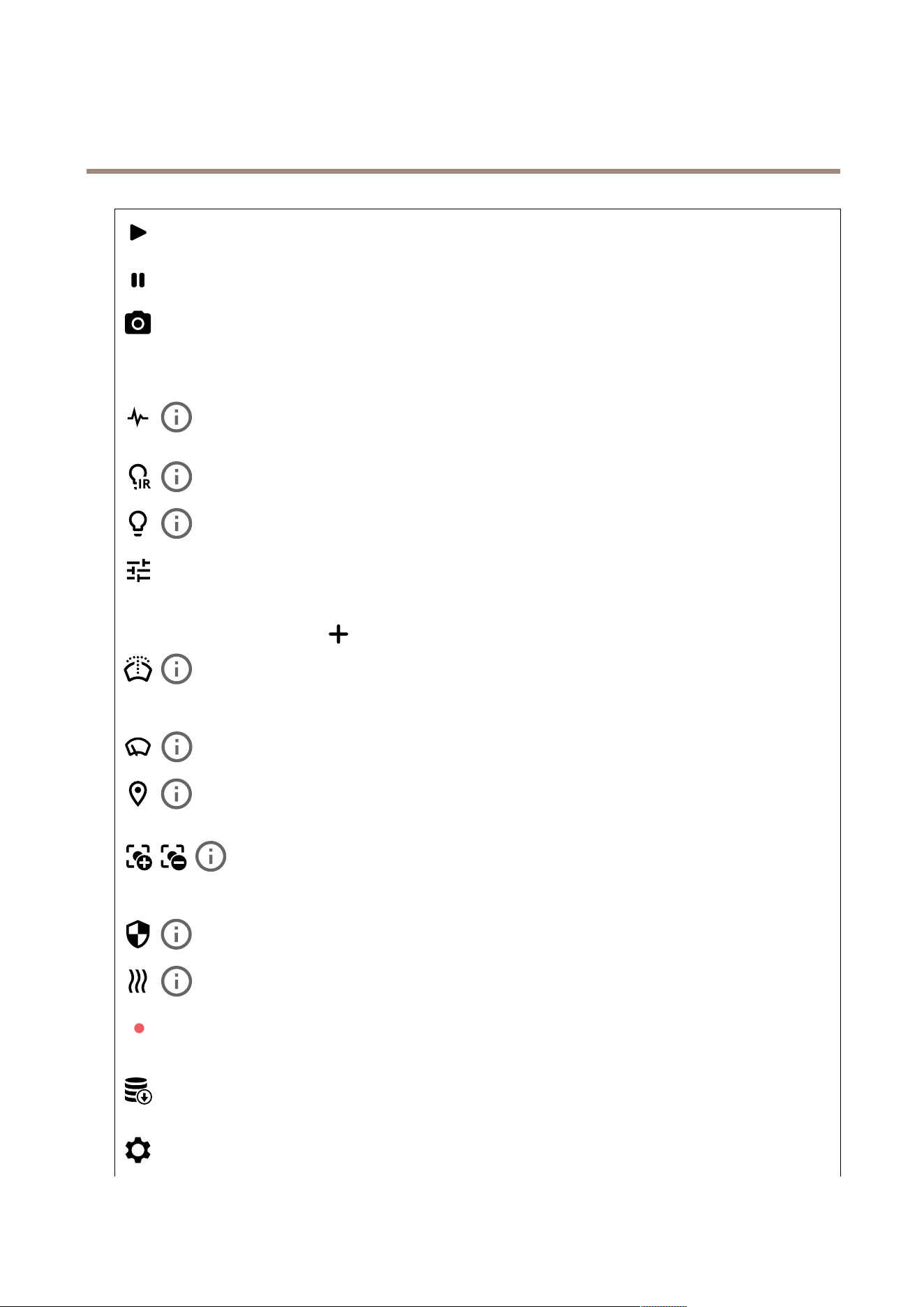
Clicktoplaythelivevideostream.
Clicktofreezethelivevideostream.
Clicktotakeasnapshotofthelivevideostream.Theleissavedinthe‘Downloads’folderonyourcomputer.Theimage
lenameis[snapshot_YYYY_MM_DD_HH_MM_SS.jpg].Thesizeofthesnapshotdependsonthecompressionthatthespecic
web-browserenginewherethesnapshotisreceivedapplies,therefore,thesnapshotsizemayvaryfromtheactualcompression
settingthatisconguredinthedevice.
ClicktoshowI/Ooutputports.Usetheswitchtoopenorclosethecircuitofaport,forexample,totestexternal
devices.
ClicktomanuallyturnonorturnofftheIRillumination.
Clicktomanuallyturnonorturnoffthewhitelight.
Clicktoaccessonscreencontrols:
•Predenedcontrols:Turnontousetheavailableonscreencontrols.
•Customcontrols:Click
Addcustomcontroltoaddanonscreencontrol.
Startsthewasher.Whenthesequencestarts,thecameramovestotheconguredpositiontoreceivethewash
spray.Whenthewholewashsequenceiscompleted,thecamerareturnstoitspreviousposition.Thisiconisonlyvisiblewhenthe
washerisconnectedandcongured.
Startsthewiper.
Clickandselectapresetpositiontogotothatpresetpositionintheliveview.Or,clickSetuptogotothepreset
positionpage.
Addsorremovesafocusrecallarea.Whenyouaddafocusrecallarea,thecamerasavesthefocussettingsat
thatspecicpan/tiltrange.Whenyouhavesetafocusrecallareaandthecameraentersthatareaintheliveview,thecamera
recallsthepreviouslysavedfocus.It’senoughtocoverhalfoftheareaforthecameratorecallthefocus.
Clicktoselectaguardtour,thenclickStarttoplaytheguardtour.Or,clickSetuptogototheguardtourspage.
Clicktomanuallyturnontheheaterforaselectedperiodoftime.
Clicktostartacontinuousrecordingofthelivevideostream.Clickagaintostoptherecording.Ifarecordingisongoing,it
willresumeautomaticallyafterareboot.
Clicktoshowthestoragethatisconguredforthedevice.Tocongurethestorage,youneedtobeloggedinasan
administrator.
Clicktoaccessmoresettings:
14
AXISP5654-EMkIIPTZCamera
Thewebinterface
•Videoformat:Selecttheencodingformattouseintheliveview.
•Clientstreaminformation:Turnontoshowdynamicinformationaboutthevideostreamusedbythebrowserthat
showsthelivevideostream.Thebitrateinformationdiffersfromtheinformationshowninatextoverlay,becauseof
differentinformationsources.Thebitrateintheclientstreaminformationisthebitrateofthelastsecond,andit
comesfromtheencodingdriverofthedevice.Thebitrateintheoverlayistheaveragebitrateofthelast5seconds,
anditcomesfromthebrowser.Bothvaluescoveronlytherawvideostreamandnottheadditionalbandwidth
generatedwhenit’stransportedoverthenetworkthroughUDP/TCP/HTTP.
•Adaptivestream:Turnontoadapttheimageresolutiontotheviewingclient’sactualdisplayresolution,toimprove
theuserexperienceandhelppreventapossibleoverloadoftheclient’shardware.Theadaptivestreamisonly
appliedwhenyouviewthelivevideostreaminthewebinterfaceinabrowser.Whenadaptivestreamisturnedon,
themaximumframerateis30fps.Ifyoutakeasnapshotwhileadaptivestreamisturnedon,itwillusetheimage
resolutionselectedbytheadaptivestream.
•Levelgrid:Click
toshowthelevelgrid.Thegridhelpsyoudecideiftheimageishorizontallyaligned.Click
tohideit.
•Pixelcounter:Click
toshowthepixelcounter.Dragandresizetheboxtocontainyourareaofinterest.Youcan
alsodenethepixelsizeoftheboxintheWidthandHeightelds.
•Refresh:Click
torefreshthestillimageintheliveview.
•PTZcontrols
:TurnontodisplayPTZcontrolsintheliveview.
Clicktoshowtheliveviewatfullresolution.Ifthefullresolutionislargerthanyourscreensize,usethesmallerimageto
navigateintheimage.
Clicktoshowthelivevideostreaminfullscreen.PressESCtoexitfullscreenmode.
Installation
Capturemode:Acapturemodeisapresetcongurationthatdeneshowthecameracapturesimages.Whenyouchange
thecapturemode,itcanaffectmanyothersettings,suchasviewareasandprivacymasks.
Mountingposition:Theorientationoftheimagecanchangedependingonhowyoumountthecamera.
Powerlinefrequency:Tominimizeimageicker,selectthefrequencyyourregionuses.TheAmericanregionsusuallyuse60Hz.
Therestoftheworldmostlyuses50Hz.Ifyou'renotsureofyourregion'spowerlinefrequency,checkwiththelocalauthorities.
Rotate:Selectthepreferredimageorientation.
Imagecorrection
15
AXISP5654-EMkIIPTZCamera
Thewebinterface
Important
Werecommendyounottousemultipleimagecorrectionfeaturesatthesametime,sinceitcanleadtoperformanceissues.
Barreldistortioncorrection(BDC)
:Turnontogetastraighterimageifitsuffersfrombarreldistortion.Barreldistortion
isalenseffectthatmakestheimageappearcurvedandbentoutwards.Theconditionisseenmoreclearlywhentheimageis
zoomedout.
Crop
:Usetheslidertoadjustthecorrectionlevel.Alowerlevelmeansthattheimagewidthiskeptattheexpenseof
imageheightandresolution.Ahigherlevelmeansthatimageheightandresolutionarekeptattheexpenseofimagewidth.
Removedistortion
:Usetheslidertoadjustthecorrectionlevel.Puckermeansthattheimagewidthiskeptattheexpense
ofimageheightandresolution.Bloatmeansthatimageheightandresolutionarekeptattheexpenseofimagewidth.
Imagestabilization
:Turnontogetasmootherandsteadierimagewithlessblur.Werecommendthatyouuseimage
stabilizationinenvironmentswherethedeviceismountedinanexposedlocationandsubjecttovibrationsdueto,forexample,
windorpassingtrafc.
Focallength
:Usetheslidertoadjustthefocallength.Ahighervalueleadstohighermagnicationandanarrowerangle
ofview,whilealowervalueleadstoalowermagnicationandawiderangleofview.
Stabilizermargin:Usetheslidertoadjustthesizeofthestabilizermargin,whichdeterminesthelevelofvibrationto
stabilize.Iftheproductismountedinanenvironmentwithalotofvibration,movetheslidertowardsMax.Asaresult,asmaller
sceneiscaptured.Iftheenvironmenthaslessvibration,movetheslidertowardsMin.
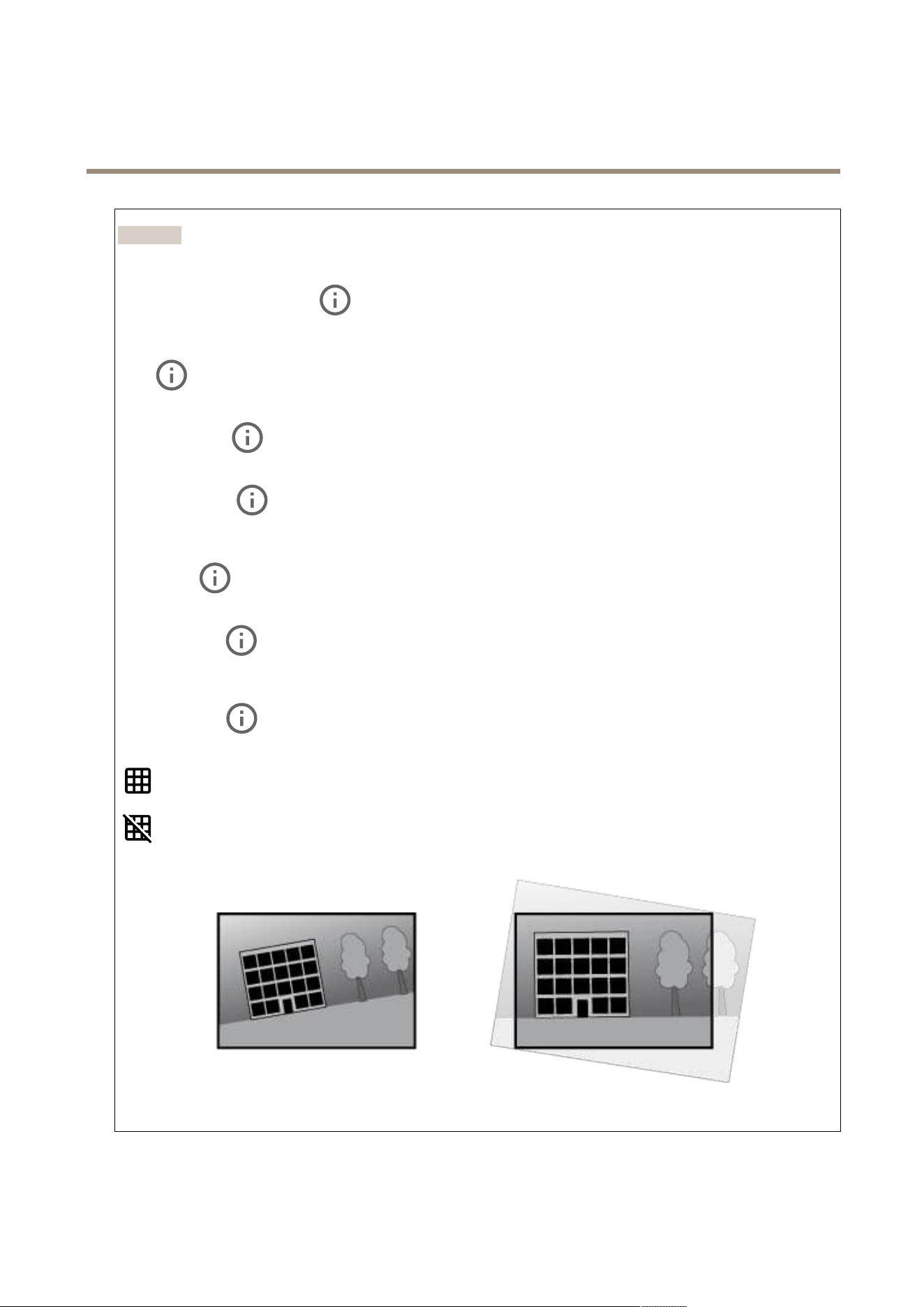
Straightenimage
:Turnonandusetheslidertostraightentheimagehorizontallybyrotatingandcroppingitdigitally.The
functionalityisusefulwhenit’snotpossibletomountthecameraexactlylevel.Ideally,straightentheimageduringinstallation.
:Clicktoshowasupportinggridintheimage.
:Clicktohidethegrid.
Theimagebeforeandafterithasbeenstraightened.
16
AXISP5654-EMkIIPTZCamera
Thewebinterface
Image
Appearance
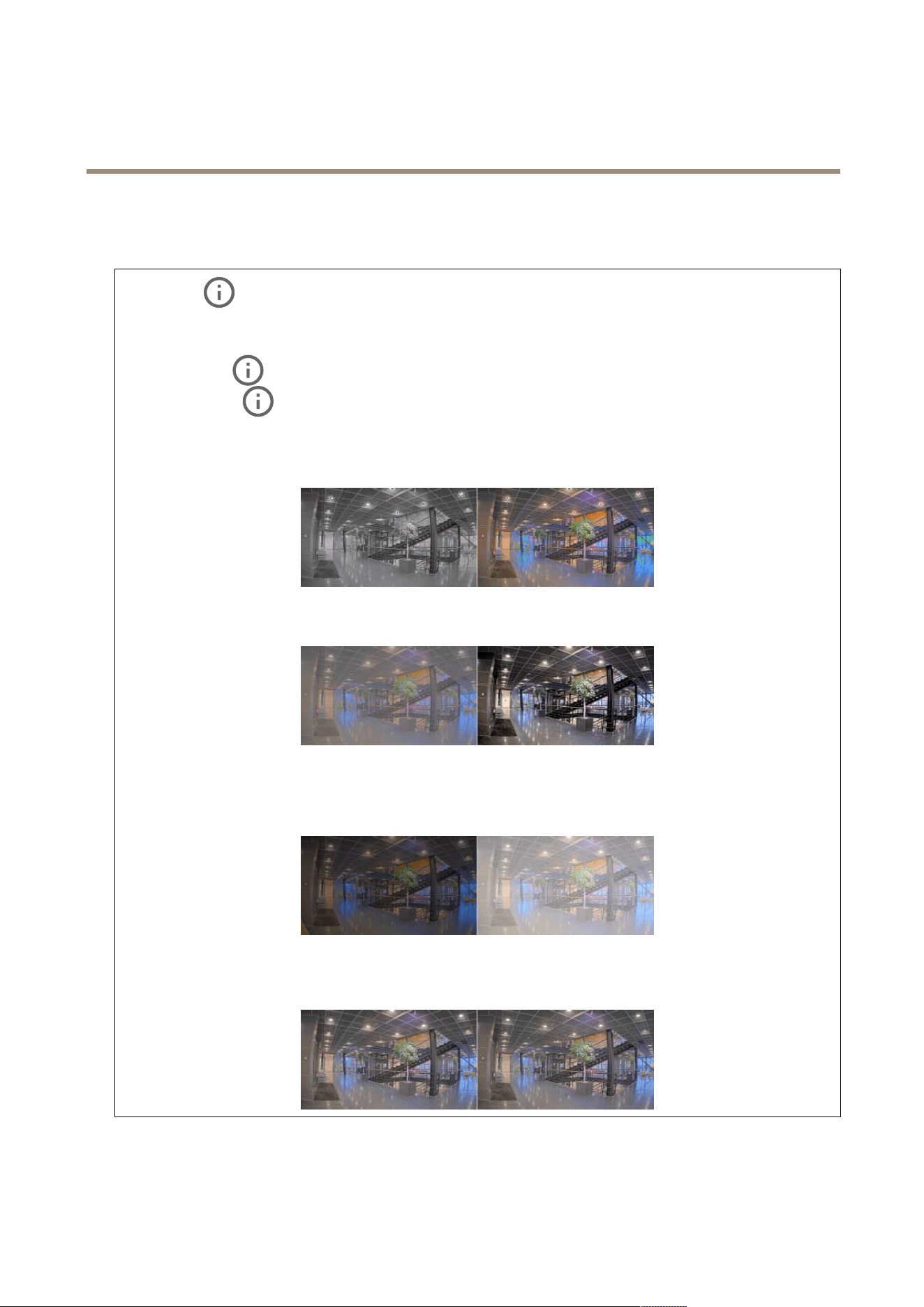
Sceneprole:Selectasceneprolethatsuitsyoursurveillancescenario.Asceneproleoptimizesimagesettings,
includingcolorlevel,brightness,sharpness,contrast,andlocalcontrast,foraspecicenvironmentorpurpose.
•Forensic:Suitableforsurveillancepurposes.
•Indoor
:Suitableforindoorenvironments.
•Outdoor
:Suitableforoutdoorenvironments.
•Vivid:Usefulfordemonstrationpurposes.
•Trafcoverview:Suitableforvehicletrafcmonitoring.
Saturation:Usetheslidertoadjustthecolorintensity.Youcan,forexample,getagrayscaleimage.
Contrast:Usetheslidertoadjustthedifferencebetweenlightanddark.
Brightness:Usetheslidertoadjustthelightintensity.Thiscanmakeobjectseasiertosee.Brightnessisappliedafterimage
capture,anddoesn’taffecttheinformationintheimage.Togetmoredetailsfromadarkarea,it’susuallybettertoincrease
gainorexposuretime.
Sharpness:Usetheslidertomakeobjectsintheimageappearsharperbyadjustingtheedgecontrast.Ifyouincreasethe
sharpness,itmayincreasethebitrateandtheamountofstoragespaceneededaswell.
Widedynamicrange
17
AXISP5654-EMkIIPTZCamera
Thewebinterface
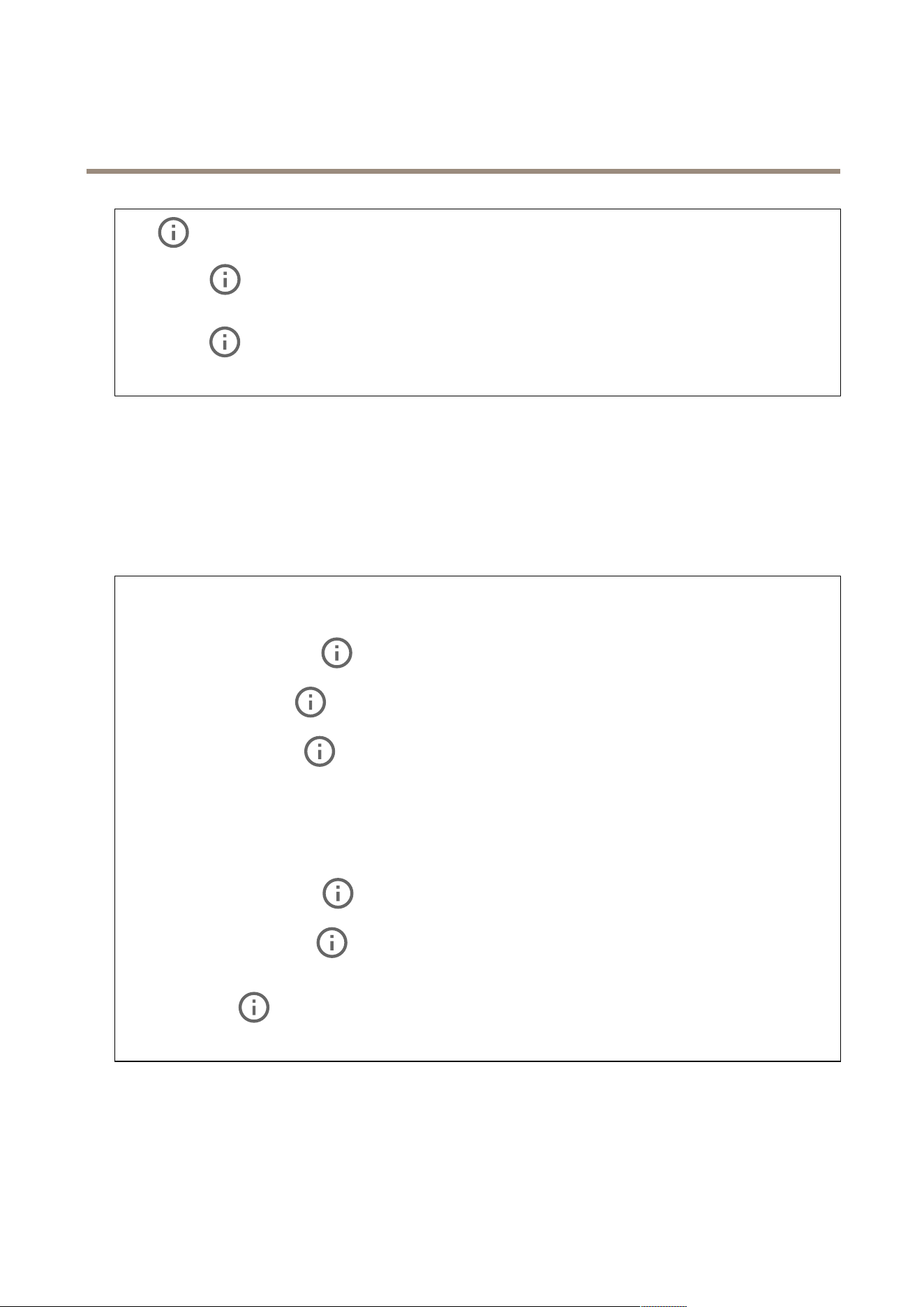
WDR:Turnontomakebothbrightanddarkareasoftheimagevisible.
Localcontrast
:Usetheslidertoadjustthecontrastoftheimage.Ahighervaluemakesthecontrasthigherbetween
darkandlightareas.
Tonemapping
:Usetheslidertoadjusttheamountoftonemappingthatisappliedtotheimage.Ifthevalueissetto
zero,onlythestandardgammacorrectionisapplied,whileahighervalueincreasesthevisibilityofthedarkestandbrightest
partsintheimage.
Whitebalance
Whenthecameradetectsthecolortemperatureoftheincominglight,itcanadjusttheimagetomakethecolorslookmorenatural.
Ifthisisnotsufcient,youcanselectasuitablelightsourcefromthelist.
Theautomaticwhitebalancesettingreducestheriskofcolorickerbyadaptingtochangesgradually.Ifthelightingchanges,or
whenthecameraisrststarted,itcantakeupto30secondstoadapttothenewlightsource.Ifthereismorethanonetypeoflight
sourceinascene,thatis,theydifferincolortemperature,thedominatinglightsourceactsasareferencefortheautomaticwhite
balancealgorithm.Thisbehaviorcanbeoverriddenbychoosingaxedwhitebalancesettingthatmatchesthelightsourceyou
wanttouseasareference.
Lightenvironment:
•Automatic:Automaticidenticationandcompensationforthelightsourcecolor.Thisistherecommendedsetting
whichcanbeusedinmostsituations.
•Automatic–outdoors
:Automaticidenticationandcompensationforthelightsourcecolor.Thisisthe
recommendedsettingwhichcanbeusedinmostoutdoorsituations.
•Custom–indoors
:Fixedcoloradjustmentforaroomwithsomearticiallightotherthanuorescentlighting
andgoodforanormalcolortemperaturearound2800K.
•Custom–outdoors
:Fixedcoloradjustmentforsunnyweatherconditionswithacolortemperaturearound
5500K.
•Fixed–uorescent1:Fixedcoloradjustmentforuorescentlightingwithacolortemperaturearound4000K.
•Fixed–uorescent2:Fixedcoloradjustmentforuorescentlightingwithacolortemperaturearound3000K.
•Fixed–indoors:Fixedcoloradjustmentforaroomwithsomearticiallightotherthanuorescentlightingand
goodforanormalcolortemperaturearound2800K.
•Fixed–outdoors1:Fixedcoloradjustmentforsunnyweatherconditionswithacolortemperaturearound5500K.
•Fixed–outdoors2:Fixedcoloradjustmentforcloudyweatherconditionwithacolortemperaturearound6500K.
•Streetlight–mercury
:Fixedcoloradjustmentforultravioletemissioninmercuryvaporlightscommon
instreetlighting.
•Streetlight–sodium
:Fixedcoloradjustmentthatcompensatesfortheyelloworangecolorofsodiumvapor
lightscommoninstreetlighting.
•Holdcurrent:Keepthecurrentsettingsanddonotcompensateforlightchanges.
•Manual
:Fixthewhitebalancewiththehelpofawhiteobject.Dragthecircletoanobjectthatyouwant
thecameratointerpretaswhiteintheliveviewimage.UsetheRedbalanceandBluebalancesliderstoadjustthe
whitebalancemanually.
Day-nightmode
18
AXISP5654-EMkIIPTZCamera
Thewebinterface
IR-cutlter:
•Auto:SelecttoautomaticallyturnonandofftheIR-cutlter.Whenthecameraisindaymode,theIR-cutlter
isturnedonandblocksincominginfraredlight,andwheninnightmode,theIR-cutlteristurnedoffandthe
camera’slightsensitivityincreases.
•On:SelecttoturnontheIR-cutlter.Theimageisincolor,butwithreducedlightsensitivity.
•Off:SelecttoturnofftheIR-cutlter.Theimageisinblackandwhiteforincreasedlightsensitivity.
Threshold:Usetheslidertoadjustthelightthresholdwherethecamerachangesfromdaymodetonightmode.
•MovetheslidertowardsBrighttodecreasethethresholdfortheIR-cutlter.Thecamerachangestonightmode
earlier.
•MovetheslidertowardsDarktoincreasethethresholdfortheIR-cutlter.Thecamerachangestonightmodelater.
IRlight
Ifyourdevicedoesn’thavebuilt-inillumination,thesecontrolsareonlyavailablewhenyouconnectasupportingAxisaccessory.
Allowillumination:Turnontoletthecamerausethebuilt-inlightinnightmode.
Synchronizeillumination:Turnontoautomaticallysynchronizetheilluminationwiththesurroundinglight.Thesynchronization
betweendayandnightonlyworksiftheIR-cutlterissettoAutoorOff.
Automaticilluminationangle
:Turnontousetheautomaticilluminationangle.
Illuminationangle
:Usetheslidertomanuallysettheilluminationangle,forexample,iftheangleneedstobedifferent
fromthecamera’sangleofview.Ifthecamerahasawideangleofview,youcansettheilluminationangletoanarrowerangle,
whichequalsagreaterteleposition.Thiswillresultindarkcornersintheimage.
IRwavelength
:SelectthedesiredwavelengthfortheIRlight.
Whitelight
:
Allowillumination
:Turnontoletthecamerausewhitelightinnightmode.
Synchronizeillumination
:Turnontoautomaticallysynchronizethewhitelightwiththesurroundinglight.
Exposure
Selectanexposuremodetoreducerapidlychangingirregulareffectsintheimage,forexample,ickerproducedbydifferenttypesof
lightsources.Werecommendyoutousetheautomaticexposuremode,orthesamefrequencyasyourpowernetwork.
Exposuremode:
•Automatic:Thecameraadjuststheaperture,gain,andshutterautomatically.
•Automaticaperture:Thecameraadjuststheapertureandgainautomatically.Theshutterisxed.
•Automaticshutter
:Thecameraadjuststheshutterandgainautomatically.Theapertureisxed.
•Holdcurrent:Locksthecurrentexposuresettings.
•Flicker-free
:Thecameraadjuststheapertureandgainautomatically,andusesonlythefollowingshutter
speeds:1/50s(50Hz)and1/60s(60Hz).
•Flicker-free50Hz
:Thecameraadjuststheapertureandgainautomatically,andusestheshutterspeed1/50s.
19
AXISP5654-EMkIIPTZCamera
Thewebinterface
•Flicker-free60Hz:Thecameraadjuststheapertureandgainautomatically,andusestheshutterspeed1/60s.
•Flicker-reduced
:Thisisthesameasicker-free,butthecameramightuseshutterspeedsfasterthan
1/100s(50Hz)and1/120s(60Hz)forbrighterscenes.
•Flicker-reduced50Hz
:Thisisthesameasicker-free,butthecameramightuseshutterspeedsfaster
than1/100sforbrighterscenes.
•Flicker-reduced60Hz
:Thisisthesameasicker-free,butthecameramightuseshutterspeedsfaster
than1/120sforbrighterscenes.
•Manual
:Theaperture,gain,andshutterarexed.
Exposurezone
:Useexposurezonestooptimizetheexposureinaselectedpartofthescene,forexample,theareain
frontofanentrancedoor.
Note
Theexposurezonesarerelatedtotheoriginalimage(unrotated),andthenamesofthezonesapplytotheoriginalimage.
Thismeans,forexample,thatifthevideostreamisrotated90°,thentheUpperzonebecomestheRightzoneinthe
stream,andLeftbecomesLower.
•Automatic:Suitableformostsituations.
•Center:Usesaxedareainthecenteroftheimagetocalculatetheexposure.Theareahasaxedsizeand
positionintheliveview.
•Full
:Usestheentireliveviewtocalculatetheexposure.
•Upper
:Usesanareawithaxedsizeandpositionintheupperpartoftheimagetocalculatetheexposure.
•Lower
:Usesanareawithaxedsizeandpositioninthelowerpartoftheimagetocalculatetheexposure.
•Left
:Usesanareawithaxedsizeandpositionintheleftpartoftheimagetocalculatetheexposure.
•Right
:Usesanareawithaxedsizeandpositionintherightpartoftheimagetocalculatetheexposure.
•Spot:Usesanareawithaxedsizeandpositionintheliveviewtocalculatetheexposure.
•Custom:Usesanareaintheliveviewtocalculatetheexposure.Youcanadjustthesizeandpositionofthearea.
Maxshutter:Selecttheshutterspeedtoprovidethebestimage.Lowshutterspeeds(longerexposure)mightcausemotionblur
whenthereismovement,andatoohighshutterspeedmightaffecttheimagequality.Maxshutterworkswithmaxgainto
improvetheimage.
Maxgain:Selectthesuitablemaxgain.Ifyouincreasethemaxgain,itimprovesthevisiblelevelofdetailindarkimages,but
alsoincreasesthenoiselevel.Morenoisecanalsoresultinincreaseduseofbandwidthandstorage.Ifyousetthemaxgain
toahighvalue,imagescandifferalotifthelightconditionsareverydifferentfromdaytonight.Maxgainworkswithmax
shuttertoimprovetheimage.
Motion-adaptiveexposure
:Selecttoreducemotionblurinlow-lightconditions.
Blur-noisetrade-off:Usetheslidertoadjusttheprioritybetweenmotionblurandnoise.Ifyouwanttoprioritizelowbandwidth
andhavelessnoiseattheexpenseofdetailsinmovingobjects,movetheslidertowardsLownoise.Ifyouwanttoprioritizethe
preservationofdetailsinmovingobjectsattheexpenseofnoiseandbandwidth,movetheslidertowardsLowmotionblur.
Note
Youcanchangetheexposureeitherbyadjustingtheexposuretimeorbyadjustingthegain.Ifyouincreasetheexposure
time,itresultsinmoremotionblur,andifyouincreasethegain,itresultsinmorenoise.IfyouadjusttheBlur-noise
trade-offtowardsLownoise,theautomaticexposurewillprioritizelongerexposuretimesoverincreasinggain,andthe
oppositeifyouadjustthetrade-offtowardsLowmotionblur.Boththegainandexposuretimewilleventuallyreach
theirmaximumvaluesinlow-lightconditions,regardlessofthepriorityset.
20

AXISP5654-EMkIIPTZCamera
Thewebinterface
Lockaperture:TurnontokeeptheaperturesizesetbytheApertureslider.Turnofftoallowthecameratoautomatically
adjusttheaperturesize.Youcan,forexample,locktheapertureforsceneswithpermanentlightconditions.
Aperture:Usetheslidertoadjusttheaperturesize,thatis,howmuchlightpassesthroughthelens.Toallowmorelight
toenterthesensorandtherebyproduceabrighterimageinlow-lightconditions,movetheslidertowardsOpen.Anopenaperture
alsoreducesthedepthofeld,whichmeansthatobjectsclosetoorfarfromthecameracanappearunfocused.Toallowmoreof
theimagetobeinfocus,movetheslidertowardsClosed.
Exposurelevel:Usetheslidertoadjusttheimageexposure.
Defog
:Turnontodetecttheeffectsoffoggyweatherandautomaticallyremovethemforaclearerimage.
Note
WerecommendyounottoturnonDefoginsceneswithlowcontrast,largelightlevelvariations,orwhentheautofocusis
slightlyoff.Thiscanaffecttheimagequality,forexample,byincreasingthecontrast.Furthermore,toomuchlightcan
negativelyimpacttheimagequalitywhendefogisactive.
Stream
General
Resolution:Selecttheimageresolutionsuitableforthesurveillancescene.Ahigherresolutionincreasesbandwidthandstorage.
Framerate:Toavoidbandwidthproblemsonthenetworkorreducestoragesize,youcanlimittheframeratetoaxedamount.
Ifyouleavetheframerateatzero,theframerateiskeptatthehighestpossiblerateunderthecurrentconditions.Ahigher
frameraterequiresmorebandwidthandstoragecapacity.
Compression:Usetheslidertoadjusttheimagecompression.Highcompressionresultsinalowerbitrateandlowerimagequality.
Lowcompressionimprovestheimagequality,butusesmorebandwidthandstoragewhenyourecord.
Signedvideo
:Turnontoaddthesignedvideofeaturetothevideo.Signedvideoprotectsthevideofromtamperingby
addingcryptographicsignaturestothevideo.
Zipstream
Zipstreamisabitratereductiontechnology,optimizedforvideosurveillance,thatreducestheaveragebitrateinanH.264orH.265
streaminrealtime.AxisZipstreamappliesahighbitrateinsceneswheretherearemultipleregionsofinterest,forexample,inscenes
withmovingobjects.Whenthesceneismorestatic,Zipstreamappliesalowerbitrate,andtherebyreducestherequiredstorage.
Tolearnmore,seeReducingthebitratewithAxisZipstream
SelectthebitratereductionStrength:
•Off:Nobitratereduction.
•Low:Novisiblequalitydegradationinmostscenes.Thisisthedefaultoptionanditcanbeusedinalltypes
ofscenestoreducethebitrate.
•Medium:Visibleeffectsinsomescenesthroughlessnoiseandaslightlylowerlevelofdetailinregionsoflower
interest,forexample,wherethere’snomovement.
•High:Visibleeffectsinsomescenesthroughlessnoiseandalowerlevelofdetailinregionsoflowerinterest,for
example,wherethere’snomovement.Werecommendthislevelforcloud-connecteddevicesanddevicesthat
uselocalstorage.
•Higher:Visibleeffectsinsomescenesthroughlessnoiseandalowerlevelofdetailinregionsoflowerinterest,
forexample,wherethere’snomovement.
•Extreme:Visibleeffectsinmostscenes.Thebitrateisoptimizedforsmallestpossiblestorage.
21
AXISP5654-EMkIIPTZCamera
Thewebinterface
Optimizeforstorage:Turnontominimizethebitratewhilemaintainingquality.Theoptimizationdoesnotapplytothestream
showninthewebclient.ThiscanonlybeusedifyourVMSsupportsB-frames.TurningonOptimizeforstoragealsoturnson
DynamicGOP.
DynamicFPS(framespersecond):Turnontoallowthebandwidthtovarybasedonthelevelofactivityinthescene.More
activityrequiresmorebandwidth.
Lowerlimit:Enteravaluetoadjusttheframeratebetweenminimalfpsandthestreamdefaultfpsbasedonscenemotion.We
recommendyoutouselowerlimitinsceneswithverylittlemotion,wherethefpscoulddropto1orlower.
DynamicGOP(GroupofPictures):TurnontodynamicallyadjusttheintervalbetweenI-framesbasedonthelevelofactivity
inthescene.
Upperlimit:EnteramaximumGOPlength,thatis,themaximumnumberofP-framesbetweentwoI-frames.AnI-frameisa
self-containedimageframethatisindependentofotherframes.
P-frames:AP-frameisapredictedimagethatshowsonlythechangesintheimagefromthepreviousframe.Enterthedesired
numberofP-frames.Thehigherthenumber,thelessbandwidthisrequired.However,ifthereisnetworkcongestion,therecould
beanoticeabledeteriorationinthevideoquality.
Bitratecontrol
•Average:Selecttoautomaticallyadjustthebitrateoveralongertimeperiodandprovidethebestpossibleimage
qualitybasedontheavailablestorage.
-
Clicktocalculatethetargetbitratebasedonavailablestorage,retentiontime,andbitratelimit.
-Targetbitrate:Enterdesiredtargetbitrate.
-Retentiontime:Enterthenumberofdaystokeeptherecordings.
-Storage:Showstheestimatedstoragethatcanbeusedforthestream.
-Maximumbitrate:Turnontosetabitratelimit.
-Bitratelimit:Enterabitratelimitthatishigherthanthetargetbitrate.
•Maximum:Selecttosetamaximuminstantbitrateofthestreambasedonyournetworkbandwidth.
-Maximum:Enterthemaximumbitrate.
•Variable:Selecttoallowthebitratetovarybasedonthelevelofactivityinthescene.Moreactivityrequiresmore
bandwidth.Werecommendthisoptionformostsituations.
Overlays
:Clicktoaddanoverlay.Selectthetypeofoverlayfromthedropdownlist:
•Text:Selecttoshowatextthatisintegratedintheliveviewimageandvisibleinallviews,recordingsandsnapshots.
Youcanenteryourowntext,andyoucanalsoincludepre-conguredmodierstoautomaticallyshow,forexample,
time,date,andframerate.
-
:Clicktoaddthedatemodier%Ftoshowyyyy-mm-dd.
-
:Clicktoaddthetimemodier%Xtoshowhh:mm:ss(24-hourclock).
-Modiers:Clicktoselectanyofthemodiersshowninthelisttoaddthemtothetextbox.Forexample,
%ashowsthedayoftheweek.
-Size:Selectthedesiredfontsize.
-Appearance:Selectthetextcolorandbackgroundcolor,forexample,whitetextonablackbackground
(default).
-
:Selectthepositionoftheoverlayintheimage.
•Image:Selecttoshowastaticimagesuperimposedoverthevideostream.Youcanuse.bmp,.png,.jpeg,or.svgles.
Touploadanimage,clickImages.Beforeyouuploadanimage,youcanchooseto:
-Scalewithresolution:Selecttoautomaticallyscaletheoverlayimagetotthevideoresolution.
22
AXISP5654-EMkIIPTZCamera
Thewebinterface
-Usetransparency:SelectandentertheRGBhexadecimalvalueforthatcolor.UsetheformatRRGGBB.
Examplesofhexadecimalvalues:FFFFFFforwhite,000000forblack,FF0000forred,6633FFforblue,and
669900forgreen.Onlyfor.bmpimages.
•Streamingindicator
:Selecttoshowananimationsuperimposedoverthevideostream.Theanimation
indicatesthatthevideostreamislive,evenifthescenedoesn’tcontainanymotion.
-Appearance:Selecttheanimationcolorandbackgroundcolor,forexample,redanimationonatransparent
background(default).
-Size:Selectthedesiredfontsize.
-
:Selectthepositionoftheoverlayintheimage.
Privacymasks
:Clicktocreateanewprivacymask.
Privacymasks:Clicktochangethecolorofallprivacymasks,ortodeleteallprivacymaskspermanently.
Maskx:Clicktorename,disable,orpermanentlydeletethemask.
PTZ
Presetpositions
Presetpositions
Apresetpositionisaspecicpan,tilt,andzoompositionstoredinyourcamera’smemory.Youcanusepresetpositionstoquickly
navigatebetweendifferenteldsofviewortocreateautomatedguardtours.
Createpresetposition:Createanewpresetpositionbasedonthecurrentpositionofyourcamera.
•Thumbnail:Turnontoaddathumbnailimageforthepresetposition.
•Name:Enteranameforthepresetposition.
•Homeposition:Turnontosetthispositionasyourcamera’sdefaulteldofview.Thehomepositionismarkedwith
.Yourcamerawillalwayshaveahomeposition.
Settings
•Returntohomepositionwheninactive:Turnontomakethecamerareturntoitshomepositionafteraspecied
periodofinactivity.
•Usethumbnails:Turnontoautomaticallyaddathumbnailtoanynewpresetpositionyoucreate.
Thecontextmenucontains:
•Createthumbnails:Createathumbnailforallyourpresetpositions.
•Refreshthumbnails:Replacethethumbnailsforyourpresetpositionswithnewandupdatedthumbnails.
•Deleteallpresetpositions:Removeallyourpresetpositions.Thiswillalsocreateanewhomepositionautomatically.
23

AXISP5654-EMkIIPTZCamera
Thewebinterface
Guardtours
Guardtour:Createaguardtour.
•Presetposition:Selecttocreateaguardtourwithpresetpositions.
•Recorded:Selecttocreatearecordedguardtour.
Presetposition
Aguardtourwithpresetpositionscontinuouslystreamsfootagefromaselectionofpresetpositionsinarandomorxedsequence.
Youcanchoosehowlongthecamerashouldstayateachpresetpositionbeforemovingontothenext.Theguardtourwillcontinue
toruninanendlessloopuntilyoustopit,evenwhentherearenoclients(webbrowsers)streamingthefootage.
Settings
•Generalsettings
-Name:Enteranamefortheguardtour.
-Playguardtourinrandomorder:Turnontomakethecameramoveunpredictablybetweenthepreset
positionsduringtheguardtour.
-Pausebetweenruns:Enteryourdesiredtimeintervalbetweenguardtours.Youcanenteranyintervalfrom
0minutesto2hoursand45minutes.
•Stepsettings
-Duration:Choosehowlongyouwantthecameratostayateachpresetposition.Thedefaultvalueis10
seconds,andthemaximumallowedvalueis60minutes.
-Movespeed:Choosehowquicklyyouwantthecameratomovetothenextpresetposition.Thedefault
valueis70,butyoucanselectanyvaluefrom1–100.
Presetpositions:Toselectmultiplepresetpositions,pressSHIFTwhileselectingthepresetpositions.Click
anddragthe
presetpositionstotheVieworderarea.
Vieworder:Displaysthepresetpositionsincludedintheguardtour.
•Importallpresetpositions:Addallpresetpositionsintheordertheywerecreated,startingfromtheoldestone.
•
:Starttheguardtour.
Limits
Tonarrowdowntheareaundersurveillance,youcanlimitthePTZmovements.
SaveasPan0:Clicktosetthecurrentpositionaszero-pointforpancoordinates.
Setpan-tiltlimits:Turnontosetpan-tiltlimitsforPTZmovements.Thecamerausesthecoordinatesofthecenterofthe
imagewhenyousetpan-tiltlimits.
•
Leftpanlimit:Clicktolimitthecamera’spanmovementstotheleft.Clickagaintoremovethelimit.
•
Rightpanlimit:Clicktolimitthecamera’spanmovementstotheright.Clickagaintoremovethelimit.
•
Toptiltlimit:Clicktolimitthecamera’stiltmovementstothetop.Clickagaintoremovethelimit.
•
Bottomtiltlimit:Clicktolimitthecamera’stiltmovementstothebottom.Clickagaintoremovethelimit.
•Auto-ip
:Enablesthecameraheadtoinstantlyreverse360°andcontinuetopanbeyonditsmechanicallimit.
•E-ip
:Automaticallycorrectsthecameraviewbyippingtheimage180°whenthecameratiltsbeyond-90°.
24

AXISP5654-EMkIIPTZCamera
Thewebinterface
•Nadir-ip:Enablesthecameratopan180°whentiltingbeyond-90°,andthencontinueupwards.
Zoomlimit:Selectavaluetolimitthecamera’smaximumzoomlevel.Opticalordigital(e.g.480xD)valuescanbeselected.
Whenusingajoystick,onlydigitalzoomlevelscanbeusedtosetthezoomlimit.
Nearfocuslimit:Selectavaluetopreventthecamerafromautofocusingonobjectsclosetothecamera.Thisway,thecamera
canignoreobjectssuchasoverheadwires,streetlights,orothernearbyobjects.Tomakethecamerafocusontheareasofinterest,
setthenearfocuslimittoavaluegreaterthanthedistanceatwhichtheobjectsofnointeresttendtoappear.
Motion
Proportionalspeed:Turnontosetthemaximumproportionalspeed.
•Maxproportionalspeed:Setavaluebetween1and1000tolimitthepanandtiltspeed.Maxproportionalspeedis
denedasapercentage,wherethevalue1000equals1000%.
Thisisusefulwhenthejoystickispushedallthewayout.Forexample,iftheimageisapproximately44degreeswide
whenfullyzoomedoutandthemaxproportionalspeedissetto100(100%),themaximumspeedisabout44
degrees/second.Iftheimageisthenzoomedinfrom44to10degreeswide,themaximumspeedreachesabout10
degrees/second,whichisprobablytoofastforeasyviewing.Tolimitthespeed,setthemaxproportionalspeedto50
(50%).Thisway,themaximumspeedonlyreaches50%ofthemaximumforthecurrentlyselectedzoomlevel.This
meansthatwhentheimageis44degreeswide,thegreatestpossiblespeedislimitedtoabout22degrees/second,and
whentheviewiszoomedinto10degreesthespeedislimitedtoabout5degrees/second.
Adjustablezoomspeed:Turnontousevariablespeedswhencontrollingthezoomwithajoystickoramousewheel.Thezoom
speedisautomaticallysetthroughthecommandcontinuouszoommoveintheVAPIX®ApplicationProgrammingInterface
(API).Turnofftousethehighestzoomspeedwhichisthesamespeedformovingtopresets.
FreezeimageonPTZ
•Off:Neverfreezeimage.
•Allmovements:Freezetheimagewhilethecameraismoving.Oncethecamerareachesitsnewposition,the
viewfromthatpositionisshown.
•Presetpositions:Freezetheimageonlywhenthecameramovesbetweenpresetpositions.
Pan-tiltspeed:Selectthespeedofthecamera’spanandtiltmovements.
OSDIzones
On-screendirectionindicator(OSDI)givesinformationofthedirectionthecameraispointingatinthetextoverlay.Thecamera
usesthecoordinatesofthecenteroftheimagewhenyousetthelowerleftandupperrightzonearea.
CreateOSDIzone:ClicktocreateanOSDIzone.
•Name:Enteranameforthezone.
•Active:Turnontodisplaythezoneintheliveview.
•Zonelimits
-
:Navigatetoyourdesiredposition,andclicktheicontosetthelowerleftpointofthezone.Click
againtounsetthelowerleftpoint.
-
:Navigatetoyourdesiredposition,andclicktheicontosettheupperrightpointofthezone.Click
againtounsettheupperrightpoint.
-Goto:Clicktogotothelowerleftpointortheupperrightpointofthezone.
Thecontextmenucontains:
•Createmultiplezones:Clicktocreatemultiplezones.Enteranameforthezone,andspecifythecoordinates
forlowerleftandupperrightofthezone.
-Addzonecoordinates:Clicktospecifytheparametersforanotherzone.
•Deleteallzones:Clicktodeleteallzones.
25

AXISP5654-EMkIIPTZCamera
Thewebinterface
Gatekeeper
Agatekeepermonitorsanareasuchasanentrancegate.Whenmotionisdetectedinthemonitoredarea,thegatekeepersteers
thecameratoaselectedpresetposition.Usingazoomed-inpresetpositioncanmakeitpossibleto,forexample,readalicense
plateoridentifyaperson.Whenmotionisnolongerdetected,thecamerareturnstoitshomepositionafteradenedtime.
Controlqueue
Usercontrolqueue
•PTZcontrolqueue:TurnontoplacePTZcontrolrequestsinaqueue.Thisdisplaystheusersstatusandpositioninthe
queue.TousethePTZcontrolsinAXISCameraStation,turnoffthissetting.
-Enterqueue:ClicktoaddyourrequestforPTZcontroltothequeue.
-Releasecontrol:ClicktoreleasethePTZcontrol.
•Theusergroupsarelistedinaprioritizedorderwiththehighestpriorityontop.Tochangethepriorityofauser
group,click
anddragtheusergroupupordown.
Foreachusergroup:
-Timeoutduration:Settheamountoftimetowaitbeforetimeout.Thedefaultvalueis1minute,and
allowedvaluesarefrom1secondto60minutes.
-Timeouttype
-Timespan:Timeoutafterreachingthesetduration.
-Activity:Timeoutafterreachingthesetdurationsincethelastactivity.
-Innity:Nevertotimeoutuntilauserwithhigherprioritytakescontrol.
Settings
•Limitnumberofusersinqueue:Setthemaximumnumberofusersallowedinaqueue.Thedefaultnumberis20,
andallowedvaluesare1–100.
•Controlqueuepolltime:Sethowoftentopollthecameratoupdatetheplaceoftheusersorusergroupsinthe
queue.Thedefaultvalueis20seconds,andallowedvaluesarefrom5secondsto60minutes.
Recordings
Ongoingrecordings:Showallongoingrecordingsonthecamera.
Startarecordingonthecamera.
Choosewhichstoragedevicetosaveto.
Stoparecordingonthecamera.
Triggeredrecordingswillendwhenmanuallystoppedorwhenthecameraisshutdown.
Continuousrecordingswillcontinueuntilmanuallystopped.Evenifthecameraisshutdown,therecordingwillcontinue
whenthecamerastartsupagain.
26
AXISP5654-EMkIIPTZCamera
Thewebinterface
Playtherecording.
Stopplayingtherecording.
Showorhideinformationandoptionsabouttherecording.
Setexportrange:Ifyouonlywanttoexportpartoftherecording,enteratimespan.
Encrypt:Selecttosetapasswordforexportedrecordings.Itwillnotbepossibletoopentheexportedlewithoutthepassword.
Clicktodeletearecording.
Export:Exportthewholeorapartoftherecording.
Clicktoltertherecordings.
From:Showrecordingsdoneafteracertainpointintime.
To:Showrecordingsupuntilacertainpointintime.
Source
:Showrecordingsbasedonsource.Thesourcereferstothesensor.
Event:Showrecordingsbasedonevents.
Storage:Showrecordingsbasedonstoragetype.
Apps
Addapp:Installanewapp.
Findmoreapps:Findmoreappstoinstall.YouwillbetakentoanoverviewpageofAxisapps.
Allowunsignedapps:Turnontoallowinstallationofunsignedapps.
Allowroot-privilegedapps:Turnontoallowappswithrootprivilegesfullaccesstothedevice.
ViewthesecurityupdatesinAXISOSandACAPapps.
Note
Thedevice’sperformancemightbeaffectedifyourunseveralappsatthesametime.
Usetheswitchnexttotheappnametostartorstoptheapp.
Open:Accesstheapp’ssettings.Theavailablesettingsdependontheapplication.Someapplicationsdon’thaveanysettings.
Thecontextmenucancontainoneormoreofthefollowingoptions:
•Open-sourcelicense:Viewinformationaboutopen-sourcelicensesusedintheapp.
•Applog:Viewalogoftheappevents.Thelogishelpfulwhenyoucontactsupport.
27

AXISP5654-EMkIIPTZCamera
Thewebinterface
•Activatelicensewithakey:Iftheapprequiresalicense,youneedtoactivateit.Usethisoptionifyourdevice
doesn’thaveinternetaccess.
Ifyoudon’thavealicensekey,gotoaxis.com/products/analytics.YouneedalicensecodeandtheAxisproductserial
numbertogeneratealicensekey.
•Activatelicenseautomatically:Iftheapprequiresalicense,youneedtoactivateit.Usethisoptionifyourdevicehas
internetaccess.Youneedalicensecodetoactivatethelicense.
•Deactivatethelicense:Deactivatethelicensetoreplaceitwithanotherlicense,forexample,whenyouchangefroma
triallicensetoafulllicense.Ifyoudeactivatethelicense,youalsoremoveitfromthedevice.
•Settings:Conguretheparameters.
•Delete:Deletetheapppermanentlyfromthedevice.Ifyoudon’tdeactivatethelicenserst,itremainsactive.
System
Timeandlocation
Dateandtime
Thetimeformatdependsonthewebbrowser’slanguagesettings.
Note
Werecommendyousynchronizethedevice’sdateandtimewithanNTPserver.
Synchronization:Selectanoptionforthedevice’sdateandtimesynchronization.
•Automaticdateandtime(manualNTSKEservers):SynchronizewiththesecureNTPkeyestablishmentservers
connectedtotheDHCPserver.
-ManualNTSKEservers:EntertheIPaddressofoneortwoNTPservers.WhenyouusetwoNTPservers,
thedevicesynchronizesandadaptsitstimebasedoninputfromboth.
•Automaticdateandtime(NTPserversusingDHCP):SynchronizewiththeNTPserversconnectedtotheDHCPserver.
-FallbackNTPservers:EntertheIPaddressofoneortwofallbackservers.
•Automaticdateandtime(manualNTPservers):SynchronizewithNTPserversofyourchoice.
-ManualNTPservers:EntertheIPaddressofoneortwoNTPservers.WhenyouusetwoNTPservers,the
devicesynchronizesandadaptsitstimebasedoninputfromboth.
•Customdateandtime:Manuallysetthedateandtime.ClickGetfromsystemtofetchthedateandtimesettings
oncefromyourcomputerormobiledevice.
Timezone:Selectwhichtimezonetouse.Timewillautomaticallyadjusttodaylightsavingtimeandstandardtime.
Note
Thesystemusesthedateandtimesettingsinallrecordings,logs,andsystemsettings.
Devicelocation
Enterwherethedeviceislocated.Yourvideomanagementsystemcanusethisinformationtoplacethedeviceonamap.
•Latitude:Positivevaluesarenorthoftheequator.
•Longitude:Positivevaluesareeastoftheprimemeridian.
•Heading:Enterthecompassdirectionthatthedeviceisfacing.0isduenorth.
•Label:Enteradescriptivenameforthedevice.
•Save:Clicktosaveyourdevicelocation.
Network
IPv4
28

AXISP5654-EMkIIPTZCamera
Thewebinterface
AssignIPv4automatically:SelecttoletthenetworkrouterassignanIPaddresstothedeviceautomatically.Werecommend
automaticIP(DHCP)formostnetworks.
IPaddress:EnterauniqueIPaddressforthedevice.StaticIPaddressescanbeassignedatrandomwithinisolatednetworks,
providedthateachaddressisunique.Toavoidconicts,werecommendyoucontactyournetworkadministratorbeforeyou
assignastaticIPaddress.
Subnetmask:Enterthesubnetmasktodenewhataddressesareinsidethelocalareanetwork.Anyaddressoutsidethelocal
areanetworkgoesthroughtherouter.
Router:EntertheIPaddressofthedefaultrouter(gateway)usedtoconnectdevicesthatareattachedtodifferentnetworksand
networksegments.
FallbacktostaticIPaddressifDHCPisn’tavailable:SelectifyouwanttoaddastaticIPaddresstouseasfallbackifDHCP
isunavailableandcan’tassignanIPaddressautomatically.
Note
IfDHCPisn’tavailableandthedeviceusesastaticaddressfallback,thestaticaddressisconguredwithalimitedscope.
IPv6
AssignIPv6automatically:SelecttoturnonIPv6andtoletthenetworkrouterassignanIPaddresstothedeviceautomatically.
Hostname
Assignhostnameautomatically:Selecttoletthenetworkrouterassignahostnametothedeviceautomatically.
Hostname:Enterthehostnamemanuallytouseasanalternativewayofaccessingthedevice.Theserverreportandsystemlog
usethehostname.AllowedcharactersareA–Z,a–z,0–9and-.
DNSservers
AssignDNSautomatically:SelecttolettheDHCPserverassignsearchdomainsandDNSserveraddressestothedevice
automatically.WerecommendautomaticDNS(DHCP)formostnetworks.
Searchdomains:Whenyouuseahostnamethatisnotfullyqualied,clickAddsearchdomainandenteradomaininwhichto
searchforthehostnamethedeviceuses.
DNSservers:ClickAddDNSserverandentertheIPaddressoftheDNSserver.ThisprovidesthetranslationofhostnamestoIP
addressesonyournetwork.
HTTPandHTTPS
HTTPSisaprotocolthatprovidesencryptionforpagerequestsfromusersandforthepagesreturnedbythewebserver.Theencrypted
exchangeofinformationisgovernedbytheuseofanHTTPScerticate,whichguaranteestheauthenticityoftheserver.
TouseHTTPSonthedevice,youmustinstallanHTTPScerticate.GotoSystem>Securitytocreateandinstallcerticates.
29

AXISP5654-EMkIIPTZCamera
Thewebinterface
Allowaccessthrough:SelectifauserisallowedtoconnecttothedevicethroughtheHTTP,HTTPS,orbothHTTPandHTTPS
protocols.
Note
IfyouviewencryptedwebpagesthroughHTTPS,youmightexperienceadropinperformance,especiallywhenyou
requestapageforthersttime.
HTTPport:EntertheHTTPporttouse.Thedeviceallowsport80oranyportintherange1024-65535.Ifyouareloggedinasan
administrator,youcanalsoenteranyportintherange1-1023.Ifyouuseaportinthisrange,yougetawarning.
HTTPSport:EntertheHTTPSporttouse.Thedeviceallowsport443oranyportintherange1024-65535.Ifyouareloggedinas
anadministrator,youcanalsoenteranyportintherange1-1023.Ifyouuseaportinthisrange,yougetawarning.
Certicate:SelectacerticatetoenableHTTPSforthedevice.
Networkdiscoveryprotocols
Bonjour
®
:Turnontoallowautomaticdiscoveryonthenetwork.
Bonjourname:Enterafriendlynametobevisibleonthenetwork.ThedefaultnameisthedevicenameandMACaddress.
UPnP
®
:Turnontoallowautomaticdiscoveryonthenetwork.
UPnPname:Enterafriendlynametobevisibleonthenetwork.ThedefaultnameisthedevicenameandMACaddress.
WS-Discovery:Turnontoallowautomaticdiscoveryonthenetwork.
One-clickcloudconnection
One-clickcloudconnection(O3C)togetherwithanO3Cserviceprovideseasyandsecureinternetaccesstoliveandrecordedvideo
fromanylocation.Formoreinformation,seeaxis.com/end-to-end-solutions/hosted-services.
AllowO3C:
•One-click:Thisisthedefaultsetting.PressandholdthecontrolbuttononthedevicetoconnecttoanO3Cservice
overtheinternet.YouneedtoregisterthedevicewiththeO3Cservicewithin24hoursafteryoupressthecontrol
button.Otherwise,thedevicedisconnectsfromtheO3Cservice.Onceyouregisterthedevice,Alwaysisenabledand
thedevicestaysconnectedtotheO3Cservice.
•Always:ThedeviceconstantlyattemptstoconnecttoanO3Cserviceovertheinternet.Onceyouregisterthedevice,
itstaysconnectedtotheO3Cservice.Usethisoptionifthecontrolbuttononthedeviceisoutofreach.
•No:DisablestheO3Cservice.
Proxysettings:Ifneeded,entertheproxysettingstoconnecttotheproxyserver.
Host:Entertheproxyserver’saddress.
Port:Entertheportnumberusedforaccess.
LoginandPassword:Ifneeded,enterusernameandpasswordfortheproxyserver.
Authenticationmethod:
•Basic:ThismethodisthemostcompatibleauthenticationschemeforHTTP.It’slesssecurethantheDigestmethod
becauseitsendstheusernameandpasswordunencryptedtotheserver.
•Digest:Thismethodismoresecurebecauseitalwaystransfersthepasswordencryptedacrossthenetwork.
•Auto:Thisoptionletsthedeviceselecttheauthenticationmethoddependingonthesupportedmethods.Itprioritizes
theDigestmethodovertheBasicmethod.
Ownerauthenticationkey(OAK):ClickGetkeytofetchtheownerauthenticationkey.Thisisonlypossibleifthedeviceis
connectedtotheinternetwithoutarewallorproxy.
SNMP
TheSimpleNetworkManagementProtocol(SNMP)allowsremotemanagementofnetworkdevices.
30

AXISP5654-EMkIIPTZCamera
Thewebinterface
SNMP:SelecttheversionofSNMPtouse.
•v1andv2c:
-Readcommunity:Enterthecommunitynamethathasread-onlyaccesstoallsupportedSNMPobjects.The
defaultvalueispublic.
-Writecommunity:EnterthecommunitynamethathasreadorwriteaccesstoallsupportedSNMPobjects
(exceptread-onlyobjects).Thedefaultvalueiswrite.
-Activatetraps:Turnontoactivatetrapreporting.Thedeviceusestrapstosendmessagesforimportant
eventsorstatuschangestoamanagementsystem.Inthewebinterface,youcansetuptrapsforSNMPv1
andv2c.TrapsareautomaticallyturnedoffifyouchangetoSNMPv3orturnoffSNMP.IfyouuseSNMPv3,
youcansetuptrapsthroughtheSNMPv3managementapplication.
-Trapaddress:EntertheIPaddressorhostnameofthemanagementserver.
-Trapcommunity:Enterthecommunitytousewhenthedevicesendsatrapmessagetothemanagement
system.
-Traps:
-Coldstart:Sendsatrapmessagewhenthedevicestarts.
-Warmstart:SendsatrapmessagewhenyouchangeanSNMPsetting.
-Linkup:Sendsatrapmessagewhenalinkchangesfromdowntoup.
-Authenticationfailed:Sendsatrapmessagewhenanauthenticationattemptfails.
Note
AllAxisVideoMIBtrapsareenabledwhenyouturnonSNMPv1andv2ctraps.Formoreinformation,see
AXISOSPortal>SNMP.
•v3:SNMPv3isamoresecureversion,whichprovidesencryptionandsecurepasswords.TouseSNMPv3,we
recommendyoutoactivateHTTPS,asthepasswordisthensentthroughHTTPS.Thisalsopreventsunauthorized
parties’accesstounencryptedSNMPv1andv2ctraps.IfyouuseSNMPv3,youcansetuptrapsthroughtheSNMPv3
managementapplication.
-Passwordfortheaccount“initial”:EntertheSNMPpasswordfortheaccountnamed“initial”.Althoughthe
passwordcanbesentwithoutactivatingHTTPS,wedon’trecommendit.TheSNMPv3passwordcanonly
besetonce,andpreferablyonlywhenHTTPSisenabled.Oncethepasswordisset,thepasswordeldisno
longerdisplayed.Tosetthepasswordagain,youmustresetthedevicetofactorydefaultsettings.
Security
Certicates
Certicatesareusedtoauthenticatedevicesonanetwork.Thedevicesupportstwotypesofcerticates:
•Client/servercerticates
Aclient/servercerticatevalidatesthedevice’sidentity,andcanbeself-signedorissuedbyaCerticateAuthority(CA).
Aself-signedcerticateofferslimitedprotectionandcanbeusedbeforeaCA-issuedcerticatehasbeenobtained.
•CAcerticates
YoucanuseaCAcerticatetoauthenticateapeercerticate,forexampletovalidatetheidentityofanauthentication
serverwhenthedeviceconnectstoanetworkprotectedbyIEEE802.1X.Thedevicehasseveralpre-installedCA
certicates.
Theseformatsaresupported:
•Certicateformats:.PEM,.CER,and.PFX
•Privatekeyformats:PKCS#1andPKCS#12
Important
Ifyouresetthedevicetofactorydefault,allcerticatesaredeleted.Anypre-installedCAcerticatesarereinstalled.
Filterthecerticatesinthelist.
Addcerticate:Clicktoaddacerticate.
31

AXISP5654-EMkIIPTZCamera
Thewebinterface
Thecontextmenucontains:
•Certicateinformation:Viewaninstalledcerticate’sproperties.
•Deletecerticate:Deletethecerticate.
•Createcerticatesigningrequest:Createacerticatesigningrequesttosendtoaregistrationauthoritytoapply
foradigitalidentitycerticate.
Securekeystore:
•Secureelement(CCEAL6+):Selecttousesecureelementforsecurekeystore.
•TrustedPlatformModule2.0(CCEAL4+,FIPS140-2Level2):SelecttouseTPM2.0forsecurekeystore.
IEEE802.1x
IEEE802.1xisanIEEEstandardforport-basednetworkadmissioncontrolprovidingsecureauthenticationofwiredandwireless
networkdevices.IEEE802.1xisbasedonEAP(ExtensibleAuthenticationProtocol).
ToaccessanetworkprotectedbyIEEE802.1x,networkdevicesmustauthenticatethemselves.Theauthenticationisperformedby
anauthenticationserver,typicallyaRADIUSserver(forexample,FreeRADIUSandMicrosoftInternetAuthenticationServer).
Certicates
WhenconguredwithoutaCAcerticate,servercerticatevalidationisdisabledandthedevicetriestoauthenticateitself
regardlessofwhatnetworkitisconnectedto.
Whenusingacerticate,inAxis'implementation,thedeviceandtheauthenticationserverauthenticatethemselveswithdigital
certicatesusingEAP-TLS(ExtensibleAuthenticationProtocol-TransportLayerSecurity).
Toallowthedevicetoaccessanetworkprotectedthroughcerticates,youmustinstallasignedclientcerticateonthedevice.
Clientcerticate:SelectaclientcerticatetouseIEEE802.1x.Theauthenticationserverusesthecerticatetovalidatethe
client’sidentity.
CAcerticate:SelectCAcerticatestovalidatetheauthenticationserver’sidentity.Whennocerticateisselected,thedevice
triestoauthenticateitselfregardlessofwhatnetworkitisconnectedto.
EAPidentity:Entertheuseridentityassociatedwiththeclientcerticate.
EAPOLversion:SelecttheEAPOLversionthatisusedinthenetworkswitch.
UseIEEE802.1x:SelecttousetheIEEE802.1xprotocol.
Preventbrute-forceattacks
Blocking:Turnontoblockbrute-forceattacks.Abrute-forceattackusestrial-and-errortoguesslogininfoorencryptionkeys.
Blockingperiod:Enterthenumberofsecondstoblockabrute-forceattack.
Blockingconditions:Enterthenumberofauthenticationfailuresallowedpersecondbeforetheblockstarts.Youcansetthe
numberoffailuresallowedbothonpagelevelanddevicelevel.
IPaddresslter
Uselter:SelecttolterwhichIPaddressesareallowedtoaccessthedevice.
Policy:ChoosewhethertoAlloworDenyaccessforcertainIPaddresses.
Addresses:EntertheIPnumbersthatareeitherallowedordeniedaccesstothedevice.YoucanalsousetheCIDRformat.
Custom-signedrmwarecerticate
32

AXISP5654-EMkIIPTZCamera
Thewebinterface
ToinstalltestrmwareorothercustomrmwarefromAxisonthedevice,youneedacustom-signedrmwarecerticate.The
certicateveriesthatthermwareisapprovedbyboththedeviceownerandAxis.Thermwarecanonlyrunonaspecic
devicewhichisidentiedbyitsuniqueserialnumberandchipID.OnlyAxiscancreatecustom-signedrmwarecerticates,
sinceAxisholdsthekeytosignthem.
Install:Clicktoinstallthecerticate.Youneedtoinstallthecerticatebeforeyouinstallthermware.
Accounts
Accounts
Addaccount:Clicktoaddanewaccount.Youcanaddupto100accounts.
Account:Enterauniqueaccountname.
Newpassword:Enterapasswordfortheaccount.Passwordsmustbe1to64characterslong.OnlyASCIIprintablecharacters
(code32to126)areallowedinthepassword,forexample,letters,numbers,punctuation,andsomesymbols.
Repeatpassword:Enterthesamepasswordagain.
Privileges:
•Administrator:Hasfullaccesstoallsettings.Administratorscanalsoadd,update,andremoveotheraccounts.
•Operator:Hasaccesstoallsettingsexcept:
-AllSystemsettings.
-Addingapps.
•Viewer:Hasaccessto:
-Watchandtakesnapshotsofavideostream.
-Watchandexportrecordings.
-Pan,tilt,andzoom;withPTZuseraccess.
Thecontextmenucontains:
Updateaccount:Edittheaccountproperties.
Deleteaccount:Deletetheaccount.Youcan’tdeletetherootaccount.
Anonymousaccess
Allowanonymousviewing:Turnontoallowanyoneaccessthedeviceasaviewerwithoutlogginginwithanaccount.
AllowanonymousPTZoperating:Turnontoallowanonymoususerstopan,tilt,andzoomtheimage.
SSHaccounts
AddSSHaccount:ClicktoaddanewSSHaccount.
•Restrictrootaccess:Turnontorestrictfunctionalitythatrequiresrootaccess.
•EnableSSH:TurnontouseSSHservice.
Account:Enterauniqueaccountname.
Newpassword:Enterapasswordfortheaccount.Passwordsmustbe1to64characterslong.OnlyASCIIprintablecharacters
(code32to126)areallowedinthepassword,forexample,letters,numbers,punctuation,andsomesymbols.
Repeatpassword:Enterthesamepasswordagain.
Comment:Enteracomment(optional).
33

AXISP5654-EMkIIPTZCamera
Thewebinterface
Thecontextmenucontains:
UpdateSSHaccount:Edittheaccountproperties.
DeleteSSHaccount:Deletetheaccount.Youcan’tdeletetherootaccount.
Events
Rules
Aruledenestheconditionsthattriggerstheproducttoperformanaction.Thelistshowsallthecurrentlyconguredrulesin
theproduct.
Note
Youcancreateupto256actionrules.
Addarule:Createarule.
Name:Enteranamefortherule.
Waitbetweenactions:Entertheminimumtime(hh:mm:ss)thatmustpassbetweenruleactivations.Itisusefuliftheruleis
activatedby,forexample,day-nightmodeconditions,toavoidthatsmalllightchangesduringsunriseandsunsetactivate
therulerepeatedly.
Condition:Selectaconditionfromthelist.Aconditionmustbemetforthedevicetoperformanaction.Ifmultiple
conditionsaredened,allofthemmustbemettotriggertheaction.Forinformationaboutspecicconditions,see
Getstartedwithrulesforevents.
Usethisconditionasatrigger:Selecttomakethisrstconditionfunctiononlyasastartingtrigger.Itmeansthatoncetherule
isactivated,itremainsactiveforaslongasalltheotherconditionsaremet,nomatterthestateoftherstcondition.Ifyoudon’t
selectthisoption,therulewillsimplybeactivewheneveralltheconditionsaremet.
Invertthiscondition:Selectifyouwanttheconditiontobetheoppositeofyourselection.
Addacondition:Clicktoaddanadditionalcondition.
Action:Selectanactionfromthelistandenteritsrequiredinformation.Forinformationaboutspecicactions,see
Getstartedwithrulesforevents.
Recipients
Youcansetupyourdevicetonotifyrecipientsabouteventsorsendles.Thelistshowsalltherecipientscurrentlyconguredinthe
product,alongwithinformationabouttheirconguration.
Note
Youcancreateupto20recipients.
34

AXISP5654-EMkIIPTZCamera
Thewebinterface
Addarecipient:Clicktoaddarecipient.
Name:Enteranamefortherecipient.
Type:Selectfromthelist:
•FTP
-Host:Entertheserver'sIPaddressorhostname.Ifyouenterahostname,makesurethataDNSserveris
speciedunderSystem>Network>IPv4andIPv6.
-Port:EntertheportnumberusedbytheFTPserver.Thedefaultis21.
-Folder:Enterthepathtothedirectorywhereyouwanttostoreles.Ifthisdirectorydoesn’talreadyexist
ontheFTPserver,youwillgetanerrormessagewhenuploadingles.
-Username:Entertheusernameforthelogin.
-Password:Enterthepasswordforthelogin.
-Usetemporarylename:Selecttouploadleswithtemporary,automaticallygeneratedlenames.The
lesgetrenamedtothedesirednameswhentheuploadcompletes.Iftheuploadisaborted/interrupted,
youdon’tgetanycorruptles.However,youprobablystillgetthetemporaryles.Thiswayyouknow
thatalllesthathavethedesirednamearecorrect.
-UsepassiveFTP:Undernormalcircumstances,theproductsimplyrequeststhetargetFTPservertoopenthe
dataconnection.ThedeviceactivelyinitiatesboththeFTPcontrolanddataconnectionstothetargetserver.
ThisisnormallyneededifthereisarewallbetweenthedeviceandthetargetFTPserver.
•HTTP
-URL:EnterthenetworkaddresstotheHTTPserverandthescriptthatwillhandletherequest.Forexample,
http://192.168.254.10/cgi-bin/notify.cgi.
-Username:Entertheusernameforthelogin.
-Password:Enterthepasswordforthelogin.
-Proxy:TurnonandentertherequiredinformationifaproxyservermustbepassedtoconnecttotheHTTP
server.
•HTTPS
-URL:EnterthenetworkaddresstotheHTTPSserverandthescriptthatwillhandletherequest.Forexample,
https://192.168.254.10/cgi-bin/notify.cgi.
-Validateservercerticate:SelecttovalidatethecerticatethatwascreatedbyHTTPSserver.
-Username:Entertheusernameforthelogin.
-Password:Enterthepasswordforthelogin.
-Proxy:TurnonandentertherequiredinformationifaproxyservermustbepassedtoconnecttotheHTTPS
server.
•Networkstorage
YoucanaddnetworkstoragesuchasNAS(network-attachedstorage)anduseitasarecipienttostoreles.Theles
arestoredintheMatroska(MKV)leformat.
-Host:EntertheIPaddressorhostnameforthenetworkstorage.
-Share:Enterthenameoftheshareonthehost.
-Folder:Enterthepathtothedirectorywhereyouwanttostoreles.
-Username:Entertheusernameforthelogin.
-Password:Enterthepasswordforthelogin.
•SFTP
-Host:Entertheserver'sIPaddressorhostname.Ifyouenterahostname,makesurethataDNSserveris
speciedunderSystem>Network>IPv4andIPv6.
-Port:EntertheportnumberusedbytheSFTPserver.Thedefaultis22.
-Folder:Enterthepathtothedirectorywhereyouwanttostoreles.Ifthisdirectorydoesn’talreadyexiston
theSFTPserver,youwillgetanerrormessagewhenuploadingles.
-Username:Entertheusernameforthelogin.
-Password:Enterthepasswordforthelogin.
-SSHhostpublickeytype(MD5):Enterthengerprintoftheremotehost’spublickey(a32-digit
hexadecimalstring).TheSFTPclientsupportsSFTPserversusingSSH-2withRSA,DSA,ECDSA,andED25519
hostkeytypes.RSAisthepreferredmethodduringnegotiation,followedbyECDSA,ED25519,andDSA.Make
suretoentertherightMD5hostkeythatisusedbyyourSFTPserver.WhiletheAxisdevicesupportsboth
MD5andSHA-256hashkeys,werecommendusingSHA-256duetostrongersecurityoverMD5.Formore
informationonhowtocongureanSFTPserverwithanAxisdevice,gototheAXISOSPortal.
-SSHhostpublickeytype(SHA256):Enterthengerprintoftheremotehost’spublickey(a43-digitBase64
encodedstring).TheSFTPclientsupportsSFTPserversusingSSH-2withRSA,DSA,ECDSA,andED25519host
35

AXISP5654-EMkIIPTZCamera
Thewebinterface
keytypes.RSAisthepreferredmethodduringnegotiation,followedbyECDSA,ED25519,andDSA.Make
suretoentertherightMD5hostkeythatisusedbyyourSFTPserver.WhiletheAxisdevicesupportsboth
MD5andSHA-256hashkeys,werecommendusingSHA-256duetostrongersecurityoverMD5.Formore
informationonhowtocongureanSFTPserverwithanAxisdevice,gototheAXISOSPortal.
-Usetemporarylename:Selecttouploadleswithtemporary,automaticallygeneratedlenames.The
lesgetrenamedtothedesirednameswhentheuploadcompletes.Iftheuploadisabortedorinterrupted,
youdon’tgetanycorruptles.However,youprobablystillgetthetemporaryles.Thisway,youknow
thatalllesthathavethedesirednamearecorrect.
•SIPorVMS
:
SIP:SelecttomakeaSIPcall.
VMS:SelecttomakeaVMScall.
-FromSIPaccount:Selectfromthelist.
-ToSIPaddress:EntertheSIPaddress.
-Test:Clicktotestthatyourcallsettingsworks.
•Email
-Sendemailto:Entertheemailaddresstosendemailsto.Toentermultipleaddresses,usecommasto
separatethem.
-Sendemailfrom:Entertheemailaddressofthesendingserver.
-Username:Entertheusernameforthemailserver.Leavethiseldemptyifthemailserverdoesnot
requireauthentication.
-Password:Enterthepasswordforthemailserver.Leavethiseldemptyifthemailserverdoesnotrequire
authentication.
-Emailserver(SMTP):EnterthenameoftheSMTPserver,forexample,smtp.gmail.com,smtp.mail.yahoo.com.
-Port:EntertheportnumberfortheSMTPserver,usingvaluesintherange0-65535.Thedefaultvalueis587.
-Encryption:Touseencryption,selecteitherSSLorTLS.
-Validateservercerticate:Ifyouuseencryption,selecttovalidatetheidentityofthedevice.Thecerticate
canbeself-signedorissuedbyaCerticateAuthority(CA).
-POPauthentication:TurnontoenterthenameofthePOPserver,forexample,pop.gmail.com.
Note
Someemailprovidershavesecurityltersthatpreventusersfromreceivingorviewinglargeamountof
attachments,fromreceivingscheduledemailsandsimilar.Checktheemailprovider'ssecuritypolicytoavoid
youremailaccountbeinglockedormissingoutonyourexpectedemails.
•TCP
-Host:Entertheserver'sIPaddressorhostname.Ifyouenterahostname,makesurethataDNSserveris
speciedunderSystem>Network>IPv4andIPv6.
-Port:Entertheportnumberusedtoaccesstheserver.
Test:Clicktotestthesetup.
Thecontextmenucontains:
Viewrecipient:Clicktoviewalltherecipientdetails.
Copyrecipient:Clicktocopyarecipient.Whenyoucopy,youcanmakechangestothenewrecipient.
Deleterecipient:Clicktodeletetherecipientpermanently.
Schedules
Schedulesandpulsescanbeusedasconditionsinrules.Thelistshowsalltheschedulesandpulsescurrentlyconguredinthe
product,alongwithinformationabouttheirconguration.
Addschedule:Clicktocreateascheduleorpulse.
Manualtriggers
36

AXISP5654-EMkIIPTZCamera
Thewebinterface
Youcanusethemanualtriggertomanuallytriggerarule.Themanualtriggercan,forexample,beusedtovalidateactions
duringproductinstallationandconguration.
MQTT
MQTT(MessageQueuingTelemetryTransport)isastandardmessagingprotocolfortheInternetofThings(IoT).Itwasdesignedfor
simpliedIoTintegrationandisusedinawidevarietyofindustriestoconnectremotedeviceswithasmallcodefootprintand
minimalnetworkbandwidth.TheMQTTclientinAxisdevicermwarecansimplifyintegrationofdataandeventsproducedinthe
devicetosystemswhicharenotvideomanagementsoftware(VMS).
SetupthedeviceasanMQTTclient.MQTTcommunicationisbasedontwoentities,theclientsandthebroker.Theclientscan
sendandreceivemessages.Thebrokerisresponsibleforroutingmessagesbetweenclients.
YoucanlearnmoreaboutMQTTinAXISOSPortal.
ALPN
ALPNisaTLS/SSLextensionthatallowsfortheselectionofanapplicationprotocolduringthehandshakephaseoftheconnection
betweentheclientandserver.ThisisusedtoenableMQTTtrafcoverthesameportthatisusedforotherprotocols,suchasHTTP.
Insomecases,theremightnotbeadedicatedportopenforMQTTcommunication.AsolutioninsuchcasesistouseALPNto
negotiatetheuseofMQTTastheapplicationprotocolonastandardport,allowedbytherewalls.
MQTTclient
Connect:TurnonorofftheMQTTclient.
Status:ShowsthecurrentstatusoftheMQTTclient.
Broker
Host:EnterthehostnameorIPaddressoftheMQTTserver.
Protocol:Selectwhichprotocoltouse.
Port:Entertheportnumber.
•1883isthedefaultvalueforMQTToverTCP
•8883isthedefaultvalueforMQTToverSSL
•80isthedefaultvalueforMQTToverWebSocket
•443isthedefaultvalueforMQTToverWebSocketSecure
ALPNprotocol:EntertheALPNprotocolnameprovidedbyyourMQTTbrokerprovider.ThisisonlyapplicablewithMQTToverSSL
andMQTToverWebSocketSecure.
Username:Entertheusernamethattheclientwillusetoaccesstheserver.
Password:Enterapasswordfortheusername.
ClientID:EnteraclientID.Theclientidentierissenttotheserverwhentheclientconnectstoit.
Cleansession:Controlsthebehavioratconnectionanddisconnectiontime.Whenselected,thestateinformationisdiscarded
atconnectanddisconnect.
Keepaliveinterval:Enablestheclienttodetectwhentheserverisnolongeravailablewithouthavingtowaitforthelong
TCP/IPtimeout.
Timeout:Thetimeintervalinsecondstoallowaconnecttocomplete.Defaultvalue:60
Devicetopicprex:UsedinthedefaultvaluesforthetopicintheconnectmessageandLWTmessageontheMQTTclienttab,
andinthepublicationconditionsontheMQTTpublicationtab.
Reconnectautomatically:Specieswhethertheclientshouldreconnectautomaticallyafteradisconnect.
37

AXISP5654-EMkIIPTZCamera
Thewebinterface
Connectmessage
Speciesifamessageshouldbesentoutwhenaconnectionisestablished.
Sendmessage:Turnontosendmessages.
Usedefault:Turnofftoenteryourowndefaultmessage.
Topic:Enterthetopicforthedefaultmessage.
Payload:Enterthecontentforthedefaultmessage.
Retain:SelecttokeepthestateofclientonthisTopic
QoS:ChangetheQoSlayerforthepacketow.
LastWillandTestamentmessage
TheLastWillTestament(LWT)letsaclientprovideatestamentalongwithitscredentialswhenconnectingtothebroker.Ifthe
clientdisconnectsungracefullyatsomepointlater(maybebecausehispowersourcedied),itcanletthebrokerdeliveramessage
tootherclients.ThisLWTmessagehasthesameformasanordinarymessageandgetsroutedviathesamemechanics.
Sendmessage:Turnontosendmessages.
Usedefault:Turnofftoenteryourowndefaultmessage.
Topic:Enterthetopicforthedefaultmessage.
Payload:Enterthecontentforthedefaultmessage.
Retain:SelecttokeepthestateofclientonthisTopic
QoS:ChangetheQoSlayerforthepacketow.
MQTTpublication
Usedefaulttopicprex:Selecttousethedefaulttopicprex,thatisdenedinthedevicetopicprexintheMQTTclienttab.
Includetopicname:SelecttoincludethetopicthatdescribestheconditionintheMQTTtopic.
Includetopicnamespaces:SelecttoincludeONVIFtopicnamespacesintheMQTTtopic.
Includeserialnumber:Selecttoincludethedevice’sserialnumberintheMQTTpayload.
Addcondition:Clicktoaddacondition.
Retain:DeneswhichMQTTmessagesaresentasretained.
•None:Sendallmessagesasnon-retained.
•Property:Sendonlystatefulmessagesasretained.
•All:Sendbothstatefulandstatelessmessagesasretained.
QoS:SelectthedesiredlevelfortheMQTTpublication.
MQTTsubscriptions
38

AXISP5654-EMkIIPTZCamera
Thewebinterface
Addsubscription:ClicktoaddanewMQTTsubscription.
Subscriptionlter:EntertheMQTTtopicthatyouwanttosubscribeto.
Usedevicetopicprex:AddthesubscriptionlterasprextotheMQTTtopic.
Subscriptiontype:
•Stateless:SelecttoconvertMQTTmessagesintoastatelessmessage.
•Stateful:SelecttoconvertMQTTmessagesintoacondition.Thepayloadisusedasthestate.
QoS:SelectthedesiredlevelfortheMQTTsubscription.
MQTToverlays
Note
ConnecttoanMQTTbrokerbeforeyouaddMQTToverlaymodiers.
Addoverlaymodier:Clicktoaddanewoverlaymodier.
Topiclter:AddtheMQTTtopicthatcontainsthedatayouwanttoshowintheoverlay.
Dataeld:Specifythekeyforthemessagepayloadthatyouwanttoshowintheoverlay,assumingthemessageisinJSONformat.
Modier:Usetheresultingmodierwhenyoucreatetheoverlay.
•Modiersthatstartwith#XMPshowallofthedatareceivedfromthetopic.
•Modiersthatstartwith#XMDshowthedataspeciedinthedataeld.
Storage
Networkstorage
Ignore:Turnontoignorenetworkstorage.
Addnetworkstorage:Clicktoaddanetworksharewhereyoucansaverecordings.
•Address:EntertheIPaddressorhostnameofthehostserver,typicallyaNAS(network-attachedstorage).We
recommendyoutocongurethehosttouseaxedIPaddress(notDHCPsinceadynamicIPaddresscanchange)or
thatyouuseDNS.WindowsSMB/CIFSnamesarenotsupported.
•Networkshare:Enterthenameofthesharedlocationonthehostserver.SeveralAxisdevicescanusethesame
networksharesinceeachdevicegetsitsownfolder.
•User:Iftheserverrequiresalogin,entertheusername.Tologintoaspecicdomainserver,type
DOMAIN\username.
•Password:Iftheserverrequiresalogin,enterthepassword.
•SMBversion:SelecttheSMBstorageprotocolversiontoconnecttotheNAS.IfyouselectAuto,thedevicetries
tonegotiateoneofthesecureversionsSMB:3.02,3.0,or2.1.Select1.0or2.0toconnecttoolderNASthatdon’t
supporthigherversions.YoucanreadmoreaboutSMBsupportinAxisdeviceshere.
•Addshareevenifconnectiontestfails:Selecttoaddthenetworkshareevenifanerrorisdiscoveredduringthe
connectiontest.Theerrorcanbe,forexample,thatyoudidn’tenterapasswordeventhoughtheserverrequiresone.
Removenetworkstorage:Clicktounmount,unbind,andremovetheconnectiontothenetworkshare.Thisremovesallsettings
forthenetworkshare.
Unbind:Clicktounbindanddisconnectthenetworkshare.
Bind:Clicktobindandconnectthenetworkshare.
Unmount:Clicktounmountthenetworkshare.
Mount:Clicktomountthenetworkshare.
39

AXISP5654-EMkIIPTZCamera
Thewebinterface
Writeprotect:Turnontostopwritingtothenetworkshareandprotectrecordingsfrombeingremoved.Youcan’tformata
write-protectednetworkshare.
Retentiontime:Selecthowlongtokeeprecordings,tolimittheamountofoldrecordings,ortocomplywithregulationsregarding
datastorage.Ifthenetworkstoragebecomesfull,oldrecordingsareremovedbeforetheselectedtimeperiodpasses.
Tools
•Testconnection:Testtheconnectiontothenetworkshare.
•Format:Formatthenetworkshare,forexample,whenyouneedtoquicklyerasealldata.CIFSistheavailable
lesystemoption.
Usetool:Clicktoactivatetheselectedtool.
Onboardstorage
Important
Riskofdatalossandcorruptedrecordings.DonotremovetheSDcardwhilethedeviceisrunning.UnmounttheSD
cardbeforeyouremoveit.
Unmount:ClicktosafelyremovetheSDcard.
Writeprotect:TurnontostopwritingtotheSDcardandprotectrecordingsfrombeingremoved.Youcan’tformata
write-protectedSDcard.
Autoformat:TurnontoautomaticallyformatanewlyinsertedSDcard.Itformatsthelesystemintoext4.
Ignore:TurnontostopstoringrecordingsontheSDcard.WhenyouignoretheSDcard,thedevicenolongerrecognizesthatthe
cardexists.Thesettingisonlyavailableforadministrators.
Retentiontime:Selecthowlongtokeeprecordings,tolimittheamountofoldrecordings,ortocomplywithregulationsregarding
datastorage.IftheSDcardbecomesfull,oldrecordingsareremovedbeforetheselectedtimeperiodhaspassed.
Tools
•Check:CheckforerrorsontheSDcard.Thisonlyworksfortheext4lesystem.
•Repair:Repairerrorsintheext4lesystem.TorepairanSDcardwiththeVFATlesystem,ejecttheSDcard,insertit
inacomputer,andperformadiskrepair.
•Format:FormattheSDcard,forexample,whenyouneedtochangethelesystemorquicklyerasealldata.VFAT
andext4arethetwoavailablelesystemoptions.Therecommendedformatisext4,duetoitsresilienceagainst
datalossifthecardisejectedorifthereisanabruptpowerloss.However,youneedathird-partyext4driveror
applicationtoaccessthelesystemfromWindows®.
•Encrypt:UsethistooltoformattheSDcardandenableencryption.EncryptdeletesalldatastoredontheSDcard.
AfterusingEncrypt,thedatathat’sstoredontheSDcardisprotectedusingencryption.
•Decrypt:UsethistooltoformattheSDcardwithoutencryption.DecryptdeletesalldatastoredontheSDcard.After
usingDecrypt,thedatathat’sstoredontheSDcardisnotprotectedusingencryption.
•Changepassword:ChangethepasswordrequiredtoencrypttheSDcard.
Usetool:Clicktoactivatetheselectedtool.
Weartrigger:SetavaluefortheSDcardwearlevelatwhichyouwanttotriggeranaction.Thewearlevelrangesfrom0–200%.
AnewSDcardthathasneverbeenusedhasawearlevelof0%.Awearlevelof100%indicatesthattheSDcardiscloseto
itsexpectedlifetime.Whenthewear-levelreaches200%,thereisahighriskoftheSDcardmalfunctioning.Werecommend
settingtheweartriggerbetween80–90%.ThisgivesyoutimetodownloadanyrecordingsaswellasreplacetheSDcardin
timebeforeitpotentiallywearsout.Theweartriggerallowsyoutosetupaneventandgetanoticationwhenthewear
levelreachesyoursetvalue.
Streamproles
Astreamproleisagroupofsettingsthataffectthevideostream.Youcanusestreamprolesindifferentsituations,forexample,
whenyoucreateeventsanduserulestorecord.
40
AXISP5654-EMkIIPTZCamera
Thewebinterface
Addstreamprole:Clicktocreateanewstreamprole.
Preview:Apreviewofthevideostreamwiththestreamprolesettingsyouselect.Thepreviewupdateswhenyouchangethe
settingsonthepage.Ifyourdevicehasdifferentviewareas,youcanchangetheviewareainthedrop-downinthebottomleft
corneroftheimage.
Name:Addanameforyourprole.
Description:Addadescriptionofyourprole.
Videocodec:Selectthevideocodecthatshouldapplyfortheprole.
Resolution:SeeStreamonpage21foradescriptionofthissetting.
Framerate:SeeStreamonpage21foradescriptionofthissetting.
Compression:SeeStreamonpage21foradescriptionofthissetting.
Zipstream
:SeeStreamonpage21foradescriptionofthissetting.
Optimizeforstorage
:SeeStreamonpage21foradescriptionofthissetting.
DynamicFPS
:SeeStreamonpage21foradescriptionofthissetting.
DynamicGOP
:SeeStreamonpage21foradescriptionofthissetting.
Mirror
:SeeStreamonpage21foradescriptionofthissetting.
GOPlength
:SeeStreamonpage21foradescriptionofthissetting.
Bitratecontrol:SeeStreamonpage21foradescriptionofthissetting.
Includeoverlays:Selectwhattypeofoverlaystoinclude.SeeOverlaysonpage22forinformationabouthowtoaddoverlays.
Includeaudio
:SeeStreamonpage21foradescriptionofthissetting.
ONVIF
ONVIFaccounts
ONVIF(OpenNetworkVideoInterfaceForum)isaglobalinterfacestandardthatmakesiteasierforend-users,integrators,
consultants,andmanufacturerstotakeadvantageofthepossibilitiesofferedbynetworkvideotechnology.ONVIFenables
interoperabilitybetweendifferentvendorproducts,increasedexibility,reducedcostandfuture-proofsystems.
WhenyoucreateanONVIFaccount,youautomaticallyenableONVIFcommunication.Usetheaccountnameandpasswordforall
ONVIFcommunicationwiththedevice.FormoreinformationseetheAxisDeveloperCommunityataxis.com.
41
AXISP5654-EMkIIPTZCamera
Thewebinterface
Addaccounts:ClicktoaddanewONVIFaccount.
Account:Enterauniqueaccountname.
Newpassword:Enterapasswordfortheaccount.Passwordsmustbe1to64characterslong.OnlyASCIIprintablecharacters
(code32to126)areallowedinthepassword,forexample,letters,numbers,punctuation,andsomesymbols.
Repeatpassword:Enterthesamepasswordagain.
Role:
•Administrator:Hasfullaccesstoallsettings.Administratorscanalsoadd,update,andremoveotheraccounts.
•Operator:Hasaccesstoallsettingsexcept:
-AllSystemsettings.
-Addingapps.
•Mediaaccount:Allowsaccesstothevideostreamonly.
Thecontextmenucontains:
Updateaccount:Edittheaccountproperties.
Deleteaccount:Deletetheaccount.Youcan’tdeletetherootaccount.
ONVIFmediaproles
AnONVIFmediaproleconsistsofasetofcongurationsthatyoucanusetochangemediastreamsettings.
Addmediaprole:ClicktoaddanewONVIFmediaprole.
prole_x:Clickaproletoedit.
Analyticsmetadata
Metadataproducers
Liststheappsthatstreammetadataandthechannelstheyuse.
Producer:Theappthatproducesthemetadata.Belowtheappisalistofthetypesofmetadatatheappstreamsfromthedevice.
Channel:Thechannelthattheappuses.Selecttoenablethemetadatastream.Deselectforcompatibilityorresource
managementreasons.
Detectors
Shockdetection
Shockdetector:Turnontogenerateanalarmifthedeviceishitbyanobjectorifitistamperedwith.
Sensitivitylevel:Movetheslidertoadjustthesensitivitylevelatwhichthedeviceshouldgenerateanalarm.Alowvalue
meansthatthedeviceonlygeneratesanalarmifthehitispowerful.Ahighvaluemeansthatthedevicegeneratesanalarm
evenwithmildtampering.
Logs
Reportsandlogs
42

AXISP5654-EMkIIPTZCamera
Thewebinterface
Reports
•Viewthedeviceserverreport:Viewinformationabouttheproductstatusinapop-upwindow.TheAccessLogis
automaticallyincludedintheServerReport.
•Downloadthedeviceserverreport:Itcreatesa.ziplethatcontainsacompleteserverreporttextleinUTF–8
format,aswellasasnapshotofthecurrentliveviewimage.Alwaysincludetheserverreport.ziplewhenyou
contactsupport.
•Downloadthecrashreport:Downloadanarchivewithdetailedinformationabouttheserver'sstatus.Thecrashreport
containsinformationthatisintheserverreportaswellasdetaileddebuginformation.Thisreportmightcontain
sensitiveinformationsuchasnetworktraces.Itcantakeseveralminutestogeneratethereport.
Logs
•Viewthesystemlog:Clicktoshowinformationaboutsystemeventssuchasdevicestartup,warnings,andcritical
messages.
•Viewtheaccesslog:Clicktoshowallfailedattemptstoaccessthedevice,forexample,whenawronglogin
passwordisused.
Networktrace
Important
Anetworktracelemightcontainsensitiveinformation,forexamplecerticatesorpasswords.
Anetworktracelecanhelpyoutroubleshootproblemsbyrecordingactivityonthenetwork.
Tracetime:Selectthedurationofthetraceinsecondsorminutes,andclickDownload.
Remotesystemlog
Syslogisastandardformessagelogging.Itallowsseparationofthesoftwarethatgeneratesmessages,thesystemthatstoresthem,
andthesoftwarethatreportsandanalyzesthem.Eachmessageislabeledwithafacilitycode,whichindicatesthesoftware
typegeneratingthemessage,andassignedaseveritylevel.
Server:Clicktoaddanewserver.
Host:EnterthehostnameorIPaddressoftheserver.
Format:Selectwhichsyslogmessageformattouse.
•Axis
•RFC3164
•RFC5424
Protocol:Selecttheprotocolandporttouse:
•UDP(Defaultportis514)
•TCP(Defaultportis601)
•TLS(Defaultportis6514)
Severity:Selectwhichmessagestosendwhentriggered.
CAcerticateset:Seethecurrentsettingsoraddacerticate.
Plaincong
PlaincongisforadvanceduserswithexperienceofAxisdeviceconguration.Mostparameterscanbesetandeditedfrom
thispage.
43

AXISP5654-EMkIIPTZCamera
Thewebinterface
Maintenance
Restart:Restartthedevice.Thisdoesnotaffectanyofthecurrentsettings.Runningapplicationsrestartautomatically.
Restore:Returnmostsettingstothefactorydefaultvalues.Afterwardsyoumustrecongurethedeviceandapps,reinstallany
appsthatdidn’tcomepreinstalled,andrecreateanyeventsandPTZpresets.
Important
Theonlysettingssavedafterrestoreare:
•Bootprotocol(DHCPorstatic)
•StaticIPaddress
•Defaultrouter
•Subnetmask
•802.1Xsettings
•O3Csettings
Factorydefault:Returnallsettingstothefactorydefaultvalues.AfterwardsyoumustresettheIPaddresstomakethedevice
accessible.
Note
AllAxisdevicermwareisdigitallysignedtoensurethatyouonlyinstallveriedrmwareonyourdevice.Thisfurther
increasestheoverallminimumcybersecuritylevelofAxisdevices.Formoreinformation,seethewhitepaper“Signed
rmware,secureboot,andsecurityofprivatekeys”ataxis.com.
Firmwareupgrade:Upgradetoanewrmwareversion.Newrmwarereleasescancontainimprovedfunctionality,bug
xes,andcompletelynewfeatures.Werecommendyoutoalwaysusethelatestrelease.Todownloadthelatestrelease,go
toaxis.com/support.
Whenyouupgrade,youcanchoosebetweenthreeoptions:
•Standardupgrade:Upgradetothenewrmwareversion.
•Factorydefault:Upgradeandreturnallsettingstothefactorydefaultvalues.Whenyouchoosethisoption,youcan’t
reverttothepreviousrmwareversionaftertheupgrade.
•Autorollback:Upgradeandconrmtheupgradewithinthesettime.Ifyoudon’tconrm,thedevicerevertstothe
previousrmwareversion.
Firmwarerollback:Reverttothepreviouslyinstalledrmwareversion.
44
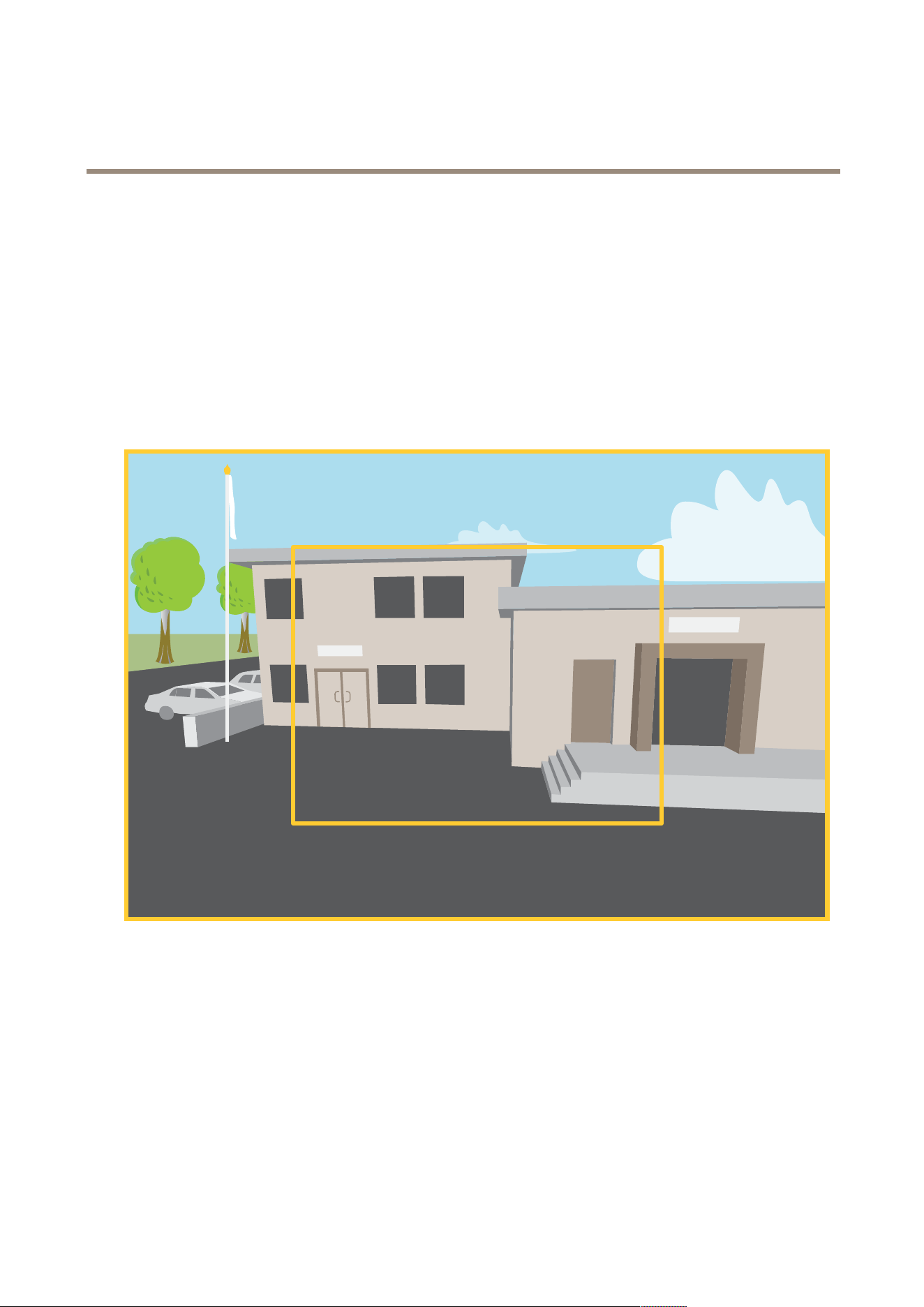
AXISP5654-EMkIIPTZCamera
Learnmore
Learnmore
Capturemodes
Acapturemodeisapresetcongurationthatdeneshowthecameracapturesimages.Theselectedmodecanaffectthemaximum
resolutionandmaximumframerateavailableinthedevice.Ifyouuseacapturemodewithalowerresolutionthanthemaximum,
theeldofviewmightbereduced.Thecapturemodealsoaffectstheshutterspeed,whichinturnaffectsthelightsensitivity–a
capturemodewithahighmaximumframeratehasareducedlightsensitivity,andviceversa.Notethatwithcertaincapturemodes
youmightnotbeabletouseWDR.
Thelowerresolutioncapturemodemightbesampledfromtheoriginalresolution,oritmightbecroppedoutfromtheoriginal,in
whichcasetheeldofviewcouldalsobeaffected.
Theimageshowshowtheeldofviewandaspectratiocanchangebetweentwodifferentcapturemodes.
Whatcapturemodetochoosedependsontherequirementsfortheframerateandresolutionofthespecicsurveillancesetup.For
specicationsaboutavailablecapturemodes,seetheproduct’sdatasheetataxis.com.
Privacymasks
Aprivacymaskisauser-denedareathatpreventsusersfromviewingapartofthemonitoredarea.Inthevideostream,privacy
masksappearasblocksofsolidcolororblurredimageelements.
Theprivacymaskisrelativetothepan,tilt,andzoomcoordinates,soregardlessofwhereyoupointthecamera,theprivacy
maskcoversthesameplaceorobject.
You’llseetheprivacymaskonallsnapshots,recordedvideo,andlivestreams.
45

AXISP5654-EMkIIPTZCamera
Learnmore
YoucanusetheVAPIX®applicationprogramminginterface(API)tohidetheprivacymasks.
Important
Ifyouusemultipleprivacymasksitmayaffecttheproduct’sperformance.
Youcancreateseveralprivacymasks.Eachmaskcanhave3to10anchorpoints.
Overlays
Overlaysaresuperimposedoverthevideostream.Theyareusedtoprovideextrainformationduringrecordings,suchasatimestamp,
orduringproductinstallationandconguration.Youcanaddeithertextoranimage.
Thevideostreamingindicatorisanothertypeofoverlay.Itshowsyouthattheliveviewvideostreamislive.
Pan,tilt,andzoom(PTZ)
Guardtours
Aguardtourdisplaysthevideostreamfromdifferentpresetpositionseitherinapredeterminedorrandomorder,andforcongurable
periodsoftime.Oncestarted,aguardtourcontinuestorununtilstopped,evenwhentherearenoclients(webbrowsers)viewingthe
images.
Streamingandstorage
Videocompressionformats
Decidewhichcompressionmethodtousebasedonyourviewingrequirements,andonthepropertiesofyournetwork.The
availableoptionsare:
MotionJPEG
MotionJPEG,orMJPEG,isadigitalvideosequencethatismadeupofaseriesofindividualJPEGimages.Theseimagesarethen
displayedandupdatedataratesufcienttocreateastreamthatshowsconstantlyupdatedmotion.Fortheviewertoperceivemotion
videotheratemustbeatleast16imageframespersecond.Fullmotionvideoisperceivedat30(NTSC)or25(PAL)framespersecond.
TheMotionJPEGstreamusesconsiderableamountsofbandwidth,butprovidesexcellentimagequalityandaccesstoeveryimage
containedinthestream.
H.264orMPEG-4Part10/AVC
Note
H.264isalicensedtechnology.TheAxisproductincludesoneH.264viewingclientlicense.Toinstalladditionalunlicensed
copiesoftheclientisprohibited.Topurchaseadditionallicenses,contactyourAxisreseller.
H.264can,withoutcompromisingimagequality,reducethesizeofadigitalvideolebymorethan80%comparedtotheMotion
JPEGformatandbyasmuchas50%comparedtoolderMPEGformats.Thismeansthatlessnetworkbandwidthandstoragespace
arerequiredforavideole.Orseenanotherway,highervideoqualitycanbeachievedforagivenbitrate.
H.265orMPEG-HPart2/HEVC
H.265can,withoutcompromisingimagequality,reducethesizeofadigitalvideolebymorethan25%comparedtoH.264.
Note
•H.265islicensedtechnology.TheAxisproductincludesoneH.265viewingclientlicense.Installingadditionalunlicensed
copiesoftheclientisprohibited.Topurchaseadditionallicenses,contactyourAxisreseller.
•Mostwebbrowsersdon’tsupportH.265decodingandbecauseofthisthecameradoesn’tsupportitinitswebinterface.
InsteadyoucanuseavideomanagementsystemorapplicationsupportingH.265decoding.
46
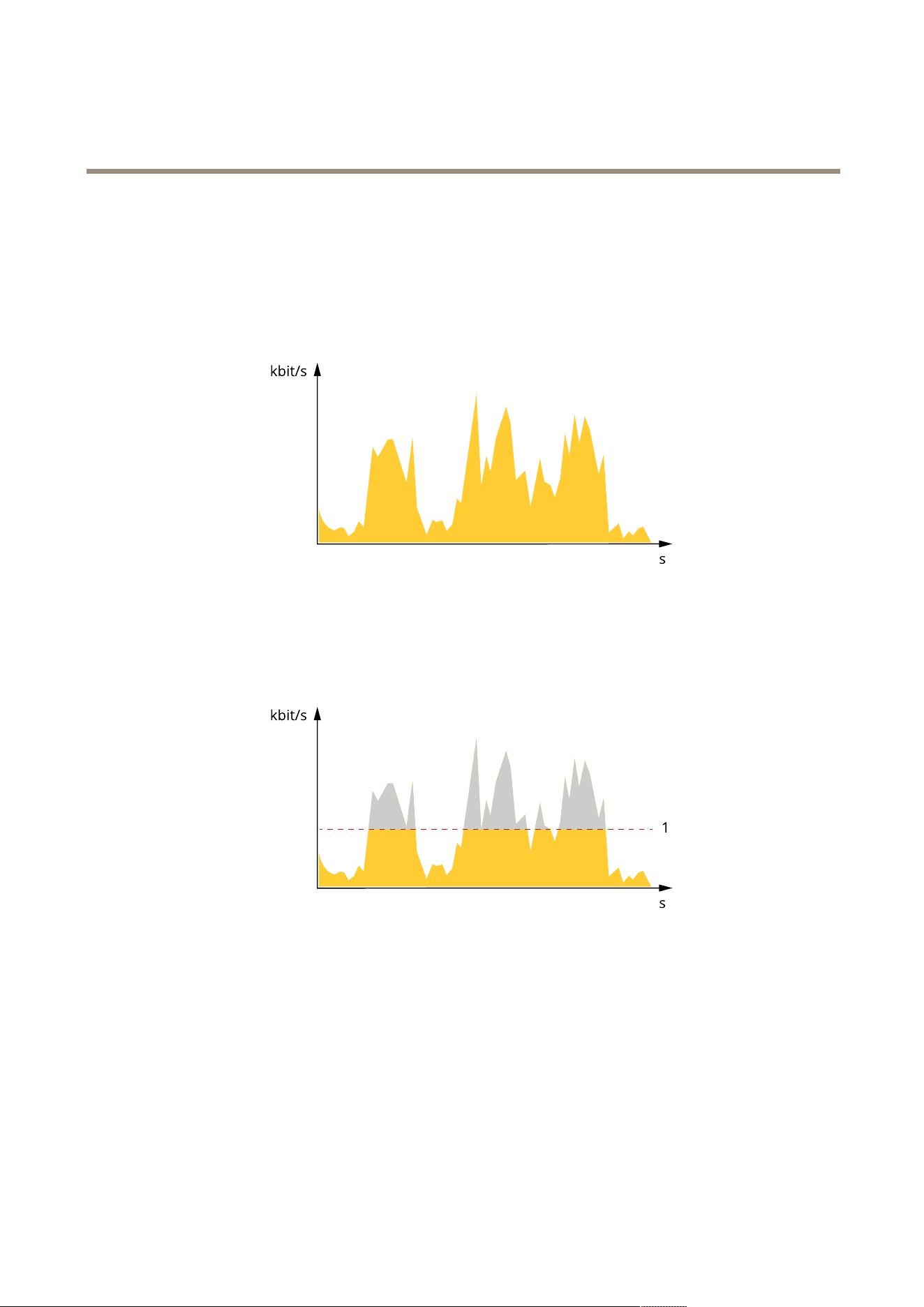
AXISP5654-EMkIIPTZCamera
Learnmore
Bitratecontrol
Bitratecontrolhelpsyoutomanagethebandwidthconsumptionofyourvideostream.
Variablebitrate(VBR)
Variablebitrateallowsthebandwidthconsumptiontovarydependingonthelevelofactivityinthescene.Themoreactivity,
themorebandwidthyouneed.Withvariablebitrateyouareguaranteedconstantimagequality,butyouneedtomakesure
youhavestoragemargins.
Maximumbitrate(MBR)
Maximumbitrateletsyousetatargetbitratetohandlebitratelimitationsinyoursystem.Youmightseeadeclineinimagequalityor
framerateastheinstantaneousbitrateiskeptbelowthespeciedtargetbitrate.Youcanchoosetoprioritizeeitherimagequality
orframerate.Werecommendthatyoucongurethetargetbitratetoahighervaluethantheexpectedbitrate.Thisgivesyoua
marginincasethereisahighlevelofactivityinthescene.
1
Targetbitrate
Averagebitrate(ABR)
Withaveragebitrate,thebitrateisautomaticallyadjustedoveralongerperiodoftime.Thisissoyoucanmeetthespeciedtarget
andprovidethebestvideoqualitybasedonyouravailablestorage.Bitrateishigherinsceneswithalotofactivity,comparedtostatic
scenes.Youaremorelikelytogetbetterimagequalitywheninsceneswithalotofactivityifyouusetheaveragebitrateoption.You
candenethetotalstoragerequiredtostorethevideostreamforaspeciedamountoftime(retentiontime)whenimagequalityis
adjustedtomeetthespeciedtargetbitrate.Specifytheaveragebitratesettingsinoneofthefollowingways:
•Tocalculatetheestimatedstorageneed,setthetargetbitrateandtheretentiontime.
•Tocalculatetheaveragebitrate,basedonavailablestorageandrequiredretentiontime,usethetargetbitratecalculator.
47
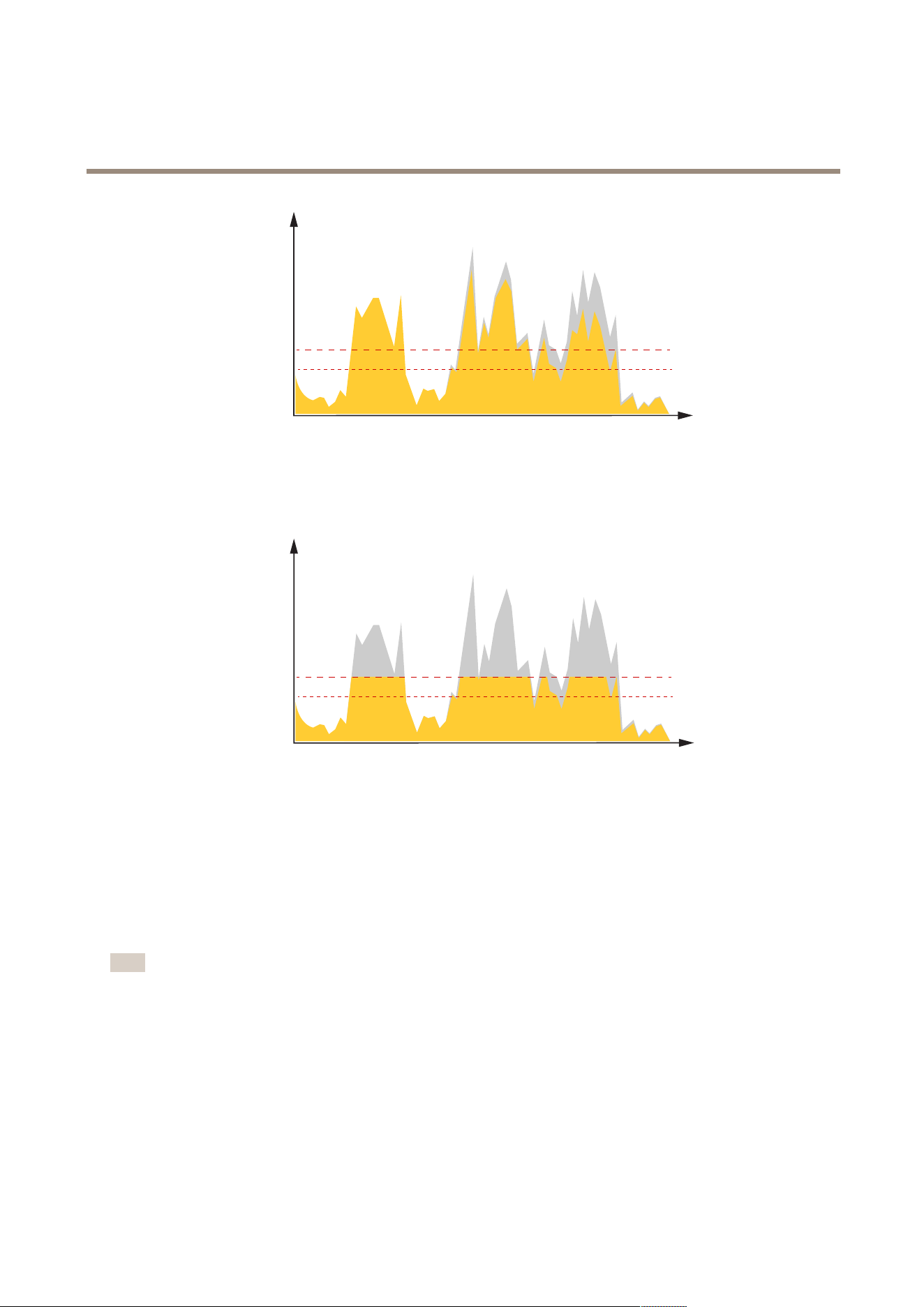
AXISP5654-EMkIIPTZCamera
Learnmore
kbit/s
s
1
2
1
Targetbitrate
2
Actualaveragebitrate
Youcanalsoturnonmaximumbitrateandspecifyatargetbitratewithintheaveragebitrateoption.
kbit/s
s
1
2
1
Targetbitrate
2
Actualaveragebitrate
Applications
Withapplications,youcangetmoreoutofyourAxisdevice.AXISCameraApplicationPlatform(ACAP)isanopenplatformthat
makesitpossibleforthirdpartiestodevelopanalyticsandotherapplicationsforAxisdevices.Applicationscanbepreinstalledonthe
device,availablefordownloadforfree,orforalicensefee.
TondtheusermanualsforAxisapplications,gotohelp.axis.com.
Note
•Severalapplicationscanrunatthesametimebutsomeapplicationsmightnotbecompatiblewitheachother.Certain
combinationsofapplicationsmightrequiretoomuchprocessingpowerormemoryresourceswhenruninparallel.Verify
thattheapplicationsworktogetherbeforedeployment.
48
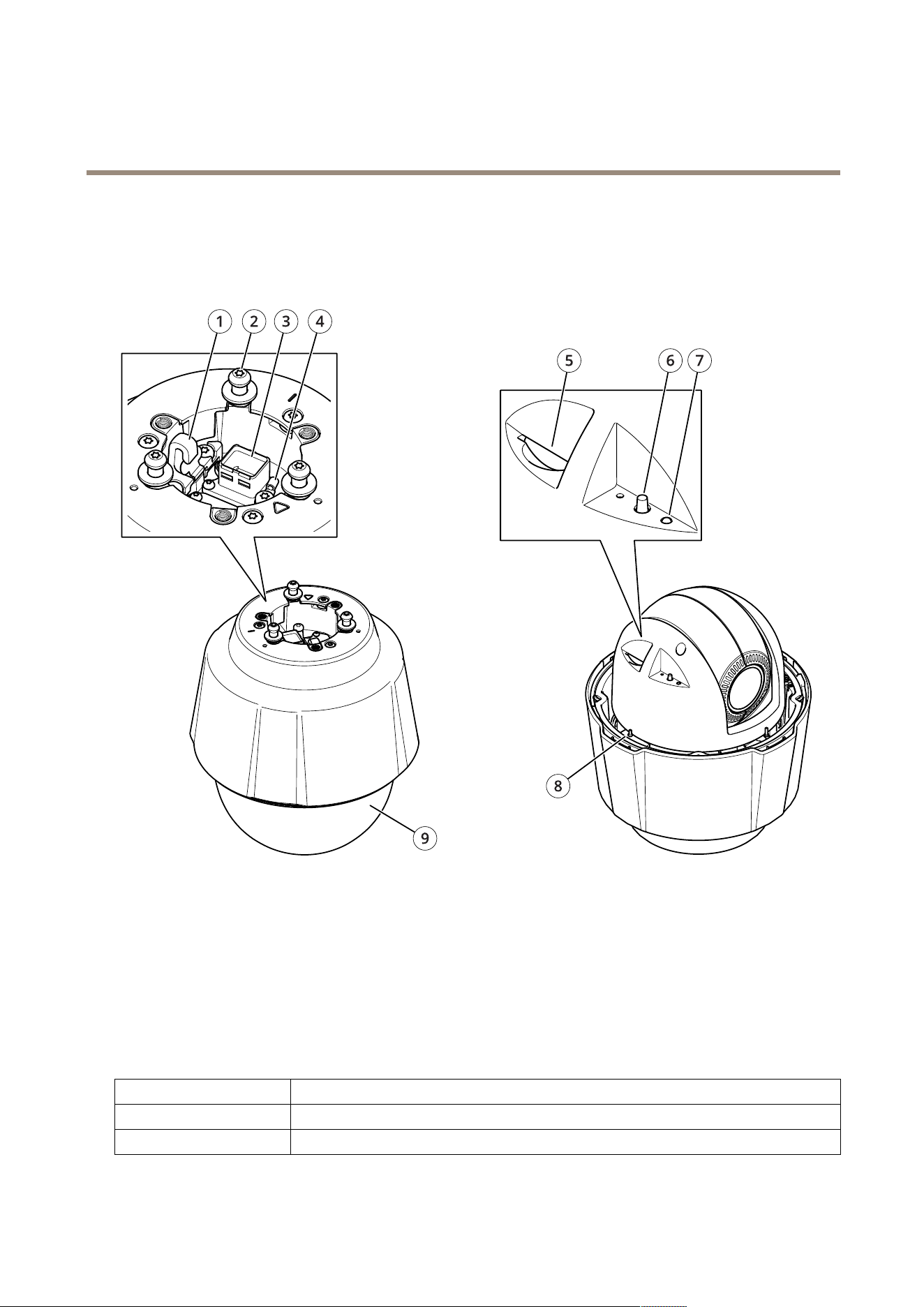
AXISP5654-EMkIIPTZCamera
Specifications
Specifications
Productoverview
1
Hookforsafetywire
2
Mountingscrews(x3)
3
Networkconnector(PoE+)
4
Groundscrew
5
SDmemorycardslot
6
Controlbutton
7
StatusLEDindicator
8
Powerbutton
9
Dome
LEDindicators
StatusLED
Indication
Unlit
Connectionandnormaloperation.
GreenShowssteadygreenfor10secondsfornormaloperationafterstartupcompleted.
49

AXISP5654-EMkIIPTZCamera
Specifications
Amber
Steadyduringstartup.Flashesduringrmwareupgradeorresettofactorydefault.
Amber/RedFlashesamber/redifnetworkconnectionisunavailableorlost.
SDcardslot
NO NO
NO
TICE TICE
TICE
•RiskofdamagetoSDcard.Don’tusesharptools,metalobjects,orexcessiveforcewheninsertingorremovingtheSDcard.
Useyourngerstoinsertandremovethecard.
•Riskofdatalossandcorruptedrecordings.UnmounttheSDcardfromthedevice’swebinterfacebeforeremovingit.
Don’tremovetheSDcardwhiletheproductisrunning.
ThisdevicesupportsSD/SDHC/SDXCcards.
ForSDcardrecommendations,seeaxis.com.
SD,SDHC,andSDXCLogosaretrademarksofSD-3CLLC.SD,SDHCandSDXCaretrademarksorregistered
trademarksofSD-3C,LLCintheUnitedStates,othercountriesorboth.
Buttons
Controlbutton
Thecontrolbuttonisusedfor:
•Resettingtheproducttofactorydefaultsettings.SeeResettofactorydefaultsettingsonpage51.
•Connectingtoaone-clickcloudconnection(O3C)serviceovertheinternet.Toconnect,pressandholdthebutton
forabout3secondsuntilthestatusLEDashesgreen.
Powerbutton
•Pressandholdthepowerbuttontotemporarilypowertheproductwhenthedomecoverisremoved.
•Thepowerbuttonisalsousedwiththecontrolbuttontoresetthecameratofactorydefaultsettings.Seepage51.
Connectors
Networkconnector
RJ45EthernetconnectorwithPoweroverEthernetPlus(PoE+).
50

AXISP5654-EMkIIPTZCamera
Troubleshooting
Troubleshooting
Resettofactorydefaultsettings
Important
Resettofactorydefaultshouldbeusedwithcaution.Aresettofactorydefaultresetsallsettings,includingtheIPaddress,to
thefactorydefaultvalues.
Toresettheproducttothefactorydefaultsettings:
1.Pressandholdthecontrolbuttonandthepowerbuttonfor15–30secondsuntilthestatusLEDindicatorashesamber.
SeeProductoverviewonpage49.
2.ReleasethecontrolbuttonbutcontinuetoholddownthepowerbuttonuntilthestatusLEDindicatorturnsgreen.
3.Releasethepowerbuttonandassembletheproduct.
4.Theprocessisnowcomplete.Theproducthasbeenresettothefactorydefaultsettings.IfnoDHCPserverisavailableon
thenetwork,thedefaultIPaddressis192.168.0.90.
5.UsingtheinstallationandmanagementsoftwaretoolstoassignanIPaddress,setthepasswordandaccessthevideo
stream.
Youcanalsoresetparameterstofactorydefaultthroughthedevice’swebinterface.GotoMaintenance>Factorydefaultand
clickDefault.
Firmwareoptions
Axisoffersproductrmwaremanagementaccordingtoeithertheactivetrackorthelong-termsupport(LTS)tracks.Beingonthe
activetrackmeanscontinuouslygettingaccesstoallthelatestproductfeatures,whiletheLTStracksprovideaxedplatformwith
periodicreleasesfocusedmainlyonbugxesandsecurityupdates.
Usingrmwarefromtheactivetrackisrecommendedifyouwanttoaccessthenewestfeatures,orifyouuseAxisend-to-endsystem
offerings.TheLTStracksarerecommendedifyouusethird-partyintegrations,whicharenotcontinuouslyvalidatedagainstthelatest
activetrack.WithLTS,theproductscanmaintaincybersecuritywithoutintroducinganysignicantfunctionalchangesoraffecting
anyexistingintegrations.FormoredetailedinformationaboutAxisproductrmwarestrategy,gotoaxis.com/support/rmware.
Checkthecurrentrmwareversion
Firmwareisthesoftwarethatdeterminesthefunctionalityofnetworkdevices.Whenyoutroubleshootaproblem,werecommend
youtostartbycheckingthecurrentrmwareversion.Thelatestrmwareversionmightcontainacorrectionthatxesyour
particularproblem.
Tocheckthecurrentrmware:
1.Gotothedevice’swebinterface>Status.
2.SeethermwareversionunderDeviceinfo.
Upgradethermware
Important
•Preconguredandcustomizedsettingsaresavedwhenyouupgradethermware(providedthatthefeaturesareavailablein
thenewrmware)althoughthisisnotguaranteedbyAxisCommunicationsAB.
•Makesurethedeviceremainsconnectedtothepowersourcethroughouttheupgradeprocess.
•Makesurethecoverisattachedduringupgradetoavoidinstallationfailure.
51

AXISP5654-EMkIIPTZCamera
Troubleshooting
Note
Whenyouupgradethedevicewiththelatestrmwareintheactivetrack,theproductreceivesthelatestfunctionality
available.Alwaysreadtheupgradeinstructionsandreleasenotesavailablewitheachnewreleasebeforeyouupgradethe
rmware.Tondthelatestrmwareandthereleasenotes,gotoaxis.com/support/rmware.
1.Downloadthermwareletoyourcomputer,availablefreeofchargeataxis.com/support/rmware.
2.Logintothedeviceasanadministrator.
3.GotoMaintenance>FirmwareupgradeandclickUpgrade.
Whentheupgradehasnished,theproductrestartsautomatically.
YoucanuseAXISDeviceManagertoupgrademultipledevicesatthesametime.Findoutmoreat
axis.com/products/axis-device-manager.
Technicalissues,clues,andsolutions
Ifyoucan’tndwhatyou’relookingforhere,trythetroubleshootingsectionataxis.com/support.
Problemsupgradingthermware
FirmwareupgradefailureIfthermwareupgradefails,thedevicereloadsthepreviousrmware.Themostcommonreason
isthatthewrongrmwarelehasbeenuploaded.Checkthatthenameofthermwarele
correspondstoyourdeviceandtryagain.
Problemsafterrmware
upgrade
Ifyouexperienceproblemsafterarmwareupgrade,rollbacktothepreviouslyinstalledversion
fromtheMaintenancepage.
ProblemssettingtheIPaddress
Thedeviceislocatedona
differentsubnet
IftheIPaddressintendedforthedeviceandtheIPaddressofthecomputerusedtoaccessthe
devicearelocatedondifferentsubnets,youcannotsettheIPaddress.Contactyournetwork
administratortoobtainanIPaddress.
TheIPaddressisbeingused
byanotherdevice
DisconnecttheAxisdevicefromthenetwork.Runthepingcommand(inaCommand/DOSwindow,
typepingandtheIPaddressofthedevice):
•Ifyoureceive:Replyfrom<IPaddress>:bytes=32;time=10...
thismeansthattheIPaddressmayalreadybeinusebyanotherdeviceonthenetwork.
ObtainanewIPaddressfromthenetworkadministratorandreinstallthedevice.
•Ifyoureceive:Requesttimedout,thismeansthattheIPaddressisavailable
forusewiththeAxisdevice.Checkallcablingandreinstallthedevice.
PossibleIPaddressconict
withanotherdeviceonthe
samesubnet
ThestaticIPaddressintheAxisdeviceisusedbeforetheDHCPserversetsadynamicaddress.
ThismeansthatifthesamedefaultstaticIPaddressisalsousedbyanotherdevice,theremay
beproblemsaccessingthedevice.
Thedevicecan’tbeaccessedfromabrowser
Can’tlogin
WhenHTTPSisenabled,ensurethatthecorrectprotocol(HTTPorHTTPS)isusedwhenattempting
tologin.Youmayneedtomanuallytypehttporhttpsinthebrowser’saddresseld.
Ifthepasswordfortherootaccountislost,thedevicemustberesettothefactorydefaultsettings.
SeeResettofactorydefaultsettingsonpage51.
52

AXISP5654-EMkIIPTZCamera
Troubleshooting
TheIPaddresshasbeen
changedbyDHCP
IPaddressesobtainedfromaDHCPserveraredynamicandmaychange.IftheIPaddresshasbeen
changed,useAXISIPUtilityorAXISDeviceManagertolocatethedeviceonthenetwork.Identify
thedeviceusingitsmodelorserialnumber,orbytheDNSname(ifthenamehasbeencongured).
Ifrequired,astaticIPaddresscanbeassignedmanually.Forinstructions,gotoaxis.com/support.
Certicateerrorwhenusing
IEEE802.1X
Forauthenticationtoworkproperly,thedateandtimesettingsintheAxisdevicemustbe
synchronizedwithanNTPserver.GotoSystem>Dateandtime.
Thedeviceisaccessiblelocallybutnotexternally
Toaccessthedeviceexternally,werecommendyoutouseoneofthefollowingapplicationsforWindows
®
:
•AXISCompanion:freeofcharge,idealforsmallsystemswithbasicsurveillanceneeds.
•AXISCameraStation:30-daytrialversionfreeofcharge,idealforsmalltomid-sizesystems.
Forinstructionsanddownload,gotoaxis.com/vms.
Problemswithstreaming
MulticastH.264only
accessiblebylocalclients
Checkifyourroutersupportsmulticasting,orifyouneedtoconguretheroutersettingsbetween
theclientandthedevice.YoumightneedtoincreasetheTTL(TimeToLive)value.
NomulticastH.264
displayedintheclient
CheckwithyournetworkadministratorthatthemulticastaddressesusedbytheAxisdevice
arevalidforyournetwork.
Checkwithyournetworkadministratortoseeifthereisarewallthatpreventsviewing.
PoorrenderingofH.264
images
Ensurethatyourgraphicscardusesthelatestdriver.Youcanusuallydownloadthelatestdrivers
fromthemanufacturer’swebsite.
Colorsaturationisdifferent
inH.264andMotionJPEG
Modifythesettingsforyourgraphicsadapter.Gototheadapter’sdocumentationformore
information.
Lowerframeratethan
expected
•SeePerformanceconsiderationsonpage54.
•Reducethenumberofapplicationsrunningontheclientcomputer.
•Limitthenumberofsimultaneousviewers.
•Checkwiththenetworkadministratorthatthereisenoughbandwidthavailable.
•Lowertheimageresolution.
•Logintothedevice’swebinterfaceandsetacapturemodethatprioritizesframerate.
Ifyouchangethecapturemodetoprioritizeframerateitmightlowerthemaximum
resolution,dependingonthedeviceusedandcapturemodesavailable.
•Themaximumframespersecondisdependentontheutilityfrequency(60/50Hz)
oftheAxisdevice.
Can'tselectH.265encoding
inliveview
Webbrowsersdon’tsupportH.265decoding.Useavideomanagementsystemorapplication
thatsupportsH.265decoding.
Can’tconnectoverport8883withMQTToverSSL
Therewallblockstrafc
usingport8883asit’s
deemedinsecure.
Insomecasestheserver/brokermightnotprovideaspecicportforMQTTcommunication.Itmay
stillbepossibletouseMQTToveraportnormallyusedforHTTP/HTTPStrafc.
•Iftheserver/brokersupportsWebSocket/WebSocketSecure(WS/WSS),typicallyon
port443,usethisprotocolinstead.Checkwiththeserver/brokerprovidertoseeif
WS/WSSissupportedandwhichportandbasepathtouse.
•Iftheserver/brokersupportsALPN,theuseofMQTTcanbenegotiatedoveranopen
port,suchas443.Checkwithyourserver/brokerprovidertoseeifALPNissupported
andwhichALPNprotocolandporttouse.
53

AXISP5654-EMkIIPTZCamera
Troubleshooting
Performanceconsiderations
Whensettingupyoursystem,itisimportanttoconsiderhowvarioussettingsandsituationsaffecttheperformance.Somefactors
affecttheamountofbandwidth(thebitrate)required,otherscanaffecttheframerate,andsomeaffectboth.Iftheloadonthe
CPUreachesitsmaximum,thisalsoaffectstheframerate.
Thefollowingfactorsarethemostimportanttoconsider:
•Highimageresolutionorlowercompressionlevelsresultinimagescontainingmoredatawhichinturnaffectsthe
bandwidth.
•RotatingtheimageintheGUIcanincreasetheproduct'sCPUload.
•Removingorattachingthecoverwillrestartthecamera.
•AccessbylargenumbersofMotionJPEGorunicastH.264clientsaffectsthebandwidth.
•AccessbylargenumbersofMotionJPEGorunicastH.265clientsaffectsthebandwidth.
•Simultaneousviewingofdifferentstreams(resolution,compression)bydifferentclientsaffectsbothframerateand
bandwidth.
Useidenticalstreamswhereverpossibletomaintainahighframerate.Streamprolescanbeusedtoensurethat
streamsareidentical.
•AccessingMotionJPEGandH.264videostreamssimultaneouslyaffectsbothframerateandbandwidth.
•AccessingMotionJPEGandH.265videostreamssimultaneouslyaffectsbothframerateandbandwidth.
•Heavyusageofeventsettingsaffectstheproduct’sCPUloadwhichinturnaffectstheframerate.
•UsingHTTPSmayreduceframerate,inparticularifstreamingMotionJPEG.
•Heavynetworkutilizationduetopoorinfrastructureaffectsthebandwidth.
•Viewingonpoorlyperformingclientcomputerslowersperceivedperformanceandaffectsframerate.
•RunningmultipleAXISCameraApplicationPlatform(ACAP)applicationssimultaneouslymayaffecttheframerateand
thegeneralperformance.
Contactsupport
Contactsupportataxis.com/support.
54

UsermanualVer.M2.4
AXISP5654-EMkIIPTZCamera
Date:November2023
©AxisCommunicationsAB,2023
Partno.T10200256