Page size:78*140mm
Video download:Please click “choose” button via
“carcam video” and choose videos which you want to
download. Or you can click ”download” while playing
the video.(ps. Video replay can’t happened with video
recording at the same time)
Angle adjustment
When the device is working normally, you can
view the real-time picture via App. Device’s angle can
be adjusted appropriately for better pictures and
videos.
Take Photo
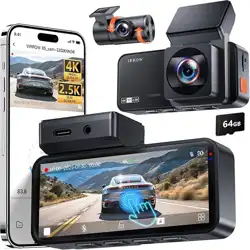
Gesture to take pictures:You can just wipe your hands
under our gesture area to take pictures when the
device is working normally.
APP camera:When the mobile phone connects to the
device successfully, you can snap-shot when you are
watching your real-time video. What’s more, you can
also take screen-shot via video reply. Then you can
share your pictures or videos to social media.
Connect the device to mobile phone
IOS Phone Connection
Download the MK SmartCar cam in the Apple store.
*Noted: The camera must be powered up in order to
connect to WIFI in IOS settings.
WIFI Name:M-XXXXX Password: 12345678
Android Phone Connection
Download the MK SmartCar cam in the Google play.
*Noted: The camera must be powered up in order to
connect to WIFI in IOS settings. WIFI Name:
M-XXXXX Password: 12345678
1. Open the phone settings
2. Choose WIFI, Connect to “M-XXXXX”
3. Open the App
4. Enter to the main interface
1. Open the phone settings
2. Choose WIFI, Connect to “M-XXXXX”
3. Open the App
4. Enter to the main interface
Video download and recording
Playback: Go to the app and click on connect, it will
ask you for a code punch 12345678. It should put
you on live mode select any videos you would like to
view or change any features you want.
- 5 -
Parking monitor
The parking monitor
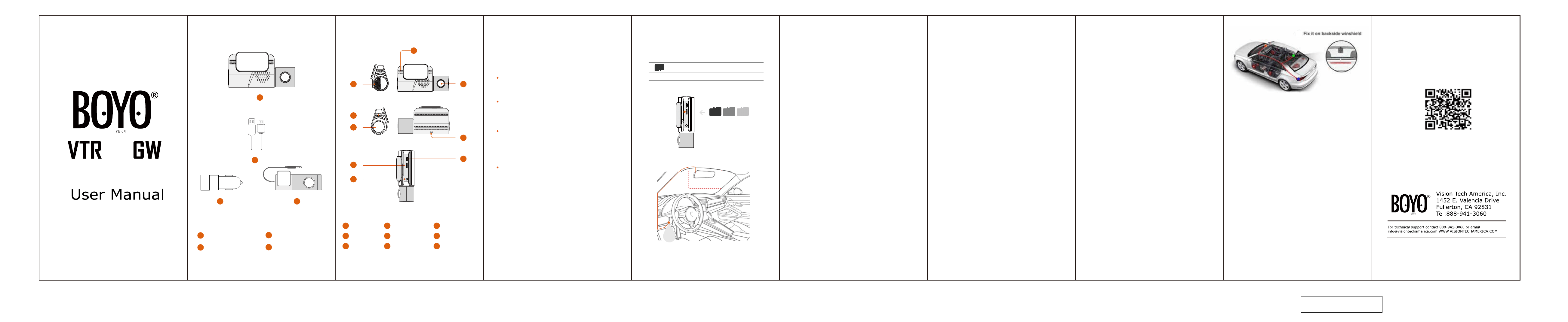
The rear camera should be mounted on the rear
windshield driver side with the mini USB also facing
the driver side.
setting button is on the opening
page of App.When you open it,the dash cam begin to
detect the car,if the car is static more than 5 minutes
and the App is not connected to recorder,the dash
cam will start the parking monitor.When the following
three situations occur,the dash cam will start normal
recording.
1.Mobile phone is connected to the App
2.Trigger gesture capture
3.Continuous vibration>2 minutes
Rear camera
- 8 -- 7 -
List
Car Camera×1
Power Cable×1
- 3 -- 2 - - 6 -
Structure Install
Use
- 4 - - 9 -
1
2
Rear lens×1
4
Car charger×1
3
71
3
2
6
8
9
4
5
01
02
01
02
03
04
05
06
03
04
16G
Duration 1.5h
32G
3h
64G 128G
6h 12h
Power Supply
box
1
2
3
Speaker
Reset
TF Card Slot
4
5
6
Rear lens
Front lens
Mic
7
8
9
Gesture Area
Power Socket
LED
Card Slot
insert
Install the power cord
Place the power cord along the ceiling, A-pillar, it can
be hid and fixed.
Connect the device
Please connect hardwire to power supply box, the
device will be worked with alert voice when you start
your car. The device will turn off when you park your
car.
Do not try to open the shell or repair by yourself. If
something wrong, please contact local shop to repair
or replace
Insert a memory card
Select the appropriate memory card
The TF card should be Class10. For better recoding,
please choose the high quality TF card.
The memory card is a consumer product.
Cause the TF card will be used for a long time, please
check it regularly. It needs to be replaced if necessari-
ly.
Do not remove the TF card while saving or getting
data.
Otherwise, dates will be damaged or lead to the
malfunction.
Please ensure that install memory card correctly.
Please insert the memory card before starting device.
Make sure the memory card is formatted and installed
correctly.
Fixed device
Please
*Battery(Hardwire)
Protection Module
(Optional)
stuck 3M tape shaft bracket into the device.
Then fix in the front windshield. It’s better to place in
front of the rear view mirror to avoid affecting your
sight.
Hardware
CPU:
AIT 8328Q.
Image sensor: OmniVision 2718.
Lens: 6-glasses, 156° Wide Angle, F1.8.
Wi-Fi:3G,WIFI2.4G,GPS.
G-sensor: three-axis accelerometer.
Technical Parameters
Front lens video information:1920*1080P(16:9)
)
,
@30fps,*.MOV.
Rear lens video information:1080*720P(16:9 ,
@25fps,*.MOV.
Audio information: 32KHz PCM.
Photo information: JPG.
Storage: Class 10
TF card, up to 128GB.
Working temperature: -20℃----70℃.
Working voltage& current: DC 5V/1A.
Video-processing:image enhancement, LDC correc-
tion.
Parameters
01
02
ceiling
Suggested areas
Column
1
2
4
3
219
Reset
Press the reset button for a few seconds to reset
camera, the default Wi-Fi password is
12345678.
07