1
IMPORTANT – RETAIN THESE INSTRUCTIONS FOR FUTURE REFERENCE
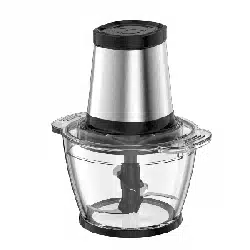
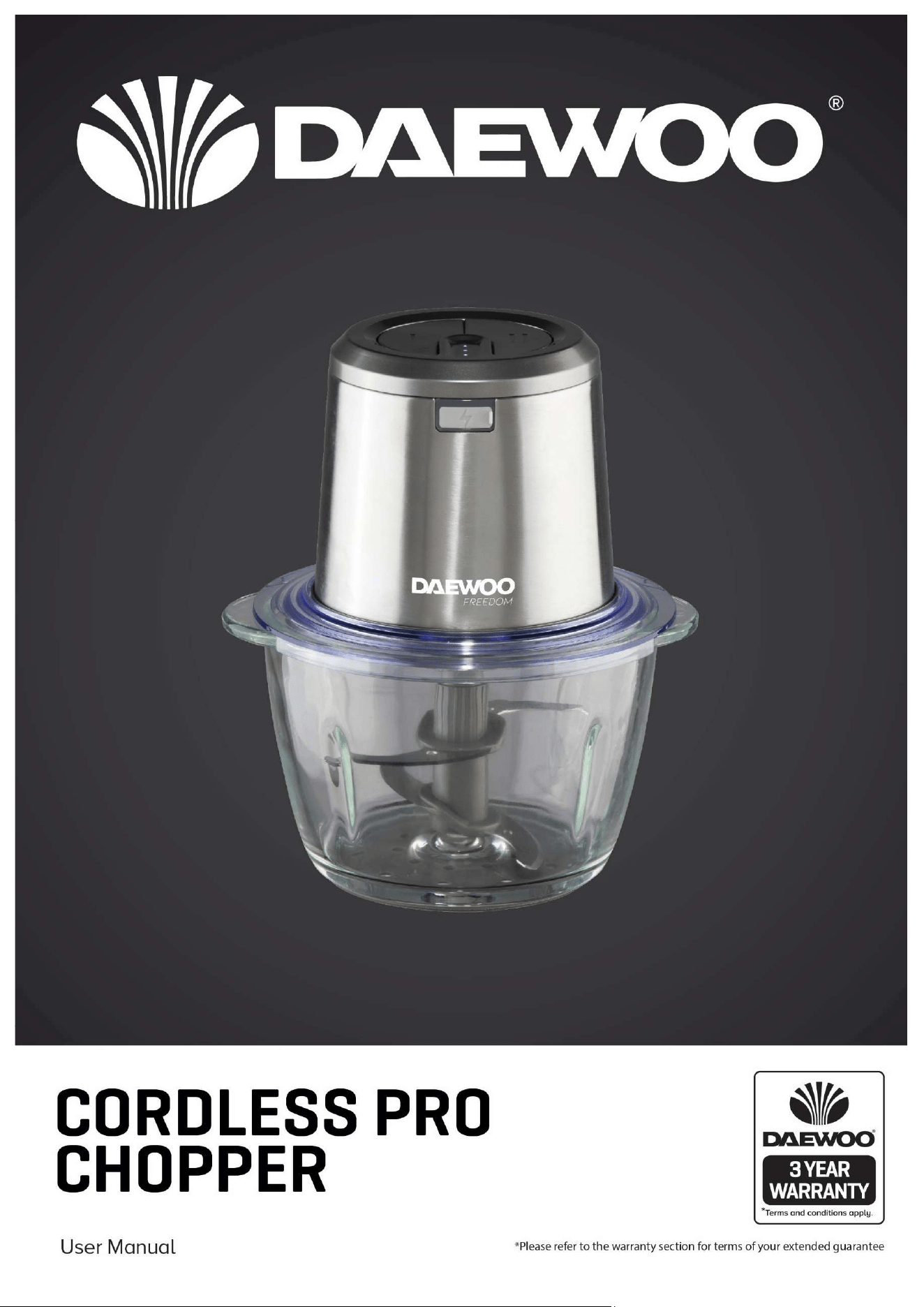
Cordless Pro Chopper
Model no: SDA2635
User Manual

2
IMPORTANT – RETAIN THESE INSTRUCTIONS FOR FUTURE REFERENCE
Cordless Pro Chopper
Model no: SDA2635
User Manual
Contents
Page No.
2 Contents
3
3
Reading and Storing the User Manual
Important Safety Instructions for Proper Use
6 Explanation of Symbols
7 Description of Parts
7 Preparing for Use
8 Charging Your Pro Chopper
8 Assembling Your Pro Chopper
8 Using Your Pro Chopper
9 Indicator lights
9 Battery life during Use
9 Charging Indication
9 Overload Indication
10 Care and Maintenance
10 Cleaning Tips
10 To store
10 Technical specification
10 Customer support
11 Recycling information
Back Page Warranty information

3
IMPORTANT – RETAIN THESE INSTRUCTIONS FOR FUTURE REFERENCE
Cordless Pro Chopper
Model no: SDA2635
User Manual
READING AND STORING THE USER MANUAL
Before using this product, please read through this manual
carefully paying particular attention to the safety instructions.
Failure to do so may result in personal injury or damage to the
product.
Carefully save this instruction manual for future reference. Ensure the
user manual is included when passing the product on to any third
parties.
IMPORTANT SAFETY INSTRUCTIONS FOR PROPER USE
When using electrical appliances, safety precautions should
always be followed.
Only use the product as described in this user manual. Any
other use is considered improper and may result in damage
to property or persons.
The manufacturer or vendor cannot be held liable for
damages or injury incurred through improper or incorrect
use.
Read and familiarise yourself with all operating
instructions before using this Pro Chopper.
Before plugging your unit into the power supply, visually
check that it is intact and has not suffered any transit
damage.
Do not immerse this appliance in water or any other
liquids.
Close supervision is required when using this appliance
near children.
Never leave this appliance within reach of children.
This appliance shall not be used by children.
Keep the appliance and its cable out of the reach of
children.
Appliances can be used by persons with reduced physical,
sensory or mental capabilities or lack of experience and
knowledge if they have been given supervision or
instruction concerning use of the appliance in a safe way
and understand the hazards involved.
Children shall not play with the appliance.

4
IMPORTANT – RETAIN THESE INSTRUCTIONS FOR FUTURE REFERENCE
Cordless Pro Chopper
Model no: SDA2635
User Manual
Cleaning and user maintenance shall not be made by
children.
Do not leave the appliance unattended during use.
Do not leave the appliance unattended whilst connected
to the mains supply.
Always use this appliance on a solid, level, non-flammable
surface.
Protect the unit from moisture whilst using this appliance
outdoors.
It is imperative to unplug the mains cable after the
appliance has been used, before it is cleaned and whilst
being repaired.
Regular, periodic checks should be carried out on the
mains cable to ensure no damage is evident. Should there
be any signs of damage the appliance should not be used.
If the mains cable is damaged, it should only be replaced
by the manufacturer or a suitable qualified after sales-
service in order to avoid a hazard.
Do not operate this appliance with a damaged plug or
cord, after a malfunction or after being dropped or
damaged in any way.
Do not allow the USB cable to hang over sharp edges or
come in contact with hot surfaces.
Do not use this appliance for anything other than its
intended use.
Do not push objects into any openings as damage to the
appliance and/or electric shock may occur.
CAUTION: The blade is very sharp, handle the motor unit
with care.
DO NOT ATTEMPT TO SHARPEN THE BLADES
DO NOT use the appliance if the blade assembly is bent or
damaged.
DO NOT overfill the bowl.
DO NOT operate the appliance whilst it is empty.
DO NOT attempt to override the safety interlock device as

5
IMPORTANT – RETAIN THESE INSTRUCTIONS FOR FUTURE REFERENCE
Cordless Pro Chopper
Model no: SDA2635
User Manual
injury may occur.
This appliance is intended for household use only and
should not be used for industrial or commercial purposes.
Switch off the appliance and disconnect from the supply
before changing accessories or approaching parts that
move in use.
Do not use the Chopper for crushing or chopping hot or
boiling foods.
Do not use the Chopper to crush or chop bones or frozen
foods (with the exception of ice cubes and frozen berries),
coffee beans, grains or nutmeg.
Non-food substances should also not be processed.
CAUTION: DO NOT PROCESS HOT FOODS OR LIQUIDS.
If the appliance overheats a thermal switch will activate
and shut off the motor. To reset, unplug the appliance and
allow it to cool for 30 minutes before using again.
This product is intended for household use only. Do not
use this appliance for anything other than its intended
use.
WARNING: Exercise caution when attaching or removing
attachments from the Chopper and ensure the appliance
is turned off and unplugged whilst fitting attachments.
NOTE: The Chopper should not be used for more than 1
minute intervals. Ensure you allow a 10 minute rest period
offer every 1 minute cycle.
CAUTION: Always remove the USB cable from the
Chopper before use.
6
IMPORTANT – RETAIN THESE INSTRUCTIONS FOR FUTURE REFERENCE
Cordless Pro Chopper
Model no: SDA2635
User Manual
Explanation of Symbols
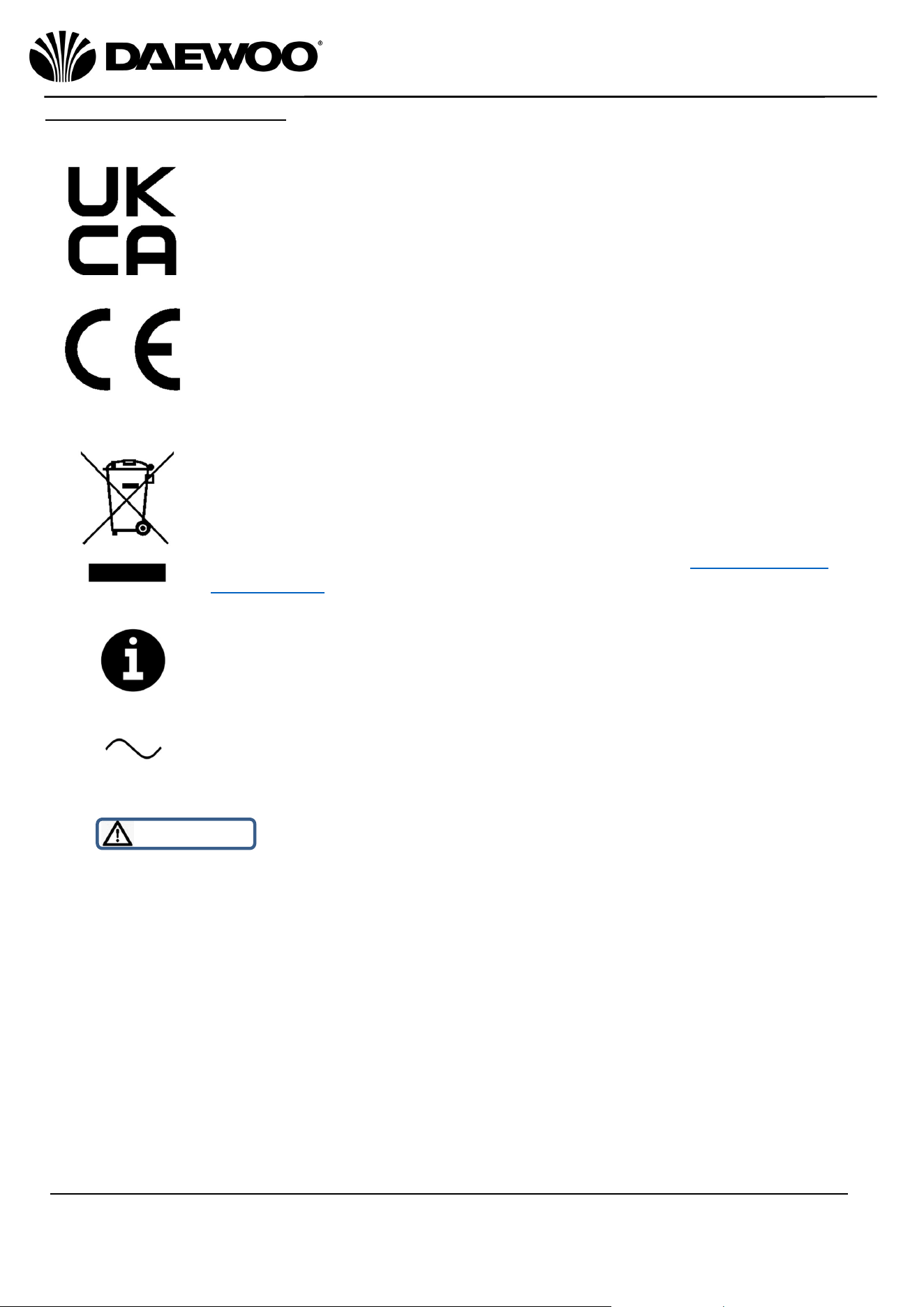
The following warning symbols or words are used in this instruction manual:
Products labelled with UK Conformity Assessment identifies
products conforming to UK statutory requirements.
Products labelled with this symbol conform to applicable
provisions of the European Economic Area.
You should now recycle your waste electrical goods and in
doing so help the environment. This symbol means waste
electrical products at the end of their useful life should not be
disposed of with normal household waste. Please ensure it is
taken to a suitable facility for disposal. Check with your Local
Authority or retailer for recycling advice or visit www.recycle-
more.co.uk to find your nearest recycling point.
This symbol provides useful additional information on the
use of this product.
This symbol indicates that the supply uses an alternating current
mains supply.
WARNING!
This designates a hazard with moderate risk, which may
result in severe injury if not adhered to.
7
IMPORTANT – RETAIN THESE INSTRUCTIONS FOR FUTURE REFERENCE
Cordless Pro Chopper
Model no: SDA2635
User Manual
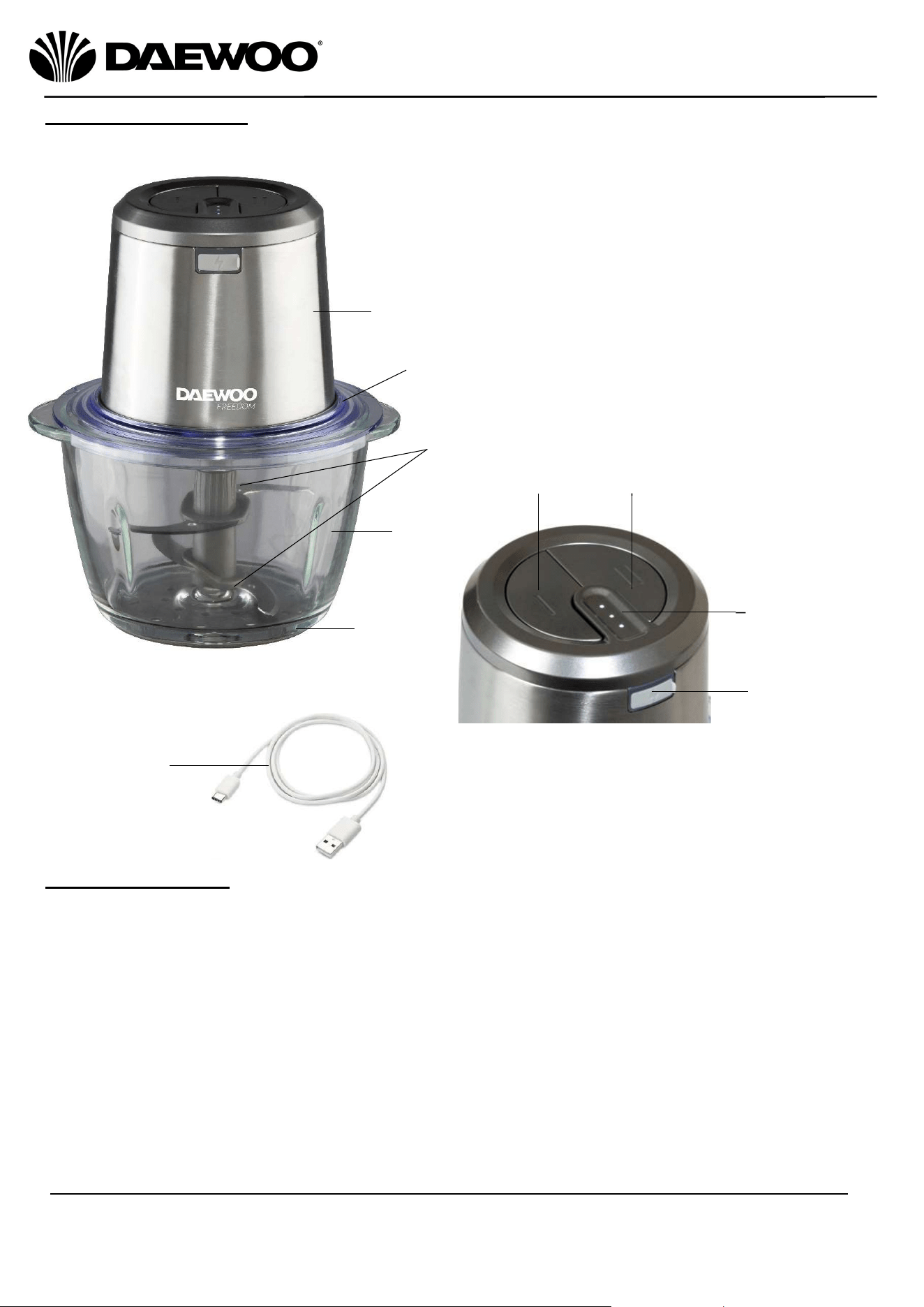
Description of Parts
Preparing For Use
Carefully unpack the motor housing unit and all parts. Remove any tape, labels
or packaging materials.
Wash all product attachments carefully except for the motor housing unit with
warm, soapy water. Rinse and dry thoroughly.
Wipe exterior surfaces of the motor housing with a soft, moist cloth to remove
dust particles collected during packing and handling.
NEVER IMMERSE THE MOTOR HOUSING, USB CHARGING CABLE IN WATER
OR ANY OTHER LIQUID.
Ensure all parts are properly assembled and in place before use.
4
3
1
2
9
1. Motor Housing Unit
2. Sealing Cover
3. Blade Shaft
4. Glass Bowl
5. Non-slip Mat
6. Low Speed Button
7. High Speed Button
8. Power Indicator Lights
9. USB Charger Port
10. USB Charger Cable
5
6
7
8
10
8
IMPORTANT – RETAIN THESE INSTRUCTIONS FOR FUTURE REFERENCE
Cordless Pro Chopper
Model no: SDA2635
User Manual
Charging Your Pro Chopper
1. Open the USB Charging Port (9) on the Motor Housing Unit (1). Attach micro
end of USB Charging Cable (10) to the motor housing.
2. Attach the USB connector (larger end) into a suitable USB charger rated to at
least 1 Amp. (NB most USB chargers are rated 1 Amp or above). The internal
battery will begin to charge.
3. The Power Indicator Lights (8) will flash while charging. The lights will stop
flashing once the unit is fully charged. See indicator Light section for details.
NB: The unit is shipped with approximately 30% charge in the batteries. One or
two lights will be illuminated during use. It is recommended to fully charge before
first use for best performance.
4. It will approximately 2.5 hours to fully charge the unit.
Assembling Your Pro Chopper
Hold the chopper Blade Shaft (3) carefully and push onto the metal shaft in the
bottom of the Glass Bowl (4) until secure. Align the U-shape openings on the
Sealing Cover (2) with the U shapes in the Glass Bowl (4) and push in place. Align
the pins in the Sealing Cover (2) with the small openings in the Motor Housing
Unit (1) and place the Motor Housing Unit (1) onto the Sealing Cover (2). The
Motor Housing Unit (1) should fit flush with no gaps.
Using Your Pro Chopper
This chopper can also be used just like a normal chopper but without the cord!
1. Place Blade Shaft (3) onto metal shaft in the bottom of the Glass Bowl (4).
2. Place food to be chopped into the bowl. Do not overfill.
WARNING! The Blades are sharp so great care should be taken.
3. Place the Sealing Cover (2) and Motor Housing Unit (1) onto the Glass Bowl
(4). The Power Indicator Lights (8) will flash on the Motor Housing Unit (1) to
indicate the unit is ready to use.
4. Press the Low Speed button (6) or the High Speed button (7) on top of the
Motor Housing Unit (1). Allow the chopper to work through the chopping
process. Do not shake or move the chopper while operating.
5. When chopping has finished, release the Speed Button (6) or (7) and the unit
will stop. Make sure the Blade Shaft (3) has completely stopped before
removing the Motor Housing Unit (1) and Sealing Cover (2).
6. Remove the Blade Shaft (3) by grasping the shaft firmly and lift it up. Be
carefully, the blades are sharp!
7. After the Blade Shaft (3) has been removed the ingredients can be removed
from the Glass Bowl (4).
Do not use the chopper for longer than 1 minute continuously. After 1 minute
of continuous use, the unit may become over-heated. Allow the unit to rest for
at least 5 minutes before resuming use.

9
IMPORTANT – RETAIN THESE INSTRUCTIONS FOR FUTURE REFERENCE
Cordless Pro Chopper
Model no: SDA2635
User Manual
8. The lights will extinguish as the battery life reduces. A fully charged unit will
show all three lights. When only one light is illuminated and flashing, this
indicates that the unit needs to be charged.
9. If food becomes lodged around the chopping blade during use:
Release the Speed Button (6) or (7) and wait for the blades to stop.
Remove the Motor Housing Unit (1) and sealing cover.
Use a spatula to carefully dislodge the food. Do not use fingers as the
blades are sharp.
After the food has been removed and blades are clear, reassemble the
Sealing Cover (2) and Motor Housing Unit (1) and continue.
Indicator Lights
The motor housing indicator lights provide feedback for different situations:
Battery Life During Use:
As the motor housing is used and the battery begins to drain during performance,
the Power Indicator Lights (8) will extinguish in sequence from the top to the
bottom to indicate how much battery capacity is left.
66% to 100% of capacity: Lights 1, 2 and 3 will illuminate.
33% to 65% of capacity: Light 1 & 2 will illuminate.
20% to 30% of capacity: Light 1 will illuminate.
If less than 20% of capacity: Light 1 flashes and the unit needs to be charged.
Charging Indication:
Indicator lights will also provide feedback during the charging process:
If battery capacity is less than 33%, Lights 1, 2 and 3 will flash while charging.
If battery capacity is within 33%-65%, Light 1 will illuminate and Lights 2 and
3 will flash.
If battery capacity is within 66%-99%, Lights 1 and 2 will illuminate and only
Light 3 will flash.
If battery capacity is greater than 99%, Lights 1, 2 and 3 will illuminate.
Overloading Indication:
Note: The motor housing has an automatic protection system that will not allow
overloading. If the load is too large, the unit will automatically shut off. If the unit
senses an overload situation, the Power Indicator Lights (8) will flash 5 times and
the unit will turn Off. Release the Speed Button (6) or (7) and the Power Indicator
Lights (8) will turn off. Reduce the load on the chopper, allow it to rest for more
than 15 minutes and then resume use.
Do not expose a battery pack or appliance to fire or excessive heat. Exposure to
fire or temperatures above 130⁰C may cause an explosion.
10
IMPORTANT – RETAIN THESE INSTRUCTIONS FOR FUTURE REFERENCE
Cordless Pro Chopper
Model no: SDA2635
User Manual
Care and Maintenance
CAUTION:
Unplug
the USB Charging Cable (10) from the Chopper before cleaning.
Wash the attachments in warm soapy water and dry thoroughly.
Clean the outside of the motor housing with a clean damp cloth. Never clean
with harsh or abrasive cleaners.
Do not submerge the Motor Housing Unit in water or any other liquids.
WARNING! DO NOT CLEAN ANY PART OF YOUR HAND BLENDER IN A
DISHWASHER. WASH IN WARM SOAPY WATER AND DRY THOROUGHLY.
Cleaning Tips
To ease washing it is advised to rinse parts immediately after mixing.
Use a small brush (not supplied) to remove particles lodged in the attachments.
To Store:
Ensure all parts are clean and dry before storing. Never store it while it is wet.
The unit can be stored for up to 3 months with a fully charged state. If storing for
longer than 3 months the unit should be charged before next use.
Store in a dry area in an ambient temperature of 5⁰C - 35⁰C.
Technical Specification
Model no.
SDA
263
5
Battery
2
0
00mAh Li
-
Ion
Rated Power
200W
11
IMPORTANT – RETAIN THESE INSTRUCTIONS FOR FUTURE REFERENCE
Cordless Pro Chopper
Model no: SDA2635
User Manual
Recycling Information
Disposal of the Packaging
Dispose of paper and cardboard in appropriate paper re-cycling facilities.
Dispose of recyclable plastics in appropriate plastic re-cycling facilities.
Dispose of non-recyclable plastics in the appropriate plastics collection service.
Disposal of the Product
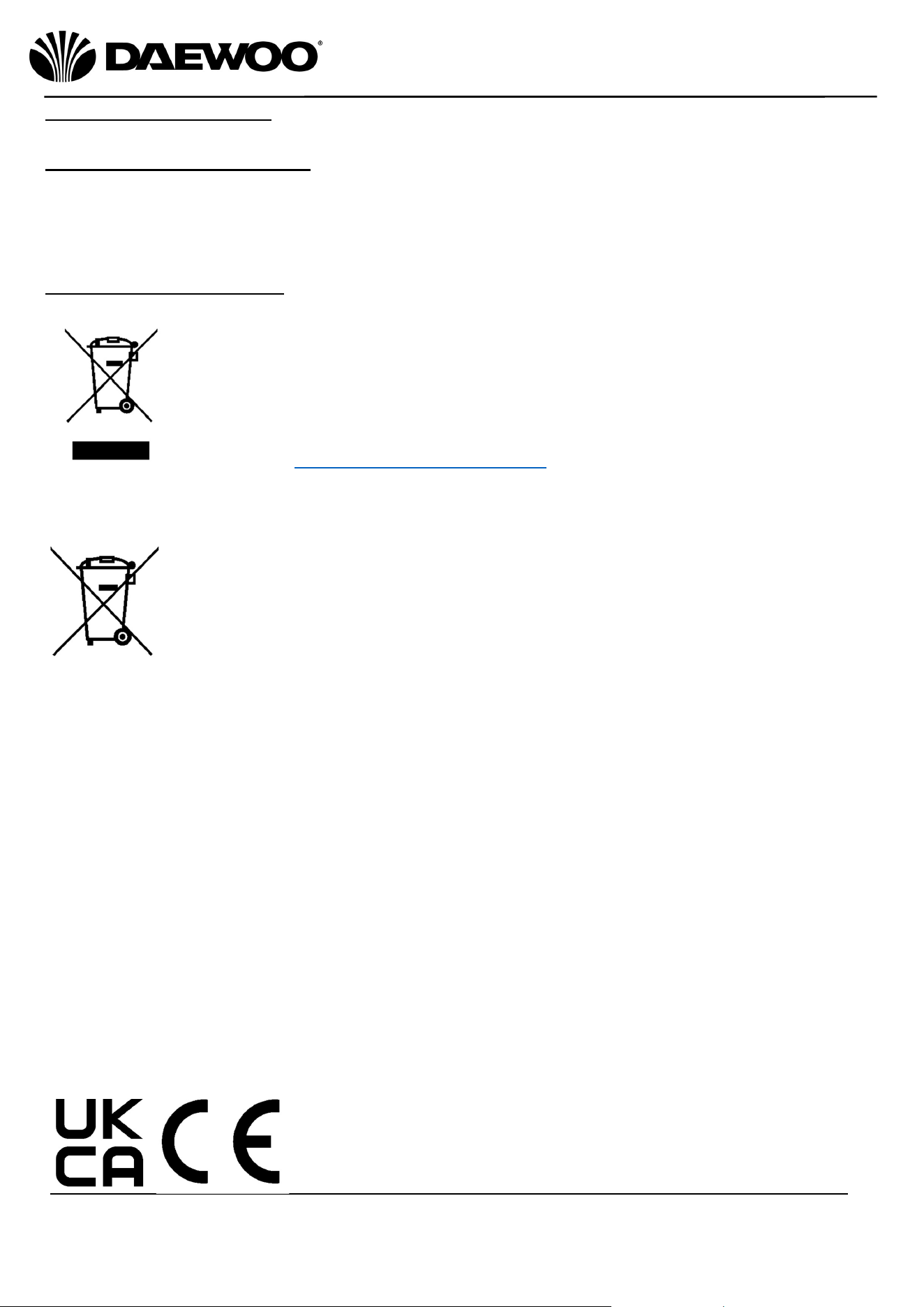
You should now recycle your waste electrical goods and in doing so
help the environment. This symbol means waste electrical products
at the end of their useful life should not be disposed of with normal
household waste. Please ensure it is taken to a suitable facility for
disposal. Check with your Local Authority or retailer for recycling
advice visit www.recycle-more.co.uk enter your postcode to find your
nearest recycling site.
This symbol means batteries and rechargeable batteries may not
be disposed of with household waste!
As the end user you are required by law to bring all batteries and
rechargeable batteries to a collection point run by the Local
Authority or to a retailer, so that they can be disposed of in an
environmentally friendly manner.

12
IMPORTANT – RETAIN THESE INSTRUCTIONS FOR FUTURE REFERENCE
Cordless Pro Chopper
Model no: SDA2635
User Manual
WARRANTY
Thank you for purchasing your Cordless Pro Chopper
As part of our commitment to quality, we are offering you an extra 2 years warranty in addition
to your 1 year guarantee
Your Daewoo product is guaranteed for 1 year from the date of original purchase, with proof of
purchase or receipt. If any defect should occur due to faulty workmanship or material, your faulty
vacuum should be returned to the place of purchase, replacement or refund is at the discretion of the
retailer.
The guarantee is subject to the following provisions:
•
The product must be correctly installed and operated in accordance with the requirements
contained in the instruction manual.
•
The product must be used solely for domestic purposes.
•
It does not cover general wear and tear, damage, misuse or any consumable parts.
•
The guarantee will be rendered invalid if the product is re-sold or has been damaged through
inexpert repair.
•
The guarantee is only valid within the UK and Eire.
Your standard 1 year guarantee will only be extended to the maximum available for your
individual product upon registration. (Note: products must be registered individually and covers
the main body and housing). If you do not register your product within 28 days of the original
purchase date, your product will only be guaranteed for 1 year.
To validate your extended 2 year warranty*please register your purchase online within 28 days
of the original purchase date by registering at:
https://help.daewooelectricals.com
or
Contact Us (daewooelectricals.com)
*Your extended warranty is only valid with proof of purchase receipt and subject to the
conditions outlined above.
Daewoo is a registered trademark.
Produced and imported under licence by
Eurosonic Group Limited
Brightgate House
1 Brightgate Way
Manchester M32 0TB UK
EU Rep: EuroSonic Magppie (ESM) Ltd. Ireland D05 X006
www.esgltd.com