
AXISTU80114-portPoEExtender
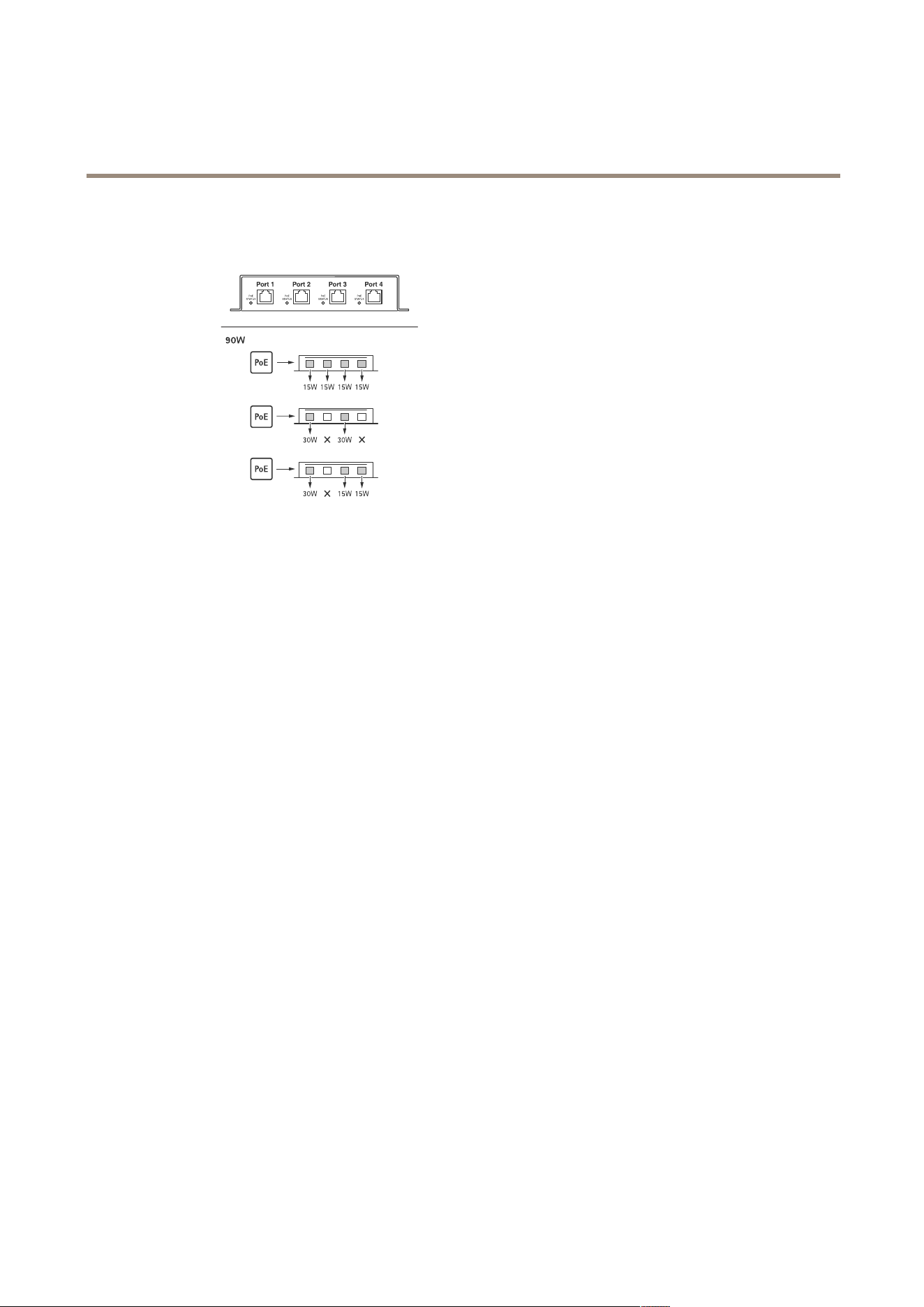
Poweroutputoptions
Poweroutputoptions
2
AXISTU80114-portPoEExtender
Troubleshooting
Troubleshooting
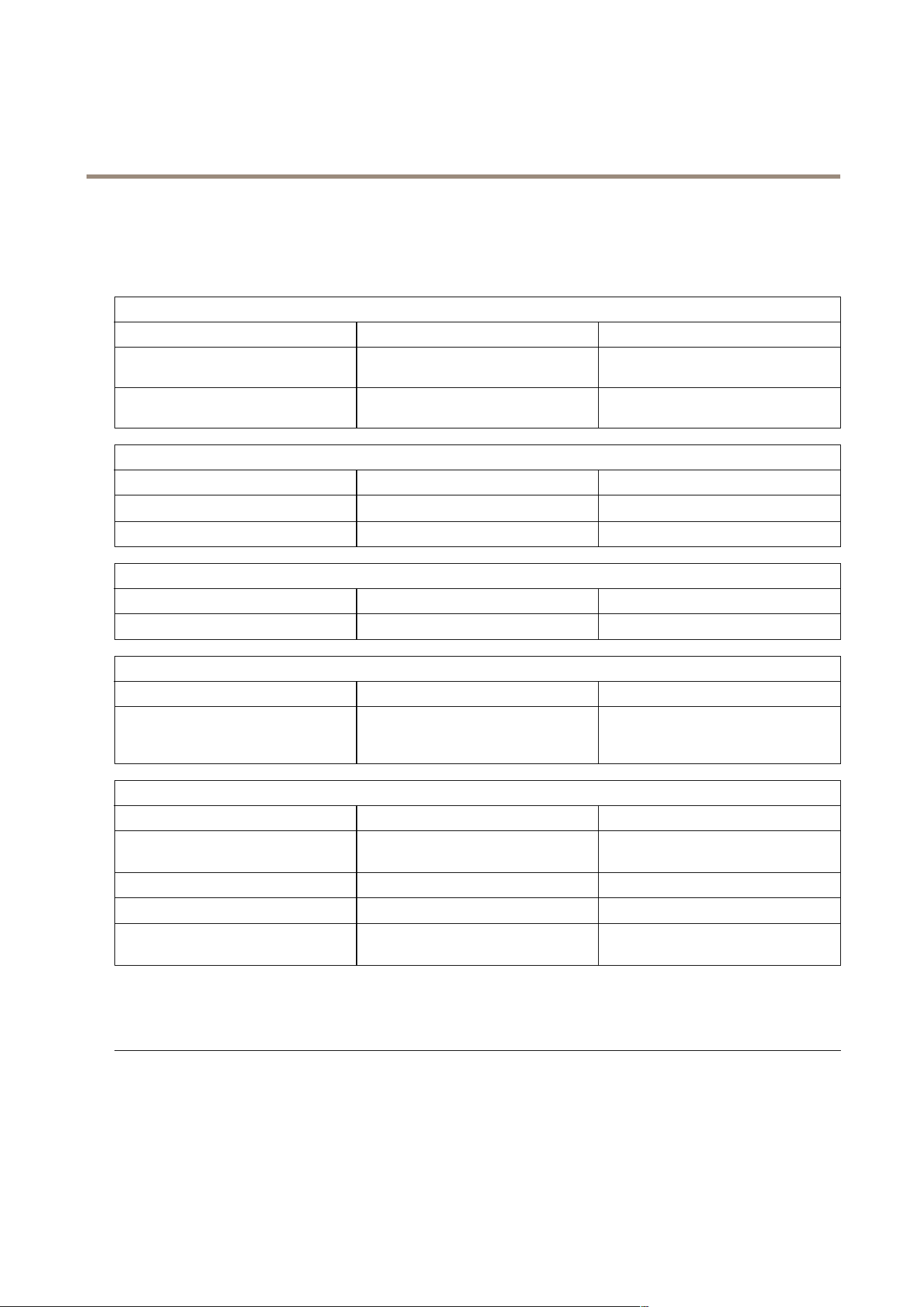
LEDindicators
POWERONSTATUS
ColorState
Indication
GreenSolid
Internalpowerconverteronandreadyto
applypowertooutputports
Green
FlashingInternalpowerconverterinlightload
condition
LINK:linkspeed
ColorState
Indication
Amber
Solid
100M/1000Mlinkspeed
Amber
Off
10Mlinkspeed
ACT:activity
ColorState
Indication
Green
Solid/ashing
Datatransmissioninprogress
PoEPSEPOWERIN
ColorState
Indication
GreenSolid
PoweroverEthernet(PoE)802.3btType
4Class8powersourcingequipment
connected
PoESTATUS
ColorState
Indication
GreenSolid
ValidPoweroverEthernet(PoE)IEEE
802.3af/atPDdetected
Green
Flashing
Standingby
Red
Solid
Overload/overcurrentdetected
RedFlashing
InvalidPoweroverEthernet(PoE)IEEE
802.3af/atPDdetected
Technicalissues,clues,andsolutions
Problemsturningonthecamera
Compatibilityissue
MakesurethecameraiscompatiblewiththePoEextender.Foralistofcompatibleproducts,see
thePoEextender’sproductpageataxis.com
LLDPprotocol
TurnoffLLDP.Inthecamera’swebinterface,gotoSystem>Plaincong,selectgroupNetwork,
andclearLLDPSendMaxPoE.
3

UsermanualVer.M1.4
AXISTU80114-portPoEExtender
Date:April2024
©AxisCommunicationsAB,2024
Partno.T10197643