
Mounting Bracket Mounting Studs
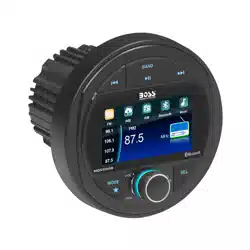
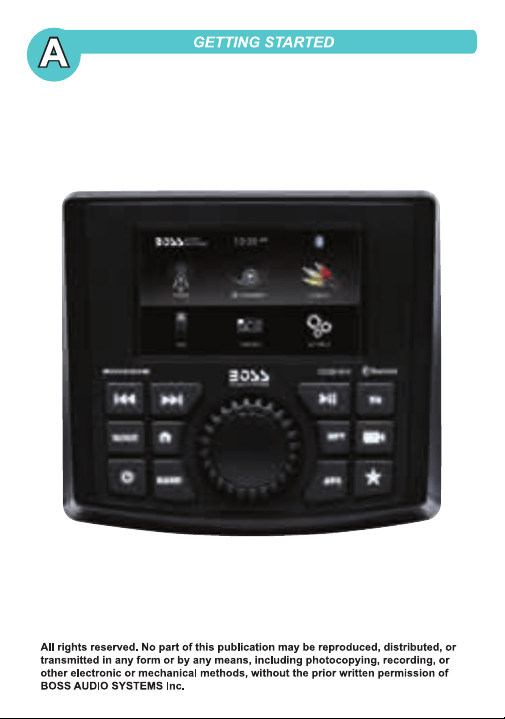
MGV520B
Please read through User's Manual carefully
to learn proper operation of your receiver.
Save User’s Manual for future reference.
MGV520B
MGV520B
MGV520B
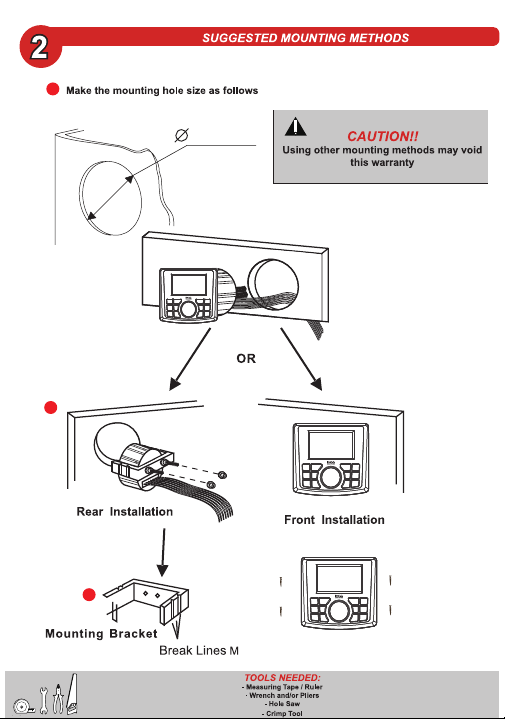
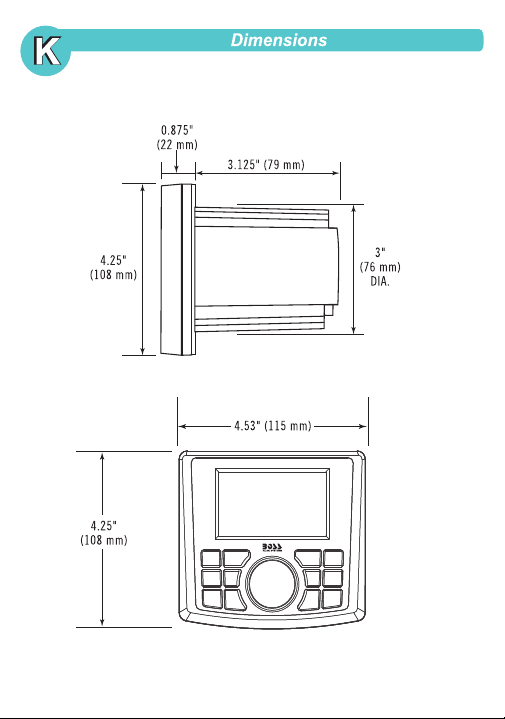
3"/76mm
1
Use the screws through mounting holes
2
3
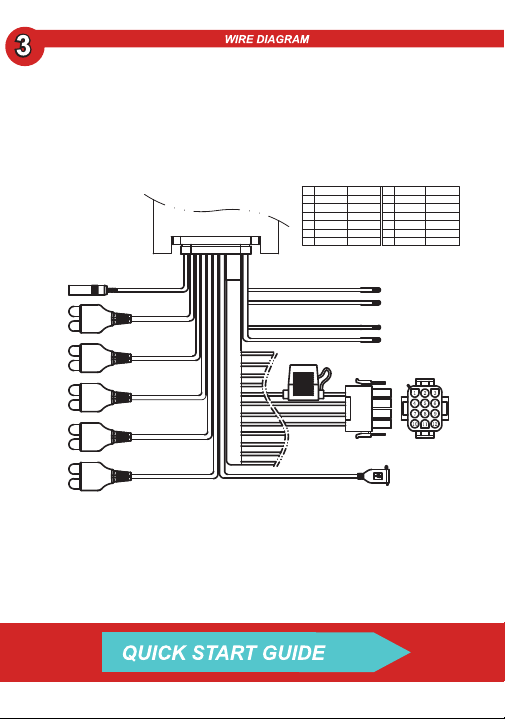
Black
Bullet Socket
Reverse Input
Fuse 15A
USB Socket
Ant Socket
Violet/White
Main Output Wire
1
2
3
4
5
6
7
8
9
10
11
12
Bullet Socket Function
No Colour Function No Colour Function
Red
White/B
White
Yellow
Grey/B
Grey
Acc
FL-
FL+
Constant
FR-
FR+
Blue
Green/B
Green
Black
Purple/B
Purple
Remote
RL-
RL+
Gnd
RR-
RR+
White
L Output
Red
R Output
Yellow
Video Input
White
L Input
Red
R Input
White
Sub Output
Red
Sub Output
White
L Output
Red
R Output
Orange
Rear Camera
Input
Illumination Input
Orange
Rear Camera Output
Red/White
Aux Power Output
Red/Violet
Brown
Yellow
Green
White
Black
Audio input
Video In
Sub Output
Rear Output
Front Output
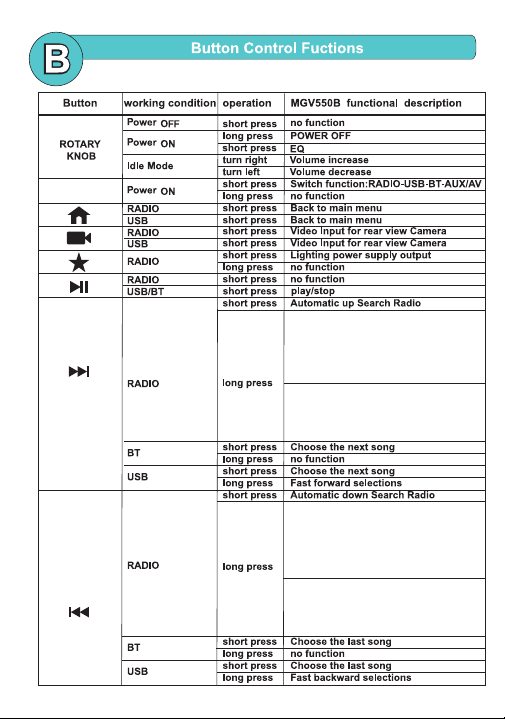
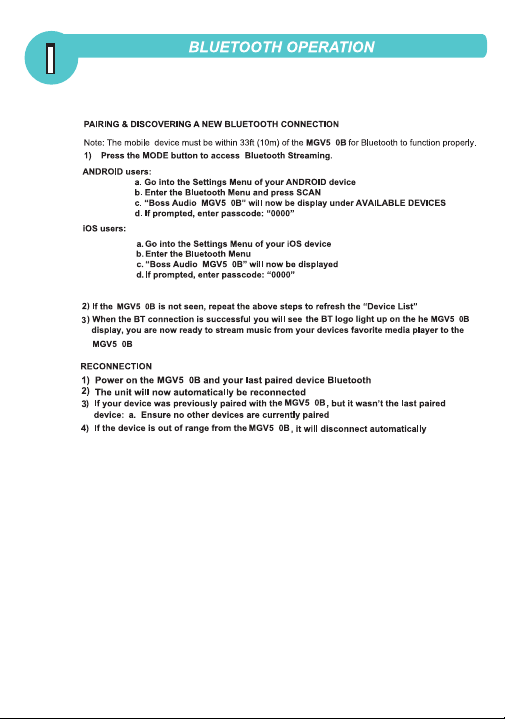
MODE
1. Long press and then long press to enter
"AUTO" and "MANUAL" search station
switching mode, short press when "AUTO"
is displayed, enter automatic downward
search for radio stations; when "MANUAL"
is displayed, short press again, and manually
downward Search stations
1. Long press and then long press to enter
"AUTO" and "MANUAL" search station
switching mode, short press when "AUTO"
is displayed, enter automatic downward
search for radio stations; when "MANUAL"
is displayed, short press again, and manually
downward Search stations
2. After entering "AUTO" and "MANUAL"
mode for about 5 seconds, there is no
operation to search for radio stations, it
will automatically exit and display the
current frequency information.
2. After entering "AUTO" and "MANUAL"
mode for about 5 seconds, there is no
operation to search for radio stations, it
will automatically exit and display the
current frequency information.
APS RADIO
Short press
Automatically scan for radio stations
Long press
Automatically scan and search for
radio station and store it,then play
and browse the stored radio stations
BAS
TRE
BAL
FAD
00
00
00
00
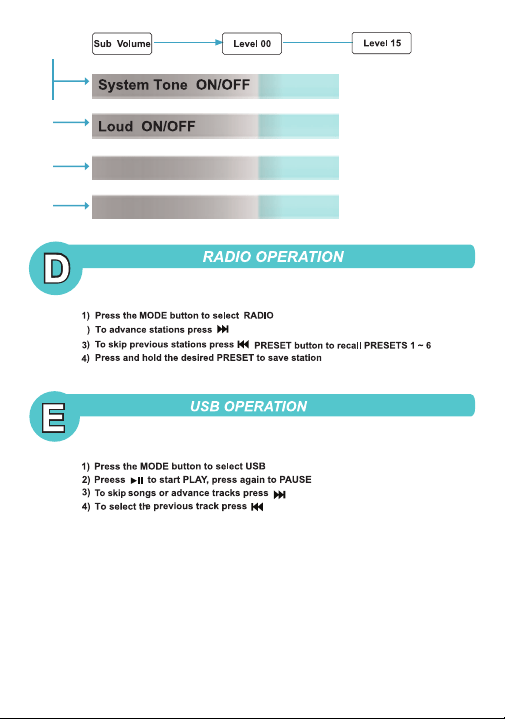
SYSTEM TONE
ST
LOC
OFF
OFF
ON
EQ
LOUD
SUB VOL
SUB FILTER
OFF
OFF
15
120HZ
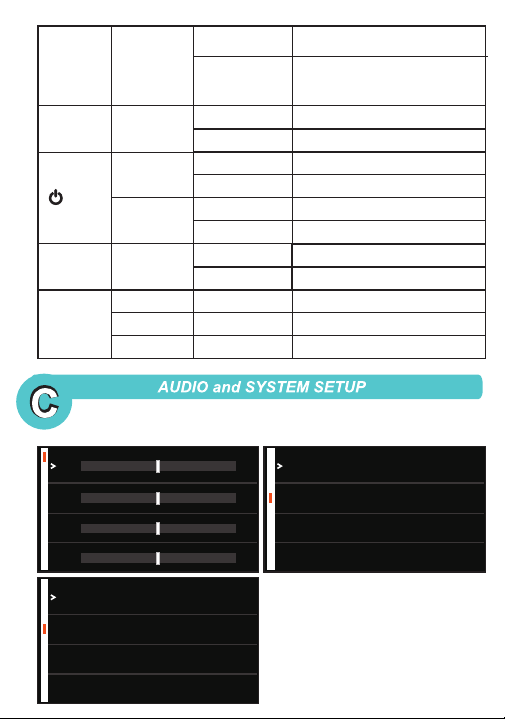
RPT Power ON
Short press
Long press
REPEAT ON/OFF
No function
EQ
Power ON
Short press
EQ:OFF-EQ1-EQ2-EQ3-EQ4-EQ5-EQ6
Long press
No function
BAND
RADIO Short press
Band Switch
FM1-FM2-FM3-AM1-AM2
USB
Short press
Multimedia playback format
conversion: music-video-picture
BT
Short press
Power ON
Short press
MUTE
Long press
POWER OFF
Power OFF
Short press
POWER ON
Long press
No function
Disconnect bluetooth
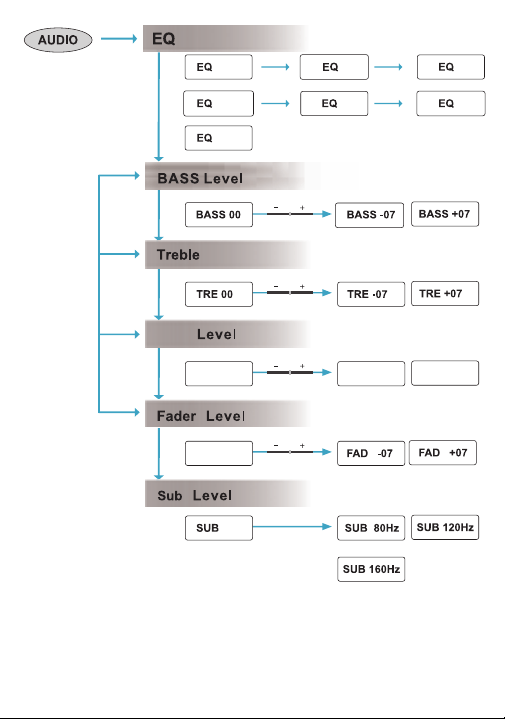
BAL
BAL 00
BAL -07 BAL +07
FAD 00
OFF
1
2
3
6
4 5
LOC
ST
ON/OFF
ON/OFF
2

2
2
2
2
2
2
2
2
2
520
5.0
WHITE