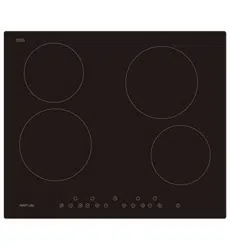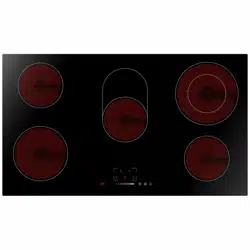
Hob / User Manual
EN
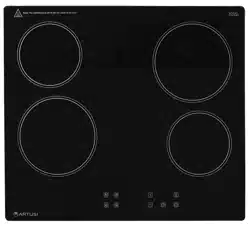
PACC4A
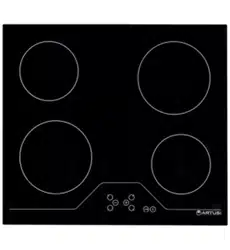
CACC4A

EN - 2
Icon Type Meaning
WARNING Serious injury or death risk
RISK OF ELECTRIC SHOCK Dangerous voltage risk
FIRE Warning; Risk of re / ammable materials
CAUTION Injury or property damage risk
IMPORTANT / NOTE Operating the system correctly
Thank you for choosing this product.
This User Manual contains important safety information and instructions on the operation
and maintenance of your appliance.
Please take the time to read this User Manual before using your appliance and keep this
book for future reference.

CONTENTS
1.SAFETY INSTRUCTIONS .................................................................................................4
1.1 General Safety Warnings
...............................................................................................4
1.2 Installation Warnings
......................................................................................................6
1.3 During Use .....................................................................................................................7
1.4 During Cleaning and Maintenance
.................................................................................7
2.INSTALLATION AND PREPARATION FOR USE
..............................................................8
2.1 Installation of the Hob
.....................................................................................................8
2.2 Electrical Connection and Safety..................................................................................10
3.PRODUCT FEATURES
................................................................................................... 11
4.USE OF PRODUCT
........................................................................................................12
4.1 Hob Controls.................................................................................................................12
5.CLEANING AND MAINTENANCE...................................................................................16
5.1 Cleaning ...................................................................................................................16
6.TROUBLESHOOTING&TRANSPORT
............................................................................17
6.1 Troubleshooting
............................................................................................................17
6.2 Transport ...................................................................................................................17
7.TECHNICAL SPECIFICATIONS
......................................................................................18
7.1 Energy Fiche
................................................................................................................18

EN - 4
1. SAFETY INSTRUCTIONS
• Carefully read all instructions before using your
appliance and keep them in a convenient place for
reference when necessary.
• This manual has been prepared for more than one
model therefore your appliance may not have some
of the features described within. For this reason, it
is important to pay particular attention to any figures
whilst reading the operating manual.
1.1 General Safety WarninGS
• This appliance can be used by children aged from
8 years and above and by persons with reduced
physical, sensory or mental capabilities or lack
of experience and knowledge if they have been
given supervision or instruction concerning use of
the appliance in a safe way and understand the
hazards involved. Children should not play with the
appliance. Cleaning and user maintenance should
not be made by children without supervision.
WARNING: The appliance and its accessible parts
become hot during use. Care should be taken to avoid
touching heating elements. Keep children less than 8
years of age away unless they are continually
supervised.
WARNING: Unattended cooking on a hob with
fat or oil can be dangerous and may result in fire.
NEVER try to extinguish such a fire with water, but
switch off the appliance and cover the flame with a lid
or a fire blanket.
CAUTION: The cooking process has to be
supervised. A short term cooking process has to be
supervised continuously

EN - 5
WARNING: Danger of fire: Do not store items
on the cooking surfaces.
WARNING: If the surface is cracked, switch off
the appliance to avoid the possibility of electric shock.
• For models which incorporate a hob lid, clean any
spillages off the lid before use and allow the cooker
to cool before closing the lid.
• Do not operate the appliance by means of an
external timer or separate remote-control system.
• Do not use harsh abrasive cleaners or scouring
pads to clean oven surfaces. They can scratch the
surfaces which may result in shattering of the door
glass or damage to surfaces.
• Do not use steam cleaners for cleaning the
appliance.
• Your appliance is produced in accordance with all
applicable local and international standards and
regulations.
• Maintenance and repair work should only be carried
out by authorised service technicians. Installation
and repair work that is carried out by unauthorised
technicians may be dangerous. Do not alter or
modify the specifications of the appliance in any
way. Inappropriate hob guards can cause accidents.
• Before connecting your appliance, make sure
that the local distribution conditions (nature of the
gas and gas pressure or electricity voltage and
frequency) and the specifications of the appliance
are compatible. The specifications for this appliance
are stated on the label.
CAUTION: This appliance is designed only for
cooking food and is intended for indoor domestic
household use only. It should not be used for any

EN - 6
other purpose or in any other application, such as for
non-domestic use, in a commercial environment or for
heating a room.
• All possible measures have been taken to ensure
your safety. Since the glass may break, care should
be taken when cleaning to avoid scratching. Avoid
hitting or knocking the glass with accessories.
• Make sure that the supply cord is not trapped or
damaged during installation. If the supply cord is
damaged, it must be replaced by the manufacturer,
its service agent or similarly qualified persons in
order to prevent a hazard.
• Please keep children and animals away from this
appliance.
1.2 inStallation WarninGS
• Do not operate the appliance before it is fully
installed.
• The appliance must be installed by an authorised
technician. The manufacturer is not responsible
for any damage that might be caused by defective
placement and installation by unauthorised people.
• When the appliance is unpacked, make sure that
it is has not been damaged during transportation.
In the case of a defect do not use the appliance
and contact a qualified service agent immediately.
The materials used for packaging (nylon, staplers,
Styrofoam, etc.) may be harmful to children and they
should be collected and removed immediately.
• Protect your appliance from the atmosphere. Do
not expose it to sun, rain, snow, dust or excessive
humidity.
• Materials around the appliance (i.e. cabinets) must
be able to withstand a minimum temperature of

EN - 7
100°C.
• The temperature of the bottom surface of the hob
may rise during operation, therefore a board must
be installed underneath the product.
1.3 DurinG uSe
• Do not put flammable or combustible materials in or
near the appliance while it is operating.
Do not leave the cooker unattended when
cooking with solid or liquid oils. They may catch fire
under extreme heating conditions. Never pour water
on to flames that are caused by oil, instead switch the
cooker off and cover the pan with its lid or a fire
blanket.
• Always position pans over the centre of the cooking
zone, and turn the handles to a safe position so they
cannot be knocked or grabbed.
• If the product will not be used for a long period of
time, turn the main control switch off.
• Make sure the appliance control knobs are always
in the “0” (stop) position when the appliance is not in
use.
1.4 DurinG CleaninG anD MaintenanCe
• Make sure that your appliance is turned off at
the mains before carrying out any cleaning or
maintenance operations.
• Do not remove the control knobs to clean the control
panel.
• To maintain the efficiency and safety of your
appliance, we recommend you always use original
spare parts and to call our authorised service agents
EN - 8
when needed.
2. INSTALLATION AND
PREPARATION FOR USE
WARNING : This appliance must be
installed by an authorised service
person or qualified technician,
according to the instructions in this guide
and in compliance with the current local
regulations.
• Incorrect installation may cause harm
and damage, for which the manufacturer
accepts no responsibility and the
warranty will not be valid.
• Prior to installation, ensure that the local
distribution conditions (electricity voltage
and frequency and/or nature of the gas
and gas pressure) and the adjustments
of the appliance are compatible. The
adjustment conditions for this appliance
are stated on the label.
• The laws, ordinances, directives and
standards in force in the country of use
are to be followed (safety regulations,
proper recycling in accordance with the
regulations, etc.).
Instructions for the Installer
General instructions
• After removing the packaging material
from the appliance and its accessories,
ensure that the appliance is not
damaged. If you suspect any damage,
do not use it and contact an authorised
service person or qualified technician
immediately.
• Make sure that there are no flammable
or combustible materials in the close
vicinity, such as curtains, oil, cloth etc.
which may catch fire.
• The worktop and furniture surrounding
the appliance must be made of
materials resistant to temperatures
above 100°C.
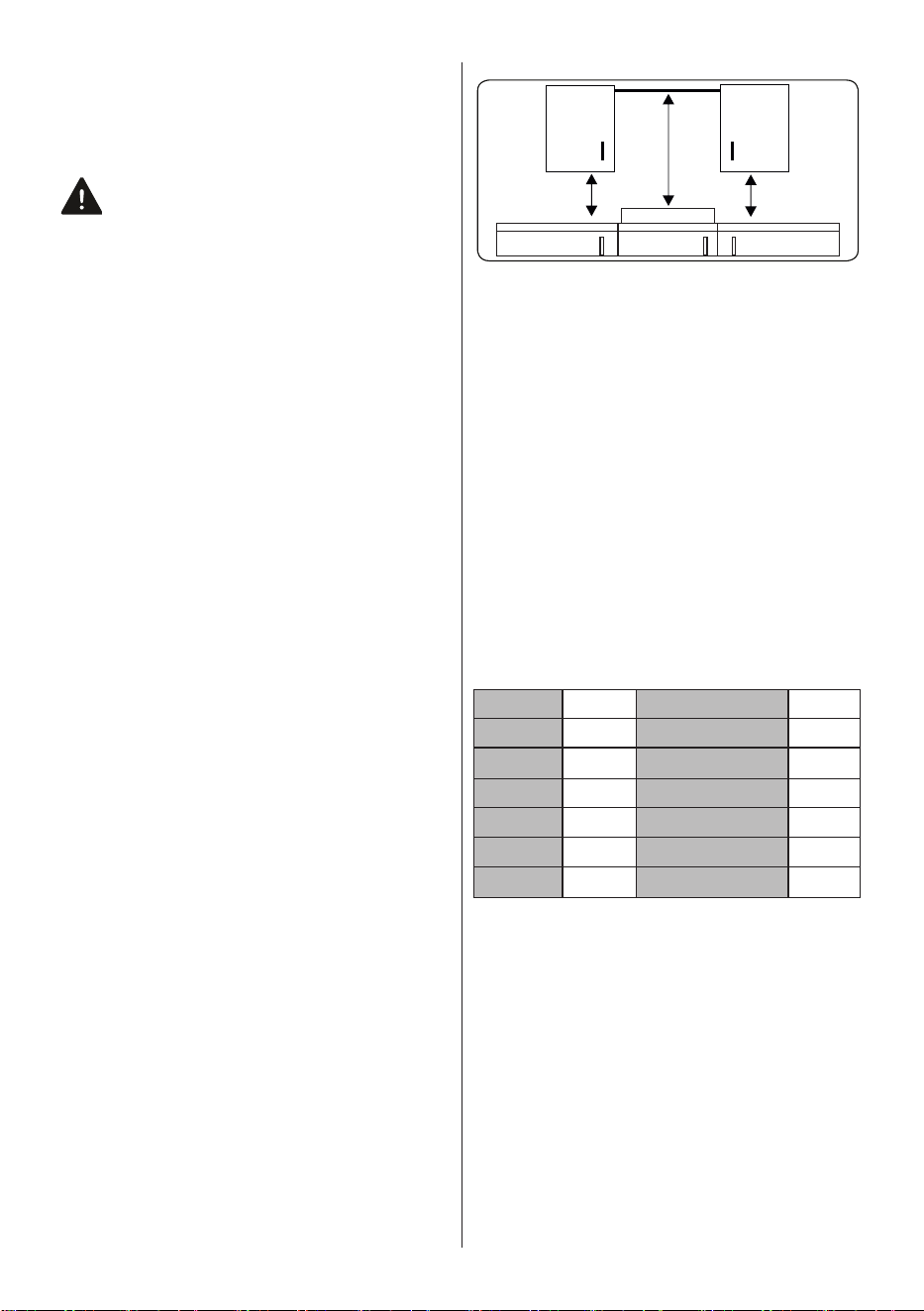
• If a cooker hood or cupboard is to be
installed above the appliance, the safety
distance between cooktop and any
cupboard/cooker hood should be as
shown below.
HOB
Minimum
42 cm
Minimum
42 cm
Minimum
65 cm (with
hood)
Minimum 70
cm (without
hood)
• The appliance should not be installed
directly above a dishwasher, fridge,
freezer, washing machine or clothes
dryer.
• If the base of the appliance is accessible
by hand, a barrier made from a suitable
material must be fitted below the base
of the appliance, ensuring that there is
no access to the base of the appliance.
2.1
inStallation of the hob
The appliance is supplied with an
installation kit including adhesive sealing
material, fixing brackets and screws.
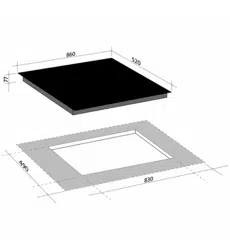
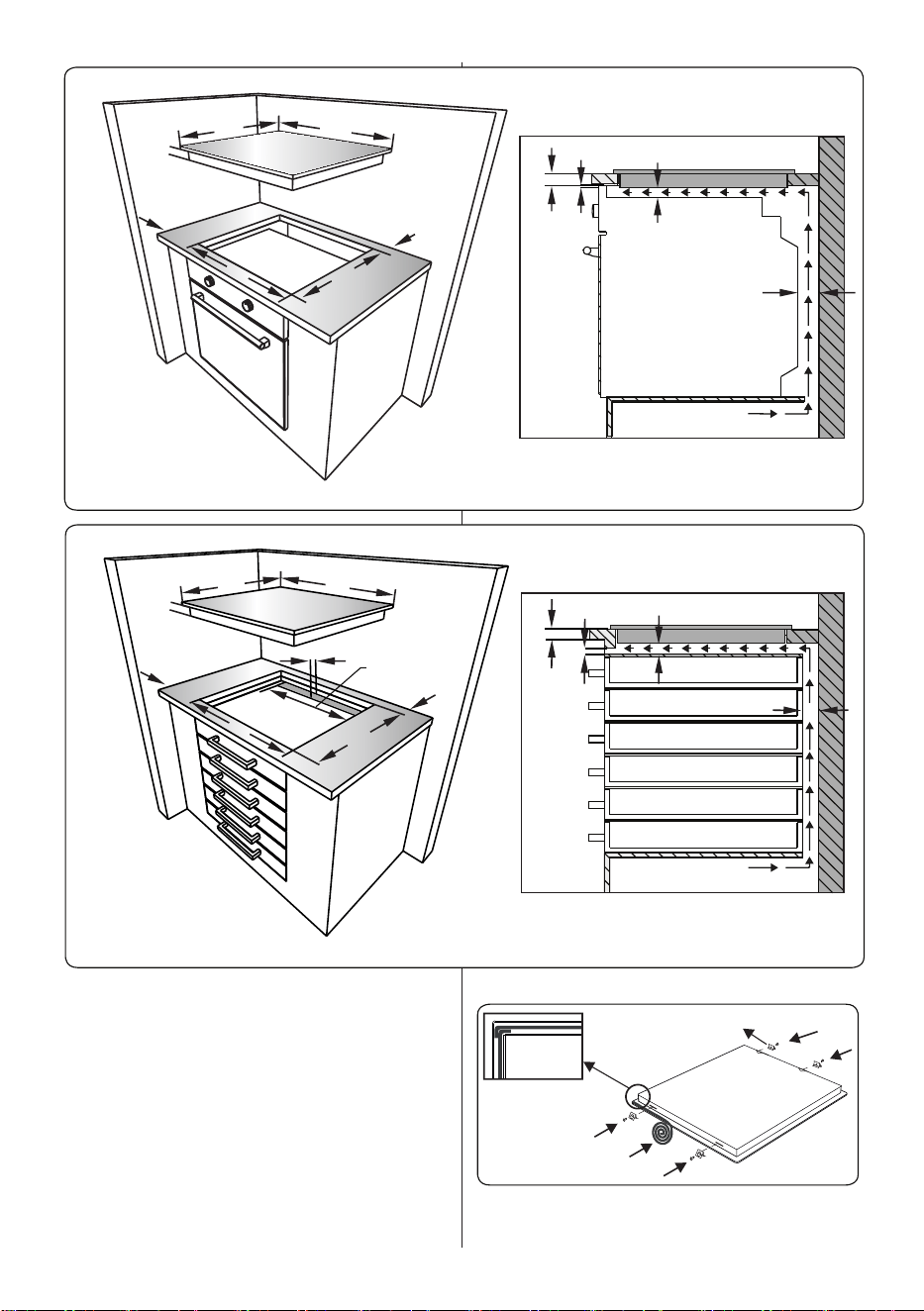
• Cut the aperture dimensions as
indicated in the figure. Locate the
aperture on the worktop so that, after
the hob is installed, the following
requirements are followed.
B (mm) 590 min. A (mm) 50
T (mm) 520 min. C (mm) 50
H (mm) 41-47.5 min. E (mm) 500
C1 (mm) 560 min. F (mm) 10
C2 (mm) 490 G (mm) 20
D (mm) 50 I (mm) 25
J (mm) 5
EN - 9
B
T
C2
A
C
C1
H
F
HOB
G
I
J
I
J
Separator
Separator
F
HOB
B
D
E
T
C2
A
C
C1
H
G
• Apply the supplied one-sided self-
adhesive sealing tape all the way
around the lower edge of the cooktop.
Do not stretch the tape.
Self-adhesive
sealing tape
Worktop mounting
bracket
• Screw the 4 worktop mounting brackets
on to the side walls of the appliance.
EN - 10
• Insert the appliance into the aperture.
2.2
eleCtriCal ConneCtion anD Safety
WARNING: The electrical connection
of this appliance should be carried out
by an authorised service person or
qualified electrician, according to the
instructions in this guide and in compliance
with the current local regulations.
WARNING: THE APPLIANCE MUST
BE EARTHED.
• Before connecting the appliance to the
power supply, the voltage rating of the
appliance (stamped on the appliance
identification plate) must be checked for
correspondence to the available mains
supply voltage, and the mains electric
wiring should be capable of handling the
appliance’s power rating (also indicated
on the identification plate).
• During installation, please ensure
that isolated cables are used. An
incorrect connection could damage
your appliance. If the mains cable is
damaged and needs to be replaced this
should be done by a qualified person.
• Do not use adaptors, multiple sockets
and/or extension leads.
• The supply cord should be kept away
from hot parts of the appliance and must
not be bent or compressed. Otherwise
the cord may be damaged, causing a
short circuit.
• If the appliance is not connected
to the mains with a plug, a all-pole
disconnector switch (with at least 3 mm
contact spacing) must be used in order
to meet the safety regulations.
• The fused switch must be easily
accessible once the appliance has been
installed.
• Ensure all connections are adequately
tightened.
• Fix the supply cable in the cable clamp
and then close the cover.
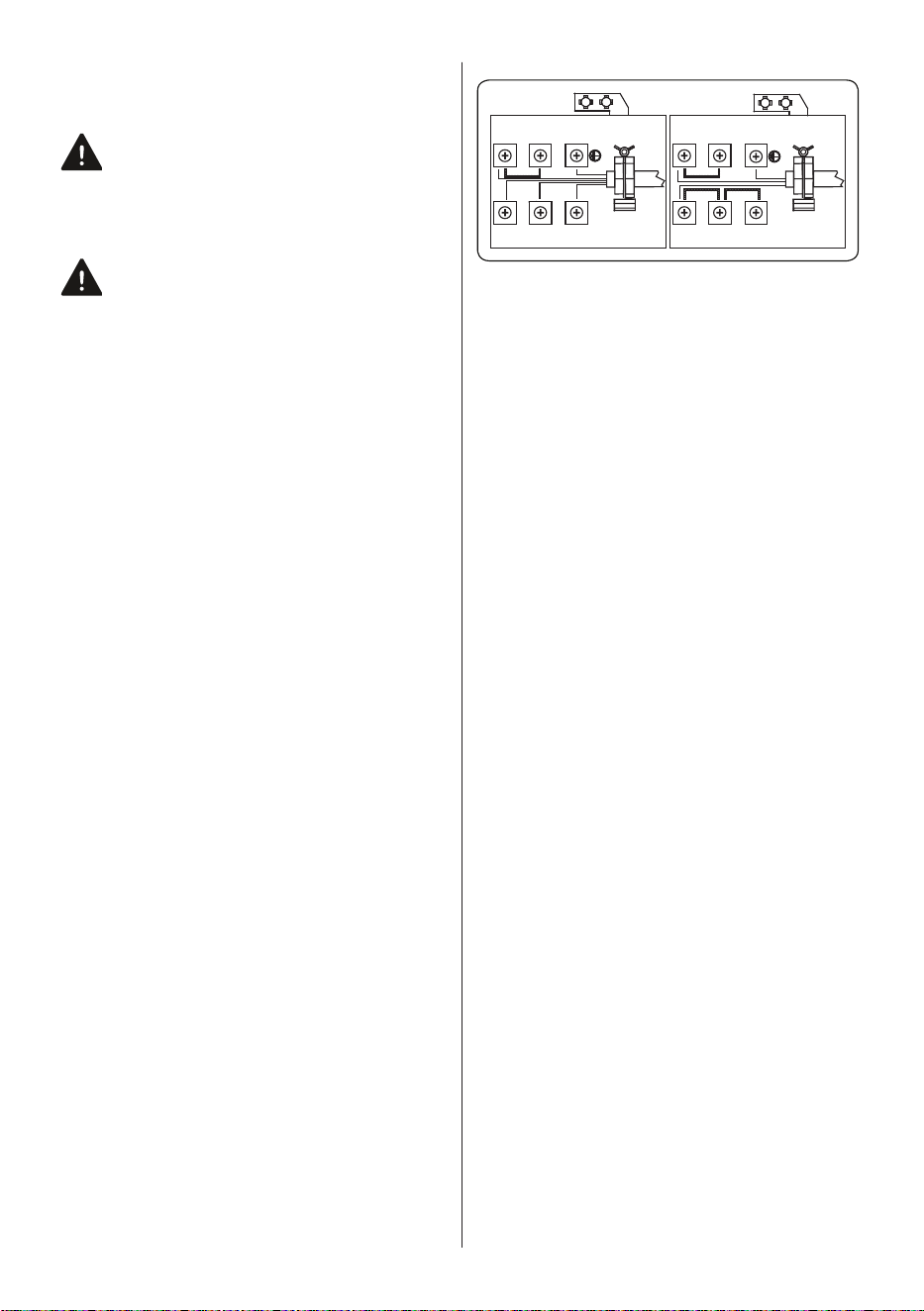
• The terminal box connection is placed
on the terminal box.
4
4
N
N PE
PE
L2
L3
L1
L
5 5
3
3
2
2
1
1
EN - 11
3. PRODUCT FEATURES
Important: Specifications for the product vary and the appearance of your appliance
may differ from that shown in the figures below.
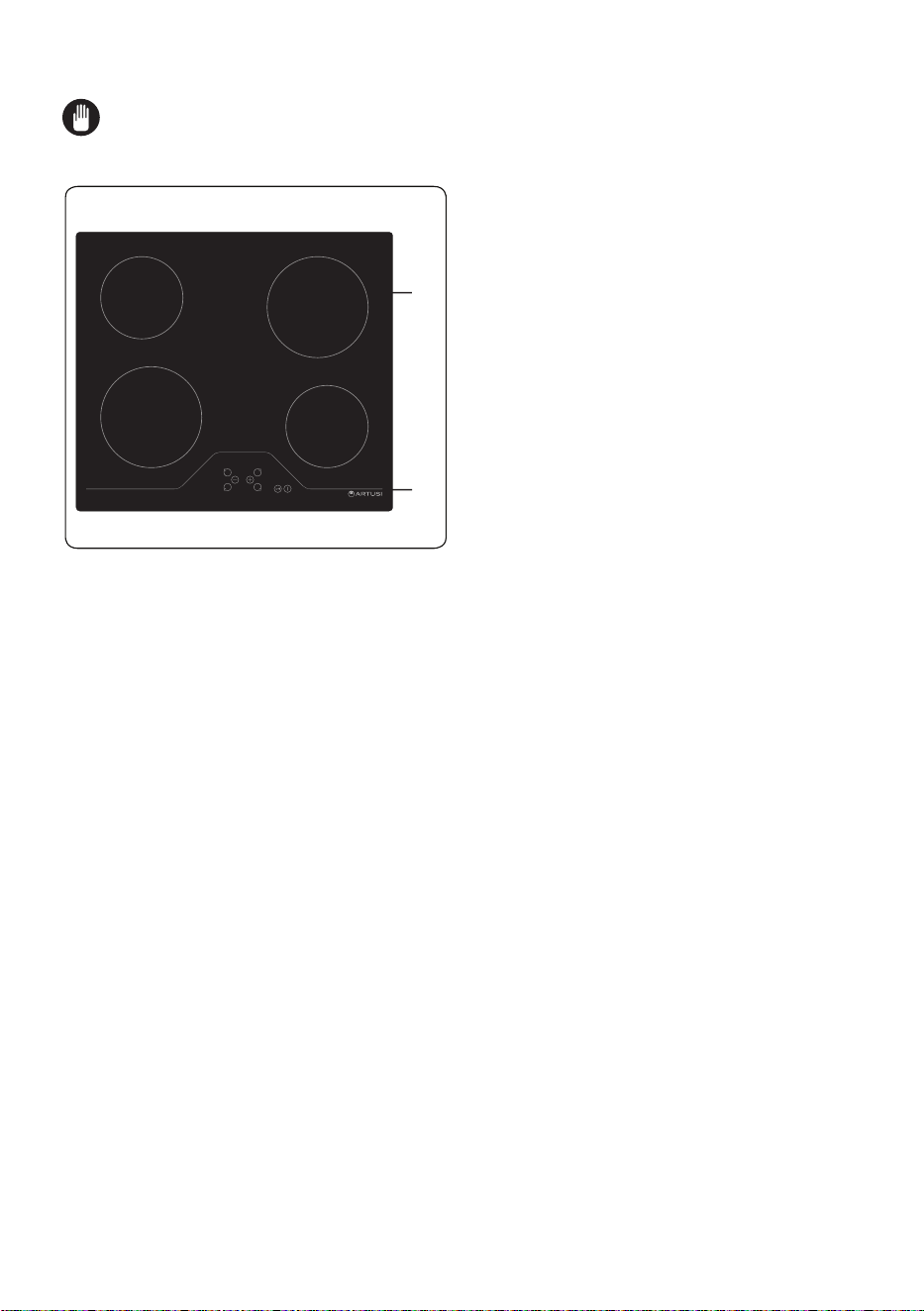
List of Components
1. Ceramic Heater
2. Control Panel
1
2
EN - 12
4. USE OF PRODUCT
4.1 hob ControlS
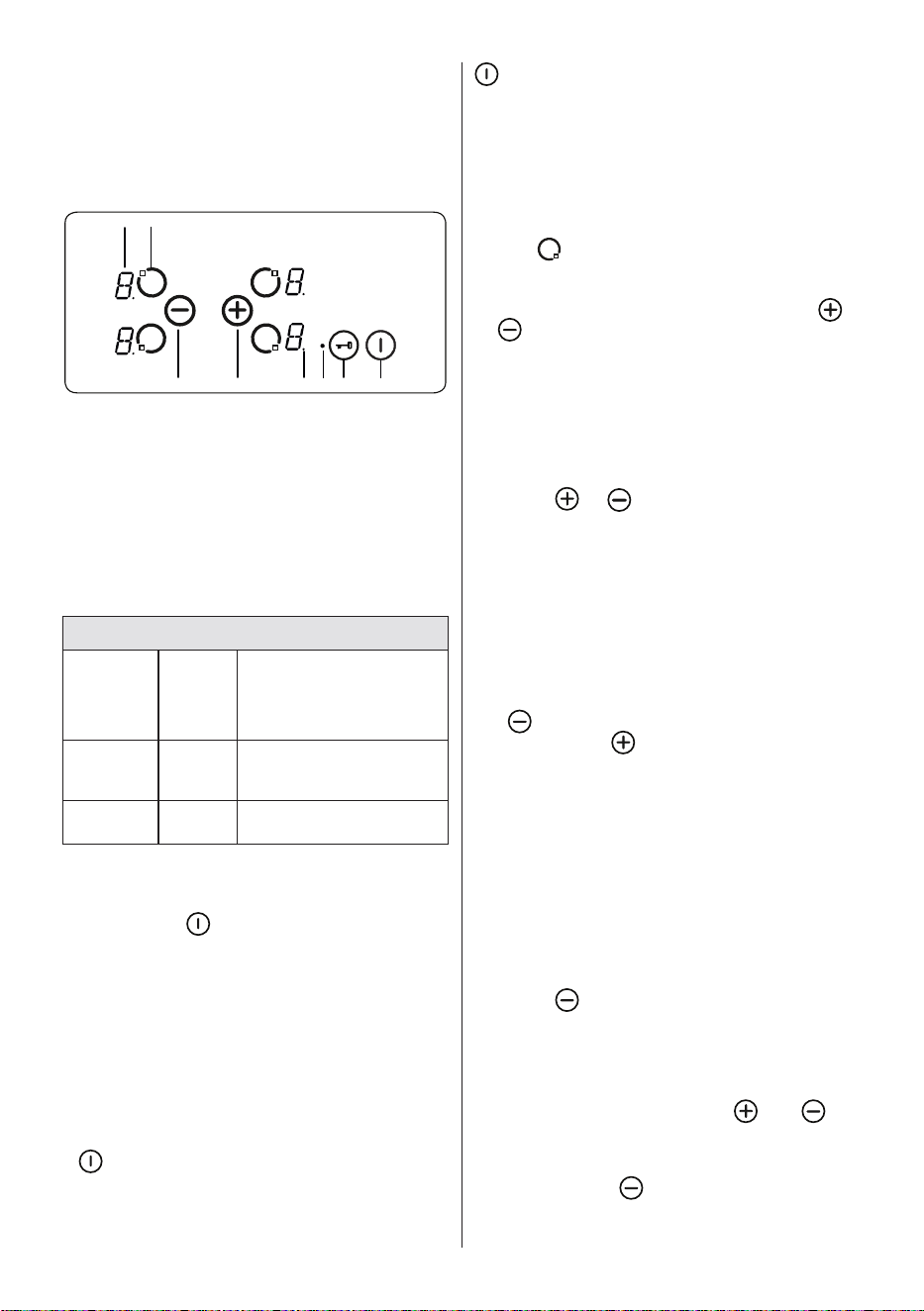
The hob is controlled by pressing the
appropriate electronic button. Each button
pressed is followed by a buzzer sound.
1
3
4
5 6
7 8
2
1- Heater display
2- Activate/Deactivate heater
3- Heat setting decrease
4- Heat setting increase
5- Decimal point
6- Key lock indicator
7- Key lock
8- On/Off
Mode Descriptions
Stand-By-
Mode
S-Mode
Mains supply is applied
to the hob control and all
heater displays are off or
a residual heat display is
active.
Operating-
Mode
B-Mode
At least one heater display
shows a heat setting
between ´0` and ´9`.
Lock Mode
VR-
Mode
The hob control is locked.
Switching the Appliance On and Off
If the appliance is in Stand-By mode, it
is put in Operating mode by pressing the
On/Off button
for at least 1 second. A
buzzer will sound to indicate the successful
operation.
A “0” will appear on all heater displays and
all decimal points corresponding to the
heaters will flash (1 second on, 1 second
off).
If there is no operation within 10 seconds,
all heater displays will switch off.
If the displays do switch off, the heater will
be sent into Stand-By mode.
If
is pressed for more than 2 seconds
(in Operating mode), the appliance will
switch off and will enter S-Mode again. The
appliance can be switched off by pressing
at any time; even if other buttons are
pressed simultaneously.
If there is any residual heat from a heater,
this will be indicated in the corresponding
heater display.
Selecting a Heater
If a single heater is chosen with the
corresponding Activate/Deactivate Heater
Button
, the decimal point of the heater
display will flash. For the selected heater,
you can set the heat level between 1 and
9 by pressing the Heat Setting Buttons
or .
The buttons must be pressed within 3
seconds of selecting a heater, otherwise the
heater selection will be erased and the heat
setting decimal point will disappear. If there
is no further operation within 10 seconds,
the heater reverts back to S-Mode.
The heat setting can always be changed by
pressing
or . The available settings
are between 1 and 9.
Each button operation or each display
change is accompanied by a buzzer sound.
Set Cooking Level with and without Heat
Boost
All heaters are equipped with the heat
boost function.
If the heat boost is required, set the heat
from the current level to level 9 by pressing
the
button only. Once level 9 has been
reached, press to activate the heat
boost. The display will flash “A” alternating
with the heat setting value “9” to show the
heat boost is active.
If the heat boost is active, the heater will
operate with maximum power for a period of
time dependent on the heat setting selected
before the heat boost was activated.
Once the heat boost time has ended, only
the heat setting will be indicated on the
heater display.
The heat boost can be deactivated by
pressing
until the heat setting “0” is
displayed.
Switching Off Individual Heaters
A heater can be switched off in 3 different
ways:
• Simultaneous pressing of and
buttons
• Reduction of the heat setting to ´0` by
pressing the button
• Use of the timer switch-off function for
the corresponding heater.
EN - 13
Simultaneous operation of and
buttons
The corresponding heater must be chosen
with the Activate/Deactivate Heater Button
, the Decimal Point of the related
Heater Display will then flash. To switch
off the heater, and must be pressed
simultaneously. A buzzer will sound and “0”
will appear in the heat setting display when
this is successful.
If the timer is active for the selected heater,
then “0” will appear in the heater and timer
displays, and the related Cooking Zone
Indicator and the Timer Function will both
switch off.
If there is any residual heat for the heater,
this will be indicated by a “H” in the heat
setting display.
Reduction of the heat setting to “0” by
operating
button
The heater can also be switched off by
reducing the heat setting to “0”.This will
cause the associated Decimal Point of the
heater, the related Cooking Zone Indicator
and the Timer Display to all switch off, also.
If there is any residual heat for the heater,
this will be indicated by a “H” in the heat
setting display.
Use of the timer switch-off function for
the corresponding heater (if available)
After counting down to zero, the timer will
stop, the corresponding Heater Display will
show “0” and the Timer Display will read
'00'. The corresponding Cooking Zone
Indicator will disappear.
An assigned Dual/Triple Zone Selection
Indicator will also disappear if it is active.
Additionally, the buzzer will sound when the
timer stops. Pressing any button will silence
the timer.
Key Lock
The key lock function is used to set ‘safe
mode’ on the appliance and can only be
used in Operating Mode (B-Mode). The lock
function becomes active when the key Lock
button
is pressed for at least 2 seconds.
This operation is acknowledged by a buzzer
and the Key Lock Indicator will flash to
indicate the heater is locked.
If the heater is locked, it will only be
possible to switch the appliance off by
pressing
, all other buttons are blocked
and it will not be possible to make any
adjustments by pressing the buttons. If any
other button is pressed in the lock mode,
the buzzer will sound and the Key Lock
Indicator will flash.
Only the switch-off operation by pressing
is possible. However, if the appliance is
switched off, it can not be restarted again
without being unlocked.
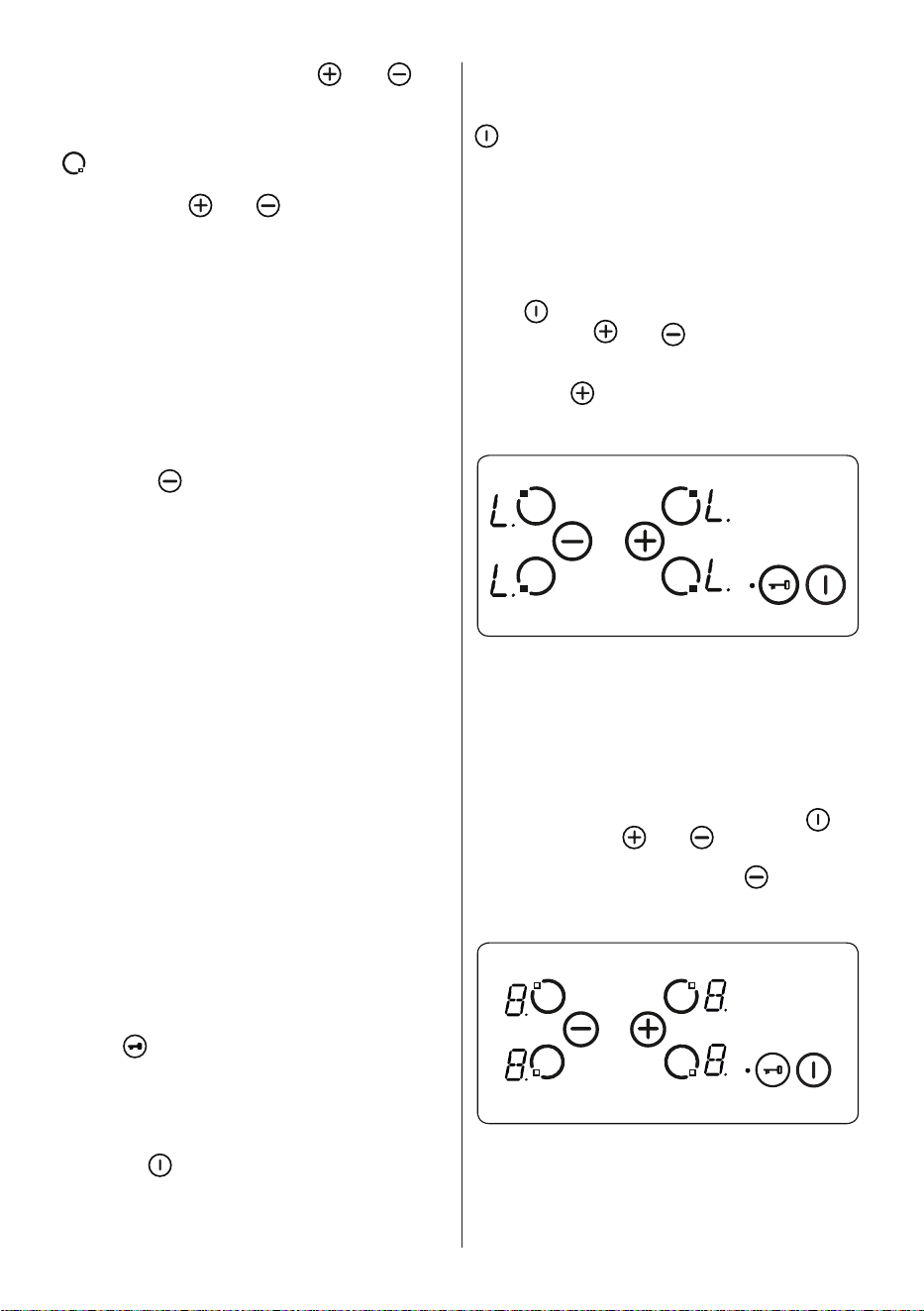
Child Lock
The child lock function is used to lock the
appliance in a complicated, multi-step
process. Child lock (and unlocking) is only
available in the S-Mode.
First,
must be pressed until the buzzer
sounds, then and must be pressed
simultaneously for at least 0.5 seconds,
but no longer than 1 second. Following
this, touch to activate the child lock.
All four heater displays will show “L” as
confirmation.
If the minute minder timer is still running,
it will proceed until “00” is reached and
the timer will beep. After confirmation of
timer completion, the appliance will be fully
locked. None of the buttons can be used as
long as the appliance is locked.
Child lock can be deactivated in the same
way that it is activated. After pressing
a beep is heard, and have to be
pressed simultaneously for at least 0.5
seconds, followed by pressing only. As
confirmation for successful unlocking, “L”
will no longer be displayed.
Touch Control Safety Functions
The following safety functions are available
to avoid unintended operations.
Sensor Safety Cut-Off
EN - 14
Button monitoring is included to prevent the
appliance from unwanted button operation.
In cases where one or more buttons are
pressed for longer than 12 seconds, the
buzzer will sound for ten minutes to indicate
an incorrect operation. For example, an
object may be placed on a button, or there
could be a sensor failure and so on.
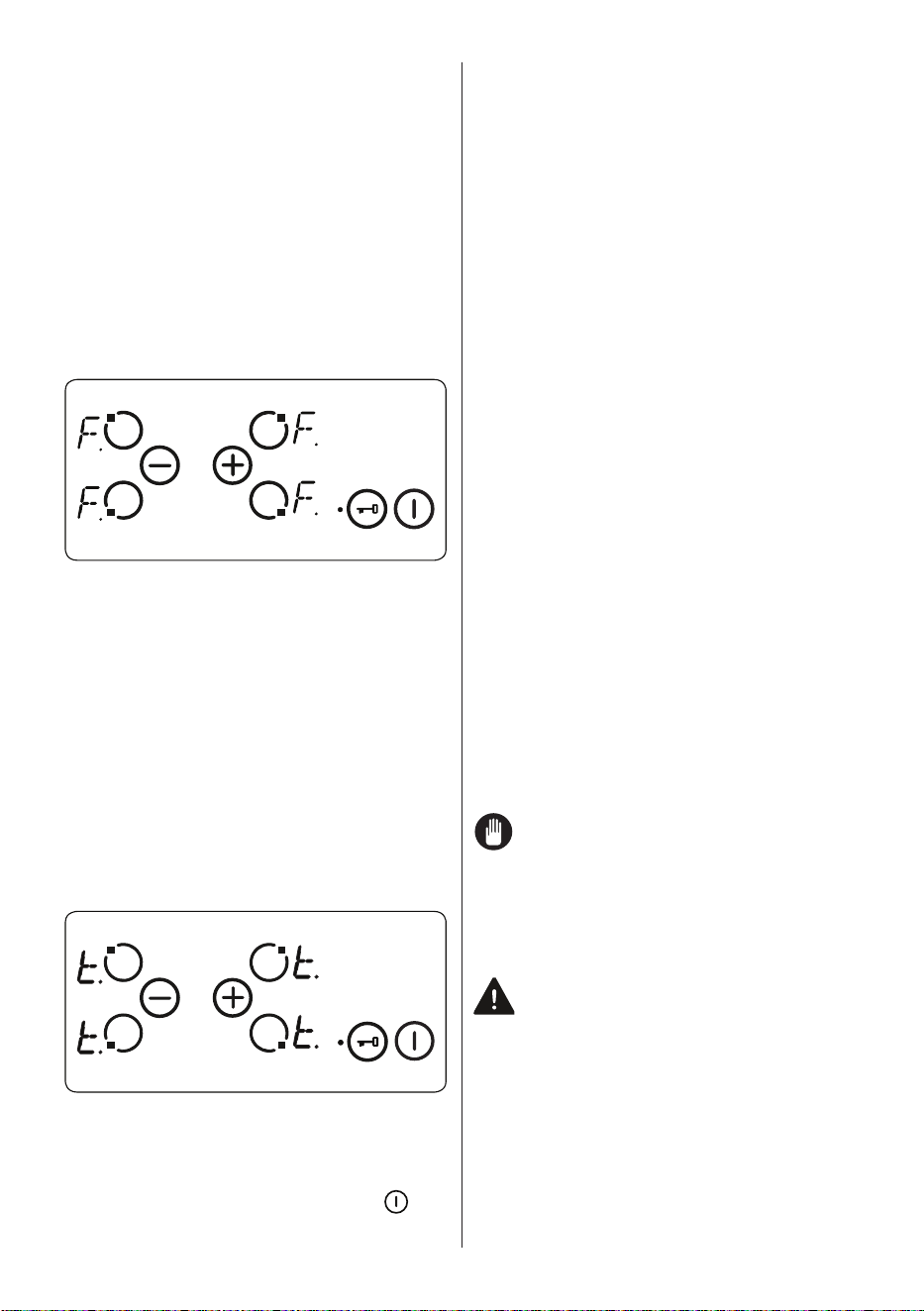
The safety switch-off will cause the hob to
go into S-mode and all heater displays will
flash “F”. If there is no incorrect operation
present, both the visual and audible signals
will disappear.
If residual heat is present, “H” will be
displayed on all other heater displays.
Over Temperature Switch-Off
Due to the controls being very close to the
heater in the middle of the front of the hob,
it can occur that an incorrectly placed pot
is not sensed by the sensor safety cut-off
therefore heating up the hob to a very high
temperature. This makes the glass and the
buttons dangerous to touch.
To prevent the hob control unit from
damage, the controls constantly monitor the
temperature and switch off if overheating
occurs.
This will be indicated by the letter “t” in
the heater display until the temperature
decreases.
Once the temperature has dropped, the
“t” in the heater display will disappear and
the hob control unit will revert back into
S-Mode. This means that the user can
reactivate the appliance by pressing .
Operating Time Limitations
The hob control unit has a limitation on
the operating time. If the heat setting for a
heater has not been changed for a certain
time, the heater will switch off automatically.
A “0” will be displayed for 10 seconds,
however there may be some residual heat
present. The limit of the operating time
depends on the selected heat setting.
After a heater automatically switches off, as
described above, the heater can be used
and the maximum operating time for this
heat setting is applied.
Residual Heat Functions
After all cooking processes, some heat
will be stored in the vitroceramic glass
called residual heat. The appliance can
calculate roughly how hot this glass is. If
the calculated temperature is higher than
+ 60 ° C, then this will be indicated in the
corresponding heater display for as long as
the calculated temperature remains above
+ 60 ° C, even after the appliance has been
switched off.
The residual heat indicator has the lowest
priority and is overwritten by every other
display value, including during safety
switch-off and the displaying of an error
code. When voltage is supplied to the hob
after a power interruption, the residual heat
display indicator will flash. If a heater had a
residual heat of greater than + 60 °C before
the power interruption occurred, the display
will flash while the residual heat remains
or until the heater is selected for another
cooking operation.
Hints and Tips
Important: When ceramic heaters are
operated in higher heat settings, the
heated areas may be seen switching
on and off. This is due to a safety device,
which prevents the glass from overheating.
This is normal at high temperatures,
causing no damage to the hob and little
delay in cooking times.
WARNING:
• Never operate the hob without
pans on the cooking zone.
• Use only flat saucepans with a
sufficiently thick base.
• Make sure the bottom of the pan is dry
before placing it on the hob.
• While the cooking zone is in operation,
it is important to ensure that the pan is
centred correctly above the zone.
• In order to conserve energy, never
EN - 15
use a pan with a different diameter to
hotplate being used.
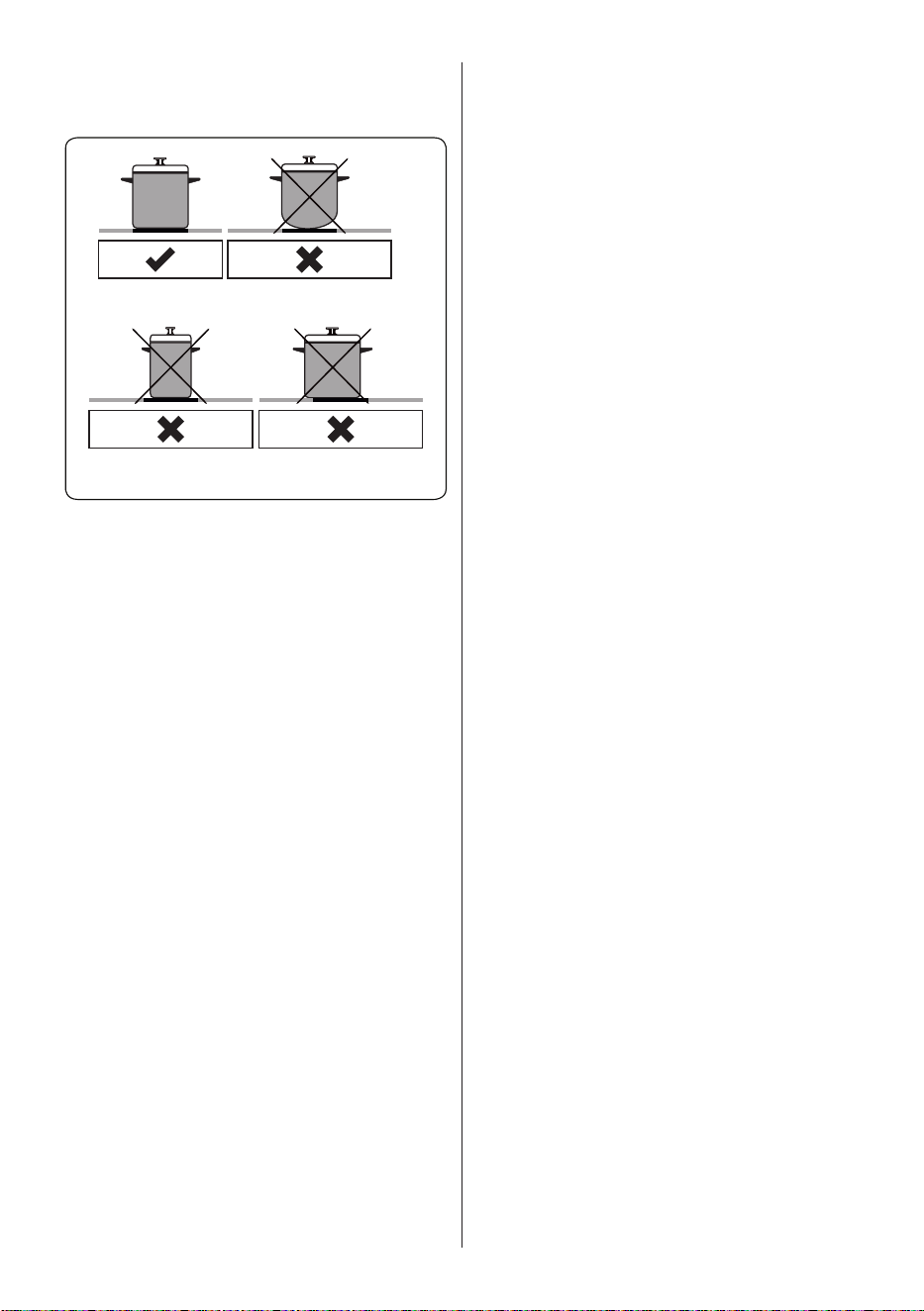
Circular Saucepan
Base
Small Saucepan
Diameter
Saucepan base that
has not settled
• Do not use saucepans with rough
bottoms since these can scratch the
glass ceramic surface.
• If possible, always place lids on the
pans to avoid heat loss.
• The temperature of accessible parts
may become high while the appliance
is operating. Keep children and animals
well away from the hob during operation
and until it has fully cooled after
operation.
• If you notice a crack on the cooktop,
it must be switched off immediately
and replaced by authorised service
personnel.
•

EN - 16
5. CLEANING AND
MAINTENANCE
5.1 CleaninG
WARNING: Switch off the appliance
and allow it to cool before cleaning is
to be carried out.
General Instructions
• Check whether the cleaning materials
are appropriate and recommended by
the manufacturer before use on your
appliance.
• Use cream cleaners or liquid cleaners
which do not contain particles. Do not
use caustic (corrosive) creams, abrasive
cleaning powders, rough wire wool or
hard tools as they may damage the
cooker surfaces.
Do not use cleaners that contain
particles, as they may scratch the
glass, enamelled and/or painted parts
of your appliance.
• Should any liquids overflow, clean them
immediately to avoid parts becoming
damaged.
Do not use steam cleaners for
cleaning any part of the appliance.
Cleaning the Ceramic Glass
Ceramic glass can hold heavy utensils but
may be broken if it is hit with a sharp object.
WARNING : Ceramic Cooktops - if the
surface is cracked, to avoid the
possibility of an electric shock, switch
off the appliance and call for service.
• Use a cream or liquid cleaner to clean
the vitroceramic glass. Then, rinse and
dry them thoroughly with a dry cloth.
Do not use cleaning materials meant
for steel as they may damage the
glass.
• If substances with a low melting point
are used in the cookware’s base or
coatings, they can damage the glass-
ceramic cooktop.If plastic, tin foil, sugar
or sugary foods have fallen on the hot
glass-ceramic cooktop, please scrape
it off the hot surface as quickly and as
safely as possible. If these substances
melt, they can damage the glass-
ceramic cooktop. When you cook very
sugary items like jam, apply a layer of a
suitable protective agent beforehand if it
is possible.
• Dust on the surface must be cleaned
with a wet cloth.
• Any changes in colour to the ceramic
glass will not affect the structure or
durability of the ceramic and is not due
to a change in the material.
Colour changes to the ceramic glass may
be for a number of reasons:
1. Spilt food has not been cleaned off the
surface.
2. Using incorrect dishes on the hob will
erode the surface.
3. Using the wrong cleaning materials.
Cleaning the Stainless Steel Parts (if
available)
• Clean the stainless steel parts of your
appliance on a regular basis.
• Wipe the stainless steel parts with a soft
cloth soaked in only water. Then, dry
them thoroughly with a dry cloth.
Do not clean the stainless steel parts
while they are still hot from cooking.
Do not leave vinegar, coffee, milk, salt,
water, lemon or tomato juice on the
stainless steel for a long time.
EN - 17
6. TROUBLESHOOTING&TRANSPORT
6.1 troubleShootinG
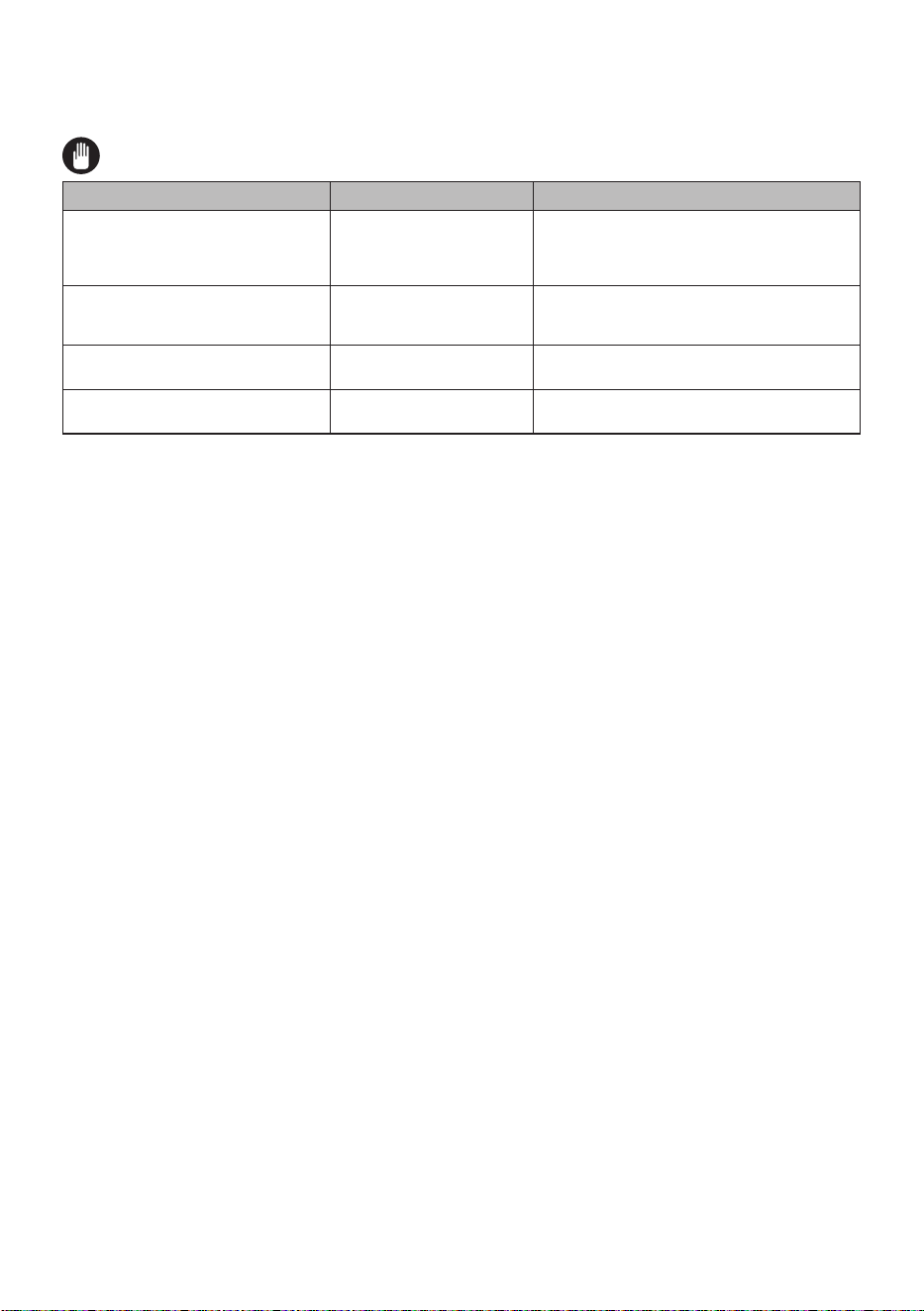
If you still have a problem with your appliance after checking these basic troubleshooting
steps, please contact an authorised service person or qualified technician.
Problem Possible Cause Solution
Hob control card’s display is blacked
out. The hob or cooking zones
cannot be switched on.
There is no power supply.
Check the household fuse for the appliance.
Check whether there is a power cut by trying
other electronic appliances.
The hob switches off while it is in
use and an 'F' flashes on each
display.
The controls are damp
or an object is resting on
them.
Dry the controls or remove the object.
The hob switches off while it is use.
One of the cooking zones
has been on for too long.
You can use the cooking zone again by
switching it back on.
The hob controls are not working
and the child lock LED is on.
The child lock is active. Switch off the child lock.
6.2 tranSport
If you need to transport the product, use the original product packaging and carry it using
its original case. Follow the transport signs on the packaging. Tape all independent parts to
the product to prevent damaging the product during transport.
If you do not have the original packaging, prepare a carriage box so that the appliance,
especially the external surfaces of the product, is protected against external threats.
EN - 18
7. TECHNICAL SPECIFICATIONS
7.1 enerGy fiChe
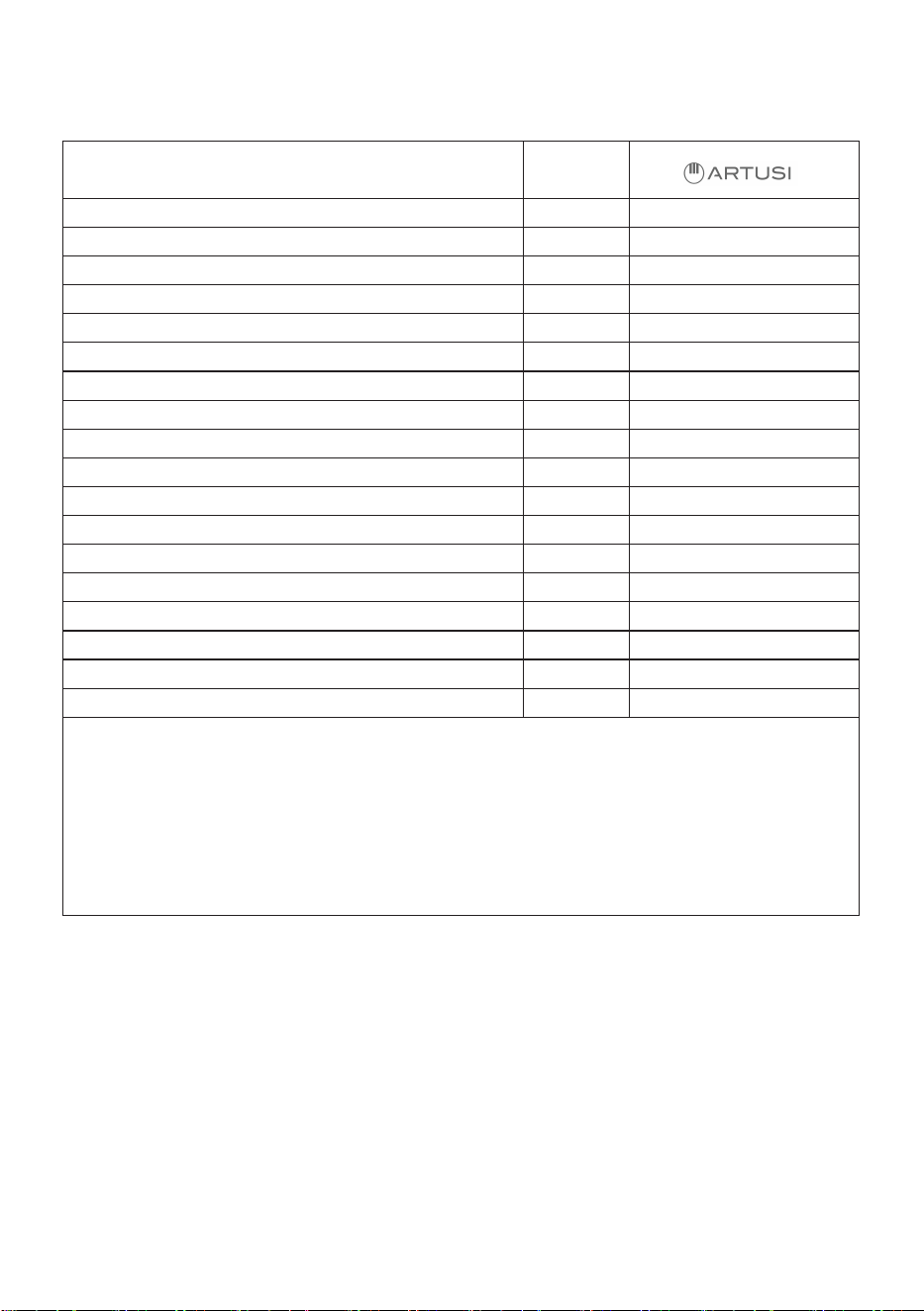
Brand
Model
Type of Hob Electric
Number of Cooking Zones 4
Heating Technology-1 Radiant
Size-1 cm Ø14,5
Energy Consumption-1 Wh/kg 192,0
Heating Technology-2 Radiant
Size-2 cm Ø14,5
Energy Consumption-2 Wh/kg 192,0
Heating Technology-3 Radiant
Size-3 cm Ø18,0
Energy Consumption-3 Wh/kg 192,0
Heating Technology-4 Radiant
Size-4 cm Ø18,0
Energy Consumption-4 Wh/kg 192,0
Energy Consumption of Hob Wh/kg 192,0
This hob complies with EN 60350-2
Energy Saving Tips
Hob
- Use cookwares having flat base.
- Use cookwares with proper size .
- Use cookwares with lid.
- Minimize the amount of liquid or fat.
- When liquid starts boiling , reduce the setting.
PACC4A/CACC4A

22
Warranty Card
Worldwide Appliances Pty Limited
A.B.N. 45868077422
Distributed by Eurolinx pty Ltd
Oce:
48-50 Moore Street, Leichhar
dt N.S.W 2040
Post:
Locked Bag 3000, Annandale, N.S.W 2038
P: 1300 694 583
W
ARRANTY REGISTRATION
Your ongoing satisfaction with your artusi
product is important to us. We ask that you
complete the enclosed Warranty Registration
Card and return it to us so that we have a record
of the artusi product purchased by you.
PRIVACY
Worldwide Appliances respects your
privacy and is committed to handling your
personal information in accordance with the
National Privacy Principles and the Privacy
Act 1988 (Cth). A copy of the Worldwide
Appliances Privacy Policy is available at
www.artusi.com.au. Worldwide Appliances will
not disclose any personal information set out
in the Warranty Registration Card (“Personal
Information”) without your consent unless
required by:
1. law;
2. any Worldwide Appliances related company;
3. any service provider which provide services
to artusi or assist artusi in pr
oviding services
(including repair and warranty services) to
customers. Our purpose in collecting the
Personal Information is
to keep a record of the artusi product purchased
by you, in order to provide a better warranty
service to you in the unlikely event that there is
a problem with your artusi product. Worldwide
Appliances may contact you at any one or more
of the address, email address or telephone
numbers set out in the Warranty Registration
Card. Please contact artusi on 1300 694
583 should you not wish to be contacted by
Worldwide Appliances.
WARRANTY
1. W
arranty
Worldwide Appliances warrants that each artusi
product will remain, for a period of either 12
months or 24 months of warranty. All Warranties
are valid from the original date of purchase, And
warranty claims must be accompanied by the
proof of purchase.
24 months warranty products:
All Built-in Appliances – Limited to Ovens,
Gas, Induction and Electric Cooktops, and All
Rangehoods. Freestanding Cookers - Gas and
Electric Models (900mm Width).
artusi.com.au
Dishwashers - Freestanding, Fully Integrated,
Semi Integrated and built-in. All Wine coolers. All
Dryers. Freestanding Cookers - Gas and Electric
Models in 50cm, 54cm and 60cm Widths
Portable Appliances* – Benchtop Models and
Portable Gas Models
2. What is not Cover
ed by the Warranty.
The Warranty does not apply if an artusi product
is defective by a factor other than a defect arising
in the manufacture of the artusi product, including
but not limited to:
(a) damage through misuse (including failure
to maintain, service or use with pr
oper care),
neglect, accident or ordinary wear and tear
(including deterioration of parts and accessories
and glass breakage);
(b) use for purpose for which the artusi product
was not sold or designed;
(c) use or installation which is not in accordance
with any specied instructions for use or
installation;
(d) use or operation after a defect has occurred or
been discover
ed;
(e) damage thr
ough fr
eight, transportation or
handling in transit (other than when W
orldwide
Appliances is responsible);
(f) damage thr
ough exposur
e to chemicals, dusts,
r
esidues, excessive voltage, heat, atmospheric
conditions or other forces or environmental
factors outside the control or Worldwide
Appliances;
(g) repair, modication or tampering by the
pur
chaser or any person other than Worldwide
Appliances, an employee of Worldwide
Appliances or an authorised artusi service
contractor*;
(h) use of parts, components or accessories
which have not been supplied or specically
appr
oved by artusi.
(i) damage to surface coatings caused by cleaning
or maintenance using pr
oducts not recommended
in the artusi product handbook provided to the
purchaser upon purchase of the artusi product;
(j) damage to the base of an electric oven due to
items having been placed on the base of the oven
cavity or covering the base, such as aluminium
foil (this impedes the transfer of heat fr
om the
element to the oven cavity and can result in
irreparable damage); or
(k) damages, dents or other cosmetic
imperfections not aecting the performance of the
artusi in r
espect of an artusi product purchased
as a “factory second” or from display
The Warranty does not extend to light globes
used in artusi products.
3. Domestic Use
Each artusi product is made for domestic use.
This Warranty may not extend to artusi products
used for commercial purposes.
Continued over...
23
Warranty Card
Worldwide Appliances Pty Limited
A.B.N. 45868077422
Distributed by Eurolinx pty Ltd
Oce:
48-50 Moore Street, Leichhardt N.S.W 2040
Post:
Locked Bag 3000, Annandale, N.S.W 2038
P: 1300 694 583
WARRANTY REGISTRATION
Your ongoing satisfaction with your artusi
product is important to us. We ask that you
complete the enclosed Warranty Registration
Card and return it to us so that we have a record
of the artusi product purchased by you.
PRIVACY
Worldwide Appliances respects your
privacy and is committed to handling your
personal information in accordance with the
National Privacy Principles and the Privacy
Act 1988 (Cth). A copy of the Worldwide
Appliances Privacy Policy is available at
www.artusi.com.au. Worldwide Appliances will
not disclose any personal information set out
in the Warranty Registration Card (“Personal
Information”) without your consent unless
required by:
1. law;
2. any Worldwide Appliances related company;
3. any service provider which provide services
to artusi or assist artusi in providing services
(including repair and warranty services) to
customers. Our purpose in collecting the
Personal Information is
to keep a record of the artusi product purchased
by you, in order to provide a better warranty
service to you in the unlikely event that there is
a problem with your artusi product. Worldwide
Appliances may contact you at any one or more
of the address, email address or telephone
numbers set out in the Warranty Registration
Card. Please contact artusi on 1300 694
583 should you not wish to be contacted by
Worldwide Appliances.
WARRANTY
1. Warranty
Worldwide Appliances warrants that each artusi
product will remain, for a period of either 12
months or 24 months of warranty. All Warranties
are valid from the original date of purchase, And
warranty claims must be accompanied by the
proof of purchase.
24 months warranty products:
All Built-in Appliances – Limited to Ovens,
Gas, Induction and Electric Cooktops, and All
Rangehoods. Freestanding Cookers - Gas and
Electric Models (900mm Width).
artusi.com.au
Dishwashers - Freestanding, Fully Integrated,
Semi Integrated and built-in. All Wine coolers. All
Dryers. Freestanding Cookers - Gas and Electric
Models in 50cm, 54cm and 60cm Widths
Portable Appliances* – Benchtop Models and
Portable Gas Models
2. What is not Covered by the Warranty.
The Warranty does not apply if an artusi product
is defective by a factor other than a defect arising
in the manufacture of the artusi product, including
but not limited to:
(a) damage through misuse (including failure
to maintain, service or use with proper care),
neglect, accident or ordinary wear and tear
(including deterioration of parts and accessories
and glass breakage);
(b) use for purpose for which the artusi product
was not sold or designed;
(c) use or installation which is not in accordance
with any specied instructions for use or
installation;
(d) use or operation after a defect has occurred or
been discovered;
(e) damage through freight, transportation or
handling in transit (other than when Worldwide
Appliances is responsible);
(f) damage through exposure to chemicals, dusts,
residues, excessive voltage, heat, atmospheric
conditions or other forces or environmental
factors outside the control or Worldwide
Appliances;
(g) repair, modication or tampering by the
purchaser or any person other than Worldwide
Appliances, an employee of Worldwide
Appliances or an authorised artusi service
contractor*;
(h) use of parts, components or accessories
which have not been supplied or specically
approved by artusi.
(i) damage to surface coatings caused by cleaning
or maintenance using products not recommended
in the artusi product handbook provided to the
purchaser upon purchase of the artusi product;
(j) damage to the base of an electric oven due to
items having been placed on the base of the oven
cavity or covering the base, such as aluminium
foil (this impedes the transfer of heat from the
element to the oven cavity and can result in
irreparable damage); or
(k) damages, dents or other cosmetic
imperfections not aecting the performance of the
artusi in respect of an artusi product purchased
as a “factory second” or from display
The Warranty does not extend to light globes
used in artusi products.
3. Domestic Use
Each artusi product is made for domestic use.
This Warranty may not extend to artusi products
used for commercial purposes.
Continued over...
4. Time for Claim under the Warranty
You must make any claim under this Warranty
within twenty eight (28) days after the occurrence
of an event which gives rise to a claim pursuant
to the Warranty, by booking a service call on the
telephone number below.
5. Proof of Purchase
Customers must retain proof of purchase in order
to be eligible to make a warranty claim in respect
of an artusi product.
6. Claiming under the Warranty
Customers will bear the cost of claiming under
this Warranty unless Worldwide Appliances
determines the expenses are reasonable, in which
case the customer must claim those expenses
by providing written evidence of each expense
to Worldwide Appliances at the address on the
Warranty Registration Card.
7. Statutory Rights
H;OLZL[LYTZHUKJVUKP[PVUZKVUV[HɈLJ[`V\Y
statutory rights.
(b) The limitations on the Warranty set out in this
document do not exclude or limit the application
of the consumer guarantees set out in the Act or
any other equivalent or corresponding legislation
in the relevant jurisdiction where to do so would:
(i) contravene the law of the relevant jurisdiction;
or
(ii) cause any part of the Warranty to be void.
(c) Worldwide Appliances excludes indirect or
consequential loss of any kind (including, without
limitation, loss of use of the artusi product) and
(other than expressly provided for in these terms
and conditions) subject to all terms,
conditions and warranties implied by custom, the
general law, the Act or other statute.
(d) The liability of Worldwide Appliances to you
for a breach of any express or non-excludable
implied term, condition or warranty is limited at
the option of Worldwide Appliances to:
(i) replacing or repairing the defective part of the
artusi product;
(ii) paying the cost of replacing or repairing the
defective part of the artusi product;
(iii) replacing the artusi product; or
(iv) paying the cost of replacing the artusi
product.
(e) Our goods come with guarantees that cannot
be excluded under the Australian Consumer
Law. You are entitled to a replacement or refund
for a major failure and for compensation for any
other reasonably foreseeable loss or damage.
You are also entitled to have the goods repaired
or replaced if the goods fail to be of acceptable
quality and the failure does not amount to a
major failure.
8. Defects
Any part of an artusi product deemed to be
defective and replaced by Worldwide Appliances
is the property of Worldwide Appliances.
Worldwide Appliances reserves the right to
inspect and test artusi products in order to
determine the extent of any defect and the
validity of a claim under the Warranty.
All warranty service calls must be booked via
the customer care department. The team can
ILJVU[HJ[LKVUVW[PVUVY
customercare@eurolinx.com.au
Warranty Card continued
artusi.com.au
2
Please complete and send to ARTUSI at: REPLY PAID 83617
LEICHHARDT NSW 2040
Last Name: First Name:
Address:
State: Postcode: Email:
Home Phone: Mobile:
Purchase Date: / /
(Please attach proof of purchase to validate warranty)
MODEL NUMBER
SERIAL NUMBER
(if you cannot locate the serial number please call ARTUSI on 1300 856 411)
1
2
3
4
WARRANTY REGISTRATION CARD
01052016
01082016
Warranty Card tear off

52477693