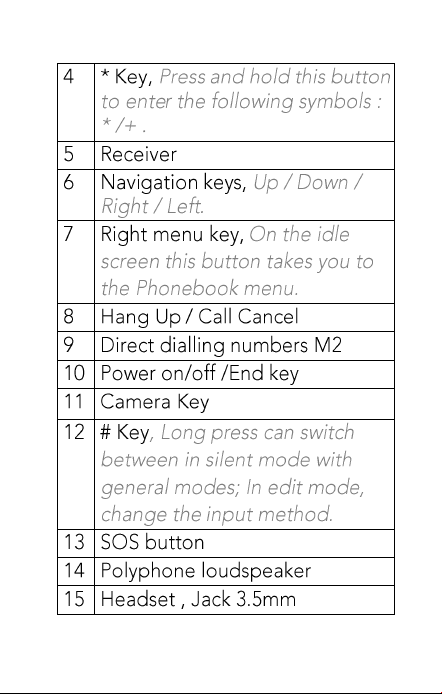
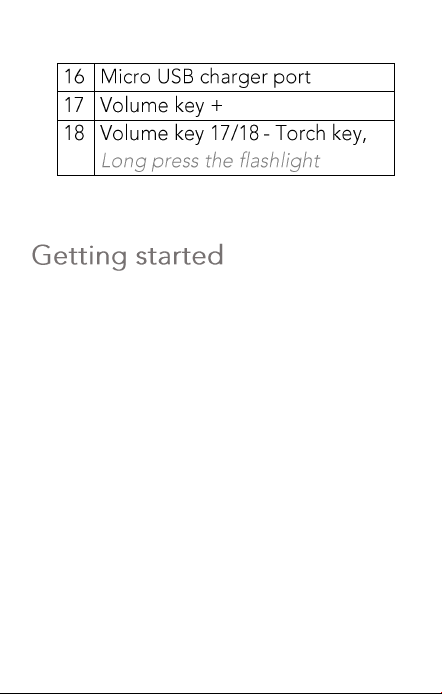
•
•
•
•
•
What is a SIM card?
Every mobile phone has a SIM card
(Subscriber Identity Module). This is a
micro-chip that holds your personal
information such as names and phone
numbers. Your phone won’t work without
it.
Keep the SIM card away from children.
The SIM card can easily be damaged or
bent. You should therefore handle the
SIM card with care during installation
and/or removal.

Insert the SIM card and Micro
SD card
1 Make sure that the phone is switched
off and the charger is disconnected.
2 Turn the phone over (back of phone
facing you), push and slide down the
back cover.
3 If the battery is in place, remove it.
4 Insert SIM Card.
Charging
1 Plug the charger into the charger
connector.
2 Plug the other end into an electrical
outlet.
3 The phone may need several hours
for reaching a full charge.
When your phone is power off, it
might take a few seconds to show
charging display and it shows charge
complete when finished.
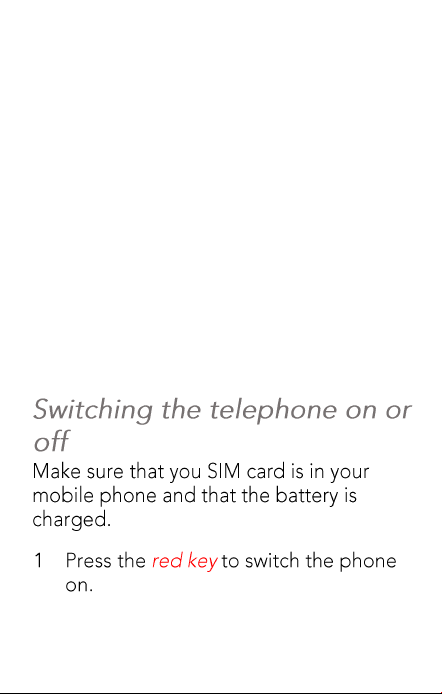
When your phone is power on, the
battery icon flickers when it starting
charging and become still with full
bars in battery icon when finished.
4 The battery is fully charged when the
red LED is off. Disconnect the
charger from the phone and the AC
outlet.
Note: Charge the battery for at least 12
hours before using the phone for the first
time.
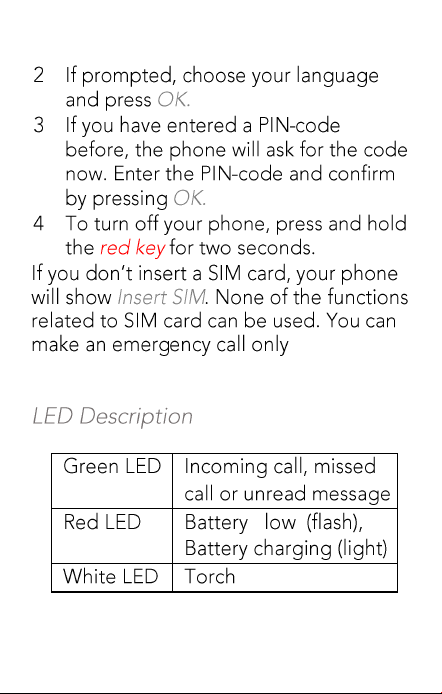
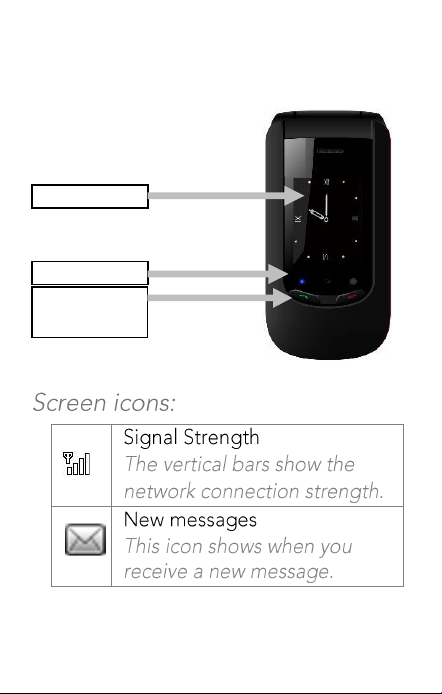
Display
LEDs
Quick Answer
/Hung up
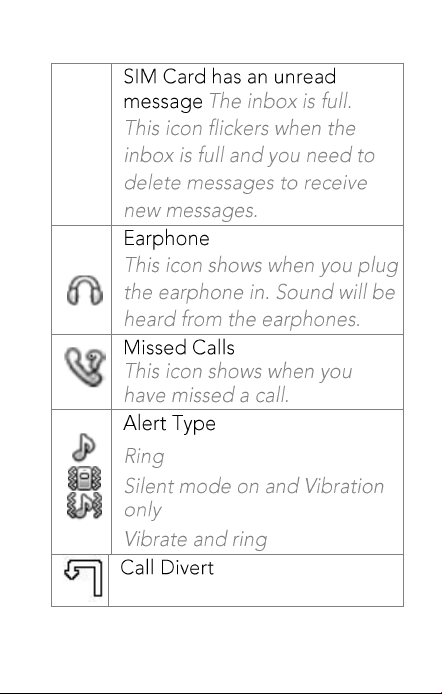
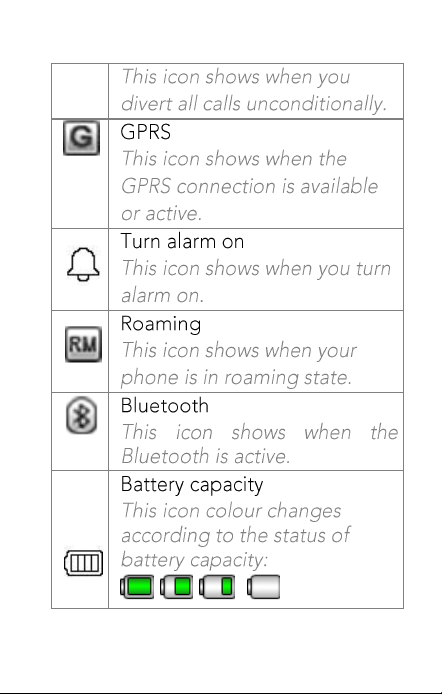
,
,
,
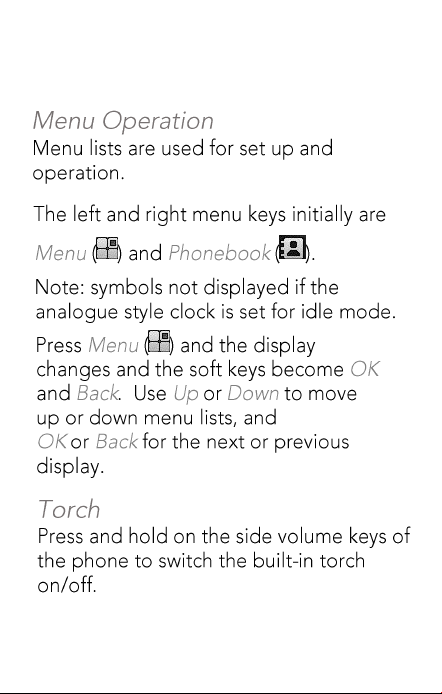
Make a call
•
•
•
•
•
Voicemail server:
Data account:
•
•
•
•
•
.
•
•
•
:
:
•
•
•
•
•
•
•
•
•
•
•
•
•
•
•
•
•
•
•
•
•
•
•
•
•
•
•
•
•
•
•
•
•
•
•
•
•
•
•
•
•
•
•
•
•
•
•
•
•
•
•
•



CPR Team