CR3039A
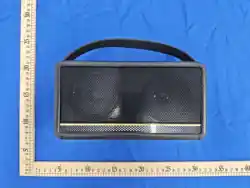
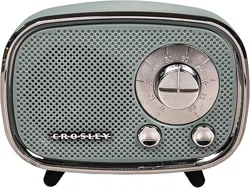
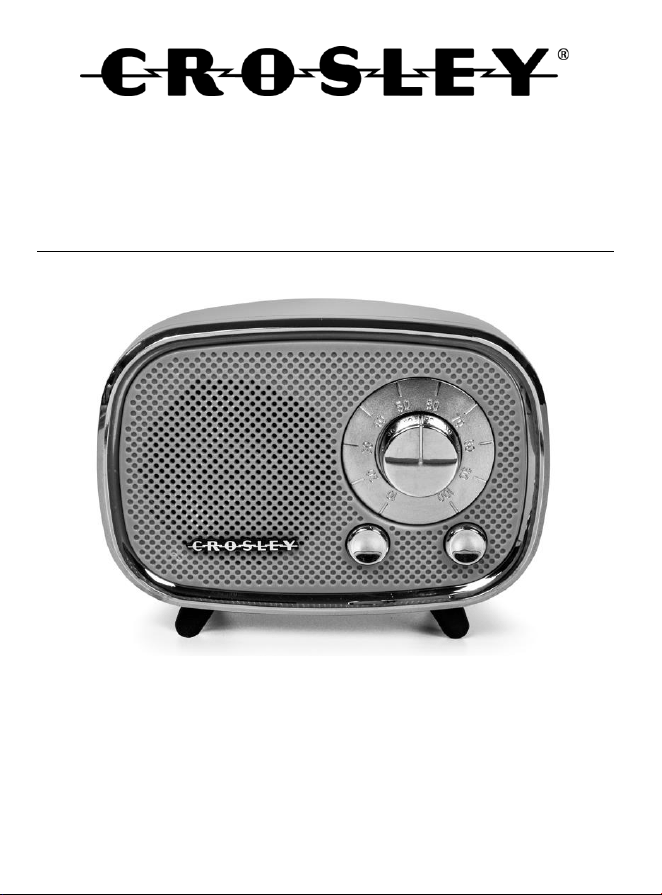
Rondo Bluetooth Speaker
Instruction Manual
Questions, problems, missing parts?
Before returning to the store, call Customer Service
8 a.m. – 6 p.m., EST, Monday – Friday
1-888-CROSLEY
www.crosleyradio.com

English
2
Safety Instructions
Read and understand this entire manual before using this product. Keep these
instructions for future reference.
1. Do not use this product near water.
2. This product should be operated only by the type of power source indicated
on the marking label or in this instruction manual.
3. Do not defeat the safety purpose of the polarized plug. A polarized plug has
two blades with one blade wider than the other. This plug will fit into the
power outlet only one way. If you are unable to insert the plug fully into the
outlet try reversing the plug. If the plug should still fail to fit, contact your
electrician.
4. Protect the power cord from being walked on or pinched particularly at plugs,
convenience receptacles, and the point where they exit from the product.
5. Do not overload wall outlets, extension cords, or integral convenience
receptacles as this can result in a risk of fire or electric shock.
6. Never push objects of any kind into this product through openings as they
may touch dangerous voltage points or short-out parts that could result in a
fire or electric shock. Never spill liquid of any kind on the product.
7. Do not attempt to service this product yourself as opening or removing
covers may expose you to dangerous voltage or other hazards. Refer all
servicing to qualified service personnel.
8. Changes or modifications to this unit not expressly approved by the party
responsible for compliance could void the user’s authority to operate the
equipment.
9. Do not use attachments not recommended by the product manufacturer as
they may cause hazards.
10. A product and cart combination should be moved with care. Quick stops,
excessive force, and uneven surfaces may cause the product and cart
combination to overturn.
11. Slots and openings in the cabinet are provided for ventilation and to ensure
reliable operation of the product and to protect it from overheating. Do not
block or cover these openings.
12. Unplug the product during lightning storm or when unused for long periods of
time.
English
3
Items in this package
Before throwing away any packaging materials, please check thoroughly and
make sure you find the following items that come along with this package:
• Speaker
• Micro USB Cable
Please contact Crosley Customer Service if there is any accessory missing from
the package. Retain the original packaging materials for exchange or return
purposes.
Specifications
Power Source USB-C Cable, DC Output 5V 1A
Power consumption 3W
Speaker 3Ω 3W
Playing Time Up to 3.5 hours
Charging Time 4 – 6 hours
Battery Capacity 1200 mA/h
Bluetooth Version 5.3
Note:
• Design and specifications are subject to change without notice.
• To help save power consumption, some models will comply with ERP
energy saving standard. When there is no audio input for 15 minutes,
their powers will automatically cut-off. To turn power back on and
resume playing, you will need to turn off the power and turn it on again.
English
4
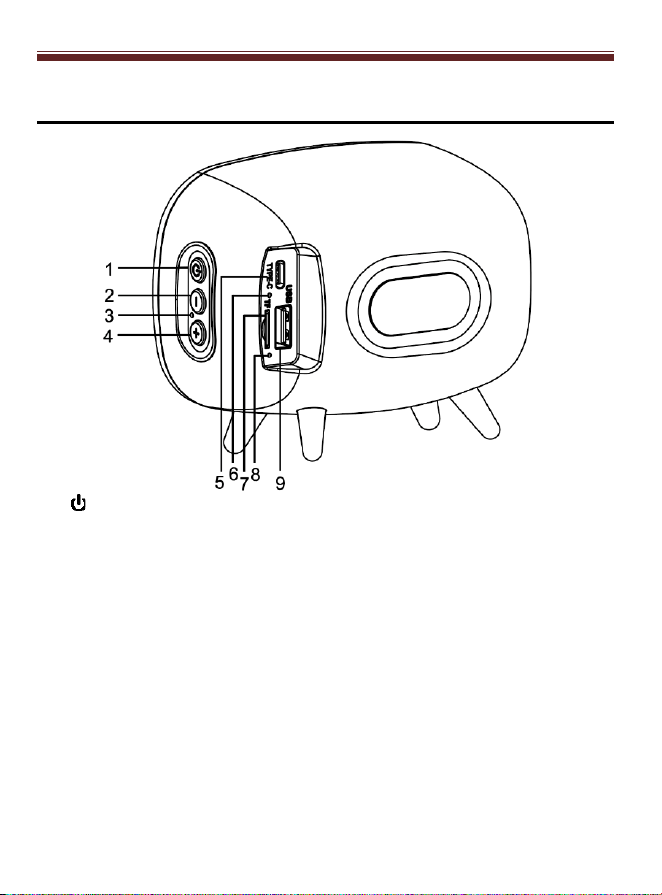
Product Description
1. Button
a. Power Button (Long Press)
b. Play/Pause Button (Short Press)
c. Mode Select Button (Two Short Press)
2. - Button
a. Volume Decrease (Long Press)
b. Previous Song (Short Press)
3. Microphone
4. + Button
a. Volume Increase (Long Press)
b. Next Song (Short Press)
5. USB-C charging port
6. Charging Indicator
7. Micro SD Slot
8. LED Indicator
9. USB slot
English
5
Initial Setup
Essential Setup
1. Place the unit on a flat and level surface. The selected location should be
stable and free from vibration.
2. Connect the USB-C Cable to the Power Jack of the unit.
Charging/Power Source
1. This unit has a built in rechargeable battery.
2. Connect to a PC, Laptop or 5V USB adaptor with the provided USB-C cable.
3. The Charging Indicator will be red when charging and turn off when fully
charged.
Bluetooth Operation
1. Long press the button to turn on the unit. The LED indicator will start
flashing blue.
2. Turn on the Bluetooth feature of your audio device, search for “CROSLEY
CR3039A” and pair.
3. Once your device is successfully paired with the unit you will hear a short
confirmation sound from the unit.
4. Play and stream music from your device to the unit.
5. During the playback, short press the button to suspend and resume
playback.
6. During the playback, short press the + Button or the - Button for the previous
or next song.
USB/SD Playback
1. Insert a USB device into the USB port or a SD memory card into the SD card
slot.
Note: If the unit is on, the playback will start automatically.
English
6
2. Short press the button twice to select the USB or SD mode.
3. To Forward Skip, short press the + button.
4. To Backward Skip, long press the - button.
5. To stop and resume the playback, short press the button.
Note:
• Only use 32 GB or smaller USB or SD memory card
Other Operation
Bluetooth Calling
When your smartphone is paired with speaker, the speaker will ring when an
incoming call is received. Press button to answer the call, and speak through
the microphone on the unit. Press and hold the button to reject incoming call.
Standby Function
If not connected to Bluetooth, the unit will automatically shut down after fifteen
minutes.
Troubleshooting
There is no power
• No power at the power outlet.
• The battery needs to be charged.
There is no sound
• Make sure the volume is turned up.
• Make sure the volume on your third party device is turned up.

English
7
FCC Statements
This device complies with Part 15 of the FCC Rules. Operation is subject to the
following two conditions:
This device may not cause harmful interference, and this device must accept any
interference received, including interference that may cause undesired operation.
Warning: Changes or modifications not expressly approved by the party
responsible for compliance could void the user's authority to operate the
equipment.
NOTE: This equipment has been tested and found to comply with the limits for a
Class B digital device, pursuant to Part 15 of the FCC Rules. These limits are
designed to provide reasonable protection against harmful interference in a
residential installation. This equipment generates uses and can radiate radio
frequency energy and, if not installed and used in accordance with the instructions,
may cause harmful interference to radio communications. However, there is no
guarantee that interference will not occur in a particular installation. If this
equipment does cause harmful interference to radio or television reception, which
can be determined by turning the equipment off and on, the user is encouraged to
try to correct the interference by one or more of the following measures:
- Reorient or relocate the receiving antenna.
- Increase the separation between the equipment and receiver.
- Connect the equipment into an outlet on a circuit different from that to which
the receiver is connected.
- Consult the dealer or an experienced radio/TV technician for help.
RF warning statement:
The device has been evaluated to meet general RF exposure requirement. The
device can be used in portable exposure condition without restriction.