GLOWSTONE
SMART MUG
USER MANUAL
Glowstone Instructions v2 A7.indd 1 07/02/2018 15:54
Before using this product, carefully read these
instructions. Retain instructions for future reference.
Do not operate this appliance for anything other than its
intended use.
This product is intended for household use only.
This product is intended for liquid beverages.
Warning: it is hazardous for anyone other than a
competent person to carry out any service or repair
operation which involves the removal of a cover which
gives protection against exposure to electrical parts.
Warning: children should not use this appliance. Close
supervision is necessary when any appliances are used
near children.
Warning: this appliance is not intended for use by persons
(including children) with reduced physical, sensory or
mental capabilities, or lack of experience and knowledge,
unless they have been given supervision or instruction
concerning use of the appliance by a person responsible
for their safety. Children should be supervised to make
sure that they do not play with the appliance.
SAFETY
INSTRUCTIONS
Glowstone Instructions v2 A7.indd 2 07/02/2018 15:54
• To protect against electrical
shock do not immerse cord,
plug (mains adaptor), or base
assembly in water or other
liquid.
• Do not let the cord hang over
the edge of the worktop or
touch hot surfaces.
• Unplug from the mains outlet
when not in use and before
cleaning.
• Do not operate any appliance
with a damaged cord or plug
(mains adaptor), or after the
appliance malfunctions or is
dropped or damaged in any
manner. Please call customer
services to obtain a
replacement: 0161 646 0146
• The use of accessory
attachments not
recommended by the
appliance manufacturer may
cause re, electric shock or
injury.
• Only use with the base
and plug (mains adaptor
provided).
• The plug (mains adaptor) is
the disconnection device and
must be removed from the
mains socket to power o the
appliance.
• Never remove parts from the
appliance, such as the feet,
screws and so on.
• Never touch inside the mug
when the light is on. Wait 5
minutes after the light has
gone o before washing.
• Not suitable for Microwave
use; Never put the mug in a
Microwave.
• Always place upside down
in the Dishwasher, or after
washing in hot water.
• Do not leave in sink of hot
water unless upside down.
• Do not use the mug if the
bottom of the mug is cracked
or the seal is damaged.
• Do not handle damaged or
leaking lithium-ion batteries.
If the internal battery uid
leaks, stop using the product
immediately and contact
customer services for
assistance.
• Never disassemble or modify
the product.
• Do not put heavy objects on
or in the mug, the base or the
plug (mains adaptor).
• Do not throw or drop the
product, or otherwise expose
it to strong physical impact.
Glowstone Instructions v2 A7.indd 3 07/02/2018 15:54
1. Remove all the packaging and ensure none has been left
inside.
2. Check the mug, base, plug (mains adaptor) and
connecting cable after unpacking for any visual damage
such as:
• Cracks on the mug or damage to the handle.
• Damage to the base assembly.
• Damage to the plug (mains adaptor) or cable.
• If you can see any damage do not use the appliance.
Place the base on a stable horizontal surface, away from
walls and cabinets and high temperatures.
Do not install the base over, on, or near a cooker or other
heat producing appliance.
Fully charge your mug before first use.
BEFORE USING YOUR
GLOWSTONE MUG
Glowstone Instructions v2 A7.indd 4 07/02/2018 15:54
To charge your Glowstone
smart mug, place the mug in
the centre of the charging
base provided.
Connect the power cables to
the charging base and the
plug (mains adaptor).
Insert the plug (mains
adaptor) into a suitable
13 Amp mains socket and
switch on the socket if it has
a mains switch.
The mug will indicate it can
see the charging base by
flashing 3 times. (this may
take a few seconds) It will
then start charging your mug.
If you do not see the mug
flash 3 times, it has not
started charging, even if the
blue light stays
illuminated on the charging
base). Please pick up
the mug and place back on
the charging base until
you see it flash 3 times.
The charging base can also
be plugged into your
computer, car port or any
suitable USB port.
To recharge fully from
empty, it will take up to 5
hours.
NOTE: While using the mug,
do not use the charger as a
coaster as this will turn your
mug o. Only put your empty
mug on the charger when you
want to charge the batteries.
Glowstone Instructions v2 A7.indd 5 07/02/2018 15:54
My mug is on the charging base but it didn’t flash 3 times?
If your mug hasn’t flashed 3 times it is not charging. Please
pick up the mug, wait 3 seconds and place it back on the
base until you see it flash 3 times. If you still don’t see the
mug flash, it may be because your USB cable has come
loose from its socket or that the batteries are completely
empty (they need some charge to make the mug flash). In
the latter case, leave the mug on the charger for at least 30
minutes and then see if the mug flashes when taken off and
replaced back on the charger.
Top tip: Feel the bottom of the mug. If it is warm, your mug
has been charging.
Can I leave my mug on the charging base for longer than 5 hours?
Yes, your Glowstone charging base will turn off when
your mug is fully charged so don’t worry about leaving it
charging overnight or while you’re out of the house. In fact,
we recommend you always leave your Glowstone mug sat
proudly on its charging base when not in use.
How do I know the charge level of my mug?
The brightness of your light bar when the mug is in use
indicates how much charge your mug has. If the light bar
is shining brightly, it’s fully charged. If the light is a little
dimmer, your mug has less charge and should be recharged.
Over time, you will learn the brightness levels to look for.
FREQUENTLY ASKED
QUESTIONS
Glowstone Instructions v2 A7.indd 6 07/02/2018 15:54
Can I put my Glowstone mug in the dishwasher?
Yes, Glowstone mugs are built to work around your daily
routine and are completely dishwasher safe. However, where
possible it is better to hand wash your mug as it’s made
from fine bone china, and hand washing can also extend the
life of the mug’s battery.
Can I put my Glowstone mug in the microwave?
No. Putting your Glowstone mug in the microwave will
damage it beyond repair. It will also break your microwave,
or worse. Please just rely on the mug’s own heating
technology.
My mug didn’t turn off at the last sip?
You may not have tilted it enough. Try taking a more
exaggerated last sip, and it it will turn off. Make sure you’ve
had your last sip. Don’t forget, you can also turn off your
mug by turning it upside down or placing it back on your
charging base.
Can I leave the teabag in my drink?
You can leave the teabag in if you prefer a stronger brew,
but please remember to take the bag out once you’ve had
your last sip. Otherwise, any remaining charge in the mug
will cook the teabag and potentially damage your mug or
worse.
My mug’s light bar isn’t flashing at all. What’s going on?
Your light bar won’t flash if your batteries are completely
empty. Please leave your mug on charge for at least 30
minutes before retrying, and always allow up to 10 seconds
for the mug to flash once placed back on the charging base.
For further assistance please visit www.glowstone.tech or
email support@glowstone.tech
Glowstone Instructions v2 A7.indd 7 07/02/2018 15:54
The battery has a limited
lifespan. Battery duration
will gradually decrease
with repeated usage and
age. Battery life also
varies depending on the
storage method, usage
state, environment and
other factors
Charge in an environment
where the temperature range
is between 10°C to 30°C.
Charging may not be
effective when performed
in other environments.
When the smart mug is
not used for an extended
period of time, it is
recommended that you
fully charge at least once
a year to maintain its
functionality.
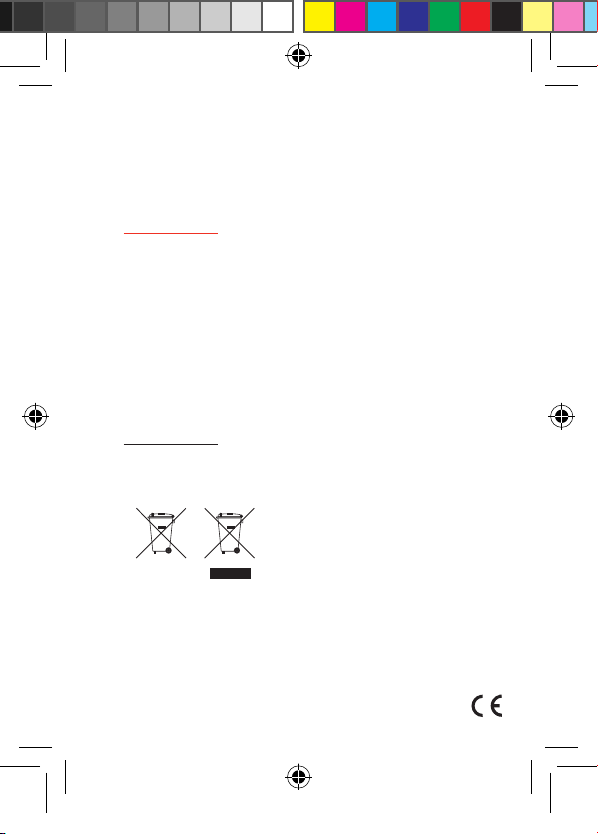
These symbols are known
as the ‘Crossed-out
wheelie bin Symbols’.
When these symbols are
marked on a product/
batteries, it means that the
product/batteries should
not be disposed of with
general household waste.
Only discard electrical/
electronic/battery items
in separate collection
schemes, which cater for
the recovery and recycling
of materials contained
within. Your co-operation
in ensuring the separate
collection and recycling
of your waste equipment
at the time of disposal
will help conserve natural
resources and ensure that
it is recycled in a manner
that protects human health
and the environment.
BATTERY LIFE
AND RECYCLING
Glowstone Instructions v2 A7.indd 8 07/02/2018 15:54