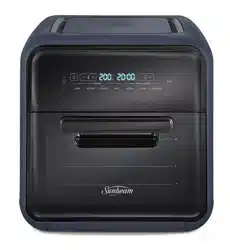
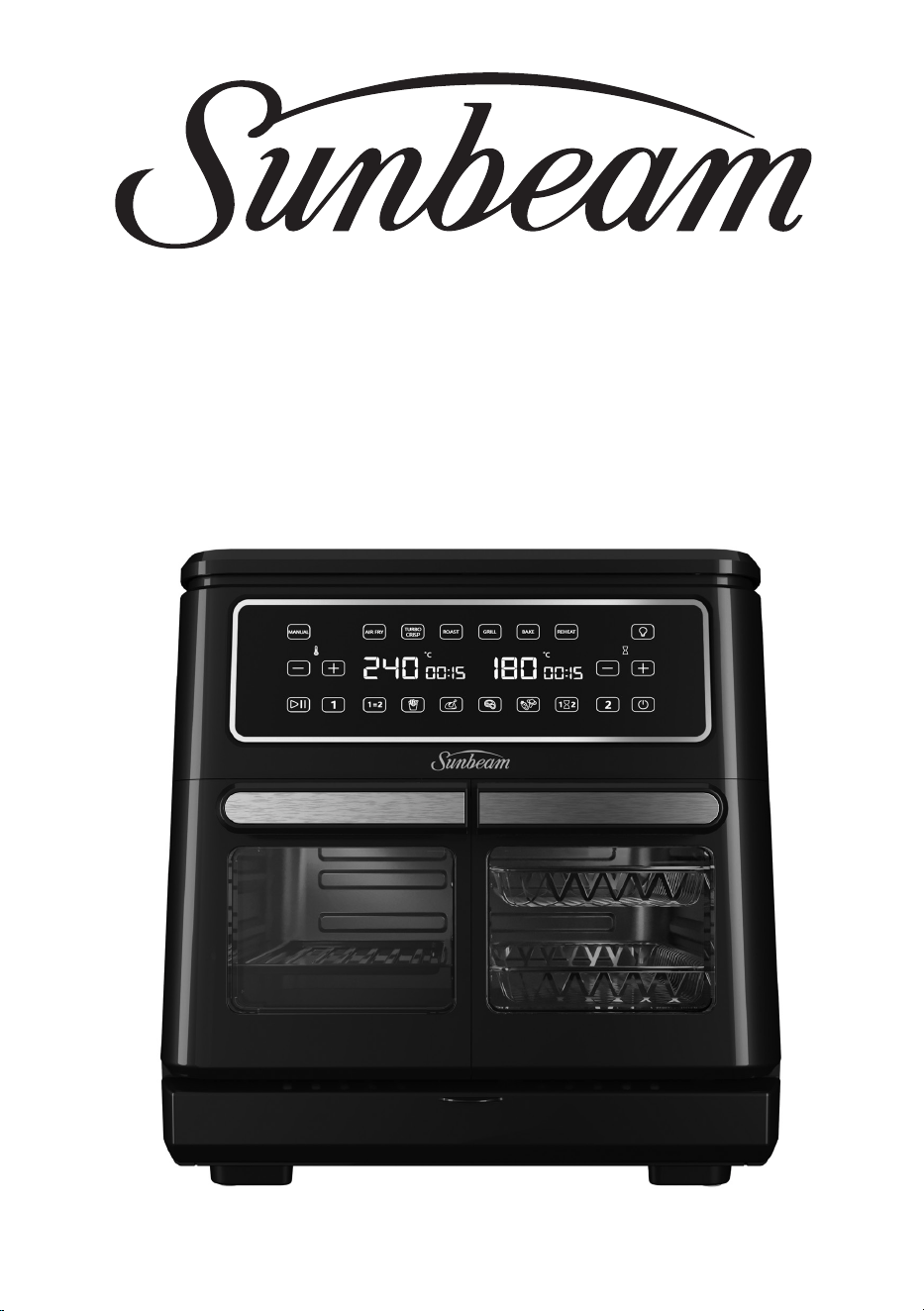
MULTI ZONE AIR FRYER OVEN
User Guide
AFP6000BK
Contents
Sunbeam’s Safety Precautions 1
Features of your Sunbeam Multi Zone Air Fryer Oven 2
Control Panel 3
Temperature Settings Guide 4
Before First Use 5
Usage Instructions 5
Cooking Functions and Presets 9
Care and Cleaning 10
Cooking Guide 11
Troubleshooting 13
1
Sunbeam’s Safety Precautions
SAFETY PRECAUTIONS FOR YOUR MULTI ZONE
AIR FRYER OVEN
• Use your air fryer oven at least 200mm away from
walls and curtains, and do not use in confined
spaces.
• Do not operate the air fryer oven when placed
directly onto a bench top. Place a heat proof mat or
chopping board underneath to protect the surface.
• Avoid placing your air fryer oven on top of stone/
stone polymer composite benchtops as this type
of benchtop can be susceptible to cracking under
heat.
• Do not operate the unit on an inclined surface.
• Do not move or cover the unit whilst in operation.
• Do not immerse the base of the unit in water or
any other liquid.
• Do not touch any metal surface of the unit whilst
in use as it will be hot.
• Use oven mitts when supporting the base of the
basket during basket removal when hot.
• Use only the supplied baskets and tray accessories
inside the unit.
• Do not place food or liquid inside the unit. Only
place on or inside the supplied accessories.
• Do not operate the unit without food or liquid in
the supplied accessories.
• Do not use the accessories on the stovetop, inside
a microwave oven or inside an oven.
If you have any concerns regarding the performance and use of your appliance, please visit www.sunbeam.
com.au or contact the Sunbeam Consumer Service Line.
Ensure the above safety precautions are understood.
Sunbeam is very safety conscious when designing and
manufacturing consumer products, but it is essential
that the product user also exercise care when using
an electrical appliance. Listed below are precautions
which are essential for the safe use of an electrical
appliance:
• Read carefully and save all the instructions provided
with an appliance.
• Always turn the power off at the power outlet before
you insert or remove a plug. Remove by grasping the
plug - do not pull on the cord.
• Turn the power off and remove the plug when the
appliance is not in use and before cleaning.
• Do not use your appliance with an extension cord
unless this cord has been checked and tested by a
qualified technician or service person.
• Always use your appliance from a power outlet of the
voltage (A.C. only) marked on the appliance.
• This appliance is not intended for use by persons
(including children) with reduced physical, sensory
or mental capabilities, or lack of experience and
knowledge, unless they have been given supervision
or instruction concerning use of the appliance by a
person responsible for their safety.
• Children should be supervised to ensure that they do
not play with the appliance.
• The temperature of accessible surfaces may be high
when the appliance is operating.
• Never leave an appliance unattended while in use.
• Do not use an appliance for any purpose other than
its intended use.
• Do not place an appliance on or near a hot gas
flame, electric element or on a heated oven.
• Do not place on top of any other appliance.
• Do not let the power cord of an appliance hang over
the edge of a table or bench top or touch any hot
surface.
• Do not operate any electrical appliance with a
damaged cord or after the appliance has been
damaged in any manner. If damage is suspected,
return the appliance to the nearest Sunbeam
Appointed Service Centre for examination, repair or
adjustment.
• For additional protection, Sunbeam recommend the
use of a residual current device (RCD) with a tripping
current not exceeding 30mA in the electrical circuit
supplying power to your appliances.
• Do not immerse the appliance in water or any other
liquid unless recommended.
• Appliances are not intended to be operated by means
of an external timer or separate remote control
system.
• This appliance is intended to be used in household
and similar applications such as: staff kitchen areas
in shops, offices and other working environments;
farm houses; by clients in hotels, motels and other
residential type environments; bed and breakfast
type environments.
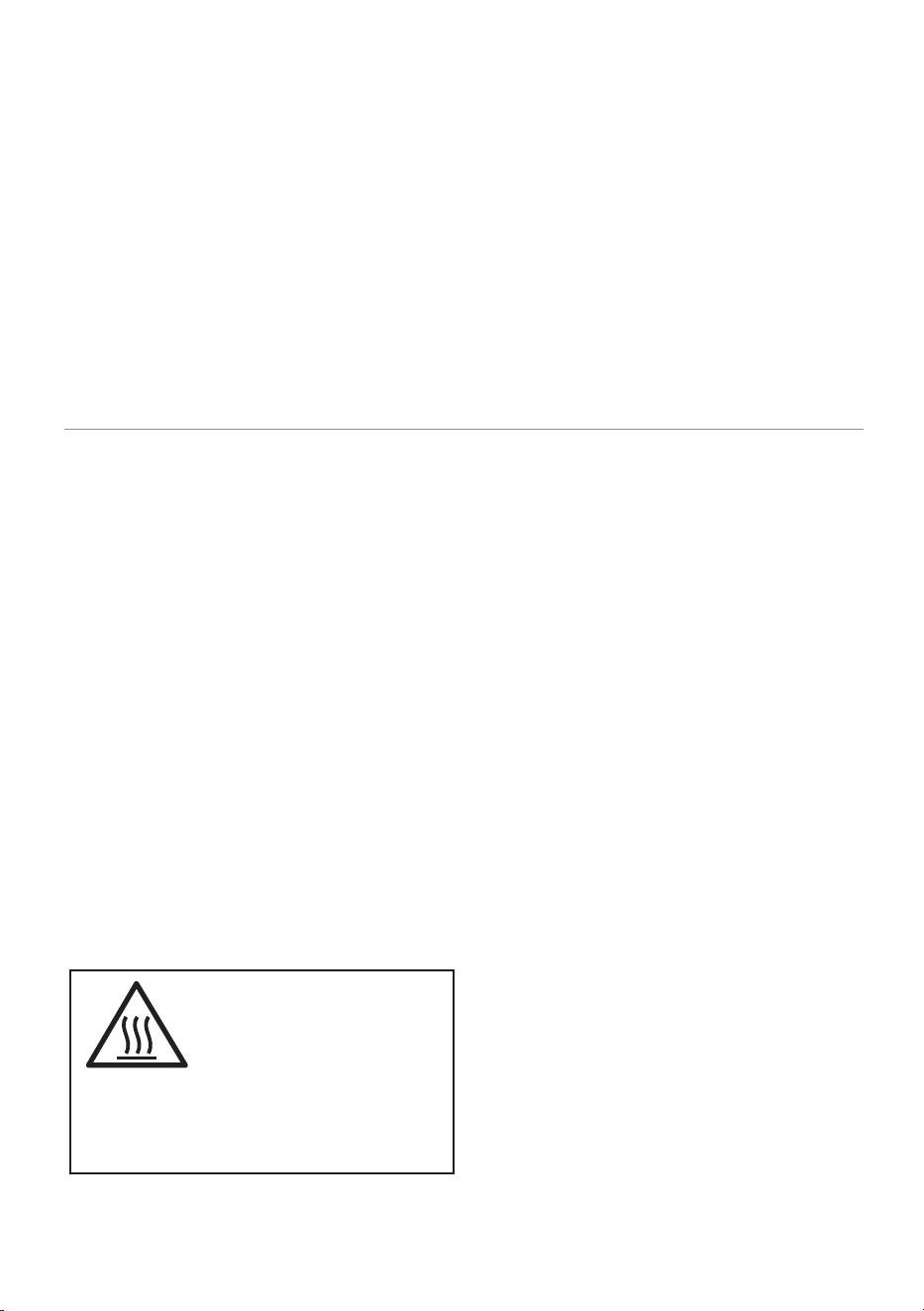
This symbol indicates, temperature of
accessible surfaces may be high when the
appliance is operating and for some time
after use.
Hot Surface
Do Not Touch
2
Features of your Sunbeam
Multi Zone Air Fryer Oven
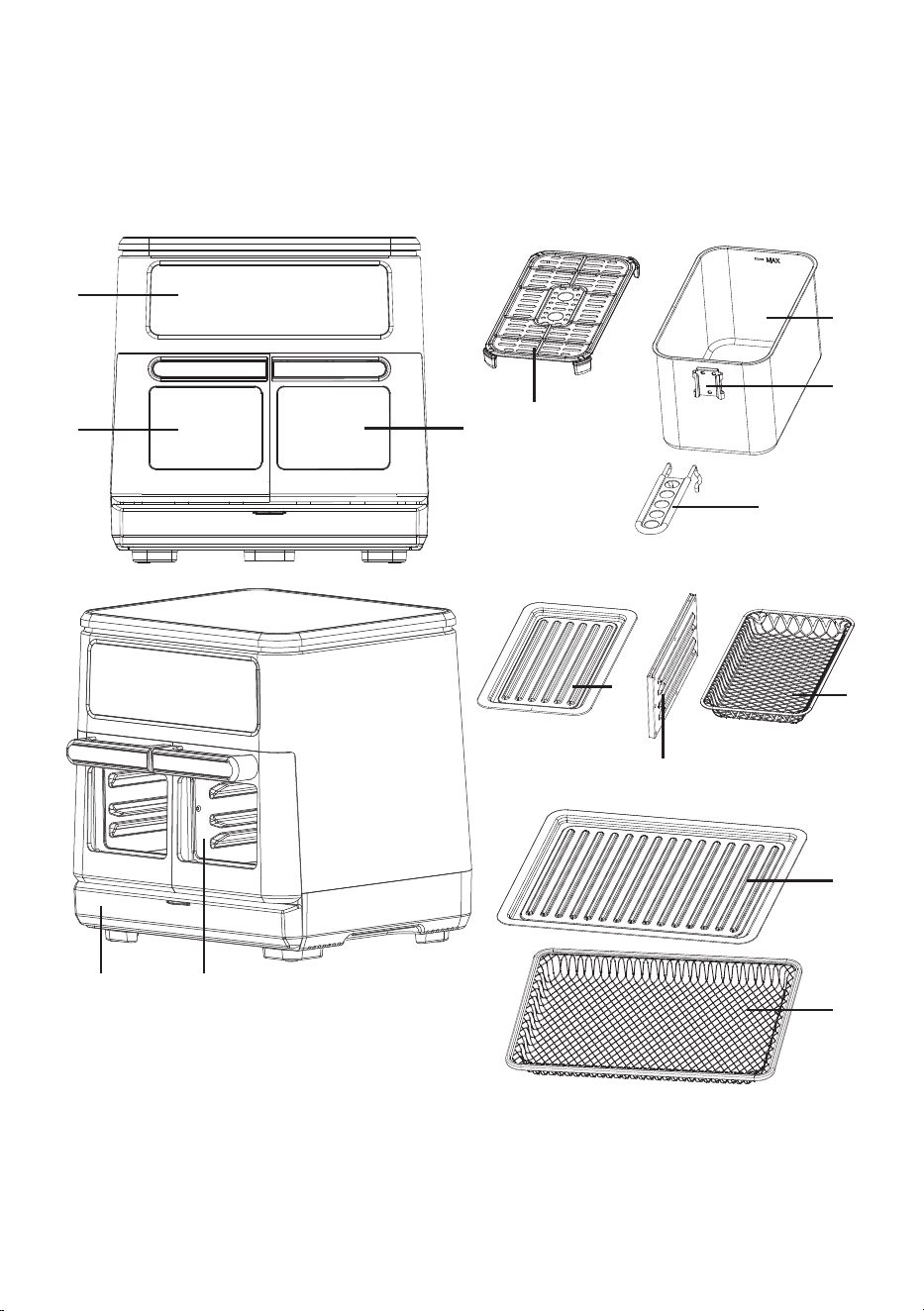
Parts
1. Control Panel
2. Cooking Compartment 1
3. Cooking Compartment 2
4. Storage Drawer
5. Basket x2
6. Air Flow tray x2
7. Small roasting tray x2
8. Large roasting tray x1
9. Large air fry tray x1
10. Small mesh tray x2
11. Removable basket handle
12. Middle partition (removable)
13. Clasp
1
5
11
12
13
6
2
8
9
7
10
3
4
12
3
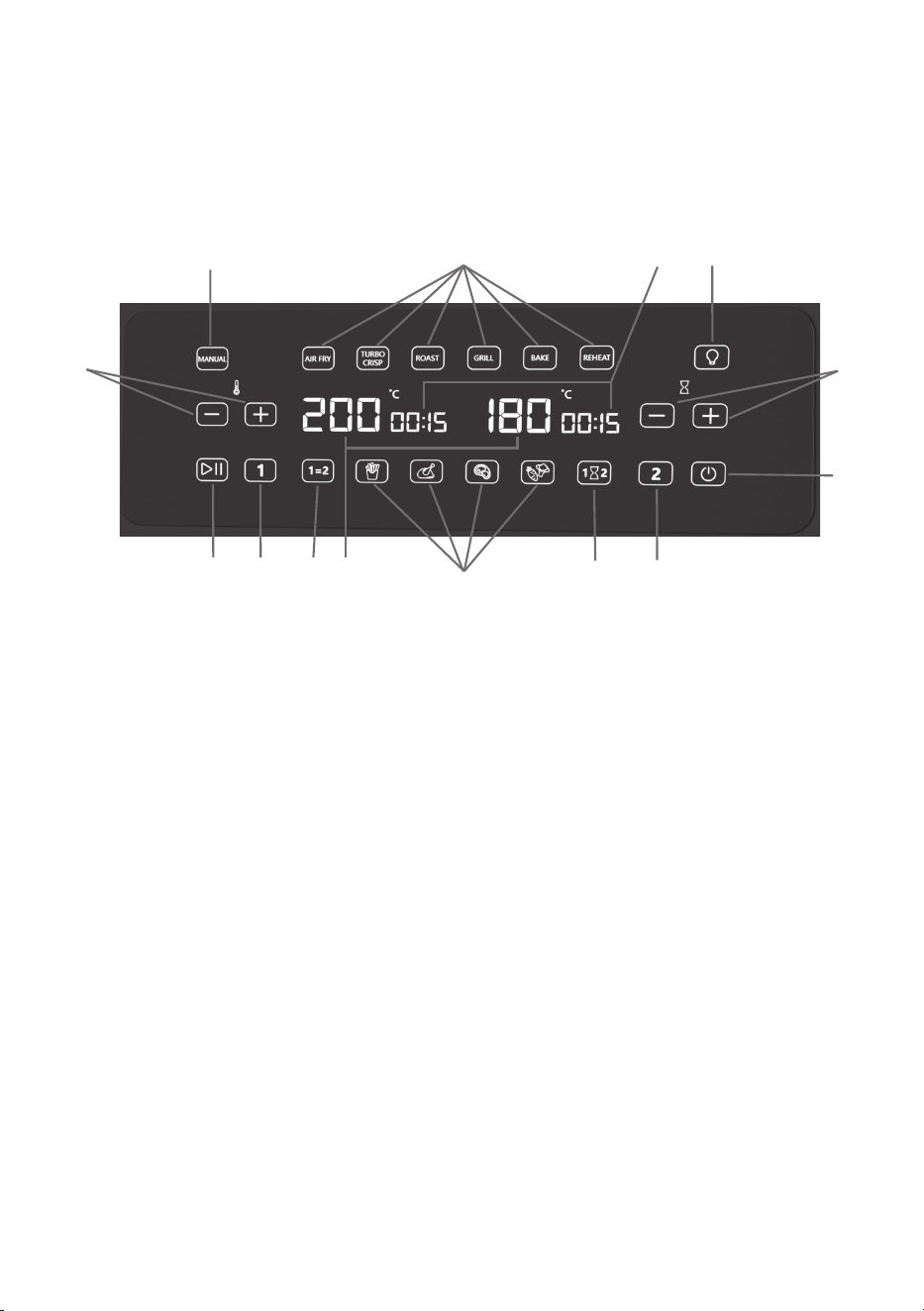
Control Panel
14. Power
15. Start / Pause
16. Temperature adjustment
17. Timer adjustment
18. Cooking functions: air fry, turbo crisp,
roast, grill, bake, reheat,
19. Presets: fries, chicken, meat and
vegetables
20. Manual cooking function
21. Match Function
22. Sync Function
23. Cooking Compartment 1
24. Cooking Compartment 2
25. Light
26. Temperature
27. Time
20
16
18
27 25
17
14
24
22
19
26212315
4
Temperature Settings Guide
Please note that due to the variations in thickness and size of foods being cooked, cooking
results may vary. Always ensure that the food is thoroughly cooked before consuming.
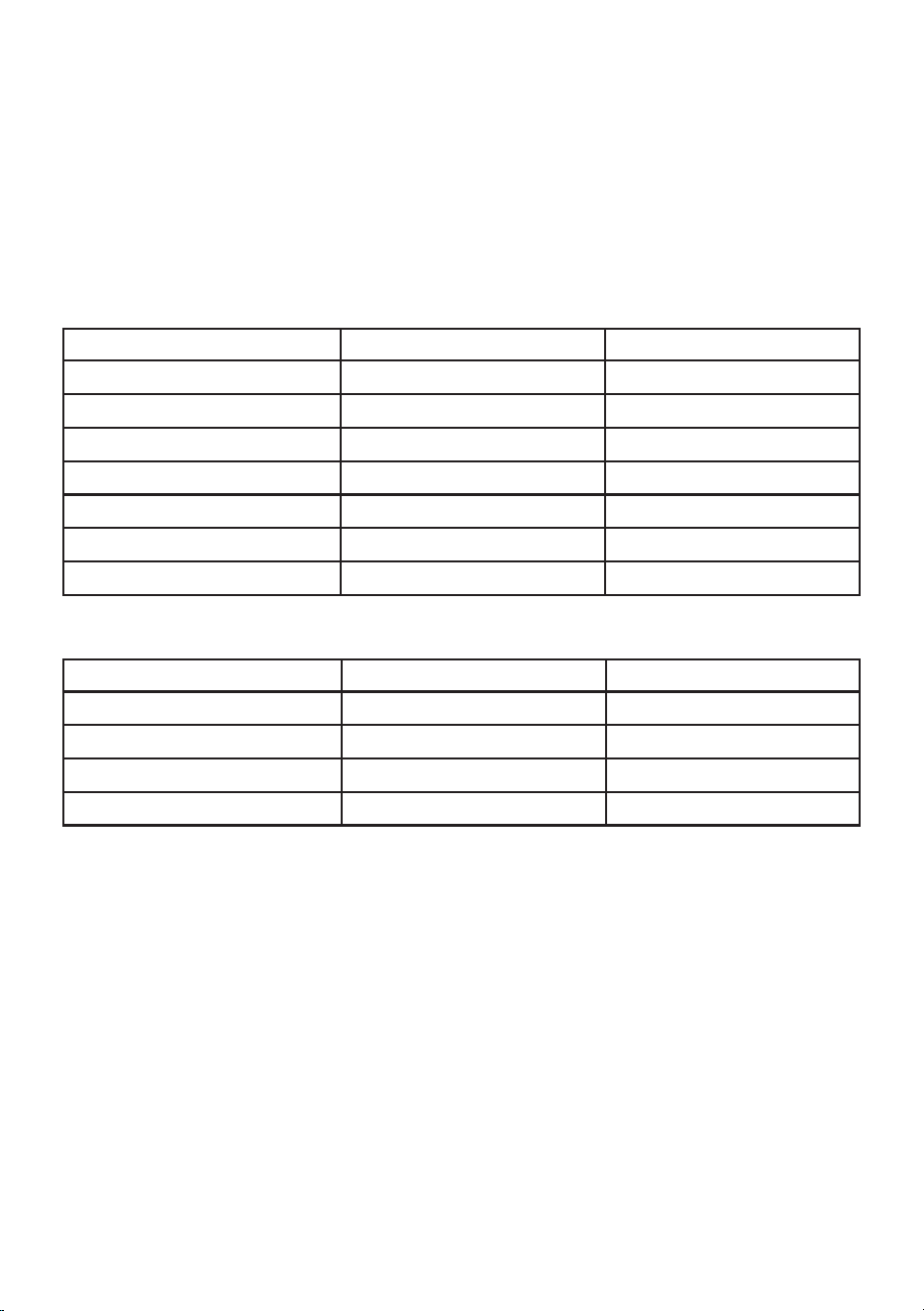
These tables provide the default time and temperature for each Cooking Function and
Preset. These can be adjusted using the Temperature and Timer Setting buttons.
Cooking Function Chart
Functions Temp Time
Air Fryer 180˚C 15 mins
Turbo Crisp 240˚C 10 mins
Roast 180˚C 60 mins
Grill 230˚C 15 mins
Bake 160˚C 30 mins
Reheat 120˚C 10 mins
Manual 200˚C 15 mins
Preset Chart
Functions Temp Time
Fries 200˚C 20 mins
Chicken 170˚C 60 mins
Meat 230˚C 15 mins
Veg 170˚C 15 mins

5
Before First Use
Before using your Air Fryer Oven for the
first time, unpack the appliance and
remove all packaging, promotional materials
and stickers from the product. Remove
any plastic or cardboard from inside the
cooking compartment. Remove all printed
documents.
Clean the Air Fryer Oven and all accessories
with a damp cloth, using only milk, soapy
water.
Preparing Your Air Fryer Oven
1. Placeonaat,level,heat-resistant
surface.
2. Plug the cord into 230-240V power
outlet and turn Power ( ) on. All
available functions will illuminate.
3. Select the Match function (
1=2
) then
Air Fry, then press Start/Pause ( ). The
Air Fryer Oven will run for 15 minutes
to eliminate any remaining manufacture
residue.
Usage Instructions
Conguring Your Air Fryer Oven
1. The Air Fryer Oven can be used as
two separate cooking compartments
where each side can be programmed
with different functions, times and
temperatures, or as one large 11L
cooking compartment by removing the
Middle Partition.
2. Afterdecidingonyourconguration
placetheAirFryerOvenonaatsurface
and plug in.
Removing the Middle Partition
1. Ensure the Air Fryer Oven is cool. DO
NOT remove the Middle Partition while
the Air Fryer Oven is hot.
2. Open both compartment doors.
3. Pull the Middle Partition towards you to
slide it out of the Air Fryer Oven.
4. The Large Roasting Tray or Air Fry
Tray can be used when the partition is
removed.
5. All functions and presets can be used
when cooking in the large cooking
compartment, however ‘
1
’, ‘2’, ‘Sync’
( ) and ‘Match’ (1=2) are not relevant
to the large cooking compartment and
so will not be available to select.

6
Re-inserting the Middle Partition
1. Ensure the Air Fryer Oven is cool. DO
NOT insert the partition whilst the Air
Fryer Oven is hot.
2. Fully open both compartment doors.
3. There is no ‘wrong way’ when re-
inserting the Middle Partition. Align into
the slots at the top and bottom of the
cooking compartment and push gently
until it touches the back wall. Once in
place the Air Fryer Oven will register it
has been inserted and the user interface
will allow you to set the program for the
cooking compartments separately.
NOTE: If the doors will not close properly
the Middle Partition has not been
inserted into the cooking compartment
correctly.
Usage Instructions
Choosing Your Accessories
• When using the Air Fry Tray place the
Roasting Tray on the rail below or on the
bottom of the cooking compartment to
collect any oil or crumbs.
• For best results when using the Roasting
Trays and Air Fry Trays together in the
same compartment, the Roasting Tray
should be placed on lower rail only,
with the Air Fry Tray positioned above.
Thisallowsforbetterairowandevenly
cooked food.
• When using the Baskets ensure the air
owtraysarefullyinserteduntilthe
rubber feet are on the bottom of the
basket.
• When cooking frozen food using all 4
trays at once, we recommend increasing
your cooking time by 3-4 minutes.
NOTE: When using the Roasting Tray on
the highest shelf position, food with a
high fat content can create more smoke,
due to the proximity of the heating
element.
• For best results and when baking
larger cakes, bread and cookies, we
advise baking with the Middle Partition
removed and the Large Roasting Tray
placed on the bottom of the oven, with
the basket or your own bakeware placed
on the roasting tray. This allows better
airowaroundyourchosenbakeware.

7
Usage Instructions
Program – one side or large compartment only
1. Add food to your chosen accessory and
place inside the cooking compartment,
then close the door.
2. Press the power button ( ).
3. Press the compartment button ‘1’ or
‘2’ according to where you’ve placed
the food (not required when the Middle
Partition is removed).
4. Choose the desired Function or Preset,
or Manual.
5. If necessary, adjust the time ( ) or
temperature ( ) using the (+) and (-)
buttons.
6. Press Start ( ).
Program – both sides with the same settings
(MATCH available)
1. Add food to your chosen accessories and
place inside the cooking compartments,
then close the doors.
2. Press the power button ( ).
3. Press the Match button (1=2). The
digital displays over both sides will be
on during programming because these
settings will apply to both sides (so
you don’t have to program each side
separately).
4. Choose the desired Function or Preset,
or Manual.
5. If necessary, adjust the time ( ) or
temperature ( ) using the (+) and (-)
buttons.
6. Press Start ( ).
Program – both sides with different settings
(SYNC available)
1. Add food to your chosen accessories and
place inside the cooking compartments,
then close the doors.
2. Press the power button ( ).
3. Press the Button ‘1’ to program that
compartment.
4. Choose the desired Function or Preset,
or Manual.
5. If necessary, adjust the time ( ) or
temperature ( ) using the (+) and (-)
buttons.
6. Press the Button ‘2’ to program that
compartment and repeat steps 4 and 5.
You can even choose the same function
or preset but with a different time or
temperature if you wish.
7. If each side has different cooking times
butyouwishbothtonishtogether,
press the SYNC button ( ).
NOTE: to ensure optimum cooking there
is a maximum holding time difference
allowed between each side. If you
require a greater time difference than
the unit will allow then delay adding
your food to that side by that extra
amount of time.
8. Press Start ( ).

8
Cooking
1. After pressing Start ( ) the cooking
compartment light will illuminate, the
heat and fan will switch on and the time
display will count down.
2. The light button ( ) can be pressed
during cooking if you need to check
your food with the door closed. It will
automatically switch off after 30 seconds.
3. Press the Start/Pause button ( ) at any
time to pause cooking, which suspends
the time and switches off the heat. Re-
press the button to continue cooking.
4. Opening the door during cooking will
pause the program, suspend the timer
and switch off the heat. Closing the door
will automatically restart the program
and continue cooking.
5. An audible alert will sound (5 times)
and display ‘FLIP’ halfway through your
programmed time as a reminder to turn
your food or shake the Basket for even
cooking (see Cooking Guide for more
details).
NOTE: If your food does not require
turning you can ignore the beep. The
audible alert will not sound when
the bake or roast function are in use
because foods cooking under these
settings are unlikely to require turning.
6. Both compartment lights will illuminate
1 minute before the end to alert you
thatcookingisalmostnished.
7. Whencookingisnishedanaudible
alert will sound (3 times) and the
compartment lights will illuminate for
10 seconds before the Air Fryer Oven
automatically turns itself off.
8. Press the Power button ( ) at any time
to cancel cooking or to re-program.
Usage Instructions
Additional Functions
• Turbo Crisp:Ifyourfoodneedsanal
crisping, you can use the Turbo Crisp
function for an additional 10 minutes
of cooking: when normal cooking has
nishedpressthisbutton(itdefaultsto
10 minutes) and press Start ( ).
• SYNC ( ): Automatically syncs
bothcookingcompartmentstonish
cooking at the same time even if they
have different cooking times. The
compartment with the longest cook time
willstartrst,thentheshortercooktime
will begin, allowing both compartments
tonishatthesametime.Thisis
ideal for cooking fast food style items,
whether frozen or chilled. The maximum
time difference between each side is
pre-set to a maximum 45 minutes, to
allowthenishedfoodqualityofboth
compartments to be at their optimum.
If a time difference greater than 45
minutesissetthedisplaywillashand
both timers will return to zero, and the
air fryer will not start. Simply re-program
the timers to be within a maximum
difference of 45 minutes, press Sync,
then Start.
• MATCH (1=2): The match button
automatically sets both cooking
compartments to the same time and
temperature. This function can be used
if you are cooking a large amount of the
same food or different foods with the
same cook time and temperature.
NOTE: When using the Sync or Match
function both cooking compartments
will pause cooking if only one door is
opened. This is to allow the food to
nishcookingatthesametime.Once
both doors are closed cooking will
continue.

9
Cooking Functions and Presets
Helpful Tips
Cooking Functions
This product has 6 cooking functions that
can be selected.
1. Choose the desired cooking function -
Air Fry, Turbo Crisp, Roast, Grill, Bake
and Reheat.
2. Adjust the temperature or time if
required and then press Start/Pause
button ( ) to start.
• During cooking, if the door is left open
for 5 minutes or more the Air Fryer Oven
will go to sleep. Press the Power ( )
button to wake.
• To remove the Baskets from the Air
Fryer Oven use the Removable Handle.
Squeeze the Handle to insert into the
clasp on the Basket and use the same
action to remove the Handle.
CAUTION: Do not remove hot Baskets
without the handle.
• Use thick kitchen towel or oven proof
gloves to remove Trays from warm
cooking compartment.
• After cooking remove food with a heat
safe cooking utensil. Do not put hot
Baskets, Trays or food onto a non-
heatproof surface. Use caution when
tipping the Baskets to remove food to
avoid spilling oil or hot liquids.
Food Presets
This product has 4 preset food programs
that can be selected.
1. Choose from the 4 food presets:
Fries, Chicken, Meat or Vegetables.
Temperature and time will automatically
appear.
2. Adjust the temperature or time if
required and then press Start/Pause
button ( ) to start.
• When not in use, the large and small
Roasting Trays and large Air Fry Tray will
nest together and store in the Storage
Drawer.
• The Baskets and small Air Fry Trays
will store in the Cooking Compartments
when not in use.
• If one side is already cooking and you
wish to add food to the other side, press
Start/Pause ( ), then program the other
side as per instructions "Program - one
side or large compartment only". Add
food and press Start/Pause ( ). Both
sides will now cook together.
• Do not use metal utensils in combination
with the accessories. Silicone based
utensils are recommended.
• When baking, we recommend placing
bakeware on top of the Roasting Trays.
Thisallowsairowunderneaththe
bakeware.TheBaskets,withAirow
Trays removed, are also suitable for
baking.

10
To clean after use
Caution: Always unplug your air fryer oven
and allow it to cool completely before
cleaning it. NEVER immerse the oven,
power cord or plug in water or any other
liquid.
The air fryer oven interior can be wiped with
a damp cloth using warm, soapy water.
Care and Cleaning
CAUTION: Do not immerse in water.
Using abrasive cleaners, scrubbing brushes
and chemical cleaners will damage the unit.
Empty the Baskets and Trays frequently to
avoid accumulation of crumbs.
Baskets, Trays, Removable Divider and
Handle are all dishwasher safe.

11
Guide to cooking popular foods in your air
fryer oven
The table on the next page provides basic
cooking guidelines for popular foods that
can be cooked using the food functions and
presets:
Functions: Air Fry, Turbo Crisp, Roast, Grill,
Bake, Reheat.
Presets: Fries, Chicken, Meat, Vegetables.
Please note that due to the variations
in thickness and size of the foods being
cooked some experimentation may be
required for the best cooking results.
Always ensure that the food is thoroughly
cooked to food-safe temperature throughout
before consuming.
Cooking Guide
When cooking fresh fries, keep oil
quantities as low as possible for the
healthiest results. However, if you feel the
fries are a little pale and require further
browning, increase the quantity of oil
slightly.
Note: For crispier results, it is
recommended to shake the basket 2-4
times throughout the cooking cycle.
For larger quantities, (1kg) increase cooking
times and toss food more frequently.
12
Cooking Guide
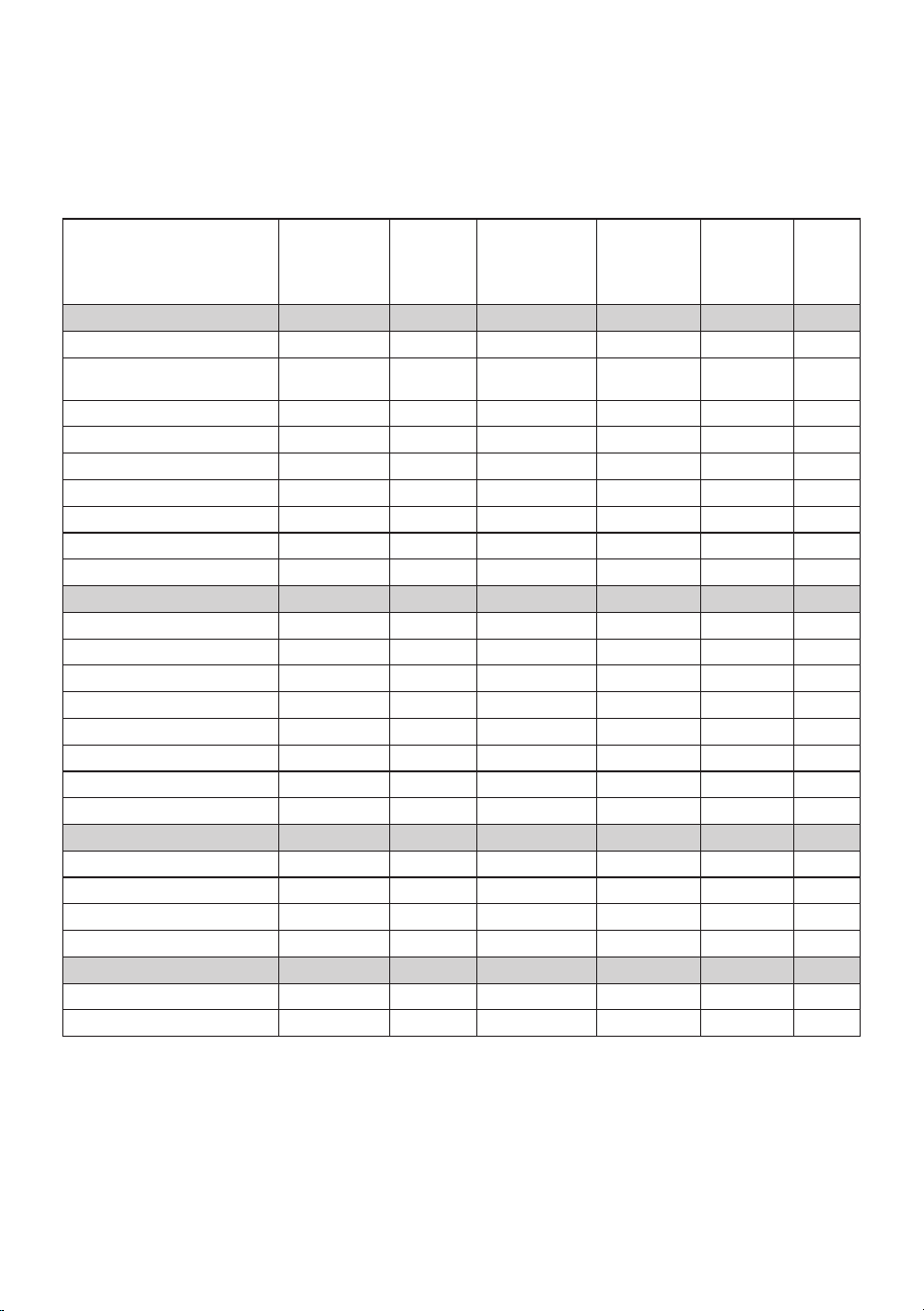
Food Weight
Function/
Preset
Time Temperature
Shake/Turn
half way
through
cooking
Oil
POTATOES
Hand Cut Fries 700g - 800g Fries 30 – 35 mins 200ºC Yes 1 tbsp
Hand Cut Fries 250g Fries 15 – 20 mins 200ºC Yes ½ tbsp
Frozen Fries, (Thick Cut) 500g – 700g Fries 20 – 25 mins 200ºC Yes No
Frozen Fries, (Thick Cut) 250g Fries 13 – 15 mins 200ºC Yes No
Frozen Fries, (Thin Cut) 500g – 700g Fries 18 – 20 mins 200ºC Yes No
Frozen Fries, (Thin Cut) 250g Fries 10 – 12 mins 200ºC Yes No
Frozen Sweet Potato fries 500g Fries 15 – 18 mins 200ºC Yes No
Frozen Hash Browns 600g Fries 18 – 20 mins 200ºC Yes No
Fresh Jacket Potatoes 1kg (4) Air Fry 60 mins 180ºC No No
MEAT/POULTRY/FISH
Steak 250g (1) Steak 10 – 15 mins 200ºC Yes 1 tsp
Pork Chops 600g (3) Steak 15 – 20 mins 180ºC Yes 1 tbsp
Beef Burgers 340g (2) Steak 16 – 18 mins 180ºC Yes No
Leg of Lamb 2.0kg – 2.5kg Roast 105 – 120 mins 170ºC No No
Whole Roast Chicken 1.8kg – 2.2kg Chicken 80 – 90 mins 170ºC No No
Whole Roast Chicken 1.3kg – 1.6kg Chicken 60 – 70 mins 170ºC No No
Chicken Wings 1 kg Chicken 30 – 35 mins 180ºC Yes No
Salmon Fillet 480g (2) Air Fry 12 – 15 mins 180ºC No No
FROZEN FOODS
Frozen Battered Fish 400g (2) Air Fry 12 – 15 mins 180ºC Yes No
Frozen Chicken Nuggets 400g Air Fry 12 – 15 mins 180ºC Yes No
Frozen Vegetable Burgers 450g (4) Air Fry 15 – 20 mins 200ºC Yes No
Frozen garlic bread slices 6 slices Air Fry 6 – 8mins 180ºC Yes No
VEGETABLES
Frozen Onion Rings 400g Air Fry 10 – 12 mins 180ºC Yes No
Fresh Roasting Vegetables 800g Veg 15 – 20 mins 170ºC Yes 1 tbsp

13
Troubleshooting
PROBLEM POTENTIAL CAUSE SOLUTION
Overcooked /
Undercooked
Foods
• Incorrect temperature or
time setting
• You may have to adjust the time and
temperature to desired taste.
• Because your Air Fryer Oven is smaller
than your regular oven, it will heat up
faster and generally cook in shorter
periods of time.
Burning Smell
• Food build-up inside
fryer
• Cooking compartments
• Refer to “Cleaning Your Air Fryer
Oven” Section.
Touch panel
interface is
non-responsive
• Panel is dirty or greasy
• Excess moisture on
panel
• Controller is
malfunctioning
• Ensure panel is clean and free of
debris before using.
• Ensure panel is clean and dry, and use
dry hands to operate.
• Unplug unit and let it rest for 60
seconds before plugging in again. If
the error persists contact aftersales
support.
Touch panel right
hand side is non
responsive
• The middle partition is
not in place
• The middle partition
has not been inserted
correctly
• Ensure the middle partition has been
inserted as per the instructions.
Air Fryer will
not start after
programming
• Door is open
• Time difference between
sides in SYNC mode is
too much
• Close the door.
• Reduce the time difference.
14
www.sunbeam.co.nz
To assist us in managing warranty claims,
we recommend you register your product
as soon as practicable after purchase, on
our Sunbeam website and uploading a
copy of your original receipt. View the
Support section of the Sunbeam website.

NWL0001617932 Rev. B
AFP6000BK_24EM1 (ANZ)_GCDS-JC
SAP 2208669
Need help with your appliance?
Contact our customer service team
or visit our website for information
and tips on getting the most from
your appliance.
Australia | visit www.sunbeam.com.au
phone 1300 881 861
New Zealand | visit www.sunbeam.co.nz
phone 0800 786 232
NEWELL AUSTRALIA PTY LTD. ABN 68 075 071 233
Sunbeam is a registered trade mark.
Made in China to Sunbeam’s specification.
Due to minor changes in design or otherwise,
the product you buy may differ slightly from the one shown here.
Approved by the appropriate electrical regulatory authorities.
© Copyright Sunbeam 2024.
06/24