18
24-hour Munbyn after-sales service on working days
• WhatsApp: +86 17817881067 • E-mail: Support@munbyn.com
17
24-hour Munbyn after-sales service on working days
• WhatsApp: +86 17817881067 • E-mail: [email protected]om
For more questions, please visit:
munbyn.biz/helpcenter
Why is the printed label not clear?
(1) Try to choose PDF file format for printing instead of PNG, PIG, and
other image formats, when the barcode you print out is light (please
refer to the picture)
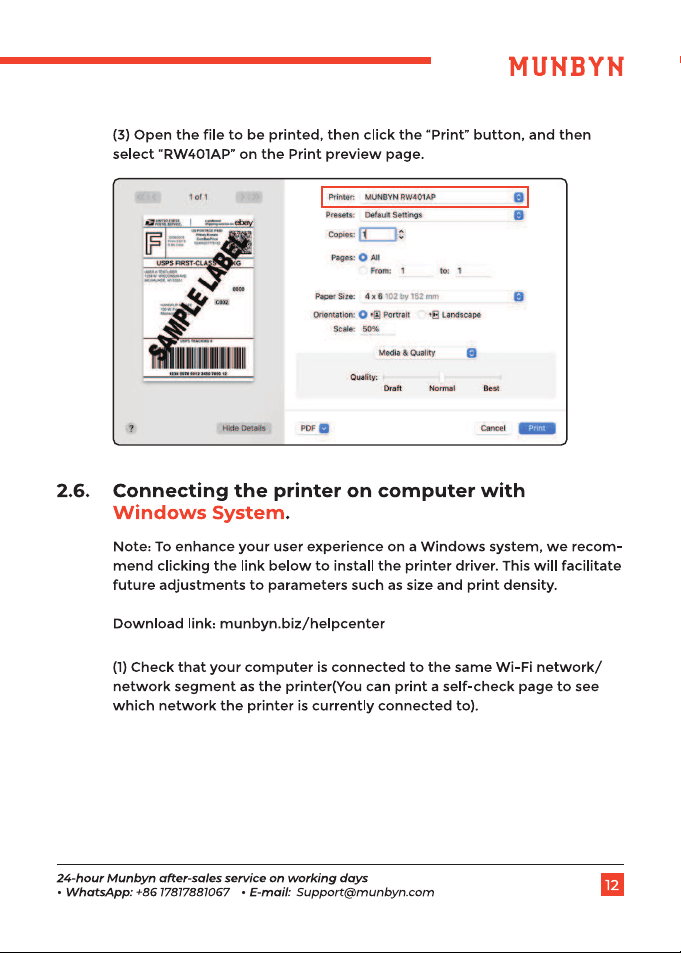
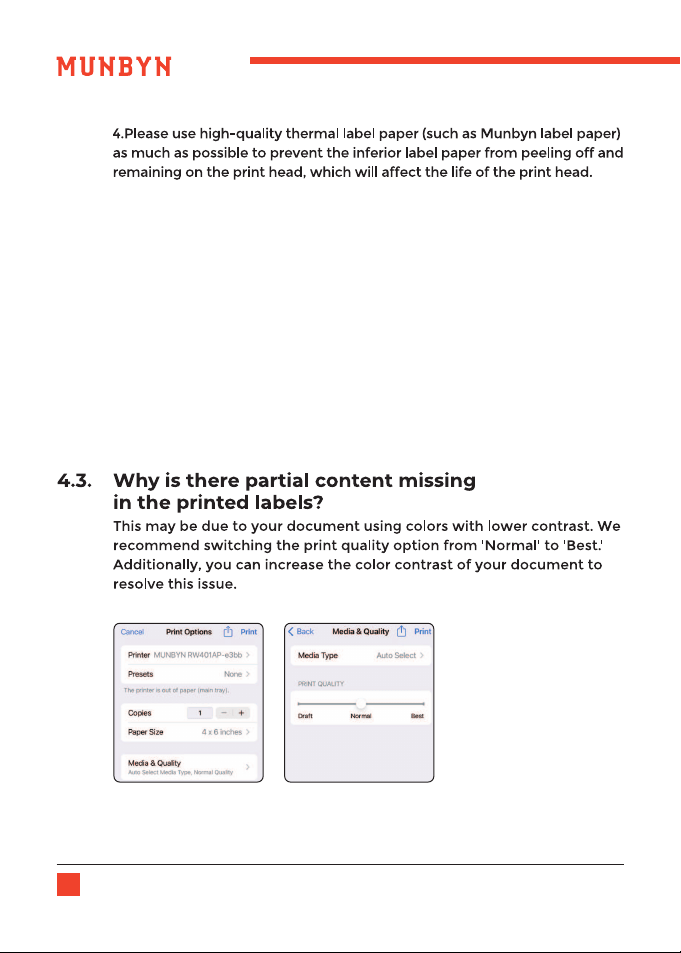
(2) In the print preview interface, switch the print quality option from
'Normal' to 'Best'.
(3) If it is still not clear for the label, you can wipe the print head with
alcohol wipes or wet tissues.
4.2.
18
24-hour Munbyn after-sales service on working days
• WhatsApp: +86 17817881067 • E-mail: [email protected]om
17
24-hour Munbyn after-sales service on working days
• WhatsApp: +86 17817881067 • E-mail: Support@munbyn.com
For more questions, please visit:
munbyn.biz/helpcenter
Why is the printed label not clear?
(1) Try to choose PDF file format for printing instead of PNG, PIG, and
other image formats, when the barcode you print out is light (please
refer to the picture)
(2) In the print preview interface, switch the print quality option from
'Normal' to 'Best'.
(3) If it is still not clear for the label, you can wipe the print head with
alcohol wipes or wet tissues.
4.2.
20
24-hour Munbyn after-sales service on working days
• WhatsApp: +86 17817881067 • E-mail: Support@munbyn.com
19
24-hour Munbyn after-sales service on working days
• WhatsApp: +86 17817881067 • E-mail: [email protected]om
20
24-hour Munbyn after-sales service on working days
• WhatsApp: +86 17817881067 • E-mail: [email protected]om
19
24-hour Munbyn after-sales service on working days
• WhatsApp: +86 17817881067 • E-mail: Support@munbyn.com