2
IMPORTANT!
READ CAREFULLY BEFORE USE.
KEEP THIS GUIDE FOR FUTURE REFERENCE.
More Information
https://businessforum.zyxel.com
support.zyxel.com
3
Document Conventions
Warnings and Notes
Warnings tell you about things that could harm you or your device.
Syntax Conventions
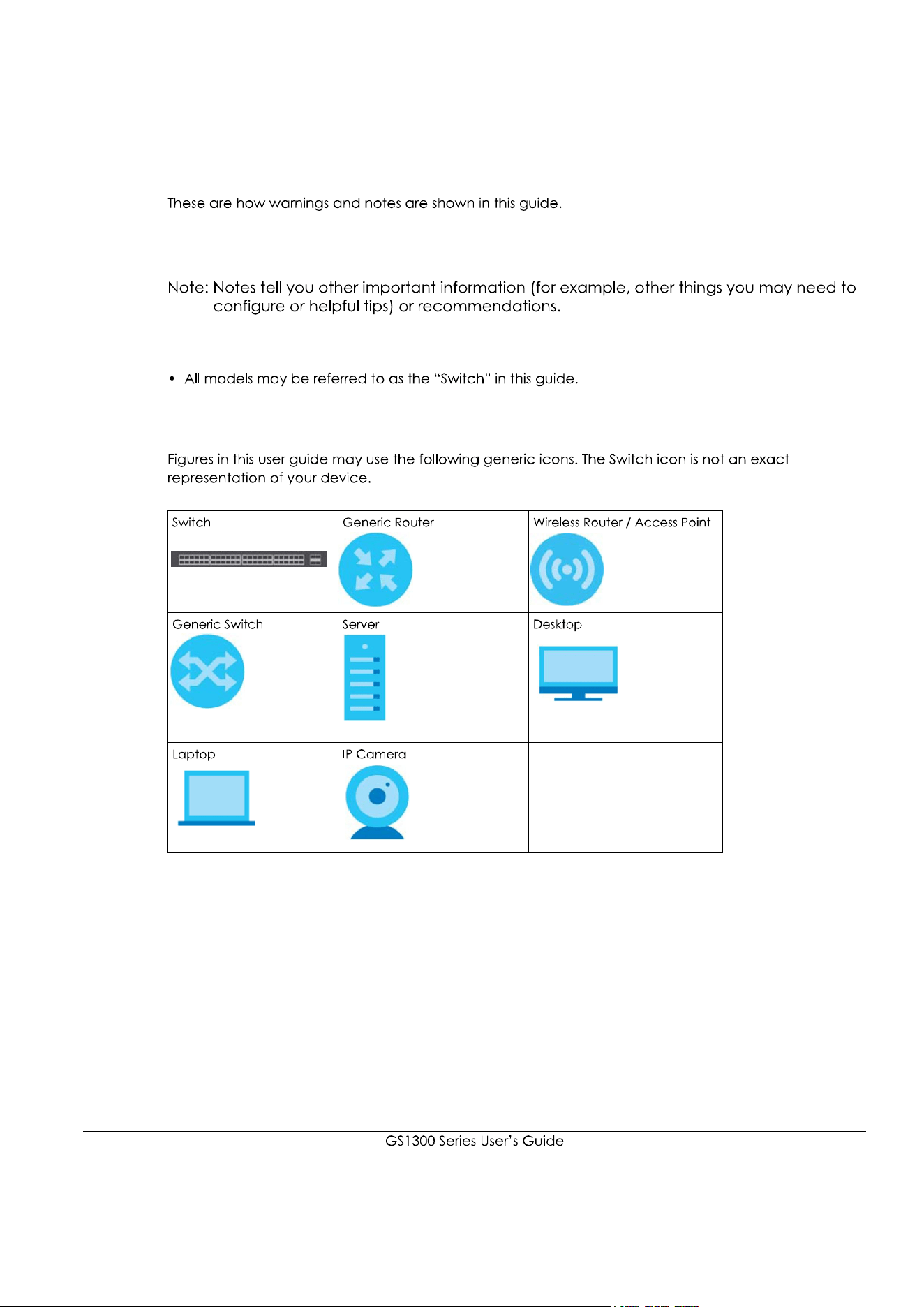
Icons Used in Figures

4
Table of Contents
Document Conventions ......................................................................................................................3
Table of Contents.................................................................................................................................4
Chapter 1
Getting to Know Your Switch ..............................................................................................................5
Chapter 2
Hardware Installation and Connection .............................................................................................8
Chapter 3
Hardware Panels................................................................................................................................13
Index...................................................................................................................................................31
5
CHAPTER 1
Getting to Know Your Switch
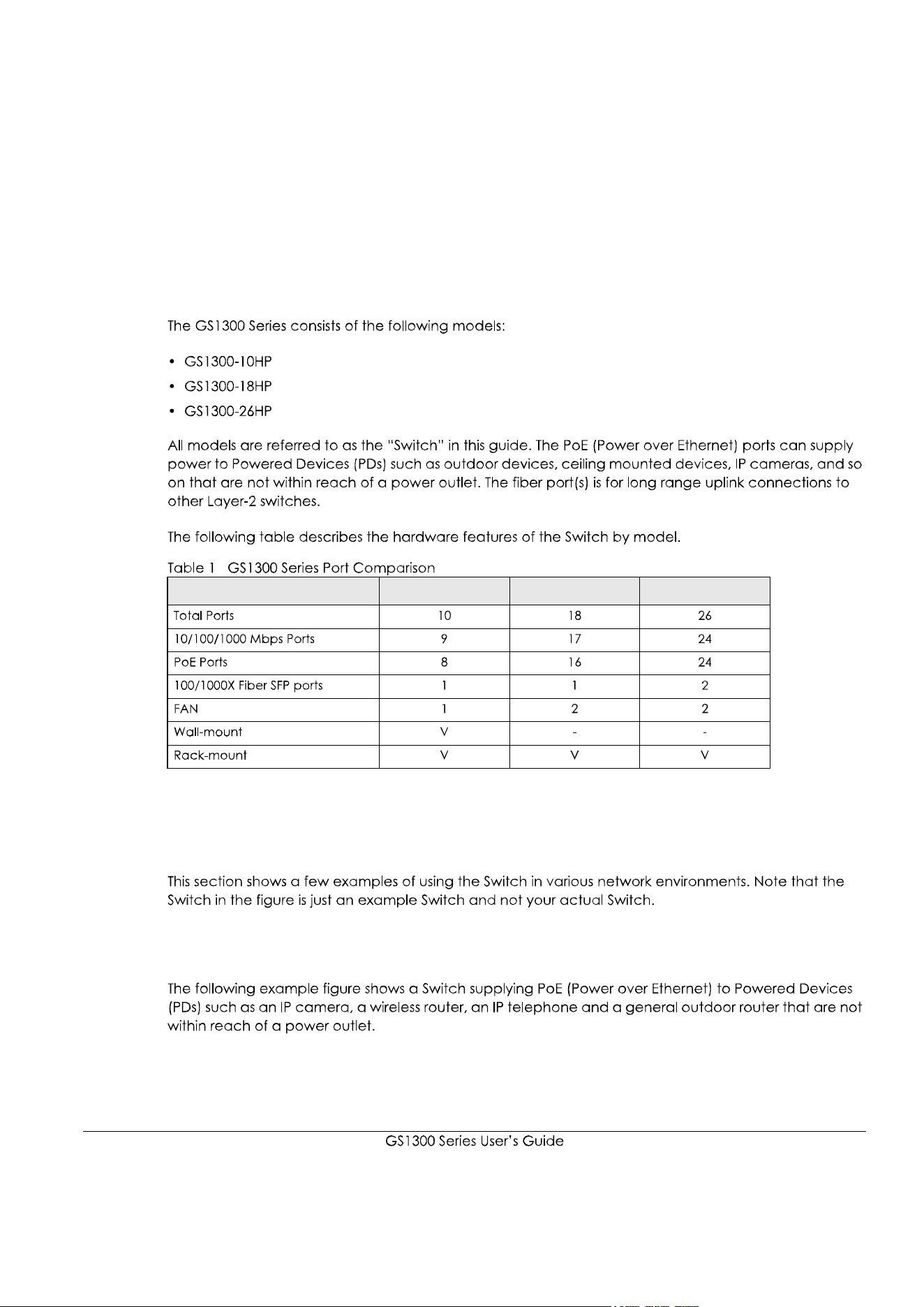
1.1 Introduction
1.2 Example Applications
1.2.1 PoE Example Application
FEATURE GS1300-10HP GS1300-18HP GS1300-26HP

6
Figure 1
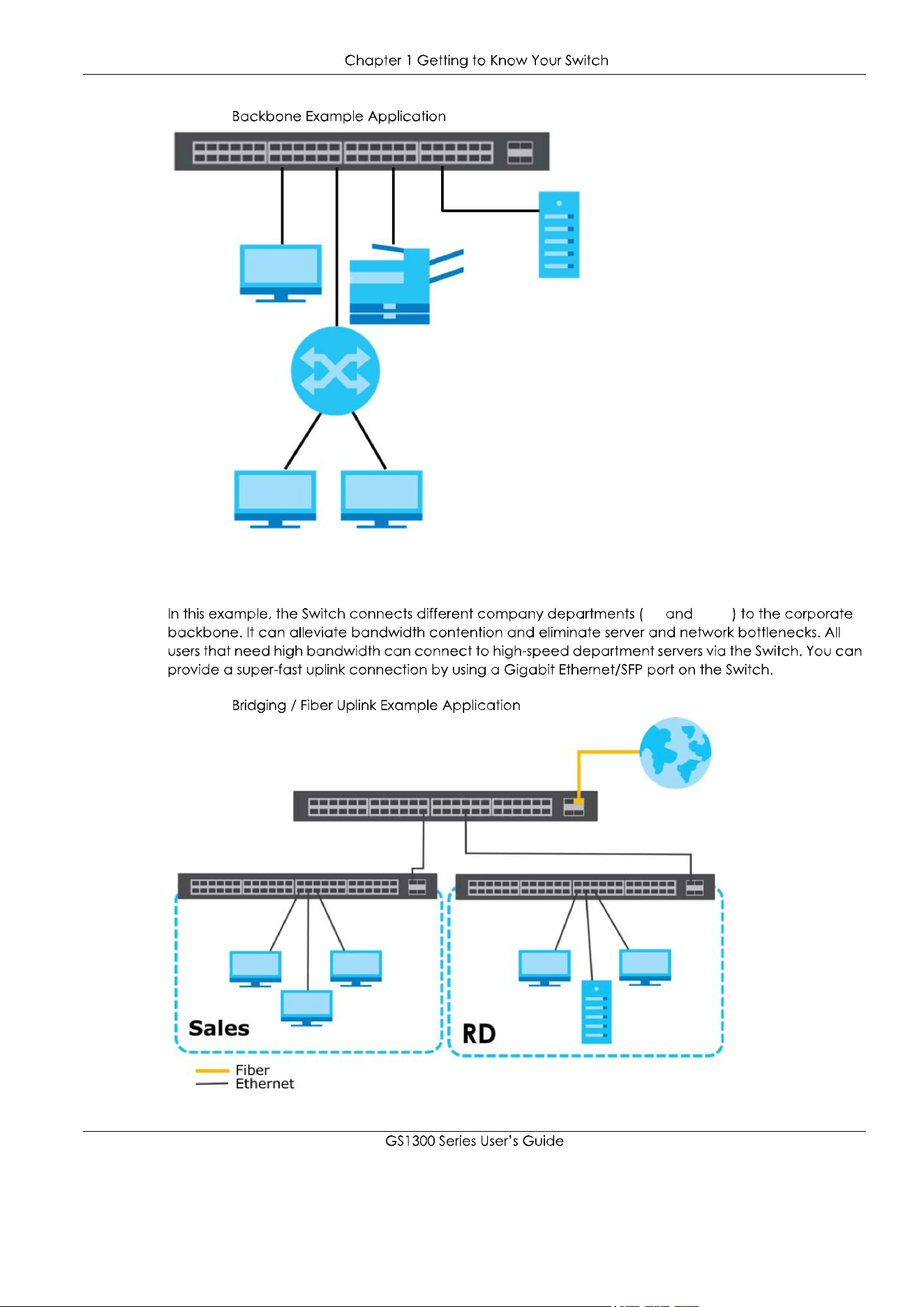
1.2.2 Backbone Example Application
7
Figure 2
1.2.3 Bridging / Fiber Uplink Example Application
RD Sales
Figure 3

8
CHAPTER 2
Hardware Installation and
Connection
2.1 Installation Scenarios
Installation Requirements
WARNING! Failure to use the proper screws may damage the unit.
WARNING! The surface of the Switch could be hot when it’s functioning.
Do NOT put your hands on it. You may get burned.
WARNING! This Switch is not suitable for use in locations where children
are likely to be present.
2.2 Wall Mounting
2.2.1 Installation Requirements

9
1
2
WARNING! Be careful to avoid damaging pipes or cables located inside
the wall when drilling holes for the screws.
3
4
5

10
WARNING! The Switch should be wall-mounted horizontally, and make sure
the front panel is facing down. The Switch's side panels with ventilation slots
should not be facing up or down as this position is less safe.
2.3 Rack Mounting
2.3.1 Installation Requirements

11
Precautions
2.3.2 Attaching the Mounting Brackets to the Switch
1
Figure 4
Figure 5
2
3
4
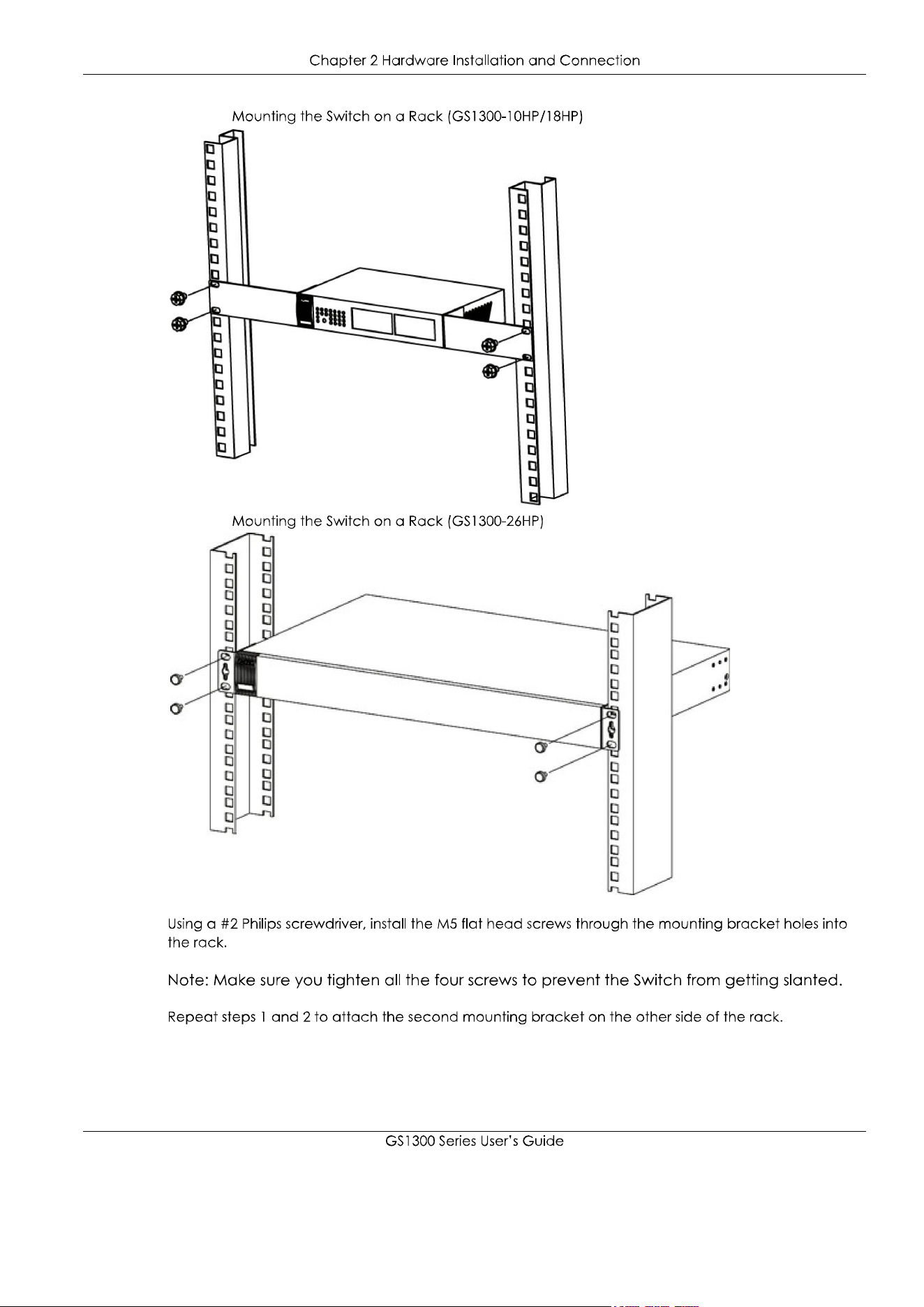
2.3.3 Mounting the Switch on a Rack
1
12
Figure 6
Figure 7
2
3
13
CHAPTER 3
Hardware Panels
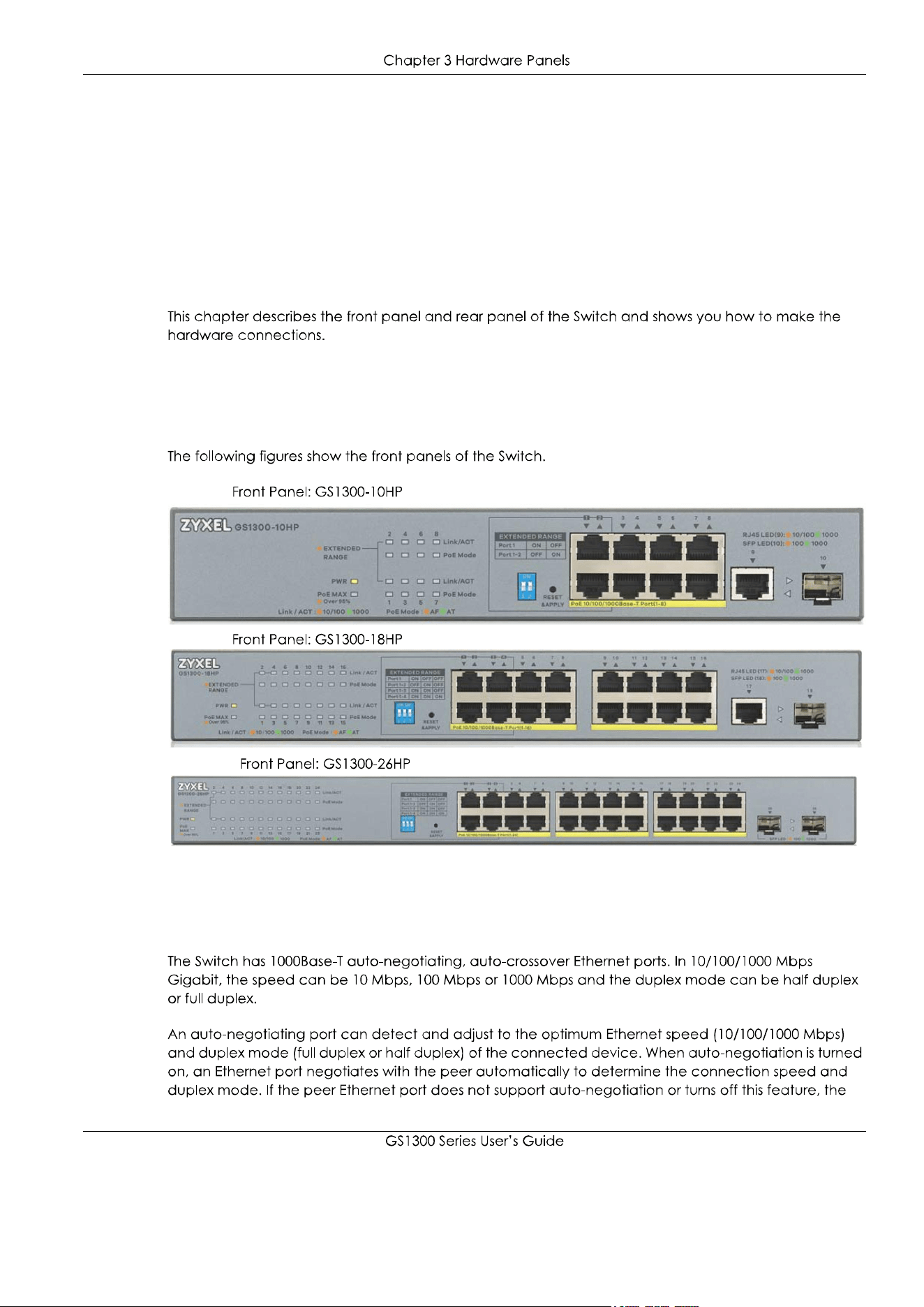
3.1 Front Panels
Figure 8
Figure 9
Figure 10
3.2 Gigabit Ethernet Ports

14
3.2.1 Default Ethernet Negotiation Settings
3.3 Fiber Uplink Ports
3.3.1 SFP Slots
WARNING! To avoid possible eye injury, do not look into an operating
fiber-optic module’s connectors.
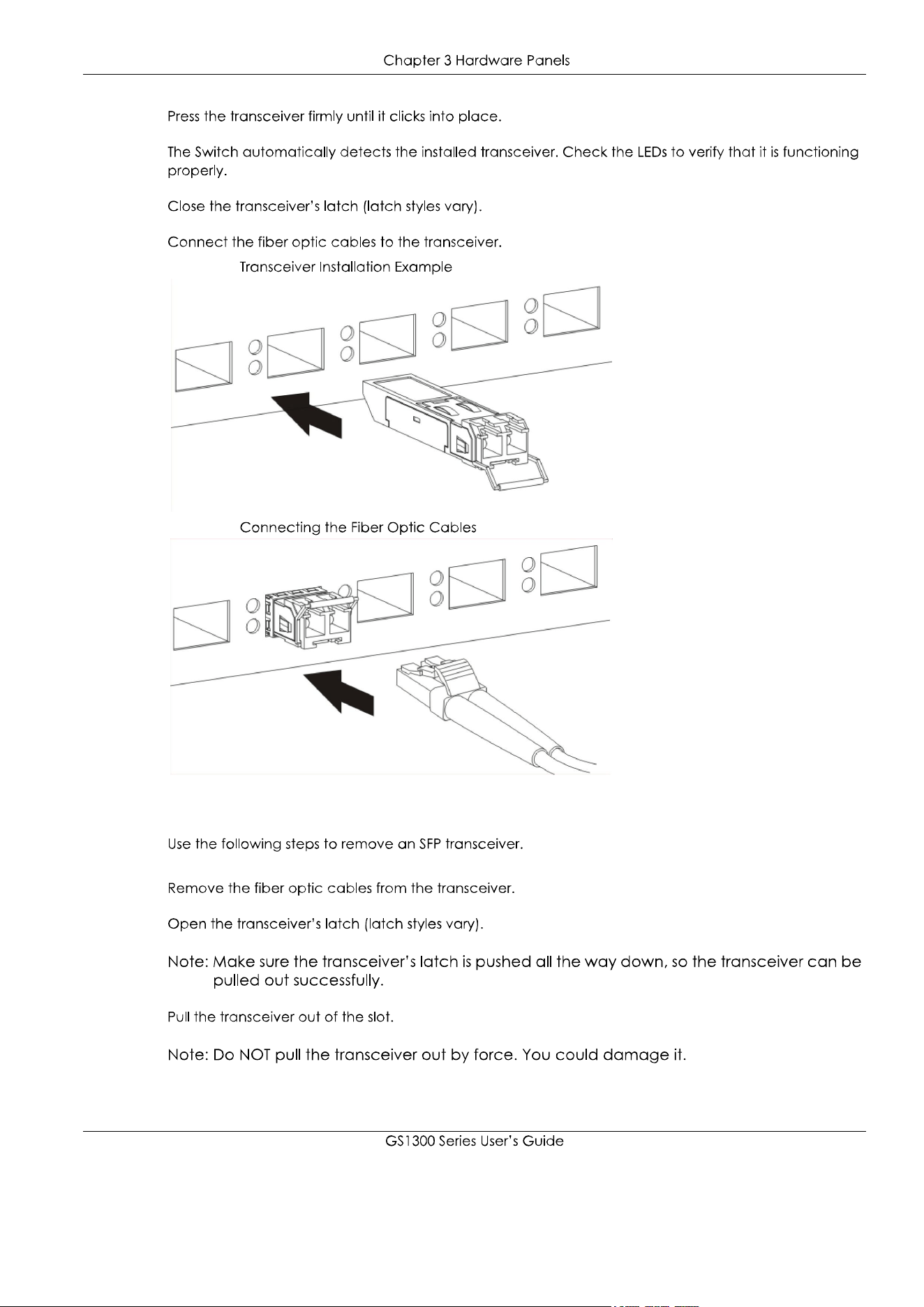
3.3.1.1 Transceiver Installation
1
15
2
3
4
5
Figure 11
Figure 12
3.3.1.2 Transceiver Removal
1
2
3

16
Figure 13
Figure 14
Figure 15
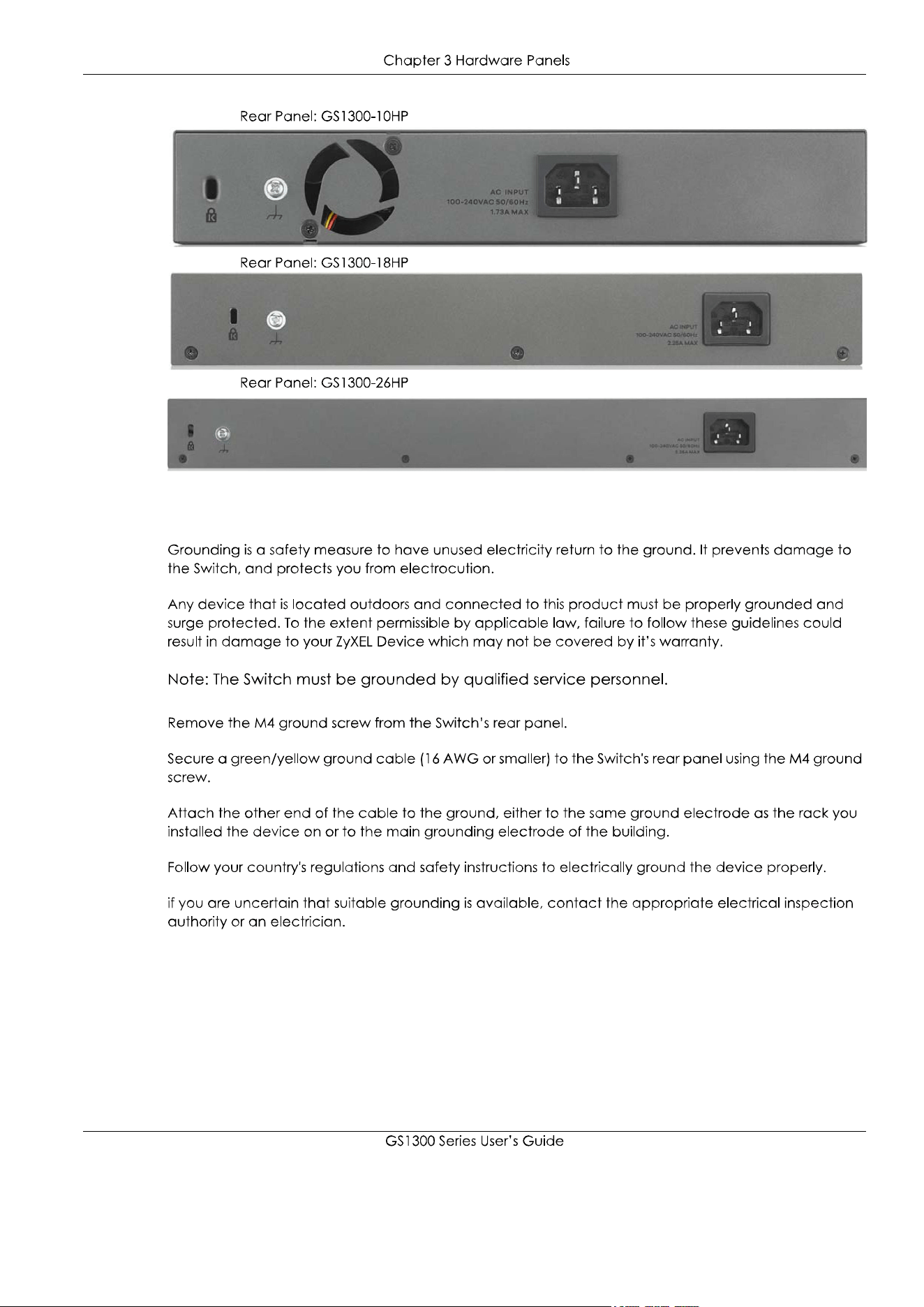
3.4 Rear Panels
17
Figure 16
Figure 17
Figure 18
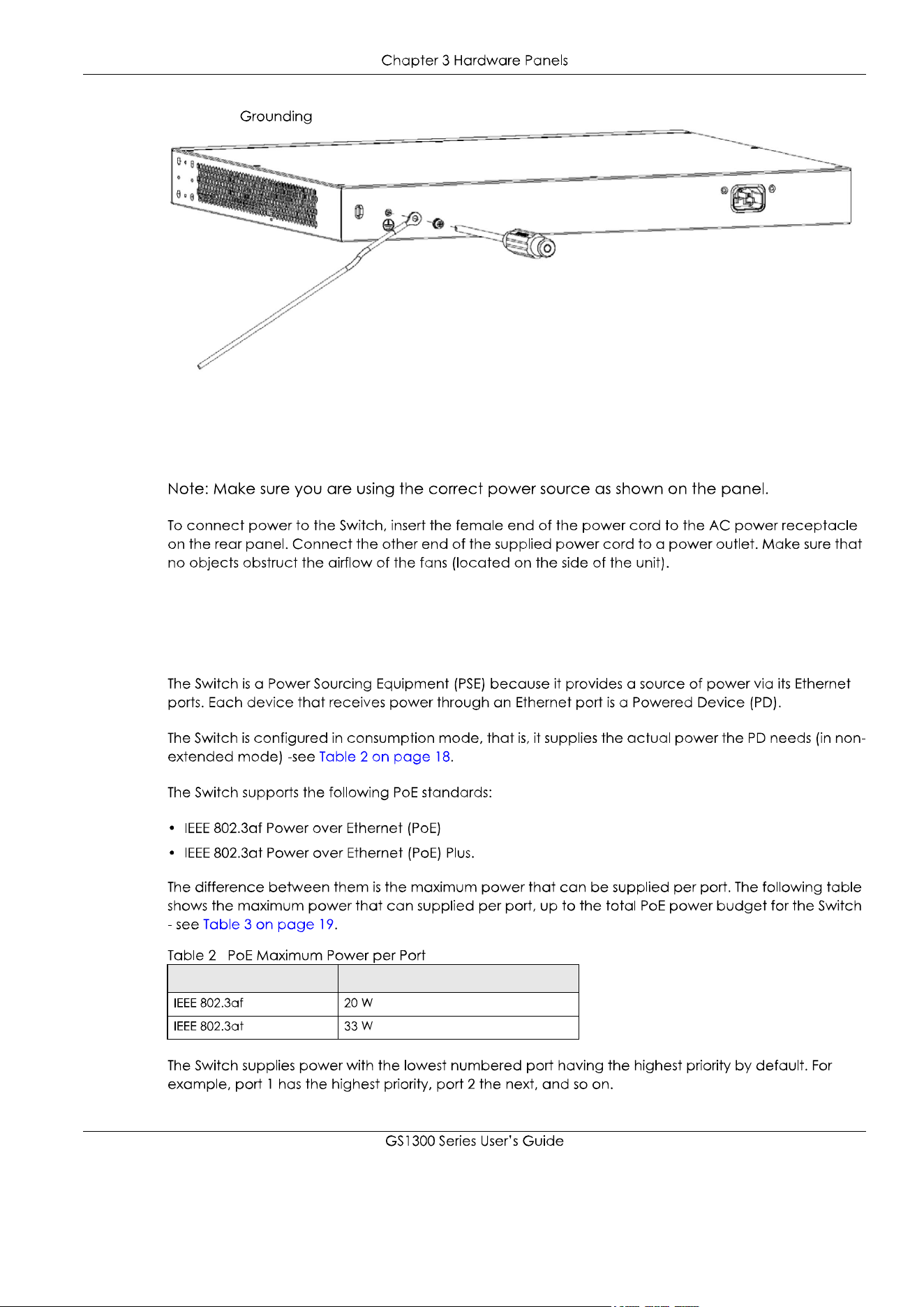
3.4.1 Grounding
1
2
3
Warning! Connect the ground cable before you connect any other
cables or wiring.
18
Figure 19
3.5 Power Connector
3.6 PoE
STANDARD MAXIMUM POWER PER PORT

19
3.7 Extended Range
Reset &
Apply
PWR
LINK/ACT
POE Mode
3.8 LEDs
FEATURE GS1300-10HP GS1300-18HP GS1300-26HP
EXTENDED RANGE
PORTS DIP 1 DIP 2 DIP 3
LED COLOR STATUS DESCRIPTION

20
LED COLOR STATUS DESCRIPTION
21
APPENDIX A
Customer Support
https://www.zyxel.com/homepage.shtml
https://www.zyxel.com/about_zyxel/zyxel_worldwide.shtml
Required Information
Corporate Headquarters (Worldwide)
Taiwan
Asia
China
India
Kazakhstan
22
Korea
Malaysia
Pakistan
Philippines
Singapore
Taiwan
Thailand
Vietnam
Europe
Belarus
Belgium
23
Bulgaria
Czech Republic
Denmark
Estonia
Finland
France
Germany
Hungary
Italy
Latvia

24
Lithuania
Netherlands
Norway
Poland
Romania
Russia
Slovakia
Spain
Sweden
Switzerland
25
Turkey
UK
Ukraine
South America
Argentina
Brazil
Colombia
Ecuador
South America
Middle East
Israel

26
Middle East
North America
USA
Oceania
Australia
Africa
South Africa
27
APPENDIX B
Legal Information
Copyright
Disclaimer
Regulatory Notice and Statement
United States of America
Federal Communications Commission (FCC) EMC Statement
Canada
Innovation, Science and Economic Development Canada ICES statement
European Union
CE EMC statement
28
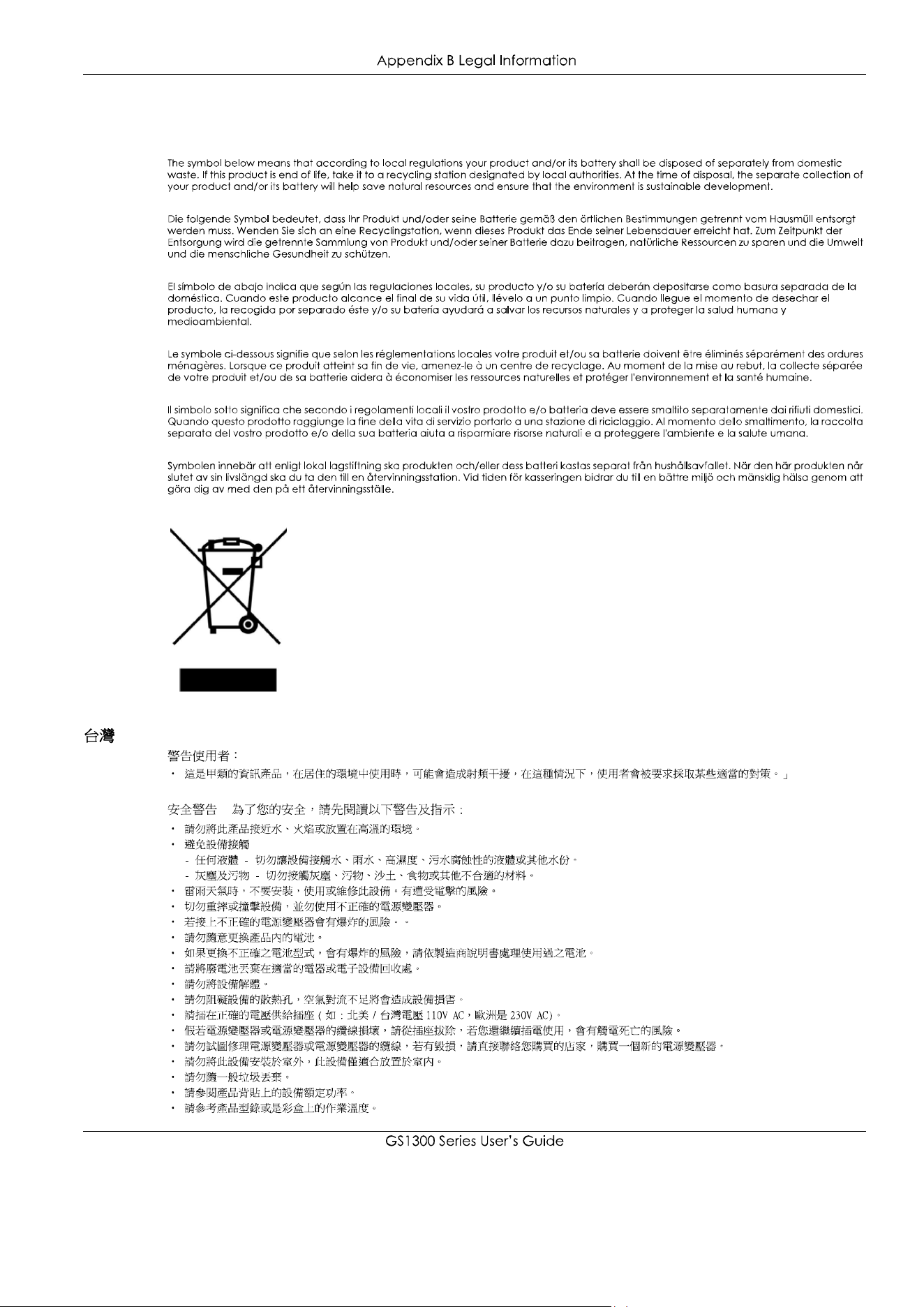
List of National Codes
Safety Warnings
COUNTRY ISO 3166 2 LETTER CODE COUNTRY ISO 3166 2 LETTER CODE
29
Environment Statement
European Union - Disposal and Recycling Information
-

30
About the Symbols
Explanation of the Symbols
Viewing Certifications
Zyxel Limited Warranty
Note
Registration
Trademarks
SYMBOL EXPLANATION

31
Index
A
18
6
7
7
5
14
13
B
6
C
19
30
9
21
27
21
D
14
19
27
8
20
E
10
19
F
27
14
13
G
9
13
17
H
8
8
13
I
18
18
11
10
14
8

32
L
19
20
M
14
11
N
5
P
19
20
20
18
18
18
18
18
30
R
10
18
30
10
8
S
14
T
30
14
14
14
15
W
8
30
30