
�������
���
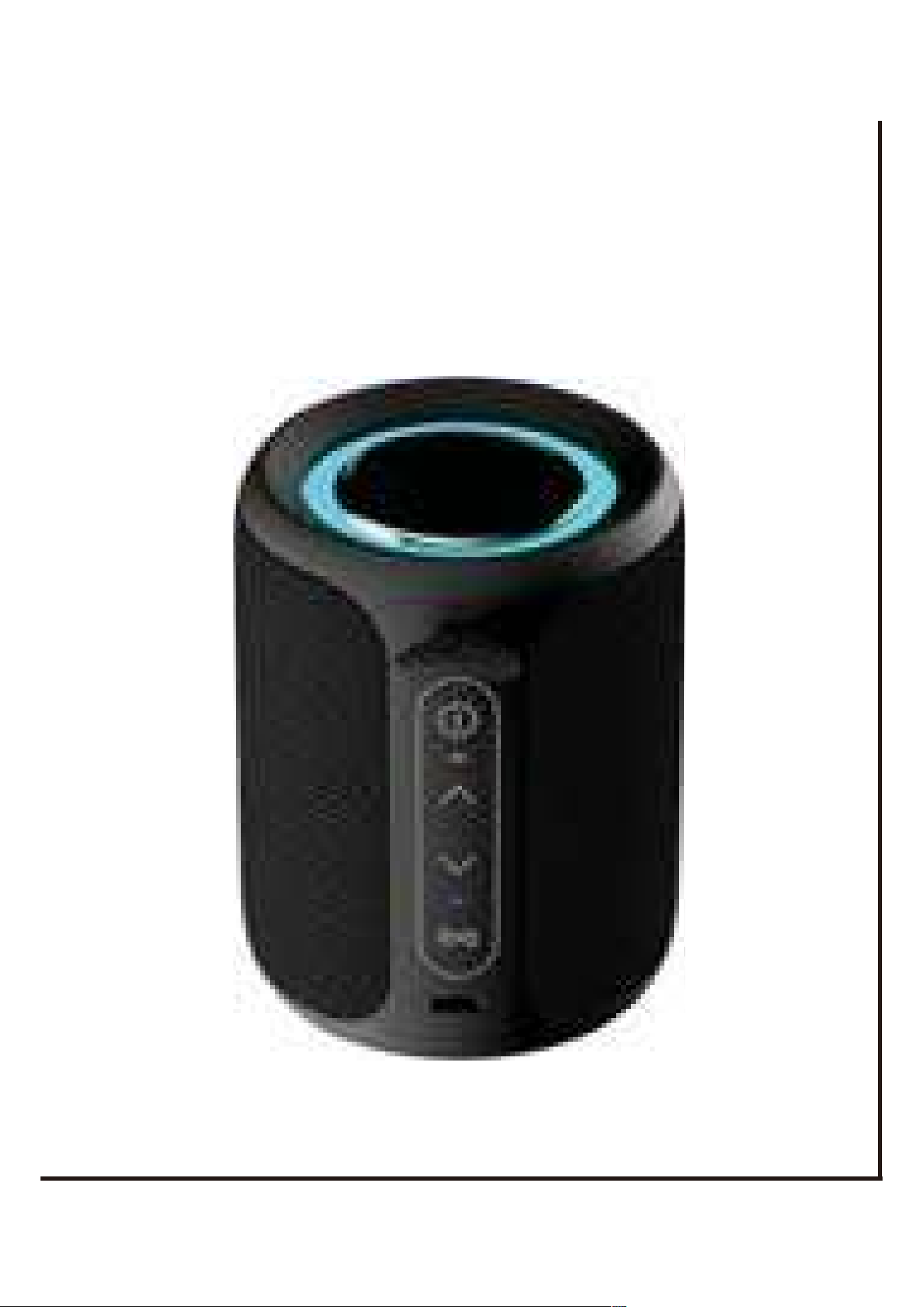
1x Bluetooth Speaker
1x Charging cable
1x User Guide
Please read the safety advice carefully and keep it for future reference.
1. This logo means that no naked flames, such as a candle can be placed
on or near the device.
2. The electrical and electronic equipment are part of a separate collection.
Do not throw electrical or electronic equipment away with unsorted municipal
waste, but ensure that it is collected separately, collection systems and locations
(sorting centres, rubbish dumps) are provided for you by local councils and
retailers. By entrusting your end-of-life product to the proper recycling process,
you can helping to protect the environment and your health.
3.Children over the age of 8 or persons with poor physical conditions, perception
or mental impairments, or persons who lack relevant experience and knowledge,
can use this device under the condition that someone supervises or gives
instructions on the safe use of equipment and understands the possible hazards.
4.Always unplug the device before cleaning it.
What's in your box:
Safety Instruc tion
Specification::on:
5.Clean the device with a soft dry cloth only. Never use solvents.
6.The battery (batteries or battery pack) shall not be exposed to excessive heat
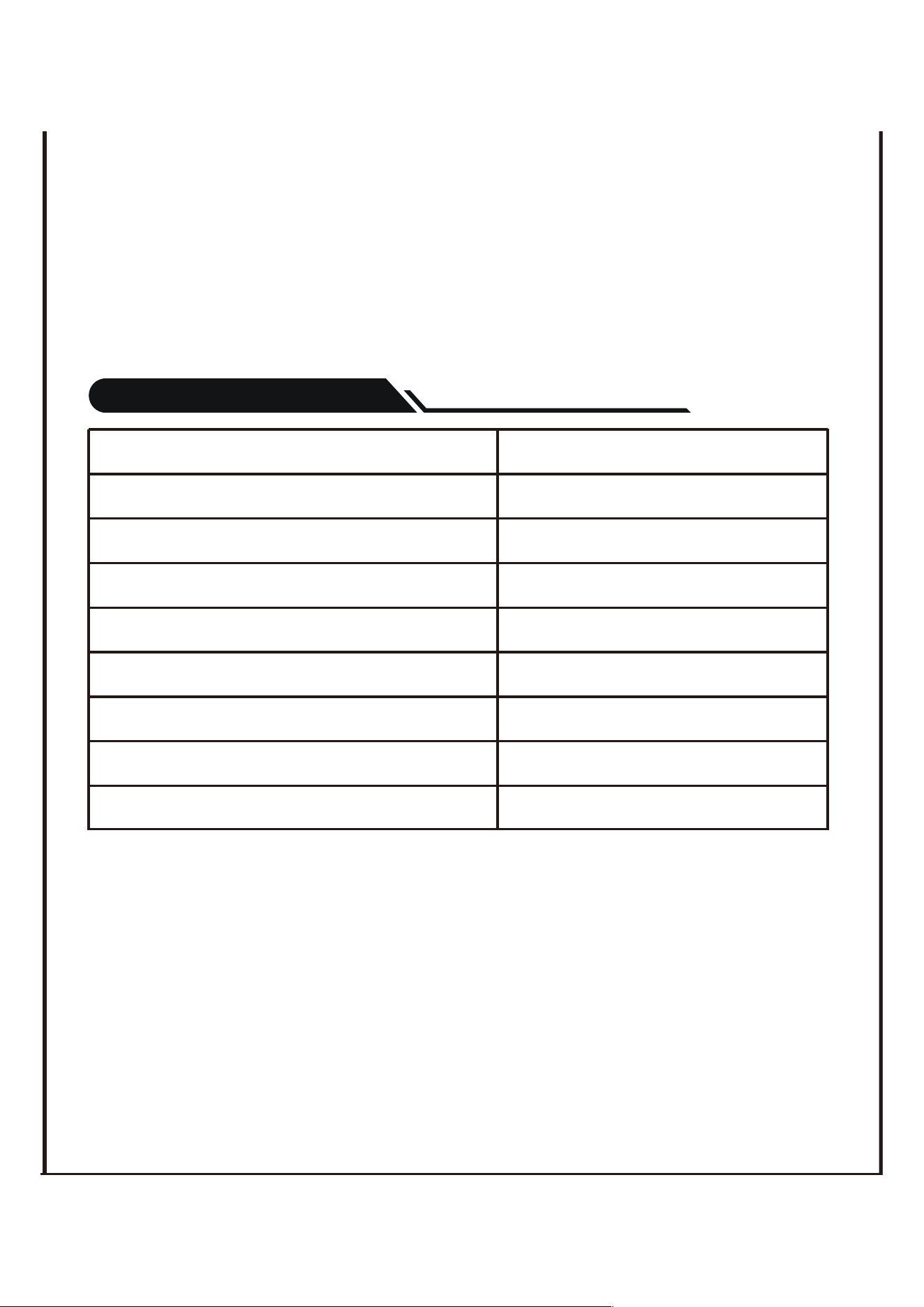
SNR 75dB
Speaker Frequency 80Hz-20KHz
Wireless Transmission Distance Up to 33 ft (10M)
Charging Time About 3-4 hours
Playback Time Up to 10 hours
Bluetooth Version V5.3
Speaker Output Power 15W
Built-in Power 2500mAh
Input power DC 5V
such as sunshine , fire or the like.
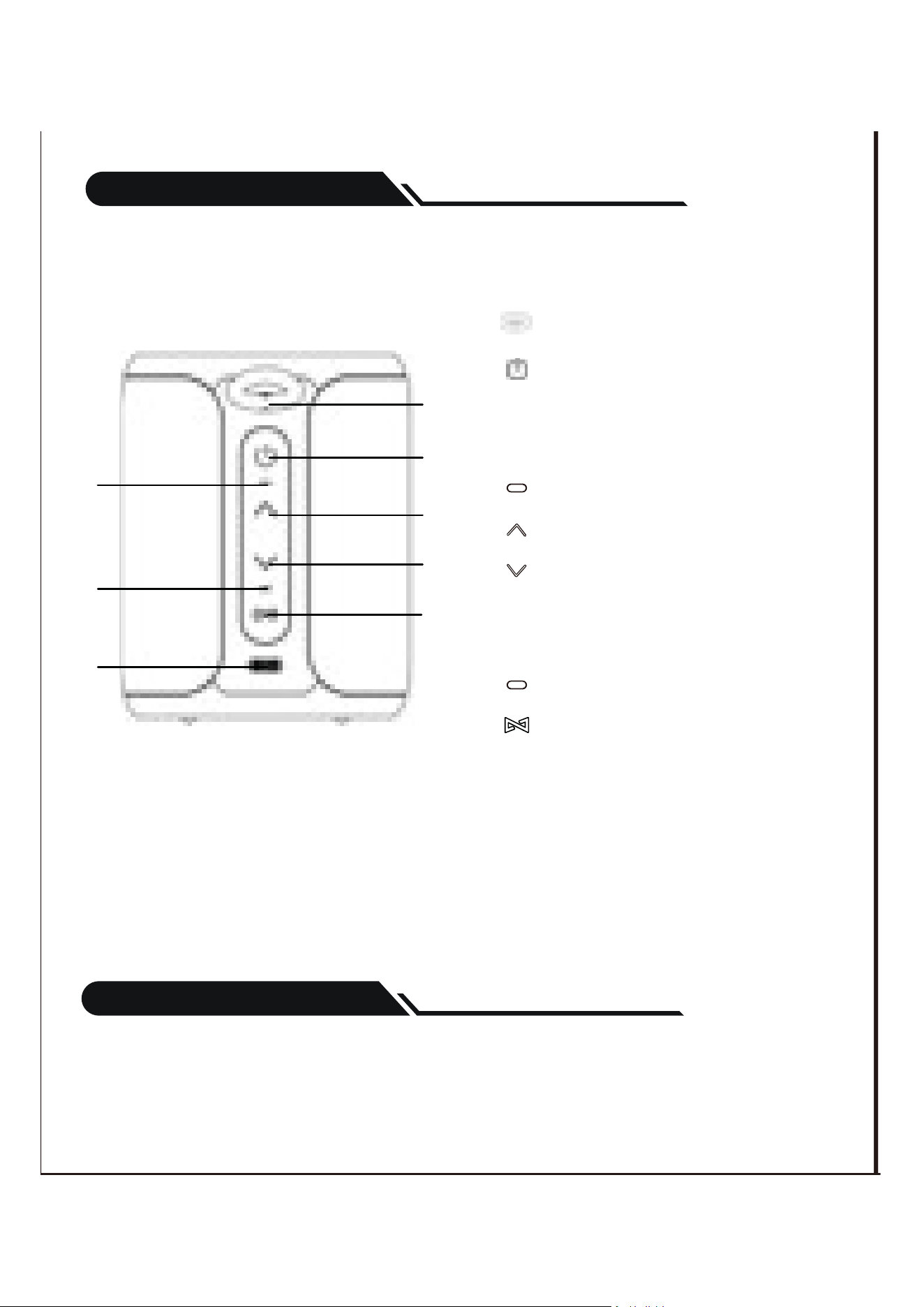
1.Portable handle
2.Power On/Off - Play/Pause -
Answer/Reject Call/Press and
hold 8s to reset
3.Power LED
4.Volume Up/Next Track
5.Volume Down/Previous Track
6.Working state LED
7.TWS/Bluetooth/Clear/Disconnect
devices
8.TYPE C Charging port
Produc t Diagram
Charging Your Speaker
1.Use the power cable to connect the charger and speaker for charging.
Operation
1
2
4
5
7
3
6
8

Power On / Power Off
Power on: Press and hold the
�
button for 2 seconds to power
on the speaker.
The working state LED will flash.
Power off: Press and hold the
�
button for 2 seconds to power
off the speaker.
The working state LED will turn off.
Pairing Bluetooth Devices with Your Speaker
After the speaker is turned on, the working indicator light flashes blue, then turn on
the mobile phone Bluetooth, search for a device named P1S, click on the device to
connect, and the working indicator light is always blue. After the next boot, the
speaker will automatically connect back to the mobile phone. Of course, the
Bluetooth of the mobile phone needs to be turned on.
2.The orange power LED will tum on to indicate that the unit is charging. Then will
turn to green when fully charged.
Note: A full charge takes approximately 3-4 hours.

Bluetooth Music Play/Pause
1.Open the music player and select a song to play Press the button to
pause / play the music.
2.Click the + button to increase the volume or long press to skip to the next song.
3.Click the - button to decrease the volume or long press to skip to the previous song.
Phone Calls
1.Click the button to answer an in coming call. Click again to end the call.
2.Double click the button to reject the call when the call is coming.
T-W-S Function
You can purchase two speakers to connect them together and enjoy the
True Wireless Stereo sound.
1.After the two speakers are turned on, connect one of them to the Bluetooth of
the mobile phone, and do not connect the other to any device, then short press
the buttons of the two speakers in sequence, the working indicator will flash
blue and white alternately, and the working indicator will stop alternating flashing
after the pairing. The one that is always on in blue is the left channel speaker, and
the one that is always on in white is the right channel speaker. After the next reboot,
the two speakers will automatically connect back to TWS mode.
2.Clear connection: Press and hold the key for 2 seconds to clear and
disconnect the Bluetooth and TWS connection, the speaker enters the waiting state
for pairing, and the working indicator light flashes blue.
�
�
�
�
�

The passive radiator on the top of the speaker has colorful dazzling lighting effect,
you can double-click the button to switch the display effect or turn off the
lighting effect
Colorful light adiustable & Turn off
When the speaker is suspended for more than 20 minutes, it will automatically shut
down to save power except for charging.
Energy saving
When fully charged and not in use, it can be stored for up to 1 year. It is
recommended to charge once every 3 months.
Storage time
After sales email
US CA : service-us@deeyaple.com
UK: [email protected]m
�
