INSTRUCTIONS
How to connect APP?
Please note that the following conditions need to be met before
connecting :
1. The IOS mobile phone system must not be lower than version 7.1, and must
support Bluetooth BLE 4.2, iPhone 4S or above mobile phones.
2. The Android system is required to be version 4.3 or above, and it needs to
support Bluetooth BLE 4.2.
3. The wireless transmitter in the device only records the user's data and sends it
to the mobile APP when it is connected to the mobile phone. Before starting the
sports equipment, please connect the application to the equipment to ensure
that the data recorded in the mobile application is true and valid.
4. When the transmitter does not receive any signal for 4 minutes, it will enter
sleep mode. In sleep mode, the mobile phone will not be able to search for the
transmitter. At this time, you need to use the device to wake up the Bluetooth
transmitter.
Description of “KINOMAP” connection
Tips: Since the KINOMAP official software connection steps will be updated in
real-time, this connection process is only for reference.
1.1 Search "KINOMAP" in mobile app store to download app.
E-mail:feierdun0[email protected]
1.2 After the download is completed, open the app and register the personal
information. Turn on the Bluetooth of the mobile phone to ensure that the
transmitter is powered on and in the wake-up state.
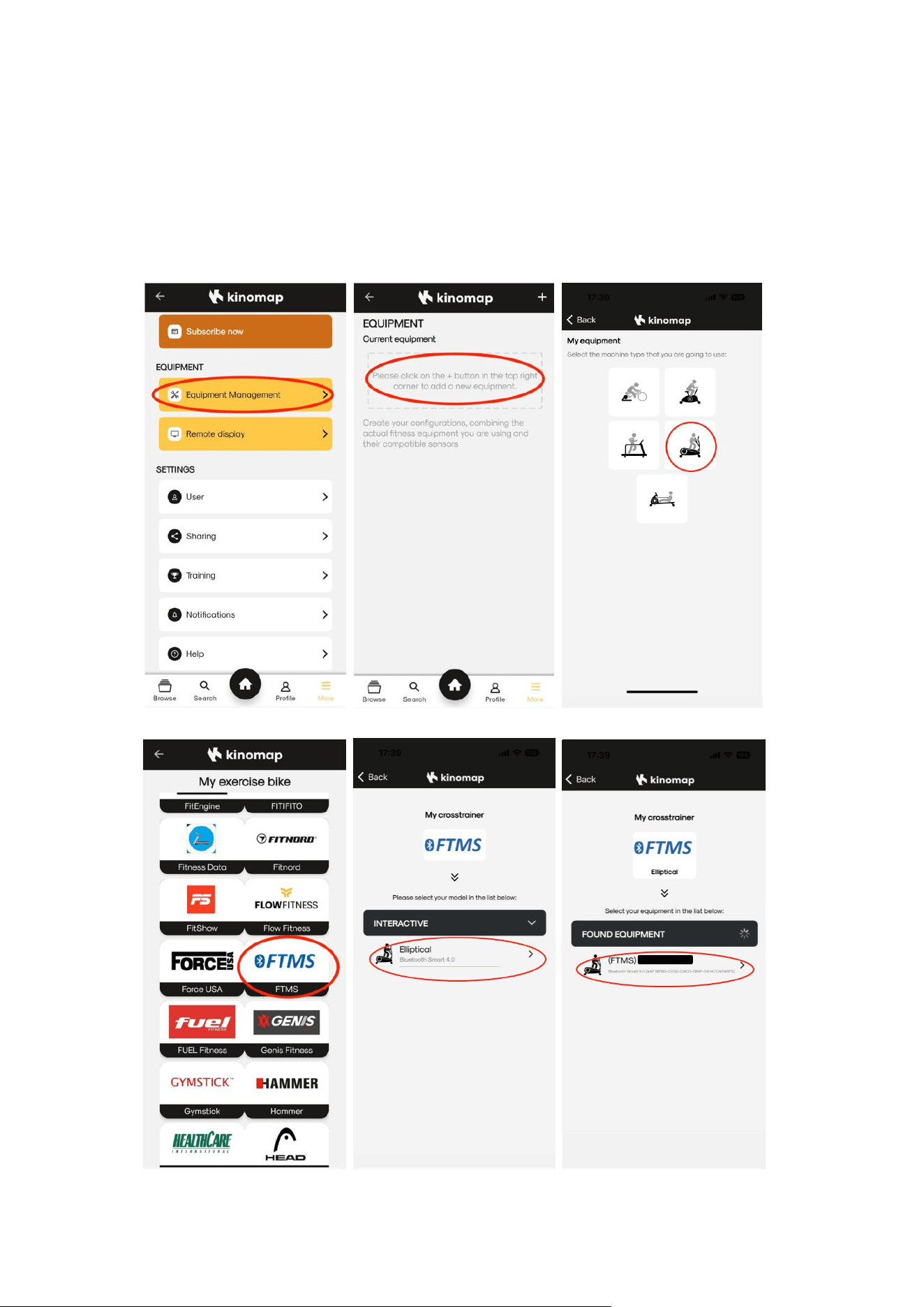
1.3 Add sports equipment as follows:
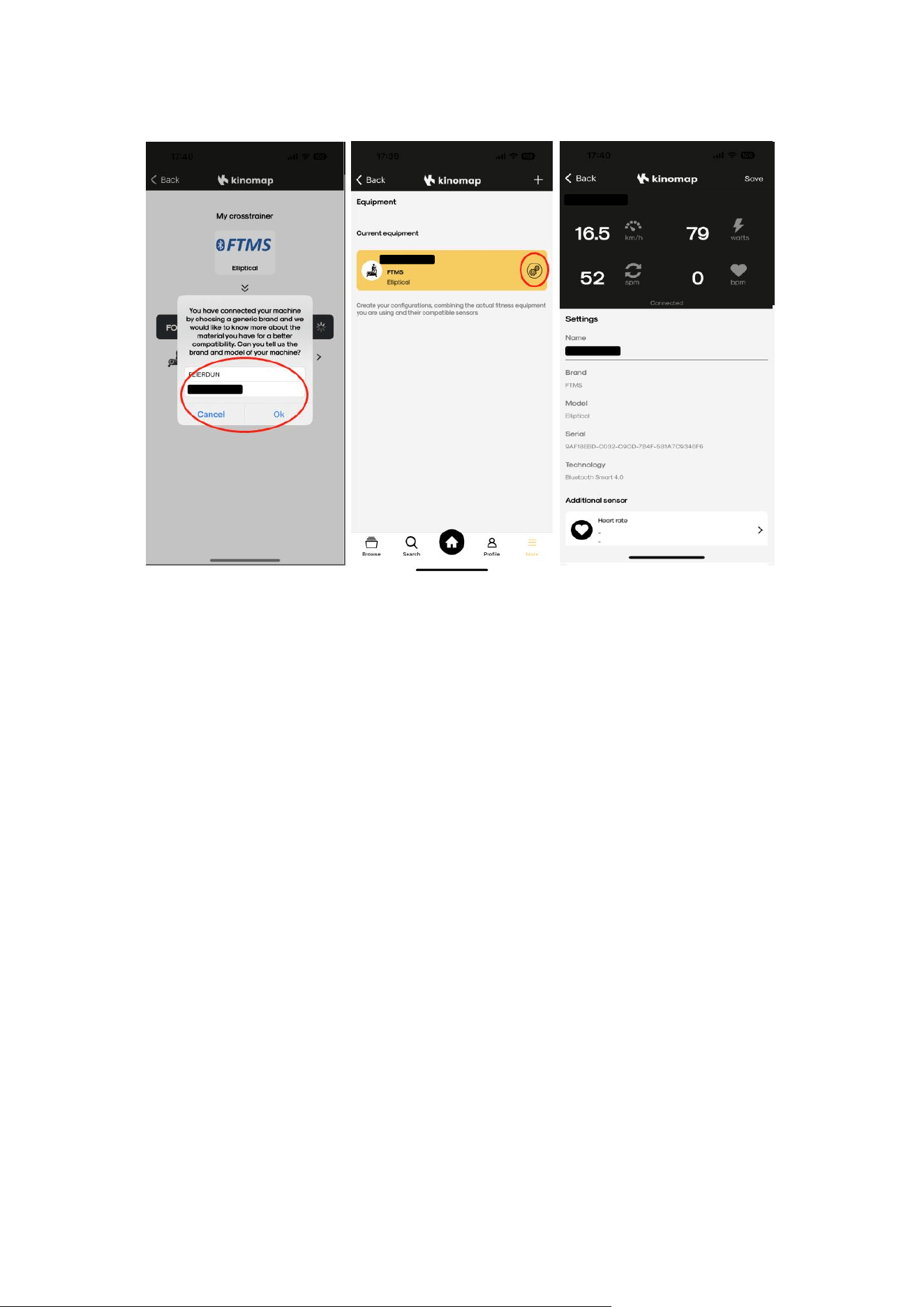
1.4 Add equipment to complete, start your exercise!
NOTE! Our Products Model : Feier-EM-01
How to get a good after-sales service?
Thank you very much for choosing our products, we will do our best to serve you,
if you encounter any problems during installation or use, please contact our
after-sales team at first!
E-mail:feierdun0[email protected]
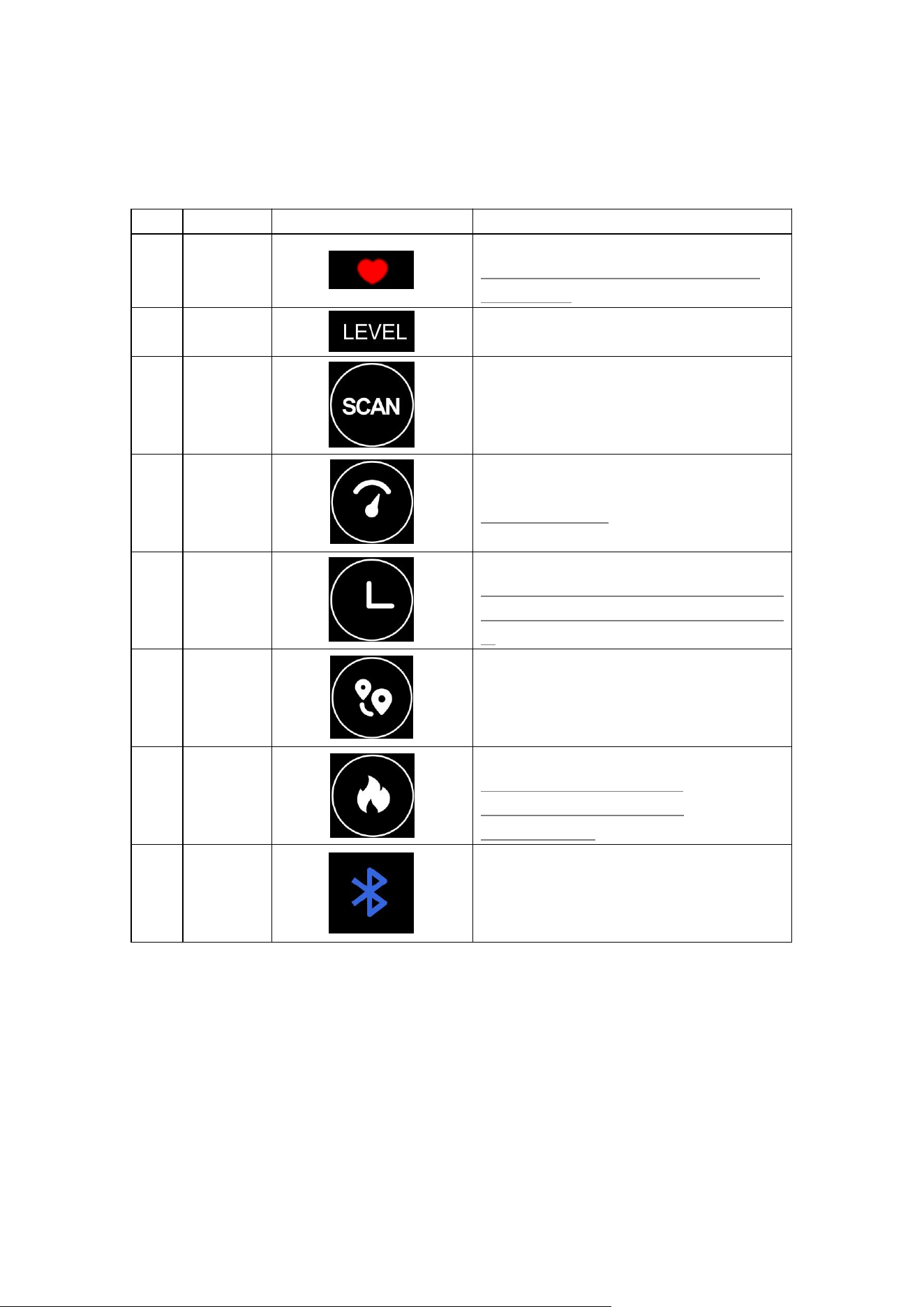
How is the control center used?
1. Item description
Item
Type
Display
Description
1
Heart rate
Heart rate BPM
Real-time heart rate if support Heart rate,
Otherwise off
2
Level
1 ~ 32
3
Scan
mode
ON
:
”SCAN” mode
OFF
:
”LOCK” mode
4
Speed
0.0 ~ 9999 km/h
60RPM - 21.5 km/h
5
Time
00:00 ~ 99:59
Start timing when movement is detected, and
stop timing when there is no movement for
4s
6
Distance
0.0 ~ 9999 km
7
Calories
0.0 ~ 9999 Kcal
Related to the resistance level:
“LEVEL 1”-11.4Kcal/km,“LEVEL
32”-44.6Kcal/km.
8
BT state
ON
:
BT connected
OFF
:
BT not connected
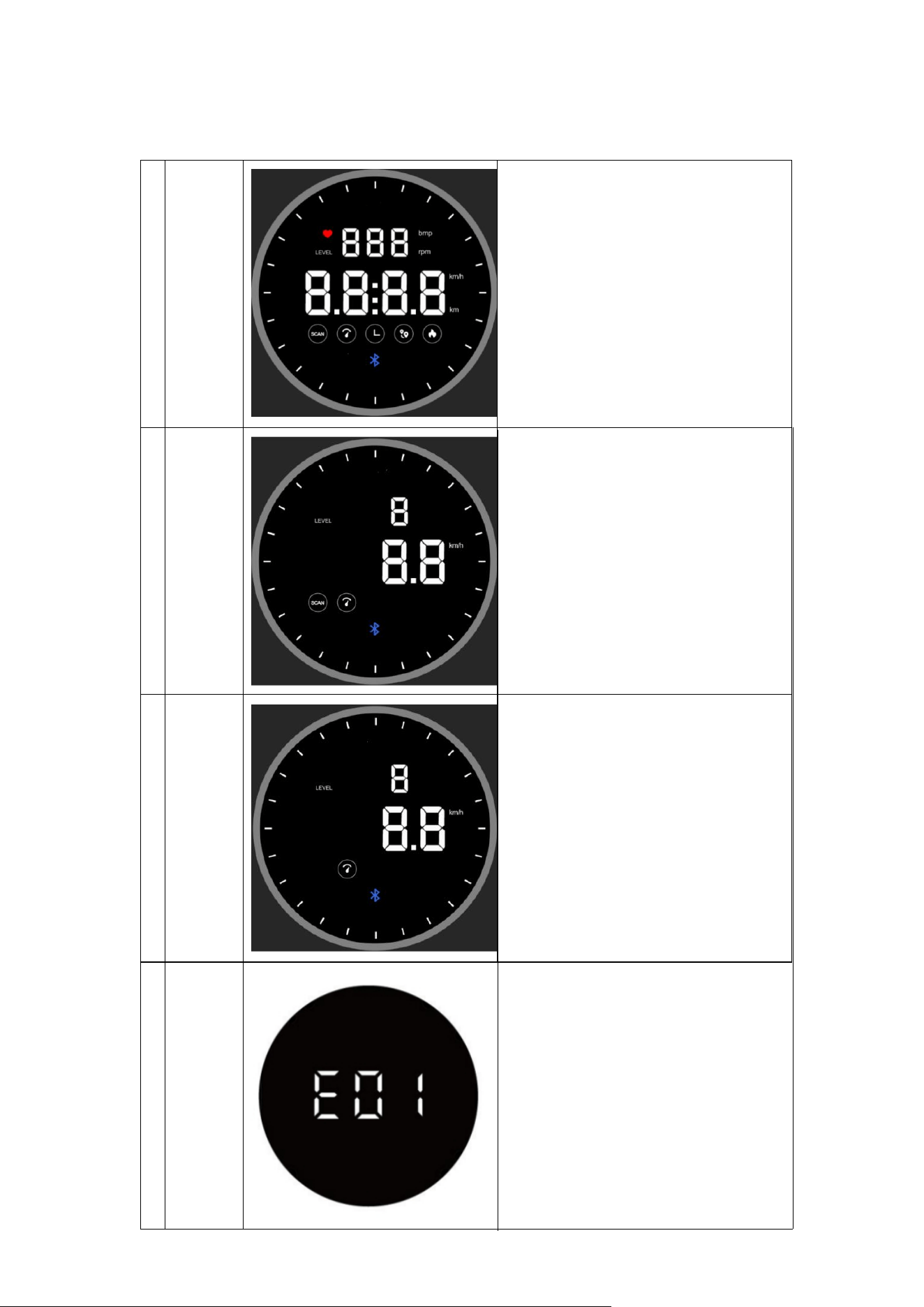
2. Display description
1
Overvie
w
1. 24 effect lights on the outer ring.
2. Heart rate can be showed in “ ❤” by
“bpm”.
3. Resistance can be showed in “LEVEL”
from 1 to 32.
4. "Speed"&"Time"&"Distance"&"Calori
es" can be showed.
5. Bluetooth connection status can be
showed
2
SCAN
mode
1. All data are showed in rotation and
switched every 3s
2. “HEART RATE”&”LEVEL” are showed in
little window
3. "Speed"&"Time"&"Distance"&"Calorie
s" are showed in main window.
4. Bluetooth LED lights up if connected,
OFF disconnected
1. 24 effect LEDS light up during
“MOTION” state
3
LOCK
mode
1. Press the knob to switch the display
mode and lock the data you want to see
2. One of "Speed" / "Time" / "Distance"
/"Calories" are showed in main window.
3. “HEART RATE”&”LEVEL” are showed in
little window
4. 24 effect LEDS light up during
“MOTION” state
4 E01
when the display appears E01 error, this is
due to poor contact with the junction
port, you need to disconnect the power
supply, the console's junction port re-
docking, immediately after connecting the
power supply to adjust the middle of the
block to see if it is normal to show. If you
still can't deal with the problem, don't
worry, please contact us at the first time,
we will provide parts replacement service.
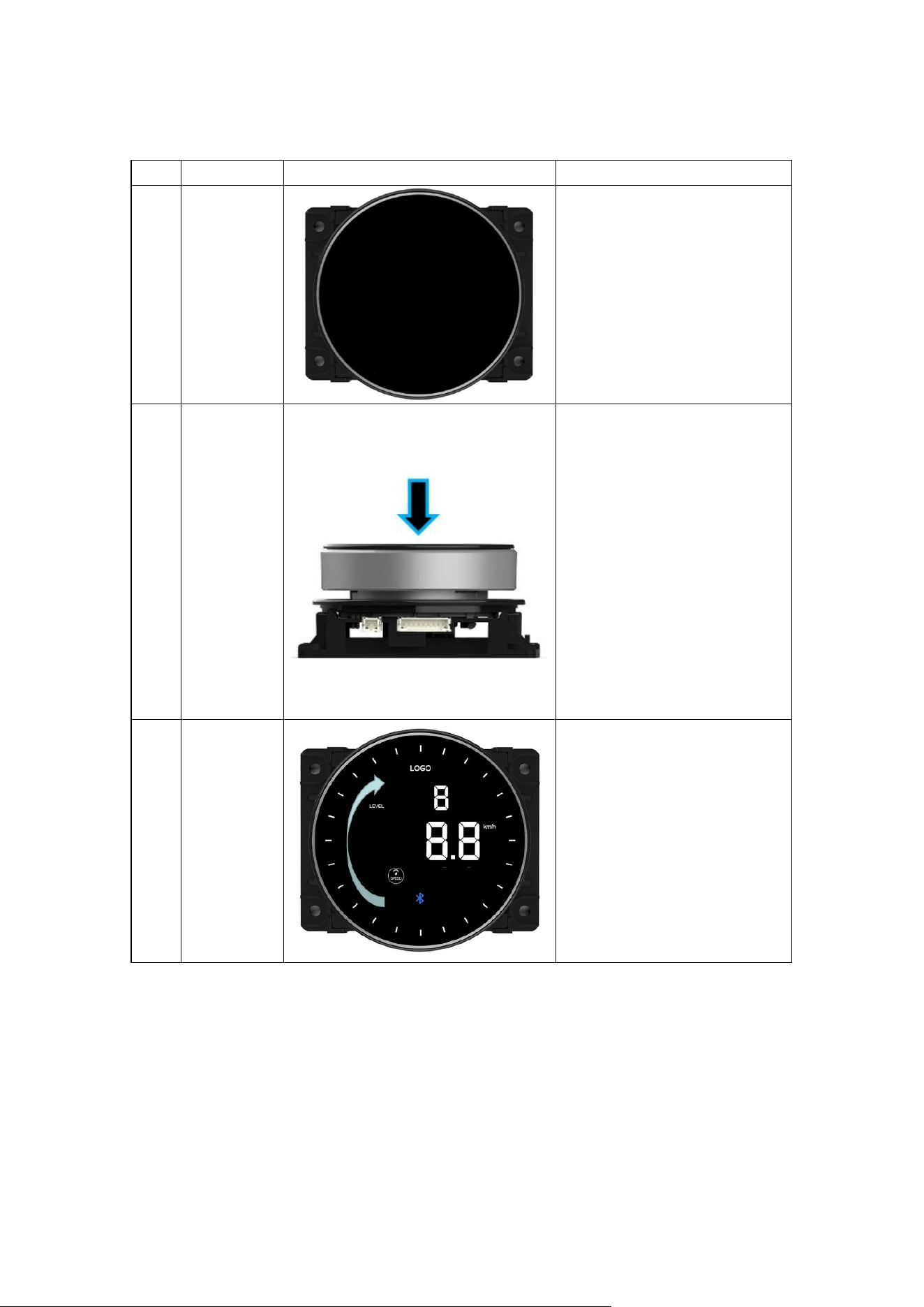
3. Main Operation Instructions
Item Item type Display Description
1 Sleep/Wake
1. In “SLEEP” state, the display is
off.
2. The knob can be wake up by
pressing or riding
2 Press Knob
1. If there is no operation or
riding, the knob will sleep after 3
minutes
2. In sleep state, A short press
to wake up the knob.
3. In awake state, A short press
to enter “MOTION” state
4. In motion state, A short press
to switch items
5. In motion state, A long press
of 2s to enter “READY” state
6. The BUZZER beeps every
press
3 Rotate Knob
1. Rotate clockwise to increase
resistance
2. Rotate counterclockwise to
reduce resistance
3. The BUZZER beeps every
Rotation
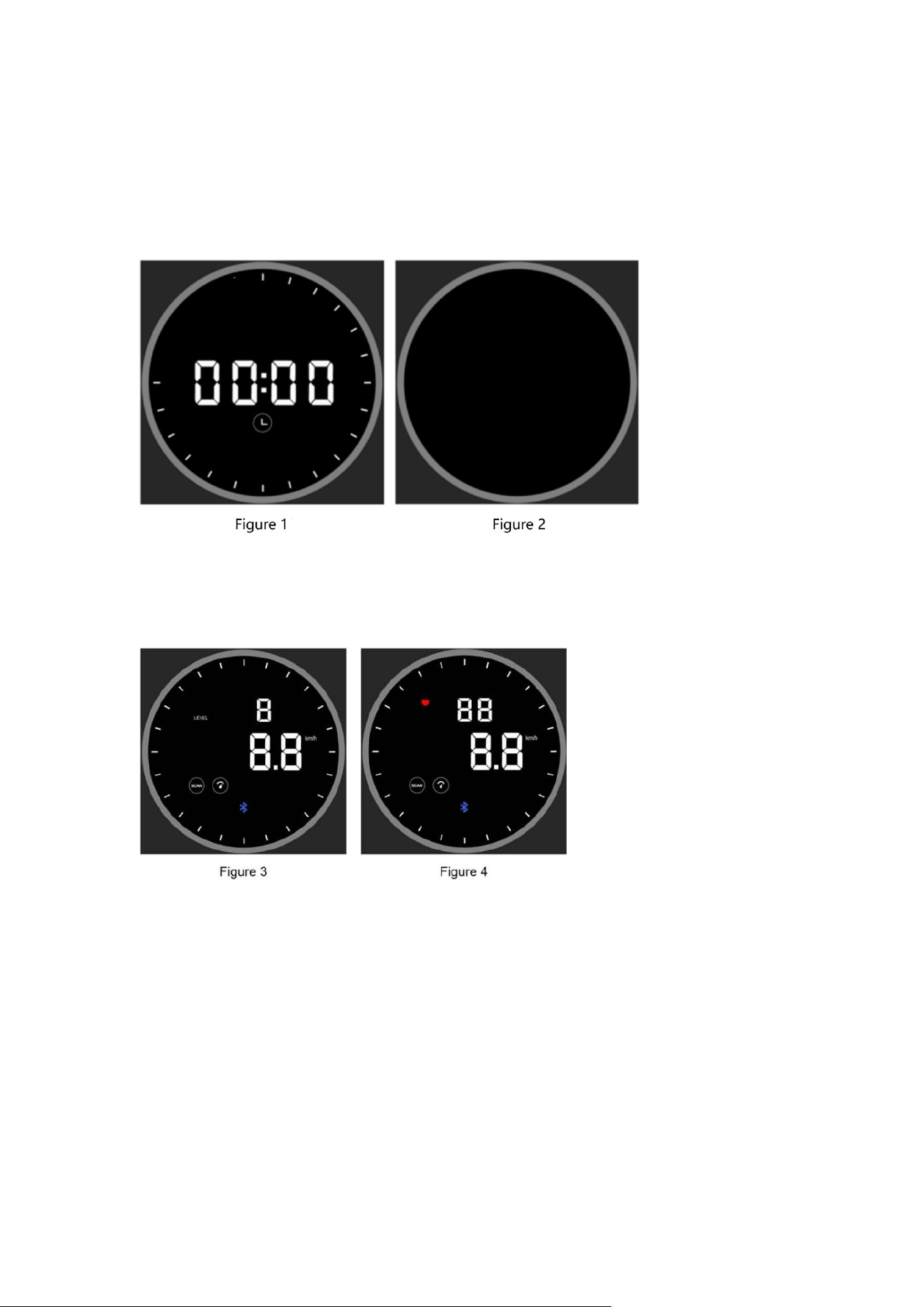
4. Detailed Operation Instructions
① After energized,The BUZZER beeps, and the knob lights up and enters the “READY” state
(Figure 1);
After power-on, the resistance level automatically reset to "1".No operation for 3 minutes, the
display is off and enter standby state .(Figure 2)
②In “READY” state, Riding or a short press to enter “MOTION” state.
“HEART RATE” and “LEVEL” switch every 3s (Figure 3 , Figure 4), if “HEART RATE” is supported.
Otherwise, Only “LEVEL” lights up
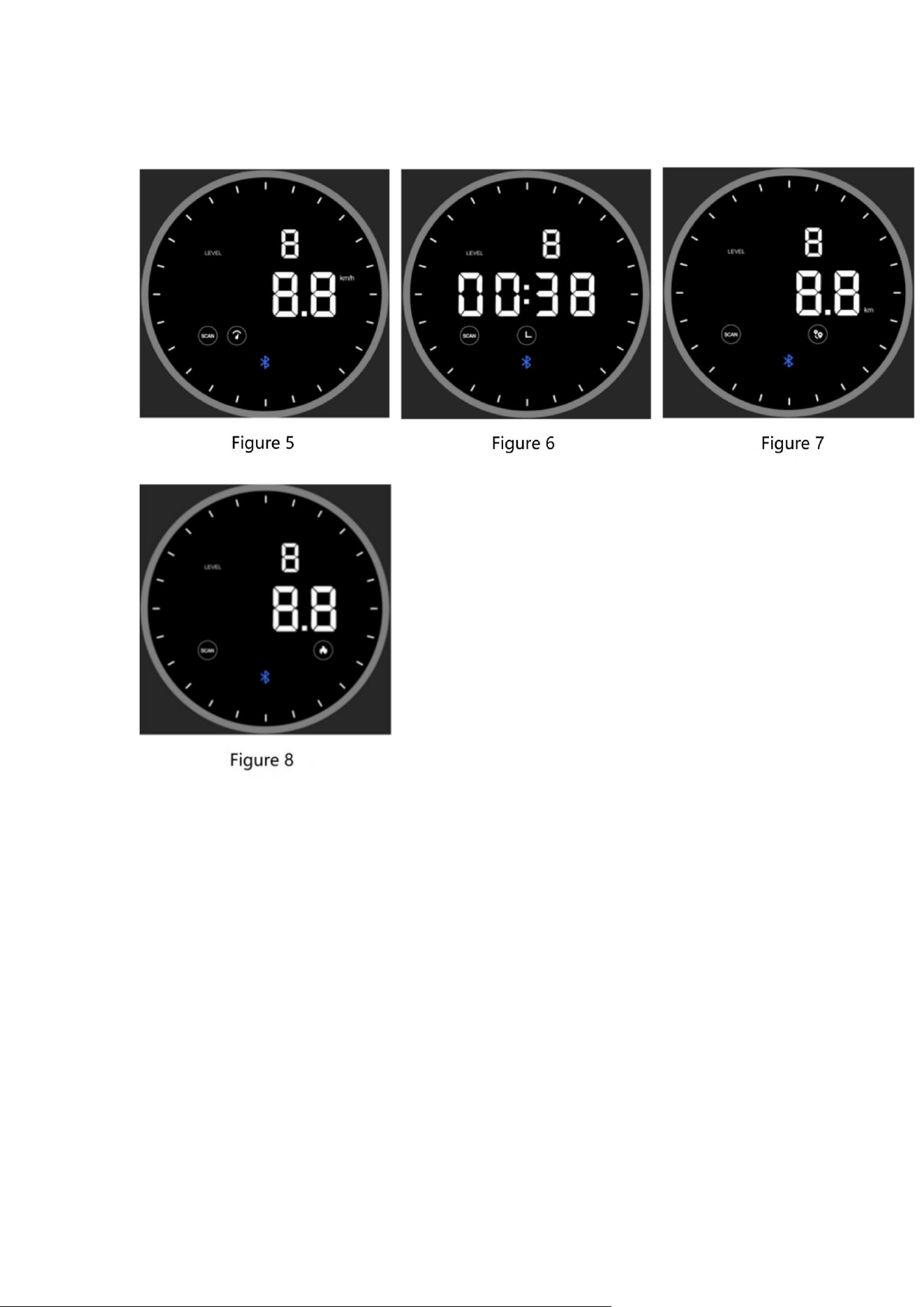
③ "Speed"&"Time"&"Distance"&"Calories" are showed in main window in default “SCAN”
mode.“SCAN” lights up,The datas switch every 3s.(Figure 5 , Figure 6 , Figure 7 , Figure 8)
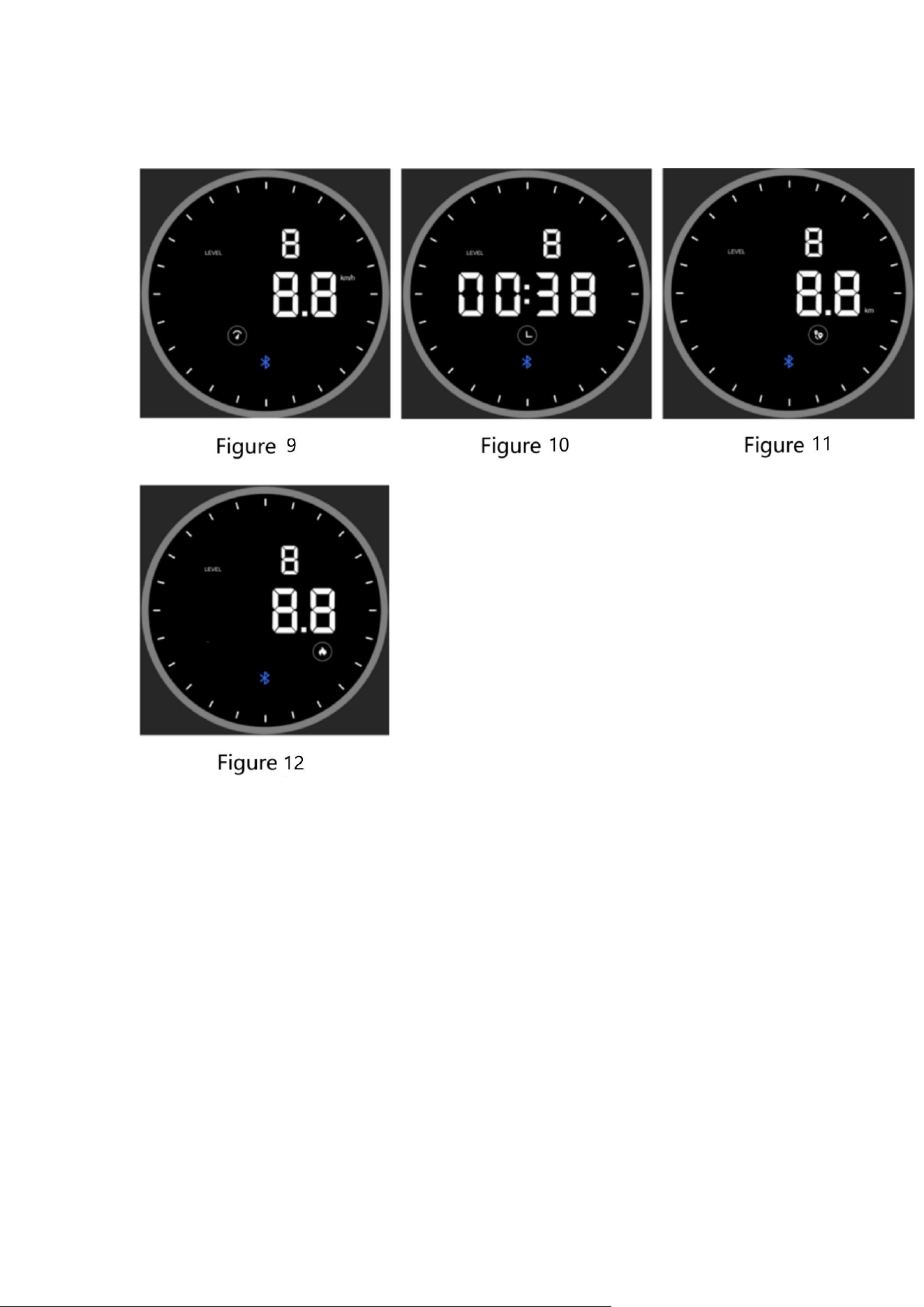
④ A short press to enter “LOCK” mode, “SCAN” is off. The locked data can
be:"Speed"/"Time"/"Distance"/"Calories"(Figure 9 , Figure 10 , Figure 11 , Figure 12)
