IDW13 Manual
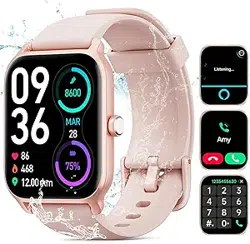
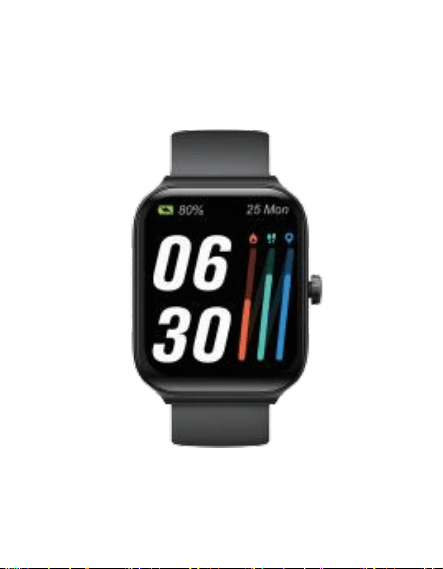
IDW13 Smart Sports Watch
Introduction
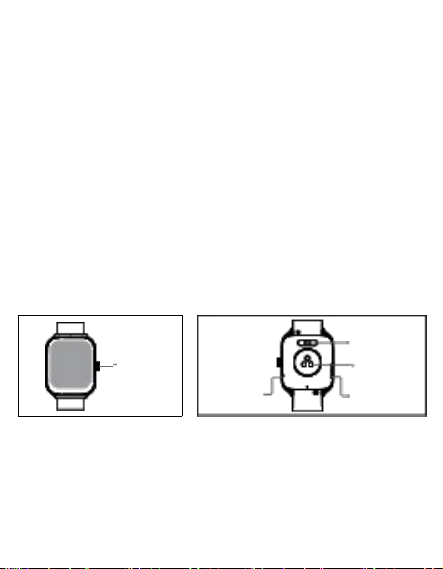
Screen display area
Function button
Pressure relief hole
Heart rate sensor
Microphone
Speaker
Front side
Back side
Physical
bu tt on
Magnetic
charging
contacts
Heart rate
sensor
Speaker
Mic ro pho ne
Getting started
(1).Search for “VeryFit” in your phone's store or scan the
following QR code to download and install the app
(2). Log in to the app and set your personal information as well
as your step and weight goals.
Connecting the Watch:
Method 1:Open the VeryFit, please click the "Device" — "+" (in
the upper right corner)— connect "IDW13".
Method 2:Please link the device directly by scanning the QR
code on the cover of the watch.
Basic Operations
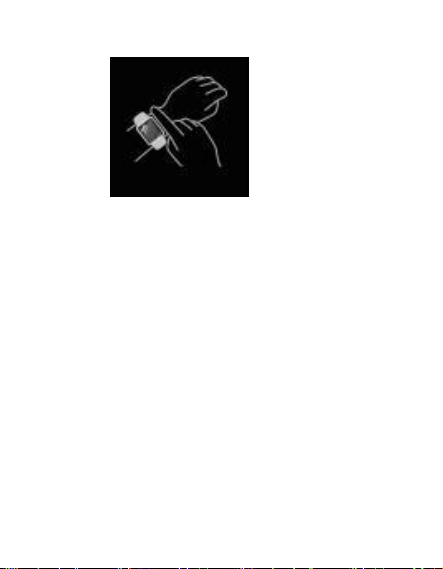
1. Wear the watch correctly: please make sure your watch sits
about one finger width above your wrist bone and that the
sensor on the back makes contact with your skin.
2. Screen operation: screen tap/up, down, left, right swipe.
3. The right Button operation:
Short press: back to home/pause.
Long press: turn on the watch/turn on Alexa.

Function Description
1. Watch face
a). There are 4 faces that can be stored on the watch and can
be switched directly on the watch.
b). We can also switch or customize the watch faces on
"VeryFit".
c). More watch faces can be downloaded from the "Watch
Market".
2. Sports
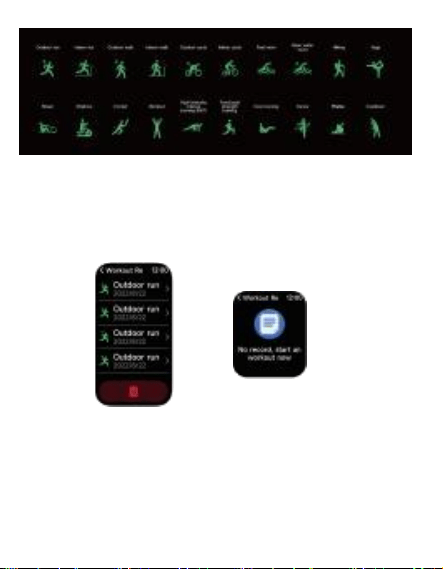
a). Up to 20 exercise types can be displayed on the watch.
b). There are 10 0 sports types available on the “VeryFit”, just
add the one you need to the watch.
c). Operating steps: Open “VeryFit”-“Device”-“More
Se tt ing ”-“Sp orts Type ”- “Edit ”- “Add ” .
d). Exercise recognition: It can recognize whether the user is
running/walking. It can be turned on/off on the app.
e). Please view your detailed exercise records on the “VeryFit”.
3. Application list
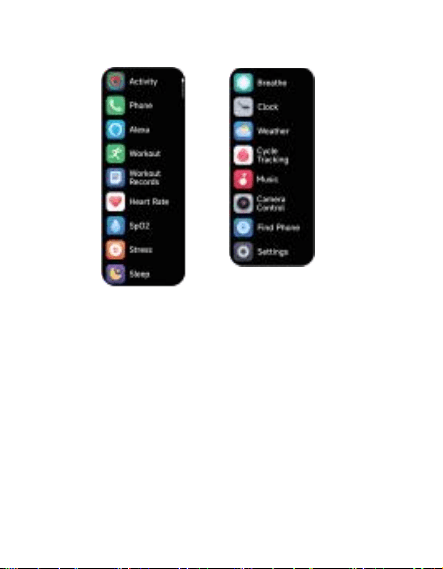
a). When the watch interface is displayed, please press the
physical button briefly to access the menu list.
3.1 Alexa
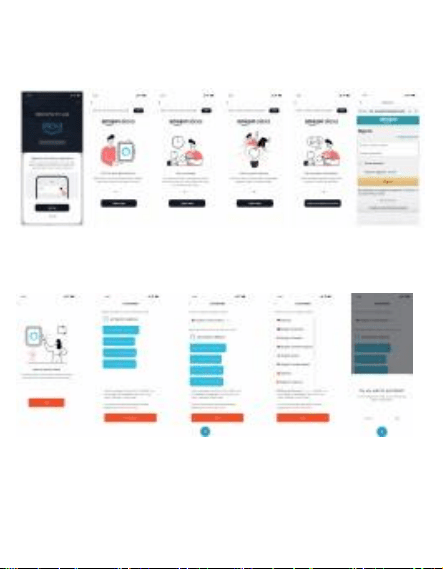
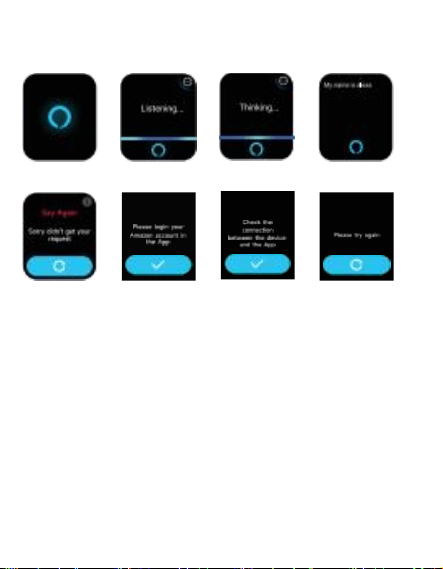
3.1.1 How to activate Alexa:
a). Open "VeryFit", and click on "Device" - "Alexa" - Sign in to
your Amazon Account.
b). Alexa is activated once we have logged in and tied in.
c). If you want to deactivate Alexa, please click the logout
button to log out of Alexa, you can log in again at any time.
3.1.2 How to use Alexa
Network error
a). After activating Alexa in "VeryFit", please talk directly to
Alexa on smartwatch when you press and hold the physical
button and Alexa enters the "Listen" screen.
b). In the Listen screen, please state your order, Alexa will
automatically recognize and perform.
c). With Alexa, you can open the Stopwatch, Timer, sports
mode, Heart Rate, etc. on your watch with your voice.
Alexa set-Up
Time out
3.2 Phone
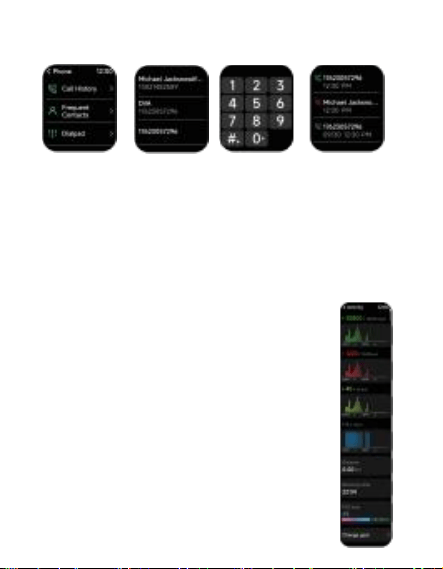
a). Add contacts: You can add
via the app.
up to 10 contacts to your watch
b). Call history: The watch will save your call history, which
you can view at any time.
c). Make a call: You can enter a phone number on the watch
and make a call.
3.3 Activity Tracker
a). The watch will record your activity/walk-
ing/calorie data 24 hours a day
b). Previous exercise data can also be viewed
on the VeryFit interface
3.4 Hearte Rate Measurement
00
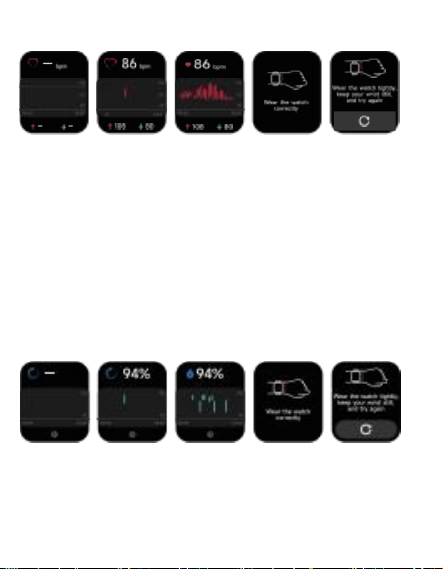
a). One-touch heart rate measurement: Tap the heart rate on
your watch and make sure to hold your arm and wrist steady
until the measurement is complete.
b). Check your heart rate data all day: Open the heart rate
screen on "VeryFit" to see the heart rate data throughout the
day.
3.5 SpO2 Measurement
a). One-touch SpO2 measurement: Tap the SpO2 on the watch
and make sure to hold your arm and wrist steady until the
measurement is complete.
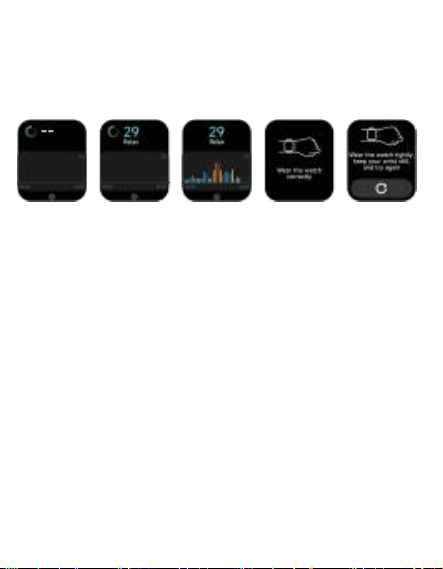
b). Check your blood oxygen(SpO2) data: Open the blood
oxygen screen on "VeryFit" to see the data throughout the day.
3.6 Stress Measurement
a). Check your Stress data: Open the "Stress" screen on
"VeryFit" to see the data throughout the day.
b). One-touch Stress measurement: Tap the "Stress" on the
watch and make sure to hold your arm and wrist steady until
the measurement is complete.
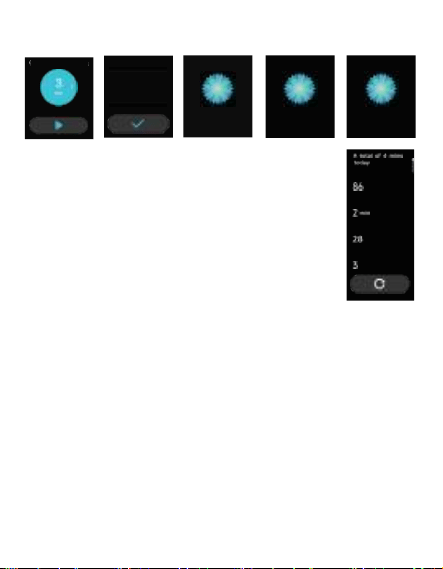
3.7 Breathe Exercise
Breathe 12 00
a). Breathing exercise for stress relief: Use the
breathing function to regulate your breath
when you're feeling stressed or overwhelmed.
b). Tap Start and follow the vibrations and
animations to adjust your breathing. It helps
calm your emotions.
Avg . Heart Rat e
Dura t i on
Av g. s tre s s
Breath s
5
1
3
min
Relax and pay
att enti on to you r
breath
Sta rt breath tr ainin g
now
Inhale
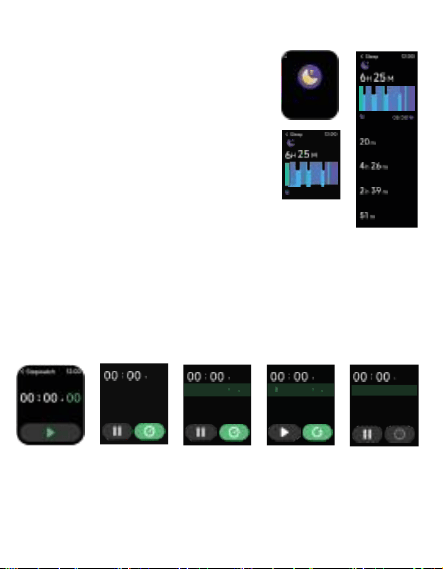
3.8 Sleep Monitoring
a). By turning on Scientific Sleep on
VeryFit, the watch will automatically
track our sleep while we sleep.
b). Procedure: Device-Health
Tracking-Science Sleep.
Please note: To accurately identify
when the body is asleep, the watch
only tracks sleep for 3 hours or more.
3.9 Clock
3.9.1 Stopwatch
23
Use the watch as a stopwatch. The stopwatch has a “Lap”
function.
22:33
●
Awake
• Lig ht sleep
● Deep sleep
● REM
23
98 00∶22 .0 3
97 00:20 . 04
96 00∶20 . 02
23
0 00 23 04
07 00:22 . 03
00∶20 . 04
00:20 . 02
05
04
23
08 00 23 04
07 00:22 . 03
00:20 . 04
00∶20 . 02
05
04
06 3 0
22: 3 3
Sleep 12 00
Wear the wa tch to
monito r sleep
qualit y
99 0023 04
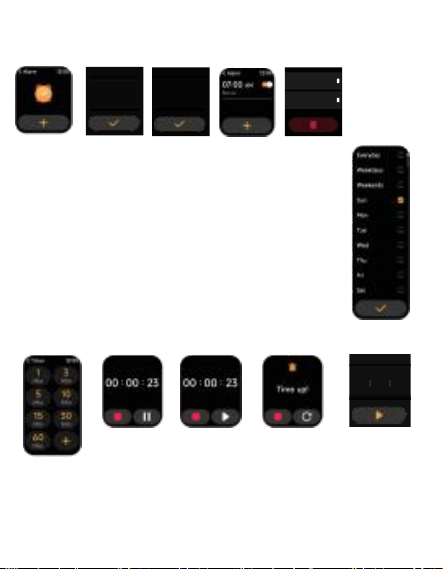
3.9.2 Alarm
06 59
07 : 00 AM
08 01
a). Manage alarms on the watch: Add, delete, or
toggle alarms on/off directly from the watch. You
can also set alarms on the App.
b). Customize alarm delay and repetition: In
"VeryFit", you can adjust the delay time and the
number of repetitions.
3.9.3 Timer
15 01 02
13 59 00
14 00 01
a). You can set a timer with a preset duration on the watch and
the timer will remind you when the timer expires;
b). You can customize the timer time.
Time
22 30
Repeat
Ev e ry d a y
08 01
06 59
07 : 00
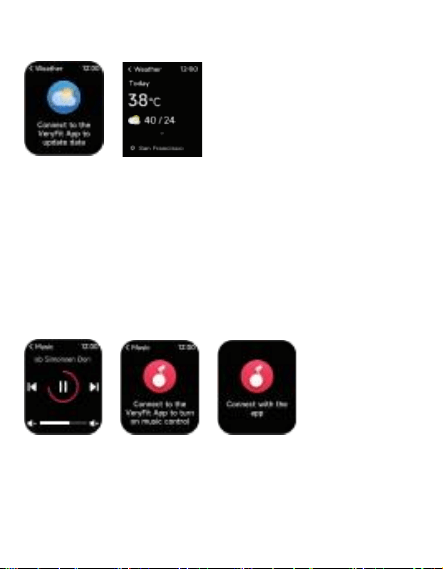
3.10 Weather
10 mi n( s) ag
a). You can see the highest and lowest temperatures for
today, as well as the upcoming two days.
Please note:
The weather recognition needs to be turned on in VeryFit.
Steps: Device-More Setting-Weather Push.
3.11 Music
a). Control Music with "VeryFit": When your watch is
connected, you can use it to perform actions like "next/previ-
ous," "play/pause," and adjust the volume.
b). This function can be opened/closed in the APP settings.
3.12 Find Phone
)
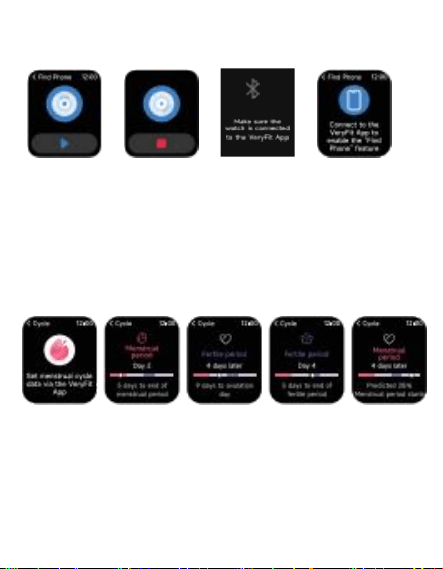
a). When the watch is connected, you can make your phone
ring, and click the icon to end the ringing.
b). This function can be opened/closed in the APP settings.
3.13 Cycle Tracking
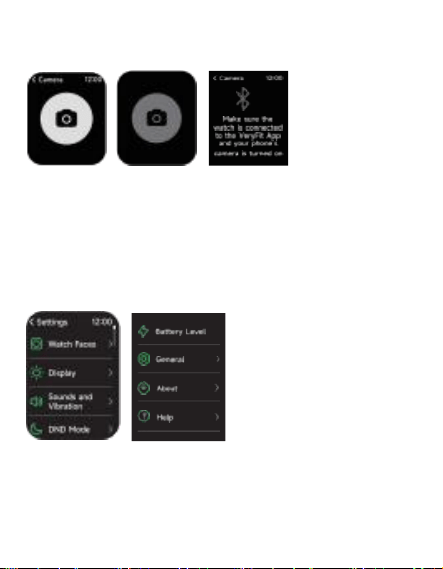
a). After opening Cycle Tracking on"VeryFit", you can set the
cycle length, reminder time, and other options.
b). The watch will remind you regularly of your period of time.
3.14 Camera Control
)
a). After the watch is connected to" VeryFit", please open your
phone's camera.
b). Then you can use the watch's camera function to photos.
3.15 Settings
>
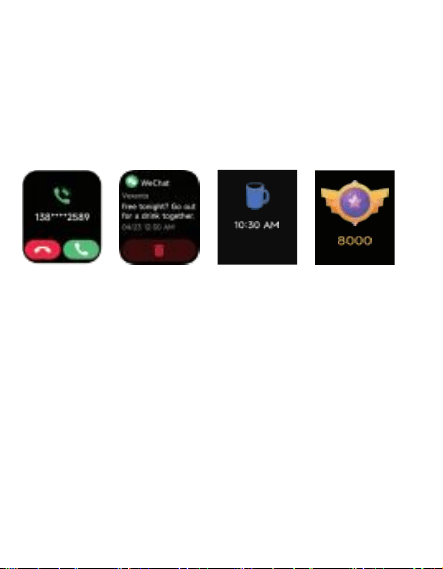
a). In the settings of the watch, you can set the time the
screen lights up, the ringtone volume and vibration, turn off
the restart or reset the watch, etc.
Please Note:
After resetting the watch, all data stored on the watch will be
erased and it will be unpaired with your phone.
4. Reminder module
Drink some water and
take a rest!
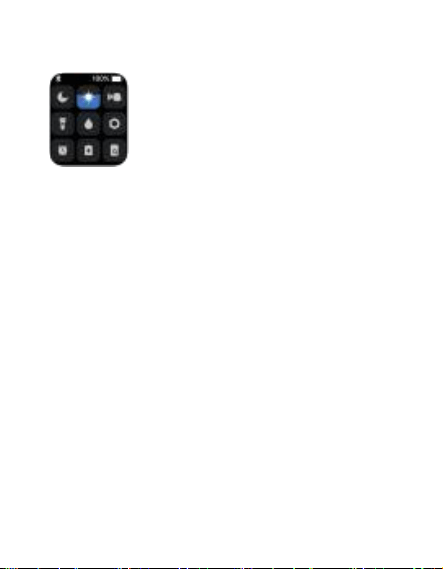
a). The watch supports multiple reminder modes: message
reminder, incoming call reminder, sedentary reminder,
drinking reminder, exercise goal reminder, high heart rate
warning reminder, etc.
steps
5. Control center
Control center gives you an easy way to turn on functions such
as Do Not Disturb, raise to Wake, set the screen brightness,
find my phone, turn your watch into a flashlight,etc.
6. Customer Support
a).Warranty: 12 months warranty.
