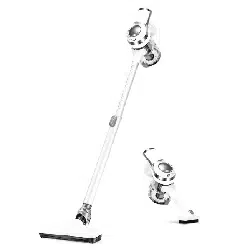
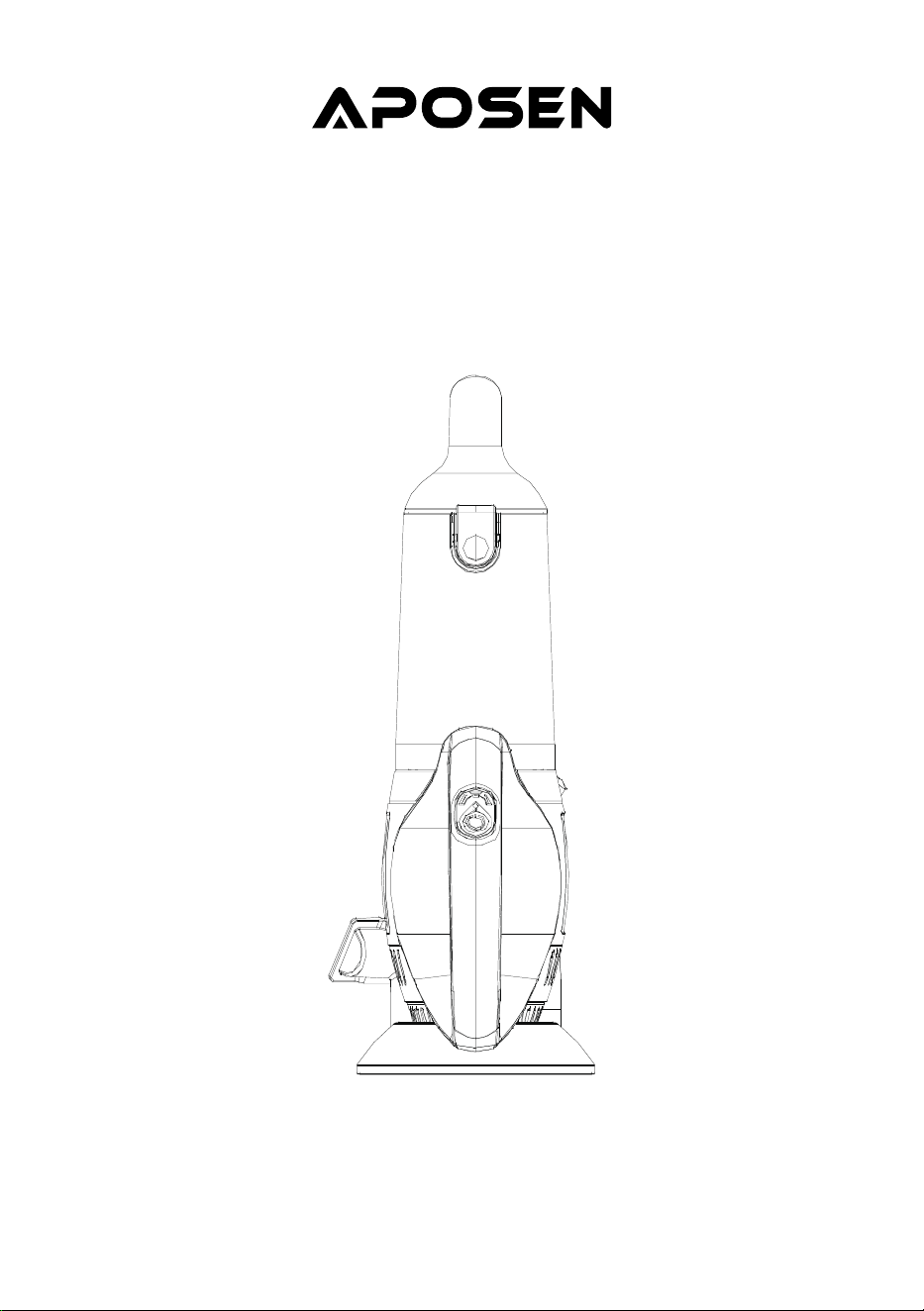
Vacuum Cleaner
Instruction Manual
Model: H20-4
Read this user manual carefully before first use. Keep this manual for further reference.
CONTENT
IMPORTANT SAFETY INSTRUCTIONS
INTRODUCTION OF COMPONENTS
PRODUCT INSTALLMENT
OPERATING INSTRUCTIONS
TROUBLESHOOTING
SPECIFICATIONS
01
03
04
05
06
06

IMPORTANT SAFETY INSTRUCTIONS
WARNING: Basic safety precautions should always be observed when using an electrical
appliance, including the following to reduce the risk of fire, electrical shock, or injury.
1. Store it indoors in a dry place and out of the reach of children;
2. Always use responsibly. This appliance can be used by children aged from 10 years and above and
persons with reduced physical, sensory or mental capabilities or lack of experience and knowledge
if they have been given supervision or instruction concerning use of the appliance in a safe way
and understand the hazards involved;
3. Do not let children play with the appliance; supervise children using or maintaining the appliance;
4. Use only manufacturer’s recommended attachments as described in this manual; misuse or use of
any accessory or attachment other than those recommended, may present a risk of personal
injury;
5. Take extra care when cleaning stairs;
6. Keep the appliance and accessories away from hot surface;
7. Do not block the appliances openings or hinder air flow, keep openings free of any objects
including dust, lint, clothing, fingers (and all parts of the body);
8. Particularly keep hair away from openings and moving parts;
01
PERSONAL SAFETY
1. Only use batteries and chargers supplied by the manufacturer;
2. Never modify the charger in any way;
3. The charger has been designed for a specific voltage. Always check that the voltage is the same as
that stated on the rating plate;
4. A charger that is suitable for one type of battery pack may create a risk of fire when used with
another battery pack;
5. Before using, check the charger cord for signs of damage or ageing. A damaged or entangled
charger cord increases the risk of fire and electric shock;
6. Don not abuse the charger cord;
7. Never carry the charger by the cord;
8. Do not pull the cord to disconnect it from a socket, grasp the plug and pull to disconnect it;
9. Don’t wrap the cord around the charger when storing;
10. Keep the charger cord away from hot surfaces and sharp edges;
ELECTRICAL SAFETY

02
1. This appliance includes Li-ion batteries, do not incinerate batteries or expose to high temperatures,
as they may explode;
2. Liquid ejected from the battery may cause irritation or burns;
3. In an emergency situation contact professional help immediately;
4. Leaks from the battery cells can occur under extreme conditions. Do not touch any liquid that leaks
from the battery. If the liquid that gets on skin, wash immediately with soap and water. If the liquid
gets into the eyes, flush them immediately with clean water for a minimum of 10 minutes and seek
medical attention. Wear gloves to handle the battery an dispose of immediately in accordance with
local regulations;
5. Shorting the battery terminals may cause burns or fire;
6. When the battery pack is not in use, keep it away from paper clips, coins, keys, nails, screws or
other small metal objects that could make a connection from one terminal to another.
7. When you dispose of the appliance remove the battery and dispose of the battery safely in
accordance with local regulations.
BATTERY SAFETY
1. Before using the appliance and after any impact, check for signs of wear of damage and repair as
necessary;
2. Do not use the appliance if any part is damaged or defective;
3. Repairs should be carried out by a service agent or a suitably qualified person in accordance with
relevant safety regulations. Repairs by unqualified persons could be dangerous;
4. Never modify the appliance in any way as this may increase the risk of personal injury;
5. Only use replacement parts or accessories provided or recommended by manufacturer.
SERVICE
1. This appliance has been designed for home dry vacuum cleaning only;
2. Do not pick up liquids or use on wet surfaces;
3. Do not pick up anything that is flammable, burning or smoking;
4. Use only as described in this manual;
5. Don’t use on concrete, tarmacadam or other rough surfaces.
INTENDED USE
11. The supply cord cannot be replaced. If the cord is damaged the charger should be discarded and
replaced.
12. Do not handle the charger or the appliance with wet hands;
13. Do not store or charge the appliance outdoors;
14. The charger must be removed from the socket before removing the battery, cleaning or maintain-
ing the appliance.
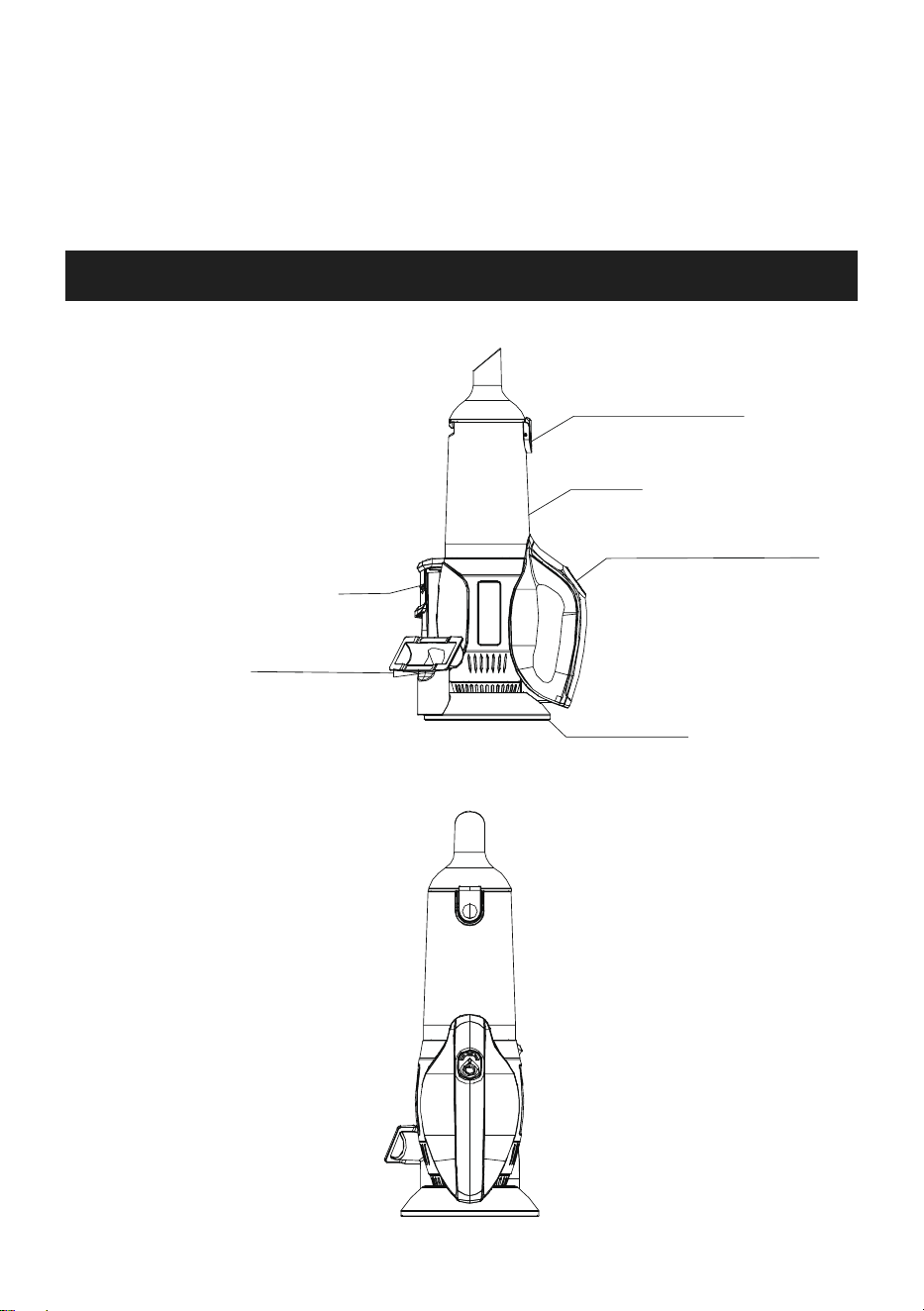
INTRODUCTION OF COMPONENTS
03
Overview:
Front view:
1. Do not use water, solvents, or polishes to clean the outside of the appliance; wipe clean with a dry
cloth;
2. Never immerse the unit in water and do not clean in a dish washer.
WARNING
Sofa brush
Dust discharge button
Dust cup
Power switch/Speed switch
Charging base
Two-in-one brush
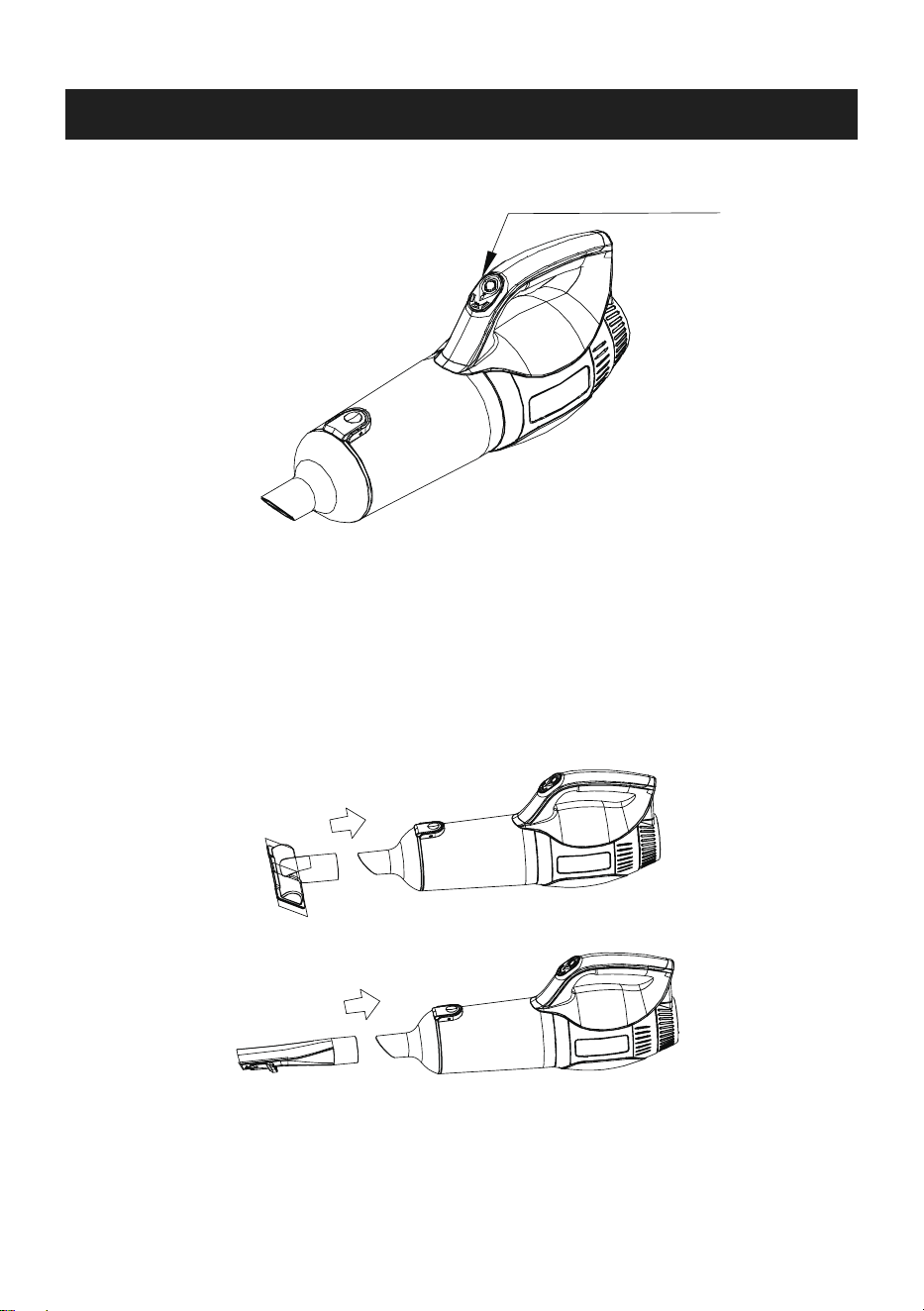
PRODUCT INSTALLMENT
2. Use as a hand vacuum
Insert the accessory( Sofa brush or 2-in-1 brush) to body as below
04
1. Use as the stick vacuum cleaner
Press the switch to work
Sofa brush
2-in-1 brush
Two speed modes for choosing
Power switch/Speed switch
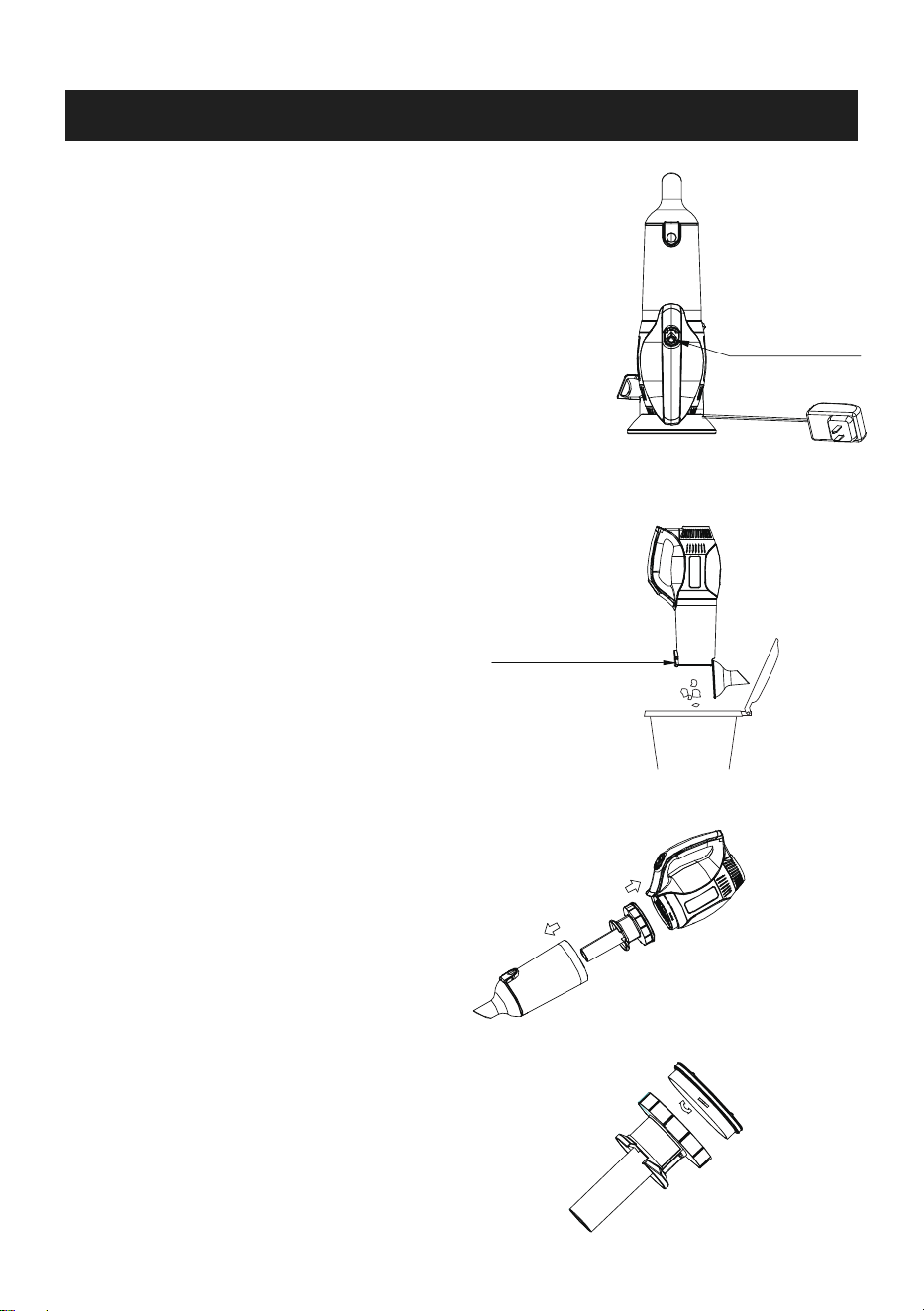
OPERATING INSTRUCTIONS
Battery charging
How to empty the dust cup
05
Charging time: 5H
1. When the battery light is flashing, turn off the device and charge it.
2. When charging, three lights are on gradually.
3. When it's fully charged, the three lights are on all the time.
During operation, the indicator light shows:
Blue - Power on / Low speed
Purple - High speed
Flickering - abnormal battery pack or motor
Aim the cleaner at the dustbin and press the dust
discharge button to empty the dust cup.
Clean the filters
Charging indicator
Dust discharge button
1. Open the dust cup as shown in the figure
2. Take out the filter assembly
3. Take out HEPA filter
4. Wash the filter case
Note:Do not assemble it back until it is thoroughly dry.
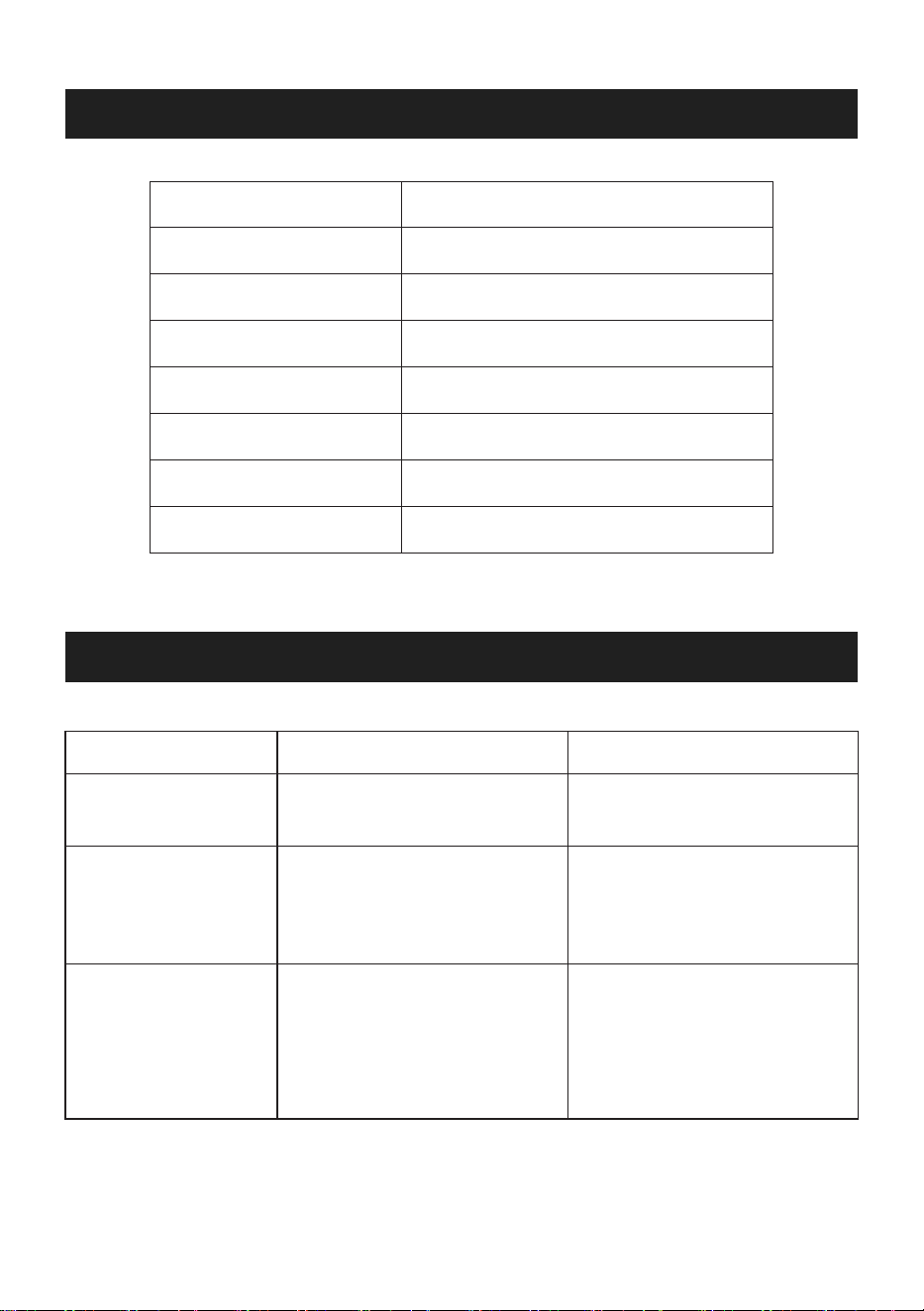
SPECIFICATIONS
06
TROUBLESHOOTING
Problems Possible reasons Potential solutions
Machine does not
work
Suction gets weak
Battery can not get
charged on the
charger holder.
1. Machine is in charging
2. Switch is not turned on
1. Stop the appliance charging
2. Turn on the power switch
1. Check if the charger &
charging base is connected
correctly
2. If the indicator light is not on
during charging, please contact
the seller for help.
1. Empty the dust cup
2. Clean the HEPA filter
3. Check if the dust cup is
installed correctly
1. Dust cup is full
2. HEPA filter is too dirty
1. The charger is not connected
well to the appliance
2. The indicator light malfunctions
If you have a query about APOSEN appliance, please contact the APOSEN customer service email:
Battery
Charging time
Battery charger output
Net Weight
Working time
Power
Vacuum
Airflow
14.8V/2200mAh
5 hours
18V/420mA
1.3kg
30min (low speed), 16min (high speed)
120W DC
≥7/14Kpa
1.0m³/m