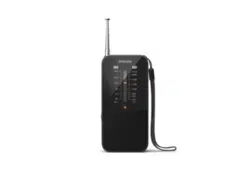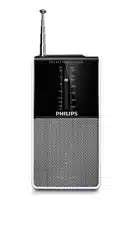
Register your product and get support at:
www.philips.com/support
User manual
Series
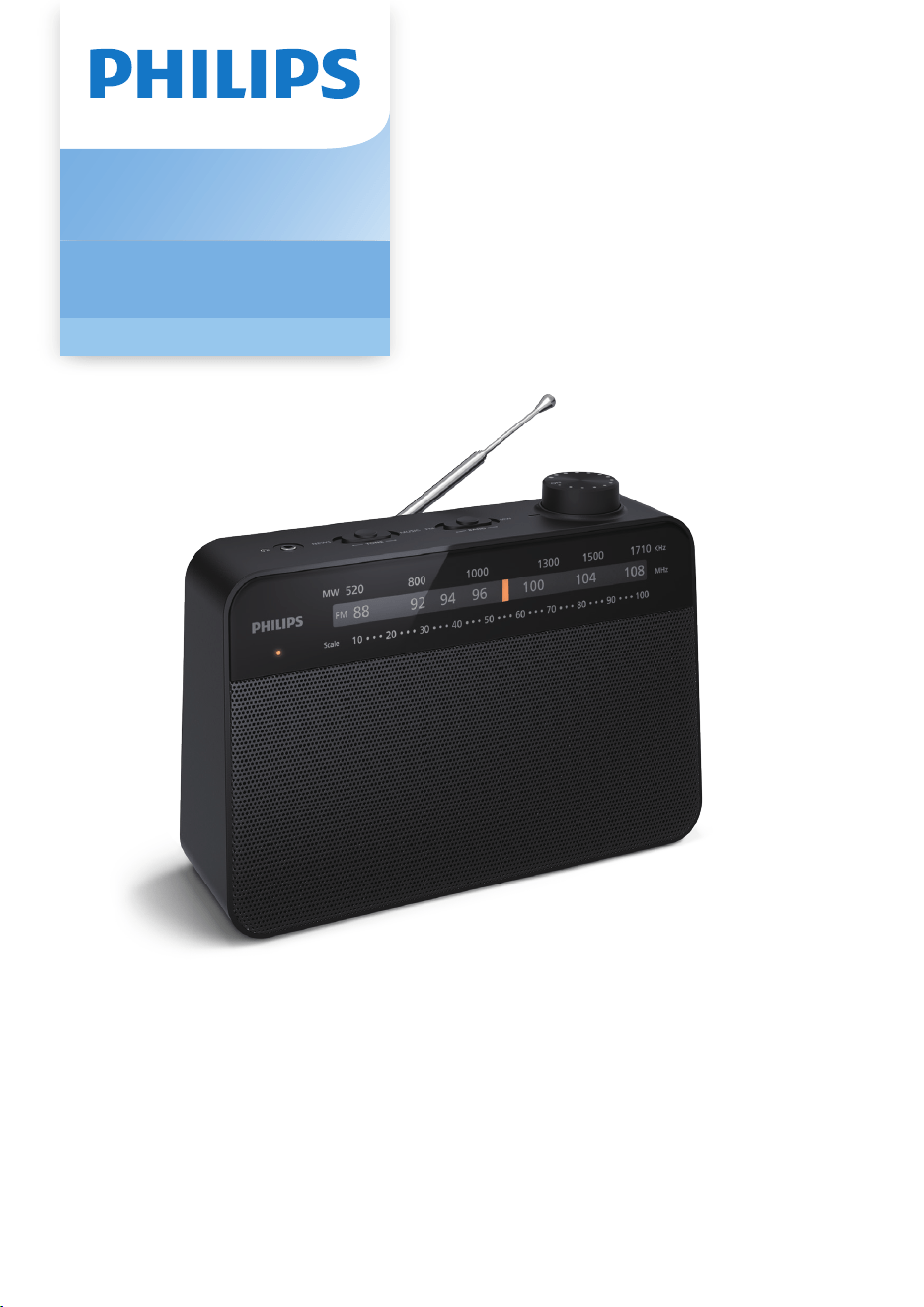
Portable Radio
2000 Series
TAR2509

Connect power
1
EN
Contents
1 Important 2
Safety
Notice
2
Hearing safety 2
3
2 Your Portable Radio
3
Introduction 3
What's in the box 3
Overview of the portable radio 4
3 Get started 4
Install batteries 4
4
4 Listen to FM/MW Radio 5
Tune to radio stations
Connecting to headphones
5
Adjust volume 5
5
5 Product information
6
6 Troubleshooting
6

2 EN
1 Important
Safety
•
Read these instructions.
•
Heed all warnings.
•
Follow all instructions.
•
Do not block any ventilation openings. Install
in accordance with the manufacturer’s
instructions.
•
Do not install near any heat sources such as
radiators, heat registers, stoves, or other
apparatus (including ampli�ers) that produce
heat.
•
Protect the power cord from being walked on
or pinched, particularly at plugs, convenience
receptacles, and the point where they exit
from the portable radio.
Only use attachments/accessories speci�ed by
•
the manufacturer.
•
Unplug this apparatus during lightning storms
or when unused for long periods of time.
Refer all servicing to quali�ed service
•
personnel. Servicing is required when the
apparatus has been damaged in any way, such
as power-supply cord or plug is damaged,
liquid has been spilled or objects have fallen
into the apparatus, the apparatus has been
exposed to rain or moisture, does not operate
normally, or has been dropped.
•
Battery usage CAUTION - To prevent battery
leakage which may result in bodily injury,
property damage, or damage to the portable
radio:
• Install all batteries correctly, + and - as
marked on the unit.
• Remove batteries when the unit is not
used for a long time.
• The battery shall not be exposed to
the like.
excessive heat such as sunshine, �re or
•
This portable radio shall not be exposed to
dripping or splashing.
•
Do not place any sources of danger on the
portable radio (e.g. liquid �lled objects, lighted
candles).
Hearing safety
Listen at a moderate volume:
To establish a safe volume level:
• Using headphones at a high volume can impair your
hearing. This product can produce sounds in decibel
ranges that may cause hearing loss for a normal
person, even for exposure less than a minute. The
higher decibel ranges are offered for those that may
have already experienced some hearing loss.
•
Sound can be deceiving. Over time your hearing
"comfort level" adapts to higher volumes of sound.
So after prolonged listening, what sounds "normal"
can actually be loud and harmful to your hearing.
To guard against this, set your volume to a safe level
before your hearing adapts and leave it there.
•
Set your volume control at a low setting.
•
Slowly increase the sound until you can hear it
comfortably and clearly, without distortion.
Listen for reasonable periods of time:
•
Prolonged exposure to sound, even at normally
"safe" levels, can also cause hearing loss.
•
Be sure to use your equipment reasonably and take
appropriate breaks.
Be sure to observe the following guidelines when
using your headphones:
•
Listen at reasonable volumes for reasonable
periods of time.
•
Be careful not to adjust the volume as your hearing
adapts.
•
Do not turn up the volume so high that you can't
hear what's around you.
•
You should use with caution or temporarily
discontinue use in potentially hazardous situations.
Do not use headphones while operating a motorized
vehicle, cycling, skateboarding, etc.; it may create a
traffic hazard and is illegal in many areas.
3
EN
2
Your Portable Radio
Congratulations on your purchase, and
welcome to Philips! To fully bene�t from the
support that Philips offers, register your product
at www.philips.com/support.
Introduction
With this portable radio, you can
• listen to FM/MW radio
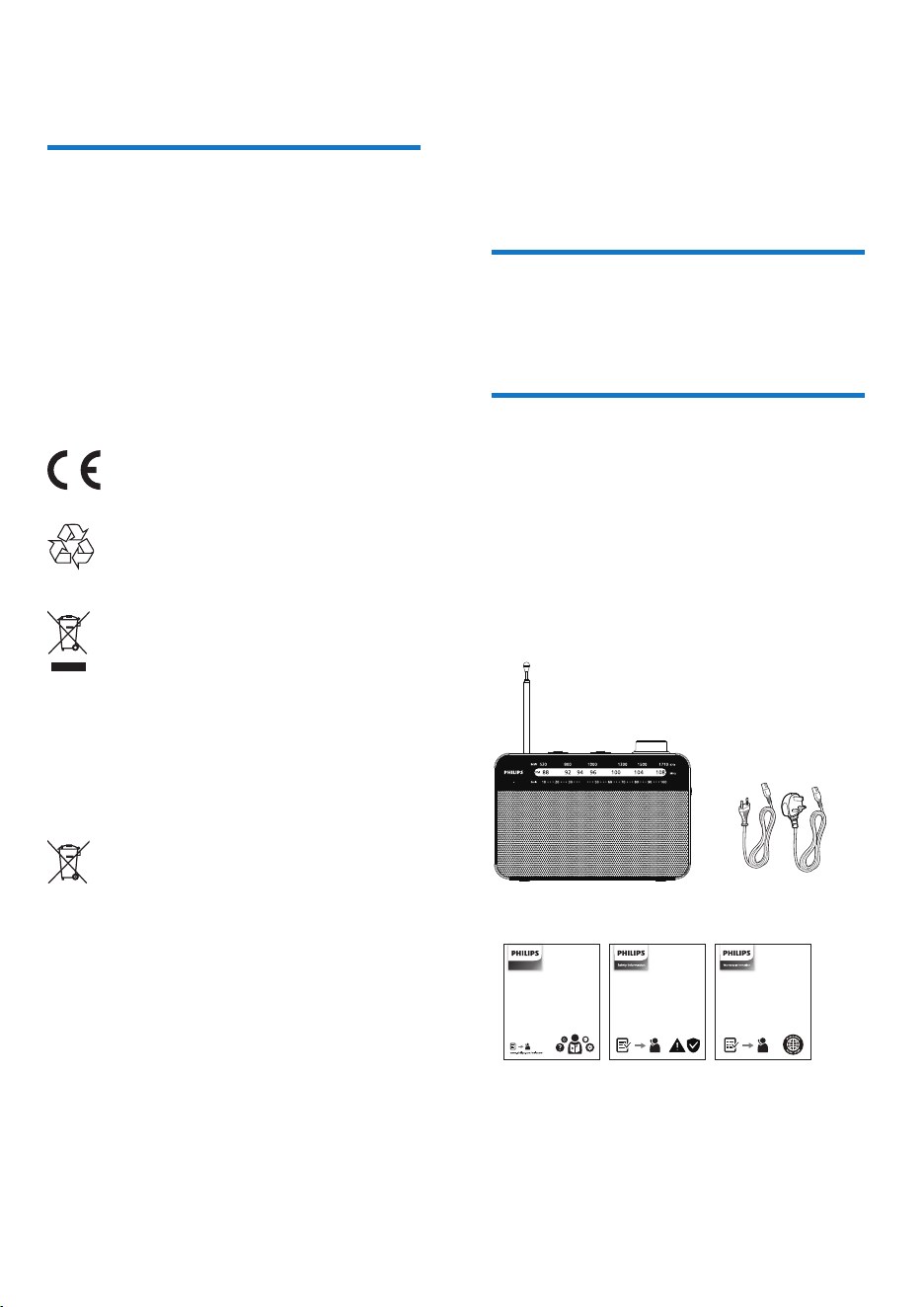
What's in the box
Check and identify the contents of your package:
• Main unit
• Power cords
• Quick start guide
• Safey sheet
Warranty
•
Notice
This product complies with the radio interference
requirements of the European community.
Hereby, TP Vision Europe B.V. declares that the
product is in compliance with the essential
requirements and other relevant provisions of
RED Directive 2014/53/EU and UK Radio
Equipment Regulations SI 2017 No 1206. You
can �nd the Declaration of Conformity on
www.philips.com/support.
This product complies with the radio
interference requirements of the
EuropeanCommunity.
This product is designed and
manufactured with high-quality
materials and components,
which can be recycled and reused.
This symbol means the product must
not be discarded as household waste
and should be delivered to an
appropriate collection facility
recycling. Follow local rules and never
dispose of the product and rechargeable
batteries with normal household waste.
Correct disposal of old products and
rechargeable batteries helps prevent
negative consequences for the
environment and human health.
This symbol means that the product
contains batteries covered by European
Directive 2013/56/EU which cannot
be disposed of with normal household
waste. Inform yourself about the the
local separate collection system for
electrical and electronic collection
system for electrical and electronic
products and batteries. Follow local
rules and never dispose of the product
and batteries with normal household
waste. Correct disposal of old products
and batteries helps prevent negative
consequences for the environment and
human health.
40
Wireless speaker
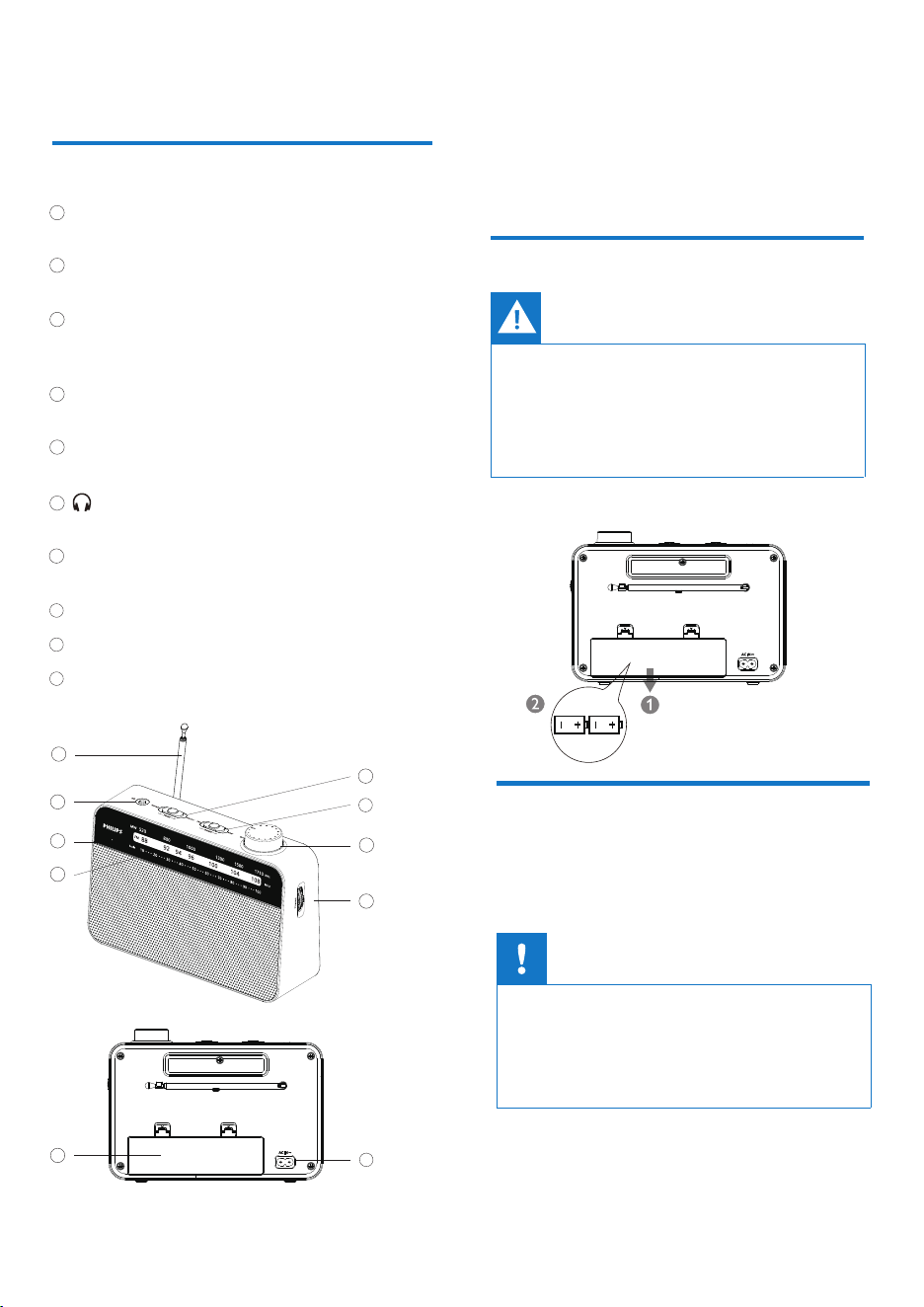
Telescopic antenna
– improves FM reception.
TUNING
– in FM/MW mode, �ne tunes a station.
Volume / On off
– switch on the set.
– adjusts the sound level.
Band selector
– selects the waveband: FM or MW.
TONE
– selects NEWS or MUSIC mode.
– 3.5 mm headphones socket.
LED Indicator
– Lights up after locking FM signal.
Radio Frequency Pointer
Battery compartment
AC IN
– 220-240V 50-60Hz.
4 EN
Caution
•
Risk of product damage! Make sure that the power
voltage corresponds to the voltage printed on the
back or underside of the portable radio.
• Risk of electrical shock! When you unplug the power
cord, always pull the plug from the socket. Never pull
the cord.
Overview of the portable radio
1
1
8
9
10
4
2
2
3
3
4
5
6
6
3
Get started
Always follow the instructions in this chapter in
sequence.
Install batteries
Connect power
Caution
• Risk of explosion! Keep the batteries away from heat,
sunshine or �re. Never discard batteries in �re.
• Batteries contain chemical substances, so they should
be disposed of properly.
• Do not mix battery types: e.g. alkaline with carbon
zinc. Only use batteries of the same type for the set.
Insert 2 x 1.5V R20/UM1/D batteries (not included)
with correct polarity (+/-) as illustrated.
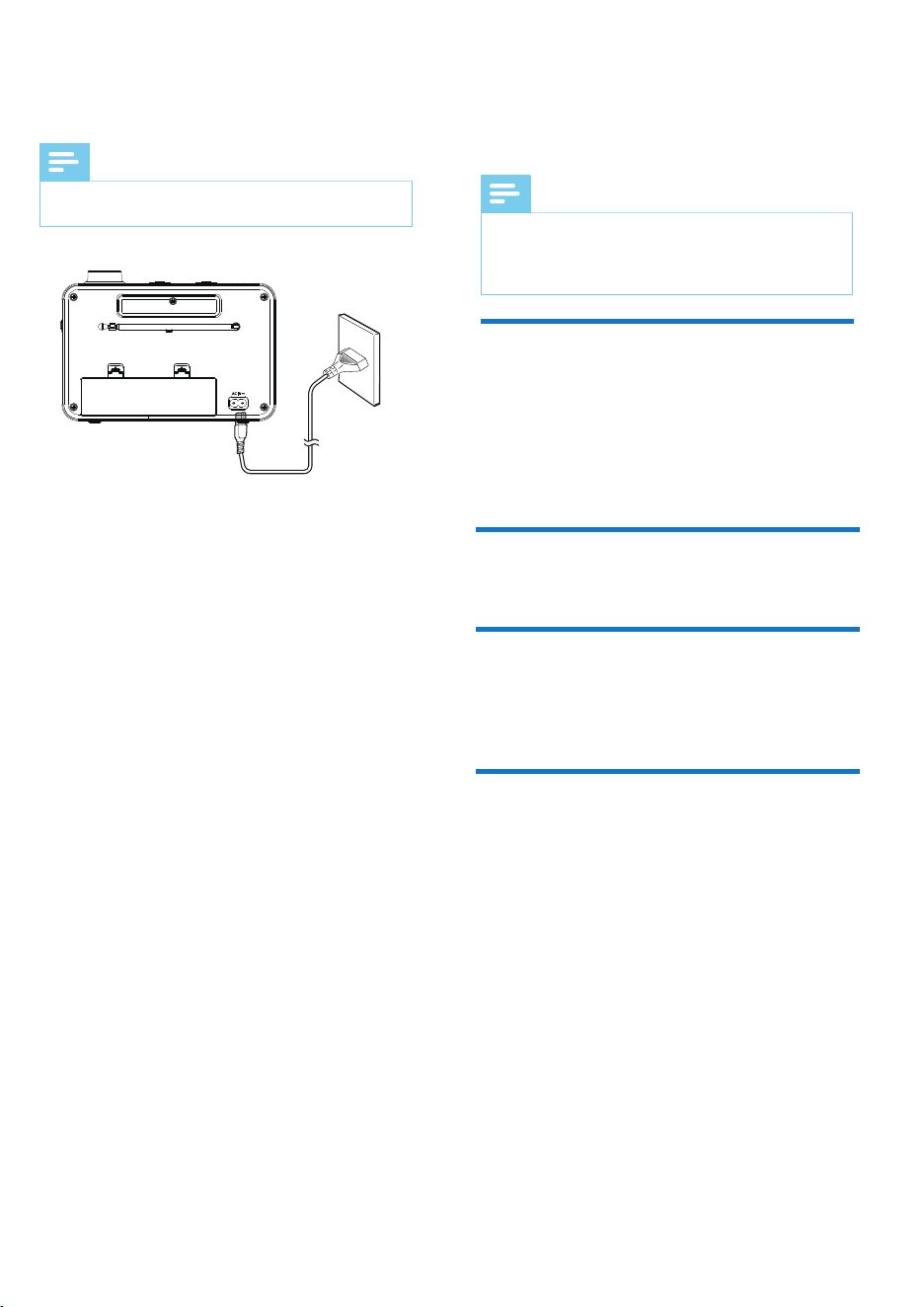
Connect the supplied AC power cord to:
• the AC MAINS jack on the main unit.
• the wall outlet.
9
7
7
8
5
10
Note
•
5
4
Listen to FM/MW
radio
Note
•
•
Tune to radio stations
1 Turn the Volume/On off control to switch
on the set.
2 Set the band selector to FM or MW.
3 Select your station using the TUNING control.
4 To switch off the radio, turn the Volume/On
off control to OFF.
The type plate is located at the bottom of the portable
radio.
Keep the portable radio away from other electronic
devices to avoid radio interference.
For better reception, fully extend and adjust the
position of the FM antenna.
Adjust volume
Connecting to headphones
Adjust the sound with the Volume/On off control.
You can connect headphones to the headphone
socket.
-> The loudspeakers will then be switched off.
Adjust Tone
Set the Tone selector to select News or Music
mode.
6 EN
5
Product
information
Note
• Product information is subject to change without prior
notice.
Battery type
AC input
D SIZE(LR20)
Battery voltage 1.5V
Number of batteries 2
220-240V
50-60Hz
General information
Power
Sound system Mono
Volume control Rotary (analogue)
Output power 300 mW RMS
Sound
Tuner bands FM 88 - 108 MHz
MW 520 - 1710 KHz
Tuner/Reception/Transmission
Audio/Video output Headphones
(3.5mm)
Connectivity
Dimensions
(W x H x D)
210 x 149.5x 67 mm
Weight
(Main unit)
668 g
Warning
•
Never remove the casing of the product.
To keep the warranty valid, never try to repair
the device yourself.
If you encounter problems when using this
device, check the following points before
requesting service. If the problem remains
unsolved, go to the Philips webpage (www.philips.
com/support). When you contact Philips, make
sure that the device is nearby and the model
number and serial number are available.
No power
• Make sure that the AC power plug of the unit
is connected properly.
No sound
• Adjust the volume.
• Fully extend and adjust the position of the
antenna.
• Check if headphones are connected to the set.
If yes, disconnect the headphones.
• Make sure that there is power at the AC outlet.
• Batteries may be dead or incorrectly inserted.
-> Insert (fresh) batteries correctly.
Poor radio reception
6
Troubleshooting

TAR2509_UM_V1.0
Philips and the Philips Shield Emblem are registered trademarks of Koninklijke Philips N.V. and are used
under license. This product has been manufactured by and is sold under the responsibility of MMD
Hong Kong Holding Limited or one of its affiliates, and MMD Hong Kong Holding Limited is the
warrantor in relation to this product.
2024 © MMD Hong Kong Holding Limited. All rights reserved. Speci�cations are subject to change
without notice.