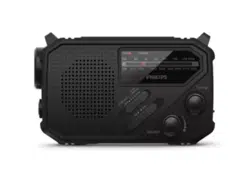
Register your product and get support at:
www.philips.com/support
User manual
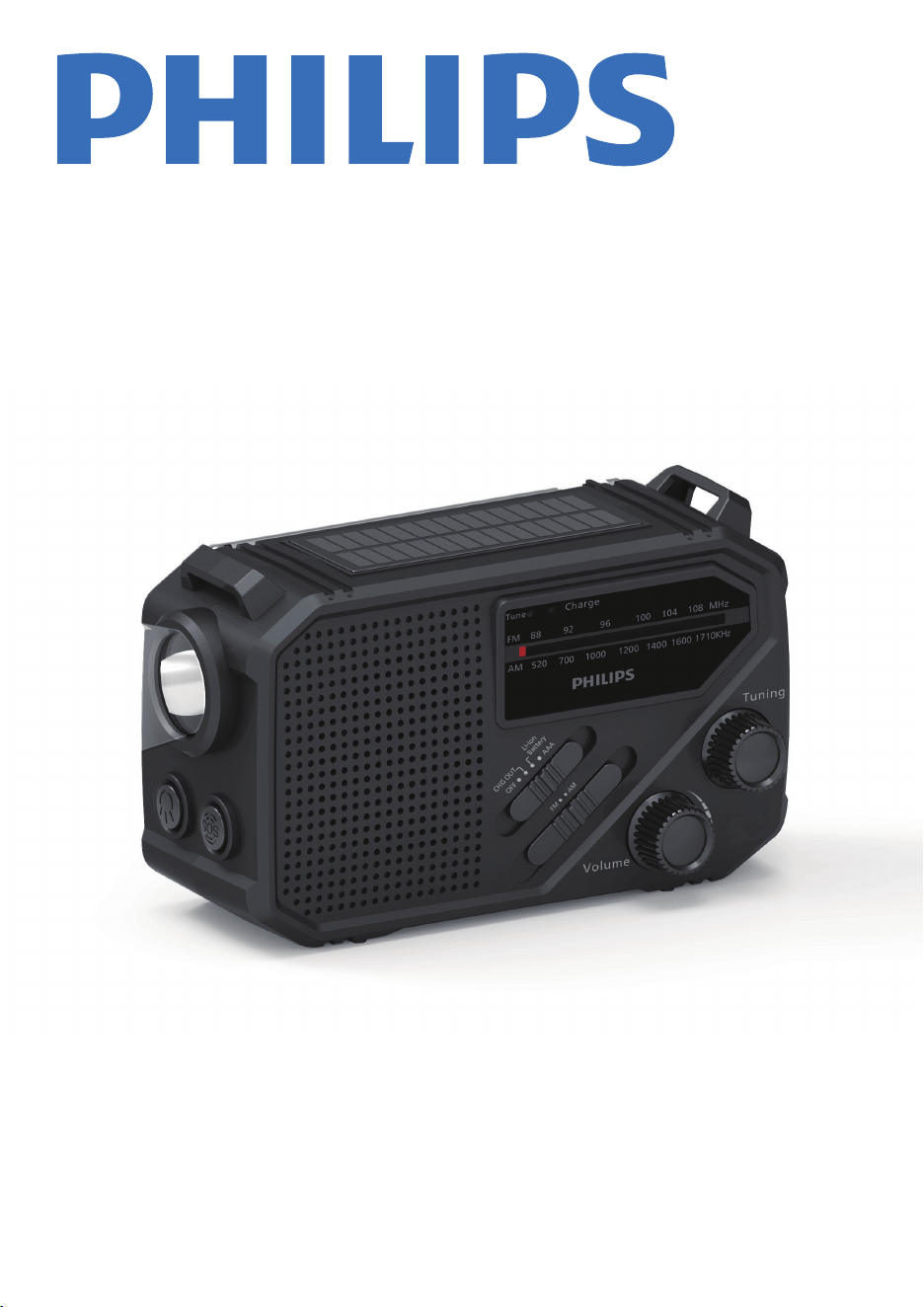
Portable Radio
TAR1659
Amazon
ASIN#: B0FMKKPS37

1 Important 2
Safety
Notice
2
3
2 Your Portable Radio
4
Introduction 4
What's in the box 4
Overview of the FM/AM radio 4
3 Get started 6
Install batteries
Charge indicator
6
6
6
USB charging
6
Charging methods
6
Solar charing
6
Hand crank charging
4 Listen to FM/AM Radio 7
Tune to radio stations
7
Adjust volume 7
5 Other features 7
Flashlight 7
SOS 7
Charge your cellphone 7
6 Product information
8
7 Troubleshooting
8
1
2
3
Contents
1
EN

2 EN
1 Important
Safety
• Read these instructions.
•
Heed all warnings.
• Follow all instructions.
• Do not block any ventilation openings. Install in
accordance with the manufacturer’s instructions.
• Do not install near any heat sources such as
radiators, heat registers, stoves, or other apparatus
ַÿĚØēŏÞÿĚö½ęĻēÿžâľłָŊü½ŊĻľġÞŏØâüâ½Ŋ֣
âõâľ½ēēłâľŧÿØÿĚöŊġĽŏ½ēÿžâÞłâľŧÿØâĻâľłġĚĚâē֣
Servicing is required when the apparatus has
been damaged in any way, liquid has been spilled
or objects have fallen into the apparatus, the
apparatus has been exposed to rain or moisture,
does not operate normally, or has been dropped.
•
•
•
•
•
•
Battery usage CAUTION - To prevent battery
leakage which may result in bodily injury,
property damage, or damage to the portable
radio:
•
Install all batteries correctly, + and - as marked
on the unit.
•
Remove batteries when the unit is not used for
a long time.
•
•
•
•
•
•
•
The battery shall not be exposed to excessive
üâ½ŊłŏØü½łłŏĚłüÿĚâ֤žľâġľŊüâēÿĐâ֣
This portable radio shall not be exposed to
dripping or splashing.
Do not place any sources of danger on the
ĻġľŊ½×ēâľ½Þÿġַâ֣ö֣ēÿĽŏÿÞžēēâÞġ×čâØŊł֤ēÿöüŊâÞ
ؽĚÞēâłָ֣
Replacement of a battery with an incorrect type
may defeat a safeguard;
%ÿłĻġł½ēġõ½×½ŊŊâľŮÿĚŊġžľâġľ½üġŊġŧâĚ֤ġľ
mechanically crushing or cutting of a battery, may
result in an explosion;
Leaving a battery in an extremely high temperature
łŏľľġŏĚÞÿĚöâĚŧÿľġĚęâĚŊ֤łŏØü½łłŏĚłüÿĚâ֤žľâ֤
or hot surface may result in an explosion or the
ēâ½Đ½öâġõſ½ęę½×ēâēÿĽŏÿÞġľö½ł֦
A battery subjected to extremely low air pressure
may result in an explosion or the leakage of
ſ½ęę½×ēâēÿĽŏÿÞġľö½ł֣
Do not mix old and new batteries. Do not mix
½ēĐ½ēÿĚâ֤łŊ½ĚÞ½ľÞַؽľ×ġĚֿŶÿĚØָ֤ġľľâØü½ľöâ½×ēâ
ַĚÿֿؽÞ֤Ěÿֿęü֤âŊØָ֣×½ŊŊâľÿâł֣
•
Batteries contain chemical substances. They
should be disposed of properly.
• If you suspect that a battery has been swallowed
or placed inside any part of the body, seek
immediate medical attention.
When you change the batteries, always keep all
new and used batteries out of reach of children.
Ensure that the battery compartment is completely
secure after you replace the battery.
If the battery compartment cannot be completely
secured, discontinue use of the product. Keep out
of reach of children and contact the manufacturer.
Please note that your device contains built-in
lithium batteries. The charging capacity of lithium
batteries will decrease over time due to their
self-discharge characteristics.To ensure the
longevity of your device's battery, we recommend
charging the built-in lithium battery to around
50% every 6 months when the device is not in use.
Notice
This product complies with the radio interference
requirements of the European community.
Hereby, TP Vision Europe B.V. declares that the
product is in compliance with the essential
requirements and other relevant provisions of )%
%ÿľâØŊÿŧâԜԚԛԞֳԟԝֳ)½ĚÞU½ÞÿġEquipment
Regulations SI 2017 No 1206. You can žĚÞŊüâ
%âØē½ľ½ŊÿġĚġõġĚõġľęÿŊŮġĚ
www.philips.com/support.
This product complies with the radio
interference requirements of the
EuropeanCommunity.
This product is designed and
manufactured with high-quality
materials and components,
which can be recycled and reused.
This symbol means the product must
not be discarded as household waste
and should be delivered to an
appropriate collection facility
recycling. Follow local rules and never
dispose of the product and rechargeable
batteries with normal household waste.
Correct disposal of old products and
rechargeable batteries helps prevent
negative consequences for the
environment and human health.
This symbol means that the product
contains batteries covered by European
âöŏē½ŊÿġĚַ)ָԜԚԜԝֳԛԟԞԜŨüÿØüؽĚĚġŊ
be disposed of with normal household
waste. Inform yourself about the the
local separate collection system for
electrical and electronic collection
system for electrical and electronic
products and batteries. Follow local
rules and never dispose of the product
and batteries with normal household
waste. Correct disposal of old products
and batteries helps prevent negative
consequences for the environment and
human health.
3
EN
Environmental information
All unnecessary packaging has been omitted.
Your system consists of materials which can be
recycled and reused if disassembled by a
specialized company. Please observe the local
regulations regarding the disposal of
packaging materials, exhausted batteries and
ġēÞâĽŏÿĻęâĚŊ֣%ÿłĻġł½ēġõ½×½ŊŊâľŮÿĚŊġžľâ
or a hot oven, or mechanically crushing or
cutting of a battery, can result in an explosion.
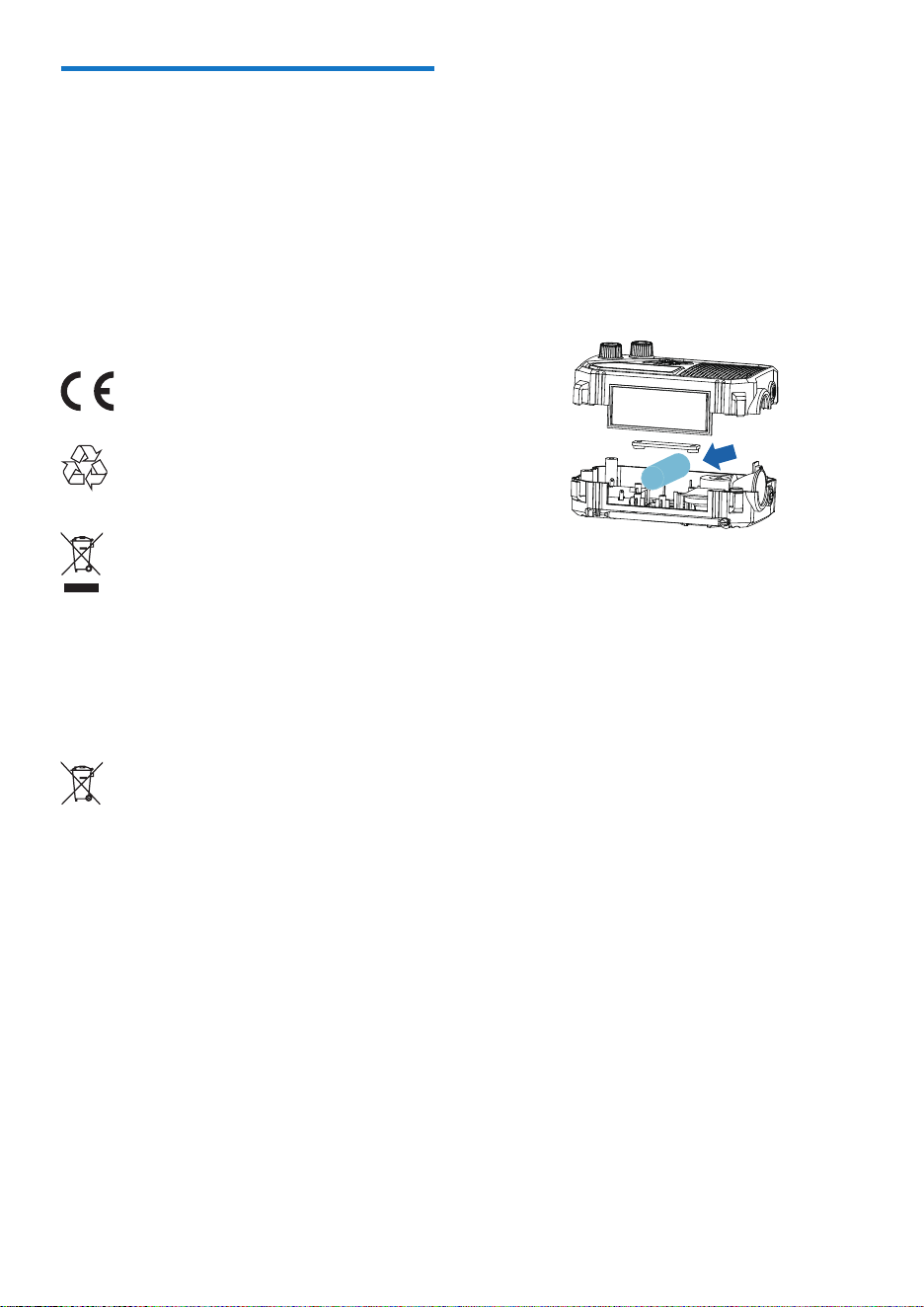
Removing the integrated batteries Make sure
the product is disconnected from power before
removing the integrated battery.
For illustration purposes only
Inform yourself about the local separate
collection system for electrical and electronic
products and batteries. Follow local rules and
never dispose of the product and batteries with
normal household waste. Correct disposal of
old products and batteries helps prevent
negative consequences for the environment
and human health.
2
Your FM/AM Radio
Congratulations on your purchase, and welcome
to Philips! To fully bene�t from the support that
Philips offers, register your product at
www.philips.com/support.
Introduction
With this FM/AM radio, you can
•
•
•
listen to FM/AM radio
charge your mobile device with USB cable
What's in the box
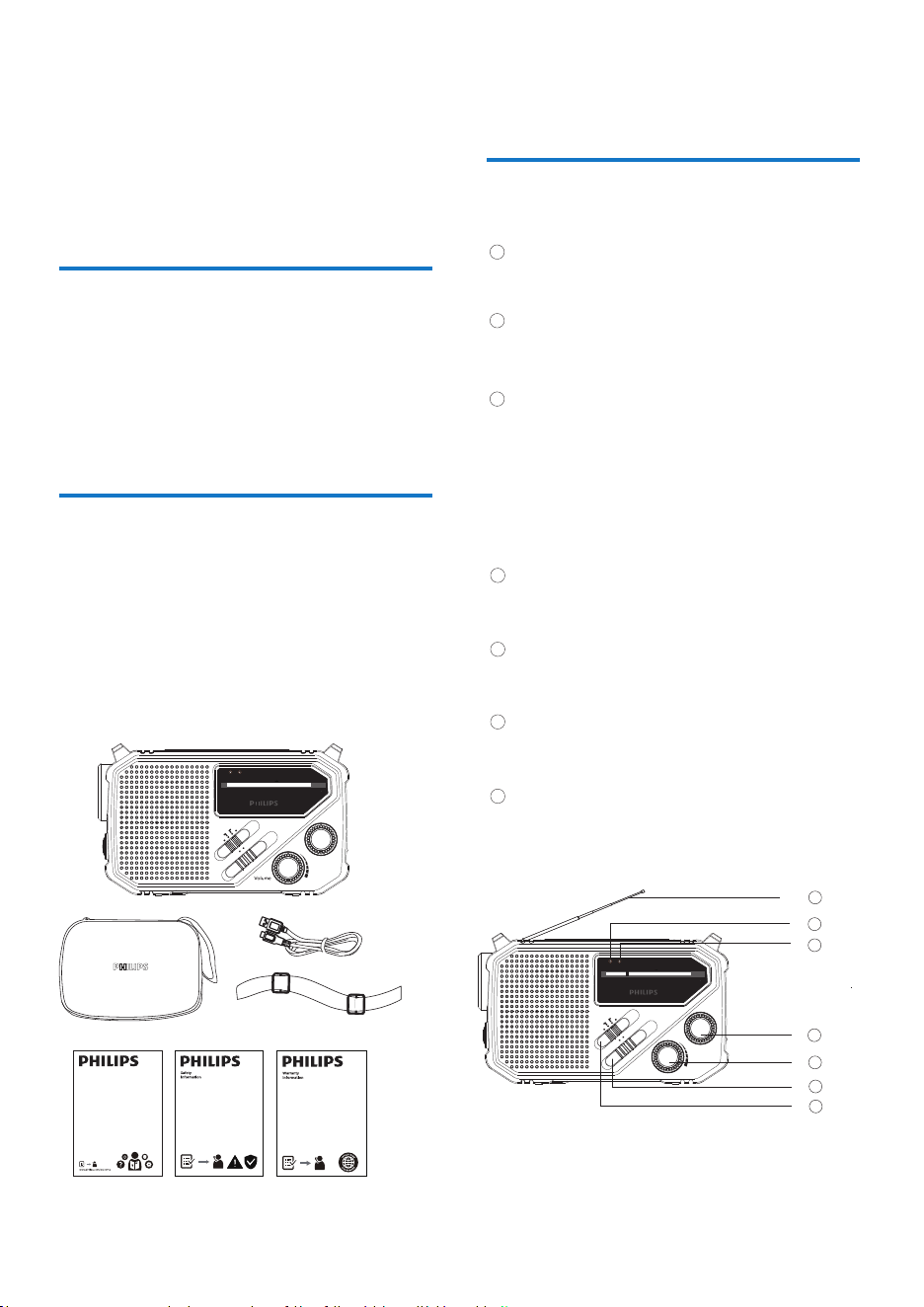
Check and identify the contents of your package:
•
Main unit
•
Quick start guide
•
Safety sheet
Warranty Card
•
USB Type-C Cable
•
Travel case
•
Overview of the FM/AM
radio
– Improves FM/AM reception.
– Red light is on when radio signal is received.
– Adjusts the sound level.
– Select FM /AM band.
Telescopic antenna
Tune indicator
– The indicator is on when the product is being
– The indicator blinks fast when battery is low.
Charge indicator
1
2
3
Function switcher
7
Tuning
4
Volume
5
Band switcher
6
7
2
3
5
4
6
1
– OFF/ CHG. OUT /Li-ion Battery / AAA.
– In FM/AM mode, �ne tunes a station.
use a �ashlight for lighting
•
press the SOS button to seek help in
emergency
4 EN
Wir
OFF
AAA
MHz
1000520 700 1200
1400
1600 1710
AM
KHz
88
96 100 104 10892
Volume
Tuning
FM
AM
CHG OUT
Battery
Li-ion
Tune
Charge
FM
OFF
AAA
MHz
1000520 700 1200
1400
1600 1710
AM
KHz
88
96 100 104 10892
Volume
Tuning
FM
AM
CHG OUT
Battery
Li-ion
Tune
Charge
FM
– The indicator is off when battery is fully
charged.
charged by solar panel / hand crank / USB.
OFF
AAA
MHz
1000520 700 1200
1400
1600 1710
AM
KHz
88
96 100 104 10892
Tuning
FM
AM
CHG OUT
Battery
Li-ion
Tune
Charge
FM
Hand strap
•
11
12
13
14
11
12
14
11
13
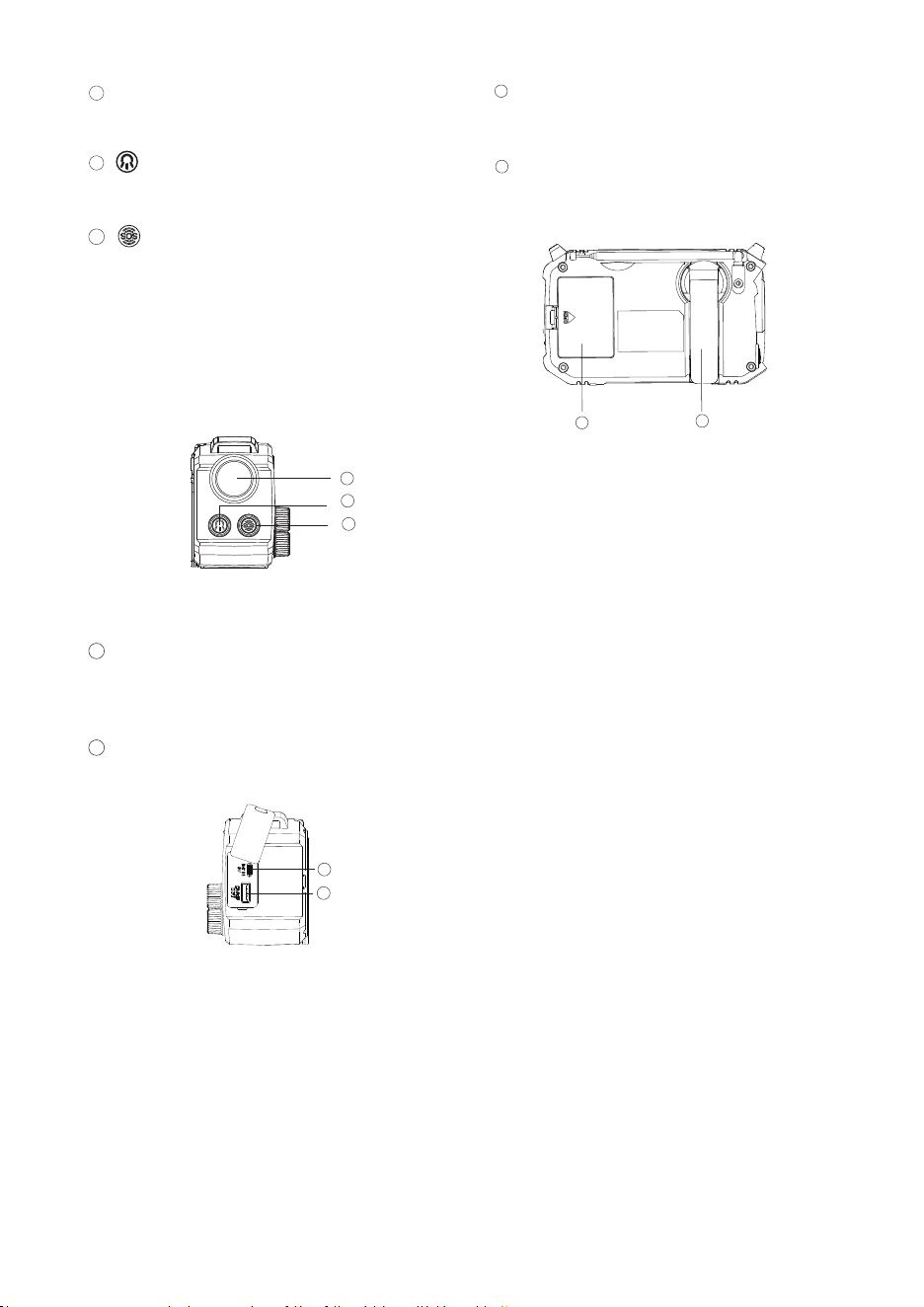
Flashlight
DC IN jack
– ~ľâłłŊġŊŏľĚġĚֳġŻŊüâſ½łüēÿöüŊ֣
– Use a TYPE-C USB cable to connect to the power
supply to charge the unit.
12
CHARGE OUT jack
– Use USB cable for to charge an external device.
– EĚłŊ½ēēԝ×½ŊŊâľÿâłַĚġŊĻľġŧÿÞâÞָ
8
9
10
– Press to switch between the SOS modes:
9
8
10
Battery Compartment
Hand Crank
5
EN
– Wind to charge the built-in Li-ion battery.
– WÿöüŊ½ĚÞſ½łüŨ½ľĚÿĚö½ŧ½ÿē½×ēâ
֬ÿľâĚַ½ē½ľęłġŏĚÞָ
·Flashing light
֬ÿľâĚئſ½łüÿĚöēÿöüŊ
֬dŻ
Charge indicator
1 USB charging
Always follow the instructions in this chapter in
sequence.
Install batteries
Caution
• Risk of explosion! Keep the batteries away from heat,
sunshine or žre. Never discard batteries in žre.
• Batteries contain chemical substances, so they should
be disposed of properly.
• Do not mix battery types: e.g. alkaline with carbon zinc.
Only use batteries of the same type for the set.
EĚłâľŊԝ×½ŊŊâľÿâłַĚġŊĻľġŧÿÞâÞָŨÿŊüØġľľâØŊ
Ļġē½ľÿŊŮַئֳָֿ½łÿēēŏłŊľ½ŊâÞ֣½ÞÿġĻē½ŮŊÿęâġĚ
AAA batteries: Up to 12 hours at 50% volume.
The unit has a built-in rechargeable battery,
which should be charged before using the
;]ֳ]ľ½ÞÿġõġľŊüâžľłŊŊÿęâ֣
The Li-ion battery is charged automatically when
the unit is connected to power via the USB cable
provided. A full charge by USB takes 3.5 hours.
Radio play time on Li-ion battery: Up to 32 hours
at 50% volume.
3
Get started
Charging methods
Not included
2 Solar charging
Put the unit in the sun, solar charging will start
and the charge indicator turns green. Do not
cover the solar panel when charging.
3 Hand crank charging
You can charge the built-in rechargeable battery
by rotating the hand crank generator.
The charge indicator will turn green.
Note
• Only use solar charging and hand cranked power
generation in emergency.
Note
•
•
Solar irridiance light level : 1000 W/m
Radio play time on solar power: When solar illumination
is above 60000 Lux, the product can have up to 30
minutes of play time at a reasonable volume upon a
60-minute charging time.
Radio play time on hand cranking power:
Around 60 minutes at a reasonable volume upon a
25-minute charging time at the cranking speed of
120rpm.
6 EN
DC IN
5V
2
Note
•
Speed of rated output power:
Power generator: 3000rpm±50rpm; Hand cranking: 120rpm
•
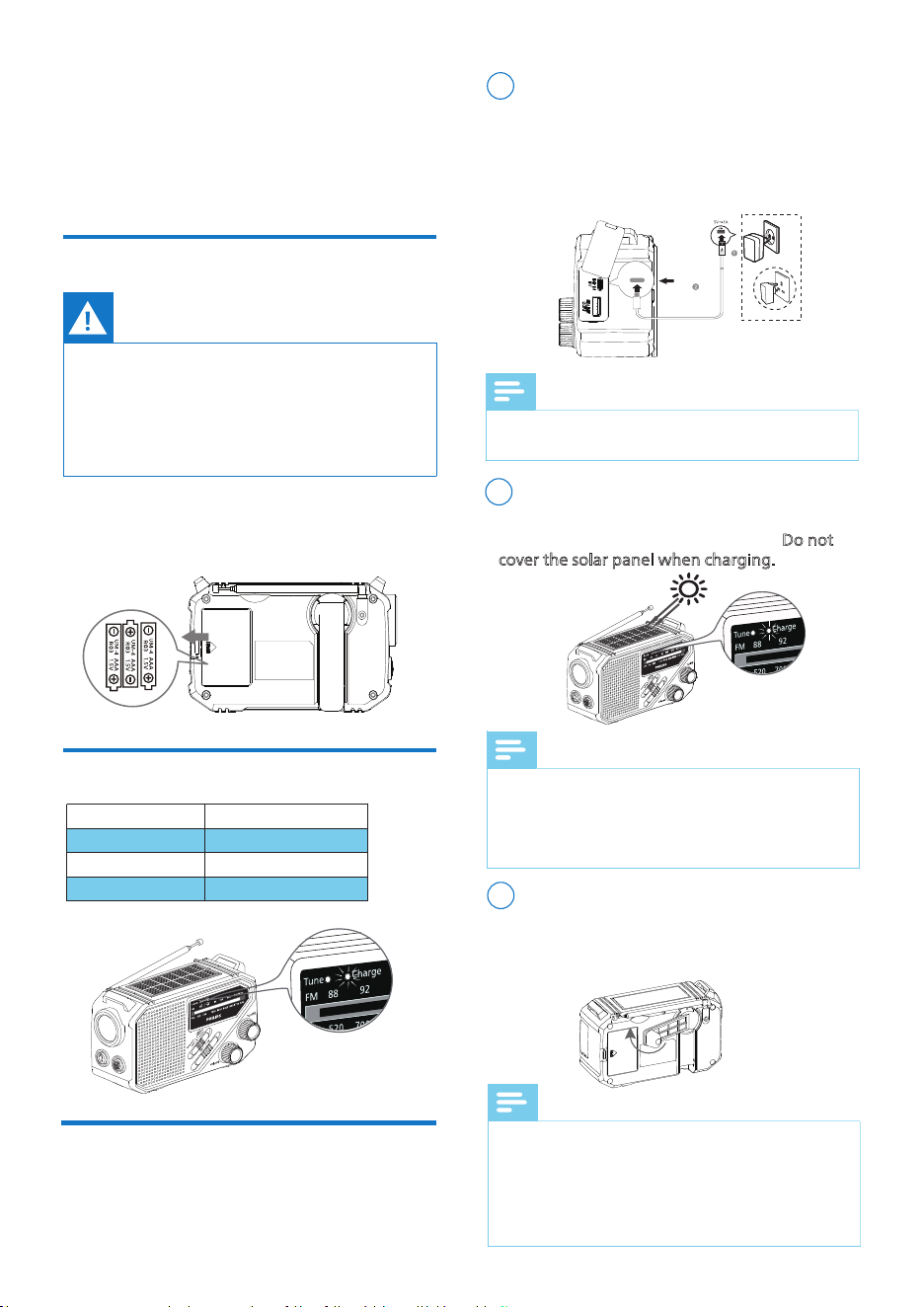
Battery status
Battery low
Being charged
Fully charged
Charge indicator
Fast blinking green
Solid green
dŻ
ַľĻę֥âŧġēŏŊÿġĚłĻâľęÿĚŏŊâָ
4
Listen to FM/AM
Radio
5
Other features
Note
• Keep the FM/AM radio away from other electronic
devices to avoid radio interference.
• For better reception, fully extend and adjust the
position of the antenna.
Adjust volume
Tune to radio stations
Rotate the Volume knob to adjust volume level.
ԟġłŨÿŊØüġŻŊüâľ½Þÿġ֤łēÿÞâŊüâõŏĚØŊÿġĚłŨÿŊØüâľ
to OFF.
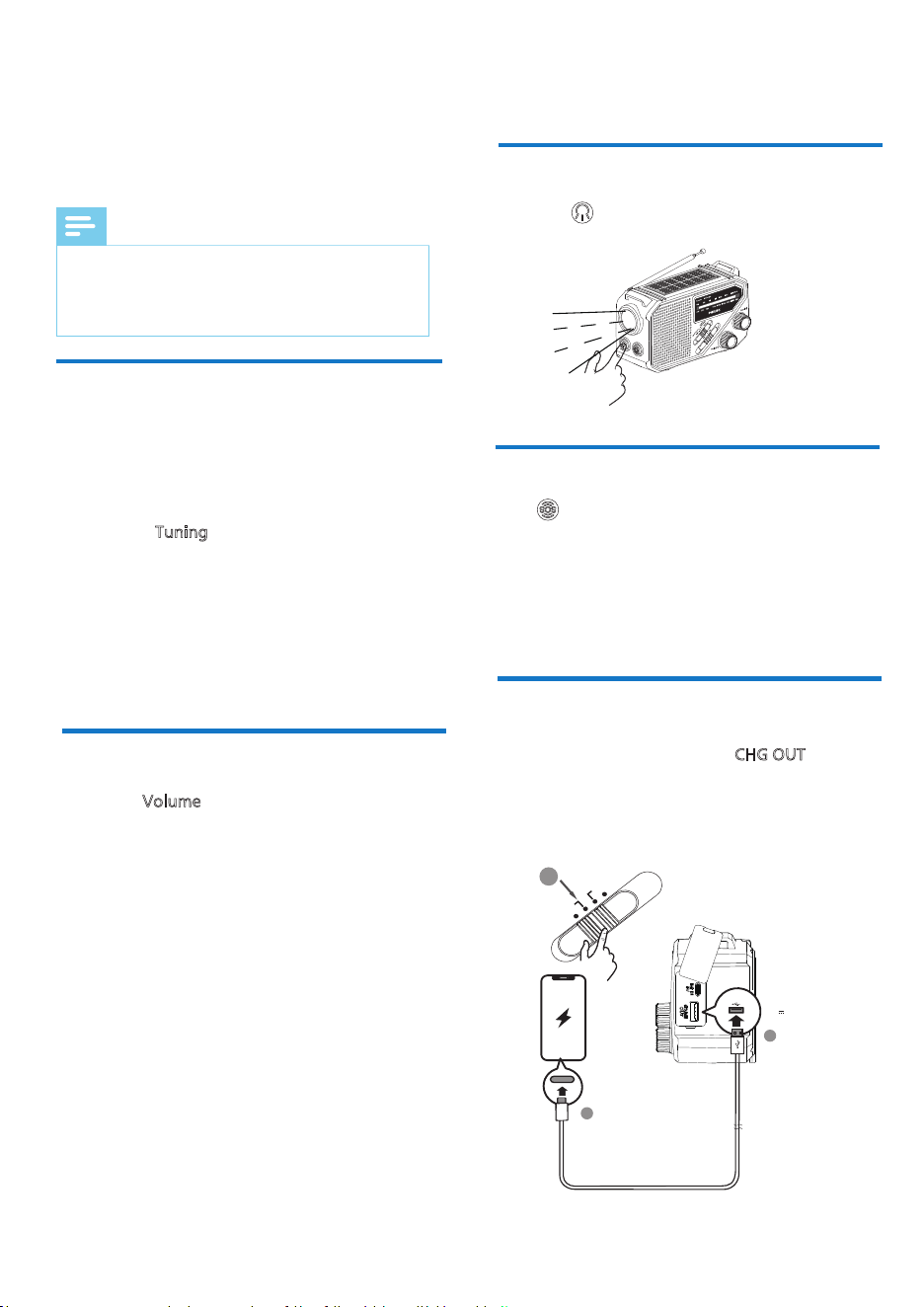
1 Slide the function switcher to CHG OUT
.
FM Frequency: 87.5-108MHz
AM Frequency: 520-1710kHz
2 Slide the band switcher to select between
FM / AM band.
1 Slide the function switcher to Li-ion Battery or
AAA to turn on the radio.
SOS
Charge your phone
3 Rotate the Tuning knob to select FM/AM frequency.
ԞüâŊŏĚâÿĚÞÿؽŊġľַľâÞָŨÿēē×âġĚŨüâĚ½Øēâ½ľ
radio channel is received.
Press the button on the side to turn on the
ſ½łüēÿöüŊ֣~ľâłł½ö½ÿĚŊġŊŏľĚÿŊġŻ֣
Flashslight
Press button to enable SOS and switch between
ÞÿŻâľâĚŊęġÞâł֥
2 Open the USB rubber cover, and connect your
cellphone to the product via the USB-C cable
provided.
7
EN
2
1
CHARGE OUT
OFF
AAA
CHG OUT
Battery
Li-ion
3
5V 0.5A
Mode 1: Siren
Mode 2: Flashing light
]ġÞâԝ֥ÿľâĚئſ½łüÿĚöēÿöüŊ
Mode 4: OFF
6
Product
information
Note
• Product information is subject to change without prior
notice.
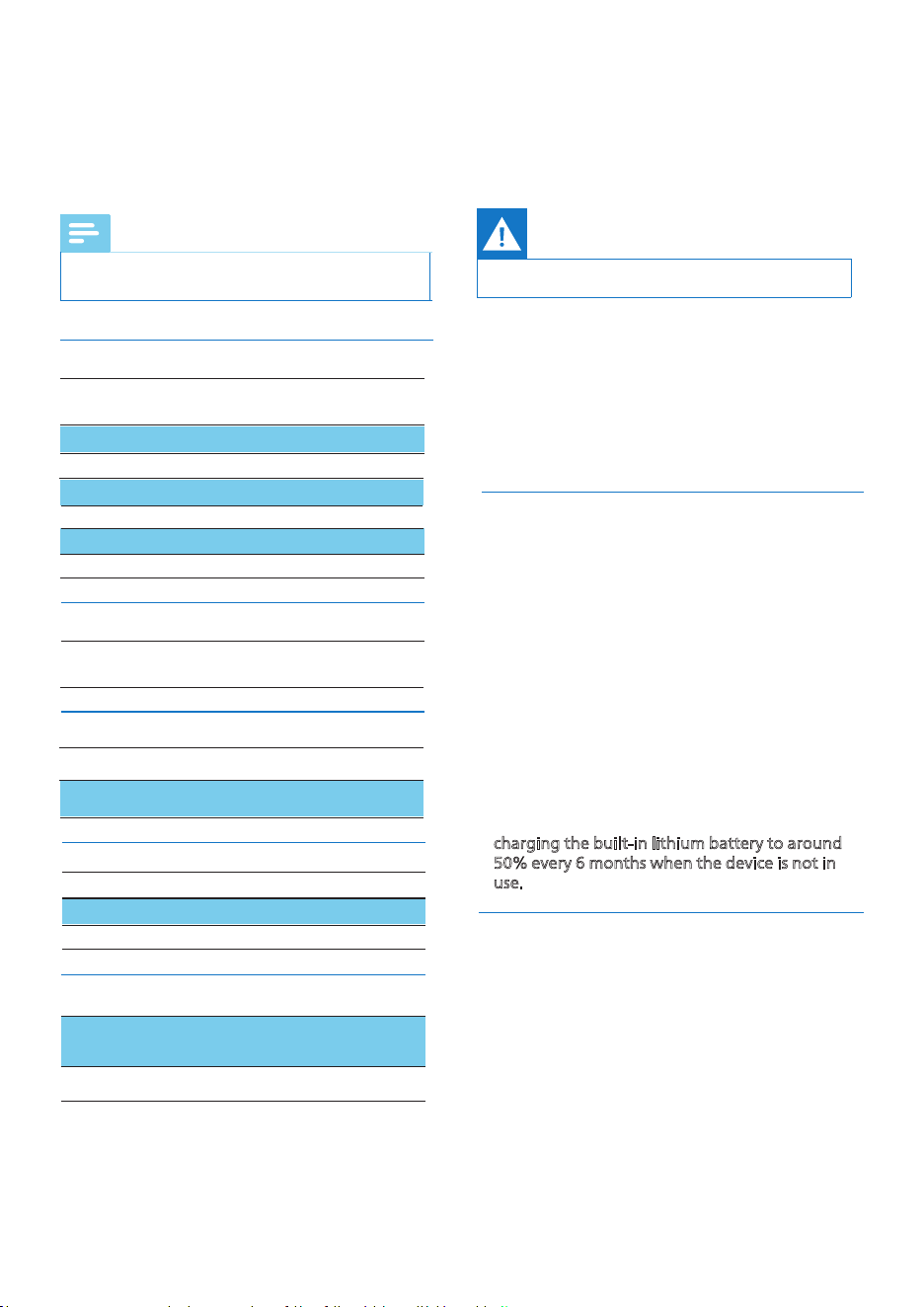
Battery type
łÿŶâַWԝָ
ַĚġŊĻľġŧÿÞâÞָ
Battery voltage 1.5V
Number of batteries 3
Number of batteries 1
Rechargeable Battery
18650 2000mAh
2000mAh
Battery voltage
Battery Capacity
3.7V
General information
Power
Sound system Mono
Volume control ġŊ½ľŮַ½Ě½ēġöŏâָ
Output power
1W
Sound
Tuner bands
AM 520 - 1710 KHz
Tuner/Reception/Transmission
Dimensions
ַ«ŭBŭ%ָ
150 x 90 x 68 mm
Weight
(Main unitָ
390 g
7
Troubleshooting
Warning
Never remove the casing of the product.
To keep the warranty valid, never try to repair the
device yourself. If you encounter problems when
using this device, check the following points
before requesting service. If the problem remains
unsolved, go to the Philips webpage (www.philips.
ØġęֳłŏĻĻġľŊָ֣«üâĚŮġŏØġĚŊ½ØŊ~üÿēÿĻł֤ę½Đâ
sure that the device is nearby and the model
number and serial number are available.
No sound / power
• Volume not adjusted. Adjust the VOLUME.
•½ŊŊâľÿâłÞâ½ÞֳÿĚØġľľâØŊēŮÿĚłâľŊâÞ֣EĚłâľŊַõľâłüָ
batteries correctly
• Recharge Li-ion battery
Poor radio reception
• For FM, extend, incline and turn the telescopic
antenna for best reception. Reduce its length if
the signal is too strong.
• For AM, the set uses a built-in antenna. Direct
this antenna for best reception by turning the
whole set.
• When inserting new batteries, do not try to mix
old batteries with the new ones.
• Remove the batteries if the set is not to be used
for a long time. Batteries contain chemical
substances, so they should be disposed of properly.
FM 87.5 - 108 MHz
8 EN
Work environment
Altitude
Opertation Temperature
5000m
0-45
ˆ
Please note that your device contains built-in
lithium batteries. The charging capacity of
lithium batteries will decrease over time due to
their self-discharge characteristics. To ensure the
longevity of your device's battery, we recommend
charging the built-in lithium battery to around
50% every 6 months when the device is not in
use.
•

202ԟ © MMD Hong Kong Holding Limited. All rights
ľâłâľŧâÞ֣ĻâØÿžØ½ŊÿġĚł½ľâłŏ×čâØŊŊġØü½ĚöâŨÿŊüġŏŊ
notice.
Philips and the Philips Shield Emblem are registered
trademarks of Koninklijke Philips N.V. and are used
under license. This product has been manufactured by
and is sold under the responsibility of MMD Hong
UġĚöBġēÞÿĚöWÿęÿŊâÞġľġĚâġõÿŊł½żēÿ½Ŋâł֤½ĚÞ
MMD Hong Kong Holding Limited is the warrantor in
relation to this product.
Model: TAR16ԟ9/00_UM_V1.0