User Manual
TYPE-C SMARTPHONE MICROPHONE


Foreword
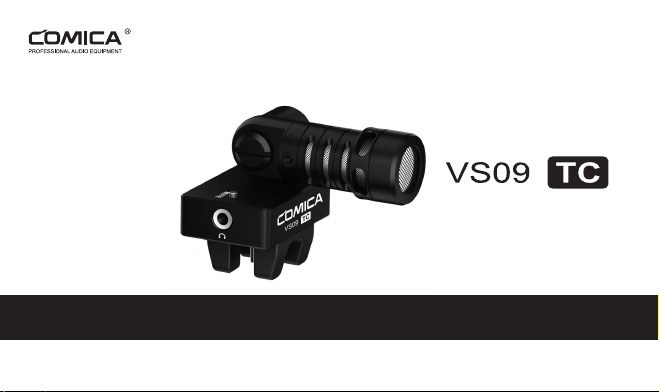
Thanks for purchasing Comica CVM-VS09 TC Cardioid Smartphone Microphone for Phone with TYPE-C
Interface.
This product can be equipped with TYPE-C interface smartphone for audio recording. It is designed with
functions of supporting audio monitoring, microphone muting mode, work indicator light, 180 degree
rotation and etc, which can bring you better experience and sound quality effect without any concern!
Please carefully read this instruction manual before use. The product has been precisely calibrated at
the factory, and please do not assemble and disassemble the parts by yourself, or the warranty will be
invalid.
Notice
For the Android system smartphone, the Mic works well in Audio Mode, but Video Mode will happen
with incompatibility trouble while working with some smartphone;
(
Then we suggest you to try the 3rd
party’s video APP
)
Due to the diversity of Android systems, some smartphone will be incompatible. For compatibility,
please refer to the sales website or official website;
In the course of use, please set the smartphone to fly mode to avoid any interference;
Please stay away from heat source or interference source when using;
Please avoid falling, collision or impact when using;
Please do not use in rain humidity, or there will be a risk of short circuit;
1

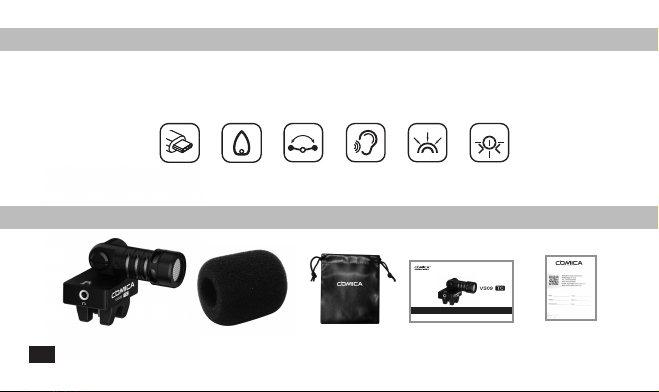
Main Features
. Designed for Phone with TYPE-C Interface
. Cardioid Directional
. Super-shield and Low Noise Mic
. 180 Degree Rotation
. LED Working Indicator
. Audio Monitoring
Package List
Body of Microphone Mic Windscreen Hand Bag User Manual Warranty Card
For Type-C
Phone
180 Degree
Rotation
Audio Monitor Super
Anti-Interference
Working Indicator
Cardioid
Directional
User Manual
TYPE-C SMARTPHONE MICROPHONE
2

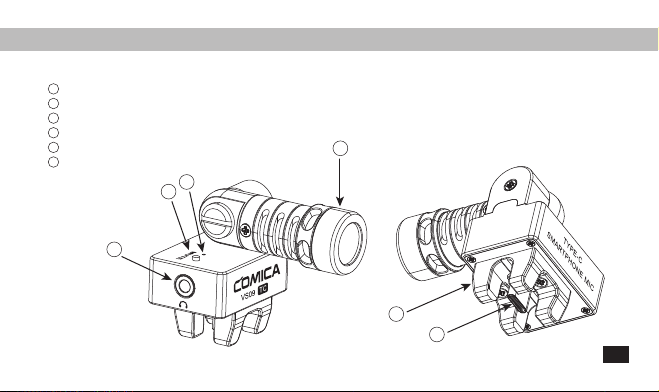
Components
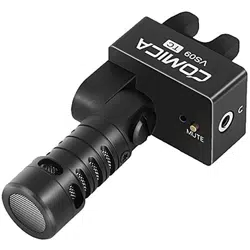
Microphone
Mic Capsule
Work Indicator Light
Muting Button
1
2
3
3.5mm Earphone Monitor Connector
Rubber Smartphone Clamp
TYPE-C Interface
4
5
6
3
2
4
6
5
1
3

Installation and Use
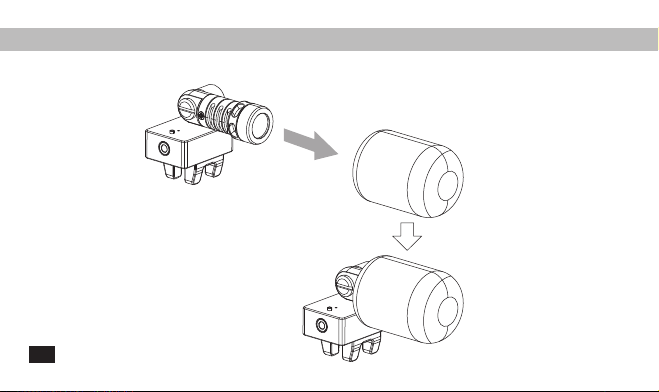
1. Install the windscreen to microphone
4

2. Install the microphone onto the phone with TYPE-C interface, When the green light is always on or
flickering, it indicates that it is working
5

3. Rotate the microphone to match different usage scenarios and angles
Self-recording Mode Interview ModeRecording Mode
6
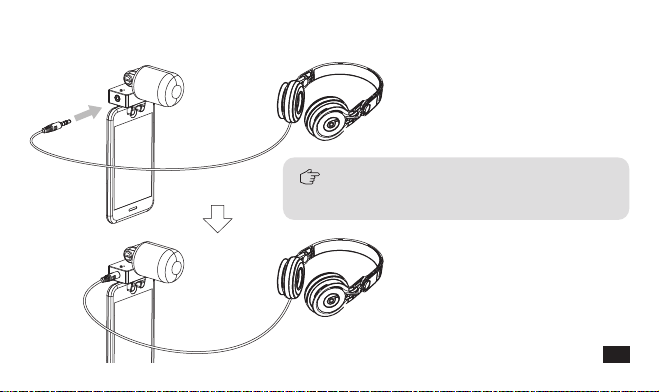
4. Put the earphone into the Monitor Connector, then you can real-time monitor or playback directly for audio
monitor according to different phones
Due to the diversity of Android systems, some
smartphone do not support real-time monitoring
but can playback for audio monitor
7

5. Muting Mode Note
Switch Muting Mode by pressing Muting Button. When in normal recording mode, the indicator light
turns green; When in muting mode, the indicator light turns red.
When replaying recorded audio or video with phone, muting mode should be turned on to avoid the
influence of microphone real-time sound
Microphone Muting Button Work Indicator Light
8

Polar Pattern Frequency Response
Specification
50
40
30
20
-20
-30
-40
-50
10100100010000
10
-10
0
0
90
180
-2.0
-20.0
-10.0
125 Hz:
250 Hz:
500 Hz:
1000 Hz:
2000 Hz:
4000 Hz:
8000 Hz:
9

Product Features
Polar Pattern
Frequency Response
Signal/Noise
Max SPL
Output Connection
Monitor Connection
Sample Rates
Bit Depth
OS Requirements
Dimension
Net Weight
Working Temperature
Cardioid
60Hz~20kHz
>70dB
>100dB
TYPE-C USB2.0
3.5mm
48kHz/44.1kHz
16-bit
Android 5.0 and higher
38x71x53mm
36g
0
℃
~50
℃
10

Email: [email protected]

用户使用手册
TYPE-C接口手机专用心型指向麦克风


前 言
感谢您购买科唛CVM-VS09 TC TYPE-C接口手机专用麦克风。
此产品可搭配TYPE-C接口手机进行音频录制。它设计有监听、麦克风静音功能、工作指示灯,多角度使用
等功能,能带给您更好的体验及音质效果。
使用前请认真阅读此使用说明书,本产品在出厂时已进行精密校准,请勿自行组装拆卸零部件,否则不予
保修!
注意事项
该麦克风配合Android(安卓)系统的手机使用时,录音模式下均可正常工作,视频模式下部分手机会
出现不兼容情况;(此时建议使用第三方视频软件,如:抖音,快手等)
由于Android(安卓)系统的多样性,会有部分手机出现不兼容情况,兼容性请参考相应的销售网站或官
网
使用过程中,请尽可能将手机设置为飞行模式,以避免手机信号干扰
使用时请远离热源或干扰源
使用时请避免掉落,碰撞或重击
请勿在下雨或潮湿环境环境中使用,否则会有短路的危险
1
产品主要功能
. TYPE-C接口专用
. 心型指向
. 180度旋转多角度使用
. 监听
. 超强屏蔽、抗噪咪头
. LED工作指示灯
包装清单
麦克风主体 手提袋防风棉 说明书 保修卡
TYPE-C接口专用
多角度使用
监听 超强屏蔽
抗噪咪头
LED工作指示灯
心型指向
User Manual
TYPE-C SMARTPHONE MICROPHONE
2
部件介绍及说明
麦克风
拾音头
工作指示灯
麦克风静音按钮
3.5mm监听孔
软胶手机夹
TYPE-C接口
1
2
3
4
5
6
3
2
4
6
5
1
3
安装与使用
1.把防风棉安装到麦克风主体上
4

2.把麦克风主体安装到TYPE-C接口手机上,绿色指示灯常亮或闪烁表示进入工作状态
5

3.把麦克风转到适当的角度以便适应不同使用场景
自录音模式 采访模式对外录音模式
6

4.把耳机插进监听孔即可监听
由于Android系统的多样性,部分手机不支持实时
监听,只能回放监听
7

5.静音功能使用:
使用麦克风静音按钮切换静音功能,正常录音状态下工作指示灯亮绿灯;静音状态下麦克风静音,工作
指示灯亮红灯;
当用手机回放录制好的音频或视频时,应开启麦克风静音模式,避免麦克风实时声音的影响
麦克风静音按钮 工作指示灯
8

指向图 频响图
技术参数
0
90270
180
-2.0
-20.0
-10.0
125 Hz:
250 Hz:
500 Hz:
1000 Hz:
2000 Hz:
4000 Hz:
8000 Hz:
50
40
30
20
-20
-30
-40
-50
10100100010000
10
-10
0
9

产品特征
指向性
频响
信噪比
最大声压级
输出接口
监听接口
采样率
位深
操作系统
尺寸
净重
工作温度
心型
60Hz~20kHz
>70dB
>100dB
TYPE-C USB2.0
3.5mm
48kHz/44.1kHz
16-bit
Android 5.0或以上
38x71x53mm
36g
0℃~50℃
10


Email: [email protected]