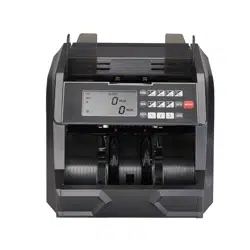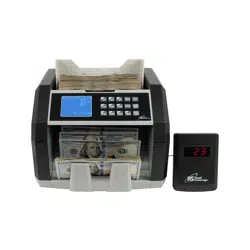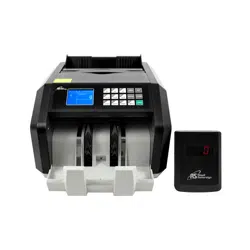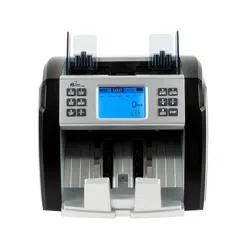
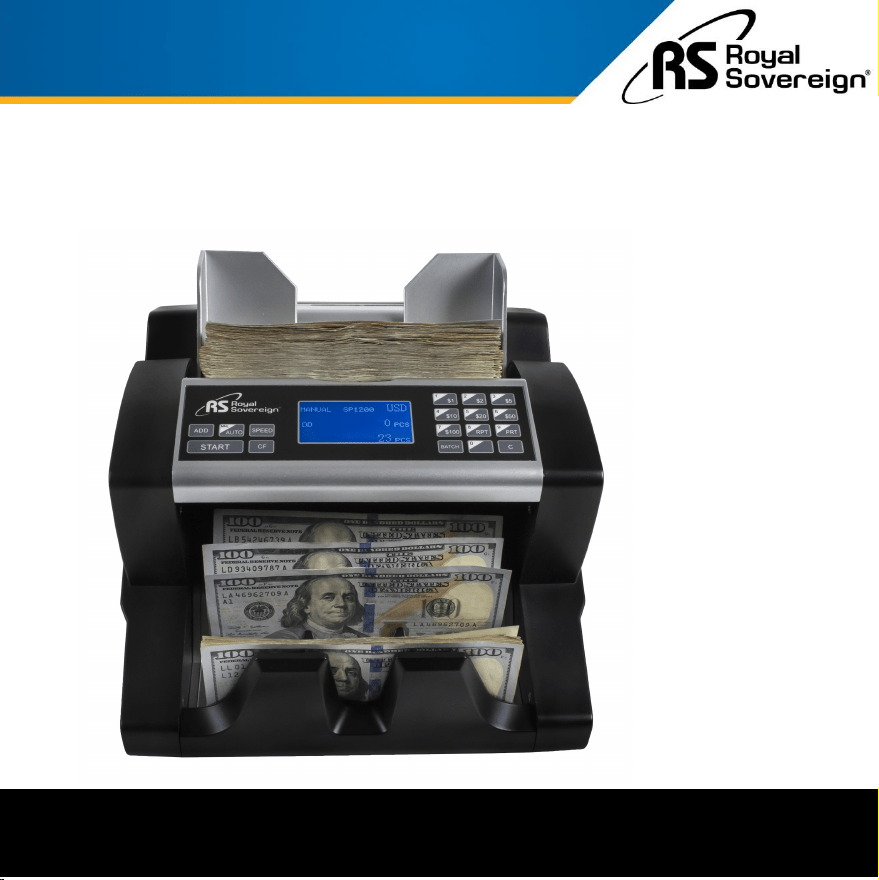
HIGH SPEED BILL COUNTER
WITH VALUE COUNTING
Owner's Manual
Royal Sovereign International,Inc.
Please read and retain these instructions.
For more information, please go to www.royalsovereign.com
RBC-ED350
CONTENTS
Thank you for purchasing the Royal Sovereign Bill Counter with
Value Counting - RBC-ED350. This manual will provide you with
safety information, instructions for optimal use, and proper care and
maintenance for your product. Please read this manual carefully
before operating.
1
SAFETY INSTRUCTIONS .............................................................................. 2
BOX CONTENTS ....................................................................................... 3
PRODUCT VIEW ........................................................................................ 3
QUICK START GUIDE .................................................................................. 4
CONTROL PANEL ...................................................................................... 5
PRODUCT OPERATION ................................................................................ 6 - 7
MAINTENANCE OF THE MACHINE .................................................................. 8
ERROR CODE DISPLAY AND SOLUTIONS ........................................................... 9
TROUBLESHOOTING .................................................................................. 10
SPECIFICATIONS ...................................................................................... 10
WARRANTY ............................................................................................ 11
SAFETY INSTRUCTIONS
2
When using this machine follow these safety precautions to reduce risk of fire, electric shock, or injury.
WARNING
Read & Fully Understand This Owner’s Manual Before Using This Machine.
1. Only use the power cord that comes with the machine. Plug the power cord into a properly
grounded wall outlet.
2. Do not use the machine if the power cord is damaged.
3. Do not place the machine in an area where it may be exposed to water or other liquids.
4. Do not take apart the machine. When service or repairs are needed, bring to a qualified service
repair technician or contact Royal Sovereign Customer Service.
5. When unplugging the power cord from the outlet, grip the plug to pull it out.
6. Do not place objects on the power cord and do not bend it excessively.
7. Before dusting the machine with a brush, unplug the machine from the wall. Do not use liquid
or aerosol cleaners on the machine. Use a soft brush to avoid any paper particles or dust from
sticking to the light transmitter or the light receiving sensors.
8. Do not use the machine in areas of high temperature, high humidity, or strong sunlight. This
may result in the machine not working properly.
9. When not using the machine for long periods of time, unplug the power cord from the outlet.
10. The effective power must be in scope of 110V.
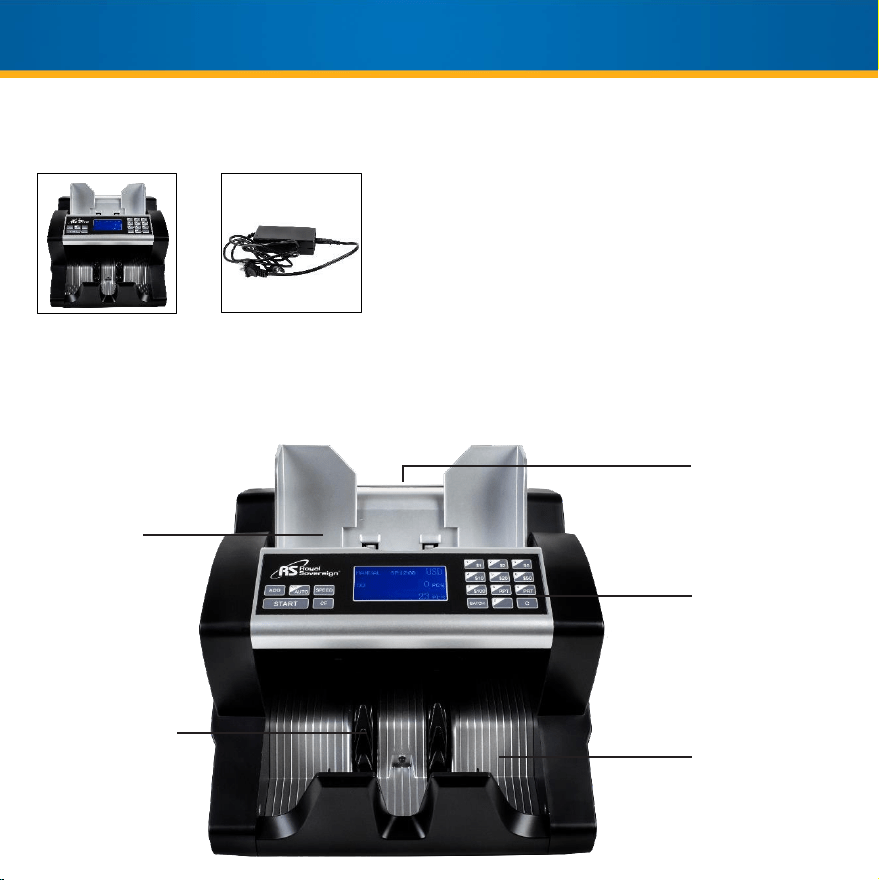
Control
Panel
Bill Receiving
Vanes
Carrying
Handle
Bill Counter Power Cord
PRODUCT VIEW
3
BOX CONTENTS
Hopper
Stacker
4
QUICK START GUIDE
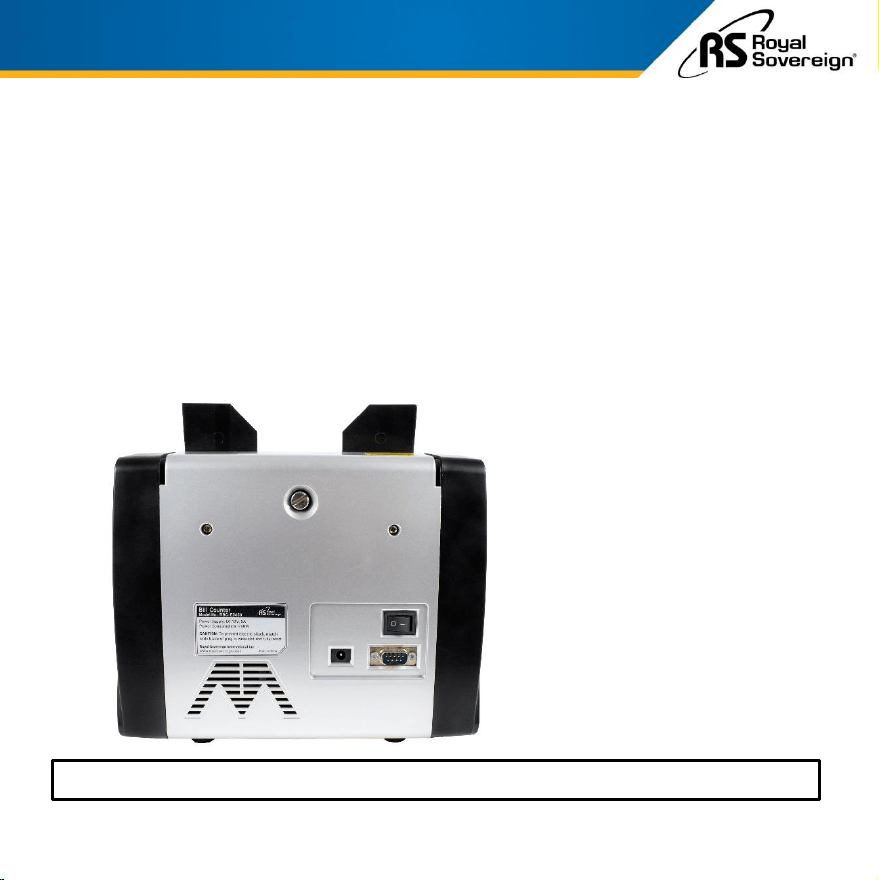
1. Plug the power cable into the back of the unit and into the wall power outlet (B).
2. On the back of the machine, flip the power switch to power on (A).
3. The machine will go through an automatic self-diagnostics test to ensure accurate
bill counting. The counting wheels in the bill counter will spin several times to ensure
it is ready for use. When the machine has completed its test run and “0” displays on
the machine, it is now ready for counting.
4. Place your currency into the hopper to automatically begin counting.
For More Detailed Instructions, Go To Page 6
A: Power Switch
B: Power Socket
C: Printer Port
D: Bill Thickness Adjuster
B
A
C
D
5
CONTROL PANEL
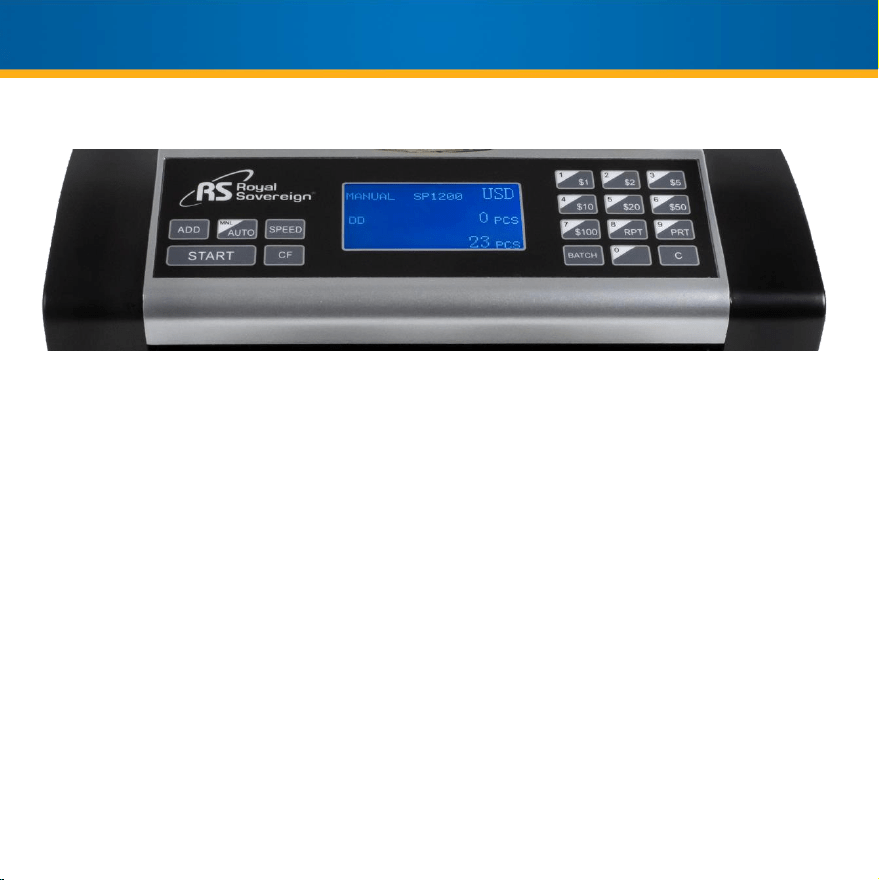
Counterfeit Detection (CF Key) – To use the detection methods, press the “CF” button once. If the machine
detects an error due to one of these methods, the machine will stop counting to allow for removal of the suspect
bill and an error code will display.
Ultraviolet Counterfeit Detection (UV)
The Ultraviolet detector will look for suspect bills that use white or bleached paper.
Magnetic Counterfeit Detection (MG)
The Magnetic detector will look for the presence of magnetic components that are standard in authentic bills.
Infrared Counterfeit Detection (IR)
The Infrared detector verifies dimensional specifications and imperfections caused in the counterfeiting
process.
Dimensional Detection (DD)
The Dimensional detector measures the width of the center of each bill, looking for odd sized bills.
RPT (Report) Button
Select the Report button to view the count record. By holding “RPT”, you can view the total number of bills and
values of each denomination along with a grand total. Press the “RPT” button again to exit this screen.
PRT (Print) Button
Select the Print button to print the detailed count report. To use the print function, you will require a printer with
RS-232 interface (not included). To print, ensure you are on the Report Screen. Press “PRT” to print the report.
6
1. Attach the power cable to the back of the machine, plug into an outlet, and turn the switch on.
• The unit will conduct an automatic self-diagnostics to ensure accurate counts.
• After three seconds of the counting wheels spinning, the screen will display “0”.
• If there is a problem, the preset display will show an error code. (See ERROR CODE DISPLAY
AND SOLUTIONS – LOCATED ON PAGE 9.)
2. Before counting, select counting settings that are related to your counting needs:
• Auto and Manual Start Modes: The machine is preset to automatically start counting bills
once placed into the hopper. To change to manual start mode, press the “MNL/AUTO”
button, insert the bills into the hopper, and press the “START” button. Press the “MNL/AUTO”
button again to return to auto mode.
• Add Mode: The Add mode displays the cumulative total of all bills counted. To turn the ADD
mode on, press the “ADD” button.
• Batch Mode: The machine is preset to common counting mode. To count bills in batches,
press the “BATCH” button. Batching is preset to 100 bills. To change the batch amount, use
the keypad to enter a batch number between 1 and 999. Press “START” to save the setting.
Press the “C” button again to clear.
• Counterfeit Detection: To turn on/off counterfeit detection methods, press the “CF” button. If
a suspicious bill is found, the machine will stop counting to allow removal and will display the
error code on the display. To resume counting, simply press “START”.
PRODUCT OPERATION

7
PRODUCT OPERATION (Continued)
• Value Counting:
The machine will total the number of bills by denomination and total value by denomination as well
as provide a grand total. Each denomination must be counted separately. To operate press the
“ADD” button. Then on the keypad press the denomination to be counted ($1 - $100). After the
denomination is counted, press the next denomination to be counted and continue until all
denominations needed to be counted are complete. Then press and hold the “REPORT” button to
view the total number of bills and values of each denomination along with a grand total.
Single Denomination Counting-
Select denomination to be counted from the Numeric/Denomination keypad.
Place bills in hopper.
Total number of bills and denomination value will show on display screen after bills are
counted.
Multi-Denomination Value Counting-
Press the “ADD” button.
Select denomination to be counted from the Numeric/Denomination keypad
Place bills in hopper.
Select next denomination and repeat process above.
After all denominations are have been counted press and hold the “REPORT” button and
the number of bills and value for each denomination along with a grand total will show on
the display screen.
3. Place bills into the hopper to begin counting.
8
MAINTENANCE OF THE MACHINE
WARNING: Before dusting or cleaning, turn the power switch off and disconnect the power cord from
the machine. It is very important to clean all the sensors in the machine with a soft brush to avoid
any paper particles or dust from sticking to the light transmitter or the light-receiver sensors. It is
important to clean the inside of the machine occasionally. Unplug the machine and lift the top cover
to gain access to the interior.
If necessary, the glass surfaces of the detectors may be wiped with a soft cloth damped with
alcohol.
To get the best results out of your bill counter, Royal Sovereign recommends using Royal Sovereign
Cleaning Cards (RBC-CLN) to remove dirt, dust, oils, and other contaminates from bill counters. With
the machine on, simply run the cleaning card through the machine like a bill. This cleaning card will
run through and clean the sensors of dirt and other contaminates. Cleaning cards are recommended
to be used after every 100 cycles.
9
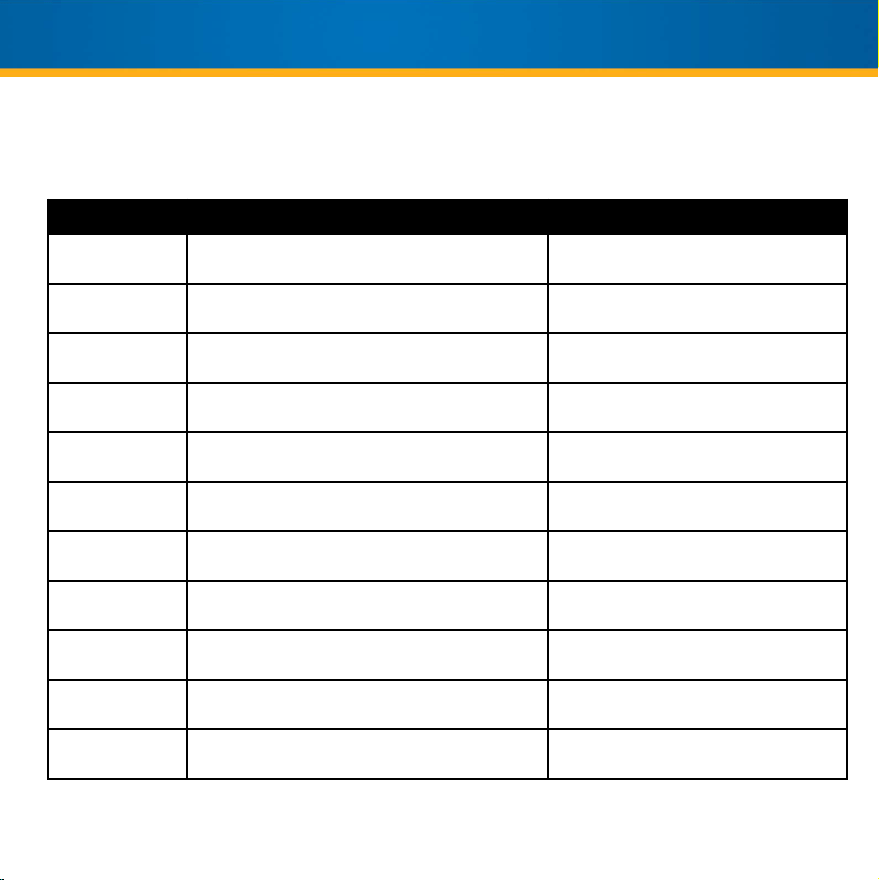
ERROR CODE DISPLAY AND SOLUTIONS
If you are receiving error codes above, check the machine for dust. If you continue to receive error codes, please
contact Royal Sovereign’s Service Center at 1-800-397-1025.
Error Code Reason Solutions
CODE CE02 Code disc sensor is dirty or broken.
Clean the sensor or contact Royal
Sovereign.
START CE04 Hopper sensor is dirty or broken.
Clean the sensor or contact Royal
Sovereign.
CLEAR CE05 Stacker sensor is dirty or broken.
Clean the sensor or contact Royal
Sovereign.
IRL CE06 The left counting sensor is dirty or broken.
Clean the sensor or contact Royal
Sovereign.
IRR CE08 The right counting sensor is dirty or broken.
Clean the sensor or contact Royal
Sovereign.
UV ERROR
UV sensitivity light is too high.
Suspect bill is detected without UV.
Lower the UV sensitivity. Remove first bill
from the stacker, then continue counting.
MG ERROR Suspect bill detected without MG.
Remove first bill from the stacker, then
continue counting.
DOUBLE ERROR The last counted bill is a double note.
Remove first bill from the stacker, then
continue counting.
WIDTH ERROR
The bill width size is over 8mm difference to the real
USD bill size.
Remove jammed bill from the machine,
then continue counting.
HALF ERROR
A half bill is counted.
The counting sensor is dirty or broken.
Remove first bill from the stacker, then
continue counting.
CHAIN ERROR Chain bill is detected.
Remove first bill from the stacker, then
continue counting.
The display may show some error codes when counting, which means there are some problems with the
machine. Refer to the chart below to solve the errors.
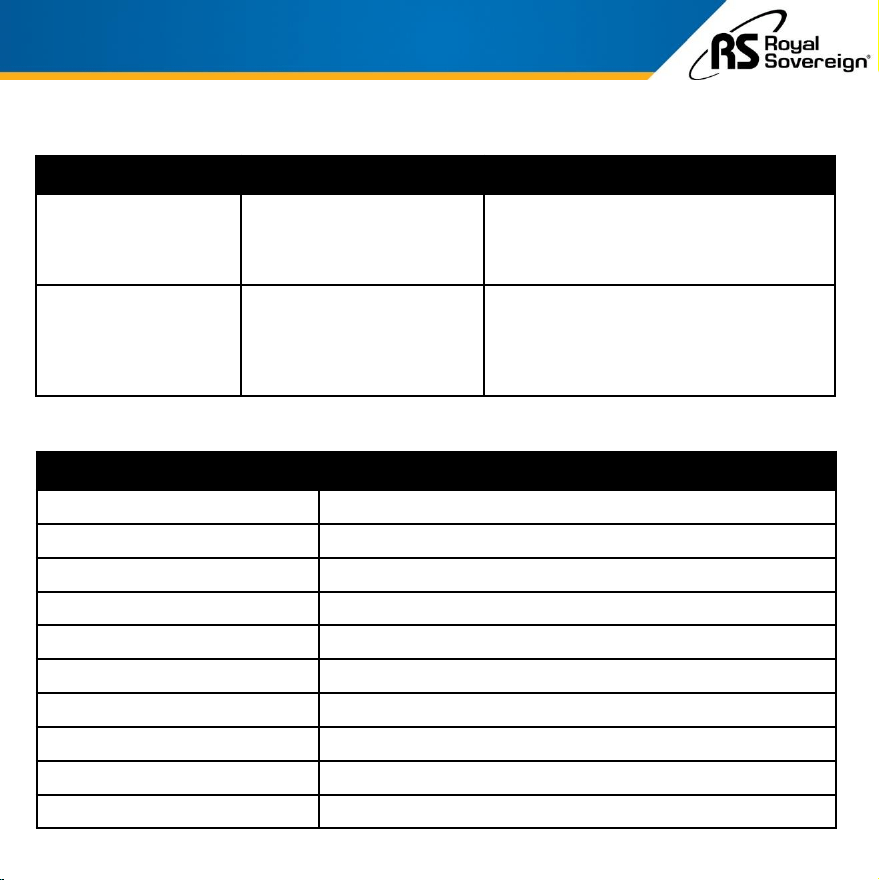
Model RBC-ED350
Power
AC 100V~240V 50/60 Hz
Power Consumption
≤90W
Temperature Range of Operation
32~104 °F / 0~40 °C
Hopper Capacity
500 notes
Counting Speed
900 / 1,200 / 1,500 bills per minute
Accepted Note Size
L:50~100mm (1.9 - 3.9 in) W:90~190mm (3.5-7.5 in)
Accepted Currency
USD
Display Range
Counting: 4 Digits / Batch Counting: 3 Digits
Dimensions
12.79” W x 12.20” D x 10.35” H (325 x 310 x 263 mm)
Net Weight
9.92 lbs. / 4.50 kgs
10
SPECIFICATIONS
TROUBLESHOOTING
Error Code Reason Solutions
Bills get damaged /
Machine runs slow
Hopper Tension is too tight
To loosen the tension, please turn the bill
thickness adjuster (located on the back of
the machine) clockwise. Repeat bill counting
and adjust if the problem continues.
Bills eject from the
machine / Display
shows miscount
Hopper Tension is too loose
To tighten the tension, please turn the bill
thickness adjuster (located on the back of
the machine) anti-clockwise. Repeat bill
counting and adjust if the problem
continues.
ONE YEAR LIMITED WARRANTY
11
Royal Sovereign International, Inc. warranties this product to be free from defects in material and
workmanship for a period of one (1) year. This warranty is extended to the original purchaser only.
This warranty only covers products that are properly installed, properly maintained, and properly operated in
accordance with the instructions provided. This limited warranty does not cover any failures or operating
difficulties due to normal wear and tear, accident, abuse, misuse, alteration, misapplication, improper
installation, or improper maintenance and service by you or any third party.
Returned product will not be accepted without a Return Authorization number. To request a Return
Authorization number, please visit us at www.royalsovereign.com. All transportation costs for the return of
damaged product or parts will be the responsibility of the purchaser. Return defective product, in original
packaging, to the address below.
Royal Sovereign International, Inc. requires reasonable proof of your date of purchase from an authorized
retailer or distributor. Therefore, you should keep your receipt, invoice, or canceled check from the original
purchase. The limited warranty shall be limited to the repair or replacement of parts which prove defective
under normal use and service within the warranty period.
Royal Sovereign International, Inc. (and its affiliated companies) SHALL HAVE NO LIABILITY WHATSOEVER
TO PURCHASER OR ANY THIRD PARTY FOR ANY SPECIAL, INDIRECT, PUNITIVE, INCIDENTAL,OR
CONSEQUENTIAL DAMAGES. Some states do not allow the exclusion or limitation of incidental or
consequential damages so the above exclusion and limitations may not apply toyou.
ROYAL SOVEREIGN INTERNATIONAL, INC.
2 Volvo Dr., Rockleigh, NJ 07647 USA
TEL: +1) 800-397-1025
Email: info@royalsovereign.com
For product support and warranty questions, please visit us at
www.royalsovereign.com/Customer-Support.html