
This manual contains important information on install and use of this product. Before using
Digital Dehumidifier Remote Controller, please read this user manual in its entirety and
keep it in an easily accessible place for future reference.
REMOTE
CONTROLLER
DIGITAL DEHUMIDIFIER
USER MANUAL
STEP 1
STEP 3
STEP 2
STEP 4
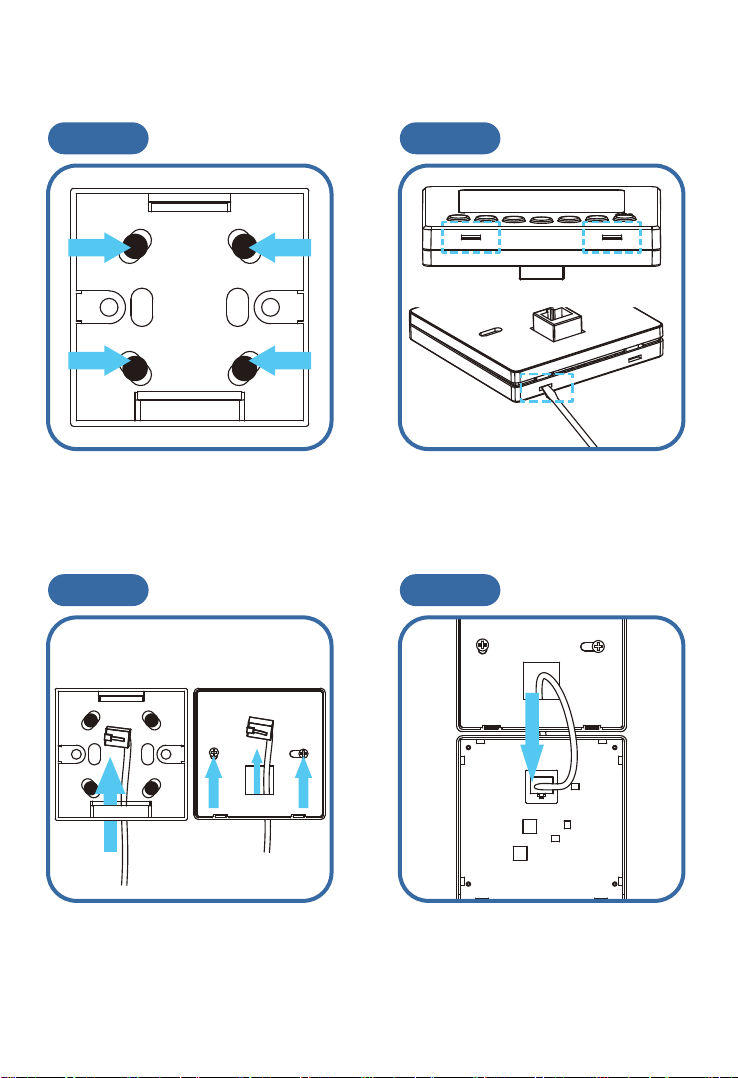
How to install the remote controller.
Securing the switch box to where
you want to place with 4 Screws.
Softly poke these 2 slots with a flat
blade screwdriver or the flat things,
then open it by hand.
Putting the Wire through cover part
and fix it on switch box with 2
screws.
Inserting CAT-5 cable to control
board, a clicking sound indicates the
successful connection.
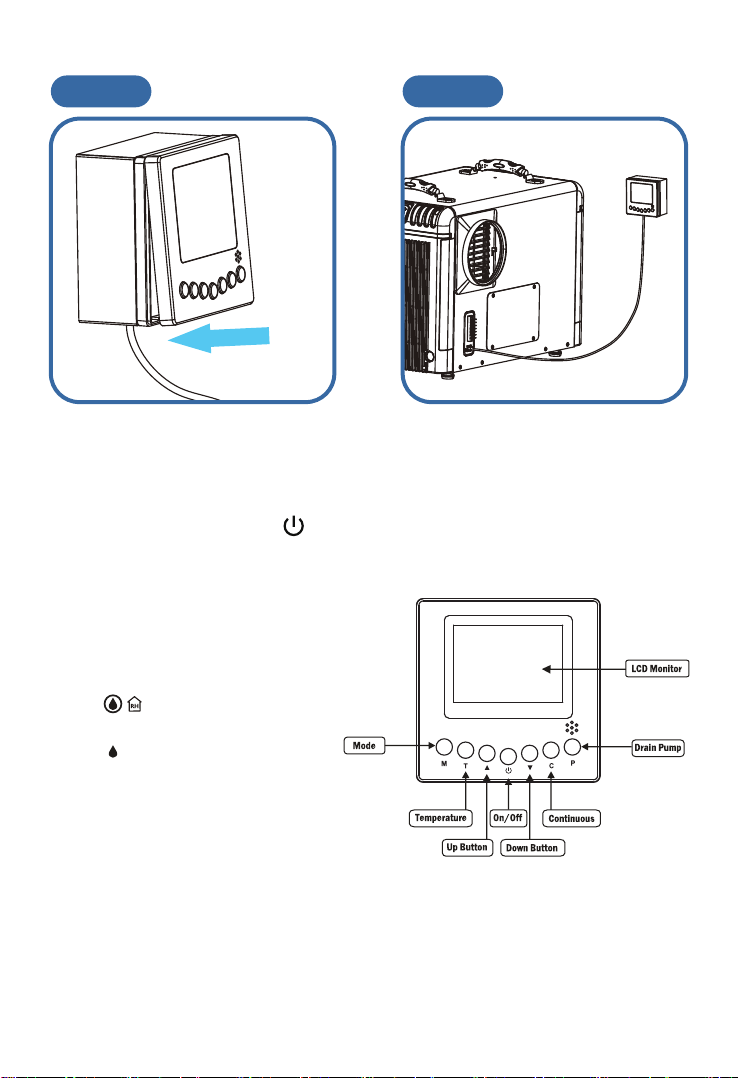
STEP 5 STEP 6
Install as the control board to switch
box. Show below.
Connecting to Unit.
Instructions
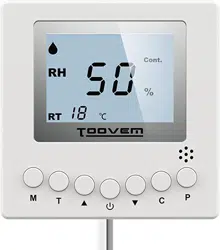
1. On/Off (Power) Button
Press the on/off button and the machine will start running (two beeps). Press the button
again to turm the machine off.
2. Up Button/Down Button ▲ ▼
Use the Up and Down arrow buttons to adjust the
humidity level.
3. Mode M
Use the Mode button to switch between
dehumidification and a ucted application.
● The symbol on the display board in
dicates the sensor on the remote controller
is being utilized.
● The symbol on the display board in
dicates the sensor on the dehumidifier is
being utilized.
4. Temperature T
Press the temperature button to display the
current temperature on the screen.
Press the button again to turn off the display.
5. Continuous C
Press this button to switch the unit into continuous mode. will appear on the display to
indicate continuous mode.
6. Drain Pump P
Use this button if the unit will not be in use for an extended period of time. Pressing the
drain pump button will remove water from the pump reservoir, so the unit can be safely
moved or stored.

Remote Controller Instructions
TOOVEM Dehumidifiers can be controlled using an optional remote
accessory.
The TOOVEM Remote Controller connects to your TOOVEM Series
Dehumidifier via a 25' CAT-5 cable.
The remote controller contains an integrated sensor which gives you
mutiple options for remotely controlling your unit, in addition to
monitoring the conditions surrounding the dehumidifier.
One application for the remote controller is to install the dehumidifier in
one room with the conditioned air ducted into a second room that
contains the remote. For example, the dehumidifier could be installed in
a laundry room and ducted into a living room. The remote would then be
mounted In the living room so the remote sensor can control the
humidity and provide easy controls for the user.
Another usefull application for the remote controller is If the
dehumidifier is in the area that's difficult to access on a regular basis. For
instance, the dehumidifier is installed in your crawl space, the remote
could be mounted in your living space or garage. This provides you with
an easy way to monitor the dehumidifier.