A
B
C
A
B
C
D
1
2
1
2
日 期
处数
分区
标记
更改文件号
签 名
张
第
张
共
佛山市顺德区美的
洗涤电器制造有限公司
数
量
阶 段 标 记
量重
比 例
D
REV.
01
1
D
1
1
1:1
排版
审 核
编 制
性能
批 准
8 0 G双胶
日期
校对
审 定
技术 要求 :
1 .该 手册 印刷 颜色 均为 黑色 : P A N T O N E B L A C K C
.纸张 规格 为A2 5
.如果 供应 商的 排版 需要 加空 白页 ,请 加在 封底 之前3
用户手册
CDC22P4AWW(2501C-US)
Comfee美国
6720602730
Please read this manual carefully
before using your dishwasher,
and keep it for future reference.
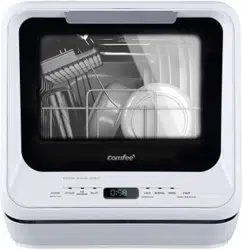
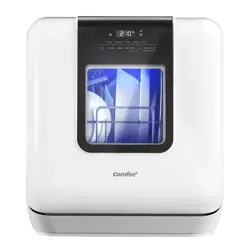
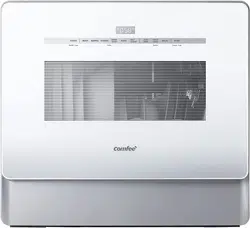
MODEL CDC22P4AWW
)UHHPRQWKV
HxWHQVLRQRIWKH
RULJLQDOOLPLWHGZDUUDQW\
SHULRG6LPSO\WH[WD
SLFWXUHRI\RXUSURRIRI
SXUFKDVHWR
7KHZDUUDQW\H[WHQVLRQLVIRUWKH
WKUHHPRQWKVLPPHGLDWHO\IROORZLQJ
WKHFRPSOHWLRQRIWKHSURGXFW¶V
RULJLQDOZDUUDQW\SHULRG
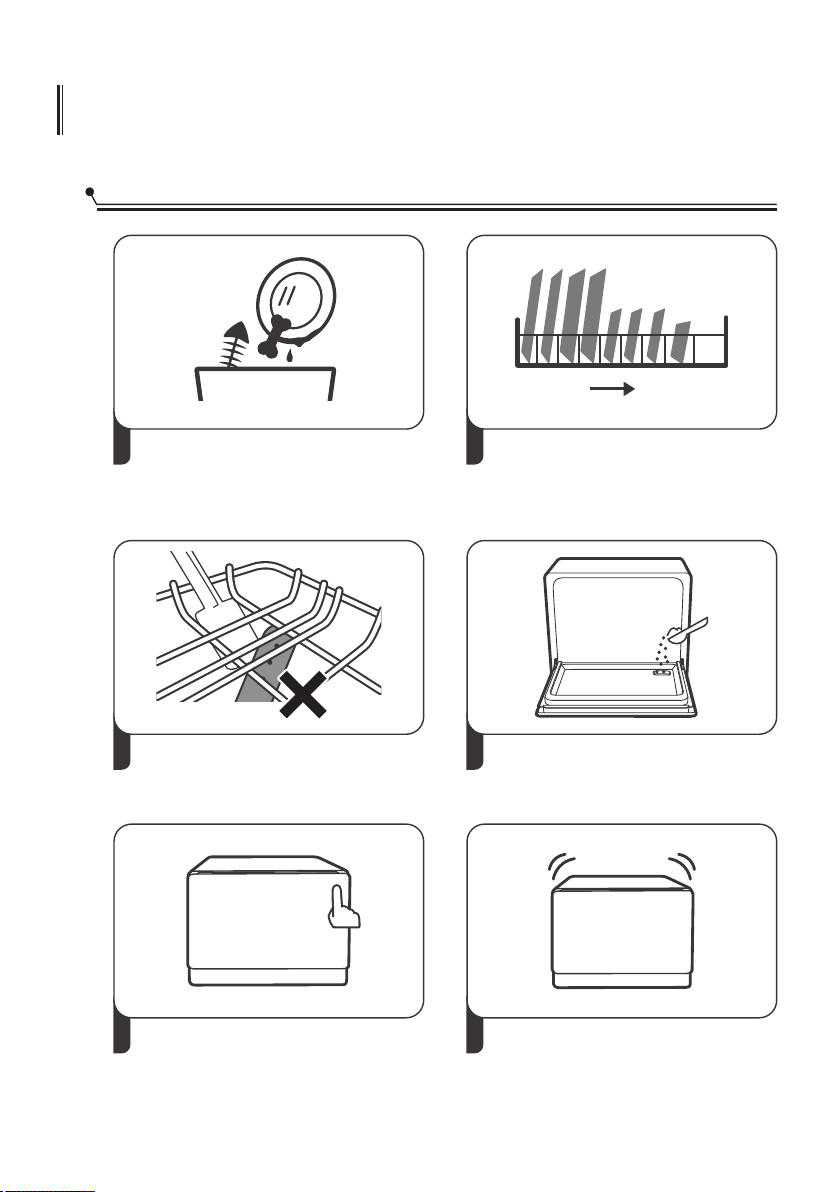
QUICK USER GUIDE
Starting A Wash
4
1
Discard scraps
Scrape large food particles off and
remove any foreign objects.
2
Load dishes carefully
For better washing result, place the
dishes properly avoiding any contact
or overlapping between them.
3
Check spray arm
Ensure there are no items blocking
the spray arm from rotating.
Add detergent
65
Set up program and function
Choose the proper program and
function.
Start washing
Inside Outside
CONTENTS
SAFETY INFORMATION
4
PRODUCT DESCRIPTION
8
Part Names
Control Panel
8
USING YOUR DISHWASHER
Preparing And Loading Dishes
Basket Use Tips
Adding Detergent
15
14
OPERATING THE APPLIANCE
Wash Cycle Table
Starting A Cycle Wash
Changing The Program Once Started
Adding Items While A Wash Is In Progress
Forced Drainage Operation
17
17
18
18
19
MAINTENANCE AND CLEANING
External Care
Internal Care
Caring For The Dishwasher
20
20
20
23
TROUBLESHOOTING TIPS
30
Error Codes
12
12
33
INSTALLATION INSTRUCTION
24
24
25
27
29
Product Dimensions
Inlet Pipe Connected
Drain Pipe Connected
About Power Connection
19
10
Warranty
34
28
Electrical Requirements
IMPORTANT SAFETY INSTRUCTIONS
WARNING
When using your dishwasher, follow basic
precautions, including the following
4
a) Read all instructions before using the dishwasher.
b) Use the dishwasher only for its intended function.
c) Use only detergents or wetting agents recommended
for use in a dishwasher and keep them out of the reach
of children.
d) When loading items to be washed
1) Locate sharp items so that they are not likely to
damage the door seal;
2) Load sharp knives with the handles up to reduce the
risk of cut-type injuries.
e) Do not wash plastic items unless they are marked
dishwasher safe or the equivalent. For plastic items not
so marked, check the manufacturers recommendations.
NOTE: This statement may be omitted for an appliance
that employs a heating element that is located or
guarded such that melted plastic items are not likely to
contact it.
f) Do not touch the heating element during or I
mmediately after use.
g) Do not operate your dishwasher unless all enclosure
panels are properly in place.
h) Do not tamper with controls.

5
I) Do not abuse, sit on, or stand on the door or dish
rack of the dishwasher.
j) To reduce the risk of injury, do not allow children to
play in or on a dishwasher.
k) Under certain conditions, hydrogen gas may be
produced in a hot-water system that has not been used
for two weeks or more. HYDROGEN GAS IS EXPLOSIVE.
If the hot-water system has not been used for such a
period, before using the dishwasher turn on all
hot-water faucets and let the water flow from each for
several minutes. This will release any accumulated
hydrogen gas. As the gas is flammable, do not smoke
or use an open flame during this time.
l) Remove the door to the washing compartment when
removing an old dishwasher from service or discarding it.
m) This appliance can be used by children aged from 8
years and above and persons with reduced physical,
sensory or mental capabilities or lack of experience and
knowledge if they have been given supervision or
instruction concerning use of the appliance in a safe
way and understand the hazards involved. Children
shall not play with the appliance. Cleaning and user
maintenance shall not be made by children without
supervision.
SAVE THESE INSTRUCTIONS
6
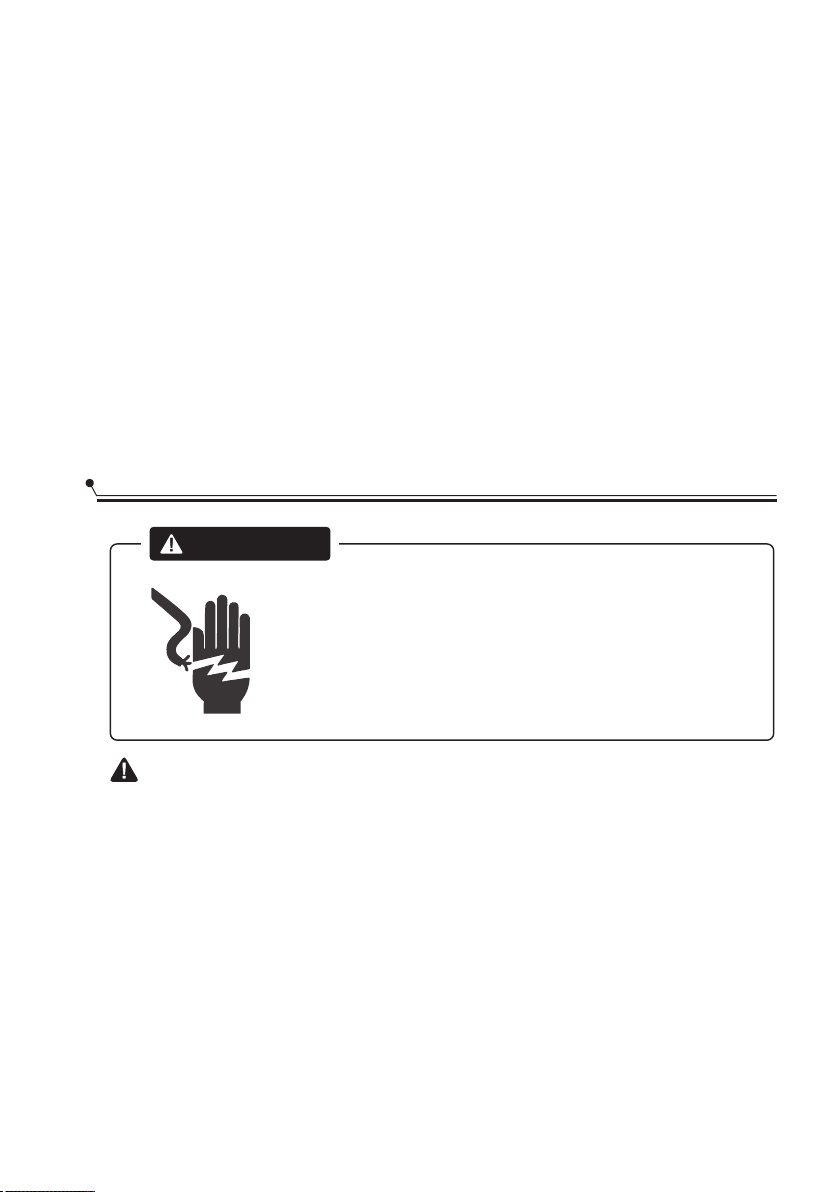
WARNING
Improper connection of the equipment-grounding
conductor can result in a risk of electric shock. Check
with a qualified electrician or service representative if
you are in doubt whether the appliance is properly
grounded.
Do not modify the plug provided with the appliance,
if it will not fit the outlet, have a proper outlet installed
by a qualified electrician.
GROUNDING INSTRUCTIONS
This appliance must be grounded. In the event of a
malfunction or breakdown, grounding will reduce the
risk of electric shock by providing a path of least
resistance for electric current. This appliance is equipped
with a cord having an equipment-grounding conductor
and a grounding plug.
The plug must be plugged into an appropriate outlet
that is installed and grounded in accordance with all
local codes and ordinances.
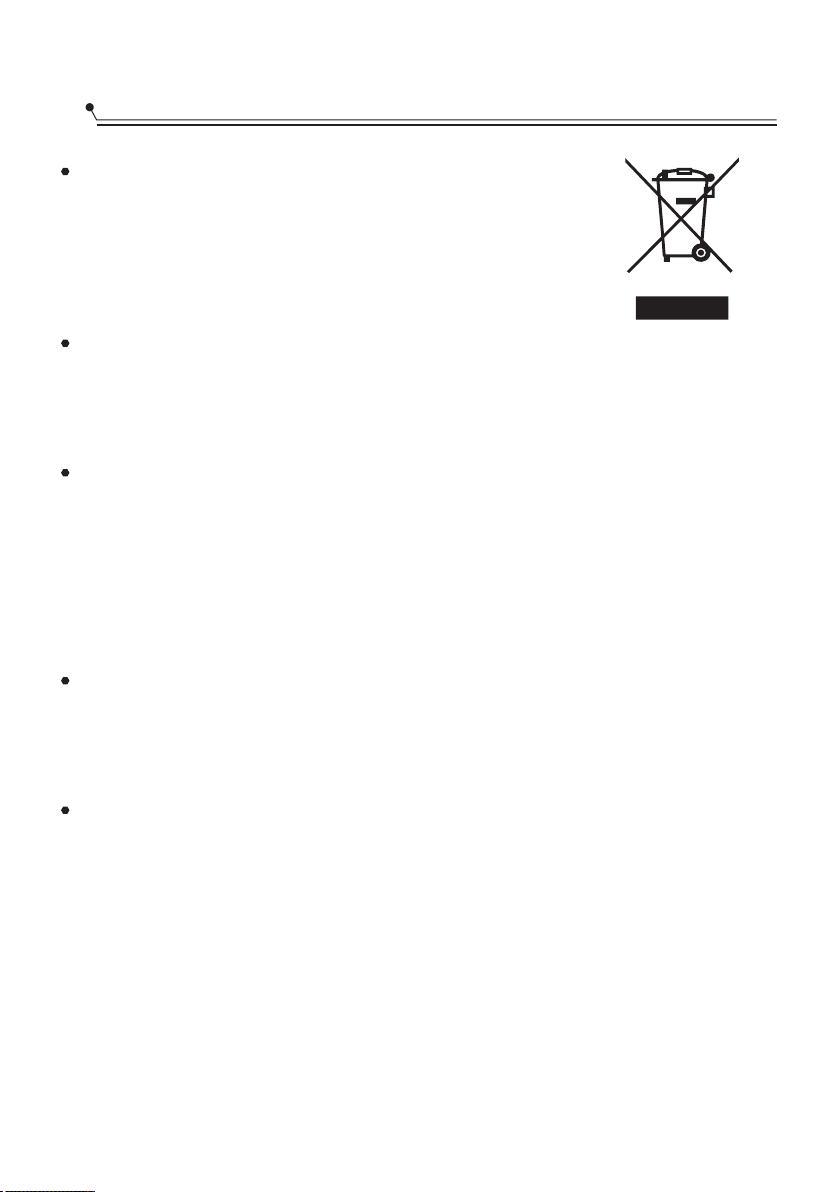
For disposing of package and the appliance
please go to a recycling centre. Therefore
cut off the power supply cable and make
the door closing device unusable.
Cardboard packaging is manufactured from
recycled paper and should be disposed in the waste
paper collection for recycling.
By ensuring this product is disposed of correctly, you will
help prevent potential negative consequences for the
environment and human health, which could otherwise
be caused by inappropriate waste handling of this
product.
For more detailed information about recycling of this
product, please contact your local city office and your
household waste disposal service.
DISPOSAL: Do not dispose this product as unsorted
municipal waste. Collection of such waste separately for
special treatment is necessary.
DISPOSAL
7
PRODUCT DESCRIPTION
To get the best performance from your dishwasher, read all operating instructions
before using it for the first time.
IMPORTANT:
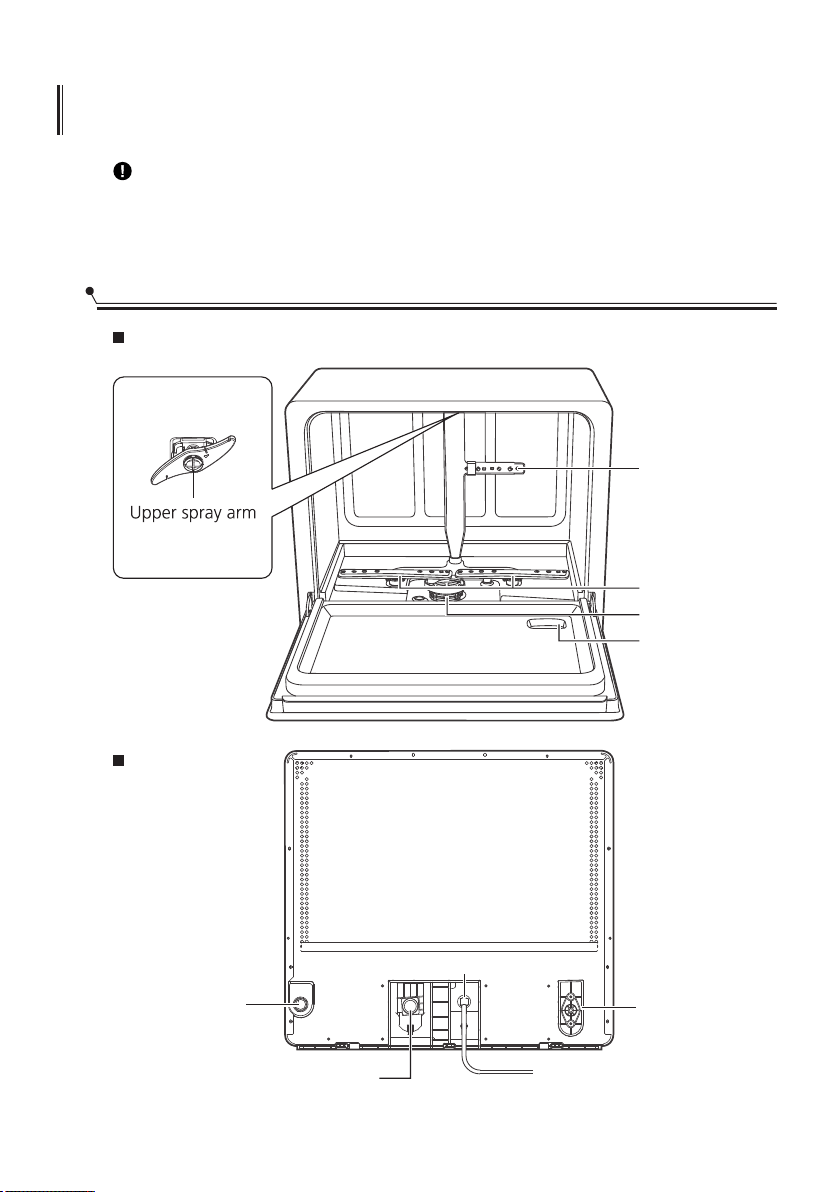
Part Names
8
Front
Back
Drain pipe
interface
Inlet pipe interface
Power cable
Top of inner tank
Lower spray arms
Filter
Detergent
adding receptacle
Middlesprayarm
Suction pipe
interface
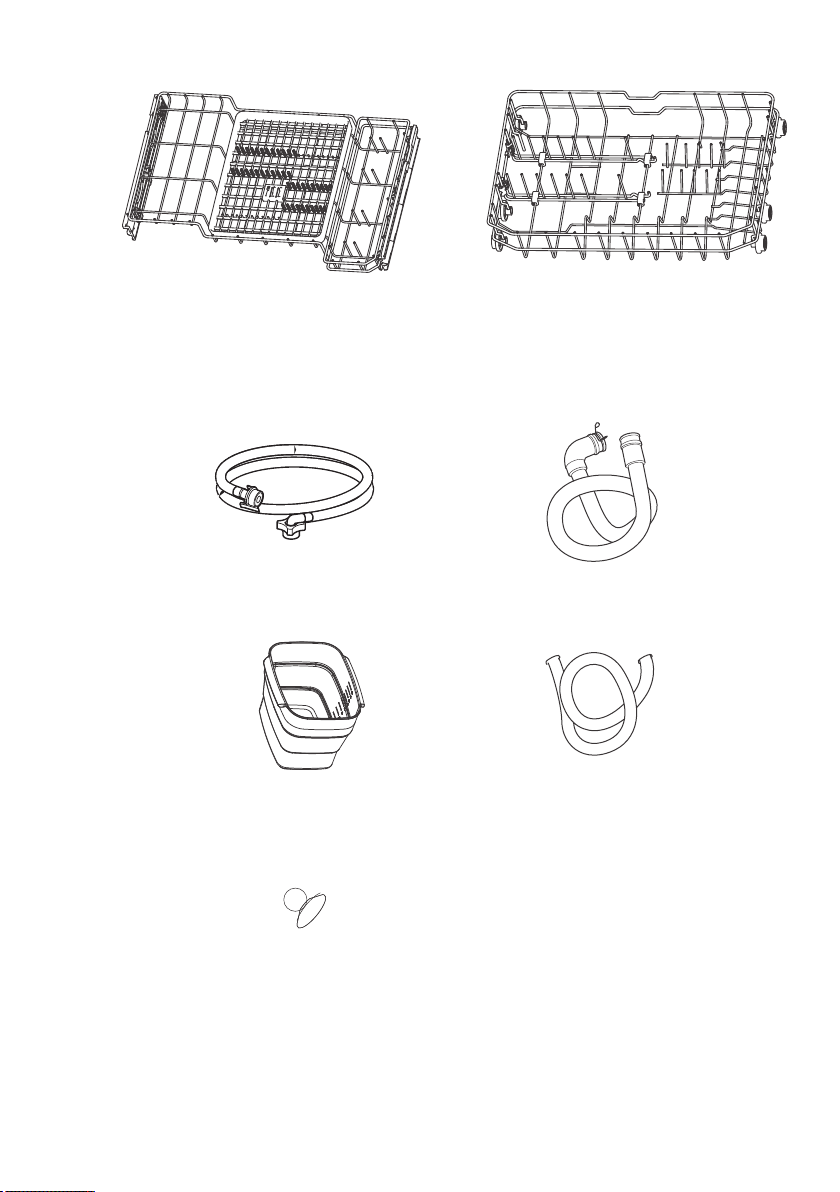
Upper basket Lower basket
List of accessories(PROVIDED)
Drain-pipe ( X1 )
Inlet pipe ( X1 )
9
Bucket Pipe ( X1 )
Suction Cup ( X1 )
Water Supply Bucket (X1)
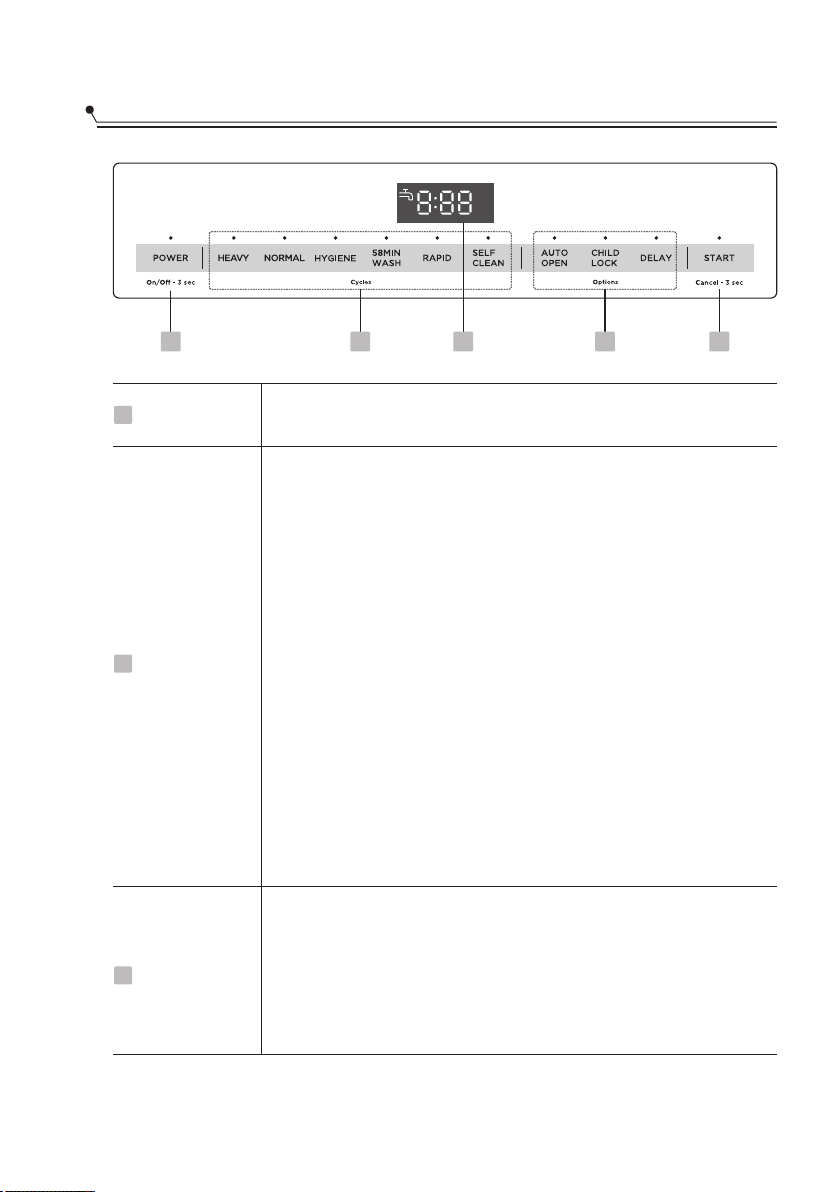
Control Panel
Power
1
Press this button to turn on your dishwasher, the screen will
light up.
Press these buttons to select the appropriate washing program,
the selected program icon will light up.
2
Cycles
NORMAL
For soiled dinner dishes and silverware. normally
Use to sanitize your dishes and glassware.
HYGIENE
58MIN WASH
For soiled loads that need quick wash.lightly
RAPID
A shorter wash for lightly soiled loads that do not need drying.
SELF CLEANING
This program provides an effective cleaning of the dishwasher
itself.
HEAVY
For hard-to-clean, heavily soiled dishes, pots and pans.
10
CHILD LOCK
This option allows you to lock the buttons on the control panel,
so children cannot accidently start the dishwasher by pressing
the buttons on the panel. Only the Power button remains active.
To lock or unlock the buttons on the control panel, press and
hold the button for 3 seconds.
1 2 3 45
3
Options
11
DELAY
Press the button to increase the delay start time. Delay a cycle for
up to 24 hours in one-hour increments.
START-Press this button to start the dishwasher, the lamp will keep
light when the dishwasher is running.
-If you need to pause a cycle in process, open the door PAUSE
slightly and wait a few seconds until the wash action stop.
And the lamp will be blinking.
-Press and hold Start/Cancel button for 3 seconds to CANCEL
cancel a cycle when the dishwasher is running.
4
Start/Cancel
AUTO OPEN
The dishwasher door opens automatically at the end of the
program, which improves the drying performance.
Press the button for 3 seconds to select this function.
Screen
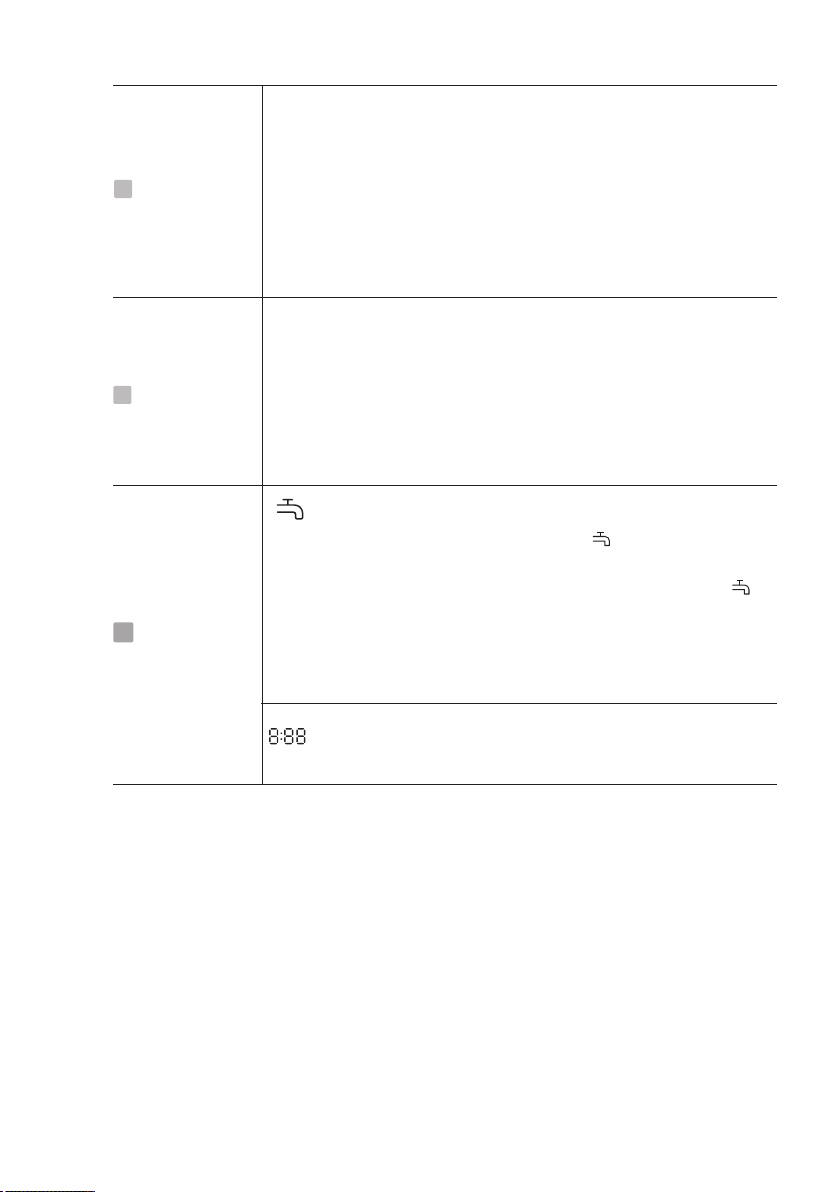
WATER FAUCET
If you use a tap to get in the water, the indicator is lit, it
means the water faucetclosed.
If you use the self-priming pump to get in the water, the
indicator is blinking, it means that there is shot of water in the
bucket. The machine will enter into a pause state.Please add
enough water to the bucket and press the Start/Cancel button.
The machine will continue to run.
Displays the remaining time and delay time, program
error codes etc.
3
Options
5
USING YOUR DISHWASHER
12
Preparing And Loading Dishes
Consider buying utensils which are identified as dishwasher-proof.
For particular items, select a program with the lowest possible temperature.
To prevent damage, do not take glass and cutlery out of the dishwasher
immediately after the program has ended.
Cutlery with wooden, horn china or mother-of-pearl handles
Plastic items that are not heat resistant
Older cutlery with glued parts that are not temperature resistant
Bonded cutlery items or dishes
Pewter or copper items
Crystal glass
Steel items subject to rusting
Wooden platters
Items made from synthetic fibres
For washing the following cutlery/dishes
Are not suitable
Some types of glasses can become dull after a large number of washes
Silver and aluminum parts have a tendency to discolor during washing
Glazed patterns may fade if machine washed frequently
Are of limited suitability
Recommendations for loading the dishwasher
Scrape off any large amounts of leftover food. Soften remnants of burnt food in
pans. It is not necessary to rinse the dishes under running water.
For best performance of the dishwasher, follow these loading guidelines.
Place objects in the dishwasher in following way:
Items such as cups, glasses, pots/pans, etc. are faced downwards.
Curved items, or ones with recesses, should be loaded on a slant so that water can
run off.
All utensils are stacked securely and can not tip over.
Be sure that no wash items protrude through the basket base where they will likely
foul the spray arm.
Load hollow items such as cups, glasses, pans etc. With the opening facing
downwards so that water cannot collect in the container or a deep base.
Dishes and items of cutlery must not lie inside one another, or cover each other.
To avoid damage, glasses should not touch one another.
Please do not overload your dishwasher. This is important for good results and for
reasonable consumption of energy.
NOTE:
Very small items should not be washed in the dishwasher as they could easily fall
through the basket.
Items will be hot! To prevent damage, do not take glass and
cutlery out of the dishwasher for around 15 minutes after the
program has ended.
CAUTION
Loading the dishwasher
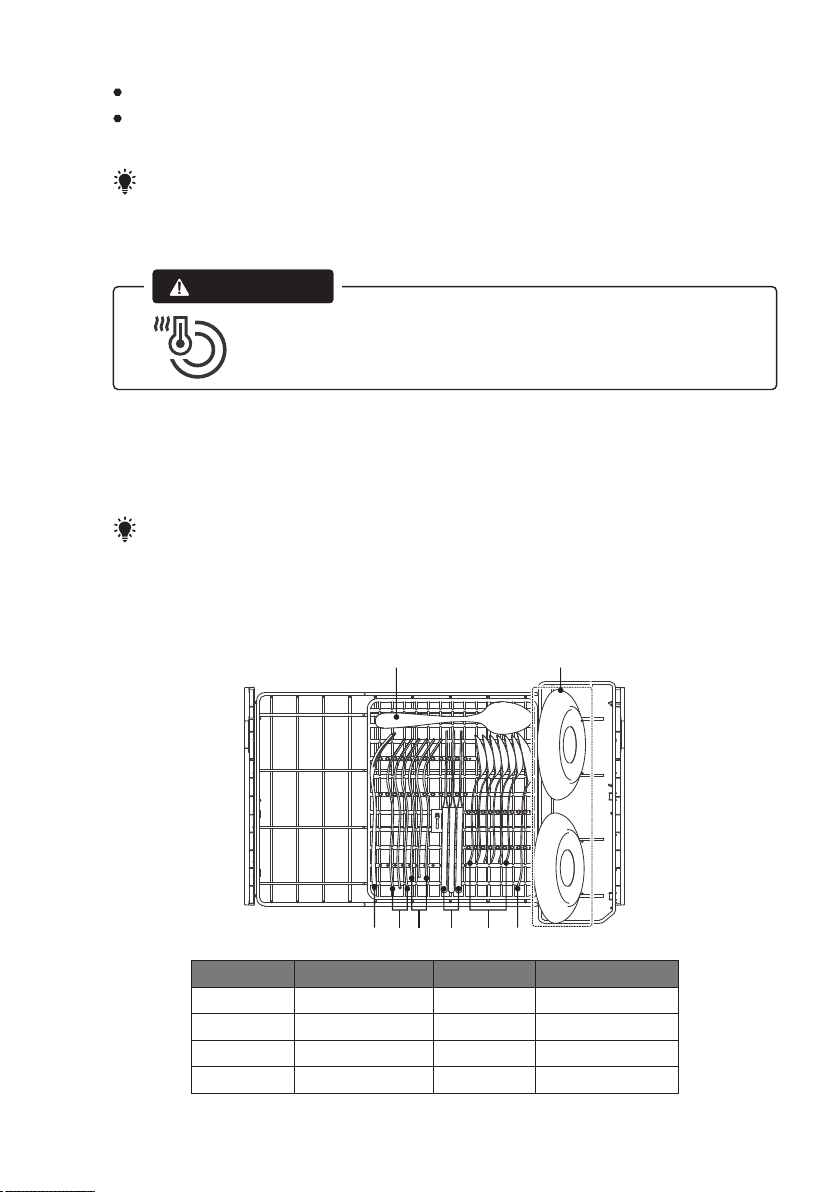
The loading pattern in the illustration is recommended for the design of basket.
It is the pattern used for the Standards Wash Test.
NOTE:
Cups and glasses face downwards.
Plates face the back of each other, as do side plates, soup plates and saucers.
13
Upper basket
Serving spoons
Serving fork
Dinner forks
Salad forks
Number Item
1
2
3
4
Number Item
Knives
Tea spoons
Saucers
5
6
7
1
2 3 4 5 6 1
7
14
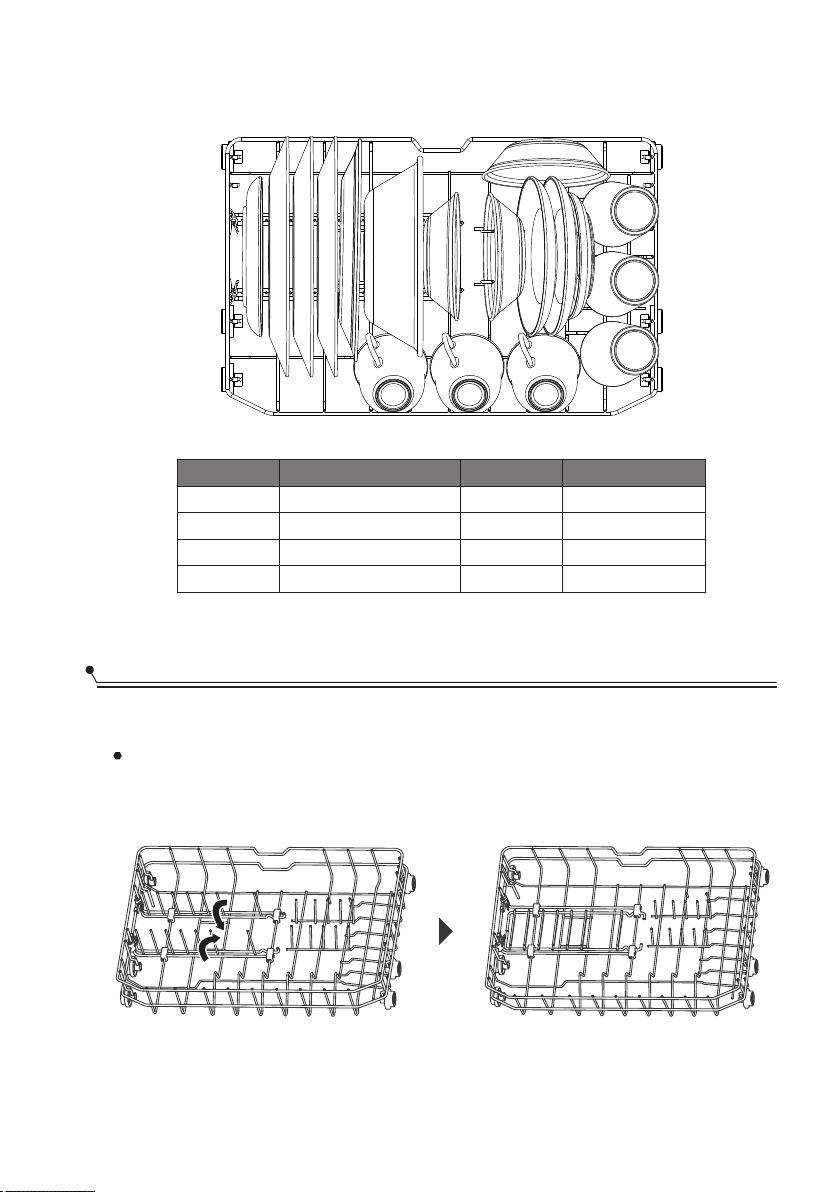
Lower basket
Basket Use Tips
Folding down the tines
The spacing between the tines can be increased by folding them down. This will help
the loading of large bowls and deep pot and pans.
111 222 333 444 555 555
555
111 666
7
8
Bread butter plates
Dinner plates
Oval platter
Serving bowl
Number Item
1
2
3
4
Number Item
5
6
7
8
Dessert bowls
Saucers
Glasses
Cups
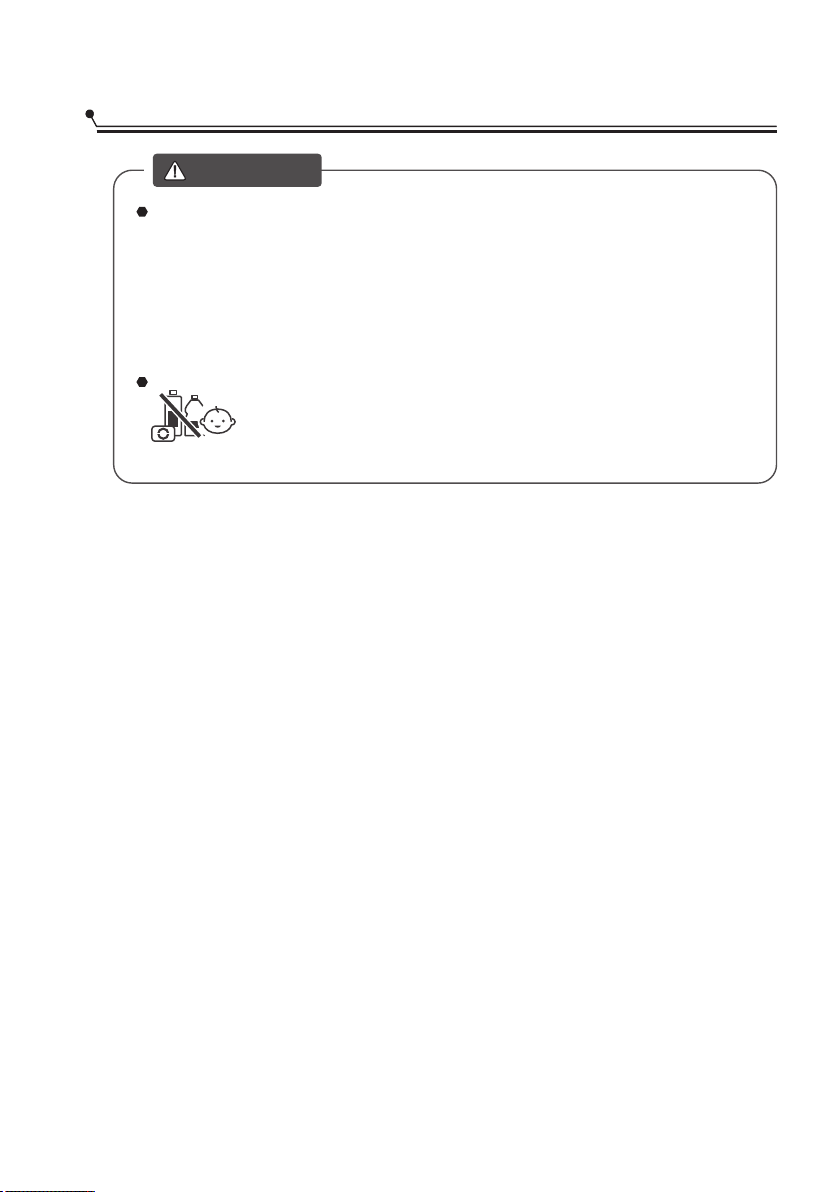
Only usedetergentspecificallyfor
dishwashers.
Never useanyotherdetergents.Thiswill
damagetheappliance.
Adding Detergent
Dishwasherdetergentiscorrosive!
Keepdishwasherdetergentoutof
thereachofchildren.
WANING
Detergent tablets of different brands dissolve at different speeds. For this reason
some detergent tablets cannot dissolve and develop their full cleaning power during
short programs. Therefore please use long programs when using detergent tablets,
to ensure the complete removal of detergent residuals.
DetergentTablets
The detergent must be re lled before the start of each wash cycle following thefi
instructions provided in the Wash Cycle Table. Your dishwasher uses less detergent
then conventional dishwasher. Generally, only one tablespoon of detergent is
needed for a normal wash load. More heavily soiled items need more detergent.
Always add the detergent just before starting the dishwasher, otherwise it could
get damp and will not dissolve properly.
Detergent
15
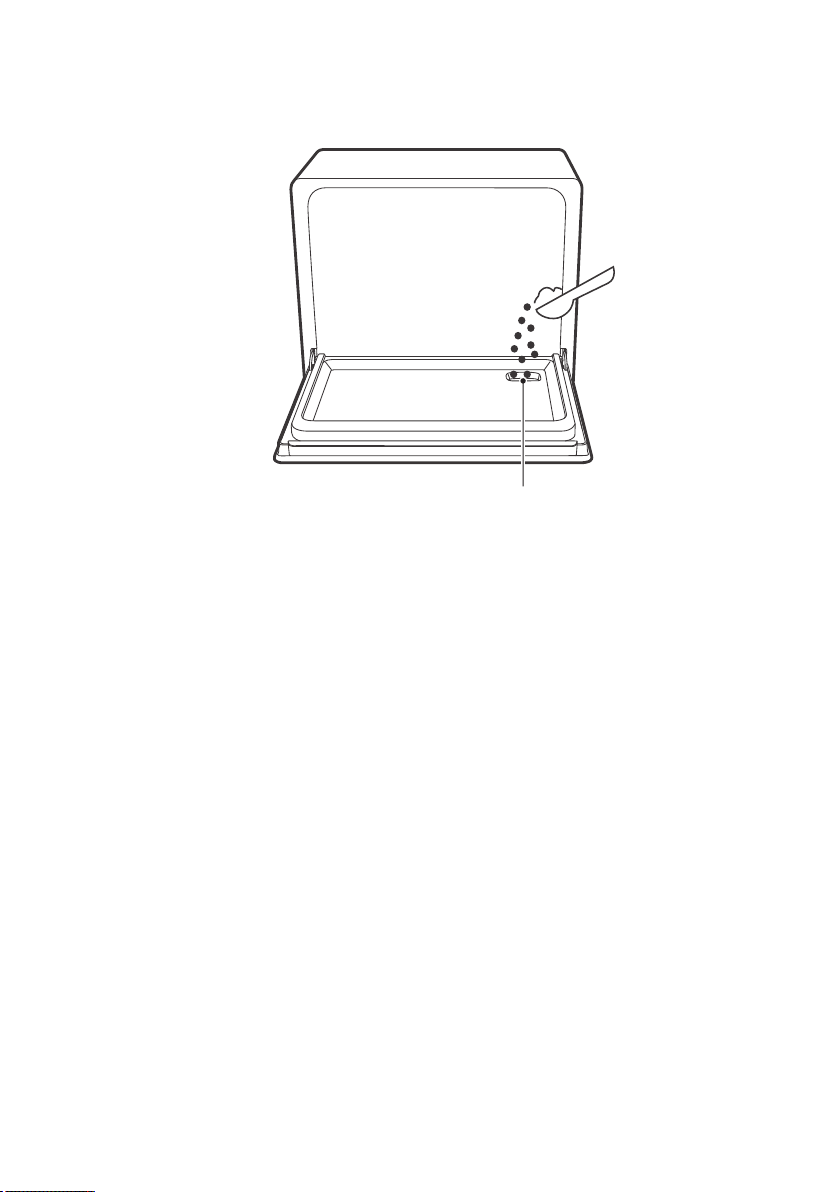
Adding detergent
The palce to add the detergent
16
17
OPERATING THE APPLIANCE
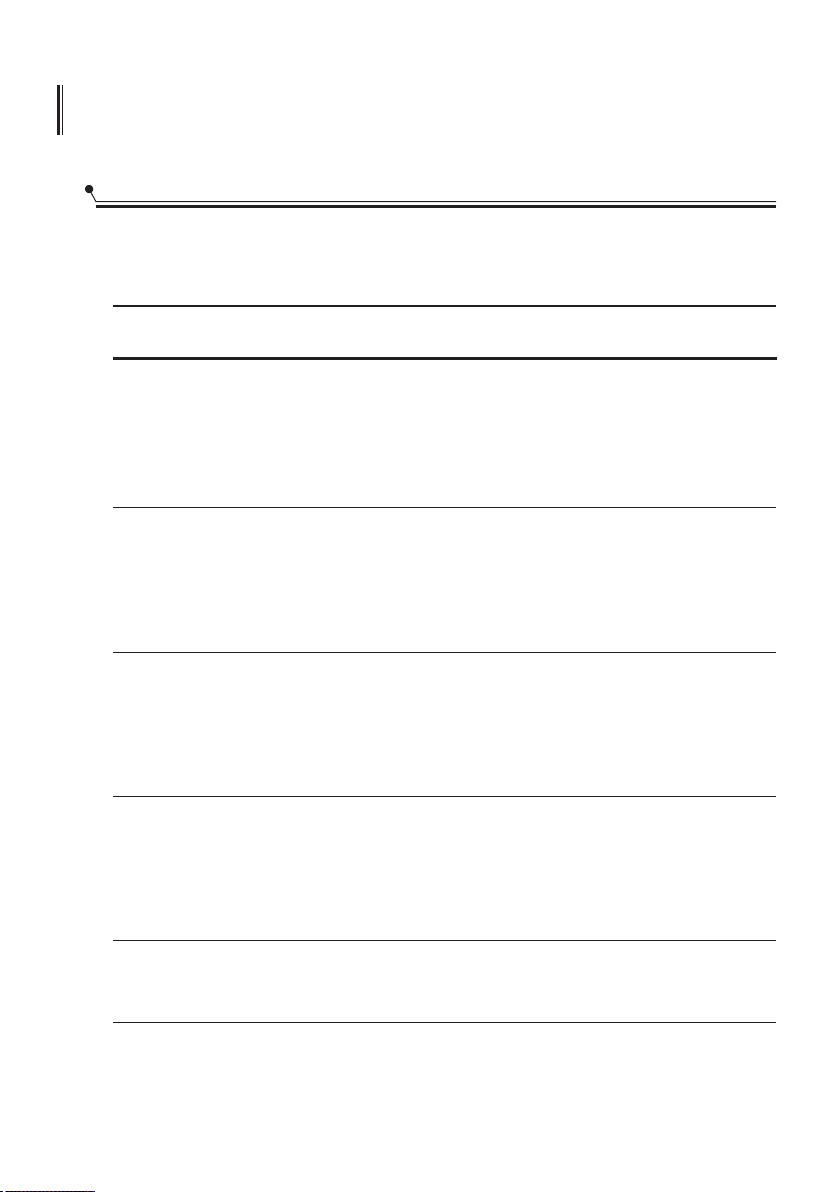
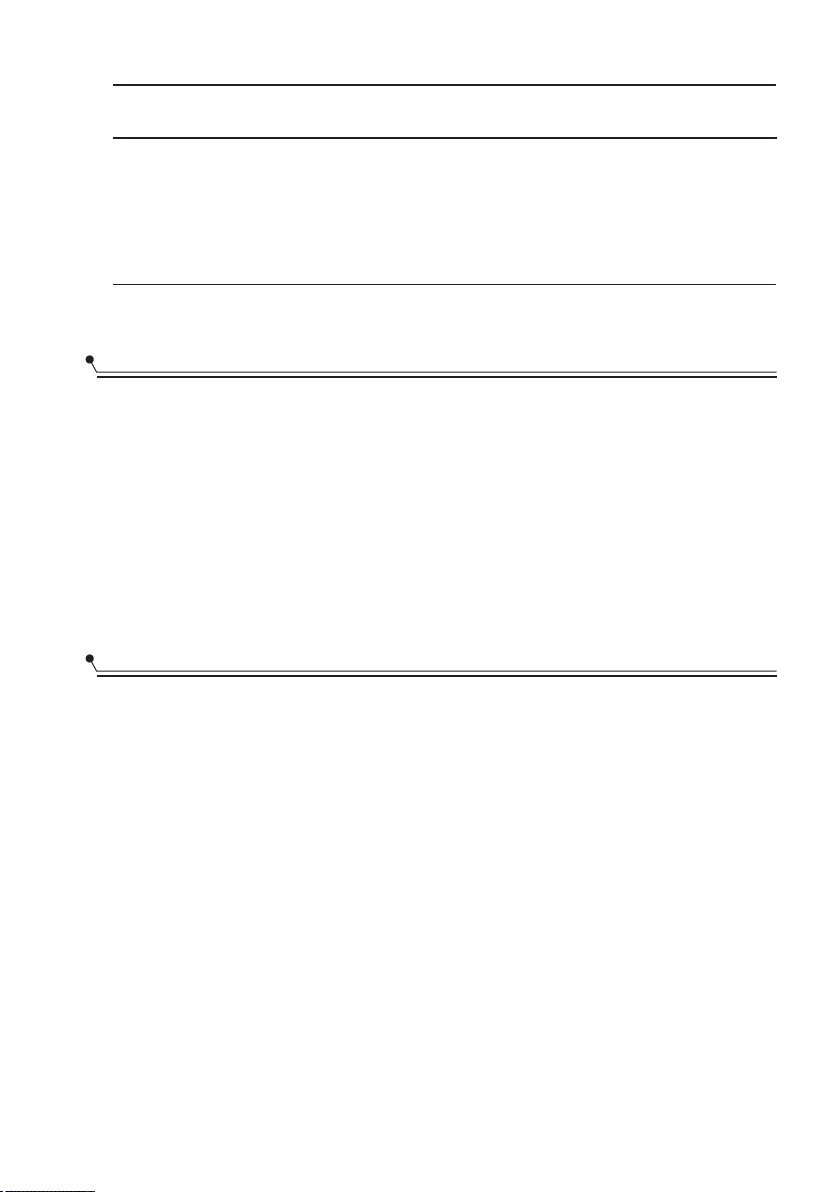
Wash Cycle Table
The table below shows which programs are best for the levels of food residue
on them and how much detergent is needed. It also show various information about
the programs.
Running
Time(min)
130
140
58
Water
(Gal)
2.85
2.99
2.85
Description
Of Cycle
Mainwash(131℉)
Rinse
Rinse
Rinse
Rinse(149℉)
Drying
Mainwash(149℉)
Rinse
Rinse
Rinse
Rinse(158℉)
Drying
Mainwash(131℉)
Rinse
Rinse
Rinse
Rinse(149℉)
Drying
Program
NORMAL
150 2.85
Mainwash(158℉)
Rinse
Rinse
Rinse
Rinse(162℉)
Drying
HYGIENE
58MIN
WASH
RAPID
HEAVY
29 1.85
Mainwash(122℉)
Rinse
Rinse(131℉)
18
Starting A Cycle Wash
1. Draw out the lower and upper basket, load the dishes and push them back.
It is recommended to load the lower basket first, then the upper one.
2. Pour in the detergent.
3. Insert the plug into the socket. The power supply refer to Electrical Connection.
Make sure that the water supply is properly set up.(i.e water turned on or bucket
filled)
4. Close the door, press the Power button, to switch on the machine.
5. Choose a program, the response light will turn on. Then press the Start/Cancel
button, the dishwasher will start its cycle.
Changing The Program Once Started
A wash cycle can only be changed if it has been running for a short time otherwise,
the detergent may have already been released and the dishwasher may have already
drained the wash water. If this is the case, the dishwasher needs to be reset and the
detergent dispenser must be refilled. To reset the dishwasher, follow the instructions
below:
1. Press and hold Start/Cancel for more than 3 seconds, the machine will drain 60
seconds. Then the machine will be in stand by state.
Press a new program button to select the desired program.2.
3. Press the Start/Cancel button, the dishwasher will start.
Running
Time(min)
Water
(Gal)
Description
Of Cycle
Program
85 2.64
Mainwash(149℉)
Rinse
Rinse
Rinse
Rinse(158℉)
Drying
SELF
CLEANING
19
NOTE:
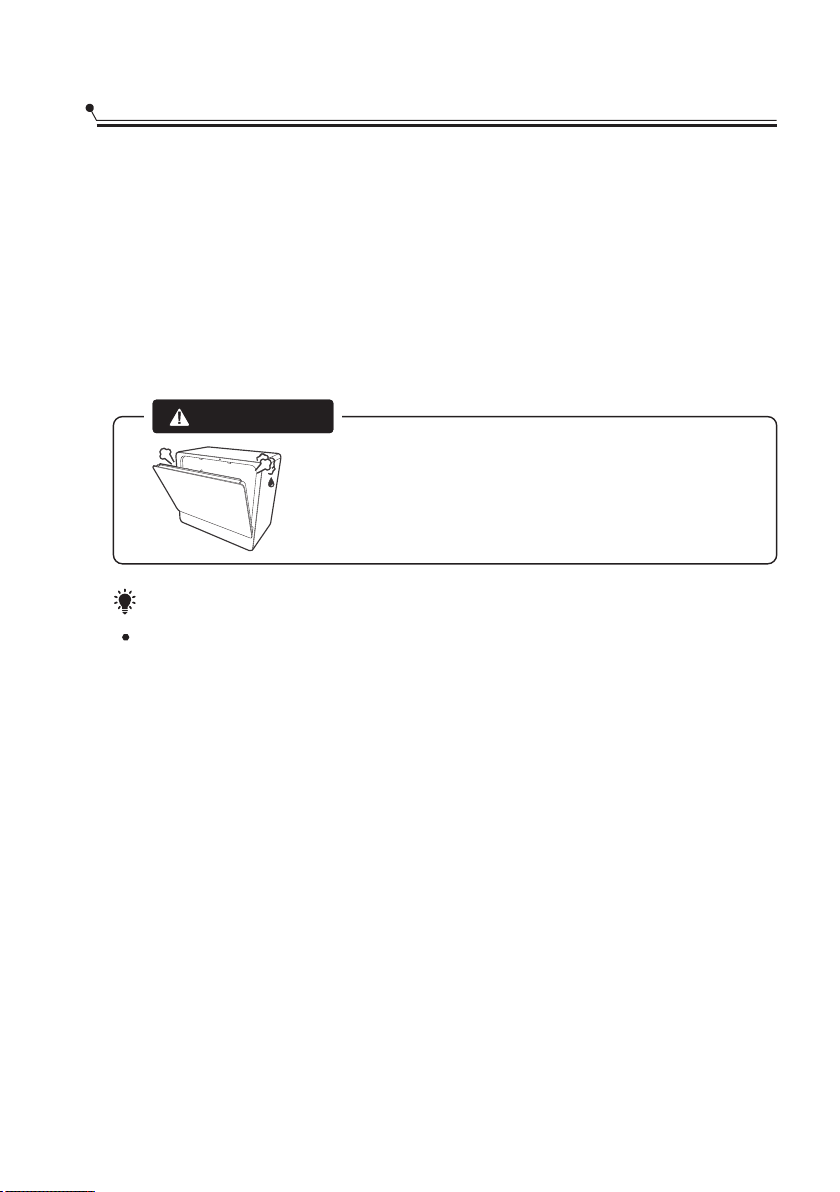
If you open the door during washing, the machine will pause.
When you press the Start/Pause Button, the machine will keep on working.
If the electric power to the dishwasher is interrupted during a wash program, it will
continue to the end of the program when the power is restored.
Adding Items While A Wash Is In Progress
You can add items after the wash program has begun.
However if it is no longer in the wash cycle, anything added may not be well washed,
and other items soiled as well. Check that it is not rinsing.
Follow these instructions:
1. Open the door a little to stop the washing.
After the spray arms stop working, you can open the door completely.2.
3. Add the extra items.
Close the door.4.
Press the Start/Cancel button.5.
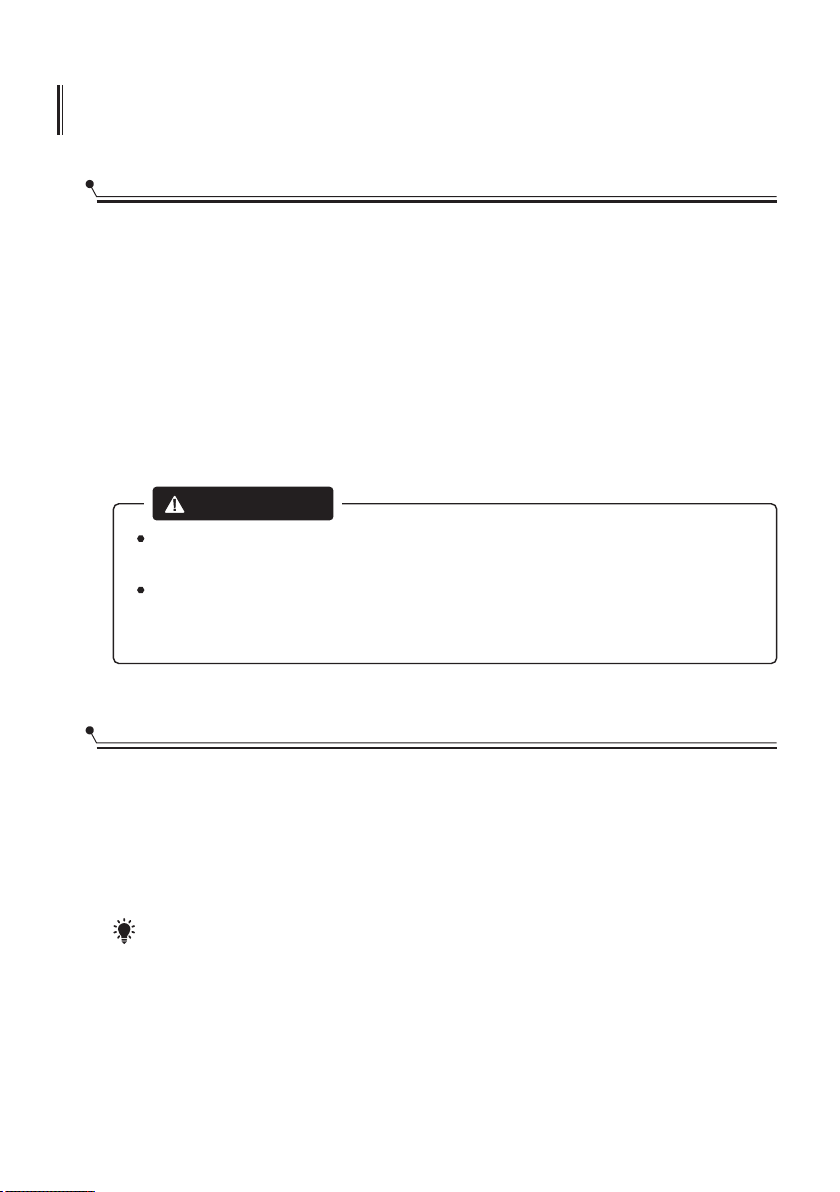
It is dangerous to open the drawer
mid-cycle, as hot steam may
scald you.
CAUTION
MAINTENANCE AND CLEANING
20
External Care
The door and the door seal
Clean the door seals regularly with a soft damp cloth to remove food deposits.
When the dishwasher is being loaded, food and drink residues may drip onto the
sides of the dishwasher door. These surfaces are outside the wash cabinet and are not
accessed by water from the spray arm. Any deposits should be wiped off before the
door is closed.
The control panel
If cleaning is required, the control panel should be wiped with a soft damp cloth only.
To avoid penetration of water into the door lock and electrical components,
do not use a spray cleaner of any kind.
Never use abrasive cleaners or scouring pads on the outer surfaces because
they may scratch the finish. Some paper towels may also scratch or leave
marks on the surface.
WARNING
Internal Care
Filtering system
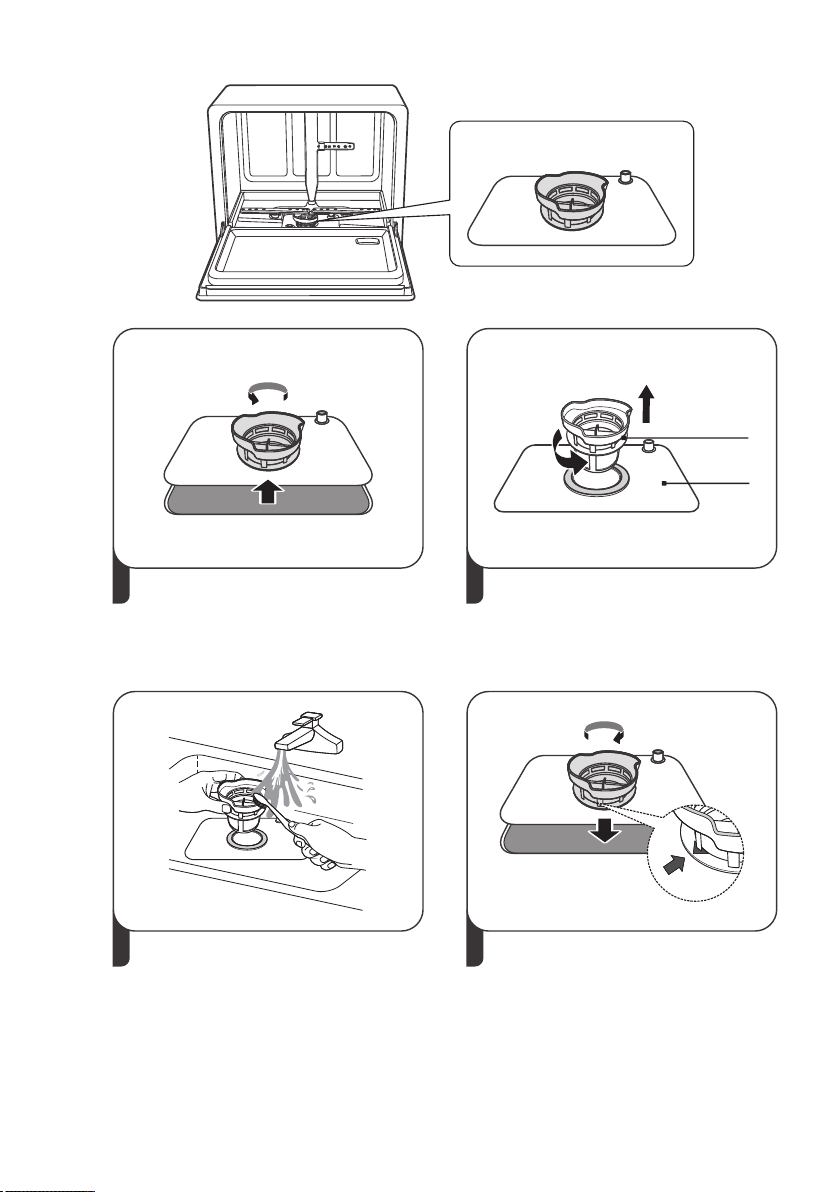
The filtering system in the base of the wash cabinet retains coarse debris from the
washing cycle. The collected coarse debris may cause the filters to clog. Check the
condition of the filters regularly and clean them if necessary under running water.
Follow the steps below to clean the filters in the wash cabinet.
NOTE:
Pictures are only for reference, different models of the filtering system and spray
arm may be different. Please prevail in kind.
21
1 2
Hold the coarse filter and rotate it
anticlockwise to unlock the filter.
Lift the filter upwards and out of
the dishwasher.
Lift fine filter up from main filter.
3 4
Larger food remnants can be
cleaned by rinsing the filter under
running water.
For a more thorough clean, use a
soft cleaning brush.
Reassemble the filters in the reverse
order of the disassembly, replace the
filter insert, and rotate clockwise to
the close arrow.
Fine filter
Main filter Main filter Main filter
Filtering system
Spray arms
22
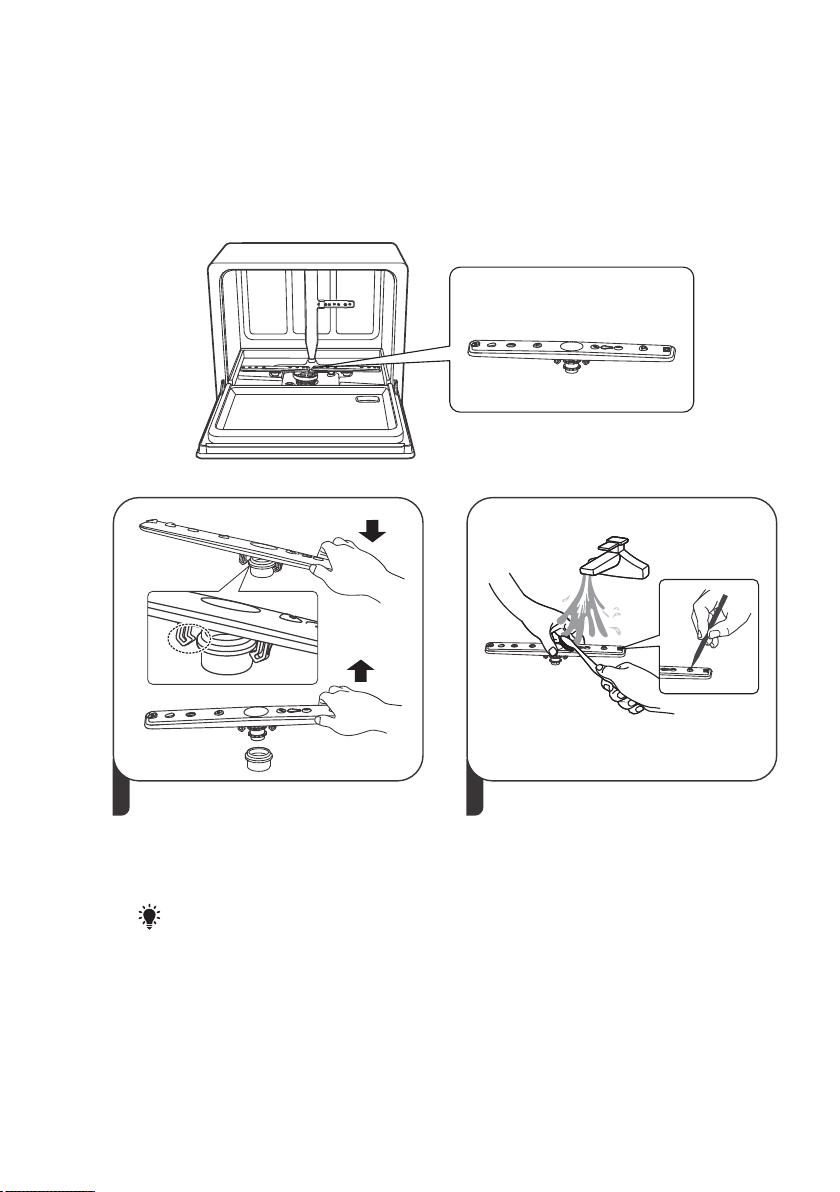
It is necessary to clean the spray arm regularly for hard water chemicals will clog the
spray arm jets and bearings.
To clean the spray arm, follow the instructions below:
Spray arms
21
To remove the spray arm, hold one
end of the spray arm first, then press
down firmly to release the button
and pull it up and out.
Wash the spray arm in soapy and
warm water and use a soft brush to
clean the jets. Replace them after
rinsing them thoroughly.
NOTE:
Hold one side of both ends of
the spray arm to avoid hitting
the upper bowl basket when
pulling out.

Caring For The Dishwasher
Frost precaution
If your dishwasher could be subjected to freezing temperatures, care needs to be
taken to avoid possible damage if the water in the dishwasher freezes.
1. Turn off the mains power to the dishwasher.
2. Turn off the water supply and disconnect the Water Inlet Hose. Drain the water
inside the hose then reconnect.
3. Remove the course filters in the tubs and soak up all water possible with a sponge.
Then re-assemble.
Cleaning
Only use gentle cleaning products on the exterior of the dishwasher, no solvents or
abrasive compounds.
Products specifically for cleaning the stainless steel interior are effective in restoring the
original bright interior.
23
Long term storage
Disconnect the power supply and the water supply.
Remove the coarse filters and soak up all water possible with a sponge.
This reduces the chance of any odors developing inside the tubs.
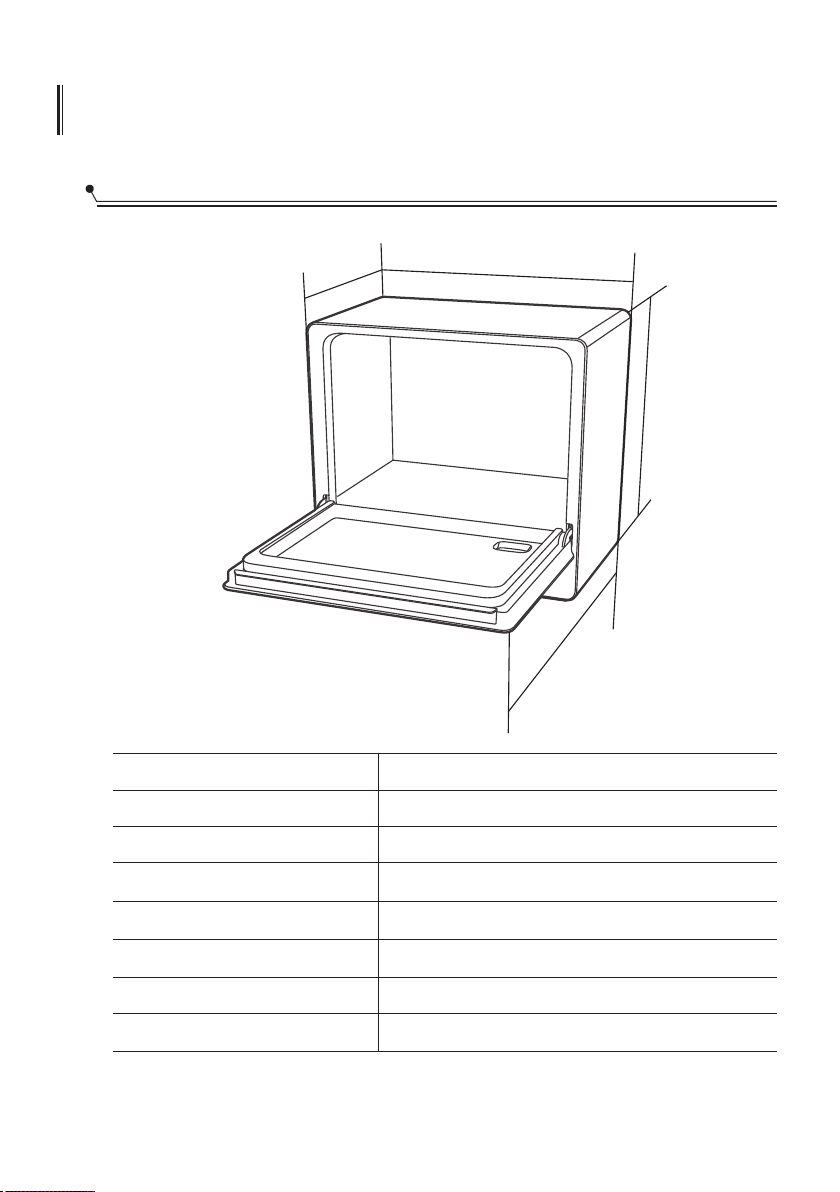
Product Dimensions
Height
Width (W)
Depth (D1)
Depth (D2)
Voltage connected Load
Water pressure
Power supply
Capacity
INSTALLATION INSTRUCTION
24
WWW
HHH
D2D2D2
D1D1D1
500 mm(19.68 in)
550 mm(21.65 in)
345 mm(13.58)(with the door closed)
713 mm(28 in) (with the door opened 90°)
See rating label
0.04-1.0M a (5.8-145 psi)
See rating label
3 place setting
P
25
Inlet Pipe Connected
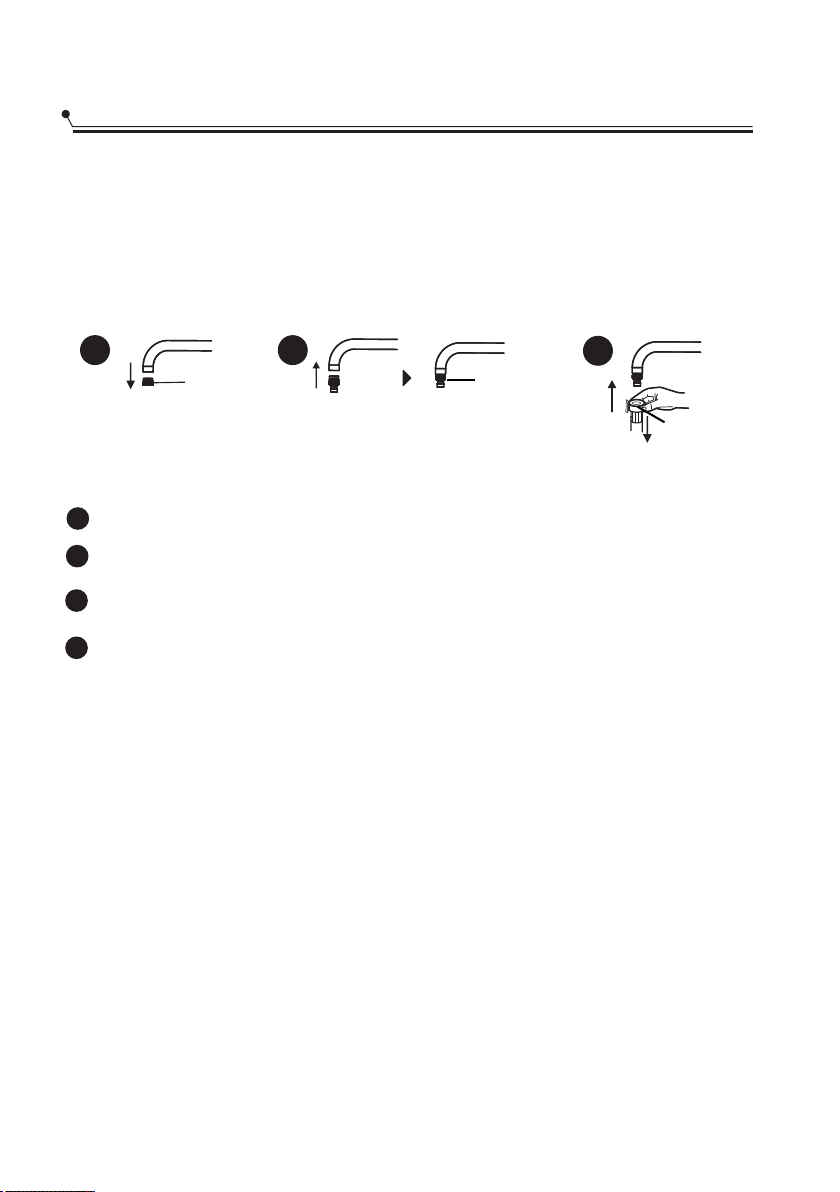
1. Connect the inlet pipe to the faucet
There are two ways to connect the water.
Connect inlet hose to the tap.1.
Use the suction pipe and add water into the suction bucket.2.
Faucet Adapter
1
2
3
Take the existing aerator off your faucet.
1
Aerator
Locking Collar
Screw the faucet adapter onto (or into) the faucet tap. Check for leaks (Use Teflon tape
2
Take the existing aerator off your faucet.
Attach the quick connect onto the faucet adapter by pulling down the locking collar.
Slowly open the hot water line and check for any sign of water leaks at all hose connections.
3
4
IMPORTANT: Please confirm whether the supplied adapter is suitable for your
faucet tap. If not, please contact our customer service where adapter is
Customer Service Phone: 1-866-646-4332
available for purchase.
Then pull up the locking collar to fix the connection.
26
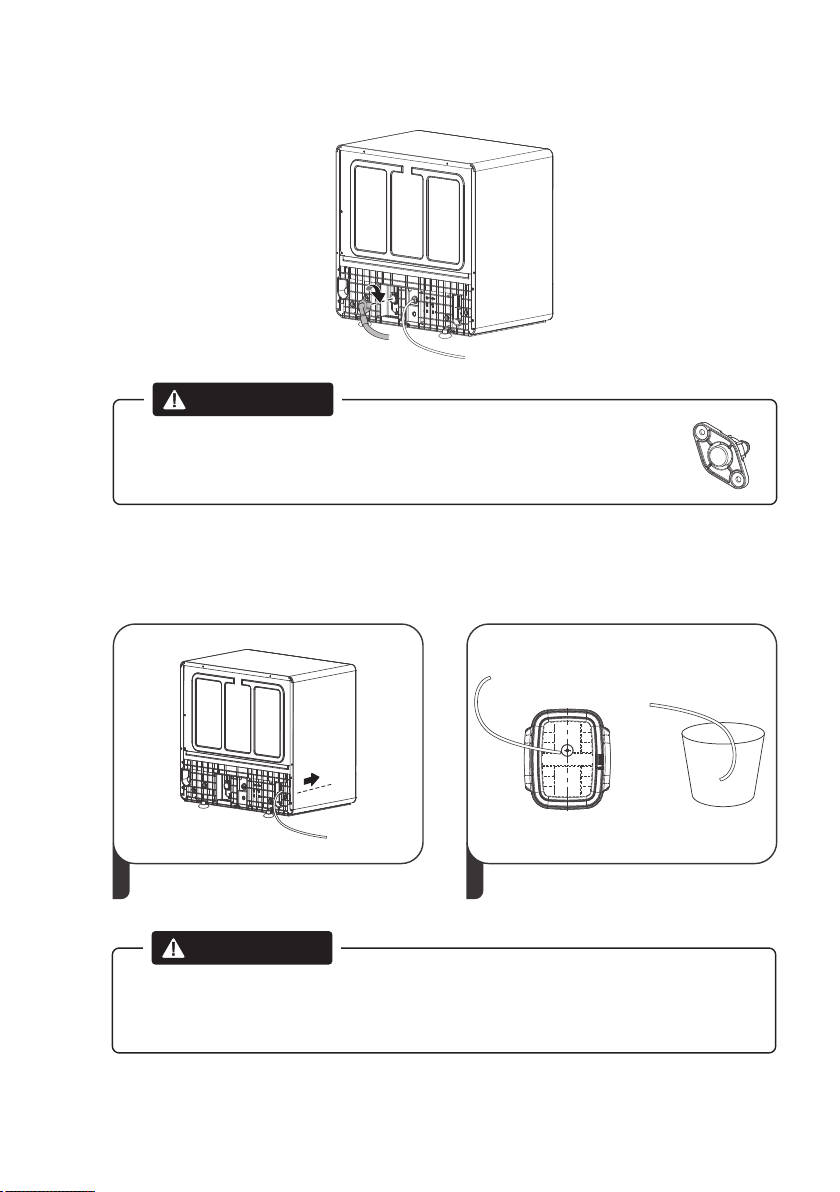
Connect the inlet pipe to the dishwasher
WARNING
Please keep the soft cover on the suction hose after you connect the
inlet pipe to the dishwasher. A little water will flow out if the
soft cover is pulled out
2. Connect the suction pipe and add water into the
suction bucket
1 2
2
.Connect suction pipe .Connect the suction pipe to the bucket
or
V≥12L
(3.17 Gal)
WARNING
Please make sure Bucket is filled up over 12L(3.17 Gal)-tick mark.Otherwise
the dishwasher may show E1 code on the screen due to insufficient
supply water,and it will work properly not
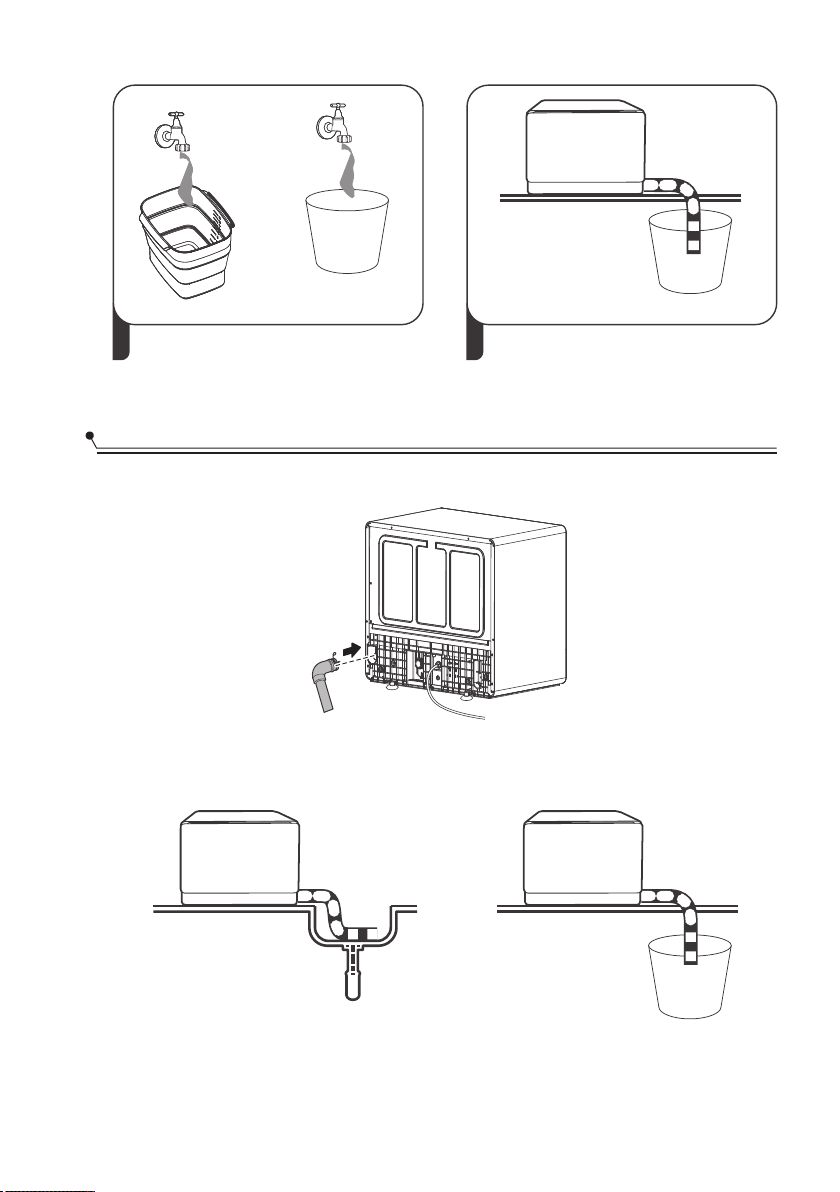
3 4
Fill the bucket with water at the
maximun water level.
.Power on, choose the program and run
Fixthedrainpipewiththebackpipeofthemachine.Theinterfaceisfittedwithclamps
andtightenedwithascrewdriver.
or
Theconnectionofthedrainpipe:Putendofthedrainpipe intoasinkorbucket.
Drain Pipe Connected
27
or
28
If a portion of the drain hose or the drain location is higher than the drain exit
on the dishwasher, the excess water in hoses cannot be drained directly into
the sink. It will be necessary to drain excess water from hoses into a bowl or
suitable container that is held outside and lower than the sink.
HowtoDrainExcessWaterFromHoses
WaterOutlet
Connect the water drain hose. The drain hose must be correctly tted to avoid.fi
water leaks. Ensure that the water drain hose is not kinked or squashed.
Ifyouneedadrainhoseextension,makesuretouseasimilardrainhose.Itmust
benolongerthan157.5.inches, otherwisethecleaningeffectofthedishwashercould
bereduced.
ExtensionHose
Electrical Requirements
.The installation of the pipes and electrical equipments should be done by professionals
Attention
WARNING
Electrical Shock Hazard
Disconnect electrical power before
installing dishwasher.
Failure to do so could result in death or
electrical shock.
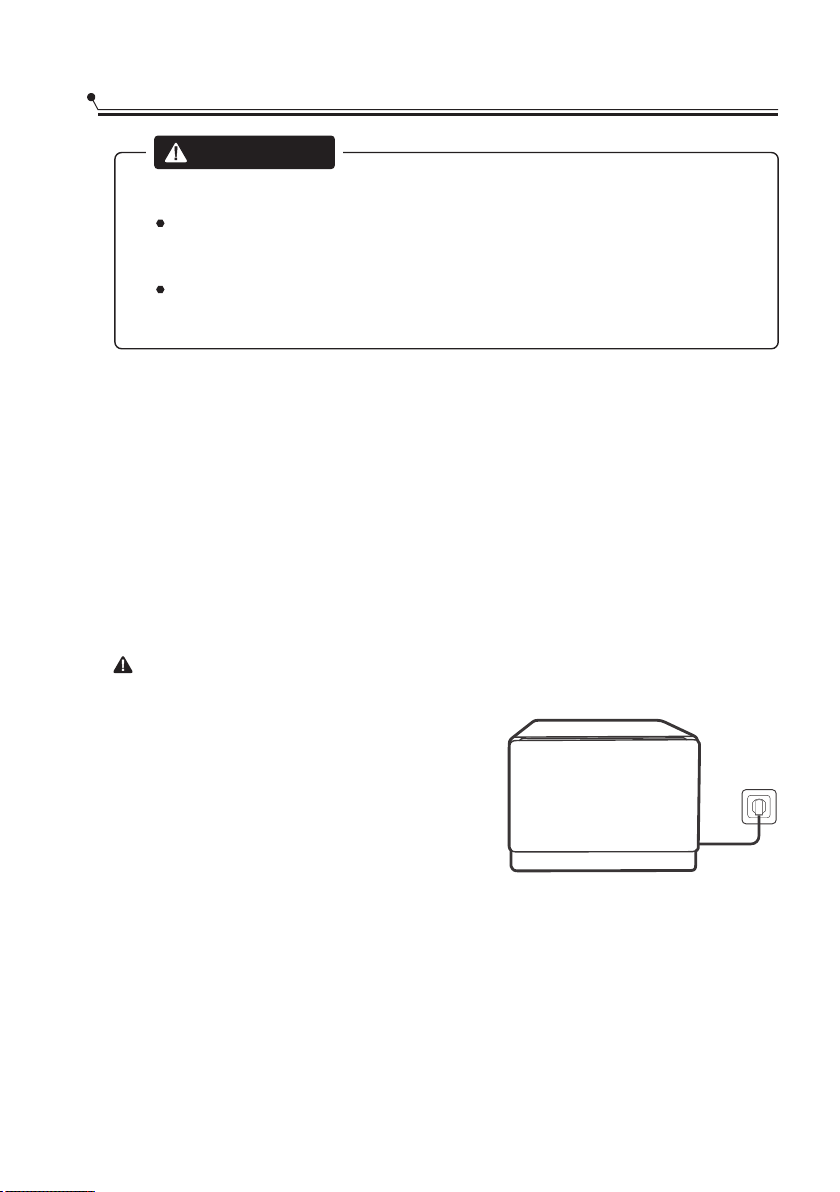
Ensure the voltage and frequency of the power being corresponds to those on the
rating plate. Only insert the plug into an electrical socket which is grounded
properly. If the electrical socket to which the appliance must be connected is not
appropriate for the plug, replace the socket, rather than using a adaptors or the like as
they could cause overheating and burns.
Electrical connection
Ensure that proper grounding exists before use
The power supply is 120V AC 60Hz, 10 Amp circuit.
1
29
Electrical requirements
About Power Connection
WARNING
For personal safety:
Do not use an extension cord or an adapter
plug with this appliance.
Do not, under any circumstances, cut or remove
the earthing connection from the power cord.
Please look at the rating label to know the rating voltage and connect the dishwasher
to the appropriate power supply. Use the required fuse 10 amp, time delay fuse or
circuit breaker recommended and provide separate circuit serving only this appliance.
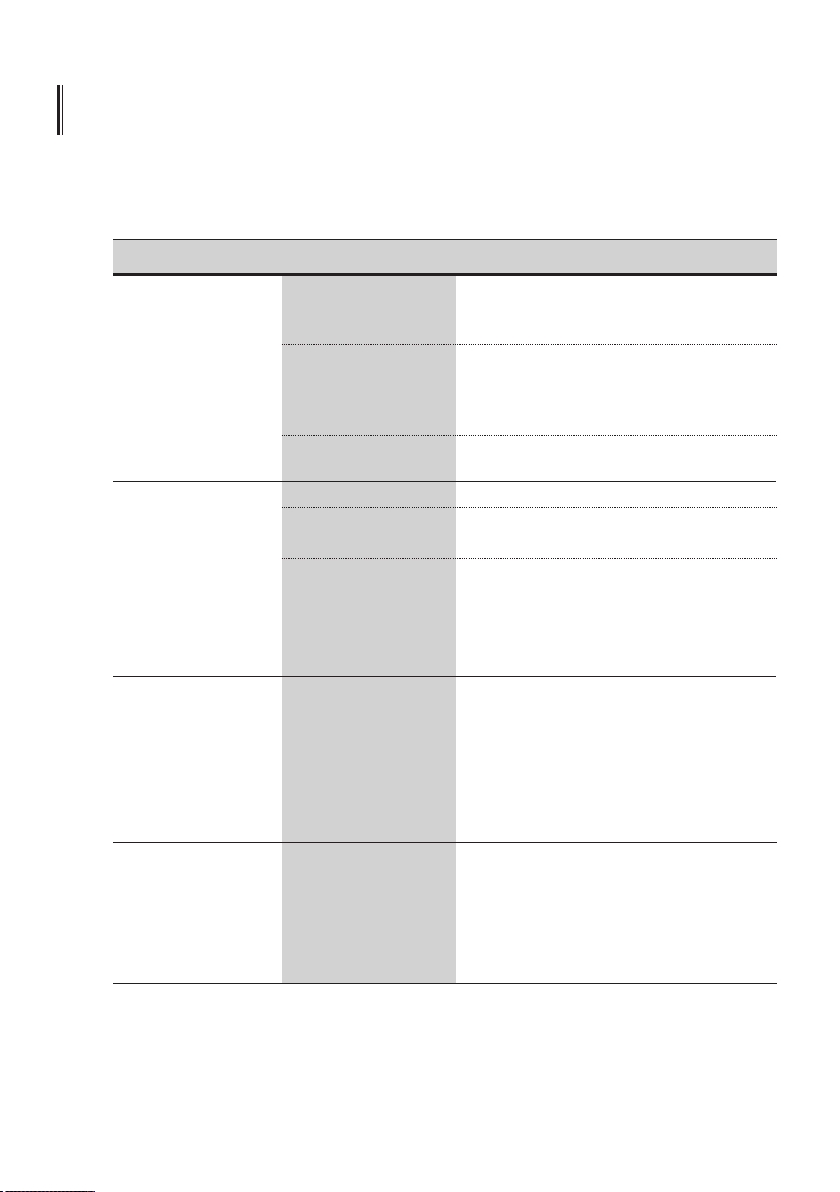
TROUBLESHOOTING TIPS
Before Calling For Service
Before calling for service, check the following list for problems probable causes and
what you can do.
30
Problem Possible causes Solution
Dishwasher doesn't
start
Power supply is not
turned on.
Fuse blown, or the
circuit breaker tripped.
Make sure the dishwasher is turned on and
the door is closed securely.
Make sure the power cord is properly
plugged into the wall socket.
Replace fuse or reset circuit breaker.
Remove any other appliances sharing the
same circuit with the dishwasher.
Make sure to close the door property and
latch it.
Water not pumped
from dishwasher
Kink in drain hose
Door of dishwasher
not properly closed.
Check drain hose.
Filter clogged.
Check the coarse filter.
(see section titled " Internal Care ")
Kitchen sink clogged. Check the kitchen sink to make sure
it is draining well. If the problem is
the kitchen sink that is not draining ,
you may need a plumber rather than
a serviceman for dishwashers.
Suds in the tub
Improper detergent
Use only the special dishwasher detergent
to avoid suds. If this occurred, open the
dishwasher and let suds evaporate.
Add 1 gallon of cold water to the tub.
Close and latch the dishwasher, then
Start any wash cycle to drain out the
water. Repeat if necessary.
White film on
inside surface
Hard water minerals. To clean the interior, use a damp sponge
with dishwasher detergent and wear
rubber gloves. Never use any other cleaner
than dishwasher detergent for the risk of
foaming or suds.
31
There are rust
stains on cutlery
The affected items
are not corrosion
resistant.
Avoid washing items that are not
corrosion resistant in the dishwasher.
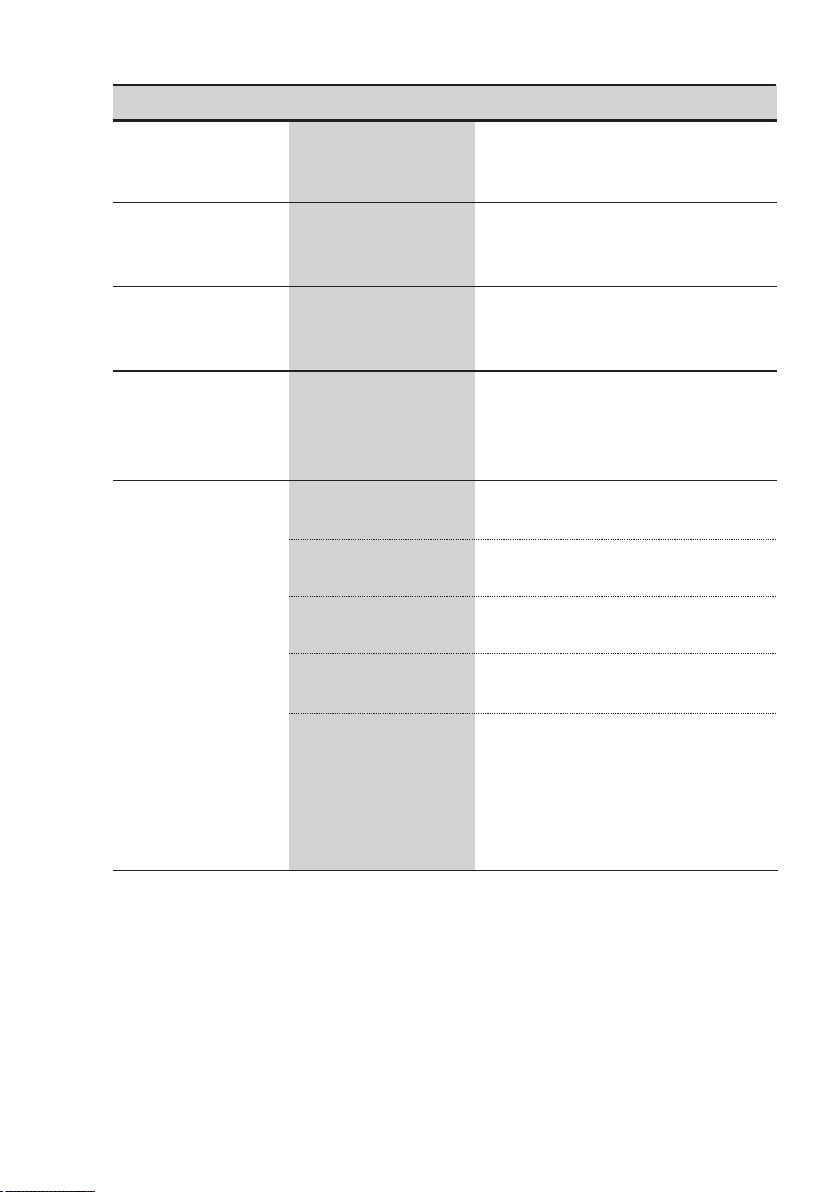
Problem Possible Causes What To Do
Knocking noise
in the wash cabinet
The spray arm is
knocking against
.an item in a basket
Interrupt the program, and rearrange
the items which are obstructing the
spray arm.
Rattling noise
in the wash cabinet
Item of crockery are
loose in the wash
.cabinet
Interrupt the program, and rearrange
.the items of crockery
Knocking noise in
the water pipes
This may be caused
by on-site installation
or the cross-section
of the piping.
This has no influence on the
dishwasher function. If in doubt,
contact a qualified plumber.
The dishes
are not clean
The dishes were not
loaded correctly.
See Preparing And Loading Dishes.
The programme was
not powerful enough.
Select a more intensive programme.
Not enough detergent
was dispensed.
Use more detergent, or change
your detergent.
Item are blocking
the path of spray arm.
Rearrange the items so that the spray
can rotate freely.
The filter combination in
the base of wash cabinet
is not clean or is not
.correctly fitted
This may cause the spray
.arm jets to get blocked
Clean and/or fit the filter correctly.
Clean the spray arm jets.
Cloudiness on
glassware.
Combination of soft
water and too much
detergent.
Use less detergent if you have soft
water and select a shorter cycle to
wash the glassware and to get
them clean.
Problem Possible Causes What To Do
Black or grey
marks on dishes
Aluminium utensils
have rubbed against
dishes
Use a mild abrasive cleaner to
eliminate those marks.
The dishesare
not drying
Improper loading
Load the dishwasher as suggested in
the directions to help shed water from
the dishes.
Dishes are removed
too soon
Do not empty your dishwasher
immediately after washing. Open the
door slightly so that the steam can
escape. Begin unloading the dishwasher
only once the dishes are barely warm
to the touch.
Detergent left in
dispenser cups
Dishes block detergent
dispenser cups
Re-loading the dishes properly.
Wrong program has
been selected.
In short programs the washing
temperature is lower. This also lowers
drying performance. Choose a
program with a long washing time.
High amount of plastic
dishes
Drying plastic dishes is more difficult
than glass, ceramic or metal or metal
objects due to plastics inability to gain
and retain heat.
32
33
If there is a malfunction, the dishwasher will display error codes to identify the symptom.
Codes
Meanings
Possible Causes
Extended Water Inlet Time.E1
Water supply failure, closed faucet, insufficient
supply water pressure , self-priming pump
damaged,inlet valve damaged or flowmeter
damaged .
Error Codes
Leak Detected.
E4
For some reason water has leaked from the
wash system. Possibilities are over height
item in the washload stopping lid from
sealing; internal plumbing or seal failure.
Failure of connection
between Display Unit
and the Control System.
Ed
Contact customer service.
Customer Service Phone: 1-866-646-4332

1 Year Limited Warranty
This is the only express warranty for the product and in lieu of any other warranty
or condition.
This product is warranted to be free from defects in material and workmanship for
a period of one year from the date of original purchase. During this period, your
exclusive remedy is repair of replacement of this product or any component found
to be defective, at our option; however, you are responsible for all costs associated
with returning the product to us and our returning the product or component
under this warranty to you. If the product or component is no longer available, we
will replace with a similar one equal or greater value.
This warranty does not cover wear from normal use, and operation doesn’t
conformity with the instruction manual, or damages to the product resulting from
accident, alteration, abuse, or misuse. This warranty extends only to the original
consumer purchaser, or gift recipient. Keep the original sales receipt, as proof of
purchase is required to make a warranty claim. This warranty is void if product is
used for other than single-family household use or subjected to any voltage and
waveform other than as specified on the label.
We exclude all claims for special, incidental, and consequential damages by breach
of express of implied warranty. All liability is limited to amount of the purchase
price. Every implied warranty, including any statutory warranty or condition of
merchantability or fitness for particular purpose, is disclaimed except to the extent
prohibited by law, in which case such warranty or condition is limited to the
duration of this written warranty.
This warranty gives you specific legal rights. You may have other legal rights that
vary depending on where you live. Some states or provinces do not allow
limitations on implied warranties or special, incidental consequential damages, so
the foregoing limitations may not apply to you.
Customer Service Phone: 1-866-646-4332
34