OPERATING MANUALS
FOR SAFE MODELS:
7550 Supreme Rie Safe
7650 Paragon Lock & Safe Home Security Personal Safe
7501 Paragon Lock & Safe Electronic 5 Gun Rie Safe
Quarter Master 7775 Electronic/Digital Home Ofce Security Safe
Quarter Master FR7800 Digital Keypad Fire Resistant Home Ofce Security Safe
Quarter Master 7825 Electronic/Digital Home Ofce Security Safe
Quarter Master 7850 Electronic/Digital Home Ofce Security Safe
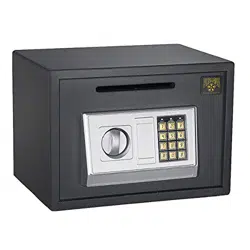
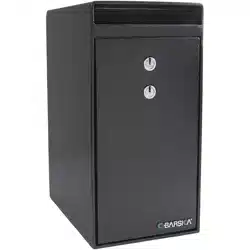
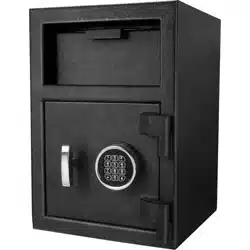
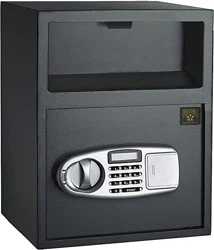
SureDrop 7875 Digital Keypad Depository Safe
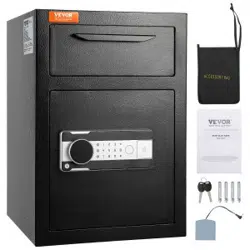
SureDrop 7900 Digital Keypad Depository Safe
SureDrop 7925 Digital Keypad Deluxe Depository Safe
Quarter Master 7950 Digital Keypad Laptop Safe
Copyright © Paragon Lock and Safe. All rights reserved.

Important Safety & Warranty Information .............................................. 3-4
7550 Supreme Rie Safe...........................................................................5-6
7650 Paragon Lock & Safe Home Security Personal Safe ...............................................7-8
7501 Paragon Lock & Safe Electronic 5 Gun Rie Safe ................................................9-11
Quar ter Master 7775 Electronic/Digital Home Ofce Security Safe....................................12-13
Quar ter Master FR7800 Digital Keypad Fire Resistant Home Ofce Security Safe .......................14-15
Quar ter Master 7825 Electronic/Digital Home Ofce Security Safe....................................16-17
Quar ter Master 7850 Electronic/Digital Home Ofce Security Safe....................................18-19
SureDrop 7875 Digital Keypad Depository Safe ....................................................20-21
SureDrop 7900 Digital Keypad Depository Safe ....................................................22-23
SureDrop 7925 Digital Keypad Deluxe Depository Safe .............................................24-25
Quarter Master 7950 Digital Keypad Laptop Safe ...................................................26-27
TABLE OF CONTENTS
Copyright © Paragon Lock and Safe. All rights reserved.

Follow these general gun safety rules:
DO NOT OPERATE SAFE OR LEAVE SAFE OPEN AROUND CHILDREN. CHILDREN MAY
BECOME TRAPPED AND RISK SUFFOCATION.
FOR SKU’S 7501 & 7550 SAFES ONLY
1. Always keep guns unloaded until ready to use.
2. Make sure your guns are well-maintained and safe to operate. Clean and maintain your guns regularly.
3. Never use drugs or alcohol when handling, using or storing rearms.
4. Use only the correct ammunition for your gun.
5. Store guns away from unauthorized persons.
6. Know how to use your gun safely. Never point a gun at something you are not willing to destroy.
7. Know your target and what is beyond.
FOR ALL OTHER SKU’S
GUN WARNING: This product is not intended for the secure storage of all materials. Items such as rearms, other weapons,
ammunition, combustible materials, or medication should NOT be stored in this unit. Your safe is only part of your total security
protection.
Paragon Lock & Safe recommends that you store your safe in closets, ofces, basements, bedrooms and any other locations that
are convenient for you but out of direct line of sight from prying eyes. The location of the safe does not affect the safe’s ability to
protect your valuables inside.
KEY REPLACEMENT
In order to replace the safe’s key in the event that it is lost you will need the safe’s “Key Code”. This code reads “H####” and is
found on a small white sticker in either the key or battery compartment of your safe. Please use the space provided below to
copy the key code for safe keeping.
Key Code: ______________________________________________________
IMPORTANT
If you experience any problems or challenges with your safe, please contact us. Many issues can be resolved quickly without the
product being returned. Our customer care team is available at 1-800-665-0728 to answer your questions.
IMPORTANT INFORMATION & SAFETY INFORMATION
3
Copyright © Paragon Lock and Safe. All rights reserved.

CUSTOMER SERVICE
Customer service and product support are available online at www.paragonlockandsafe.com
WARRANTY AND RETURN POLICY
Thank you for choosing a Paragon Lock and Safe product. Paragon Lock and Safe (PL&S) warrants the original purchaser of
new equipment manufactured by PL&S to be free from defects in material or workmanship from the date of original pur-
chase for a period of ten years. In the event the safe being replaced is no longer manufactured, PL&S will provide a safe they
deem to be “equivalent”.
The obligation of PL&S under this warranty is limited to the replacement of any parts or components that in the opinion of
PL&S are defective, F.O.B. the factory, or at any other location that PL&S may designate.
In the case of re (for reproof models): PL&S will replace your safe for free. You will provide a police and re report and
we will ship you your safe replacement. In the case of a break-in: PL&S will repair or replace your safe for free. You simply
send your safe back along with a copy of the police report. In the case of problems with locks, bolt work or handle: PL&S will
repair your safe for free. Simply send your safe back. If we cannot x it, we will ship you a safe replacement.
The original purchaser who has provided proper proof of the original retail purchase and all other requested information
is the holder of this warranty. This warranty is non-transferable and covers you as long as you own the safe and have your
original invoice. Make sure you save a copy of your invoice.
All shipping damages must be claimed with the designated shipper. Check the shipping carton for damage before signing the
bill of lading.
If an item is opened and deemed to be defective within 30 days from the date of delivery, please contact us at www.para-
gonlockandsafe.com for return instructions. A PL&S RMA is required when returning defective merchandise. When returning
your order please include a copy of your order number with date purchased, Your PL&S RMA and the reason for the return.
Any defective component, part or assembly returned to PL&S will be replace by PL&S. PL&S will not be responsible for any
expenses incurred by the customer under the terms of this warranty nor shall it be responsible for any damages consequen-
tial, special, contingent or otherwise: or expenses or injury arising directly or indirectly from the use of a PL&S product. Any
component, part or assembly returned to PL&S must be returned at the customers expense along with proof of purchase.
PL&S reserves the right to determine whether the terms of this warranty have been properly complied with. In the event
that the terms are not complied with, PL&S shall be under no obligation to honor this warranty.
IMPLIED WARRANTIES: EXCEPT TO THE EXTENT PROHIBITED BY APPLICABLE LAW, ANY IMPLIED WARRANTY
OF MERCHANTABILITY OR FITNESS FOR A PARTICULAR PURPOSE IS LIMITED IN DURATION TO THE DURATION
OF THIS WARRANTY. PL&S SHALL NOT BE LIABLE FOR ANY INCIDENTAL OR CONSEQUENTIAL DAMAGES FOR
BREACH OF ANY EXPRESS OR IMPLIED WARRANTY. PL&S AND YOUR MAXIMUM LIABILITY TO THE OTHER IS LIMIT-
ED TO PURCHASE PRICE YOU PAID FOR PRODUCTS OR SERVICES PLUS INTEREST ALLOWED BY LAW.
DISPUTE RESOLUTION. You and PL&S agree that any dispute between you and PL&S will be resolved exclusively and
nally by arbitration administered by the National Arbitration Forum (NAF) and conducted under its rules, except as other-
wise provided below. You and PL&S will agree on another arbitration forum if NAF ceases operations. The arbitration will be
conducted before a single arbitrator, and will be limited solely to the dispute between you and PL&S. Any decision rendered
in such arbitration proceedings will be nal and binding on the parties, and judgment may be entered thereon in any court of
competent jurisdiction. THIS AGREEMENT AND ANY SALES THERE UNDER SHALL BE GOVERNED BY THE LAWS OF
THE STATE OF MICHIGAN, WITHOUT REGARD TO CONFLICTS OF LAW RULES.
Warranty shall not apply to: products which are used for a purpose other than which they were designed for or which have
been altered in any way that would be determined to the performance of life of the product. Misapplication, misuse or negli-
gence will revoke the warranty.
Copyright © Paragon Lock and Safe. All rights reserved.
4
l
Simple key operation.
l
Plenty of storage for 8 ries plus ammunition/
handguns.
l
Opens with the included keys (2 FREE KEYS).
l
Includes an 8 gun rack!
l
Includes an Interior locking cabinet with a
different set of keys (2).
l
Accepts guns up to 47.5” long.
l
Concealed hinges for anti-theft protection.
l
Pre-drilled holes inside the safe with xed bolts
allowing anchoring.
l
Top Quality 18 Gauge Powder coated interior
and exterior.
l
Constructed of extra thick 18 gauge solid steel.
l
Inside tamper-proof hinges.
l
Grey carpet mat padding on inside bottom.
l
Anchor bolts are included.
Features
Dimensions
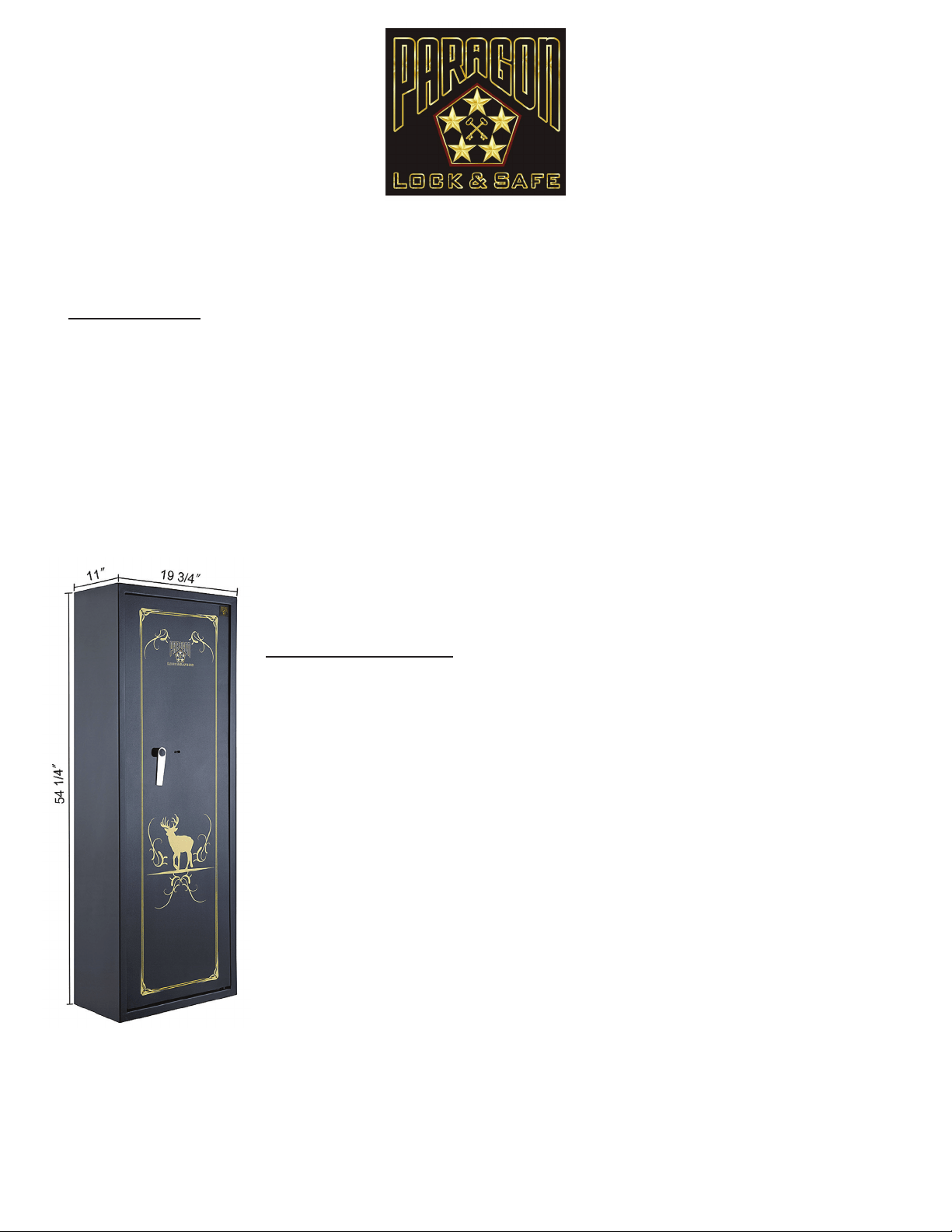
Outside Dimensions without handle: Height: 55” Width:19 3/4” Depth: 11”.
Outside Dimensions with handle: Height: 55” Width: 19 3/4” Depth:12 1/2”
Inside Dimensions: Height: 55” Width: 19 1/2”Depth: 8 3/4”
Inside upper compartment dimensions: 19” Width: 6” Deep: 6.5” High
Inside compartment opening: 3.75: High; 13” Wide
Door Opening: Height: 52 1/2” Width: 17 3/4”
Interior Capacity: 5.4 Cubic Feet.
Color: Black.
Weight: 102 Pounds.
7550 Supreme Rie Safe
Copyright © Paragon Lock and Safe. All rights reserved.
5
OPENING THE SAFE
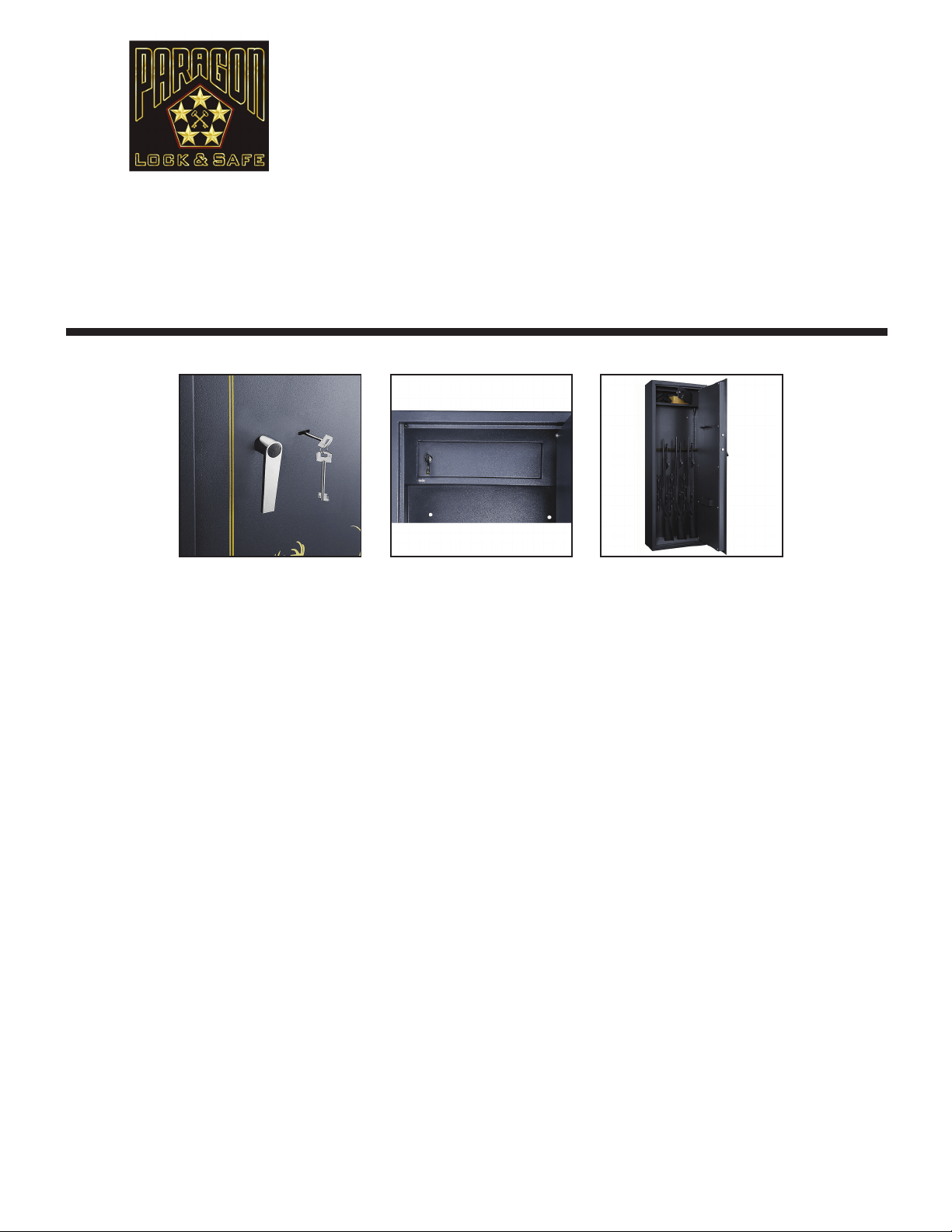
1. Insert the key into the lock.
2. Turn the key clockwise to open the latch.
3. Store unloaded guns and ries securely inside your safe
CLOSING THE SAFE
1. Close the door and turn the key counter-clockwise.
2. Remove the key and store in a safe place.
IMPORTANT! DO NOT store your keys inside the safe!
INSTALLING THE SAFE
Select where you want your safe positioned and set it in place. Once positioned, we require it be anchored to the oor for
additional safety and security. Locate the anchoring holes in the bottom oor and back panel of safe. Determine if you will be
anchoring into wood or concrete oor. If you are anchoring into a wood oor, use lag bolts. The length of the lag bolt will be
determined by the thickness of the oor but try to use at least 2 inches. If you are anchoring into a concrete oor, use concrete
sleeve anchors, which are at least 2 inches long. The holes for the anchors can be drilled through the holes that are already in the
safe. You do not need to move the safe to install the anchoring bolts.
NOTE: After the anchor bolts are installed, carefully open and close the safe door and check for smooth operation of the locking
mechanism. If any resistance is encountered, check the safe for being level.
WARNING: The safe MUST BE bolted to the oor before use. Serious injury could occur if the safe is not bolted down.
If the safe is sitting on carpet or an uneven surface, it could topple over when the door is open.
7550 Supreme Rie Safe
DIRECTION FOR USE
Thank you for choosing the 7550 Supreme Rie Safe by the Paragon Lock and Safe Co. It is perfect for
keeping your guns/weapons in a safe secure place. The innovative design/styling will impress you and the extra
heavy duty 18 gauge steel powder coated cabinet will provide you peace of mind.
We’re so condent you’ll
love your new safe, we’re including a full 10 year warranty! Please take a moment to read this manual
for important use and safety information. Keep this manual in a safe place for future reference.
Copyright © Paragon Lock and Safe. All rights reserved.
6

l
Opens with secret PIN code or included keys
(2 FREE KEYS)
l
Simple programmable Electronic Lock with buzzer
and LED. 3 to 6 numbers
l
Runs on AA SIZE(1.5V) batteries. Included
l
Pre-drilled holes inside the safe with xing bolts
allowing anchoring. Bolts included**
l
Powder coated interior and exterior. Color Black
l
Constructed of 1/8” thick solid steel
l
Inside tamper-proof hinges
l
Carpet mat padding on inside bottom protects
your items
l
Anchor bolts are included
Features
Dimensions
Exterior Dimensions: 15” Long X 9” Wide X 3.25” Deep
Inside Useable Space: 8.5” Long x 8” Wide x 2.5” Deep
Weighs approximately 18 pounds
7650 Paragon Lock & Safe
Home Security Personal Safe
Copyright © Paragon Lock and Safe. All rights reserved.
7
OPENING THE SAFE FOR THE FIRST TIME
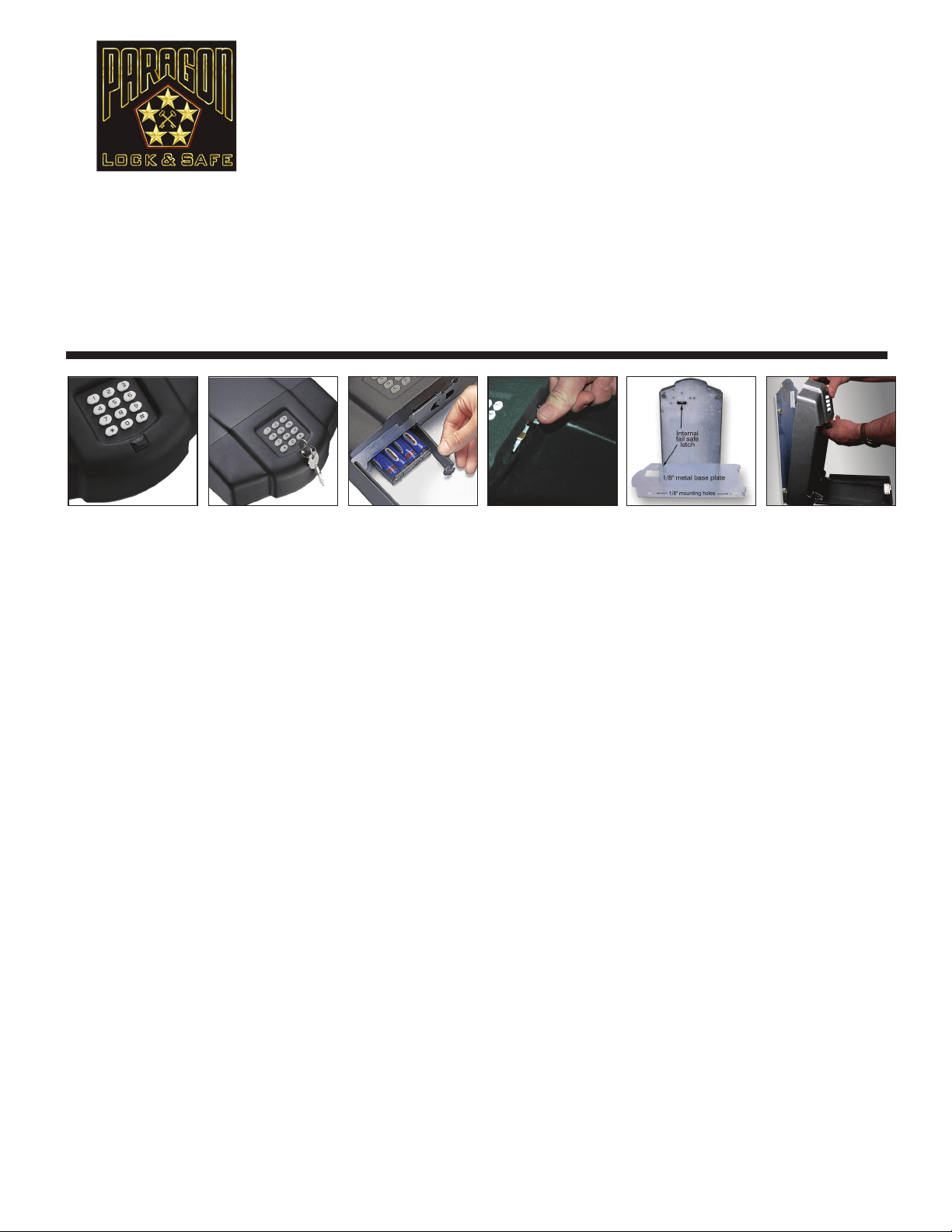
1. Pull out the key whole cap located in front of the keypad.
2. Insert the override key and turn counter-clockwise.
3. The lid will open automatically. When the door has opened turn the key clockwise and remove it.
CHANGING THE BATTERIES
1. With the lid open, take out the black liner from inside the safe. The battery box is located in the front of the safe,
remove battery cover; the battery box will come out.
2. Insert 4 AA alkaline batteries.
3. To make sure the batteries are installed correctly, press a number on the keypad. A green light will appear if the batteries are
installed and have enough power.
SETTING YOUR PERSONAL IDENTIFICATION NUMBER (PIN)
1. Press any key to activate the keypad.
2. Press “0” + “0” + “#” and factory preset code of 1,6,8 + “#”.
3. Input your new PIN (3-6 digits) then press “*”.
4. Input your new PIN again followed by the “#”. You will hear one beep to inform you that the new code has been
set successfully.
INSTANT MANUAL
“0”+”0”+” # “ + “previous code “+ “#” + “ new code “ + “ #” + “code” (repeat new code) + “#” followed by a long beep.
For example: previous code 168 , new code 6699, operate: 00#168#6699#6699#
OPENING AND CLOSING THE SAFE
1. To open the safe: Input your own PIN then press “#”. the safe will automatically open.
2. Caution: If you input an incorrect code (3) times, the safe will lock you out for 40 seconds.
3. To close the safe, push the door closed - it will lock automatically.
IMPORTANT! DO NOT store your keys inside the safe!
ATTACHING TO THE BASE
1. Remove the safe from the installing base; open the safe, press the active pole in the front of the safe (see photos above ) and lift
the front of the safe. Move forward to separate the safe from the base.
2. Afx the base by four screws.
3. Install the safe on to the base. Insert the hooks into the back of the safe, press the front of the safe downward until you hear
a “click”, this will let you know that the safe has been afx properly to the base.
7650 Paragon Lock & Safe
Home Security Personal Safe
DIRECTION FOR USE
Thank you for choosing the 7650 Home Security Personal Safe by the Paragon Lock and Safe Co. It was
designed with the intent of being mobile. The safe plate can be mounted to the wall, oor, desk drawer, or in
a vehicle. Once mounted, you can depress the release switch inside the safe and transport your valuables. The
7650 Home Security Safe offers the exibility of 2 options to open; code or key. We’re so condent you’ll love
your new safe, we’re including a full 10 year warranty! Please take a moment to read this manual for important
use and safety information. Keep this manual in a safe place for future reference.
Copyright © Paragon Lock and Safe. All rights reserved.
8
l
Digital entry eliminates the need for making
multiple key copies
l
Stronger internal mechanisms prevent forced entry.
Plenty of storage for 5 ries plus ammunition/
handguns
l
Opens with secret PIN code or included keys
(2 FREE KEYS)
l
Includes a 5 gun rack
l
Includes an Interior locking cabinet with a different
set keys (2)
l
Combination can be changed an innite number
of times by the user
l
Solid steel construction body and door
l
Concealed hinges for anti-theft protection
l
Simple programmable Electronic Lock with
buzzer and LED. 3 to 6 numbers.
Runs on AA SIZE(1.5V) batteries
l
Constructed with 18 gauge solid steel to resist
hand and mechanical tool attacks
l
Pre-drilled holes inside the safe with xing bolts
allowing anchoring.
l
Powder coated interior and exterior
l
Constructed of extra thick solid steel
l
Inside tamper-proof hinges
l
Grey carpet mat padding on inside bottom
l
Anchor bolts are included
Features
Dimensions
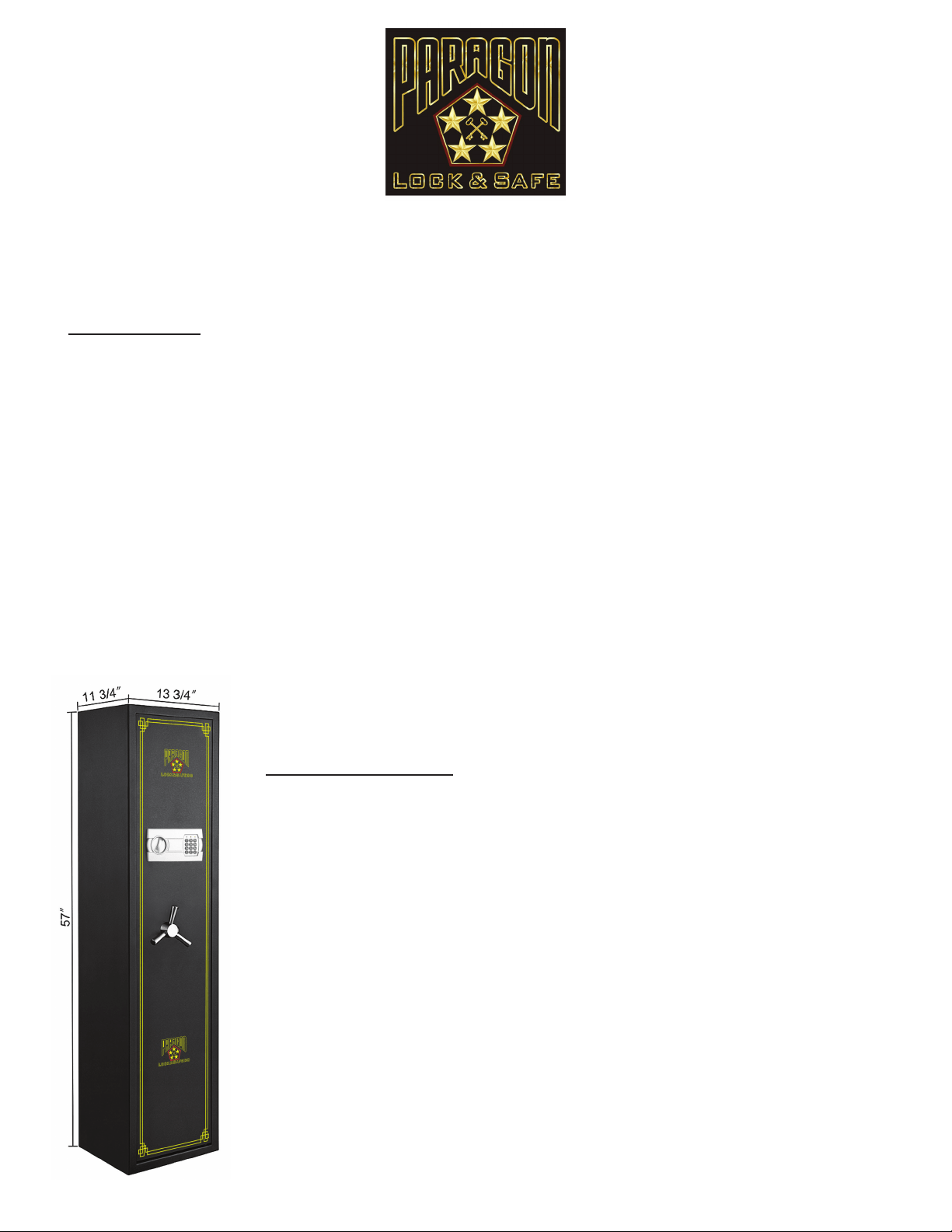
Outside Dimensions without handle: 57” H; 13 3/4” W; D 11 3/4”
Outside Dimensions with handle: 57” H; 13 3/4” W; 14” D
Inside Dimensions: 56 3/4” H; 13 1/2” W; 9 1/2” D
Door Opening: 54 1/2” H; 11 3/4” W
Inside upper compartment dimensions: 13.5” W; 7.5” D; 6.5” H
Inside compartment opening: 3.875” H; 6.75” W
Interior Capacity: 4.26 Cubic Feet
Weight: 110 lbs
7501 Paragon Lock & Safe
Electronic 5 Gun Rie Safe
Copyright © Paragon Lock and Safe. All rights reserved.
9
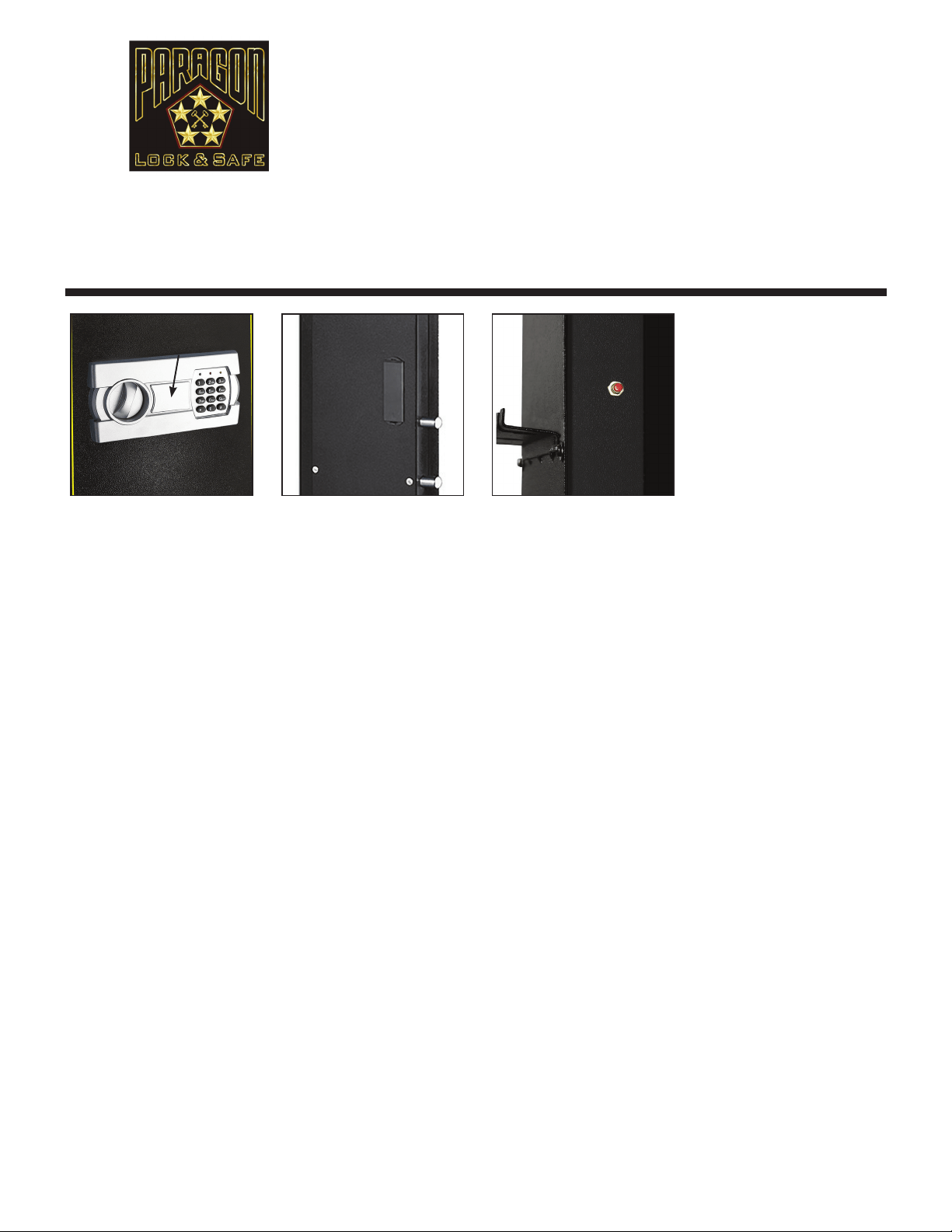
BEFORE USING YOUR SAFE
1. Remove the key hole cover on the key pad.
2. Insert the key and turn counter-clockwise to unlock the safe.
3. Turn the handle clockwise to open the door.
INSTALLING THE BATTERIES
1. Remove the battery cover plate located on the inside of the outer door.
2. Install 4 AA alkaline batteries provided.
3. Replace the battery cover.
NOTE: If both the red and green lights are on while the safe is open, this indicates that the batteries are low and need
to be changed.
TO SET UP OR CHANGE A USER CODE
1. With the door open, locate the red button on the back of the door near the hinge.
2.Press the red button and listen for the beep.
3. Enter your new user passcode (3-6 digits long)
4. Immediately after entering your passcode press the “*” or “#” button on the keypad. Your new user passcode is now stored.
NOTE: This safe stores up to 2 passcodes (a user code and a manager code). Entering a third code will erase the
rst passcode entered.
SETTING UP OR CHANGING A MANAGER PASSCODE
1. Open your safe with the passcode you wish to change and leave the door ajar.
2. Press the “0” button on the keypad twice. Press the red button, listen for a beep and then enter your new user passcode.
New user passcodes may be 3-6 digits long.
3. Immediately after entering your new code, press the “*” or “#” button on the keypad. Your user code is now changed.
OPENING THE SAFE
1. Input your code and then press the “#” button, the green light will turn on.
2. Turn the knob clockwise within 5 seconds to open the door.
3. Each key pressed will be accompanied by a buzzer and a yellow ashing light. If the entered code is invalid the yellow light will
ash and the buzzer will quickly sound, this indicates the code needs to be re-entered.
CAUTION: Entering an incorrect code (3) times will lock the system for 20 seconds.
CLOSING THE SAFE
1. Turn the knob counter-clockwise, the mechanism will automatically lock the safe.
IMPORTANT! Your safe comes with 2 separate sets of keys, one for the exterior door and one for the interior locking
cabinet. DO NOT store your keys inside the safe!
Continued on next page ▶
7501 Paragon Lock & Safe
Electronic 5 Gun Rie Safe
DIRECTION FOR USE
Thank you for choosing the 7501 Electronic 5 Gun Rie Safe by the Paragon Lock and Safe Co. It is perfect
for keeping your guns/weapons in a safe secure place. The innovative design/styling will impress you and the
extra heavy duty 18 gauge steel powder coated cabinet will provide you peace of mind. We’re so condent
you’ll love your new safe, we’re including a full 10 year warranty! Please take a moment to read this manual for
important use and safety information. Keep this manual in a safe place for future reference.
Copyright © Paragon Lock and Safe. All rights reserved.
10
Override Key Cover

7501 Paragon Lock & Safe
Electronic 5 Gun Rie Safe
INSTALLING THE SAFE
Select where you want your safe positioned and set it in place. Once positioned, we require it be anchored to the oor for
additional safety and security. Locate the anchoring holes in the bottom oor and back panel of safe. Determine if you will be
anchoring into wood or concrete oor. If you are anchoring into a wood oor, use lag bolts. The length of the lag bolt will be
determined by the thickness of the oor but try to use at least 2 inches. If you are anchoring into a concrete oor, use concrete
sleeve anchors, which are at least 2 inches long. The holes for the anchors can be drilled through the holes that are already in the
safe. You do not need to move the safe to install the anchoring bolts.
NOTE: After the anchor bolts are installed, carefully open and close the safe door and check for smooth operation of the locking
mechanism. If any resistance is encountered, check the safe for being level.
WARNING: The safe MUST BE bolted to the oor before use. Serious injury could occur if the safe is not bolted down.
If the safe is sitting on carpet or an uneven surface, it could topple over when the door is open.
Copyright © Paragon Lock and Safe. All rights reserved.
11
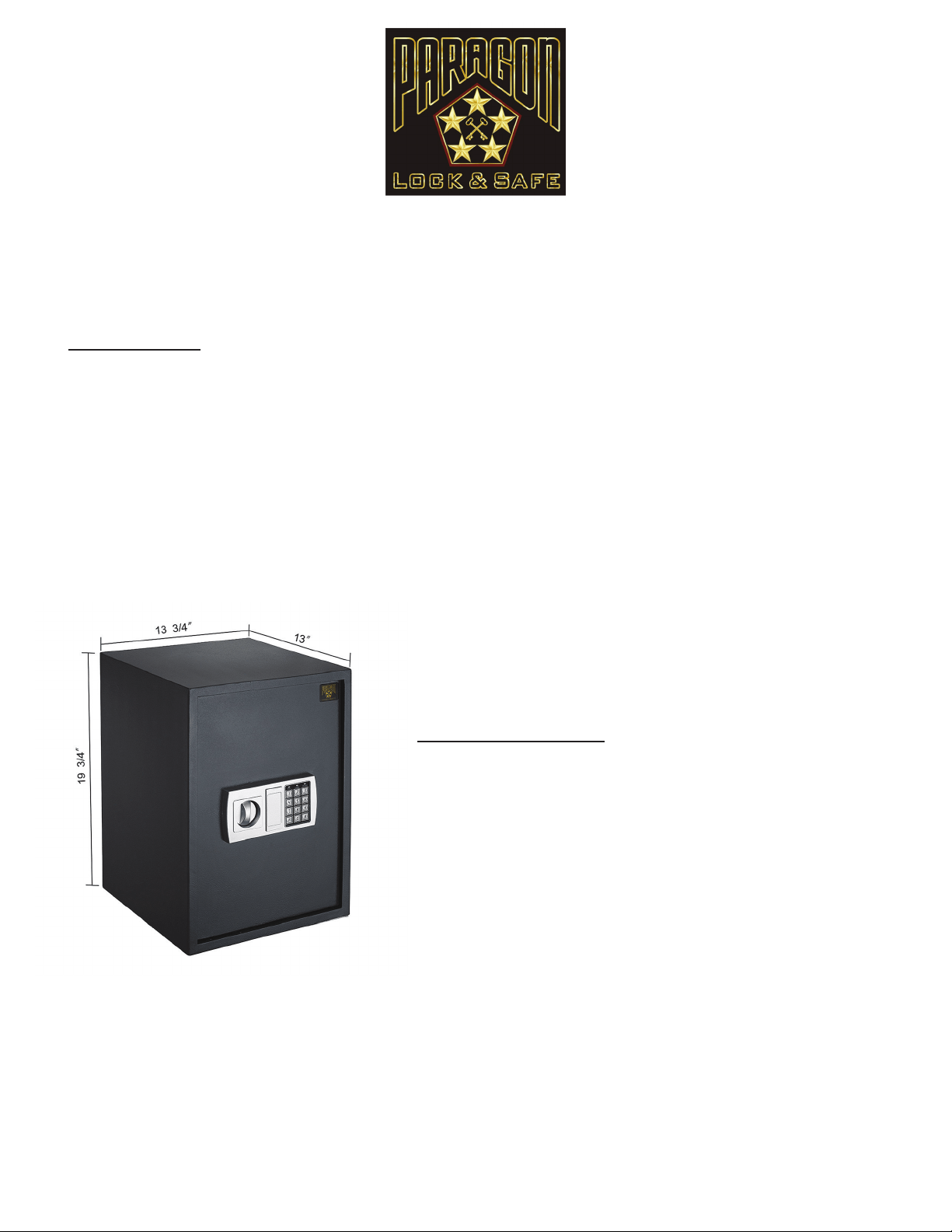
l
Digital entry eliminates the need for making
multiple key copies
l
Easy to operate and program
l
Includes 1 Interior Shelf. Counting the bottom, that
makes 2 unique compartments
l
Opens with secret PIN code or included keys
(2 FREE KEYS)
l
Simple programmable Electronic Lock with buzzer
and LED. 3 to 8 numbers
l
Runs on AA SIZE(1.5V) batteries (Included)
l
Constructed with solid steel to resist hand and
mechanical tool attacks
l
Pre-drilled holes inside the safe with xing bolts
allowing anchoring.
l
Powder coated interior and exterior
l
Constructed of extra thick 11 gauge solid steel
l
Grey carpet mat padding on inside bottom
l
Anchor bolts are included
Features
Dimensions
External Dimensions: 19 3/4” H x 14” W x 13” D
Internal Dimensions: 19” H x 13.5” W x 12” D
Weight: 55 lbs
Color: Dark Grey
Quarter Master 7775 Electronic/Digital
Home Ofce Security Safe
Copyright © Paragon Lock and Safe. All rights reserved.
12
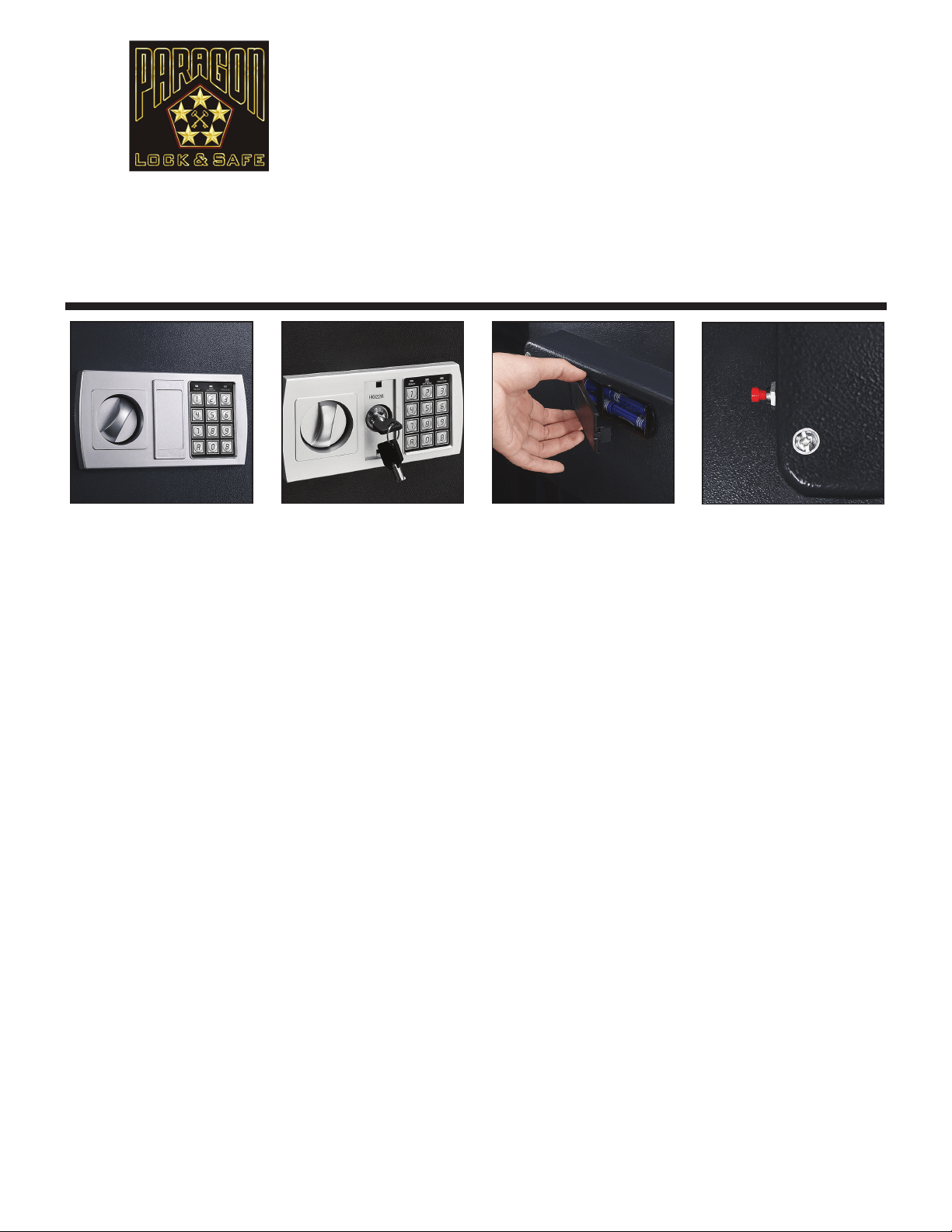
BEFORE USING YOUR SAFE
1. Remove the key hole cover on the key pad.
2. Insert the key and turn counter-clockwise to unlock the safe.
3. Turn the handle clockwise to open the door.
INSTALLING THE BATTERIES
1. Remove the battery cover plate located on the inside of the door.
2. Install 4 AA alkaline batteries provided.
3. Replace the battery cover.
NOTE: If both the red and green lights are on while the safe is open, this indicates that the batteries are low and need
to be changed.
TO SET UP OR CHANGE A USER CODE
1. With the door open, locate the red button on the back of the door near the hinge.
2.Press the red button and listen for the beep.
3. Enter your new user passcode (3-6 digits long)
4. Immediately after entering your passcode press the “A” or “B” button on the keypad. Your new user passcode is now stored.
NOTE: This safe stores up to 2 passcodes (a user code and a manager code). Entering a third code will erase the
rst passcode entered.
SETTING UP OR CHANGING A MANAGER PASSCODE
1. Open your safe with the passcode you wish to change and leave the door ajar.
2. Press the “0” button on the keypad twice. Press the red button, listen for a beep and then enter your new user passcode.
New user passcodes may be 3-6 digits long.
3. Immediately after entering your new code, press the “A” or “B” button on the keypad. Your user code is now changed.
OPENING THE SAFE
1. Input your code and then press the “B” button, the green light will turn on.
2. Turn the knob clockwise within 5 seconds to open the door.
3. Each key pressed will be accompanied by a buzzer and a yellow ashing light. If the entered code is invalid the yellow light will
ash and the buzzer will quickly sound, this indicates the code needs to be re-entered.
CAUTION: Entering an incorrect code (3) times will lock the system for 20 seconds.
CLOSING THE SAFE
1. Turn the knob counter-clockwise, the mechanism will automatically lock the safe.
IMPORTANT! Your safe comes with 2 separate sets of keys, one for the exterior door and one for the interior locking
cabinet. DO NOT store your keys inside the safe!
Quarter Master 7775 Electronic/Digital
Home Ofce Security Safe
DIRECTION FOR USE
Thank you for choosing the Quarter Master 7775 Electronic Digital Home Ofce Security Safe by the Para-
gon Lock and Safe Co. Easily store and keep valuables safe at home or ofce with this digital safe; works with
included key or your own customized digital code you program. For added security, we’ve made the hinges
concealed so they’re tamper-proof. It is perfect for the home, ofce, or work place. We’re so condent you’ll
love your new safe, we’re including a full 10 year warranty! Please take a moment to read this manual for im-
portant use and safety information. Keep this manual in a safe place for future reference.
Copyright © Paragon Lock and Safe. All rights reserved.
13
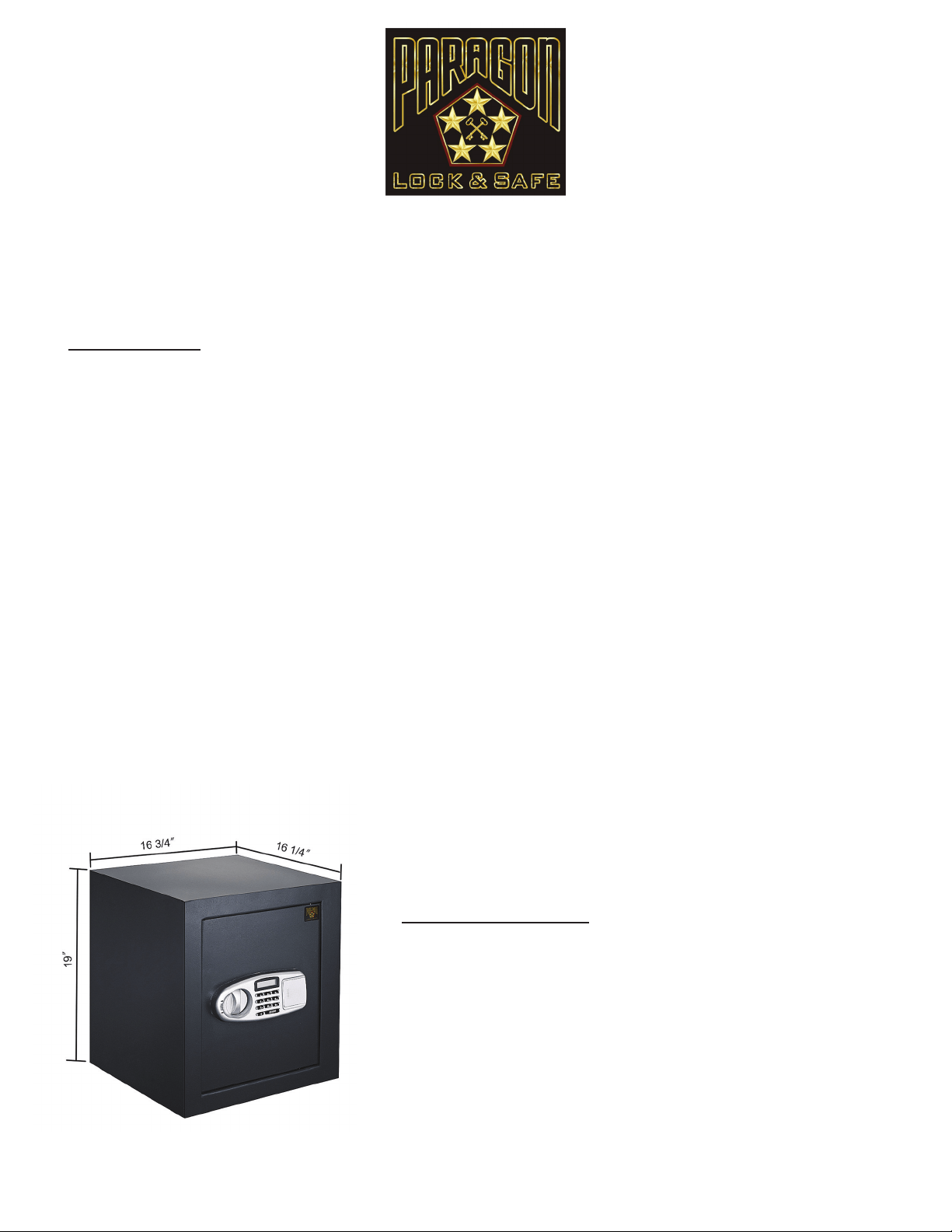
l
Digital entry eliminates the need for making
multiple key copies
l
Easy to operate and program
l
Includes 1 Interior Shelf. Counting the bottom,
that makes 2 unique compartments
l
Fire Rated! Total wall rated at 1700 degrees F.
at 30 minutes
l
Can be programmed up to 2 PIN numbers
(3-6 digit codes)
l
Opens with secret PIN code or included keys
l
Pre-drilled holes inside the safe with xing bolts
allowing anchoring
l
Inside tamper-proof hinges
l
Double walls with re resistant ber insulation
l
Finish: Epoxy Powder coating
l
Equipped with EA keypad electronic digital
operating system
l
Removable Shelf
l
Key lock override system
l
Opens with secret PIN code or included keys
(2 FREE KEYS)
l
Simple programmable Electronic Lock with buzzer
and LED. 3 to 8 numbers
l
Code can be changed innitely
l
Runs on AA SIZE(1.5V) batteries
l
Constructed with solid steel to resist hand and
mechanical tool attacks
l
Pre-drilled holes inside the safe with xing bolts
allowing anchoring.
l
Powder coated interior and exterior
l
Constructed of extra thick 11 gauge solid steel
l
Inside tamper-proof hinges
l
Grey carpet mat padding on inside bottom
l
Anchor bolts are included
Features
Dimensions
External Dimensions: 19 3/4” H x 14” W x 13” D
Internal Dimensions: 19” H x 13.5” W x 12” D
Inner Layer Steel Thickness: 1.5mm
Outer Layer Steel Thickness: 2mm
Weight: 55 lbs
Color: Dark Grey
Quarter Master 7800 Digital Keypad
Fire Resistant Home Ofce Security Safe
Copyright © Paragon Lock and Safe. All rights reserved.
14
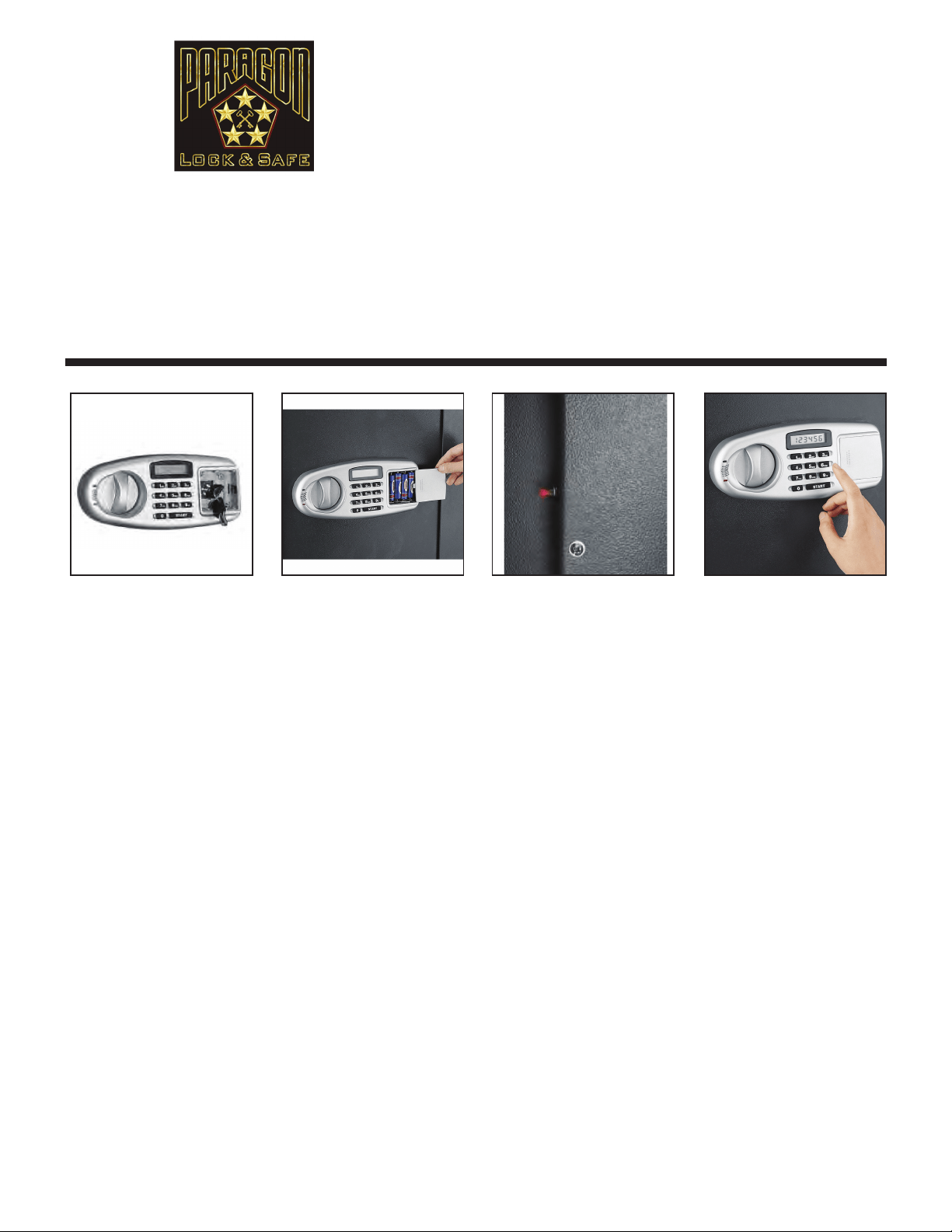
INITIAL BATTERY INSTALLATION
1. Remove the battery cover plate located on the keypad and open the door using the key provided.
2. With the door open, install 4 AA batteries provided.
3. Replace the battery cover.
NOTE: If both the red and green lights are on while the safe is open, this indicates that the batteries are low and need
to be changed.
TO SET UP OR CHANGE A USER CODE
1. With the door open, locate the red button on the back of the door near the hinge.
2.Press the red button and the screen will display “- - - -”.
3. Immediately press the Start button on the keypad and enter your new user passcode (6 digits long).
4. Immediately after entering your passcode the screen should display “IN”. Your new user passcode is now stored.
NOTE: This safe stores up to 2 passcodes (a user code and a manager code). Entering a third code will erase the
rst passcode entered.
SETTING UP OR CHANGING A MANAGER PASSCODE
1. Open your safe with the passcode you wish to change and leave the door ajar.
2. Press the Start button on the keypad. Enter your new 6 digit passcode.
3. Immediately after entering your new code, press the red button located behind the door. The keypad will display “IN”.
Your new user passcode is now changed.
OPENING THE SAFE
1. Input your 6 digit passcode.
2. Turn the knob clockwise within 5 seconds, the door will open.
CAUTION: Entering the incorrect passcode 4 times will lock the system for 5 minutes.
CLOSING THE SAFE
1. Turn the knob counter-clockwise, the mechanism will automatically lock the safe.
IMPORTANT! Your safe comes with a set of keys. DO NOT store keys inside of safe!
Quarter Master 7800 Digital
Keypad Fire Resistant Home
Ofce Security Safe
DIRECTION FOR USE
Thank you for choosing the Quarter Master 7800 Digital Keypad Fire Resistant Home Ofce Security
Safe by the Paragon Lock and Safe Co. Easily store and keep valuables safe at home or ofce with this digital
safe; works with included key or your own customized digital code you program. For added security, we’ve
made the hinges concealed so they’re tamper-proof. It is perfect for the home, ofce, or work place.
We’re so
condent you’ll love your new safe, we’re including a full 10 year warranty! Please take a moment to
read this manual for important use and safety information. Keep this manual in a safe place for future
reference.
Copyright © Paragon Lock and Safe. All rights reserved.
15
l
Digital entry eliminates the need for making
multiple key copies
l
Easy to operate and program
l
Can be programmed up to 8 PIN numbers
(3-6 digit codes)
l
Opens with secret PIN code or included keys
(lock is hidden from view)
l
Constructed of 1/8” thick solid steel
l
Heavy-Duty chrome steel dual 3/4” pin bolt throw
system (not just latch)
l
Inside tamper-proof hinges
l
Hidden lock with two keys
l
Door measures 2” thick
l
Carpet padding on inside bottom
l
Anchor bolts are included
l
Requires 4 AA batteries
l
Mount on Floor or Wall
Features
Dimensions
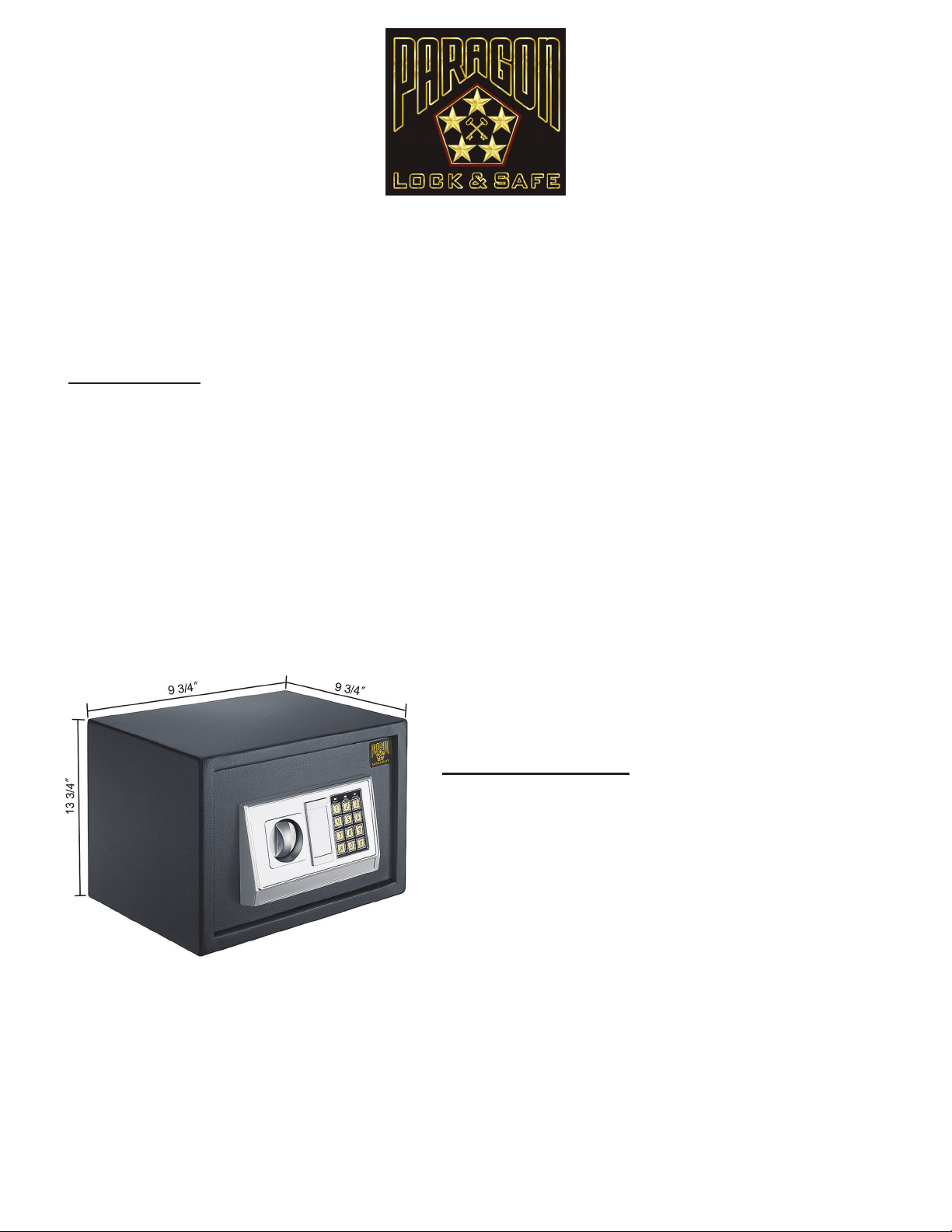
Outside dimensions: 9 3/4” H x 13 3/4” W x 9 3/4” D
Inside Dimensions: 8 3/4” H x 12” W x 8 1/2” D
Weight: 25 lbs.
Color: Dark Grey
Quarter Master 7825 Electronic Digital Keypad
Home Ofce Security Safe
Copyright © Paragon Lock and Safe. All rights reserved.
16
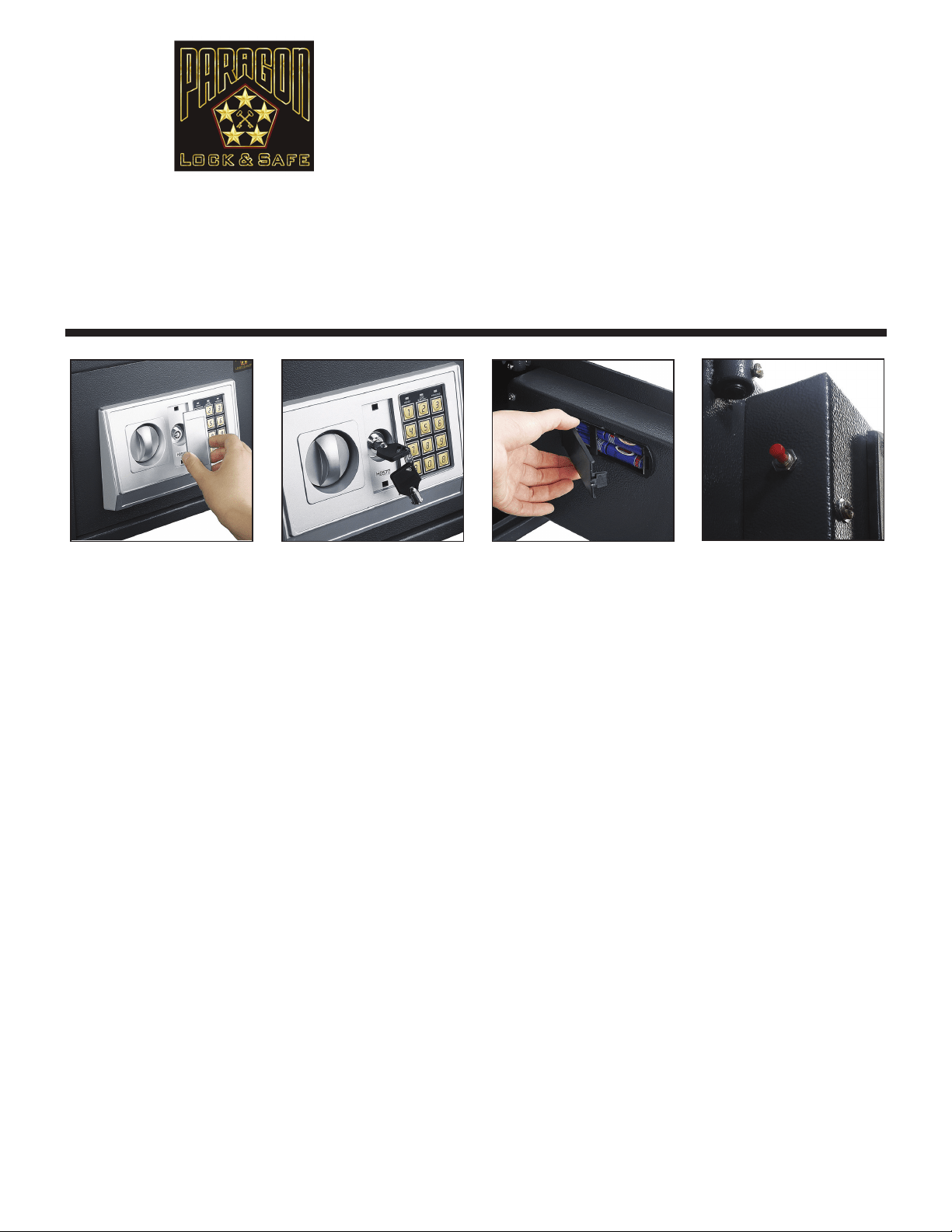
INITIAL BATTERY INSTALLATION
1. Remove the key plate cover, insert the key into the keypad and open the door.
2. Remove the battery cover plate located on the inside of the door.
3. Install 4 AA batteries provided and replace the battery cover.
NOTE: If both the red and green lights are on while the safe is open, this indicates that the batteries are low and need
to be changed.
TO SET UP OR CHANGE A USER CODE
1. With the door open, locate the red button on the back of the door near the hinge.
2. Press the red button and listen for the beep.
3. Immediately enter your new passcode (3-6 digits long)
4. Immediately after entering your new passcode, press the “A” or “B” button on the keypad. Your new user passcode is now stored.
NOTE: This safe stores up to 2 passcodes (a user code and a manager code). Entering a third code will erase the
rst passcode entered.
SETTING UP OR CHANGING A MANAGER PASSCODE
1. Open your safe with the passcode you wish to change and leave the door ajar.
2. Press the “0” button on the keypad twice. Press the red button, listen for a beep and then enter your new user passcode.
New user passcodes may be 3-6 digits long.
3. Immediately after entering your new code, press the “A” or “B” button on the keypad. Your user code is now changed.
OPENING THE SAFE
1. Input your code and then press the “B” button, the green light will turn on.
2. Turn the knob clockwise within 5 seconds to open the door.
3. Each key pressed will be accompanied by a buzzer and a yellow ashing light. If the entered code is invalid the yellow light will
ash and the buzzer will quickly sound, this indicates the code needs to be re-entered.
CAUTION: Entering the incorrect passcode 3 times will lock the system for 20 seconds.
CLOSING THE SAFE
1. Turn the knob counter-clockwise, the mechanism will automatically lock the safe.
IMPORTANT! Your safe comes with a set of keys. DO NOT store keys inside of safe!
Quarter Master 7825
Electronic Digital Keypad
Home Ofce Security Safe
DIRECTION FOR USE
Thank you for choosing the Quarter Master 7825 Electronic Digital Keypad Home Ofce Security Safe
by the Paragon Lock and Safe Co. It is perfect for the home, ofce, or work place. It was designed with the
intent to be compact yet fully functional. The Quarter Master 7825 offers 2 options to open; code or key.
We’re so condent you’ll love your new safe, we’re including a full 10 year warranty! Please take a
moment to read this manual for important use and safety information. Keep this manual in a safe place
for future reference.
Copyright © Paragon Lock and Safe. All rights reserved.
17
l
Digital entry eliminates the need for making
multiple key copies
l
Can be programmed up to 2 PIN numbers
(digit codes) 3 to 6 digits long.
l
Opens with secret PIN code or included keys
(lock is hidden from view)
l
Constructed of 1/8” thick solid steel
l
Heavy-Duty chrome steel dual 3/4” pin bolt
throw system (not just latch)
l
Inside tamper-proof hinges
l
Hidden lock with two keys
l
Door measures 2” thick
l
Carpet padding on inside bottom
l
Anchor bolts are included
l
Requires 4 AA batteries (included)
l
Mount on Floor or Wall
Features
Dimensions
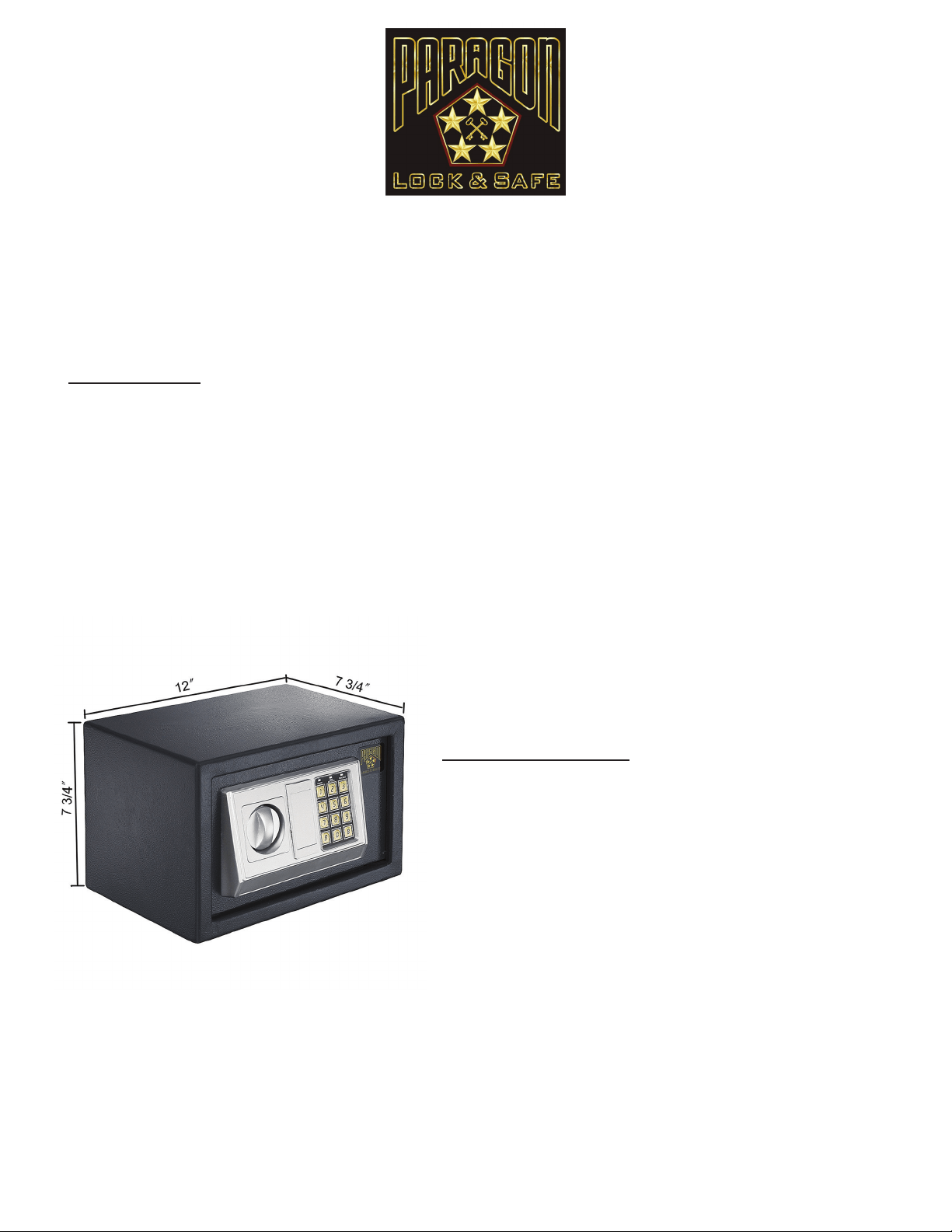
Outside dimensions: 7 3/4” H x 12” W x 7 3/4” D
Inside Dimensions: 7” H x 11” W x 6 1/4” D
Weight: 15 lbs.
Color: Dark Grey
Quarter Master 7850 Electronic Digital Keypad
Home Ofce Security Safe
Copyright © Paragon Lock and Safe. All rights reserved.
18
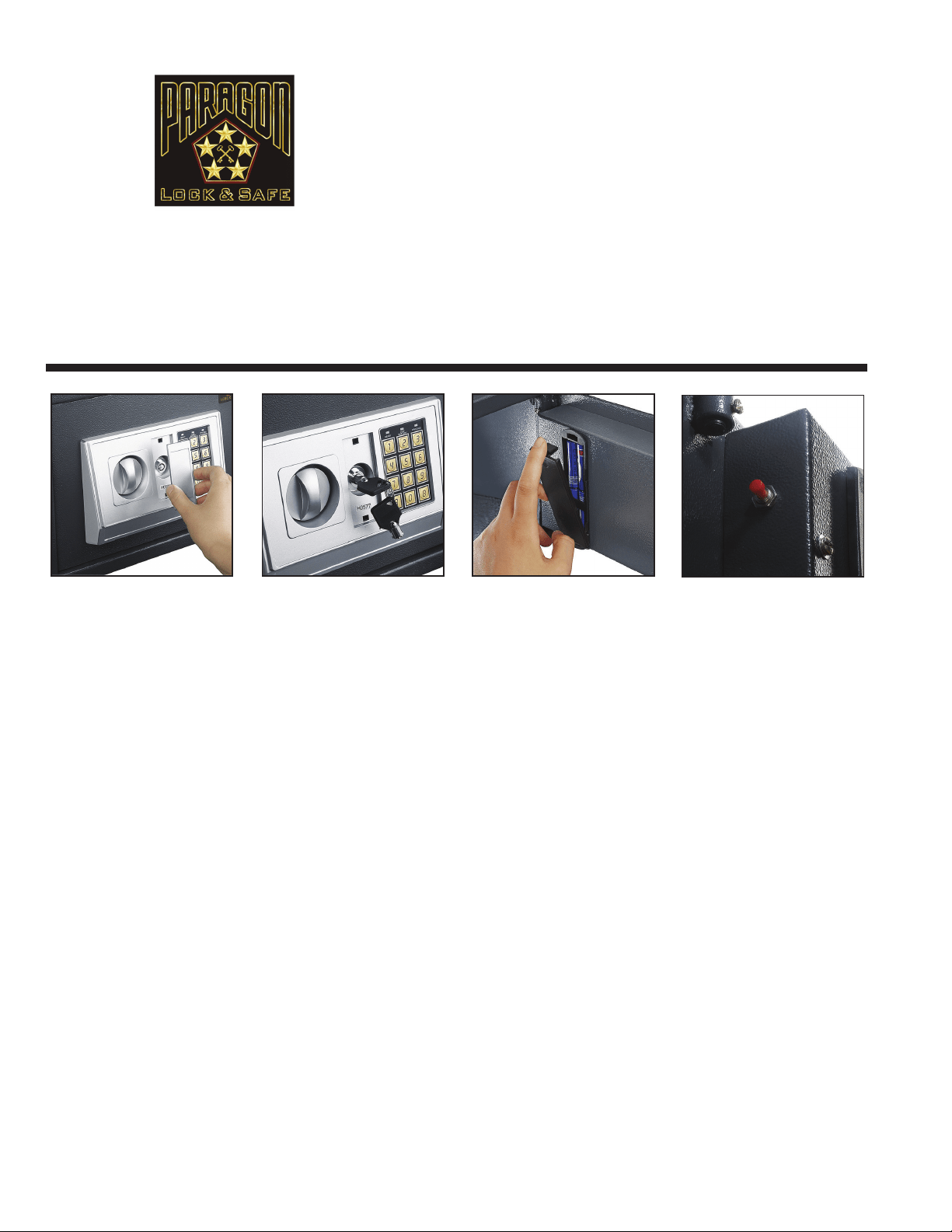
INITIAL BATTERY INSTALLATION
1. Remove the key plate cover, insert the key into the keypad and open the door.
2. Remove the battery cover plate located on the inside of the door.
3. Install 4 AA batteries provided and replace the battery cover.
NOTE: If both the red and green lights are on while the safe is open, this indicates that the batteries are low and need
to be changed.
TO SET UP OR CHANGE A USER CODE
1. With the door open, locate the red button on the back of the door near the hinge.
2. Press the red button and listen for the beep.
3. Immediately enter your new passcode (3-6 digits long)
4. Immediately after entering your new passcode, press the “A” or “B” button on the keypad. Your new user passcode is now stored.
NOTE: This safe stores up to 2 passcodes (a user code and a manager code). Entering a third code will erase the
rst passcode entered.
SETTING UP OR CHANGING A MANAGER PASSCODE
1. Open your safe with the passcode you wish to change and leave the door ajar.
2. Press the “0” button on the keypad twice. Press the red button, listen for a beep and then enter your new user passcode.
New user passcodes may be 3-6 digits long.
3. Immediately after entering your new code, press the “A” or “B” button on the keypad. Your user code is now changed.
OPENING THE SAFE
1. Input your code and then press the “B” button, the green light will turn on.
2. Turn the knob clockwise within 5 seconds to open the door.
3. Each key pressed will be accompanied by a buzzer and a yellow ashing light. If the entered code is invalid the yellow light will
ash and the buzzer will quickly sound, this indicates the code needs to be re-entered.
CAUTION: Entering the incorrect passcode 3 times will lock the system for 20 seconds.
CLOSING THE SAFE
1. Turn the knob counter-clockwise, the mechanism will automatically lock the safe.
IMPORTANT! Your safe comes with a set of keys. DO NOT store keys inside of safe!
Quarter Master 7850
Electronic Digital Keypad
Home Ofce Security Safe
DIRECTION FOR USE
Thank you for choosing the Quarter Master 7850 Electronic Digital Keypad Home Ofce Security Safe
by the Paragon Lock and Safe Co. It is perfect for the home, ofce, or work place. It was designed with the
intent to be compact yet fully functional. The Quarter Master 7850 offers 2 options to open; code or key.
We’re so condent you’ll love your new safe, we’re including a full 10 year warranty! Please take a
moment to read this manual for important use and safety information. Keep this manual in a safe place
for future reference.
Copyright © Paragon Lock and Safe. All rights reserved.
19

l
Digital entry eliminates the need for making
multiple key copies
l
An easy access deposit slot makes it simple to
leave deposits at the end of the day
l
Opens with secret PIN code or included keys
(2 FREE KEYS)
l
Simple programmable Electronic Lock with
buzzer and LED. 3 to 8 numbers
l
Code can be changed innitely
l
Runs on AA SIZE(1.5V) batteries (Included)
l
Pre-drilled holes inside the safe with xing bolts
allowing anchoring
l
Powder coated interior and exterior
l
Constructed of extra thick 11 gauge solid steel
l
Inside tamper-proof hinges
l
Grey carpet mat padding on inside bottom
l
Anchor bolts are included
Features
Dimensions
External Dimensions: 10”H x 14”W x 10”D
Internal Dimensions: 9.5H x 13.5W x 9D
Weight: 29 lbs.
Deposit Slot: 6” x 1/2”
Color: Dark Gray
SureDrop 7875 Digital Keypad Depository Safe
Copyright © Paragon Lock and Safe. All rights reserved.
20
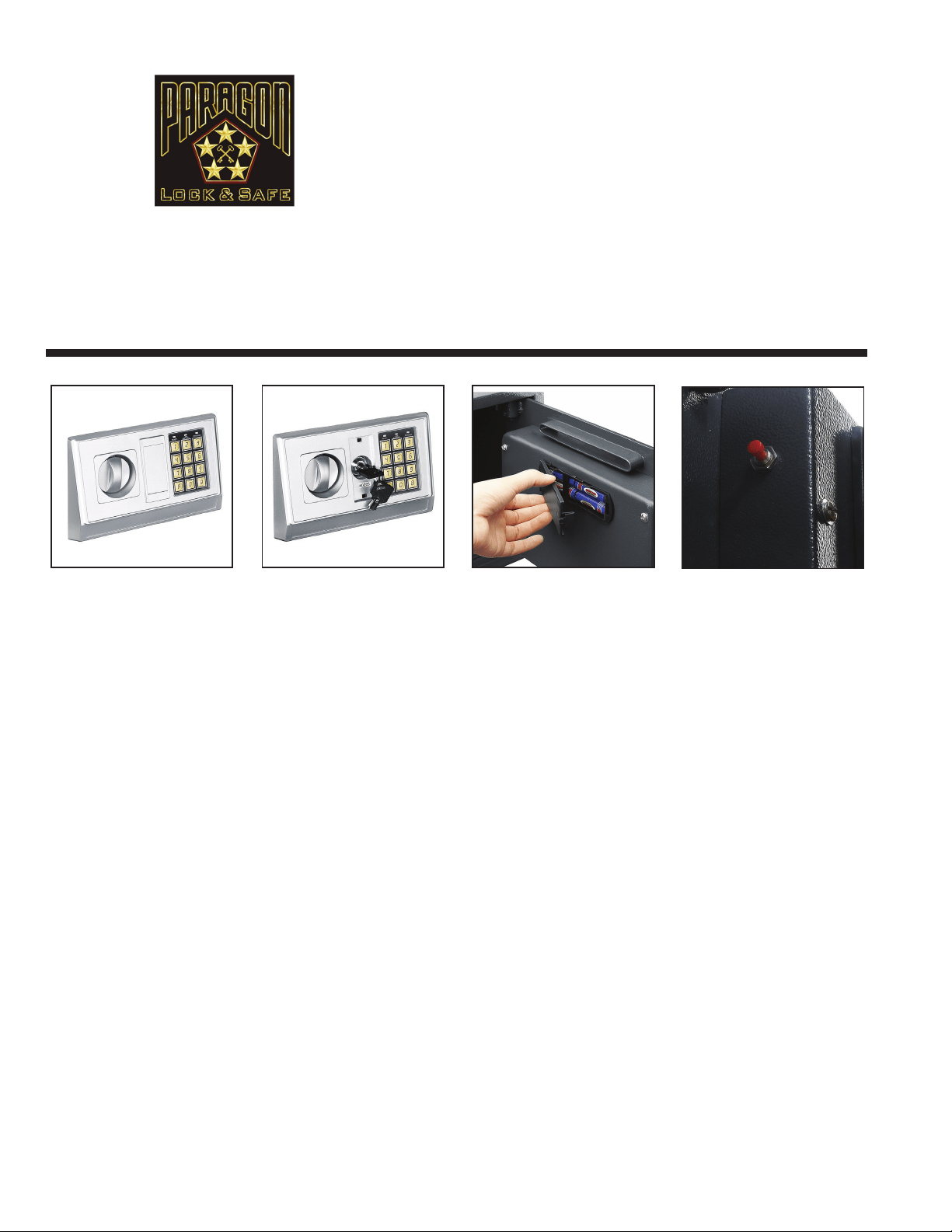
INITIAL BATTERY INSTALLATION
1. Remove the key plate cover, insert the key into the keypad and open the door.
2. Remove the battery cover plate located on the inside of the door.
3. Install 4 AA batteries provided and replace the battery cover.
NOTE: If both the red and green lights are on while the safe is open, this indicates that the batteries are low and need
to be changed.
TO SET UP OR CHANGE A USER CODE
1. With the door open, locate the red button on the back of the door near the hinge.
2. Press the red button and listen for the beep.
3. Immediately enter your new passcode (3-6 digits long)
4. Immediately after entering your new passcode, press the “A” or “B” button on the keypad. Your new user passcode is now stored.
NOTE: This safe stores up to 2 passcodes (a user code and a manager code). Entering a third code will erase the
rst passcode entered.
SETTING UP OR CHANGING A MANAGER PASSCODE
1. Open your safe with the passcode you wish to change and leave the door ajar.
2. Press the “0” button on the keypad twice. Press the red button, listen for a beep and then enter your new user passcode.
New user passcodes may be 3-6 digits long.
3. Immediately after entering your new code, press the “A” or “B” button on the keypad. Your user code is now changed.
OPENING THE SAFE
1. Input your code and then press the “B” button, the green light will turn on.
2. Turn the knob clockwise within 5 seconds to open the door.
3. Each key pressed will be accompanied by a buzzer and a yellow ashing light. If the entered code is invalid the yellow light will
ash and the buzzer will quickly sound, this indicates the code needs to be re-entered.
CAUTION: Entering the incorrect passcode 3 times will lock the system for 20 seconds.
CLOSING THE SAFE
1. Turn the knob counter-clockwise, the mechanism will automatically lock the safe.
IMPORTANT! Your safe comes with a set of keys. DO NOT store keys inside of safe!
SureDrop 7875 Digital
Keypad Depository Safe
DIRECTION FOR USE
Thank you for choosing the SureDrop 7875 Electronic Digital Keypad Depository Safe by the Paragon Lock
and Safe Co. It is perfect for the home, ofce, or work place. It was designed with the intent to be compact
yet fully functional. The SureDrop Depository safe offers 2 options to open; code or key. We’re so condent
you’ll love your new safe, we’re including a full 10 year warranty! Please take a moment to read this manual for
important use and safety information. Keep this manual in a safe place for future reference.
Copyright © Paragon Lock and Safe. All rights reserved.
21
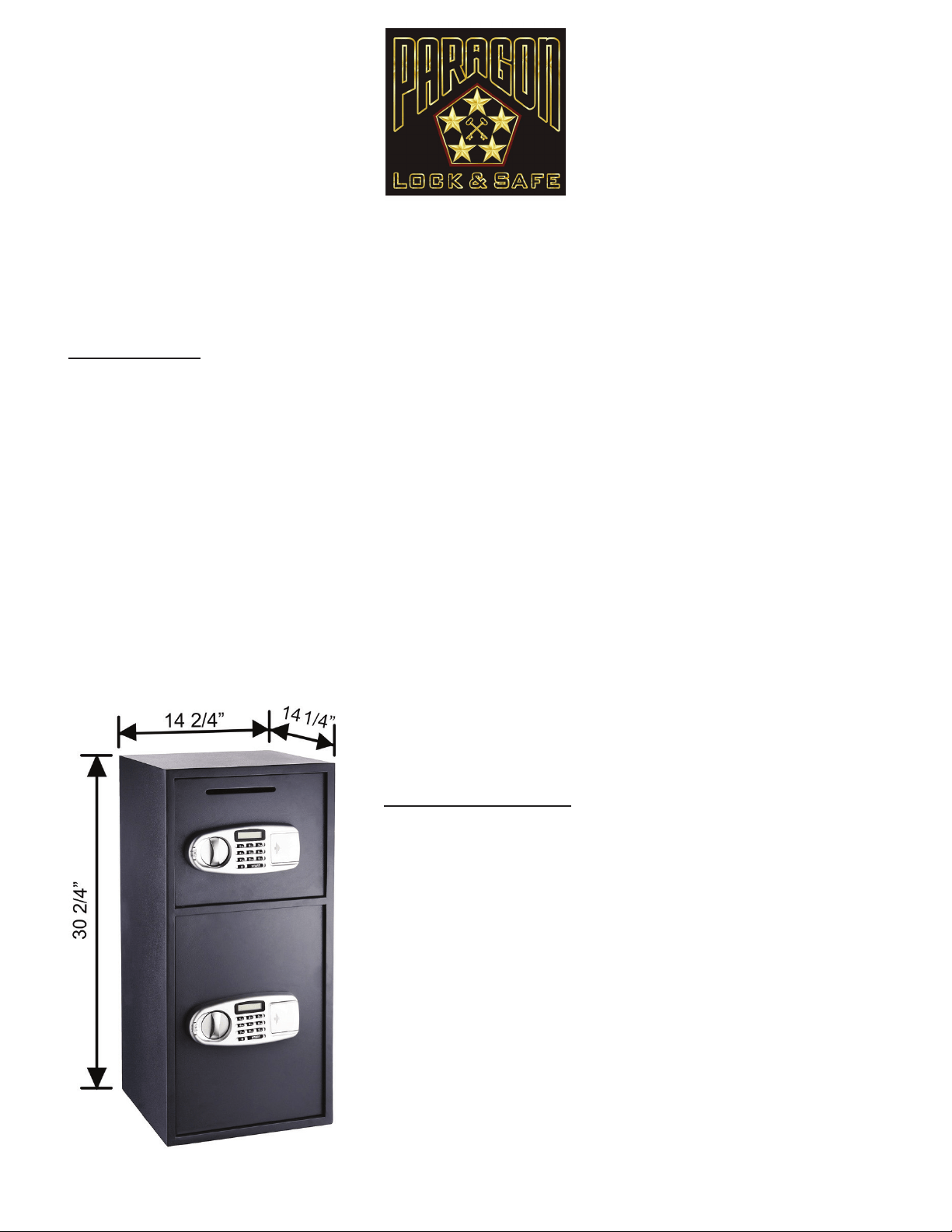
l
Digital entry eliminates the need for making
multiple key copies
l
Includes 2 separate safes for added security
l
An easy access deposit slot makes it simple to
leave deposits at the end of the day
l
2 Safes in 1--no need to purchases two separate
safes for the ofce or workplace
l
Opens with secret PIN code or included keys
(2 FREE KEYS)
l
Simple programmable Electronic Lock with
buzzer and LED. 3 to 8 numbers
l
Code can be changed innitely
l
Runs on AA SIZE(1.5V) batteries
l
Constructed with solid steel to resist hand and
mechanical tool attacks
l
Pre-drilled holes inside the safe with xing bolts
allowing anchoring
l
Powder coated interior and exterior
l
Constructed of extra thick 11 gauge solid steel
l
Inside tamper-proof hinges
l
Gray carpet mat padding on inside bottom
l
Anchor bolts are included
Features
Dimensions
External Total Dimensions: 30 1/2” H x 14 1/2” W x 14 1/4” D
Internal Dimensions Top: 10” H x 14” W x 13” D
Internal Dimensions Bottom: 20” H x 14” W x 13” D
Slot Dimensions: 5 7/8” x 3/8”
Color: Dark Gray
Weight: 82 lbs.
SureDrop 7900 Digital Keypad
Double Depository Safe
Copyright © Paragon Lock and Safe. All rights reserved.
22
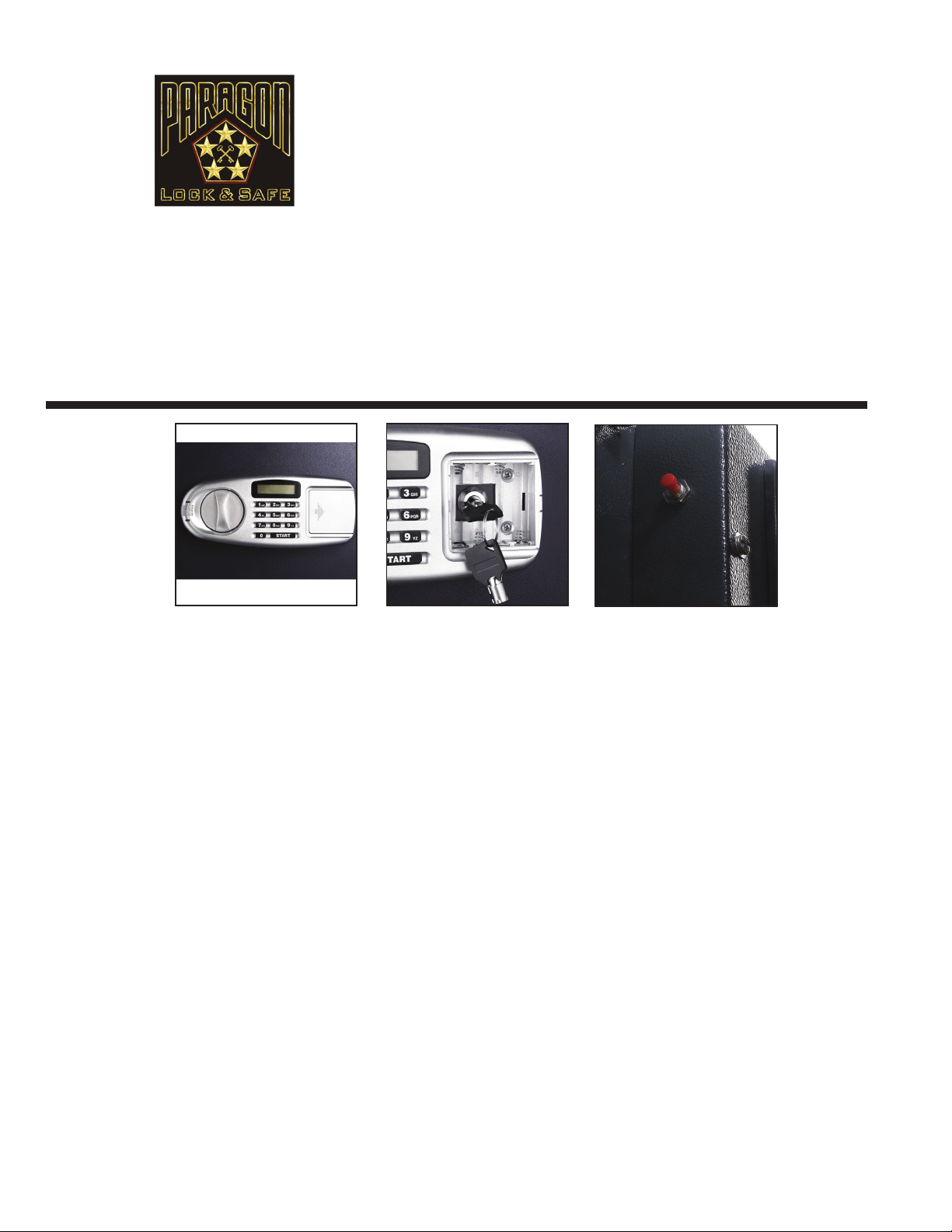
INITIAL BATTERY INSTALLATION
1. Remove the key plate cover, insert the key into the keypad and open the door.
2. Remove the battery cover plate located on the inside of the door.
3. Install 4 AA batteries provided and replace the battery cover.
NOTE: If both the red and green lights are on while the safe is open, this indicates that the batteries are low and need
to be changed.
TO SET UP OR CHANGE A USER CODE
1. With the door open, locate the red button on the back of the door near the hinge.
2. Press the red button and the screen will display “- - - - “.
3. Immediately press the start button on the keypad and enter your new 6 digit passcode.
4. The screen should display “IN”. Your new passcode is now stored.
NOTE: This safe stores up to 2 passcodes (a user code and a manager code). Entering a third code will erase the
rst passcode entered.
SETTING UP OR CHANGING A MANAGER PASSCODE
1. Open your safe with the passcode you wish to change and leave the door ajar.
2. Press the start button on the keypad. Enter your new 3-6 digit passcode.
3. Immediately after entering your new code, press the red button located behind the door. The keypad will display “IN”.
Your user passcode is now changed.
OPENING THE SAFE
1. Input your 6 digit passcode.
2. Turn the knob clockwise within 5 seconds to open the door.
CAUTION: Entering the incorrect passcode 4 times will lock the system for 5 minutes.
CLOSING THE SAFE
1. Turn the knob counter-clockwise, the mechanism will automatically lock the safe.
IMPORTANT! Your safe comes with a set of keys. DO NOT store keys inside of safe!
SureDrop 7900 Digital Keypad
Double Depository Safe
DIRECTION FOR USE
Thank you for choosing the SureDrop 7900 Digital Keypad Double Depository Safe by the Paragon Lock
and Safe Co. This depository drop safe is an excellent choice for convenience stores, restaurants, motels,
churches or any type of business that uses cash transactions. The SureDrop 7900 is made to t under a count-
er or desk. It can be mounted to the oor to prevent removal of the safe. The drop door is large enough for
depositing large envelopes. It is perfect for the home, ofce, or work place. The double depository safe offers 2
options to open; code or key.
We’re so condent you’ll love your new safe, we’re including a full 10 year
warranty! Please take a moment to read this manual for important use and safety information. Keep
this manual in a safe place for future reference.
Copyright © Paragon Lock and Safe. All rights reserved.
23
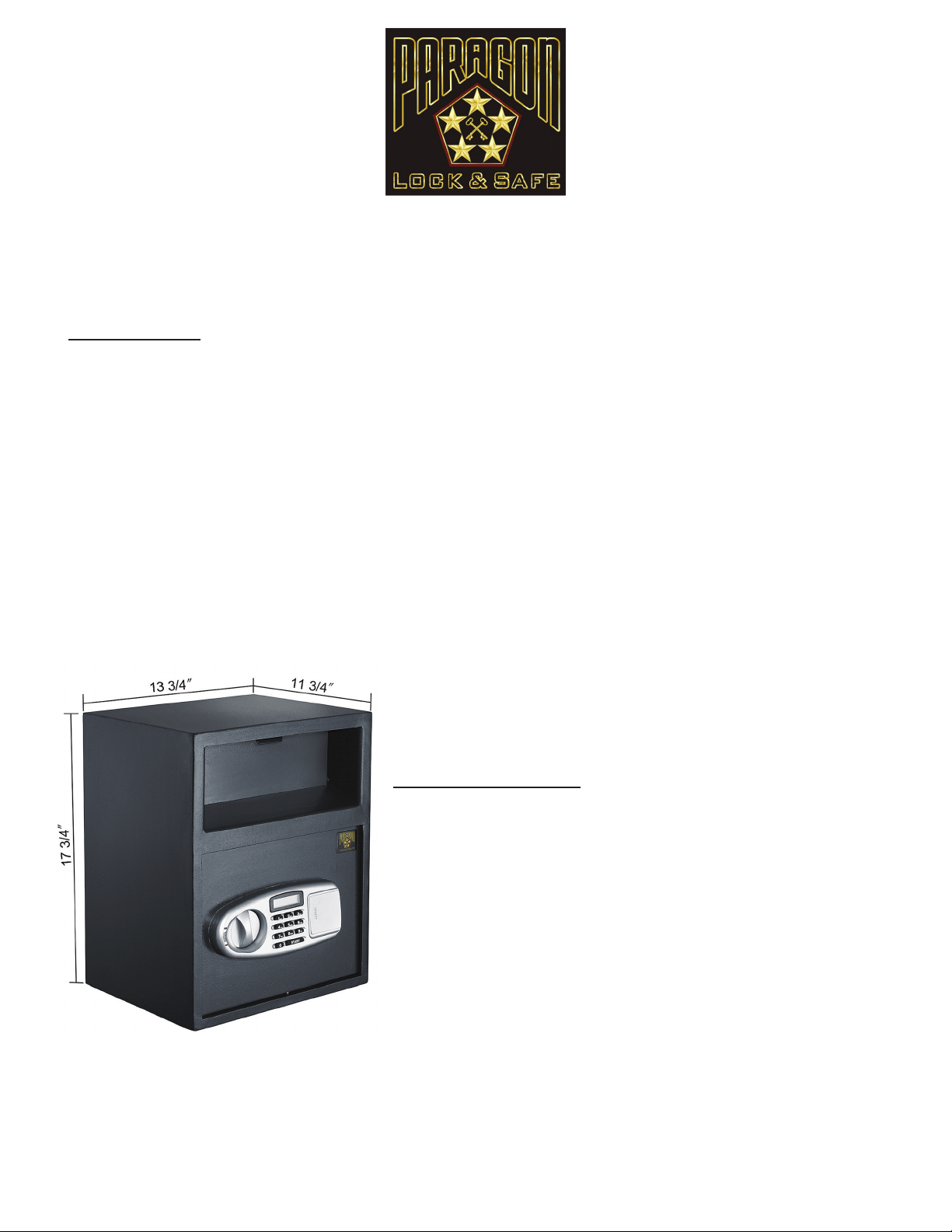
l
Digital entry eliminates the need for making
multiple key copies
l
An easy access deposit slot makes it simple to
leave deposits at the end of the day
l
Front loading drop model is tted with a Sawtooth
edge tilting bafe plate to ensure that contents
cannot be “shed out”
l
Opens with secret PIN code or included keys
(2 FREE KEYS)
l
Simple programmable Electronic Lock with
buzzer and LED. 3 to 8 numbers
l
Code can be changed innitely
l
Runs on AA SIZE(1.5V) batteries (Included)
l
Pre-drilled holes inside the safe with xing bolts
allowing anchoring
l
Powder coated interior and exterior
l
Constructed of extra thick 11 gauge solid steel
l
Inside tamper-proof hinges
l
Gray carpet mat padding on inside bottom
l
Anchor bolts are included
Features
Dimensions
External Total Dimensions: 17 3/4”H x 13 3/4”W x 11 3/4”D
Internal Dimensions: 16.5”H x 10W x 10D
Slot Dimensions: 8.75” x 6”
Weight: 50 lbs
Color: Gray
SureDrop 7925 Digital Keypad Depository Safe
Copyright © Paragon Lock and Safe. All rights reserved.
24
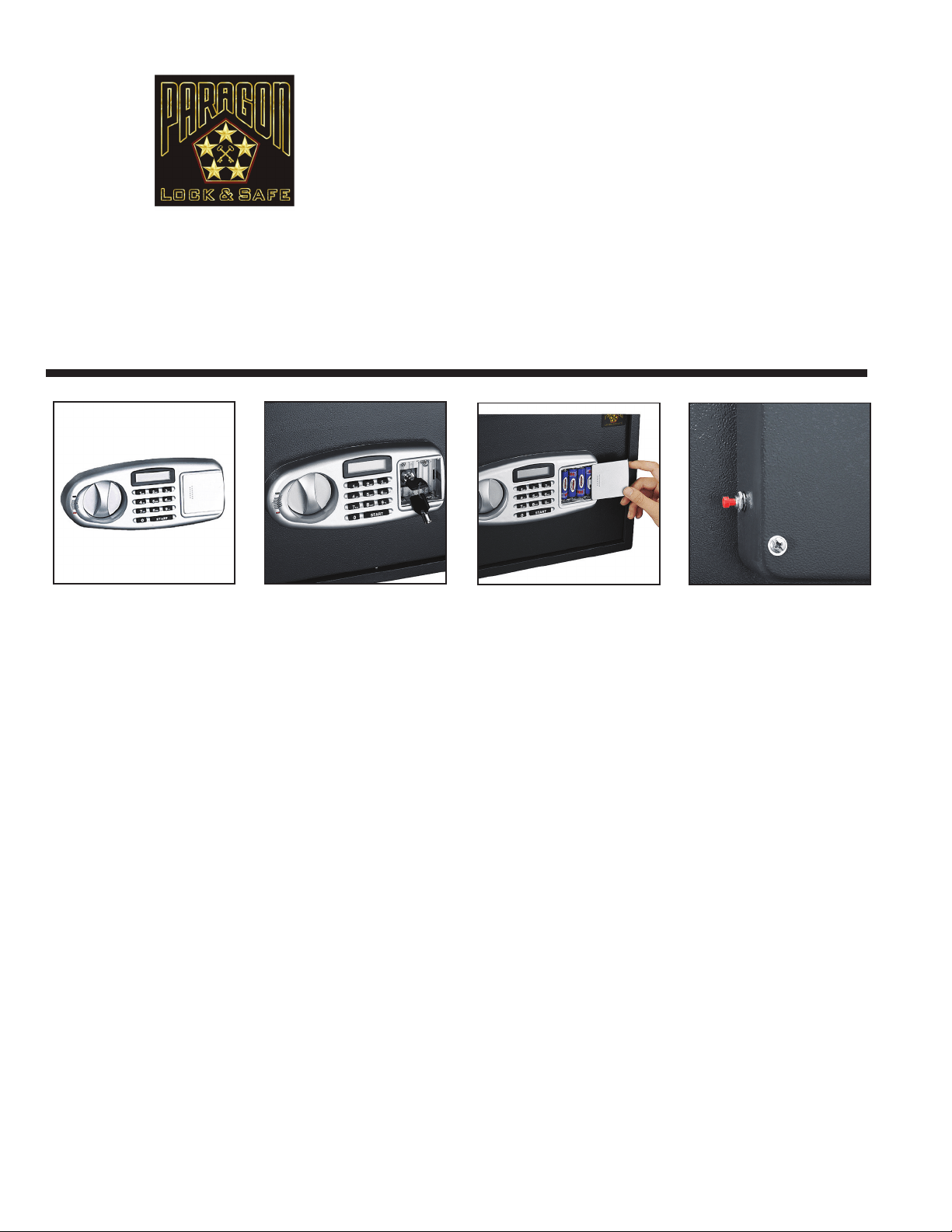
INITIAL BATTERY INSTALLATION
1. Remove the key plate cover, insert the key into the keypad and open the door.
2. Remove the battery cover plate located on the inside of the door.
3. Install 4 AA batteries provided and replace the battery cover.
NOTE: If both the red and green lights are on while the safe is open, this indicates that the batteries are low and need
to be changed.
TO SET UP OR CHANGE A USER CODE
1. With the door open, locate the red button on the back of the door near the hinge.
2. Press the red button and the screen will display “- - - - “.
3. Immediately press the start button on the keypad and enter your new 6 digit passcode.
4. The screen should display “IN”. Your new passcode is now stored.
NOTE: This safe stores up to 2 passcodes (a user code and a manager code). Entering a third code will erase the
rst passcode entered.
SETTING UP OR CHANGING A MANAGER PASSCODE
1. Open your safe with the passcode you wish to change and leave the door ajar.
2. Press the start button on the keypad. Enter your new 3-6 digit passcode.
3. Immediately after entering your new code, press the red button located behind the door. The keypad will display “IN”.
Your user passcode is now changed.
OPENING THE SAFE
1. Input your 6 digit passcode.
2. Turn the knob clockwise within 5 seconds to open the door.
CAUTION: Entering the incorrect passcode 4 times will lock the system for 5 minutes.
CLOSING THE SAFE
1. Turn the knob counter-clockwise, the mechanism will automatically lock the safe.
IMPORTANT! Your safe comes with a set of keys. DO NOT store keys inside of safe!
SureDrop 7925 Digital Keypad
Depository Safe
DIRECTION FOR USE
Thank you for choosing the SureDrop 7925 Digital Keypad Depository Safe by the Paragon Lock and Safe
Co. . It is perfect for the home, ofce, or work place. This deposit safe is the ideal cash drop safe. This safe is great
for accepting coin bags. The deposit drawer is located at the front of the safe and works in the same way as a
post ofce box does.
We’re so condent you’ll love your new safe, we’re including a full 10 year warranty!
Please take a moment to read this manual for important use and safety information. Keep this manual
in a safe place for future reference.
Copyright © Paragon Lock and Safe. All rights reserved.
25
l
Digital entry eliminates the need for making
multiple key copies
l
Opens with secret PIN code or included keys
(2 FREE KEYS).
l
Simple programmable Electronic Lock with
buzzer and LED.
l
Codes can be changed innitely.
l
2 Manual override keys (included)
l
Solid steel construction body and door.
l
Concealed hinges for anti-theft protection.
l
Runs on AA SIZE(1.5V) batteries (Included).
l
Pre-drilled holes inside the safe with xing bolts
allowing anchoring.
l
Powder coated interior and exterior.
l
Safe door opens to the right.
l
Constructed of extra thick 11 gauge solid steel.
l
Inside tamper-proof hinges.
l
Gray carpet mat padding on inside bottom.
l
Anchor bolts are included.
Features
Dimensions
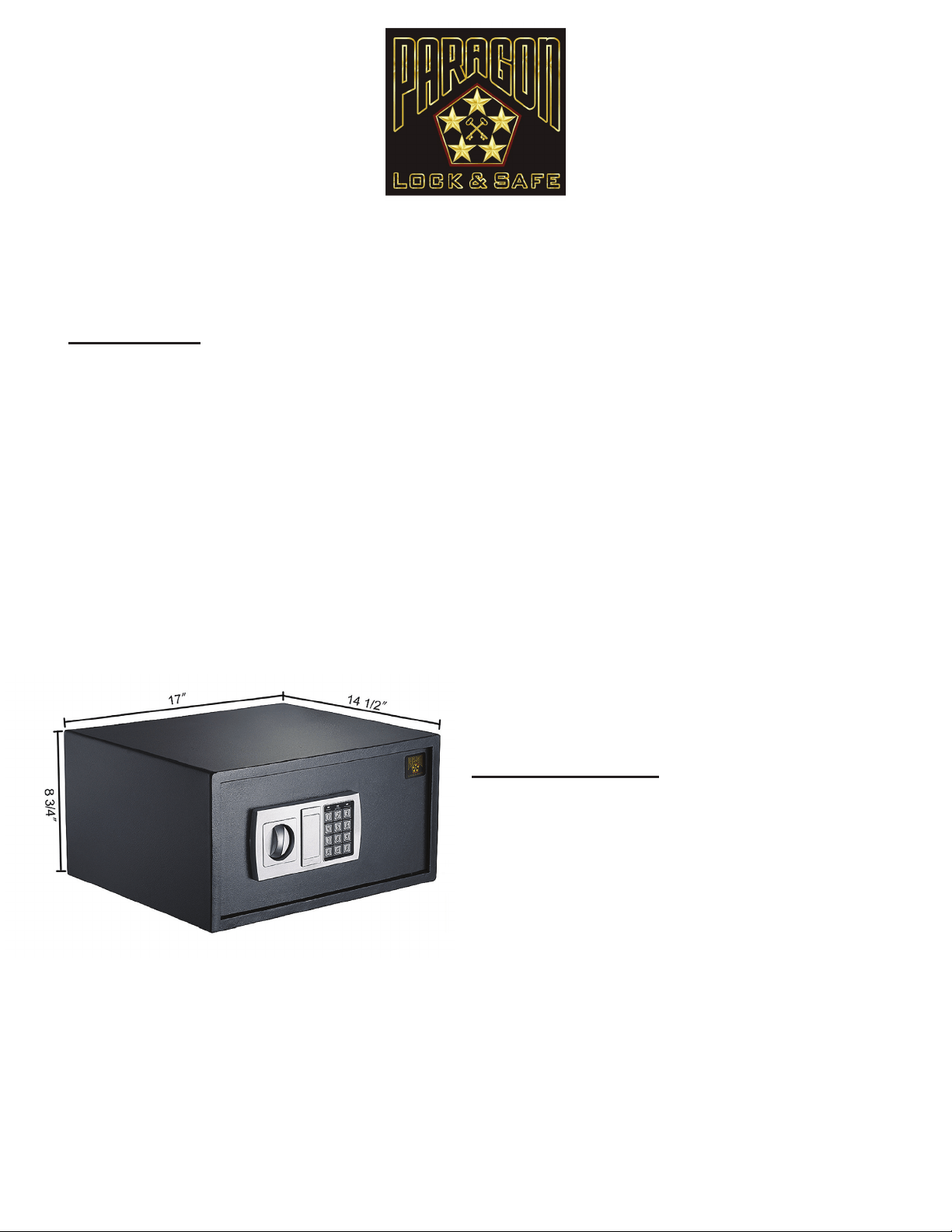
Outside dimensions: 8 3/4” H x 17” W x 14 1/2” D
Inside Dimensions: 7 1/4” H x 15” W x 13” D
Weight: 35 lbs.
Color: Grey
Quarter Master 7950 Laptop Safe
Copyright © Paragon Lock and Safe. All rights reserved.
26
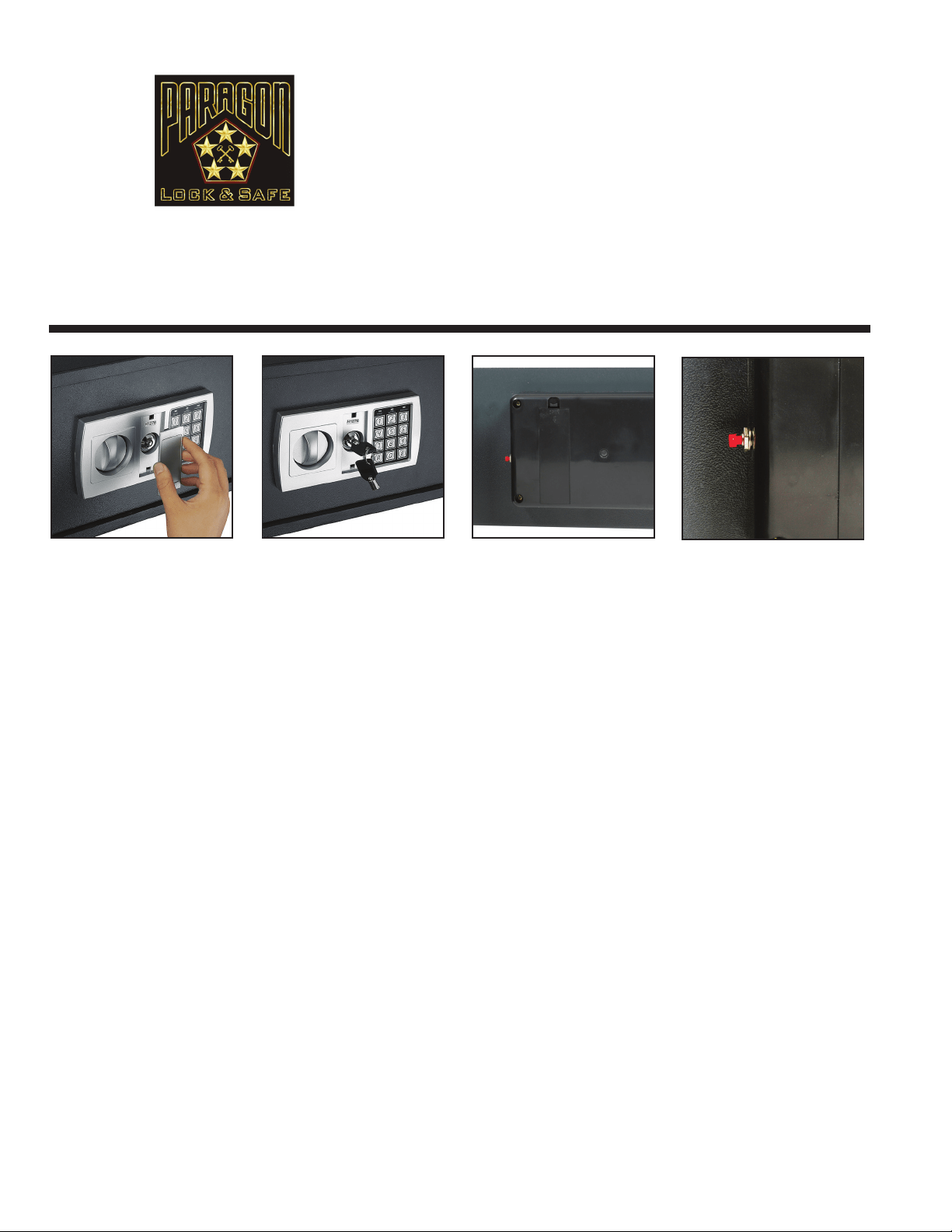
INITIAL BATTERY INSTALLATION
1. Remove the key plate cover, insert the key into the keypad and open the door.
2. Remove the battery cover plate located on the inside of the door.
3. Install 4 AA batteries provided and replace the battery cover.
NOTE: If both the red and green lights are on while the safe is open, this indicates that the batteries are low and need
to be changed.
TO SET UP OR CHANGE A USER CODE
1. With the door open, locate the red button on the back of the door near the hinge.
2. Press the red button and listen for the beep.
3. Immediately enter your new passcode (3-6 digits long)
4. Immediately after entering your new passcode, press the “A” or “B” button on the keypad. Your new user passcode is now stored.
NOTE: This safe stores up to 2 passcodes (a user code and a manager code). Entering a third code will erase the
rst passcode entered.
SETTING UP OR CHANGING A MANAGER PASSCODE
1. Open your safe with the passcode you wish to change and leave the door ajar.
2. Press the “0” button on the keypad twice. Press the red button, listen for a beep and then enter your new user passcode.
New user passcodes may be 3-6 digits long.
3. Immediately after entering your new code, press the “A” or “B” button on the keypad. Your user code is now changed.
OPENING THE SAFE
1. Input your code and then press the “B” button, the green light will turn on.
2. Turn the knob clockwise within 5 seconds to open the door.
3. Each key pressed will be accompanied by a buzzer and a yellow ashing light. If the entered code is invalid the yellow light will
ash and the buzzer will quickly sound, this indicates the code needs to be re-entered.
CAUTION: Entering the incorrect passcode 3 times will lock the system for 20 seconds.
CLOSING THE SAFE
1. Turn the knob counter-clockwise, the mechanism will automatically lock the safe.
IMPORTANT! Your safe comes with a set of keys. DO NOT store keys inside of safe!
Quarter Master 7950
Laptop Safe
DIRECTION FOR USE
Thank you for choosing the Quarter Master 7950 Laptop Safe by the Paragon Lock and Safe Co. It is per-
fect for keeping your valuables in a safe secure place.
We’re so condent you’ll love your new safe, we’re
including a full 10 year warranty! Please take a moment to read this manual for important use and
safety information. Keep this manual in a safe place for future reference.
Copyright © Paragon Lock and Safe. All rights reserved.
27