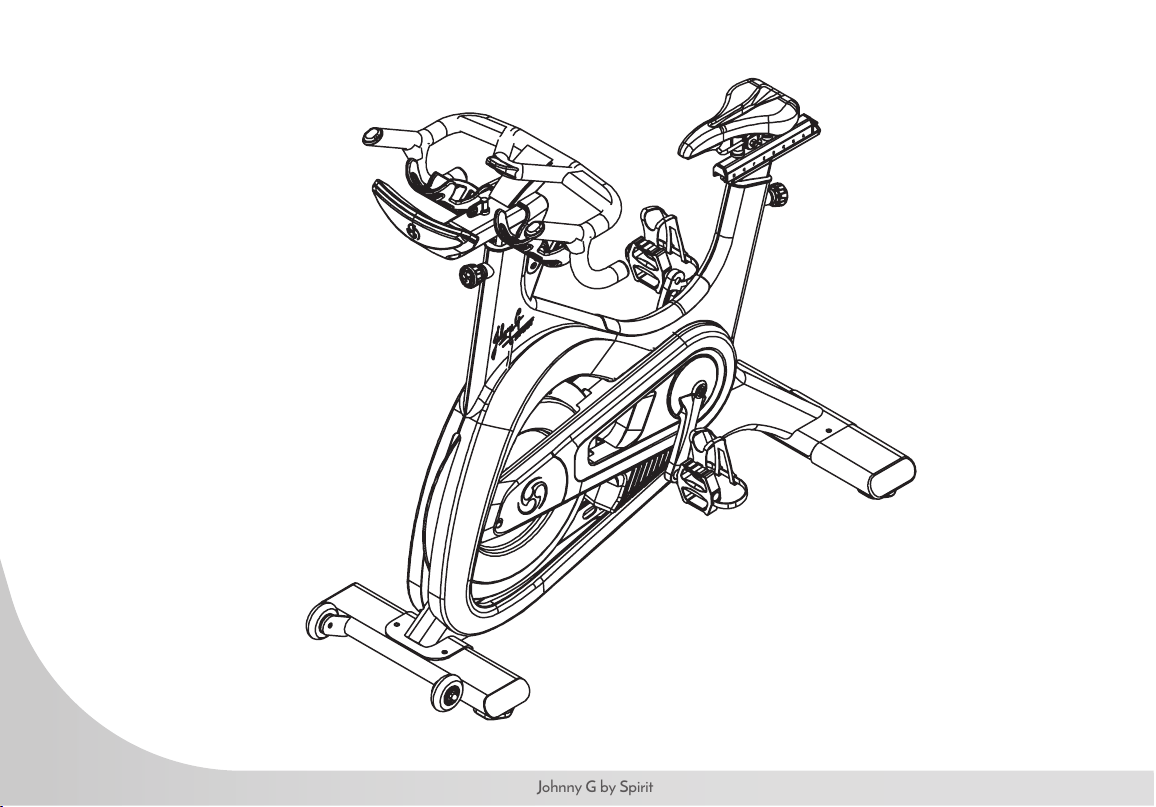
JOHNNY G SPIRIT BIKE
OWNER’S MANUAL
Johnny G by Spirit
3
www.johnnygspiritbike.com
5 IMPORTANT SAFETY INSTRUCTIONS
15 WARNING LABELS AND COMMUNICATION STICKERS
16 SAFEGUARDS
17 REGISTER YOUR PURCHASE
18 ASSEMBLY INSTRUCTIONS
25 TESTING THE BIKE
26 INSTRUCTIONS
30 TRAINING INFORMATION
32 CONSOLE OPERATION
36 PROGRAMS
37 PAIR HEART RATE DEVICE
51 MAINTENANCE MODE
65 GENERAL MAINTENANCE
68 CUSTOMER SUPPORT
Thank you for purchasing our product, please save these instructions. Please do not perform or attempt any customizing,
adjustments, repair or maintenance that is not described in this manual.
4
Johnny G by Spirit
Congratulations on your new Johnny G Spirit Bike and welcome to the Spirit Fitness family!
Thank you for your purchase of this quality Johnny G Spirit bike from Spirit Fitness. Your new bike was manufactured by one of the
leading tness manufacturers in the world and is backed by one of the most comprehensive warranties available. Through your
dealer, Spirit Fitness will do all we can to make your ownership experience as pleasant as possible for many years to come. If not
purchased direct from Spirit Fitness, the local dealership where you purchased this bike is your administrator for all Spirit Fitness
warranty and service needs. Their responsibility is to provide you with the technical knowledge and service personnel to make your
experience more informed and any difculties easier to remedy.
Please take a moment at this time to record the name of the dealer, their telephone number, and the date of purchase below to
make any future, needed contact easy. We appreciate your support and we will always remember that you are the reason that
we are in business.
Yours in Health,
Spirit Fitness
NAME OF DEALER
DEALER PHONE #
PURCHASE DATE
5
www.johnnygspiritbike.com
WARNING
This chapter includes precautions and tness safeguards for
the installation and use of the Johnny G Spirit Bike. Please
read this chapter carefully before installing or using your
equipment. Safety instructions are provided in the following
languages (in the order shown):
• English, Dutch, French, German, Italian, Portuguese, Spanish,
Swedish, Chinese, Japanese
USER SAFETY PRECAUTIONS
These safety notes are directed to you as the owner of the
Johnny G Spirit Bike. Please train all your users and tness
staff to follow these safety instructions. DO:
• Do encourage each of your users to discuss their health
program or tness regimen with a healthcare professional.
• Do stop operating your bike if you feel dizzy or faint.
• Do perform regular preventative maintenance.
• Do exercise slowly until you reach a level of comfort.
DO NOT:
• Do not let unsupervised children operate the bike.
• Do not use without proper athletic shoes.
• Do not use in rainy weather outdoors, or in an enclosed pool
environment.
• Do not drop or insert any object, hands, or feet into any
opening or within the area of the ywheel.
• Do not attempt to remove any shrouds or modify the bike.
WARNING:
• Your Johnny G Spirit Bike is designed for aerobic exercise in a
commercial or consumer environment.
• Please check with your physician prior to beginning any
exercise program.
• Do not push yourself to excess. Stop if you are feeling faint,
dizzy, or exhausted. Use common sense when biking.
• Read the owner’s manual in its entirety before operating the
bike.
• Failure to obey this warning can result in injury or death.
SPIRIT FITNESS
®
and the Spirit Fitness logo are
registered trademarks of Dyaco International.
6
Johnny G by Spirit
VOORZORGSMAATREGELEN
Deze veiligheidsaantekeningen zijn aan u gericht als
eigenaar van de Johnny G Spirit Bike. Gelieve uw
gebruikers en uw per- soneel voor conditietraining volledig
bekend te maken met deze veiligheidsinstructies. Doe het
volgende:
• Moedig elk van uw gebruikers aan hun gezondheidspro-
gramma of conditietherapie met een professioneel uit de
gezondheidszorg te bespreken.
• Stop het gebruik van uw bike als u zich duizelig of een
auwte voelt.
• Voer regelmatig preventief onderhoud uit.
• Oefen langzaam totdat u een comfortniveau heeft bereikt.
• Gebruik de bike alleen voor zijn bedoelde gebruik, zoals in
deze handleiding staat beschreven.
Doe het volgende NIET:
• Laat kinderen zonder toezicht de bike niet bedienen.
• Niet zonder gymschoenen gebruiken.
• Niet buiten bij regenachtig weer gebruiken, of in dichte
ruimte met een zwembad.
• Laat geen enkel voorwerp in de bike vallen en steek uw
handen of voeten in geen enkele opening van of onder uw
bike.
• Probeer geen omhulsels te verwijderen of uw bike te wijzigen.
WAARSCHUWING:
• Uw Johnny G Spirit Bike is ontworpen voor aërobische
oefeningen in een commerciële of gebruiker-somgeving.
• Zie uw arts vóór het beginnen van een oefenprogramma.
• Dwing uzelf niet tot buitensporige oefeningen. Stop als u zich
duizelig, uitgeput of een auwte voelt.
• Lees de gebruikershandleiding helemaal en aandachtig door
alvorens uw bike te bedienen.
• Nalaten deze waarschuwing op te volgen kan letsel of
overlijden tot gevolg hebben.
7
www.johnnygspiritbike.com
PRÉCAUTIONS
Ces consignes de sécurités s’adressent aux propriétaires du
Johnny G Spirit Bike. Veuillez instruire tous vos utilisateurs
et instructeurs à suivre ces consignes. À FAIRE:
• Encouragez tous les utilisateurs à consulter un médecin au
sujet de leur programme de tness ou régime d’exercice.
• Cessez d’utiliser le bike en cas d’étourdissement ou de
faiblesse.
• Exécutez régulièrement la maintenance préventive.
• Commencez l’exercice lentement jusqu’à ce que vous
atteignez un niveau confortable.
• Utilisez le bike uniquement de la manière prévue, telle que
décrite dans ce manuel.
À ÉVITER:
• Ne laissez pas des enfants utiliser le bike sans sur-veillance.
• Ne l’utilisez pas sans porter de chaussures d’athlétisme.
• Ne l’utilisez pas en extérieur lors de temps pluvieux, ni en
intérieur dans une salle de piscine.
• Évitez de laisser tomber tout objet ou d’introduire les mains
ou pieds dans toute ouverture ou en-dessous du bike.
• Ne tentez pas de retirer tout carter de protection ni de
modier le bike.
AVERTISSEMENT:
• Le Johnny G Spirit Bike est conçu pour l’exercice aérobique
dans un environnement commercial ou privé.
• Veuillez consulter un médecin avant de commencer tout
programme d’exercice.
• Ne vous poussez pas au-delà de vos limites. Arrêtez-vous si
vous vous sentez faible, étourdi ou épuisé Faites preuve de
bon sens lorsque vous vous entraînez.
• Lisez le guide de l’utilisateur en entier avant d’utiliser le bike.
• Le non-respect de ces avertissements peut se traduire par des
blessures, voire la mort.
8
Johnny G by Spirit
VORSICHTSMASSNAHMEN
Die folgenden Vorsichtsmaßnahmen richten sich an Sie
als Besitzer des Johnny G Spirit Bike. Bitte schulen Sie alle
Ihre. Benutzer und Ihr Fitness-Personal in der Beachtung
dieser Sicherheitsvorschrifte. GEBOTE:
• Legen Sie jedem Ihrer Benutzer nahe, sein Gesundheits- oder
Fitnessprogramm mit einem medi- zinischen Fachmann zu
besprechen.
• Beenden Sie den Betrieb Ihres bike, wenn Sie sich schwindelig
oder schwach fühlen.
• Führen Sie regelmäßige vorbeugende Wartungsmaßnahmen
durch.
• Trainieren Sie langsam, bis Sie eine gewisse Komfortzone
erreichen.
• Verwenden Sie den bike nur zum vorgesehenen, in dieser
Anleitung beschriebenen Zweck.
VERBOTE:
• Lassen Sie den bike nicht von unbeaufsichtigten Kindern in
Betrieb nehmen.
• Benutzen Sie das Gerät nicht ohne Sportschuhe.
• Benutzen Sie das Gerät bei regnerischen
Witterungsbedingungen nicht im Freien und nicht In einer
geschlossenen Schwimmbadumgebung.
• Lassen Sie keine Gegenstände in irgendwelche Öffnun- gen
oder unter den bike fallen und halten Sie Hände und Füße
von diesen Bereichen fern.
• Unternehmen Sie keinen Versuch, irgendwelche Abdeckungen
zu entfernen oder den bike zu modi- zieren
ACHTUNG:
• Der Johnny G Spirit Bike ist für aerobische Übungen in einer
kommerziellen oder Verbraucherumgebung vorgesehen.
• Bitte holen Sie vor Aufnahme eines jeden Trainingsprogramms
den Rat Ihres Arztes ein.
• Trainieren Sie nicht übertrieben hart. Hören Sie auf, wenn Sie
ein Schwäche-, Schwindel- oder
• Erschöpfungsgefühl verspüren. Lassen Sie sich beim
Schritttraining von Ihrer Vernunft leiten. Lesen Sie vor
Inbetriebnahme Ihres bike die Bedienungsanleitung vollständig
durch.
• Ein Missachten dieses Achtungshinweises kann Verletzungen
oder den Tod zur Folge haben.
9
www.johnnygspiritbike.com
PRECAUZIONI
Queste note precauzionali sono dirette a voi, come
proprietario dello Johnny G Spirit Bike. Siete pregati di
istruire i vostri uten- ti e il vostro personale all’osservanza
di queste precauzioni. DA FARE:
• Incoraggiate i vostri utenti a discutere il loro programma di
salute o di tness con uno specialista dell’healthcare.
• Interrompete l’uso dello bike se avete giramenti di testa o se
vi sentite mancare.
• Eseguite periodicamente servizi di manutenzione.
• Utilizzate lo bike soltanto per l’uso è a cui è destina- to, come
descritto nel manuale.
DA NON FARE:
• Non consentite a bambini di usare lo bike senza la
supervisione di un adulto.
• Non utilizzate lo bike senza scarpe atletiche.
• Non utilizzate lo bike all’esterno in condizioni piovose o in un
ambiente con piscina interna.
• Non lasciate cadere oggetti sullo bike e non inserite oggetti,
mani o piedi in qualsiasi apertura esterna o sotto lo bike.
• Non cercate di rimuovere le coperture o di modicare lo bike.
AVVERTENZE:
• Lo Johnny G Spirit Bike è stato realizzato per esercizi di
aerobica in un ambiente pubblico o privato adeguato.
• Prima di iniziare un programma di esercizio sico, consultate il
vostro medico.
• Non eccedete i vostri limiti. Fermatevi se vi sentite mancare,
se avete giramenti di testa o se vi sentiteesausti. Usate buon
senso nell’utilizzo dell’attrezzatura.
• Leggete il Manuale dell’utente interamente prima di utilizzare
lo Spinner.
• La mancata osservanza di queste avvertenze può comportare
lesioni gravi o morte.
10
Johnny G by Spirit
PRECAUÇÕES
Estas notas de segurança destinam-se a você,
proprietário do bike Johnny G Spirit Bike. Treine todos os
usuários e o pessoal da academia para que sigam estas
instruções de segurança. O QUE FAZER:
• Incentive todos os usuários a discutirem seu programa
de saúde ou sistema de condicionamento físico com um
prossional da área de saúde.
• Pare o funcionamento do bike se sentir tontura ou ertigem.
• Efetue a manutenção preventiva regular.
• Faça exercícios lentamente até atingir um grau de con-forto.
• Use o bike apenas de acordo com a nalidade para que se
destina, conforme descrito neste manual.
O QUE NÃO FAZER:
• Não deixe crianças sem supervisão operarem o bike.
• Não use sem os sapatos esportivos apropriados.
• Não utilize em ambientes externos quando o tempo estiver
chuvoso, nem em um ambiente fechado de pisci-na interna.
• Não deixe cair nem insira nenhum objeto, mãos ou pés em
qualquer abertura ou sob o bike.Não tente remover nenhum
degrau nem modicar seu bike.
ADVERTÊNCIA:
• Seu Johnny G Spirit Bike foi projetado para exercícios
aeróbicos em um ambiente comercial ou próprio do
consumidor.
• Consulte seu médico antes de começar qualquer programa
de exercícios.
• Não se esforce demais. Pare se sentir tontura, vertigem ou
exaustão. Tenha bom senso ao fazer o exercício. Leia todo o
Manual do Proprietário antes de operar o seu bike.
• Deixar de observar esta advertência pode resultar em
ferimentos ou morte.
11
www.johnnygspiritbike.com
PRECAUCIONES
Estas notas de seguridad están dirigidas a usted como el
dueño de Johnny G Spirit Bike. Por favor instruya a todos
sus usuar- ios y personal de entrenamiento para que sigan
estas instrucciones de seguridad. LO QUE SE DEBE
HACER:
• Dígale a cada uno de sus usuarios que discuta su
programa de salud o régimen de ejercicio con un profe-sional
de la salud.
• Deje de operar su bike si se siente mareado o como que va a
desmayarse.
• Lleve a cabo mantenimiento preventivo a intervalos reg-ulares.
• Haga ejercicio lentamente hasta que alcance un nivel en el
que se sienta cómodo.
• Utilice el bike solamente para lo que fue diseñado, como se
describe en este manual.
LO QUE NO SE DEBE HACER:
• No permita que los niños operen su bike sin super-visión.
• No lo use sin zapatos atléticos.
• No lo utilice afuera en la lluvia ni en un ambiente cerra- do
donde haya una piscina.
• No lo deje caer ni inserte objetos. manos o pies en ninguna
apertura de su bike ni debajo de él.
• No intente quitar ninguna cubierta o recubrimiento ni
modicar su bike.
ADVERTENCIA:
• Su Johnny G Spirit Bike está diseñado para el ejercicio aerobic
en un ambiente commercial o de consume.
• Por favor consulte con su médico antes de iniciar cualquier
programma de ejercicio.
• No haga un esfuerzo excesivo. Deténgase si se siento
mareado, exhaust o como si fuera a desmayarse. Use su
sentido común al hacer ejercico.
• Lea completamente el Manual del dueño antes de operar su
Spinner.
• El no cumplir con esta advertenicia puedo resultar en una
lesión o en la muerte.
12
Johnny G by Spirit
FÖRSIKTIGHETSÅTGÄRDER
Dessa säkerhetsanmärkningar är riktade till dig i
egenskap av ägare av Johnny G Spirit Bike manufactured
by Spirit Fitness alla användare och all personal att följa
dessa säkerhetsanvisningar.
MAN SKA:
• Uppmuntra alla användare att konsultera sitt hälso- progam
eller sin träningsregim med en läkare.
• Sluta använda bike om man känner sig yr eller svim- färdig.
• Utföra regelbundet underhåll i förebyggande syfte.
• Motionera långsamt tills man når en komfortnivå.
• Endast använda bike för dess avsedda användning, enligt
beskrivning i denna handbok.
MAN SKA INTE:
• Låta barn använda bike utan uppsikt.
• Använda bike utan sportskor.
• Använda bike utomhus i fuktigt väder eller i ett innes- lutet
bassängområde.
• Tappa in eller föra in något föremål, händer eller fötter i
någon öppning, eller under bike.
• Försöka att avlägsna några skyddskåpor eller att modi- era
bike.
VARNINGAR:
• Din Johnny G Spirit Bike är avsedd för aerobisk träning i
kommersiella eller konsumentinriktade miljöer.
• Konsultera din läkare innan du inleder något träningsprogram.
• Driv inte dig själv för hårt. Sluta om du känner dig yr,
svimfärdig eller utmattad. Använd Spinner med sunt förnuft.
Läs igenom hela handboken innan du använder Spinner.
• Underlåtelse att iaktta dessa varningar kan medföra skada
eller dödsfall.
13
www.johnnygspiritbike.com
注意事項注意事項
下述安全說明適用於您所擁有的 JOHNNY G
SPIRIT BIKE室內健身車。請培訓所有使用者與健
身人員遵守下述安全說明。 遵守事項:
• 鼓勵您的每個使用者在使用此健身車前,與專業的
醫療保健專業人員討論他們的健康計劃或健身方
案。
• 如果您感到頭暈或虛弱,請停止使用此健身車。
• 請定期進行預防性維護。
• 請緩慢且循序漸進使用此健身車,直至達到舒適程
度。
禁止事項:
• 請勿讓無人監管的兒童操作此健身車。
• 請勿在沒有穿著合適的運動鞋的狀況下使用此健身
車。
• 請勿在戶外陰雨天氣或封閉的泳池環境中使用此健
身車。
• 請勿讓任何物體、手或腳掉入或插入任何開口或飛
輪區域內。
• 請勿嘗試拆除任何鏈蓋或修改健身車。
警告:
• 您所擁有的Johnny G Spirit Bike室內健身車,專為商
業或消費環境中的有氧運動而設計。
• 在開始任何鍛煉計劃之前,請諮詢您的醫生。
• 請勿讓自己運動過量。 如果你感到昏厥,頭暈或疲
憊,請停止使用。 使用此健身車時要運用一般常
識。
• 在使用此健身車之前,請完整閱讀使用者手冊。
• 不遵守上述警告可能導致人身傷害或死亡。
14
Johnny G by Spirit
注意事項注意事項
これらの安全に関する注意事項は、JOHNNY G
SPIRIT BIKEのオーナーとしてお客様に向け示さ
れています。これらの安全に関する指示や注意
事項に従うように、すべてのユーザーやフィッ
トネススタッフをトレーニングしてください。
DO(行ってください):
• 各ユーザーが各自の健康プログラムやフィットネ
スプログラムについて、必ず医療従事者や専門家
と相談する事を強く奨励します。
• 使用前、使用中にめまいや気分が悪いと感じた場
合は、直ちにバイクの使用をやめてエクササイズ
を中止してください。
• エクササイズバイクの定期的な予防メンテナンス
を行ってください。
• 行っているエクササイズが快適に感じるまではゆ
っくりと運動してください。
DO NOT(行わないでください):
• 監督なしでの子供の自転車使用を禁止してくださ
い。
• 適切な運動靴なしで使用しないでください。
• 雨天時の屋外や屋内プールでの使用は避けてくだ
さい。
• フライホイールの開口部やその付近に物、手、
足、指等を落としたり、入れたり、触れたりしな
いようにしてください。
• カバーや覆いを取り外したり、このエクササイズ
バイクを改造しないでください。
警告:
• このJohnny G Spirit Bike社によって製造された、業
務使用目的または個人使用目的の有酸素運動用に
設計されたエクササイズバイクです。
• エクササイズプログラムを始める前に必ず医師に
ユーザー自身の健康状態を相談してください。
• 自分自身のレベルを超えた過度なエクササイズは
避けてください。わずかでも、体調不良やめまい
を感じたり、疲労を感じた場合は直ちにエクササ
イズを中止して、使用を止めてください。エクサ
サイズバイクの使用には適切な常識を適用する事
をお勧めいたします。
• エクササイズバイクを使用する前に、取扱説明書
すべてを読み理解してください。
• この警告に従わない場合は、重篤な事故、怪我や
死亡に繋がる可能性があります。
15
www.johnnygspiritbike.com
SAFEGUARDS
The following tness safeguards and operating
precautions are directed to purchasers and users of the
Johnny G Spirit Bike. Club Managers should ensure that
members and tness staff are trained to follow these
same instructions. Failure to follow these safeguards may
result in injury or serious health risk.
• Ensure that the seat height adjustment knob is properly
secured and does not interfere with range of motion during
exercise.
• Children under the age of 13 should not ride the bike. The
bike mechanism and ergonomics are designed for adult
use only.
• Do not insert any object, hands or feet into any openings, or
expose hands, arms or feet to the drive mechanism or other
potentially moving part of the bike.
• The maximum weight for individuals riding the bike should
not exceed 350lbs /159kg.
• Do not dismount the bike until both the pedals and ywheel
have stopped completely. Failure to comply may lead to loss
of control and serious injury.
• If at any time you feel dizzy or have difculty breathing,
gradually stop pedaling and carefully dismount the bike.
• Listen to your body, ride at a pace that feels right for you.
• Keep children and pets away from the bike whenever it's in
use.
• Never turn the pedal crank arms by hand.
• Stay hydrated. Drink water throughout your ride as needed.
• Stay in control by executing all movements at a slow pace
before attempting to increase your speed.
• Do not exercise at high speeds and intensity without having
initially established a baseline tness level and obtaining
a medical clearance from your physician. Focus on form,
posture and establishing a controllable pace before
attempting any high intensity short duration sprints.
• Do not use the bike without proper footwear. Never operate
the bike with bare feet.
• Never place your feet in any position on the bike other than
the pedals.
16
Johnny G by Spirit
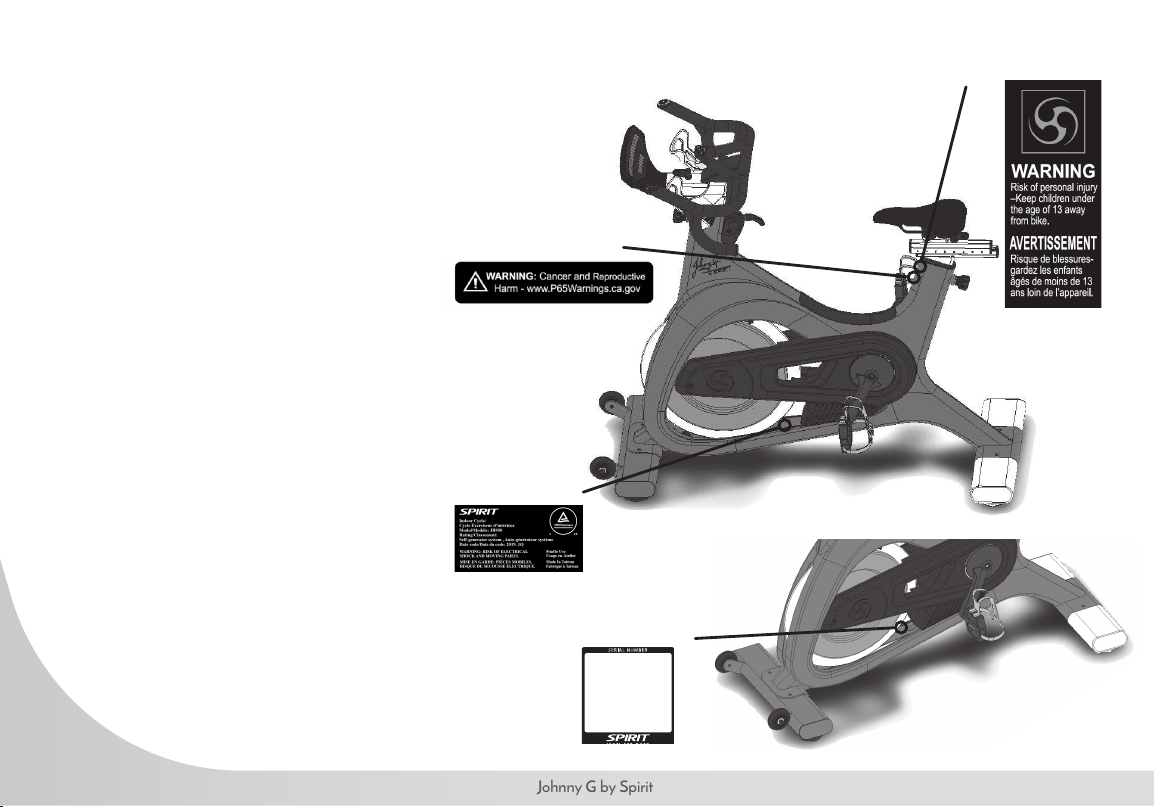
The following pages show examples of
Johnny G Spirit Bike warning labels and
communication stickers placed on the
equipment as part of the manufacturing
process. It is critical that owners maintain
the integrity and placement of these
stickers. If you nd any stickers missing or
damaged contact your local dealer or
distributor for a replacement. NOTE:
STICKERS AND LABELS ARE NOT
SHOWN TO SCALE.
EXERCISE WARNING DECAL
SERIAL NUMBER DECAL
CALIFORNIA PROP 65 WARNING DECAL
(For US model only)
CE CERTIFICATION
17
www.johnnygspiritbike.com
WARNING
This product can expose you to chemicals including Toluene and Acrylamide which are known to the State of California
to cause Cancer and birth defects or other reproductive harm. For more information, go to www.P65Warnings.ca.gov
RECORD YOUR SERIAL NUMBER
Please record the serial number of this tness product in the space provided below (serial number is located on the
center oor tube behind the crank.)
Serial Number:
REGISTER YOUR PURCHASE
Please mail your warranty registration card to the address below or call us at (866) 463-2662 to get your product
registered:
Dyaco Commercial & Medical North America
18303 Bothell Everett Hwy.
Suite 210
Bothell, WA 98012
United States of America
Patent pending.
18
Johnny G by Spirit
JOHNNY G SPIRIT BIKE PRE-ASSEMBLY
Use the following procedures to unpack and assemble your Johnny G Spirit Bike:
1. Position the shipping carton so the Heavy End is located at the bottom.
2. Cut the straps then lift the box over the unit and unpack. Remove all parts from the shipping carton and foam inserts, and
verify that all parts are included in your shipment.
3. Locate the hardware package. The hardware is separated into four steps. Remove the tools rst. Remove the hardware for
each step as needed to avoid confusion. The numbers in the instructions that are in parenthesis (#) are the item number from
the assembly drawing for reference.
4. Always have assistance when lifting main frame.
NOTE: All tools required to assemble the bike are included within the packaging. If you are missing any of the parts listed above,
inspect the packing material and the box for items that may have been overlooked.
If parts are missing, or if you have any operational questions, please call your local Spirit Fitness’s Service department or the
distributor whom sold you the product. Please see the back of the manual for a listing of international corporate ofces and locate
the ofce nearest you. Have your serial number ready.
NOTE: Use the large foam packaging to prop the bike frame off of the ground to allow assembly of the front, then rear stabilizers.
CAUTION: Damage to the bike during assembly is not covered as part of the limited Spirit Fitness warranty. Take care not to drop
or lean the bike on its side. Carefully stand the bike up in the normal upright position on a stable surface so it will not tip over during
assembly.
Protect the environment by not disposing of this product with household waste. Check your local authority or approved waste center
for recycling advice and facilities.
19
www.johnnygspiritbike.com
JOHNNY G SPIRIT BIKE PRE-ASSEMBLY
TOOLS NEEDED:
#155. L M4 Allen Wrench (1 pc)
#157. 17mm Wrench (1 pc)
#158. 13/15 Wrench (1 pc)
#159. L M2.5 Allen Wrench (1 pc)
#167. 19mm Wrench (1 pc)
Use of a large pedal wrench (not included) is highly recommended to secure the pedals.
NOTE: Use the large foam packaging to prop the bike frame off of the ground to allow assembly of the front, then
rear stabilizers. ALWAYS have assistance when lifting main frame.
An assembly video is available to show the steps for assembly of the Johnny G Spirit bike. Follow the link below:
http://dyaco.com/JG_Assembly
20
Johnny G by Spirit
JOHNNY G SPIRIT BIKE STEP ONE
HARDWARE FOR STEP 1
PART TYPE DESCRIPTION QTY
165
SHORT HEX HEAD BOLT M12 x P1.25 x 20L
5
141
LONG HEX HEAD BOLT M10 × P1.5 × 55L
1
166 FLAT WASHER
Ø12.7 x Ø26 x 2T
5
125
FLAT WASHER Ø10 × Ø25 × 1.5T
1
54
PEDALS SET PEDALS R/L
1
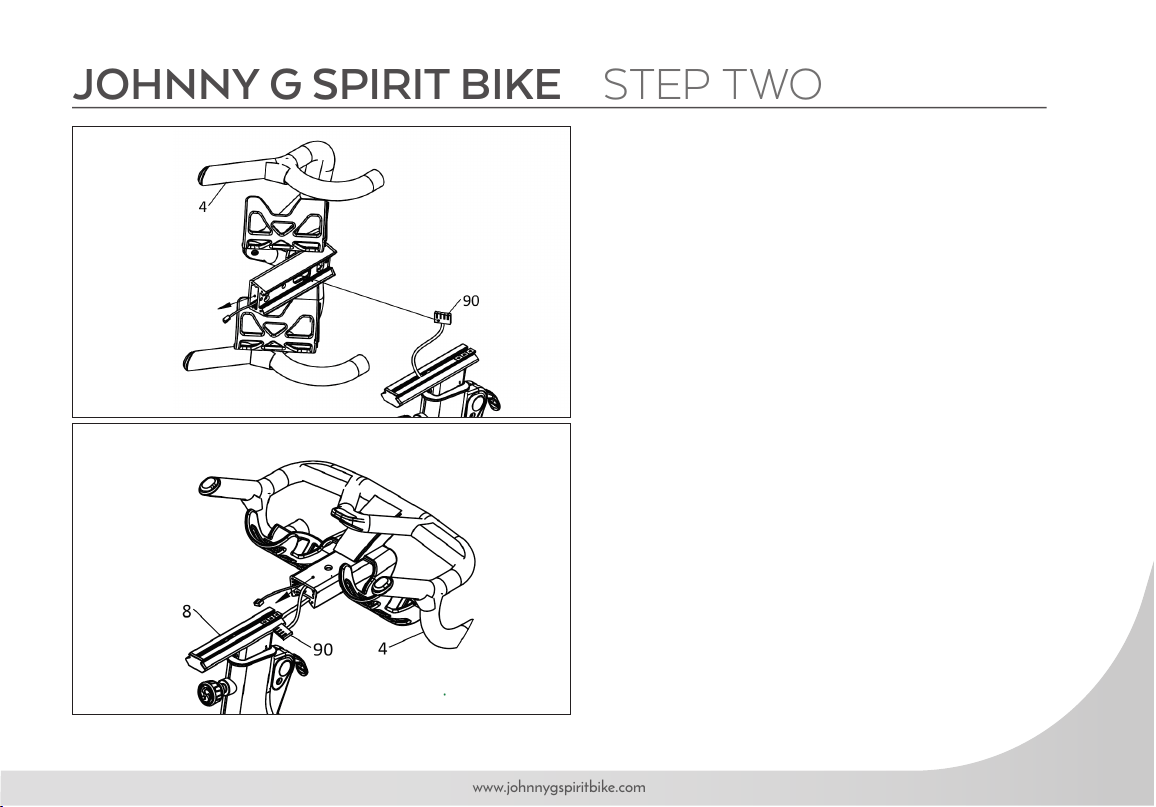
1. Assemble FRONT STABILIZER (2) to MAIN
FRAME (1) using THREE HEX BOLTS (165) and
THREE WASHERS (166) with 19MM WRENCH
(167). NOTE: Use the large foam packaging to
prop the bike frame off of the ground to attach the
stabilizers.
2. Assemble REAR STABILIZER (3) to MAIN
FRAME (1) using TWO SHORT HEX BOLTS
(165), ONE LONG HEX BOLT (141), ONE
WASHER (125) and TWO WASHERS (166)
with 19MM WRENCH (167). The LONG HEX
BOLT (141) and WASHER (125) are used in the
center hole and tightened with 17MM ALLEN
WRENCH (157) .
3. Assemble PEDALS (54) to bike using 15MM
WRENCH (158). Use of a large pedal wrench
(not included) is highly recommended to secure the
pedals.
21
www.johnnygspiritbike.com
JOHNNY G SPIRIT BIKE STEP TWO
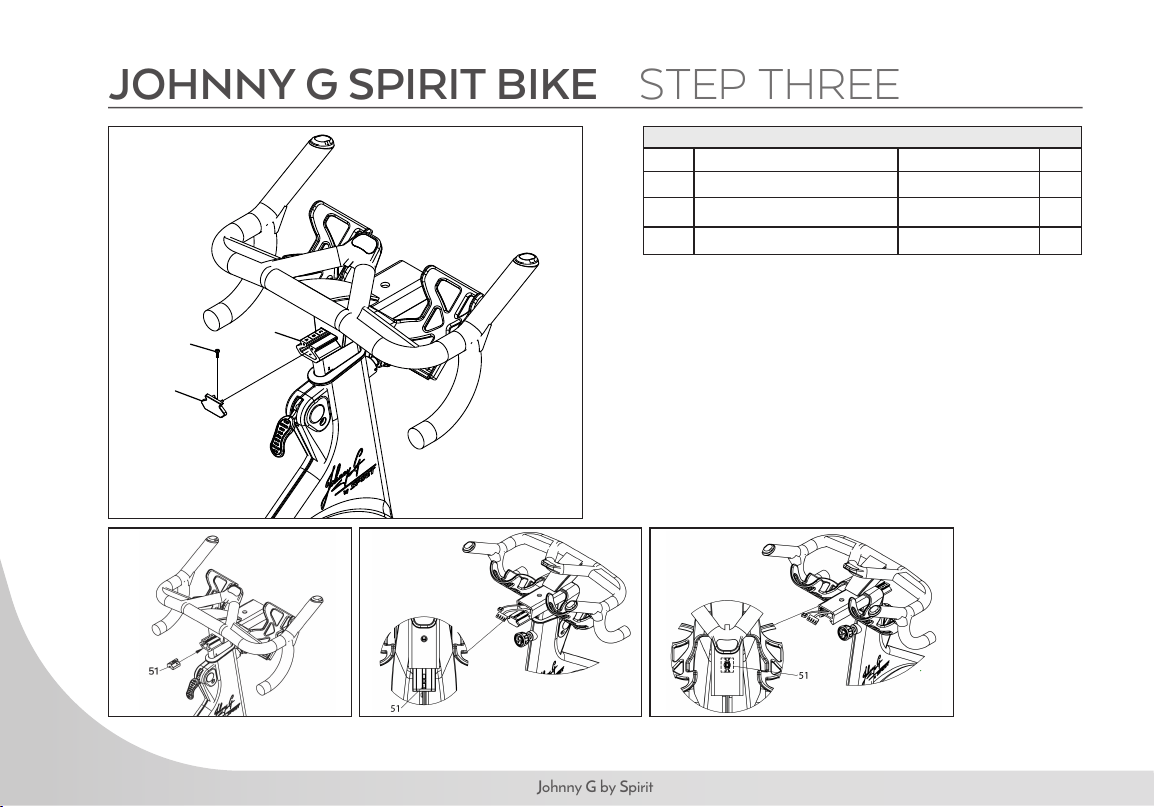
1. Run MAIN WIRE (90) through opening at bottom of
HANDLEBARS (4) and out of the front.
2. Slide HANDLEBAR ASSEMBLY (4) onto aluminum
slide rail. While assembling, simultaneously pull MAIN
WIRE (90) out of front to prevent wire from being
jammed. Wire connector should protrude from front of
handlebars when fully installed.
NOTE: Be careful not to pinch and damage the
MAIN WIRE (90) when sliding HANDLEBAR
ASSEMBLY (4) on to main rail.
22
Johnny G by Spirit
73
144
8
JOHNNY G SPIRIT BIKE STEP THREE
1. Install HANDLEBAR END CAP (73) onto back end
of ALUMINUM SLIDE RAIL (8) and secure with
SOCKET HEAD CAP BOLT (144) using 2.5 MM
ALLEN WRENCH (159).
2. The HANDLEBAR ANCHOR (51) has been pre-
installed into ALUMINUM SLIDE RAIL (8).
3. Using a screwdriver or Allen Key, slide anchor forward
to front endcap. Looking through handlebar hole slide
handlebar forward to align with screw hole in anchor.
HARDWARE FOR STEP 3
PART TYPE DESCRIPTION QTY
73 HANDLEBAR END CAP 1
144 SOCKET HEAD CAP BIOLT M3XPO.5X10L 1
51 HANDLEBAR ANCHOR 1
23
www.johnnygspiritbike.com
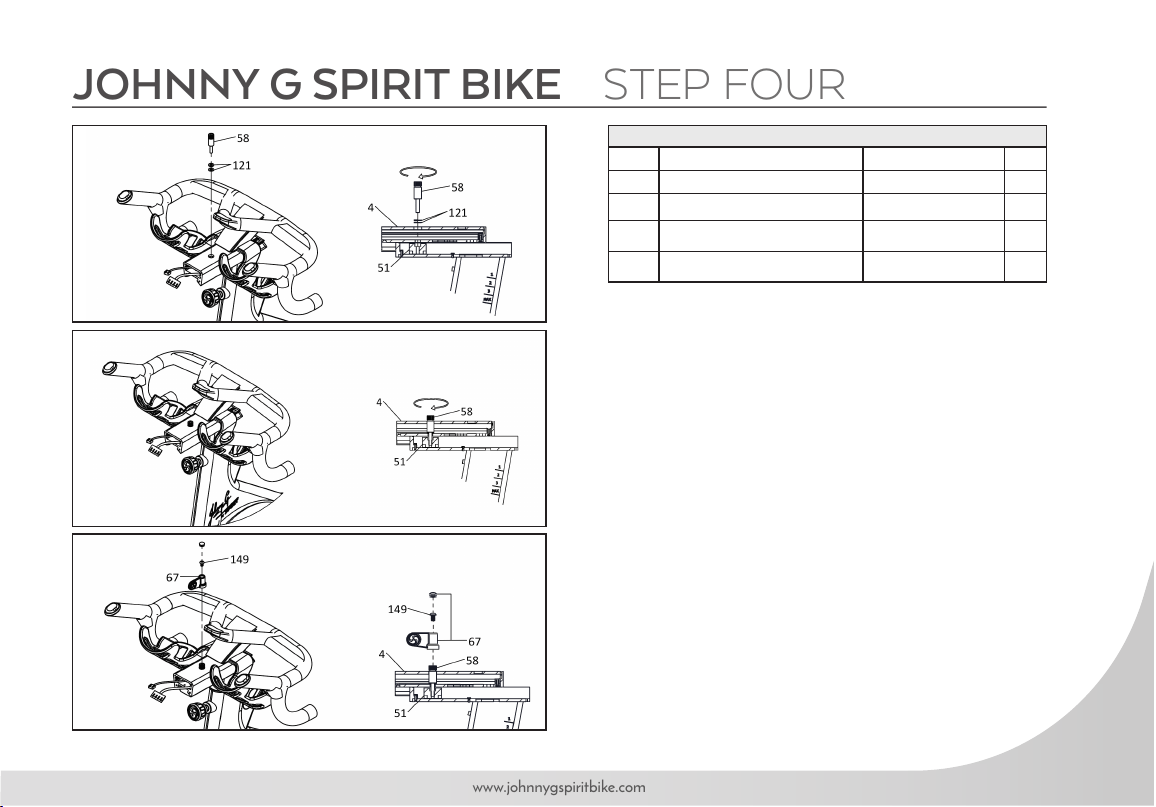
JOHNNY G SPIRIT BIKE STEP FOUR
1. Thread ADJUSTING AXLE (58) through hole into
HANDLEBAR ANCHOR (51) with TWO FLAT
WASHERS (121). Tighten fully, using LEVER (67) as a
tool if necessary. NOTE: Gently pull on MAIN WIRE
(90) allowing space for insertion of ADJUSTING AXLE
(58) to prevent cable damage.
2. Insert a small Allen wrench into lever from bottom to
remove plastic cap at top of lever allowing access for
bolt installation
3. Install LEVER (67) in a 12 o’clock position. Attach
LEVER (67) to ADJUSTING AXLE (58) using
BUTTON HEAD SOCKET BOLT (149) using 4MM
ALLEN WRENCH (155).
4. Install plastic cap to seal lever.
HARDWARE FOR STEP 4
PART TYPE DESCRIPTION QTY
58 ADJUSTING AXLE 1
67 SOCKET HEAD CAP BOLT M3×P0.5×10L 1
121 FLAT WASHER Ø1/4" × 13 × 1.0T 2
149 BUTTON HEAD SOCKET BOLT M6 x 10L 1
24
Johnny G by Spirit
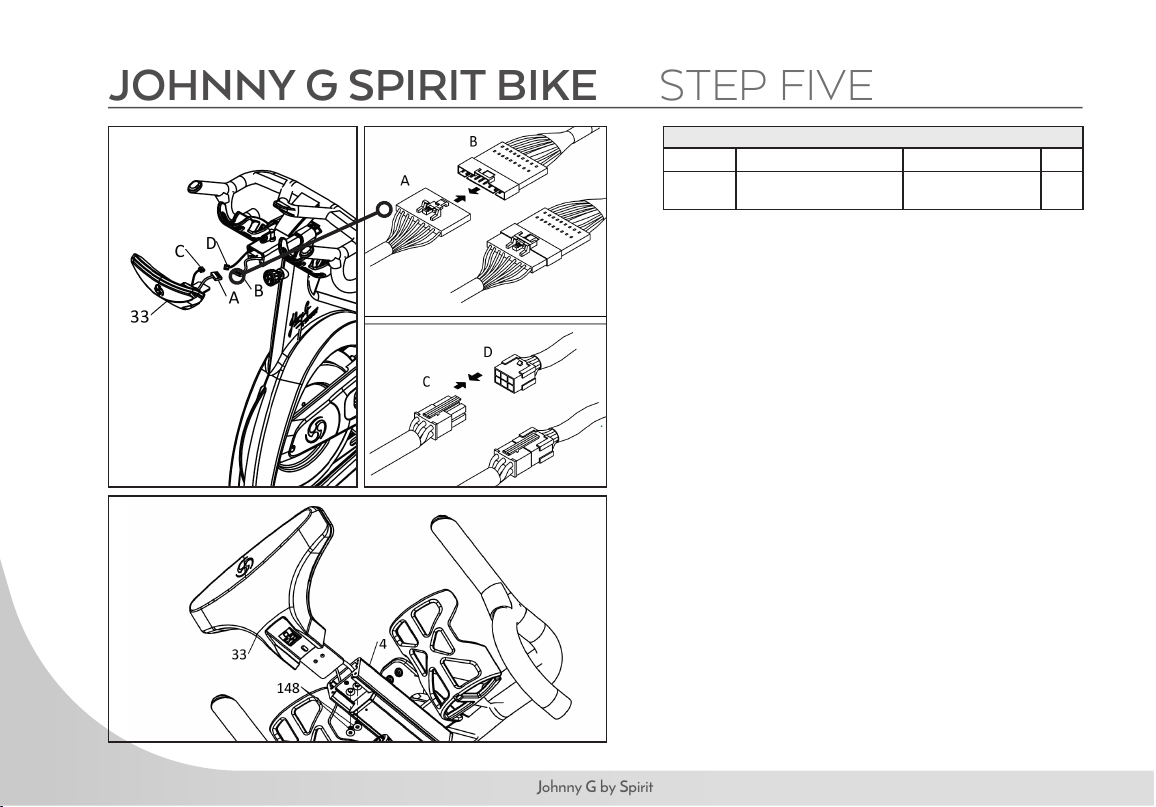
JOHNNY G SPIRIT BIKE STEP FIVE
HARDWARE FOR STEP 5
PART TYPE DESCRIPTION QTY
148
FLAT HEAT COUNTER-
SUNK BOT
M6 x P1.0 x 10L
2
1. Connect MAIN WIRE (A & B) and CONTROL
WIRE (C & D) to CONSOLE (33).
2. Attach CONSOLE (33) to ALUMINUM
SLIDE RAIL (4) secure using TWO FLAT HEAD
COUNTERSUNK BOLTS (148) using 4MM
ALLEN WRENCH (155).
NOTE: Before pedaling bike, remove Flywheel
Shim protecting proper magnet spacing. Locate
Shim Hang Tag and pull on cord removing shim.
Use shim when needing to transport bikes over long
road distances.
25
www.johnnygspiritbike.com
Use this checklist to perform the bike test procedure.
Recheck all the bolts and make sure they are all tightened to the proper torque specication (if indicated) and no parts
are missing.
Check the seat to make sure it is level and tight and does not rotate around or tilt. Tighten and adjust as needed.
Test the seat and handlebar horizontal adjustment for smooth movement front to rear.
Adjust seat post and handlebar to your needs (refer to page 27). Ride/test the bike for proper operation according to this
owner’s manual.
CAUTION: Do not dismount the bike until the pedals to come to a complete stop.
Pedal the bike at a moderate pace and test for proper and smooth movement of the pedals.
When the testing is complete, tip the bike forward using the arms and roll it on a smooth surface to the nal location and
adjust the leveling feet so the bike is stable.
26
Johnny G by Spirit
Your Johnny G Spirit Bike will be an exhilarating indoor cycling experience. The bike allows the user full control over the
magnetic resistance by simply pressing on the + and – Keys, located at two locations; either the Forward Control Pad
or the Handlebar Shifters. Providing two resistance adjustment locations was purposely done for the riders’ convenience.
The Forward Control Pad is ideally positioned for when the rider is in the saddle and hands are in home position or
position-one. The Handlebar Shifters are positioned for riders that are out of the saddle and going through tough
climbs.
Typically, lower resistance levels enable you to pedal at a faster pace, placing increased demand on the cardiovascular
system. Higher resistance levels will typically deliver a greater muscle strength and endurance workout at lower RPM.
RPM rates vary dramatically based on the type of ride you are doing (endurance vs. strength). The Johnny G Spirit
Bike can display pedal rates up to 150 RPM. If unsure how to properly use the bikes RPM capabilities and resistance
system adjustment, seek the help from a qualied indoor cycling instructor or take a class at your local indoor cycling
facility as they will teach you how to ride properly and safely.
Additionally, the bike offers seat and handlebar adjustments, allowing the bike to be congured to each users’
comfort zone. This section provides the instructions for making seat adjustments, handlebar adjustments, pedal strap
adjustments, and for controlling resistance.
NOTE: In a club setting, we recommend each user to initially be properly tted on the bike by a certied indoor
cycling instructor.
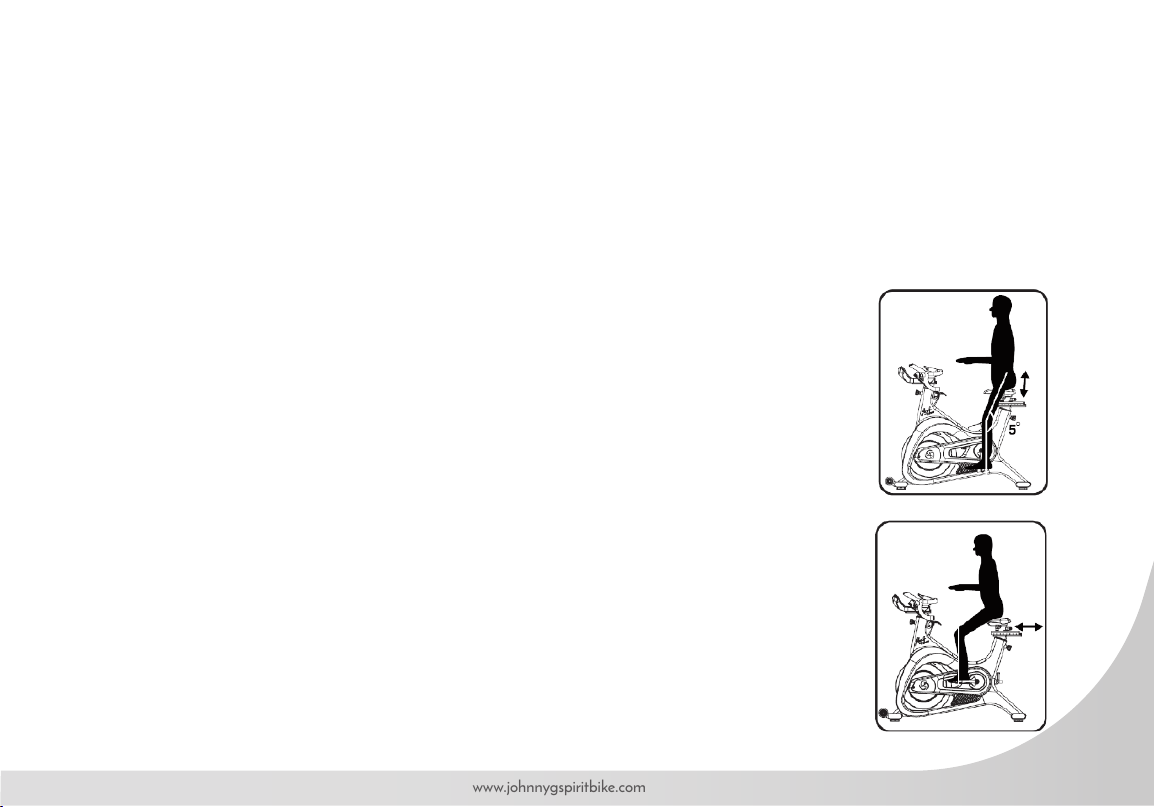
Proper bike setup gives you a more comfortable ride and reduces your risk of injury. Proper seat height helps ensure
27
www.johnnygspiritbike.com
maximum exercise efciency and comfort, while reducing the risk of injury. Adjust the seat height so that the knee joint is
slightly exed when the extended leg is at the bottom of the pedal stroke. Once the proper height has been achieved,
adjust the seat forward or back so that when the feet are in the 3 o’clock and 9 o’clock positions, the forward knee is
directly over the pedal axle. Recheck the seat height again after making the fore/aft adjustment, as moving the seat
forward and backward can have the same effect as moving it higher or lower.
SEAT HEIGHT
Dismount the bike. Turn the seat height pop-pin counterclockwise and pull out on the pin to
release it from its current preset location. Raise or lower the seat to the desired height, then
gently release the pop-pin. Raise or lower the seat slightly, if necessary, until the pop-pin
engages a preset hole, Turn the pop-pin clockwise to secure. Be sure to tighten rmly. (Figure 1)
FORE/AFT POSITION
Loosen the seat fore-and-aft tension handle by turning the handle counterclockwise. Move
the handlebar forward or back to the desired position, then tighten the tension handle by
turning clockwise. Be sure to tighten the handle rmly. (Figure 2)
FIGURE 1
FIGURE 2
28
Johnny G by Spirit
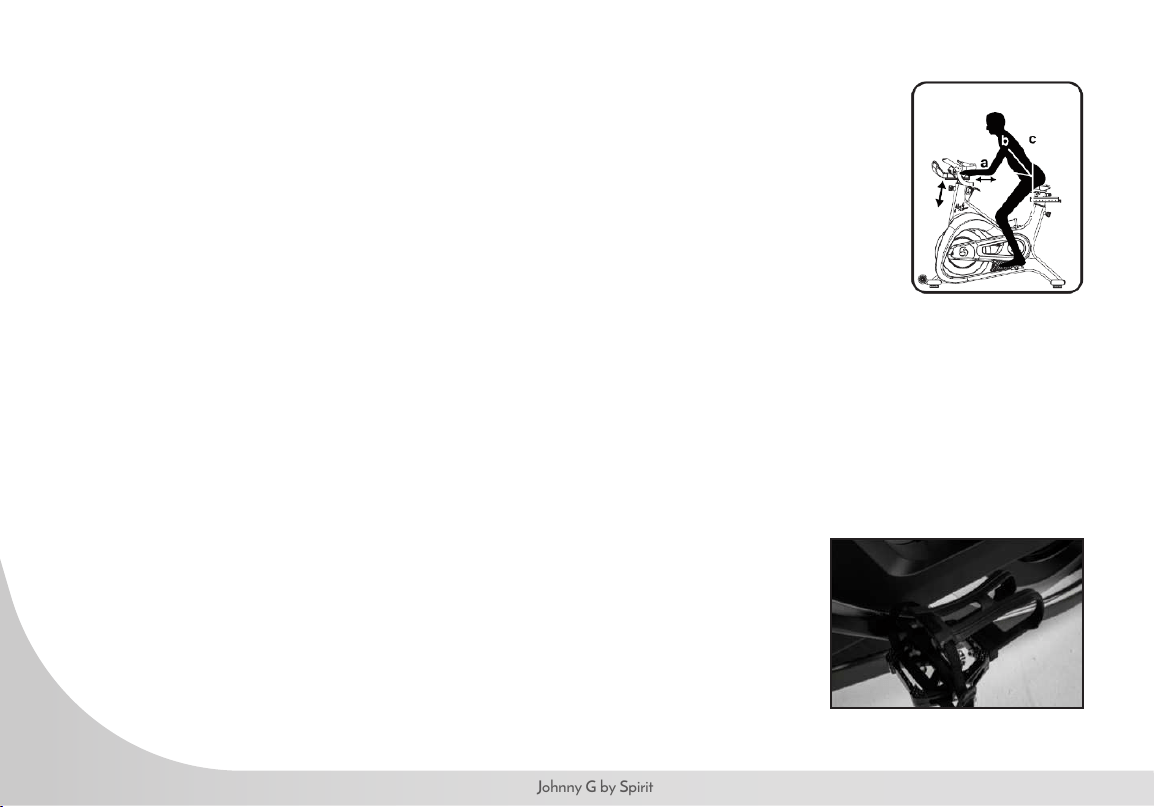
HANDLEBAR ADJUSTMENTS
Position the handlebar at the same height as your seat, or higher if you feel any
discomfort in your back. The Johnny G Spirit Bike allows for adjustment of handlebar
height. Additionally, the bike allows for fore and aft adjustment of the handlebar.
TO ADJUST THE HANDLEBAR HEIGHT:
Loosen the handlebar height tension handle by turning the handle counterclockwise.
Raise or lower the handlebar to the desired height, then tighten the tension handle by
turning clockwise. Be sure to tighten rmly (Figure 3).
TO ADJUST THE HANDLEBAR FORE / AFT:
Loosen the handlebar fore-and-aft tension handle by turning the handle
counterclockwise. Move the handlebar forward or back to the desired position, and
then tighten the tension handle by turning clockwise. Be sure to tighten the handle
rmly (Figure 3).
TO ADJUST THE PEDAL STRAPS:
Place the balls of your feet securely in the toe cages, with the ball of the foot (or the
widest part of your shoe) over the center of the pedals. As you pedal, concentrate on
keeping feet at, which enables a more powerful pedal stroke. The front of the shoe
may not completely ll the toe cage.
NOTE: The pedal straps should be adjusted to hold the foot snugly to the pedal.
FIGURE 3
29
www.johnnygspiritbike.com
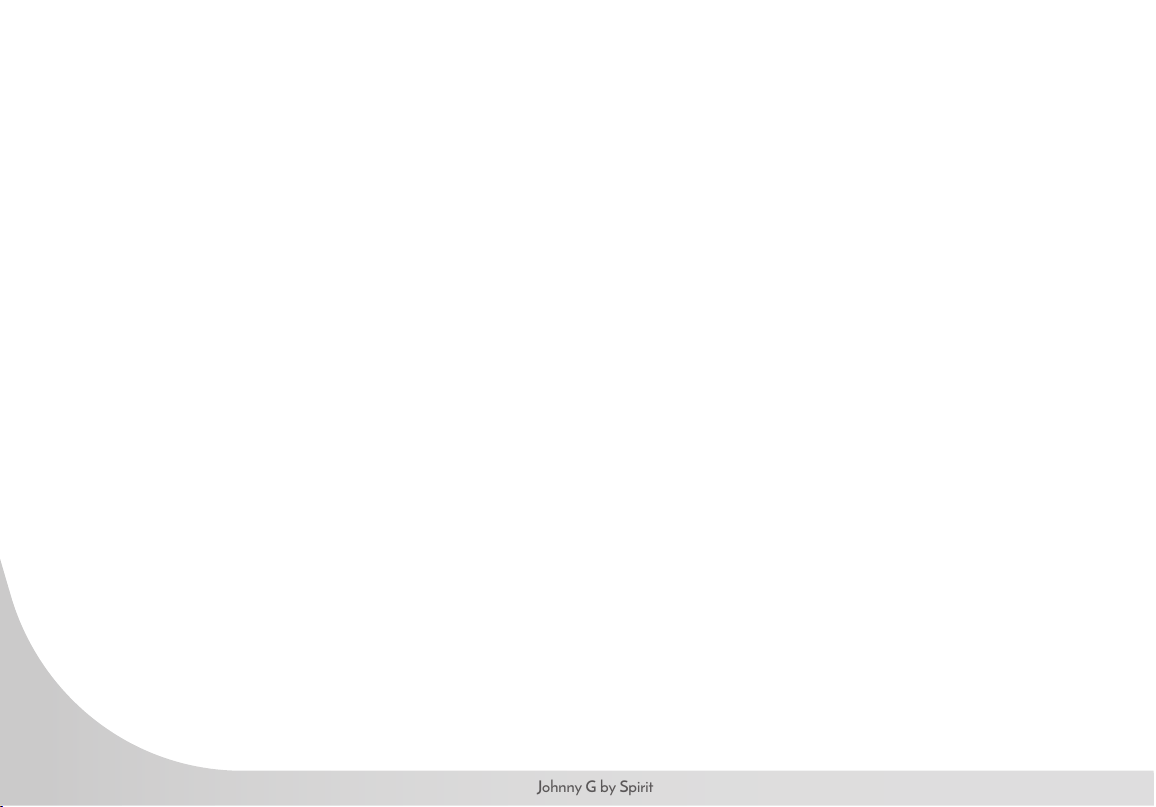
RESISTANCE CONTROL
The bike allows the user full control over the magnetic resistance by simply pressing on the + and – Keys, located at two
locations; either the Forward Control Pad or the Handlebar Shifters. Providing two resistance adjustment locations was
done for the riders’ convenience. The Forward Control Pad is ideally positioned for when the rider is in the saddle and
hands are in home position or position-one. The Handlebar Shifters are positioned for riders that are out of the saddle
and going through tough climbs.
NOTE: In case of emergency, you may press directly down on the Dynamic Braking Handle to bring the ywheel to
an abrupt stop.
RESISTANCE FORWARD CONTROL PANEL RESISTANCE HANDLEBAR SHIFTERS
DYNAMIC BRAKING HANDLE
30
Johnny G by Spirit
This section will provide very basic information regarding the structure of an indoor cycling workout.
IMPORTANT: User should be aware of the features, functions and proper operation of the bike before using the
bike for the rst time. If unsure how to properly use the bikes RPM capabilities and resistance system adjustments,
seek help from a qualied indoor cycling instructor or take a class at your local indoor cycling facility as they will
teach you how to ride properly and safely.
Be sure the seat, handlebar and pedal straps are adjusted for your body size and comfort before beginning your
workout. Consult your physician before beginning this or any other exercise routine. Discontinue any exercise that
causes you discomfort and consult a medical expert.
Once you are in position and sitting on the bike with your hands in a comfortable position on the handlebar, slowly
begin pedaling. A gradual warm-up prepares the muscles and cardiovascular system for a more intense workout
and helps prevent potential injuries from occurring. Your warm-up should be sufcient once your breathing rate
begins to increase and you begin to perspire lightly. The warm-up period should last about ve minutes.
A brisk and rhythmic workout will train the muscles and cardiovascular system to perform at a higher efciency.
The key is to exercise aerobically; typically, at 60% – 80% of your maximum heart rate.
Slow and relaxed activity after a workout allows the muscles and cardiovascular system to gradually return to a
resting level.
31
www.johnnygspiritbike.com
WARNING: The ywheel momentum of the bike will keep the pedals turning even after the user stops pedaling, or in
the event the user’s feet slip off the pedals. DO NOT DISMOUNT THE BIKE OR REMOVE YOUR FEET FROM
THE PEDALS UNTIL BOTH THE PEDALS AND THE FLYWHEEL HAVE STOPPED COMPLETELY. Failure
to comply may lead to loss of control and serious personal injury.
You may stop the bike using any of the following methods:
• Pedal more slowly until the pedals come to a complete stop.
• Push down on the Push Brake System handle until the pedals come to a complete stop.
Your Johnny G Spirit Bike includes both an ANT+ and Bluetooth FTMS chips. Bluetooth FTMS is the new FITness
Machine Service protocol to control tness equipment, such as bike trainers, treadmills and rowing machines.
The Johnny G Spirit Bike is compatible with ANT+ and Bluetooth enabled technologies including: Garmin™, MyZone™,
and Strava™. Download and connect according to their individual app instructions. The bike also connects with
leaderboards such as those from MyZone or Spivi
®
.
32
Johnny G by Spirit
JOHNNY G SPIRIT BIKE
CONSOLE OPERATION
33
www.johnnygspiritbike.com
34
Johnny G by Spirit
The Warm Up Mode is the most basic function of the Johnny G Spirit Bike.
Riders can use this mode to prepare themselves for a class or when just pedaling
to warm up for other activities. This mode is the rst function that occurs when
the console awakens from sleep mode. Riders can stay in this mode for as long
as desired.
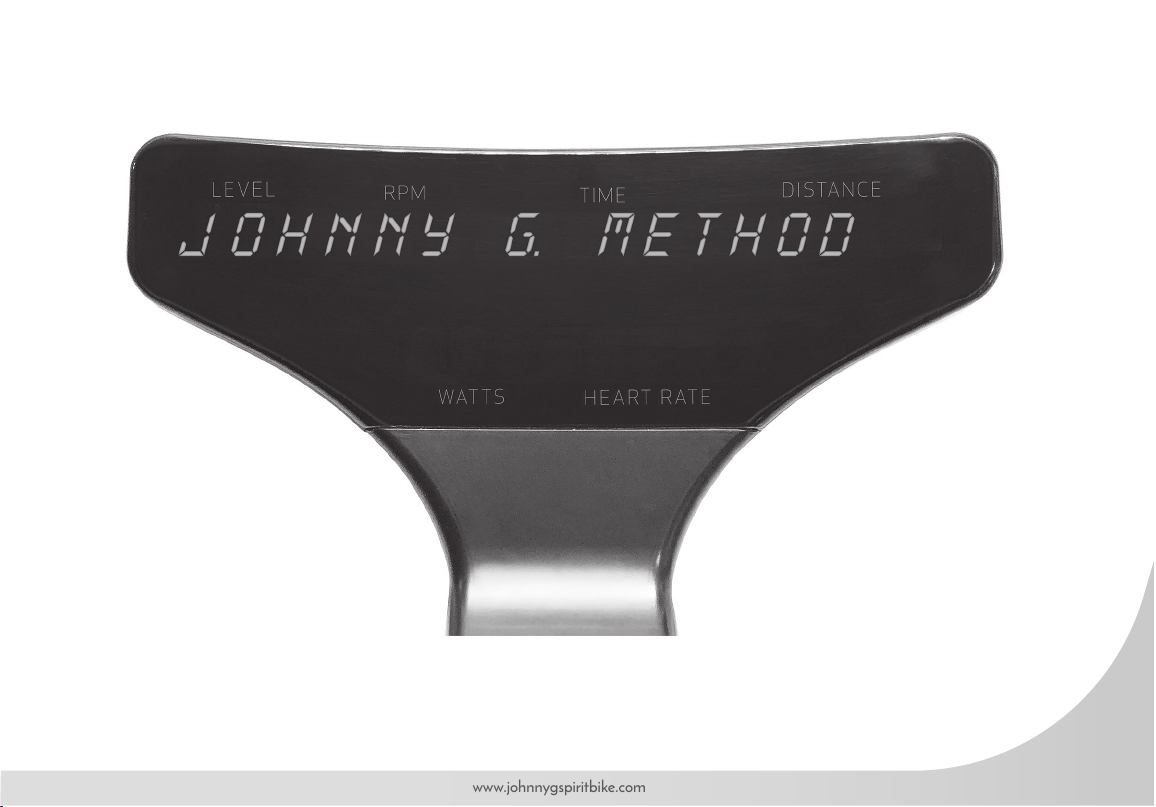
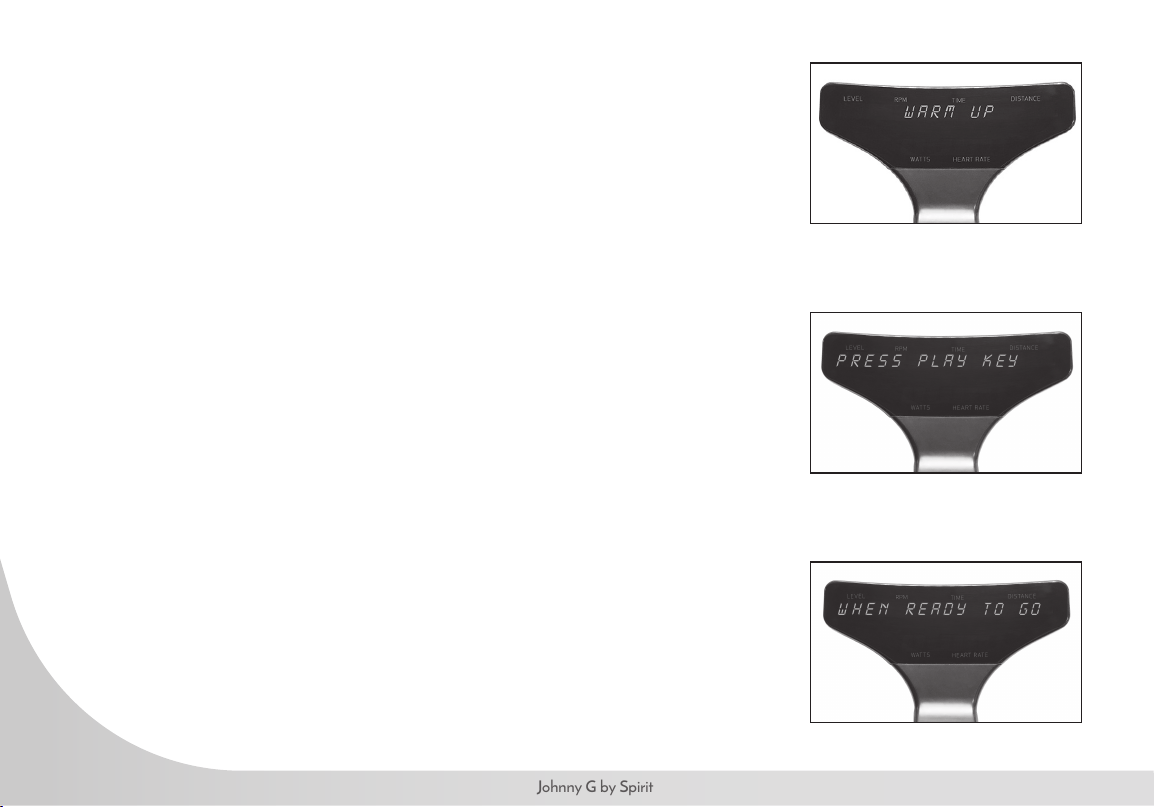
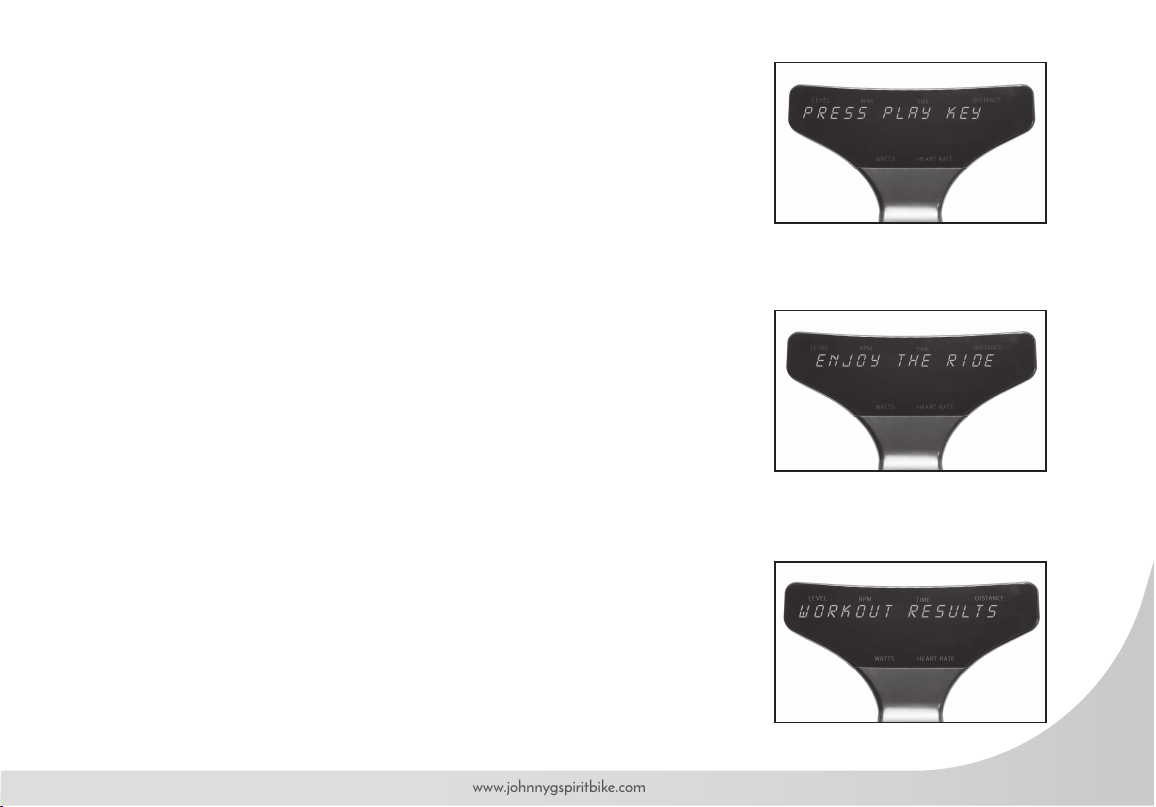
Upon console awakening, the words JOHNNY G. METHOD, THE RIDE OF
TRUTH display, then WARM UP will ash 3 times, followed by PRESS PLAY
KEY, WHEN READY TO GO. The Home screen appears displaying LEVEL,
RPM, TIME, DISTANCE, WATTS, HEART RATE. Console continues Warm Up
Mode until Play Key is pressed.
The warm up cycle continues until Play Key is pressed.
• During Warm Up mode, users can adjust level of intensity. Press + or – Key on either
Forward Control Pad or handlebar ends to adjust resistance.
• Warm Up Mode will last as long as user stays in this mode.
• Warm Up Mode will NOT display a summary screen. Only the program screens
display a summary.
35
www.johnnygspiritbike.com
MANUAL MODE
The Manual Mode is another basic function of the Johnny G Spirit Bike. The
Manual Mode is also the HR Zone program. Once HR is paired during the
Warm Up Mode, HR performace and zones will be tracked. Riders can use this
mode for a complete workout or to prepare themselves for other activities. The only
differences between this mode and the Warm Up Mode is that the rider will have
a workout summary of their effort. At any time during Warm Up Mode, press
Play Key to enter Manual Mode. Pressing the Play Key displays Enjoy THE
RIDE followed by display screen. Any Time and Distance data collected during
Warm Up Mode will be erased.
• Press + or – Key on either Forward Control Pad or handlebar ends to adjust resistance.
• When ride is completed at desired time, press Play Key. Current data will pause.
• Screen displays END WORKOUT, then NO will ash on display.
• Press either + or – Key to toggle between NO and YES for desired action.
• Pressing Play Key while NO will revert to Manual Mode.
• Time, Distance, Intensity and data will continue from moment data was paused.
• END WORKOUT function ends the workout.
If selecting YES:
• Screen displays WORKOUT RESULTS, followed by Summary Data: TIME in minutes,
DISTANCE in miles/km’s, WATT AVG, WATT PEAK, SPEED AVG in miles/km’s,
SPEED PEAK in miles/km’s, HR AVG, HR PEAK, RPM AVG, RPM PEAK.
• Pressing + or – Keys will scroll through Summary Data screens.
• Summary data screens will scroll every 5 seconds if + or – Keys are NOT pressed.
• Pressing Play Key will reset display and revert to Warm Up Mode.
36
Johnny G by Spirit
Programs Mode provides the opportunity to pair a HR strap to the console and access to the training programs
contained within the Johnny G Spirit Bike.
If just starting a ride and in the Warm Up Mode press and hold the Play Key for 3 seconds and the rst program
option will display, PAIR HR DEVICE.
PAIR HR DEVICE is used to pair a HR strap. Once HR strap is paired the HR Zone program will automatically be
started. The HR LED light in the lower right of the console will illuminate.
PROGRAMS:
• Pair HR Device
• Power Zone with FTP Test
• Lap Program
• Exit
Descriptions for each of the programs is located on their program page. With the exception of the HR Zone
program, the default setting for each program is OFF or DISABLED. Change their setting to ON or ENABLED.
The HR Zone program has a default setting to ON.
37
www.johnnygspiritbike.com
PAIR HEART RATE DEVICE
HR Zone program requires connection of a Heart Rate Strap prior to using
program. Connecting console to a Heart Rate Strap is accomplished by entering
Programs Mode during the Warm Up Mode.
If user puts on a HR strap after leaving the Warm Up Mode and has not paired
HR, console reset will be needed.
• While in the Warm Up Mode, press and hold Play Key for 3 seconds.
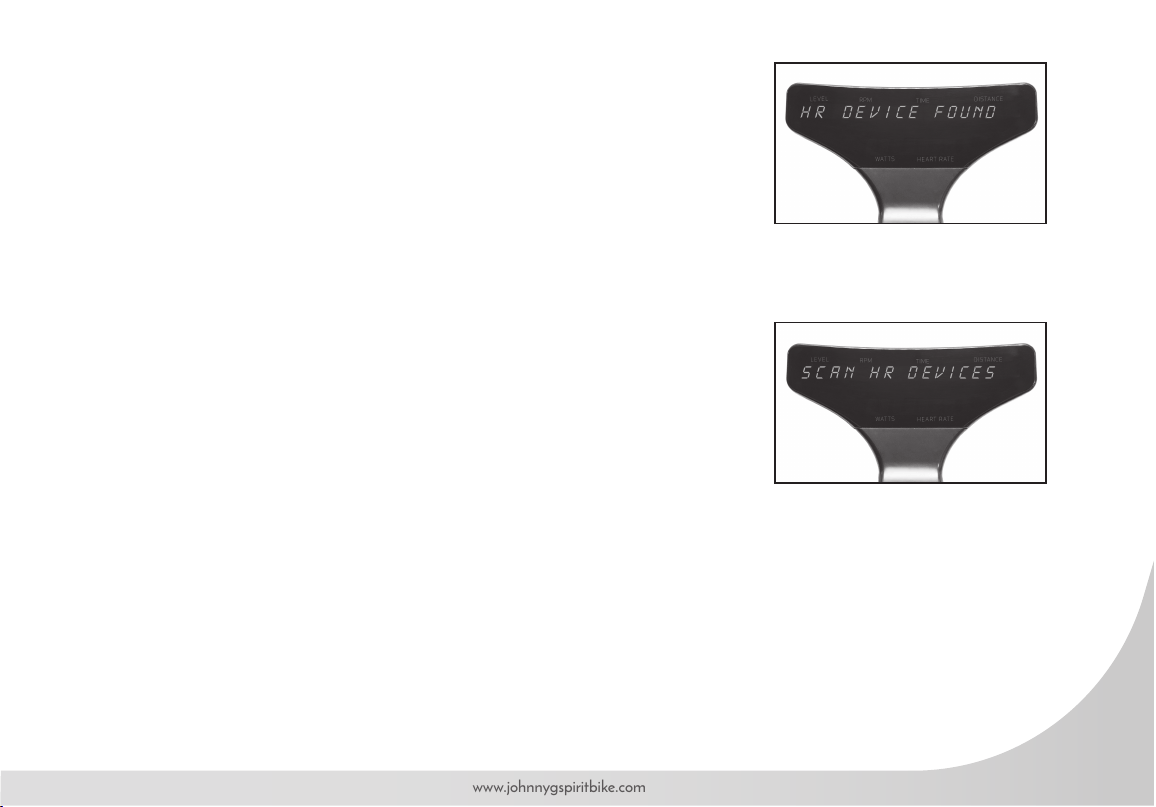
• PAIR HR DEVICE displays on console. Press Play Key to scan for HR devices. The
console may display SCAN HR DEVICES up to 12 times.
• If sensors are detected, the number of sensors displays.
• If needed, reset console by simultaneously holding + Key and Play Key for 3 seconds.
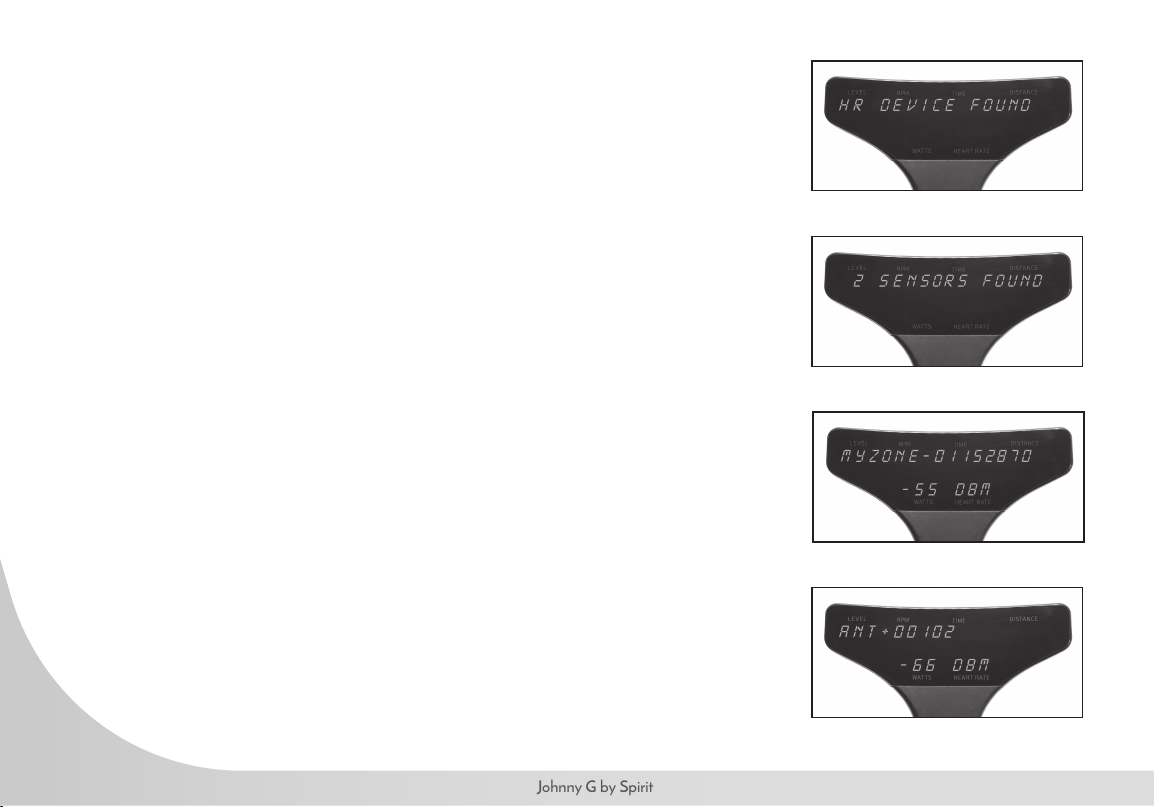
NOTE: Along with each device displayed is number indicating the distance each
device is from the console. The number is in decibels meters and may display as
65DBM. Usually the smaller number is your chest strap but not always. If another
rider is wearing a chest strap in front of you, their device may be closer to your
console than you are. Ideally rider should be familiar with their MyZone SN#
located on the back of the MyZone module or their devices ANT+ number.
This will simplify selecting the appropriate HR strap.
.
38
Johnny G by Spirit
For example: 2 SENSORS FOUND. Press + Key if device shown is not your own.
• MYZONE-12345678 (SN# on your MYZONE device displays).
• NOTE: Ideally user should need to be familiar SN # of their MYZONE module,
located on the backside.
• ANT+ 12345 (ID # for your ANT+ device displays).
• After selecting sensor, press Play Key to connect heart rate strap to console.
• ENTER AGE displays and default age 35 ashes. Press + or – Key to adjust
age. Press Play Key.
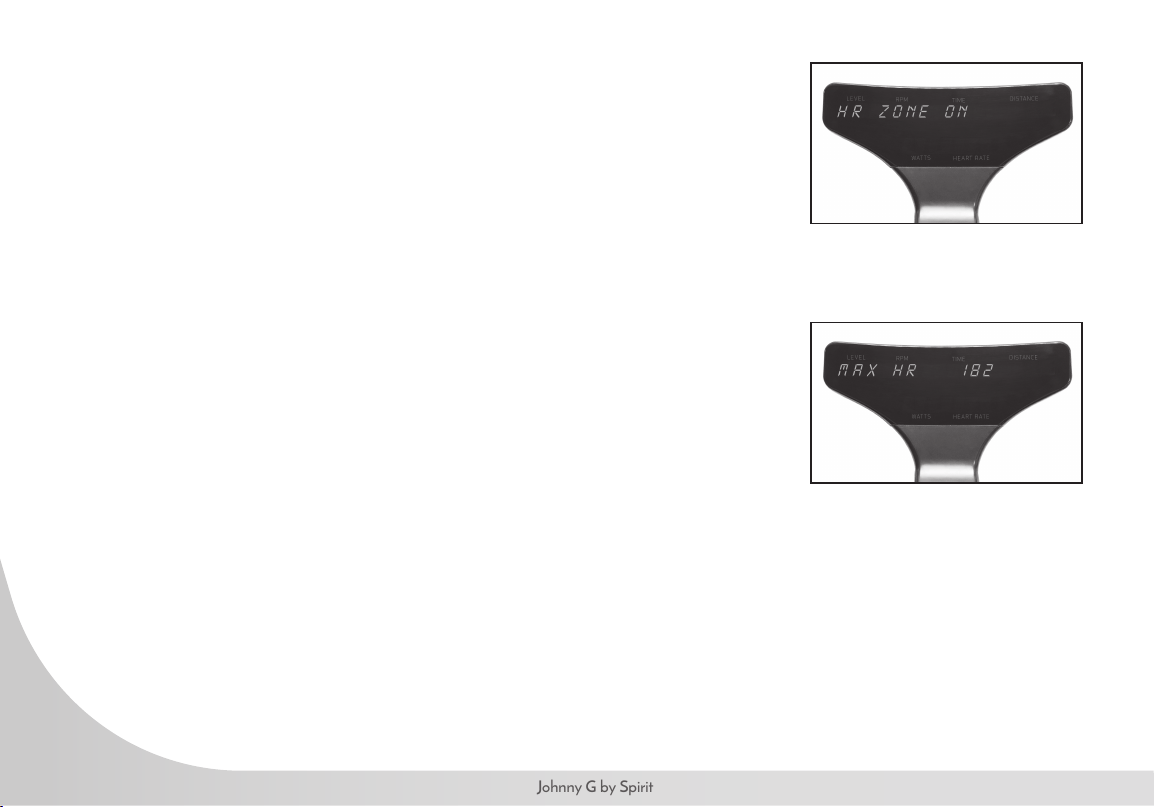
• MAX HR displays and estimated max HR ashes. Press Play Key to accept.
• NOTE: Calculation: 208 – (0.7 x age) = MHR. Press + or – Key to adjust MHR
only if actual is known or wanting to adjust MHR down. Do not adjust up without
medical clearance.
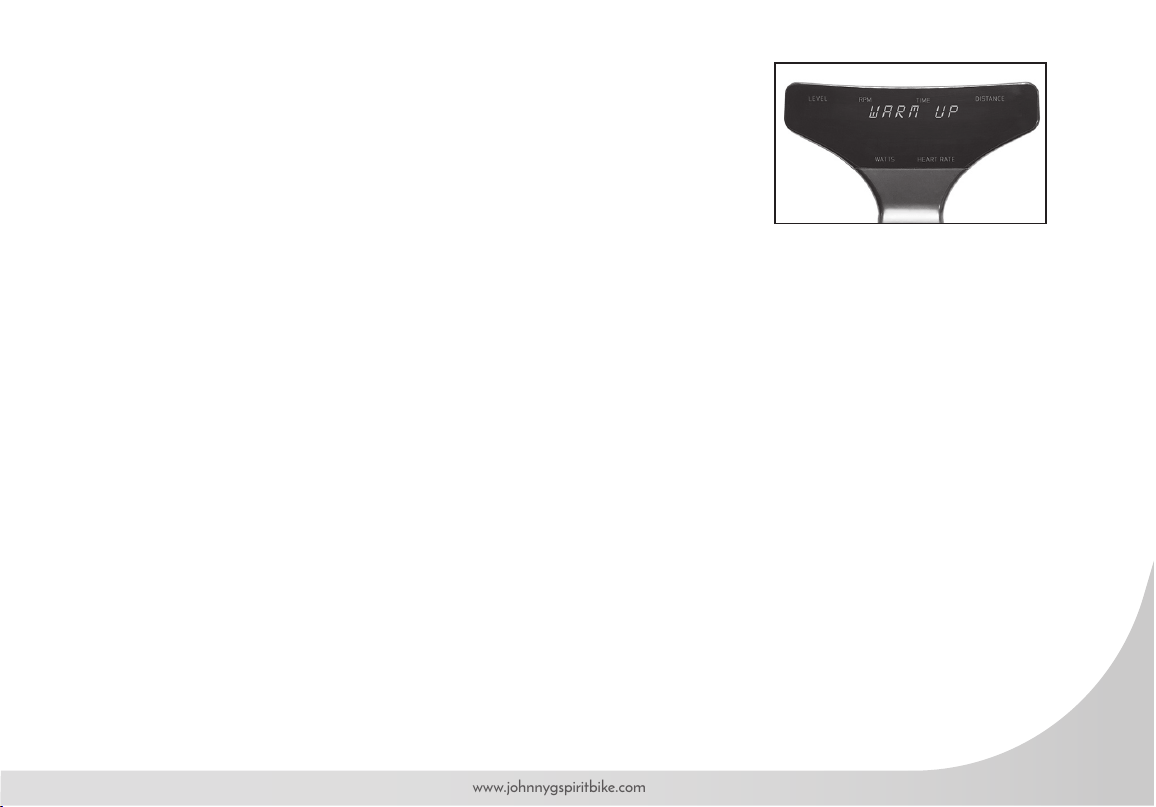
• WARM UP MODE ashes 3 times.
• PRESS PLAY KEY, WHEN READY TO GO displays on console.
• Console HR LED light illuminates on right side of console.
• See page 40 for full description of HR color zones.
39
www.johnnygspiritbike.com
If zero sensors found:
• Re-scan displays.
• Dampen HR contacts on strap if dry.
• Press Play Key to re-scan.
• If not wanting to connect a heart rate strap, press + Key until screen displays DO NOT
CONNECT.
• Press Play Key and screen displays WARM UP, ashing 3 times, then reverting to
Warm Up Mode. The HR on lower display will remain blank.
• After 30 seconds WARM UP MODE recycles and ashes 3 times, then continuing with
home screen.
• Press Play Key when ready to go and begin a ride without HR tracking.
40
Johnny G by Spirit
HR ZONE PROGRAM
HR Zone Program estimates your Maximum HR (MHR) when riders’ age is
entered. The program will track the time spent within the 5 heart rate zones; less than
59% MHR to greater than 90% MHR. The console includes an LED light that will
provide a visual guide to the riders’ effort. The time spent in each of the HR Zones
displays in the workout summary.
Console HR LED color changes based on user percent of max HR (%MHR). The
HR LED is on right side of console. HR LED color spectrum is as follows:
• <59% = White
• 60 – 69% = Blue
• 70 – 79% = Green
• 80 – 89% = Yellow
• >90% = Red
To Start:
• Pair HR strap as instructed on page 37.
• Upon pressing Play Key, HR Zone Program will begin and ENJOY THE RIDE displays
followed by home screen.
• Any data collected during Warm Up Mode will be erased.
• Home screen will appear and display: Level, RPM, Time, Distance, Watts, Heart Rate.
• Press + or – Key on either Forward Control Pad or handlebar ends to adjust resistance.
To end workout, refer to instructions on page 41 Ending Ride or User and the workout
summary.
41
www.johnnygspiritbike.com
END WORKOUT
To End Ride or User:
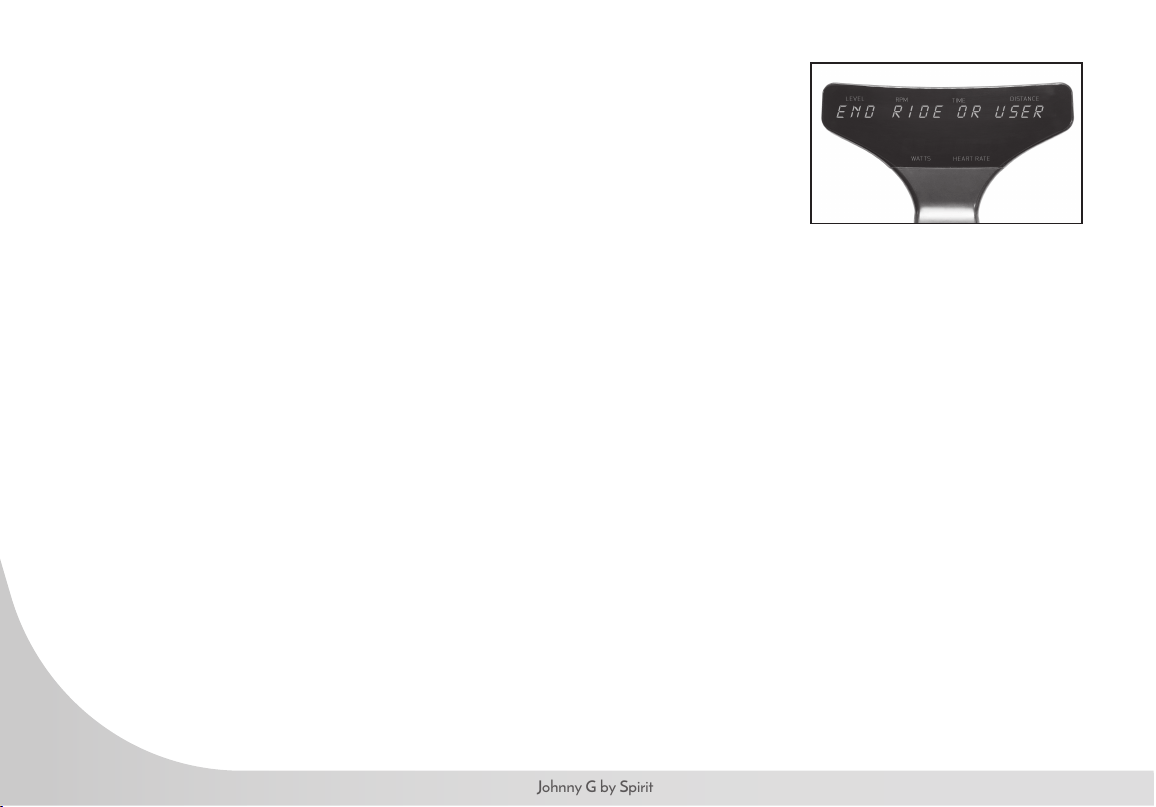
• Press and hold Play Key for 3 seconds and all current data will pause.
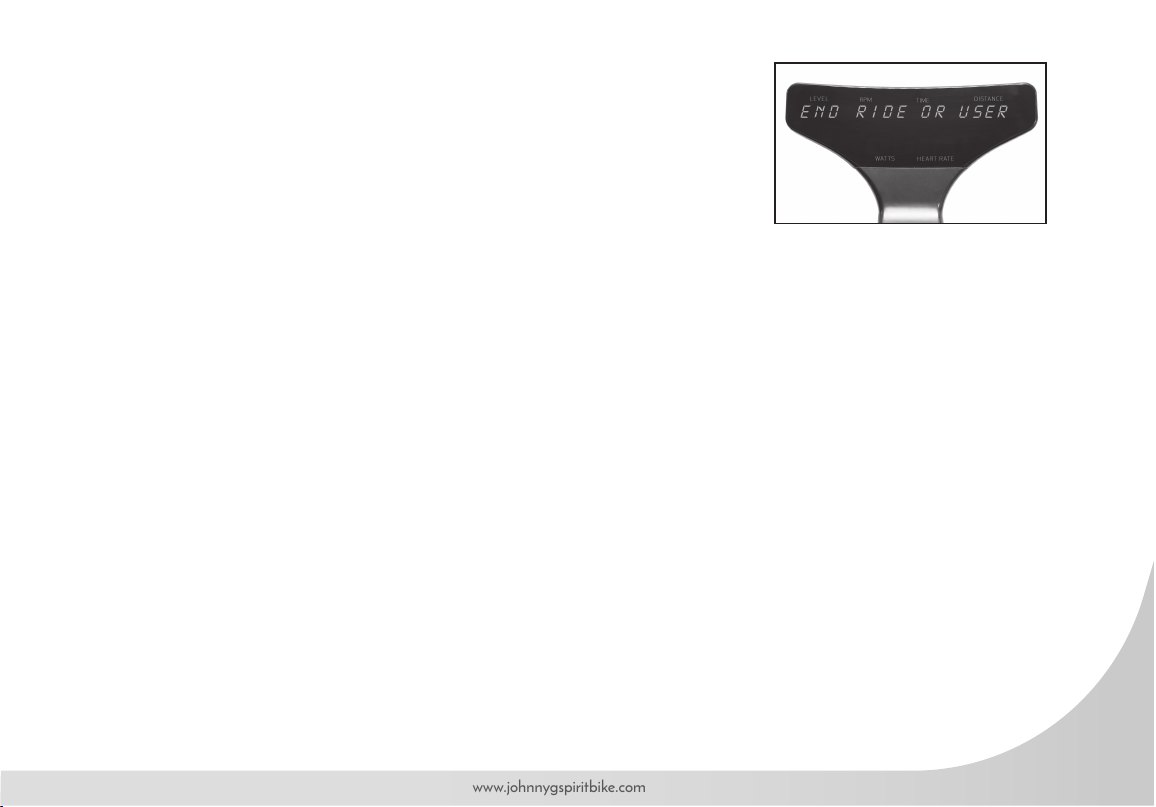
• Screen displays END RIDE or USER.
• Press either + or – Key to toggle between END RIDE and USER.
• Press Play Key to select.
I f END RIDE is selected:
• Screen displays END WORKOUT.
• NO will ash on display.
• Press either + or – Key to toggle between NO and YES for desired action.
• Pressing Play Key while NO displayed will revert to existing program.
WORKOUT RESULTS:
• Pressing Play Key while YES displayed will end workout.
• Screen displays WORKOUT RESULTS, followed by Summary Data: TIME in minutes,
DISTANCE in miles/km’s, WATT AVG, WATT PEAK, SPEED AVG in miles/km’s,
SPEED Peak in miles/km’s, HR AVG, HR PEAK, RPM AVG, RPM PEAK.
• Pressing + or – Key will scroll through Summary Data screens.
• Summary Data screens will automatically scroll every 5 seconds if + or – Keys
are NOT pressed.
• Pressing Play Key will reset display and revert to Warm Up Mode.
42
Johnny G by Spirit
NOTE: If the HR Zone, Power Zone, or LAP program features are enabled for the workout, they will also
be shown in the Workout Summary. See those programs for instructions on use. HR Zone, Power Zone or
LAP results display after summary data listed above. The number of laps saved in memory for Workout
Summary is last 5 laps completed. Time displays in Time window. Distance displays in Distance window.
POWER ZONE: Summary displays percent of total time in each zone.
• Press Play Key to display results; press + Key repeatedly to scroll POWER ZONE results.
• WHITE ZONE TIME, PCT
• BLUE ZONE TIME, PCT
• GREEN ZONE TIME, PCT
• YELLOW ZONE TIME, PCT
• RED ZONE TIME, PCT
• Pressing Play Key will revert to WORKOUT RESULTS and press + Key to advance to next screen or will happen
automatically in 5 seconds.
HR ZONE: Summary displays the percent of time in each zone.
• Press Play Key to display results; press + Key repeatedly to scroll HR ZONE results.
• WHITE ZONE TIME, PCT
• BLUE ZONE TIME, PCT
• GREEN ZONE TIME, PCT
• YELLOW ZONE TIME, PCT
• RED ZONE TIME, PCT
• Pressing Play Key will revert to WORKOUT RESULTS. Press + Key again to advance and repeat screens.
• Pressing Play Key will reset display and revert to WARM UP Mode.
43
www.johnnygspiritbike.com
LAP PROGRAM: Summary displays time and distance for each lap.
• LAP 1, LAP 2, LAP 3, LAP 4, LAP 5 Time and Distance.
• If no laps were recorded this screen will not display.
• Only the last 5 laps will display on separate screens, if recorded.
If USER is selected:
The User function adds another program to run concurrently. The console is capable of
running All three programs at the same time. The User feature is used to accomplish this.
Once leaving the Warm Up Mode, if the Play Key is pressed for 3 seconds while in any
program, END RIDE or USER will display; from there any program can be ended or
started.
• Press Play Key and if HR is paired then DISCONNECT HR will display.
• Press + Key to scroll through programs: POWER ZONE, LAP.
• Use the + Key and Play Key to activate or disable each of the programs.
• Refer to each of the programs pages for instructions.
NOTE: Because USER function is activated after leaving Warm Up Mode, programs
will not start with a Warm Up. HR can ONLY be paired during Warm Up Mode. If HR
is not already paired, then USER function cannot activate HR. Console reset is required.
• Power Zone: USER function can turn ON or OFF program.
• FTP Test: USER function can be used to access and run FTP tests inside the Power Zone progam.
• LAP Program: USER function can enable or disable program.
• Reset the console by pressing simultaneously and holding + Key and Play Key for 3 seconds.
This action will revert to Warm Up Mode.
44
Johnny G by Spirit
POWER ZONE PROGRAM
The Power Zone Program takes a riders Functional Threshold Power or FTP in watts and
track their performance across 5 training zones; less than 55% FTP to greater than 106%
FTP. The console includes an LED light that will provide a visual guide to the riders’ effort.
The time spent in each of the FTP Zones displays in the workout summary. Console can
also administer an FTP test.
To start:
• If just beginning a riding session and HR strap has not been paired, refer to page 37 for
pairing HR and passing the Warm Up Mode into the HR Zone program.
• Use the USER function as instructed on page 43 to access the Power Zone program.
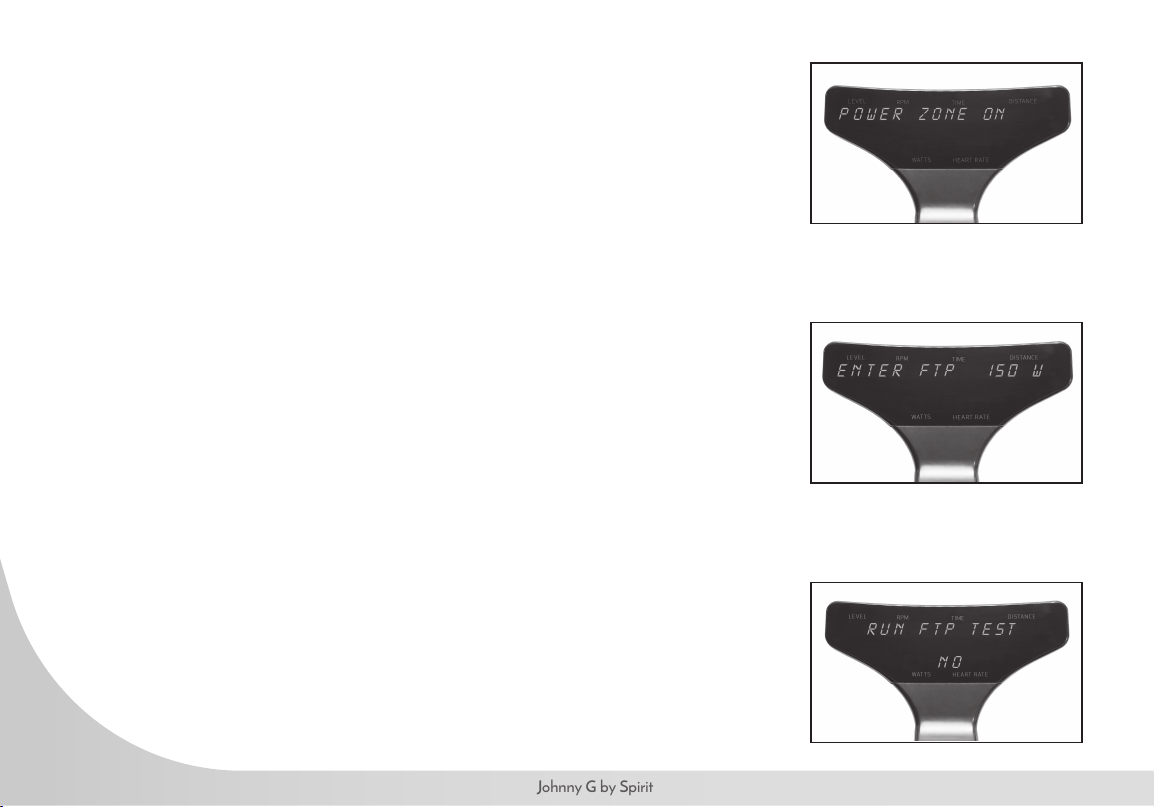
• POWER ZONE OFF or ON displays. Press + Key to display POWER ZONE ON.
Power zone LED illuminates on lower left of console. Press Play Key.
• ENTER FTP displays and 150W ashes.
• Press + or – Key to adjust FTP if actual is known up to 500.
• Users can enter their FTP or perform FTP test. (The default FTP level is 150W)
• Press Play Key.
• RUN FTP TEST displays and NO ashes. Press either + or – Key to toggle between NO
and YES for desired action.
• If NO, Upon pressing Play Key, Power Zone Program will begin.
• Home screen will appear and display: Level, RPM, Time, Distance, Watts, Heart Rate.
• Press + or – Key on either Forward Control Pad or handlebar ends to adjust resistance.
Console Power Zone LED color changes based on user percent of max FTP. Console
Power LED is on left side of console. Power Zone LED color spectrum is as follows:
45
www.johnnygspiritbike.com
Console Power Zone LED color changes based on user percent of max FTP. Console Power LED is
on left side of console. Power Zone LED color spectrum is as follows:
• <55% FTP = White
• 56 – 75% FTP = Blue
• 76 – 90% FTP = Green
• 91 – 105% FTP = Yellow
• >106% FTP = Red
Press + or – Key on either Forward Control Pad or handlebar ends to adjust resistance. To end
workout, refer to instructions on Ending Ride or User and the workout summary on page 41.
NOTE: Power Zone Program requires the use of users Functional Threshold Power or FTP in watts.
If user does not have an FTP, console can administer FTP test. See FTP TEST for instructions.
46
Johnny G by Spirit
FTP TEST
A thorough warm-up is important for a successful and accurate FTP test. Use
Warm Up Mode for a minimum 5 minutes of steady pedaling and intervals prior
to starting FTP test. If user needs to establish their FTP, console can administer FTP
test. During set-up process:
• Enter Power Zone program as instructed on page 44.
• ENTER FTP displays and 150W ashes.
• Press + or – Key to adjust FTP if actual is known.
• Users can enter their FTP or perform FTP test.
• Press Play Key.
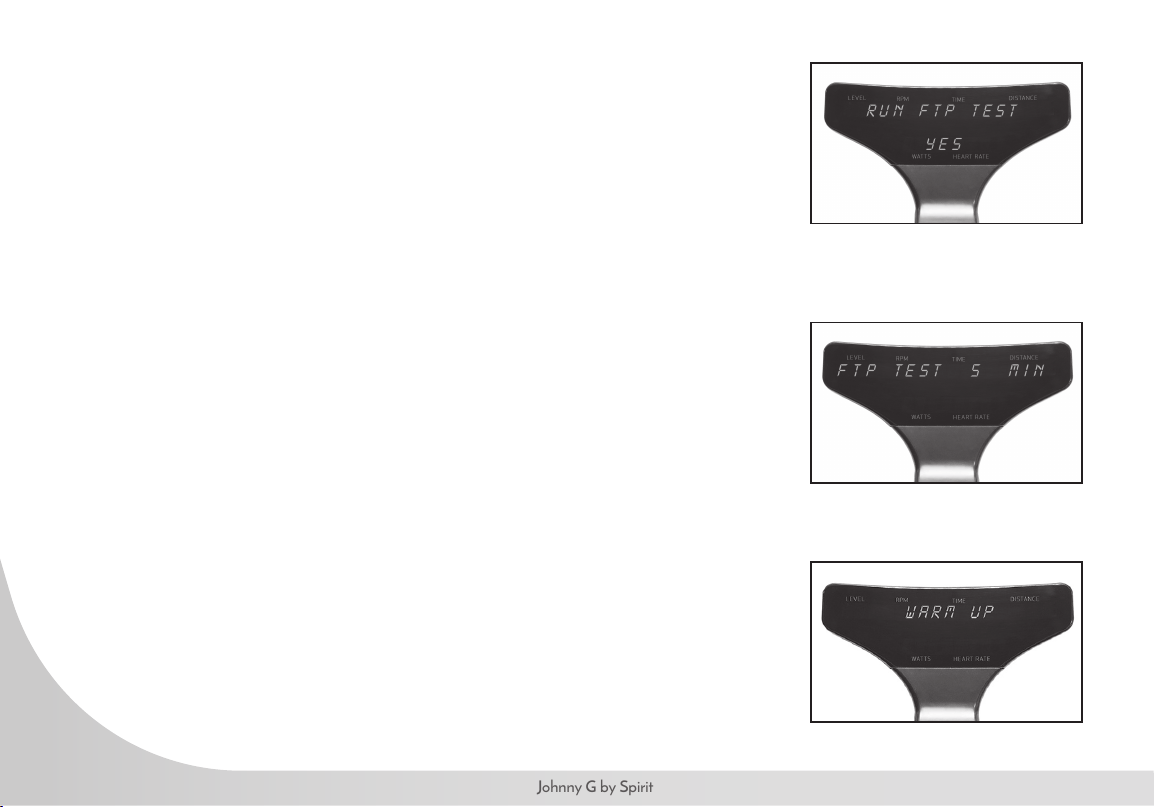
• RUN FTP TEST displays and NO ashes.
• Press either + or – Key to toggle to YES. Press Play Key.
• FTP TEST displays and 5 MIN ashes. Press either + or – Key to toggle between a
5- and 20-min test.
• User can take either 5- or 20-MIN FTP test. A 20-minute test is a better measure of a
user’s FTP, however if choosing 5-minute test because of time constraints, attempt test
again later for repeatability of the results.
• Press Play Key.
• WARM UP displays and 0.30 seconds counts down.
• GO Displays for 3 seconds.
• FTP test begins. and test time counts down.
• Press + or – Key on either Forward Control Pad or handlebar ends to adjust resistance.
47
www.johnnygspiritbike.com
NOTE: Ideal pacing is a steady and consistent effort throughout the duration, where
the average power for the rst half is also the same as the average power for the
second half. Listen to your body. Aim for a watt target that can be sustained.
Test will continue until completed or until ended by pressing the Play Key.
• If test terminated early, console displays TEST ENDED EARLY then reverts to
FTP TEST.
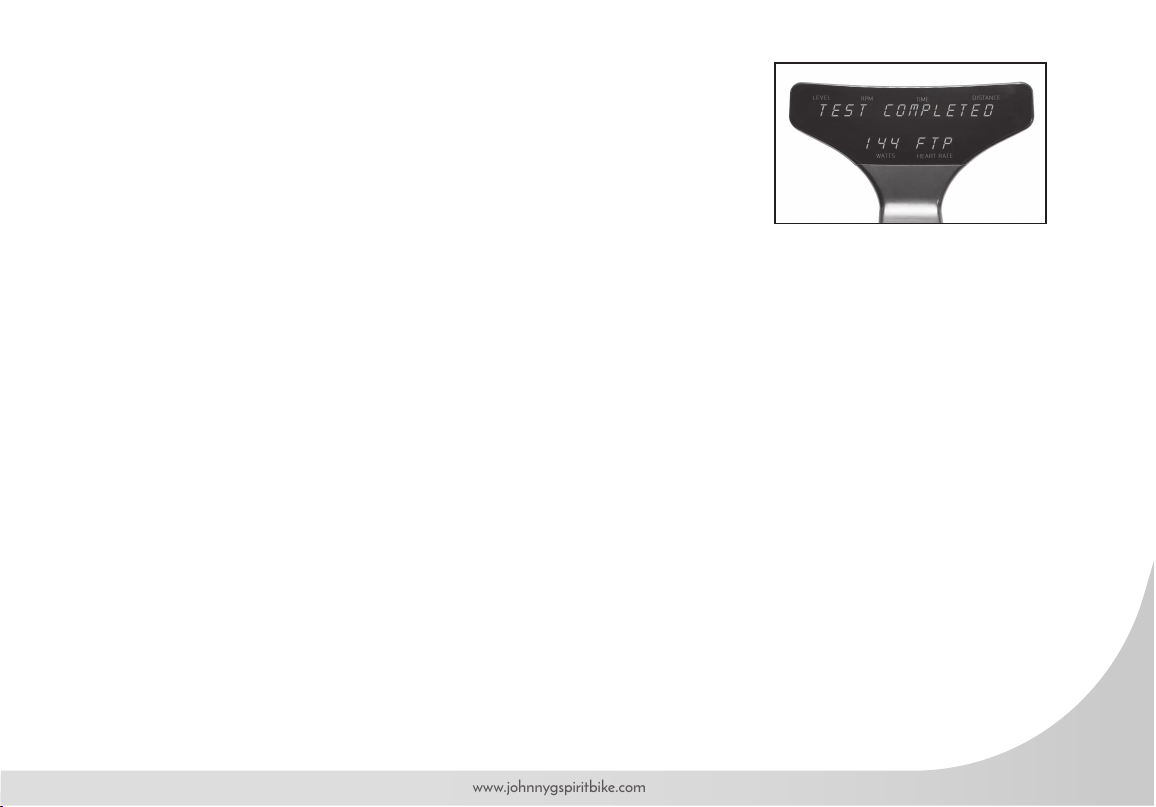
• If test is completed, console displays TEST COMPLETED with FTP watts value displayed.
• FTP score after test = 95% of Average Watts during test.
• Press Play Key to return to Power Zone Program with FTP score entered program.
• If desired, reset the console by pressing simultaneously and holding + Key and Play Key
for 3 seconds. This action will exit rider from Power Program and revert to warm up.
To end workout, refer to instructions on page 41 on Ending Ride or User and
the workout summary.
48
Johnny G by Spirit
LAP PROGRAM
The Lap Program allows riders to perform repeated measures of Time and
Distance efforts. The program will compare your current lap with your previous lap.
Rider may perform as many laps as desired, but only the last 5 laps will display in
the workout results.
To start:
• If just beginning a riding session and HR strap has not been paired, refer to page 37 for
pairing HR and passing the Warm Up Mode into the HR Zone program.
• Use the USER function as instructed on page 43 to access the LAP program.
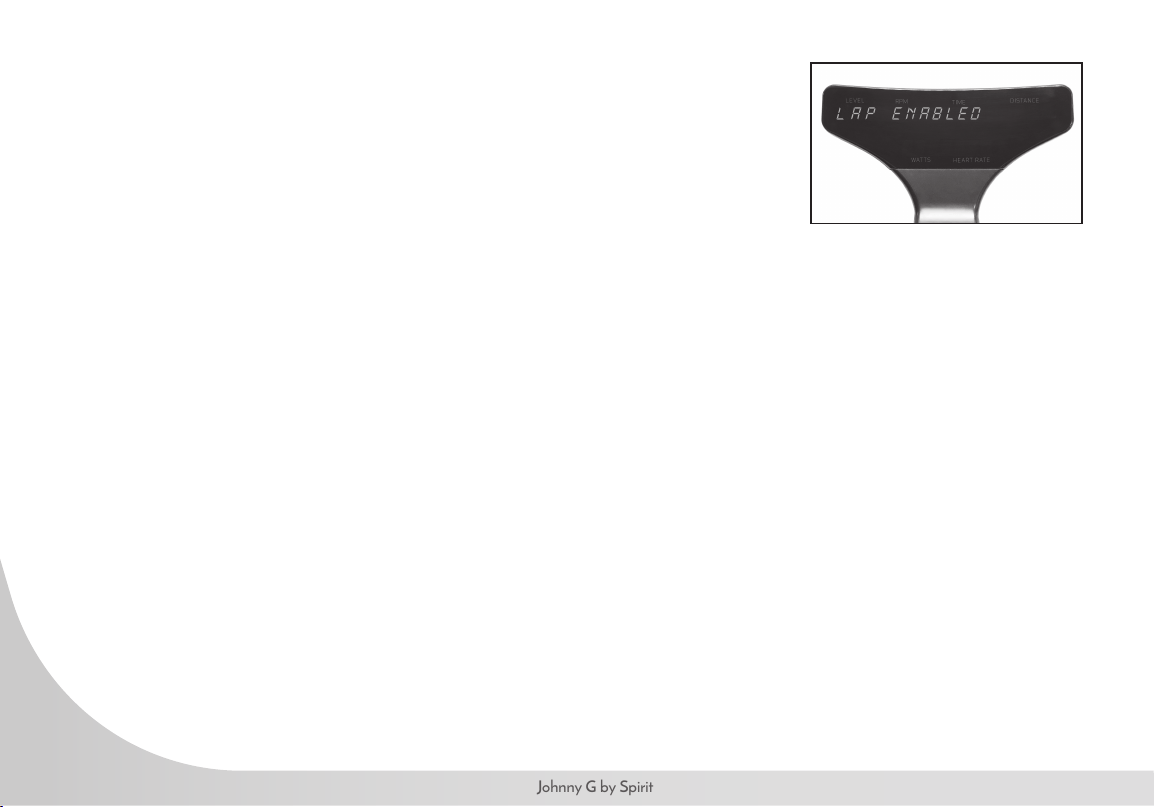
• Press + Key to ENABLE.
• ENABLED setting is required for Lap Program to run and for lap results to display in
workout summary.
• Press and hold Play Key for 3 seconds to activate the LAP Program
• Home screen will appear and display: LEVEL, RPM, TIME, DISTANCE, WATTS, HEART RATE.
• Press + or – Key on either Forward Control Pad or handlebar ends to adjust resistance.
• Until Play Key is pressed to start a lap, the rider will remain in a Recovery Mode.
To start lap:
• At desired time of Recovery Mode, press Play Key.
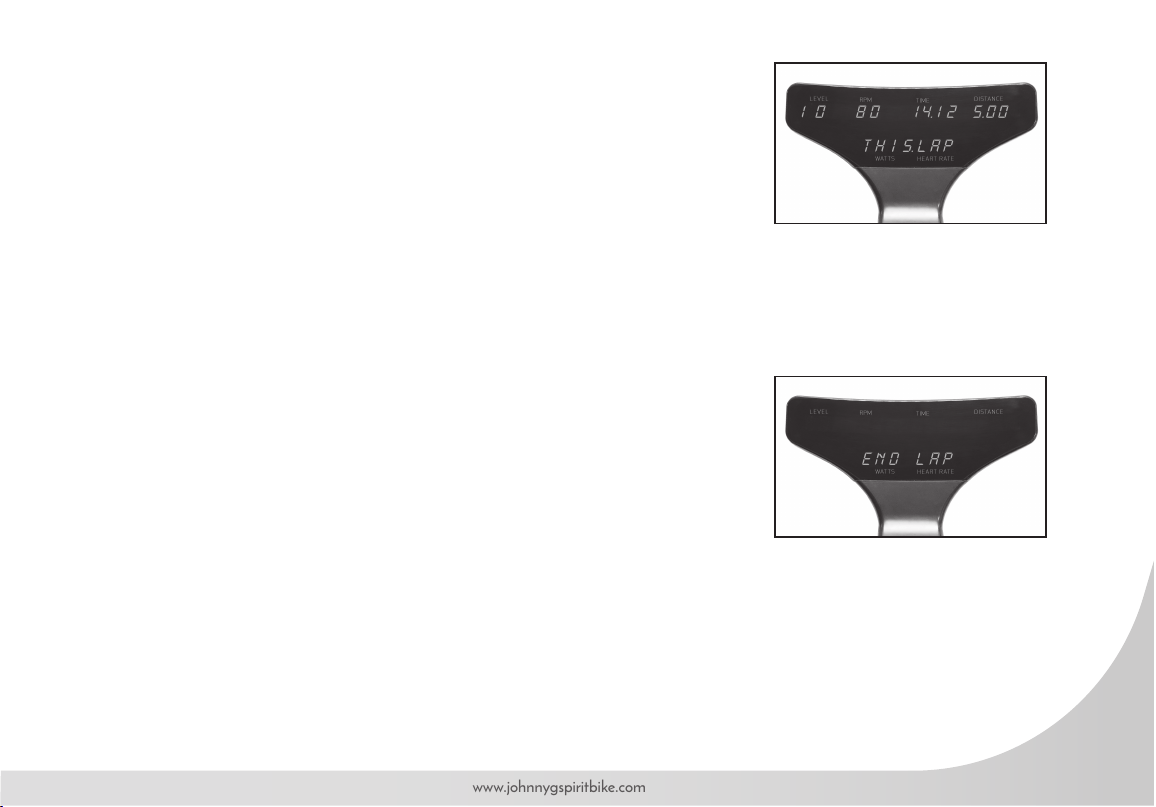
• THIS.LAP displays on lower section of console, replacing Watts and Heart Rate.
• The TIME display will reset to 0.00.
• The DISTANCE display will reset to 0.00.
• Lap is being recorded.
49
www.johnnygspiritbike.com
To end lap:
• Press Play Key again and display temporarily goes away with END LAP displayed on
lower section of console.
• Display shows TIME and DISTANCE paused and THIS.LAP.
• After 5 seconds, full display returns with total accumulated Time and Distance from
beginning of program. Watts and Heart Rate returns to display.
• Lap has been recorded.
• At this point rider is in a recovery phase prior to beginning another lap or ending ride.
Next lap:
• If Play Key is pressed again, the cycle described above will repeat.
• THIS.LAP displays on lower section of console
• The TIME display will reset to 0.00.
• The DISTANCE display will reset to 0.00.
• After 5 seconds, LAST.LAP appears, ashing 3 times.
• Total time and distance will display from previous lap.
• Words LAST.LAP will ash. Display will show LAST.LAP for 3 seconds, then back to
THIS.LAP for 5 seconds.
• Cycle will repeat until Play Key is pressed, END LAP briey displays, then THIS.LAP data
displays for 5 seconds, then LAST.LAP for 5 seconds, then console exits to recovery mode
and total workout information displays.
• User may continue using lap function, but number of laps saved in memory for display
during workout summary is the last 5 laps completed.
50
Johnny G by Spirit
To end the LAP Program and view workout results, refer to page 41 for complete
instructions on ending workout.
• Press and hold Play Key for 3 seconds and all current data will pause.
• Screen displays END RIDE or USER with END RIDE ashing.
• Press Play Key to select.
• Screen displays END WORKOUT.
• NO will ash on display.
• Press either + or – Key to toggle between NO and YES for desired action.
51
www.johnnygspiritbike.com
MAINTENANCE MODE
Maintenance Mode contains sensitive settings for your bike's console. Becoming familiar with the Maintenance Mode
information used in this section important for your bike's proper operation. It is necessary that the console be powered
in order to access the Maintenance Mode. Pedaling above 30RPM is all that is needed to illuminate the console.
Maintenance Mode offers following bike settings:
• Key Test
• Display Test
• Odometer
• Units – English/Metric
• Brake Test
• RPM Sensor
• Update Software
• LED Brightness
• Bike ID
• Auto Pair HR
• HR Zone
• Demo Mode
• Calibration
52
Johnny G by Spirit
ENTERING MAINTENANCE MODE
It will be necessary for light to moderate pedaling of bike to power on the console, enter
Maintenance Mode and change the settings.
• Simultaneously press and hold + Key, – Key and Play Key on Forward Control Pad for 3 seconds.
• Console displays MAINTENANCE MODE.
Upon entering Maintenance Mode:
• Press Play Key.
• KEY TEST displays on console.
• Press the + Key to scroll through different screens until the desired screen displays.
• Press Play Key to enter displayed setting.
• Once within setting, use + or – Key adjust.
• Press Play Key to conrm and exit some but not all settings.
• Press the + Key to scroll through to another screen.
• Exit Maintenance Mode by resetting console.
• Press Play Key and + Key simultaneously for 3 seconds. CONSOLE RESET displays on console.
NOTE: If console displays CONSOLE RESET, instead of MAINTENANCE MODE, then
ALL 3 keys on Forward Control Pad were possibly not pressed and held simultaneously or for
enough time; attempt action again.
53
www.johnnygspiritbike.com
KEY TEST
The purpose of this setting is to ensure that each of the buttons are signaling properly.
• Press Play Key to enter setting.
• Press Play Key and follow console direction PRESS ALL KEYS.
• There are 5 buttons that control the bike:
• Forward Control Panel: + Key , – Key and Play Key.
• Handlebar Ends: Right Side + Key, Left Side – Key.
• TEST PASSED displays if all keys are communicating properly.
• System will revert to setting screen.
• Press + Key for next screen or reset console to exit Maintenance Mode.
DISPLAY TEST
The purpose of this setting is to ensure that each of the 23 LED Panels are fully functional.
• Press Play Key to enter setting.
• All sections of each of the 23 LED panels will illuminate.
• Press Play Key to turn off.
• Press Play Key again.
• All LED panels will illuminate the #1, then automatically cycle from #1 – 9 and A – Z.
• LED color lights for HR Zone and Power Zone cycle through colors.
• Display will turn off then will revert to setting screen.
• Press + Key for next screen or reset console to exit Maintenance Mode.
54
Johnny G by Spirit
ODOMETER
The purpose of this setting is to track the number of hours bike has been in use.
• System will automatically display ODOMETER HRS.
• HOLD PLAY TO RESET appears.
• To reset Odometer, press and hold Play Key.
• It is useful to keep track of bike usage for routine maintenance considerations.
• It is useful when considering moving bike around in studio to even usage.
• System will revert to setting screen.
• Press + Key for next screen or reset console to exit Maintenance Mode.
UNITS
The purpose of this setting is to change from ENGLISH (Imperial) to METRIC distance calculation.
• Press Play Key to change setting.
• Default setting is ENGLISH.
• SPD AVG and SPD PEAK in workout results will only display MPH.
• Press + Key for next screen or reset console to exit Maintenance Mode.
55
www.johnnygspiritbike.com
BRAKE TEST
Brake test controls are a sensitive setting for your bike's functionality. Proper training is
required for this setting. The purpose of this setting is to test the magnetic resistance system.
• Press Play Key to enter Brake Test. MOTOR TEST AUTO is displayed.
• Press + Key or – Key to switch to Motor Manual and Limit Sensor and Exit.
• Press Play Key.
• LEVEL TO 20 displays, Press Play Key.
• Auto-run motor in a look from L-1 to L-20 and back to L-1.
• Press Play Key to end, revert to BRAKE TEST.
MOTOR TEST MANUAL
• Use + Key and – Key to move motor.
• Press Play Key to end, revert to BRAKE TEST.
• ENCODER displays. This is Encoder count or digital value. Upper right of display
displays LIMIT SENSOR CONDITION.
• 1 = HOME
• 2 = ACTIVE RANGE
• 3 = END
• Lower display displays ENCODER SET VALUE.
56
Johnny G by Spirit
LIMIT SENSOR
Limit Sensor tests for the proper movement of the ag the moves between the home sensor
(S1) and the limit sensor (S2). This test is performed only when motor error has occurred.
• S1 OFF, S2 OFF, bottom number is encoder wheel count (0)
• Using the + and – Keys, adjust the motor to try and change S1 to ON.
• Pedaling resistance should change as keys are pressed.
• If S1 ON, stop pedaling immediately, allow console to turn off and let stand for 15 minutes
minimum for memory to clear before trying bike.
• EXIT will revert to setting screen.
• Press + Key for next screen or reset console to exit Maintenance Mode.
RPM SENSOR TEST
RPM Sensor controls a sensitive setting for your bike's functionality. Proper training is
required for this setting. The purpose of this setting is to test the functionality of the RPM
detection system.
• Press Play Key to enter RPM Sensor Test.
• REED ON RPM displays ON or OFF.
• When REED switch is closed, displays ON.
• When REED switch is open, displays OFF.
• RPM displays PEDAL RPM.
• Press Play Key to exit to setting screen.
• Press + Key for next screen or reset console to exit Maintenance Mode.
57
www.johnnygspiritbike.com
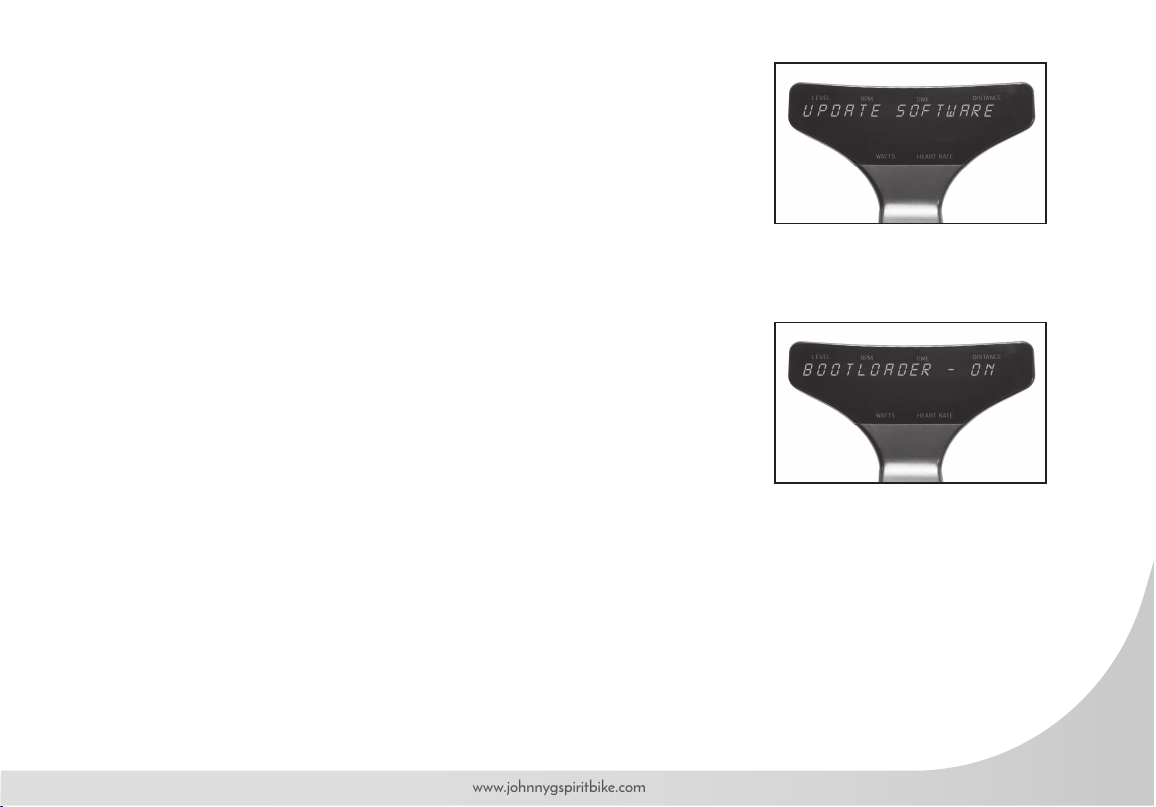
UPDATE SOFTWARE
The purpose of this setting is to update console software with the use of a USB
inserted into a port underneath the console. Updating software requires a Blank
USB memory stick and a computer to transfer updates from service website or
e-mail from customer service, to USB, to console. No other material besides the
updates should be in USB drive.
• Press Play Key to display BOOTLOADER – OFF.
• Press + or – Key switch to BOOTLOADER – ON.
• Press Play Key to advance out of software update
• Allow console to power down.
• Wait until console lights have turned off completely.
• Insert the USB drive.
• Pedal bike to awaken console.
• If successful, displays UPDATE DONE (ashing)
• If unsuccessful, displays UPDATE FAIL, check USB for proper insertion and re-attempt.
• Console will reset with JOHNNY G METHOD ashing.
• Remove the USB stick
58
Johnny G by Spirit
LED BRIGHTNESS
The purpose of this setting is to change the brightness of the display.
• Press Play Key to change setting.
• D efault brightness setting is 2.
• Press + Key or – Key switch between LED Brightness 1, 2, or 3.
• Press Play Key to accept and exit to setting screen.
• Press + Key for next screen or reset console to exit Maintenance Mode.
BIKE ID SETUP
The purpose of this setting is allowing numbering of the bike when using a Leaderboard
software, such as Performance IQ or similar.
• Press Play Key to change setting.
• Console will display BIKE ID SETUP, and 1 on the lower console ashing.
• Press + Key or – Key to adjust the bike number to the desired number. Over 1,000 are available.
Set each bike to a unique number. The number must be set to 1 or above, 0 is not a valid number.
• Press Play Key to accept, bike number will stop ashing momentarily then turn off indicating set.
• Press + Key for next screen or reset console to exit Maintenance Mode.
59
www.johnnygspiritbike.com
AUTO PAIR HR
The purpose of this setting is to turn ON or OFF the HR pairing function during the Warm
Up Mode. Not all cycling classes are done using HR. Facilities have the option to simplify
the user set-up and facilitate getting into the Manual Mode where HR tracking is not used.
The default setting is OFF.
When OFF, pairing HR can only be done using the PAIR HR DEVICE function within the
Programs Mode.
• Press Play Key to change setting.
• Default HR pairing setting is OFF.
• Press + or – Key switch OFF and ON.
• Press Play Key to accept and exit to setting screen.
• Press + Key for next screen or reset console to exit Maintenance Mode.
HR ZONE
The purpose of this setting is to turn ON or OFF the HR Zone LED light when a HR strap
is paired. A facility may choose to deactivate this light if it were a distraction or against
their class structure. If a HR strap is paired, the console maintains tracking of HR training
performance regardless of the LED lights activation The default setting is ON.
• Press Play Key to change setting.
• Default HR pairing setting is ON.
• Press Play Key to change between ON and OFF.
• Press + Key for next screen or reset console to exit Maintenance Mode.
60
Johnny G by Spirit
DEMO MODE
For the console to continually display DEMO MODE, a plug-in cord would be
required that can connect with the bikes electrical board. This setting is primarily
used for manufacturer Trade Shows and requires access to electricity. The purpose
of this setting is allowing the console to display.
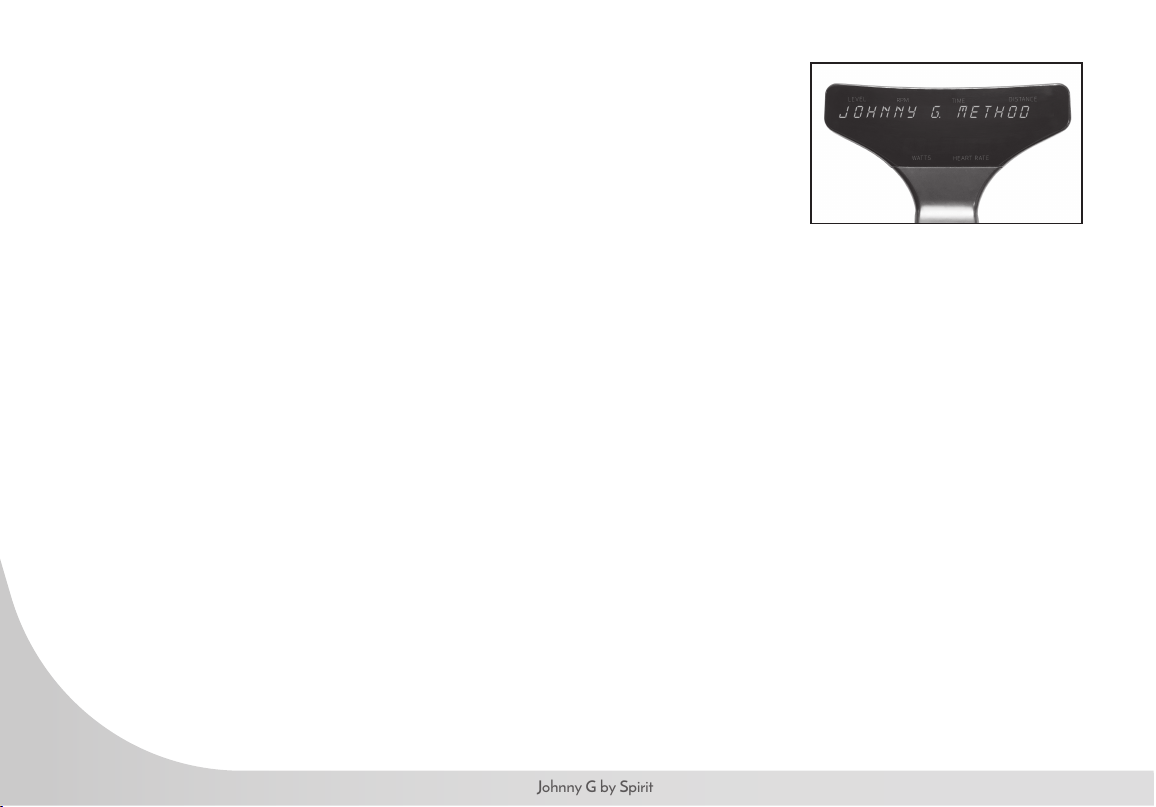
• Press Play Key to enter DEMO MODE and the following display in a loop:
• JOHNNY G. METHOD
• THE RIDE OF TRUTH
• ENJOY THE RIDE
• Press Play Key to exit to setting screen.
• Press + Key for next screen or reset console to exit Maintenance Mode.
CALIBRATION
Calibration contains factory-sensitive settings for the bike's resistance system. Do not enter
and make adjustments as they will negatively affect the bike's resistance prole.
61
www.johnnygspiritbike.com
FUNCTIONAL THRESHOLD POWER
Power/Watts – What is it?
It has been said that from a coaching perspective the Watt is the measurement of truth: why is this?
Because you either can perform at a set wattage at a given time or you can’t, the response is instant. For the coach
and athlete this is very useful as it provides unequivocal feedback of what has been performed in terms of intensity,
duration and total workload. This adds a level of precision to workouts not otherwise possible with other metrics such as
heart rate or RPE. Power provides an objective measure of progress and is an excellent indication of tness.
Functional Threshold Power (FTP): Functional Threshold Power is one of the key factors of your power cycling armory
but what is it? It's generally agreed that FTP is the maximal power output that can be sustained for the duration of one
hour, the classic time trial.
This is why FTP is important. We know that the exercise intensity at which lactate begins to accumulate - the lactate
threshold (LT) - is a powerful predictor of endurance ability, this is because although cardiovascular tness, i.e.,
maximal oxygen uptake (VO2max) sets the upper limit to the rate of aerobic energy production, it is the metabolic
tness indicated, LT, that determines the percentage of VO2max that can be utilized for a given period of time.
Consequently, LT – especially when expressed as a power output, is the single most important physiological
determinant of performance. This therefore provides a physiologically sound basis around which to design power meter-
based training programs.
How Do We Measure FTP?
There are several ways to test riders FTP but the two most commonly employed by riders is the 20-minute test and the
other being much shorter at 5 minutes. Each of these has a high correlation to the 60-minute test but were developed
for practical reasons of time and ability of most individuals.
62
Johnny G by Spirit
20-minute Functional Threshold Power Protocol*
• 20 minutes easy warm-up
• 3 x 1-minute speed bursts with a minute rest between (100 RPM pedal cadence)
• 5 minutes easy
• 5 minutes all out (hard at rst, but not so hard that you can’t complete the effort)
• 10 minutes easy
• 20-minute steady max effort (this is the test – like the previous 5-minute all-out effort, keep in control, hard but steady
• 10 to 15-minute cooldown
5-minute Functional Threshold Power Protocol:
• 20 minutes easy warm-up
• 3 x 1-minute speed bursts with a minute rest between (100 RPM pedal cadence)
• 5 minutes easy
• 5 minutes all out (this is the test so go hard at rst, but not so hard that you can’t complete the effort)
• 10 to 15-minute cool-down
* Training and Racing with a Power Meter: Allen and Coggan, 2nd Ed 2010.
FTP and Zones: Zones, be it in Heart rate or describing energy systems, can mislead people in to thinking that the
levels are compartmentalized into set and discrete physiological responses. It must be emphasized that there is a
sliding continuum that blends across one level to the next. There is no physiological ‘switch’ from one level to the next
but a sliding scale of effort across the identied training outcomes. The reason we use zones is that it offers coaches
a framework for understanding, to develop a structure for sustained improvement. A simple way to remember it in
relation to time is: “the harder you do it, the less time you can do it for".
63
www.johnnygspiritbike.com
POWER TRAINING LEVELS
Basis for the System/Number of Levels
The industry standard has been set at 5 levels as that was felt to be the optimum number needed to represent the
range of physiological responses and to describe the different types of training required/used to meet the demands of
tness-based cycling. These zones are a guide only and are used alongside other information related to an individual’s
tness capacity and specic goal-based training program.
The table shown below lists the primary physiological adaptations expected to result from training at each level,
although these will obviously be inuenced by factors such as the initial tness of the individual, the duration of each
workout, the time taken between each interval effort, etc.
ZONE FTP% ASSOCIATED HEALTH AND FITNESS BENEFITS
Red 106 - >150% Threshold Zone – Red Line zone
Improved VO2 threshold and higher lactate tolerance ability.
Yellow 91-105% Aerobic Zone or the Transition Zone – Shifting ratio of fuel
Benets: improved functional capacity, increases number and size of blood vessels, respiratory rate, max pulmonary ventilation, pulmonary
diffusion, increase in difference in arterial – oxygen, increase in size and strength of heart.
Green 76-90% The Temperate Zone or Recovery Zone
Benets: healthy heart, fat mobilization by moving fat from cell, fat to muscle, increase of mitochondria, increase of fat release from fat cell.
Blue 56-75% Healthy Heart Zone - Easiest and most comfortable ‘working’ zone
Benets: lowered blood pressure, lowered cholesterol, and decreased risk of degenerative diseases.
White <55% Starting zone, also used for complete recovery
Basic physiological changes linked to ‘warming up’, ‘warming down’ and recovery.
64
Johnny G by Spirit
Power is a useful tool for the following reasons:
• It correctly evaluates training sessions to avoid misinterpretation.
• It veries the workouts have been executed correctly.
• It evaluates training status and performance.
• It enables training load, overload and progression to be monitored.
• It allows the design of appropriate number and length of intervals in training.
• It helps decide and structure a race strategy or training session based on an athlete’s strengths.
HR and Power are the two portions of that equation: what is being produced and at what cost to our body. Both are
equally important to assess performance. If we only measurethe body’s response using a heart rate monitor and have no
gauge of the output, then we are limited in how to determine changes in tness. Having output-measuring devices such as a
power meter gives a lot of options for workouts and, essentially, makes every workout a test of tness progress.
The ratio of HR/Power is a good indicator of tness and progression in a training program. In a well-structured, progressive
and appropriate training program this ratio should get smaller, that is a lower HR for the same power output. The caveat
here is of course that the Heart Rate values being used to evaluate what is an adequate output response are founded
on an as accurate as possible personally tested Max Heart Rate and Max Threshold Heart Rate to allow for the correct
identication of the relevant working zones.
The leading authors in the eld of Power and its application to cycling are coaches such as Andrew Coggan, Hunter Allen,
Joe Friel, Chris Carmichael, and Allen Lim. These authors have led the way in developing complex algorithms, software and
websites to make training with power a simple method for the cyclists and the coach. It is their successful utilization of Power
for training cycling professionals that has led the way. If you have an urgent need to get deep in to the science linked to the
subject then the Internet will bring up many fascinating articles when you enter any of the names mentioned above, they are
the leading authorities in pro riding with power.
65
www.johnnygspiritbike.com
A regular preventative maintenance schedule with all tness equipment ensures that products are working at an
optimal condition without affecting the end user exercise experience. To assist in the maintenance regiment, it is
recommended to break service into: Daily, Weekly, & Monthly activities. Details on each activity can be found in the
Maintenance section of this document.
Working on this product will require basic and/or sometimes specialty tools based on the type of service that will be
performed at any time. To assist, Spirit Fitness recommends having the tools listed (Fig. 1) available when performing
maintenance.
TOOLS PURPOSE
Crank Puller Removing crank.
Metric Allen (Hex Key) Wrench Set Tightening or removing various Allen head screws throughout the product.
Metric Sockets Set Tightening or removing various hex nuts used throughout the product.
Metric Open Wrench Set Tightening or removing various hex nuts used throughout the product.
Square Drive Ratched Wrenches To use in conjunction with Allen head and or hex socket sets.
Torque Wrench Tightening various critical bolts throughout the product to specic torque specications.
Phillips Head Screwdriver Set Tightening or removing various Phillips head screws used throughout the product.
Flat Head Screwdriver Set Prying off specic shrouds from wedged locations.
FIGURE 1
66
Johnny G by Spirit
To move the bike to a new location: Lift the bike from the rear and use the front wheels (located on the front leg,
below the handlebar) to roll the bike from one location to another.
To level the bike: Use the four leveling adjusters (located on the underside of the front and rear legs) to
compensate for uneven oor surfaces.
Perform regular scheduled preventive maintenance procedures to maintain your Johnny G Spirit Bike bike in
serviceable condition.
The life of your product will be determined by how consistently you perform the daily maintenance procedures.
Dry the Johnny G bike after each use to remove sweat and moisture. It is best to use a liquid non-abrasive cleaner
diluted with water.
Wipe Down/Cleaning: To prevent the build-up of rust and other forms of corrosion, wipe down the bike at the end
of each day (or preferably at the end of each class). Raise all posts to the highest setting to expose moisture. Using
an absorbent cloth, focus on all areas that perspiration can settle. Give attention to the following areas:
• Handgrips
• Seat / adjustable slide for the seat
• Back leg assembly
NOTE: Never use abrasive cleaning liquids or petroleum-based solvents when wiping down the bike.
• Guard
• Pop-pins
• Leveling feet
67
www.johnnygspiritbike.com
Weekly maintenance should focus on the overall performance of your Johnny G Spirit Bike. During these inspections, look
for vibration and possible loose assemblies. Have an experienced rider ride each bike to identify and help diagnose any
vibration, noises, and any "unusual" feeling from the drive belt. Either faulty ywheel alignment or a loose belt can cause
vibration. Check for proper ywheel alignment. If ywheel requires adjustment refer maintenance to a properly trained
service tech. Inspect each bike for loose assemblies, parts, bolts and nuts. Give attention to the following:
• Tighten all frame base hardware.
• Tighten all pop-pin handles.
• Tighten seat hardware.
• Tighten pedal toe clip/toe straps.
The monthly maintenance check should be a comprehensive inspection of the overall frame and main assembly
components of the Johnny G Spirit Bike in addition to the Weekly Maintenance.
Inspect major moving parts that require constant proper torque. Loose or misadjusted parts can result in personal injury or
damage to the bike. Check the following parts for security and/or proper torque.
Pedals: Verify that the pedals are re-torqued after the rst 10 hours of use and every 100 hours of operation, thereafter.
Use a torque wrench if components are loose. IMPORTANT: It is not recommended that members change out the
pedals on the bike. NOTE: The pedal to the crank arm bolt torque is: 30 - 35 lbf•ft.
It is recommended that the frame on the bike is sealed from sweat impurities that may speed the corrosion process at
least once a month.
68
Johnny G by Spirit
Cleaning: Using a clean terry cloth that is dampened in 30 parts water to 1 part non-abrasive detergent or car wash
soap rub over the frame of the product.
Wash/Dry: Dampen a clean terry cloth in an only water solution to wipe away any soap residue. Using a second clean
and dry terry cloth; dry off any liquid residue.
Sealing: The frame can be sealed by applying a wax or polishing coat that can help repel away liquids
like human perspiration. Apply the wax or polish per the manufacturer’s instructions for best results.
Depending on the use and maintenance of the product, certain items may need to be replaced upon inspection due to
wear. These can be identied during scheduled inspections as described in the Preventative Maintenance section of this
owner’s manual beginning on page 66.
For international customers, please contact your local distributor.
69
www.johnnygspiritbike.com
MANUFACTURER
Dyaco Commercial & Medical
North America
18303 Bothell Everett Hwy.
Suite 210
Bothell, WA 98012
TEL: +1-425-659-2401 (Local)
TOLL-FREE: +1-866-463-2662
EMAIL: customerservic[email protected]
INTERNATIONAL OFFICES
Taipei HQ Ofce
12F, No.111, SongJiang
Rd. Taipei City, Taiwan, 10486
TEL: +886-2-2515-2288
FAX: +886-2-2515-9963
EMAIL: info@dyaco.com
Dyaco Japan
Ryogoku ST Bldg. 7F 2-17-17
Ryogoku Sumida Tokyo 130-0026, Japan
TEL: +81 3-5669-0405
FAX: +81 3-5669-0406
EMAIL: info@dyacojapan.co.jpc
Dyaco Shanghai
Room 210, No.350
Hengren Road
Yangpu District
Shanghai, China 200438
TEL: 86-21-65068300
FAX: 86-21-65068150
Dyaco UK Ltd
Fairbourne Drive
Atterbury
Milton Keynes
MK10 9RG UK
TEL: +44-0-800 029 3865
EMAIL: sales@dyaco.co.uk
Dyaco Germany
Technologiepark Bergisch-Gladbach
Haus 56
Friedrich-Ebert-Straße 75
51429 Bergisch Gladbach
TEL: +49-0-2204 844 340
FAX: + 49-0-2204 844 333
EMAIL: info@dyaco.de
Dyaco Canada
5955 Don Murie Street
Niagara Falls, ON
L2G 0A9
Canada
TEL: +1 888-707-1880
FAX: +1 905-353-8968
EMAIL: sales@dyaco.ca
70
Johnny G by Spirit
NOTES
71
www.johnnygspiritbike.com
NOTES
866.463.2662
www.johnnygspiritbike.com
Dyaco Commercial &
Medical North America
18303 Bothell Everett Hwy.
Suite 210
Bothell, WA 98012
Johnny G Spirit Bike
Owners Manual
© 2020 All Rights Reserved
Revision: 01.28.2020