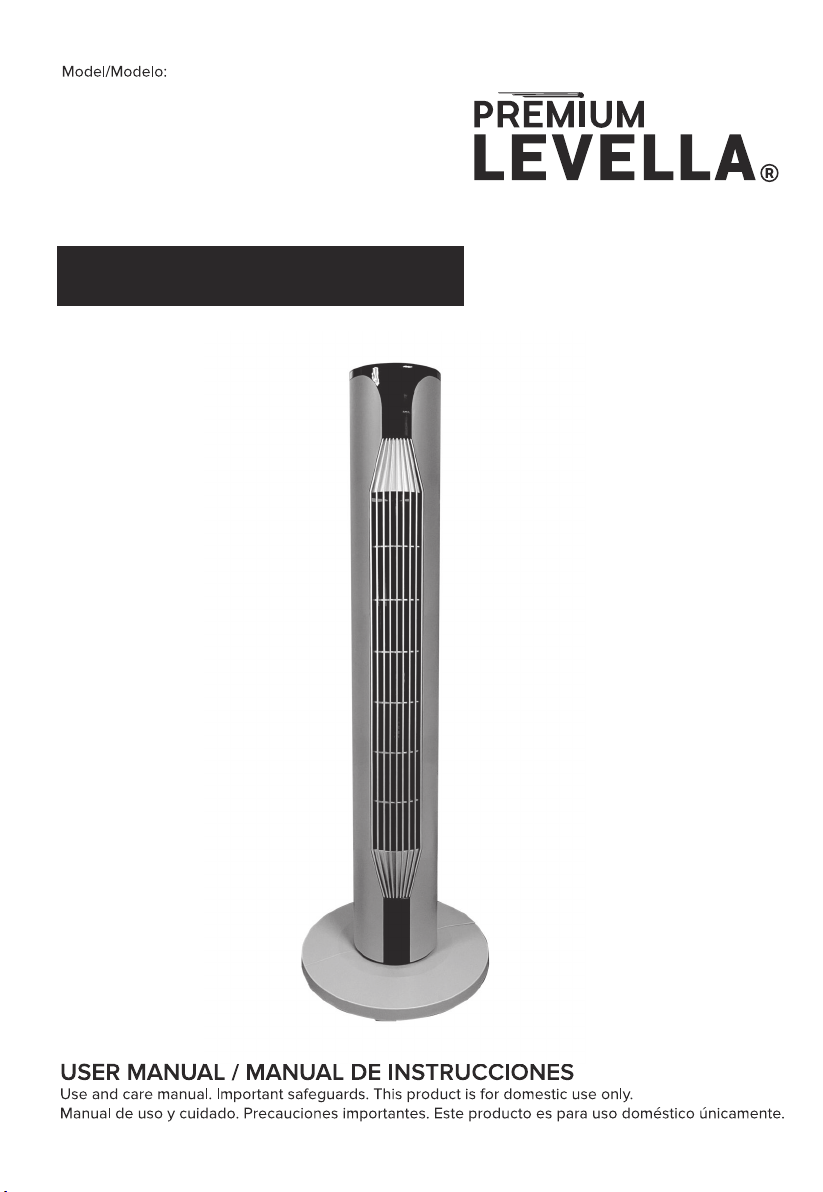
PFT364R
36" TOWER FAN
VENTILADOR DE TORRE DE 36"
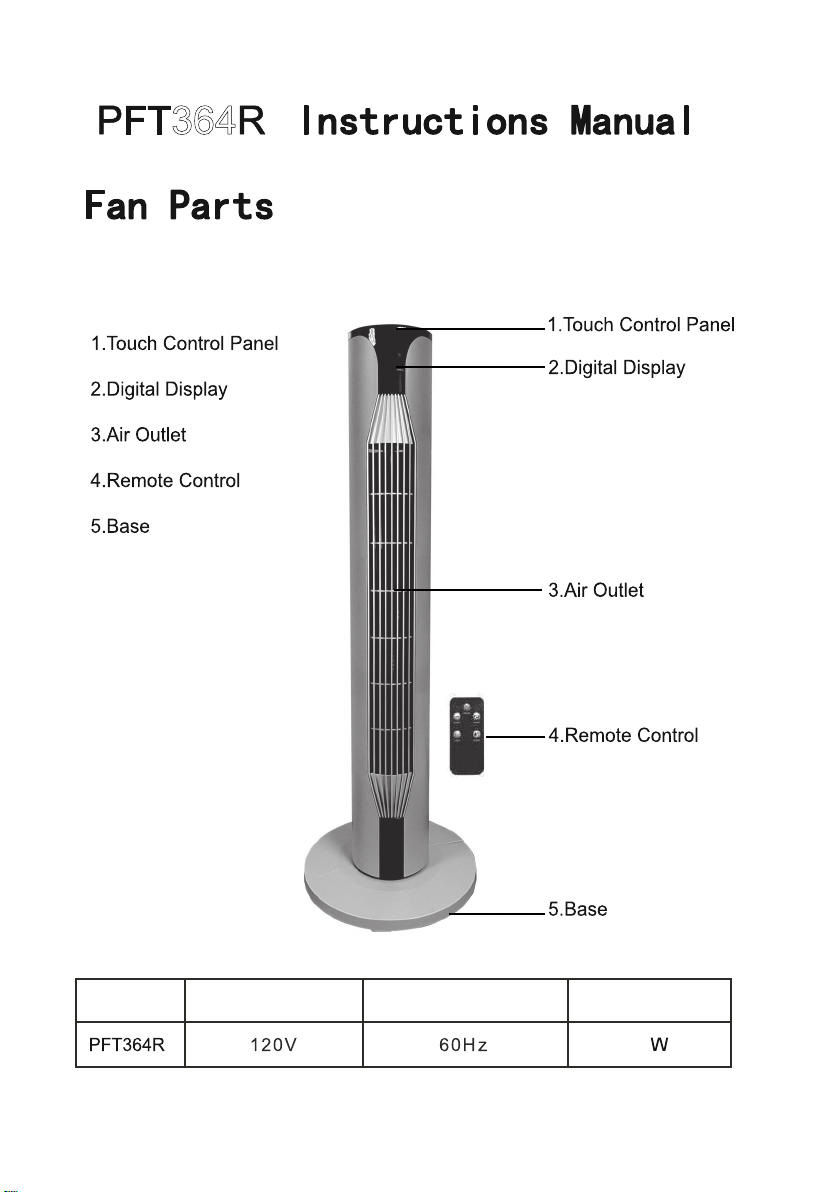
364
55
Model Nominal Voltage Nominal Frequency Nominal Power
1

Thank you for your purchasing this fan. Please read all instrucons
carefullyandkeepforfutureuse.
INSTRUCTIONSFORUSE
PleasereadtheseOperangInstruconscarefullybeforeconnecng
yourdevicetothemains,inordertoavoiddamageduetoincorrectuse.
Pleasepayparcularaenontothesafetyinformaon.Ifyoupassthe
deviceontoathirdparty,theseOperangInstruconsmustalsobe
handedover.
WARNING-Whenusingelectricalappliances,basicsafetyprecauons
shouldalwaysbefollowedtoreducetheriskoffire,electricalshockand
personalinjury.
SAFETYINFORMATION
1.Incorrectoperaonandimproperhandlingcanleadtofaultsonthe
deviceandinjuriestotheuser.
2.Intheeventofimproperuseorincorrecthandling,noliabilitycanbe
acceptedforanydamagethatmayoccur.
3.Beforeyouputtheplugintotheelectricalsocket,pleasecheckthat
thetypeofcurrentandmainsvoltagecorrespondstotheinstruconson
thenameplateontheundersideoftheappliance.
2

4.Donotimmersetheunitormainspluginwaterorotherliquids.
Thereisriskofelectricshock!However,ifthisshouldoccur,removethe
mainsplugimmediatelyandthenhavetheunitcheckedbyanexpert
beforeusingitagain.
5.Donotoperatethedeviceifthemainscableorthemainsplugshow
signsofdamage,orifthedevicehasfallenonthefloororhasbeen
otherwisedamaged.Insuchcasestakethedevicetoaspecialistfor
checkingandrepair,ifnecessary.
6.Neverremovethemainsplugfromthesocketbypullingonthemains
cable,orwithwethands.
7.Ensurethatthemainscabledoesnothangoversharpedgesorit
becomestrapped.
8.Keeptheapplianceawayfromdampplacesandprotectfrom
splashes.
9.Keeptheapplianceawayfromhotobjects(e.g.oven)andopen
flames.
10.Ifthesupplycordisdamaged,itmustbereplacedbythe
manufacturer,itsserviceagent,orsimilarlyqualifiedpersonsinorderto
avoidahazard.
11.Thisapplianceisnotintendedforusebyperson(includingchildren)
withreducedphysical,sensoryormentalcapabilies,orlackof
experienceandknowledge,unlesstheyhavebeengivensupervisionor
3

ins s concerning the use of the appliance by a person responsible
for their safety.
12. Children should be supervised to ensure that they do not play with
the appliance.
13. The machine should not be operated by means of an external
chme-swit
or by means of a separate system with remote control.
14. Use the appliance on a flat, dry and heat resistance surface.
15. This appliance is intended to be used in household and similar
applica
such as: staff kitchen areas in shops, offices and other
working environments; farmhouses; by clients in hotels, motels and
other residen
type environment; bed and breakfast type
environments.
16. Never leave the device in una
ended during use.
17. Do not store or operate the appliance in the open air.
18. Keep the appliance in a dry place, inaccessible to children (in this
packaging).
19. Never put fingers or any other objects through the grilles (fan guards)
when the fan is running.
20. The appliance must be assembled completely before use.
21. Watch out for long hair! It can be caught in the fan due to the air
turbulence.
22. Do not point the air flow directly to people for a long
4
23. Ensure that the fan is switched off from the supply mains before
removing the guard.
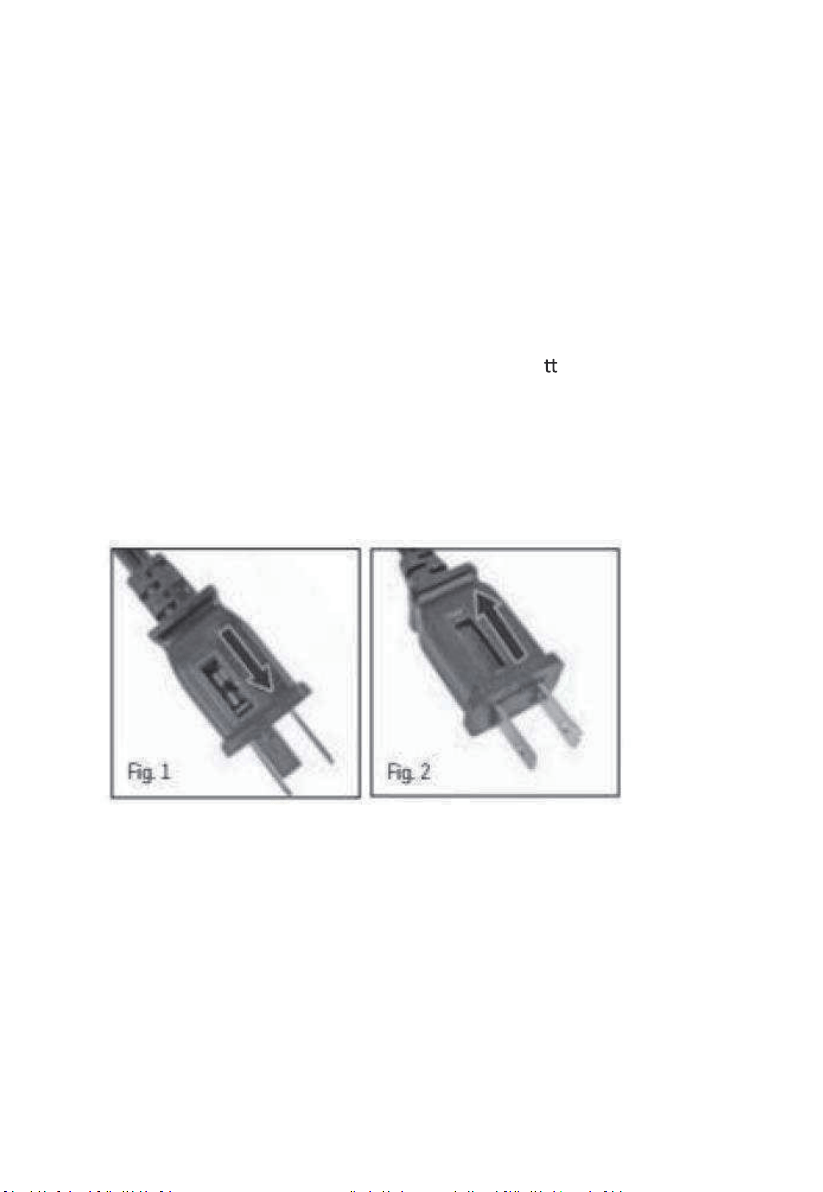
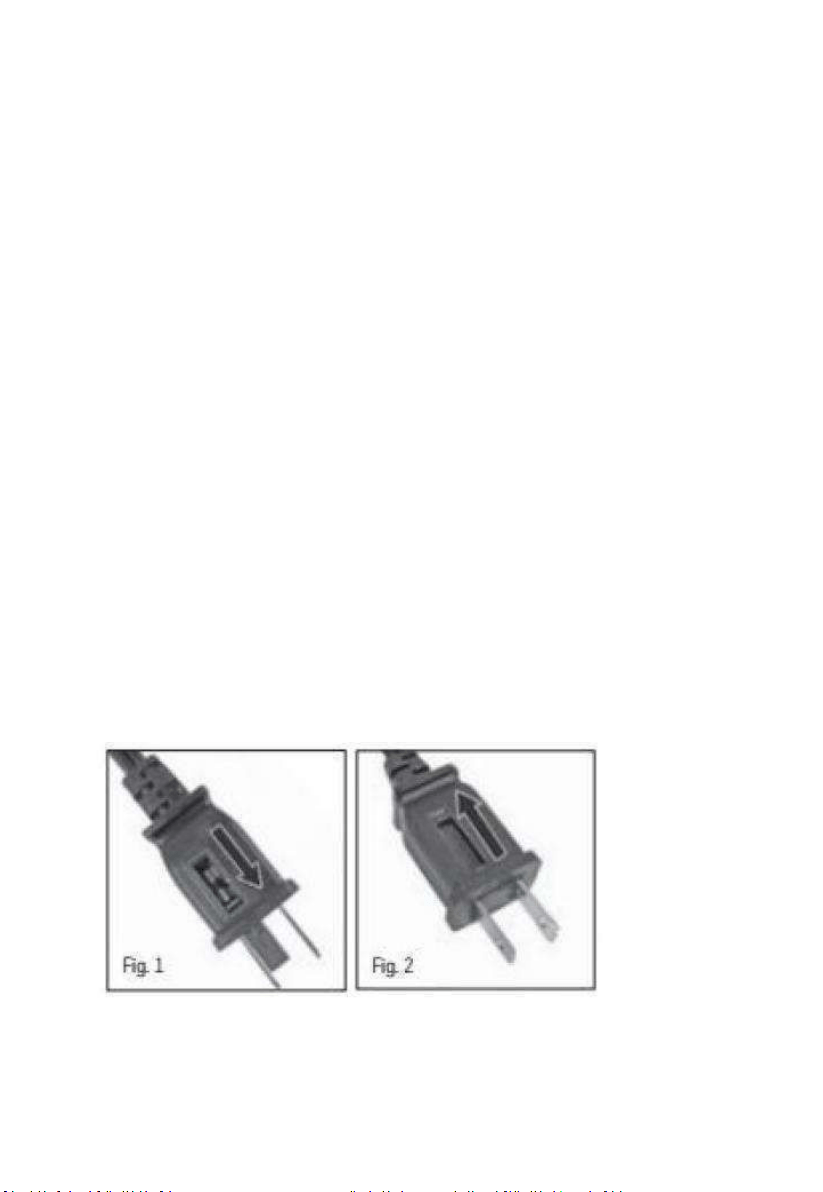
24. To reduce the risk of fire, replace fuse with a Max 5 Amp ,125 volt
fuse. Fully close the fuse door by sliding back into place (Fig.2) and
discard the blown fuse. The plug should now be ready for normal use.
25. To reduce the risk of fire, do not replace the a
achment plug. It
contains a safety device (fuse) that should not be removed.
Discard product if the a
achment plug is damaged
5
OperaonInstrucons
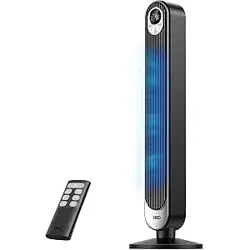
DISTANCEOFFANREMOTECONTROL:5M
1.PowerON/OFF
PushtheON/OFFswitchandthetowerfanwillstartworking.Whenthe
fanisworkingpushON/OFFswitchandthefanwillstopworking.
2.Timerfuncon
Pushthemerswitchtoselect1,2,3to12hoursme.
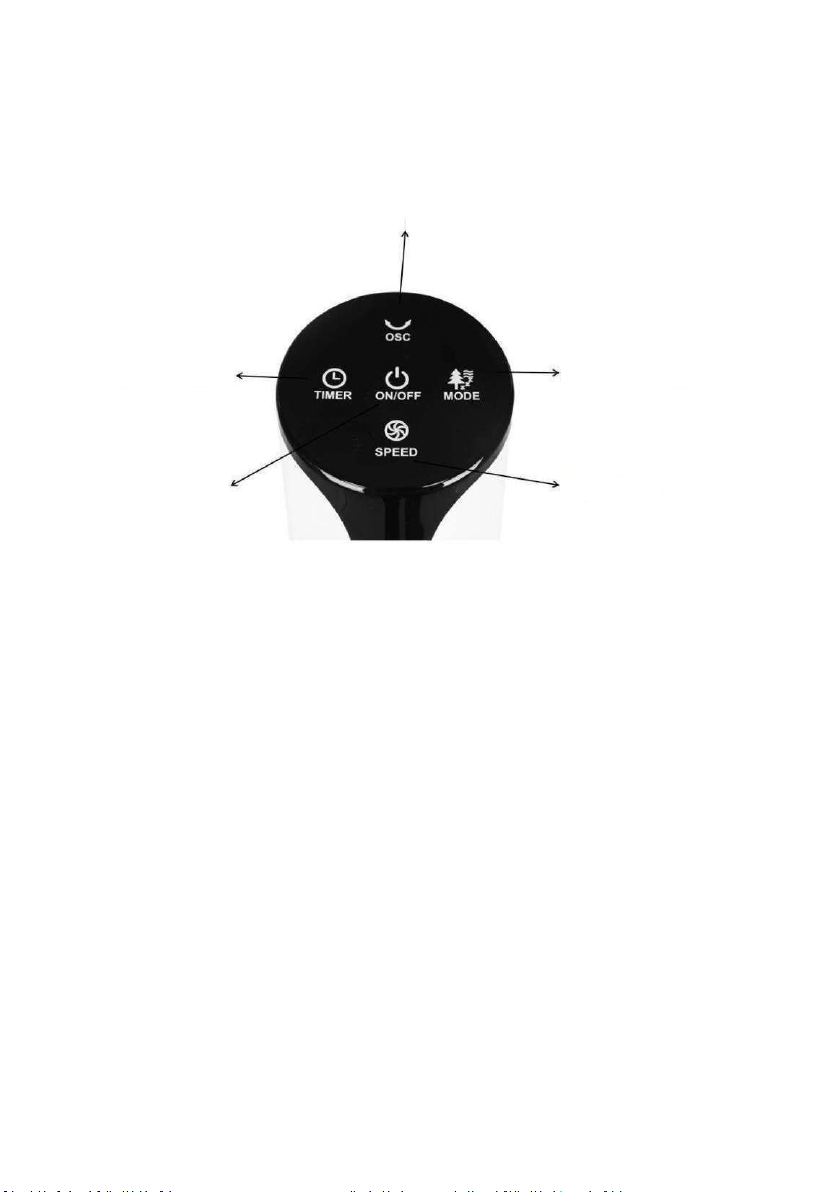
1.On/Off Switch
2.12Hour timer Switch
3.Oscillation Switch
4.Normal/Nature/Sleep switch
5.3Speed Switch
6
3.Oscilla
Oscilla - push the OSC switch, and the fan will start or stop the
oscilla
4.Mode
Push Mode to Select Normal/Nature/Sleep switch mode.
.
5.Speed
Push Speed switch to select Low/Medium/High Speed.
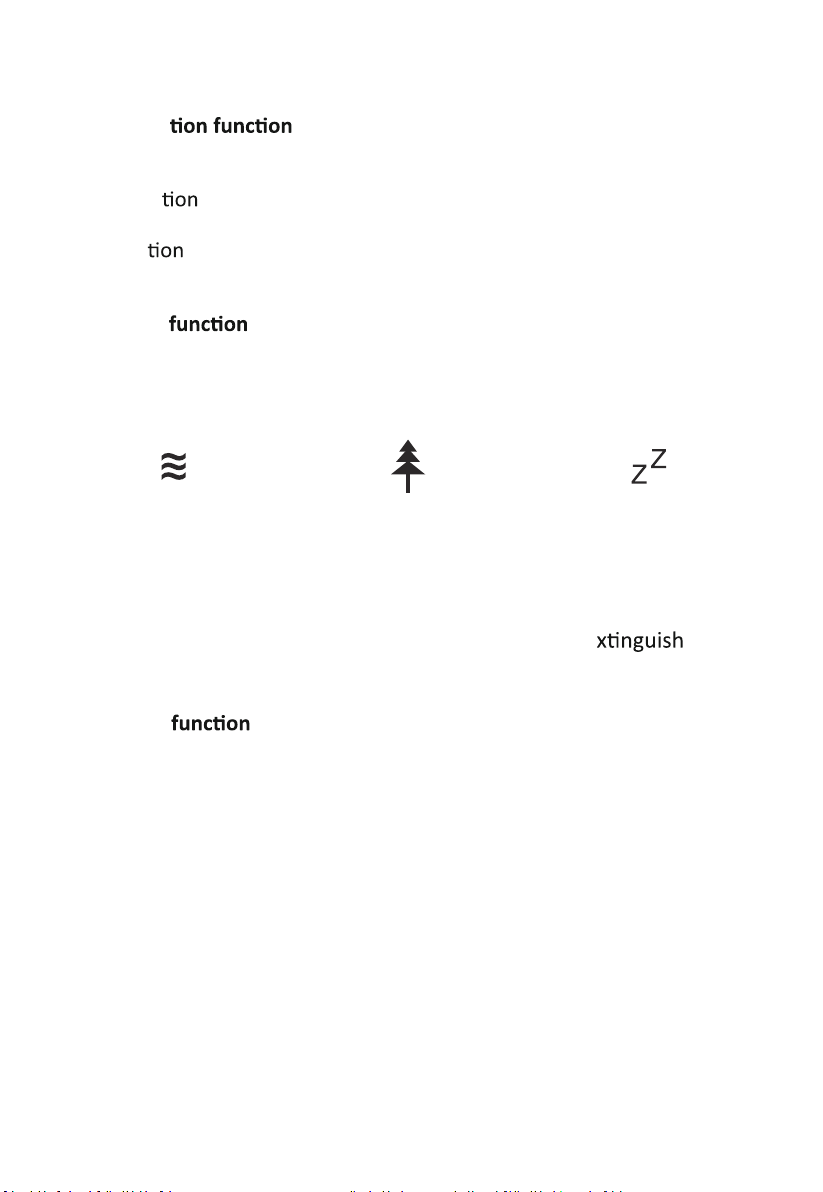
Normal
Normal fan with
constant running
according to the
fan speed
selected.
Nature
Nature mode the
airflow randomly
changes from a
gentle breeze to
gusts of wind.
SLEEP
The airflow
changes in cycles
also the Display(2)
will e
afer
60 seconds
7
364
55
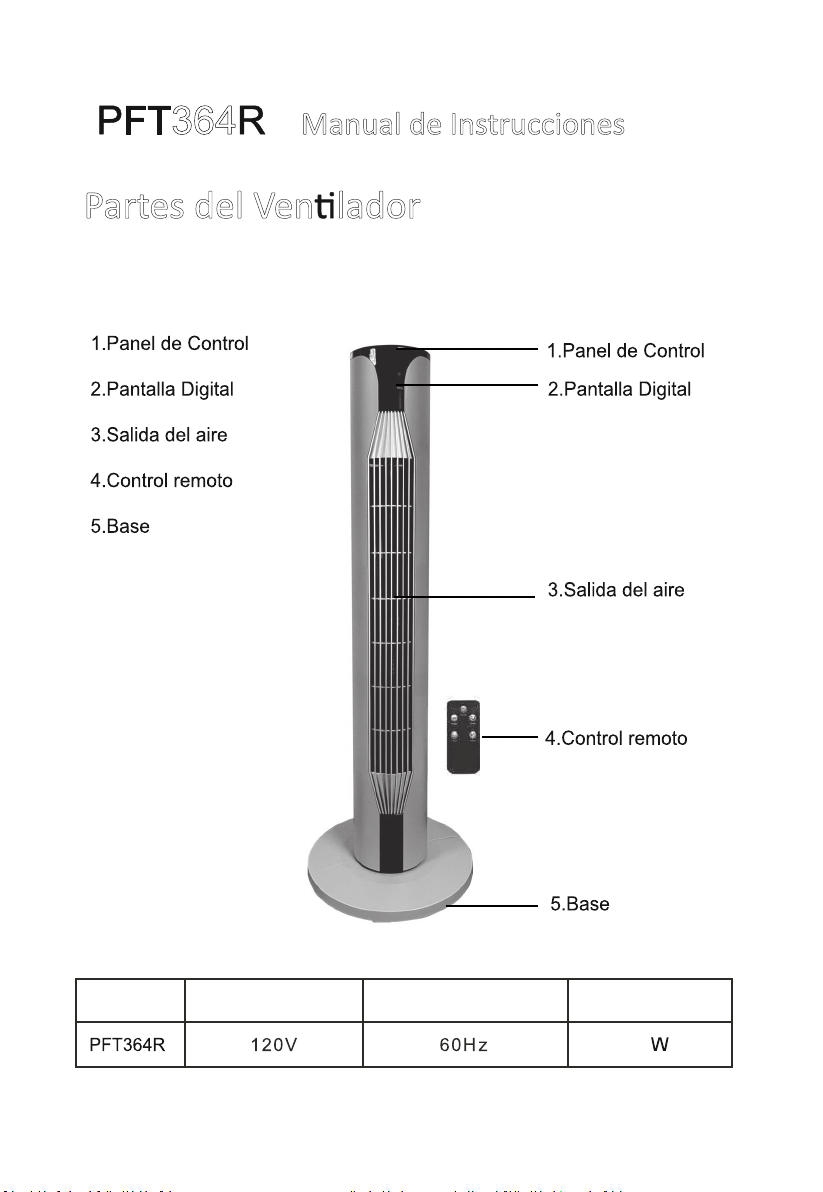
Modelo Voltaje Frecuencia Nominal Potencia
M
anual de Instrucciones
Partes del Ven lador
8

Gracias por comprar este venlado. Lea atentamente todas las
instrucciones y guárdelas para usarlas en el futuro.
INSTRUCCIONES DE USO
Lea atentamente estas Instrucciones de funcionamiento antes de
conectar su disposio a la red eléctrica, para evitar daños debido a un
uso incorrecto. Preste especial atención a la información de seguridad. Si
entrega el disposio a un tercero, también debe entregar estas
instrucciones de uso.
ADVERTENCIA: al usar aparatos eléctricos, siempre se deben seguir las
precauciones básicas de seguridad para reducir el riesgo de incendio,
descarga eléctrica y lesiones personales.
INFORMACIÓN DE SEGURIDAD
1. La operación incorrecta y el manejo inadecuado pueden provocar
fallas en el disposio y lesiones al usuario.
2. En caso de uso inadecuado o manipulación incorrecta, no se aceptará
ninguna responsabilidad por los daños que puedan producirse.
3. Antes de conectar el enchufe a la toma eléctrica, verifique que elpo
de corriente y el voltaje de la red correspondan a las instrucciones en la
placa de idenficación en la parte inferior del aparato.
9

4. No sumerja la unidad o el enchufe de red en agua u otros líquidos.
¡Existe riesgo de descarga eléctrica! Sin embargo, si esto ocurriera, rere
el enchufe de red inmediatamente y luego haga que un experto revise la
unidad antes de volver a usarla.
5. No opere el dispositivo si el cable de alimentación o el enchufe de red
muestran signos de daños, o si el dispositivo se ha caído al suelo o ha
sufrido algún otro daño. En tales casos, lleve el dispositvo a un
especialista para que lo revise y lo repare, si es necesario.
6. Nunca rere el enchufe de la toma de corriente tirando del cable de
alimentación o con las manos mojadas.
7. Asegúrese de que el cable de alimentación no cuelgue de bordes
afilados o quede atrapado.
8. Mantenga el aparato alejado de lugares húmedos y protéjalo de
salpicaduras.
9. Mantenga el aparato alejado de objetos calientes (por ejemplo,
hornos y llamas abiertas.
10. Si el cable de alimentación está dañado, debe ser reemplazado por el
fabricante, su agente de servicio o personas calificadas de manera similar
para evitar un peligro.
11. Este electrodoméstico no está diseñado para que lo usen personas
(incluidos los niños) con capacidades físicas, sensoriales o mentales
reducidas, o falta de experiencia y conocimiento, a menos que hayan
10

recibido supervisión o instrucciones sobre el uso del electrodoméso
por parte de una persona responsable de su seguridad
12. Los niños deben ser supervisados para asegurarse de que no
jueguen con el aparato.
13. La máquina no debe operarse por medio de un temporizador externo
opormediodeunsistemaseparadoconcontrolremoto.
14.Uliceelaparatosobreunasuperficieplana,secayresistenteal
calor.
15.Esteelectrodomésoestádiseñadoparausodomésoy
aplicacionessimilares,talescomo:áreasdecocinaparaelpersonalen
endas,oficinasyotrosentornosdetrabajo;casasdecampo;por
clientesenhoteles,motelesyotrosambientesdeporesidencial;
ambientespobedandbreakfast.
16.Nuncadejeeldisposiodesatendidoduranteeluso.
17.Noalmaceneniuliceelaparatoalairelibre.
18.Mantengaelaparatoenunlugarseco,fueradelalcancedelosniños
(enesteembalaje).
19.Nuncaintroduzcalosdedosniningúnotroobjetoatravésdelas
rejillas(protectoresdelvenlador)cuandoelvenladoresté
funcionando.
20.Elaparatodebeestarcompletamenteensambladoantesdesuuso.
11
21.¡Cuidadoconelpelolargo!Puedequedaratrapadoenelvenlador
debidoalaturbulenciadelaire.
22.Nodirijaelflujodeairedirectamentealaspersonasdurantemucho
empo.
23.Asegúresedequeelvenladorestédesconectadodelaredeléctrica
antesderearlarejilladeprotección.
24.Parareducirelriesgodeincendio,reemplaceelfusibleconunfusible
máximode5amperiosy125volos.Cierrecompletamentelapuertadel
fusibledeslizándolahaciasulugar(Fig.2)ydesecheelfusiblequemado.
Elenchufeahoradeberíaestarlistoparaunusonormal.
25.Parareducirelriesgodeincendio,noreemplaceelenchufede
conexión.Coneneundisposiodeseguridad(fusible)quenosedebe
quitar.
Desecheelproductosielenchufedeconexiónestádañado.
12
InstruccionesdeOperación
DISTANCIADELVENTILADORALCONTROL
REMOTO:5METROS
PresioneelinterruptordeENCENDIDO/APAGADOyelvenladordela
torrecomenzaráafuncionar.Cuandoelvenladorestéfuncionando,
presioneelinterruptordeENCENDIDO/APAGADOyelvenladordejará
defuncionar.
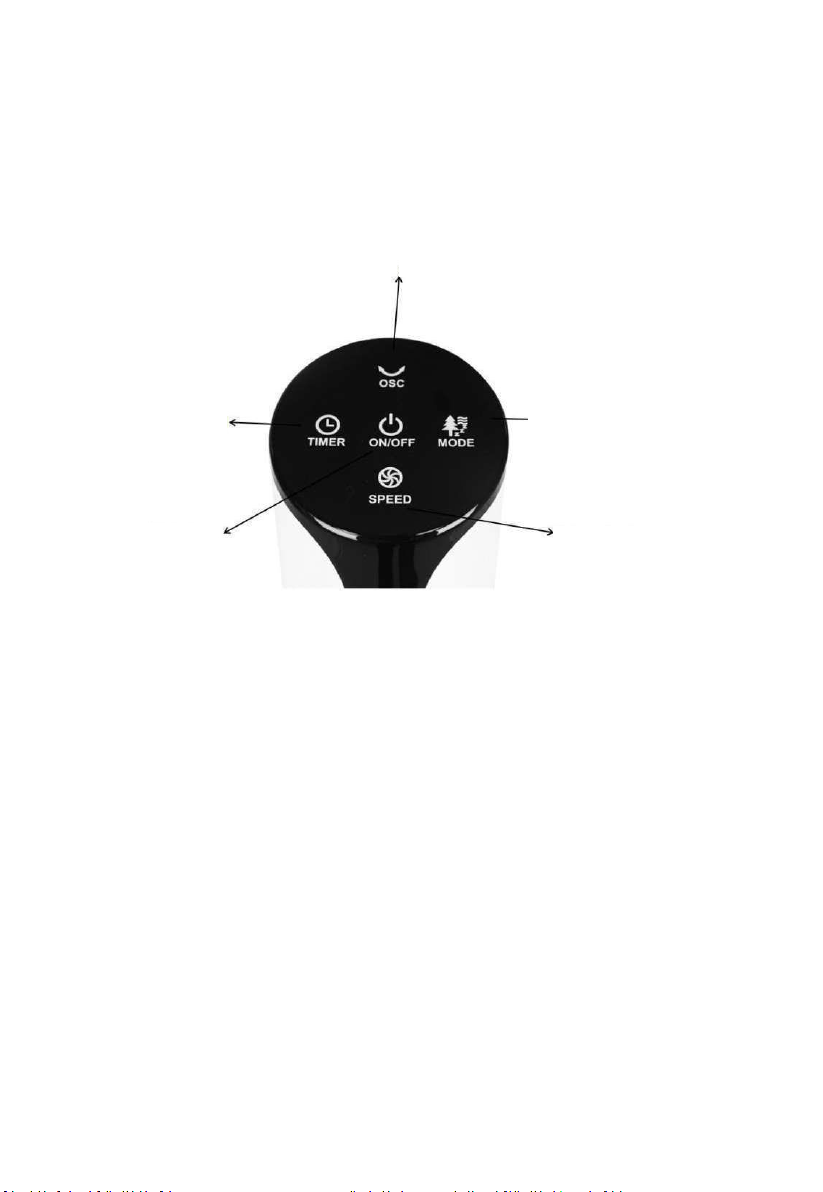
1.Encendido/apagado
1.InterruptordeEncendido/Apagado
2.Temporizador
3.InterruptordeOscilación
4.ModoNormal/Naturaleza/Sueño
5.InterruptordeVelocidad
13
2.Funcióndetemporizador
Presioneelinterruptordeltemporizadorparaseleccionarun
temporizadorde1,2,3a12horas.
3.Funcióndeoscilación
Oscilación:presioneelinterruptorOSCyelvenladoriniciaráodetendrá
laoscilación
2.Funcióndemodo
PresioneModoparaseleccionarelmodoNormal/Naturaleza/Sueño.
5.Funcióndevelocidad
Presioneelinterruptordevelocidadparaseleccionarvelocidad
baja/media/alta.
Normal
Venlaciónnormalcon
funcionamientoconnuode
acuerdoconlavelocidad
seleccionada
Naturaleza
Venlaciónconflujode
airequecambiade
maneraaleatoriadesde
unabrisasuavehastauna
ráfagadeviento
Sueño
Venlacióncon
cambioscíclicosy
pantallaqueseapaga
alos60segundos
~
~
~
Z
Z
14