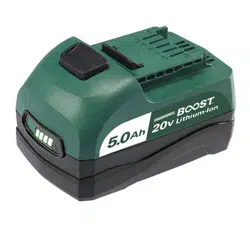
252-8013
OPERATOR’S MANUAL
CAUTION:
To Reduce The Risk Of Injury, User Must
Read And Understand Operator’s Manual. Save These
Instructions For Future Reference.
For questions / comments, technical assistance or repair parts –
Please Call Toll Free: 1-866-917-4374. (M-F 8:30am - 5:00pm Est.)
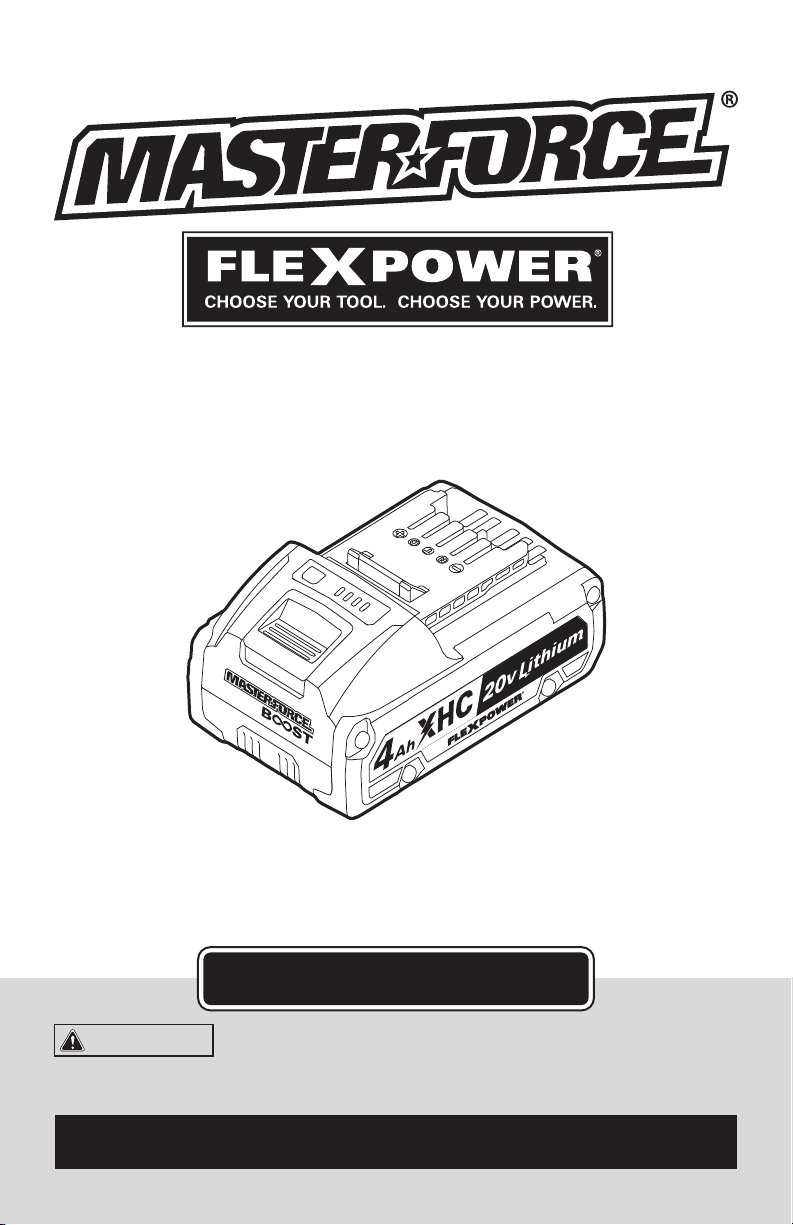
20V Lithium-Ion Battery Pack

TABLE OF CONTENTS
Safety Symbols ......................................................... Page 2
Safety Instructions ...................................................... Page 3
Overview/Specications ................................................. Page 6
Assembly ............................................................. Page 7
Operation ............................................................. Page 8
Maintenance .......................................................... Page 11
Troubleshooting ....................................................... Page 12
Page 2
SAFETY SYMBOLS
Some of these following symbols may be used on this tool. Please study them and learn their
meaning. Proper interpretation of these symbols will allow you to operate the tool better and
more safely.
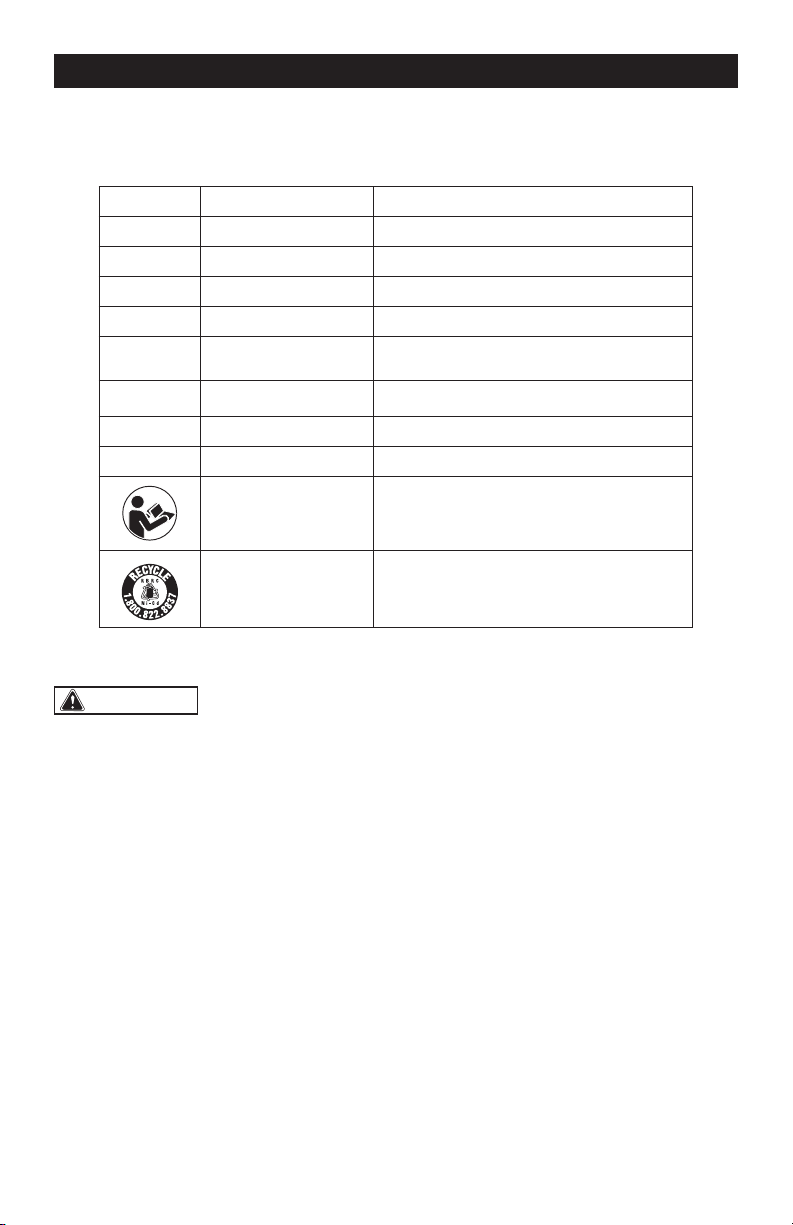
Symbol
Name
Designation / Explanation
V Volts Voltage
A Amperes Current
Hz Hertz Frequency (cycles per second)
W Watts Power
Wh Watt-hours Battery capacity
�
or d.c.
Direct current Type or characteristic of current
Ah Ampere-hours Battery capacity
lbs Pounds Weight
Read instruction
manual
To reduce the risk of injury, user must
read instruction manual.
Li-ion RBRC seal
Designates Li-ion battery recycling
program.
WARNING:
To ensure safety and reliability, all repairs should be performed by a
qualied service technician.
Page 3
SAFETY INSTRUCTIONS
The purpose of safety symbols is to attract your attention to possible dangers. The safety
symbols and the explanations with them deserve your careful attention and understanding.
The symbol warnings do not, by themselves, eliminate any danger. The instructions and
warnings they give are no substitutes for proper accident prevention measures.
WARNING:
Be sure to read and understand all safety instructions in this manual,
including all safety alert symbols such as “DANGER,” ”WARNING,” and “CAUTION”
before using this tool. Failure to following all instructions listed below may result in
electric shock, re, and/or serious personal injury.
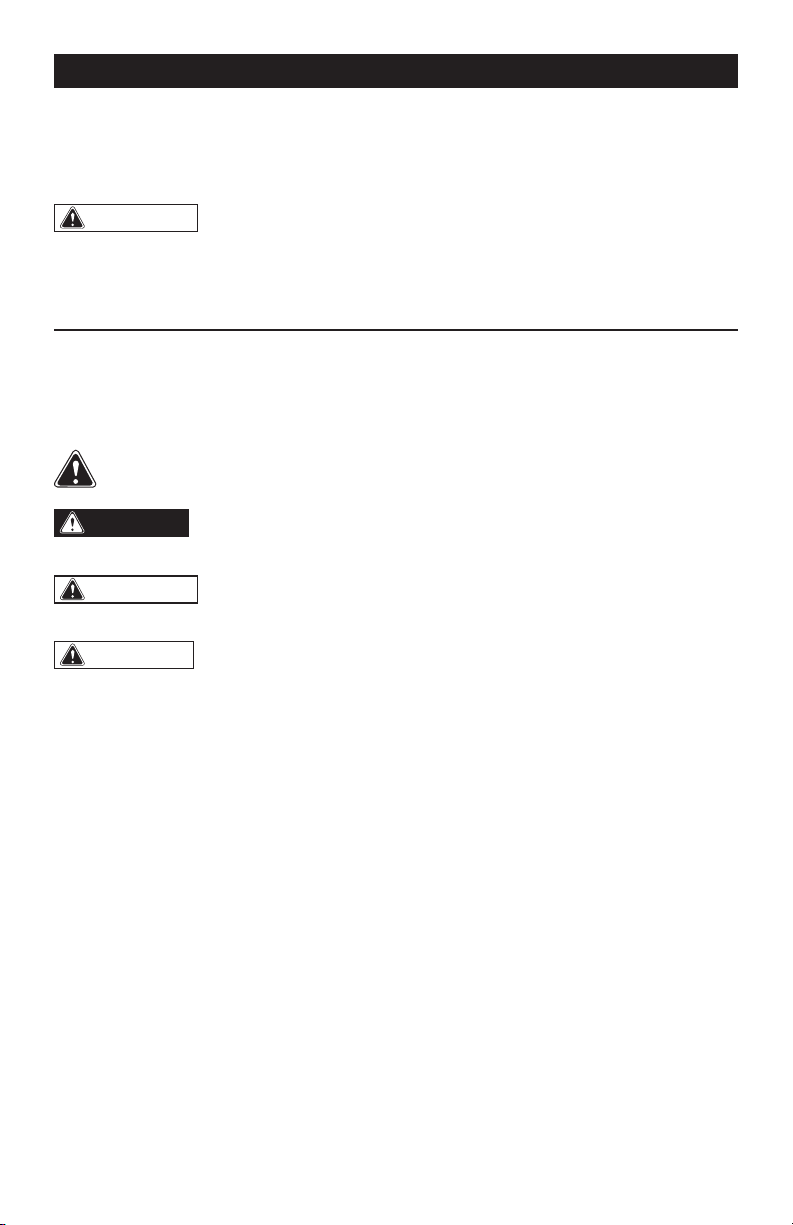
SYMBOL MEANING
SAFETY ALERT SYMBOL: Indicates DANGER, WARNING, OR CAUTION.
May be used in conjunction with other symbols or pictographs.
DANGER:
Indicates an imminently hazardous situation, which, if not avoided,
will result in death or serious injury.
WARNING:
Indicates a potentially hazardous situation, which, if not avoided,
could result in death or serious injury.
CAUTION:
Indicates a potentially hazardous situation, which, if not avoided, could
result in minor or moderate injury.
NOTICE: (Without Safety Alert Symbol) Indicates a situation that may result in property
damage.
SAVE THESE INSTRUCTIONS!

Page 4
SAFETY INSTRUCTIONS
WARNING:
Read all safety
warnings and instructions!
Failure to follow the warnings and
instructions may result in electric shock, re
and/or serious injury. Save all warnings and
instructions for future reference.
The “term power tool” in the warnings refers
to your mains-operated (corded) power tool
or battery-operated (cordless) power tool.
WARNING:
Risk of re and
electric shock. Dry location use only. Do
not expose to rain. Risk of injury.
WORK AREA SAFETY
1. Keep the work area clean and well lit.
Cluttered or dark areas invite accidents.
2. Do not operate power tools in explosive
atmospheres, such as in the presence of
ammable liquids, gases or dust. Power
tools create sparks that may ignite the dust
or fumes.
3. Keep children and bystanders away
while operating a power tool. Distractions
can cause you to lose control.
ELECTRICAL SAFETY
1. Avoid body contact with earthed
or grounded surfaces, such as pipes,
radiators, ranges and refrigerators. There
is an increased risk of electric shock if your
body is earthed or grounded.
2. Do not expose power tools to rain or
wet conditions. Water entering a power tool
will increase the risk of electric shock.
BATTERY TOOL USE
AND CARE
1. Recharge only with the charger
specied by the manufacturer. A charger
that is suitable for one type of battery pack
may create a risk of re when used with
another battery pack.
2. Use power tools only with specically
designated battery packs. Use of any
other battery packs may create a risk of
injury and re.
3. When the battery pack is not in use,
keep it away from other metal objects,
such as paper clips, coins, keys, nails,
screws or other small metal objects that
can make a connection from one terminal
to another. Shorting the battery terminals
together may cause burns or a re.
4. Under abusive conditions, liquid may
be ejected from the battery; avoid contact.
If contact accidentally occurs, ush with
water. If liquid contacts eyes, also seek
medical help. Liquid ejected from the battery
may cause irritation or burns.
5. Do not use a battery pack or tool that
is damaged or modied. Damaged or
modied batteries may exhibit unpredictable
behavior resulting in re, explosion or risk of
injury.
6. Do not expose a battery pack or tool
to re or excessive temperature. Exposure
to re or temperature above 265 °F (130 °C)
may cause explosion.
7. Follow all charging instructions and
do not charge the battery pack or tool
outside the temperature range specied
in the instructions. Charging improperly or
at temperatures outside the specied range
may damage the battery and increase the
risk of re.
SERVICE
1. Have your power tool serviced by a
qualied repair person, using only identical
replacement parts. This will ensure that the
safety of the power tool is maintained.

Page 5
SAFETY INSTRUCTIONS
2. Never service damaged battery packs.
Service of battery packs should only be
performed by the manufacture of authorized
service providers.
SPECIFIC SAFETY RULES FOR
BATTERY PACK
1. Use battery only with MASTERFORCE
®
chargers listed.
Battery pack Charger
252-8013
252-8025
252-8026
252-8037
252-8043
2. Know your power tool. Read the
Instruction Manual carefully. Learn the tool’s
applications and limitations, as well as the
specic potential hazards related to this
tool. Following this rule will reduce the risk
of electric shock, re, and serious injury.
3. Do not place the battery near re or
heat. This will reduce the risk of explosion
and possible injury.
4. Do not crush, drop or damage the
battery pack. Do not use a battery pack or
charger that has been dropped or received
a sharp blow. A damaged battery is subject
to explosion. Properly dispose of a dropped
or damaged battery immediately.
5. Batteries vent hydrogen gas and can
explode in the presence of a source of
ignition, such as a pilot light. To reduce
the risk of serious personal injury, never use
any cordless product in the presence of an
open ame. An exploded battery can propel
debris and chemicals. If exposed, ush the
exposed area with water immediately.
6. For best results, your battery should
be charged, used and stored in a location
where the temperature is more than 41°F
(5°C) but less than 104°F (40°C). Do not
store outside or in vehicles.
7. Under extreme usage or temperature
conditions, battery leakage may occur.
If liquid comes in contract with your skin,
wash immediately with soap and water,
then neutralize with lemon juice or vinegar.
If liquid gets in your eyes, ush them with
clean water for at least 10 minutes, and
then seek immediate medical attention.
Following this rule will reduce the risk of
serious personal injury.
8. Do not let gasoline, oils, petroleum-
based products, etc. come in contract with
plastic parts. They contain chemicals that
can damage, weaken or destroy plastic.
9. Save these instructions. Refer to them
frequently and use them to instruct others
who may use this tool. If you lend someone
this tool, lend these instructions also to
prevent misuse of the product and possible
injury.
Page 6
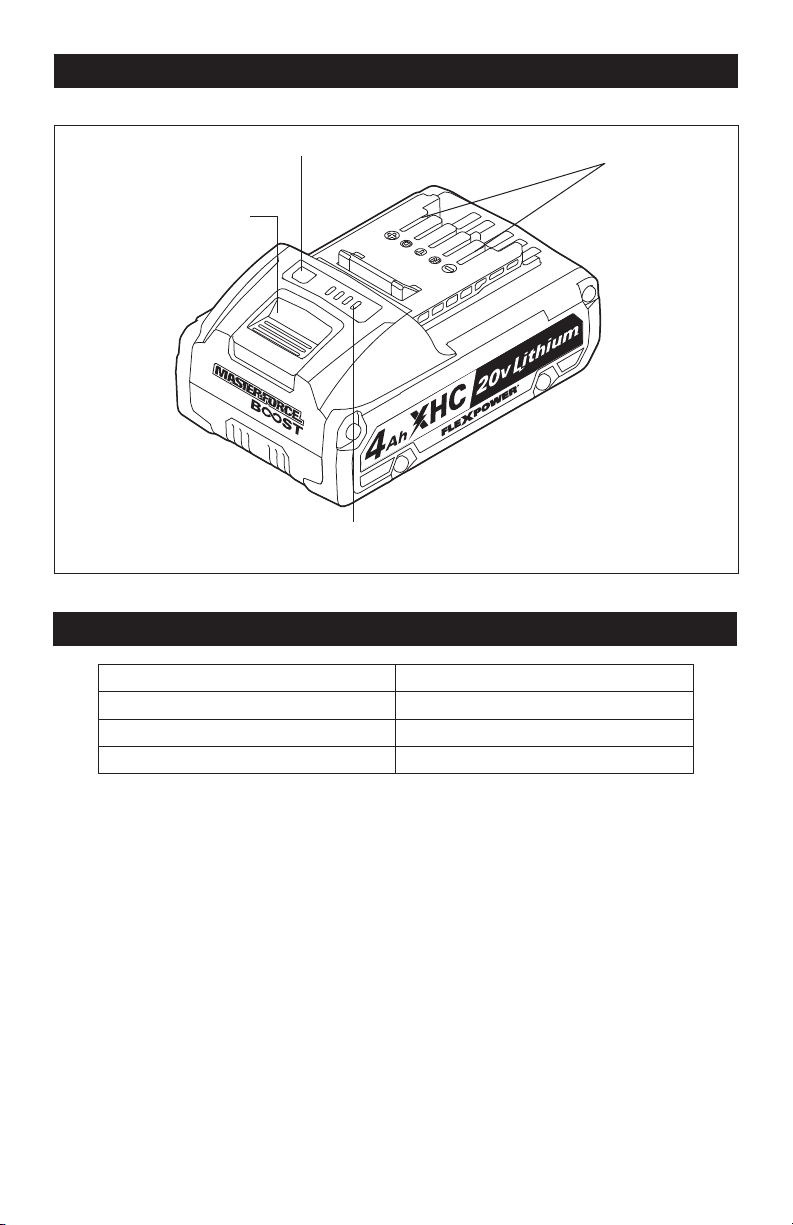
OVERVIEW
Power Indicator
Electrical Contacts
Power-indicator Button
Battery-release Button
SPECIFICATIONS
Battery Type Lithium-Ion
Battery Voltage 20V d.c.
Battery Capacity 4.0Ah
Battery Weight 1 lbs. 4 oz. (0.57 Kg)
Page 7
WARNING:
If any part is broken
or missing, DO NOT attempt to plug in the
power cord, attach the battery, or operate
the tool until the broken or missing part is
replaced. Failure to do so could result in
possible serious injury.
WARNING:
Do not attempt to
modify this tool or create accessories not
recommended for use with this tool. Any
such alteration or modication is misuse
and could result in a hazardous condition
leading to possible serious injury.
WARNING:
Your tool should
never be connected to the power source
when you are assembling parts, making
adjustments, installing or removing
application tools, cleaning, or when it is
not in use. Disconnecting the tool will
prevent accidental starting, which could
cause serious personal injury.
ASSEMBLY
CONTENTS
Battery pack and instruction manual.
UNPACKING
1. This product has been shipped
completely assembled.
2. Carefully remove the tool and any
accessories from the box. Make sure
that all items listed in the packing list
are included.
3. Inspect the tool carefully to make sure
that no breakage or damage occurred
during shipping.
4. Do not discard the packing material
until you have carefully inspected and
satisfactorily operated the tool.
Page 8
OPERATION
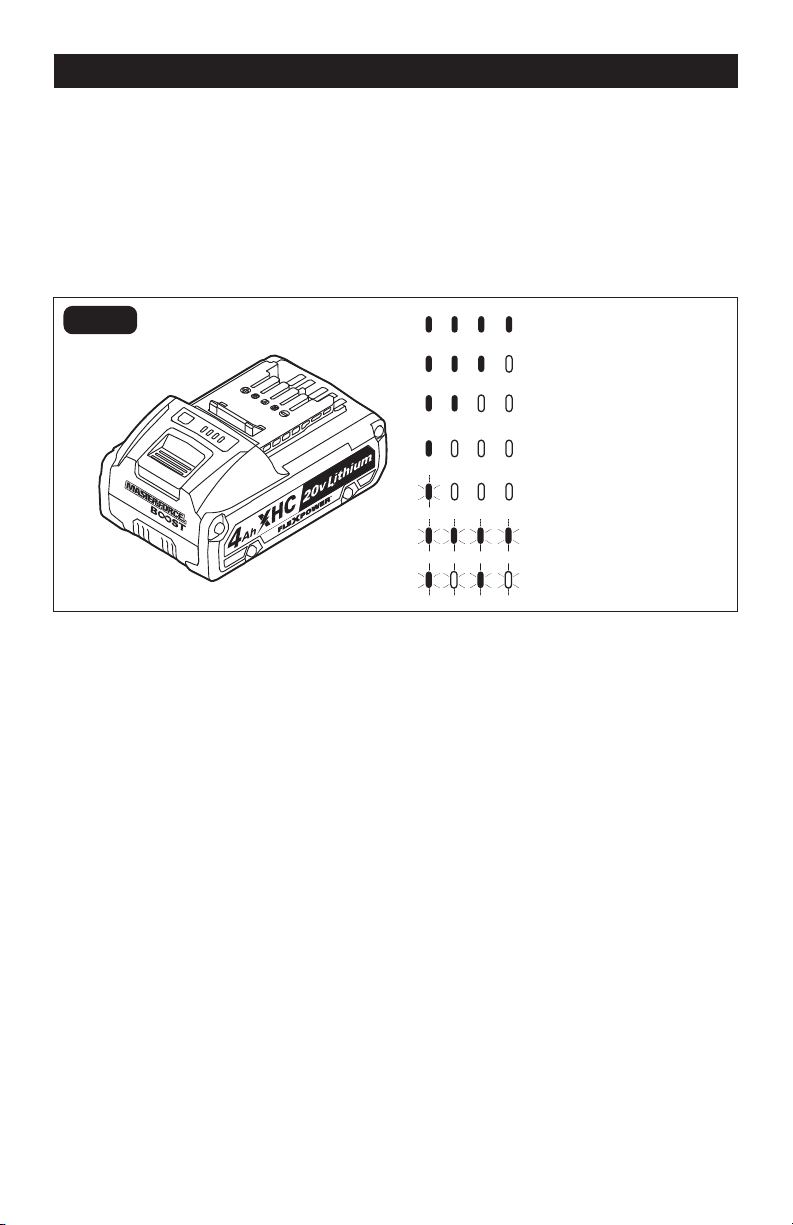
POWER INDICATOR (Fig. 1)
This Lithium-Ion battery pack is equipped with
a power indicator that displays the battery
pack’s charge status. Press the power-
indicator button to display the LED lights.
The LED lights will stay lit for approximately
4 seconds.
LOW CAPACITY WARNING
If one LED on the power indicator begins to
ash, the battery pack’s charge is under 20%
capacity and should be recharged soon.
Unlike other battery pack types, Lithium-Ion
battery packs deliver fade-free power for their
entire run time. The tool will not experience a
slow, gradual loss of power as you work. To
signal that the battery pack is at the end of its
run time and needs to be charged, power to
the tool will drop quickly.
The power indicator will begin to display
four ashing LED lights when it is completely
discharged. When this happens, remove
the tool from the workpiece and charge the
battery pack as needed.
BATTERY PROTECTION
To protect the battery from damage and
prolong its life, the battery pack circuitry
will turn off the battery pack if it becomes
overloaded or if the temperature becomes too
high during use. This may happen in extremely
high torque, binding and stalling situations.
The battery pack will begin normal operation
when it cools down.
The power indicator will display four ashing
LED lights if the circuitry detects a momentary
overload. You can conveniently reset the
battery pack by releasing the power-tool
trigger. Press the power-indicator button
again to display the remaining charge.
NOTICE: If the power indicator continues to
ash four LED lights after resetting, place
the battery pack on the charger to evaluate
the battery condition.
NOTICE: A signicantly reduced run time
after fully charging the battery pack indicates
that the battery is near the end of its usable
life and must be replaced.
FIG. 1
80-100% Charge
60-79% Charge
40-59% Charge
20-39% Charge
Under 20% Charge
Completely Discharged
High/low Temperature
NOTICE: THE POWER INDICATOR CAN BE
USED WHETHER THE BATTERY IS ATTACHED
TO OR REMOVED FROM THE TOOL.
Page 9
OPERATION
COLD WEATHER OPERATION
When the battery pack is very cold, it may
“pulse” for the rst minute of use to warm
itself. Put the battery pack on a tool and use
the tool in a light application. After about a
minute, the battery pack will have warmed
itself and will operate normally.
WHEN TO CHARGE THE
BATTERY PACK
The Lithium-Ion battery can be charged at
any time and will not develop a “memory”
when charged after only a partial discharge.
It is not necessary to run down the battery
pack charge before recharging. Remove
the battery pack from the tool when it is
convenient for you and your job.
1. Use the power indicator to determine when
you need to recharge the battery pack.
2. You can “top-off” your battery pack’s
charge before starting a big job or long
period of use.
3. Due to Lithium-Ion’s fade-free
properties, the only time it is necessary
to charge the Lithium- Ion battery pack
is when the pack has reached the end of
its charge. To signal the end of charge,
power to the tool will drop quickly.
Charge the battery pack as needed.
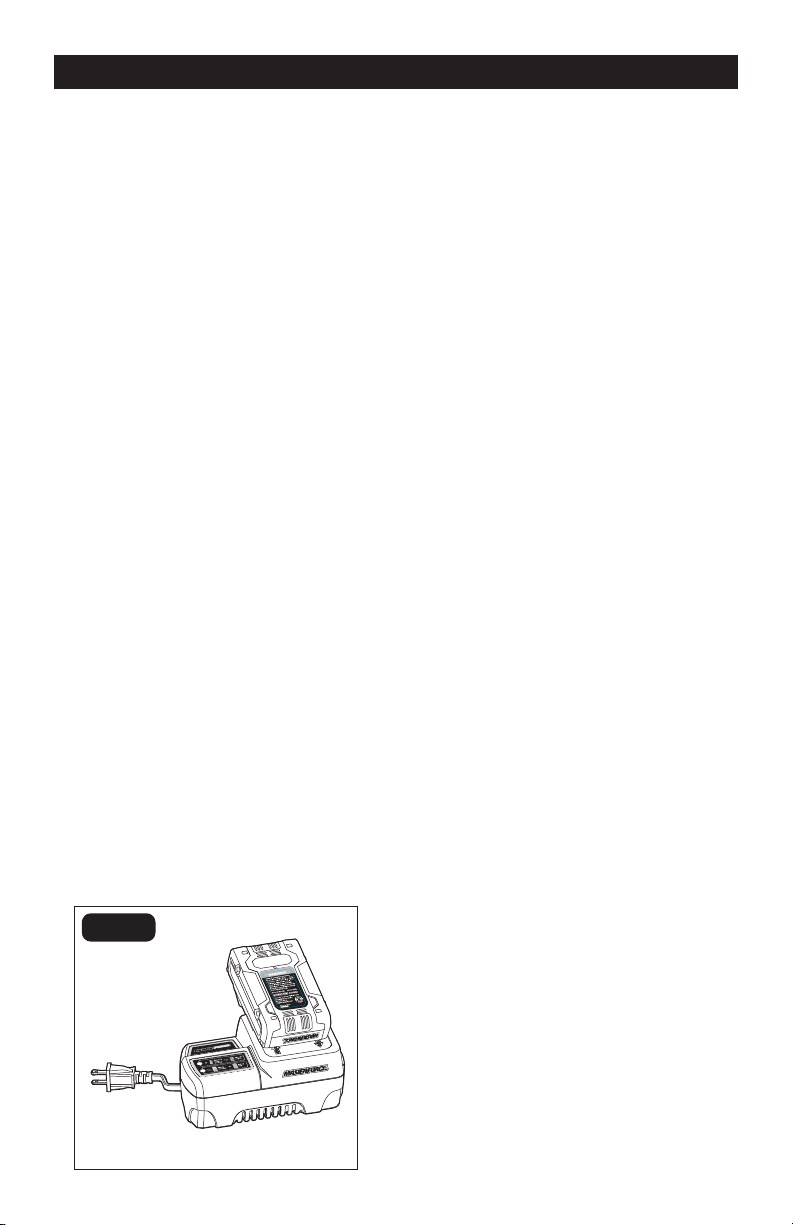
HOW TO CHARGE THE BATTERY
PACK (FIG. 2)
FIG. 2
1. Charge the battery pack with the correct
charger.
2. Connect the charger to a power supply .
3. Attach the battery pack to the charger
by aligning the raised ribs of the battery
pack with the slot in the charger. Slide
the battery pack onto the charger.
4. The charger will communicate with the
battery pack’s circuitry to evaluate the
condition of the battery pack.
5. During normal charging, the green LED
on the charger will ash continuously.
6. After charging is complete, the green
LED on the charger will be on. The
power indicator LED lights will not be
displayed when the power-indicator
button is pressed while the battery pack
is on the charger.
7. The battery pack will fully charge, but
will not overcharge, if left on the charger.
HOW TO KNOW THE CHARGE
CONDITION OF BATTERY PACK
DURING CHARGING
The LED lights on the battery pack are
displayed as the pack is being charged,
indicating how fully charged the pack is.
• The rst LED light on the battery pack
ashes to indicate that the battery pack is
0%-25% charged.
• The rst LED light on the battery pack is
solid and the second ashes to indicate
that the battery pack is 25%-50% charged.
• The rst two LED lights on the battery pack
are solid and the third ashes to indicate
that the battery pack is 50%-75% charged.
• The rst three LED lights on the battery
pack are solid and the fourth ashes to
indicate that the battery pack is 75%-
100% charged.
• When it is fully charged, all the LED lights
on the battery pack will be solid for about
30 minutes then will turn off.
Page 10
OPERATION
CHARGING A HOT
BATTERY PACK
If the battery pack is above the normal
temperature range, the red LED will
illuminate and the green LED will be off.
When the battery pack cools down to
approximately 104°F (40°C), the charger will
automatically begin charging.
CHARGING A COLD
BATTERY PACK
If the battery pack is below the normal
temperature range, the red LED will
illuminate and the green LED will be off.
When the battery warms to a temperature
of more than 41°F (5°C), the charger will
automatically begin charging .
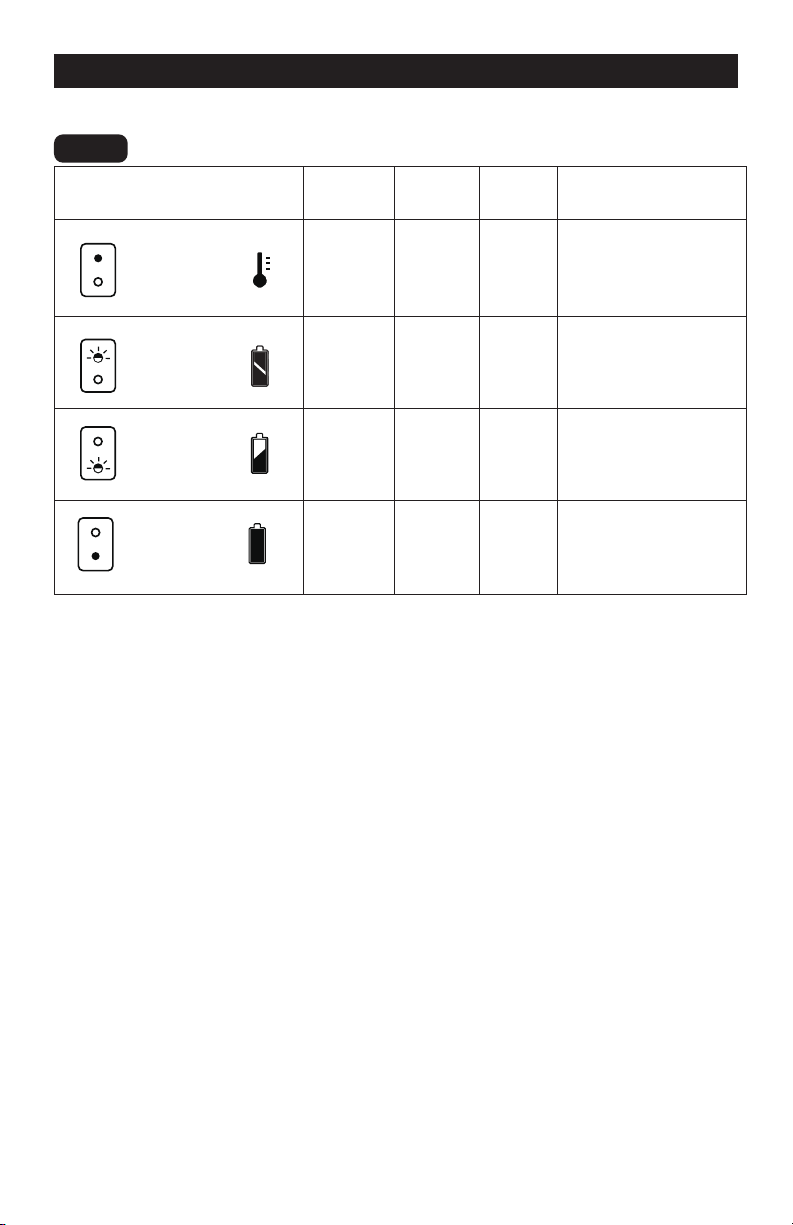
LED FUNCTIONS OF CHARGER (FIG. 3)
LED INDICATOR
BATTERY
PACK
RED
LED
GREEN
LED
ACTION
DEFECTIVE
BATTERY
BATTERY
CHARGING
BATTERY
FULL
HI / LO TEMP.
Hot/Cold
battery
On Off
Fast charge will begin
when battery returns
to between 41°F (5°C)
and 104°F (40°C)
DEFECTIVE
BATTERY
BATTERY
CHARGING
BATTERY
FULL
HI / LO TEMP.
Defective Flashing Off
Battery pack or
charger is defective
DEFECTIVE
BATTERY
BATTERY
CHARGING
BATTERY
FULL
HI / LO TEMP.
Charging Off Flashing Charging
DEFECTIVE
BATTERY
BATTERY
CHARGING
BATTERY
FULL
HI / LO TEMP.
Fully
charged
Off On
Charging is
complete
DEFECTIVE BATTERY
If the charger detects a problem, the red LED
will begin ashing and the green LED will be off.
1. If registering as defective, remove and
reinsert the battery pack in the charger.
If the LED status indicates “defective”
a second time, try to charge a different
battery pack.
2. If a different battery pack charges
normally, dispose of the defective
battery pack (see Maintenance section).
3. If a different battery pack also indicates
“defective,” the charger may be defective.
FIG. 3
Page 11
MAINTENANCE
WARNING:
To ensure safety and
reliability, all repairs should be performed
by a qualied service technician.
WARNING:
Always wear safety
goggles or safety glasses with side
shields when using compressed air to
clean tool. If the operation is dusty, also
wear a dust mask.
WARNING:
To avoid serious
personal injury, always remove the battery
pack from the tool when cleaning or
performing any maintenance.
BATTERIES:
The battery pack is equipped with Lithium-
Ion rechargeable batteries. The duration of
use from each charge will depend on the
type of work performed.
The batteries in this tool have been designed
to provide maximum trouble-free life. Like
all batteries, they will eventually wear out.
Do not disassemble the battery pack or
attempt to replace the batteries. Handling
the batteries, especially when wearing rings
and jewelry, could result in a serious burn.
To obtain the longest possible battery life,
read and understand the operator’s manual.
It is good practice to unplug the Charger
and remove the Lithium-Ion battery pack
when it is not in use. For Lithium-Ion battery
pack storage longer than 30 days:
1. Store Lithium-Ion battery packs in a
30%-50% charged condition.
2. Every six months of storage, fully charge
the Lithium-Ion battery pack.
3. The exterior may be cleaned with a cloth
or soft non-metallic brush.
BATTERY PACK REMOVAL AND
PREPARATION FOR RECYCLING
To preserve natural resources, please
recycle or dispose of batteries properly.
This product contains Lithium-Ion batteries.
Local, state, or federal laws may prohibit
disposal of Lithium-Ion batteries in ordinary
trash. Consult your local waste authority for
information regarding available recycling
and/or disposal options.
WARNING:
Upon removal of the
battery pack for disposal or recycling,
cover the battery pack’s terminals
with heavy-duty adhesive tape. Do not
attempt to destroy or disassemble battery
pack or remove any of its components.
Lithium-Ion batteries must be recycled or
disposed of properly. Never touch both
terminals with metal objects and/or body
parts as short circuit may result. Keep
away from children. Failure to com-ply
with these warnings could result in re
and/or serious injury.

Page 12
TROUBLESHOOTING
PROBLEM CAUSE SOLUTION
The battery pack
isn’t charging
Poor connected to charger.
Reconnected the battery
pack to the charger.
The battery pack or charger
is too hot.
Allow the battery pack and
charger to cool down.

Page 13
NOTES

Page 14
NOTES

11/2022
© 2022 Menard, Inc., Eau Claire, WI 54703