
1/12
10 July 2022
Pulsar Max – Online Installation Guide
support.wallbox.com/en/knowledge-base/pulsar-max-online-ig
1. Technical Specifications
General Specifications
Charging
Mode (IEC
61851-1)
Mode 3
Dimensions
without cable
198x201x99 mm (without cable)
Weight
without cable
1.3 kg (without cable)
Operating
Temperature
-25 ºC to 50 ºC
Storage
Temperature
-40 ºC to 70 ºC
Environmental
Ratings
IP55, IK10 (High resistance)
Installation
location
Indoor and outdoor use
Mounting
Method
Stationary equipment is mounted on the wall. Floor mounting with
appropriate Wallbox accessories.
Intended for
use
Equipment intended for use by ordinary persons.
Location
accesses
Equipment for locations with non-restricted access and restricted
access
Product
compliance:
CE mark (RED Directive 2014/53/EU and RoHS Directive
2011/65/EU). Main IEC Standards: IEC 61851-1, IEC 61851-21-2,
IEC 62196
Compliant with UK regulations on smart charging

2/12
Electrical Specifications
Charging Power 7,4 kW (1P) 11 kW (3P) 22 kW (3P)
Rated Voltage AC ± 10% 230 V 400 V 400 V
Configurable Current from 6A to rated current
Rated Frequency 50 Hz / 60 Hz
Rated diversity factor (RDF) 1
Rated insulation voltage 1430 Vrms
Rated diversity factor 4000 V
Rated impulse withstand voltage CAT III
Overvoltage Category DC 6 mA
External RCCB required pre-local
regulations
Type A or Type B
Protection against electric shoks Class I
Cable Section Up to 13 mm²
EV supply equipment connection AEVCS permanently connected to the AC mains
supply network
2. Safety Warnings
Flying debris, risk of eye injury
Risk of electric shock.
Disconnect and wait 10 mins
Caution
Sharp element, risk of injurious cuts
Ground earth connection required
Special waste treatment
3/12
3. Tools and Mounting Parts
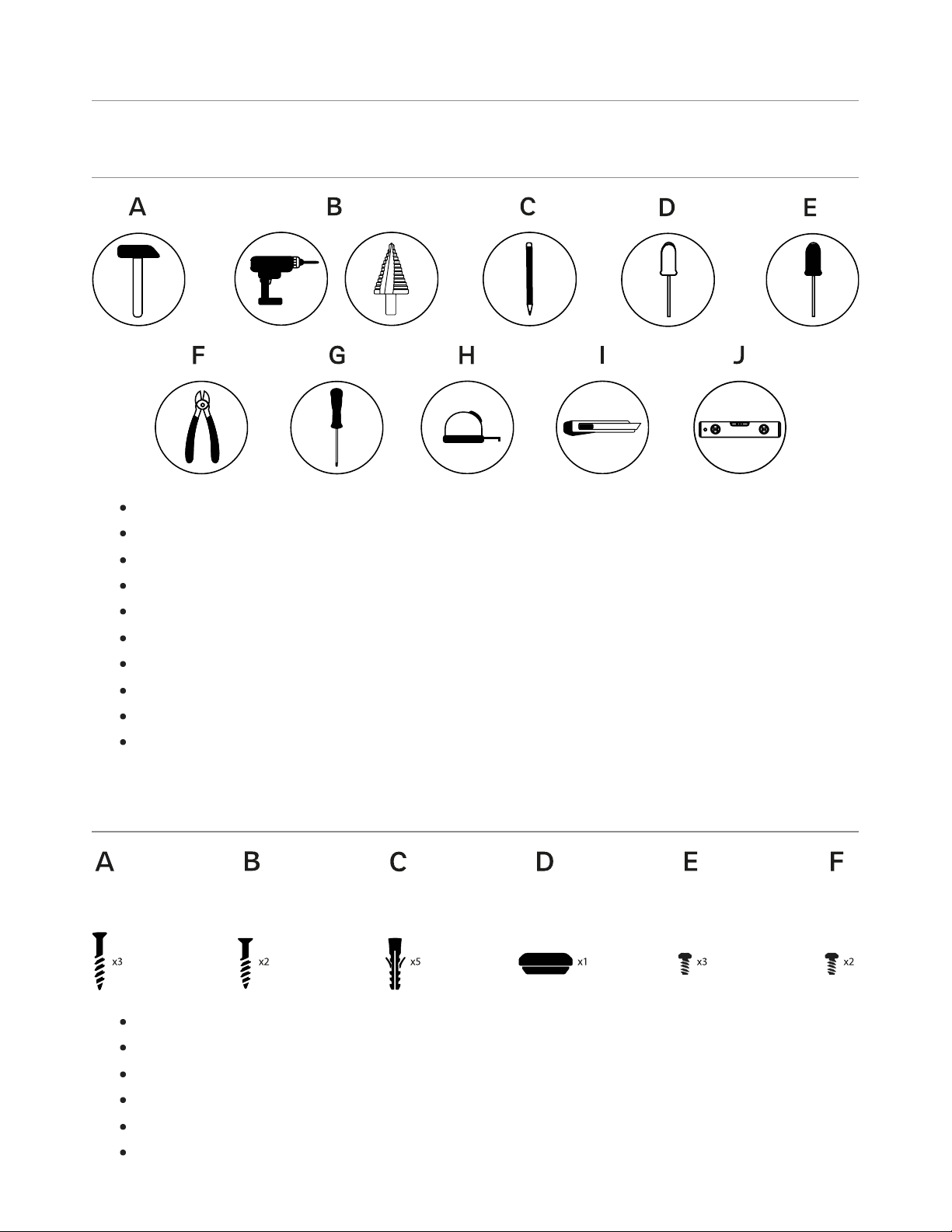
Required tools
Hammer
Step drill bit 32mm and bit 8mm
Pencil
Flat Screwdriver
Pillips Screwdriver
Cutting Pliers
Torx T20 and T15
Measuring Tape
Utility Knife
Spirit Level
Included mounting parts
Phillips Screws ø6 x 50 mm
Phillips Screws ø5 x 40 mm
Wall Anchors ø8 x 40 mm
M32 Grommet
Torx Screws T20 4 x 10 mm
Torx Screws T15 ø3.5 x 8 mm
4/12
4. Preparing the Charger
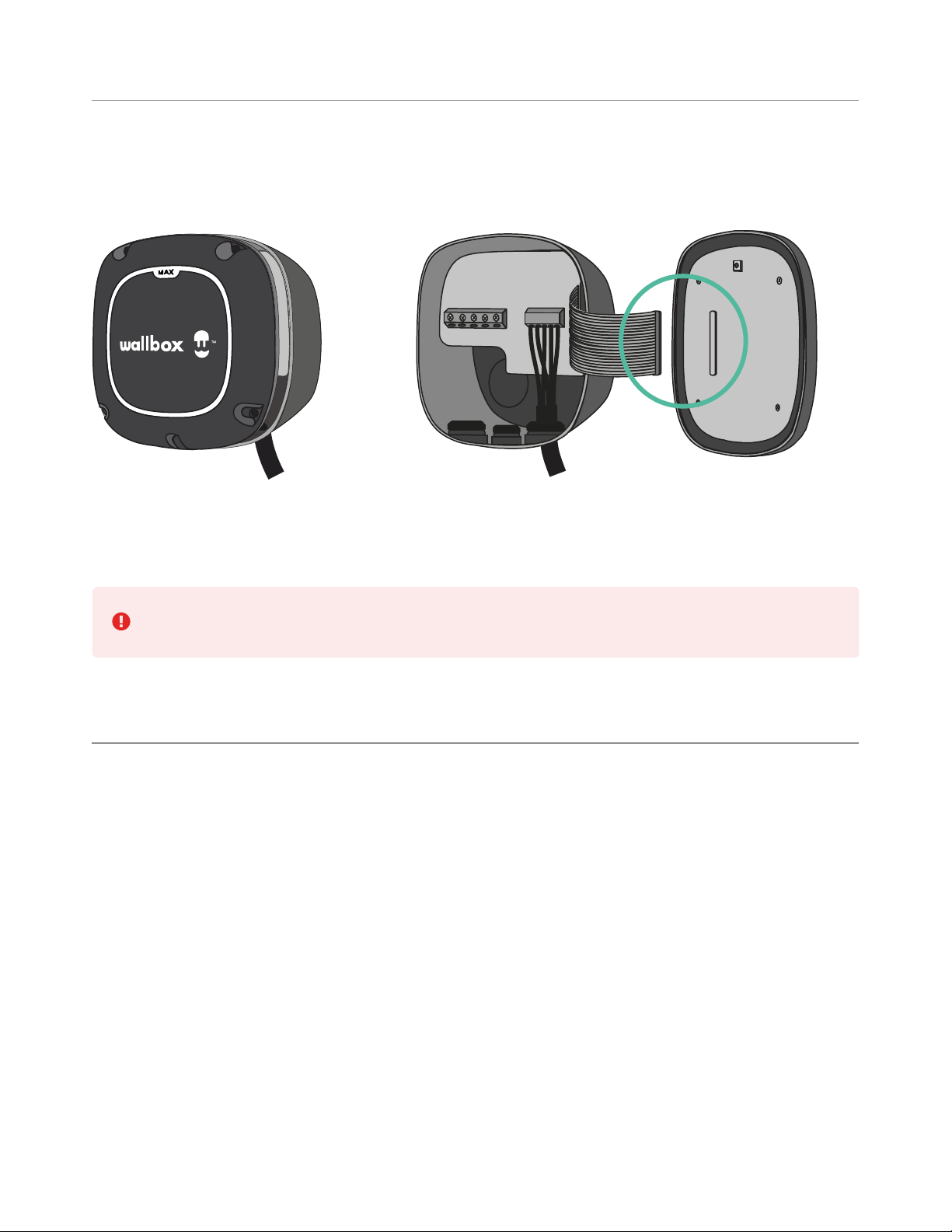
Remove the two corner screws and carefully lift the cover. Then, carefully detach the ribbon
cable to set the cover aside.
Before proceeding with the installation, make sure to power off all the connections.
5. Installing the Wall Plate
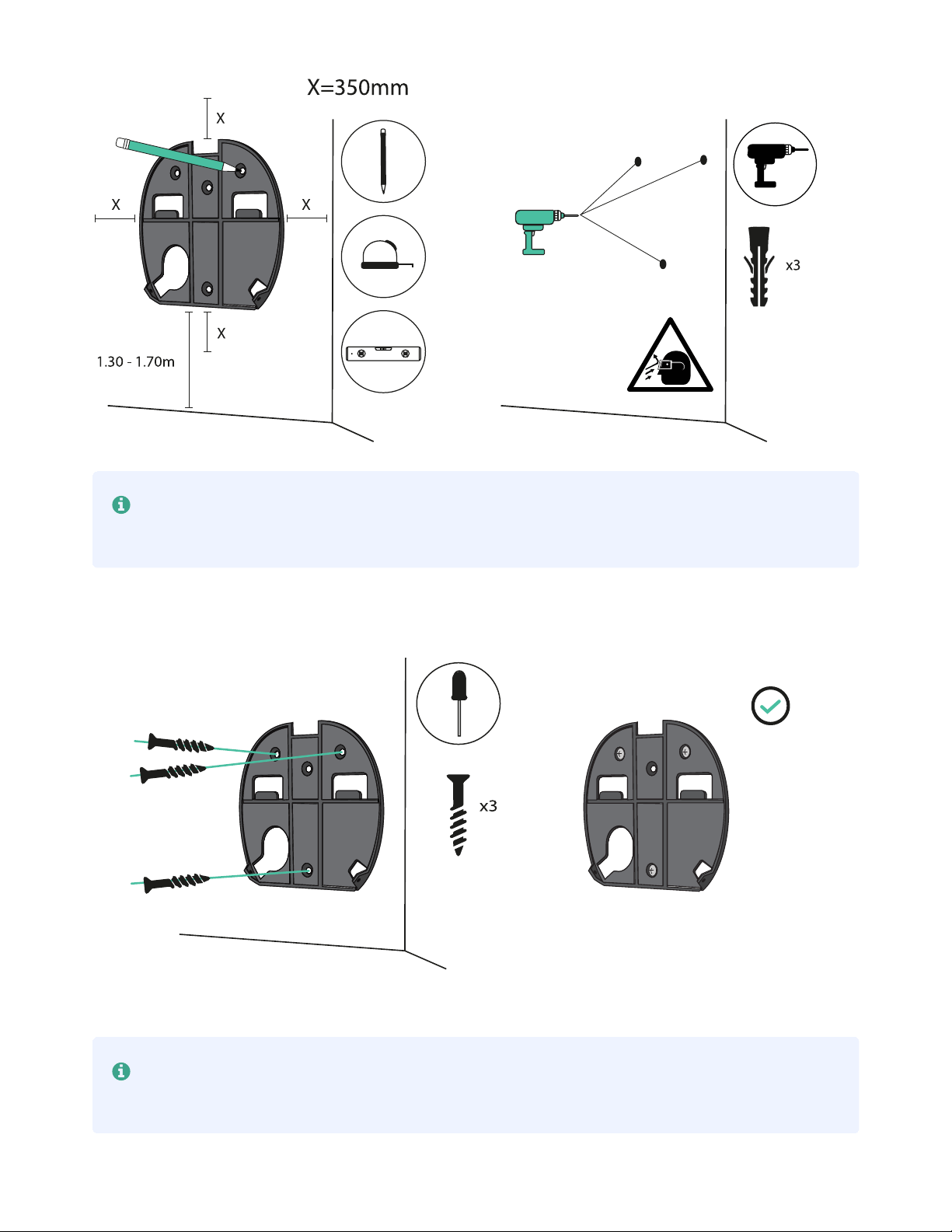
Remove the tape from the wall plate to detach it from the charger. Then, place it straight and
mark three holes with a pencil. Now drill with an appropriate-sized bit and place the wall plate
in alignment with the holes.
5/12
If you are mounting your charger on a solid wall, use the wall anchors provided with
your charger.
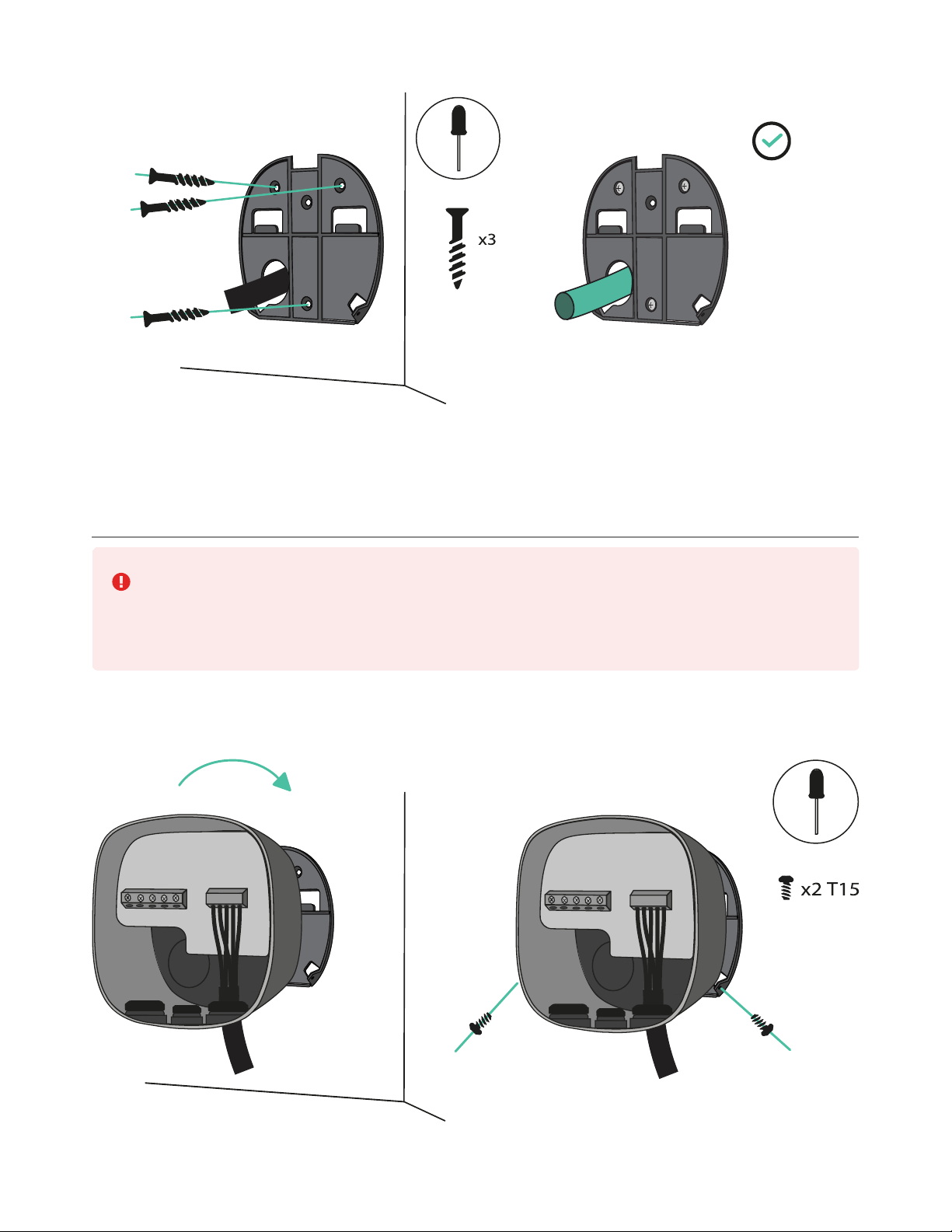
Fix the wall plate to the wall, ensuring not to over-tighten the screws.
If case power supply wiring comes from the wall, ensure to place the wires through
the wall plate hole before fixing the wall plate.
6/12
6. Lower Connection
Both lower and rear connections are possible when installing Pulsar Max. If you
intend to install the product by using the bottom hole, pay attention to the
instructions below. For the rear connection, go to section 7.
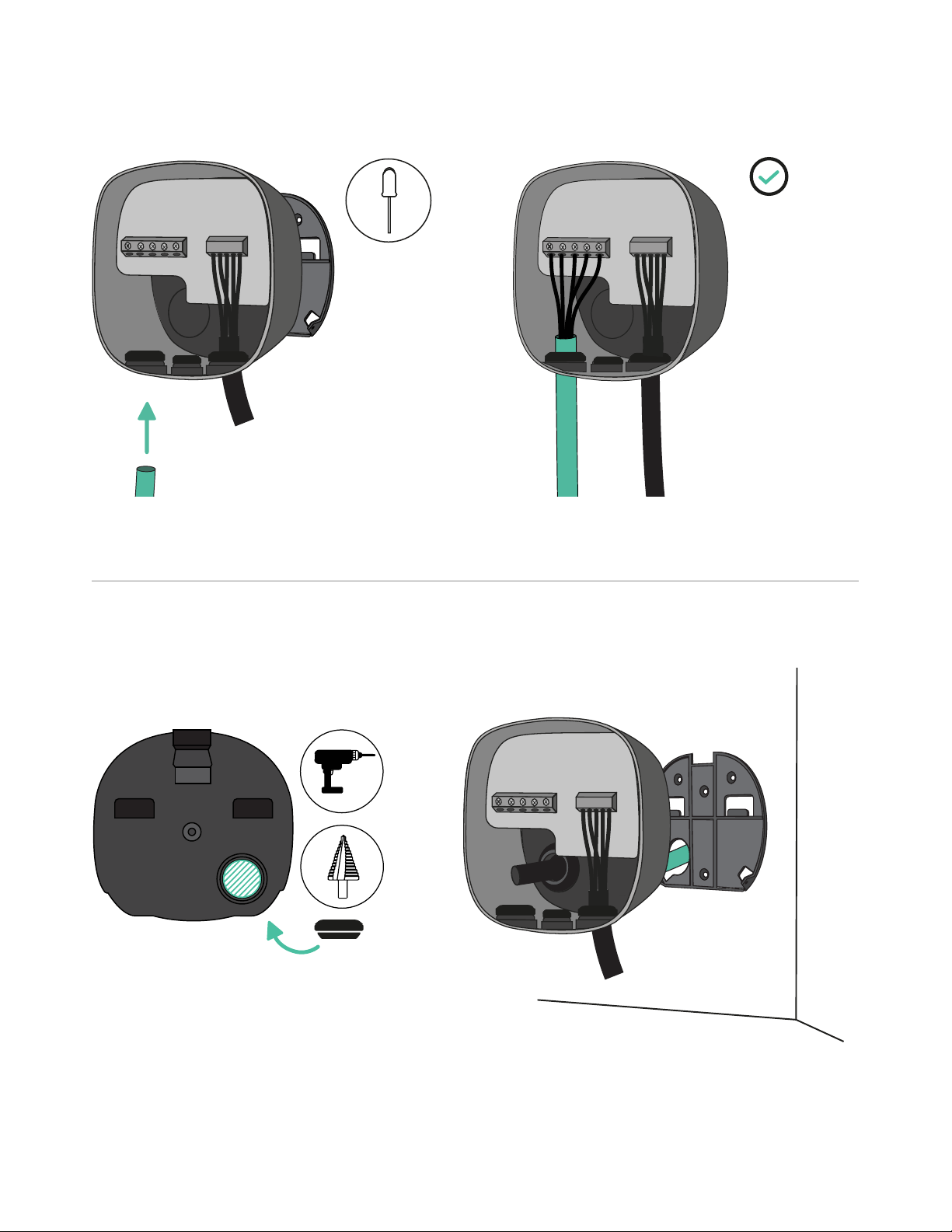
Lift your charger and hang it from the top of the wall plate. Secure the charger to the wall
plate with the appropriate screws, avoiding over-tighten.
7/12
Make an incision on the grommet and insert the power supply cable.
7. Rear Connection
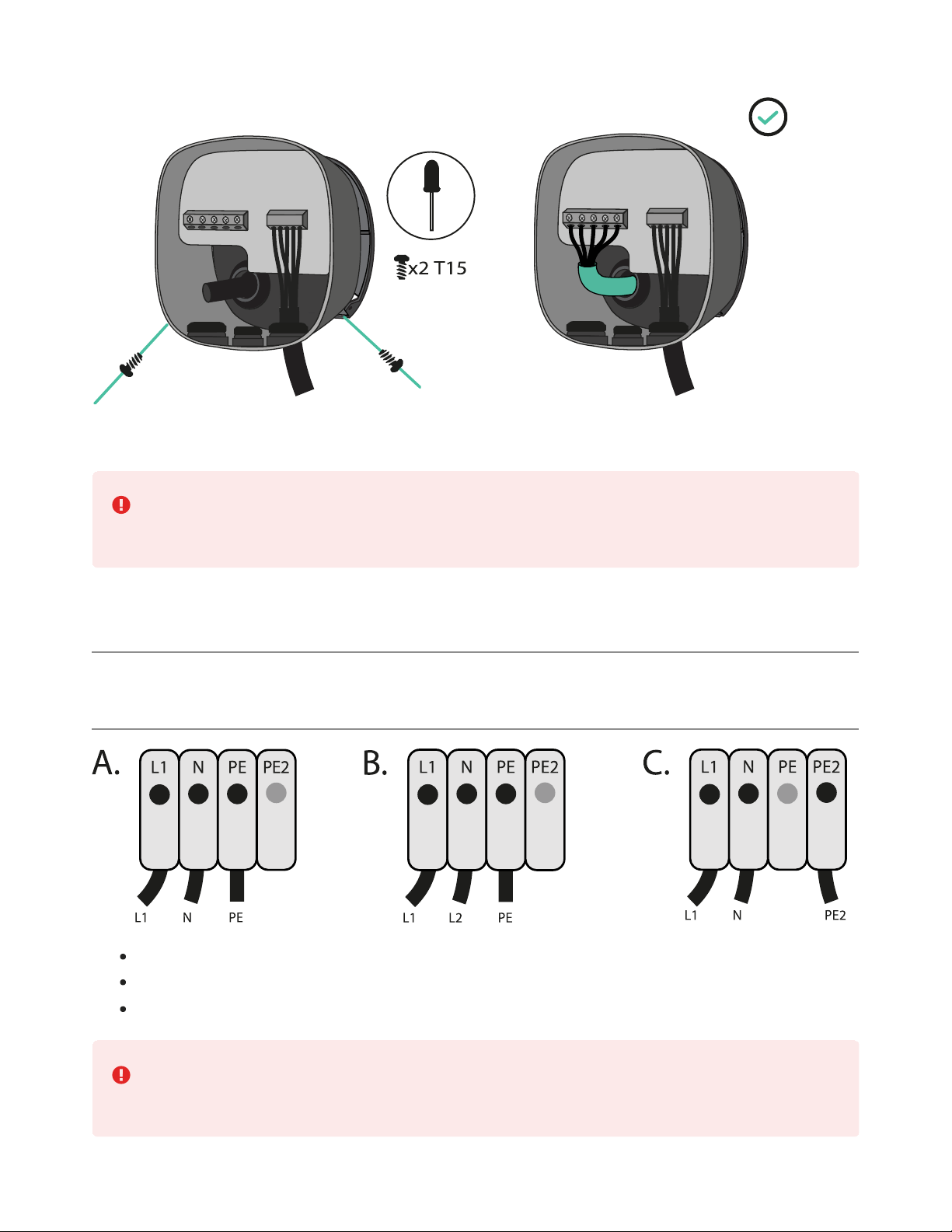
Make a hole on the back of the charger, using a Step drill bit 32mm. Then, make an incision
in the grommet and insert the power supply cable.
Fix your charger to the wall plate and then fix it using the appropriate screws.
8/12
Visit the EMS Installation Guide for discovering which features are supported by
Pulsar Max.
8. Electrical Wiring
Single Phase Version
Single Phase Set-up
Bi-phase No Neutral
Single Phase PME
(UK only) can be connected to the PME supply according to BS7671:2018-
amd1:2020 722.411.4.1
9/12
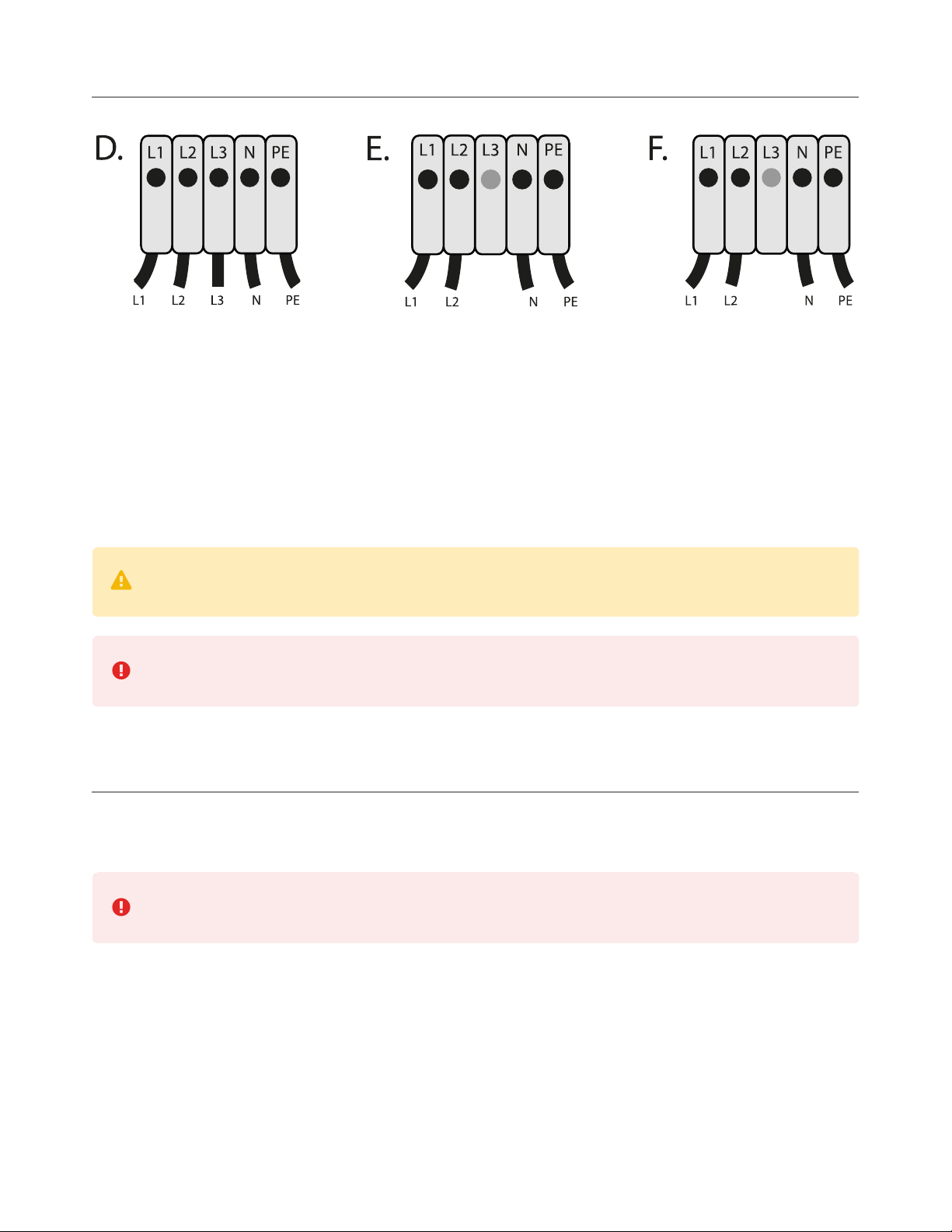
Three Phase Version
D. Three Phase Set-up
E. Three-phase No Neutral
F. Bi-phase Set-up
For the Three-phase No Neutral installation, check compatible EV models that support this
configuration.
The Pulsar Max three phase version can be installed with A – B set-ups.
Ensure that the maximum voltage is less than 264V between L & N inputs.
9. Closing the Charger
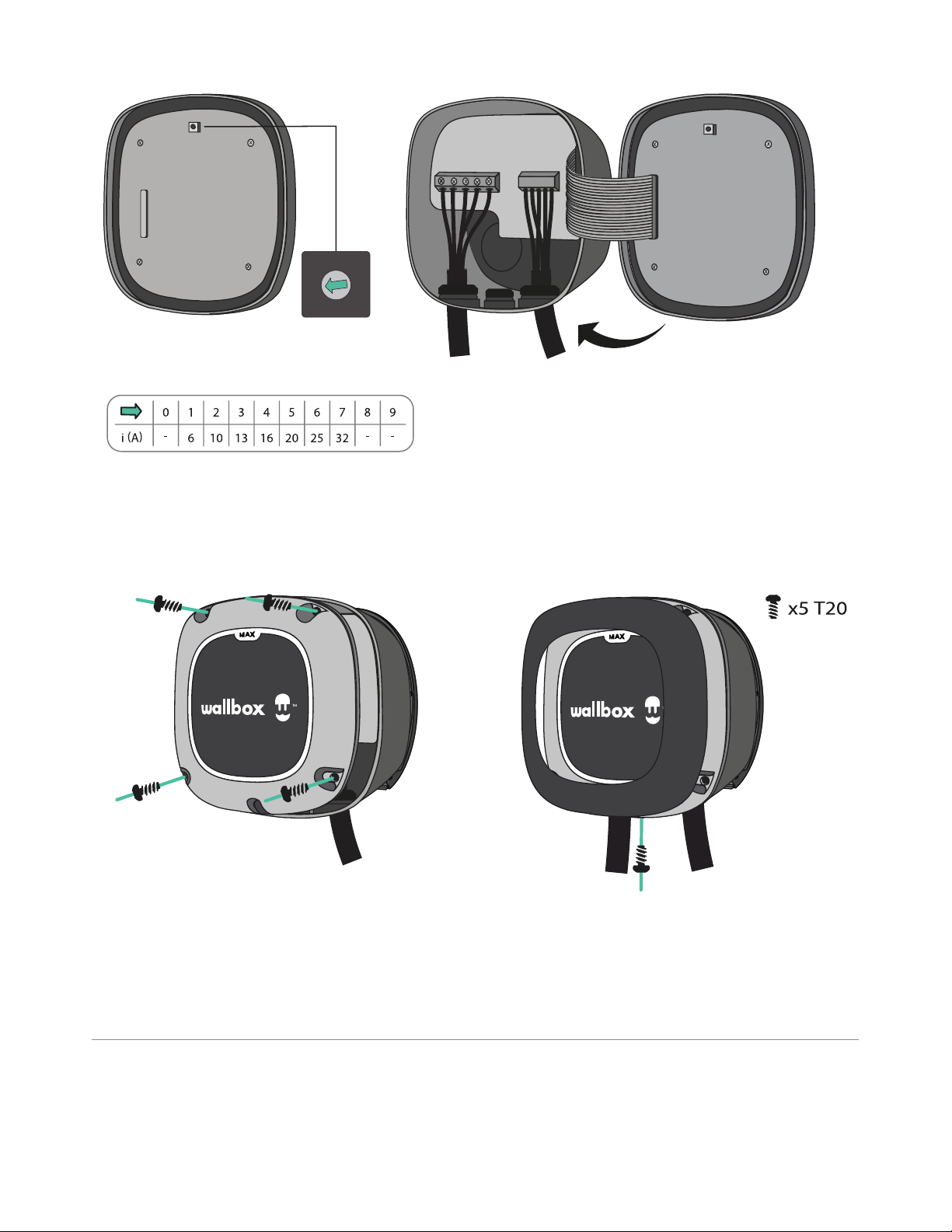
Position the current selector to an appropriate setting. Then, carefully reattach the
communication cable to your charger cover and close it.
Make sure that the selector does not point to 0, 8 and 9.
10/12
1
2
3
4
5
6
7
8
9
0
Insert the four corner screws to secure your charger cover. Make sure to properly align the
bottom screw opening, place the cover frame on your charger and attach the frame with the
screw. Do not over-tighten.
10. Installing the Plug Holder
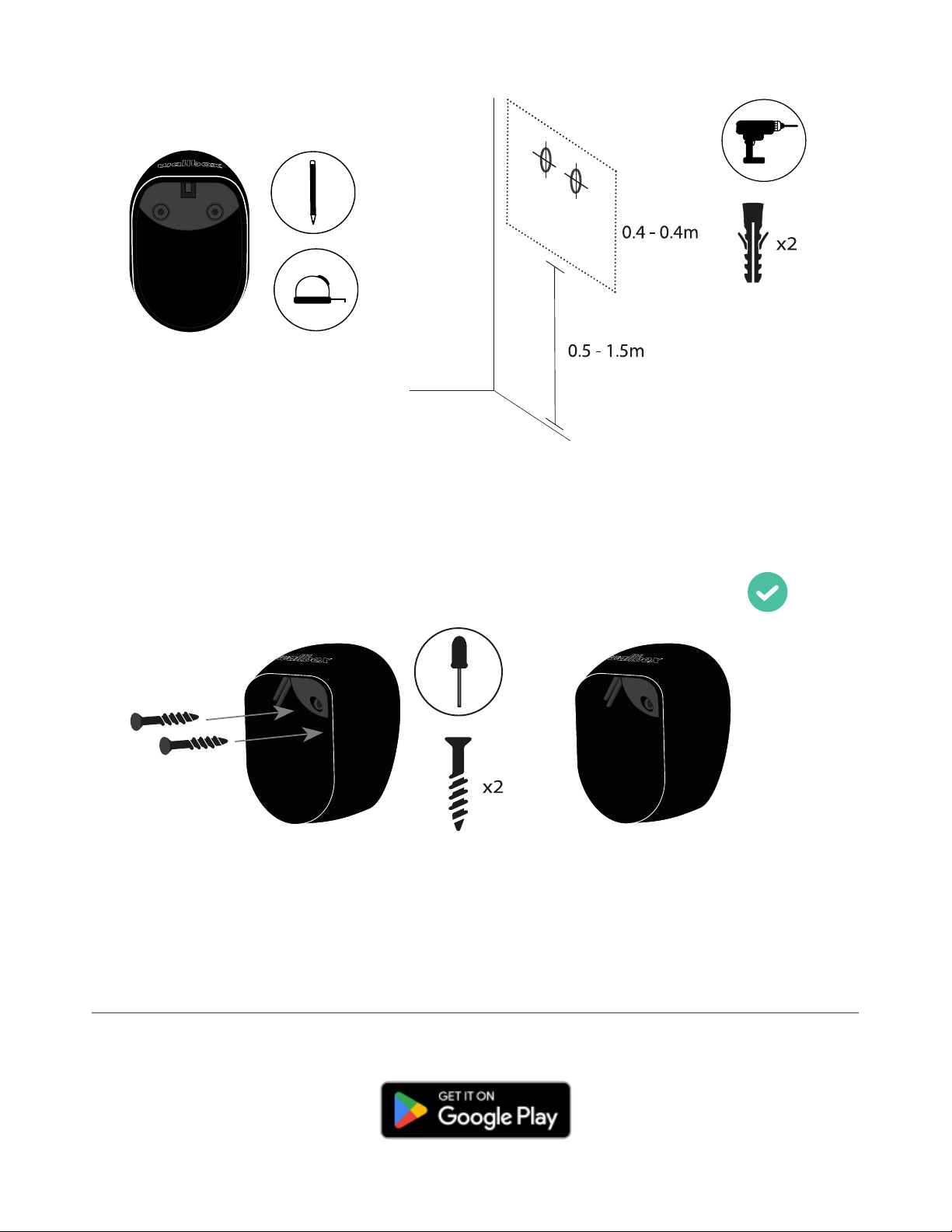
Place the plug holder on the wall and mark the fixing points. Then, drill holes where the fixing
points are marked.