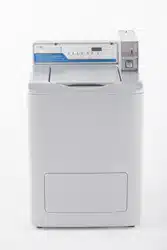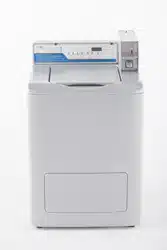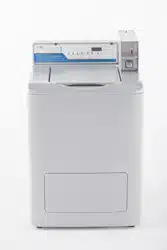
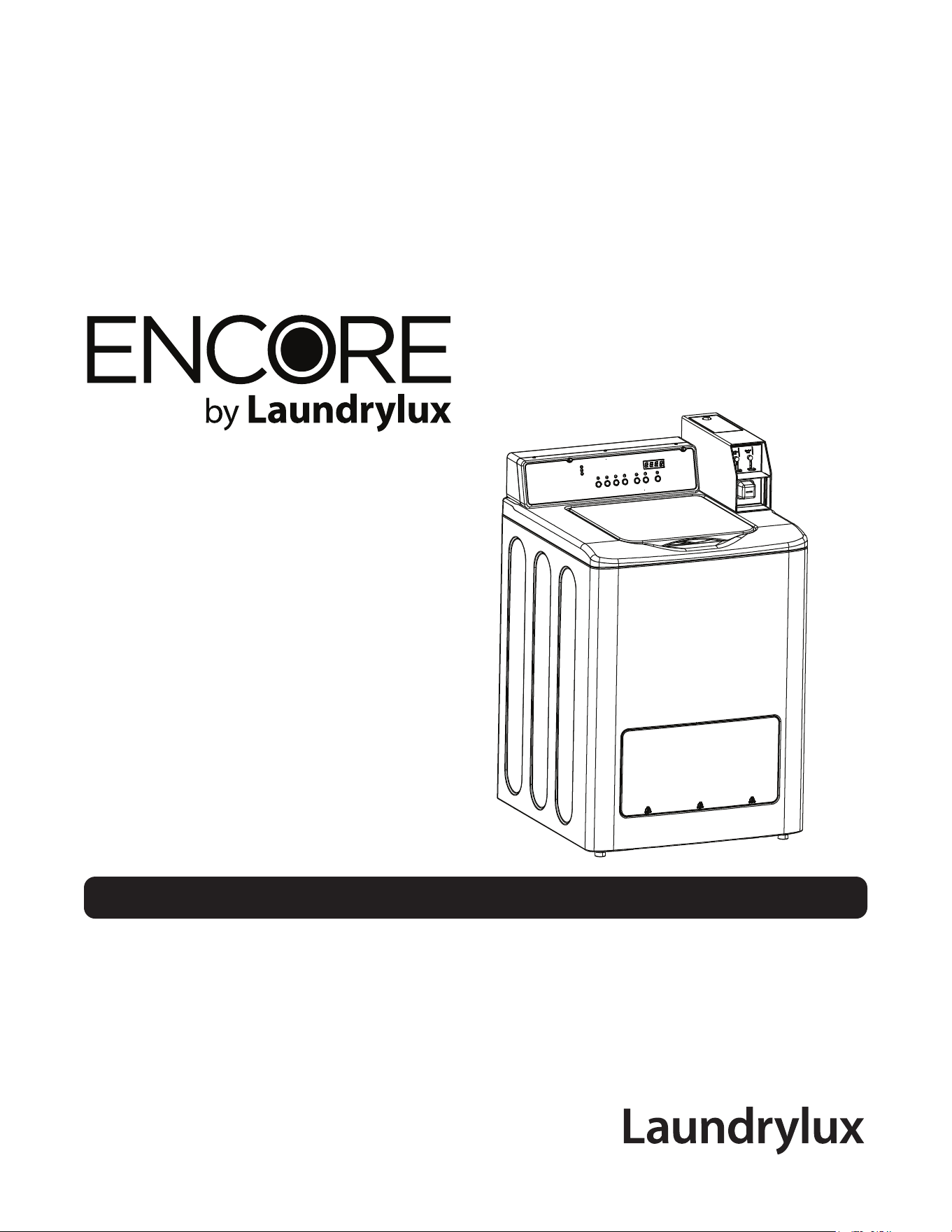
WASHER OPERATING MANUAL
MODEL NO. WMTW4371M
DOC. NO. 098541
EDITION 09.2021

Intentionally blank

WARNING: ALL OPERATING AND MAINTENANCE PROCEDURES SHOWN IN THIS MANUAL
MUST BE FOLLOWED DAILY FOR PROPER OPERATION OF YOUR MACHINE.
PLEASE ENTER THE FOLLOWING INFORMATION AS IT APPEARS ON THE MACHINE(S) DATA
PLATE(S).
Operating Manual
WMTW4371M
KEEP THIS MANUAL IN A SECURE PLACE FOR FUTURE REFERENCE.
MACHINE MODEL
MACHINE SERIAL NUMBER(S)
ELECTRICAL CHARACTERISTICS: 120 VOLTS, 1 PHASE, 60 HZ.
221628

Intentionally blank

SAFETY AND WARNINGS SIGNS
Replace if Missing or Illegible
One or more of these signs must be axed on each machine as
Indicated, when not included as part of the front instruction panel.
LOCATED UNDER THE LID:
Part # 0030515614

LOCATED ON CONSOLE:
Part # 0030509823
LOCATED ON POWER CORD
Part # 0020506865
WARNING
AVERTISSEMENT
ADVERTENCIA
Electrical Shock Hazar d Risque de choc élec trique
Riesgo de descarga eléc trica
If you need to order more safety or warning
signs, call the Laundrylux Parts Department
at (516) 371-2000, or call your local dealer.
LOCATED ON CONSOLE:
Part # 0180500770F

IMPORTANT SAFETY INSTRUCTIONS
IMPORTANTES MESURES DE SECURITE
WARNING -
To reduce the risk of re, electric chock, or injury to persons when using your appliance:
AVERTISSEMENT -
Pour réduire les risques d´incendie, de choc électrique ou de blessure quand, I´appareil est utilisé:
1. Read all instructions before using the appliance.
Lire toutes les instructions avant d’utiliser l’appareil.
2. This machine must be installed according to the installation instructions.
Ce machine doit être visseé sur le plancher selon les instructions d’installation.
3. This machine MUST be serviced and operated in compliance with manufacturer’s instructions.
IL FAUT QUE cette appareil soit entretenue et actionnée conformement aux instructions du fabriquant. CONTROLEZ LA
SERRURE DE PORTE TOUS LES JOURS AFIN DE EVITER DES DOMMAGES OU DES RISQUES PERSONNELLES.
SI LA SERRURE DE PORTE NE FONCTIONNE PAS, IL FAUT METTRE LA MACHINE HORS SERVICE JUSQU’Á LE
PROBLEME SOIT CORRIGÉ.
4. Do not wash articles that have been previously cleaned in, washed in, soaked in, or spotted with gasoline, dry cleaning
solvents, or other ammable or explosive substances, as they give o vapors that could ignite or explode.
Ne pas laver des articles qui ont été nettoyés ou lavés avec de l’essence, des solvants pour nettoyage à sec ou d’autres
substances inammables ou explosives, ou que l’on a fait tremper dans ces produits. Ces substances dégagent des
vapeurs qui peuvent s’enammer ou exploser.
5. Do not add gasoline, dry-cleaning solvents, or other ammable or explosive substances to the wash water. These
substances giveo vapours that could ignite or explode.
Ne pas ajouter d’essence, de solvants pour nettoyage à sec ou d’autres substances inammables ou explosives à l’eau
de lavage. Ces substances dégagent des vapeurs qui peuvent s’enammer ou exploser.
6. Under certain conditions, hydrogen gas may be produced in a hot-water system that has not been used for 2 weeks or
more. HYDROGEN GAS IS EXPLOSIVE. If the hot-water system has not been used for such a period, before using a
washing machine, turn on all hot-water faucets and let the water ow from each for several minutes. This will release any
accumulated hydrogen gas. As the gas is ammable, do not smoke or use an open ame during this time.
De l’hydrogène peut être produit dans un système à eau chaude qui n’a pas été utilisé depuis deux semaines ou plus.
L’HYDROGÈNE EST EXPLOSIF. Si le système à eau chaude n’a pas été utilisé depuis un certain temps, ouvrir tous les
robinets d’eau chaude et laisser l’eau couler pendant plusieurs minutes avant d’utiliser une laveuse, l’hydrogène accu
mulé, le cas échéant, s’échappera. L’hydrogène étant inammable, ne pas fumer ou utiliser un appareil à amme nue
pendant que l’eau coule.
7. Do not allow children to play on or in the appliance. Close supervision of children is necessary when the appliance is
used near children.
Ne pas permettre aux enfants de jouer sur ou dans l’appareil. Surveiller ètriotement les enfants lorsqu’ils se trou veent
près d l’appareil qui fonctionne.
8. If the machine is to be discarded, remove the lid to prevent accidental entrapment.
Avant de mettre l’appareil hors service ou de jeter, retirer la porte..
9. Do not reach into the appliance if the tub is moving.
Ne pas mettre la main dans l’appareil lorsque la cuve bougent.
10. Do not install or store this appliance where it will be exposed to the weather.
Ne pas installer ou placer cet appareil dans un endroit où il sera exposé aux intempéries.
11. Do not tamper with controls.
Ne pas traquer les commandes.
12. Do not repair or replace any part of the appliance or attempt any servicing unless specically recommended in the user
maintenance instructions or in published user-repair instructions that you understand and have the skills to carry out.
Ne pas réparer ou remplacer les pièces de l’appareil ou procéder à l’entretien de celui-ci sauf si les instructions visant
l’entretien et les réparations qui doivent être eectués par l’utilisateur le spécient, si vous comprenez bien ces instructi
si vous possédez les connaissances nécessaires.

NOTICE TO: OWNERS, OPERATORS AND DEALERS
IMPROPER INSTALLATION AND INADEQUATE MAINTENANCE, POOR HOUSEKEEPING AND WILLFUL NEGLECT OR
BYPASSING OF SAFETY DEVICES MAY RESULT IN SERIOUS ACCIDENTS OR INJURY. TO ASSURE THE SAFETY
OF CUSTOMERS AND/OR OPERATORS OF YOUR MACHINE, THE FOLLOWING MAINTENANCE CHECKS MUST BE
PERFORMED ON A DAILY BASIS.
NOTICE À L’ATTENTION DES PROPRIÉTAIRES, UTILISATEURS ET REVENDEURS
UNE INSTALLATION INCORRECTE ET UN ENTRETIEN INADÉQUAT, DE MÊME QUE LA NÉGLIGENCE OU LA
NEUTRALISATION DÉLIBÉRÉES DES DISPOSITIFS DE SÉCURITÉ, PEUVENT ÊTRE CAUSES DE BLESSURES OU
D’ACCIDENTS SÉRIEUX. POUR ASSURER LA SÉCURITÉ DES CLIENTS ET/OU DES UTILISATEURS DE VOTRE
MACHINE, IL EST INDISPENSABLE DE PROCÉDER CHAQUE JOUR AUX CONTRÔLES DE ROUTINE CI-APRÈS.
1. Prior to operation of the machine, check to make certain that all operating instructions and warning signs
are axed to the machine and legible. (See the following page of this manual for description and location
of the signs.) Missing or illegible ones must be replaced immediately. Be sure you have spare signs and
labels available at all times. These can be obtained from your distributor or from Laundrylux.
2. Check the lid safety interlock, as follows:
(a) RAISE THE LID of the machine and attempt to start in the normal manner:
For coin-operated models, insert the proper coins to start the machine.
For card-operated models, insert the card to start the machine.
THE MACHINE MUST NOT START
(b) CLOSE THE LID, start the machine operation and, while it is operating, open the lid.
THE MACHINE MUST COME TO A COMPLETE STOP
If the machine can start with the lid raised, or can continues to operate with the lid raised, the lid interlock
is no longer operating properly. The machine must be placed out of order until this condition is corrected.
3. DO NOT UNDER ANY CIRCUMSTANCES ATTEMPT TO BYPASS OR REWIRE ANY OF THE MACHINE
SAFETY DEVICES AS THIS CAN RESULT IN SERIOUS ACCIDENTS.
4. Be sure to keep the machine(s) in proper working order. Follow all maintenance and safety procedures.
Further information regarding machine safety, service and parts can be obtained from your dealer or from
Laundrylux through its Technical Support Hotline - (516) 371-0700 or its website www.laundrylux.com.
All requests for assistance must include the model, serial number and electrical characteristics as
they appear on the machine identication plate. Insert this information in the space provided on the
previous page of this manual.
5. WARNING: DO NOT OPERATE MACHINE(S) WITH SAFETY DEVICES BYPASSED, REWIRED OR
INOPERATIVE! DO NOT OPEN MACHINE DOOR UNTIL DRUM HAS STOPPED ROTATING!
AVERTISSEMENT: NE PAS FAIRE FONCTIONNER LA (LES) MACHINE(S) AVEC UN DISPOSITIF
DE SÉCURITÉ NEUTRALISÉ, RECÂBLÉ OU NON OPÉRATIONNEL! NE PAS OUVRIR LA
MACHINE TANT QUE LE TAMBOUR NE S’EST PAS IMMOBILISÉ!

Contents
Control Panel + Instructions For Use ................................................................1:1
Operating Mode ................................................................................................2:1
Vended Operation ............................................................................................3:1
Fault Codes ......................................................................................................4:1
Service Mode ...................................................................................................5:1
Preventive Maintenance ...................................................................................6:1
Wash Programs ................................................................................................ 7:1
The manufacturer reserves the right to make changes to design, material
and/or specications without notice.

Control Panel
1:1
The display control panel allows the selection of the wash programs. As desired,
options can be selected to modify the wash programs to adjust for load type and soiling.
The control panel consists of program selection buttons (A), option buttons (B), a start
button (C), a display (D) which shows the time remaining and the price for the selected
program, and wash program status indicators (E).
In the event of faults, error codes will be displayed. See the “Fault Codes” section of
this manual.
Explanation of the control panel:
A Program selection buttons
B Option buttons
C Start button
D Display indicating program time remaining and price of programs.
E Wash program status indicators.
1
E
A B
C
D
1:2
Instructions for Use
Washing
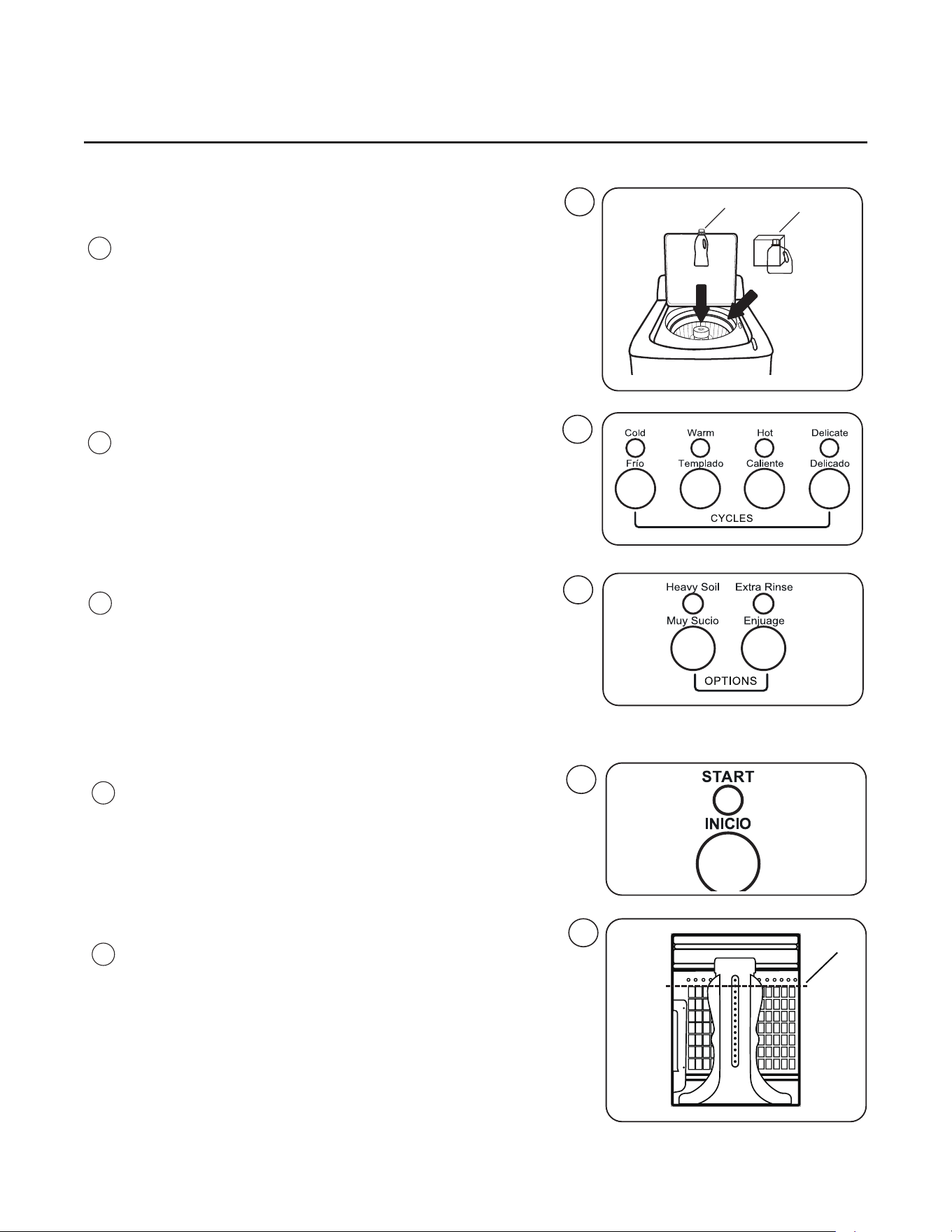
• Prior to loading the machine, add liquid or powder
detergent and color safe bleach to tub (1) and liquid
fabric softener to center cup (2).
• Close lid.
• Press the button for the desired program.
• Press button(s) for desired option(s), if any.
• Pay the price indicated on the display by inserting
coins, tokens, or card depending on the payment
system in use. For OPL applications no price is
displayed.
• Press the Start button.
• Allow the water to ll for 30 seconds to dilute the
detergent.
• Raise lid and load garments into the machine. Do
not ll past maximum load line (1).
• Close the lid and press the Start button.
2
1
2
Fig.
2
3
Fig.
3
4
Fig.
4
5
Fig.
5
6
Fig.
6
1
1:3
Instructions for Use
Wash Program Description
The machine oers four standard wash programs, and two program options features. The standard
basic wash programs are Cold, Warm, Hot, and Delicate. The program options are Heavy Soil and
Extra Rinse. The options can be added to the standard wash programs in any combination. On coin-
operated models, a dierent price can be charged for each program, and an incremental price can be
programmed for each of the two option buttons described below.
The Cold, Warm, and Hot wash programs are comprised of three program segments. These programs
begin with the Mainwash which lls to the LOW water level. The duration of the Mainwash can
be adjusted using the machine’s service mode. The Mainwash water temperature is cold in the
COLD program, warm in the WARM program, and hot in the HOT program. Upon completion of the
Mainwash the machine drains and spins for three-minutes, at which time the softener is dispensed
from the softener container located in the agitator.
Following the Mainwash the machine rells to the HIGH water level for the cold water deep Rinse.
The rinse is followed by a draining and the nal extraction.
The Delicate program consists of a cold water Mainwash with reduced agitation and one cold water
rinse.
Two optional program segments can be added to the standard programs using parameter-register
settings in service mode. The rst option converts all deep rinses to a reduced-water-consumption
spray rinse. The second option is an extra Rinse that is inserted between the rst and last Rinse
and also lls to the HIGH water level. LOW and HIGH water levels can also be adjusted in service
mode.
The LOW and HIGH water levels, as well as the duration of the wash segment of the standard
programs, are also adjustable in the service mode parameter registers.
For OPL use, a Rinse and Spin wash program is available by pressing the EXTRA RINSE button
with no wash programs selected. This optional program must be enabled during machine setup.
Rinse and Spin is comprised of a rinse followed by an extraction.
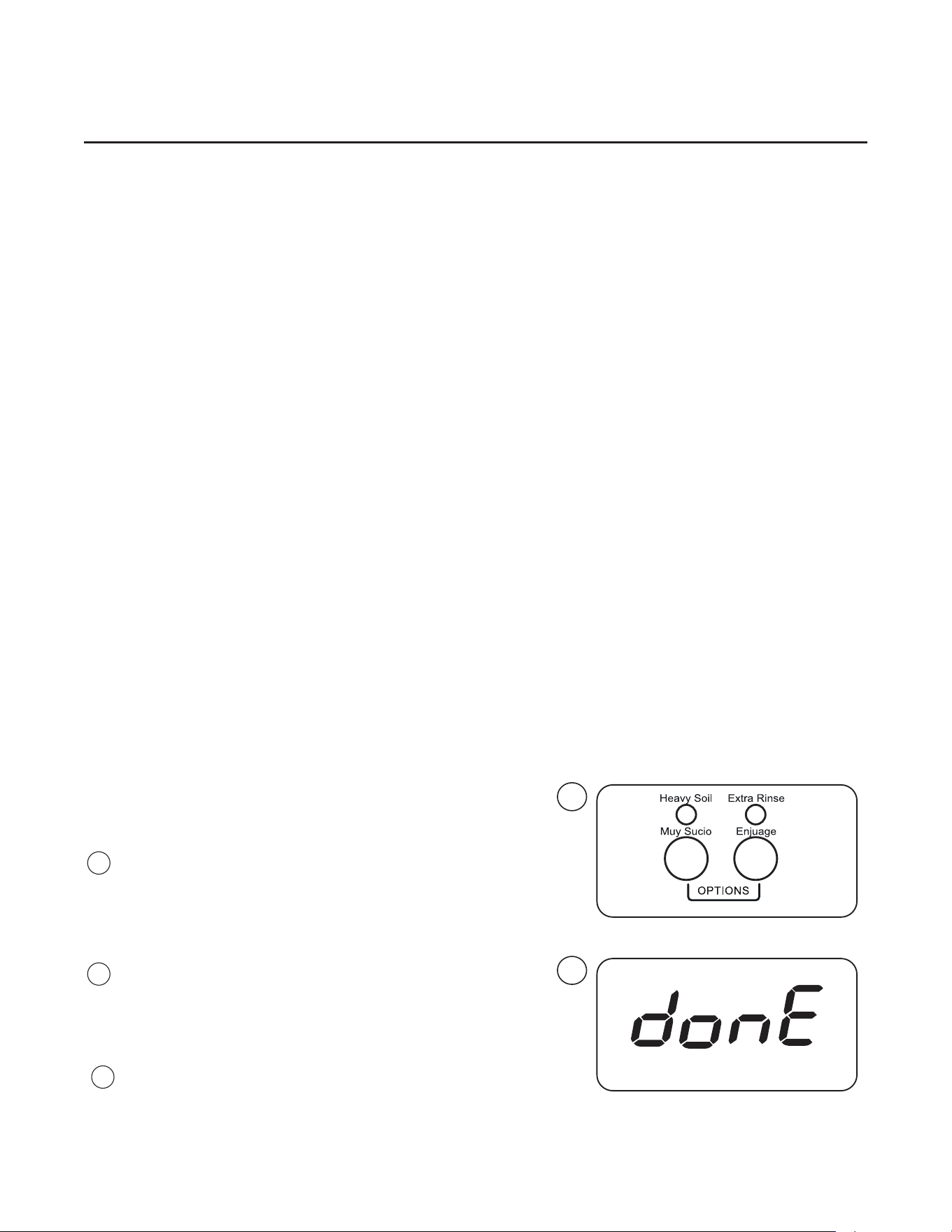
Heavy Soil option button
The Heavy Soil increases the Mainwash time of the Cold,
Warm, Hot Programs. Heavy Soil is not available when the
Delicate Program is selected.
Extra Rinse option button
The Extra Rinse option adds one additional cold water rinse
to any wash program. The extra rinse repeats the second-
to-last rinse.
Program End
The display will show “donE” when the program ends.
Fig.
1
1
Fig.
1
Fig.
2
2

Instructions for Use
1:4
Pausing the wash cycle.
If power to the machine is accidentally cut and then restored, the machine will automatically resume the
wash program segment at the point point of power interruption.
The selected wash cycle and/or options may be changed after the wash program has started. Press
the START button to pause the program. Select the new program and/or options. Add any additional
payment, if required. Press START.
The wash cycle may be temporarily paused after water has begun to accumulate in the drum to allow
the addition of detergent or bleach and the wash load. Press the START button to allow the drum to
come to a complete stop. Raise the lid. After adding the garments or wash chemicals, lower the lid and
press START.
If an unbalance condition occurs during the nal extaction and the machine is unable to automatically
redistribute the garments, a “UNB” (Unbalance notication) appears in the display. The machine will
remain in this state until the lid is opened. Opening the lid starts a ve-minute countdown timer during
which the garments in the drum can be re-distributed by the user. Pressing START before the timer
reaches zero will restart the nal extraction program segment. If START is NOT pressed within ve
minutes of raising the lid, the machine will reset to the standby state.

Operating Mode
2:1
The washer is capable of accepting payment using coins or tokens in COIN MODE or using
payment cards in CARD MODE (serial). Setting the machine to COIN MODE and setting all
wash program and option prices to “0.00” will allow the machine to operate for free in OPL
mode.
Coin/Serial Communication Payment Mode Setting
1. In Coin congured machines unlock and remove the coin box. Press and release the
Service Switch located in the rear of the coin vault to enter service mode. In non-Coin
congured machines invoke full service mode via Reg 36 which must be enabled at
installation. See Service Mode page 6:1.
2. All segments of the display will light.
3. Press the “HEAVY SOIL” and “EXTRA RINSE” buttons simultaneously. This display
shows “0” if the machine is in COIN MODE or “1” if the machine is in CARD MODE.
4. Press the START button. The display ashes.
5. Press the COLD program button to change the operating mode. The left-most digit
changes 0 → 1 or 1 → 0, indicating the new mode (0 = COIN=default, 1 = CARD).
6. Press the START button. The display stops ashing.
7. Press the service mode button to exit the service mode.
8. Disconnect and reconnect power.

Vended Operation
3:1
Coin-Operated Machines
On coin-operated machines, prices for programs and options must be programmed during machine
setup, and can be modied at any time using the service mode.
The machine must be set to COIN MODE (see OPERATING MODE section).
Prices can be programmed as dollars and cents or as the number of coins or tokens required to
start. There are four wash programs COLD, WARM, HOT, and DELICATE and two options HEAVY
SOIL and EXTRA RINSE that can be programmed to the same or dierent prices. The option prices
are added to the base prices of the COLD, WARM, HOT, and DELICATE programs. The Heavy Soil
option cannot be used when the DELICATE program is selected.
PRICE PROGRAMMING
1. To enter the service mode, unlock and remove the coin box.
2. Press and release the Service Switch located in the rear of the coin vault to enter service mode.
All of the LEDs on the control panel begin to ash.
3. Press one of the six program or option buttons, for which the price is to be programmed. The
current price for that selection is displayed.
4. Press the START button. The price will blink, indicating it can now be changed.
5. Use the four program-selection buttons; COLD, WARM, HOT, and DELICATE to change each
of the four digits in the price. Each button increments a corresponding digit, left to right, in
the price. The digits “roll over” from 9 to 0 without aecting the other digits. The left most digit
cannot be set to “0”, but can be blanked out completely.
6. When the desired price is displayed, press START. The display will stop blinking indicating the
new value has been saved.
7. Repeat steps 3 through 6 for each remaining wash program and option. The option buttons only
make adjustments to the basic programs, and are typically set to 0.25 or 0.50, for example.
8. When all prices have been entered, press the Service Switch in the coin-vault, to exit service
mode.
9. Check the newly entered prices by selecting each program without, and then with, the option
selections.
Register 26 (“No Decimal in Price”) determines how prices are displayed by the machine. When
set to “00” (default), prices are set and displayed with a decimal (e.g. “3.00”). When set to “01”, the
decimal point is turned o, and prices are set and displayed as “number of coins or tokens” required
(e.g. “12”). In either case, the value of each coin drop is stored in Register 33 “Coin Value 1” and
Register 34 “Coin Value 2” and determine how much the remaining price will be reduced each time
a coin is deposited. The coin-value registers can be adjusted to accommodate any currency. See
instructions later in this manual to change the setting.

Vended Operation
3:2
DISCOUNT-PRICE “PROMOTION” PROGRAMMING
The washer is capable of applying a scheduled “Promotional” percentage-discount to the vend
price of a program. Up to four dierent discount events and percentages can be set using the
washer’s built-in Real Time Clock (RTC). Alternatively, one preset discount can be turned on and o
using an optionally-installed, external signal provided by a clock-driven relay or switch. This signal
can activate the discount on multiple washers, simultaneously. Both options require setup via the
service registers, access to which is described in the Service Mode section of this manual.
During machine setup, the promotional discount is represented by a two digit percentage (%%) and
can range from 0% (no discount) to “A0” = 100% (free wash). When Promotion pricing is active,
the displayed vend price equals the sum of the discounted program price rounded up to the next
multiple of register “033” (Coin value 1) plus the selected option price, which are not discounted. For
example, if Coin Value 1 = 0.25 and a 50% Promotion discount is applied to a COLD (1.00) wash
program with a HEAVY SOIL (0.25) option selected (1.25 total), the displayed vend price would be
“0.75.” ($1 x 50% + $0.25).
To use Promotion percentage discount pricing the washer must be set to “COIN MODE” operation.
Promotion pricing can be used with the washer set to either Decimal or No Decimal in price, Reg 26
= “00” or “01”.
PROMOTION PRICING VIA THE REAL TIME CLOCK (RTC)
The RTC and Promotion pricing times are set and displayed in 24hr format. (e.g. 1:15 PM = 13:15).
The promotion days of the week are represented by a two digit number (nn). The RTC’s built in
calendar adjusts for leap years. Promotion pricing set up requires setting the RTC and up to four
pairs of Promotional start and stop times and percentages.
RTC and Promotional Setup
Refer to the Service Mode section of this manual to access the registers referred to in this section.
1. Navigate to Register 70 (RTC set-up) as explained in the Service Mode section.
2. Press START, this will stop the internal clock. The year will be displayed as a four digit number
(yyyy). Edit these values using the COLD, WARM, HOT, and DELICATE buttons.
3. Press START, a two day digit number “(0d)” for the day of the week will be displayed.
(01=Sunday, 02=Monday, ... 07=Saturday.) Edit this value using the DELICATE button.
4. Press START, the Month and Day of the month will be displayed as two-digit numbers (mm.dd).
Edit these values using the COLD, and WARM (month), and HOT, and DELICATE (day) buttons.
5. Press START, the Hour and Minutes will be displayed in 24-hr format, as two-digit numbers
(hh.mm). Edit these values using the COLD and WARM (hours), and the HOT, and DELICATE
(minutes) buttons.
6. Press START to save the changes and exit register 70. This will set the clock to the entered time
and date, and set the seconds counter of the clock to zero. This allows synchronizing the clocks
on multiple machines to a master clock such as a wall clock, wristwatch, or cell phone.

Vended Operation
3:3
7. Navigate to Register “71” (RTC Promotion #1 START) to set the percentage discount, day of
the week and start time for promotion #1.
8. Press START, a two digit day number (“0d”) for which the start day(s) of the week for
promotion #1 will be displayed. (01=Sunday, 02=Monday, ...07=Saturday, 08=All days,
09=Monday-Friday only, 0A=Saturday and Sunday only, 00=promotion is inactive.) Edit this
number using the DELICATE button to cycle through the allowed values.
9. Press START, the Hours and Minutes in 24 hr format for the start of Promotion #1 will be
displayed (hh.mm). Edit these values using the COLD, WARM, HOT, and DELICATE buttons.
10. Press START, the promotion percentage discount will be displayed as two digits (%%).The
discount can range from “00” = 0% to “A0” = 100% (Free Wash). Edit this number using the
HOT and DELICATE buttons. Note, pressing the HOT button ten times will cycle the value to
“A0”.
11. Press START to save the changes and exit Register “71”
12. Navigate to Register “72” (RTC Promotion #1 END”). This will allow you to set the end time
for promotion #1 (hh.mm).
13. Press START, the promotion end time in hours and minutes in 24 hr format will be displayed
(hh.min). Edit these values using the COLD, WARM, HOT, and DELICATE buttons.
14. Press START, this will save the changes and exit register 72. The discount set in register 71
will end at the moment the internal clock next matches the value set in register 72.
15. Program the three other Promotion times and percentages as desired using register pairs:
073 & 074 (Promotion #2), 075 & 076 (Promotion #3), and 077 & 078 (Promotion #4). Each
promotion can have a dierent percent reduction. They must not overlap with each other.
16. Exit Service Mode.
External Discount Signal Setup
This washer can apply a price-discount using an external clock-controlled relay or manual
switch. To use this feature the washer requires an optional external price reduction harness kit
to be installed (Part number 096501). Refer to the product installation manual for information
regarding connecting this signal to the washer to activate discounts. A programmable-timer kit
(PN 096496) is also available to support this machine feature. The timer is placed in a secure
location in the laundry, and programmed to automatically turn the discount feature on and o at
a (variable) time each day.
External Signal and Promotional Firmware Setup
1. Navigate to Register 79 (Promotion %% for discount input signal) as explained in the Service
Mode section.
2. Press START. The promotion percentage discount will be displayed as two digits (%%). The
discount can range from “00” = 0% to “A0” = 100% (e.g. Free Wash). Change this value
using the HOT and DELICATE buttons. Note, pressing the HOT button ten times will cycle
the value to “A0”.

Vended Operation
3. Press START to save the change, and exit register 79.
4. Exit Service Mode.
When the external signal is activated, the washer will apply the promotion percentage discount,
set in register 79, to the vend price for the selected program. Reminder: add-on prices that have
been set for the Heavy Soil and Extra Rinse option buttons will not be discounted.
Please contact Laundrylux’s Technical Support team at (516) 371-0700 if you have any
questions or need assistance with price programming or implementing discount price
programming.
3:5

Error Codes
Faults/errors in the program or machine are
indicated by a numerical error code on the panel
display.
Some error codes are cleared automatically when
the Start button is pressed to restart the machine
and some clear when the lid is opened.
For the other error codes, a service technician must
be called.
Fault Codes
4:1
Error Code Cause/Action
Err1 Lid switch status mismatch. One of the lid switches indicates the lid is
closed, and the other one indicates the lid is open. Check lid switch sensor
and under-lid magnets.
Err2 Drain error. Water was not completely emptied in 16 minutes. Check the
pump strainer for a clog.
Err5 Water level not reached within Time-out period during lling. Check water
inlet screens for debris or clog. Check that the water supply is turned on.
Err8 Water Level above parameter set for safety during a wash program.
Pump activates automatically. Check that the water-inlet valves turn o
when the machine is idle.
Er10 Water level sensor error. The water-level sensor might require replacement.
Call a qualied service technician.
Er11 Accelerometer sensor error. Call a qualied service technician.
EuAr Communication error between display and power modules. Call a qualied
service technician.
Unb Load cannot be balanced during extraction. Raise the lid and manually and
evenly redistribute the clothes in the drum. Close the lid and press Start
within ve minutes of opening it. If the lid is not re-closed within ve minutes,
the machine returns to idle mode.
Lid Both lid switches indicate the lid is open.

Service Mode
6:1
The machine’s software provides a “Service Mode” (SM) to adjust operating parameters and view
usage statistics. The service mode also allows a technician to activate individual components of the
machine, for troubleshooting. The software also provides a “Limited Service Mode” (LSM) that allows
a technician to activate machine components, via PIN entry, without having access to the coin vault
service switch. If desired on machine setup, LSM via PIN entry can be disabled or allowed to have full
SM functionality without requiring access to the coin vault.
To activate Service Mode for machines with coin meters:
1. Remove the coin box.
2. Press and release the SERVICE MODE plunger switch at the rear of the coin vault. The screen will
display “8888”.
3. Press the START button. “SE” appears in the display.
4. Use the HEAVY SOIL & EXTRA RINSE buttons to navigate to the desired register.
5. Press START to access the register or activate the function.
6. Use HEAVY SOIL & EXTRA RINSE to change values, as appropriate. Some registers require using
the COLD, WARM, and HOT, DELICATE buttons to edit settings.
7. Press START to save new values, as appropriate.
8. Press the SERVICE MODE switch to exit. SM exits automatically after 60 seconds of inactivity with
all service functions o.
For Non Metered machines, the SERVICE MODE plunger switch is located behind the front console
locking plate.
To activate Limited Service Mode:
1. Press and hold COLD, DELICATE, and START buttons for three seconds.
2. Use the program buttons to enter the PIN code (default is “1234”).
3. Press START. The display shows “011” (the rst register available in LSM).
4. Use the HEAVY SOIL & EXTRA RINSE buttons to navigate to the desired register.
5. Press START to access the register or activate the function.
6. Use HEAVY SOIL & EXTRA RINSE to change values, as appropriate.
7. Press START to save new values, as appropriate.
8. LSM exits automatically after 60 seconds of inactivity with all service functions o.
Service Mode Register Groups:
00-19 Statistics: These are non-resettable auditing counters and log registers for tracking machine
usage, the four latest errors, and the four latest coinbox opening time stamps.
20-39 Wash Program Parameters: These registers are used to adjust water levels and program
structure.
40-59 Activate Machine Functions: In this group, the register address appears in the rst two digits of
the display, and the current setting appears in the right digit (“0” = deactivated, “1” = activated). Press
the START button to toggle the state.
70-79 Real Time Clock, calendar, and time-of-day discount promotion setup: These registers set up the
internal clock, calendar, and promotion pricing.

Service Mode
6:2
STATISTICS (NON-RESETTABLE):
Statistics (00-10): Program and option counts are updated when the cycle ends. When in coin mode
(decimal in price), registers 09-10 shows the value of the amount collected. When in no-decimal mode
(token), 09-10 shows the number of coins collected. When both program options have been selected for
a program, register 07 is incremented but not registers 05 and 06.
Error Codes (11-14): Selecting an error register displays the error code. Each successive press
of the START button (>) advances the display: Year > Month.Day > Hour.Minutes > Total Program
Count > Register Exit. As new errors occur, they are saved in register 11 and the older records shift up
by one register location. The original contents of register 14 are discarded.
Coin Box Access (15-18): Each successive press of the START button (>) advances the display:
Year > Month.Day> Hour.Minutes> Register Exit. With each opening of the coin box, the register time
stamps are saved in register 15 and the older records shift up by one register location. The original
contents of register 18 are discarded.
00 - Cold program counter. Range: 0000 to F999, (A=10, ... F=15 e.g. “B101” = 11,101).
01 - Warm program counter. Range: 0000 to F999.
02 - Hot program counter. Range: 0000 to F999.
03 - Delicate program counter. Range: 0000 to F999.
04 - Rinse and Spin program counter. Range 0000 to F999.
05 - Heavy soil option (only) counter. Range: 0000 to F999.
06 - Extra rinse option (only) counter. Range: 0000 to F999.
07 - Heavy Soil & Extra Rinse counter both options selected Range: 0000 to F999.
08 - Total program counter i.e. 00+01+02+03+04 . Range from 0000 to F999.
09 - Coin totalizer - rst 4 digits, from 0000 to 9999.
10 - Coin totalizer - last 4 digits, from 00.00 - 99.99.
*11 - Newest error and time stamp. “011”>E ##>yyyy>mm.dd>hh.mm>(reg 8)>”010”.
*12 - 2nd latest error and time stamp.
*13 - 3rd latest error and time stamp.
*14 - Oldest error and time stamp. “014”>E ##>yyyy>mm.dd>hh.mm>(reg 8)>”010”.
15 - Coin box access 1 time stamp: (Most recent access).
16 - Coin box access 2 time stamp:
17 - Coin box access 3 time stamp:
18 - Coin box access 4 time stamp: (Oldest access).
*19 - Firmware version.
Wash Program Parameters:
20 - Low water level (wash): range 1-10 (default = 08).
21 - High water level (rinse): range 1-10 (default = 08).
22 - Deep rinse enable “00” or “01”, (00=spray; 01 = deep = default).
23 - Energy Star range “00” or “01”, 00=enabled, 01=disabled=default.
24 - Default program selection:
00= No cycle selected (display “----“). Enables RINSE&SPIN program selection.
01= COLD cycle is default (This is the factory default)
02= WARM cycle is default
03= HOT cycle is default
04= DELICATE cycle is default.6:3

Service Mode
25 - Mainwash time: from 0-999 seconds, default=”720”, i.e. twelve minutes.
26 - Decimal in price: “00”= default=decimal displayed, ”01”= no decimal (token).
27 - Silence buzzer: range “00”=default=enabled, “01” = disabled.
28 - Regret Time: The allowable time, after program start, that a user can change the wash
program/options or add items to the wash. 0000-9999 seconds. “0000” = disabled,
Default = 030. “9999” = unrestricted.
Press the START button, to pause cycle. If the new program/option
selection has a higher vend value, the user will be prompted to insert additional payment.
Upon pressing the start button with the lid closed the cycle resumes.
29 - Unbalance-rell level. Water rell-level immediately after an unblanced condition is detected by
the accelerometer: range 1-10 (default = 01).
30 - Low vibration mode: “00”=enabled, “01” disabled=default.
33 - Coin value 1: “0000-9999”, default = ”0025”.
34 - Coin value 2: “0000-9999”, default = ”0100”.
35 - Limited Service Mode PIN setting: Default = “1234”. (“0000” disables LSM).
36 - Full Service Mode via PIN entry setting: Default = ’0000” (Disabled).
37 - Network address: “0000 - 9999”, “0000”= default.
38 - Auto Start Paid. When the remaining vend price changes to zero AND if the lid is closed, the
selected program starts automatically: “00”=enabled, “01” disabled=default.
39 - Out of Service: Machine ashes “OFF”; “00”=enabled, “01” disabled=default.
Activate Machine Functions (lid closed):
*41 - Cold water valve (Y11).
*43 - Hot water valve (Y13).
*46 - Drain pump.
*47 - Drum clockwise, wash speed.
*48 - Drum counter-clockwise, wash speed.
*52 - Spin. (Clutch motor and drain pump also activate.)
*54 - Display test.
*55 - Buzzer test.
*56 - Detergent pump trigger signal.
*57 - Bleach pump trigger signal.
*58 - Softener pump trigger signal.
*59 - Coin meter test, each dropped coin adds 1 to displayed total. COIN accumulators unaected.

Service Mode
6:4
Real Time Clock (RTC), Calendar and Time-of-day Discount Promotion.
70 - RTC set-up: 24hr format, “70”>yyyy>D>mm.dd>hh.mm>”70”. During set up, the RTC is
stopped. When the “START” button is pressed to save hh.mm and exit register 70, the
seconds digits of the RTC is set to “00” without aecting the hours and minutes values,
and the RTC re-started. For clock setting, “D” is day of week. (1=Sunday, 7=Saturday)
71 - RTC promotion 1 START: “71”>D>hh.mm>%%>”71”
72 - RTC promotion 1 END: “72”>hh.mm>”72”
73 - RTC promotion 2 START “73”>D>hh.mm>%%>”73”
74 - RTC promotion 2 END “74”>hh.mm>”74”
75 - RTC promotion 3 START “75”>D>hh.mm>%%>”75”
76 - RTC promotion 3 END “76”>hh.mm>”76”
77 - RTC promotion 4 START “77”>D>hh.mm>%%>”77”
78 - RTC promotion 4 END “78”>hh.mm>”78”
79 - Promotion %% for discount input signal (range “00”-”A0”, default=”00”, “A0” = 100%)
Select a value identifying the day(s) “D” for which the promotion will be active, as follows:
► 00=promotion is inactive;
► 01=Sunday, 02=Monday, ...07=Saturday;
► 08=All days;
► 09=Monday-Friday only;
► 0A=Saturday and Sunday only;
► 00=promotion is inactive.
Use COLD, WARM, HOT, & DELICATE to edit “yyyy”, “mm.dd”, & “hr.min” values. Press START
to advance to the next entry within the register.
Use HOT and DELICATE to edit the discount percentage “%%”. If percentage = 90-99 pressing
DELICATE will set the percentage to “A0” = 100%.
Note:
* = Registers can be accessed in Limited Service Mode.
Resetting the display controller will restore all applicable rmware settings to factory default. The
machine will be set to COIN MODE with all wash program and option prices = 0.00.

Preventive Maintenance
7:1
To keep your machine in proper working order, follow the preventive maintenance
recommendations provided below.
The maintenance interval should be adjusted according to machine usage.
Leave the lid raised when the machine is not in use.
Daily
• Check the lid switch operation.
- Raise the lid and try starting the machine. The machine MUST NOT START.
- Close the lid start the machine and raise the lid. THE MACHINE MUST COME
A COMPLETE STOP.
• Check that there are no indications of leaks behind or around the machine.
• Clean out any residue remaining in the softener dispenser. Clean tub ring and inspect for any
fabric caught on the underside the machine.
• Use a soft wash cloth and mild detergent to clean the lid and control console.
Every Third Month (refer this service to qualied personnel)
• Check the drain pump strainer and remove any accumulated lint and debris.
• Inspect the interior of the machine (during an actual wash cycle to ensure that no
leaks are noticed) by:
- Turning o the main power switch of the machine.
- Remove the service panel from the front of the machine.
- Inspect all internal hoses, seals and gaskets for signs of leakage.
Repair as necessary.
- Start a wash program.
- KEEP CLEAR OF MOVING PARTS WHILE MACHINE IS OPERATING!!
- Stop the machine and disconnect the power. Turn o the water supply and check
that the water inlet screens are clear of debris. Dirty screens result in longer ll
times, reducing productivity.
- Inspect the drive belt. Adjust the tension or replace as necessary.
- Check that there are no signs of leakage on the oor beneath the machine. Locate
and repair any leak.
Contact your local dealer, or Laundrylux Technical Support at (516) 371-0700 if you
have questions regarding installation, operation, or maintenance of your machine.
To be carried out by
qualied personnel.

Wash Programs
8:1
Agitation after ll
COLD
PROGRAM
NO OPTION
HEAVY
SOIL
EXTRA
RINSE
HEAVY SOIL
EXTRA RINSE
Mainwash 12 min C high 18 min C high 12 min C high 18 min C high
Balance Wash 1 min 1 min 1 min 1 min
Drain Y Y Y Y
Spin 200 sec 200 sec 200 sec 200 sec
SprayRinse1
Reg 22 =0
5.5 min C 5.5 min C 5.5 min C 5.5 min C
SprayRinse2
Reg 22 =0
--- --- 5.5 min C 5.5 min C
DeepRinse1
Reg 22 =1
--- --- 2 min C low 2 min C low
Drain --- --- Y Y
Spin --- --- 200 sec 200 sec
Final Rinse
Reg 22 =1
2 min low 2 min low 2 min low 2 min low
Drain Y Y Y Y
Spin 10 min 10 min 10 min 10 min
COLD
NOTES:
--- = Not Available
Segment times DO NOT include time required for lling
C = COLD valve open
H = HOT valve open
CH = COLD and HOT valves open
No agitation during ll or drain
Open lid: agitation, lling, and draining stop and cycle time progresses.
SPRAY RINSES Enabled via register 22

Wash Programs
8.2
Agitation after ll
WARM
PROGRAM
NO OPTION
HEAVY
SOIL
EXTRA
RINSE
HEAVY SOIL
EXTRA RINSE
Mainwash 12 min CH high 18 min CH high 12 min CH high 18 min CH high
Balance Wash 1 min 1 min 1 min 1 min
Drain Y Y Y Y
Spin 200 sec 200 sec 200 sec 200 sec
SprayRinse1
Reg 22 =0
5.5 min C 5.5 min C 5.5 min C 5.5 min C
SprayRinse2
Reg 22 =0
--- --- 5.5 min C 5.5 min C
DeepRinse1
Reg 22 =1
--- --- 2 min C low 2 min C low
Drain --- --- Y Y
Spin --- --- 200 sec 200 sec
Final Rinse
Reg 22 =1
2 min low 2 min low 2 min low 2 min low
Drain Y Y Y Y
Spin 10 min 10 min 10 min 10 min
WARM
NOTES:
--- = Not Available
Segment times DO NOT include time required for lling
C = COLD valve open
H = HOT valve open
CH = COLD and HOT valves open
No agitation during ll or drain
Open lid: agitation, lling, and draining stop and cycle time progresses.
SPRAY RINSES Enabled via register 22. Drain pump on during SprayRinse

Wash Programs
8:3
Agitation after ll
HOT
PROGRAM
NO OPTION
HEAVY
SOIL
EXTRA
RINSE
HEAVY SOIL
EXTRA RINSE
Mainwash 12 min H high 18 min H high 12 min H high 18 min H high
Balance Wash 1 min 1 min 1 min 1 min
Drain Y Y Y Y
Spin 200 sec 200 sec 200 sec 200 sec
SprayRinse1
Reg 22 =0
5.5 min C 5.5 min C 5.5 min C 5.5 min C
SprayRinse2
Reg 22 =0
--- --- 5.5 min C 5.5 min C
DeepRinse1
Reg 22 =1
--- --- 2 min C low 2 min C low
Drain --- --- Y Y
Spin --- --- 200 sec 200 sec
Final Rinse
Reg 22 =1
2 min low 2 min low 2 min low 2 min low
Drain Y Y Y Y
Spin 10 min 10 min 10 min 10 min
HOT
NOTES:
--- = Not Available
Segment times DO NOT include time required for lling
C = COLD valve open
H = HOT valve open
CH = COLD and HOT valves open
No agitation during ll or drain
Open lid: agitation, lling, and draining stop and cycle time progresses.
SPRAY RINSES Enabled via register 22. Drain pump on during SprayRinse

Wash Programs
8:4
60% duty cycle agitation after ll
DELICATE
PROGRAM
NO OPTION
HEAVY
SOIL
EXTRA
RINSE
HEAVY SOIL
EXTRA RINSE
Mainwash 8 min C high --- 8 min C high ---
Balance Wash 1 min --- 1 min ---
Drain Y --- Y ---
Spin 200 sec --- 200 sec ---
SprayRinse1
Reg 22 =0
5.5 min C --- 5.5 min C ---
SprayRinse2
Reg 22 =0
--- --- 5.5 min C ---
DeepRinse1
Reg 22 =1
--- --- 2 min C ---
Drain --- --- Y ---
Spin --- --- 200 sec ---
Final Rinse
Reg 22 =1
2 min C low --- 2 min C low ---
Drain Y --- Y ---
Spin 7 min --- 7 min ---
DELICATE
NOTES:
--- = Not Available
Segment times DO NOT include time required for lling
C = COLD valve open
H = HOT valve open
CH = COLD and HOT valves open
No agitation during ll or drain
Open lid: agitation, lling, and draining stop and cycle time progresses.
SPRAY RINSES Enabled via register 22. Drain pump on during SprayRinse

Wash Programs
8:5
Agitation after ll
DELICATE
PROGRAM
NO OPTION
HEAVY
SOIL
EXTRA
RINSE
HEAVY SOIL
EXTRA RINSE
Mainwash --- --- --- ---
Balance Wash --- --- --- ---
Drain --- --- --- ---
Spin --- --- --- ---
SprayRinse1
Reg 22 =0
--- --- --- ---
SprayRinse2
Reg 22 =0
--- --- --- ---
DeepRinse1
Reg 22 =1
--- --- --- ---
Drain --- --- --- ---
Spin --- --- --- ---
Final Rinse
Reg 22 =1
--- --- 2 min C low ---
Drain --- --- Y ---
Spin --- --- 10 min ---
RINSE&SPIN
NOTES:
Segment times DO NOT include time required for lling
--- = Not Available
C = COLD valve open
H = HOT valve open
CH = COLD and HOT valves open
No agitation during ll or drain
Open lid: agitation, lling, and draining stop and cycle time progresses.
Rinse&Spin Enabled via register 24 = 0, select EXTRA RINSE, Press START

Sales and Administration: (516) 371-4400
Spare Parts: (516) 371-2000
Technical Support: (516) 371-0700
461 Doughty Blvd., Inwood, NY 11096
laundrylux.com