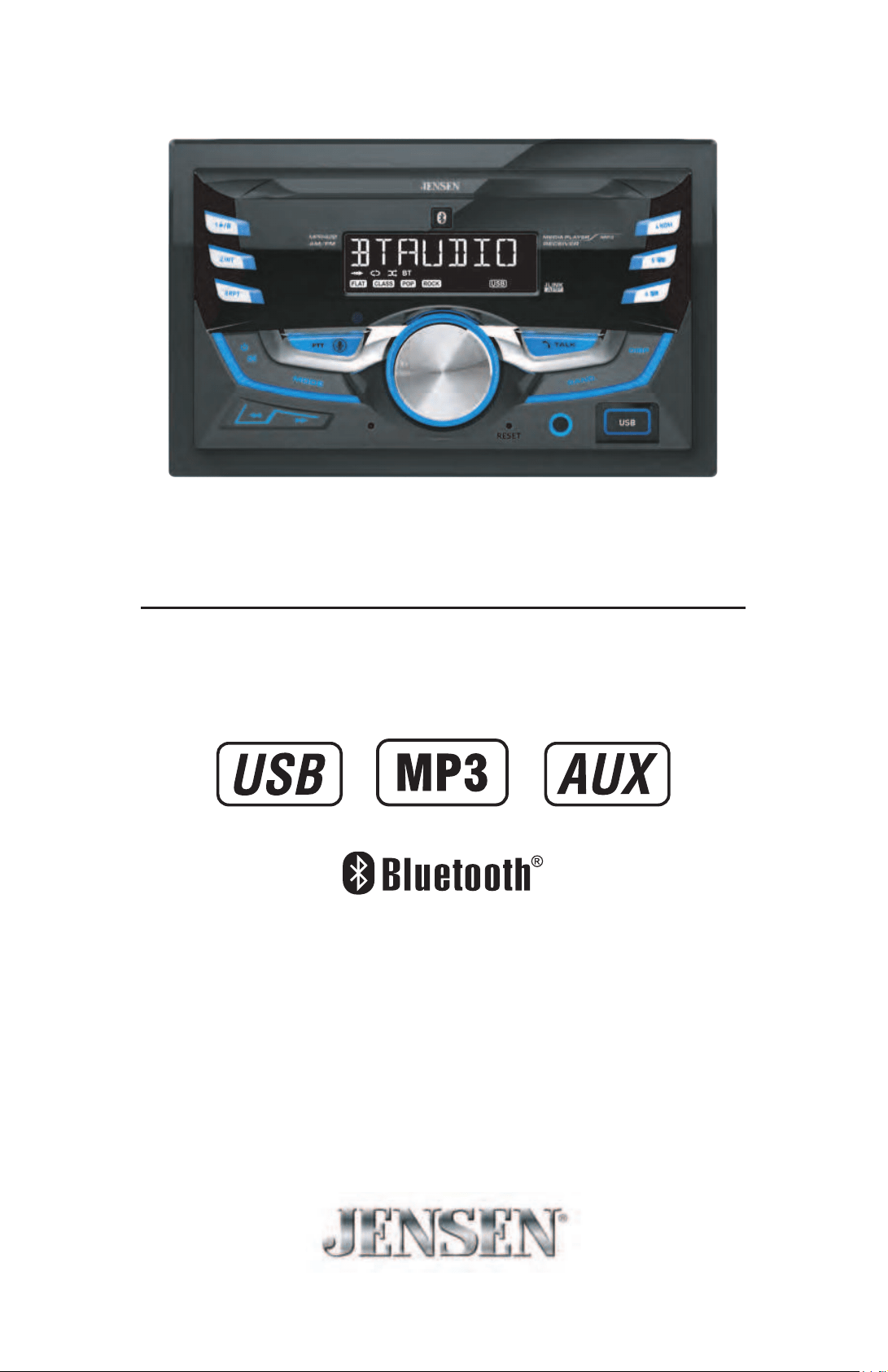
INSTALLATION/OWNER'S MANUAL
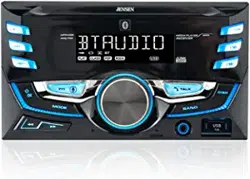
AM/FM Receiver with Bluetooth
MPR420
2
MPR420 INSTALLATION
Preparation
Please read entire manual before installation.
Before You Start
• Disconnect negative battery terminal. Consult a qualified technician for instructions.
• Avoid installing the unit where it would be subject to high temperatures, such as from
direct sunlight, or where it would be subject to dust, dirt or excessive vibration.
Getting Started
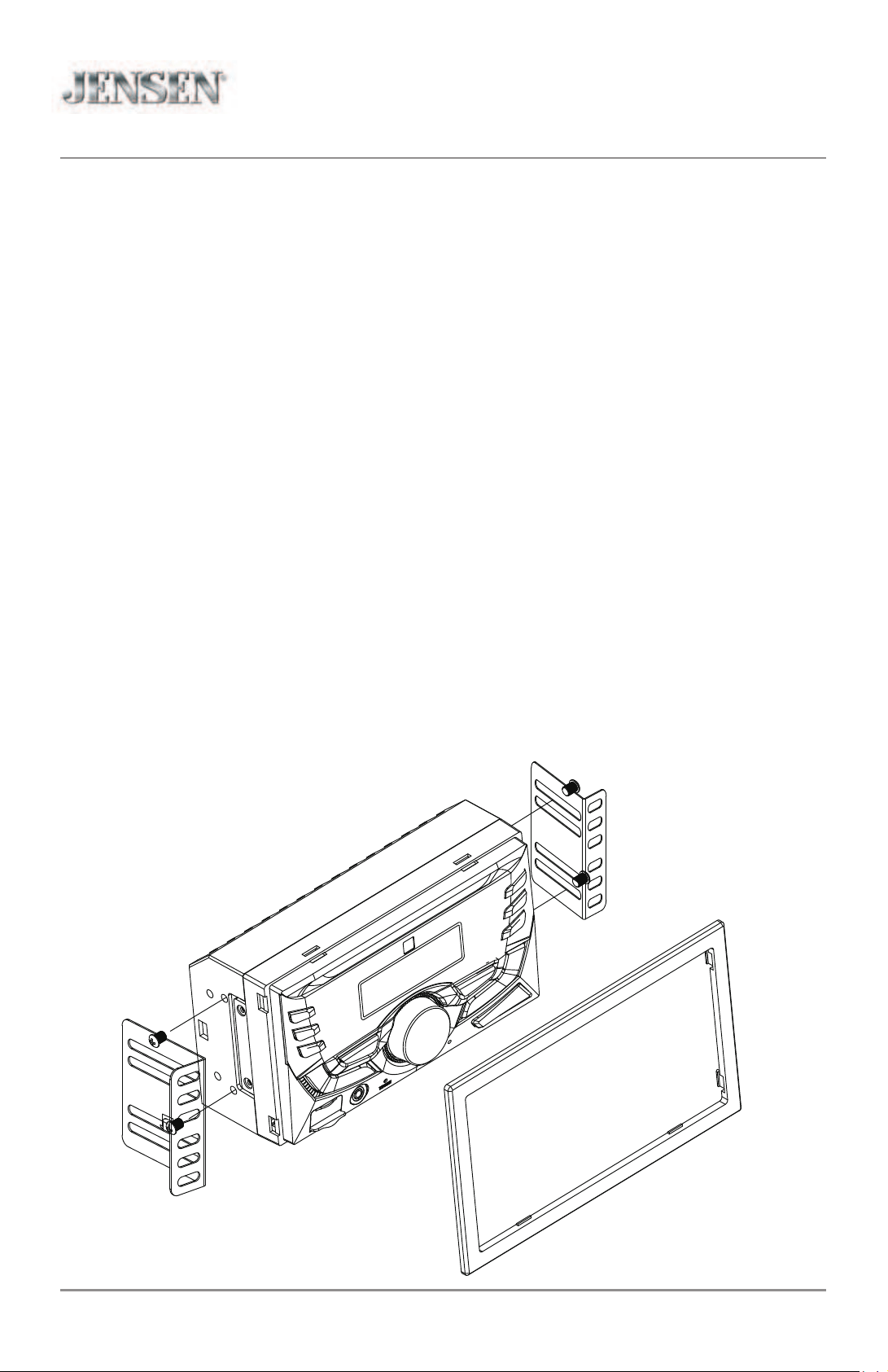
• Remove trim ring from unit.
• Insert the supplied keys into the slots as shown, and slide the unit out of the mounting
sleeve.
• Install mounting sleeve into opening, bending tabs to secure.
• Connect wiring harness and antenna. Consult a qualified technician if you are unsure.
• Certain vehicles may require an installation kit and/or wiring
harness adapter (sold separately).
• Test for correct operation and slide into mounting sleeve to secure.
• Snap trim ring into place.
TYPICAL FRONT-LOAD
MOUNTING METHOD
3
MPR420 INSTALLATION
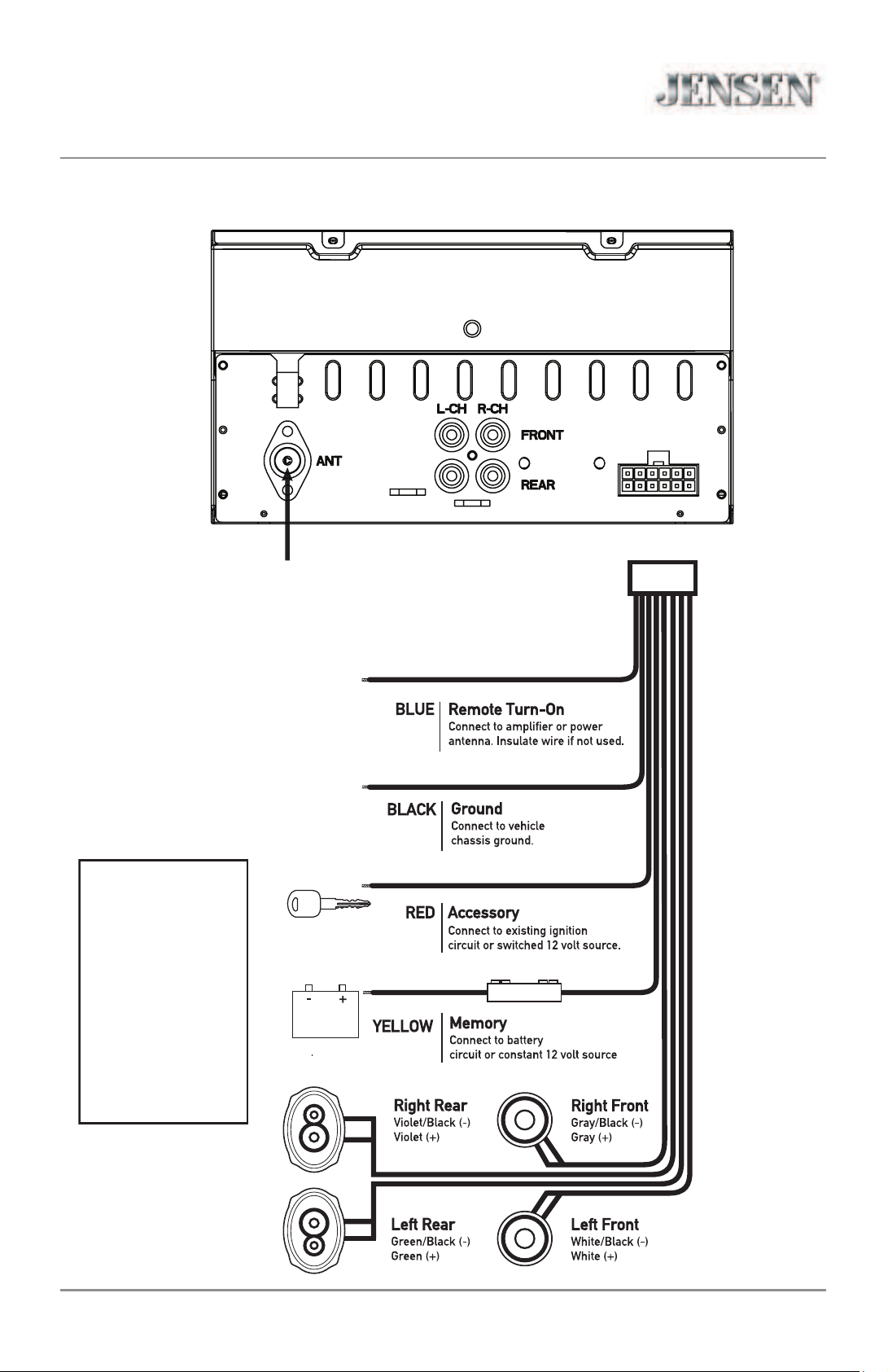
Wiring Diagram
FUSE
43#DPS
DJF#I xvh
Antenna
Connector
When replacing the
fuse, make sure new
fuse is the correct type
and amperage. Using
an incorrect fuse could
damage the radio.
The unit uses
one 10 amp ATC fuse
located beside the wiring
connector.
4
OPERATION
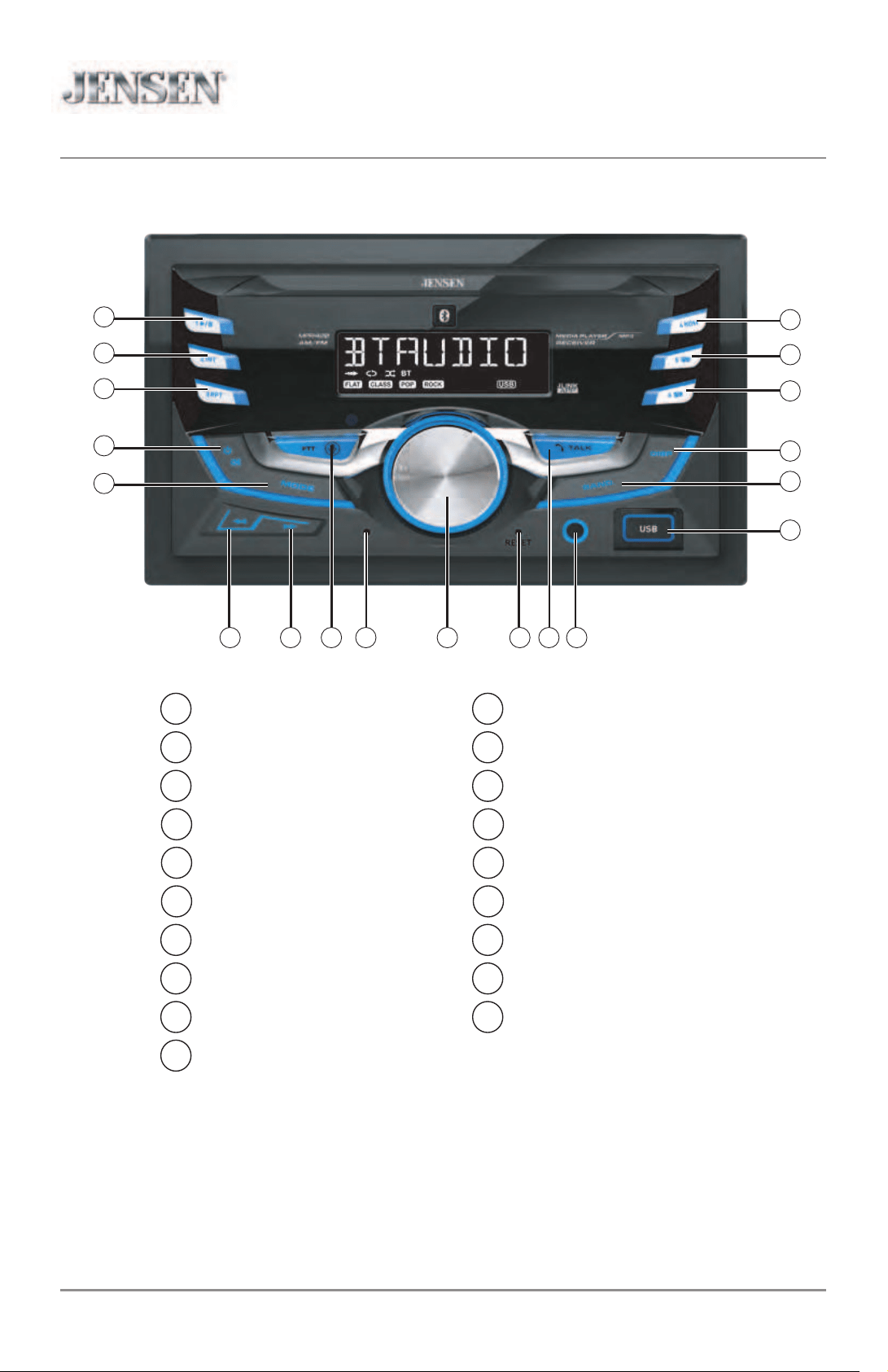
Control Locations
Reset
Bluetooth Talk
Auxiliary Input
USB Port
Band
Display
Preset 6 / Folder Up
Preset 5 / Folder Down
Preset 4 / Random
Preset 1 / Play/Pause
Preset 2 / Intro
Preset 3 / Repeat
Power / Mute
Mode
Tune / Track Down
Tune / Track Up
Voice Activation Button
Microphone
Volume Knob
MPR420
1
2
3
4
5
19
18
17
15
14
6 7 8 9 10 11 12 13
16
1 11
2 12
3 13
4 14
5 15
6 16
7 17
8 18
9
10
19
5
MPR420 OPERATION
APP Operation
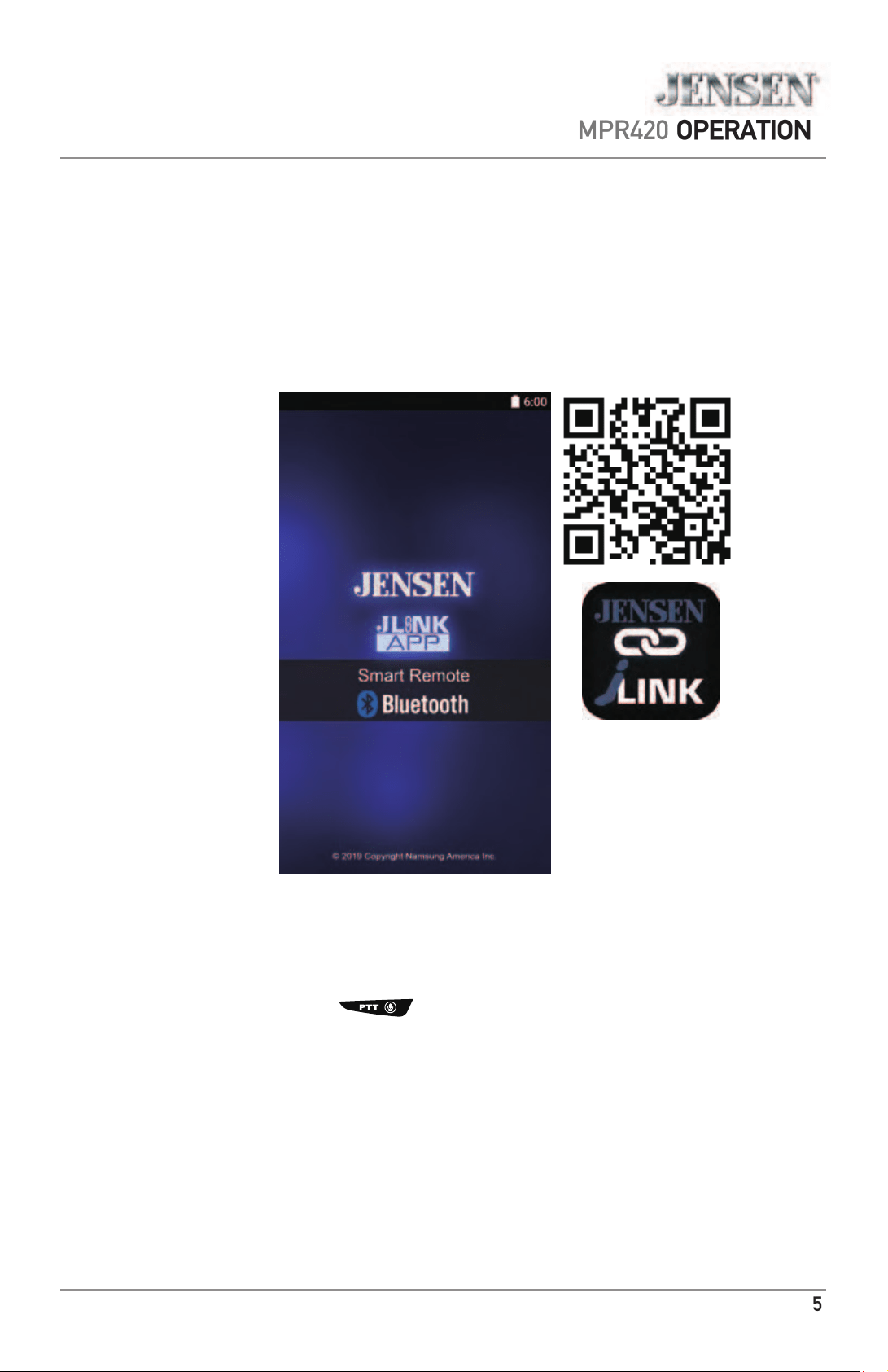
The Jensen Smart App is the ultimate wireless remote control for your
receiver. You can download Jensen Smart app from Apple App Store or
Google Play Store and install it on your smartphone or tablet.
Please scan the following QR code to download the Jensen J-Link P2 APP to
your smart phone.
Voice Activation Operation
Bluetooth should be paired between your smartphone and the receiver.
Press the voice activation button , and the receiver will switch into Bluetooth mode,
This will activate Siri
®
or Google Assistant
TM
on your smartphone. You will need to manually
switch back to the previous or desired mode once this operation is terminated.

6
OPERATION
General Operation
button to turn the unit on. Press again to
Press the
turn the unit off.
Press
MODE to select between Radio, USB, Auxiliary Input
and Bluetooth. Modes of operation are shown in the display.
Adjust volume using the
volume knob (00-40).
Press to silence the audio. Press again to resume listening
at the previously selected volume.
Insert a 3.5mm cable in the unit's front AUX port.
Press the
RESET button to reset the unit back to the factory
settings if abnormal operation occurs. The reset button is
located on the front panel.
With the unit on, press
DISP to display clock time. Press and
hold
DISP until the hours begins to flash, then release.
Turn the volume knob to adjust the hours, then press the
DISP, the minutes begins to flash, Turn the volume knob to
adjust the minutes.
Press
DISP momentarily to save the selected time.
Press
DISP to toggle display between various displayed
information.
Press the
volume knob momentarily to select between audio
functions.
Press and hold the
volume knob for more than two seconds
to select between the menu functions.
Rotate the
volume knob left/right to adjust or activate the
desired function/audio.
Power On/Off
Changing Modes
Volume
Mute
Auxiliary Inputs
Reset
Setting the Clock
Display
Audio / Menu
MPR420

MPR420 OPERATION
AM/FM Tuner Operation
Seek Tuning
Manual Tuning
Band
Storing Presets
Recalling Presets
Automatically Store
Preset Scan Stations
Press TUNE
nn
or TUNE
ll
to seek to the previous or
next strong station.
Press and hold TUNE
nn
or TUNE
ll
to enter manual
tuning mode, then press TUNE
nn
or TUNE
ll
momentarily to change radio frequency up or down one
step at a time. Press and hold TUNE
nn
or TUNE
ll
to
advance quickly.
Press BAND to select between FM1, FM2, FM3, AM1 and
AM2 bands. Up to six presets can be programmed
for each band, enabling up to 18 FM stations and 12 AM
stations to be stored in memory.
Up to 18 FM and 12 AM stations can be stored. To store
a station, select the desired band and station. Press and
hold the desired preset button (1-6) for more than two
seconds. When stored, the preset number will appear in
the display.
Preset stations can be recalled any time by pressing the
corresponding preset button.
Press and hold AS/PS for more than 2 seconds to store
18 FM stations and 12 AM stations automatically.
Press AS/PS to recall each preset staion that stored in the
memories in each band.
7

MPR420 OPERATION
USB Operation
To play MP3 files, insert a USB device containing MP3 files.
Press TUNE
ll
to skip to the beginning of the next track.
Press TUNE
nn
to skip to the beginning of the previous
track.
Press and hold TUNE
ll
or TUNE
nn
to fast forward or
reverse a track.
Press
l
/
II
to temporarily stop USB playback.
Press
l
/
II
again to resume playback.
Folders can be found by pressing Folder Up or Folder Down.
About one second after the folder name is displayed, the
first file under the selected folder will be displayed and
playback will begin.
Press RPT to toggle between RPT ALL and RPT ONE.
• RPT ALL - Plays all tracks on USB device.
• RPT ONE - Continuously repeats selected track.
Press RDM to play tracks in random order; press again to
cancel the RDM function.
Press
INT to play the first 10 seconds of each track; press
again to cancel the INT function.
Playing MP3 Files
Track Select
Fast Forward
and Reverse
Pause
Folder Access
Repeat
Random
Intro
8

MPR420 OPERATION
Bluetooth Operation
9
Preparation
Pairing a New
Device
Streaming Audio
Troubleshooting
Before using a Bluetooth device, it must be paired and
connected. Ensure that Bluetooth is activated on your
device before beginning the pairing process.
The head unit broadcasts the pairing signal constantly when
no devices are connected. Complete the pairing sequence
from your Bluetooth device. Refer to the owner’s manual for
your device for more details.
The device name is “JENSEN MEDIA PLAYER”.
The Bluetooth passcode is "1234”.
Note: The head unit can be in any mode of operation when
pairing is performed.
The head unit supports A2DP wireless streaming audio
from a Bluetooth mobile device directly to your head unit.
The following functions can be used to control the music:
• Press
ll
to skip to the next available audio track.
• Press
nn
to skip to the previous audio track.
• Press
l
/
II
to toggle between play and pause during
playback.
MPR420 OPERATION
Limited One Year Warranty
This warranty gives you legal
rights. You may also have other rights
which vary from state to state.
Namsung America Inc. warrants this
product to the original purchaser to be free
from defects in material and workmanship
for a period of one year from the date of the
original purchase.
Namsung America Inc. agrees, at our
option, during the warranty period,
to repair any defect in material or
workmanship or to furnish an equal
new, renewed or comparable product
(whichever is deemed necessary) in
exchange without charges, subject to
of the defect or malfunction and
proof of the date of purchase. Subsequent
replacement products are warranted for
the balance of the original warranty period.
W
ho is covered? This warranty is extended
to the original retail purchaser for products
purchased from an authorized Jensen
dealer and used in the U.S.A.
W
hat is covered? This warranty covers all
defects in material and workmanship in
this product. The following are not covered:
software, installation/removal costs,
damage resulting from accident, misuse,
abuse, neglect, product
improper installation, incorrect line voltage,
unauthorized repair or failure
to follow instructions supplied with the
product, or damage occurring during return
shipment of the product.
license
conditions and copyright notices for the
software can be found via
www.jensenmobile. com.
What to do?#
1. Before you call for service, check the
troubleshooting guide in your owner’s
manual. A slight adjustment of any
custom controls may save you a service
call.
2. If you require service during the
warranty period, you must carefully pack
the product (preferably in the original
package) and ship it by prepaid
transportation with a copy of the original
receipt from the retailer to an authorized
service center.
3. Please describe your problem in writing
and include your name, a return UPS
shipping address (P.O. Box not
acceptable), and a daytime phone
number with your shipment.
4. For more information and for the
location of the nearest authorized
service center please contact us by one
of the following methods:
• Call us toll-free at 888-921-4088
• E-mail us at [email protected]
10
Exclusion of Certain Damages: This
warranty is exclusive and in lieu of any
and all other warranties, expressed or
implied, including without limitation the
implied warranties of merchantability and
fitness for a particular purpose and any
obligation, liability, right, claim or remedy
in contract or tort, whether or not arising
from the company’s negligence, actual
or imputed. No person or representative
is authorized to assume for the company
any other liability in connection with the
sale of this product. In no event shall the
company be liable for indirect, incidental or
consequential damages.
MPR420 OPERATION
Troubleshooting
11
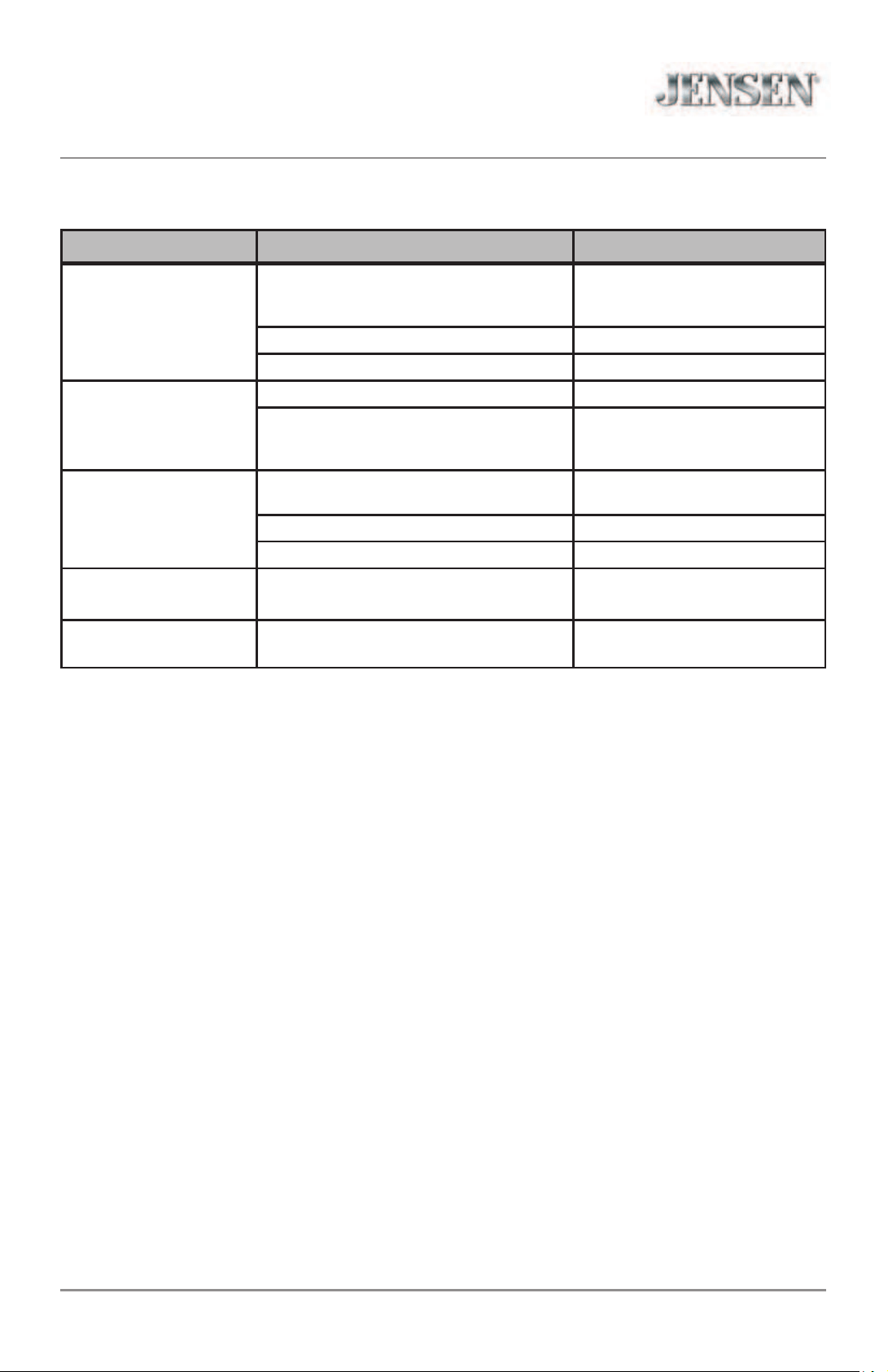
Problem Cause Action
Unit will not turn on
(no power)
Yellow wire not connected or incorrect
voltage Red wire not connected or
incorrect voltage
Check connections for proper
voltage (11~16VDC)
Black wire not connected Check connection to ground
Fuse blown Replace fuse
Unit has power
(but no sound)
Speaker wires not connected Check connections at speakers
One or more speaker wires touching
each other or touching chassis ground
Insulate all bare speaker wires
from each other and chassis
ground
Unit blows fuses
Yellow or red wire touching chassis
ground
Check for pinched wire
Speaker wires touching chassis ground Check for pinched wire
Incorrect fuse rating Use fuse with correct rating
NO FILE appears
on display
No playable MP3 files found
on the device
Check the device for valid
MP3 files
NO SUPPORT appears
on display
An invalid ID3 tag version is present
Version 1.0 to 2.0 ID3 tags are
supported.
MPR420 OPERATION
Specifications
12
Tuning range: 87.5MHz-107.9MHz
Usable sensitivity: 8.5dBf
50dB quieting sensitivity: 10dBf
Stereo separation @ 1kHz: >30dB
Frequency response: 30Hz-13kHz
Tuning range: 530kHz-1710kHz
Usable sensitivity: <42dBu
Frequency response: 30Hz-2.2kHz
Speaker output impedance: 4~8 ohms
Line output voltage: 2 Volts RMS
Dimensions: 7" x 7" x 4" (178 x 178 x 100 mm)
Design and specifications subject to change without notice.
FM Tuner
AM Tuner
General
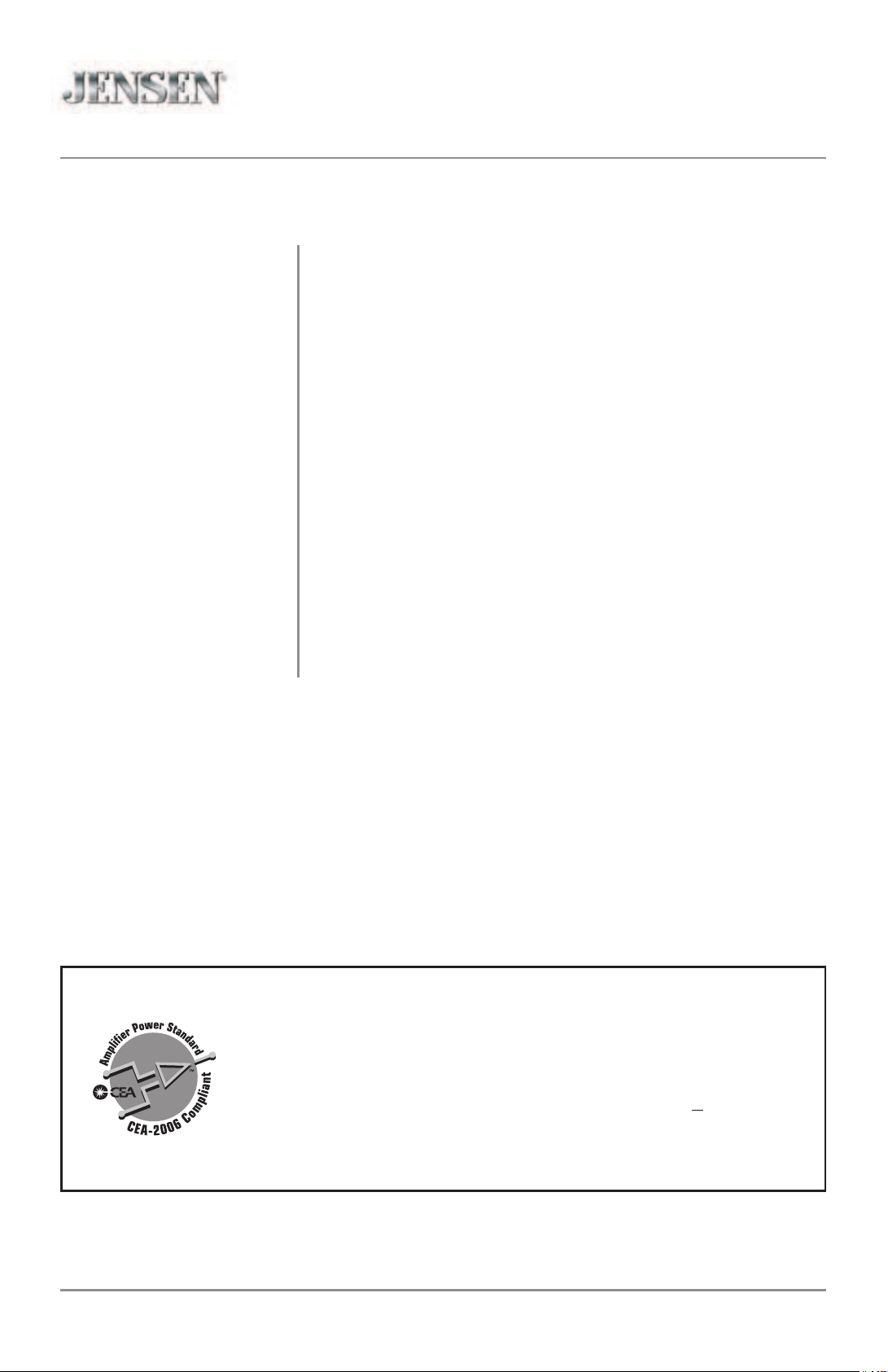
CEA-2006 Power Standard Specifications
(reference: 14.4VDC +/- 0.2V, 20Hz~20kHz)
Power Output: 16 Watts RMS x 4 channels at 4 ohms and < 1% THD+N
Signal to Noise Ratio: 75dBA (reference: 1 watt into 4 ohms)

MPR420 OPERATION
FCC Compliance
13
This device complies with Part 15 of the FCC Rules. Operation is subject to the following
two conditions:
(1) this device may not cause harmful interference, and
(2) this device must accept any interference received, including interference that may
cause undesired operation.
Warning: Changes or modifications to this unit not expressly approved by the party
responsible for compliance could void the user’s authority to operate the equipment.
Note: This equipment has been tested and found to comply with the limits for a Class B
digital device, pursuant to Part 15 of the FCC Rules. These limits are designed to provide
reasonable protection against harmful interference in a residential installation. This
equipment generates, uses and can radiate radio frequency energy and, if not installed
and used in accordance with the instructions, may cause harmful interference to radio
communications. However, there is no guarantee that interference will not occur in a
particular installation. If this equipment does cause harmful interference to radio or
television reception, which can be determined by turning the equipment off and on, the
user is encouraged to try to correct the interference by one or more of the following
measures:
• Reorient or relocate the receiving antenna.
• Increase the separation between the equipment and receiver.
•
Connect the equipment into an outlet on a circuit different from that to which the
receiver is connected.
• Consult the dealer or an experienced radio/TV technician for help.

Dual Electronics Corp.
Toll Free: 888-921-4088
www.jensenmobile.com
©2021 Dual Electronics Corp. All rights reserved.
The Bluetooth
®
word mark and logos are owned by the Bluetooth SIG, Inc.
Other trademarks and trade names are those of their respective owners.
NSA0821-V01