
Technical Support and E-Warranty Certificate www.vevor.com/support
VACUUM PUMP
OPERATING MANUAL
We continue to be committed to provide you tools with competitive price.
"Save Half", "Half Price" or any other similar expressions used by us only represents an
estimate of savings you might benefit from buying certain tools with us compared to the major
top brands and doses not necessarily mean to cover all categories of tools offered by us. You
are kindly reminded to verify carefully when you are placing an order with us if you are
actually saving half in comparison with the top major brands.

- 1 -
MODEL: 2KQ-2G/2KQ-3G
Have product questions? Need technical support? Please feel free to
contact us:
CustomerService@vevor.com
NEED HELP? CONTACT US!
This is the original instruction, please read all manual instructions
carefully before operating. VEVOR reserves a clear interpretation of our
user manual. The appearance of the product shall be subject to the
product you received. Please forgive us that we won't inform you again if
there are any technology or software updates on our product.
VACUUM PUMP

- 2 -
INTRODUCTION
Welcome to the user manual for your vacuum pump. This vacuum pump is
a versatile tool that can be used in a wide range of applications. It's
particularly well-suited for tasks like HVAC vacuuming, epoxy and silicone
degassing, wood stabilization, and creating milking machines. Additionally,
this pump is also commonly used in medical appliances, printing
machinery, vacuum packing, gas analysis, and hot-forming plastics. Its
powerful and reliable performance makes it a valuable tool for
professionals and DIY enthusiasts alike.
The vacuum pump works by creating a vacuum or negative pressure,
which is used to remove air and other gases from an enclosed space. This
process can be used for a range of purposes, including reducing air
bubbles in resins or other liquids, evacuating HVAC systems, stabilizing
wood by removing air from its cells, and many others.
This user manual is designed to help you understand how to operate and
maintain your vacuum pump effectively and safely. We will explain the key
features and components of the pump. Additionally, we will provide
important safety guidelines to help you avoid potential hazards and ensure
the proper handling of your vacuum pump.
Please read this user manual carefully before operating your vacuum
pump. With proper use and maintenance, your vacuum pump can provide
you with years of reliable service and help you achieve your desired results.
If you have any questions or concerns about the operation of your vacuum
pump, please consult this manual or contact our customer support team for
assistance.

- 3 -
SAFETY PRECAUTIONS
Warning about potential hazards and how to avoid them
Your vacuum pump can pose potential hazards if it is not used properly.
The most common hazards include electrical shock, fire, or explosion due
to pumping flammable, explosive or poisonous gases, or gases that can
corrode metals and exert chemical charges. To avoid these hazards,
always read and follow the instructions in this manual carefully before
using your vacuum pump.
Instructions on how to handle the vacuum pump safely
To ensure the safe handling of your vacuum pump, please follow these
guidelines:
Never operate the pump without oil, as this can damage the pump and
create potential hazards.
The temperature of the pumped gas should not exceed 80°C, and the
environment temperature should be around 5°C to 60°C. This will help
prevent damage to the pump and ensure safe operation.
Do not use the vacuum pump as a compression pump or conveyer
pump, as this can cause damage to the pump and create potential
hazards.
The operating voltage for the pump is between 192 to 248V, 50HZ.
Use a grounded outlet to prevent electrical shock.
When unplugging the pump, pull the plug. Do not unplug the unit by
pulling on the wire, as this can cause damage to the cord and create
potential hazards.
Keep the electrical cord free from all shop equipment, and do not let
the pump hang by the power cord to avoid damage to the cord and
prevent potential hazards.
Do not use a damaged plug or outlet, as this can cause electrical
shock or fire.
Do not plug or unplug the unit with wet hands, as this can cause
electrical shock.

- 4 -
Do not plug the unit in, unplug it, or use the switch if there are any
flammable or explosive gases present. Always unplug the unit before
disassembling it to avoid potential hazards.
Guidelines for handling hazardous materials
Your vacuum pump should not be used to pump flammable, explosive, or
poisonous gases, or gases that can corrode metals and exert chemical
charges. Additionally, do not pump gas containing any dust or moisture. If
you need to handle hazardous materials, use proper personal protective
equipment and follow all guidelines for safe handling and disposal of these
materials.
GETTING STARTED
Introducing the key features of the pump
Dual-stage Rotary Vane Vacuum Pump with Gas Ballast:
The vacuum pump features a dual-stage rotary vane design with a gas
ballast. This feature reduces moisture corrosion of the machine and
extends the life of the machine and oil.
Copper Coil, Four-Pole Motor:
The pump is equipped with a copper coil and four-pole motor, which
provides bigger torque for better starting and produces less heat,
making it more durable.
Die-Cut Aluminum Body and Ventilation Fan:
The vacuum pump features a die-cut aluminum body and a ventilation
fan, which allows for easy heat dissipation and guarantees the
performance stability of the pump.
Anti-Flow Design:
The vacuum pump is designed with an auto anti-backflow valve and a
manual ball valve, which prevents backflow and allows for control of
the vacuum, preventing potential damage to the equipment.

- 5 -
Package contents and specification
Package list
Model
2KQ-2G
2KQ-3G
Voltage
120V/60Hz
120V/60Hz
Free Air
Displacement
CFM
5
7
Ulitimate Vacuum
Pa
8
8
Motor
HP
1/3
12
Intake Fitting
1/4"SAE male;
3/8"SAE male;
1/2"ACME male;
1/4"SAE male;
3/8"SAE male;
1/2"ACME male;;
Oil Cpacity
ml
280
340
Dimensions
mm
320*125*230
335*125*250
Net Weight
Kg
8.6
10.4
Applicable Refrigerant
R134a, R22, R410A, and any other A1 refrigerants
2KQ-2G
2KQ-3G
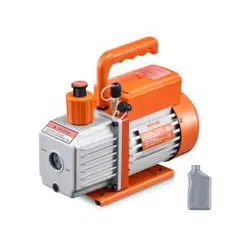
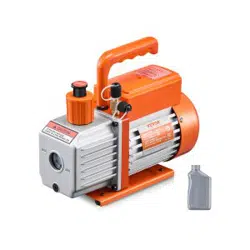
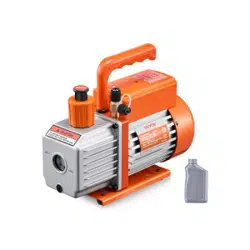
5 CFM vacuum pump x 1
280ml oil bottle x 1
User manual x 1
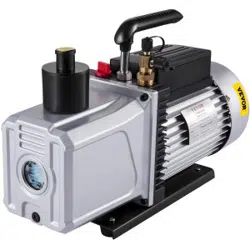
7CFM vacuum pump x 1
250ml oil bottle x 2
User manual x 1

- 6 -
Explanation of the vacuum pump's components
Steps for setting up the vacuum pump
Following these steps will help you set up your vacuum pump correctly and
ensure its safe and efficient operation.
Before use, remove the oil filling port/oil gas separator and fill it with
the recommended vacuum pump oil. Check the oil level before use
to ensure it's not lower than the oil-level line. Do not run the pump with
a low oil level.
Connect the container to be pumped to the gas inlet using a short,
sealed hose that's free of dust, dirt, and heavy condensation. Check
for leaks before operating the pump.
If your vacuum pump comes with an exhaust cap, remove it.
Plug in the power supply and turn on the switch.
After use, unplug the vacuum pump, remove the connecting hoses,
and cover the exhaust cap (if it has one) to prevent oil spills. Also,
cover the oil plug to keep the oil clean and prevent dirt from entering
the vacuum pump.

- 7 -
INSTALLATION AND MAINTENANCE OF VACUUM PUMP
Installation
To ensure the proper functioning of the vacuum pump, follow these
installation guidelines:
The pump should be positioned horizontally and in a dry, ventilated
area free of dust and other contaminants.
Maintain a clearance of at least 10cm (4 inches) around the pump to
ensure proper airflow.
If you are permanently mounting the pump, remove the rubber pads
from the bottom of the base, and use the existing threaded holes to
mount the unit with ST4.2 screws.
When permanently mounting the pump, be sure to maintain proper
clearances, especially at the air intake at the end of the vane shell.
If a special electromagnetic valve is needed, it can be installed on the
gas inlet.
Connecting the vacuum pump to the system being evacuated
By following these guidelines and steps, you can effectively control the
vacuum pressure and safely connect the vacuum pump to the system
being evacuated.
Identify the gas inlet on the vacuum pump and the gas outlet on the
system being evacuated.
Use a short, sealed hose to connect the gas inlet on the vacuum pump
to the gas outlet on the system being evacuated. Make sure the hose
is free of dust, dirt, and heavy condensation.
Check for any leaks in the connection before starting the pump.
Maintenance
Proper maintenance of the vacuum pump is essential to ensure its optimal
performance. Here are some maintenance guidelines:
Keep the pump clean and free from foreign matter.
Keep the oil filled to the oil level, and never let the pump run without
oil.

- 8 -
Keep the oil clean. If the oil becomes dirty, muddy, or water or other
volatile substances get in, it will affect the performance of the pump,
and the oil should be replaced. To replace the oil, start the pump and
run it for about 30 minutes to make the oil thin. Then stop the pump
and drain the oil from the oil drain plug. Open the gas inlet and run the
pump for 1-2 minutes while adding a small quantity of clean oil to the
gas inlet. This is to replace the residual oil from the inside of the pump.
After ensuring that the pump is clean, put the drain plug back in and fill
the clean pump oil from the gas inlet to the oil level.
To store the pump when not in use for long periods of time, cover the
oil cap and exhaust cap (if applicable) and store it in a dry place.
Repair of the pump should only be done by a qualified service
technician.
TROUBLESHOOTING GUIDE
Problem
Possible Cause
Correction
Low Degree Of Vacuum
1. Insufficient oil
1. Add oil up to the oil level line
2. Dirty oil
2. Replace the oil
3. Oil intake is blocked
3. Clean the oil intake or filter
4. Hose or gas inlet is clogged
4. Check the connecting pipes
5. Pump is unsuitable for the
application
5. Get a suitable pump for the
application
Oil Leaks
1. Oil seal is damaged
1. Replace the oil seal
2. Housing gasket is loose or
worn out
2. Replace the housing gasket
Oil Spray
1. Too much oil
1. Adjust the oil level to the
recommended level
2. Gas inlet pressure is too high
or too much gas has been
pumped
2. Use a bigger pump or reduce
gas inlet pressure
Starting Difficulty
1. Oil temperature is too low
1. Attempt to start the pump
multiple times to warm the oil

- 9 -
EXPLODED DIAGRAM OF THE PUMP
1
Fan cover
24
Bracket
47
Back-pump stator
2
Screw
25
Gas ballast fitting
48
Screw
3
Snap ring
26
Screener
49
Back-pump cover
4
Fan
27
Nut
50
Screw
5
Screw
28
Gas inlet
51
Cap board
6
Motor back cover
29
Handle
52
O-ring
7
Centrifugal baseplate
30
O-ring
53
Screw
8
Screw
31
O-ring
54
Oil gas separator
9
Bearing
32
Front-pump stator
55
O-ring
10
Centrifugal
33
Screw
56
Oil tank
11
Motor rotor components
34
Front-pump vane
57
Oil level
12
Power cable
35
Spring
58
O-ring
13
Bearing
36
Front-pump rotor
59
Oil drain plug
14
Waveform gasket
37
Straight pin
60
Screw
15
Bearing
38
Screw
61
Rubber feet
16
Insulating bushing
39
Valve platen
62
Nut
17
Power Switch
40
Exhaust valve plate
63
Screw
18
Motor stator components
41
Front-pump stator
64
Baseboard
19
Junction box base
42
Screw
65
Rubber pad

- 10 -
20
Screw
43
Intermediate connecting
block
21
Gasket
44
Screw
22
Capacitor
45
Back-pump vane
23
Motor cover
46
Back-pump rotor
Made In China