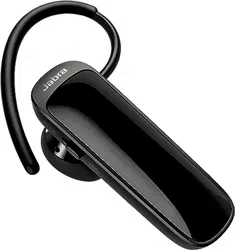

User manual
Jabra
Talk 25 SE

2
ENGLISH
1. WELCOME ...................................... 3
2. HEADSET OVERVIEW ................. 4
3. HOW TO WEAR ............................5
3.1 CHANGE EARGELS
3.2 ATTACHING THE EARHOOK
4. HOW TO CHARGE
THE BATTERY ...............................7
5. HOW TO CONNECT ....................8
6. HOW TO USE ...............................9
6.1 MULTIPLE CALL HANDLING
7. SUPPORT .................................... 12
7.1 HOW TO CARE FOR YOUR HEADSET

3
ENGLISH
1. WELCOME
Thank you for using the Jabra Talk 25 SE. We
hope you will enjoy it!
JABRA TALK 25 SE FEATURES
• Clear HD calls (phone dependent) - omni-
directional microphone and a dynamic
speaker
• Stream from your phone - music, podcasts
and GPS directions
• Long lasting - up to 9 hours of calls, and up to
10 days of standby time
4
ENGLISH
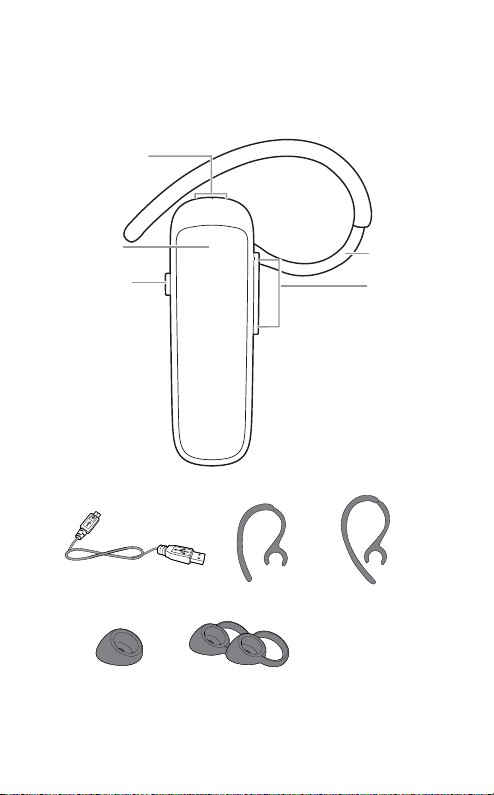
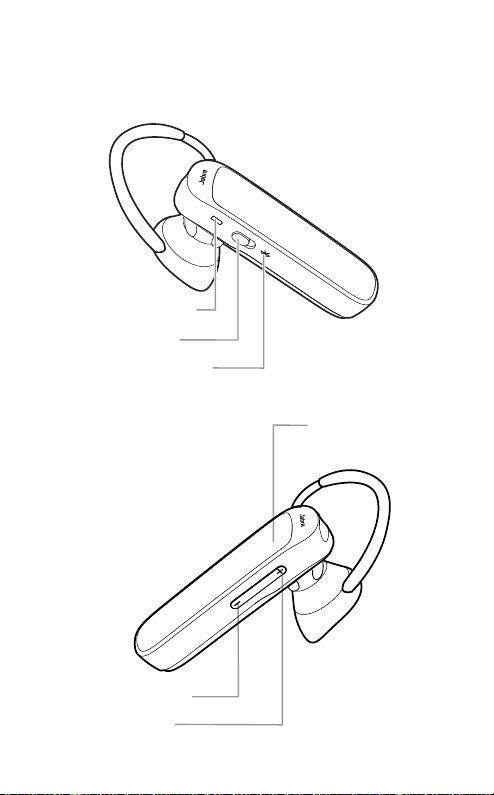
2. HEADSET OVERVIEW
jabra
USB cable Small earhook Large earhook
Eargel Looped Eargels
Volume up/
down buttons
Earhook
Answer/End
button
Micro-USB Port
On/O switch
5
ENGLISH
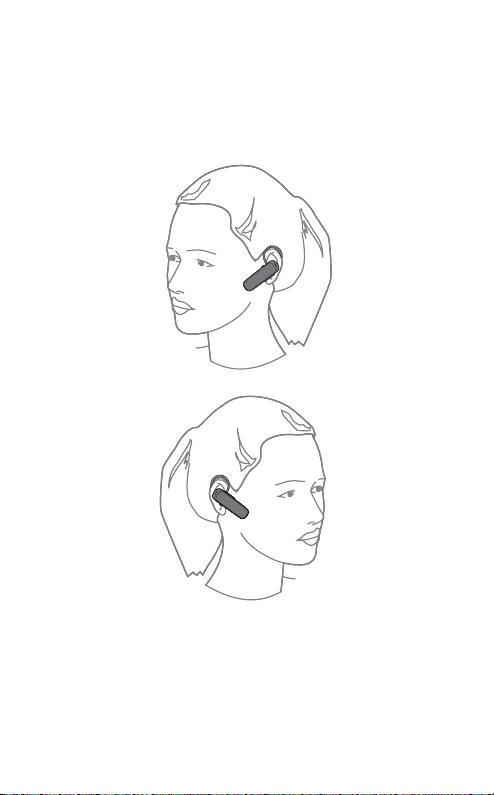
3. HOW TO WEAR
The headset can be worn on the left or right ear.
6
ENGLISH
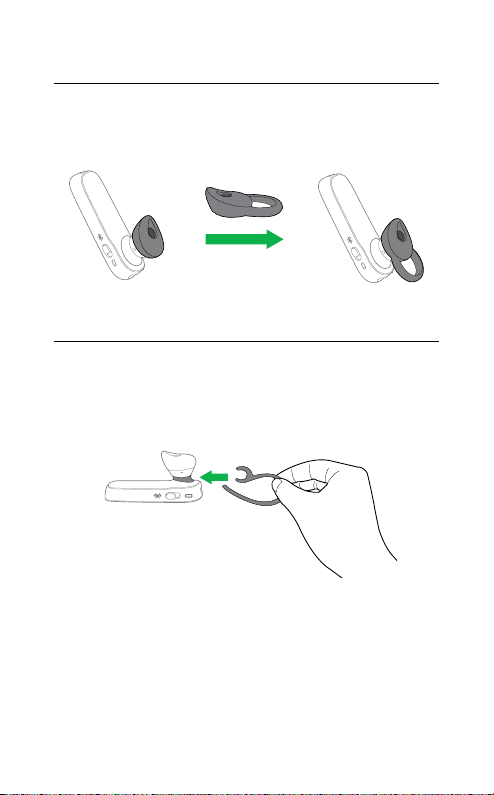
3.1 Change eargels
Choose between 2 ergo-designed eargels for
optimal fit and comfort.
3.2 attaching the earhook
The earhook can be attached to the headset
for a more secure fit, and can be worn with or
without the eargel.
7
ENGLISH
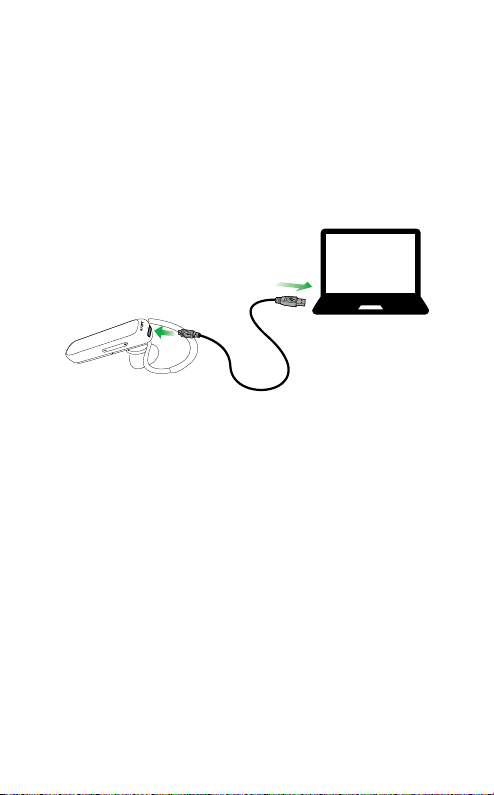
4. HOW TO CHARGE
THE BATTERY
Plug the headset into any available USB port
on your PC using the supplied USB cable.
NNOTEOTE: For safety reasons, it is recommended not to use the
headset while it is charging.
It takes approx. 2 hours to fully charge the
headset.
8
ENGLISH
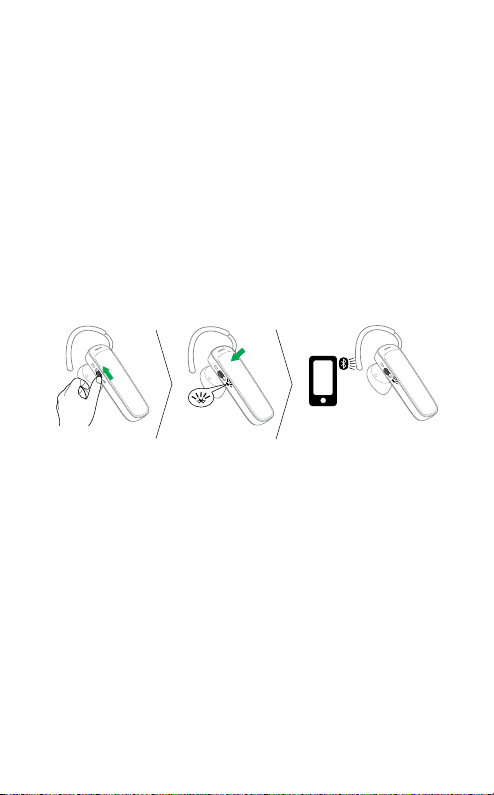
5. HOW TO CONNECT
1. Turn the headset on (set the On/off switch to
the On position).
2. Press and hold (3 secs) the Answer/end
button until the Bluetooth indicator flashes
blue, and pairing mode is announced in the
headset.
3. Follow the voice-guided pairing instructions
to pair to your Bluetooth device.
9
ENGLISH
6. HOW TO USE
Volume down
Answer/end
button
Volume up
On/o switch
Battery indicator
Bluetooth indicator
10
ENGLISH
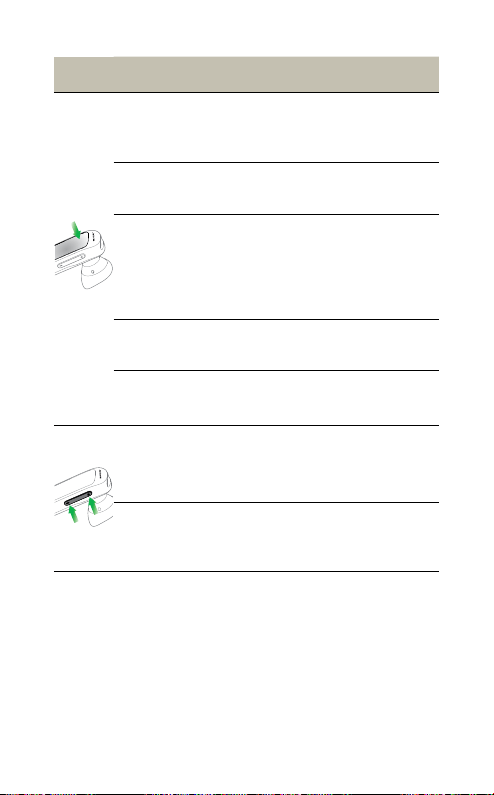
FUNCTION ACTION
Answer call Tap the Answer/end button
End call Tap the Answer/end button
Activate
voice
dialing
(phone
dependent)
Press and hold (2 secs) the
Answer/end button when not
on a call
Reject call
Double-tap the Answer/end
button
Redial last
number
Double-tap the
Answer/end
button when not on a call
Adjust
speaker
volume
Tap the Volume up or
Volume down button
Mute/
un-mute
microphone
Tap both the Volume up and
Volume down to mute/un-
mute.
11
ENGLISH
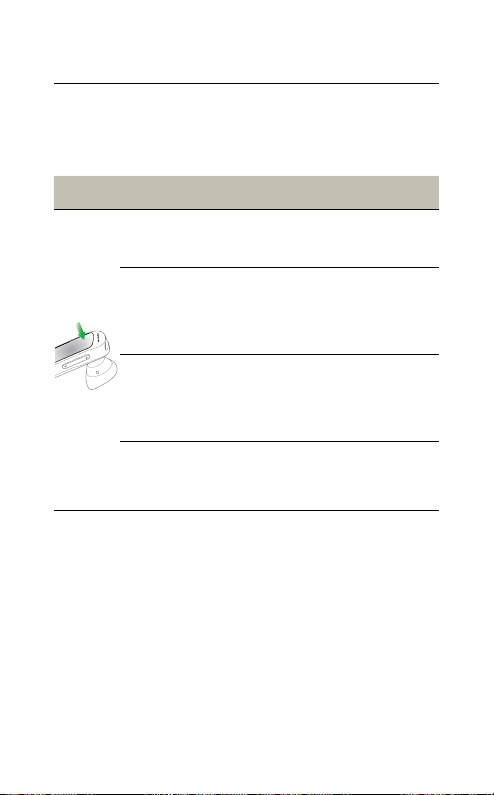
6.1 Multiple call handling
The headset can accept and handle multiple
calls simultaneously.
FUNCTION ACTION
End current call and
answer incoming call
Tap the Answer/
end button
Switch between held
call and active call
Press and hold
(2 secs) the
Answer/end
button
Put current call on hold
and answer incoming
call
Press and hold
(2 secs) the
Answer/end
button
Reject incoming call
Double-tap the
Answer/end
button

12
ENGLISH
7. SUPPORT
7.1 How to care for your headset
• Always store the headset with the power off
and safely protected
• Avoid storage at extreme temperatures
(above 45°C/113°F or below -20°C/-4°F). This
can shorten battery life and may affect
headset operation.
• Do not expose the headset to rain or other
liquids

Declaration of Conformity can be found on
www.jabra.com/doc
MADE IN CHINA
MODEL:
OTE15a
REV A
© 2021 GN Audio. All rights reserved. Jabra
®
is a registered
trademark of GN Audio. The Bluetooth
®
word mark and logos
are owned by the Bluetooth SIG, Inc. and any use of such marks
by GN Audio is under license.