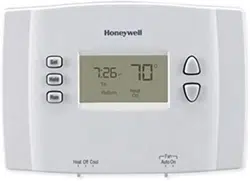
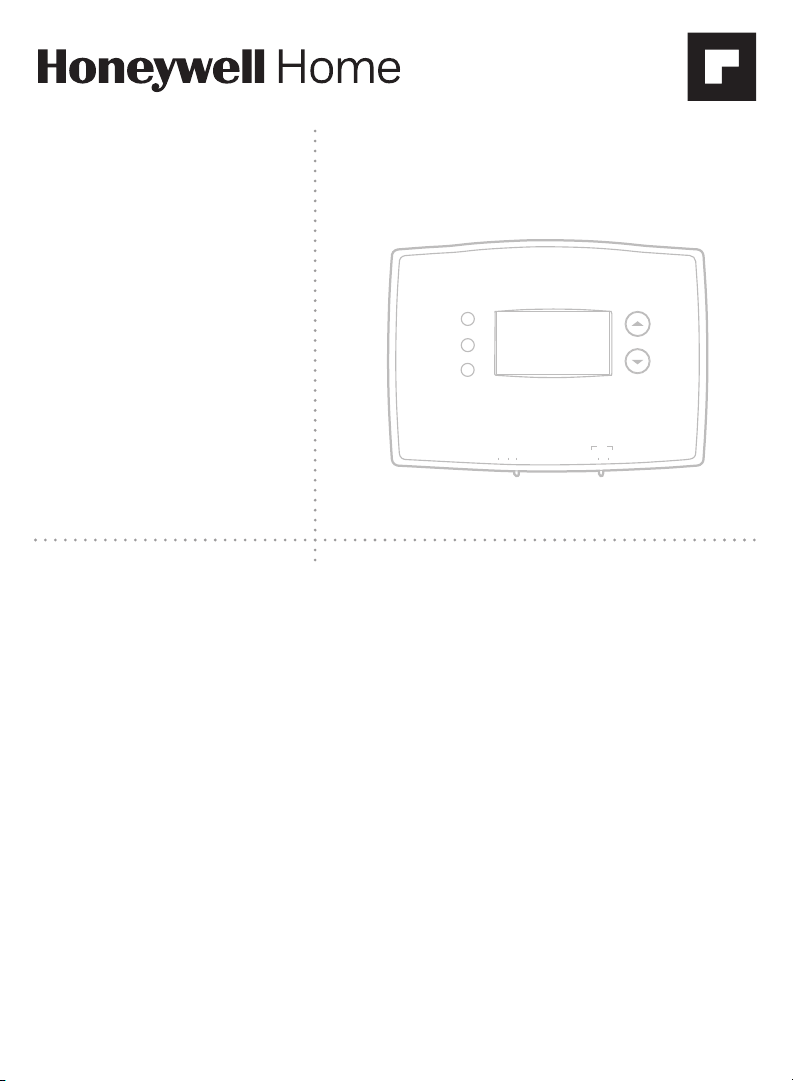
Owner’s Manual
Read and save these
instructions.
For help please visit
honeywellhome.com
RTH2300/RTH221
Series
Programmable
Thermostat
M37777
Heat Off Cool Auto On
Fan
Heat Off Cool
Auto On
Fan
Set
Hold
Run
Identify System Type
This thermostat is compatible with the following systems:
• Gas, oil or electric furnace
• Central air conditioner
• Hot water system with or without pump
• Millivolt system
• Central heating and cooling system
• Heat pump without auxiliary/backup heat
Do you need assistance? We are here to help.
Visit http://honeywellhome.com/support for wiring assistance before returning the
thermostat to the store.
This thermostat cannot be used on heat pumps with backup heat or on
multistage systems.

2
NOTICE: To avoid possible compressor damage, do not run air
conditioner if the outside temperature drops below 50°F (10°C).
ATTENTION: MERCURY RECYCLING NOTICE
This product does not contain mercury. However,
this product may replace a product that contains
mercury. Mercury and products containing
mercury should not be discarded in household
trash.
For more information on how and where to
properly recycle a thermostat containing
mercury in the United States, please refer to the
Thermostat Recycling Corporation at
www.thermostat-recycle.org.
For mercury thermostat recycling in Canada,
please refer to Switch the Stat at
www.switchthestat.ca
NO MERCUR
Y
NO BOTE
MERCURIO
Hg
RTHXXXX
M32707
Customer assistance
For assistance with this product, please visit
http://honeywellhome.com/support
To save time, please note your model number
and date code before calling.
Pull at bottom to remove thermostat from
wallplate.
Turn thermostat over to find model number
and date code.

3
Installation
Installation ....................................................... 3
Advanced Installation ................................8
About your new thermostat
Controls and Home screen
quick reference ........................................... 10
Preset energy-saving schedules ....... 11
Programming and operation
Setting the clock ........................................ 11
Adjusting program schedules .............12
Overriding schedules temporarily .... 13
Overriding schedules permanently ... 13
Compressor protection...........................14
Change filter ................................................14
Replace batteries ....................................... 15
Appendices
Troubleshooting ......................................... 16
Limited warranty ........................................ 17
Table of contents
1 Turn Off Power to Heating/Cooling System
or
M31535
Circuit breaker
box
Heating/cooling system
power switch

4
Do not remove wallplate yet
3 Label Wires with Tags
Label the wires using the supplied wire labels as you disconnect them.
Wire Labels
M32731
TO REMOVE WALLPLATE
PULL HERE
Wallplate
C
C
MCR33823
Terminal
designation
If you have an older thermostat with a
sealed mercury tube, turn to page 2
for proper disposal instructions.
Terminal designation
C
C
MCR31537
2 Remove Old Thermostat
Remove old thermostat but leave wallplate with wires attached.
4 Separate Wallplate from New Thermostat
Remove wallplate from the new thermostat and mount onto wall.

5
5 Mount Wallplate
Mount the new wallplate using the included screws and anchors.
Drill 3/16-in. holes for drywall
Drill 3/32-in. holes for plaster
6 Connect Wires
Simply match wire labels.
If labels do not match letters on the thermostat, check “Alternate Wiring” on
page 6 and connect to terminal as shown here (see notes, below).
Thermostat does not work on Heat Pumps with auxiliary/backup heat.
W/
Aux
Not
Used
M32714
Remove metal
jumper if you
have both
R and
Rc wires.
M32732
SCREW
INSERT WIRES
AND TIGHTEN
SCREWS
WIRE
HOLE
LABELED
WIRES
W
G
R
Not
Used
W
Y

6
Alternate Wiring
If wires will be connected to both R and Rc terminals, remove metal
jumper.
Do not use C or X. Wrap bare end of wire with electrical tape.
If you have a heat pump without auxiliary/backup heat connect O or B,
not both. If you do not have a heat pump, do not connect B. Wrap bare
end of wire with electrical tape.
Place a jumper (piece of wire) between Y and W if you are using a heat
pump without auxiliary/backup heat.
B O G Y
W
NOT
USED
R Rc
M32734
44
7 Install Batteries
Install two AAA alkaline batteries.
Back of thermostat
RTHXXXX
M32707

7
8 Set fan operation switch
Move the switch to the proper setting:
Gas or Oil: For gas or oil heating systems, leave
the fan operation switch in this factory-set
position (for systems that control the fan in a
call for heat).
Electric or Heat Pump: Change the switch
to this setting for heat pump or electric heat
systems. (This setting is for systems that allow
the thermostat to control the fan in a call
for heat, if a fan wire is connected to the G
terminal.)
9 Install Thermostat
onto Wallplate
Install thermostat onto the wallplate
on the wall.
RTHXXXX
M32716
GAS OR OIL
ELECTRIC OR HEAT PUMP
GAS OR OIL
ELECTRIC OR HEAT PUMP
10 Turn Power Back On
W
Not
Used
UP
Heat Off Cool Auto On
Fan
M33784A
Heat Off Cool Auto On
Fan
Heat O Cool
Auto On
Fan
Set
Hold
Run
M31544
or
Circuit breaker box Heating/cooling system
power switch
Turn the power back on
to the heating/cooling
system.

8
11 If your system type is...
If your system type is:
q Single Stage Heat and Cool
q Heat Only or Cool Only
Congratulations, you’re done!
If your system type is:
q Heat pump
q High efficiency furnace
q Hot water
q Electric furnace
q Gas/oil steam
q Gravity system
Continue with Advanced Installation to match your thermostat to your system
type.
This thermostat works on 24 volt or 750 mV systems. It will NOT work on multi-
stage conventional systems.
Advanced Installation
Enter System Setup
To enter system setup, press and hold both
the s and t buttons until the display
changes (approximately 5 seconds).
Changing Settings
1. Press the s or t button to change
the setting.
2. Press the s and t buttons
simultaneously for one second to
advance to the next function.
3. Press the RUN button to exit and save
settings.
M33785
Heat Off Cool Auto On
Fan
Heat Off Cool
Auto On
Fan
Set
Hold
Run
Function
Setting
5
5
M33786
Set
Hold
Run

9
NOTE: If you do not press any button for 60 seconds while you are in the setup
menu, the thermostat automatically saves any changes made and exits the
menu.
Function
Description
Press the s or t button to Setting
5 select your heating system
and optimize its operation
5
G
as or oil furnace: Use this setting if you have a
standard gas or oil furnace that is less than 90%
efficient.
6 Electric furnace: Use this setting if you have any type
of electric heating system.
3
H
eat pump, hot water or high-efficiency furnace:
Use this setting if you have a hot water system or a gas
furnace of greater than 90% efficiency.
2
G
as/oil steam or gravity system: Use this setting if
you have a steam or gravity heat system.
14 select Fahrenheit or Celsius
temperature display
0 Fahrenheit temperature display (°F)
1 Celsius temperature display (°C)
15* select Compressor
Protection settings
1 On
0 Off
20 select clock display 0 12-hour display
1 24-hour display
21
(RTH2300
only)
select Change Filter Timer 0
Of
f
1 30 days
2 90 days
3
6 months
4
9 months
5
1 year
40
(RTH2300
only)
restore program schedule to
default settings
0 Off
1
On: Program schedule default settings are listed on
page 11.
*
Compressor Protection: This feature forces the compressor to wait approximately 5 minutes
before restarting, to prevent equipment damage. During the wait time, the message “Cool On” or
“Heat On” flashes on screen.
About your new thermostat
Your new thermostat has been designed to give you many years of reliable
service and easy-to-use, push-button climate control.
• Backlit display on RTH2300
• Displays ambient (measured) temperature at all times
• One-touch access to setpoint temperature
• Preset program settings
• Temporary and permanent override of schedule
• Built-in compressor protection

10
Thermostat controls
M33612
Heat Off Cool Auto On
Fan
Heat Off Cool
Auto On
Fan
Set
Hold
Run
Set: Press to
set time/day/
schedule.
Hold: Press
to override
programmed
temperature
control.
Run: Press to
resume program
schedule.
Temperature
adjustment
Press the up or
down buttons
until you reach
the desired
temperature.
NOTE: Make sure
the SYSTEM switch
is set to the system
you want to control
(Heat or Cool).
Fan Switch is used to control your fan.
In “Auto” mode, the fan runs only when
the heating or cooling system is on.
If set to “On,” the fan runs continuously.
System Switch is used to control
your heating or cooling system.
• Heat: Heating system control.
• Off: All systems off.
• Cool: Cooling system control.
Display screen
M32701
We
Lo
Batt
Wake
Set
am
Heat
75
On
6
:
30
Low battery warning
(see page 15)
Setpoint indicator
Appears when the setpoint
temperature is displayed.
Temperature
The ambient (measured)
temperature is normally displayed.
To view the setpoint temperature,
press the Up or Down button once.
The setpoint temperature will
appear for five seconds.
System status
Cool on: Cooling system is on.
Heat on: Heating system is on.
When Cool On is flashing, compressor
protection is engaged (see page 14).
Current time
(see page 11)
Current day
(RTH2300 only)
(see page 11)
Current program period
Wake/Leave/Return/Sleep
(see pages 1113)

11
Set
Hold
Run
Set Time
am
6
:
30
M33787
Set Day
We
Set
Hold
Run
M33788
Set the time and day
1. Press the SET button, then press
s or t to set the clock time.
2.
Pres
s the SET button, then press
s or t to select the day of the
week. (RTH2300 only)
3. Press RUN to save & exit.
NOTE: If the clock flashes, the
thermostat will follow your settings
for the Monday “Wake” time period
until you reset the time and day.
Program Schedule
You can program four time periods each day. The RTH2300 can be
programmed with different schedules for weekdays and weekends. We
recommend the pre-set settings (shown in the table below), since they can
reduce your heating/cooling
expenses.
Wake - Set to the time you
awaken and the temperature you
want during the morning, until
you leave for the day.
Leave - Set to the time you leave
home and the temperature you
want while you are away (usually
an energy-saving level).
Return - Set to the time
you return home and the
temperature you want during the evening, until bedtime.
Sleep - Set to the time you go to bed and the temperature you want overnight
(usually an energy-saving level).
NOTE: Leave and Return periods can be canceled on weekends (RTH2300
only).
Heat Cool
Wake
(6:00 am)
70
°
78
°
Leave
(8:00 am)
62
°
85
°
Return
(6:00 pm)
70
°
78
°
Sleep
(10:00 pm)
62
°
82
°

12
To adjust program schedules (RTH2300)
Set
Hold
Run
M33794
Mo Tu We Th Fr
Wake
Set Schedule
Set
am
75
6
:
30
1. Press SET until Set Schedule is
displayed.
2.
Pres
s s or t to set your weekday
Wake time (MoFr), then press
SET.
3. Press s or t to set the
temperature for this time period,
then press SET.
4.
S
et time and temperature for the
next time period (Leave). Repeat
steps 2 and 3 for each weekday
time period.
5.
Pres
s SET to set weekend time
periods (Sa & Su), then press RUN
to save & exit.
NOTE: Make sure the thermostat
is set to the system you want to
program (Heat or Cool).
Set
Hold
Run
M38262
Wake
Set Schedule
Set
am
75
6
:
30
To adjust program schedules (RTH221)
1. Press SET until Set Schedule is
displayed.
2. Press s or t to set your Wake
time (MoSu), then press SET.
3. Press s or t to set the
temperature for this time period,
then press SET.
4. Set time and temperature for the
next time period (Leave). Repeat
steps 2 and 3 for each time period.
5. Press RUN to save & exit.
NOTE: Make sure the thermostat
is set to the system you want to
program (Heat or Cool).

13
Set
Hold
Run
M3379
6
Temporary
Set
am
70
6
:
30
Set
am
75
6
:
30
M33797
Set
Hold
Run
Program schedule override (temporary)
Press s or t to immediately adjust
the temperature. This will temporarily
override the temperature setting for
the current time period.
“Temporary” will appear on the display
and the current program period will
flash.
The new temperature will be
maintained only until the next
programmed time period begins (see
page
11).
T
o cancel the temporary setting at any
time, press RUN.
NOTE: Make sure the thermostat is
set to the system you want to control
(heat or cool).
Hold
Set
am
70
6
:
30
M33798
Set
Hold
Run
Set
am
75
6
:
30
M33797
Set
Hold
Run
Program schedule override (permanent)
Press HOLD to permanently adjust
the temperature. This will override
the temperature settings for all time
periods.
The “Hold” feature turns off the
program schedule and allows you to
adjust the thermostat manually, as
needed.
Whatever temperature you set will
be maintained 24 hours a day, until
you manually change it, or press
RUN to cancel “Hold” and resume the
program schedule.
NOTE: Make sure the thermostat is
set to the system you want to control
(heat or cool).

14
Built-in compressor protection
Change filter (RTH2300 only)
This feature helps prevent damage to
the compressor in your air conditioning
or heat pump system.
Damage can occur if the compressor is
restarted too soon after shutdown. This
feature forces the compressor to wait 5
minutes before restarting.
During the wait time, the display will
flash the message Cool On (or Heat
On if you have a heat pump). When
the safe wait time has elapsed, the
message stops flashing and the
compressor turns on.
If the filter reminder is turned
on during installation, the words
Change Filter will flash on the
screen when the filter needs to be
replaced.
After you replace the air filter,
press and hold the RUN button for
3 seconds to reset the alert.
We
Wake
am
Cool
75
On
6
:
30
M32711
Set
am
75
6
:
30
M33632
Set
Hold
Run
Change Filter – Press & Hold Run to Reset

15
Change filter (RTH2300 only)
Battery replacement
Install two fresh AAA batteries when
Lo Batt flashes on the screen. Lo
Batt appears for 60 days before the
batteries are depleted.
Replace batteries once a year, or
when you will be away for more than a
month.
Most settings are stored in non-
volatile (permanent) memory. Only the
clock and the day must be set after
you replace the batteries.
Pull at bottom to remove
thermostat from wallplate.
Turn thermostat
over, insert fresh AAA
alkaline batteries, then
reinstall thermostat.
Set the System switch to Off before removing
the batteries. Otherwise, the heating/cooling
system could remain activated even when
batteries are removed.
RTHXXXX
M32707
W
Not
Used
UP
Heat Off Cool Auto On
Fan
M33784A
Heat Off Cool Auto On
Fan
Heat O Cool
Auto On
Fan
Set
Hold
Run
Electrical Ratings
Terminal Voltage (50/60Hz) Max. Current Rating
B 2030 Vac 1.0 A
O 2030 Vac 1.0 A
G 2030 Vac 1.0 A
Y 2030 Vac 1.0 A
W 2030 Vac 1.0 A
R 2030 Vac 1.0 A
Rc 2030 Vac 1.0 A

16
Troubleshooting
If you have difficulty with your thermostat, please try the following suggestions.
Most problems can be corrected quickly and easily.
Display is
blank
• Check circuit breaker and reset if necessary.
Heating
or cooling
system does
not respond
• Set system switch to Heat. Make sure the temperature is
set higher than the Inside temperature.
• Set system switch to Cool. Make sure the temperature is
set lower than the Inside temperature.
• Wait 5 minutes for the system to respond.
Temperature
settings do
not change
Make sure heating and cooling temperatures are set to
acceptable ranges:
• Heat: 40° to 90°F (4.5° to 32°C).
• Cool: 50° to 99°F (10° to 37°C).
“Cool On” or
“Heat On” is
flashing
• Compressor protection feature is engaged. Wait 5 minutes
for the system to restart safely, without damage to the
compressor.
“Heat On” is
not displayed
• Set the System switch to Heat, and set the temperature
level above the current room temperature.
“Cool On” is
not displayed
• Set the System switch to Cool, and set the temperature
level below the current room temperature.
For assistance with this product, please visit
http://honeywellhome.com/support

17
1-year limited warranty
http://honeywellhome.com/support

Resideo Technologies Inc.
1985 Douglas Drive North, Golden Valley, MN 55422
http://honeywellhome.com/support
33-00102ES—05 M.S. Rev. 08-20 | Printed in United States
www.resideo.com
© 2020 Resideo Technologies, Inc. All rights reserved.
The Honeywell Home trademark is used under license from Honeywell International, Inc. This product is manufactured by Resideo Technologies, Inc. and
its affiliates. Todos los derechos reservados. La marca comercial Honeywell Home se utiliza bajo licencia de Honeywell International, Inc.
Este producto es fabricado por Resideo Technologies, Inc. y sus afiliados.
33-00102ES-05

RTH2300/RTH221
Series
M37777
Heat Off Cool Auto On
Fan
Heat Off Cool
Auto On
Fan
Set
Hold
Run
Lea y guarde estas
instrucciones.
Para obtener ayuda, visite
honeywellhome.com
Manual del
propietario
Termostato
Programable
Identifique el tipo de sistema
Este termostato es compatible con los siguientes sistemas:
• Calefactor a gas, aceite o eléctrico
• Aire acondicionado central
• Sistema a agua caliente con o sin bomba
• Sistema de milivoltios
• Calefacción y aire acondicionado centrales
• Bomba de calor sin calefacción auxiliar
¿Necesita ayuda? ¡Aquí estamos!
Visite http://honeywellhome.com/support para obtener asistencia con el cableado
antes de devolver el termostato a la tienda.
Este termostato no puede usarse en bombas de calor con calefacción auxiliar
ni en sistemas multietapas.

2
AVISO: Para evitar posibles daños al compresor, no utilice el aire
acondicionado si la temperatura externa es inferior a 50 °F (10 °C).
ATENCIÓN: AVISO PARA EL RECICLAJE DEL
MERCURIO
Este producto no contiene mercurio. Sin
embargo, este producto puede reemplazar
uno que contenga mercurio. El mercurio y los
productos que contengan mercurio no se deben
desechar con los desperdicios domésticos.
Para más información sobre cómo y dónde
reciclar adecuadamente un termostato que
contenga mercurio en los Estados Unidos,
consulte con Thermostat Recycling Corporation
en www.thermostat-recycle.org.
Para el reciclaje de termostatos con mercurio en
Canadá, consulte con Switch the Stat en
www.switchthestat.ca
NO MERCUR
Y
NO BOTE
MERCURIO
Hg
RTHXXXX
M32707
Asistencia al cliente
Para obtener asistencia relacionada con este
producto, visite http://honeywellhome.com/support
Para ahorrar tiempo, anote el número de modelo y el
código de fecha antes de llamar.
Gire el termostato para ver el número de
modelo y el código de fecha.

3
Instalación
Instalación .......................................................3
Guía de instalación avanzada ................8
Acerca de su nuevo termostato
Referencia rápida de los controles
y la pantalla de inicio...............................10
Cronogramas de ahorro de
energía predeterminados ......................11
Programación y funcionamiento
Configuración del reloj ........................... 11
Ajuste de los cronogramas
del programa ...............................................12
Anulación temporal de
los cronogramas ........................................ 13
Anulación permanente
de los cronogramas .................................13
Protección del compresor .....................14
Cambio del filtro ........................................14
Reemplazo de la batería ........................ 15
Apéndices
Localización y solución
de problemas ...............................................16
Garantía limitada .......................................17
Acerca
1 Desconecte la alimentación en el sistema de
calefacción/refrigeración
o
M31535
Caja de interruptores
de circuito
Interruptor de energía del sistema
de calefacción/refrigeración

4
3 Identifique los cables
Identifique los cables a medida que los desconecta, utilizando las etiquetas
que se suministran.
M32731
TO REMOVE WALLPLATE
PULL HERE
Placa de montaje
No retirar la placa
mural todavía
C
C
MCR33823
Designación de
los terminales
Si el termostato existente tiene un tubo de mercurio
sellado, vaya a la página 2 para obtener instrucciones
sobre cómo desecharlo adecuadamente.
Rótulos para los cables
Designación de los terminales
C
C
MCR31537
2 Remueva su viejo termostato
Retire el termostato existente pero deje la placa de montaje con los cables
adheridos.
4 Separe la placa de montaje del termostato nuevo
Retire la placa de montaje del termostato nuevo y móntela en la pared.

5
5 Coloque la placa de montaje
Monte la nueva placa de montaje utilizando los tornillos y anclajes que se
suministran.
Taladre agujeros de 3/32 in. (2,4 mm) en yeso
Taladre agujeros de 3/16 in. (4,8 mm) en paneles de yeso
6 Conecte los cables
Simplemente haga corresponder las etiquetas de los cables.
Si las etiquetas no corresponden con las letras del termostato, revise
“Conexión alternativa” en la página 6 y conecte al terminal como se indica
aquí (refiérase a las notas que siguen).
El termostato no trabaja con bombas de calor con calor auxiliar/de reserva.
W/
Aux
Not
Used
M32714
Retire el empalme
metálico si tiene los
cables
R y Rc.
MS32732
W
G
R
Not
Used
W
Y
TORNILLO
INSERTE
LOS CABLES
Y APRIETE
LOS TORNILLOS
ORIFICIO DE
CABLEADO
CABLES
ETIQUETADOS

6
Conexión alternativa
Si los cables se conectarán a los terminales R y Rc, retire el puente
metálico.
No utilice C o X. Envuelva los extremos pelados del cable con cinta
aislante.
Si tiene una bomba de calor sin calefacción auxiliar/de reserva conecte
O o B, no ambos. Si no tiene una bomba de calor, no conecte B.
Envuelva los extremos pelados del cable con cinta aislante.
Coloque un puente (trozo de cable) entre Y y W si está utilizando una
bomba de calor sin calefacción auxiliar/de reserva.
B O G Y
W
NOT
USED
R Rc
MS32734
44
No
Conecte
Parte de atrás del termostato
RTHXXXX
M32707
7 Instale las baterías
Instale dos baterías alcalinas AAA en la parte de atrás del termostato.

7
8 Configure el interruptor
de funcionamiento del
ventilador
Mueva el interruptor a la configuración
adecuada:
Gas o aceite: para los sistemas de calefacción
de gas o aceite, deje el interruptor del ventilador
en esta posición configurada de fábrica (para
sistemas que controlan el ventilador en una
orden de calefacción).
Eléctrico o bomba de calor: cambie el
interruptor a esta configuración para sistemas
de bomba de calor o de calefacción eléctrica.
(Esta configuración es para sistemas que
permitan que el termostato controle el
ventilador en una orden de calefacción, si un cable del ventilador está
conectado al terminal G).
9 Instale el termostato en la
placa de montaje
Instale el termostato en la placa de montaje en
la pared.
RTHXXXX
M32716
GAS OR OIL
ELECTRIC OR HEAT PUMP
GAS OR OIL
ELECTRIC OR HEAT PUMP
10 Active nuevamente el
suministro eléctrico
Active nuevamente el suministro eléctrico del
sistema de calefacción/aire acondicionado.
W
Not
Used
UP
Heat Off Cool Auto On
Fan
M33784A
Heat Off Cool Auto On
Fan
Heat O Cool
Auto On
Fan
Set
Hold
Run
M31544
o
Caja de interruptores
de circuito
Interruptor de energía del sistema
de calefacción/refrigeración

8
11 Si su tipo de sistema es...
Si su tipo de sistema es:
q Calor y frío de una sola etapa
q Calefacción únicamente o Refrigeración únicamente
¡Felicitaciones, ya está listo!
Si su tipo de sistema es:
q Bomba de calor
q Sistema de calefacción de alto
rendimiento
q
Sis
tema de calefacción de agua
caliente
q Sistema de calefacción eléctrico
q Sistema de vapor a gas/aceite
q
Sis
tema de de gravedad
Continúe con la instalación avanzada para adaptar el termostato a su tipo de
sistema.
Este termostato funciona con sistemas de 24 V o 750 mV. NO funcionará con
sistemas convencionales de etapas múltiples ni con sistemas de 120 V/240 V.
Guía de instalación avanzada
Ingrese la configuración del sistema
Para ingresar la configuración del sistema,
presione y mantenga presionados los
botones s (arriba) y t (abajo) hasta
que el visualizador cambie (5 segundos
aproximadamente).
Cómo cambiar la configuración
1. Presionar s o t para cambiar la
función.
2. Presionar s y t al mismo tiempo
por un segundo para ir a la función
siguiente.
3. Presione el botón Run para salir y
guardar los cambios.
M33785
Heat Off Cool Auto On
Fan
Heat Off Cool
Auto On
Fan
Set
Hold
Run
5
5
M33786
Set
Hold
Run
Función
Configuración

9
NOTA:
si no se presiona ningún botón durante 60 segundos mientras esté abierto el menú de
configuración, el termostato salvaguarda los cambios automáticamente y sale del menú.
Función
Descripción
Presione el botón
s o t para Configuración
5 elegir su sistema de
calefacción y optimizar
su funcionamiento
5 Sistema de calefacción de gas o aceite: utilice esta configuración
si tiene un sistema de calefacción estándar de gas o aceite cuyo
rendimiento sea inferior al 90%.
6
S
istema de calefacción eléctrico: utilice esta configuración si tiene
cualquier tipo de sistema de calefacción eléctrica.
3
B
omba de calor, sistema de calefacción de agua caliente o de
alto rendimiento: utilice esta configuración si tiene un sistema de
agua caliente o de calefacción de gas cuyo rendimiento sea superior
al 90%.
2
S
istema de vapor o de gravedad a gas/aceite: utilice esta
configuración si tiene un sistema de calefacción de vapor o gravedad.
14 elegir el indicador
de temperatura en
grados Fahrenheit o
Centígrados
0 Indicador de temperatura en grados Fahrenheit (°F)
1
Indicador de temperatura en grados Centígrados (°C)
15* elegir l
a configuración
de protección del
compresor
1 Encendido
0
Apagado
20 elegir el visualizador
del reloj
0 Visualizador de 12 horas
1 Visualizador de 24 horas
21
(RTH2300
únicamente)
seleccionar Change
Filter Timer (Cambio
del temporizador del
filtro)
0
A
pagado
1
30 días
2
90 días
3
6 meses
4
9 meses
5
1 año
40
(RTH2300
únicamente)
restituir las
configuraciones
predeterminadas
del cronograma del
programa
0 Apagado
1
Encendido: Las configuraciones predeterminadas del
cronograma del programa se indican en la página 11.
* P
rotección del compresor: Esta función hace que el compresor demore aproximadamente 5
minutos antes de volver a iniciarse, para evitar daños al equipo. Durante el tiempo de espera, aparece
intermitentemente el mensaje “Cool on” (Refrigeración activada) o “Heat on” (calefacción activada) en la
pantalla.
Acerca de su nuevo termostato
Su nuevo termostato ha sido diseñado para brindarle muchos años de
funcionamiento confiable y para brindarle un control climático fácil de usar y
con sólo apretar un botón.
• Pantalla iluminada con luz de fondo en RTH2300.
• Indica la temperatura ambiente (medida) en todo momento.
• Un sólo botón permite ver la temperatura del punto de ajuste.
• Configuraciones del programa predeterminadas
• Cancelación temporal y permanente del horario.
• Protección del compresor incorporada.

10
Set (configuración):
Presione este botón para
configurar la hora, el día o el
cronograma.
Hold (suspender):
Presiónelo para anular el
control de temperatura
programada.
Run (restablecer):
Presione para volver al
cronograma del programa.
Controles del termostato
M33612
Heat Off Cool Auto On
Fan
Heat Off Cool
Auto On
Fan
Set
Hold
Run
El interruptor del FAN
(ventilador) se utiliza para
controlar el ventilador.
En el modo “Auto”, el
ventilador funciona
Ajuste de la
temperatura
Presione los
botones de
desplazamiento
hacia arriba o
hacia abajo hasta
que llegue a la
temperatura
deseada.
Nota: Asegúrese de
que el interruptor
SYSTEM esté
configurado con el
sistema que usted
quiere controlar
(calor o frío).
El interruptor del SYSTEM (sistema)
se utiliza para controlar el sistema
de calefacción o refrigeración.
• “Heat” (calor): Controla el
sistema de calefacción.
• “Off” (apagado): Apaga todos
los sistemas.
• “Cool” (frío): Controla el sistema
de refrigeración.
Pantalla de visualización
M32701
We
Lo
Batt
Wake
Set
am
Heat
75
On
6
:
30
Aviso de batería baja
(vea la página 15)
Estado del sistema
“Cool on” (frío encendido): El sistema de
refrigeración está encendido.
“Heat on” (calor encendido): El sistema de
calefacción está encendido.
Cuando Cool On parpadean, la protección del
compresor está activada (ver la página 14).
Período de la
programación actual
Wake/Leave/Return/Sleep
(horas en que se despierta,
se va de su casa, regresa y
se duerme [vea las páginas
11 a 13])
Indicador de punto de ajuste
Aparece cuando se visualiza
el punto de ajuste de
la temperatura.
Temperatura
Indica normalmente la
temperatura ambiente
(medida). Para ver la
temperatura del punto
de ajuste, presione
el botón Arriba o
Abajo una vez. La
temperatura del punto
de ajuste aparecerá
durante 5 segundos.
solamente cuando la calefacción o el sistema
de refrigeración están encendidos.
Si se fija en “On”, el ventilador funciona sin
interrupción.
Hora actuales
(vea la página 11)
Día actuales
(RTH2300
únicamente)
(vea la página 11)

11
Set
Hold
Run
Set Time
am
6
:
30
M33787
Set Day
We
Set
Hold
Run
M33788
Configuración de la hora y el día
1. Presione el botón “SET”, luego
presione s o t para configurar
la hora del reloj.
2.
Presione
el botón “SET”,
luego presione s o t para
seleccionar el día de la semana.
(RTH2300 únicamente)
3.
Presione
“RUN” para guardar y
salir.
NOTA: Si el reloj destella,
el termostato seguirá sus
configuraciones para el período
“Wake” (despertar) del lunes hasta
que vuelva a configurar la hora y el
día.
Cronograma del programa
Puede programar cuatro períodos de tiempo por día, con diferentes
configuraciones para los días de semana y los fines de semana.
Recomendamos estas configuraciones preestablecidas (se muestran en el
cuadro a continuación), debido a que reducen los gastos de calefacción y
refrigeración.
“WAKE” - Programe la hora en
que se despierta y la temperatura
que quiere durante la mañana,
hasta que usted se va de su casa.
“LEAVE” - Programe la hora en
que usted se va de su casa y la
temperatura que quiere mientras
no esté en su casa (por lo general,
un nivel de ahorro de energía).
“RETURN” - Programe la hora
en que regresa a su casa y la
temperatura que quiere durante la
tarde hasta que se va a dormir.
“SLEEP” - Programe la hora en que usted se va a dormir y la temperatura que quiere
durante toda la noche (por lo general, un nivel de ahorro de energía).
NOTA: Los períodos de Leave (Salir) y Return (Regresar) se pueden cancelar en los fines
de semana (RTH2300 únicamente).
“Heat” “Cool”
“Wake”
(6:00 a. m.)
70
°
78
°
“Leave”
(8:00 a. m.)
62
°
85
°
“Return”
(6:00 a. m.)
70
°
78
°
“Sleep”
(10:00 a. m.)
62
°
82
°

12
Para ajustar los cronogramas del programa (RTH2300)
1. Presione SET (configurar) hasta
que Set Schedule (configurar el
cronograma) se muestre en la
pantalla.
2. Presione s o t para configurar la
hora para despertarse para el día
que se muestra y luego presione
SET.
3. Presione s o t para configurar
la temperatura para este período y
luego presione SET.
4.
Config
ure la hora y la temperatura para el próximo
período (Leave). Repita los pasos 2 y 3 para el período de
tiempo de cada día.
5. Presione RUN para guardar y salir.
NOTA: Asegúrese de que el termostato esté configurado con
el sistema que quiere programar (Heat o Cool).
Set
Hold
Run
M33794
Mo Tu We Th Fr
Wake
Set Schedule
Set
am
75
6
:
30
Set
Hold
Run
M38262
Wake
Set Schedule
Set
am
75
6
:
30
Para ajustar los cronogramas del programa (RTH221)
1. Presione SET (configurar) hasta
que Set Schedule (configurar el
cronograma) se muestre en la
pantalla.
2.
Presione s
o t para configurar
la hora en que se despierta de
(MoSu [lunes a viernes]), y luego
presione SET.
3. Presione s o t para configurar
la temperatura para este período y
luego presione SET.
4. Configure la hora y la temperatura
para el próximo período (Leave
[salir]). Repita los pasos 2 y 3 para
cada período.
5. Presione RUN para guardar y salir.
NOTA: Asegúrese de que el
termostato esté configurado con el
sistema que quiere programar (Heat
o Cool).

13
Programación de la anulación del cronograma (temporal)
Presione s o t para ajustar
inmediatamente la temperatura.
Esto anulará temporalmente la
configuración de la temperatura para
el período actual.
La palabra “Temporary”
(temporalmente) aparecerá en la
pantalla y el período del programa
actual destellará.
La nueva temperatura se mantendrá
solamente hasta que comience el
próximo período programado (vea la
página 11).
Para cancelar la configuración en cualquier momento,
presione “RUN”.
NOTA: Asegúrese de que el termostato esté configurado
con el sistema que usted quiere controlar (calor o frío).
Set
Hold
Run
M3379
6
Temporary
Set
am
70
6
:
30
Set
am
75
6
:
30
M33797
Set
Hold
Run
Hold
Set
am
70
6
:
30
M33798
Set
Hold
Run
Set
am
75
6
:
30
M33797
Set
Hold
Run
Programación de la anulación del cronograma (permanente)
Presione “HOLD” para ajustar
permanentemente la temperatura.
Esto anulará las configuraciones
de la temperatura para todos los
períodos.
La función “Hold” apaga el
cronograma del programa y le
permite ajustar el termostato
manualmente, según sea necesario.
Cualquiera que sea la temperatura
que configure, ésta se mantendrá las
24 horas del día, hasta que la cambie
manualmente o presione “RUN”
para anular “Hold” y retomar el
cronograma.
NOTA: Asegúrese de que el
termostato esté configurado con el
sistema que usted quiere controlar
(calor o frío).

14
Protección del compresor incorporada
Esta función ayuda a prevenir el daño
del compresor en su acondicionador
de aire o en su sistema de bomba de
calor.
El compresor puede dañarse si se
vuelve a iniciar inmediatamente
después de ser apagado. Esta
característica hace que el compresor
demore unos minutos antes de volver
a iniciarse.
Durante el tiempo de espera, la
pantalla mostrará el mensaje “Cool
On” (o “Heat On” si tiene una bomba
de calor). Cuando haya transcurrido
el tiempo de espera de seguridad, el
mensaje dejará de titilar y se encenderá
el compresor.
We
Wake
am
Cool
75
On
6
:
30
M32711
Cambio del filtro (RTH2300 solamente)
Set
am
75
6
:
30
M33632
Set
Hold
Run
Change Filter – Press & Hold Run to Reset
Si el recordatorio de cambio
del filtro se activa durante la
instalación, las palabras Change
Filter (cambie el filtro) destellarán
en la pantalla cuando deba cambiar
el filtro.
Después de que reemplace el
filtro de aire, presione y sostenga
presionado el botón RUN (ejecutar)
durante 3 segundos para reiniciar
la alerta.

15
Cambio del filtro (RTH2300 solamente)
Reemplazo de la batería
Hale de la parte inferior
para quitar el termostato
de la placa para pared.
Gire el termostato e
inserte baterías AAA
alcalinas nuevas;
luego, vuelva a instalar
el termostato.
Ponga el conmutador del sistema en OFF
antes de retirar las pilas. De lo contrario, el
sistema de calefacción/enfriamiento puede
permanecer activado aun cuando se hayan
sacado las baterías.
RTHXXXX
M32707
W
Not
Used
UP
Heat Off Cool Auto On
Fan
M33784A
Heat Off Cool Auto On
Fan
Heat O Cool
Auto On
Fan
Set
Hold
Run
Instale dos pilas AAA nuevas cuando Lo Batt
parpadee en la pantalla. El icono aparecerá
60 días antes de que las pilas estén
completamente descargadas.
Reemplace las pilas una vez por año o luego
de una ausencia de más de un mes.
La mayor parte de los datos de la
configuración están almacenados en la
memoria no volátil (permanente).
Sólo el reloj y la fecha deben ajustarse
después del reemplazo de las pilas.
Rangos eléctricos
Terminal Voltaje (50 Hz/60 Hz) Max. valoración de la corriente
B 20 V - 30 V AC 1,0 A
O 20 V - 30 V AC 1,0 A
G 20 V - 30 V AC 1,0 A
Y 20 V - 30 V AC 1,0 A
W 20 V - 30 V AC 1,0 A
R 20 V - 30 V AC 1,0 A
Rc 20 V - 30 V AC 1,0 A

16
Localización y solución de problemas
Si tiene dificultades con el termostato, intente seguir las sugerencias que se
indican a continuación. La mayoría de los problemas pueden corregirse rápida
y fácilmente.
La pantalla
está vacía
• Asegúrese de que las baterías AAA alcalinas estén
instaladas correctamente.
El sistema de
calefacción o
refrigeración no
responde
• Mueva el interruptor “System” hasta la posición “Heat.”
Asegúrese de que la temperatura sea más alta que la
temperatura interna.
• Mueva el interruptor “System” hasta la posición “Cool.”
Asegúrese de que la temperatura sea más baja que la
temperatura interna.
• Espere 5 minutos para que responda el sistema.
Las
configuraciones
de la
temperatura no
cambian
Asegúrese de que las temperaturas de calor y frío estén
configuradas en rangos aceptables:
• “Heat”: De 40 °F a 90 °F (de 4,5 °C a 32 °C).
• “Cool”: De 50 °F a 99 °F (de 10 °C a 37 °C).
El mensaje
“Cool On” o
“Heat On” titila
• La función de la protección del compresor está
funcionando. Espere 5 minutos para que el sistema se
vuelva a iniciar de forma segura, sin dañar el compresor.
“Heat On” no
aparece en la
pantalla
• Mueva el interruptor “System” hasta la posición “Heat”
y configure el nivel de temperatura por encima de la
temperatura ambiente actual.
“Cool On” no
aparece en la
pantalla
• Mueva el interruptor “System” hasta la posición “Cool”
y configure el nivel de temperatura por debajo de la
temperatura ambiente actual.
Para obtener asistencia relacionada con este producto, visite
http://honeywellhome.com

17
Garantía limitada de 1 año
http://honeywellhome.com/support

www.resideo.com
© 2020 Resideo Technologies, Inc. All rights reserved.
The Honeywell Home trademark is used under license from Honeywell International, Inc. This product is manufactured by Resideo Technologies, Inc. and
its affiliates. Todos los derechos reservados. La marca comercial Honeywell Home se utiliza bajo licencia de Honeywell International, Inc.
Este producto es fabricado por Resideo Technologies, Inc. y sus afiliados.
33-00102ES-05
Resideo Technologies Inc.
1985 Douglas Drive North, Golden Valley, MN 55422
http://honeywellhome.com/support
33-00102ES—05 M.S. Rev. 08-20 | Impreso en Estados Unidos