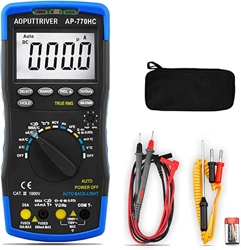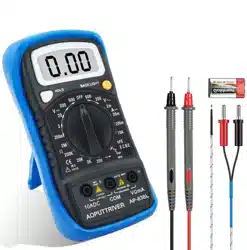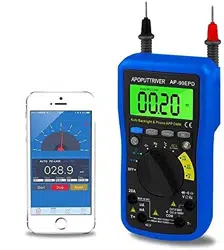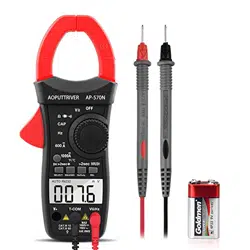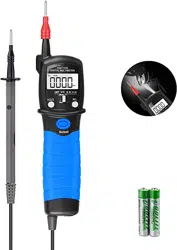

PEN TYPE DIGITAL MULTIMETER
OPERATOR’S MANUAL
1. Overview
The pen type digital multimeter is characterized at slim size,
portable, stable performance and anti-dropping capacity. Using
6000 counts digit LCD monitor with character 12mm high, they
offer clear readings. With overall circuitry design centering on
large-scale IC A/D converters in conjunction and over-load
protection circuit, the meters give excellent performance and
exquisite making as a handy utility instrument.
The meters can be used to measure DC & AC voltage, resistance,
capacitor, positive diode voltage fall and audible continuity. If the
equipment is used in a manner not specified by the manufacturer,
the protection provided by the equipment may be impaired.
2. Panel Layout
1. VΩ: V/ Input test lead.
2. Lamp light.
3. Test lead fixture: Fix the COM test lead.
4. LCD display: 6000 counts digit, full function symbol display.
5. Toggle Switch: Use this switch to select functions and ranges.
6. HOLD key: Press the “HOLD” key to lock display value, and the
“DH” sign will appear on the display, press it again to exit. Press
the “HOLD” key over 2 seconds to light the back light, press it
again for more than 2 seconds to lights off it, it can lights off
automatically after 15 seconds too.
7. REL Key: Press the “REL” key, the meter enters relative
measuring mode, “REL” is displayed on the LCD and the present
reading becomes the reference value and displayed on the display.
Relative measurement REL△ =measurement value-Reference
value. Press it again to exit.
8. SELECT key: This key work on the " " range, press the
key to choose resistance, diode, continuity test or capacitance test,
on the voltage range, change to DC or AC.
9. Protective casing.
10. Battery cover.
11. COM: COM input test lead.
3. Safety Information
3-1 The meter is designed according to IEC-1010 concerning
electronic measuring instruments with an over-voltage category
600V (CAT Ⅲ) and pollution 2.
3-2 Follow all safety and operating instructions to ensure that the
meter is used safely and is kept in good operating condition.
3-3 safety symbols:
Important safety information, refer to the operating manual.
Dangerous voltage may be presence.
Double insulation (protection Class II)
4. Special Cautions for Operation
4-1 To avid risk of electric shock, do not use the meters before the
cover is in place.
4-2 The toggle switch should be right position for the testing.
4-3 To avoid electric shock and damaging the instruments, the
input signals are forbidden to exceed the specified limits.
4-4 When measuring TV set or switched power, attention should
be paid to the possible pulses that may bring destruction to the
circuit.
4-5 Toggle switch position is forbidden to be changed at random
during measurement.
4-6 Take caution against shock in the course of measuring voltage
higher than DC 60V & AC 30V.
4-7 After operation is finished, set toggle switch at OFF to save
battery power.
4-8 If the meter is without usage for long time, take out battery to
avoid damage by battery leakage.
5. GENERAL SPECIFICATIONS
5-1 Max Voltage between input terminal and Earth Ground: CAT Ⅲ
600V.
5-2 Over-range Indication: display “OL” for the significant digit.
5-3 Automatic display of negative polarity “-”.
5-4 Low Battery Indication: “ ” displayed.
5-5 Max LCD display: 6000 counts digit.
5-6 Auto range control.
5-7Auto Power Off: When measurement exceeds 15 minutes
without switching mode and pressing key, the meter will switch
to standby mode. Press any key to exit standby mode. When
restart the system, press and hold SELECT key to disable auto
power off.
5-8 Power supply: 1.5V×2 “AAA” R03P battery
5-9 Operating Temp.: 0℃ to 40℃ (relative humidity <85%)
5-10 Storage Temp.: -10℃ to 50℃ (relative humidity <85%)
5-11 Guaranteed precision Temp.: 23±5℃
(relative humidity <70%)
5-12 Dimension: 235 x 54 x 30mm
5-13 Weight: approx. 200g (including battery)
6. Testing Specifications
Accuracy is specified for a period of year after calibration and at
18℃ to 28℃ (64℉ to 82℉) with relative humidity to 70%.
6-1 DC Voltage
Range
Resolution
Accuracy
600.0mV
0.1mV
±(0.5% of rdg + 2 digits)
6.000V
1mV
60.00V
10mV
600.0V
100mV
600V
1V
±(0.8% of rdg + 2 digits)
-- Impedance: 10MΩ, More than 100MΩ on 600mV range
-- Overload protection: 600V DC or AC rms
6-2 AC Voltage (True RMS)
Range
Resolution
Accuracy
6.000V
1mV
±(1.0% of rdg + 3 digits)
60.00V
10mV
600.0V
100mV
600V
1V
±(1.5% of rdg + 3 digits)
-- Impedance: 10MΩ
-- Overload protection: 600V DC or AC rms
-- Frequency Range: 40 to 2kHz
6-3 Resistance
Range
Resolution
Accuracy
600Ω
0.1Ω
±(1.0% of rdg + 3 digits)
6kΩ
1Ω
±(1.0% of rdg + 2 digits)
60kΩ
10Ω
600kΩ
100Ω
6MΩ
1kΩ
60MΩ
10kΩ
±(1.5% of rdg + 3 digits)
-- Overload protection: 600V DC or AC rms
6-4 Capacitance
Range
Accuracy
Resolution
6nF
±(3.0% of rdg + 10 digits)
1pF
60nF
±(2.5% of rdg + 5 digits)
10pF
600nF
100pF
6µF
1nF
60µF
±(5.0% of rdg + 10 digits)
10nF
600µF
±(10.0% of rdg + 20 digits)
100nF
6mF
1µF
60mF
10µF
-- Overload protection: 600V DC or AC rms
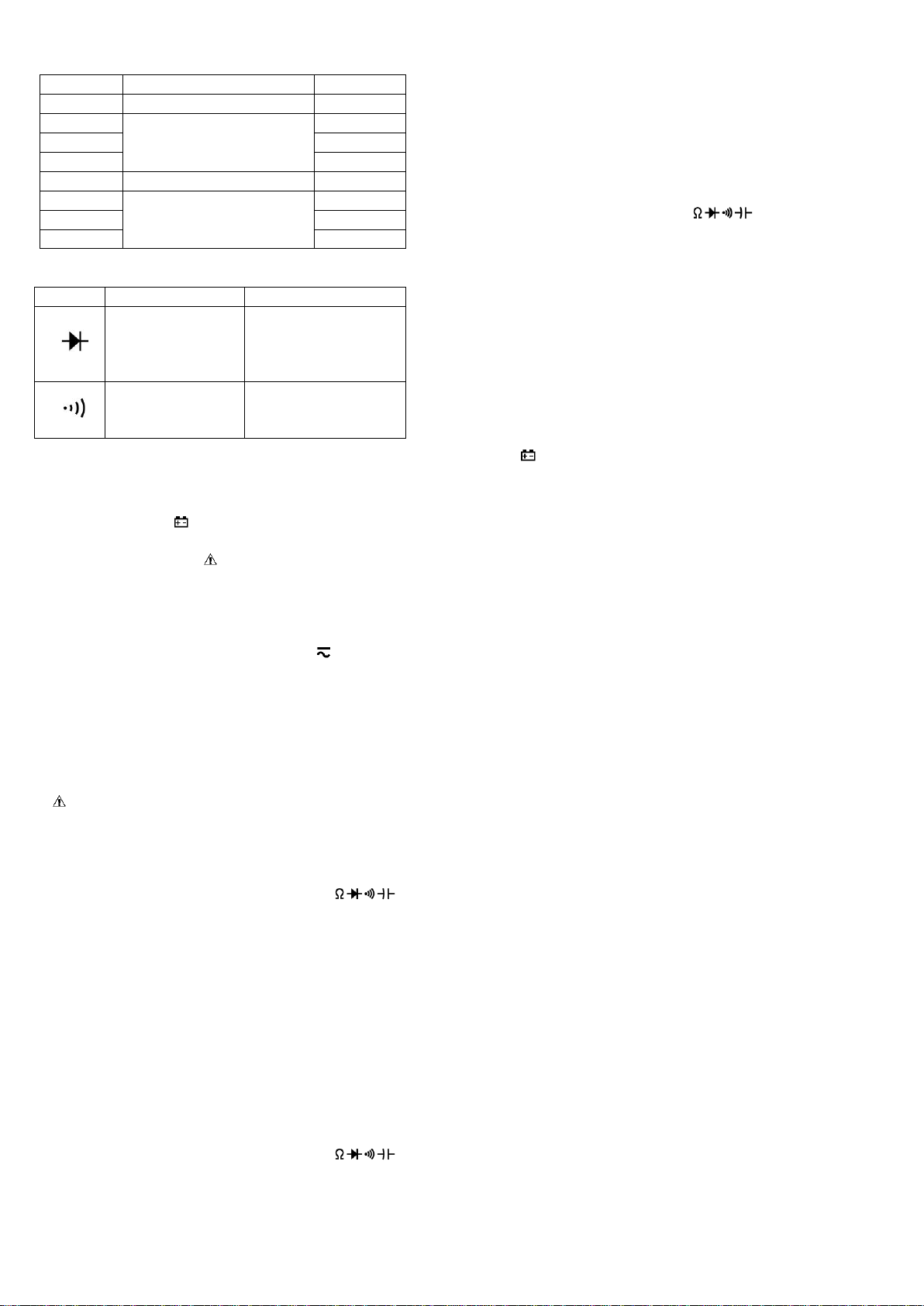
6-5 Diode and Audible continuity test
Range
Description
Test Condition
Display read
approximately
forward voltage of
diode
Forward DC current
approx. 1.5mA
Reversed DC voltage
approx. 4V
Built-in buzzer
sounds if resistance
is less than 50Ω
Open circuit voltage
approx. 2V
Overload protection: 600V DC or AC rms
7. OPERATING INSTRUCTIONS
7-1 Attention before operation
7-1-1 Check battery. When the battery voltage drop below proper
operation range, the “ ” symbol will appear on the LCD display
and the battery need to changed.
7-1-2 Pay attention to the “ ” besides the input jack which shows
that the input voltage should be within the specified value.
7-1-3 The toggle switch should be positioned to desired range for
measurement before operation.
7-2 Measuring DC & AC Voltage
7-2-1 Set the toggle switch at the desired “V ” range position, it
shows symbol for testing DC voltage, if you want to test AC voltage,
push “SELECT” button switch.
7-2-2 Connect test leads across the source or load under
measurement.
7-2-3 You can get reading from LCD. The polarity of the red lead
connection will be indicated along with the DC voltage value.
NOTE:
1.“ ” means you can’t input the voltage more than 600V, it’s
possible to show higher voltage, but it may destroy the inner circuit
or pose a shock.
2. Be cautious against shock when measuring high Voltage.
7-3 Measuring Resistance
7-3-1 Set the toggle switch at the desired “ ” range
position.
7-3-2 Connect test leads across the resistance under
measurement.
7-3-3 You can get reading from LCD.
NOTE: Max. input overload: 600V rms<10sec
1. For measuring resistance above 1MΩ, the mete may take a few
seconds to get stable reading.
2. When the input is not connected, i.e. at open circuit, the figure
‘OL’ will be displayed for the over-range condition.
3. When checking in-circuit resistance, be sure the circuit under
test has all power removed and that all capacitors have been
discharged fully.
7-4 Measuring Capacitance
7-4-1 Set the toggle switch at the desired “ ” range
position, push “SELECT” to choose Capacitance measurement.
7-4-2 Connect test leads across the capacitance under
measurement.
7-4-3 You can get reading from LCD.
NOTE: Max. input overload: 600V rms<10sec
1. Capacitors should be discharged before being tested.
2. When testing large capacitance, it will take longer time before
the final indication ( For 100uF~60mF range, it will take about
10 seconds ).
3. When testing small capacitance (≤1uF), to assure the
measurement accuracy, first press "REL", then go on
measuring.
7-5 Diode & Audible continuity Testing
7-5-1 Set the toggle switch at the “ ” range position, push
“SELECT” to choose Diode or Audible continuity
measurement.
7-5-2 On diode range, connect the test leads across the diode
under measurement, display shows the approx. forward
voltage of this diode.
7-5-3 On Audible continuity range, connect the test leads to two
point of circuit, if the resistance is lower than approx. 50Ω, the
buzzer sounds.
NOTE: Make sure the power is cut off and all capacitors need to
be discharged under this measurement.
8. Battery replacement
8-1 When the battery voltage drop below proper operation range
the " " symbol will appear on the LCD display and the battery
need to changed.
8-2 Before changing the battery, set the toggle switch to “OFF”
position. Open the battery cover by rotary the battery cover.
8-3 Replace the old battery with the same type battery (AAA R03P
1.5V×2).
8-4 Close the battery cover and rotary the battery cover to lock it.
9. Maintenance
9-1 Use only moist fabric or small amount of detergent but not
chemical solution for cleaning.
9-2 Do not use the meter before the back cover is properly closed
and screw secured. Upon any abnormality, stop operation
immediately and send the meter for maintenance.
9-3 Please take out the battery when not using for a long time.
Above picture and content just for your reference. Please be
subject to the actual products if anything different or updated.
Please pardon for not informing in advance.