1
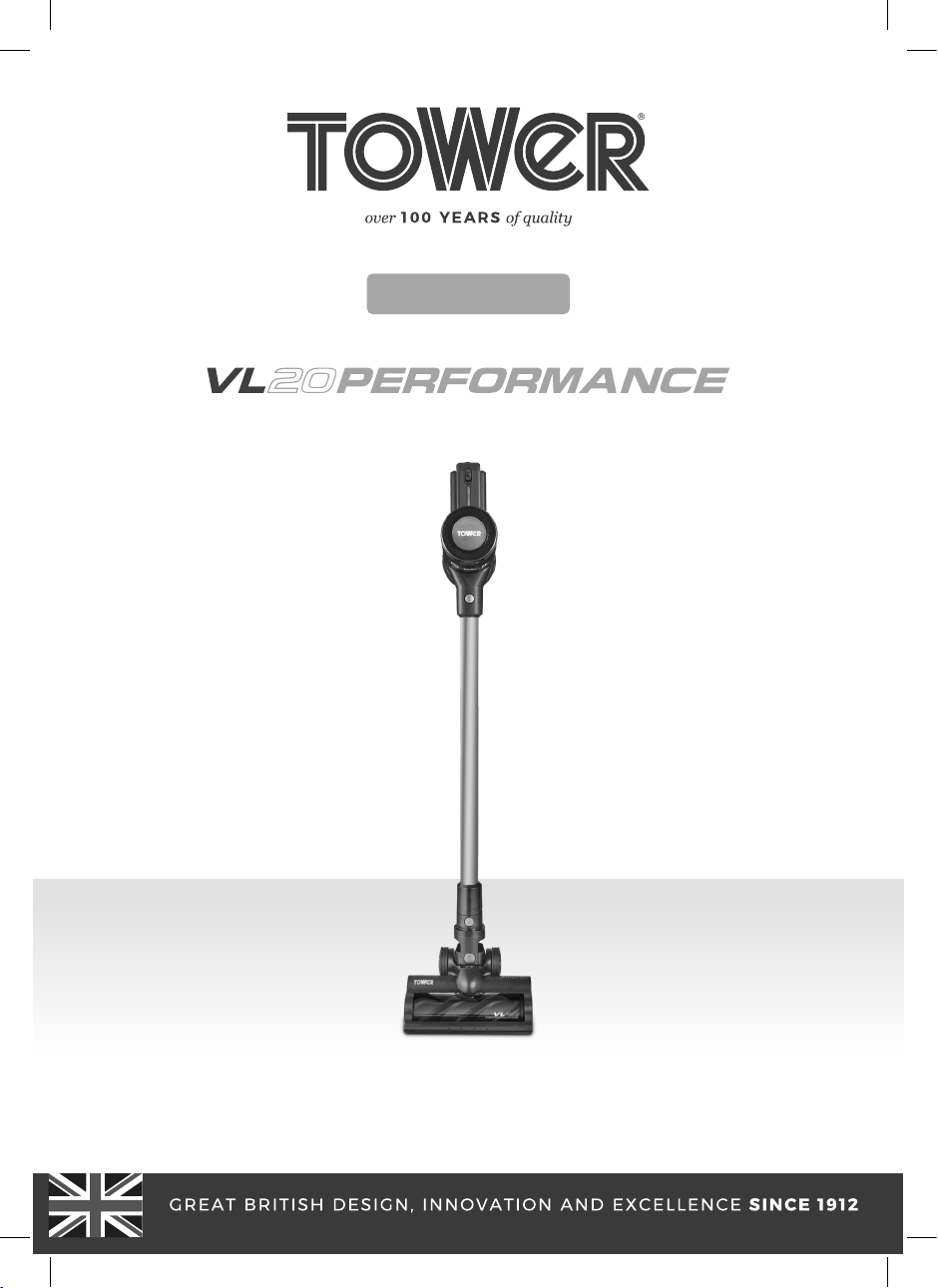
MODEL: T513006

2
3
3
4
• Key safety points 4
• General safety 4
• Whilst using the vacuum 5
• Plug and cord 5
• Features & functions
BEFORE FIRST USE
8
• Setting up 8
• Turning on/off the appliance 8
• Attaching & removing the extension pole 8
• Attaching & removing the accessories 9
• Installing the wall mount
CLEANING AND CARE
TROUBLESHOOTING
DISPOSAL OF THE UNIT
CUSTOMER SUPPORT
3
RATED VOLTAGE AC 220 - 240V~
FREQUENCY 50/60Hz
POWER CONSUMPTION 150W
H: 1080 x W: 260 x D: 210mm
WEIGHT 1.3Kg
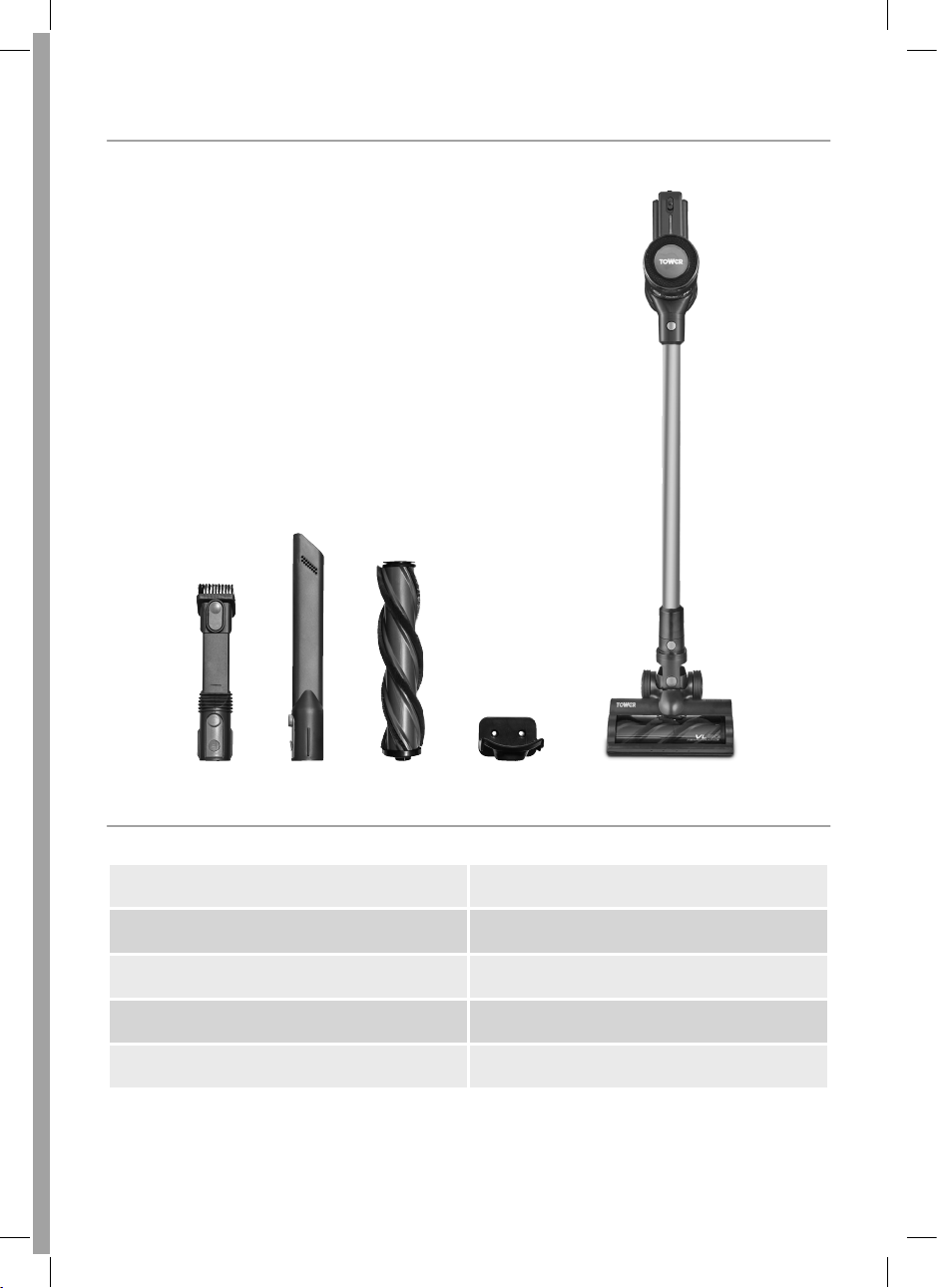
Instruction manual
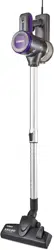
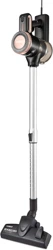
3-in-1 vacuum cleaner
Filter
Brush tool
Crevice tool
Wall mounting kit

4
Please read these safety carefully
using your Tower appliance.
These warnings have been provided in the
interest of safety. Basic safety precautions
should always be followed including the
following:
cut-out, which will activate if the motor
overheats due to blocked air inlets. If the
appliance cuts out, allow it to cool for 1
hour, then empty the dust container and
• use the appliance without the
• Use extra care when cleaning on stairs.
• If the supply cord or appliance is
damaged, stop using the appliance
immediately and seek advice from the
manufacturer, its service agent or a
place the appliance near a heat
source.
• The use of accessory attachments is
not recommended by the appliance
manufacturer apart from those supplied
with this product.
pull the plug out by the cord as
this may damage the plug and/or the
cable.
•
or removing tools/ attachments, once
charged and before cleaning.
• Close supervision is necessary when any
appliance is used by or near children.
• Children should not play with the
appliance.
• This appliance can be used by children
aged from 8 years and above and persons
with reduced physical, sensory or mental
capabilities or lack of experience and
knowledge if they have been given
supervision or instruction concerning
use of the appliance in a safe way and
understand the hazards involved.
• Cleaning and user maintenance should
not be undertaken by children without
supervision.
• Take care when any appliance is used
near pets.
• use this appliance for anything
other than its intended use.
• This appliance is for household use only.
use the appliance outdoors.
• This appliance is intended to be used
in household and similar applications
such as: Staff kitchen areas in shops,
by clients in hotels, motels and other
environments.
immerse cords, plugs or any
part of the appliance in water or any
other liquid.
It is important that this instruction
manual is retained for future reference.
If the appliance is given to someone
else, it should always be accompanied
by these operating instructions, as they
form an integral part of the appliance.

5
•
• Keep the vacuum cleaner moving over
the carpet surface at all times to avoid
• handle the appliance or plug
with wet hands.
• Keep hair, loose clothing, fingers and all
body parts away from moving parts.
• pick up anything that is
burning or smoking such as cigarettes,
matches or hot ashes.
• vacuum any large, sharp, or
broken objects, such as pieces of glass.
• vacuum water or any other
liquid.
• use to pick up hazardous or
abrasive liquids (solvents, corrosive
products, detergents, etc), flammable
liquids such as alcohol, gasoline or use
in an area where they might be present.
• Use extra care when cleaning on stairs.
• Use only manufacturer’s recommended
accessories.
• In the unlikely event the appliance
develops a fault, stop using it
immediately and seek advice from the
Customer Support Team
• Check that the voltage of the main
circuit corresponds with the rating of the
appliance before operating.
• let the cord hang over
the edge of a table or counter, serious
burns may result from the air fryer being
pulled off the counter where it may
be grabbed by children or become
entangled with the user.
• let the supply cord touch
hot surfaces.
• carry the appliance by the power
cord.
• use any extension cord
with this appliance.
• pull the plug out by the cord
as this may damage the plug and/or
the cable.
6
As the colours in the mains
lead of this appliance may not correspond
with the coloured markings identifying
the terminals in your plug, please proceed
as follows:
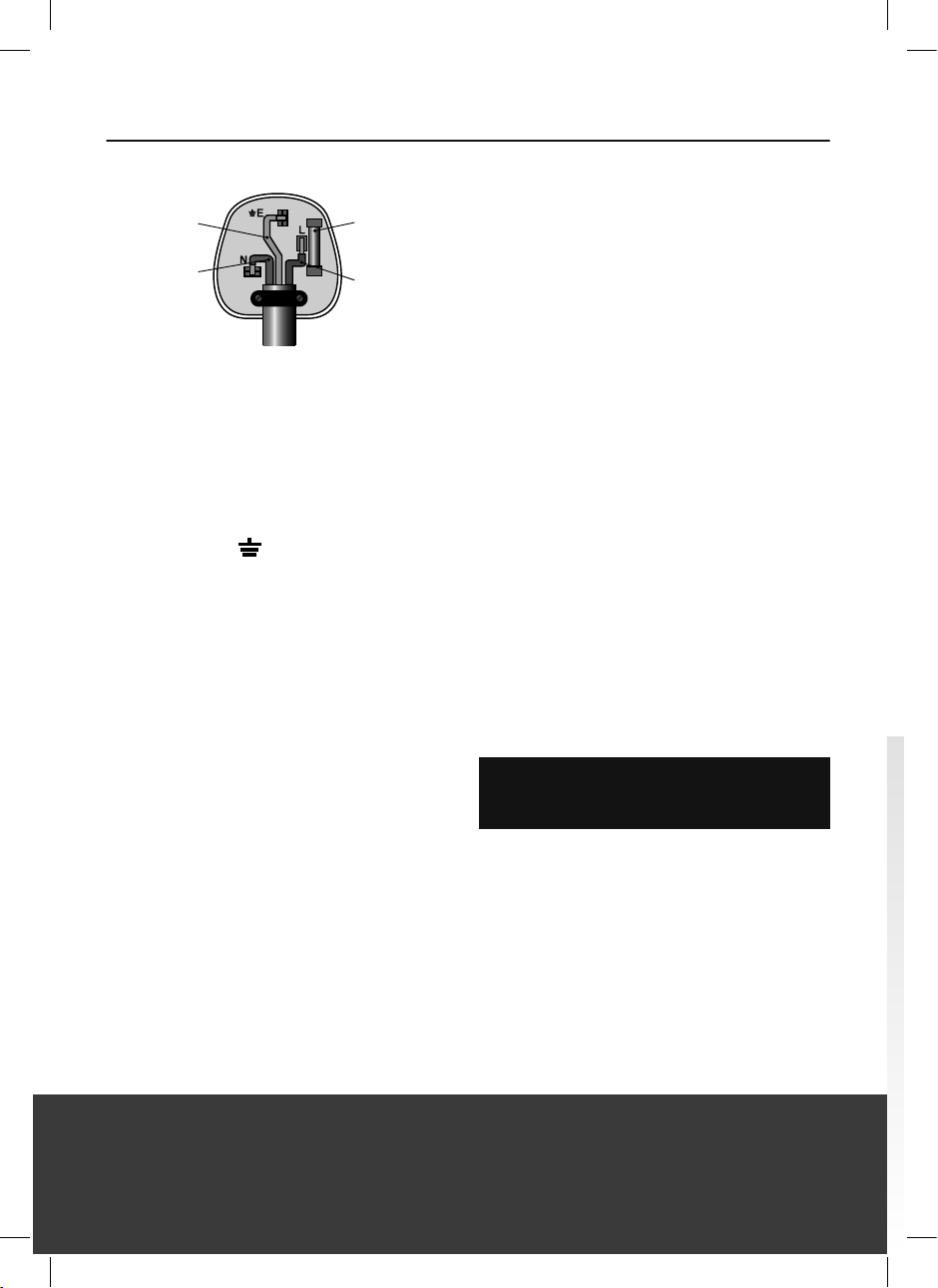
The wires in the mains lead are labelled
in accordance with the following code:
• The wire labelled blue is the neutral
and must be connected to the terminal
marked [N].
• The wire labelled brown is the live wire
and must be connected to the terminal
marked [L].
• The wire labelled green/yellow must be
connected to the terminal marked with
the letter [E].
• On no account must either the brown
or the blue wire be connected to the
[EARTH] terminal.
• Always ensure that the cord grip is
fastened correctly.
•
conforming to BS 1362 and be ASTA
approved.
•
who will be pleased to do this for you.
If your appliance is supplied with a
lead and should the fuse need replacing,
you must use an ASTA approved one
(conforming to BS 1362 of the same rating).
who will be pleased to do this for you.
If you need to remove the plug - disconnect
it from the mains - then cut it off of the
mains lead and immediately dispose of it
in a safe manner. Never attempt to reuse
the plug or insert it into a socket outlet as
there is a danger of an electric shock.
In the unlikely event the appliance develops a fault, stop using it immediately
and seek advice from the Customer Support Team. +44 (0) 333 220 6066
This appliance be earthed!
FUSE
Earth
(G
reen/Yellow)
Fuse
Neutral
(Blue)
Live
(Bro
wn)
7
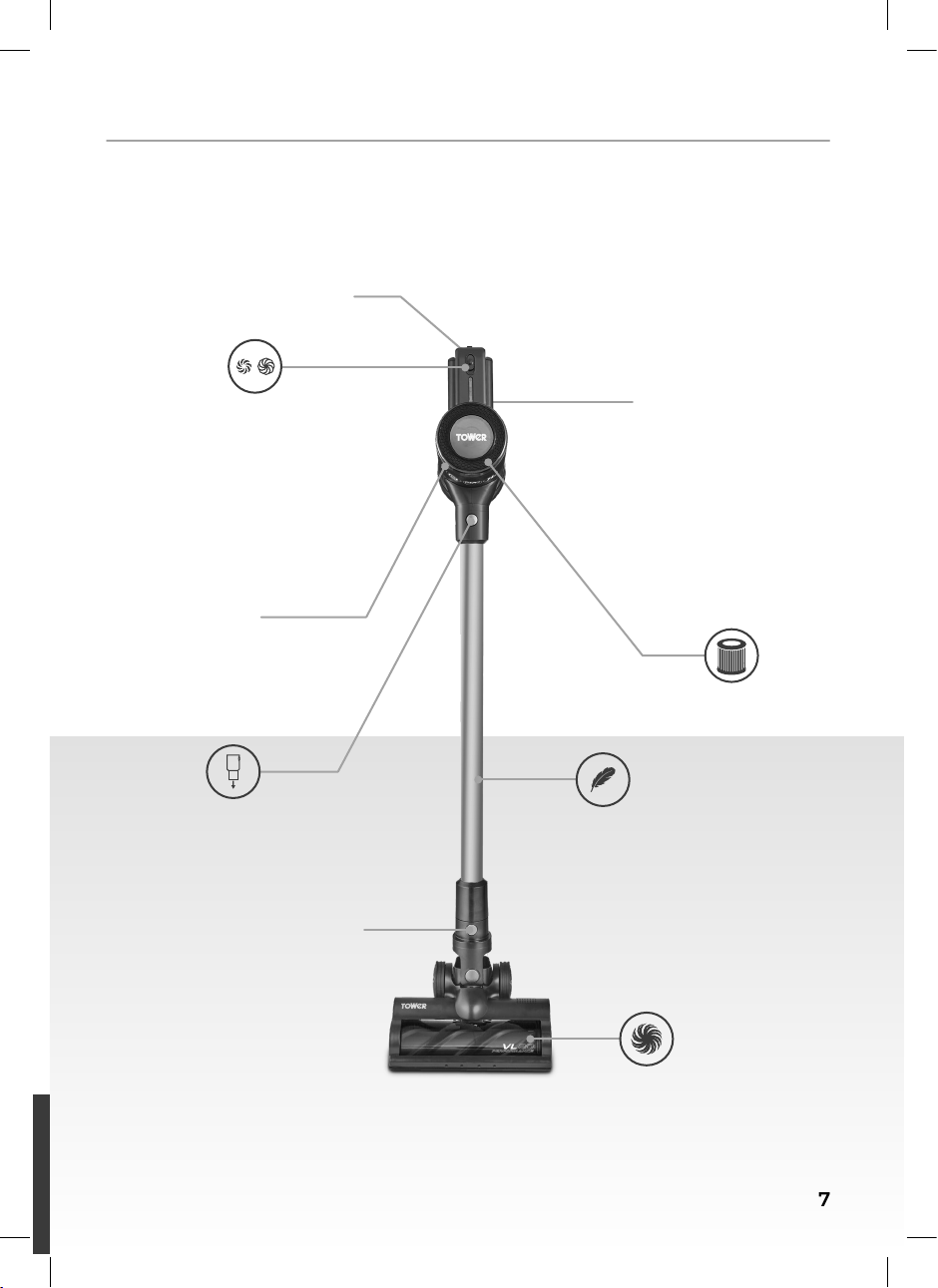
Dust Tank
Release Button
Power ON/OFF
Detachable
Handheld
2 Speed
Settings
Anti-Allergy
HEPA 13 Filtration
Lightweight
Tube
Motorised
Floor Head
Floor Head
Release Button
Dust Tank

8
Remove your appliance from the
packaging.
Check that there is no visible damage to
the body.
Check that all listed parts are present.
Remove any stickers or labels from
the appliance. remove any
warnings.
Dispose of the packaging in a
responsible manner.
To use the appliance, begin by powering
it up. To do this, plug the unit into a
compatible mains socket, ensuring
the socket switch is turned to the On
position.
Once the appliance is plugged in, push
the On/Off switch located on the handle
in a downward direction to turn the
unit on. The motor will begin to work to
show the unit has been turned on.
Push the On/Off switch in an upward
position while the unit is in operation to
turn it off. The motor will stop working
to show the unit has been turned off.
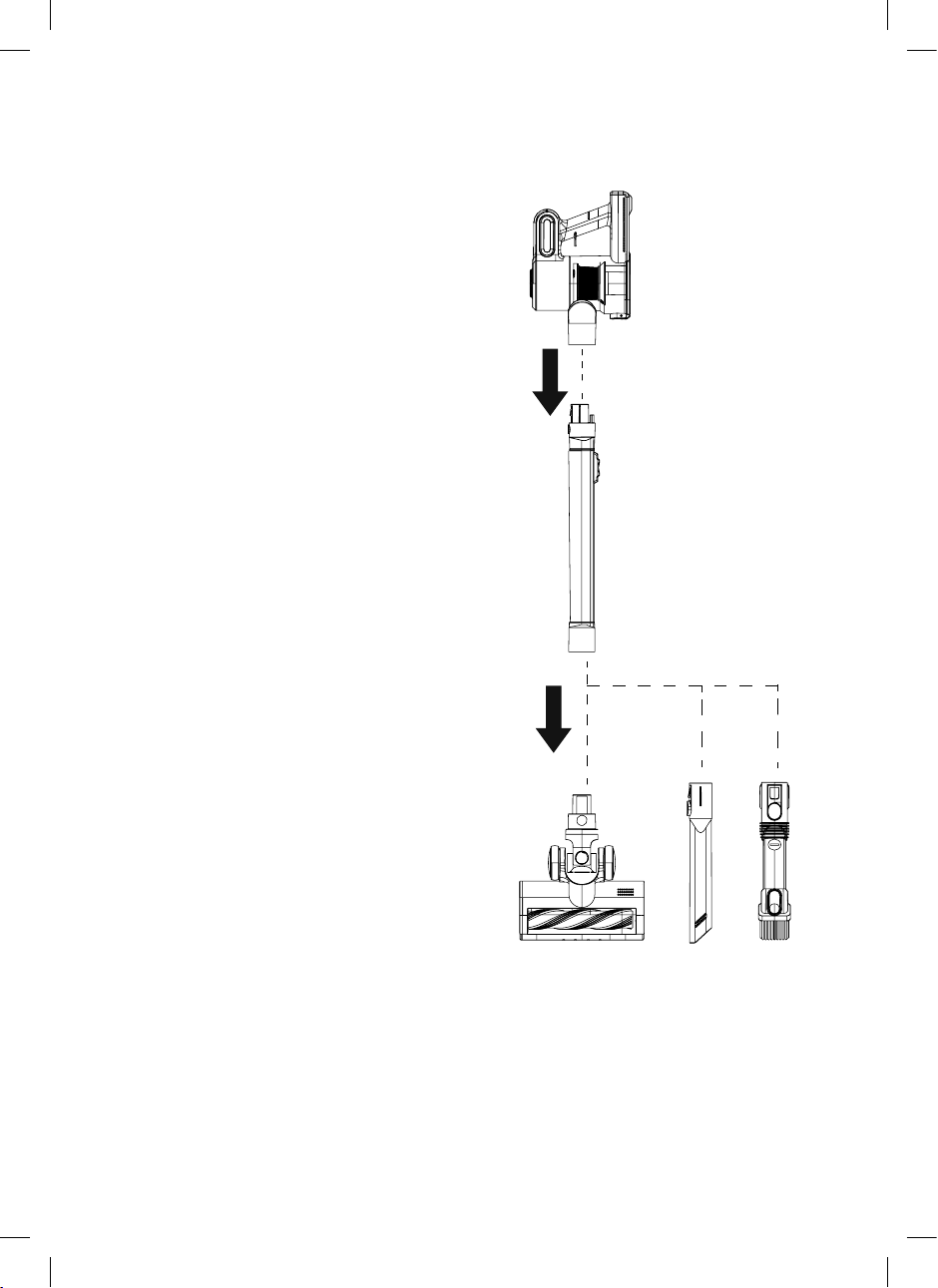
This unit is equipped with an aluminium
pole, for extended reach when using
detachable, allowing the unit to be used as
a handheld vacuum cleaner, if required.
To connect the pole to the vacuum
cleaner, push it into the corresponding
slot on the main body of the unit until it
locks into place.
To remove the extension pole and use
the vacuum cleaner as a handheld
cleaner, press the extension pole release
button on the main body of the unit,
unit until it detaches.
To connect the pole back into the unit,
push it into the corresponding slot on
the main body of the unit until it locks
into place. Take care to ensure the pole
two connecting pins are facing towards
the back side of the unit.
This unit comes equipped with a
for easy cleaning.
press the release button at the top of
away from the main body of the unit
until it detaches.
pole, push it into the corresponding
slot on the main body of the unit until
it locks into place. Take care to ensure
the right way round when the two
connecting pins are facing towards the
back side of the unit.
9
This vacuum cleaner comes complete
with a 2 in 1 Crevice and Brush Tool, for
vacuuming corners and cleaning delicate
surfaces, and a stand-alone crevice tool,
for corners and hard-to-reach areas. Either
accessory can be attached to either the
directly.
To connect an accessory to the
extension pole, attach it to the
corresponding hole at the end of the
pole until it clicks into place. , Ensure
before turning on the appliance, to
prevent them from falling off whilst in
use.
To connect an accessory directly to the
handheld unit, attach it to the slot at
the front of the main body of the unit
until it clicks into place.
To remove an accessory when using the
pull it away from the extension pole
until it detaches.
To remove an accessory when using
the unit as a handheld vacuum, press
the release button on the base of the
the main body of the appliance.
and other objects that could impede
proper functioning. Always remove these
types of objects when the brush picks
them up.
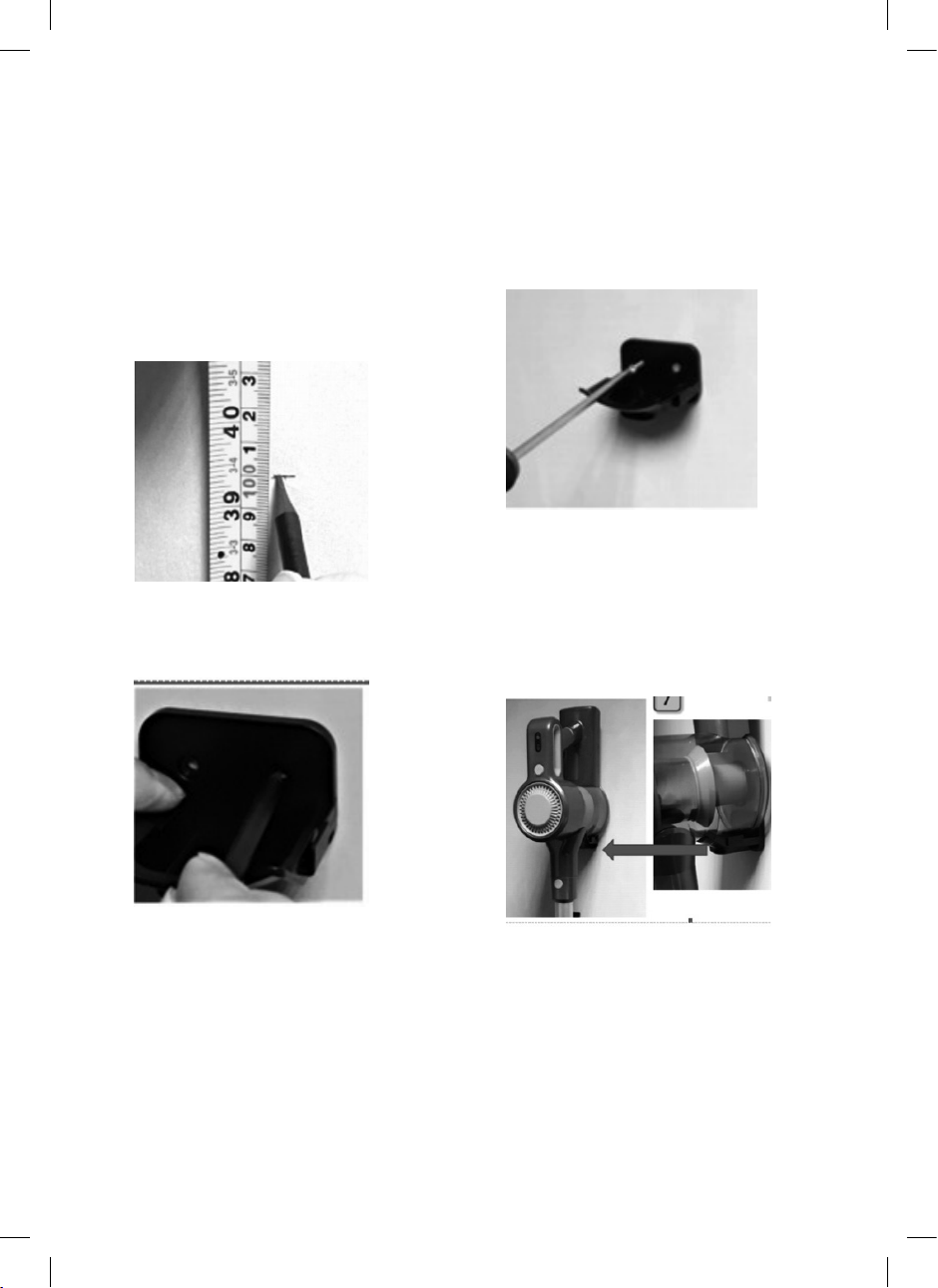
10
Once the two holes have been
appropriately drilled, insert one of the
included wall plugs into each hole.
into place before proceeding.
When both wall plugs have been
over them and use the included screws
secured into place before proceeding.
Your appliance can now be wall-
mounted, as shown in Figure 4.
To wall-mount the appliance, begin by
wall. To do this, begin by choosing an
adequate position and height, roughly
one metre above the ground, and mark
it on the wall with a pencil, as shown in
Figure 1.
Hold the wall bracket level to the
marking and mark the position of the
two screw holes through the bracket, as
shown in Figure 2.
Remove the wall bracket from the
wall and drill two holes over the pencil
markings with a 6mm masonry drill (not
included).

11
Hold the unit over a bin and press the
dust tank quick release button. Empty the
contents of the dust tank. Once empty,
push the cover back into place until there
is an audible click.
of the unit. It may be necessary to twist
direction in order to pull it out.
water and leave it to dry thoroughly.
the washing machine.
at least 24 hours before placing it back into
the unit. DO NOT use a hair dryer to dry the
it back into its corresponding slot inside
secured into place before attempting to
use the vacuum.
DO NOT use the vacuum cleaner
is not performing correctly, it should be
replaced. It is recommended to replace the
Before cleaning the unit body, ensure
the unit is disconnected from the mains
supply and not in operation.
Use a damp cloth to clean the unit
body. Never use any abrasive cleaning
materials or solvents, as these could
cause damage to the surface of the unit.
allow any liquids into
the unit, as this could cause damage to
the electrical components and cause it to
malfunction.
Ensure the unit is thoroughly clean
attempting to use or store it.
Lift the lever on the edge of the
below.
Pull out the small tab directly
underneath the lever to release the
brush bar (visible on the left-hand side
from the main body of the appliance, as
shown in the second image below.
place.
Push the locking tab back down into
the main body of the unit until it clicks
into place. Push the lever back down to
lock the brush bar in place.
clogged up, or the vacuum picks up a
larger piece of debris, the vacuum may
become clogged.
Should this occur, carry out the following
steps to unclog the vacuum:
Check the dust tank and empty it if
necessary.
it under running water if necessary, as
detailed in the sections above.
Detach any attachments from the unit
and check for blockages.
Store the appliance in a cool, dry place,
preferably inside its original packaging,
and out of the reach of children.
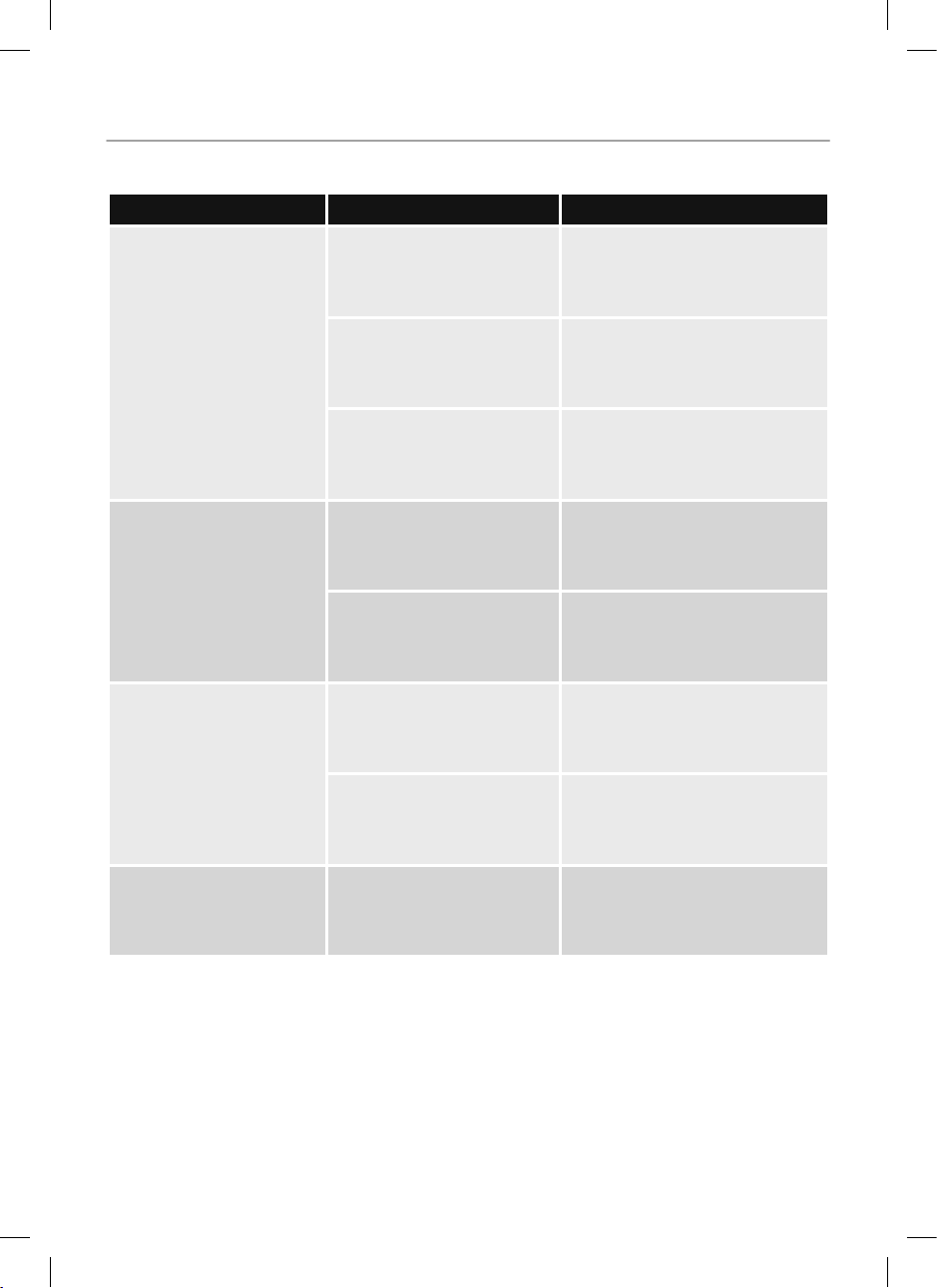
12
The vacuum will not
work.
The battery is low.
Ensure the vacuum cleaner is
fully charged.
Blockage to the dust tank
Check that there are no
blockages to the dust tank
necessary.
The motor protective
thermostat
has kicked in.
Allow the unit to cool for 1
hour, then empty the dust
tank and clean all of the
The vacuum will not
pick-up or the suction
power is weak.
The dust container is
cleaning.
Empty the dust container and
Potential blockages in the
Check for blockages and clean
Dust is escaping from
the vacuum.
incorrectly.
installed inside the unit.
The dust container may
be full.
Empty the dust container and
There is a strange
noise coming from the
vacuum.
restricted or blocked.
Check for blockages and clean
13
Appliances bearing the symbol shown
here may not be disposed of in domestic
rubbish. You are required to dispose of old
electrical and electronic appliances like
this separately.
Please visit
or for access
to information about the recycling of
electrical items.
Please visit for access
to information about the recycling of
electrical items purchased in Ireland.
The WEEE directive, introduced in August
2006, states that all electrical items must
Please arrange to take this appliance to
your local Civic Amenity site for recycling,
once it has reached the end of its life.
If you have any questions or concerns about your new product,
please contact our helpful Customer Support Team:
Spare part replacements and accessories are available to purchase via:
+
Please have your Model No. available. This can be found on the front
cover of this instruction manual and on the appliance’s rating label.
14
15
16
We hope you enjoy your appliance for many years...
This product is guaranteed for 12 months
from the date of original purchase.
If any defect arises due to faulty
materials of workmanship, the faulty
products must be returned to the place
of purchase.
Refund or replacement is at the
discretion of the retailer.
The product must be returned to the
retailer with proof of purchase or a
receipt.
The product must be installed and used
in accordance with the instructions
contained in this instruction guide.
It must be used only for domestic
purposes.
It does not cover wear and tear, damage,
misuse or consumable parts.
Tower has limited liability for incidental
or consequential loss or damage.
This guarantee is valid in the UK and
Eire only.
The standard one year guarantee is only
extended to the maximum available
for each particular product upon
registration of the product within
28 days of purchase. If you do not register
the product with us within the 28 day
period, your product is guaranteed for
1 year only.
To validate your extended warranty,
please visit
and register with us online.
Please note that length of extended
warranty offered is dependent on
product type and that each qualifying
product needs to be registered
individually in order to extend its
warranty past the standard 1 year.
Extended warranty is only valid with
proof of purchase or receipt.
Your warranty becomes void should you
decide to use non Tower spare parts.
Spare parts can be purchased from
Or call our Customer Support Team on:
YEAR
GUARANTEE
3