SAFETY AND INSTRUCTION MANUAL
PLEASE READ CAREFULLY
*Subject to registering your Extended Guarantee online at www.towerhousewares.co.uk.
T527000
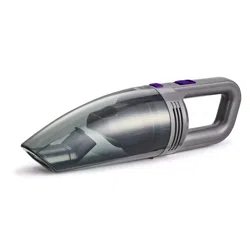
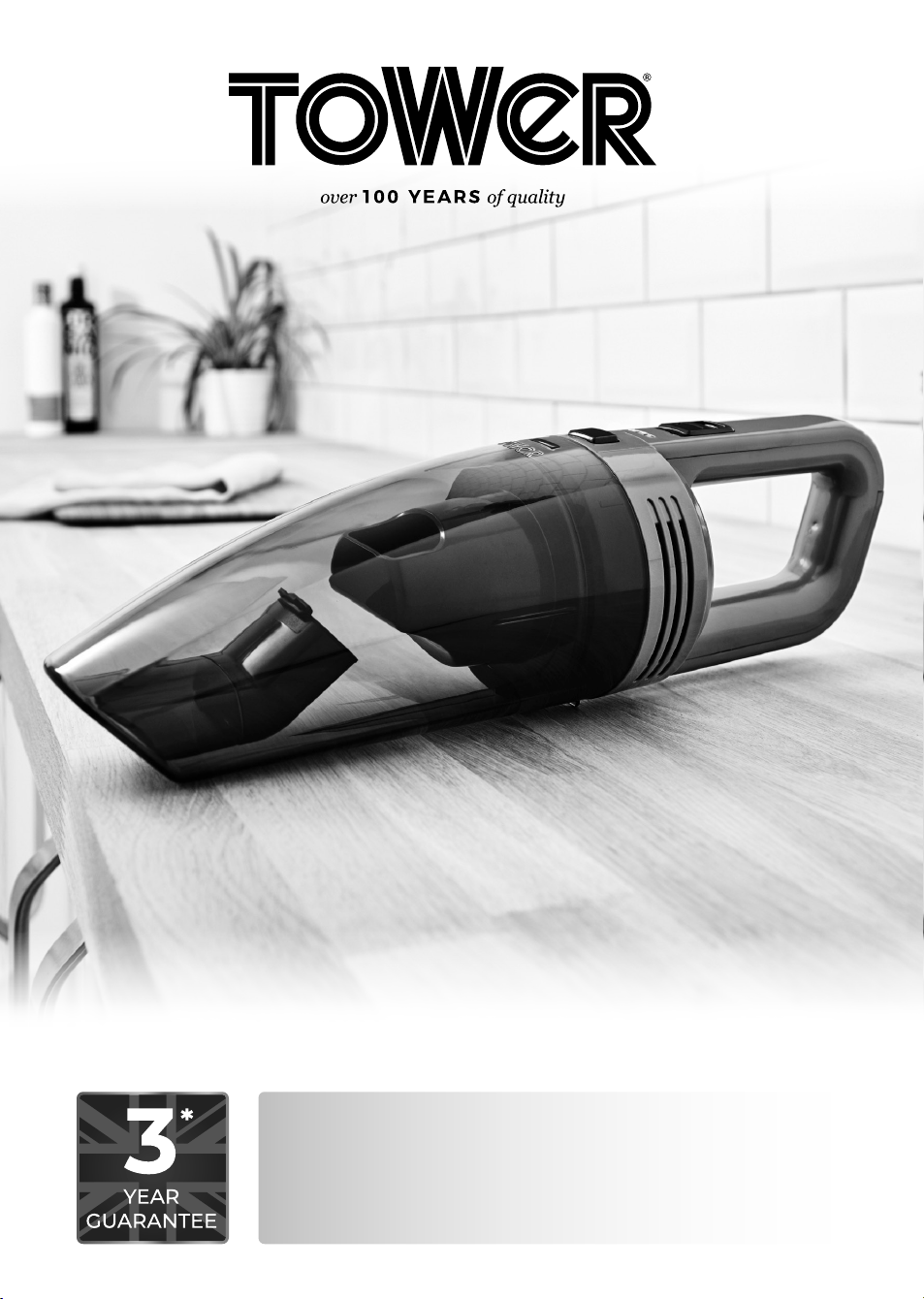
Handheld Vacuum Cleaner
2
Model: T527000
Voltage: DC 11.1V
Product Power: 50W
Adaptor Rating
Input: 100-240V ~50/60Hz 0.5A
Output: 13V DC 460mAh
Charging Time: 4 hours
Technical Data:
This box contains:
Instruction Manual
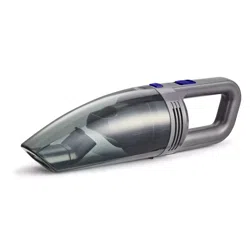
Handheld Vacuum Cleaner
Brush Accessory
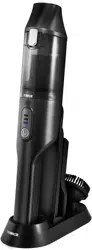
Charging and Storage Base
DC Adaptor
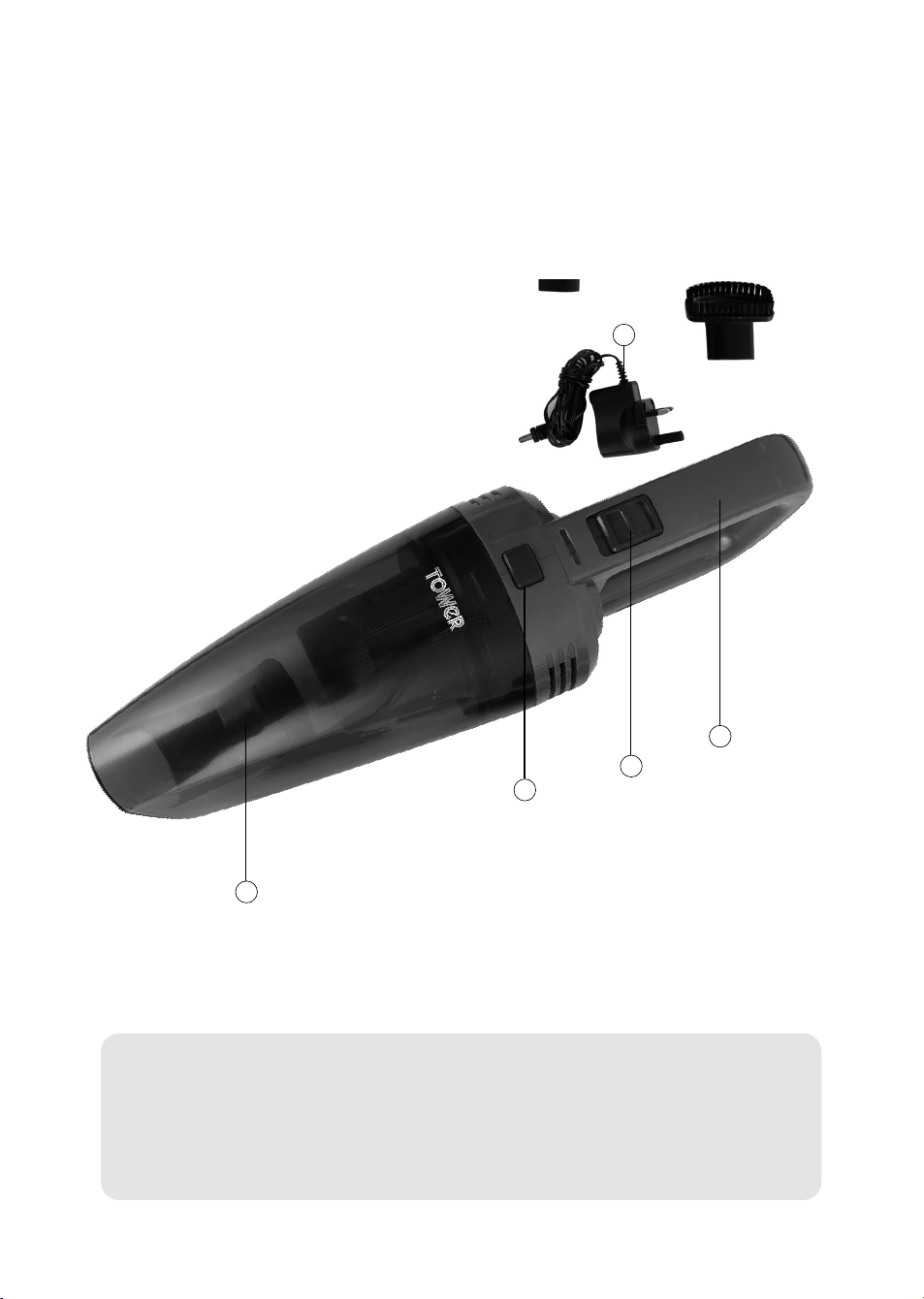
1. DC Adaptor
2. Dust Tank
3. Dust Tank Release Button
4. ON/OFF Switch
5. Handle
2
3
4
5
1

3
Please read these notes carefully BEFORE using your
Tower appliance
Important Safety Information:
• Check that the voltage
of the main circuit
corresponds with the
rating of the appliance
before operating.
• If the supply cord or
appliance is damaged,
stop using the
appliance immediately
and seek advice from
the manufacturer,
its service agent or
a similarly qualified
person.
• DO NOT let the cord
hang over the edge of a
table or counter or let it
come into contact with
any hot surfaces.
• DO NOT carry the
appliance by the power
cord.
• DO NOT use any
extension cord with this
appliance.
• DO NOT pull the plug
out by the cord as this
may damage the plug
and/or the cable.
• Switch off at the wall
socket then remove the
plug from the socket
when not in use or
before cleaning.
• Switch off and
unplug before fitting
or removing tools/
attachments, after use
and before cleaning.
• Close supervision is
necessary when any
appliance is used by or
near children.
• Children should not
play with the appliance.
• This appliance can
be used by children
aged from 8 years and
above and persons
with reduced physical,
sensory or mental
capabilities or lack
of experience and
knowledge if they have
been given supervision
or instruction
concerning use of the
appliance in a safe way
and understand the
hazards involved.
• Cleaning and user
maintenance should
not be undertaken
by children without
supervision.
• Take care when any
appliance is used near
pets.
• Not suitable for carpets
with long fibres as the
bristles will damage the
fibres.
• Keep the vacuum
cleaner moving over
the carpet surface
at all times to avoid
damaging the carpet
fibres.

4
• DO NOT use this
product for anything
other than its intended
use.
• DO NOT immerse
cords, plugs or any
part of the appliance
in water or any other
liquid.
• This appliance is for
household use only.
• DO NOT use the
appliance outdoors.
• Keep hair, loose
clothing, fingers and all
body parts away from
moving parts.
• DO NOT use to pick up
flammable liquids such
as gasoline or use in an
area where they might
be present.
• DO NOT use the
appliance without the
dust container filter in
place.
• This product is fitted
with a thermal cut-out,
which will activate if the
motor overheats due
to blocked air inlets.
If the appliance cuts
out, allow it to cool for
1 hour, then empty the
dust container and
clean all of the filters.
• DO NOT pick up
anything that is
burning or smoking
such as cigarettes,
matches or hot ashes.
• Use extra care when
cleaning on stairs.
• The use of accessory
attachments is not
recommended
by the appliance
manufacturer apart
from those supplied
with this product. DO
NOT use extension
cords with the
appliance.
• DO NOT pull the cord,
use the cord as a
handle, close a door
on the cord, or pull
the cord around sharp
edges or corners.
• DO NOT run the
vacuum cleaner over
the cord. Keep the
cord away from heated
surfaces.
ADDITIONAL BATTERY
SAFETY PRECAUTIONS
• DO NOT use a battery
pack or appliance
that is damaged or
modified. Damaged or
modified batteries may
exhibit unpredictable
behaviour resulting in
fire, explosion or risk of
injury. DO NOT expose
the battery pack or
appliance to fire or
excessive temperatures.
Exposure to fire or
temperatures above
60°C (140°F) may cause
an explosion.
• The battery is a sealed
unit and under normal

5
circumstances poses
no safety concerns.
In the unlikely event
that liquid leaks from
the battery, DO NOT
touch the liquid as it
may cause irritation or
burns to the skin, eyes
or nose. Should battery
liquid come in contact
with skin, immediately
wash the affected area
with soap and water.
In case of eye contact,
immediately flush
your eyes thoroughly
with water for at least
15 minutes and seek
medical attention.
• In case of inhalation,
immediately expose to
fresh air and seek out
medical advice.
• Disposal: Wear
gloves to handle the
battery. Dispose of it
immediately, following
local ordinances or
regulations.
• Follow all charging
instructions and
DO NOT charge the
battery pack or the
appliance outside
of the temperature
range specified in the
instructions. Charging
improperly or at a
temperature outside
of the specified range
may damage the
battery and increase
the risk of fire. To
ensure maximum
battery life, observe the
following guidelines:
• When not in use
the appliance
should be stored at
room temperature.
Recommended range:
18°C (64°F) to 28°C
(82°F).
• The ambient
temperature range
for operation and
charging should be
10°C (50°F) to 30°C
(86°F).
• FIRE WARNING – DO
NOT place this product
on or near a cooker or
any other hot surface
and DO NOT incinerate
this appliance even if
it is severely damaged.
The battery might
catch fire or explode.
• FIRE WARNING –
DO NOT apply any
fragrance or scented
product to the filter(s)
of this appliance. The
chemicals in such
products are known to
be flammable and can
cause the appliance to
catch fire.
• In the unlikely event
the appliance develops
a fault, stop using
it immediately and
seek advice from the
Customer Support
Team:
+44 (0) 333 220 6066

6
Before First Use:
1. Remove the product from the box.
2. Remove any packaging from the product.
3. Please retain all packaging until you have checked and counted all the parts and the contents against
the parts list.
4. Dispose of the packaging in a responsible manner.
USING YOUR APPLIANCE
Charging the Appliance:
1. This unit can be charged using the included charging base, or the included car adaptor.
Note: When using the charging base to charge the vacuum cleaner, ensure it is firmly secured in place;
otherwise, the unit may not secure correctly.
2. To charge the unit through the included charging base, start by placing the vacuum on the
corresponding slot on the base. To do this, align the spike on the base with the corresponding notch on
the main body of the unit, then push the unit down until it clicks into place.
3. Once the unit is firmly secured in place, plug the charging base adaptor into a compatible mains
socket, ensuring the socket switch is in the ON position.
4. Once plugged into an active socket, the unit will automatically begin to charge. The unit’s LED screen
will turn on and display the current battery level to show the adaptor is connected to the unit, and the
vacuum is charging.
5. The unit is fully charged when the number on the unit’s LED display reads ‘100’
6. When the numbers on the unit’s LED display drop below 10, the unit needs recharging. Repeat the
steps outlined above to fully recharge the unit.
Note: To ensure optimal performance each time, the unit should be left on charge whenever it is not in use.
Note: The adaptor may become warm during the charging process. This is normal, and does not indicate
overheating or malfunction.
Note: The average charging time for this unit is 3-4 hours.
7. To charge the unit through a car lighter, plug one end of the included car charging adaptor into the
corresponding notch on the handle of the vacuum cleaner, and the other into a compatible car lighter.
The unit will automatically begin to charge. The blue LED indicator on the body of the vacuum will light
up and display the current battery level to show the adaptor is connected to the unit and the vacuum is
charging.
Turning the Appliance On and Off:
1. Push the ON/OFF button on the main body of the vacuum cleaner to turn the unit on. The unit will
automatically begin to operate at low speed. The LED display and a green light indicator will light up to
show the unit is on and operating at low speed.
2. Press the On/Off button again while the unit is operating on Low speed mode to switch to High speed
mode. The green LED indicator on the unit’s control panel will go out and a red indicator light will come
on to show the unit is operating at High speed,
3. Press the On/Off button a third time while the unit is operating at High speed to turn it off. Air will stop
emitting from the unit and the LED display and all indicators will go out to show the unit has been
turned off.
Using the Brush Accessory:
1. This unit comes complete with a brush accessory, ideal for cleaning car seats and other similar surfaces.
2. To use this accessory, attach it to the air vent at the front of the unit and push firmly down to secure it
in place.
3. To remove the accessory, pull it firmly up and away from the main body of the unit until it detaches.
Troubleshooting:
Problem Solution
The vacuum will not work
• Ensure the vacuum cleaner is fully charged. To charge the unit, plug the AC
adaptor into it, connect it to a mains socket and wait until the LED indicator
on the charger goes out.
• Check that there are no blockages to the dust tank or filter and remove as
necessary.
The vacuum will not pick-
up or the suction power
is weak
• The dust container may be full, or the filters may require cleaning. Empty the
dust container and clean the filters.
• There may be blockages in the filters or dust tank. Check for blockages and
clean the filters and dust tank as detailed in the ‘Cleaning and Care’ section.
Turning the Appliance On and Off:
1. Push the On/Off switch on the body of the unit forward to the ON position to turn the unit on.
The LED power indicator will turn on and air will begin suctioning from the unit to indicate it
has been powered up.
1. Pull the On/Off switch backwards to the OFF position when the unit is in operation to turn it
off. The LED power indicator will turn off and air will stop suctioning from the unit to indicate it
has been powered down.
Using the Accessories:
1. This unit comes complete with a full range of accessories, including:
• Crevice tool, to vacuum hard-to-reach areas.
• Round brush attachment, for cleaning upholstery or delicate fabrics.
• Wet rubber nozzle, for sucking up spillages.
2. To use any of the included accessories, attach them to the suction end of the
vacuum, ensuring they sit flush within the opening.
3. To remove an attached accessory, pull it firmly away from the main body of the
unit until it detaches.
4. Refer to the illustrations below for guidance on how to attach the accessories

7
Dust is escaping from the
vacuum
• The filter may not be installed correctly, or the dust tank may be full. Empty
the dust tank and reassemble the filter system.
The vacuum is making an
unusual sound or hissing.
• The airflow may be restricted or blocked. Check for blockages and clean the
filters and hose as detailed in the ‘Cleaning and Care’ section.
Cleaning & Care
Emptying the Dust Tank:
Note: Ensure the vacuum cleaner is turned off and unplugged from the mains before emptying the dust
tank.
1. To remove the dust tank from the vacuum cleaner, press the release button on the main body of the
unit, then pull the tank firmly towards you and away from the main body of the vacuum.
2. Once the dust tank has been removed, grip the inner filter and rotate it clockwise until you hear a click
to detach it from the unit.
3. When the filter is unscrewed, pull it out and tap it over a rubbish bin or similar surface to remove any
dust residue.
4. Once the filter is clean, rinse it under running water and leave it to dry for at least 24 hours. If necessary,
tap the dust tank over a rubbish bin again to remove any dust residue left inside it.
Note: Ensure the unit is thoroughly clean and the filter is completely dry before attempting to use or store it.
5. Once the filter is clean, screw it back into the unit until you hear a click. Ensure the filter is firmly
secured into place before attempting to use it again.
Clearing Blockages:
If the dust tank is overfilled, the filter is clogged up, or the vacuum picks up a larger piece of debris, the
vacuum may become clogged.
Should this occur, carry out the following steps to unclog the vacuum:
1. Check the dust tank and empty it if necessary.
2. Check the filter for any debris and rinse it under running water if necessary, as detailed in the sections
above.
3. Detach any attachments from the unit and check for blockages.
Storing the Appliance:
Note: Before storing the vacuum, unplug it from the mains and remove any attachments from the front of
the unit.
Note: To prolong battery life and ensure safe storage, take care to observe the battery safety precautions
outlined in the corresponding section of this manual before storing the unit.
• Store the appliance in a cool, dry place, preferably in the charging and storage base or inside its original
packaging, and out of the reach of children.
WARNING:
Do not immerse any electrical part of the appliance in water such as motor units or plugs.
Please see cleaning section for further instructions.
Wiring Safety for UK Use Only (Power adapters only):
• Never open the power adapter, you risk getting an electric shock.
Only use the power adapter that is supplied with your product.
• You must always connect the power adapter to the product before connecting to the mains power
supply.
• The power adapter must be used indoors only, and must not be subjected to damp conditions.
The power adapter does not have any user serviceable parts.
• If in doubt, consult a qualified electrician who will be pleased to do this for you.
• If you need to remove the plug – disconnect it from the mains – and then cut it off of the mains lead
and immediately dispose of it in a safe manner. Never attempt to reuse the plug or insert it into a socket
outlet as there is a danger of an electric shock.
WARNING:
Do not attempt to open any part of the power adaptor or plug.
1022.V2
thank you!
We hope you enjoy your appliance for many years
This product is guaranteed for 12 months from the date of original purchase.
If any defect arises due to faulty materials of workmanship, the faulty products must be returned to
the place of purchase.
Refund or replacement is at the discretion of the retailer.
The Following Conditions Apply:
The product must be returned to the retailer with proof of purchase or a receipt.
The product must be installed and used in accordance with the instructions contained in this
instruction guide.
It must be used only for domestic purposes.
It does not cover wear and tear, damage, misuse or consumable parts.
Tower has limited liability for incidental or consequential loss or damage.
This guarantee is valid in the UK and Eire only.
The standard one year guarantee is only extended to the maximum available for each particular
product upon registration of the product within 28 days of purchase. If you do not register the
product with us within the 28 day period, your product is guaranteed for 1 year only.
To validate your extended warranty, please visit
www.towerhousewares.co.uk and register with us online.
Please note that length of extended warranty offered is dependent on product type and that each
qualifying product needs to be registered individually in order to extend its warranty past the
standard 1 year.
Extended warranty is only valid with proof of purchase or receipt.
Your warranty becomes void should you decide to use non Tower spare parts.
Spare parts can be purchased from
www.towerhousewares.co.uk
Should you have a problem with your appliance, or need any spare parts,
please call our Customer Support Team on:
+44 (0) 333 220 6066