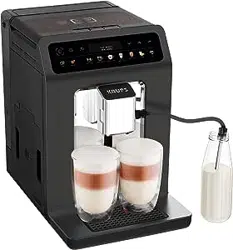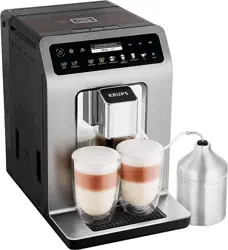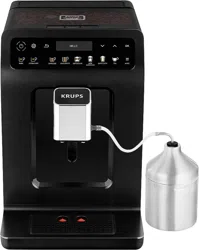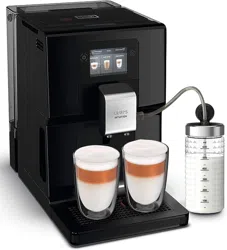
Home » KRUPS » KRUPS EA81 Series Espresseria Automatic Coffee Machine Instruction Manual
EA81 Series Espresseria Automatic Coffee Machine
Instruction Manual
HOTLINE: UK: 0345 330 6460 – ROI: (01) 677 4003
KRUPS EA81 Series Espresseria Automatic Coffee Machine
Instruction Manual
Manuals+ — User Manuals Simplified.
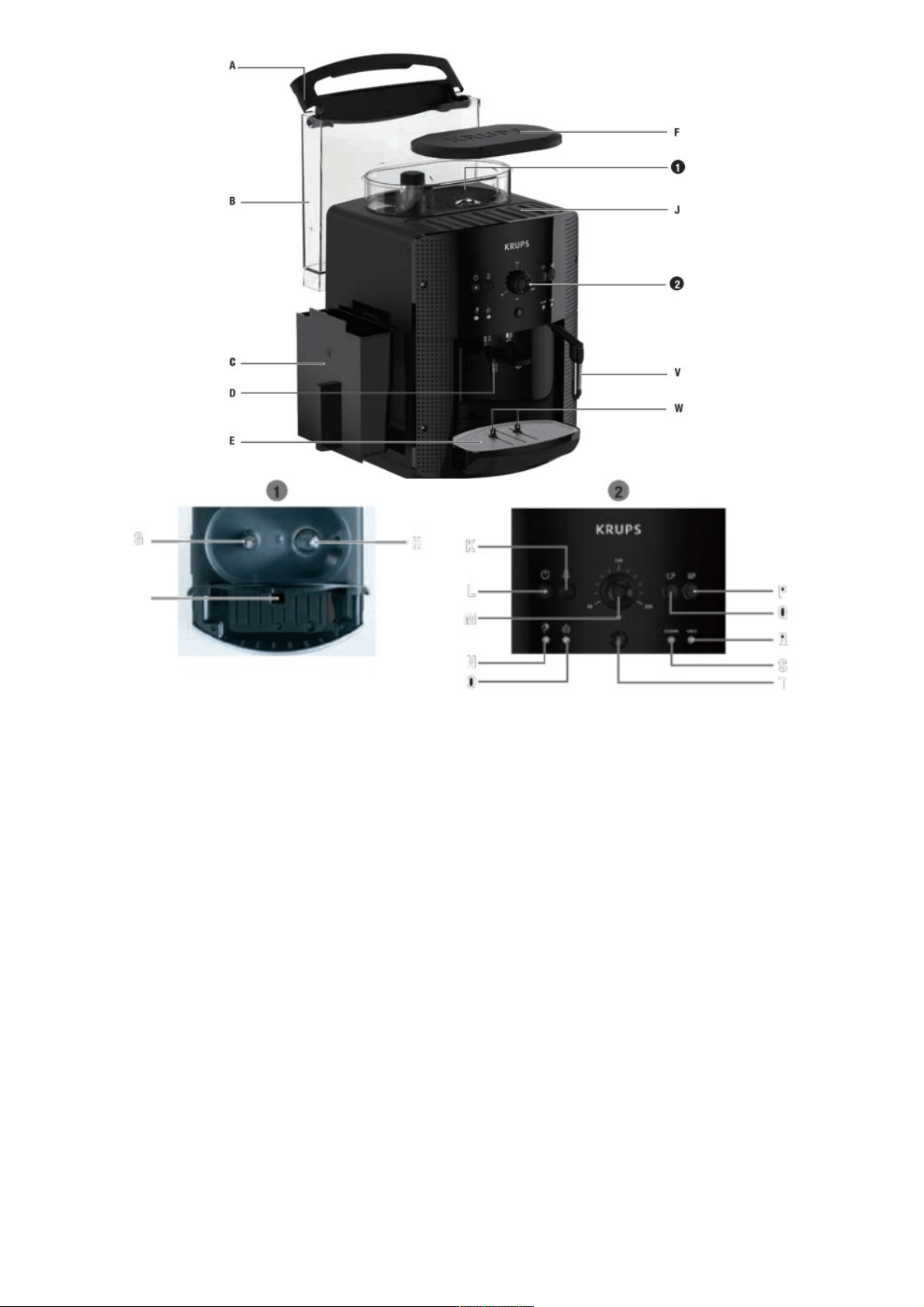
CAUTION: Please read the safety instructions before using your appliance
Lights
Meaning
Cleaning
accessorie
s
Fill tank
Clean Cale
On / Off
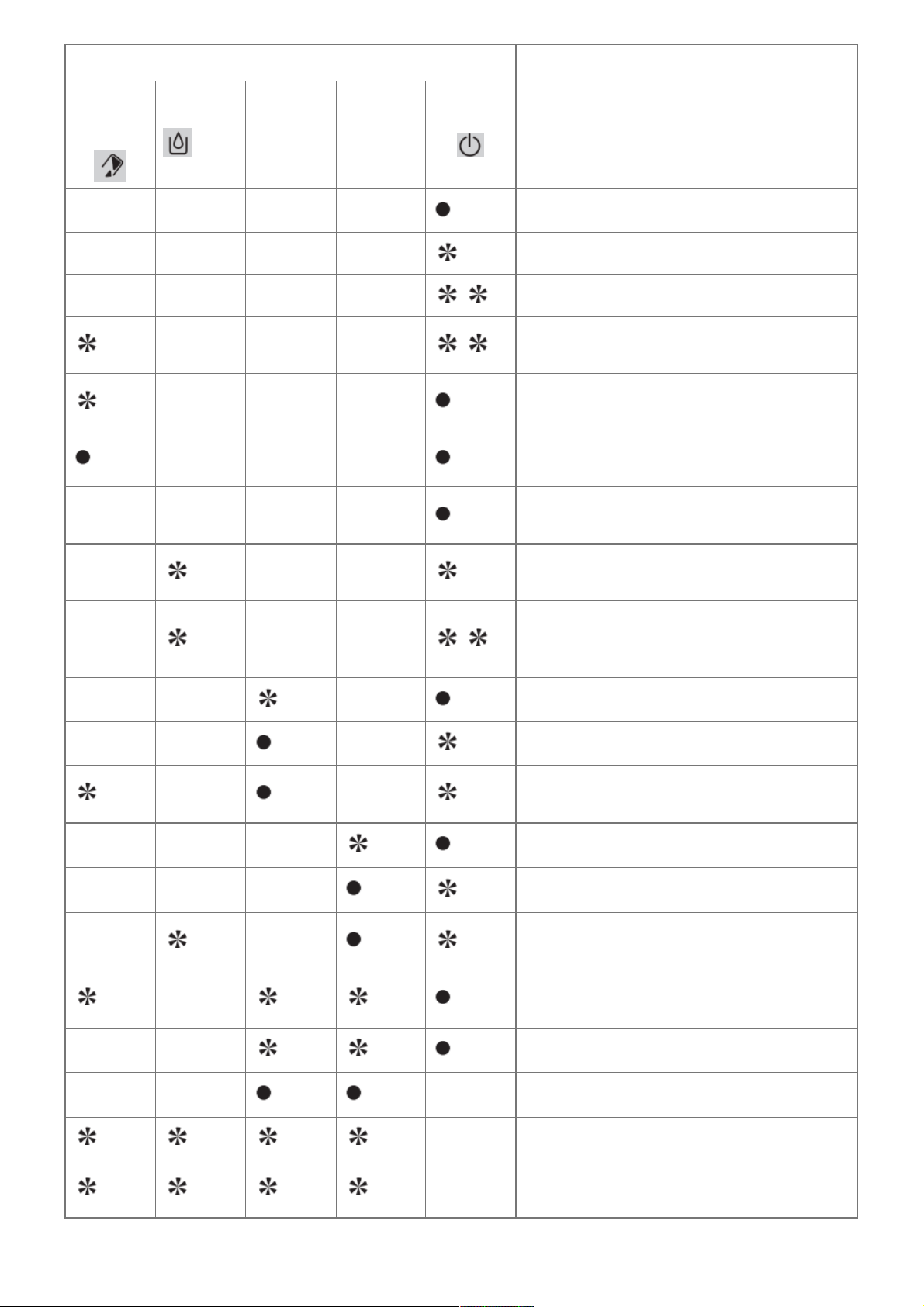
The appliance is ready to be used.
Slow flashing: a task is in progress
Double flash: a 2 coffee cycle is in process.
Empty the coffee grounds collector (a 2 coffee
cycle is underway).
Empty the coffee grounds collector+ and empt
y the drip tray.
Check coffee grounds collector is not missing
or incorrectly positioned.
Fill the tank with water. Check water tank is no
t missing or incorrectly positioned.
The coffee cycle has stopped due to a lack of
water. Fill the tank with water.
The double coffee cycle has stopped due to la
ck of water.
Fill the tank with water.
Cleaning program requested.
Cleaning program: cycle in progress.
Cleaning program: empty the coffee grounds c
ollector.
Descaling program requested.
Descaling program: cycle in progress.
Descaling program, rinsing cycles: in progress.
to Request empty and to fill water tank.
Empty the coffee grounds collector before the l
ong rinse cycle.
Long rinse request.
Long rinse in progress.
Constant flashing: operating fault.
Alternate flashing: Switching off of the
appliance under progress.
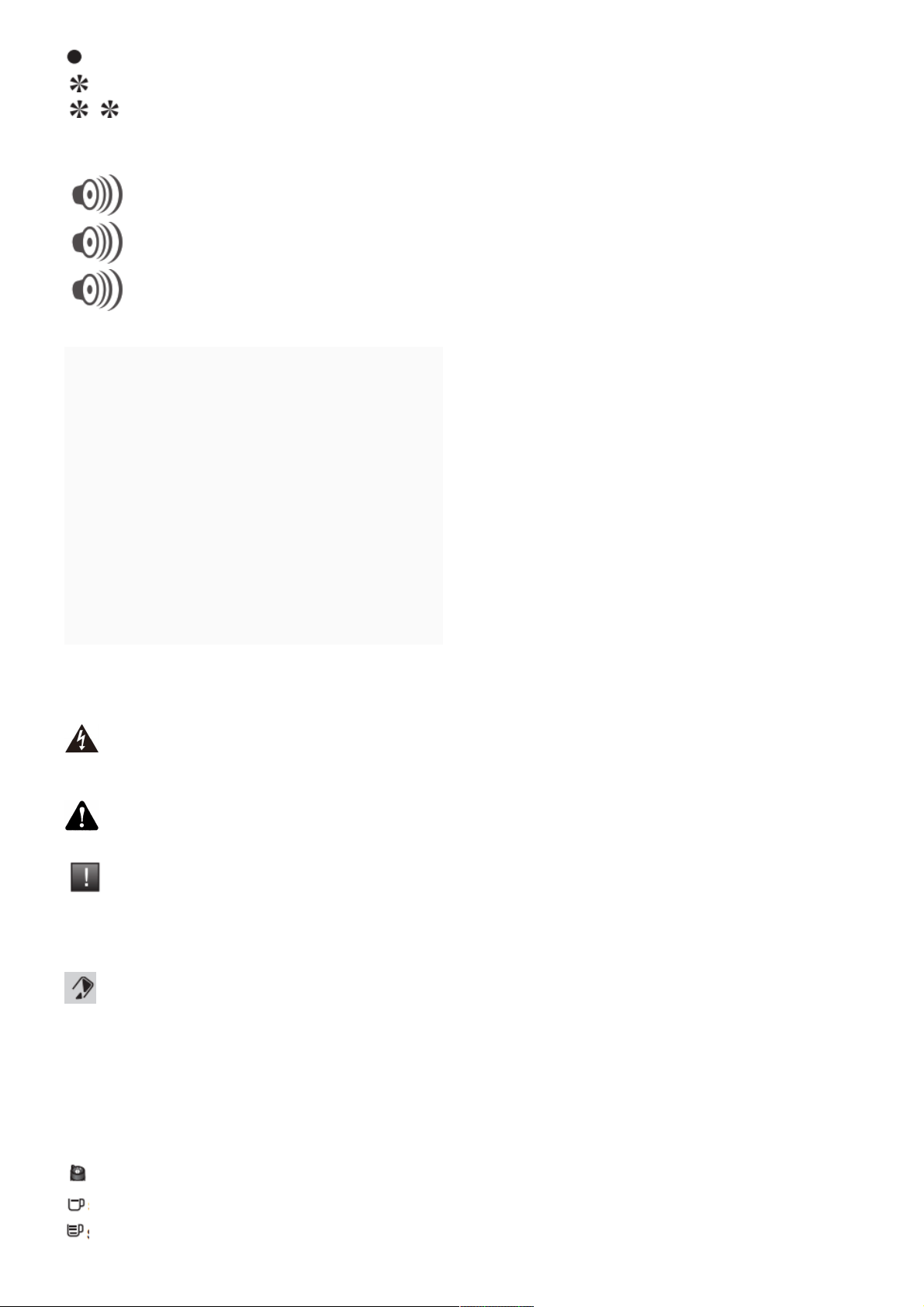
: Light on
: Light flashing
: Light double flashing
Sound signals:
One beep when pressing ON/OFF: turning on the power on the activated appliance.
One beep every ten seconds: the appliance is awaiting instructions from the user.
One double beep: the appliance has registered your request and will stop as soon as possible.
Contents
1 SYMBOL INFORMATION
2 BEVERAGE PREPARATION
3 BEFORE FIRST USE
4 PREPARING ESPRESSO AND LONG
COFFEES
5 PREPARING STEAM
6 MAINTAINING YOUR APPLIANCE
7 OTHER FUNCTIONS
8 TROUBLESHOOTING, CORRECTIVE ACTIONS
9 Documents / Resources
9.1 References
10 Related Posts
SYMBOL INFORMATION
Danger :
Warning against the risk of serious or fatal injuries.
The lightning bolt symbol warns against electrical dangers.
Attention :
Warning against the risks of incorrect operation, damage or destruction of the appliance.
Important :
General or important note on the operation of the appliance.
Warning signals
Empty the coffee grounds collector and the drip tray, and wipe clean the area where the coffee drawer sits;
the light will remain on if the coffee grounds collector is not properly inserted or if it has been put back in place 4
seconds earlier.
Fill water tank
CLEAN Proceed with cleaning
CALC Proceed with scale removal
CLEAN + CALC Carry out a long rinse
Coffee bean grinding fineness setting
Standard
Strong coffee
Steam button
Rinsing/servicing
BEVERAGE PREPARATION
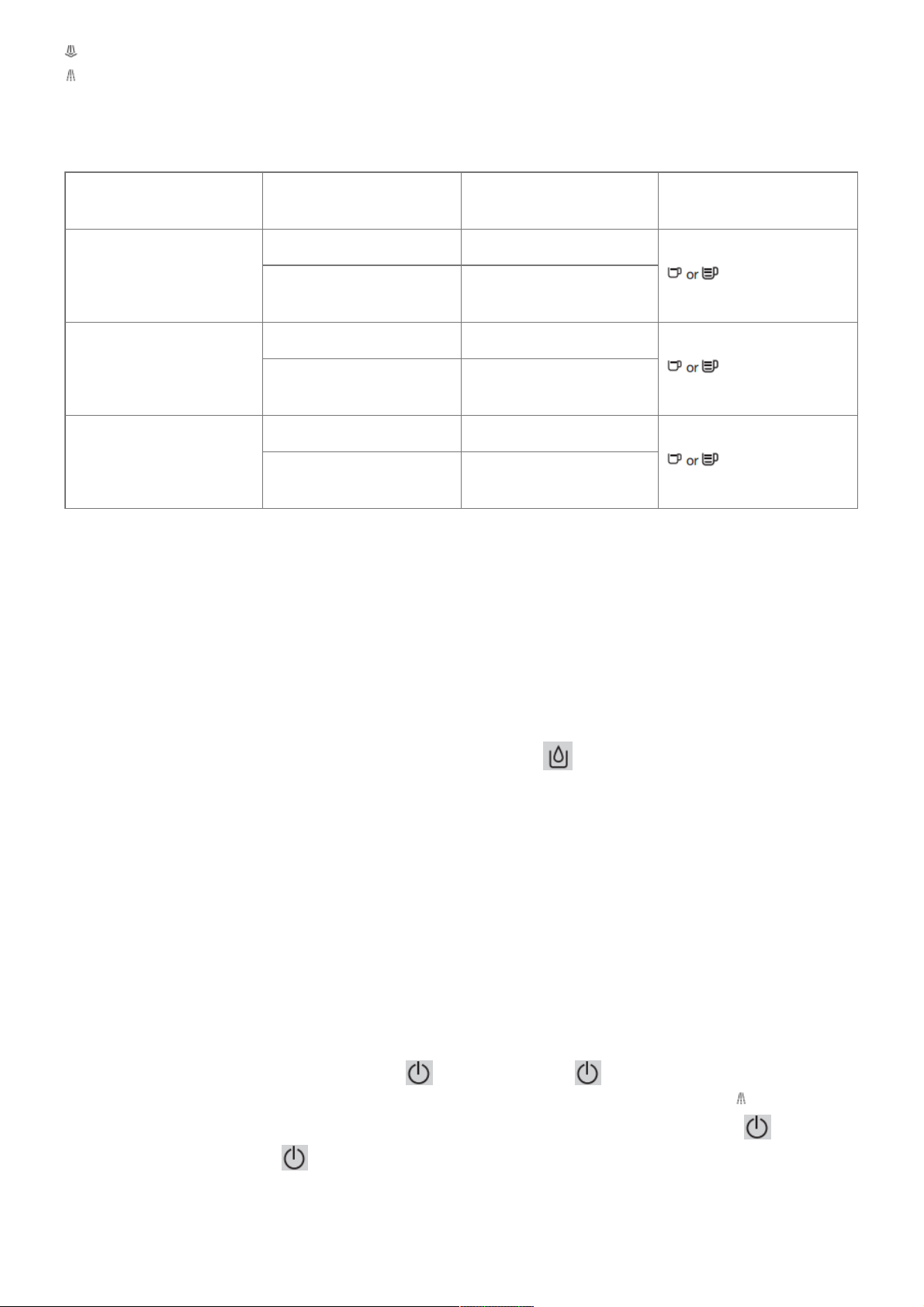
TYPES OF COFFEE Number of cups possible
Possible volume settings
(ml)
Possible strength settings
RISTRETTO
1 20 to 30 ml
2 x 1
2 x2Oto30 ml in two cycle
s
ESPRESSO
1 30 to 70 ml
2 x 1
2 x 30 to 70 ml in two cycl
es
COFFEE or LUNGO
1 80 to 220 ml
2 x 1
2 x 80 to 220 ml in two cy
cles
BEFORE FIRST USE
Preparing the appliance
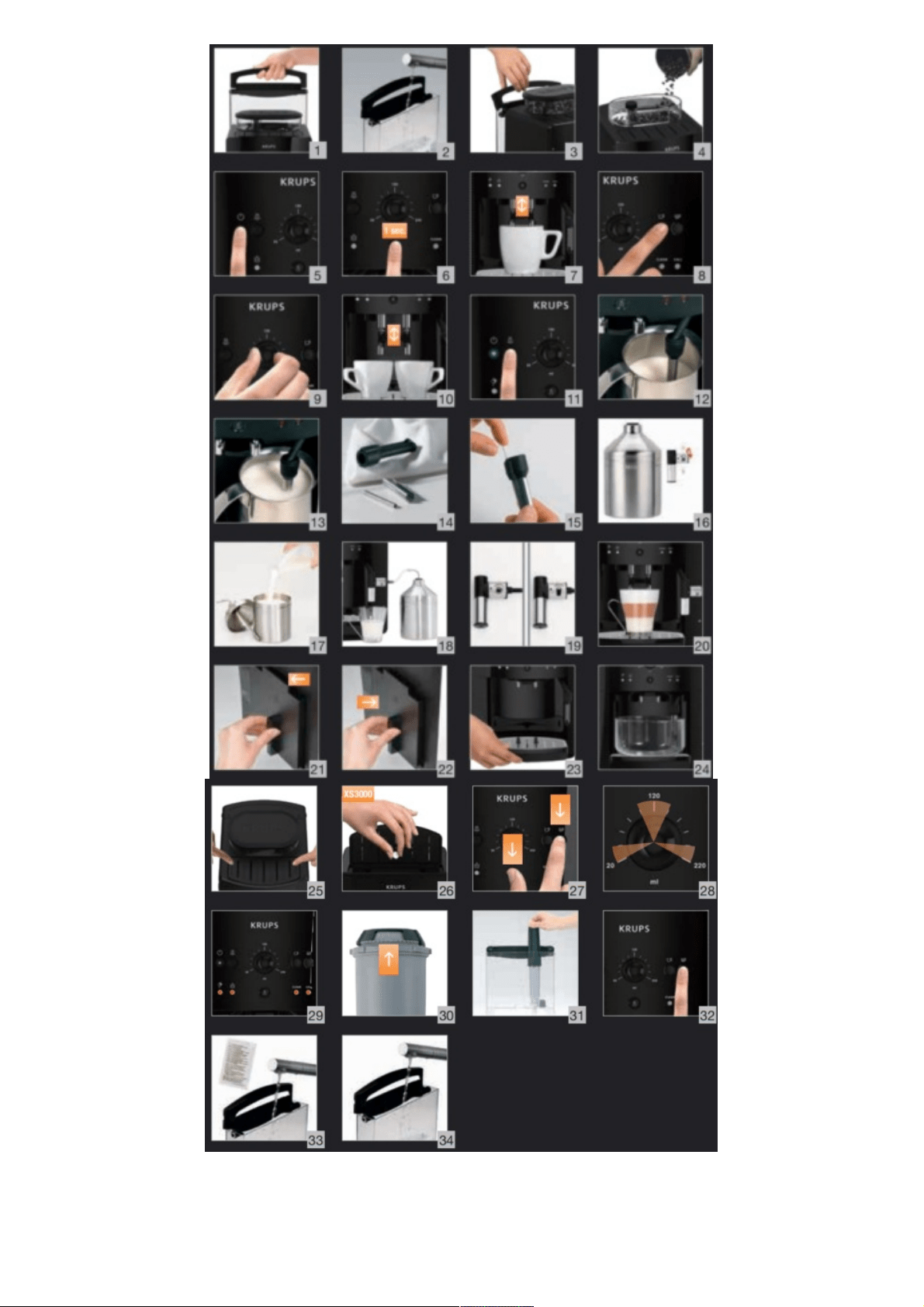
Pull out and fill the water tank – Fig. 1 and 2.
Put it back in place by pressing firmly and closing the lid again – Fig. 3.
Open the coffee bean container lid. Add the coffee beans – Fig. 4.
Close the coffee bean container lid again.
Do not fill the water tank with hot water, milk or any other liquid. If you turn on the appliance when the water
tank is not in place or not correctly filled (under the “min.” level,), the light will come on and making an
espresso
or a cup of coffee will be made impossible.
NEVER PUT GROUND COFFEE IN THE COFFEE CONTAINER.
It is recommended that you do not use oily, caramelised or flavoured coffee beans for this appliance. These kinds
of beans may damage the appliance.
Check that the coffee beans do not contain any foreign particles such as grit, as any damage caused by the
presence of foreign particles will invalidate the guarantee.
Do not put water into the coffee bean container.
Remember to fit the drip tray to avoid wastewater flowing onto the work surface and staining it or scalding you.
Check that your water tank is clean.
Initialization cycle – total duration: around 3 minutes
Turn on the appliance by pressing the button – Fig. 5. The light is constant. Put a container with a
minimum capacity of 0.6 liters underneath the two coffee outlets and steam nozzle. Press the – Fig. 6 button:
the appliance starts the initialization cycle for rinsing off the steam and coffee circuits. The light flashes. The
cycle is finished when the light becomes constant. The appliance is now ready to use.
It is preferable to rinse the 2 circuits out at least once after the appliance has not been used for several days. Each
time you plug your appliance in, it will carry out an initialization cycle.
Preparing the grinder
You can choose the strength of your coffee by setting the coffee bean grinding fineness. The finer the grinding
setting, the stronger and creamier the coffee should be. Set the desired fineness for grinding by turning the
‘Grinding fineness setting’ knob. Turn to the left for a finer grind. Turn to the right for a coarser grind.
CHANGE THE SETTING DURING GRINDING.
Never force the grinding fineness setting button.
PREPARING ESPRESSO AND LONG COFFEES
YOUR APPLIANCE IS DESIGNED TO MAKE COFFEE FROM COFFEE BEANS ONLY.
When you first make coffee with the appliance or after a long period of absence or a cleaning or scale removal
procedure, a little steam and hot water will come out of the steam nozzle (priming). Splashing or scalding may
occur if the coffee outlets are set too high in relation to the size of the cups.
Note:
The amount of water needed to make espresso is between 30 and 70 ml.
The amount of water needed to make a coffee is between 80 and 220 ml.
Production of espresso or coffee
Plugin your appliance.
Press the button . The light will flash during the pre-heating and initialization cycle. The light becomes
constant. Put a cup under the coffee outlets. You can lower or raise the coffee outlets to suit the size of your cups
– Fig. 7. Select the key to getting a strong espresso or the key to get a standard espresso – Fig. 8. You can
change the volume of water at any time – Fig. 9. To stop coffee flowing into the cup, you can either again press
one of the keys or turn the knob to the min. position.
The ground coffee is moistened with a little hot water after the grinding stage. A few moments later, percolation as
such starts. Beyond a certain amount of coffee in the cup, we recommend – in order to obtain a stronger coffee –
to divide your preparation into two separate cycles. Example 2 x 70 ml cycles for a cup of 140 ml.
2 cup function
You can prepare 2 cups of coffee or espresso with your appliance. Press the button the light flashes during
the pre-heating of the appliance The light becomes constant.
Place 2 cups under the coffee outlets. You can lower or raise the coffee outlets to suit the size of your cup – Fig.
10. Select the button according to your choice, by quickly pressing the button twice. The light comes on
with a double flash to inform you that you have requested two cups of coffee.
The appliance will automatically sequence 2 complete coffee-making cycles. Make sure that you don’t remove the
cups after the first cycle.
If you press the button once and the button a second time (or the other way round), the second one isn’t
taken into account.
PREPARING STEAM
Steam froths up the milk to make a cappuccino or a caffe latte, for example and also heats up liquids. As you
need a higher temperature to produce steam than to make an espresso, the appliance runs an additional pre-
heating phase for steam.
Plugin your appliance.
Press the button: the light flashes during the pre-heating of the appliance.
The light becomes constant.
Press the button – Fig. 11.
The light flashes during the pre-heating.
Once the preheating is finished, the light stays constant and you can start the steam production by pressing
the button again. Press the button again to stop the cycle.
The appliance goes back to its initial position if the steam control is not used after 2 mins.
BE CAREFUL, BECAUSE THE CYCLE DOES NOT STOP IMMEDIATELY.
Frothing milk
We recommend that you use pasteurized or UHT milk that has been recently opened. Untreated milk does not
give the best results.
Pour the milk into your milk jug. Immerse the nozzle in the milk – Fig. 12. Initiate the steam function as explained
in the paragraph above. Once your milk is frothy enough – Fig. 13 – again press the button to stop the cycle. To
remove any milk traces from the steam nozzle, place a container under the nozzle and restart a preparation with
steam (around 10 seconds).
The steam nozzle can be removed for more intense cleaning. Wash it out with water and a little washing-up liquid
and a small non-abrasive brush. Rinse and dry it – Fig. 14. Before putting it back, ensure that the air inlet holes
are not blocked by any milk residues. If necessary, unblock them using the needle supplied – Fig. 15.
Do not wash the steam nozzle in a dishwasher. To interrupt the steam function, simply press any button. If
the nozzle is obstructed, unblock it with the needle provided. Steam can be produced for a maximum of 2 minutes
per cycle.
After the steam function has been used, the nozzle can be hot, and we recommend that you wait for a few
moments before handling it.
Auto-cappuccino XS 6000 Set (sold separately)
This auto-cappuccino accessory enables you to make cappuccinos or lattes – Fig. 16. Connect the different parts
to each other. Ensure that you do not pierce the pipe by keeping the button in the correct place. After removing the
lid, fill the jug with milk – Fig. 17 and place a cup or glass under the auto-cappuccino nozzle – Fig. 18. Select the
cappuccino or latte position on the special nozzle – Fig. 19. Start the steam, as indicated in the chapter ‘Making
drinks with steam’. Once you have made the milk froth, place your cup under the coffee outlets and start a coffee
cycle – Fig. 20.
To prevent the milk from drying on the auto-cappuccino accessory, ensure that you clean it thoroughly. You are
advised to wash it immediately by running a steam cycle with the accessory jug filled with water in order to clean
the inside of the nozzle. You can use the KRUPS liquid cleaner for this, available separately.
MAINTAINING YOUR APPLIANCE
Emptying the coffee grounds collector and the drip tray.
If the light flashes,
Remove, empty, and clean the coffee ground collector – Fig. 21.
Replace the coffee grounds collector – Fig. 22
Remove, empty, and clean the drip tray – Fig. 23.
The drip tray is equipped with floats to indicate when it needs to be emptied.
Put all parts back in place.
As soon as you remove the coffee grounds collector, you will have to empty it completely to avoid any overflow.
Rinsing of circuits
These 2 functions are available anytime, except if the appliance requests a ‘CLEAN’ and/or ‘CALC’ cycle.
Rinsing out the coffee circuit:
Place a container under the coffee nozzles. Press the button – Fig. 6 quickly to start a coffee circuit rinsing
cycle, which will automatically stop after around 40 ml.
Rinsing out the steam circuit:
Place a container under the steam nozzle and press the button for 3 seconds to start a steam circuit rinsing
cycle, which will automatically stop after around 300 ml.
Appliance cleaning program, 3 times a year (total duration: about 13 minutes)
For hygienic reasons and to preserve all the best coffee flavor we recommend you to clean the coffee system
when the machine asks you to, about 3 times a year.
To perform this cleaning you will need:
– 1 KRUPS cleaning tablet
– 1 container of minimum 600ml several flows will follow one another
When to carry out this program?
When it is necessary to run a cleaning program, the appliance alerts you by flashing the CLEAN indicator light.
This program can only be accessed when the appliance requests it (approximately every 300 brews of coffee or
espresso). To comply with the warranty conditions, it is essential to perform the cleaning cycle when the appliance
alerts you.
Follow the order of operations carefully Use only KRUPS cleaning tablets (available on our KRUPS.com store)
How to start the automatic cleaning program?
1. Start the cleaning program by pressing the button. The CLEAN indicator becomes solid and the and
indicators flash.
2. Remove, empty, clean and replace the coffee grounds collector Fig 21-22 The indicator light go off.
3. Remove, empty, clean and replace the drip tray Fig 23.
4. Fill and replace the water tank.
5. Place the 600 ml container under the coffee nozzles Fig 24.
6. Open the maintenance hatch Fig 25.
7. Insert the KRUPS XS3000 cleaning tablet into the cleaning chute Fig 26.
8. Press the button to start the cleaning cycle
9. The cleaning phase (about 13 min) starts. Several waters flows follow one another in several phases without
any necessary intervention. They allow the device to be rinsed and the cleaning residue to be removed.
10. The cleaning cycle is finished when the light stays on and the CLEAN light goes out, empty the drip tray.
Your device is ready to be used.
Important :
You do not have to run the cleaning program as soon as the appliance requests it, but you must do it reasonably
soon after. If cleaning is postponed, the alert message will remain displayed as long as the operation has not been
performed. if you unplug your machine or if you turn it off during cleaning or in the event of electrical failure, the
cleaning program will resume the current step at the time of the incident. It will not be possible to postpone this
operation: rinsing the water circuit is mandatory.
If there is not enough water in the water tank when you start the program, the light will come on to warn you. Add
the appropriate amount of water to the container and cleaning will continue automatically.
If you unplug the appliance during cleaning, press the button, or there is an electrical power cut, the cleaning
program will start again from the beginning. In this case, another cleaning tablet may be necessary. Make sure to
carry out the full cleaning cycle to ensure good maintenance of your appliance.
The cleaning cycle is intermittent: do not put your hands under the water outlets ‘E’ and ‘W’ while the cycle is in
progress.
Only use KRUPS (XS3000) cleaning tablets. We cannot be held responsible for any damage that may result from
the use of tablets from other brands. You can obtain cleaning tablets from KRUPS Service Centres.
Scale removal program – total duration: about 20 minutes
The quantity of scale deposited depends on the hardness of the water used. The appliance will automatically warn
you by the ‘CALC’ light coming on when you need to proceed with scale removal. This program is only accessible
when the appliance requests it.
To benefit from the guarantee conditions, it is essential to perform the appliance’s scale removal cycle when
informed to do so. Be sure to follow the procedure closely step by step. You can continue to use the appliance
when the light is on, but you are advised to perform the program as soon as possible.
If your appliances fit with our Claris – Aqua Filter System F088 cartridge, please remove the cartridge during the
descaling operation.
Only use KRUPS scale removal products. You can obtain scale removal products from KRUPS Service Centres.
We cannot be held responsible for any damage that may result from the use of tablets from other brands.
Make certain to protect your work surface during cleaning and scale removal cycles, especially if it
is made of marble, stone or wood.
Start the descaling program by pressing the button. The ‘CALC’ light becomes constant and the indicator lights
and flash.
Remove and clean the drip tray.
Place a container with a minimum capacity of 0.6 l under the coffee outlets as well as under the steam nozzle –
Fig. 24. Empty the tank and refill it with warm water up to the line ‘CALC’ – Fig. 33. Dissolve a sachet of Krups (40
g) F054 descaler in the tank – Fig. 33. Replace the water tank. The indicator light switches off. Press the
button after carrying out all of these operations.
The first phase (approximately 8 min) begins.
The descaling cycle will start automatically.
At the end of this phase, the sound signal beeps every 10 seconds, and the indicator light flashes. Empty the
used water container and put it back in place. Empty and rinse the water tank – Fig. 34. Refill the tank with water
and put it back into place. The warning light goes out. Press the button again to start the second phase. The
sound signal stops. The second phase (about 6 min) begins. The program continues. It rinses the appliance and
removes any traces of the descaler. At the end of this phase, the sound signal beeps every 10 seconds Remove
and empty your used water container and put it back in place. Press the button again to start the final phase.
The sound signal stops. The inal hase (approximately 6 min) begins. The program continues. It removes the last
particles of descaler. When the descaling cycle is finished, the indicator light ‘CALC’ goes out. Refill your water
tank. Your appliance is ready for the next use.
If there is not enough water in the water tank, you will be warned by the light. Add the appropriate amount of water
to the tank and scale removal will continue automatically.
If you unplug the appliance during cleaning, press the button, or there is an electrical power cut, the
cleaning program will start again from the beginning. In this case, another cleaning tablet may be necessary.
Make sure to carry out the full cleaning cycle to ensure good maintenance of your appliance. The cleaning cycle is
intermittent: do not put your hands under the water outlets ‘E’ and ‘W’ while the cycle is in progress.
Long rinsing program – total duration: about 2 minutes
When it is necessary to make a long rinsing program, the appliance warns you of this by flashing the ‘CLEAN’ and
‘CALC’ lights.
Remove, fill and replace the water tank.
Place a container with a minimum capacity of 0.6 l under the coffee outlets and the steam nozzle. Start the long
rinsing program by pressing the button. The lights ‘CLEAN’ and ‘CALC’ become constant and the indicator light
starts flashing. When the long rinse is finished, the lights ‘CLEAN’ and ‘CALC’ go out and the indicator light
becomes constant.
Your appliance is ready for the next use.
The appliance can ask you to empty the coffee ground collector.
OTHER FUNCTIONS
To switch the appliance off
You can switch off your appliance at any time. As the appliance is switching off, a double beep is emitted and all of
the red lights flashed, one after the other. The appliance has registered your request and will stop as soon as
possible.
Installation of the filter cartridge – total duration: around 2 min
To get the best taste from your coffee and extend your appliance’s service life, we advise you to use only the
Claris – Aqua Filter System cartridge sold as an accessory. Fig. 30: Mechanism to indicate the month the cartridge
was fitted and when to replace it (after 2 months at most). Installing the cartridge in the appliance. On first use,
screw the filter cartridge into the bottom of the water tank – Fig. 31. Place a 0.6 l container under the steam
nozzle. Press the button for more than 3 seconds (unless the appliance requires a ‘CLEAN’ and/or ‘CALC’
maintenance). The indicator light flashes. When the installation of the filter cartridge is finished, the indicator
light becomes constant. Your appliance is ready for the next use.
The Claris cartridge needs to be replaced after about every 50 liters of water or every two months at least. If you
are using the Claris – Aqua Filter System cartridge, set the water hardness to level 0.
Coffee temperature display
Appliances are pre-set in the factory to level 2.
Connect the appliance to the mains supply but do not switch it on. Press the and buttons together, – Fig. 27.
The LED flashes during the setting phase. Twist the knob to 20 ml to set the coffee temperature – Fig. 28.
Press the button to increase or touch the button to decrease the setting – Fig. 32. Select the coffee
temperature level: 1 LED lit = temperature 1, 2 LEDs lit = temperature 2, 3 LEDs lit = temperature 3, the hottest
setting. To exit settings mode, press .
Water Hardness Setting
Appliances are pre-set in the factory to hardness level 4.
Before using the appliance for the first time or after a change to the water hardness, it is advisable to set the
appliance to the correct water hardness. Contact your water supplier to find out the water hardness for your area.
Degree of
hardness
0
Very soft
1
soft
2
moderately hard
3
hard
4
extremely hard
0 f < 5,4 > 7.2 > 12,6° > 25,2° > 37,8°
°dH <3° >4° >7` >14° >21°
°e < 3,75° > 5° > 8,75° > 17,5° > 26,25°
Connect the appliance to the mains supply but do not switch it on.
Press the buttons together, – Fig. 27. The LED flashes during the setting phase. Twist the knob to 120

ml to set the water hardness – Fig. 28. Press the button to increase or touch the button to decrease the setting
– Fig. 32. Select the level of water hardness to be used: 0 LEDs lit = very soft, 1 LED lit = soft, 2 LEDs lit =
average hardness, 3 LEDs lit = hard, 4 LEDs lit = very hard – Fig. 29. To exit settings mode, press .
Setting the electrical supply cut-off mechanism
Appliances are pre-set in the factory to 1 hour.
You can program your machine’s automatic shut-off following a pre-programmed number of hours. Connect the
appliance to the mains supply but do not switch it on.
Press the buttons together, – Fig. 27. The LED flashes during the setting phase. Twist the knob to 220
ml to set the automatic cut-off duration – Fig. 28. Press the button to increase or touch the button to decrease
the setting – Fig. 32. Select the desired hardness: 1 LED lit = 1 hour, 2 LEDs lit = 2 hours, 3 LEDs lit = 3 hours, 4
LEDs lit = 4 hours – Fig. 29. To exit settings mode, press .
Information on cycle number
Connect the appliance to the mains supply but do not switch it on.
Press the and buttons together, – Fig. 27. The LED flashes during the setting phase. To go to “cycle
number” mode, press and hold the button for 3 seconds; all of the red LEDs flash three times before displaying
the information – Fig. 29. Cycle number:
– Less than 3000: 1 LED lit.
– Greater than 3000: 2 LEDs lit.
– Greater than 6000: 3 LEDs lit.
To exit settings mode, press .
At each of these steps, you can exit settings mode by pressing the button if you have finished your settings.
All of the lights are off. These settings will be saved even if there is an electrical failure. You can modify these
settings at any time by repeating these steps.
TROUBLESHOOTING, CORRECTIVE ACTIONS
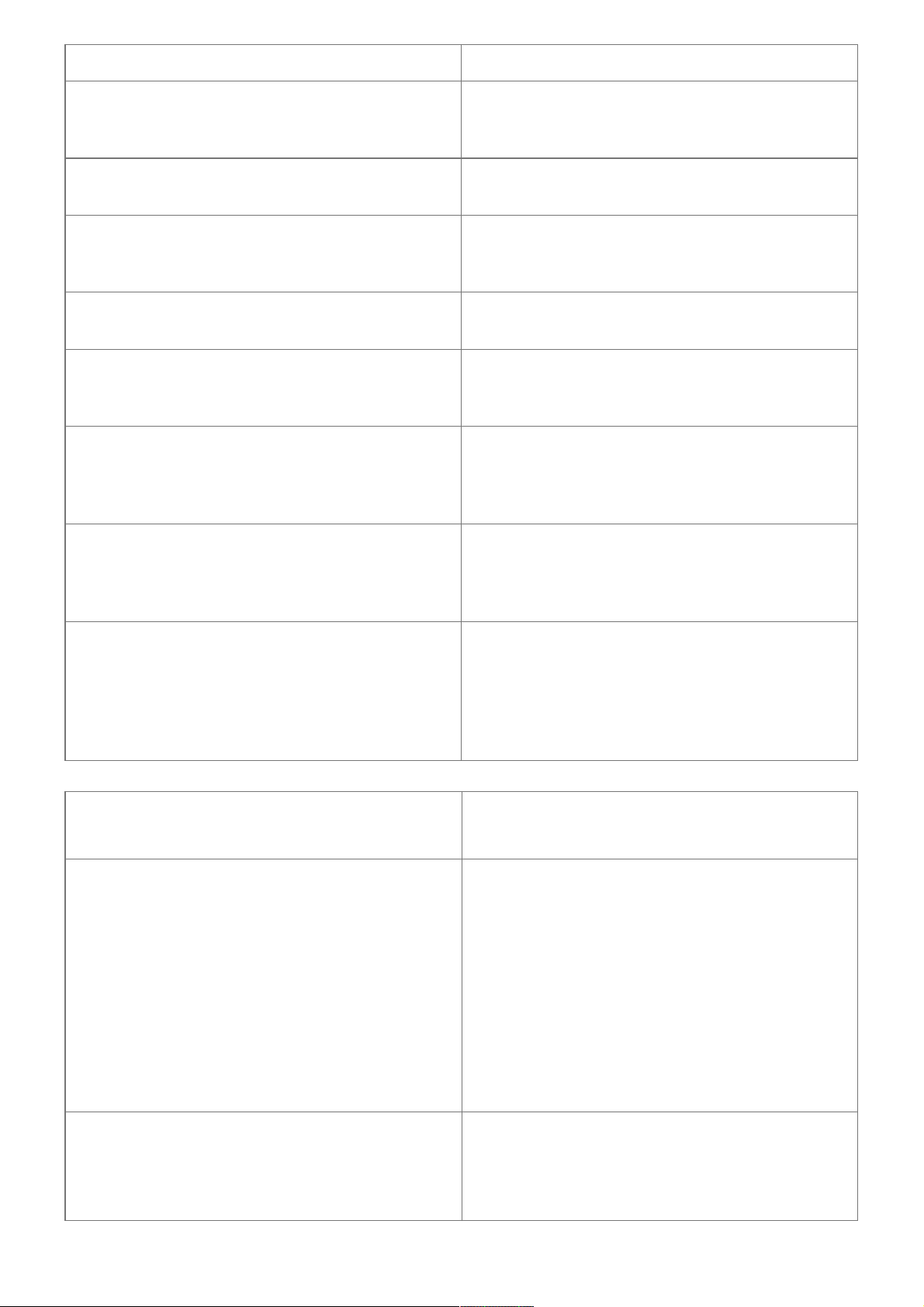
PROBLEM MALFUNCTION CORRECTIVE ACTION
Switch off and disconnect the appliance, remove the fil
ter cartridge, wait for a minute and restart the applianc
e.
The appliance does not turn on when the 0 buttons is
pressed.
Check your fuses and plug sockets. Check that the tw
o power plugs are correctly pushed into the socket.
The coffee grinder makes a strange noise.
There is a foreign body in the grinder. Disconnect the a
ppliance before investigating. See if you can extract th
e foreign body using your vacuum cleaner.
The steam nozzle makes a noise.
Check that the steam nozzle is correctly attached to its
corresponding end piece.
The steam nozzle on your appliance seems partially or
completely clogged.
Ensure that the opening in the end piece is not obstruc
ted by milk residue or limescale. Unclog the holes with
the needle supplied with your appliance.
The steam nozzle makes little or no milk froth.
For milk-based drinks, use very fresh, very cold
pasteurized, or UHT milk. It is also advisable to use a
cold container. If the results do not improve, try changi
ng the brand of milk.
No steam comes out of the nozzle.
Empty the tank and temporarily remove the filter cartri
dge. Fill the water tank with mineral water that is high i
n calcium (> 100 mg/I) and run successive steam
cycles.
The auto-cappuccino set makes little or no froth. The a
uto-cappuccino set does not take in milk.
Check that the accessory is correctly attached to the a
ppliance, remove it then replace it.
Check that the flexible tube is not obstructed or pierce
d and that it is correctly attached to the accessory so a
s to make it airtight. Rinse and clean the accessory (re
fer to the “Auto-cappuccino accessory” chapter).
PROBLEM MALFUNCTION CORRECTIVE ACTION
There is water underneath the appliance.
Before removing the water tank, wait for 15 seconds af
ter the coffee has finished flowing so that the applianc
e finishes its cycle properly.
Check that the drip tray is correctly positioned on the a
ppliance: it should always be in place, even when the
appliance is not in use.
Check that the drip tray is not full.
The drip tray should not be removed during a cycle. Cl
ean the tank and its correction regularly to avoid the b
uild-up of scale, which can cause leaks.
After emptying the coffee grounds collector. the warnin
g one’s-gm is still displayed on the screen.
Remove the coffee grounds collector and ensure it is
empty and clean. Wait at least 6 seconds before repla
cing it, and ensure it is correctly installed.

The coffee dispenses too slowly.
Turn the coffee fineness dial to the right to make the gr
ounds cotrser (this could also depend on the type of c
offee used).
Run one or several rinsing cycles.
Change the Claris Aqua Filter System cartridge (see ‘I
nstating the filter).
The water/steam is not dispensed normal?), from the s
team nozzle.
At the beginning or end of making a ink. the steam
nozzle may drip slightly.
The coffee fineness dial is difficult to turn. Only change the grinder setting when it is running.
The espresso or coffee is not hot enough.
Change the coffee temperature setting. Warm the cup
by rinsing it with hot water before making the drink.
The coffee is too lightly coloured or too weak
Avoid using oily caramelized or flavored coffee. Check
the bean has ii it that coffee container coffee and is dis
pensing correctly.
Decrease the drink volume. increase the ink strength.
Turn the coffee fineness dial to the left to make the gro
unds finer.
Make the drink in two cycles by using the 2 cups functi
on.
The appliance is not producing coffee.
A problem has been detected during the preparation o
f the drink.
The appliance has restarted automatically and is
ready for a new cycle.
Why can I not start the descaling or cleaning program?
Why does my appliance not request to be descaled or
cleaned?
The appliance only requests tocleanedionce it has ma
de several types of
requests a descaling cycle once it has made a certain
number of drinks using steam.
A power failure occurs during a cycle.
The appliance is automatically restarted when the pow
er is switched back on.
Coif Coffee flows behind the coffee nozzles.
Pour cold or room-temperature water into the tank. Re
-duce the temperature level.
The appliance is working but no liquid comes out.
Check that the water tank is in the correct position and
that the cord is not jammed between the appliance an
d the water tank.
Ground coffee is in the drip tray.
Yes, to stay clean the appliance clears ground coffee t
hat has fallen out of the percolation tank.
EN HOTLINE: UK: 0345 330 6460 – ROI: (01) 677 4003
8020003842 – version3 – 11-2019- Réalisation : Espace graphique
Documents / Resources
KRUPS EA81 Series Espresseria Automatic Coffee Machine [pdf] Instruction Manual
EA81 Series Espresseria Automatic Coffee Machine, EA81 Series, Espresseria Automatic Coff
ee Machine
References
KRUPS.com
krups.com
Manuals+, home privacy