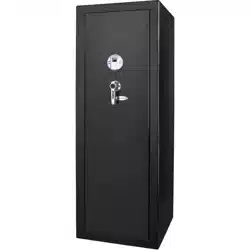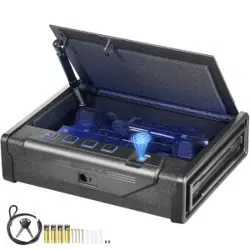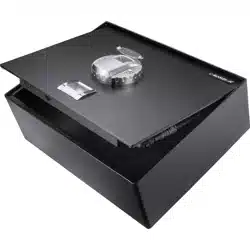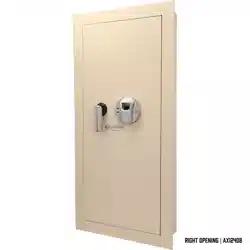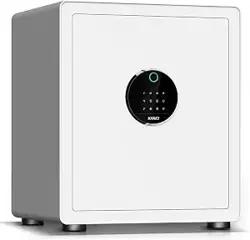

Product Manual
After Sale:support@le-safe.com

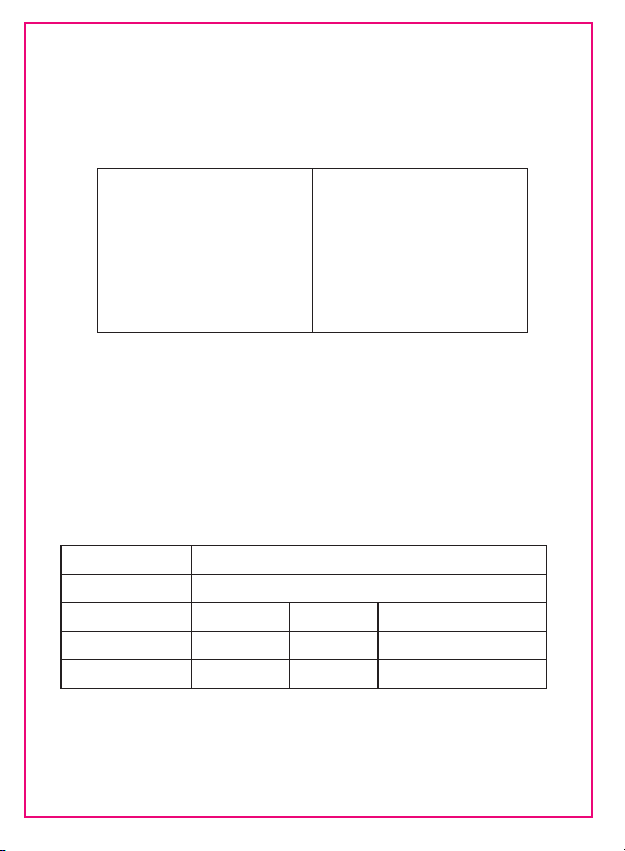
Packing Accessories
After open the package, please first check whether the accessories
are consistent with the following table.If you have any questions,
please contact:support@le-safe.com
Key Box 1
Expension Screw 2
Emergency Keys 2
Safe Box 1
Product Manual 1
External Battery Pack 1
Tips
1.Please keep the emergency key in a safe place.Don‘t put the emergency key or
external battery pack in the safe box.
2.Please follow the instructions in the product manual strictly
Product Parameters
Product
Size
G.W/N.T
450mm x 400mm x 350mm(HxWxD)
KAPUCI SAFE BOX
24.5/23.5KG
Model
BGX-X1-45PMAZ
Password Storage
10 Groups
Fingerprint Storage
30 Groups
Open Method
Password+Fingerprint+Keys
Internal
Internal Light+Drawer

CONTENTS
Product Description
Panel Introduction
First Way to Open-External Battery Pack
Add Password/Fingerprint
Second Way to Open-Emerency Keys
Normally Open
Close The Door
Virtual Password Setting
Wrong Code Alarm
Vibration Alarm
System Initialization
Undervoltage Warning
Installation Notes
7
6
6
6
5
5
5
5
4
3
2
1
1
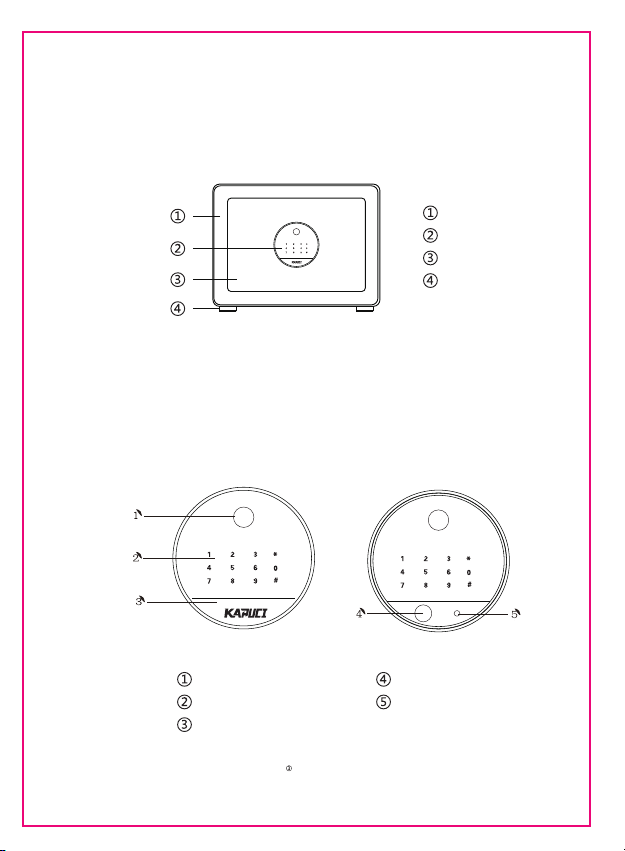
Product Description
Box
Control Panel
Feet
Door
Panel Introduction
Fingerprint Collection Area
Password Keypad
Emergency Keyhole Cover
Emergency Keyhole
External Battery Pack Hole
Tips:
In order to prevent the emergency Keyhole Cover from being lost during transportion
we put the cover in the key box.
1
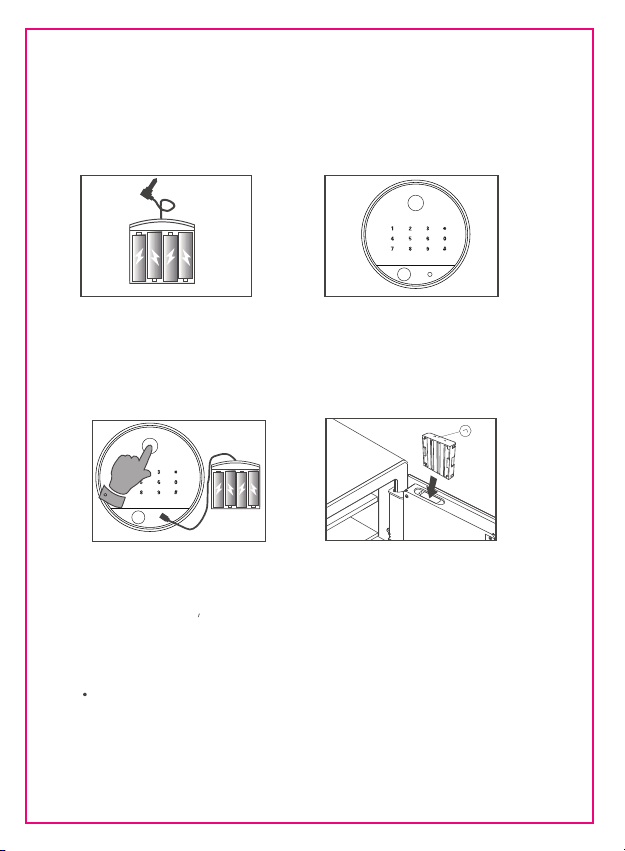
【First Way to Open-External Battery Pack】
In the factory state,you can use factory password 168 or any fingerprint to
open the safes.After enter the correct password,you must end with # to let the
System know that your password has been entered.
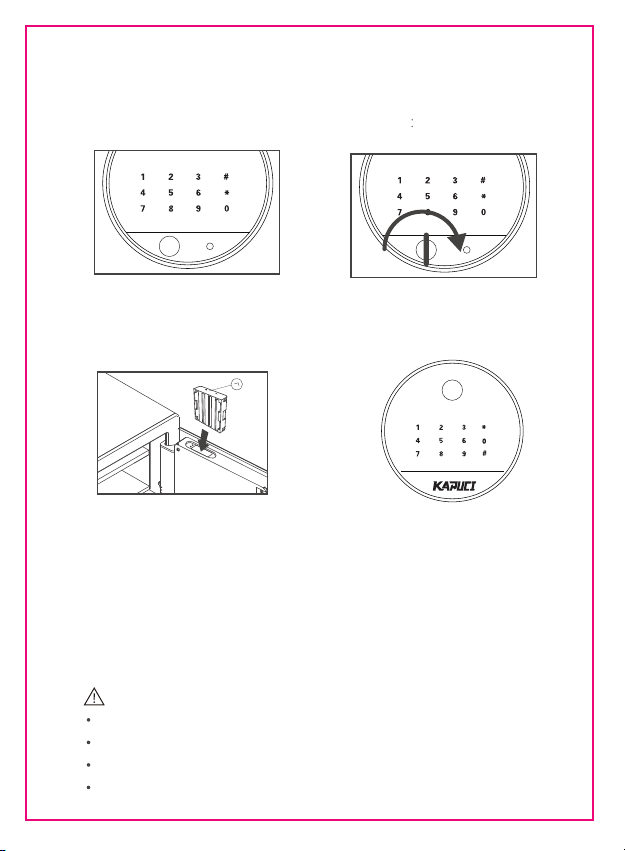
Step 1
Insert 4-AA batteries into the external battery
pack in the correct direction(Because of
transportation,the battery is not included
in the accessorise)
Step 2:
Press the left or right end of the emergency keyhole
cover to expose the emergency keyhold.
(If the emergency keyhold cover is in the key box,this
step can be omitted )
Step 3:
Plug the battery plug into the external battery
pack hole.And touch the password keypad area
to wake up screen,then enter 168,end with #,
the door can be opend automatically.
Or you can put any finger in the fingerprint
collection area about 1second,breathing light
turns green,the door can be opend automatically.
Step 3:
Step 4:
Unplug the battery pack,replace the battery into the
battery compartment above the back cover of the
box door.When putting the battery compartmen back。
Pay attention to the direction,the direction of the arrow
on the battery box is as shown in the figure.
When the battery is dead,or external battery pack cannot be found,or the password is forgotten,or
the fingerprint is not recognized,etc.You can use the emergency key to open the safe.
Once again,the emergency key and the external battery pack are very important,do not put them
int the safe box .
2
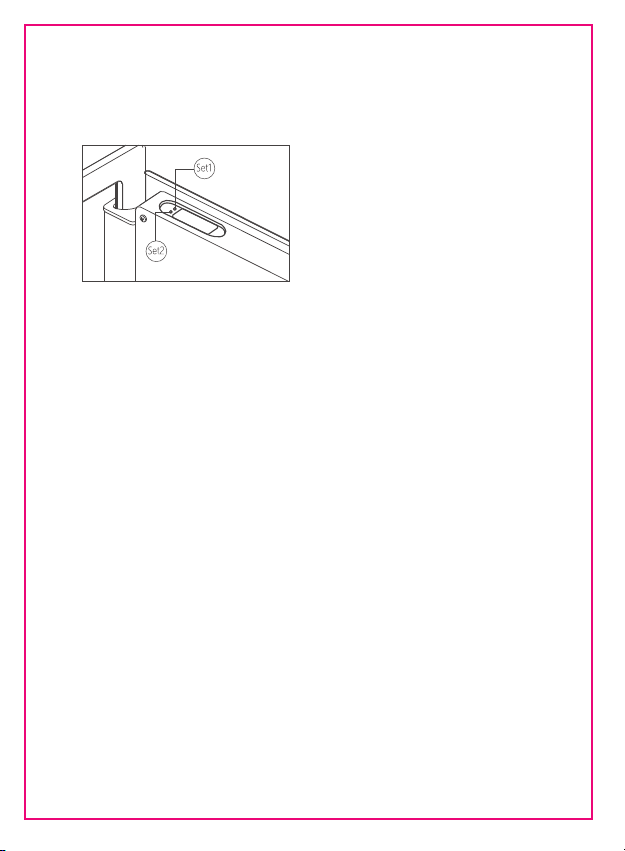
Add Password/Fingerprint
Add Password:
Short press(About 1s)”Set 1”button and you will notice the screen brightens , breathing light is blue and
sound prompts”Di”.Enter a new password with 1-8 digits and press # key to confirm.The sound prompts
”Di-Di” and breathing light turns green ,indicating that the setting is successful.If you need to continue
to add a new password,repeat the previous operation.
(You can store up to 10 sets of passwords).
Add Fingerprint:
Short press(About 1s)”Set 1”button and you will notice the screen brightens , breathing light is blue and
sound prompts”Di”.Put your finger in the fingerprint collection area ,leave it for about 2seconds,breathing
light will turn green and sound prompts“Di-Di”,indicating that the setting is successful.If you need to
continue to add a new fingerprint,repeat the previous operation.
(You can store up to 30 sets fingerprints).
3
Second Way to Open-Emerency Keys Open
When the electronic system is abnormal or the password is forgotten or the battery is dead.
You can use the emergency to open the safe, ensure that belongs can be taken out
Setp 1:
Press the left or right end of the emergency
keyhold cover and expose the emergency
keyhold.(If the emergency keyhold cover is
in the key box,this stepcan be omitted )
Step 2:
Insert the emergency key in the correct direction
(The key’s notch direction is to the left or right
but not up and down),then turn it clockwise to
the limit to open the safes.
Step 3:
Step 4:
4
After the emergency is restored to its original
position,pull it out,and put 4-AAbattery into the
battery box above the back cover of the door.
When installing the battery,pay attention to the
positive and negative sides,and also pay attention
to the direction when placing the battery box
(See Picture)
At this point,you can notice that the door bolt
is in an extended state.When the door bolt is
extended,you cannot close the door,which will
damage the paint.
After installing the battery,restore the emergency
lock cover,the emergency lock cover may be in the
key box.
Next,you can refer to:
Normal Open(Page 5)
Add Password/Fingerprint(Page 3)
Close The Door(Page5 )
Prompt
If the emergency key is not pulled out ,the door of the box can not be locked,
otherwise it will cause the code lock failure.
This emergency lock can only be used when the electronic system is abnormal
when it is opened for the first time
Long-term use of the emergency key will affect the service life of the electronic system
Please do not put emergency keys in the safe box

5
【Normally Open】
Password Open:
Touch the password keypad to wake up the system and the screen lights up.Enter the correct
password and end with # key,and the breathing light turns green.The door can open automatically
Fingerprint Open:
Put the registered fingerprints in the fingerprint collection area(Leave for 1-2 Seconds ),the
breathing light turn green.The door can open automatically
【Close The Door】
Push the door to the end by hand,press the door and hold for 2 seconds.The door can be
automatically locked
Tips:
When closing the door ,do not remove the hand as soon as it is closed,press the door and
hold it for 2 seconds for the system to recognize
【Virtual Password Setting】
KAPUCI Safe box support Support the virtual password function, add any number before or
after the correct password (the total number is not more than 24 digits), as long as you ensure
that there is a series of consecutive numbers in the middle is the password you set,
after inputting, end with # key, you can open the box door.
For example:
The password you set is: 382345, in order to prevent the password from being peeped by others,
you can enter xxxxxx382345xxxxxx (x represents any number from 0-9, no regularity is required)
234 4563823459847586 can also open the door.
【Wrong Code Alarm】
In the process of opening the door,if the password is entered incorrectly for 3 consecutive times or
the fingerprint is unsuccessfull matched for 5 consecutive times,the buzzer will sound for 20seconds
and the control panel will be locked for 3 minutes.Within 3 minutes,you can notperform any operations.
Automatically release after three times(Or remove the battery can quick release the alarm)

【Vibration Alarm】
KAPUCI safe box has a vibration alarm function:
This feature is turned on by default
If you want to turn off the vibration alarm function,short press the “Set 2”button,
short press the “Set 2”button again to turn on the vibration alarm function
In the locked state,the safe box is subject to strong vibration,which will trigger
a vibration alarm,and the buzzer will emit a sound for 20 seconds.During this
process,input the correct password or fingerprint to clear the alarm
【System Initialization(Restore Factory Settings)】
Long press “Set 1”button(More than 3 seconds),the sound prompts”Di-Di-Di-Di”
the breathing light turn green.and the system is initialized successfully.All the
passwords or fingerprints entered before are cleared,and the system returns to the
factory state
【Undervoltage Warning】
When the built-in battery voltage is lower than 4.8v,there will be a sound prompt
”Di-Di-Di-Di” every time the box is opened .Please replace with new batteries
as soon as possible,otherwise the door will not be able to opened normally after
the batteries are exhausted.
TIPS:
After the warning of voltage undervoltage,the remaining power of the system can only support
20 door openings or standby for 5 days.f the door cannot be opened normally because the battery
has not been replaced in time,you can use External Battery Pack or Emergency Keys
to open.
See page 3 for specific steps.
6
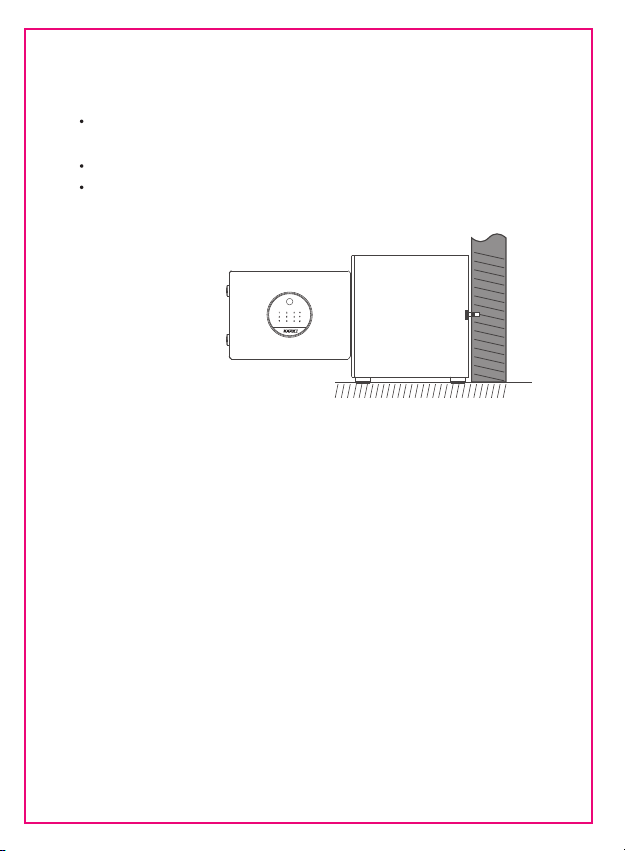
Installation Notes
Choose a suitable place to place the box,remove the sticker on the back of the
box ,open the door,and mark the punching positions according to the installation
holes.
Remove the safe and drill holes with a percussion drill(Drill diameter 13.5mm)
Then align the mounting holes in the safe with the punched holes,insert and tighten
the mounting screws,and fix the box to the solid wall.
7

KAPUCI FINGERPRINT SAFE BOX
Client:Ningbo Lejia Security Technology Co.,ltd
Manufacturer:Ningbo Kamai Security Technology Co.,ltd
Address:No.527,BaoShan Road,Beilun District,Ningbo,China
Email:support@le-safe.com